7 Best SiteGPT Alternatives (2026)
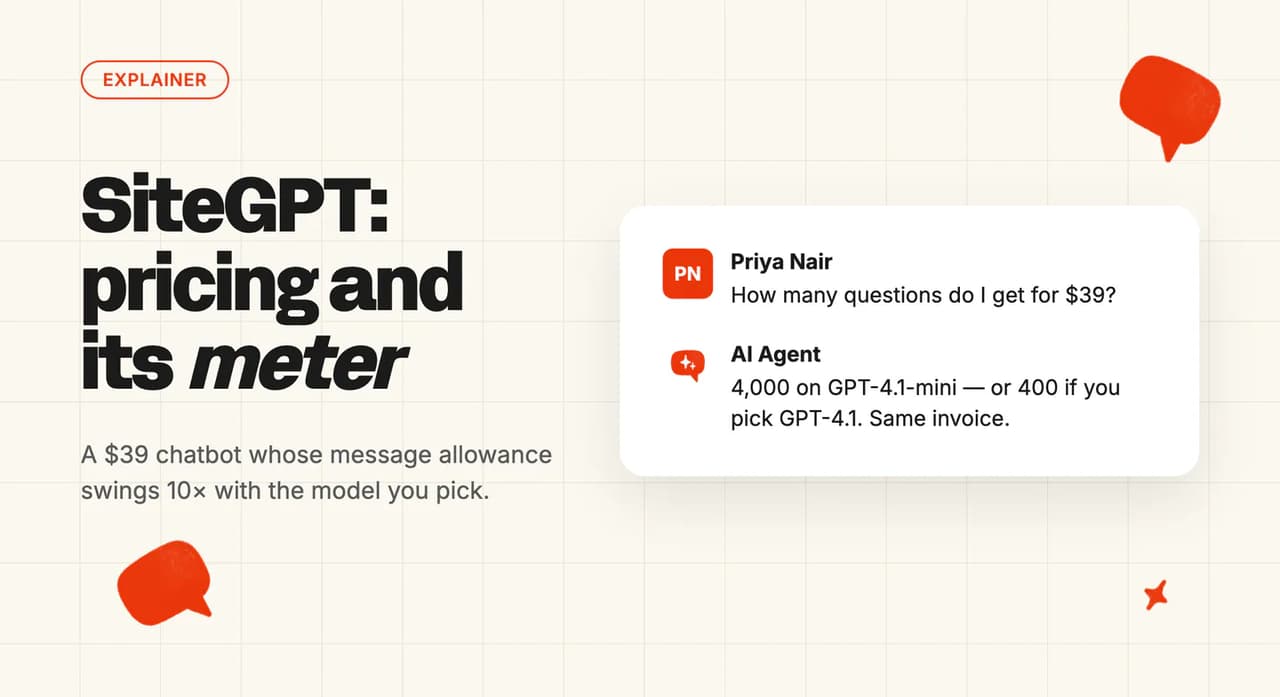
SiteGPT's $39 plan is the yearly rate ($59 monthly) for 4,000 messages, or 400 on the accurate model. Ours is $0.10 a ticket on Scale. 7 alternatives scored.
Summarize with AI
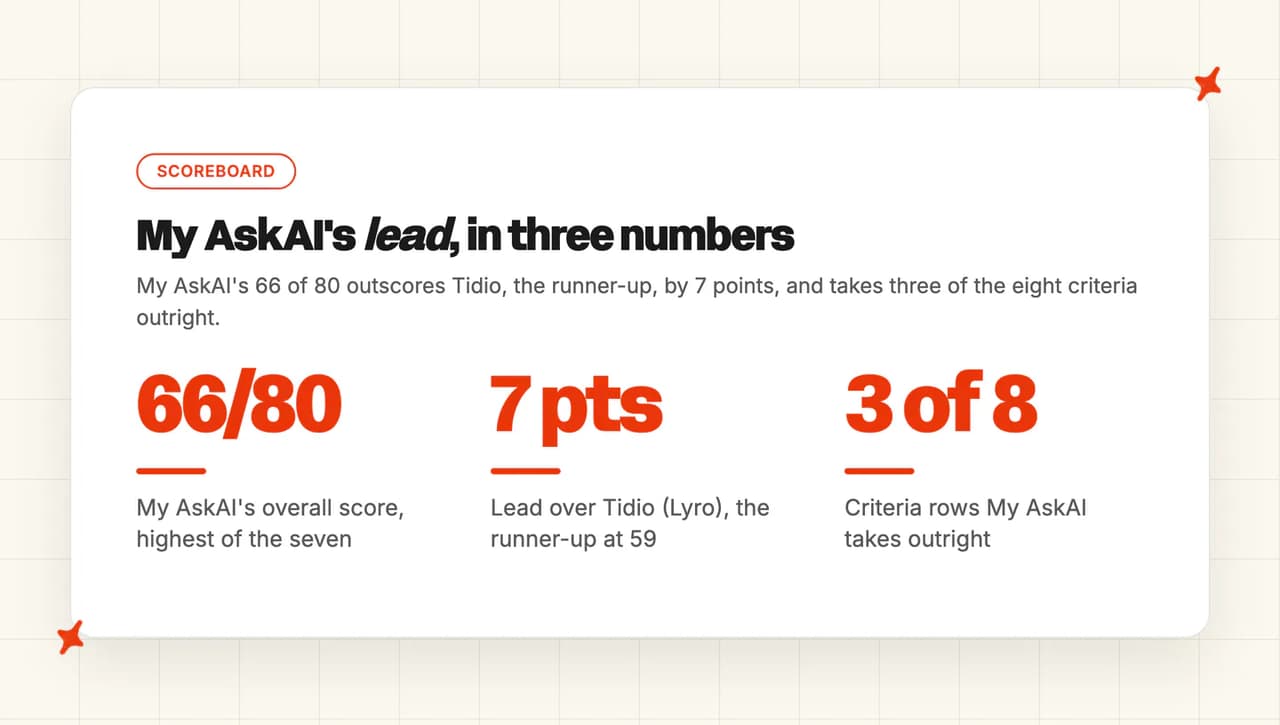
You went to check how many messages your $39 a month buys (that price is the yearly rate; month to month it is $59), and the pricing page gave you two answers ten times apart. Seven alternatives are ranked here on eight criteria, and our own My AskAI comes top at 66 out of 80 for teams whose support already runs through a helpdesk. Tidio is the runner-up at 59 for a team that wants the widget, the inbox and social channels on one bill, and our $199 floor is why a zero-budget site should start with tawk.to.
The slider behind those two numbers decides your quota. Pick the cheaper model and the plan covers 4,000 messages.
Pick the more accurate one and the same invoice covers 400. Same traffic, different dropdown.
I'm Mike, co-founder of My AskAI. We help 200+ ecommerce and SaaS businesses run AI customer service inside the helpdesk they already use. One of the seven tools below is ours.
You get a scored comparison of seven alternatives, a review of each one, and a worked bill at 10,000 conversations a month with every billing unit converted into dollars.
Quick answer: the best SiteGPT alternatives
Are there alternatives to SiteGPT for AI support on my website?
SiteGPT is a standalone website chat-widget builder. There is no ticket system and no email inbox (just a simple escalation inbox). Chatbase, Wonderchat and Botsonic sit in exactly the same slot.
That decides where your support lives.
A widget answers people on your marketing site. An agent inside a helpdesk answers the tickets your team already has open. That second slot is where we sit.
SiteGPT does offer that second option too. Its own documentation covers installing SiteGPT as the AI agent inside Zendesk Messaging. It answers first in your Zendesk widget, then hands the conversation to a human with the full history.
That route starts on the Scale tier at $259 a month, which is 6.6 times the entry price.
The seven tools split along that line, ours included. Chatbase, Wonderchat, Botsonic and tawk.to are widget-first. Crisp and Tidio sell you their own platform with an inbox attached.
We run natively inside six helpdesks: Zendesk, Intercom, Freshchat, Freshdesk, Gorgias and HubSpot.
An AI agent gets into a helpdesk through an approved marketplace app. The vendor installs and updates that one, so it never lands on your team.
For field context, the median AI handling rate is about 70%. That comes from 195 rated deployments across 38 vendors in our own AI resolution rate benchmark study.
The figure is directional and the sample is self-selected. Read it as where the field sits today.
What's the overall comparison of these 7 SiteGPT alternatives?
| (scores out of 10) | My AskAI | Tidio (Lyro) | Chatbase | Crisp | Wonderchat | tawk.to | Botsonic |
|---|---|---|---|---|---|---|---|
| Deployment & channel reach | 9 | 8 | 6 | 6 | 4 | 3 | 4 |
| Ease of setup | 7 | 8 | 9 | 7 | 9 | 8 | 9 |
| Training sources | 9 | 7 | 7 | 6 | 7 | 5 | 6 |
| Features | 9 | 9 | 9 | 8 | 7 | 6 | 7 |
| Improving over time | 10 | 7 | 6 | 5 | 7 | 4 | 4 |
| Security | 7 | 6 | 7 | 5 | 6 | 4 | 6 |
| Maturity | 7 | 9 | 7 | 7 | 4 | 8 | 5 |
| Cost | 8 | 5 | 5 | 8 | 3 | 8 | 3 |
| Overall (out of 80) | 66 (83%) | 59 (74%) | 56 (70%) | 52 (65%) | 47 (59%) | 46 (58%) | 44 (55%) |
We take or share six of the eight rows and lose two. Ease of setup goes to Chatbase, Wonderchat and Botsonic. Maturity goes to Tidio, which has an install base nobody else here matches.
Two rows decide the gap. Nothing else in this set documents an automatic loop that drafts new knowledge from your agents' own replies (ours runs weekly, and it is called Self-Learning). Tidio's route into a helpdesk you already run is Lyro Connect, which sits on its Plus plan (from $300 a month plus usage) with Lyro conversations billed from $0.50 each.
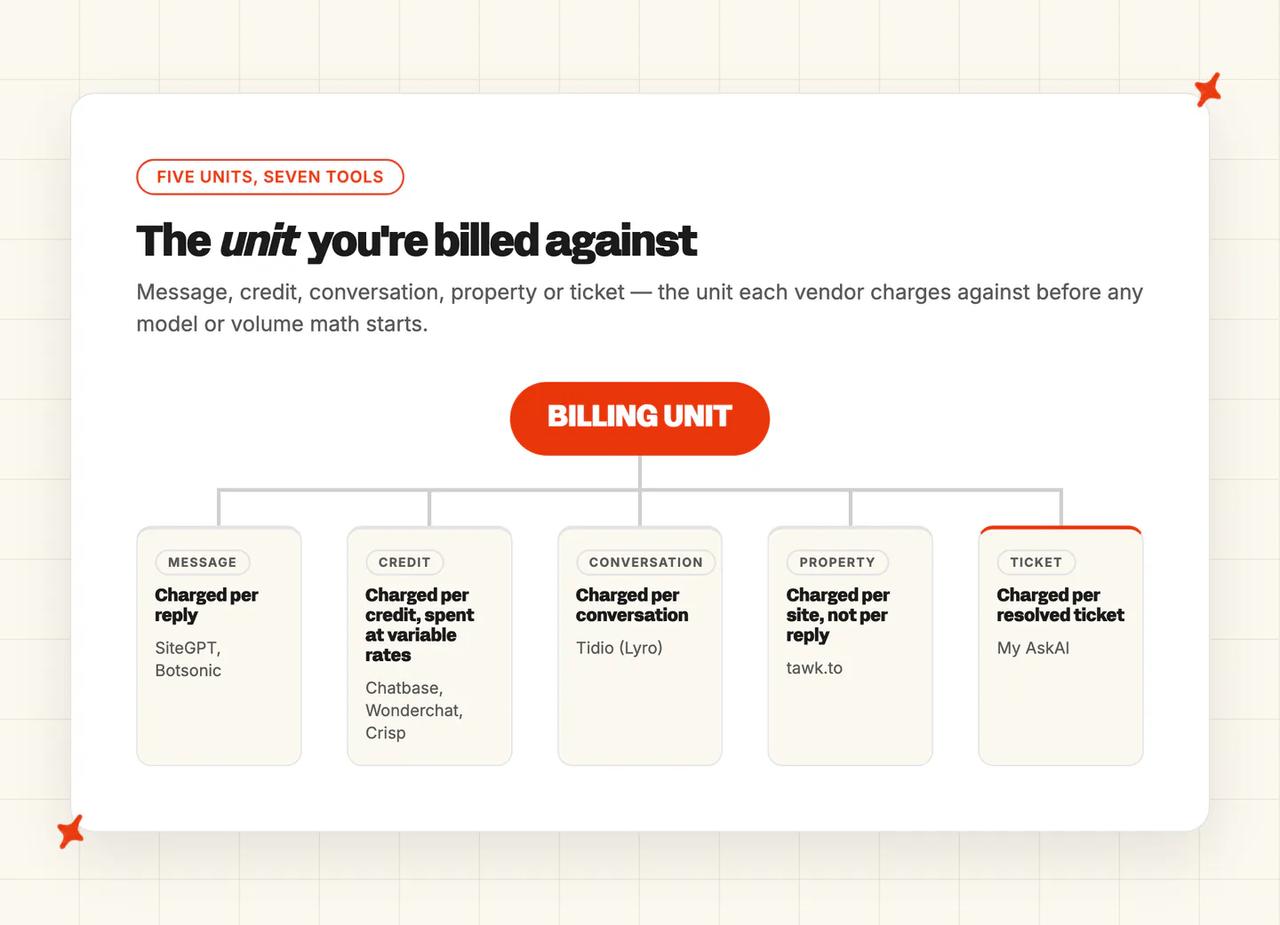
The billing unit, the channels and the training sources are what those scores compress, and each one is spelled out below.
| My AskAI | Tidio (Lyro) | Chatbase | Crisp | Wonderchat | tawk.to | Botsonic | |
|---|---|---|---|---|---|---|---|
| Deployment & channel reach | Zendesk, Intercom, Freshdesk, Freshchat, Gorgias, HubSpot | Widget, email, social; desk via Lyro Connect | Widget; desk modules at Standard | Own platform, many channels | Widget; Zendesk at top tier | Own widget, per website | Widget; connectors make tickets |
| Ease of setup | Ten minutes, needs a helpdesk | Snippet or app, then curation | Sub-ten-minute no-code | Hosted platform, all-in move | Five-minute no-code | Free, no card | No-code, minutes |
| Training sources | Historic tickets plus Drive, Notion, Confluence, SharePoint, OneDrive, Dropbox, Salesforce, Shopify | Help center, catalog, Q&A | Website and files, tier-capped | Excludes past tickets deliberately | Site, PDFs, past desk tickets | No external help center | URLs and files, sync gated |
| Features | Tasks, tools, tagging, insights | Lyro, live chat, Flows | Wide model menu, actions | Inbox, help center, AI | Voice, wide model menu | Unlimited seats and chats | Analytics, add-on menu |
| Improving over time | Self-learning drafts articles weekly | Playground, add answers on failure | Playground only | No corrections surface | Corrections, human in loop | One correction article | No retraining surface |
| Security | SOC 2 Type II, GDPR | SOC 2 Type II, GDPR | SOC 2, GDPR; BAA on Enterprise | European hosting, no certs listed | SOC 2 and GDPR ticked | No certifications published | SOC 2 Type II and GDPR stated |
| Maturity | Two founders, named customers | 300,000+ businesses | Two named customer stories | Ten thousand logos claimed | Two-person team | Very large install base | Sold by Writesonic |
| Cost | Per ticket, $0.10-$0.12 by plan | Three separate usage pools | Credits vary by model | Flat workspace, agent add-ons | Credits swing tenfold | Free platform, paid add-on | Multiplier hidden in app |
How did I select these SiteGPT alternatives?
Selection criteria, all three required:
- It trains on your own website, documentation or files.
- It answers customers directly, and does not only assist your agents.
- It publishes self-serve pricing you can check without a sales call.
That rule sets the boundaries. Enterprise CX platforms such as Sierra, Decagon, Ada and Salesforce Agentforce are a different category (and a different buyer).
Shopify-first agents such as Zipchat, Wizybot, Rep AI and Alhena only fit a store, which is too narrow for the SiteGPT buyer. Kapa AI is documentation search. eesel AI is standalone AI with no helpdesk behind it.
How did I compare them?
The eight criteria are deployment and channel reach, ease of setup, training sources, features, improving over time, security, maturity and cost. Evidence comes from each vendor's own pricing pages and product documentation, plus G2 reviews for the parts a pricing page never tells you.
Third-party comparison pages are a bad source for this particular product. Several understate what SiteGPT can do, missing its Slack integration, its API, and the file and text uploads it takes alongside a website crawl.
SiteGPT's own documentation confirms all three, so every score below traces back to a vendor's own page (their pricing page, their docs, or both).
Deployment & channel reach
Where the AI can live. Its own widget on your site, inside a helpdesk you already run, on WhatsApp or social, in email, on voice. This criterion decides whether a tool fits your stack or replaces it.
Ease of setup
Time to a first useful reply, and who has to be in the room. Most of this set is no-code.
The scores separate on the gap between deploying the widget and curating what it knows. In my experience curation is the job that takes the time.
Training sources
What the AI can read. Your website, your help center, uploaded files, a product catalog, past tickets. Two things separate the set: whether past tickets count as a source, and how often the knowledge refreshes without you asking.
Features
What the agent can do beyond answering. Taking actions in other systems, tagging and routing, translating, reading images, escalating cleanly to a person, and reporting on itself.
Answer quality
A resolved conversation means different things from one vendor to the next, so I check the definition before I read the number.
Botsonic's analytics documentation defines its metric as "Resolution Rate - Number of tickets marked as resolved through the post-chat feedback form within the chosen timeline". Its workspace stats page repeats it as "the total number of conversations or chats marked resolved by users." That counts only the people who filled in the post-chat popup.
Wonderchat's number mixes human feedback with automatic scoring:
"if there's no feedback, an AI judge scores the conversation automatically, about 15 minutes after it goes quiet" - Wonderchat's pricing page
We count a conversation as resolved when the AI handled it without escalating to a person. SiteGPT, Crisp and tawk.to publish no resolution or deflection figure at all.
The field bar is a median of about 70% across 195 rated deployments spanning 38 vendors, from our own resolution rate benchmark study. Three caveats travel with it. The figure is directional, the sample is self-selected, and the vendor metrics behind it do not line up.
Improving over time
What happens after a wrong answer. A correction drawer, a playground, a retraining loop, or nothing at all. This row has the widest spread in the set (from a weekly drafting loop down to nothing at all).
Security
The certifications on the vendor's own pages: SOC 2 Type II, GDPR, HIPAA, ISO 27001, PCI-DSS. Plus where your data is hosted, and whether it trains anyone's model.
Maturity
How long the product has been shipping, and whether named customers with published outcomes sit behind the logo wall.
Cost
The billing unit: a message, a credit, a conversation, a property, a ticket. Three of these seven charge in units that move with the model you pick, and two of those three swing by a factor of ten or more. The model in that dropdown sets your bill.
Is My AskAI a good SiteGPT alternative?
We put an AI agent inside the helpdesk your team already works in, and it answers tickets there.
That is a narrower product than SiteGPT. We are built for the team that already runs a helpdesk and does not want to migrate anything to add AI.
On G2 we hold 4.5 out of 5 from 23 reviews.
"The AI Agent consistently answered 70% of our support requests with no tweaking after the first knowledge base sync... quickly got us up to 80% deflection." - Alan P., Head of Customer Success (Small-Business), G2
Where can I deploy My AskAI, and on which channels?
We run natively inside Zendesk (both the support inbox and Messaging), Intercom, Freshchat, Freshdesk, Gorgias and HubSpot.
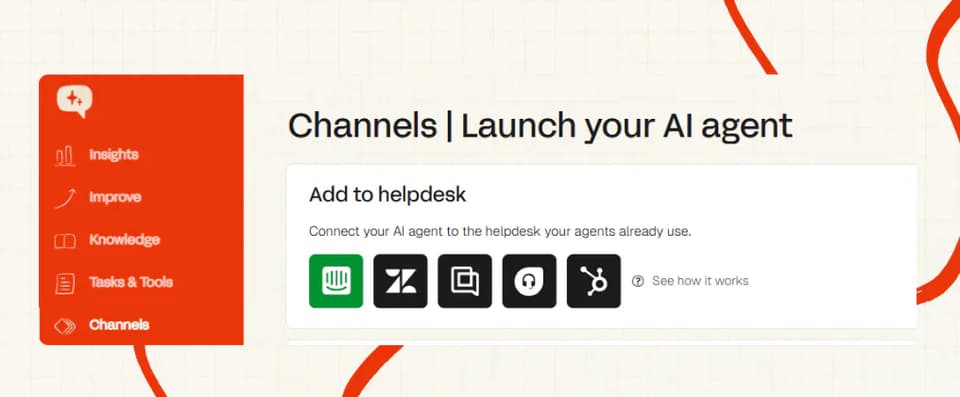
There is also our own embeddable widget for sites with no helpdesk. Then Slack and Teams as an internal agent for your own staff. Those two are add-ons.
Our copilot is the AI Copilot Chrome Extension, which drafts replies and looks things up inside any of those integrated helpdesks. It carries no seat charge and is included on every plan. We do not sell a voice or phone product.
How easy is it to set up My AskAI?
Ten minutes to connect a helpdesk and a knowledge source, and no developer needed. Most teams we onboard make the full switch the same day.
The install route is the approved marketplace app.
You need one of those helpdesks first, and none of the widget builders here asks that of you.
What knowledge sources can I train My AskAI on?
Historic tickets are the headline source: the agent learns from the tickets your team has already answered. A site-scraping widget cannot reach those. For a team with a thin help center, that archive is where we see the first jump in coverage.
On top of that: Google Drive, Notion, Confluence, SharePoint, OneDrive, Dropbox, Salesforce and Shopify as knowledge connectors (we read them where they already live, so nobody has to rewrite them into a help center first), plus your helpdesk's own help center articles.
What features does My AskAI have?
Tasks handle multi-step procedures such as refunds and cancellations, written in plain language. You decide what the agent does on its own. Build a Task so the AI actions a refund, or have it flag the ticket and hand it to your team through Handover guidance.
Alongside those: Tools and AI Actions for API calls, the User Data API for customer lookups, Self-Learning, Insights and Image Reading. AI Tagging classifies and routes an incoming message.
Then Live Translation with 95 languages detected per message, multi-brand support, and the AI Copilot Chrome Extension. Echo is our operator-side assistant, used by your team inside the dashboard.
How does My AskAI improve over time?
Self-learning compares the AI's replies against what your human agents actually sent, then drafts new knowledge articles every week. Nothing else in this comparison documents an automatic knowledge-drafting loop.
Guidance lets you write rules in plain language for how the agent should behave in a given situation (no decision trees, no flow builder).
Inspect & Logs shows the exact knowledge source behind any conversation, and why it earned the CSAT score it did. You can ask Echo the same question directly.
Before any of that goes live, Testing & QA lets you batch-test the agent against sample questions, and see exactly what it pulled from. Internal-Notes mode is our safety net: the same testing layer running on real tickets, before you switch the AI to reply directly.
How secure is My AskAI?
SOC 2 Type II certified and GDPR compliant. AES-256 encryption at rest, TLS in transit, and isolated containers per customer.
Your data is never used to train models and never sold. Our live trust center publishes the current state of all of it, and Enterprise carries a contractual 99.99% uptime SLA.
How mature is My AskAI?
Alex and I run the sales calls, the demos and most of the onboarding ourselves, so you deal with a founder throughout. We point at published outcomes with names attached. Our agents have resolved over 1,000,000 tickets, and the rolling resolution rate across the customer base sits above 72%.
How much does My AskAI cost?
Pro is $199 a month for 1,000 credits and 5 seats, with overage at $0.12 a credit. Scale is $499 for 2,000 credits at $0.10 overage, branding removal, up to 3 agents and unlimited seats.
Enterprise starts at $999 with all usage at $0.10. Annual billing takes 33% off the base.
Credits are the question we get asked most. On helpdesk chat, every 2 AI replies is 1 credit, so a typical chat works out around $0.10 a ticket on Scale and $0.12 on Pro.
On our own widget, unlimited messages inside a one-hour session cost 1 credit. Usage-based features are charged on top on every plan: AI Tagging, Actions, Tasks, Live Translation and image processing each carry their own per-use rate.
Before any of that, we run a 30-day free trial with all features unlocked, unlimited tickets and no card. New customers are usually offered 50% off the first three months as well.
Who is using My AskAI?
TravelJoy is a SaaS platform running support on Zendesk, and hit 80% AI resolution while saving 193 hours a month. Edel Optics is an ecommerce retailer, also on Zendesk, at 79% resolution and 150 hours a month.
Both have published case studies carrying the full numbers and how they got there.
Where My AskAI loses to SiteGPT and the alternatives
- Price of entry. SiteGPT starts at $39 a month billed yearly, $59 month to month, and Chatbase, Tidio, Wonderchat and tawk.to all have a real free tier. Our floor is $199 on Pro. The 30-day trial is a trial. A founder covering a marketing site with a hundred questions a month is not our buyer.
- You need a helpdesk. Our entire design is to live inside Zendesk, Intercom, Freshdesk, Freshchat, Gorgias or HubSpot, and we do not replace one. If your support runs out of a shared inbox and a contact form today, SiteGPT, Chatbase, Tidio and Crisp all give you something this afternoon, and we ask you to buy a helpdesk first.
- The all-in-one platform. Crisp and Tidio hand you the inbox, the help center, the widget and the AI in one product on one bill. We deliberately do not sell an inbox, so a team buying its whole support stack in one go is better served by them.
Is Tidio (Lyro) a good SiteGPT alternative?
Tidio is what SiteGPT looks like with 300,000+ businesses behind it. Widget, live chat, ticketing and an AI agent called Lyro, sold together and sold to small teams.
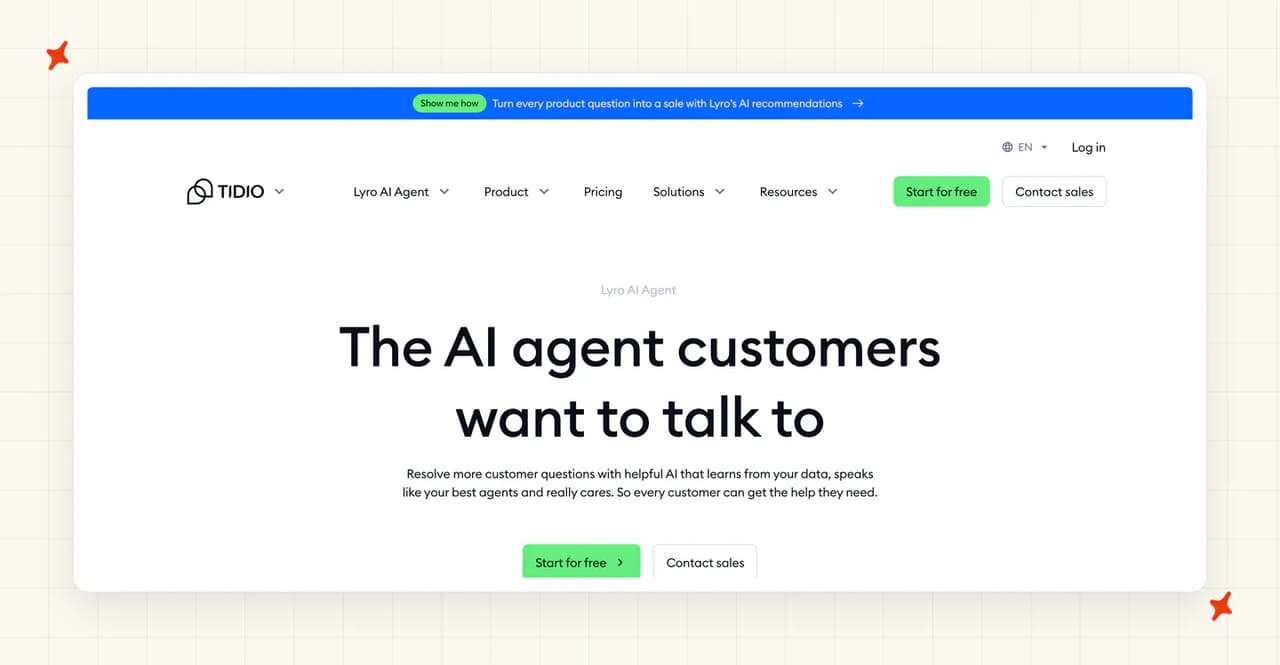
It is also the one product here that publishes a resolution number on its own pricing page: Lyro solves up to 67% of customer problems. Take that with a grain of salt, since it is a vendor figure. SiteGPT publishes no resolution number at all.
Tidio holds 4.6 out of 5 across 1,962 G2 reviews, the largest sample here.
"Lyro acts as a first line of defense for repetitive inquiries — the AI now handles 5 out of every 9 conversations automatically." - G2 reviewer, G2
Where can I deploy Tidio (Lyro), and on which channels?
Five conversational surfaces: the Tidio widget, email and tickets through connected mailboxes, Facebook Messenger, Instagram and WhatsApp. Each channel toggles on and off separately (handy if you want Lyro on chat but not on WhatsApp).
Lyro Connect is the route into a helpdesk you already run. Tidio sells it as a standalone agent you add to Zendesk, Salesforce "or any other help desk software", and its pricing page names no other desk.
It is gated to the Plus plan, from $300 a month plus usage, with Lyro conversations billed from $0.50 each. There is no voice or phone channel.
How easy is it to set up Tidio (Lyro)?
Installation is a Shopify app, a WordPress plugin or one snippet of JavaScript, and Tidio claims ten minutes (a Playground sandbox lets you test first).
Secureframe's Director of Customer Support put basic onboarding at about two weeks, which is the more useful number to plan against.
What knowledge sources can I train Tidio (Lyro) on?
Help center articles, question-and-answer pairs you add by hand, a real-time Shopify catalog sync for product data, and Smart Actions through the API.
Past tickets are not a documented training source, which is the gap against a helpdesk-native agent. Every answer Lyro gives traces back to a help center article or a question-and-answer pair somebody typed.
What features does Tidio (Lyro) have?
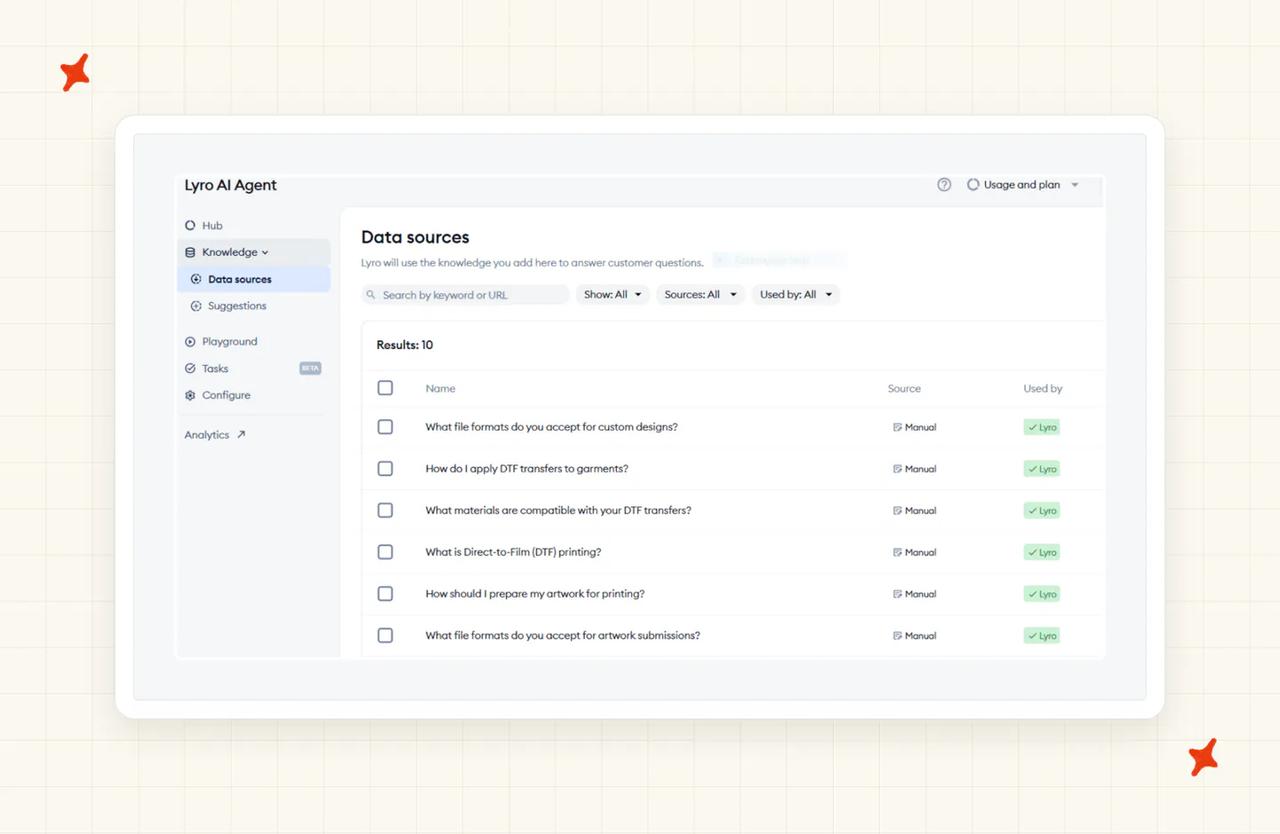
Tidio is the all-rounder here, with the broadest feature set in this comparison alongside Chatbase. Lyro is the AI agent, and it sits next to live chat with a full inbox, ticketing, and Flows as a visual automation builder.
Then Copilot for your agents, Smart Actions for API calls, and channels covering Facebook Messenger, Instagram, WhatsApp and a real-time Shopify catalog sync. The vendor puts the wider app library at 120+.
For a small team that wants one product to do everything, this is the strongest offer here.
How does Tidio (Lyro) improve over time?
When Lyro fails a question in the Playground, you add the correct pair from the same screen. The loop is tight and documented clearly, and it is operator-driven: somebody has to notice the failure and write the answer (the job that eats an afternoon a week).
How secure is Tidio (Lyro)?
Tidio is GDPR compliant, and its Trust Center shows a SOC 2 Type II audit completed in 2026, covering security, availability and confidentiality, plus a 2026 penetration test.
The SOC 2 Type II report itself is shared on request through that portal, so ask for it early if your reviewer needs it before you sign.
How mature is Tidio (Lyro)?
More than 300,000 businesses, by some distance the largest install base in this set. It has been shipping live chat for years, so I read Lyro as a layer added to a mature product. Tidio also publishes named customers with real numbers.
How much does Tidio (Lyro) cost?
Three separate pools on one account. Customer Service runs Free, Starter at $24.17 a month billed yearly ($29 monthly), Growth from $49.17 ($59 monthly), Plus from $300 plus usage, and Premium on request.
Lyro is its own SKU from $32.50 a month billed yearly ($39 monthly), starting at 50 AI conversations. Flows is a third, from $24.17 billed yearly (three subscriptions before you have answered a ticket).
Two mechanics catch people out. The free 50 Lyro conversations are a one-off allowance: "you need to upgrade to the Lyro AI Agent plan to refresh it monthly."
In Tidio's own wording, paid plans run on a rolling clock: "your limit refreshes 30 days from the moment you make the payment."
There is a 7-day trial of the full feature set on any plan.
Who is using Tidio (Lyro)?
Burker's published story is worth a read. Lyro handled 10,000 conversations in a single month during a sale, hit the plan's conversation limit, and resolution climbed to nearly 80%.
Suitor is the other named reference, published under the headline "Suitor Hits 85% Customer Service Automation With Lyro".
Read more: our complete guide to Tidio, our roundup of the best Tidio Lyro alternatives, and our My AskAI vs Tidio comparison.
Is Chatbase a good SiteGPT alternative?
Chatbase is the product SiteGPT buyers name in the same breath as SiteGPT. It does the same job on the same widget install, and you can have it live the same afternoon (nothing to migrate first).
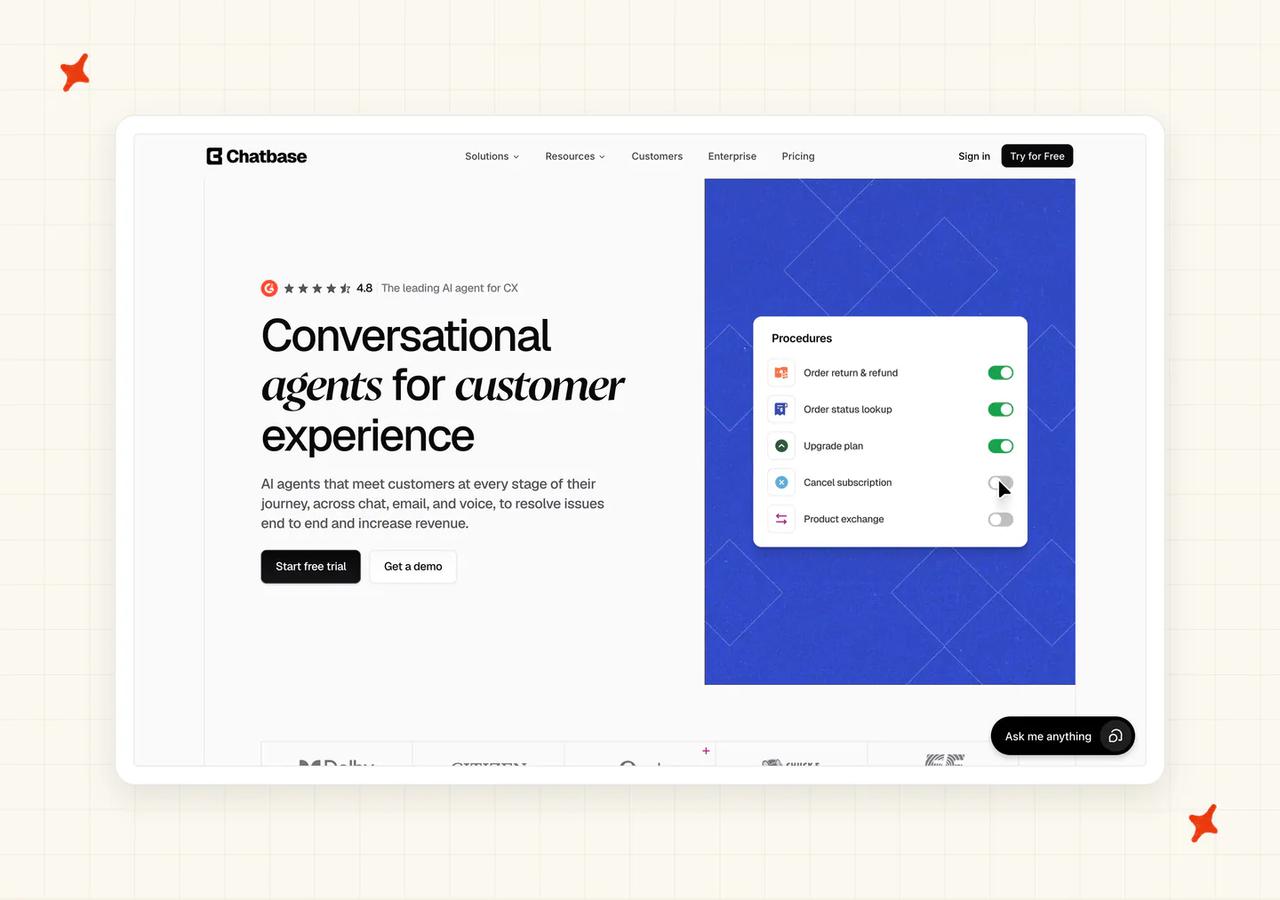
It pulls ahead on the model menu and the actions builder. The credit rate is the catch: a reply costs 1 credit on most models and 6 on the deepest-reasoning tier.
"I just had to put the link of my website into Chatbase and it took care of scanning it completely... it answers me in the ChatGPT style." - Ederson V., Web Designer (Small-Business), G2
A practitioner on r/SaaS put the trade-off more bluntly: it sets up fast, then loses the thread on longer conversations and runs short on integrations.
Where can I deploy Chatbase, and on which channels?
Its own widget on your site is the entry route (the same first step as SiteGPT). Beyond that there is a Help Desk module, voice, telephony, outbound campaigns and API access.
All of those sit on the Standard plan at $150 a month, nearly four times the entry tier. Your first invoice at the entry tier buys the widget alone.
How easy is it to set up Chatbase?
Setup is where Chatbase is strongest: paste a URL, let it crawl, answer questions within ten minutes (no code anywhere).
AI Actions start on the Hobby plan, with 5 actions per agent there, rising to 8 on Standard and 12 on Pro. Each self-serve tier includes one agent.
What knowledge sources can I train Chatbase on?
Website crawls, uploaded files and manual question-and-answer pairs, capped by tier at 1 MB, 10 MB, 20 MB and 40 MB of training content. Chatbase does not publish an automatic refresh cadence for that knowledge, so plan on recrawling when your documentation changes.
What features does Chatbase have?
The widest model menu here: 35+ models across seven providers (with a side-by-side playground for comparing answers on your own content).
The AI Actions builder covers nine action types, including escalations, custom actions, lead capture, Stripe, Shopify, custom forms, suggested messages, Zendesk and Sunshine live chat. Help desk, voice, telephony and outbound campaigns round it out at the Standard tier.
How does Chatbase improve over time?
The playground is the whole improvement surface: you ask it questions, you see what it answers, you adjust the sources. There is no simulation against your historical tickets, and no documented corrections workflow. Set against Wonderchat's corrections drawer, this row is thin.
How secure is Chatbase?
SOC 2 Type II and GDPR apply at the platform level, so every plan gets them (no tier gate here).
HIPAA is different. Chatbase's documentation states that "BAAs are available on the Enterprise plan only." Available on the Enterprise plan is not the same as bundled in, so budget for it as a conversation with their sales team.
How mature is Chatbase?
Two named customers carry live stories and published outcomes, against an index of around fifteen. Aplazo is Mexico's leading buy-now-pay-later provider, and reports a 2.2x lift in merchant closed-won rate.
Jumia's J Force program reports 80% of inbound communications resolved without a human, at 1,500+ conversations a month. Beyond that, Chatbase publishes little about the company itself.
How much does Chatbase cost?
Free gives you 50 credits and one member (a real free tier, with no trial clock). Hobby is $40 for 700 credits, Standard $150 for 4,000, Pro $500 for 15,000, then Enterprise on request. Add-ons: auto-recharge at $40 per 1,000 credits, extra agents at $25 a month each, branding removal at $99 a month.
The mechanic to understand is the credit itself: "Each response from your AI Agent consumes credits based on the AI model used."
Rates run from "All other models: 1 credit" at the cheap end up to six for the deepest-reasoning tier. So the same 4,000-credit plan is either 4,000 answers or about 667, depending on which model you leave selected.
Run out and it is an outright stop. The agent displays "This AI Agent is currently unavailable. If you are the owner, please check your account."
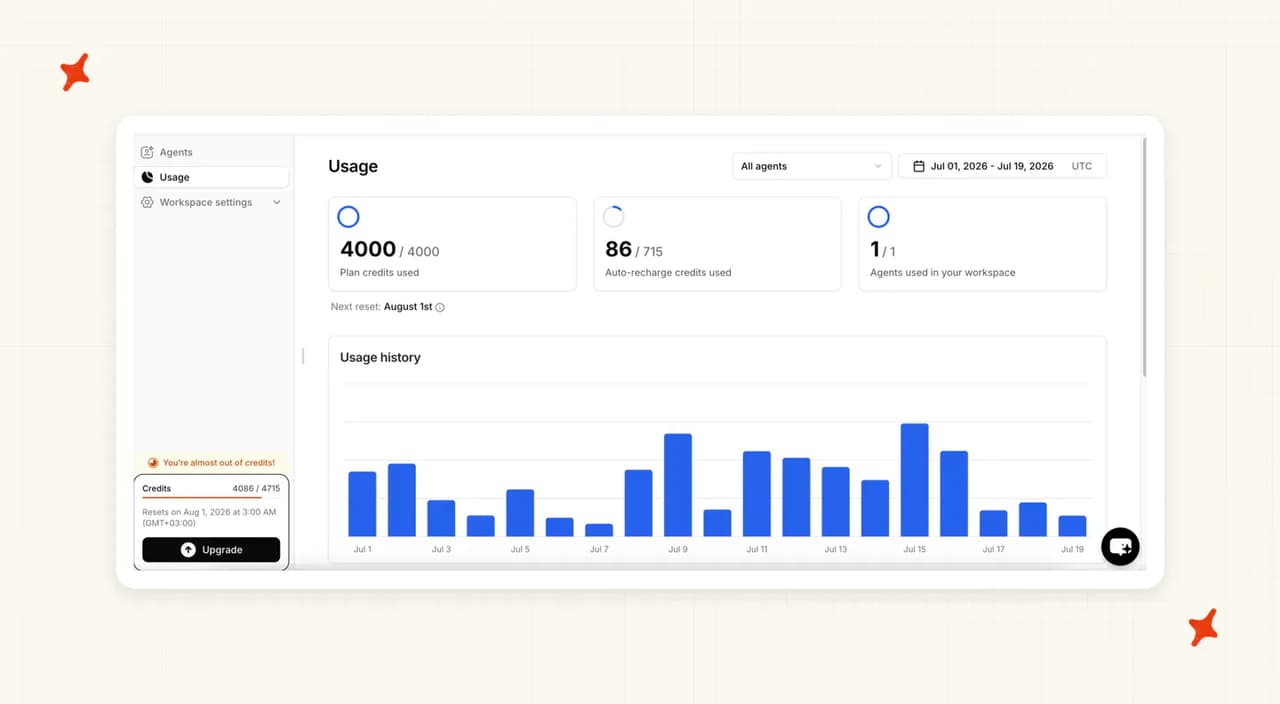
Auto-recharge is the escape hatch (arm it before you go live, or the site goes quiet). Chatbase's documentation states: "When your credits fall below the threshold you set, we'll automatically add credits that don't expire to your account, ensuring uninterrupted service." Credits renew monthly on the 1st whenever you subscribed.
Who is using Chatbase?
Aplazo and Jumia, both with published stories on Chatbase's customers page. Aplazo is a Buy Now, Pay Later provider, and Jumia is one of the largest ecommerce operations in Africa. Those two carry numbers; the rest of the index is shorter case notes.
Read more: our complete guide to Chatbase, our roundup of the best Chatbase alternatives, and our My AskAI vs Chatbase comparison.
Is Crisp a good SiteGPT alternative?
Crisp is the answer for a team that wants the inbox too. It is a full support platform, with its AI, Hugo, as a layer inside it (Hugo is Crisp's own model, hosted in Paris).
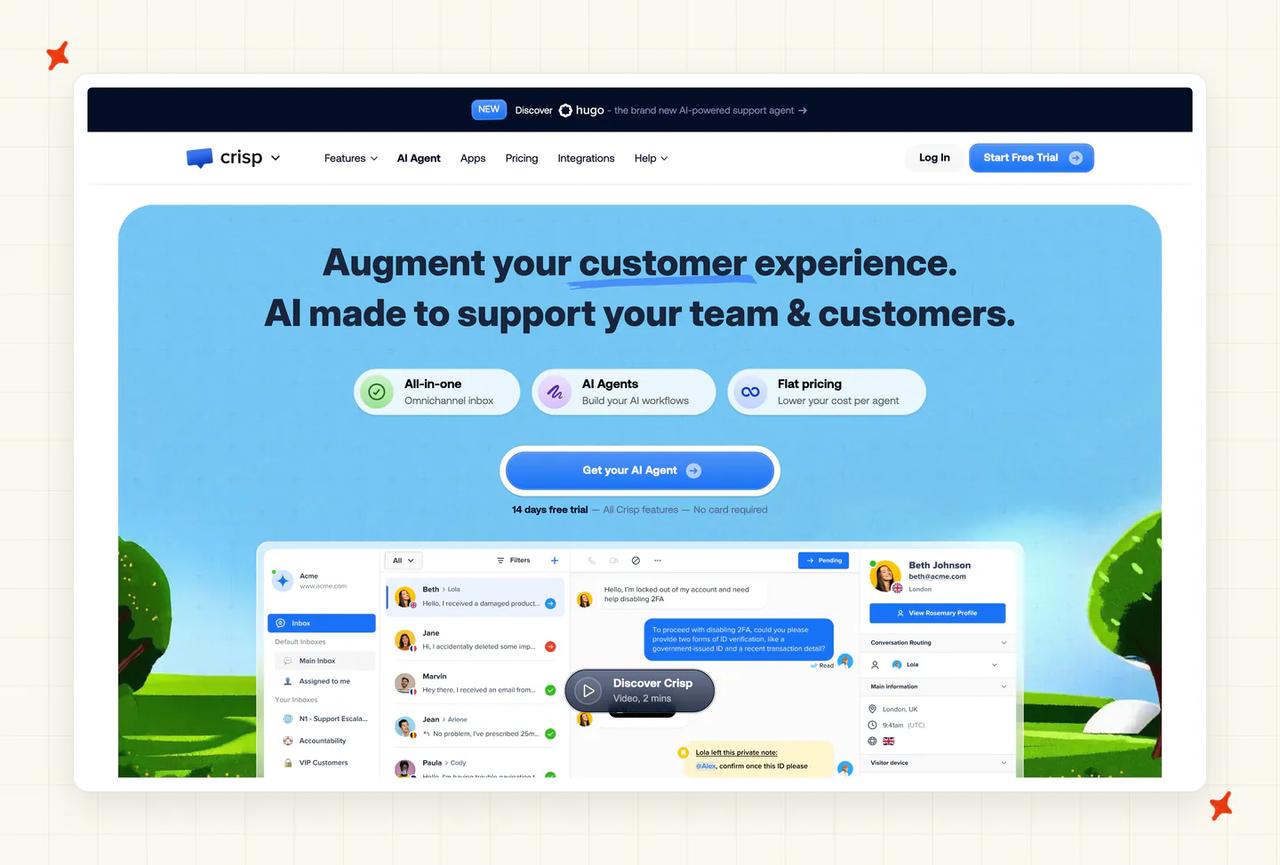
SiteGPT deploys into Crisp. If you like both, running both is a real option.
Crisp holds 4.5 out of 5 across 202 G2 reviews.
"Until recently, we had to outsource our AI chatbot service, but Crisp made massive improvements in that, and now we don't have to pay for our outsource anymore." - Verified user, G2
A practitioner on r/SaaS weighed Crisp against Chatbase and SiteGPT, and rated Crisp solid for live chat, with a basic AI side not built for complex automation.
Where can I deploy Crisp, and on which channels?
The channel spread inside Crisp is broad: web chat, email, social channels and campaigns, all landing in one shared inbox. Crisp is the platform, so the AI answers on Crisp's own surfaces and the migration is the price of entry.
How easy is it to set up Crisp?
Setup for the widget itself is a snippet, and everything lives in one hosted platform (nothing to wire between systems).
Moving conversations, help center articles and your team's habits onto a new platform runs for weeks.
What knowledge sources can I train Crisp on?
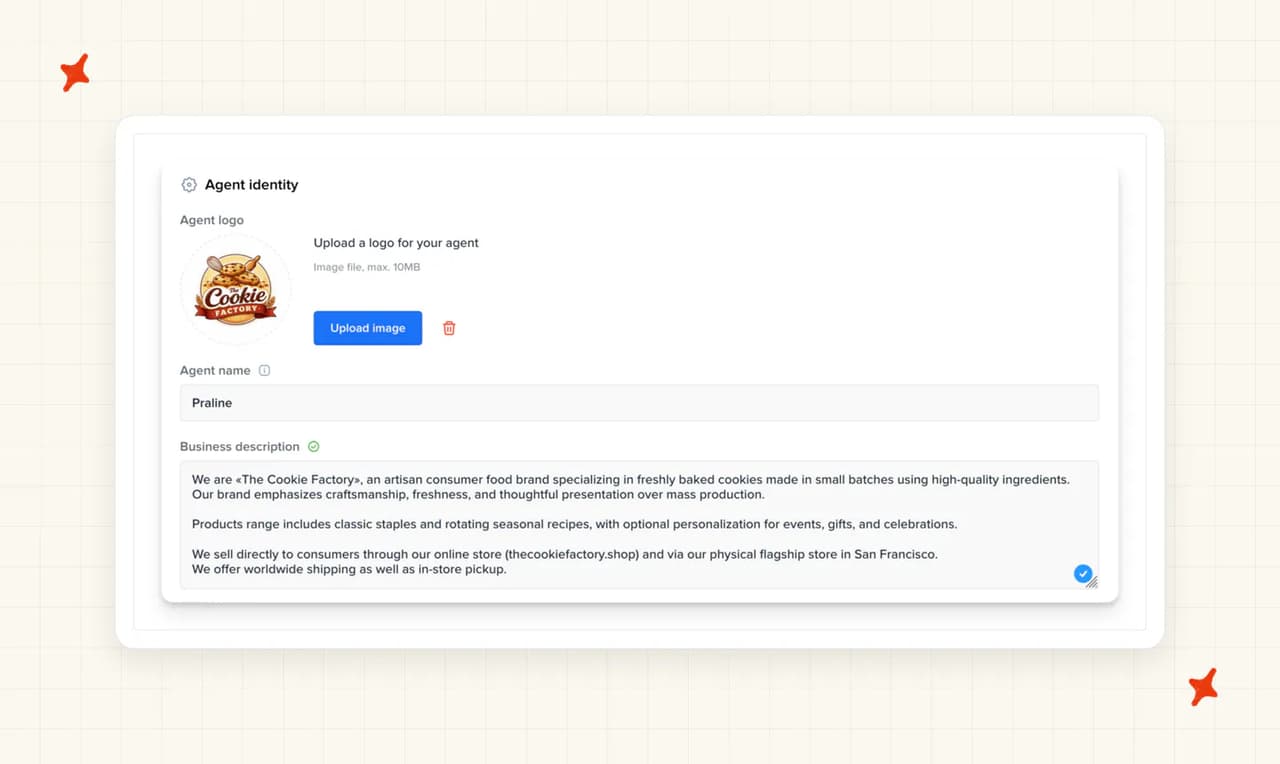
Your Crisp help center and the content you publish inside the platform. Past tickets are deliberately excluded from the answers customers see, which is defensible on privacy grounds and leaves the archive your team built out of the AI's answers.
What features does Crisp have?
One workspace carries the shared inbox, the help center, the chat widget, campaigns and the AI (one bill, one login). For a team that wants to buy its support stack once, that consolidation is the whole product. Hugo is the AI layer on top, included on every paid tier from Mini up, and charged against a dollar allowance of AI credits.
How does Crisp improve over time?
Improving answers is where Crisp is thinnest. I would look hardest at this row before signing an annual deal.
Past tickets are excluded by design, so the largest body of your own answers is off the table. Crisp publishes no corrections drawer and no retraining workflow. Plan on improving answers by editing your help center.
How secure is Crisp?
European hosting is the headline. Crisp's pricing page states it: "Your data is hosted on European servers for compliance and privacy." The AI model is proprietary and hosted in Paris (a real answer for an EU buyer worried about where data travels).
Its pricing and home pages list no SOC 2 or ISO 27001 certification. If your security reviewer needs one of those on file, ask Crisp before you commit.
How mature is Crisp?
Crisp claims it is "Trusted by 10,000 companies of all sizes" and carries a homepage logo wall including Air France and Decathlon. Those scale signals are all vendor-stated. Crisp publishes no case studies behind them, so there is no outcome to point at.
How much does Crisp cost?
The pricing model is the appeal: you pay per workspace, so the plan fee does not multiply with headcount (rare in this set). Seats are tiered and capped, so check the cap on the tier you are buying.
Hugo, the AI, draws on a dollar-denominated AI-credit allowance bundled into each paid plan, and only the free plan is left out. On Crisp's pricing page, $5 of credit covers around 90 automated conversations on Mini, $25 covers around 450 on Essentials, and $75 covers around 1,350 on Plus, its top published tier.
That bundle works out to roughly $0.056 a conversation at every step of the ladder (the rate does not improve as you scale). Crisp does not publish what happens, or what it costs, once you run past that allowance.
Who is using Crisp?
Air France, Decathlon, Emma, Reedsy and Beem Energy all appear on Crisp's homepage logo wall.
Crisp runs no customer-stories index, so there are no numbers attached to any of those names.
Read more: our complete guide to Crisp AI, our breakdown of Crisp's pricing, and our My AskAI vs Crisp comparison.
Is Wonderchat a good SiteGPT alternative?
Wonderchat publishes a table of its model weighting, running from 1 to 10. Botsonic's equivalent multiplier appears only once you are inside the app.
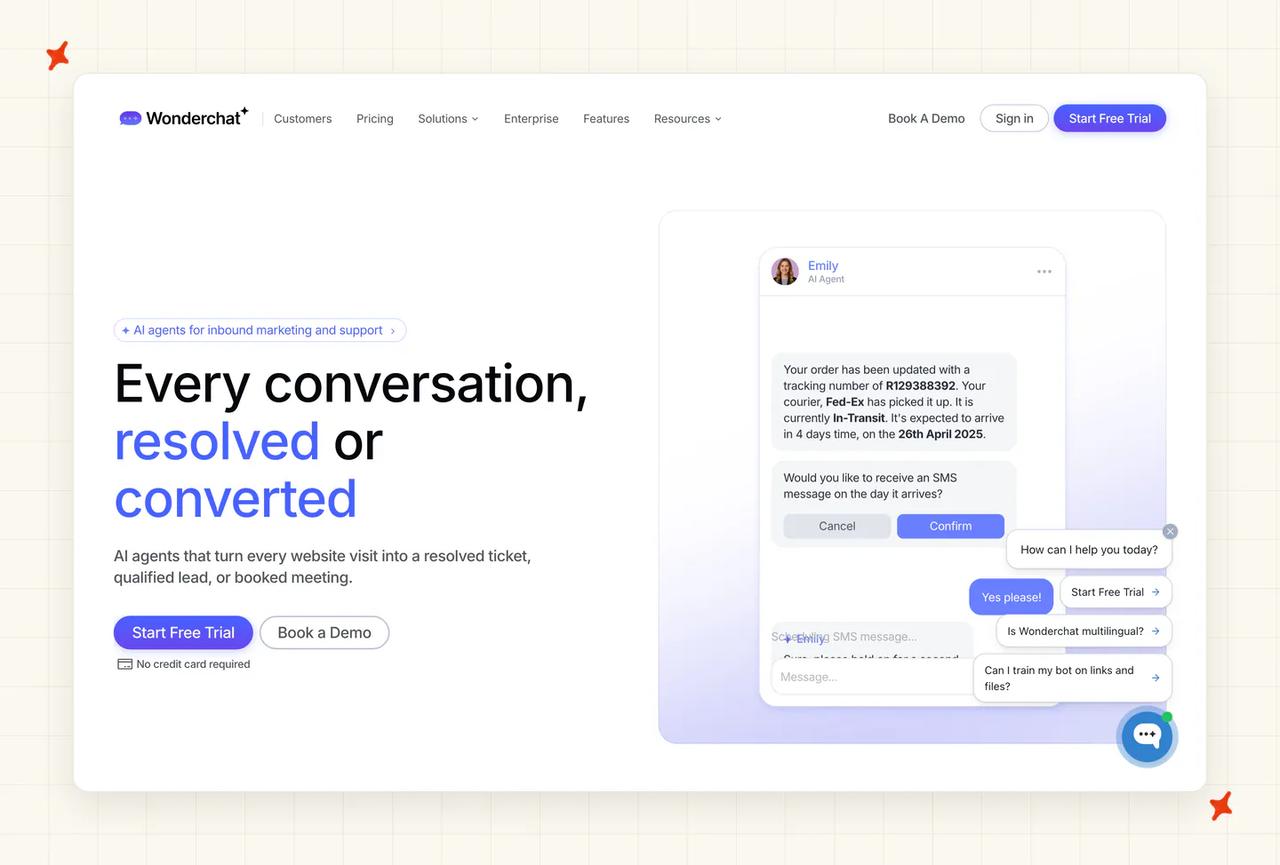
It also does the best correction workflow in the set, with a person reviewing each answer the bot got wrong.
On Wonderchat's G2 listing the recurring themes are a five-minute no-code setup, training on a website or PDF knowledge base, accurate responses and helpful support. Scraping protected sites comes up as the snag.
Where can I deploy Wonderchat, and on which channels?
Its own widget is the default deployment, and it is available on every plan including Free.
Zendesk and Freshdesk connectors exist, along with helpdesk escalation, but all three sit on the $417 a month tier (the top published one). Wonderchat's own pages do not list an Intercom or Gorgias integration. If you run either, check with Wonderchat directly before you plan around it.
How easy is it to set up Wonderchat?
Five minutes, no code, point it at a website or upload a PDF. That comes from its review corpus rather than the vendor, so treat it as a strong signal. The known snag is scraping, and reviewers mention it more than once.
What knowledge sources can I train Wonderchat on?
Website content and PDF uploads on every plan, plus past Zendesk and Freshdesk tickets. Along with us, it is the only tool in this set that trains on historic tickets at all.
Media extraction and SharePoint are gated to the $417 tier. The scraping limitation above applies to protected pages.
What features does Wonderchat have?
The model menu is the standout, and it is tiered. OpenAI, Claude and DeepSeek models are on every plan including the free one, Perplexity starts on the $124 tier, and Llama and Gemini only on the $417 one.
The paid feature set at $417 adds a voice agent, support tickets, suggested replies, role controls, media extraction and SharePoint. There is also a resolution-rate panel, scored from a mix of human feedback and automatic judging.
How does Wonderchat improve over time?
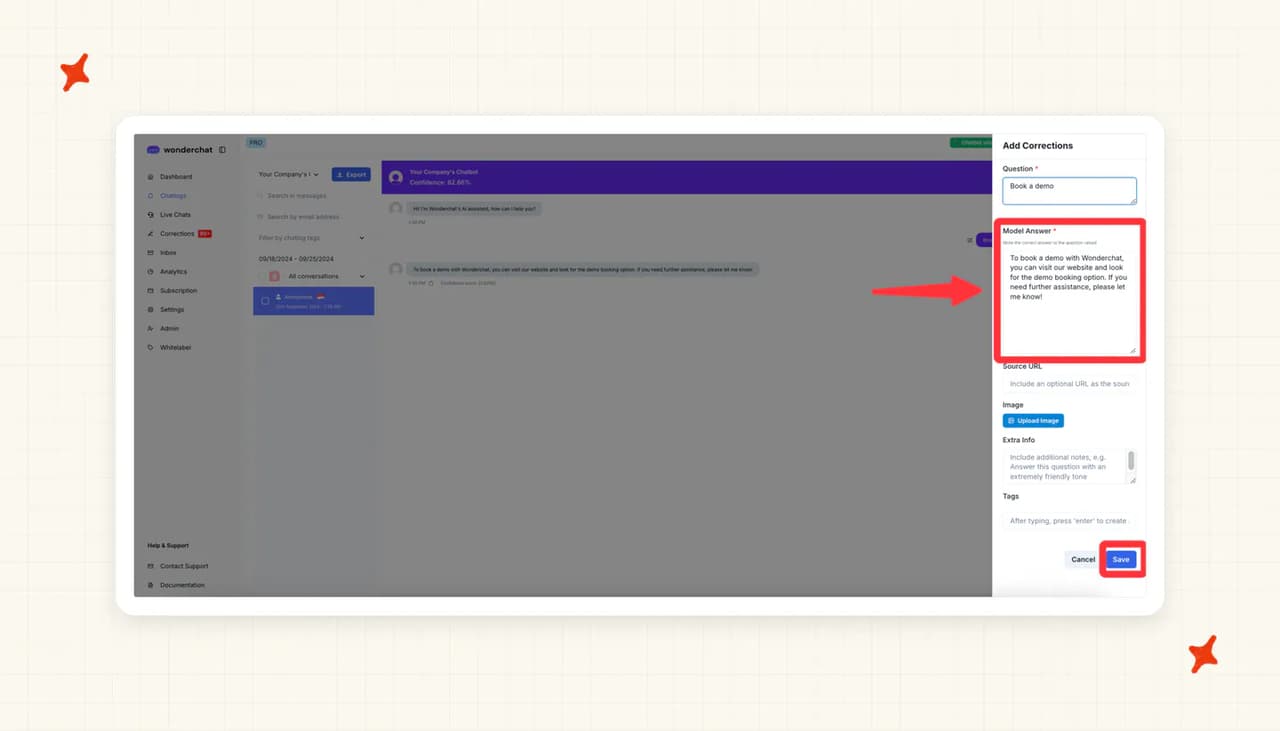
Corrections is the best answer in this comparison outside our own self-learning loop.
You open a chat log and see the confidence score against the answer. The instruction is to "re-write the correct answer" to the question that was asked. Corrected logs get a green tick so you can see what has been fixed.
It is human-in-the-loop: Wonderchat gives you a clean place to write the corrections yourself.
How secure is Wonderchat?
The pricing page ticks "SOC 2 & GDPR" from the $124 tier upwards (and "SOC 2 & HIPAA" on the Enterprise card). Those are ticks on a pricing page, with no certificate attached.
Stronger claims about audit type, EU data residency and a signed BAA appear only in its marketing material, not on a trust page. Ask for the documents before you rely on any of them.
How mature is Wonderchat?
Wonderchat publishes no funding details, so there is not much company history to check. Twelve customers have live published pages, including Trend Micro and Jortt.
How much does Wonderchat cost?
Free is $0 for around 10 resolutions a month (enough for a look, too little to run on). The next tier is $124 a month billed yearly for around 1,000 resolutions and 3 seats.
Above that, $417 a month billed yearly adds 4 AI agents, the voice agent and the helpdesk integrations. Wonderchat's own pages name this tier two different ways, and print two different resolution-credit figures for it. Treat any specific allowance as unconfirmed, and ask Wonderchat directly before you buy.
Enterprise "Starts at $1499", yearly billing is the default and saves 17%, and extra credits are $29.99 per 1,000 as a one-off.
The credit table is where the money goes. Each model's cost is expressed as messages per user query and chat response: 1, then 2, then 5, then 10 (three separate models sit at the top rate). Pick a top-rate model and the $124 tier's 5,000 credits, which the vendor prices at about 1,000 resolutions, cover about 500.
At the cap, "The chatbot pauses and stops responding", with an email notification and an upgrade prompt. Unused credits also expire at the end of the billing period (no roll-over).
Who is using Wonderchat?
Trend Micro is the largest published name. Jortt is the other, and the customer index describes how "Jortt.nl handles 10,000+ monthly queries with AI-powered support."
Ricardo, Korendy, FileWave and 10xTravel are also published, each with a live page.
Read more: our complete guide to Wonderchat, our roundup of the best Wonderchat alternatives, and our My AskAI vs Wonderchat comparison.
Is tawk.to a good SiteGPT alternative?
tawk.to is the answer when the budget is zero. Live chat, ticketing, a knowledge base and unlimited agents, at no cost and with no card (that is the platform itself, with no trial clock).
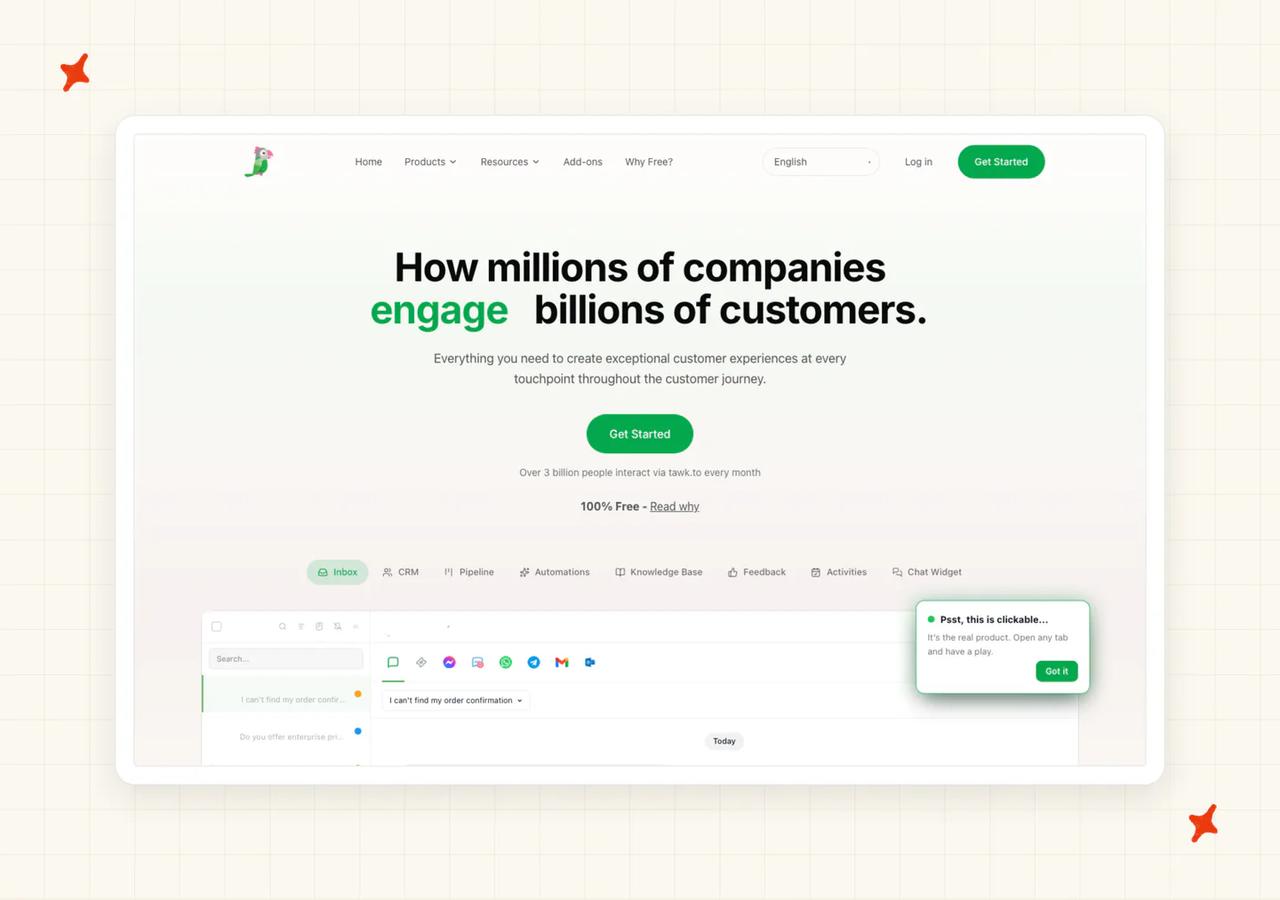
The AI is the part you pay for. AI Assist is an add-on, charged in message credits, and it is bought per website.
tawk.to holds 4.5 out of 5 across 203 G2 reviews.
"It would be helpful to see the exact entry page or link a visitor used to land on the website. Also, the AI agent could be more powerful if it could learn from external documentation or knowledge bases." - Bachchan J., Director, Computer Software (Small-Business), G2
Where can I deploy tawk.to, and on which channels?
Its own widget. That is the boundary. You can run multiple AI agents across the channels attached to a single property (useful for splitting sales and support).
There is no route into a helpdesk you already run. And because AI Assist is bought per property, credits do not move between your sites. A developer on r/Wordpress running nine WordPress client sites priced it as nine separate subscriptions, and went looking for something cheaper.
How easy is it to set up tawk.to?
The platform side is the easiest start in this comparison (sign up, paste the widget, no card). The AI agent's settings panel keeps that spirit. Delay before the AI answers, multilingual support, timezone, response verbosity and "always notify human agents of new chats" are all plain toggles.
What knowledge sources can I train tawk.to on?
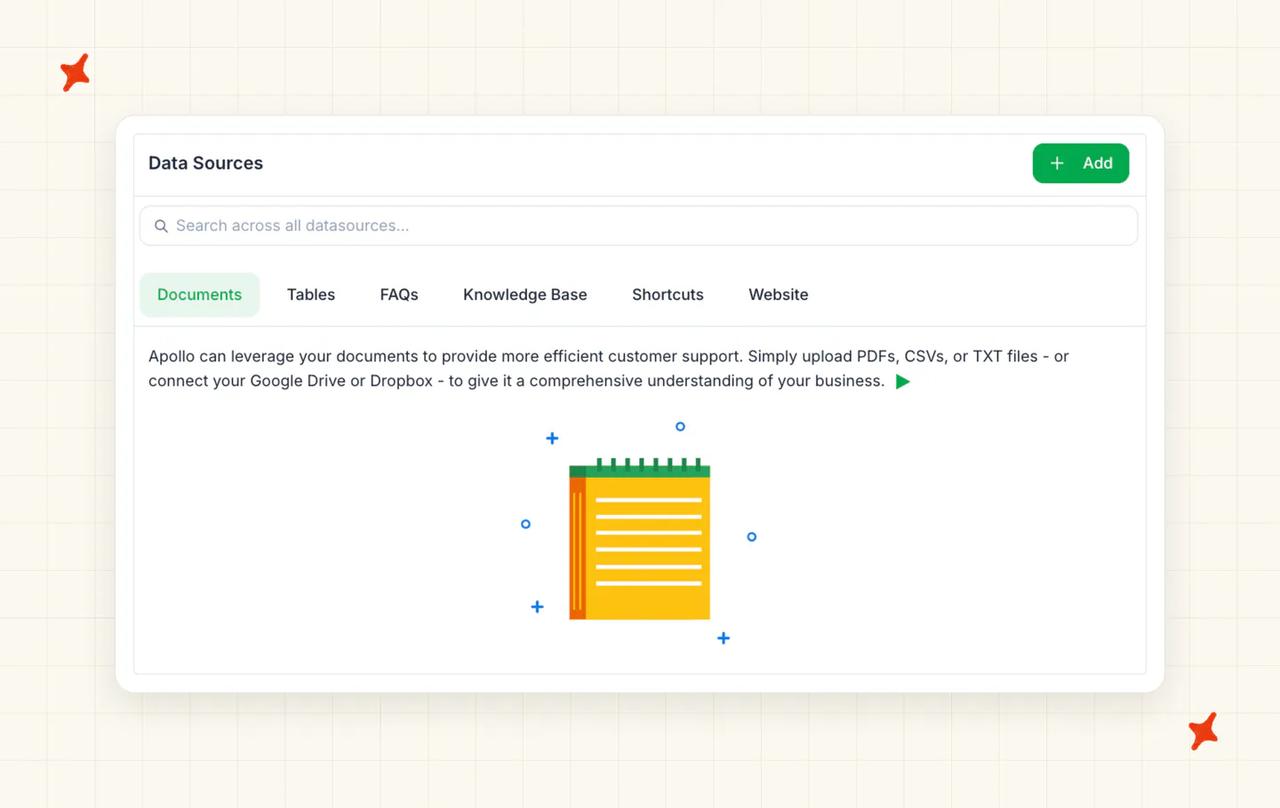
The Data Sources screen offers six tabs (Documents, Tables, FAQs, Knowledge Base, Shortcuts and Website). You can upload PDFs, CSVs or text files, or connect Google Drive or Dropbox.
The limit is the sharpest capability criticism on its G2 page, and tawk.to confirms it. It cannot ingest an external help center, and it cannot read your past tickets. If your knowledge lives in Zendesk Guide or Intercom Articles, it does not come with you.
What features does tawk.to have?
Unlimited seats and unlimited chats on the free platform (nothing else here matches that). AI Assist comes in four plans. Remove Branding is $29 a month.
There is also Hired Agents, where "Pricing starts at $1 per hour and varies based on hours, coverage type, language requirements, and business needs". That is human staffing rather than AI, and a real option for covering nights. Workflows is listed as coming soon (so do not plan around it).
How does tawk.to improve over time?
tawk.to documents one workflow for fixing an incorrect AI response. It ships no AI answer-quality analytics, so after a correction nothing tells you whether it worked.
How secure is tawk.to?
tawk.to does not publish SOC 2, ISO or GDPR certification details on its main pages. A security review will need to request them directly.
tawk.to states it does not rent or sell personally identifying information (their own wording). If the question of how a free product pays for itself is on your mind, that is the vendor's answer.
How mature is tawk.to?
Scale is tawk.to's real asset. It claims "Over 3 billion people interact via tawk.to every month", and while that is self-reported, the platform is long established. There are no case studies behind it, and tawk.to runs no customer-stories index, so the homepage logo wall is all there is.
How much does tawk.to cost?
The platform is free forever: unlimited agents, unlimited chats and no card.
AI Assist is where the money is. It is sold in four plans: Hobby free for 100 messages, then Growth $29, Business $99 and Enterprise $399 a month for 1,000, 5,000 and 20,000 messages.
It bills in three credit types: subscription credits each month, purchased credits, and excess usage. Purchased credits are the friendly part, because "These don't expire and roll over to the next period."
The cap behavior is gentler than most here (nothing goes dark mid-chat). "AI Assist will continue existing conversations even after your available credits are used", and those count as excess usage.
AI Assist "will not join new conversations until you purchase more credits or your monthly subscription credits reset", and the excess comes off next month's balance.
Who is using tawk.to?
Serene Air, SnagFilms, Suzuki, TheBank.vn and Bandwidth Technologies all appear on tawk.to's homepage.
tawk.to publishes no customer stories, so those logos come with no outcomes attached.
Read more: our complete guide to tawk.to, and our My AskAI vs tawk.to comparison.
Is Botsonic a good SiteGPT alternative?
Botsonic is Writesonic's support agent, and the cheapest paid entry point in this comparison (Starter is $19 a month). Sign up, point it at a URL, ship a widget the same hour.
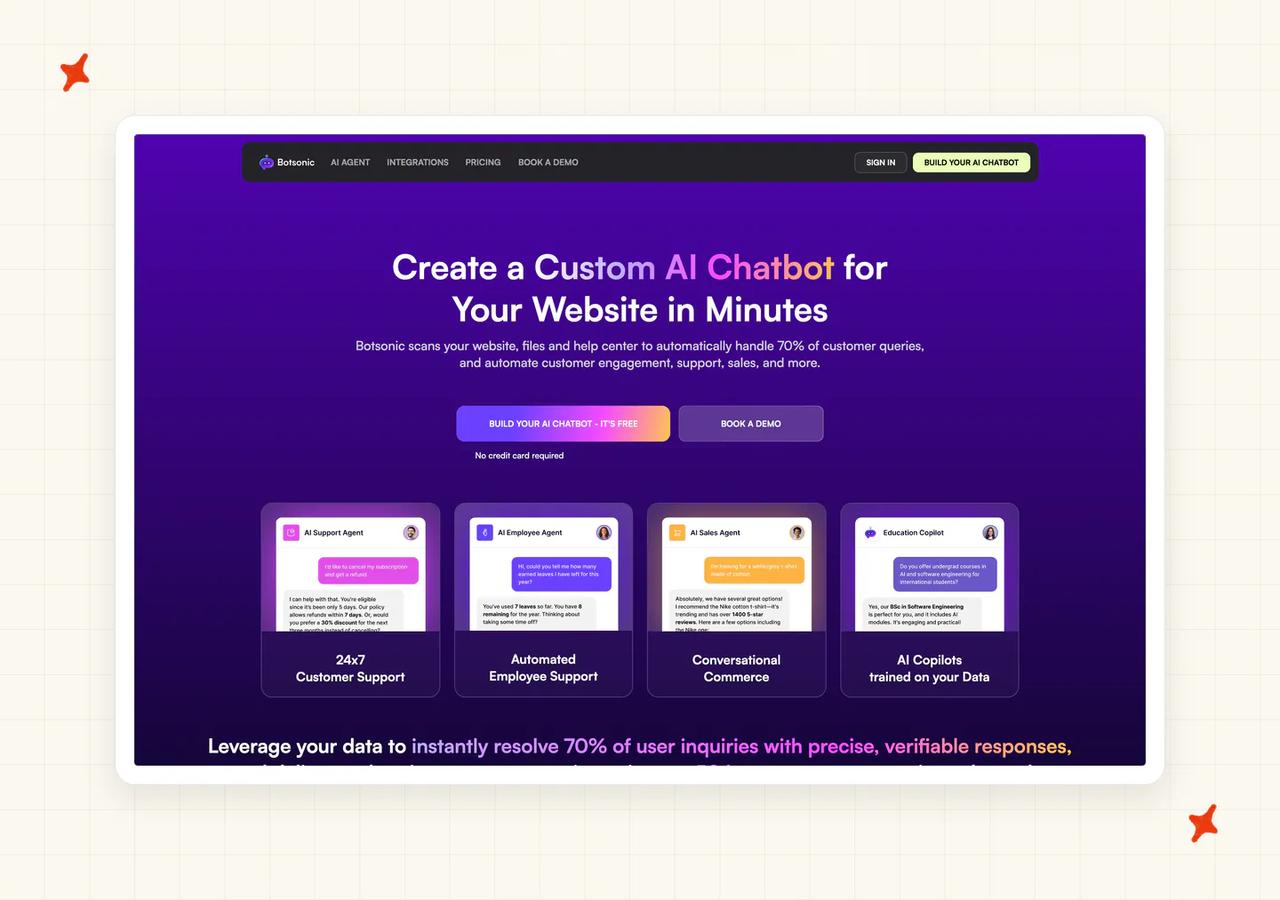
Botsonic holds 4.6 out of 5 across 107 G2 reviews.
"One of the strongest aspects of Botsonic is how quickly it delivers good results. The no-code approach makes it accessible to virtually anyone, regardless of technical background." - Verified User in Retail (Mid-Market), G2
Where can I deploy Botsonic, and on which channels?
Its own widget on your site is the deployment.
There are Zendesk, Freshdesk and Salesforce connectors, but read what they do carefully. They create tickets and hand conversations to a live agent; Botsonic still answers from its own widget. Live-agent handoff itself is a $199 a month add-on (stacked on top of your plan).
How easy is it to set up Botsonic?
Setup is Botsonic's best row, and the review corpus agrees. Building a bot is quick, and the interface stays out of your way. Settings, appearance, sources, guidelines, integrations, inbox and analytics all sit in one left-hand navigation (the model picker is two clicks away).
What knowledge sources can I train Botsonic on?
URLs and file uploads, with per-tier caps on how much you can load. Extra character allowance is $10 for every additional 20M characters a month.
The catch is freshness. Automatic knowledge sync is gated: "Note: This feature is only available in Advanced and Enterprise plan" (at a cadence of every 1, 2 or 4 weeks). On the cheaper tiers your knowledge base goes stale unless you refresh it by hand.
What features does Botsonic have?
An analytics dashboard with users, chats and a resolution-rate tile, bot settings and appearance controls, the helpdesk connectors above, and a broad add-on menu.
Its review corpus keeps saying the core product is minimal and the interesting parts are paywalled (the add-on list backs that up).
How does Botsonic improve over time?
There is no corrections drawer, no retraining loop and no simulation surface documented. Reviews repeat two themes: thin guidance on training the bot, and difficulty seeing why it answered as it did. If improving answers over time is your priority, this row should worry you.
How secure is Botsonic?
Botsonic's homepage states that it is SOC 2 Type 2 compliant and GDPR compliant, and says it aligns with HIPAA requirements without claiming certification. There is no ISO 27001 claim, and the reports themselves are not published, so a security reviewer will still have to request them directly (start that early).
How mature is Botsonic?
Botsonic is sold by Writesonic, Inc., an established company, so the vendor behind it is not a question mark. On the product side there is no published customer story with an outcome attached, so there is nothing to show a stakeholder.
How much does Botsonic cost?
Starter is $19 a month billed monthly, or $16 billed annually, for 1 chatbot and 1,000 messages. Professional is $49 monthly, or $40.83 annually, for 2 chatbots and 3,000 messages.
Advanced is $299 monthly, or $249 annually, for 12,000 messages. Extra messages come in fixed blocks ($25 for 2,000, $50 for 4,000, $100 for 8,000, $200 for 16,000). Additional chatbots are $99 a month, extra team members $25 each, branding removal $49.
Inside the app, and on no public page, the model picker labels each model with its cost in messages.
One option is "Marked to use 2x messages". Another sits "At 1x messages", and the top one is "The highest of the showcased models at 10x messages".
Starter lists the cheapest model alone, so its 1,000 messages are 1,000 replies. The multiplier bites on the plans above it, where the picker opens up and the same allowance can shrink tenfold (and you find that out after you sign up).
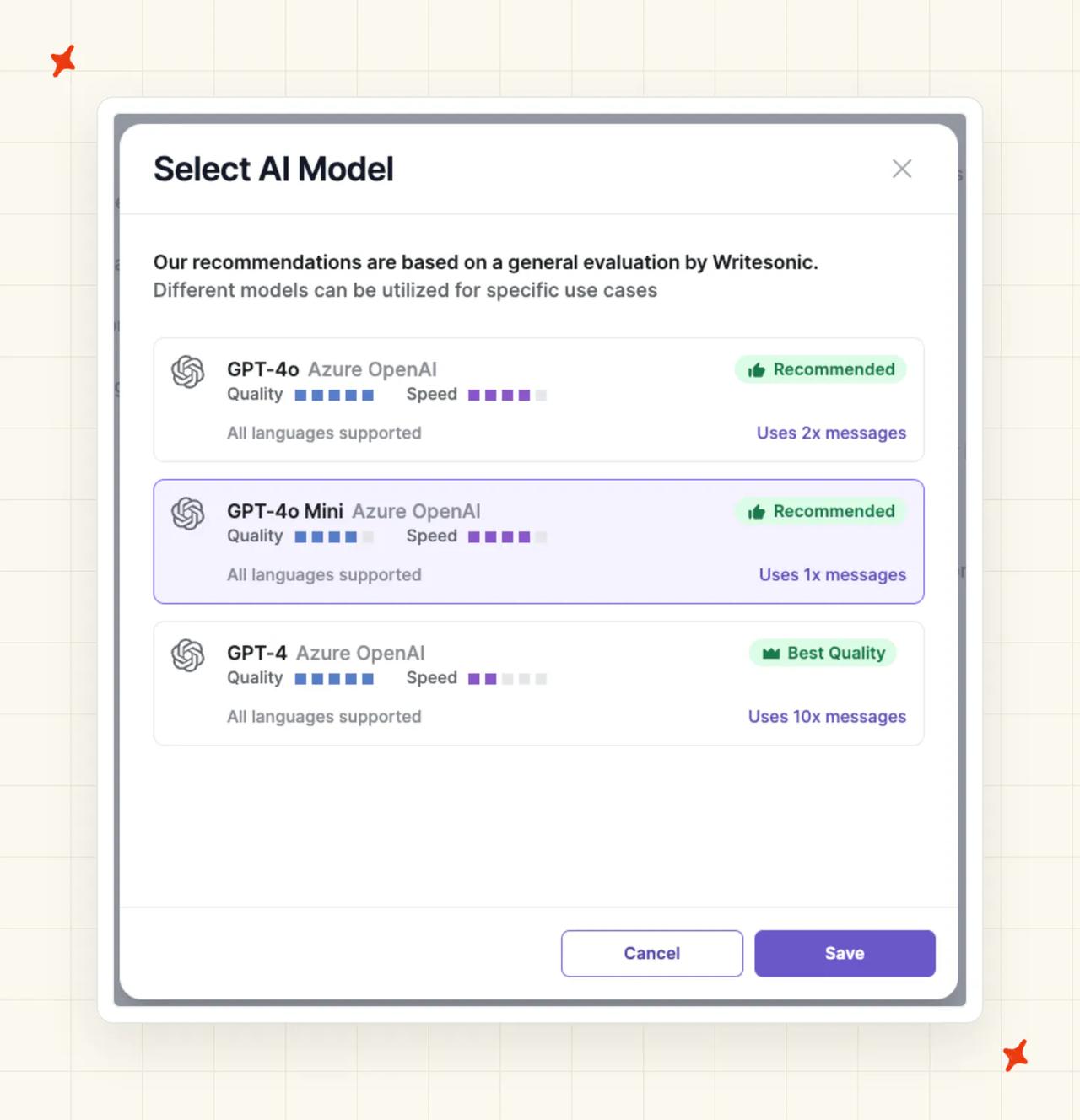
Botsonic also publishes no definition of what its billable unit is. The multiplier is charged per model response, and what counts as one message appears on no public page. Botsonic's documentation states a $500 onboarding fee and an $800 a month Enterprise floor, both worth confirming before you budget for them.
Who is using Botsonic?
Botsonic publishes no named customer stories, so there is no customers index and no outcome to link to. Its marketing positions it at small and mid-sized teams wanting a fast no-code build. The review corpus is consistent with that, though there is no named reference to check.
Read more: our complete guide to Botsonic, our roundup of the best Botsonic alternatives, and our My AskAI vs Botsonic comparison.
What do these SiteGPT alternatives actually cost at 10k conversations/month?
Two assumptions, stated up front. First, one support exchange takes several messages. The working conversion here is 10,000 conversations at roughly 4 AI replies each, or 40,000 messages.
Second, these are AI costs only (no seat fees, no helpdesk subscriptions, no live-chat plans). Those vary far too much between teams to compare.
| Vendor | Billing unit | AI cost at 10,000 conversations/mo | Notes |
|---|---|---|---|
| SiteGPT | Model-weighted message bundle | $259 to $2,590 | Scale covers up to 40k messages at $259/mo billed yearly, $429 billed monthly, but only 4,000 of them on the accurate model |
| Botsonic | Message units, 1x to 10x by model | $649 to $5,149 | Advanced $299 for 12,000, plus 28,000 extra messages at $350 on the 1x band; the 10x band burns 400,000 message units |
| Crisp | AI credits in dollars, on top of the workspace plan | Custom quote | Plus, the top published tier, bundles ~1,350 conversations at roughly $0.056 each; no rate is published past that |
| My AskAI | Per ticket on Scale, 2 AI replies to a credit | $2,299 | 40,000 AI replies is 20,000 credits; Scale $499 including 2,000 credits, plus 18,000 credits at $0.10 |
| Chatbase | Credits per response, 1 to 6 by model | $1,500 to $9,500 | Pro $500 for 15,000 credits, plus 25,000 credits at $40 per 1,000 on the 1-credit band; the 6-credit band burns 240,000 |
| Tidio (Lyro) | Conversations, across three pools | Custom quote | The self-serve Lyro ladder stops at 1,000 conversations a month |
| Wonderchat | Credits, 1 to 10 by model | Custom quote | Published ladder tops out at $417/mo; the vendor's own pages disagree on the resolution count that tier carries. Enterprise from $1,499 |
| tawk.to | Free platform plus per-property AI add-on | Platform $0, AI about $999 | Enterprise AI Assist $399 for 20,000 messages, plus 20,000 extra at $30 per 1,000; credits don't move between properties |
Each range runs from the cheapest model to the dearest, and it covers only the tools publishing a rate at that volume (Wonderchat's ladder stops well short of it).
On SiteGPT the same $39 plan covers 400 messages on the accurate model (the rate moves from about $0.0098 to about $0.0975). Chatbase runs 1 to 6 credits a response, Wonderchat runs 1 to 10, and Botsonic runs 1x to 10x.
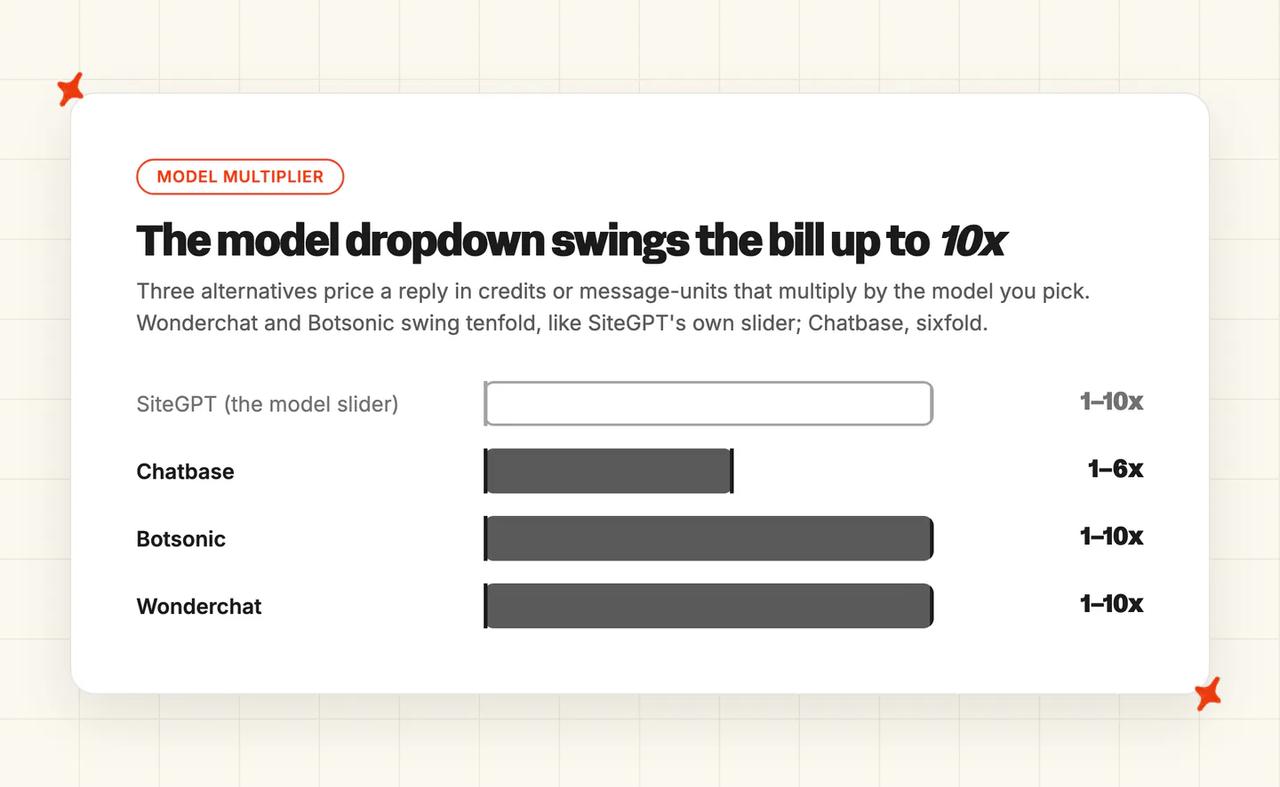
On Chatbase's Pro plan that is the difference between 15,000 answers and about 2,500.
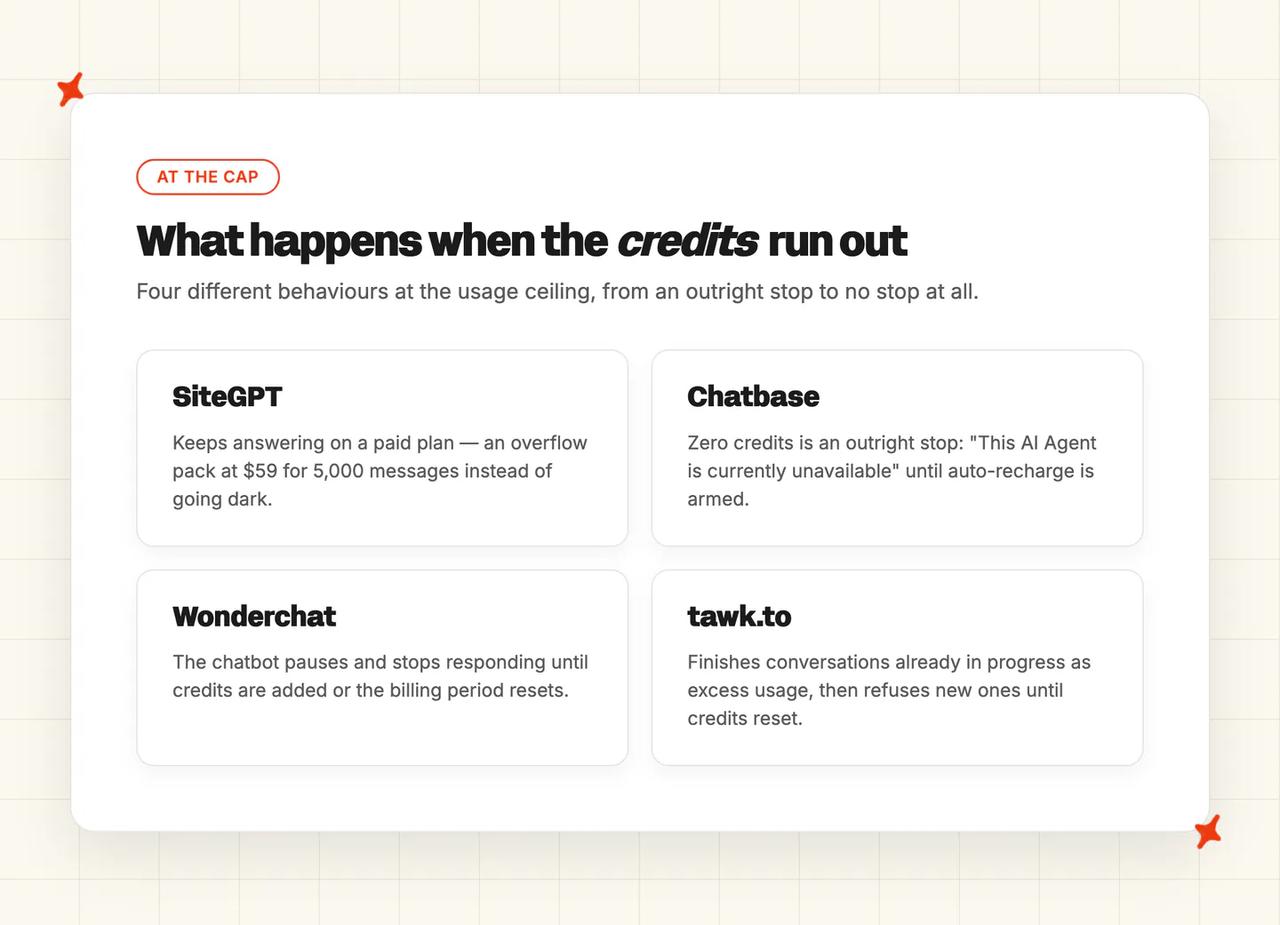
At the ceiling, SiteGPT is the soft one.
On a paid plan the chatbot keeps answering, and you buy overflow packs at $59 for 5,000 messages (no published per-message rate, and no roll-over of unused quota). So you pay a worse unit price than the plan below you. Chatbase is an outright stop unless auto-recharge is armed.
Wonderchat pauses, and tawk.to finishes conversations in flight while refusing new ones. Free-trial SiteGPT bots do pause, and paid ones do not (on a paid plan the quota is a bill problem).
Per-message billing punishes exactly the conversations you want to go well. A five-turn exchange where the customer asks follow-up questions burns at least five messages.
Our own widget bills one credit for unlimited messages inside a one-hour session, and helpdesk chat bills one credit per two AI replies. Neither model is universally cheaper. I ask teams for their average AI replies per conversation before anything else, because that number decides which unit is cheaper for them. Our AI support agent ROI calculator runs that sum on your own volume, for any vendor.
SiteGPT and Botsonic are hard to beat on price below a few thousand messages a month. Past that, and especially where conversations run long, a flat unit stops the bill moving with the model you picked. At 10,000 conversations a month the message-based prices undercut a flat unit on their cheapest model and cost more than one on their dearest, and a dropdown decides which end you land on.
Which SiteGPT alternative is best?
If you run a website and support is a side of the desk, Chatbase is the fastest swap. Wonderchat gives you a corrections loop and a wider model menu, and both are good products.
If your budget is zero, tawk.to gives you the platform free and charges only for the AI. And SiteGPT remains a reasonable purchase for this reader (as long as you know what the model slider does to your quota).
If you want the inbox as well as the widget, it is Crisp or Tidio. Both sell the inbox, the help center and the AI on one bill, and both ask you to move your support onto them.
Crisp is the flatter price and the EU-hosted option. Tidio is the bigger platform with more channels and a published resolution figure.
If your support already runs through Zendesk, Intercom, Freshdesk, Freshchat, Gorgias or HubSpot, that is where we fit. You keep your tickets, your macros, your routing and your team's habits, and the agent answers in the tickets they already work.
It also trains on the tickets you have already answered.
If you need a free starting point, tawk.to's platform is free forever, and Chatbase, Tidio and Wonderchat all have free tiers. Our own answer is a 30-day trial with every feature unlocked, unlimited tickets and no card.
And if you want to keep SiteGPT, you can. SiteGPT deploys into Crisp, so running both is a real option.
The billing unit should decide this, along with whether you can forecast your own usage of it.
For the full pricing and limits math on SiteGPT itself, our complete guide to SiteGPT works through every tier and quota. Our free trial puts an agent on your own tickets inside your own helpdesk, which is the fastest way to see what it does with them.
What are the pros and cons of SiteGPT?
Pros
- The cheapest published bill in this comparison: $259 a month at 10,000 conversations on the Scale tier billed yearly, against $649 for Botsonic and $1,500 for Chatbase. Below a few thousand messages a month, nothing here undercuts it.
- More capable than the comparison sites suggest: its own documentation covers a Slack integration, an API, and file and text uploads alongside the website crawl (three things several third-party roundups miss).
- A paid bot keeps answering at the quota: you buy overflow packs at $59 for 5,000 messages rather than watch the widget go quiet, which is gentler than the outright stop Chatbase applies at zero credits.
Cons
- The model slider moves your quota tenfold: the same $39 covers 4,000 messages on the economical model or 400 on the accurate one, so a dropdown sets your bill before your traffic does.
- No free tier: there is a 7-day trial and trial bots do pause at the limit, so a proper evaluation starts with a card (Chatbase, Tidio, Wonderchat and tawk.to all have a free entry point).
- No ticket system and no inbox: it answers on your website, and the route into a helpdesk you already run starts on the Scale tier at $259 a month, 6.6 times the entry price.
- No published resolution figure: Tidio prints one on its own pricing page and SiteGPT prints none, so there is no vendor claim to test against your own traffic.
FAQs
What are the alternatives to SiteGPT?
Seven, in the order they scored: My AskAI at 66/80, Tidio (Lyro) at 59, Chatbase at 56, Crisp at 52, Wonderchat at 47, tawk.to at 46 and Botsonic at 44. Each of them trains on your own content, answers customers directly and publishes self-serve pricing. The scores come from eight criteria applied to each vendor's own pricing and documentation pages.
What are the best SiteGPT alternatives for customer support?
It depends on one question: do you already run a helpdesk? If you do, the useful alternatives are the ones that answer inside it. We do that natively, and Tidio does it through Lyro Connect on its Plus plan. Wonderchat's Zendesk and Freshdesk link, on its top tier, creates escalation tickets and trains on past ones rather than answering inside the helpdesk.
If your support is a widget on a marketing site, Chatbase, Wonderchat, Botsonic and tawk.to all sit in the same slot as SiteGPT.
SiteGPT can do the helpdesk-native job too, through its Zendesk AI Agent, but that route starts at $259 a month on the Scale tier.
Can I set up AI customer support without any coding?
Yes, for every tool in this comparison. Chatbase, Wonderchat and Botsonic are all reported as no-code builds in minutes. Tidio installs as a Shopify app or a snippet, and we connect to a helpdesk in about ten minutes.
The qualifier is curation. Somebody still has to decide what the AI knows, spot the wrong answers and fix them.
If you have no help center to point it at, training on historic tickets is the way around it. The AI reads the tickets your team has already answered and builds starter knowledge from them. You are not writing documentation from scratch before you begin (which is where most no-code projects stall).
Which AI support tool gives the best value per conversation?
It comes down to the unit. Four of these seven charge per message or per credit, and the rate moves with the model you pick.
Chatbase states that "Each response from your AI Agent consumes credits based on the AI model used." Wonderchat runs 1 to 10 by model. Botsonic labels models in the app as "At 1x messages" through to "The highest of the showcased models at 10x messages".
Per-ticket and per-session units hold steady (our own widget bills one credit for a whole one-hour session). The best value per conversation goes to the tool whose unit matches how your customers talk. Long, multi-turn conversations are exactly where per-message billing gets expensive.
How do I evaluate AI customer service tools, and what should I look for?
Work through the eight criteria above: where it can be deployed, ease of setup, training sources, features, improving over time, security, maturity and cost. Then ask each vendor what its billing unit is, and what happens when you hit the cap. Those two answers vary more than any feature list.
For a bar to measure against, the median AI handling rate is about 70%, across 195 rated deployments and 38 vendors in our own benchmark study. That figure is aggregate and directional, the sample is self-selected, and the vendor metrics behind it do not line up. Use it to test a vendor's claim.
Which AI customer support tools can I test for free before committing?
tawk.to gives you the whole platform free forever and charges only for the AI add-on. Chatbase has a free tier with 50 credits, and Wonderchat has a free plan at $0.
Crisp has a free plan, with the AI starting on its entry paid tier. Tidio starts every account with 50 Lyro conversations, though "you need to upgrade to the Lyro AI Agent plan to refresh it monthly".
Tidio also gives you a 7-day trial of the full feature set. We run a 30-day free trial with everything unlocked and no card.
SiteGPT has no free tier at all. There is a 7-day trial, and trial bots do pause at the limit, which is the one place the quota stops the answering.
Can I keep my helpdesk and just add an AI agent to it?
Yes. That is the real fork. We do it natively across all six of Zendesk, Intercom, Freshchat, Freshdesk, Gorgias and HubSpot.
Tidio does it through Lyro Connect, which it sells for Zendesk, Salesforce or any other help desk software on its Plus plan (from $300 a month plus usage). Wonderchat reaches Zendesk and Freshdesk at its $417 tier. SiteGPT reaches Zendesk at $259 (its Scale tier).
Crisp is the platform itself, so the AI answers on Crisp's own surfaces and does not layer onto a helpdesk you already run.
Where an integration does exist, it arrives as an approved marketplace app.