Tawk.to AI Assist: Complete Guide to Features, Pricing & Limitations (2026)
Tawk.to's live chat is free forever. AI Assist is free to 100 messages, then $29/month, no published resolution rate. My AskAI starts at $0.10 a ticket.
Summarize with AI
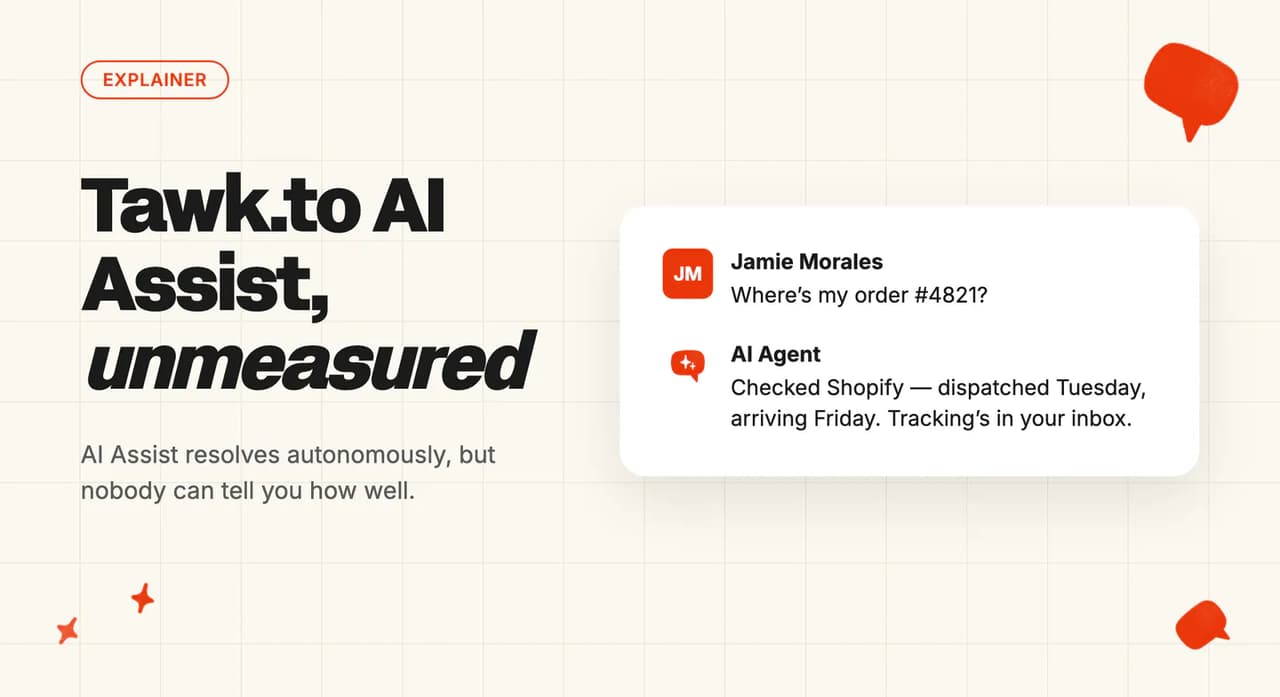
The tawk.to widget has been sitting on your site for a while, and it has never cost you a penny.
Now someone wants the repeat questions answered without a person in the chair. The AI add-on is right there in the dashboard from $29 a month (per site, so each brand you run buys its own), and you have to decide whether to switch it on.
That is a hard thing to price. The free tool set your expectations, and the vendor's own homepage devotes a whole section to AI without once naming AI Assist.
I'm Mike, co-founder of My AskAI. We run AI customer service for a large book of online retailers and software companies, so I'm not impartial here. By the end you'll know what AI Assist does, what it costs at your volume, and where it stops.
Tawk.to at a glance
| Fact | Detail |
|---|---|
| What it is | Free live chat, metered AI agent add-on |
| Headline price | Free to 100 messages, then $29/$99/$399 a month |
| Free option | Chat $0 forever, unlimited agents, no card |
| G2 rating | 4.5/5 from 203 reviews |
| Best for | One-site SMBs wanting cheap after-hours cover |
| Not a fit for | Agencies, multi-site brands, teams already on a helpdesk |
| Biggest limitation | No resolution rate, no answer-quality reporting |
| Our verdict | 7/10 |
What is Tawk.to?
Tawk.to was founded in October 2013 and gives the whole platform away. You get live chat, an omnichannel inbox, ticketing, a hosted knowledge base, a CRM pipeline, chat pages and desktop plus mobile apps, all listed in its own machine-readable product inventory.
There are no per-seat fees and no seat count. Twenty agents costs the same as one, which is zero.
The scale claims are large and self-published, so take them with a grain of salt. The why-free page calls tawk.to the most widely used live chat application in the world, and puts a third-party share table on the page showing 20.07% against Zendesk's 12.25%. Its customer stories index adds "over 7 million businesses" in "190+ countries".
Founder Robert D'Assisi says on that same page that the company only ever wanted to monetize at the junction where customers get value, with no feature limits and no time limits on products (that junction is the add-ons menu). The add-ons page puts it more bluntly: "99% of businesses use tawk.to entirely for free. The other 1% pay for these add-ons."
Tawk.to has no helpdesk integrations. It replaces Zendesk, Intercom, Freshdesk, Gorgias and HubSpot in your stack, so adopting its AI means moving your support into Tawk.to.
G2: Tawk.to scores 4.5/5 from 203 reviews on G2. The most common ask from AI-focused reviewers is one the vendor's own docs confirm: the agent can only learn from knowledge you put inside Tawk.to.
Is Tawk.to an AI?
Out of the box, tawk.to routes a visitor to a person. The widget, the inbox and the mobile app are the product, and AI is a separate thing you switch on and pay for (it lives under Add-ons in the dashboard).
Switch it on and an AI agent answers first. Tawk.to's own words on the why-free page:
"we offer AI Assist – an AI powered Chatbot for your website. Using the data in your Knowledge Base and a set of Shortcut FAQs, the bot will answer chats on your behalf 24x7x365 from as little as $29/month."
That is an autonomous agent doing the answering. The add-ons page describes agents that answer from your knowledge base, automate the routine and hand off the instant a human is needed (the hand-off is a paid-plan feature, so the free tier has nowhere to send what it can't answer). The help center confirms they can be assigned to Live Chat, Tickets, Facebook Messenger, SMS, Telegram and WhatsApp.
The reputation lags the product by about two years. Ask an AI search engine today and it still calls tawk.to a live chat platform (we watch those answers in our own category). Older reviews describe pre-programming answers to frequent questions, which is the shortcut layer, one product generation behind the agent.
Tawk.to's agent resolves. It publishes no rate, learns nothing from the conversations it handles, and cannot read or leave with knowledge that lives outside Tawk.to.
What AI features does Tawk.to have?
The naming trips people up. On the invoice, in billing and across all 41 help-center articles, the product is AI Assist.
The marketing menu files it under "Automation" now, and some older help URLs still carry the legacy "Apollo AI" name (so search the help center under both names).
The add-on covers four features.
| Feature | Autonomous or assist? | What it does |
|---|---|---|
| AI Agent | Autonomous | Up to 10 named agents, each with its own avatar, 2,000-character Instructions, Scenarios, verbosity and completion model |
| AI Transcription | Autonomous | Customer sends a voice message, the agent transcribes it, generates a reply and sends it back. 99+ languages, auto-detected |
| Smart Reply | Assist | Suggests a response for chats and tickets from a button beside Reply and Whisper. Your agent edits or sends as-is |
| AI Commands | Assist | Around ten /ai slash commands in chats, tickets and knowledge base authoring. Accept, edit, discard or retry |
All four draw on the same message credits. The plans article is explicit that a message completion is counted for AI Assist replies, AI Commands and Smart Reply alike. Turning Smart Reply on for your human team eats the credits your customer-facing agent needs, so I'd factor it into the plan you pick.
Not everything in the AI menu is AI. Shortcuts are canned replies with keyword triggers that predate the agent, Suggested Messages are scripted button flows, and Triggers are rules (none of the three touch a model).
The tool calls are real, and they are gated. Pre-built Shopify, WooCommerce, BigCommerce and Picqer integrations sit alongside custom OpenAPI schemas, all restricted to Growth and above. AI Workflows is still marked "coming soon" in the product's own navigation, so don't plan around it.
How easy is it to set up Tawk.to's AI?
The widget is the easy bit. Paste a JavaScript snippet, or install in one click from the Shopify App Store or the WordPress plugin directory.
The AI has its own flow, documented in getting started with AI Assist, and it runs to four steps:
- Open Add-ons, pick AI Assist, and create an agent in the wizard: name, avatar, Instructions.
- Connect data sources: FAQs, text, documents, tables, shortcuts, knowledge base, websites.
- Configure Persona, Schedule and Tools, then assign channels.
- Test in the preview (unlimited and free), then go live.
Tawk.to reckons you could be live in minutes, and for the wizard itself I think that's fair.
The complexity arrives afterwards, in the crawl. It wants 24 to 48 hours to re-scan your site. It only reads server-rendered HTML, so a JavaScript-heavy site returns very little (its crawler article is unusually candid about this), and you may have to whitelist the bot in Cloudflare first.
The knowledge itself is the bigger cost. There is no importer for an external help center, another helpdesk's articles or your past tickets. FAQs are typed in by hand at 255 characters a question, CSVs have to be formatted exactly, and everything else gets crawled.
What channels does Tawk.to's AI work in?
The platform covers the website widget, chat pages, ticketing and email, WhatsApp, Facebook Messenger, Telegram, SMS through Twilio, and Instagram.
The AI covers six of those: Live Chat, Tickets, Facebook Messenger, SMS, Telegram and WhatsApp. Instagram is on the platform list and absent from the AI list (and absent from the escalation docs too).
Voice isn't a channel yet. Voice Agents appear on the add-ons page from $49 a month with a "join the waitlist" button, so I'd treat it as unreleased.
The docs on deploying multiple AI agents say each agent supports one channel at a time, and once an agent is assigned to a channel no other agent can be assigned to it. So Enterprise's ten agents spread across ten channels on one site, one agent to a channel.
Response verbosity doesn't apply to SMS or Facebook Messenger, and some channels can't render buttons or forms. The human service is narrower still, with hired agents available in English only.
What are the limitations of Tawk.to's AI?
Every limit below comes from Tawk.to's own help center, which I'd weigh above any review site.
- You cannot measure it. There is no unanswered-question log, no confidence score and no resolution or deflection metric. The only AI reporting in the product is a real-time count of the messages your agent has sent, which meters your spend. Per-answer source attribution exists only in the test preview, and even there the agent's Instructions aren't listed. The AI Assist marketing page does promise you can track the questions your agents couldn't answer, so you can refine how they respond. No help-center article documents such a feature.
- It cannot read the knowledge you already have. Seven data sources, all internal: FAQs, plain text, documents, tables, shortcuts, knowledge base articles and websites. There is no connector for an external help center, another helpdesk's articles, Notion, Confluence, Google Drive, SharePoint or your past tickets. Everything the agent knows has to be re-created inside Tawk.to (by hand, which is where the real bill lands).
- It doesn't learn from the conversations it resolves, on purpose. Tawk.to's data security article says AI Assist processes only the current conversation and connected data sources, without retaining past interactions, and that it deliberately excludes information from visitor conversations to avoid misinformation. It's a defensible safety choice with a real cost: every improvement is a person editing a data source.
- The free tier can't hand off to a human. Human escalations are available on paid plans only, so a free AI agent answers and then has nowhere to send the ones it can't (my main reason not to put the free tier on a live site). That same article warns that AI Assist will attempt a transfer even when every agent is offline, so a customer can be handed to an empty room at 3am.
- Your shortcuts outrank your instructions. If AI Assist finds a strong shortcut match it prioritizes the shortcut over your Instructions, which means welcome questions, name collection and lead capture may not run at all. You can't prompt your way around retrieval either: the docs state that Instructions cannot force AI Assist to inspect specific data sources.
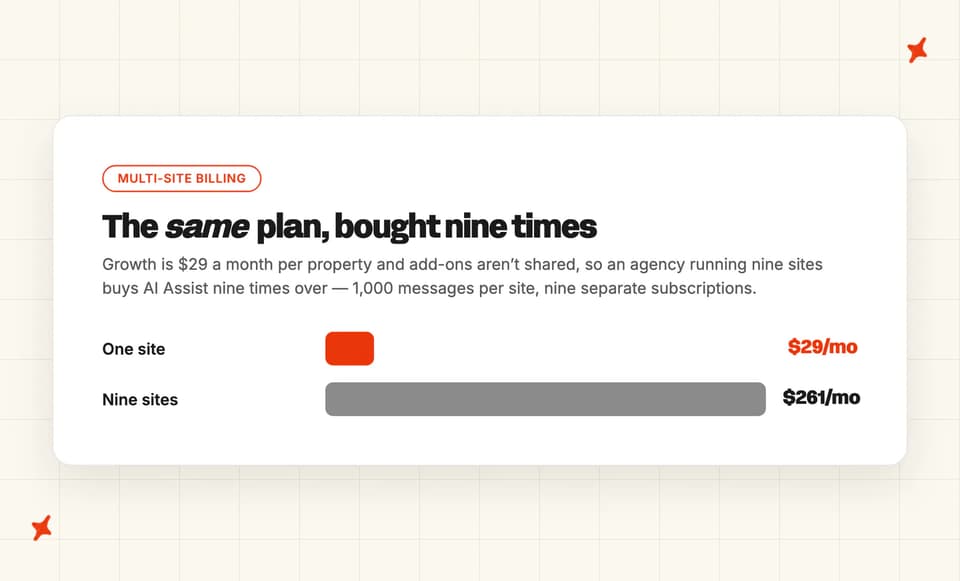
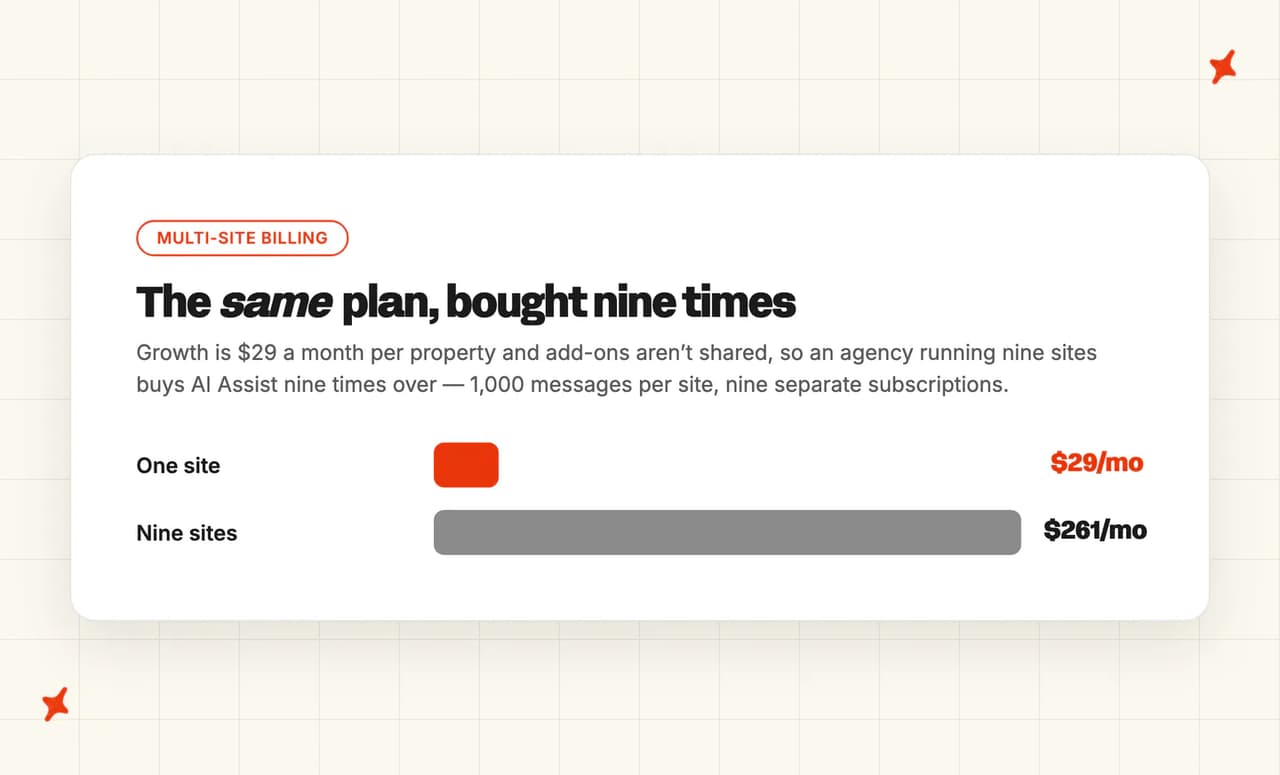
- Add-ons are billed per property. Buy AI Assist and it applies to the one site you bought it for. Run nine client sites and you buy it nine times ($261 a month on Growth), which is the wall a developer hit in public on r/Wordpress before going shopping for something else.
The docs aren't kept as tightly as you'd hope, either. The retrieval chunk size is 3,300 characters on one page and 1,000 on another, and the plan table and the billing articles disagree on how overage is priced.
What can I train Tawk.to's AI on?
The data sources article lists all seven: FAQs, plain text, documents (PDF, CSV, TXT), tables, shortcuts, knowledge base articles and websites. Retrieval then picks up to five chunks per question, a chunk being a shortcut, a question-and-answer pair, a CSV row or a snippet of your text.
The caps are specific. I'd check them against your own content before you commit:
- FAQ questions cap at 255 characters, answers at 1,000.
- CSV rows cap at 1,000 characters and can't have empty cells in the middle.
- Tables accept CSV or XLSX up to 50 MB, and column data types are fixed once created.
- Instructions cap at 2,000 characters.
- Website crawling runs from 100 to 10,000 pages depending on plan.
The ceiling that binds first is data characters: 500,000 on free Hobby, rising through 4 million and 8 million to 12 million on Enterprise.
Freshness is a plan feature too. There's no automatic re-crawl on Hobby, daily on Growth, twice daily on Business and hourly on Enterprise. On the free tier, a price change on your site reaches the agent when you remember to re-crawl by hand.
The list of what it can't read runs longer than I expected: images, video, carousels and some table content inside crawled pages. Anything behind a login is out, and so is anything rendered by JavaScript after the page loads.

How do I improve Tawk.to's AI responses?
The levers are all there, and I counted seven. Edit your Instructions, add Scenarios, fix a shortcut or FAQ, re-crawl, switch a stale source off, set verbosity to concise, balanced or detailed, or change the completion model.
Nothing in the product tells you which lever to pull.
Tawk.to's article on fixing incorrect responses is a good list of causes: conflicting sources, malformed CSVs, uncrawlable pages, content locked in images and tables. It's a checklist for a problem you've already noticed. I'd only reach for that list after a customer had already complained.
The reporting is a message-usage counter and a transcription-credit history. There's no unanswered-question report, no low-confidence queue, no CSAT on an AI answer and no source attribution once the agent is live. So you improve Tawk.to's AI by reading transcripts by hand and guessing which of the seven sources let you down.
The Instructions docs close that door too, telling you to keep your data sources updated, since the prompt has no say in which source gets retrieved.
What resolution rate can I expect from Tawk.to?
A resolution rate is the first thing I'd ask for on a demo call. There's no resolution, deflection, containment or automation figure on tawk.to, on the help center, on the AI Assist page or in any of the 17 customer stories.
No ROI calculator, no benchmark page, no "X% of tickets automated" claim. You can't work it out yourself either, because the product reports credits consumed and nothing else.
Tawk.to publishes exactly one AI outcome number. The gap personnel story has a card claiming 4,211 customer queries handled automatically (the claim sits on the marketing card, above the case study text), and the customer's own words on the same page describe something else:
"In August last year we added a tawk.to agent bot to our website so we can answer customer queries quickly and efficiently. Since launching, our National Recruitment Centre and gap 24/7 team have answered a staggering 4,211 customers!"
The results paragraph sides with the customer: the bot and the two human teams answered them between them. So it's a combined total, over an unstated period, with no denominator. It's not an AI handling rate.
Our AI resolution-rate benchmark corpus covers 195 rated deployments across 38 vendors: median 70%, ranging from 15% to 98.3%. It's an aggregate across the whole field with no vendor-versus-vendor scoring in it, and every vendor defines its own numerator (deployments labeled "resolution" median 72.5% while "automation" ones median 61%). Published competitor figures are self-selected wins that sit above their own averages.
Our own number is 72% on a rolling 30-day basis across the customer base. We count a conversation as resolved when the AI handled it without escalating to a human.
That measure holds because escalating is easy by design: the customer can ask for a person, and the AI hands off when it can't answer, when it detects frustration, or when the topic is one you've flagged. We don't claim to know an issue was solved unless the customer says so.
What AI model does Tawk.to use?
Tawk.to names the model, which is rarer in this category than I'd like. The completion model article says new agents use GPT-4.1 mini as the default and lets you switch to GPT-4o mini for faster, cheaper replies. It also warns the available list may change as new options appear.
Underneath that there's a routing layer. The model selection article says tawk.to combines several language models. Fast self-hosted models take the routine questions, and advanced external models get the complex ones (so the model you pick in settings is one of several in play).
Tawk.to states the data handling directly: your data is encrypted, never shared with a third party, and the agent works from your input without browsing the web or reading previous chats.
One help article promises your data is never shared with any third party; another says the system may use advanced external models, and the named default is OpenAI's. I'd raise that with them before your security reviewer does.
There's no AI sub-processor list, no model card and no statement on whether the model provider trains on what it sees. Both articles are live on Tawk.to's own help center, so reconciling them is a fair question for your account manager.
What languages does Tawk.to's AI work in?
The widget numbers don't agree with each other. The why-free page claims 27 languages, the customer stories index claims 50+, and the widget language article publishes no count at all.
For AI answers there's no number anywhere. The plan table lists multilingual AI responses on every tier (yes, even the free one), and the settings toggle offers to respond in multiple languages. Neither the marketing site nor the help center says how many, so I'm not going to infer one from the widget's count.
The one quantified AI language claim belongs to the feature that doesn't answer anything. AI Transcription supports 99+ languages with automatic detection of the spoken language.
If you're buying for a multilingual audience, I'd test the languages you care about in the free preview first. Preview messages don't consume credits, so it costs you an afternoon and nothing else.
How secure is Tawk.to?
The security page (last updated April 2025) says chats and tickets are encrypted over SHA-256 SSL, in transit and at rest. Tawk.to operates as a data processor on your behalf, and says you remain the owner of the data at every stage.
The principles are stated directly: no advertising, no information extraction, no access to your data except to run and support the service. The page also says tawk.to does not rent or sell personally identifying information to anyone. Add-ons and human services fund the free tier, per the why-free page.
Chats and tickets stay on their servers indefinitely until you delete them, so I'd put a deletion schedule in place on day one. Infrastructure runs on Google Cloud, AWS and Digital Ocean, with a published sub-processor list.
On compliance, Tawk.to claims self-certification under the EU-U.S. Data Privacy Framework, its UK extension and the Swiss-U.S. framework, plus ICO registration and GDPR. Self-certification is an attestation the company makes about itself, with no auditor in the loop.
Not claimed anywhere: SOC 2 Type I or II, ISO 27001, ISO 42001, HIPAA, PCI, a penetration test report, a trust portal or a choice of data residency.
Who is using Tawk.to?
Tawk.to publishes real names, which I like to see. Four from its customer stories:
- gap personnel, a UK staffing and recruitment group, and the only AI story of the 17.
- the Ski.com story, a 50-year-old ski vacation specialist with 120 partner resorts, which replaced a failing chat platform and uses hired agents overnight.
- Stoneacre Motor Group, running chat across 100 UK dealership locations.
- Heal Navigator, doing cancer patient navigation, which is about as high-stakes as chat gets.
The ski specialist's president, Harry Peisach, makes the reachability case in commercial terms:
"The more we take chats and the more we convert, the more money we make. tawk.to can handle a service center, but it can also handle a sales center."
Seven million businesses run the widget. The AI evidence is one customer story with a combined bot-and-humans total.
How much does Tawk.to's AI cost?
Tawk.to has no conventional pricing page. The /pricing/ URL redirects to the why-free page, and the numbers live inside one help-center article as an image. The figures below are the ones on that add-on pricing article today.
The AI Assist plans
| Hobby | Growth | Business | Enterprise | |
|---|---|---|---|---|
| Price | Free | $29/mo or $290/yr | $99/mo or $990/yr | $399/mo or $3,990/yr |
| AI agents | 1 | 3 | 5 | 10 |
| Messages | 100 | 1,000 | 5,000 | 20,000 |
| Data characters | 500,000 | 4,000,000 | 8,000,000 | 12,000,000 |
| Crawled pages | 100 | 500 | 2,000 | 10,000 |
| Auto re-crawl | None | Daily | 12-hourly | Hourly |
| Human takeover | No | Yes | Yes | Yes |
| API integrations | No | Shopify + custom, 1,000 calls | 5,000 calls | 10,000 calls |
| Extra credits | Cannot purchase | $0.03/message | $0.025/message | $0.02/message |
Annual billing includes two free months.
What the meter actually counts
A message completion is counted every time AI Assist generates a response, and that covers agent replies, AI Commands and Smart Reply. The unit is a generation, so one back-and-forth with a customer burns several (I've assumed five per conversation).
Two live vendor figures conflict on overage. The plan table shows tiered per-message rates, while the credits article and the billing article both quote a flat $30 per 1,000 credits.
Credits sell in blocks of 1,000, don't expire and roll over. When you run out the agent stops joining new conversations until you top up or your month resets, and Hobby can't buy credits at all.
A worked example
Message allowances are Tawk.to's; the per-conversation assumption is mine, and yours will move with how chatty your customers are.
| Conversations/mo | Messages needed | Cheapest plan | Monthly AI cost |
|---|---|---|---|
| 20 | 100 | Hobby, but with no human handoff | $0 |
| 200 | 1,000 | Growth | $29 |
| 1,000 | 5,000 | Business | $99 |
| 4,000 | 20,000 | Enterprise | $399 |
| 200 on each of 9 client sites | 1,000 per site | Growth, bought nine times | $261 |
Add-ons aren't shared across properties, so a nine-site portfolio pays nine times for the same agent. Agencies and multi-brand teams should price that multiplier before anything else.
The other add-ons
Branding removal has two live prices: the add-ons page lists $29 a month, the help center lists $39. I'd budget the higher one and ask them which is current. Video, voice and screensharing is $49 a month, Data Enrichment starts at $59, and Voice Agents from $49 are waitlist-only.
Hired humans are priced by the hour: $1 an hour for 24x7 cover at $728 a month, down to $129 a month for 10 hours a week. English only.
One merchant flagged the friction of buying any of this through a storefront:
"the shame thing is the $29 AI plan is not available in shopify" via a Shopify App Store reviewer (Us Cushion, 6 August 2026)
Tawk.to does publish a Shopify integration article for AI Assist, so the feature is there and the complaint is about the billing rail.
Is Tawk.to actually free?
Yes, without an asterisk on the chat. Unlimited agents, unlimited volume, no time limit, no card, and 24x7 vendor support behind it. D'Assisi puts the positioning on the why-free page:
"Ultimately, we believe that you should never have to pay to communicate with your customers, they are your customers – and if you're using tawk.to; you never will."
The paid list: branding removal, video and voice, Data Enrichment, Voice Agents, hired humans, and AI beyond 100 messages a month.
The free AI tier is more useful than most I've tried, and still a demo. You get one agent, 100 message completions a month, 500,000 data characters, 100 crawled pages, Smart Reply, AI Commands and the unlimited test environment.
You don't get human takeover, auto re-crawl, API integrations, or the ability to buy more credits. Tawk.to labels it for testing, personal use and small projects, and I wouldn't put it in front of paying customers without the handoff.
There's no free trial of AI Assist because there's no paid core to trial. You start free and buy up.
Is Tawk.to worth it?
I'd separate two decisions here: adding AI to the stack you already run, and switching to an all-in-one platform.
How does Tawk.to compare with My AskAI?
The lines I'd shortlist on if both were on your desk:
| Criteria | Tawk.to (AI Assist) | My AskAI |
|---|---|---|
| Where the agent runs | Standalone platform you move support into | Inside the helpdesk you already run |
| Helpdesks covered | None, it replaces them | Zendesk, Intercom, Freshdesk, Freshchat, Gorgias, HubSpot |
| AI pricing | Message credits, from $29 a month | Per-ticket pricing, around $0.10 |
| Multi-site billing | Bought again for every property | Multibrand on one account |
| Knowledge sources | Seven, all created inside Tawk.to | Help center, site, files, cloud drives, past tickets |
| Answer-quality reporting | A message-usage counter | Per-conversation source and reason, live dashboard |
| Security evidence | Self-certified frameworks, no SOC 2 | SOC 2 Type II, GDPR, live trust report |
| Languages for AI answers | No published count | 95, auto-detected per message |
| Free option | Chat free forever, AI free to 100 messages | 30 days, every feature, unlimited tickets, no card |
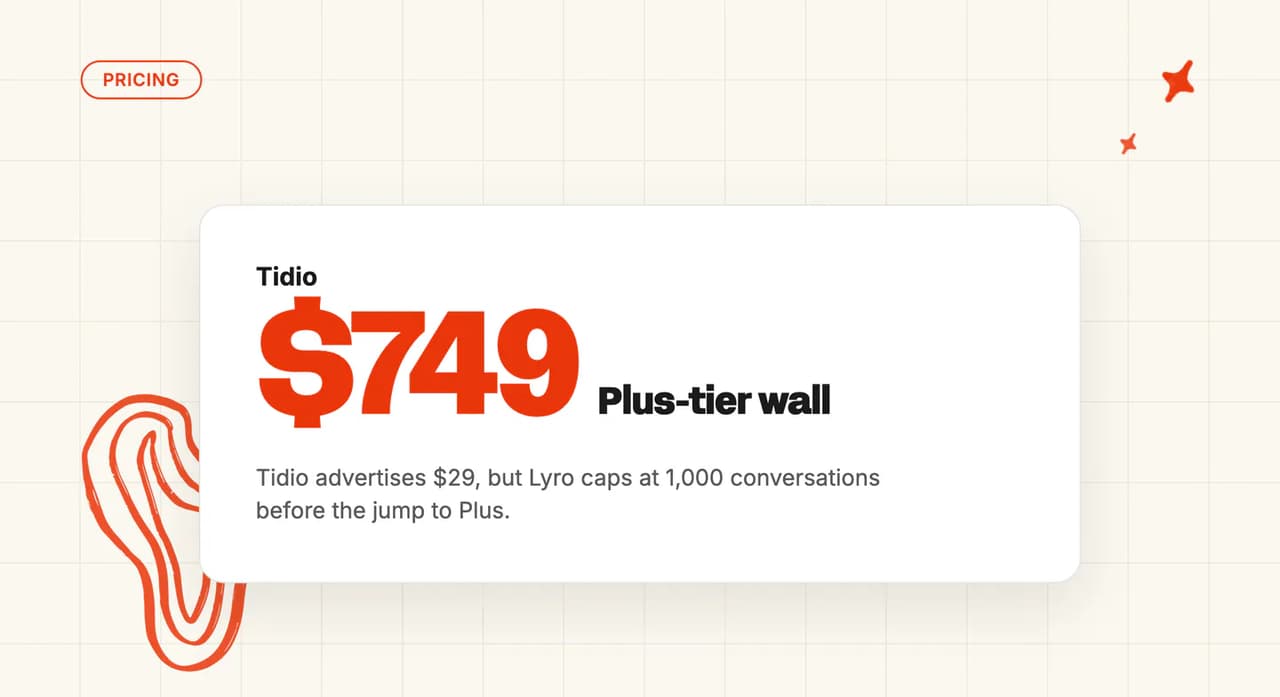
If you're weighing up the wider live-chat field, we've written the same teardown for Tidio, Crisp and LiveChat.
What are the pros and cons of Tawk.to?
Pros
- Free forever: no seat count, no time limit and no card, which is close to unique at this level of maturity.
- Minutes to install: one-click installs on Shopify and WordPress, and a documented seven-step wizard for the AI.
- Mature, widely installed: a published 20.07% market share and 4.5/5 on G2 from 203 reviewers.
Cons
- No answer-quality reporting: no resolution metric, no unanswered-question report and no per-answer source view outside the test preview.
- No published resolution rate: nothing on the site, the help center or any of the 17 customer stories, and the one published number is a combined bot-and-humans total.
- Improvement is manual: there's no AI analytics beyond a credit counter, so you read transcripts and guess which of the seven sources failed.
- Billed per property: the free core is funded by them, so cost arrives as you grow and again as you add sites.
FAQs
What is tawk.to used for?
Free live chat for your website, with an inbox, ticketing, a hosted knowledge base and a basic CRM behind it. Businesses use it to be reachable without paying per agent. The AI add-on, hired human agents and branding removal are how it makes money (the vendor's own figure is that 1% of businesses pay for add-ons).
Is tawk.to safe?
Chats and tickets are encrypted over SHA-256 SSL in transit and at rest, tawk.to acts as your data processor, and its security page says it does not rent or sell personally identifying information. It claims GDPR, ICO registration and self-certification under the EU-U.S., UK and Swiss Data Privacy Frameworks. There's no SOC 2, ISO 27001 or HIPAA and no trust portal (self-certification is the company attesting about itself, with no auditor in the loop), so a formal security review will need a conversation.
How much does tawk chat cost?
The chat platform costs nothing, forever, for unlimited agents. AI Assist is free to 100 messages a month, then $29, $99 or $399 depending on your allowance, billed separately for each site you run. Branding removal, video and voice, Data Enrichment and hired agents are priced on top.
What is tawk.to?
A free live chat and messaging platform, founded in October 2013, claiming over 7 million business users and a 20%+ share of the live chat market. The widget, inbox, ticketing, knowledge base and mobile apps all cost nothing. Its AI agents are the paid add-on, AI Assist (still called Apollo AI in some of the older help URLs).
Is tawk.to free?
Yes, and unusually so. The chat platform is free permanently, with unlimited agents and unlimited chats, no card and no expiry. The AI is free only to 100 generated messages a month, and that free tier can't hand a conversation to a human.
Does tawk.to have a chatbot?
Yes, and a capable one. AI Assist deploys up to 10 autonomous AI agents across Live Chat, Tickets, Facebook Messenger, SMS, Telegram and WhatsApp, with tool calls into Shopify, WooCommerce, BigCommerce and your own APIs. Smart Reply and AI Commands sit alongside it for your human agents (and draw down the same message credits).
What are the best tawk.to alternatives?
It depends which limit you've hit. If you can't see whether the AI works, look for a vendor that publishes a resolution number and shows its answer sources. Anyone running several sites should check how the AI is billed per property first, and the Tidio alternatives roundup covers the cheaper end of the same category. For the full ranked comparison across all eight, see our complete breakdown of Tawk.to alternatives.
What do tawk.to reviews say?
The chat product reviews well: 4.5/5 on G2 from 203 reviewers, 4.6 on Capterra from 345, and 4.6 from 142 on the WordPress plugin directory. Reviewers keep asking for the one thing the docs already rule out: training the agent on documentation that lives outside Tawk.to. Test that against your own help center before you buy (the preview environment is free and doesn't spend credits).
Is there a tawk.to app?
Yes, on iOS, Android, Windows, macOS and the web. AI Assist is configured on desktop only, though, and nearly every AI help article says so at the top.
How does tawk.to live chat work?
You paste a JavaScript snippet into your site, or install the Shopify or WordPress app. Visitor conversations land in the tawk.to inbox where your agents pick them up, and you can watch who's on the site in real time. With AI Assist bought, an AI agent answers first and hands off when it needs to (on a paid plan, at least, since the free tier has nowhere to hand off to).
Tawk.to vs Zendesk: which should I use?
Tawk.to is free, standalone and has no helpdesk integrations, so you run support inside it; Zendesk is a paid per-seat helpdesk built for larger teams, workflows and reporting. If you already run Zendesk, adopting Tawk.to's AI means moving support out of Zendesk (and the knowledge you build inside Tawk.to can't come back out with you), which is a much bigger decision than adding an AI agent.
What's the difference between an AI chatbot and an AI agent?
A chatbot follows a script or matches a question to a canned answer. An agent reasons over your knowledge, calls tools to look things up or take action, and hands off to a person with context when it can't finish.
| AI chatbot | AI agent | |
|---|---|---|
| How it answers | Scripted flow or keyword match | Reasons over your knowledge sources |
| Off-script questions | Falls back to a menu | Asks, looks it up, or escalates with context |
| Taking action | Buttons and forms | Calls an API to check or change something |
| In Tawk.to | Shortcuts and Suggested Messages | AI Assist agents with tool calls |
Tawk.to is a neat example of why the words get muddled: shortcuts and suggested messages are the chatbot layer, AI agents with API tool calls are the agent layer, and both live in one product. We go deeper on the terminology in our chatbot explainer.