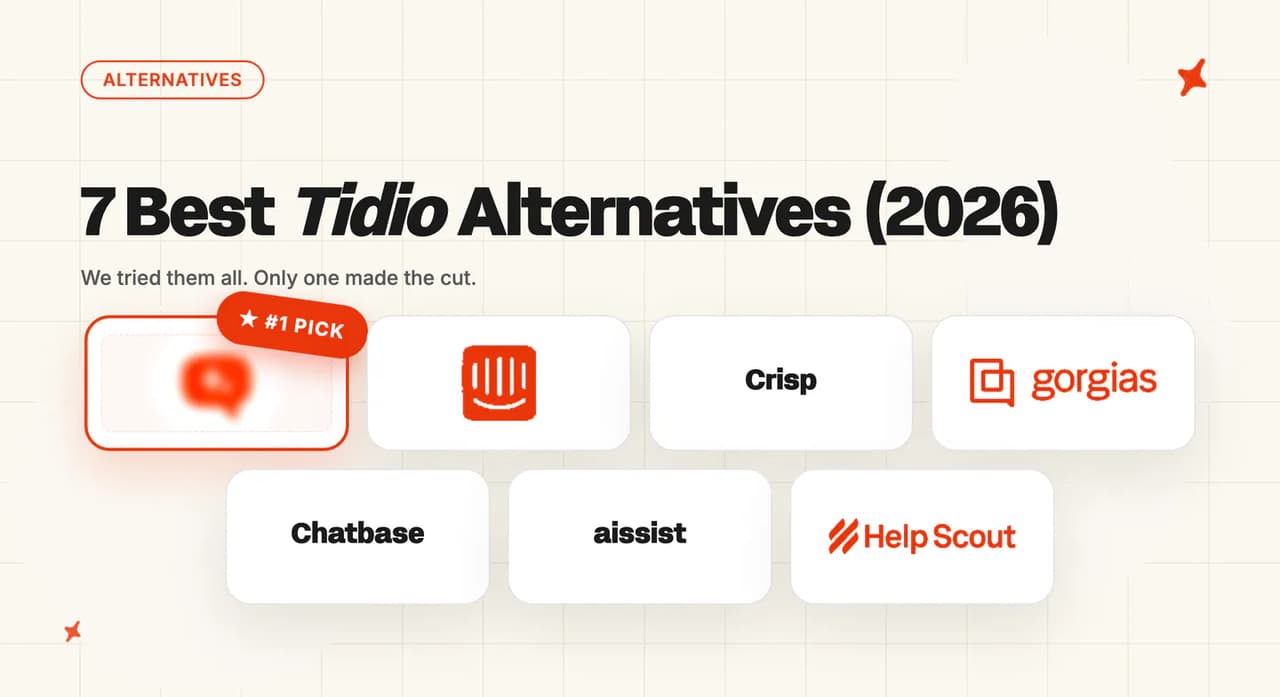
8 Best Tawk.to Alternatives (2026)
Tawk.to's AI is billed per message, per site, and only reads what you build inside it. Eight alternatives, scored and priced at 2,000 conversations.
Summarize with AI
Free forever is a real feature, and Tawk.to means it, but the AI is the paid part and the bill turns up one website at a time. This post is written for a team of one to twenty running a Tawk.to widget, and it ranks the eight products those teams realistically move onto. Help Scout tops the board at 57/80, and every one of the eight costs more at 2,000 conversations a month than Tawk.to's own $119.
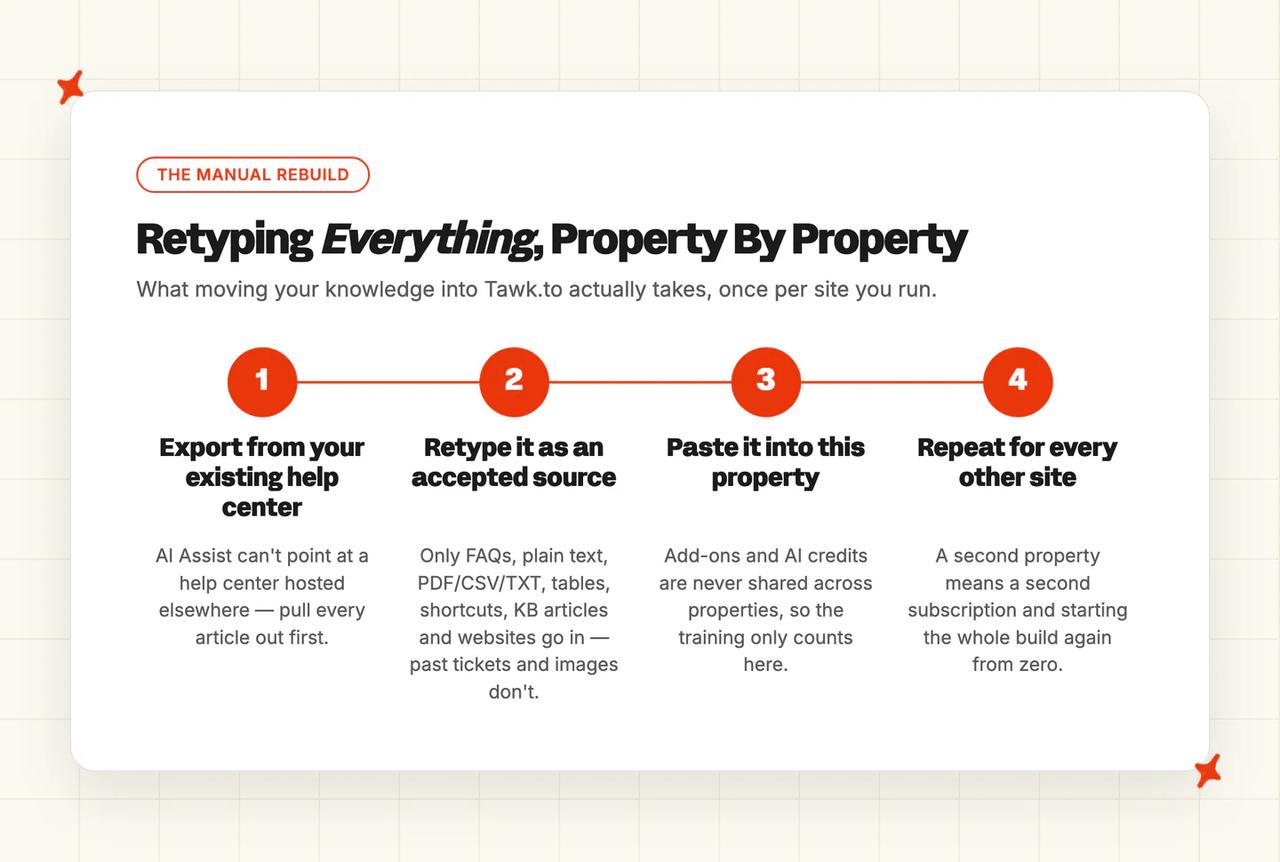
Run a second site and you buy the whole thing again (add-ons do not travel between properties). That single line is what sends most Tawk.to teams looking for somewhere else to land.
Every pricing model in the post is converted into one number at the same volume: 2,000 conversations a month, three agents, taken from each vendor's own pricing page. Nothing is weighted, and the winner is whichever product the evidence puts on top.
Quick answer: the best Tawk.to alternatives
Are there alternatives to Tawk.to if I want AI that actually resolves tickets?
Tawk.to accepts no third-party AI answering layer, so AI on Tawk.to means running the AI Tawk.to sells, inside Tawk.to.
Every product below is a platform, and choosing any of them means moving (widget, inbox, knowledge and ticket history, all of it). The decision in front of you is which platform you want to be on.
Two things push small teams off Tawk.to.
The first is how the AI is billed. Tawk.to's own help center is direct about it: "Each AI Assist message deducts 1 credit." Paid AI Assist starts at $29 a month, the Growth tier includes 1,000 credits, and extra credits cost $30 per 1,000.
That puts the bill on message volume (a credit is one message, and a single conversation can burn several).
Then there is the per-property rule, which is the objection that sends most people looking. From Tawk.to's own add-on pricing article:
"Add-ons aren't shared across properties. When you buy an add-on, it only applies to the property you purchased it for. To use an add-on on multiple properties, you'll need to buy it separately for each one."
The add-ons page states the same rule three times over. For an agency or a founder running several sites, the free platform stops being free at the exact moment the AI turns on (at $29 a month per property, before a single overage credit).
One developer put the arithmetic in public:
"Im currently working on 9 diffrent wordpress websites for diffrent businesses… I've tried tawk.to , the prices come to around 261$ (9*$29) , are there any cheaper alternatives?" — /u/xNikhilzx, on r/Wordpress
The second reason is what the AI can read. AI Assist accepts seven source types: FAQs, plain text, documents in PDF, CSV or TXT, tables, shortcuts, knowledge base articles and websites.
Everything else is hand-built inside the tool. The help center is blunt about one limit in particular: "AI Assist only analyzes the text in your documents. Images won't be analyzed."
So a team with a help center elsewhere, or three years of resolved tickets in another system, cannot point the agent at any of it. You rebuild the knowledge by hand, inside Tawk.to, one article and one scenario at a time, across all seven source types.
My AskAI does not run inside Tawk.to.
We install into Zendesk, Intercom, Freshdesk, Freshchat, Gorgias and HubSpot, plus our own embeddable widget where there is no helpdesk. We are in this post for the reader who is moving onto one of those helpdesks anyway.
What's the overall comparison of these 8 Tawk.to alternatives?
The eight criteria are live chat widget and inbox, setup and migration off Tawk.to, AI resolution, channels, knowledge and training sources, security and compliance, maturity, and cost and pricing transparency. Evidence for every score comes from the vendor's own documentation, pricing page and security page, alongside G2 reviews and each vendor's published customer results. Nothing is weighted, so the Overall row is the plain sum of the eight rows above it.
Tawk.to has no column here, because it is the baseline I am measuring all eight against.
| (scores out of 10) | Help Scout | My AskAI | Crisp | Chatwoot | Tidio | Chatbase | LiveChat | Customerly |
|---|---|---|---|---|---|---|---|---|
| Live chat widget & inbox | 8 | 3 | 8 | 8 | 8 | 5 | 9 | 7 |
| Setup & migration off Tawk.to | 9 | 5 | 6 | 4 | 6 | 8 | 6 | 5 |
| AI resolution | 7 | 10 | 6 | 5 | 7 | 6 | 4 | 6 |
| Channels | 7 | 6 | 7 | 9 | 6 | 8 | 8 | 6 |
| Knowledge & training sources | 7 | 10 | 6 | 6 | 7 | 7 | 6 | 5 |
| Security & compliance | 7 | 8 | 4 | 6 | 6 | 5 | 5 | 5 |
| Maturity | 8 | 5 | 6 | 7 | 8 | 5 | 10 | 5 |
| Cost & pricing transparency | 4 | 6 | 9 | 7 | 3 | 6 | 2 | 3 |
| Overall (out of 80) | 57 (71%) | 53 (66%) | 52 (65%) | 52 (65%) | 51 (64%) | 50 (63%) | 50 (63%) | 42 (53%) |
Help Scout wins, and it wins on the criterion a Tawk.to leaver actually acts on. Moving is the hard part, and Help Scout is the easiest move here by a clear margin. It also takes maturity and ties the security row, then pays for all of that on cost.
My AskAI lands second on the two rows with the most evidence behind them and three where we are penalized hard. We are not an inbox, we are not a chat platform, and getting to us from Tawk.to means landing on a mainstream helpdesk first. Those cost us the top three rows outright.
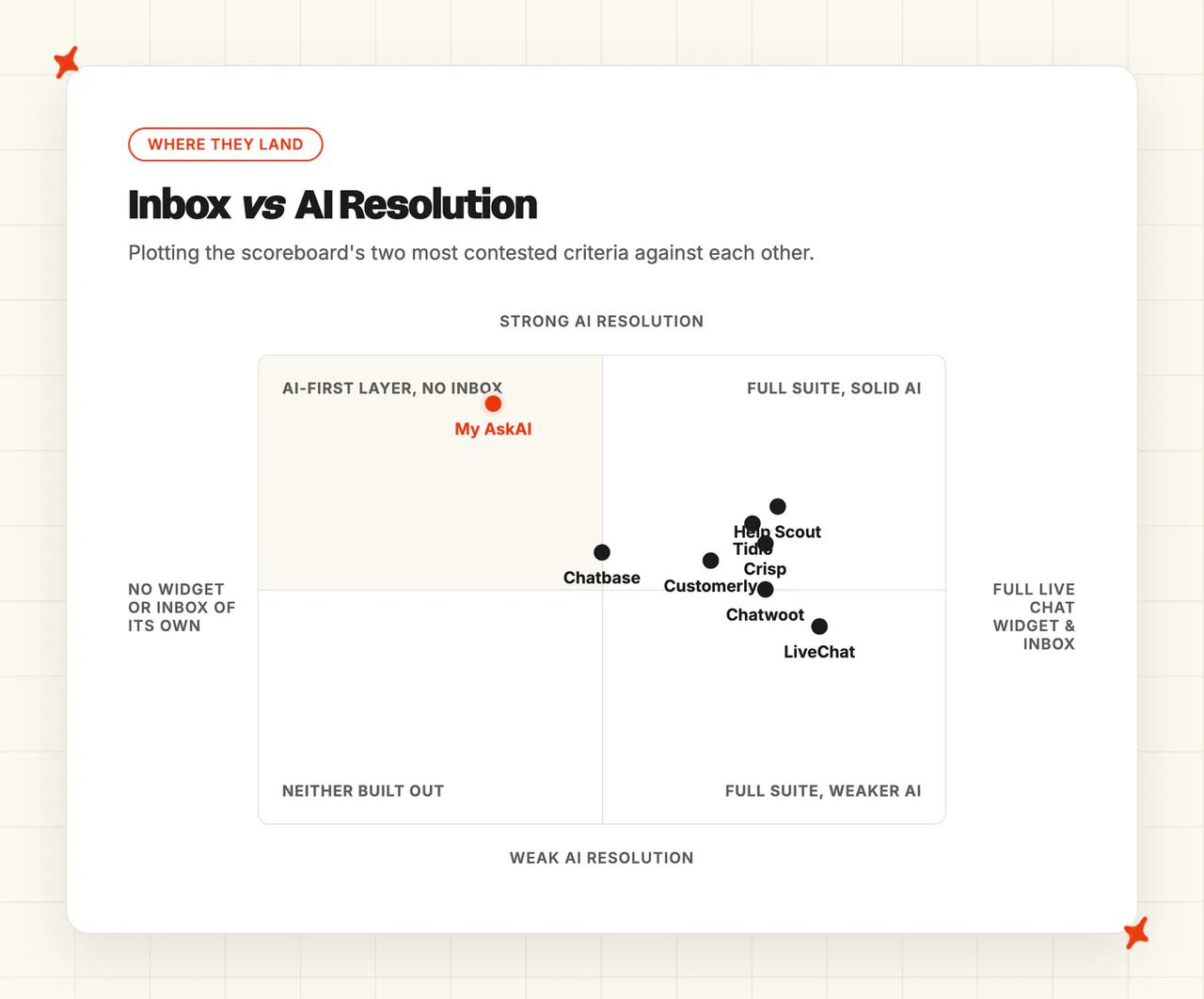
Two rows are ties. Crisp and Chatwoot both total 52, and Crisp is placed first for cost transparency and a working commercial widget. Chatbase and LiveChat both total 50, and Chatbase is placed first because it is the cheaper and faster path off a free widget.
An 8 on two different vendors can mean two different products, so the table below spells out what each score actually means.
| (at a glance) | Help Scout | My AskAI | Crisp | Chatwoot | Tidio | Chatbase | LiveChat | Customerly |
|---|---|---|---|---|---|---|---|---|
| Live chat widget & inbox | Shared inbox plus Beacon widget | Own widget, no inbox | Widget, inbox, help center | Open-source widget and inbox | Widget with agent takeover | Widget with help desk module | Most polished widget here | All-in-one with mobile SDKs |
| Setup & migration off Tawk.to | Learn it in an hour | Marketplace app, helpdesk first | Multi-step agent build | Cloud easy, self-host hard | No-code install, slow tuning | Under ten minutes | Script paste, then two products | Trial short, crawling discouraged |
| AI resolution | 73% published, tightly defined | 72% rolling, actions included | Up to 60% published | No published rate | 67% published headline | 80% claimed, unbenchmarked | Own AI deflects nothing | 71% published, missions run |
| Channels | Email, chat, social, SMS | Helpdesk channels, web, email, Slack | Web, WhatsApp, social, email | Widest reach, voice included | Web, email, three social | Web, social, Slack, voice | Web, social, Apple, SMS | Web, email, WhatsApp, social |
| Knowledge & training sources | Docs, sites, Google files | Drive, Notion, tickets, helpdesk bases | Snippets, articles, pages, files | Help center and past chats | Sites, CSV, solved chats | Files, crawl, Notion, tickets | Two separate knowledge systems | Articles, documents, no chats |
| Security & compliance | SOC 2 Type II, HIPAA BAA | SOC 2 Type II, GDPR | No SOC 2, strong EU hosting | SOC 2 Type II, self-host option | GDPR, EU storage, SSO gated | SOC 2 Type II, SSO gated | SOC 2 Type I only | No SOC 2, Dublin hosting |
| Maturity | 12,000+ businesses, B Corp | 200+ businesses, small team | Bootstrapped, 10,000 customers | 15,000+ businesses, open core | 300,000+ businesses | Thousands of teams claimed | Shipping since 2002 | Small Italian company |
| Cost & pricing transparency | $825, rises with success | $319, layer only | ~$181, cheapest here | $197, plus your servers | $879, AI on half | $310, model changes bill | $1,018 across two products | $952.50, no cap documented |
How did I select these Tawk.to alternatives?
My inclusion rule has three parts, and you can audit the set against it:
- It has to replace the widget-and-inbox job Tawk.to does.
- It has to ship an AI agent that can answer a customer directly.
- It has to be usable below roughly twenty seats.
Zoho SalesIQ, Groove and Helply are excluded from this set.
Missive is assistive only, drafting a reply for a person to send. If you want an agent that closes a conversation without a person in the loop, Missive will not do it.
Featurebase is a feedback suite with a helpdesk attached, and the chat widget is a secondary product for it. Ada, Decagon, Sierra, Forethought and Salesforce Agentforce all start at contract floors three orders of magnitude above a free widget (annual contracts, sales calls, and a procurement cycle to match).
Plenty of Tawk.to leavers want the whole thing running on their own servers, with the data owned outright.
Chatwoot is here to answer that. The same requirement turns up in the ticketing conversations:
"I am looking for same thing but it has to be 100% open sourced and under GPL license, must be on github" — /u/ELY_M, on r/smallbusiness
My AskAI is the one exception in the set. We are the only entry that is not a chat platform.
We are here because a real share of Tawk.to leavers land on Zendesk, Intercom, Freshdesk, Freshchat, Gorgias or HubSpot, and then need an AI agent for it.
How did I compare them?
The standard axis for an AI post is "how well does it integrate with your platform". Every vendor here is the platform itself, so that axis has nothing to measure. The eight criteria are built for a platform-versus-platform decision instead.
Live chat widget and inbox
You are leaving a widget, so the replacement has to be a widget that works, attached to somewhere the messages land. Good means a shared inbox real people can work in, assignment and takeover that behave, and a help center if you want one.
We score a 3 on this row, because we are a layer on top of a helpdesk, with no inbox of our own. That is a real cost of choosing a layer, and the score carries it.
Setup and migration off Tawk.to
This is the criterion a leaver acts on, and it is the one nobody else scores. Two things matter: how long from signup to a working agent, and whether the tool can import what you already have.
Fair warning on the second one. No vendor in this set documents a Tawk.to import path, ours included.
Crisp's importer covers sixteen named platforms and Tawk.to is not among them. Tidio's white-glove import covers Intercom, Gorgias and Zendesk, and Chatbase imports tickets from Salesforce or Zendesk. Plan on rebuilding your knowledge (ours included), then judge each tool on how fast that rebuild goes.
AI resolution
A published resolution rate is a vendor telling you what share of conversations its agent closes without a human. It is the number you put in a business case, and the vendors here vary wildly in how much of one they publish.
Some field context helps before you read any single figure. Our own AI resolution rate benchmark study puts the median at 70% across 195 rated deployments spanning 38 vendors.
Take that with a grain of salt. It is a directional aggregate across vendors that are not measuring the same thing, and the sample is self-selected at the top end.
Tawk.to publishes no resolution, deflection or containment figure on any of its own surfaces. It does not report one to its own customers either. On its community forum, a user asked for AI Assist resolution statistics and a Tawk.to staff member replied:
"We currently only provide message usage statistics for AI Assist features (Apollo, Smart Reply, AI commands) within the Reporting section." — Tawk.to staff, on the Tawk.to community forum
Chatwoot publishes no rate either, and neither Crisp nor LiveChat appears in our published AI resolution rate benchmark. Where a percentage does not exist, I read the mechanism instead: what the agent can actually do, whether it escalates cleanly, and whether it improves.
Channels
The question is which channels the AI itself can answer in. Web chat is table stakes, WhatsApp, Messenger, Instagram, email and SMS separate the set, and voice separates it further.
Watch the gap between a platform's channel list and its AI's channel list (they are often different, and the AI list is the one to check).
Knowledge and training sources
This is the second objection that pushes people off Tawk.to. The question is how much knowledge the AI can read from where it already lives.
Ask three things of each vendor. Can it connect to where your documents already live, and can it learn from tickets your team has already answered? And can it improve on its own, without someone finding an afternoon to write a snippet?
If your answer to "where is our knowledge written down" is "it isn't", that is a solvable problem. Several tools here, ours included, can generate starter knowledge from past tickets, so a help center is not a prerequisite.
Security and compliance
At this size, procurement is you, so treat certificates as a tiebreak and weigh data residency and single sign-on gating first.
SOC 2 Type II is the standard signal in this category, and ISO 27001 and HIPAA are rarer. Where a vendor holds neither, EU hosting can matter more than any certificate, and two vendors here compete hard on exactly that.
Maturity
How long the product has shipped, how many businesses run it, and whether the company is likely to still be here in eighteen months. That last one applies to us as much as to anyone else on the list.
Installed base is the most useful proxy, provided you read it carefully (a vendor's all-product customer count is not the same as its AI customer count).
Cost and pricing transparency
Three different billing models are in play across this set, and they are not interchangeable: per message or credit, per conversation the AI touches, and per resolution.
The per-resolution kind is the only one of the three where the bill moves with the agent's performance, in both directions. Help Scout's own page states an average resolution rate of 73%, and at that rate the identical volume costs $345 a month more than the modeled figure.
Work out which of the three billing models you are on before you sign anything. I weight this row on that one property, because it decides whether a better agent costs you more or nothing extra.
Is Help Scout a good Tawk.to alternative?
Help Scout scores 57/80 and tops the board. It is the destination for the reader whose real complaint about Tawk.to is that a chat widget gives them no ticketing system.
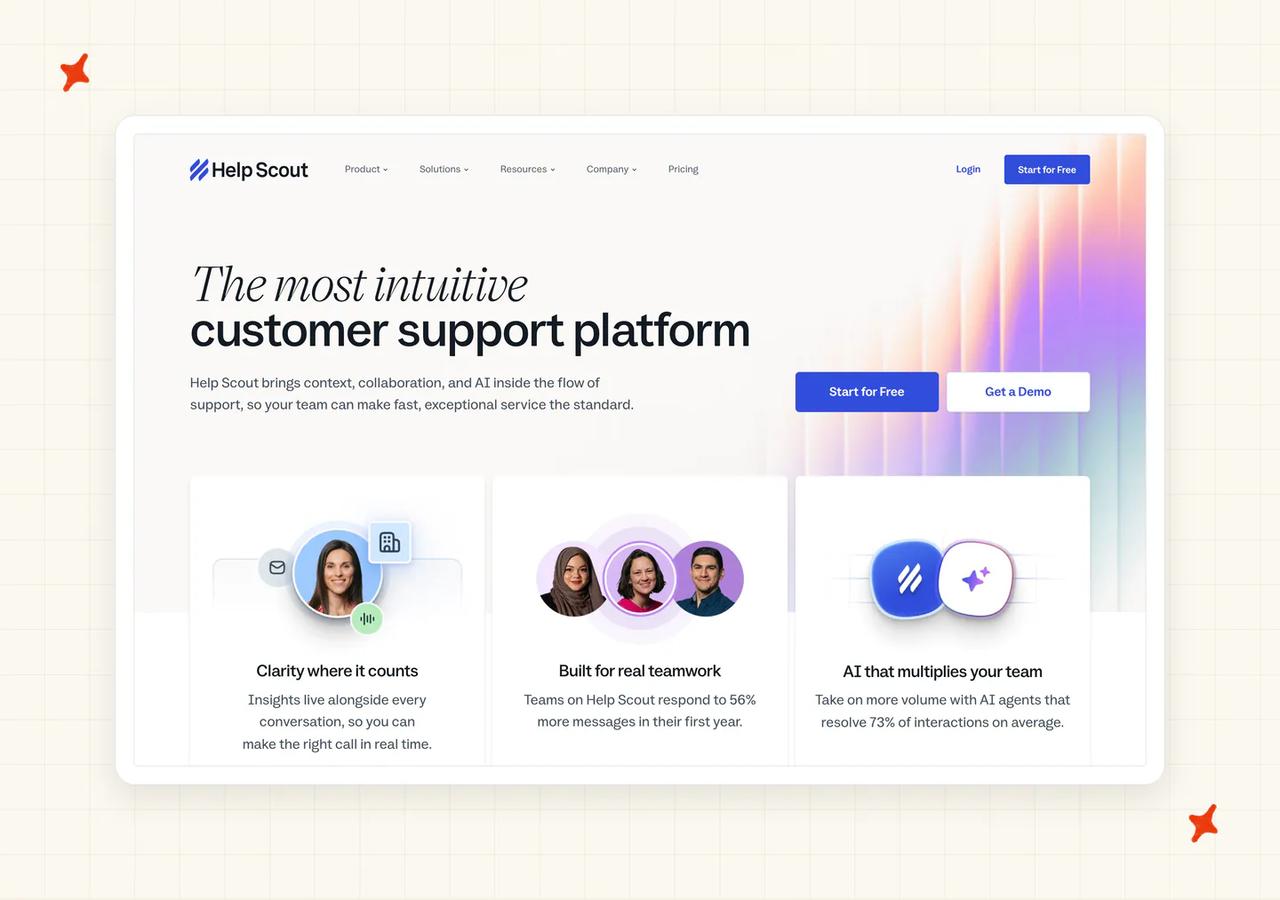
G2: Help Scout scores 4.4/5 from 431 reviews on G2. One reviewer (Operations Associate, Mid-Market) says the newer AI features have become part of the team's regular workflow.
How does Help Scout handle live chat and your inbox?
The shared inbox is the product, and everything else hangs off it. You get Docs as a knowledge base, and Beacon as an embeddable widget with iOS and Android SDKs (Beacon is the piece that replaces your Tawk.to install).
There is also a Customer Portal on Plus and Pro, which lets selected company contacts see their whole support history by six-digit code.
SLAs ship natively, which is unusual at this price (response and resolution targets, breach views, Next Response Time goals and SLA-triggered workflows are all built in). It is positioned for teams of two to fifty agents, which is the band this post is written for.
How easy is it to move off Tawk.to onto Help Scout?
This is the strongest row in the set, and the only 9 on migration. Help Scout claims users learn the platform in under an hour and become power users inside a day.
Two switchers on its own customers page put it in stronger terms:
"onboarding with Intercom was going to take 6 months. Help Scout did it in 24 hours." — a named switcher on the Help Scout customers page
"was able to teach themselves Help Scout in a day." — Threadless, on the Help Scout customers page
AI Answers is configured under Manage, then AI Agents: add knowledge sources, set voice and tone, toggle it on. The trial is 15 days with no card, and new accounts get three months of free unlimited AI Answers, so month four is your first real invoice.
There is no documented Tawk.to import, so budget for rebuilding your Docs content by hand.
How well does Help Scout's AI resolve tickets?
Help Scout publishes the clearest benchmark in this set: its own savings calculator states that the average AI Answers resolution rate is 73% (an average we'd treat as a ceiling to plan against).
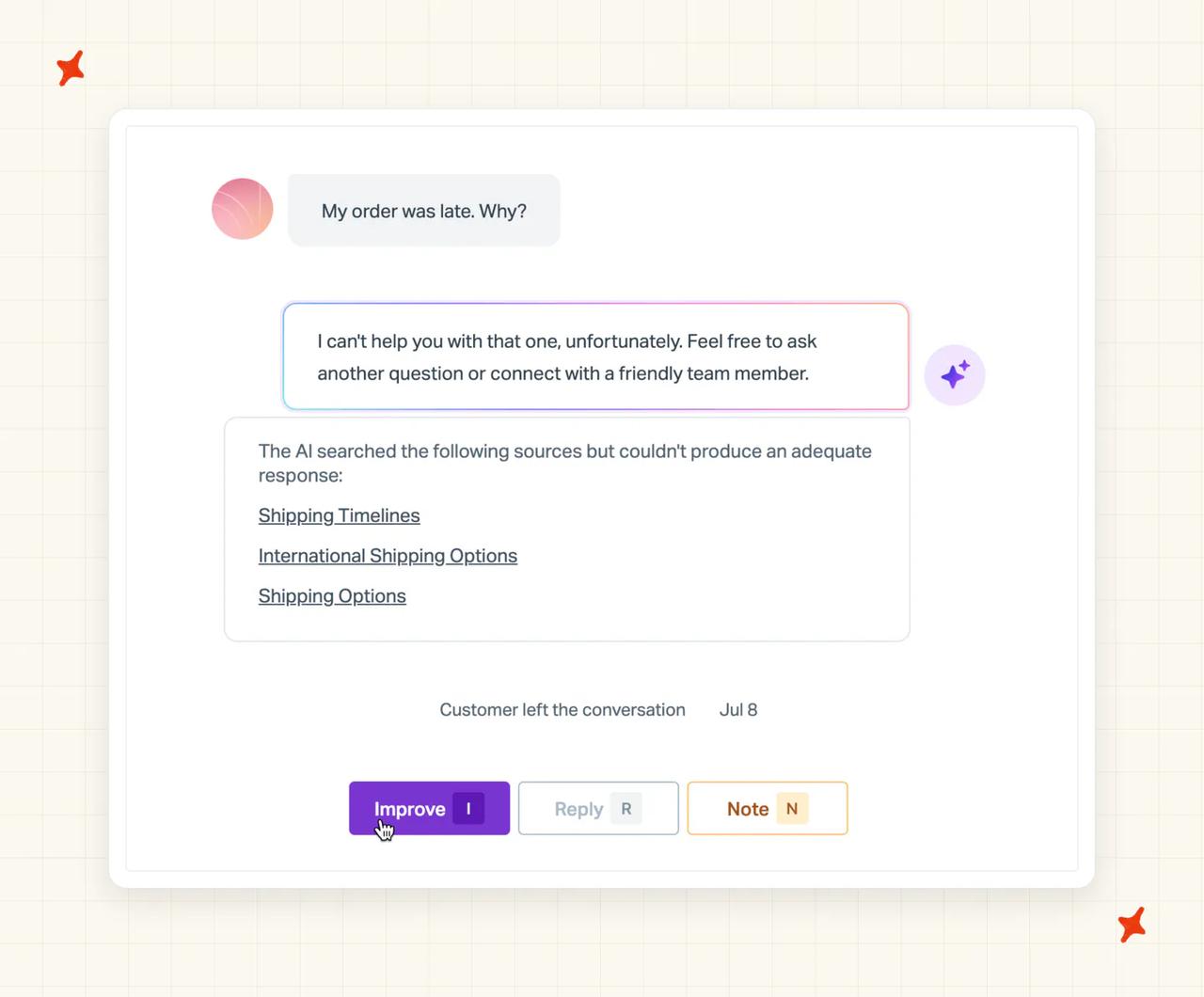
The definition behind it is tight, and it is written down. A resolution counts only when the customer gets an AI response and does not escalate, search the knowledge base, ask more questions or say they need more help. You are charged once per conversation, however many questions it answered.
Read the named-customer results alongside the average, because the average is not what a given team gets. eCatholic handles "over 15% of conversations automatically", and Brain FM reports 60% first-email resolution.
AI Answers never reads past tickets: that pool belongs to AI Drafts, the agent-facing feature, and the two do not share training data. Our own agent trains on the pool it excludes.
What channels does Help Scout cover?
Email and chat through Beacon are on the Free plan. Facebook Messenger, Instagram and WhatsApp arrive from the Standard plan upward. SMS runs as a two-way channel in the shared inbox (you bring the Twilio number, Help Scout brings the inbox).
There is no native phone and no native video. Voice is integration-only, through Aircall, JustCall, CloudTalk, Talkdesk, Cordless or CircleLoop.
If a chunk of your volume arrives by telephone, that is a real gap, so price the integration in before you commit.
What knowledge sources can I train Help Scout on?
Docs articles are the primary source, joined by configured public website URLs. Website sources ingest PDFs, Word and Excel documents, and Google Docs and Google Sheets are supported directly (added one at a time, and link-shared).
Improvements are custom correction instructions that refine an answer without editing the underlying article, so fixing a wrong answer does not mean rewriting your documentation. Our own Guidance rules do the same job.
There is no native Notion or Confluence connector, so check that against your own stack first.
How secure is Help Scout?
SOC 2 Type II covers Security and Availability, with the report on request. HIPAA comes with a signed BAA, alongside GDPR, UK-GDPR and CCPA, annual white-box penetration testing and a dedicated AI Transparency page.
The gating is the story here (Pro is the only plan where none of it is an add-on). SSO, SAML and IP restrictions are a paid add-on on both Standard and Plus, and included on Pro, and HIPAA is an add-on on Plus and included on Pro.
Hosting is AWS in the United States only, with no documented EU data residency, which rules Help Scout out if sovereignty is a requirement for you.
How mature is Help Scout?
Founded in 2011, and Help Scout reports 12,000-plus businesses across 140-plus countries. It is a certified B Corporation that pledges 1% of equity. Discounts exist for non-profits, other B Corps and startups under two years old or below $1M ARR (worth an email to their sales team if you might qualify).
The reputational scar is real. Its switch to per-contact billing drew customer reports of cost increases of four to five times, and Help Scout walked it back to per-user pricing, with grandfathered contracts still in place.
Reporting has no real-time view, and history caps at two years on Standard.
How much does Help Scout cost?
At 2,000 conversations with three agents, Help Scout comes to $825 a month, or $9,900 a year. That is three users at $25 on Standard plus 1,000 resolutions at $0.75, which works out at $0.413 per conversation.
Now apply Help Scout's own published resolution rate, which is where I think this row gets decided. At 73% the same volume costs $1,170 a month, or $14,040 a year.
The vendor's own success metric adds $345 a month for identical traffic. The better the agent resolves, the more a per-resolution bill costs at the same volume.
There is a lever worth pulling. I'd set the monthly spend cap on day one: "If you hit your spending cap, AI Answers will be disabled automatically for the remainder of the monthly cycle". The cap holds the bill flat by switching the AI off for the rest of the month.
Who is using Help Scout?
Brain FM is a focus-music app with 100,000-plus users. It runs AI Answers alongside a sub-one-hour response time and a 95% happiness score.
eCatholic, which builds websites for churches and schools, is the other named result Help Scout cites for AI Answers. There are more switchers on Help Scout's customers page.
Read more: our complete guide to Help Scout AI, our roundup of the best Help Scout AI alternatives, and our My AskAI versus Help Scout comparison.
Is My AskAI a good Tawk.to alternative?
I am one of the founders of My AskAI, so I obviously cannot be completely impartial here. We score 53/80 and finish second, behind Help Scout.
We are in this post for one specific reader: the person who has decided the widget is not enough, is moving onto a proper helpdesk, and then wants an AI agent for it. That reader gets the widest set of knowledge connectors in this post and a bill that stays flat as the agent improves.
G2: My AskAI scores 4.5/5 from 23 reviews on G2. "The AI Agent consistently answered 70% of our support requests with no tweaking after the first knowledge base sync… quickly got us up to 80% deflection." via a G2 reviewer (Head of Customer Success, Small-Business).
How does My AskAI handle live chat and your inbox?
This is our weakest row and it scores a 3. We are not an inbox.
We are the AI layer inside a helpdesk your team already runs, sold as a replacement for that helpdesk's native AI agent.
We do run natively in Zendesk Support Inbox and Tickets, Zendesk Messaging, Intercom, Freshdesk, Freshchat, Gorgias and HubSpot. Where there is no helpdesk at all, our own embeddable widget carries the chat.
One thing that does travel well: switch helpdesk later and your trained agent, custom answers, guidance and tasks come with you.
How easy is it to move off Tawk.to onto My AskAI?
Two hops, and the criterion scores the second one at 5. Our own install is quick: we are an approved marketplace app in each helpdesk's store, no code and no developer, typically 10 to 15 minutes.
There is an API route as well, and we still recommend the app (it passed marketplace and helpdesk approval, the helpdesk knows it is there, and it is more stable).
The hop before that is the real cost for a Tawk.to leaver. You have to land on Zendesk, Intercom, Freshdesk, Freshchat, Gorgias or HubSpot first, and that is its own migration.
When a customer asks for a person, the agent summarizes the thread and hands over to your team inside the same helpdesk.
Configuration you cannot export comes across through Echo, our in-dashboard operator agent. Echo accepts document and image uploads, including screenshots of another tool's flows, and turns them into Tasks, Guidance and Custom Answers.
The trial is 30 days with every feature unlocked and no card, and signup takes a business email.
How well does My AskAI's AI resolve tickets?
We publish a 72% resolution rate on a rolling 30-day basis across our whole customer base, and our agents have handled over 1,000,000 tickets on a live counter.
Three things sit behind that number. Self-Learning drafts new knowledge automatically, by comparing our reply to the human agent's actual reply on tickets that got handed over, in both direct-reply and notes modes.
Tasks and Tools let the agent do things, including refunds, cancellations, exchanges and order updates, with a prebuilt Shopify set. And Insights scores 100% of conversations for AI CSAT, where most tools sample 2% to 10%.
When you want to know why the agent said something, ask Echo why it gave that answer and which knowledge source it used. That is team-facing tooling in the dashboard, and your customers never see it.
What channels does My AskAI cover?
Whatever the connected helpdesk routes to us, plus our own web chat widget, email, and Slack and Teams for an internal agent. We answer in 95 languages, auto-detected per message.
We answer in text. If a meaningful share of your volume is telephone, Chatbase and Chatwoot both cover voice.
What knowledge sources can I train My AskAI on?
This is our strongest row in the post, and it is the direct answer to Tawk.to's build-it-inside-the-tool model. We connect to Google Drive, Notion, Microsoft OneDrive for Personal and Business, Dropbox, SharePoint, Confluence, Salesforce and Shopify for pages, products and customer data.
We also read the Zendesk, Intercom and Freshdesk knowledge bases directly, including articles that sit behind a login.
On top of that: website sync, direct PDF and DOCX upload, Custom Answers as exact question-and-answer pairs, and an API connection into your own back-end databases. Most connectors sync every 24 hours, and websites fortnightly.
Train on Historic Tickets drafts starter knowledge from your last 5,000 historic tickets, so a team with no written help center still has something to launch on.
And Image Reading means the agent can read screenshots, receipts and error messages a customer attaches, billed at $0.02 per reply where an image is processed. One G2 reviewer contradicts our own product page on that:
"It cannot read screenshots, so it's a big problem" — a G2 reviewer, on G2
Private Mode marks individual files or pages internal-only, so they answer your team without ever reaching customers.
How secure is My AskAI?
SOC 2 Type II and GDPR, with AES-256 encryption at rest and TLS in transit, isolated containers per customer, and customer data never used for model training. We run a live trust center and a public status page.
Enterprise carries a contractual 99.99% uptime SLA, and our Scale tier includes the SOC 2 Type II report itself as an entitlement.
How mature is My AskAI?
200+ ecommerce and SaaS businesses run their support on us, we are listed in every major helpdesk app store, and our agents have resolved over 1,000,000 tickets.
On company size, we are largely a two-person team. Alex and I run sales, demos, support and most onboarding ourselves, and we build custom features directly for enterprise customers.
Some buyers love that and some want a bigger vendor behind them, which is why this row scores a 5.
We run a suite of models: predominantly OpenAI, with Google and Anthropic models for specific tasks, small fast models for routing and classification, and larger models for the customer-facing reply.
How much does My AskAI cost?
At 2,000 conversations a month, Pro comes to $319 a month, or $3,040 a year on annual billing. That is a $199 base including 1,000 credits, plus 1,000 overage credits at $0.12.
Three agents fit inside Pro's five team seats, so seats cost you nothing extra.
Our Scale tier is $499 a month and covers exactly 2,000 credits with no overage at all. It adds unlimited seats, branding removal, up to three agents or brands, and the SOC 2 Type II report.
On helpdesk chat, every two AI replies is one credit, which is where the roughly $0.10-a-ticket rate on Scale comes from ($0.12 on Pro).
The trial is 30 days, every feature unlocked, unlimited tickets and no card. There is also a common promotion of 50% off the first three months.
Our bill does not move with our performance. We charge per credit consumed regardless of resolution, so the invoice stays where it is as the agent gets better. Help Scout and LiveChat with ChatBot charge per resolution on the plans priced here, and Tidio switches to pay-per-resolution on its Premium tier.
It also means our number is incremental. You are still paying for the helpdesk separately, so it is not comparable with an all-in suite.
Who is using My AskAI?
Barn Owl sells off-grid cellular security cameras on Shopify and runs support in Gorgias. They replaced Gorgias' native AI with ours and now run 47% AI resolution and 80% AI CSAT across roughly 700 tickets a month, saving about 27 hours of team time.
They use Guidance across all three types, Self-Learning, the Shopify connector and the User Data API for live order lookups, plus two Tasks for product troubleshooting.
That is the seed-to-Series-A ecommerce profile this post is aimed at. Our wider published set runs from scale-up SaaS through to mid-market marketplaces.
Where My AskAI loses to Tawk.to and the alternatives
Three places.
- Price at very low volume: Tawk.to's platform is free forever with unlimited seats, and we start at $199 a month. If your ticket volume is near zero and your budget really is zero, Tawk.to is the right answer.
- The whole surface in one product: Crisp, Tidio and Help Scout each give you the widget, the inbox and the help center in one bill. We give you the agent that runs on top of a helpdesk we support.
- No Tawk.to integration: choosing us means moving your support onto Zendesk, Intercom, Freshdesk, Freshchat, Gorgias or HubSpot first. That is a second project, and for some teams it is a reason to pick a platform from this list instead.
Is Crisp a good Tawk.to alternative?
Crisp scores 52/80 and takes third on the tiebreak. For a small team that wants to swap one platform for another and stop thinking about it, this is the cheapest working destination in the post.
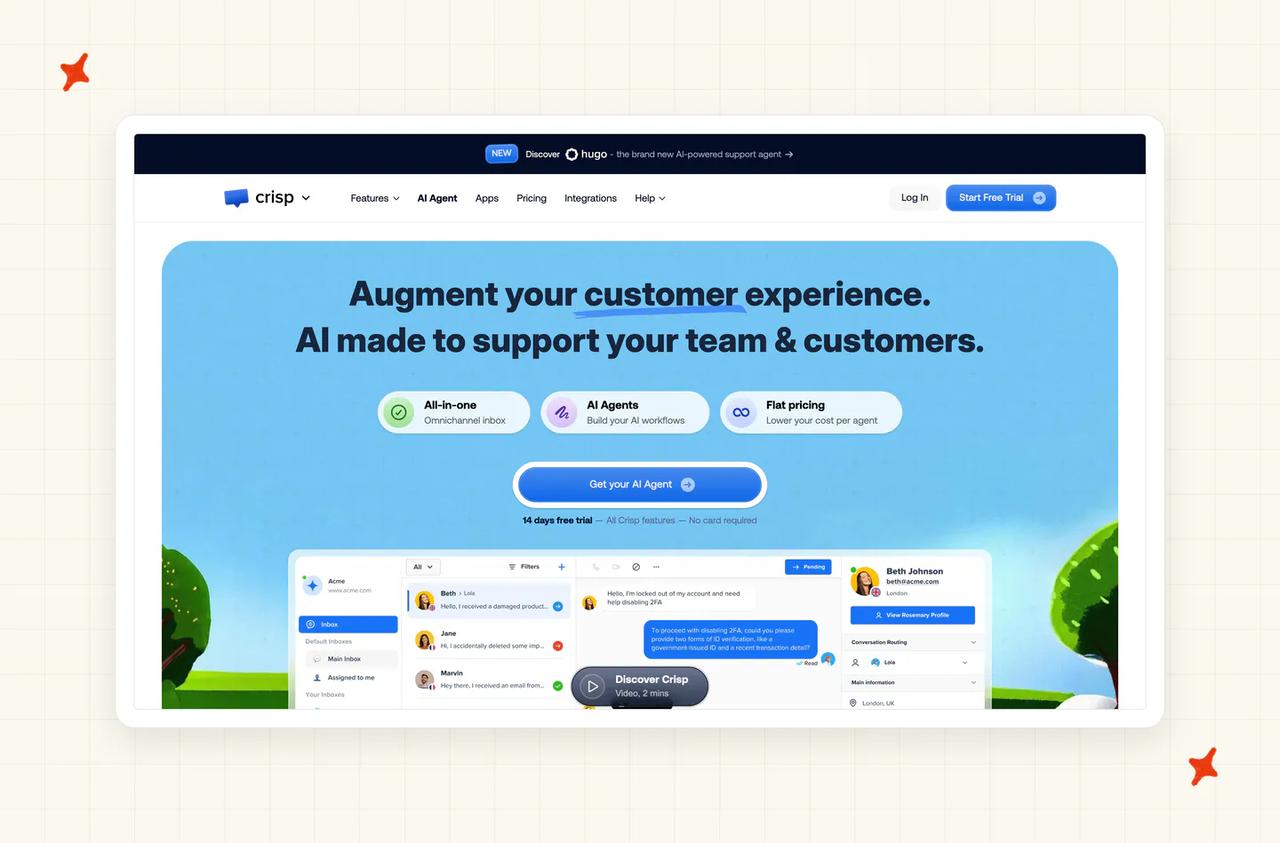
G2: Crisp scores 4.5/5 from 202 reviews on G2. A reviewer (Head of Operations & Supply Chain, Small-Business) singles out the AI chatbot for replying to customers without agent intervention, and says it has cut costs.
How does Crisp handle live chat and your inbox?
Crisp is the inbox. Shared inbox, widget, help center and a lightweight CRM in one product, with the chatbox rendering in 60-plus languages, Hugo answering in 85-plus and LiveTranslate covering 50-plus.
The free plan runs to two seats with no AI credits (useful for evaluating the widget before you commit to it). Essentials includes ten seats, which spares you the per-seat arithmetic most vendors here charge for.
Its integrations page carries no Zendesk and no Intercom, so adopting Crisp is a platform switch.
How easy is it to move off Tawk.to onto Crisp?
Crisp has the strongest importer in the set. It auto-imports knowledge bases from sixteen named platforms, including Freshdesk, Front, Gorgias, GrooveHQ, Help Scout, HubSpot, Intercom, LiveAgent and Zendesk.
Tawk.to is not one of them, which is the same wall every vendor on this list runs into, ours included.
Hugo's onboarding is a genuine multi-step build: avatar and name, business description, escalation rules, auto-resolve delay, office hours, training on snippets and web pages and files, behavior instructions, routing, a playground test, then activate. Crisp markets it as under five minutes, and the build runs longer than that.
One setup cost is easy to miss. Hugo credits are consumed during the trial, so testing bills against your usage (budget part of the allowance for the build itself).
How well does Crisp's AI resolve tickets?
Crisp publishes that Hugo can "Resolve up to 60% of your support tickets". Its named customers run in that region: AFS Foiling around 60%, Emma App around 40%, Spider-VO around 40%.
The limitation that decides this row is how Hugo improves. It does not learn from resolved conversations, the same limit we removed from our own product.
Inbox messages and past conversations feed agent suggestions, which Crisp keeps out of customer-facing auto-replies as a deliberate privacy position. A recurring question becomes an answer only when a human writes it into a snippet or a knowledge base article.
If you are leaving Tawk.to because the AI only knows what you typed into it, notice that this part of the trade does not change.
What channels does Crisp cover?
Hugo runs on web chat, WhatsApp, Messenger, Instagram and email, which covers most small-team volume.
The AI is deliberately excluded from the mobile app, so an operator working from a phone is on their own (no other vendor here gates the AI out of its own mobile app).
What knowledge sources can I train Crisp on?
Six types, each with defined limits, and the limits are what decide this row. Answer Snippets cap at 1,000 characters per question, and knowledge base articles auto-sync on create, update and delete.
Web pages are crawled and sitemap-aware, one domain re-importing at a time. Files accept TXT, CSV and PDF, one document at a time (a real chore if your knowledge is a folder of PDFs), and inbox messages feed suggestions only.
The sixth is an MCP Server for custom tools, and Crisp includes that from the Essentials plan at $95 a month, alongside multilingual AI, the AI writing assistant and auto-tagging. Each still needs engineering work on top, and the one held back to Plus at $295 is the AI Inbox spam filter.
How secure is Crisp?
This is the weakest security row in the post. The source is Crisp's own knowledge base: "Crisp hasn't been over any SOC2 audit but we wish to show we are fully compliant with these specific needs".
No SOC 2 of either type, and ISO 27001 not certified. There is no trust portal and no public sub-processor list, since that lives inside the per-workspace DPA, and no contractual SLA below Plus.
Set against that, Crisp has the strongest European story here, and for an EU buyer I rate it above some certified vendors. Messaging servers in the Netherlands, plugin servers in Germany, its proprietary model on Scaleway in Paris, and no United States residency option at all.
If EU sovereignty is your requirement, that combination is hard to beat.
How mature is Crisp?
Founded in 2015 in Nantes, bootstrapped with no venture capital, running a remote team of around twenty (and the bootstrapping shows up in the pricing, which is the calmest in this post). Crisp publishes 10,000 customers on its AI surfaces.
It names no Fortune 500 customer anywhere, which fits where it sells.
How much does Crisp cost?
At 2,000 conversations, Crisp comes to roughly $181 a month, or about $2,173 a year. That is Essentials at $95 plus 1,550 conversations beyond the included allowance at a derived $0.0556 each, working out at $0.091 per conversation (the arithmetic is fiddly, but the bill itself is not).
The unit rate is derived: Crisp pairs a dollar credit value with a conversation count on each plan card, and all three imply the same rate.
Hugo stops at credit exhaustion by default, so the pay-as-you-go line only bills if you switch it on. Plus comes to $331 at this volume, so Essentials is the right plan.
The bill is resolution-rate independent, so the same volume costs the same whatever Hugo's rate does.
Who is using Crisp?
Decathlon appears as an omnichannel retail customer with a video testimonial. Emma App reports around 40% autonomous resolution, with the testimonial "It allows us to provide 24/7 support to our customers", and both sit on the Crisp testimonials page.
Read more: our complete guide to Crisp AI, our breakdown of Crisp's pricing, and our My AskAI versus Crisp comparison.
Is Chatwoot a good Tawk.to alternative?
Chatwoot scores 52/80. It is the only entry here you can run on your own servers, which is a requirement nothing else on this list can meet.
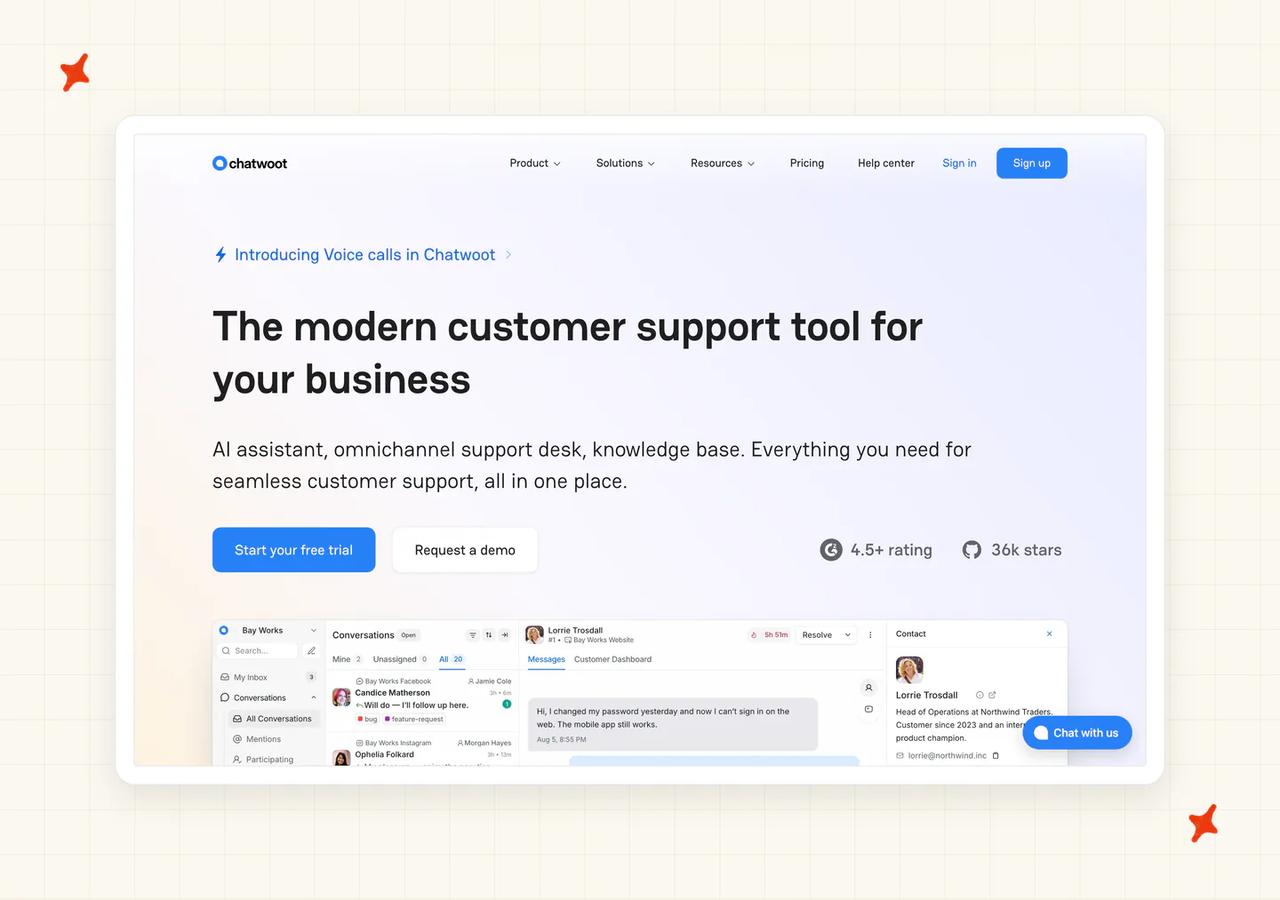
How does Chatwoot handle live chat and your inbox?
A widget, a shared inbox, a help center, contacts and reporting, on an MIT-licensed core with the enterprise directory kept proprietary. There are 400-plus contributors behind it.
Two offers sit under one name (cloud and self-hosted, priced and behaving nothing alike). The free self-hosted Community Edition has no agent cap and no conversation cap.
The cloud free tier, called Hacker, caps at two agents and 500 conversations a month, and excludes the Captain AI entirely.
How easy is it to move off Tawk.to onto Chatwoot?
Which of those two offers you pick decides how hard the setup is.
Cloud is ordinary SaaS onboarding: a 15-day trial, a widget script, Captain from the sidebar. Self-hosting is a sysadmin project, and it is why I scored this row a 4.
You are looking at Ubuntu 24.04 LTS, the install script, nginx and LetsEncrypt, Ruby via RVM, pnpm, a DNS A record and an environment file. The hardware floor is real too: 4GB of RAM and four cores up to 10,000 conversations a day, 8GB and eight cores for 20,000, plus PostgreSQL with 5 to 10GB, Redis, Node, S3-compatible object storage, TLS, backups and upgrades.
Captain is not part of the self-hosted install. It needs an Enterprise Edition license, a visit to the Super Admin Console, your own OpenAI API key and per-account enablement under Premium Features.
Chatwoot also has no helpdesk-to-helpdesk connector at all, so adoption is a migration in every direction, the same constraint we flagged for Tawk.to itself.
How well does Chatwoot's AI resolve tickets?
Chatwoot publishes no resolution, deflection, containment or automation rate anywhere, so there is nothing here to put in a business case. Its published numbers are adoption figures: 15,000-plus businesses and 400-plus contributors.
Captain itself is four things: an Assistant that answers, a Copilot for agents, generated FAQs and Memories.
The FAQ feature "spots common customer questions that aren't in your knowledge base yet and helps you fill the gaps", which is the improvement loop our Self-Learning runs.
What channels does Chatwoot cover?
The broadest reach in the post, and broader than ours. Website live chat, email over IMAP and SMTP, the WhatsApp Business API, Messenger, Instagram DMs, TikTok, Telegram, LINE, SMS via Twilio and voice, with X listed as coming soon.
It supports 50-plus languages including right-to-left scripts.
Voice is tier-gated from the Business plan at $39 per agent per month, and it is excluded from the Community Edition.
What knowledge sources can I train Chatwoot on?
Captain "learns from your help center articles and past conversations", plus documents you upload and crawled docs. Learning from past conversations is a genuine differentiator against Crisp and Customerly, both of which refuse it by design. We train on historic tickets to close the same loop.
Web crawling on self-hosted is optional and keyed, through a Firecrawl API key field in Super Admin. There is no documented Notion, Confluence, Google Drive or SharePoint connector.
Self-hosters choose the model, which nothing else here offers. We run a model suite we choose and tune per task. Super Admin takes an OpenAI key, a model, and an optional OpenAI-compatible endpoint, so you can point it at a locally hosted model.
Nothing else here lets a team keep both the data and the model on hardware it owns.
How secure is Chatwoot?
SOC 2 Type II and GDPR alignment are claimed, with AES-256 at rest and in transit using AWS KMS and hardware security modules. ISO 27001 and HIPAA are not claimed, which is worth knowing given one of its two published case studies is a healthcare platform (Ponea Health, named further down).
Data residency is handled by self-hosting, and no hosting-region list is published. On cloud, SSO, SAML and audit logs are Enterprise-only, and roles, permissions and SSO are excluded from the Community Edition.
Retention is tier-gated at 30 days, one year, two years and three years. There is no published sub-processor list, pen-test report or bug bounty.
How mature is Chatwoot?
Chatwoot Inc. has been shipping since 2017. Deployment breadth is the maturity signal I score on: a dozen documented paths including AWS Marketplace, Azure, GCP, DigitalOcean, Heroku, Helm and Docker.
Its case studies show scale. FairDee runs 180-plus agents, 10 million-plus messages and around 300,000 conversations on it.
How much does Chatwoot cost?
At 2,000 conversations with three agents, Chatwoot comes to $197 a month, or $2,364 a year, at $0.099 per conversation. That is three agents at $39 on annual Business billing plus 3,500 overage credits in four blocks of $20.
Report it internally as a band of roughly $157 to $237, because the variable is how chatty Captain is (the same usage-based billing Tawk.to uses).
Free and open source does not get you the AI. Captain is excluded from the cloud Hacker plan and from the self-hosted Community Edition, so a self-hoster pays Chatwoot per agent, plus OpenAI tokens, plus the servers and the time to run them. I count that time as part of the bill.
Purchased credits expire after six months, and unlimited conversations is asterisked to a published fair-use policy that this volume does not come close to.
Who is using Chatwoot?
FairDee, described as Thailand's leading insurance platform, runs 180-plus agents and around 300,000 conversations. Ponea Health, a Kenyan healthcare platform, runs a roughly 70-person team handling 200-plus messages a day.
Is Tidio a good Tawk.to alternative?
Tidio scores 51/80. It is the alternative most Tawk.to users have already heard of before they start looking.
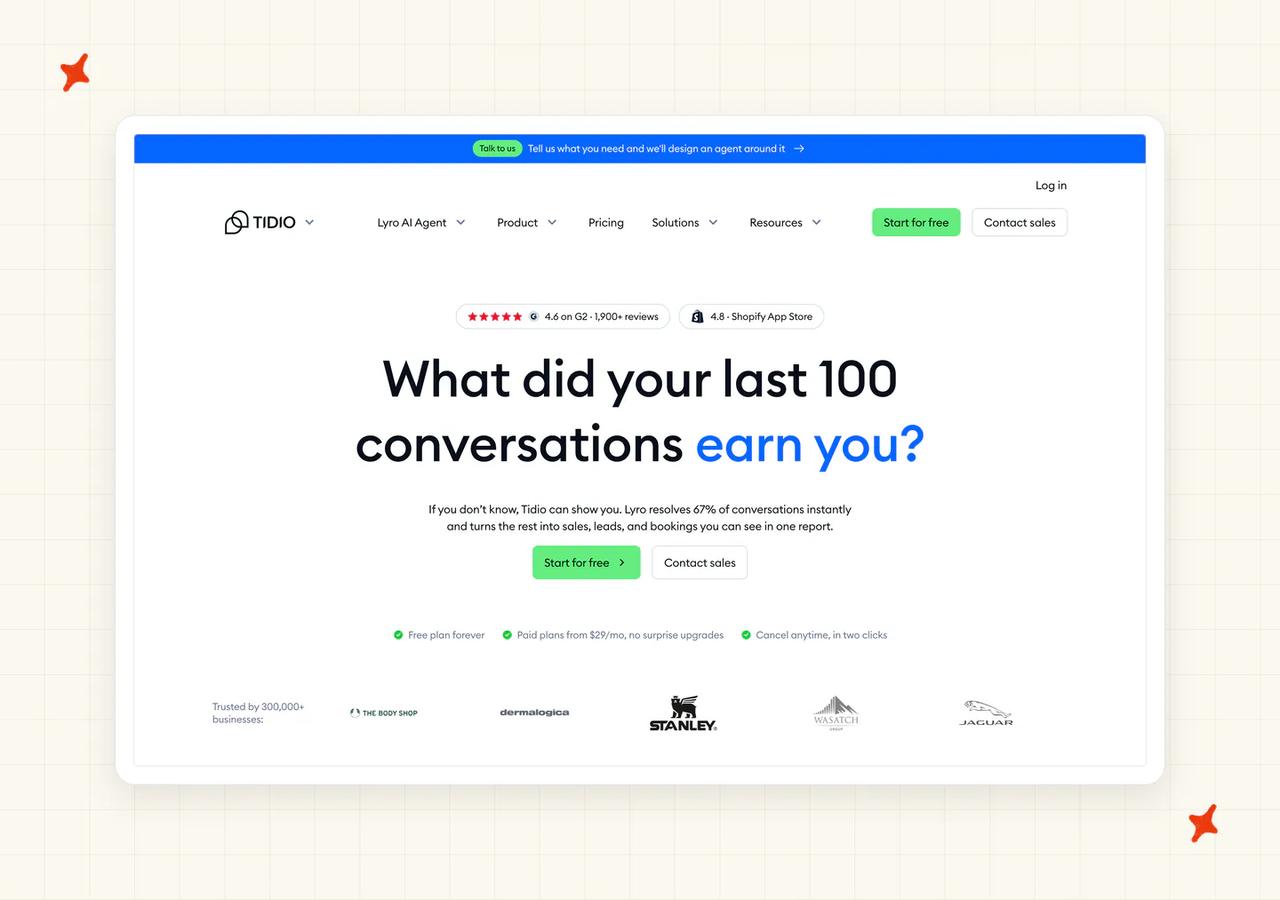
G2: Tidio scores 4.6/5 from 1,962 reviews on G2. One reviewer describes Lyro as a first line of defense for repetitive inquiries, now handling roughly five out of every nine conversations automatically.
How does Tidio handle live chat and your inbox?
Its own inbox and widget, with human-agent takeover as a consistently praised strength. This is a mature, well-built chat product, and the swap from a widget to a widget is the least disorienting move in the post, at an 8 on the widget row. Your team keeps every habit it built around the Tawk.to widget (which counts for more than it sounds like on the day you switch).
Lyro Connect puts Lyro inside Zendesk, Intercom or Salesforce, gated to the Plus and Premium plans from $0.50 per conversation. Treat Tidio as a platform you move onto.
How easy is it to move off Tawk.to onto Tidio?
Installation is no-code: the Shopify app, the WordPress plugin, or one JavaScript snippet (no developer needed, which is how ours installs too). Tidio claims you can be live "in just 10 minutes".
Secureframe's Director of Customer Support reports onboarding took about two weeks, so plan on two weeks.
Migration help is white-glove, and it covers three platforms. On paid Lyro plans, Tidio's team will manually import knowledge from Intercom, Gorgias or Zendesk if you hand support an API key, and native import covers the Zendesk Help Center only.
Tawk.to is on neither list, and we were not surprised. Lyro Smart Actions need engineering too, and Tidio's own documentation says "this functionality is meant for advanced users or developers."
How well does Tidio's AI resolve tickets?
Tidio publishes a headline resolution rate of 67% and markets it as the highest in the industry. Its named customers report higher: Axioma at 89%, MattressNextDay at 73%.
Secureframe's own study, published by Tidio, says its team aims for a resolution rate of 50% to 60% and an answer rate of 70% to 80%. That is the number I plan on.
The resolution-rate guarantee is Premium-only and time-boxed to 30 days.
What channels does Tidio cover?
Lyro replies on the web widget, email and tickets, Messenger, Instagram and WhatsApp. WhatsApp coverage for Lyro is patchy by region (check yours before you count on it).
There is no voice and no outbound automation. Tidio states it directly: "No voice support or outbound automation: Lyro focuses on written, inbound conversations."
What knowledge sources can I train Tidio on?
Six types with hard limits. Website URLs, where the Scan priority pages option crawls up to 60 sub-pages and a single-page listing caps at 500 URLs. Manual question-and-answer pairs, and CSV at 500 rows per file and 10,000 total.
Then Zendesk Help Center import on all plans, webstore catalog sync, and PDF and DOCX uploads, which are restricted to the Plus plan.
Past tickets do train it, where Crisp and Customerly both refuse to, and we train on historic tickets too. The Suggestions tab automatically extracts question-and-answer pairs from solved live-agent chats, disabled by default, with a review-and-approve step before anything goes live.
Two traps. A re-sync replaces existing pairs, so manual edits are lost, and auto-sync is gated to Plus and Premium.
How secure is Tidio?
GDPR, CCPA and CPRA, the EU-US Data Privacy Framework, the EU AI Pact, the EU AI Act and the NIST AI Risk Management Framework. All customer data is stored in EEA member countries, with no customer-selectable residency.
HIPAA is not certified, and Tidio says so itself: it follows HIPAA's rules but has no formal compliance documentation yet.
ISO 27001 is not listed on the trust site, the pricing page compliance grid or anywhere else Tidio publishes. Single sign-on is Premium-only (Chatbase gates it too, at Enterprise).
How mature is Tidio?
Tidio reports 300,000-plus businesses across all its products.
Read that count with the caveat Tidio's own plan structure implies, the way I read every all-product number in this post. It is the all-product figure, and the paying Lyro base is a small fraction of it, because the free plan includes only 50 lifetime Lyro conversations.
How much does Tidio cost?
At 2,000 conversations, Tidio comes to $879 a month, or $10,548 a year, at $0.44 per conversation. And that number buys AI on half the volume.
Here is why. The self-serve Lyro ladder stops at 1,000 conversations a month, so the row is Lyro's 1,000-pack at $700 plus Growth at 1,000 billable human conversations at $179.
That works out at $0.70 per AI conversation, the most expensive AI unit in this post (ours is around $0.10 a ticket). Automating all 2,000 is unpublished: Plus starts at $300 a month plus usage, Premium at $2,999, and both are sales-gated.
Three separate usage pools run at once. Each is on its own ladder and they are added together: billable human conversations, Lyro AI conversations and Flows visitors.
The 50 free Lyro conversations are a one-off, and both the plan card and the pricing calculator mark it one-time.
Who is using Tidio?
Axioma, a UK auto-services business, reports 89% AI resolution. MattressNextDay, a UK ecommerce retailer, reports 73% and 400-plus hours saved monthly.
Read more: our complete guide to Tidio AI, our roundup of the best Tidio Lyro AI alternatives, and our My AskAI versus Tidio comparison.
Is Chatbase a good Tawk.to alternative?
Chatbase scores 50/80 and takes sixth on the tiebreak. I placed it ahead of LiveChat because it is the cheaper and faster path off a free widget. It is the answer for the reader whose actual complaint is that the AI only reads what they built inside the tool.
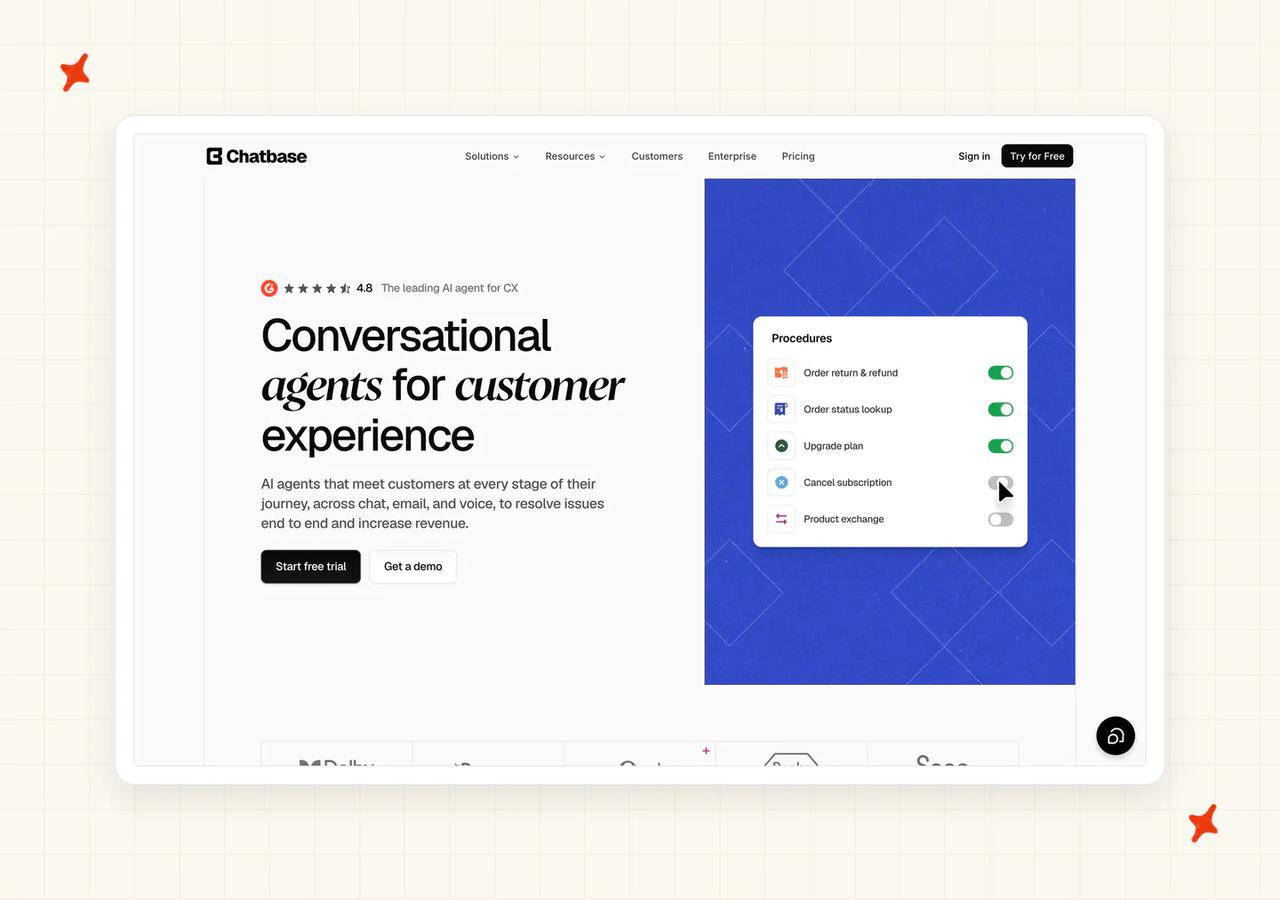
G2: Chatbase scores 4.9/5 from 33 reviews on G2. A reviewer (Web Designer, Small-Business) describes pointing Chatbase at their website URL and having it scan the whole site automatically, with replies that read in a ChatGPT-like style.
How does Chatbase handle live chat and your inbox?
It deploys as a JavaScript widget or an iframe, with its own Help Desk module covering ticket views, assignment, scheduling and conversation takeover on the Standard plan and above.
Human handoff is the weak spot, and a reviewer names it directly:
"it doesn't have the option to do a human hand off." — a G2 reviewer, on G2
Every self-serve plan includes exactly one AI agent, and extras cost $25 per agent per month.
How easy is it to move off Tawk.to onto Chatbase?
The fastest documented setup here, and an 8 on this row, second only to Help Scout. Chatbase's own documentation puts the entire process at under ten minutes. That is the one setup claim in this post I am inclined to believe.
One-click installs cover Shopify with auto-injection and Vercel, there is a WordPress plugin, and HMAC server-side identity verification handles logged-in users.
Historical ticket import exists but only from Salesforce or Zendesk over OAuth, one platform active at a time, with no Tawk.to path. Reviewers describe agents stuck in training for hours.
How well does Chatbase's AI resolve tickets?
Chatbase's own resolution-rate claim is "Resolves 80% of tickets". It publishes no benchmark behind that figure, and the supporting case-study deflection numbers are largely self-reported, so I treat it as a ceiling and plan below it.
There is no pre-launch simulation against your historical tickets and no visual flow builder. The Pro plan adds Sources Suggestions, which proposes missing knowledge based on questions the agent failed to answer (the closest thing here to our Self-Learning).
What channels does Chatbase cover?
Website through JavaScript, iframe, WordPress, Vercel or Shopify, plus WhatsApp with Meta authentication and 1,000 free messages a month bundled, Messenger, Instagram, Slack and email. Telegram and Discord are not native and run through Zapier, Make, n8n or the API.
Voice and telephony run over Twilio with a SIP trunk, so existing numbers can stay where they are, and it supports 95-plus languages, the same span we cover.
Escalation into helpdesks covers Zendesk, Salesforce, Intercom, Freshdesk and Zoho Desk, with HubSpot and Help Scout documented, and Gorgias ticket-creation escalation documented without an App Store listing.
What knowledge sources can I train Chatbase on?
Six types, and this is the row that answers the Tawk.to complaint, at a 7. Files in PDF, TXT, DOC and DOCX, though no native CSV or Markdown upload (worth checking before you export anything), plus text snippets.
Then website crawl by domain, sitemap or individual URL with include and exclude filters. Custom question-and-answer pairs as an XLSX file up to 100 rows or 1MB, with usage frequency tracked. And Notion over OAuth, plus tickets from Salesforce or Zendesk.
Two limits govern what you can actually load, ahead of the six source types (both are file-count and size caps). Auto Retrain, the 24-hour refresh, is Standard and Pro only, so Hobby users click retrain by hand, and training data is capped per agent, starting at 1MB on the Free plan.
How secure is Chatbase?
SOC 2 Type II and GDPR are claimed on the security page, with the line "Your data is only accessible to your AI agent and is never used to train models".
There is no public HIPAA, no ISO 27001 and no PCI DSS, and a HIPAA BAA is Enterprise-only. Data residency is not publicly disclosed (Crisp and Customerly both name theirs to the country).
Single sign-on, audit logs and custom roles are all Enterprise-only, and the published retention policy covers only the Free plan.
How mature is Chatbase?
Chatbase describes its own customer base as "thousands of teams" on its pricing page.
Support is the standing weakness, with recurring reviewer complaints about billing continuing after cancellation (cancel-and-confirm is worth doing in writing).
Marketplace footprint covers the Shopify App Store, the Zendesk Marketplace and the HubSpot Marketplace, and it is absent from the Intercom and Gorgias App Stores.
How much does Chatbase cost?
At 2,000 conversations with three agents, Chatbase comes to $310 a month, or $3,360 a year on annual billing, at $0.155 per conversation. That is Standard at $150 plus 4,000 overage credits at $0.04.
Seats decide the plan here: a three-agent team cannot buy Hobby, which caps at two members, so Standard is the floor.
The model dropdown is the price, and that alone holds cost transparency to a 6. Same volume, same plan, one setting, and the bill runs $150, $310 or $470 at one, two or three credits per reply. I did not expect that spread from a plan card that quotes a single figure.
Chatbase publishes the mechanic itself: "Each response from your AI Agent consumes credits based on the AI model used". Actions multiply it further, since a tool call counts as an extra request.
Running out of credits is an outage. Unless auto-recharge is armed, the agent displays "This AI Agent is currently unavailable", and subscription credits do not carry over.
Who is using Chatbase?
Aplazo, a Mexican buy-now-pay-later platform, reports a 2.2 times lift in merchant closed-won rate. The Testicular Cancer Foundation handled 484 questions in its first 30 days across twelve countries and five languages.
Read more: our complete guide to Chatbase, our roundup of the best Chatbase alternatives, and our My AskAI versus Chatbase comparison.
Is LiveChat a good Tawk.to alternative?
LiveChat scores 50/80. It is the incumbent paid widget a Tawk.to user upgrades into, and it carries the biggest cost trap in the post.
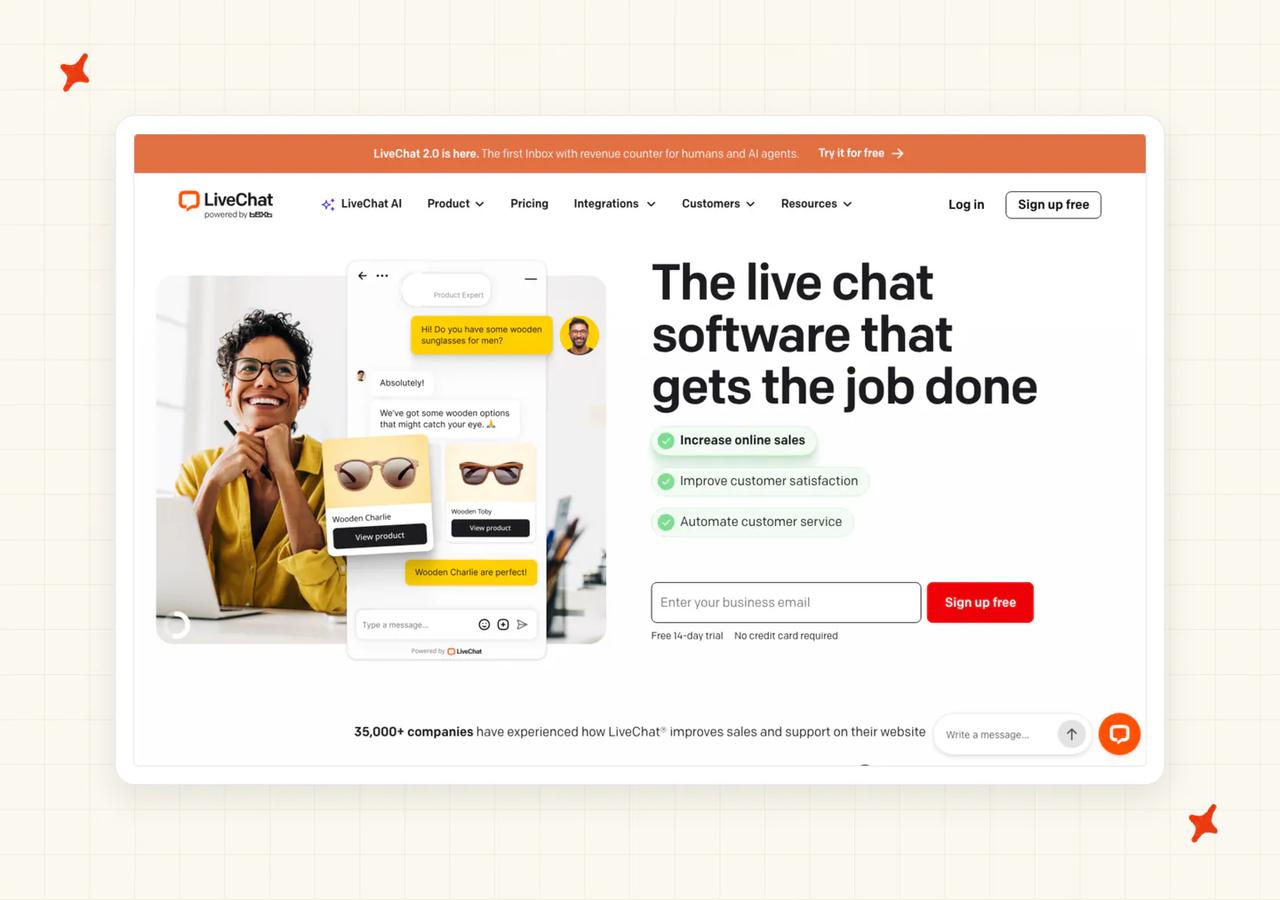
G2: LiveChat scores 4.5/5 from 812 reviews on G2. A reviewer (Marketing & E-Commerce Manager, Mid-Market) says the AI assistant handles large volumes of chats effectively, and is glad to be able to train it.
How does LiveChat handle live chat and your inbox?
This is the best-built widget on the list, and it tops that row at 9. More than 200 marketplace integrations, a WCAG 2.1 AA-accessible widget (rare anywhere in this set), and unlimited websites under one license, which is the direct answer to Tawk.to's per-property rule.
The stack is fragmented by design. LiveChat is the agent workspace, and ChatBot is the autonomous AI on its own subscription.
KnowledgeBase holds the content, HelpDesk does ticketing, OpenWidget is the free on-ramp, and Text App is the unified rebrand over the top.
How easy is it to move off Tawk.to onto LiveChat?
Five steps: sign up, paste the script or install through WordPress or Shopify, configure the AI, link the Knowledge Hub, then decide between delegating to a bot and assisting your agents (that last choice is the one that sets your bill).
The vendor claim is quotable and reasonable: "Most teams go live in under ten minutes, and there's a free 14-day trial to test all product features without extra code".
There is no documented Tawk.to import, which matches what we saw across this whole set. ChatBot's knowledge ingestion covers websites, help articles and uploaded files, and API access runs as its own package on top of the two subscriptions: 10,000 to 20,000 calls included a month, then $29.50 for every extra 100,000 calls.
How well does LiveChat's AI resolve tickets?
LiveChat's own AI does not deflect, and its AI resolution row scores a 4, the lowest in the post.
Text Intelligence ships on every LiveChat tier, carries no per-use charge, and works as an agent-assist feature. A buyer who reads "AI included" and stops there has not bought deflection.
A second trap sits underneath it (and it catches teams who already built a decision tree): scripted flows take precedence over the AI. ChatBot's own documentation states that the bot searches its own bot structure first and only falls through to the AI modules when the structure has no answer, so AI answers sit behind whatever decision tree already exists.
Vendor resolution claims of up to 80% apply with ChatBot added, and LiveChat's own annual report measures CSAT. A reviewer names the routing gap:
"the AI assistant should send the request to the correct member of staff, but currently, it does not send emails even when prompted." — a G2 reviewer (Mid-Market), on G2
What channels does LiveChat cover?
Website widget, Messenger, WhatsApp Business, Instagram for Business, Apple Messages for Business, SMS via Twilio, Telegram, email, and in-chat voice, video and screen-share through Snapcall.
LiveChat has no phone channel on its pricing page, so telephone volume stays where it is. TikTok and LinkedIn are absent, and X arrives as a marketplace app alongside Instagram, WhatsApp, SMS and email rather than shipping in the base widget (Chatwoot carries TikTok and LINE).
What knowledge sources can I train LiveChat on?
Two parallel knowledge systems, and this one is a real trap. LiveChat's own Knowledge Hub powers Copilot and Reply Suggestions, and it ingests websites and PDFs only.
The limits are three sites and ten files on Team, ten sites and thirty files on Business and Enterprise, with a maximum of 2,000 pages per source and 300 to 400 recommended.
ChatBot's AI Knowledge, the autonomous side, is much wider. It takes websites, files in PDF, DOCX, PPTX, TXT, CSV and MD up to 50MB, in-platform articles you can edit, KnowledgeBase auto-import, Zendesk help-center scanning, and up to 5,000 knowledge sources.
Running several bots needs several ChatBot subscriptions, and one documented customer runs thirteen domains that way, which reproduces Tawk.to's per-property bill.
How secure is LiveChat?
SOC 2 Type I only, with Type II explicitly stated as still to come (Help Scout, Chatwoot, Chatbase and we all hold Type II). ISO 27001 is not listed on either security page, and HIPAA is marketed as readiness, with a BAA offered to qualifying Enterprise clients needing United States hosting.
Two badges on the live security page will not survive a careful reviewer. Privacy Shield, which Schrems II invalidated and whose replacement framework is not named, and CSA STAR with no attestation date or registry link.
Its AI data handling is strong: "We do not share data to train the AI models of our suppliers… OpenAI employs a zero retention policy for data shared via LiveChat". The same policy adds that LiveChat does train its own small, specialized in-house models on customer data.
There are United States and EU data centers with EU customers able to elect EU storage, TLS 1.2 and 1.3, annual pen testing, and single sign-on through Okta, OneLogin, Auth0 or Azure AD. The at-rest encryption algorithm is not stated (ours is AES-256).
How mature is LiveChat?
The highest maturity score in the post. The parent is Text S.A., headquartered in Wrocław with a Boston office, and it reports more than 35,000 companies, 75 million chats a month across 150 countries, and 200,000 support representatives.
The live-chat product has been shipping since 2002, and nothing else here is close on track record.
How much does LiveChat cost?
At 2,000 conversations with three agents, the combined bill is $1,018 a month, or $12,216 a year, at $0.509 per conversation and $1.018 per resolution. That is LiveChat Team at three seats of $49 for $147, plus ChatBot Growth at one builder seat for $79, plus 800 overage resolutions at $0.99 for $792.
The cost lives across two subscriptions on two separate pricing pages, so a buyer pricing LiveChat alone sees $147 and misses 87% of the bill. That is why I scored cost transparency a 2.
Like Help Scout, this is success-priced. At a 70% resolution rate the same volume costs $1,414, because the AI got better.
Below roughly 200 resolutions a month the included ChatBot quota makes deflection effectively free beyond the seat. At 2,000 conversations the overage line carries the bill.
Who is using LiveChat?
The Chat Shop, an outsourced chat provider, reports 16 times higher average session value and 98% CSAT. GreenState Credit Union reports $6,000 saved from a single implementation.
Read more: our complete guide to LiveChat AI, our breakdown of LiveChat's AI pricing, and our My AskAI versus LiveChat comparison.
Is Customerly a good Tawk.to alternative?
Customerly scores 42/80, the lowest total on my scoreboard. It is the fit for a small SaaS that wants in-app messaging and European data residency.
How does Customerly handle live chat and your inbox?
An all-in-one European suite: live chat, help center, shared inboxes, email, NPS and CSAT surveys, contacts, chatflows, and iOS and Android SDKs. The mobile SDKs are the differentiator here, since most of this set is web-only, and they are the reason the widget row lands at 7.
It is the helpdesk, so treat it as a destination. Its help center carries a "Move From Other Providers" collection that confirms the intent.
There is no Zendesk, Intercom, Freshdesk, Gorgias or HubSpot integration in the add-AI-to-your-stack sense (that is the job we do).
How easy is it to move off Tawk.to onto Customerly?
The trial is 14 days, and the pricing page is explicit: "Starts free, try pro features free for 14 days."
The awkward part is the fast path. Pointing the AI at your website is how most people would start, and Customerly advises against it in its own documentation: "Crawling websites may not provide accurate training data for Aura, potentially leading to less precise responses."
So the route it recommends is authoring help-center articles, which is slower. There is no documented Tawk.to import path.
How well does Customerly's AI resolve tickets?
Customerly's pricing page publishes a "71% Actual Average Resolution Rate with Aura".
Aura's distinguishing capability is execution, and it is the closest thing here to our Tasks and Tools. It runs multi-step AI Missions, covering things like refunds and churn recovery, and escalates on a confidence score.
The limitation is how it improves. Aura does not learn from past conversations, and Customerly says so directly: "At present, our AI Assistant is not designed to directly learn from past conversations."
Its training article gives accuracy and privacy as the reasons, so read it as a design choice. Improvement is manual help-center authoring.
What channels does Customerly cover?
Live chat, email, WhatsApp, Messenger, and in-app mobile through the iOS and Android SDKs (those SDKs are why a SaaS team with a mobile app ends up on this list).
There is no voice and no SMS.
What knowledge sources can I train Customerly on?
Help-center articles, canned responses, chatflow intents, AI Missions, and uploaded Documents. Customerly describes the last of those as content "Documents let you upload and manage extra content that Aura can use to answer customer questions".
Not past conversations, as above; My AskAI trains on historic tickets and Customerly does not. Website crawling exists but the vendor discourages it, and training is opt-in per document, which is useful control and also more work.
How secure is Customerly?
It holds no SOC 2 and no ISO 27001, in its own words: "Customerly does not currently hold a SOC 2 or ISO 27001 certification of its own". It inherits AWS's certifications and says so. If your procurement wants a certificate with Customerly's name on it, inherited coverage will not answer that.
Against that, the residency story is named to the city: "Customer data is hosted in the European Union (Dublin, Ireland)." GDPR is built to EU Regulation 2016/679, there is an EU AI Act page, and a DPA is available to every customer.
Dublin hosting answers a residency requirement directly.
How mature is Customerly?
An Italian company, EU-hosted. Its help-center surface area is real: 22 collections, with 54 articles on Inboxes, 52 on Flows and 40 on the Help Center itself.
The signals I look for are thinner. Customerly publishes no changelog, and its roadmap sits behind a login.
How much does Customerly cost?
At 2,000 conversations with three seats, Customerly comes to $952.50 a month, or $11,430 a year, at $0.476 per conversation. That is three seats at $19 on Core plus 1,990 AI conversations at $0.45.
The AI unit price is $0.45 on every tier (ours varies by tier: $0.12 a credit on Pro, $0.10 on Scale and Enterprise). The tier changes only the included allowance, at 10, 20 or 50 conversations.
At this volume ten conversations is half a percent of the month, so the per-conversation charge is effectively the entire bill from month one and the seat line stops mattering.
Read what counts as one billed AI conversation, because it counts participation. Customerly bills one AI conversation for any conversation Aura takes part in, whether it answers or executes a task, however many messages follow.
No way to cap AI usage is documented, so there is no ceiling to model (Help Scout at least lets you set one).
Who is using Customerly?
TeamSystem Fatture in Cloud, a SaaS invoicing platform with 600,000 customers, reports 60% automation, costs down 83% and CSAT up 20 points. WeShoot, in travel and photography, reports 82% of enquiries resolved without a human.
Read more: our complete guide to Customerly.
What do these Tawk.to alternatives actually cost at 2,000 conversations a month?
Every figure below comes from the vendor's own pricing page. The assumptions are the same for every row: 2,000 support conversations a month, three agents wherever seats are charged, two AI replies per conversation on message and credit billing, and a 50% resolution rate for the two vendors that bill per resolution.
| Vendor | Pricing model | Monthly cost at 2,000 conversations | Notes |
|---|---|---|---|
| Tawk.to (baseline) | Free platform, AI at $0.03 a credit, billed per property | $119 | One site. Unlimited free seats |
| Crisp | Flat per workspace plus about $0.056 per AI conversation | $181 | Ten seats included |
| Chatwoot | $39 per agent annual plus one credit per AI message | $197 | Band of $157 to $237 |
| Chatbase | Flat plan plus $0.04 a credit, one to six credits a reply | $310 | $150 to $470 by model choice |
| My AskAI | Flat per-ticket credit model | $319 | A layer, helpdesk paid separately |
| Help Scout | $25 per user plus $0.75 per resolution | $825 | $1,170 at their own 73% |
| Tidio | Three pools, Lyro packs cap at 1,000 a month | $879 | AI on half the volume only |
| Customerly | $19 per seat plus $0.45 per AI conversation | $952.50 | No documented usage cap |
| LiveChat + ChatBot | Seats across two products plus $0.99 per resolution | $1,018 | $1,414 at a 70% rate |
Four things travel with that table.
- Tawk.to wins this row outright: $119 a month against $181 to $1,018 for everything else, which is about a third less than the cheapest alternative here. The case for leaving is the per-property bill and what the AI can read, and it was never the price.
- Two kinds of thing sit in one table: Tawk.to, Crisp, Chatwoot, Chatbase, Help Scout, Tidio, Customerly and LiveChat are all-in suites that replace your platform. My AskAI is a layer that runs on a helpdesk you pay for separately. If you already run Zendesk, Intercom, Freshdesk, Freshchat, Gorgias or HubSpot, our row is the only incremental one.
- Tidio's $879 buys half the volume: it automates 1,000 of the 2,000 conversations, because the self-serve Lyro ladder stops there, and the price of the other 1,000 is unpublished.
- Per-property billing is the reason most people are reading this: see the paragraph below.
Splitting 2,000 conversations across two Tawk.to properties costs about the same money and buys you two subscriptions, two credit pools that cannot lend to each other, and a duplicate of every other add-on.
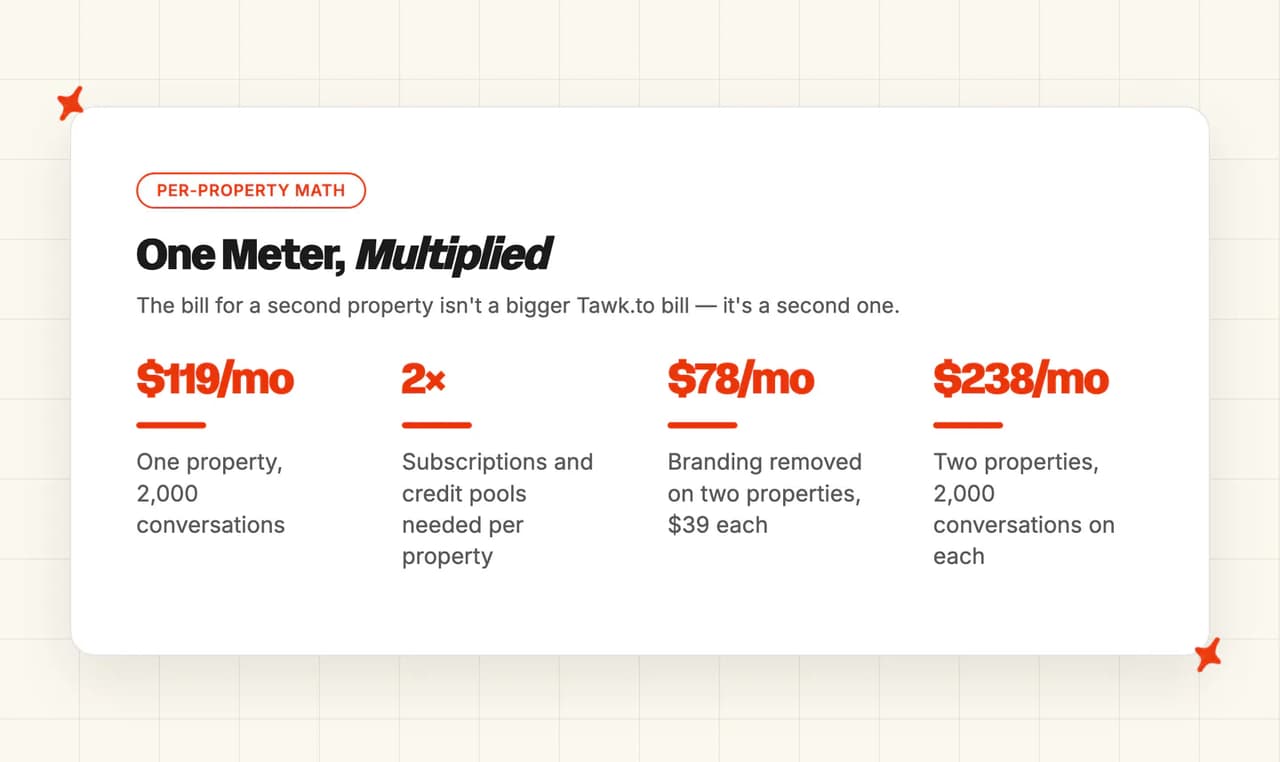
Removing branding is $39 a month per property, so two sites is $78. And a team running two sites at 2,000 conversations each pays two lots of $119, which is $238 a month.
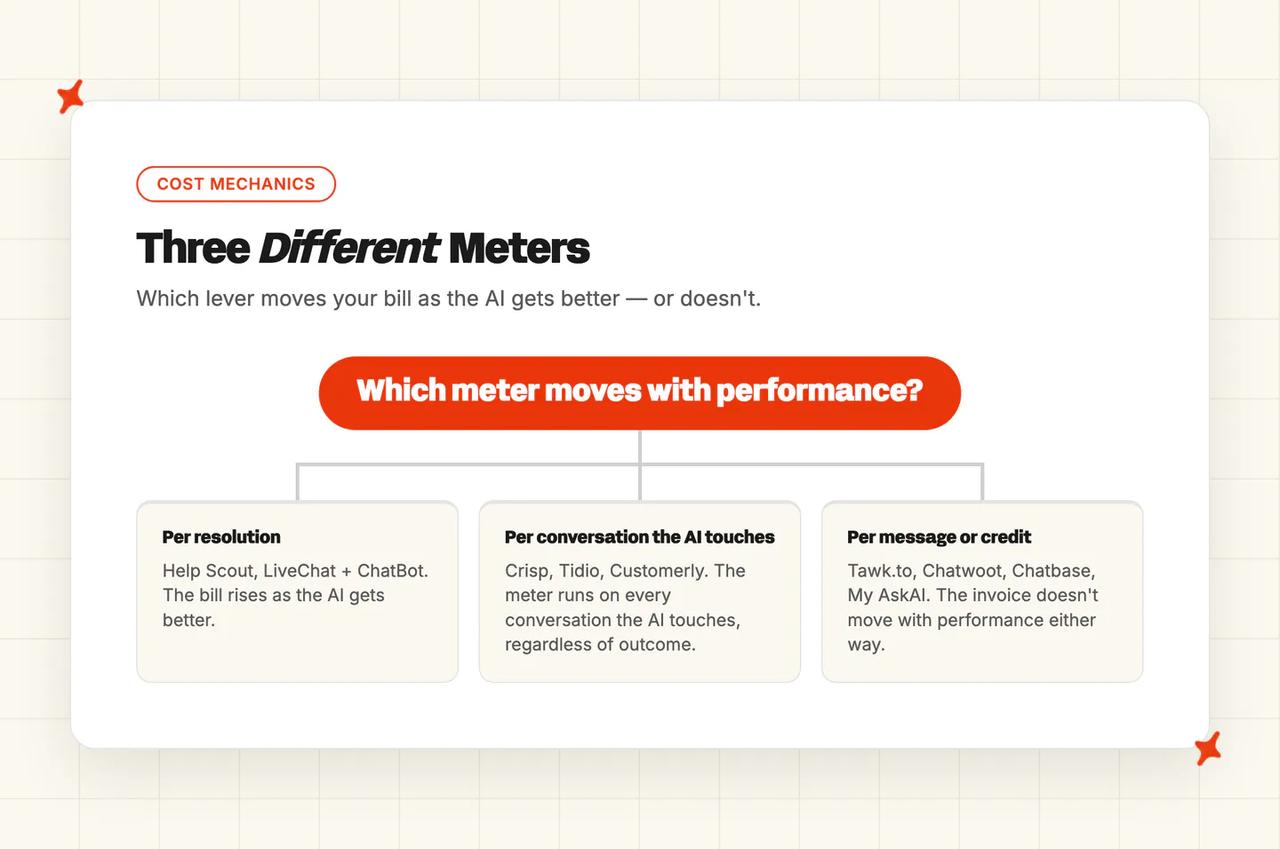
Then there is the direction each bill moves as usage changes, and it is the last thing I check before signing anything. Help Scout and LiveChat with ChatBot bill per resolution, so their bills rise as the AI gets better, and Crisp, Tidio and Customerly bill per conversation the AI touches.
Tawk.to, Chatwoot, Chatbase and My AskAI bill per message or credit, which means the invoice does not move with performance in either direction.
On our own line: the trial is 30 days with every feature unlocked, unlimited tickets and no card, so you can put your real volume through it before anything is charged. Signing up takes a business email.
Which Tawk.to alternative is best?
Help Scout is the answer for the largest group here. If what you have outgrown is the widget itself, and what you now need is a shared inbox, a docs site and SLAs that exist, it takes you there faster than anything else on the list.
Budget for the per-resolution bill rising as the agent improves, and set the spend cap on day one.
Five reader profiles, and where I send each one.
- Volume near zero, budget zero: stay on Tawk.to. Nothing in this post is cheaper, the platform really is free with unlimited seats, and if you do not want an AI agent then none of the trade-offs above apply to you.
- Cheap, with a real agent and one flat bill: Crisp. About $181 a month with ten seats included and the best European hosting story in the post, on the understanding that there is no SOC 2 report and Hugo will not learn from your resolved conversations.
- Self-hosting or data ownership: Chatwoot. The core is MIT-licensed and you can point it at your own model endpoint, but the AI is excluded from both the free tiers, and the servers, the upgrades and the sysadmin time are yours.
- Real ticketing: Help Scout, as above. This is the profile the scoreboard winner was built for.
- Already moving onto a mainstream helpdesk: Zendesk, Intercom, Freshdesk, Freshchat, Gorgias or HubSpot. This is where we fit, and only here. Add My AskAI on top of the helpdesk you have chosen, connect the knowledge you already own, and pay a per-ticket rate that does not climb as the agent gets better. Zendesk and Intercom are our deepest integrations, and the 30-day trial unlocks everything with no card.
That first profile is a real one, and a developer on r/web_design described it in public:
"I used to use tawk for my sites and clients but it got way too cluttered for me - what are the alternatives out there that /i an manage 4-5 sites at the same time from and add team members to monitor them. And no I don't want and AI bot just something light easy to use that is also free or at a minimum not an outrageous price for my team to manage and monitor" — /u/kdaly100, on r/web_design
If that is you, stay put. The trigger to leave is running a second site, or already owning a help center or a ticket history that lives somewhere the AI cannot read.
And if you are not in that last profile, one of the seven platforms here is a better answer for you than we are.
FAQs
What are the best alternatives to Tawk.to for AI customer support?
Help Scout leads at 57 out of 80, on the strength of the fastest migration in the set plus maturity and security. My AskAI is second at 53, on AI resolution and the widest knowledge connectors, and it only applies if you are moving onto a mainstream helpdesk. Crisp and Chatwoot tie for third at 52, as the cheapest all-in platform and the open-source option.
What's a Tawk.to alternative with a real AI agent, beyond live chat?
All eight here ship an AI agent that answers customers directly, closing a conversation without a person in the loop. What the agent can read decides how far it gets.
Chatbase, My AskAI and Chatwoot can all train on knowledge and tickets that already exist elsewhere. Tawk.to's AI Assist cannot. Tawk.to publishes no resolution rate on any of its surfaces, and told a customer on its own forum that it reports message usage statistics only.
Is there a self-hosted Tawk.to alternative?
Chatwoot is the one in this post, and I think it is a real answer. The core is MIT-licensed and the self-hosted Community Edition has no agent cap and no conversation cap.
The catch is the AI. Captain is not part of that install, and enabling it needs an Enterprise Edition license, a Super Admin Console visit and your own OpenAI API key. So Captain is a paid add-on on top of the free platform.
How hard is it to run a self-hosted Tawk.to alternative yourself?
Chatwoot's cloud version is ordinary SaaS onboarding. Its self-hosted version is a server stack you own and keep running.
That means Ubuntu, nginx, PostgreSQL, Redis, object storage, TLS certificates, backups and upgrades, on a floor of 4GB of RAM and four cores. The software is free and the operating cost is yours.
Which Tawk.to alternative works for a small business that doesn't want to pay per site?
Most of them, because per-property billing is unusual (Tawk.to is the outlier here). Crisp charges one flat bill per workspace with ten seats included, at about $181 a month at this volume, and LiveChat licenses unlimited websites under one subscription, although its autonomous AI is a separate product with its own per-bot subscription.
| Vendor | What the bill is charged against |
|---|---|
| Tawk.to | Each property, add-ons bought again per site |
| Crisp | One workspace, ten seats included |
| LiveChat | One license, unlimited websites |
| Chatwoot | Each agent seat |
Who are Tawk.to's main competitors?
The eight in this post are the ones a Tawk.to team realistically moves onto. Help Scout, Crisp, Chatwoot, Tidio, Chatbase, LiveChat and Customerly are the platform replacements, plus My AskAI as an AI layer that installs into Zendesk, Intercom, Freshdesk, Freshchat, Gorgias or HubSpot. Zoho SalesIQ, Groove and Helply are excluded from this set, Missive only drafts a reply for a human to send, and the enterprise agent vendors start at contract floors far above a free widget.
Which Tawk.to alternative gives me real ticketing without becoming clunky?
Help Scout, comfortably. The complaint that pushes people from a chat widget into ticketing is usually about records. One small-business owner asked for a system that is feature-rich while staying simple, with a good user interface and high value for the price.
The specific gaps he named were a customizable auto-responder, a signature, and being able to see and open every ticket from the same person on one contact record. Our own read of the shared inbox says it does all three cleanly.