My AskAI vs Help Scout: Features, Pricing, and Results (2026)
My AskAI vs Help Scout: Help Scout bills $0.75 per AI resolution and trains only on Docs. My AskAI is flat at $0.10 a ticket and reads Notion, Drive and more.
Summarize with AI
Two numbers tell you most of what you need to know. Help Scout bills $0.75 for every AI resolution and trains its AI only on your Help Scout Docs and the website URLs you point it at; My AskAI is flat at $0.10 per ticket and reads from Notion, Google Drive, Confluence and your old tickets. That gap lands in two places at once: your invoice, and what your AI is even allowed to read.
Quick disclosure: I'm Mike, co-founder of My AskAI, so I've got a horse in this race. Help Scout is a strong product and I'll say so where it wins.
My AskAI can't run inside Help Scout. More than 200 ecommerce and SaaS teams run us on the helpdesk they already have, our agents have resolved over a million tickets between them, and we hold a rolling resolution rate above 72%. Help Scout, for its part, is one of the best-liked helpdesks going, and for a certain kind of team it's the right answer.
Here's where each one wins.
What AI can I use for customer support with My AskAI and Help Scout?
Help Scout is a full helpdesk with a suite of AI features built right in, and there are four of them. AI Answers is the customer-facing chatbot that resolves conversations on its own, billed at $0.75 per resolution on the paid plans. AI Drafts writes reply drafts for your agents, AI Summarize condenses long threads, and AI Assist rewrites, adjusts tone and translates inline.
To use any of them, you're on the Help Scout platform, because that's where they live.
My AskAI works the other way round. We're a dedicated AI agent that runs inside the helpdesk you already have, or as a widget on your own website. We plug into Zendesk, Intercom, Freshdesk, Gorgias and HubSpot, and we're never sold as a helpdesk replacement.
You keep your inbox, your agents, your tags and your routing, and we add the AI layer on top.
My AskAI does not integrate with Help Scout. The helpdesks we support don't include it, so if Help Scout is your helpdesk and you want to keep it, your two options are its own AI Answers or running My AskAI as a standalone widget in front of your website.
Both products review well on G2:
| My AskAI | Help Scout | |
|---|---|---|
| Rating | 4.5 / 5 | 4.4 / 5 |
| Reviews | 21 | 428 |
| Reviews page | My AskAI on G2 | Help Scout on G2 |
How does an AI customer service agent work with Help Scout vs My AskAI?
Under the hood the two work in a broadly similar way. You connect your knowledge, the AI reads it, and when a customer asks something the AI pulls the relevant material and writes the answer freehand. Both are genuine AI agents that generate answers freehand.
Help Scout's AI Answers is retrieval-augmented generation over your Help Scout Docs plus any website URLs you configure, running on OpenAI's GPT-4 Turbo. It generates a branded reply in the Beacon widget, and if it can't answer or the customer asks for a person, it doesn't charge for that conversation and routes them to your team. Help Scout is also careful to keep the AI off by default and clearly labeled in the UI, which is a fair, considered touch.
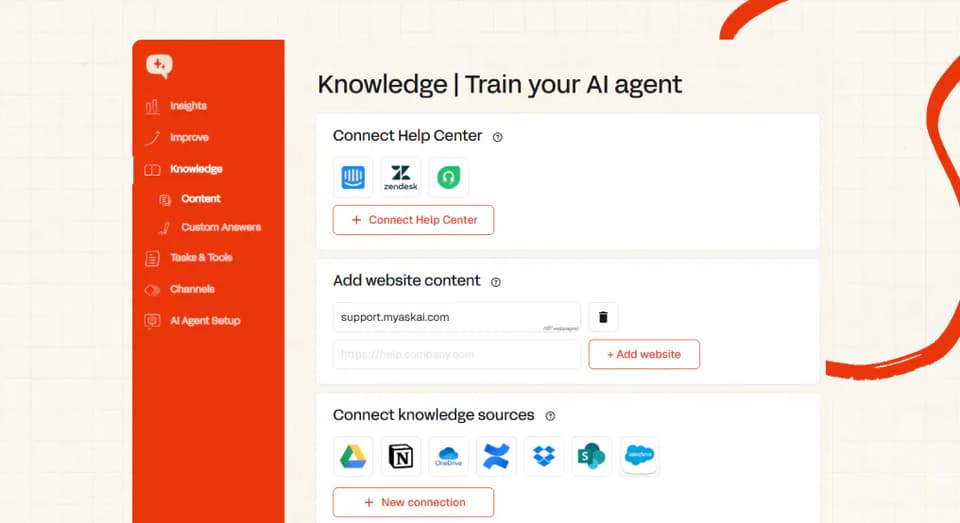
My AskAI reads across a much wider set of sources (your help center, website, past tickets, and connected tools like Notion, Drive and Confluence). When a workflow needs it, we also call your own APIs through Tasks and Tools to fetch live data like an order status or a plan tier.
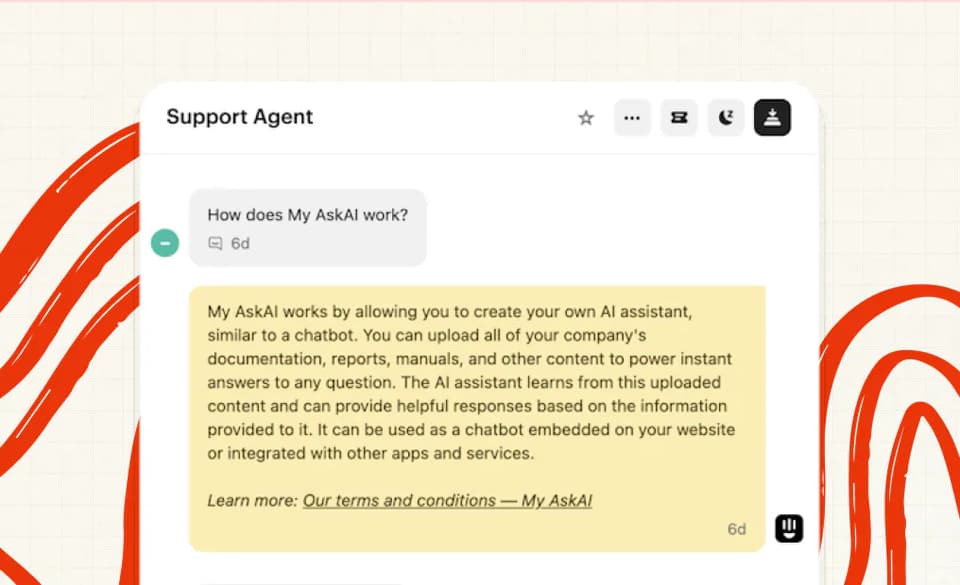
When it can't confidently answer, spots a frustrated customer, or hits a topic you've told it to escalate, it hands over to a human. It also writes a summary of the conversation as an internal note, so your agent picks up cleanly and the customer never has to repeat themselves.
We count a conversation as resolved when the AI handled it without escalating to a person. Escalating is easy, so a conversation that never triggered one is a solid signal it was resolved.
What are the different ways I can use each AI agent?
Direct replies
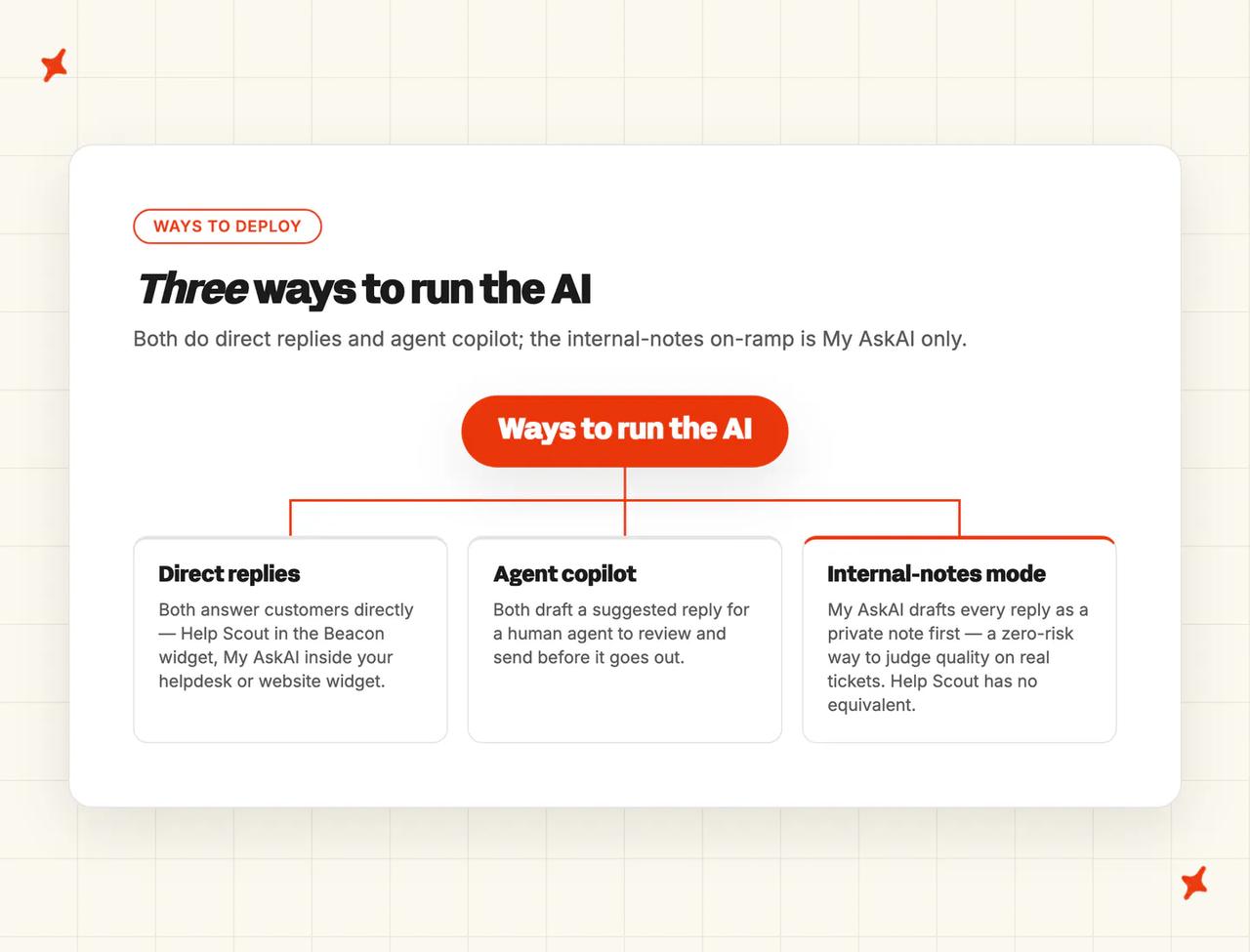
This is the main event for both. Help Scout's AI Answers replies to customers right inside the Beacon widget, in either a self-service or a more neutral setup, both configured in the AI Answers settings.
My AskAI replies to customers inside your helpdesk's own chat, messaging or email channel, or in our website widget. Either way the AI is your first line, handling the repetitive tier-one questions on its own.
Copilot replies
Both also have a copilot mode that helps your human agents behind the scenes. Help Scout's AI Drafts writes a suggested reply in the inbox for the agent to review and send, though it's gated to the Plus and Pro plans. My AskAI's copilot is the AI Copilot Chrome Extension: it works inside any of our integrated helpdesks, with no extra seat charge.
Internal note replies
This is the one mode Help Scout has no equivalent for, and it's my favorite way for a team to start. My AskAI can draft an answer to every single ticket as a private internal note the customer never sees.
That lets you run our AI in the background, side by side with whatever you do now, and judge the quality on your own real tickets before you ever flip it live. If putting an AI in front of customers makes you nervous, this is the on-ramp that takes the risk out of it.
Which is easier to set up, Help Scout or My AskAI?
Help Scout's most-praised trait is how fast you get productive, and word-on-the-street backs it up. It markets learning the platform in under an hour and becoming a power user in under a day, and it scores 9.2 out of 10 for ease of use on G2.
There's a well-known Switcher case study where onboarding that would have taken six months on a heavier platform took 24 hours in Help Scout. If you're already on Help Scout, turning on AI Answers is close to flicking a switch.
There's one caveat Help Scout itself flags: the AI is only as good as your Docs. The company is clear that a solid base of well-maintained Docs is the most important step to getting AI Answers working well.
That's fair, and it's true of us too, with one difference. If you don't have a polished help center yet, My AskAI can train on up to 5,000 of your past resolved tickets (more on request) and auto-draft starter knowledge from how your team already answers. So a team starting from scratch isn't stuck, whereas Help Scout's AI leans on the Docs being there already.
Setting up My AskAI adds one small step a native toggle doesn't: you sign up (with a business email), connect your knowledge, and install our app from your helpdesk's marketplace. That's about 10 minutes, and off pure knowledge you can be live within minutes to hours.
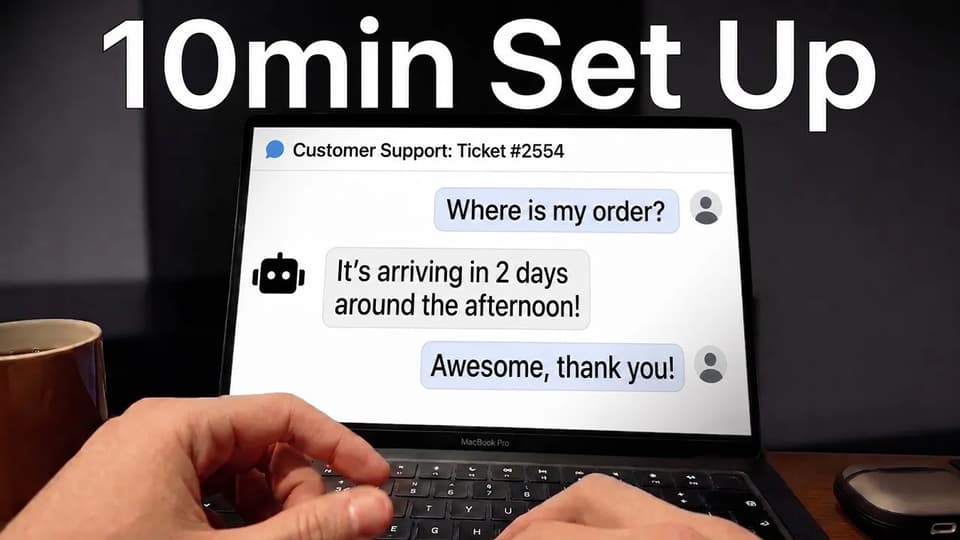
No developer is needed for a standard setup, and there's no platform to migrate onto, because you keep the helpdesk you've already got. So neither one is hard.
Help Scout has the edge if you're already on it and your Docs are well maintained; our edge is that you don't take on a new helpdesk at all.
How do My AskAI and Help Scout differ in what they can be trained on?
'Static' content
On the basics we overlap: both tools learn from a knowledge base and from public website URLs, so if your knowledge is a clean, current help center, either will get going.
The difference is everything around that. In a trial, I'd point the AI at your Notion or Drive on day one and see what it can reach. Help Scout AI Answers is trained only on Help Scout content: your Docs articles and the website URLs you point it at.
It doesn't natively pull from Confluence, Notion, Google Drive, SharePoint, Slack or PDFs. If your team's real knowledge lives in a wiki or a Drive folder, you'd first have to copy it into Help Scout Docs for the AI to see it.
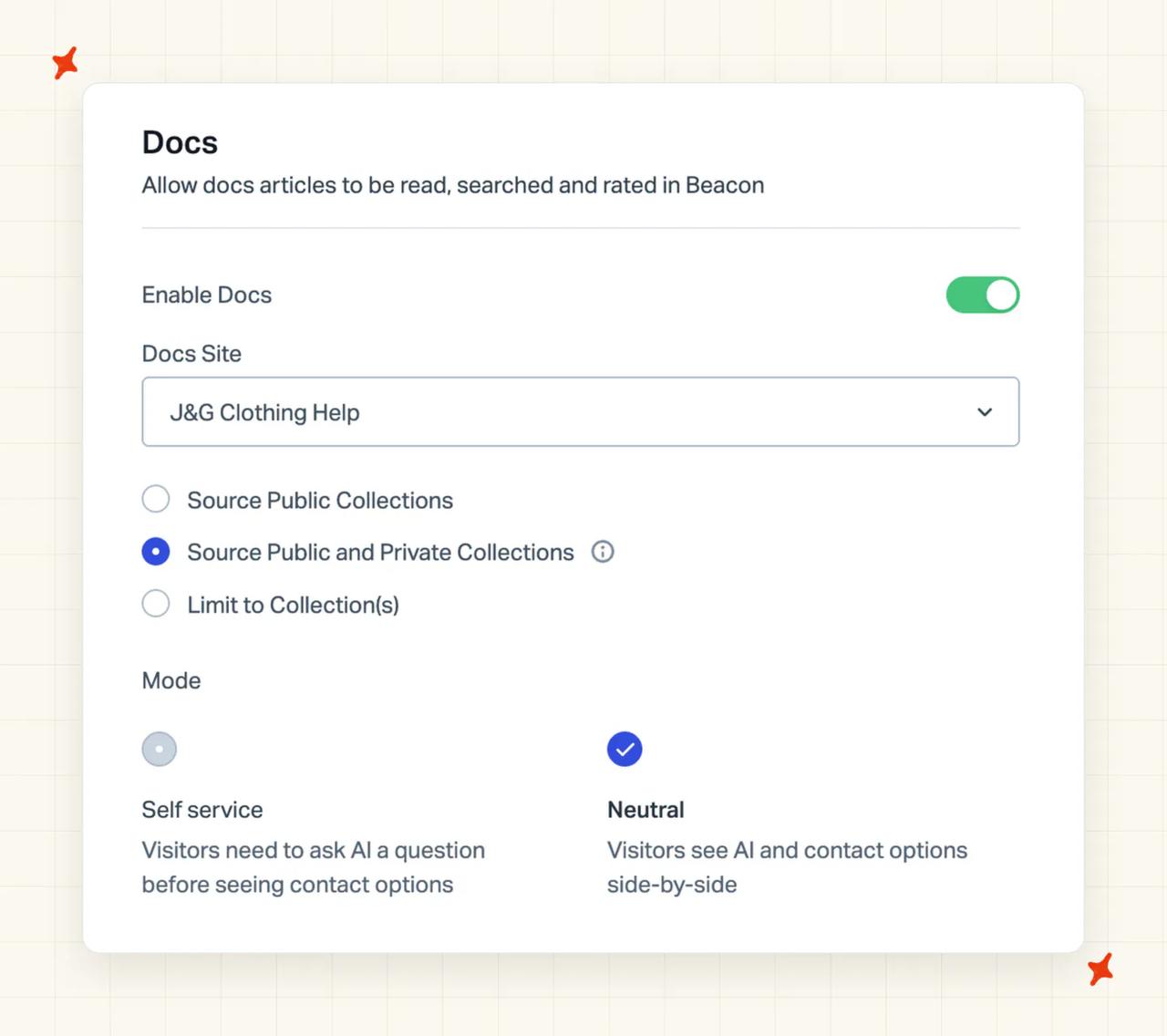
It's the limitation that bites teams whose real knowledge lives outside a help center.
My AskAI takes the opposite approach. We connect Google Drive, Notion, Microsoft OneDrive, Dropbox, SharePoint, Confluence, Salesforce (for its knowledge pages) and Shopify, alongside the Zendesk, Intercom and Freshdesk help centers, plus website sync and direct PDF or DOCX upload.
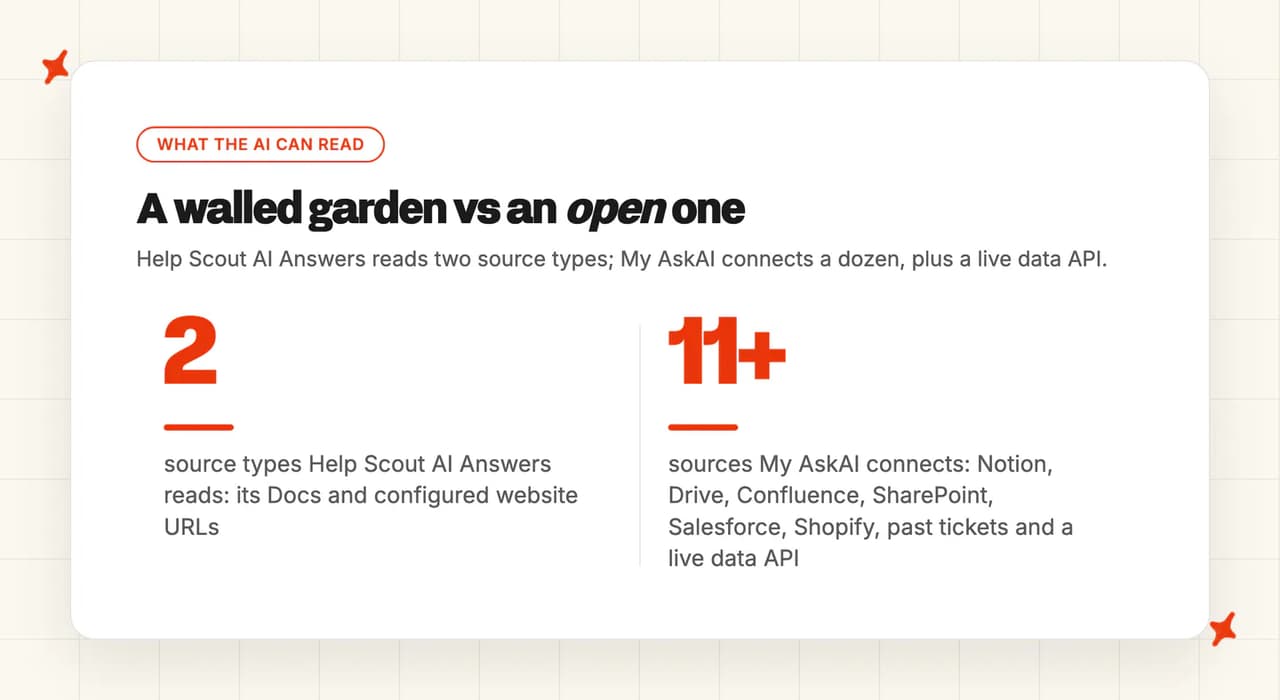
On top of that we train on up to 5,000 of your historic tickets by default, which is where the awkward real-world phrasing lives. And you can mark any source internal-only, so it informs your agents and internal tools without ever reaching a customer.
'Dynamic' content
Static knowledge answers the "how do I..." questions. Live questions like "where's my order?" or "what plan am I on?" need dynamic data, and this is where the walled garden bites hardest. Help Scout AI Answers has no native way to read your order data or CRM records; it answers from your Docs and stops there.
My AskAI reaches live data through Tasks and Tools plus our User Data API, with a pre-built Shopify connector for product, order and customer lookups. That means the AI can pull a real order status or account detail into an answer, or take a structured action, and answer the "where's my order?" question directly.
Here's the side-by-side on what each can be trained on:
| Source type | My AskAI | Help Scout AI Answers |
|---|---|---|
| Help centre / Docs | ✅ | ✅ |
| Public website URLs | ✅ | ✅ |
| Past support tickets | ✅ (up to 5,000) | — |
| Notion | ✅ | — |
| Confluence | ✅ | — |
| Google Drive | ✅ | — |
| OneDrive / SharePoint / Dropbox | ✅ | — |
| Salesforce (knowledge pages) | ✅ | — |
| Shopify (orders / products / customers) | ✅ | — |
| Live backend / CRM (API) | ✅ (User Data API) | — |
| Mark a source internal-only | ✅ | — |
Which has better answer quality, Help Scout or My AskAI?
Resolution rates aren't apples-to-apples across tools. Every vendor defines the metric differently, and the number swings with your industry, your ticket mix and how well your knowledge is set up. So here are both figures, with the caveat that the head-to-head number matters less than it looks.
Help Scout advertises an average AI Answers resolution rate of 73.19%, rounded to around 70% in its marketing, and says it climbs month over month. Its own definition, set out in the docs, is a single AI chat session handled without human help, where the customer doesn't escalate, search the knowledge base, ask again or say they still need help. My AskAI runs above 72% resolution on a rolling 30-day basis across our customer base, counted the escalation-based way I described earlier.
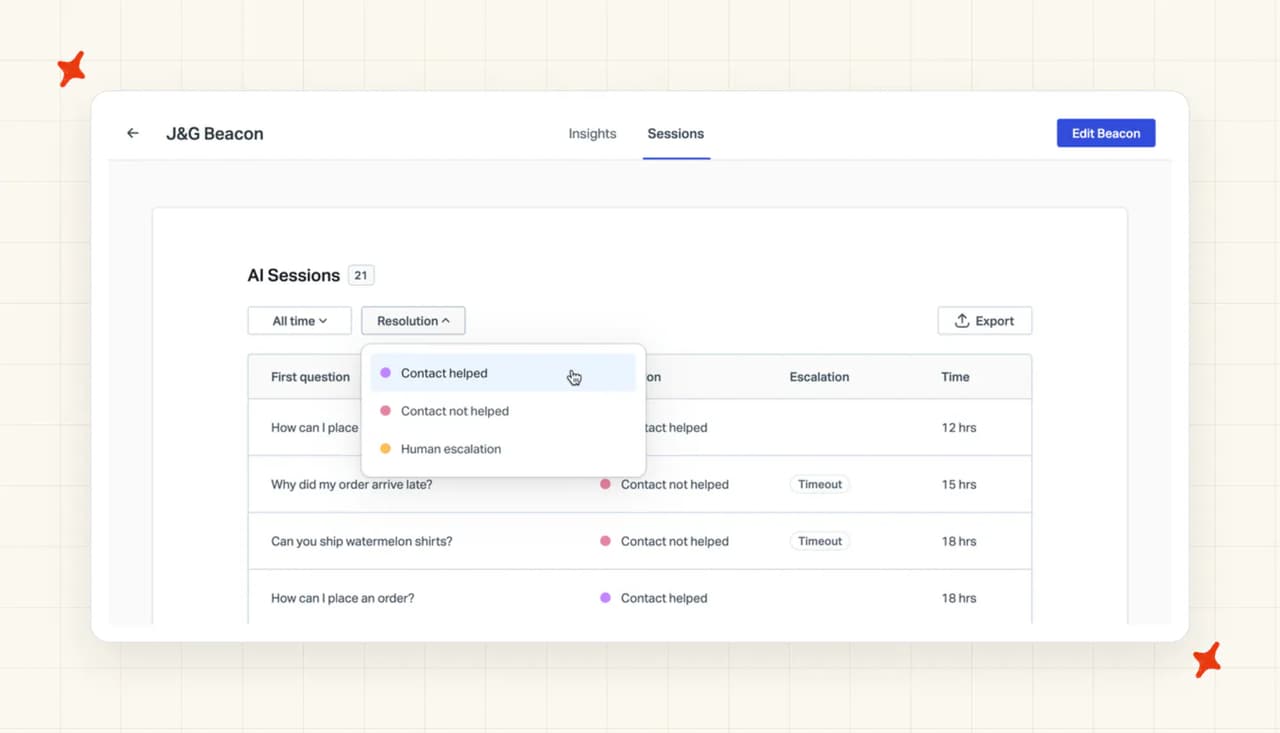
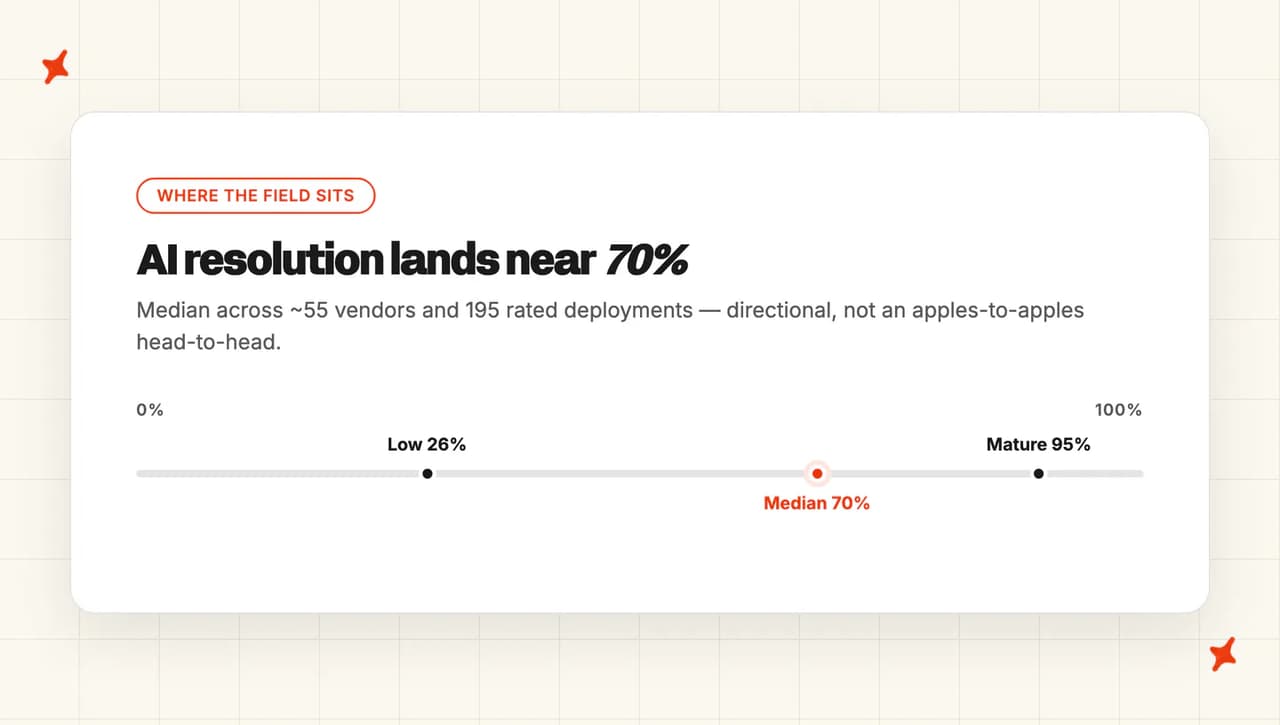
For where the field sits, our own AI resolution-rate benchmarks, drawn from around 55 vendors and 195 rated deployments, put the median near 70%. Read that as the rough neighborhood both products live in, and take it with a grain of salt: it's an aggregate, it's directional, and published numbers are self-selected.
One thing I rate about Help Scout here is how openly it talks about the metric. The company admits that "resolution" leaves plenty of room for uncertainty, and that much of the negative AI feedback it sees is false positives: correct answers a customer just didn't like. That kind of openness about the number's ceiling mirrors how we think about it.
Which AI agent is easier to improve over time: Help Scout or My AskAI?
Help Scout gives you a couple of real tools here. On any AI Answers conversation you can hit Improve and enter a correction, which gets saved as a custom instruction for similar future queries.
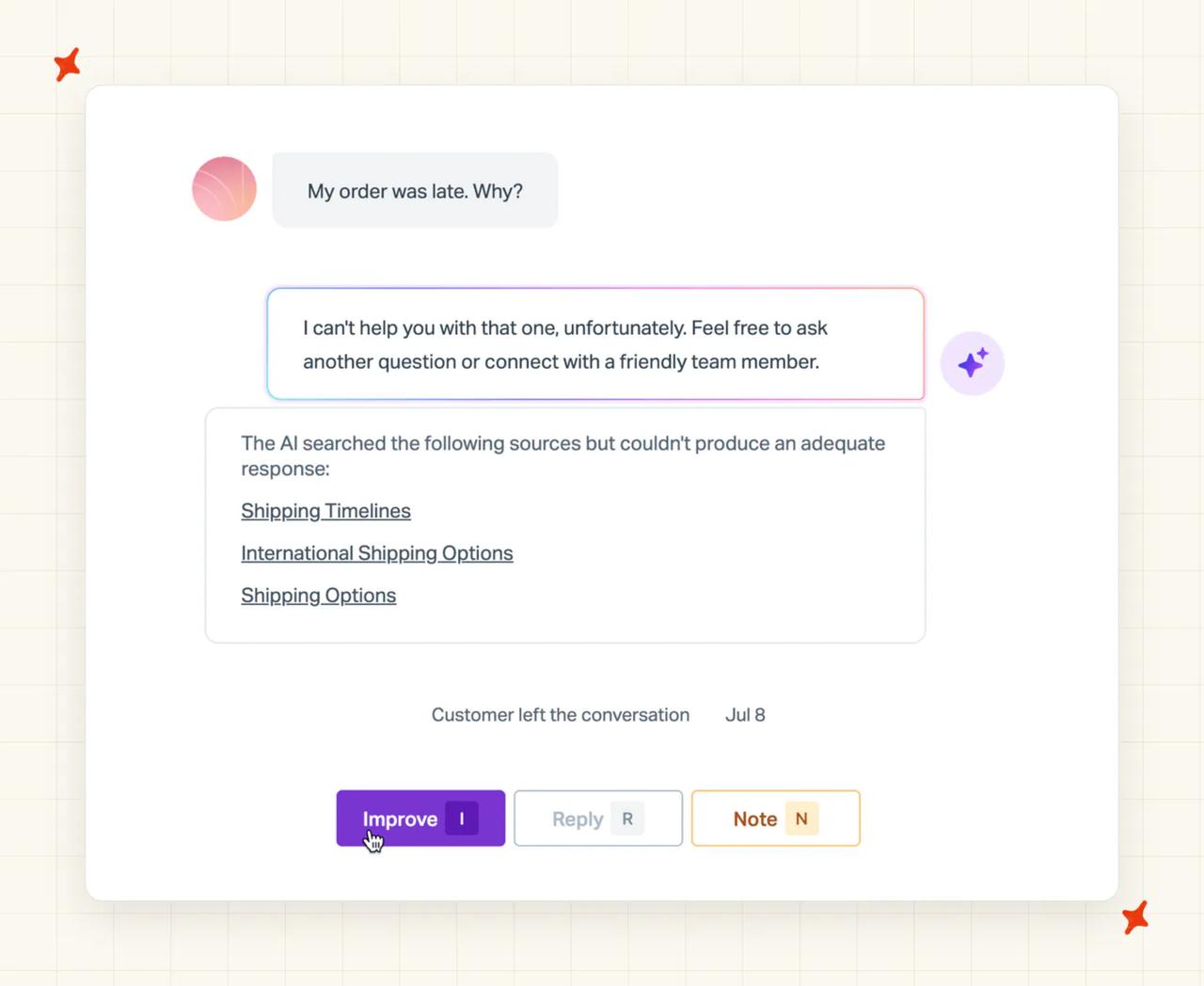
It also has a Suggested Improvements feature that checks queries against your inbox conversations and recommends changes for you to save, edit or dismiss, plus a testing sandbox to run scenarios before go-live. That's a genuine, partly-automated loop, and it's more than a lot of competitors offer.
My AskAI's Self-Learning is built to take more of that load off you. On any ticket the AI handed over, it compares its own draft to what your human agent sent, then drafts a new knowledge article to close the gap, ready for you to approve.
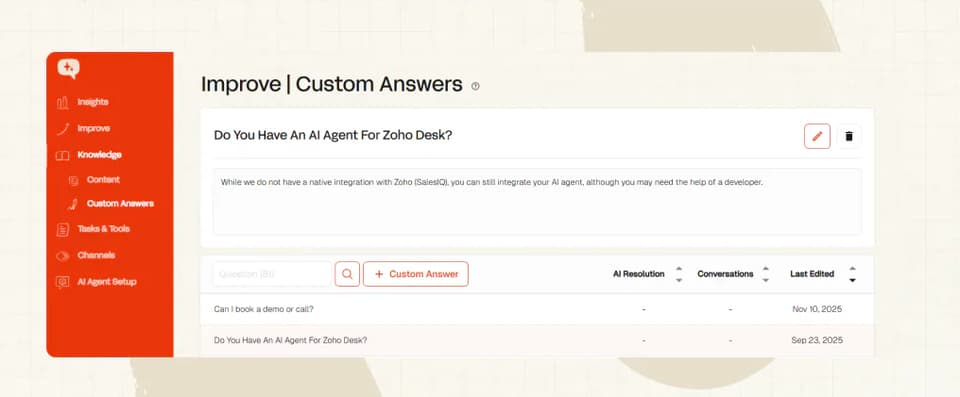
Because it learns from your past tickets and your agents' real replies, the knowledge base tends to keep itself current as your team works. And when you want to know why the AI said something, you can ask Echo which answer the agent gave and which source it pulled from, which is the antidote to the "I don't trust what it's telling people" worry.
Both need a human in the loop, and both are good at surfacing what to fix. Our edge is that Self-Learning does the drafting for you off real tickets; Help Scout's edge is that its loop is simple and lives right where your agents already work.
Which has more features, Help Scout or My AskAI?
Help Scout wins this category, since it's a whole platform against an AI agent and a platform does more things. With Help Scout you get a shared inbox with collision detection, saved replies, notes, tags and round-robin assignment; a Docs knowledge base; the Beacon widget; native reporting dashboards for volume, response times and CSAT; workflows and automation; proactive messaging like in-app modals and NPS prompts; and a REST API. If you want one product that's your entire front-of-house, that breadth is exactly the appeal.
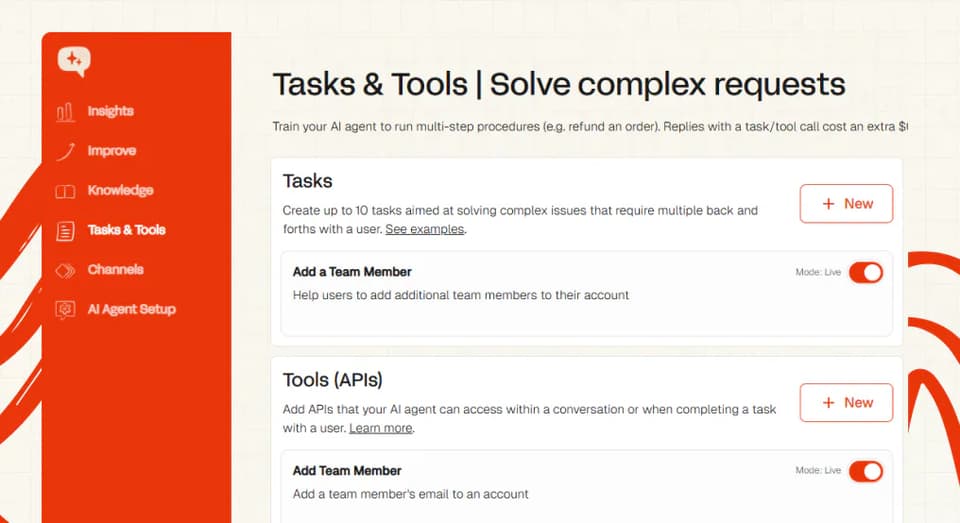
My AskAI goes deep on the AI agent rather than wide on the platform. You get Tasks and Tools for actions like refunds and order lookups, a User Data API for live backend reads, natural-language Guidance, multibrand agents, per-ticket tagging, Echo and Inspect for traceability, and Insights that score 100% of your conversations for CSAT. All of that runs inside the helpdesk you already have.
| Feature | My AskAI | Help Scout |
|---|---|---|
| Shared inbox / full helpdesk | — (not a helpdesk) | ✅ |
| Knowledge base / Docs | — (trains on yours) | ✅ |
| Native reporting dashboards | Partial (Insights: CSAT, topics, handover) | ✅ (volume, response, CSAT) |
| Proactive messaging | — | ✅ |
| AI chatbot (customer-facing) | ✅ | ✅ (AI Answers) |
| Agent copilot / drafts | ✅ (free Chrome extension) | ✅ (AI Drafts, Plus+) |
| Multi-step Tasks / Actions | ✅ | — |
| Live backend / API lookups | ✅ (User Data API) | — |
| Auto-tagging | ✅ (Zendesk, Intercom, Freshdesk, Freshchat) | Workflow tags only |
| Conversation Insights (100% CSAT scoring) | ✅ | — (sampled reporting) |
| Multilingual replies | ✅ (95 languages) | ✅ (AI Answers 50+; AI Assist translate 14) |
Is it easy to customize My AskAI and Help Scout?
On the surface these are close. Help Scout lets you set the AI's voice and tone, apply guardrails that restrict the topics it's allowed to address, and layer in improvement instructions over time. That's a sensible, safe set of controls, and for a lot of teams it's plenty.
My AskAI leans on Guidance, which is plain-English control in three flavors: Communication and Style, Context and Clarification, and Handover and Escalation. You write a short rule ("if a customer asks about refunds over $200, hand to a human") and the agent follows it, no flow-building required.
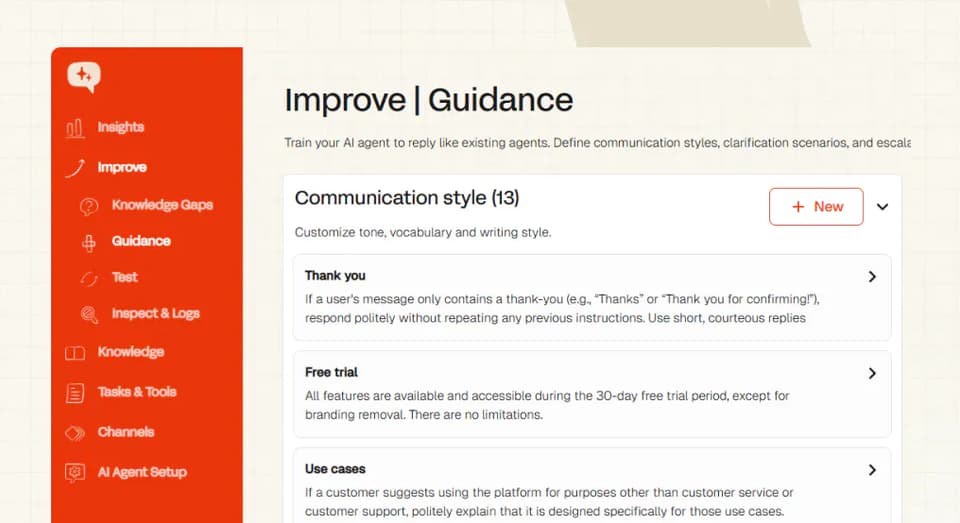
On top of that you can run separate multibrand agents per brand, region or product. For teams that want fine-grained control over how the AI behaves in specific scenarios, that natural-language depth is where we edge ahead; Help Scout's controls are real but more on/off-and-tone than scenario-by-scenario.
What about vendor lock-in?
This is the structural difference that outlasts every other line in the table: Help Scout's AI Answers only exists inside Help Scout. Help Scout's AI Answers only exists inside Help Scout; it's a standalone platform you can't run on top of a Zendesk or Intercom you already have.
So adopting the AI means adopting the helpdesk. And if you ever leave Help Scout, the work you put into training the AI stays locked to the platform.
My AskAI is built so that doesn't happen. The trained agent, the custom answers, the guidance and the tasks move across the five helpdesks we support: Zendesk, Intercom, Freshdesk, Gorgias and HubSpot.
You typically run it in one helpdesk at a time, but if you switch, the AI moves with you instead of starting from scratch. When your platform choice and your AI investment aren't chained together, changing your mind later gets a lot cheaper.
Now the caveat, up front: that list doesn't include Help Scout. If you're set on Help Scout as your helpdesk and want to keep it, My AskAI can't run inside it; you'd run our AI as a standalone widget in front of your website, or use Help Scout's own AI Answers.
Does Help Scout or My AskAI have any other AI features?
Tagging
My AskAI auto-tags tickets across up to three custom fields, natively inside Zendesk, Intercom, Freshdesk and Freshchat. It works off your existing helpdesk tags, expanding each into a full definition you can review and edit, and classifies each incoming message by meaning, so paraphrases still land in the right bucket.
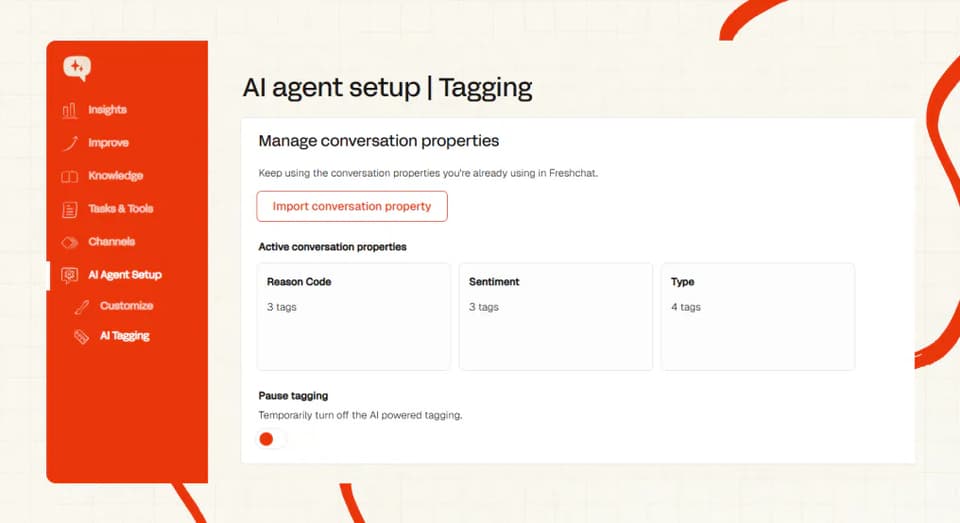
It also doubles as a spend-control lever: because tagging is billed separately at $0.05 per attribute per ticket, you can route a class of tickets you'd rather not have the AI answer to a human and pay only the tag. Help Scout's tags are workflow-based, with no semantic AI tagger.
Agent translation
Help Scout handles languages through AI Assist, which translates inline across 14 languages, with Beacon interface labels auto-translating into 30-plus languages (a separate Beacon per language). My AskAI supports 95 languages auto-detected per message, plus a Live Translation add-on that translates a handed-over conversation into your agent's language and their reply back again, so a monolingual agent can still pick up a ticket in any language.
Help center quick answers
Help Scout's AI Assist also gives agents inline rewrite and tone help right in the composer, which helps keep replies consistent. It's the kind of feature that comes from Help Scout owning the whole inbox, and if your team writes a lot of replies by hand, it's worth having.
What about security, is Help Scout more secure than My AskAI?
Both take security seriously, and on the fundamentals they line up. My AskAI is SOC 2 Type II certified and GDPR compliant, with AES-256 encryption at rest and TLS in transit, data in isolated containers per customer, and none of it used to train models.
You can pull the details from our trust portal. Help Scout is likewise SOC 2 Type II and GDPR compliant, hosts on AWS in the US, runs an annual white-box penetration test, and publishes a dedicated AI transparency page on how its AI handles data.
Where Help Scout wins is HIPAA. It offers a signed Business Associate Agreement on its Pro plan, which matters if you handle protected health information, and My AskAI doesn't offer HIPAA.
So if PHI is in scope for you, that's a genuine reason to pick Help Scout Pro. For the far more common case, a B2B SaaS or ecommerce team with no PHI, SOC 2 Type II and GDPR are what a security reviewer asks for, and both products clear that bar.
Which costs more, Help Scout or My AskAI?
The pricing model
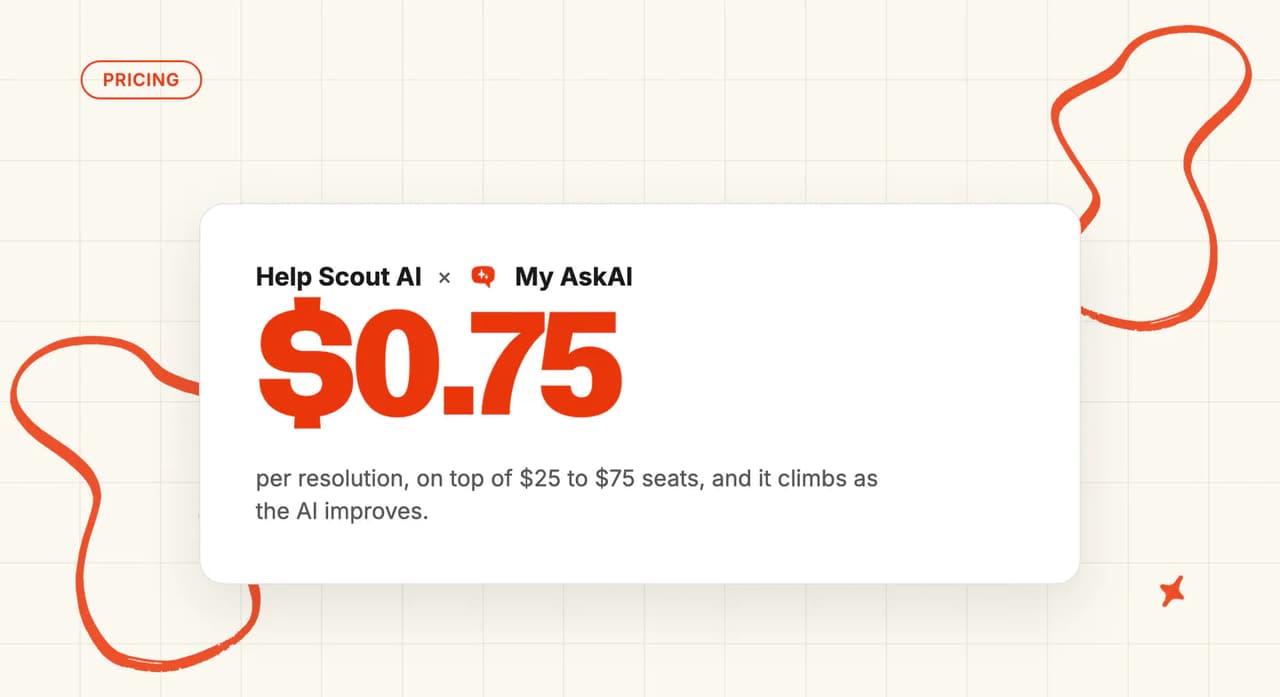
Help Scout charges per user, priced at Free, Standard $25, Plus $45 and Pro $75 per user per month (around 16% off if you pay annually). AI Answers is then metered on top at $0.75 per resolution on all paid plans, billed in arrears, with a three-month free unlimited-AI trial, a configurable monthly spend cap, and AI Drafts and Summarize gated to Plus and above.
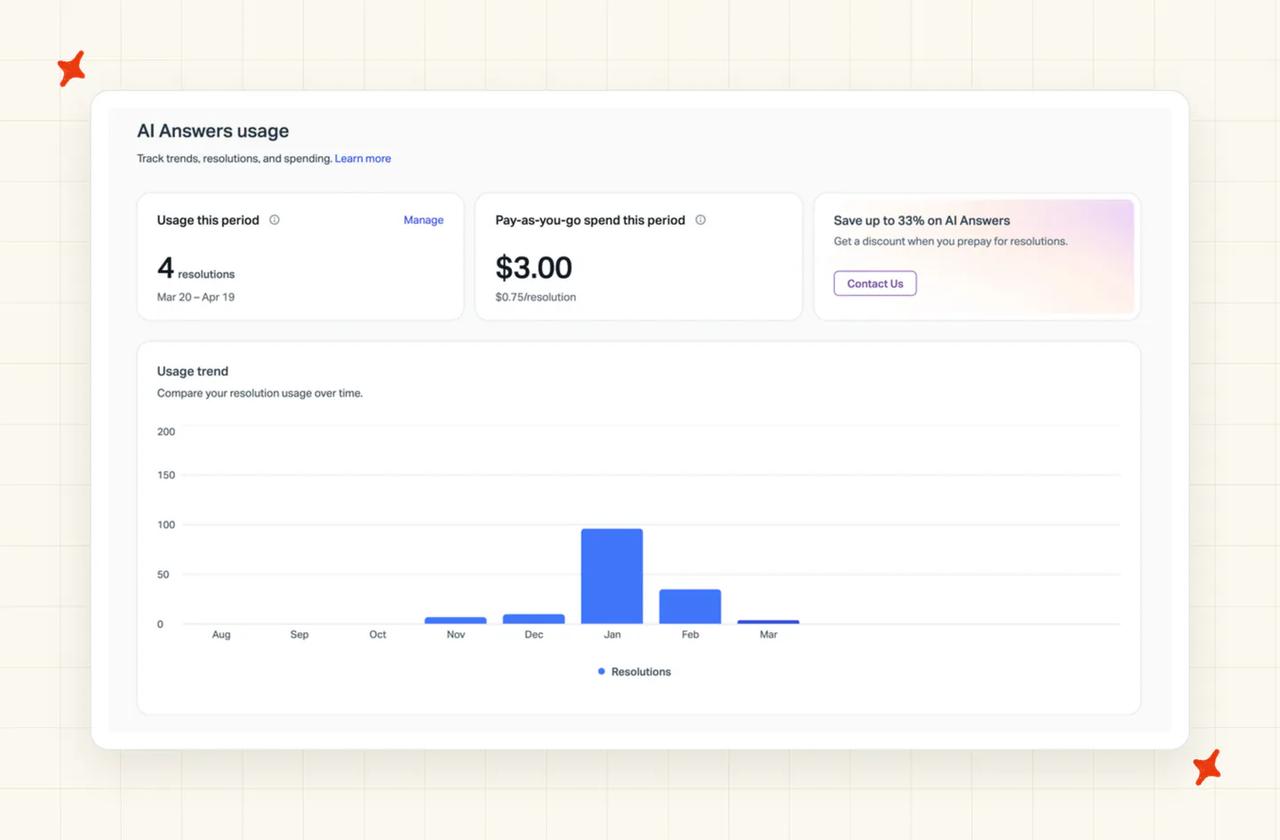
The signup trial is 15 days with no card. Help Scout's old per-contact pricing experiment from 2024 is now legacy and grandfathered, after it caused a fair bit of backlash at the time.
My AskAI charges per ticket at $0.10. That's per ticket handled, whether or not it resolves. Pro is $199 a month for 1,000 credits and Scale is $499 for 2,000 credits, with overage at $0.10 to $0.12 a credit and Enterprise from $999.
In practice every two AI chat replies is one credit, so it works out to about $0.10 per chat ticket (email is around $0.15), and add-ons are metered only when used.
Because we bill per ticket, your bill stays flat as the AI gets better. Under a per-resolution model, the better it performs, the more you pay.
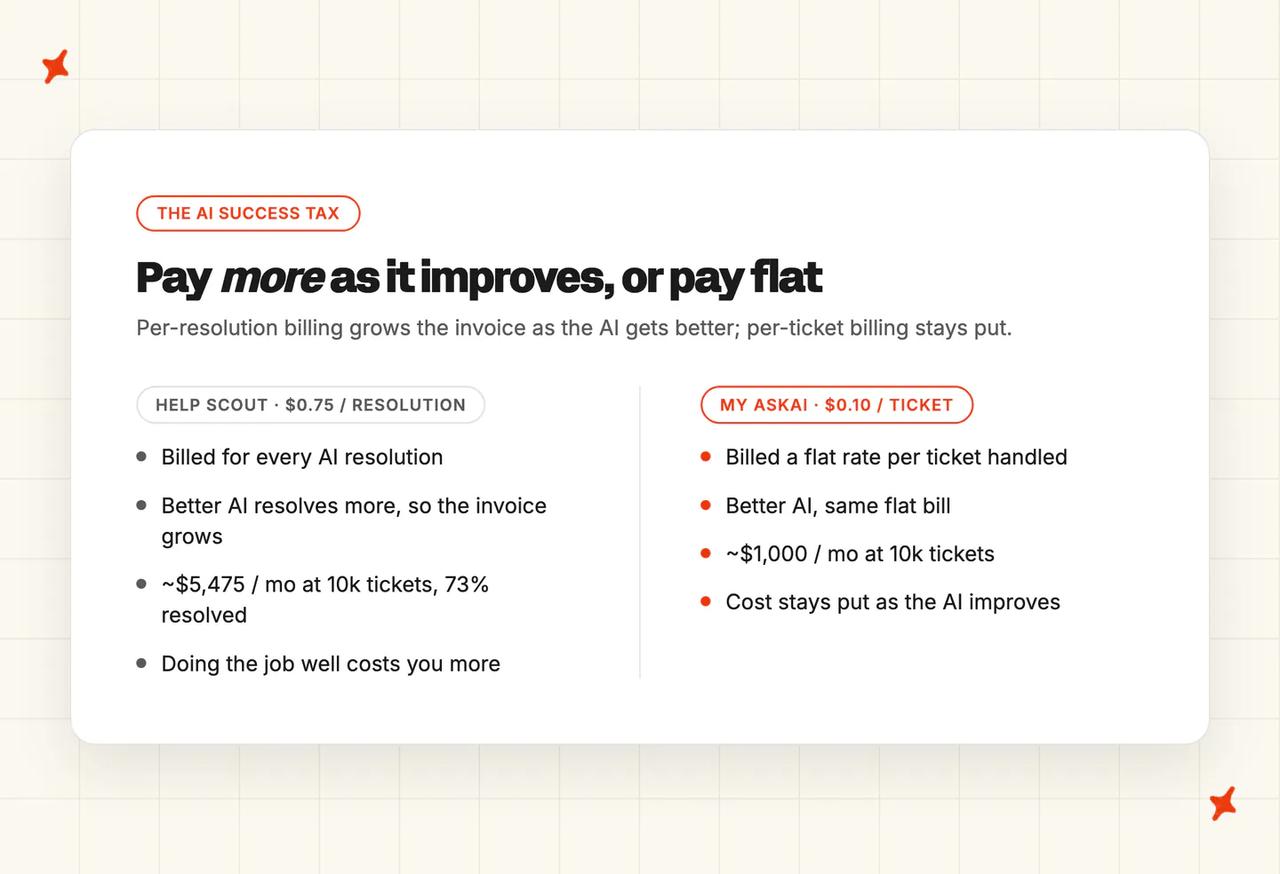
That per-resolution worry isn't hypothetical. Back in 2025, when Help Scout briefly moved to per-contact pricing, developer Daniel Jalkut wrote that once you've settled into a tier, you "run the risk of being 'punished' for helping more customers." Help Scout walked that particular change back, but the same worry applies to any model where doing the job well grows the bill: at $0.75 per resolution, the better the AI performs, the larger the invoice.
And you can prove it before you pay. My AskAI's free trial is 30 days, all features unlocked, unlimited tickets, no card, so you can run it on your real tickets first (new customers are also commonly offered 50% off the first three months). Help Scout's is 15 days with no card, plus that three-month window of free unlimited AI Answers.
The overall cost
The fair way to compare these is AI charge to AI charge, because whichever AI you run, you keep paying for your helpdesk. Help Scout's per-user seats and My AskAI's per-ticket AI both sit on top of a helpdesk cost, so I'm going to line up the AI layer only.
Take a team doing 10,000 tickets a month. On Help Scout, AI Answers at $0.75 per resolution and a 73% resolution rate is 7,300 resolutions, or about $5,475 a month, and that figure rises as the AI resolves more.
On My AskAI, 10,000 tickets at $0.10 is about $1,000 a month in credits (around $1,299 all-in on the Scale plan), and it stays flat as the AI improves. Both numbers sit on top of the helpdesk seats you keep paying, so this is the AI layer only, compared like for like.
| My AskAI | Help Scout | |
|---|---|---|
| Pricing model | Per ticket, flat | Per user seat + per AI resolution |
| Headline AI rate | $0.10 / ticket | $0.75 / resolution |
| Seats | Keep your own helpdesk's seats | Free / $25 / $45 / $75 per user / mo |
| AI cost at ~10k tickets | ~$1,000/mo, flat as the AI improves | ~$5,475/mo at 73% resolved, rises as it improves |
| Free trial | 30 days, all features, unlimited tickets, no card | 15 days, no card, + 3 months free unlimited AI |
Conclusion - should I choose Help Scout or My AskAI?
If you want one simple, human-centered all-in-one helpdesk, your knowledge already lives in Help Scout Docs, and you like keeping everything in a single tool, Help Scout is the right call, even from where I sit. If your knowledge is scattered across Notion, Drive and Confluence, you want a flat and predictable AI bill, and you already run a helpdesk you'd rather keep, My AskAI is the better fit.
Here's how the categories score:
| My AskAI | Help Scout | ||
|---|---|---|---|
| Modes | 8/10 | 7/10 | My AskAI (internal-notes testing) |
| Ease of setup | 8/10 | 9/10 | Help Scout (native, famously simple) |
| Training/Integrations | 9/10 | 5/10 | My AskAI (broad connectors vs Docs-only) |
| Answer Quality | 8/10 | 8/10 | Tie |
| Improving | 8/10 | 7/10 | My AskAI (learns from past tickets and agent replies) |
| Features | 8/10 | 9/10 | Help Scout (complete helpdesk) |
| Price | 9/10 | 6/10 | My AskAI (flat, predictable) |
| Customization | 9/10 | 6/10 | My AskAI (Guidance, multibrand) |
| Lock-in | 8/10 | 5/10 | My AskAI (portable; caveat: not Help Scout) |
| Other AI features | 8/10 | 8/10 | Tie |
| Security | 7/10 | 8/10 | Help Scout (HIPAA option) |
It's a split. Help Scout wins where being a complete, well-loved platform counts: it's the easier setup for a team already on it, it has the broader feature set, and it has the HIPAA option we don't. My AskAI wins on the AI-agent fundamentals: what the AI is allowed to read, a flat bill that doesn't tax you for the AI improving, deeper behavior control, and keeping your training with you when you change platforms.
Choose Help Scout if:
- You want one all-in-one, human-centered helpdesk, and you're happy for it to be your whole support setup.
- Your knowledge already lives in Help Scout Docs and you're happy to keep it there.
- You need HIPAA and a signed BAA for protected health information.
- You're a small, email-first team that values simplicity over configurability.
But if your knowledge is spread across Notion, Drive and Confluence, you want flat, predictable pricing that stays put as your AI resolves more, and you already run Zendesk, Intercom, Freshdesk, Gorgias or HubSpot (or just a website), you'll get a better-trained, more portable AI agent with My AskAI without re-platforming your whole support operation into Help Scout.
If Help Scout's AI limits are what sent you looking in the first place, our roundup of the best Help Scout AI alternatives goes wider on the options. And if you're weighing native helpdesk AI in general, our My AskAI vs Intercom Fin comparison shows how the same trade-offs play out on a platform we do integrate with.
FAQs
Does My AskAI integrate with Help Scout?
No, it doesn't. My AskAI runs inside Zendesk, Intercom, Freshdesk, Gorgias and HubSpot, plus its own website widget, email and Slack, and Help Scout isn't one of those.
If you're on Help Scout and want to keep it, your two realistic options are Help Scout's own AI Answers, or running My AskAI as a standalone widget in front of your website.
What can each AI agent be trained on?
Both train on your help center or Docs and on public website URLs; the gap is everything beyond that. My AskAI also trains on up to 5,000 of your historic tickets and connects to Notion, Confluence, Google Drive, OneDrive, Dropbox, SharePoint, Salesforce knowledge pages and Shopify, and it can reach live data through Tasks, Tools and its User Data API.
Help Scout AI Answers is trained only on Help Scout Docs and configured URLs, and doesn't natively pull from external wikis or your backend.
| Source | My AskAI | Help Scout |
|---|---|---|
| Help centre / Docs & website URLs | ✅ | ✅ |
| Past tickets (up to 5,000) | ✅ | — |
| Notion / Confluence / Drive / SharePoint | ✅ | — |
| Salesforce (knowledge) / Shopify | ✅ | — |
| Live backend / CRM via API | ✅ | — |
How do My AskAI and Help Scout pricing models differ, and what might we actually pay?
Help Scout charges per user seat ($25/$45/$75 a month) plus $0.75 for every AI resolution, so the AI portion of the bill rises as it resolves more. My AskAI charges a flat $0.10 per ticket on plans from $199 a month, so the AI bill stays flat as the AI improves. Comparing the AI layer only (you keep paying your helpdesk seats either way), a 10,000-ticket month works out at roughly $1,000 versus $5,475.
| My AskAI | Help Scout | |
|---|---|---|
| Pricing model | Per ticket, flat | Per seat + per AI resolution |
| Headline AI rate | $0.10 / ticket | $0.75 / resolution |
| AI cost at ~10k tickets | ~$1,000/mo (flat) | ~$5,475/mo at 73% resolved (rises) |
| Free trial | 30 days, all features, no card | 15 days + 3 months free AI |
Can they handle multilingual support and agent translation?
Yes on both, with different reach. Help Scout's AI Answers covers 50-plus languages, its AI Assist translates inline across 14, and Beacon interface labels auto-translate into 30-plus languages. My AskAI supports 95 languages auto-detected per message, plus a Live Translation add-on that translates a handed-over conversation into your agent's language and their reply back again, so a monolingual agent can still handle a ticket in any language.
How do they compare on security and compliance?
Both are SOC 2 Type II and GDPR compliant, so on the two boxes most reviewers ask about, they line up. My AskAI adds AES-256 encryption at rest, TLS in transit, isolated containers per customer, and no use of your data for model training.
Help Scout's extra is HIPAA: it offers a signed BAA on its Pro plan, which My AskAI does not. If protected health information is in scope, that points to Help Scout Pro; if it isn't, both clear the bar.
How long does setup take and do we need developers?
Neither needs a developer for a standard setup. Help Scout's AI is a native toggle once you're on the platform, though it works best when your Docs are already well maintained, so the real prep is your knowledge base.
My AskAI takes about 10 minutes to sign up, connect your knowledge and install our app in your helpdesk's marketplace, and you can be live within minutes to hours. If you don't have a polished help center yet, we can train on your past tickets to generate starter knowledge, so you're not blocked on writing Docs first.
Does each one offer a free trial?
Both do. My AskAI's is 30 days with every feature unlocked, unlimited tickets and no card, so you can test on your real volume without watching a meter (new customers are also commonly offered 50% off the first three months). Help Scout's is 15 days with no card, plus a three-month window of free unlimited AI Answers so you can try the AI before it starts billing per resolution.