7 Best Botsonic Alternatives (2026)
Botsonic's $16 plan buys 1,000 messages, and one reply can spend two of them, or ten. 7 alternatives priced by the ticket. My AskAI starts at $0.10 a ticket.
Summarize with AI
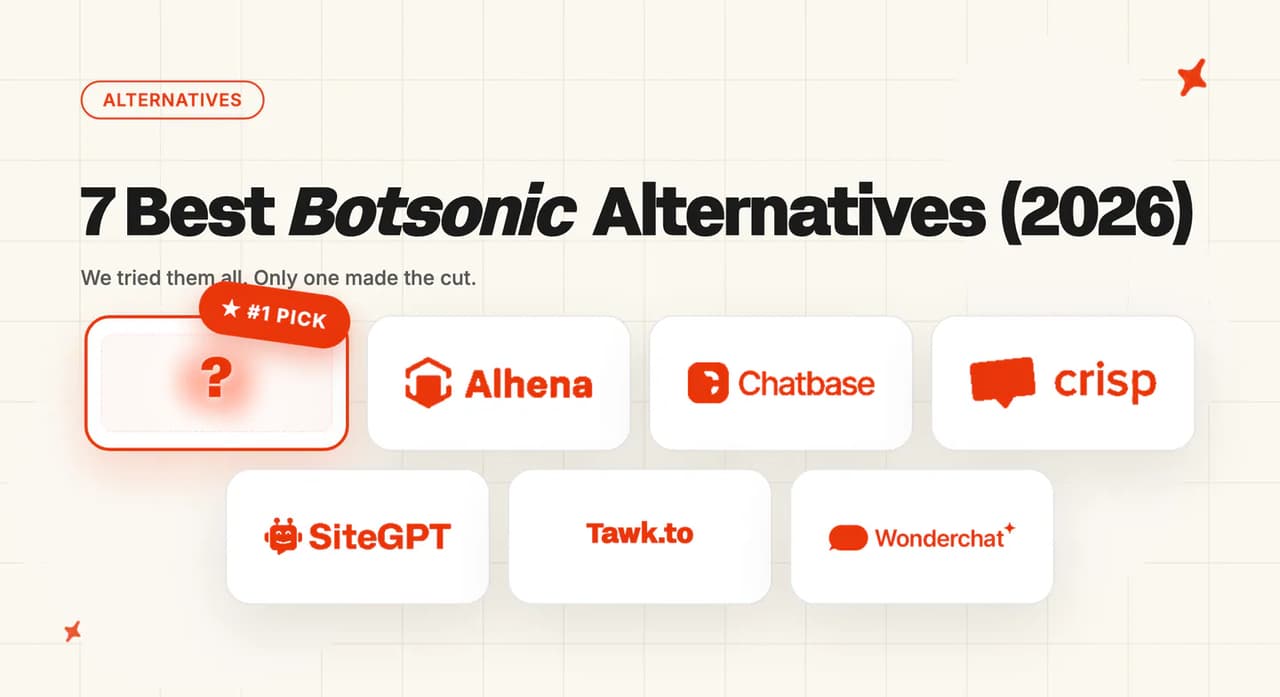
The seven best Botsonic alternatives are My AskAI, Alhena AI, Chatbase, Crisp, SiteGPT, Tawk.to and Wonderchat, each scored below against eight criteria. My AskAI's 68 out of 80 is the highest total, earned on helpdesk-native answering for teams already on Zendesk, Intercom, Freshdesk, Freshchat, Gorgias or HubSpot, while Tawk.to runs the widest of the three free tiers that start at $0. Budget for a $199/mo floor on monthly billing (less on annual).
Crisp's free plan stops at two seats with no AI credits, and Chatbase's caps at one member and 50 credits. Setup starts by connecting the helpdesk you already run, which takes ten to fifteen minutes against five for a pasted script.
You did not overspend. You hit a cap nobody told you about.
You bought a message count, and a dropdown in the model picker decides how far that count stretches. The pricing page does not mention the dropdown.
I opened every pricing page, found the unit each vendor bills you in, and worked out what your traffic costs under it. Three of the seven below turned out to sell you the same model multiplier in a different currency.
By the end you will know which way of billing suits your traffic and what your bill looks like at 250 and at 2,000 conversations a month.
Our complete guide to Botsonic carries the full tier-by-tier pricing breakdown if you want the baseline first.
Are there alternatives to Botsonic for AI customer support?
There are plenty of alternatives. The question worth asking first is what each one counts.
Botsonic's billable unit is a message, and its own documentation sets the rate per model. The model picker in the product puts it on the card next to each option, in Botsonic's own words:
"Marked to use 2x messages, which means it will consume twice as many credits/messages compared to a baseline model" — Botsonic documentation, Available AI Models
And for the top option:
"The highest of the showcased models at 10x messages, which can be quite expensive in terms of credit use, but may be justified by the quality of output for critical applications." — Botsonic documentation, Available AI Models
So the $16 Starter plan's 1,000 messages is 1,000 replies on the baseline model, which is the only model Starter lists. The larger and largest models arrive on the plans above it, where the same 1,000 messages would buy 500 replies or 100.
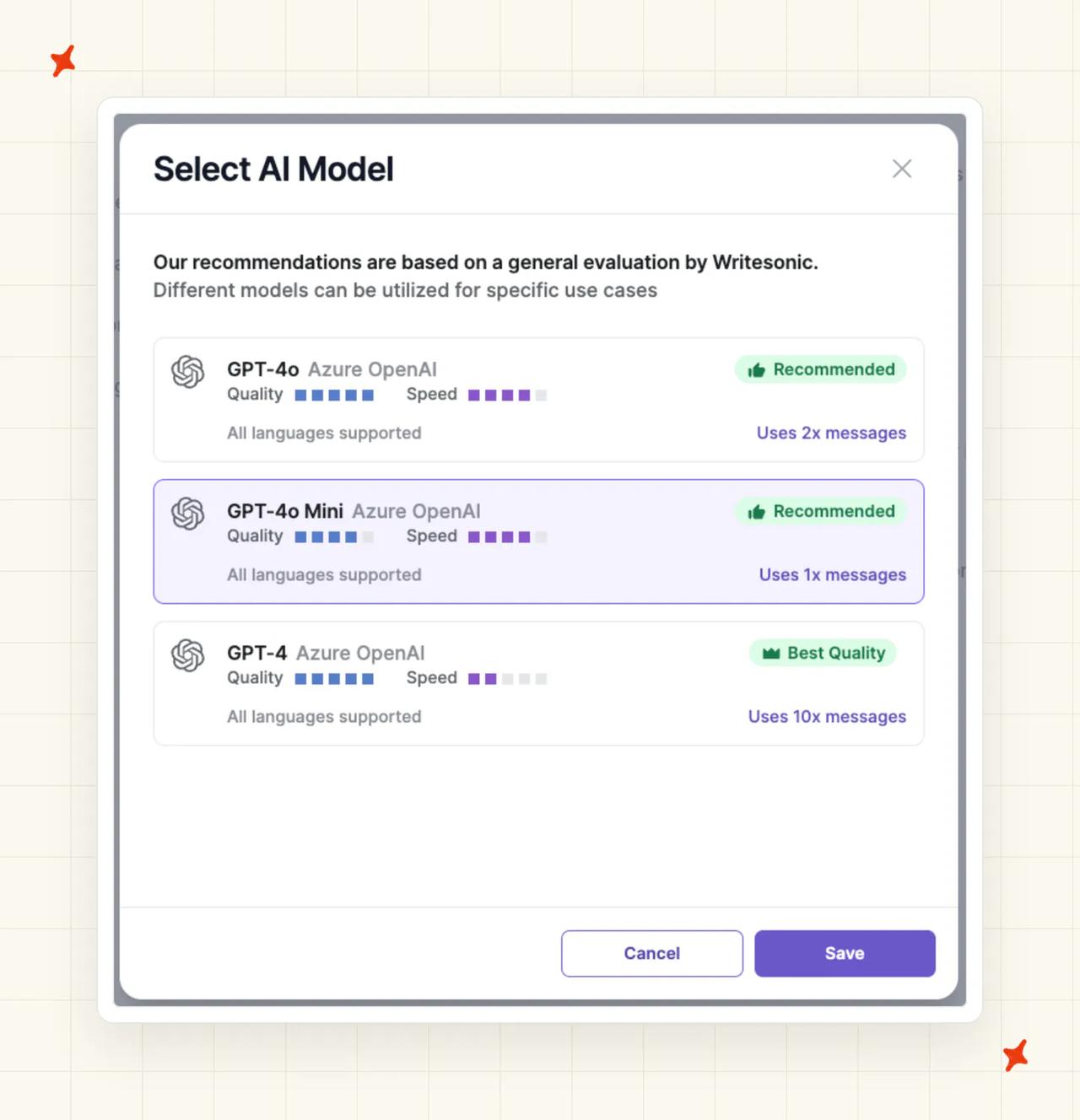
The multiplier is documented in Botsonic's docs and shown in the product's model picker, and its pricing page does not carry it. I read that docs-only rate as the plan's real price.
Botsonic answers in its own widget only. Its Zendesk connector creates tickets, its live-agent handoff is a $199/month add-on, and its documentation index lists twelve integration pages with no Gorgias and no Intercom among them.
If your support already runs through a helpdesk, that is the real reason to move. The bill is just what made you look.
For context on what good looks like, our own AI resolution rate benchmark study puts the median AI handling rate at 70% across 195 rated deployments spanning 38 vendors. The quartiles either side sit at 56% and 80%.
Take that as field context and nothing more. It is an aggregate, every vendor defines its metric differently, and the teams who publish numbers are the teams happy with them.
A third-party agent installs into a helpdesk one of two ways: as an approved marketplace app, or as an API integration. We generally recommend favoring the app.
It has been through the marketplace and helpdesk approval process, the helpdesk knows it is there, it is more stable, and it is less likely to be taken down. Our walkthrough on setting up an AI support agent with no code covers the install end to end.
What's the overall comparison of the 7 Botsonic alternatives?
Botsonic is the baseline, so it sits out of the scoring table and appears in the cost tables below.
| (scores out of 10) | My AskAI | Alhena AI | Chatbase | Crisp | SiteGPT | Tawk.to | Wonderchat |
|---|---|---|---|---|---|---|---|
| Where the AI answers | 10 | 7 | 6 | 4 | 5 | 3 | 3 |
| Ease of setup | 7 | 8 | 9 | 8 | 9 | 9 | 9 |
| Training sources and knowledge freshness | 9 | 7 | 7 | 6 | 6 | 5 | 7 |
| Features | 9 | 8 | 9 | 8 | 7 | 6 | 7 |
| Improving over time | 10 | 6 | 6 | 6 | 5 | 3 | 7 |
| Security | 8 | 6 | 7 | 5 | 8 | 4 | 6 |
| Maturity | 7 | 6 | 7 | 8 | 5 | 8 | 3 |
| Cost and billing transparency | 8 | 7 | 4 | 7 | 6 | 9 | 4 |
| Overall (out of 80) | 68 (85%) | 55 (69%) | 55 (69%) | 52 (65%) | 51 (64%) | 47 (59%) | 46 (58%) |
The same grid in words:
| (at a glance) | My AskAI | Alhena AI | Chatbase | Crisp | SiteGPT | Tawk.to | Wonderchat |
|---|---|---|---|---|---|---|---|
| Where the AI answers | Zendesk, Intercom, Freshdesk, Freshchat, Gorgias and HubSpot natively, plus widget | Own widget plus Gorgias, Zendesk, Kustomer and 8 more | Own widget, own help desk module | Own inbox and widget only | Own widget, plus Crisp, Freshdesk and Zoho from $79; Zendesk agent from $259 | Own widget and inbox | Own widget, escalation only |
| Ease of setup | Helpdesk connect first, 10 to 15 mins | Pasted script, catalog sync | Pasted script, under 10 minutes | Pasted script, whole platform | Pasted script, five minutes | Pasted script, five minutes | Pasted script, five minutes |
| Training sources and knowledge freshness | Docs, URLs, files, historic tickets | Site, catalog, daily catalog refresh | Site, files, Q&A, manual retrain | Help center plus site, no past tickets | Site, sitemap, files, YouTube, cloud drives; refresh gated by tier | Site and files only, no external KB | Site and files; past tickets on the $417 tier |
| Features | Tasks, Tools, tagging, insights, copilot | Seven modules, shopping assistant | Nine action types, model playground | Inbox, help center, campaigns, CRM | Quota slider, iOS app, escalation | Live chat, ticketing, per-agent model | Corrections, voice at higher tier |
| Improving over time | Self-Learning from agent replies | Analytics and manual tuning | Playground testing, manual retrain | Analytics, no past-ticket learning | Corrections made in SiteGPT only | Manual fixes, no AI analytics | Corrections rewritten from chat logs |
| Security | SOC 2 Type II and GDPR | GDPR, no published SOC 2 report | SOC 2, GDPR, BAA on Enterprise | EU hosting, no SOC 2 Type II | SOC 2 Type II, BAA on Enterprise | Does not rent or sell personal data | SOC 2 and GDPR from entry paid tier |
| Maturity | 200+ businesses, 1M+ tickets | Growing ecommerce base | Large self-serve base, published stories | 10,000 companies, long track record | Smaller published customer base | Billions of interactions monthly | Published customer stories, shortest history |
| Cost and billing transparency | Per 1-hour session or per ticket, $0.12 to $0.10 a credit | Per conversation credit, $1.20 overage | Credits 1 to 6 by model, hard stop | Flat workspace fee, bundled AI credits, $10 a seat over | Model-weighted 10 to 1, soft overage | Free platform, credits for AI only | Credits 1 to 20 by model, pauses |
My AskAI takes three rows outright: where the AI answers, training sources, and improving over time. It ties Chatbase on features and SiteGPT on security.
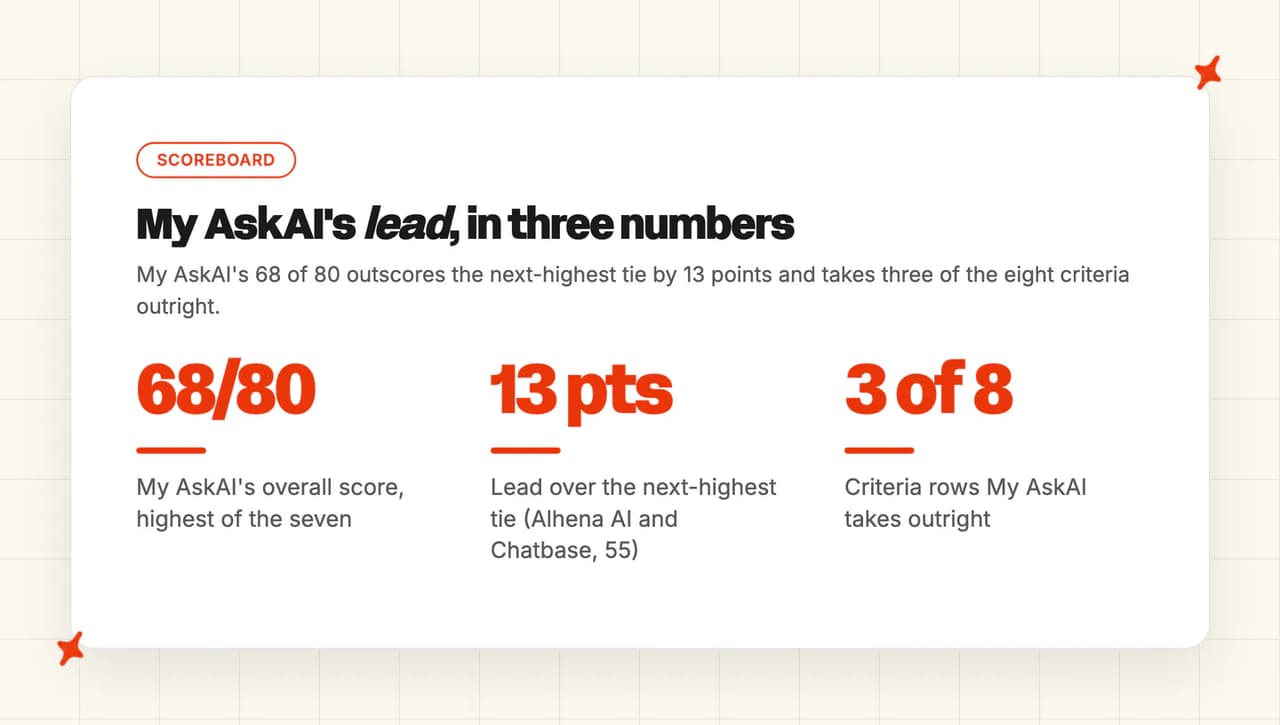
We lose ease of setup to a four-way tie at 9, maturity to Crisp and Tawk.to, and cost to Tawk.to.
Alhena AI and Chatbase both total 55. Alhena takes the higher slot on billing transparency, 7 against Chatbase's 4.
How did I select these Botsonic alternatives?
Four rules, all auditable:
- Self-serve signup, with no sales call needed to see a price
- No-code deployment, so a founder can ship it in an afternoon
- A documented billing unit, published somewhere a buyer can read it
- Enough published detail in the docs and pricing pages that every claim here traces to a page you can open yourself
Tidio Lyro, Intercom Fin, eesel AI, Gorgias and Botpress all appear in our roundup of Chatbase alternatives.
If you are shopping AI builders in general and not leaving Botsonic specifically, that is the better page for you.
Zipchat and Wizybot are Shopify and DTC only, and Botsonic's buyer is horizontal. Ada, Decagon, Forethought and Sierra sit in an enterprise price band that a reader leaving a $16/mo plan is not shopping in.
How did I compare these Botsonic alternatives?
The eight criteria are where the AI answers, ease of setup, training sources and knowledge freshness, features, improving over time, security, maturity, and cost and billing transparency. Evidence comes from published pricing pages, vendor documentation, help center articles, and G2 and Capterra reviews. Where a vendor publishes no figure, the text records the absence and no estimate stands in for it.
Where the AI answers
The first question is architectural, and I weight it hardest. Does the AI answer in its own widget on your site, or inside the helpdesk your team already works in?
A tool that creates a Zendesk ticket has handed the work to a human; a tool that replies in the thread, adds an internal note, tags the ticket and routes it has done the work.
Ease of setup
Time to first useful reply, and how much of it needs an engineer. Pasting a script onto a marketing site is a five-minute job.
Connecting a helpdesk, mapping tags and setting escalation rules takes longer and buys you more. We score the speed here.
Training sources and knowledge freshness
What the tool can ingest, and how often it re-reads it. A site crawl that runs once at setup goes stale the week you update your returns policy.
Past tickets matter here too. A team with nothing written down can still get an agent going if the tool learns from what its agents already answered.
Features
Autonomous replies, agent-side copilot, tagging, actions that call your systems, analytics. I judged each one on what it does in practice once it is live.
Answer quality
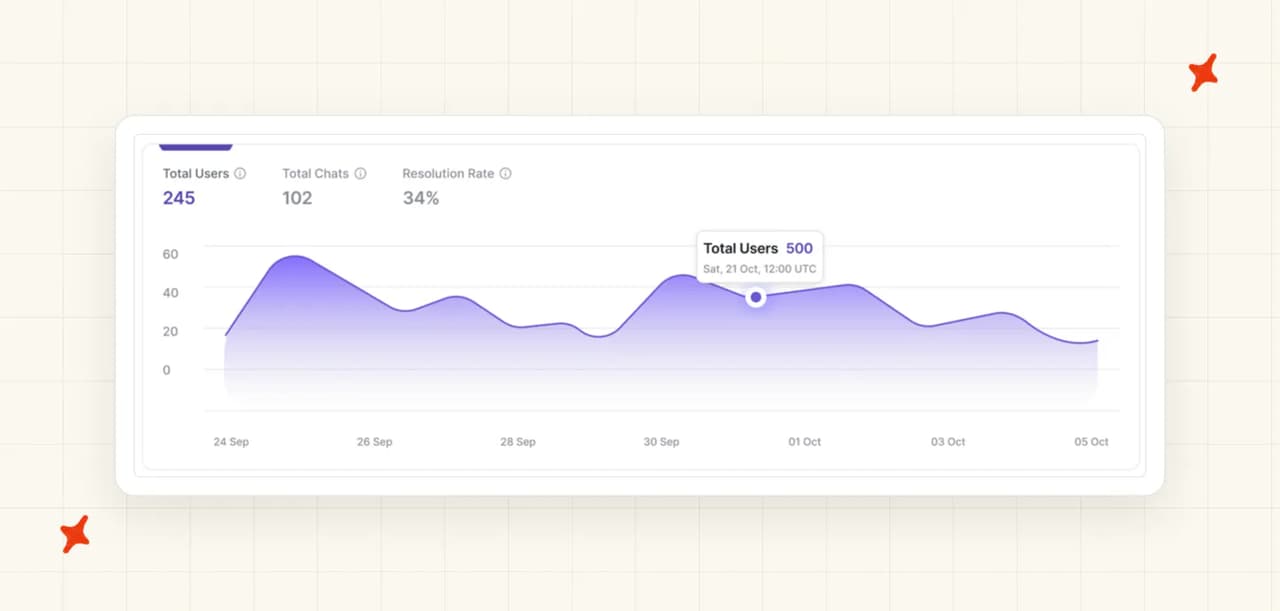
This one is prose and not a score, because vendors define resolution differently and their published rates do not compare. Botsonic's own analytics documentation defines its in-product metric as "Resolution Rate - Number of tickets marked as resolved through the post-chat feedback form within the chosen timeline", and its Workspace Stats page repeats it as "the total number of conversations or chats marked resolved by users."
It only populates if the post-chat feedback popup is on, and it only counts the users who answered it. That is a survey response rate wearing a resolution label, and I am not going to score a column off numbers built that differently.
Improving over time
The loop between a bad answer and a better one. Who spots it, who fixes it, and whether the fix is automatic or an evening of your time.
Security
Certifications that exist on the plan you can afford, and not the one the sales page mentions. SOC 2 Type II, GDPR, HIPAA and a signed BAA, and which tier each sits on.
Maturity
How long the product has been shipping, how big the installed base is, and how many customers it can point at. I only count what a vendor publishes.
Cost and billing transparency
The unit, named plainly: message, credit, conversation, resolution, ticket, session or flat. Whether your model choice changes the rate.
And what happens when the allowance runs out, because an allowance that stops the AI takes your bot off a live site.
Is My AskAI a good Botsonic alternative?
I am one of the founders of My AskAI, so I cannot be impartial about this section. Here are our numbers and the rows we lose.
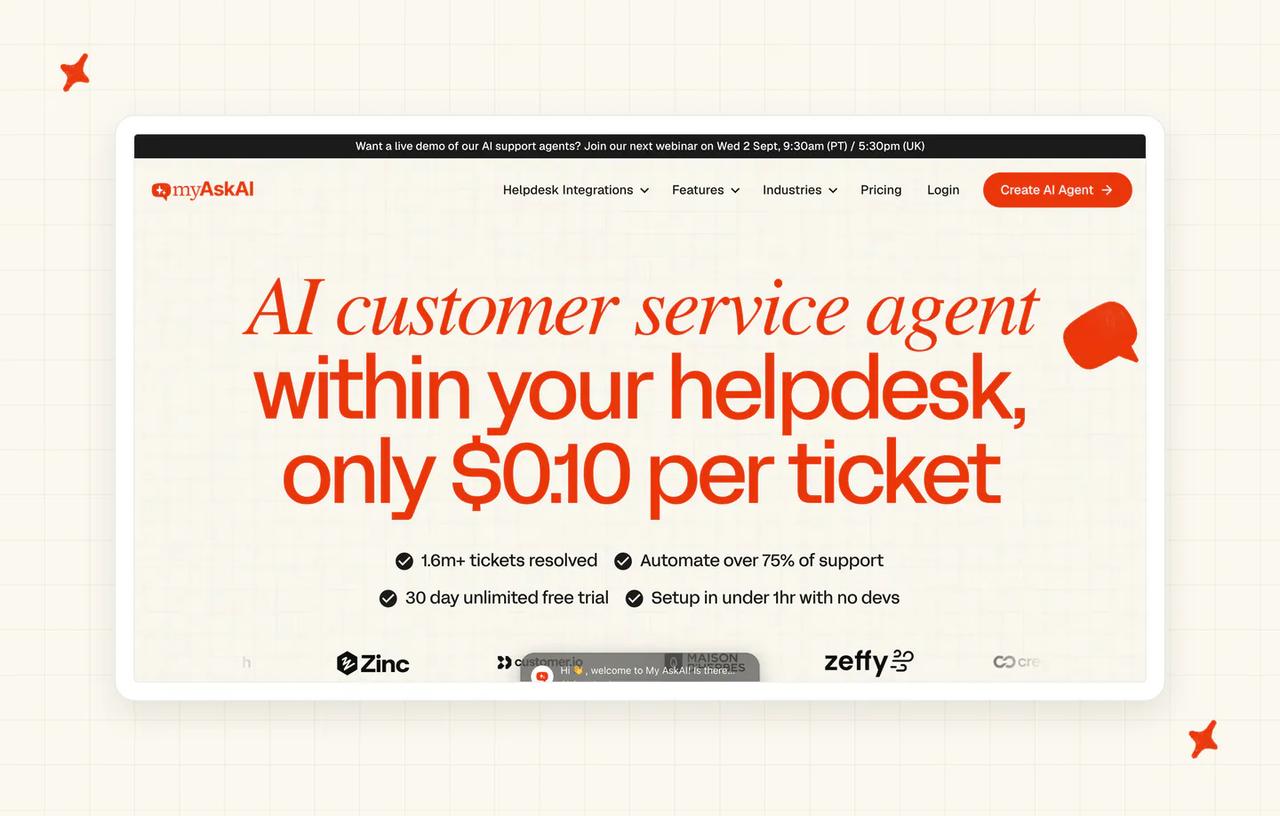
We are an AI layer that runs inside the helpdesk you already pay for. Around 200 ecommerce and SaaS businesses use us, our agents have resolved over 1,000,000 tickets, and the rolling 30-day resolution rate across the customer base sits above 72%.
G2: 4.5/5 from 21 reviews.
"The AI Agent consistently answered 70% of our support requests with no tweaking after the first knowledge base sync... quickly got us up to 80% deflection." — Alan P., Head of Customer Success (Small-Business), G2
Where does My AskAI's AI answer?
We answer inside six helpdesks natively: Zendesk, Intercom, Freshdesk, Freshchat, Gorgias and HubSpot. Zendesk and Intercom are our biggest and most popular integrations.
Inside those, the agent replies in the thread, drafts as an internal note, tags the ticket and hands over to a human with the conversation summarized. We also run a web chat widget, an email channel and Slack, and the agent works in whatever channels your helpdesk routes to it (social included).
How easy is it to set up My AskAI?
Ten to fifteen minutes, and a helpdesk has to be connected first. That is slower than pasting a script onto a marketing site, and we score ourselves accordingly.
You install our approved marketplace app for your helpdesk, point us at your knowledge, and set your Guidance rules. You do need a business email to sign up.
What knowledge sources can I train My AskAI on?
Help center articles, website URLs, uploaded files, and Custom Answers for wording you need returned verbatim. Macros can come in as Q&A pairs, or converted to knowledge with an LLM first, and our own guide hands you the prompt for that.
If nothing is written down yet, Train on Historic Tickets drafts starter articles from your past tickets. The default backfill is your last 5,000 tickets, and more is available on request.
Private mode keeps individual files internal-only, so they answer your team without ever reaching a customer.
What features does My AskAI have?
Tasks and Tools handle multi-step work: the agent picks the right Task, asks the right questions and calls your APIs. Actions run fully autonomously or as propose-then-approve, and you choose that per action.
The User Data API lets it answer "where is my order" from your live systems. AI Tagging classifies each incoming ticket against your existing tags, natively in Zendesk, Intercom, Freshdesk and Freshchat.
It reads the message text, and triage can also run through Guidance handover rules, which plenty of teams mix with tagging. Insights groups every conversation into topics and scores 100% of them for AI CSAT, where the usual approach is a sample.
Our copilot is the AI Copilot Chrome Extension, and it works inside any of our integrated helpdesks with no per-seat charge. Internal Note Replies is the separate mode, where the agent drafts the whole reply as a private note on the ticket.
How does My AskAI improve over time?
Self-Learning compares the AI's draft to what the human agent actually sent on handed-over tickets, then drafts the missing knowledge article for review. That loop runs without anyone remembering to run it.
For traceability, ask Echo. Echo is the AI operator agent in our dashboard: open any conversation and ask it why the agent gave that answer and which source it used.
It also writes and merges Guidance, manages Custom Answers, tests answers, and takes screenshots or documents and turns them into Tasks.
How secure is My AskAI?
SOC 2 Type II and GDPR, with AES-256 encryption at rest and TLS in transit, all set out in our security overview. Your data is never used for model training or for anything beyond serving your own tickets.
The Scale plan includes the SOC 2 Type II report, and there is a live trust report your security reviewer can read today.
How mature is My AskAI?
Around 200 ecommerce and SaaS businesses, over 1,000,000 tickets resolved by our agents, and listings in every major helpdesk app store.
Crisp and Tawk.to have both been platforms for far longer and carry far larger installed bases.
How much does My AskAI cost?
Pro is $199/mo with 1,000 credits and a $0.12 overage rate, and includes 5 team seats. Scale is $499/mo with 2,000 credits at $0.10, branding removal, up to 3 agents or brands and unlimited seats. Enterprise starts at $999/mo with all usage at $0.10.
A credit measures a unit of work and not a message. On our widget, unlimited messages inside a one-hour session count as one credit.
In a helpdesk, every 2 AI replies is 1 credit, so a typical chat lands around $0.10 per ticket and a typical email ticket around $0.15. Nothing in that rate moves when the model changes.
Put your own ticket volume through our ROI calculator and it turns that rate into a monthly number.
The core per-ticket rate is flat, and it does not rise as the AI gets better. Usage-based features are priced per use on top: AI Tagging at $0.05 per attribute per ticket, AI Actions at $0.02 per reply where a tool fires, Tasks at $0.02 per step, Live Translation at $0.05 per ticket, and image processing at $0.02 per reply with an image.
You can prove all of it before you pay us anything. The trial is 30 days, all features unlocked, unlimited tickets, no card.
Who is using My AskAI?
TravelJoy, a SaaS platform running Zendesk, reached an 80% resolution rate with our agent. Edel Optics, an ecommerce brand also on Zendesk, reached 79%.
Both have full case studies published on our blog with the numbers and the setup written out.
Where My AskAI loses to the alternatives
- Tawk.to's platform is free forever, priced per property and not per seat. A solo founder with one site and no budget should take Tawk.to. Our floor is $199/mo.
- SiteGPT signs a BAA. It will sign a HIPAA BAA and a DPA on its Enterprise tier. HIPAA, ISO 27001, ISO 42001 and PCI-DSS are unavailable on every My AskAI plan, Enterprise included. If protected health information is in scope, that row is theirs.
- Four rivals install faster. Chatbase, SiteGPT, Wonderchat and Tawk.to are answering questions five to ten minutes after a script is pasted. We need a helpdesk connected first and take ten to fifteen.
- Crisp is a whole inbox. It gives a team with no helpdesk an inbox, help center and AI on one flat workspace fee. We are a layer that sits on the helpdesk you already run.
Is Alhena AI a good Botsonic alternative?
Alhena is built for ecommerce, and it does not charge you for the things you would not want to pay for.
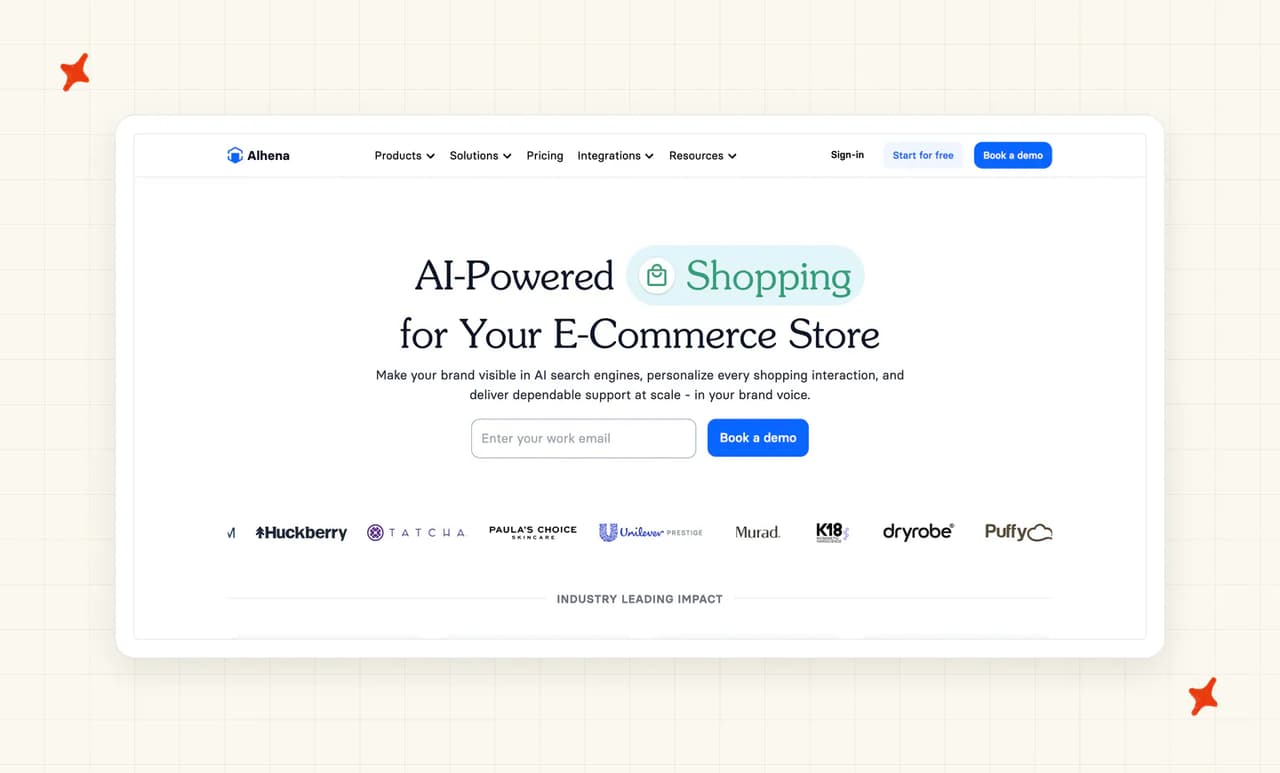
It layers onto a helpdesk properly, with eleven helpdesk integrations including Gorgias, Zendesk and Kustomer, and it ships seven product modules where most of this set ships one bot.
G2: 4.9/5 from 35 reviews.
"Alhena was the 1st AI that came very close to the tone and branding via Conversations we were looking for... Pre Purchase & Post Purchase + Service and Product reviews all handled by Alhena AI." — Ben O., Head of Customer Service (Mid-Market), G2
Where does Alhena AI's AI answer?
In its own widget on your storefront, and inside the helpdesk you already run. The integration list covers eleven helpdesks, Gorgias, Zoho Desk and Salesforce Service Cloud among them, which is more than any other builder in this set.
How easy is it to set up Alhena AI?
A pasted script plus a catalog connection. The storefront sync is the extra step over a plain site crawl, and it is what makes the shopping-assistant modules work at all.
What knowledge sources can I train Alhena AI on?
Your site, your help center and your product catalog. The catalog is the important one, and it refreshes daily and not live, so a same-day price change or stock-out will lag. I read a once-a-day refresh as fine for steady inventory and risky for anything that moves faster, flash sales included.
What features does Alhena AI have?
Seven modules: support answers, a shopping assistant, pre-purchase and post-purchase handling, product reviews, agent assist and AI visibility. Add-to-cart is pre-built on Shopify only.
Spam and irrelevant queries are not billed, and neither is a handoff that goes straight to a human without the AI resolving anything.
How does Alhena AI improve over time?
Conversation analytics plus manual tuning of answers and guidance. There is no automatic knowledge-drafting loop that turns a handover into a new article without anyone asking (the gap our own Self-Learning closes).
How secure is Alhena AI?
GDPR compliance is published. Alhena does not publish a SOC 2 Type II report on its public pages, so a security reviewer will need to request it directly.
Check its pricing page and ask for the trust documentation before you commit. Buyers ask us for ours at the same stage.
How mature is Alhena AI?
A growing ecommerce base with a published customer-story index, and a set of named brands a buyer can check for themselves. Crisp and Tawk.to have both been shipping for longer.
How much does Alhena AI cost?
Free at 25 conversations a month, then Essentials at $239 monthly or $199 on annual billing, which covers 200 conversations. Growth is $599 for 550 and Scale $1,199 for 1,200, and the overage is a flat $1.20 per credit at every tier, with no volume discount.
The unit is a conversation credit, spent when the AI resolves or assists an interaction. Spam, irrelevant queries and immediate human handoffs are zero-rated, so billable volume lands under raw traffic (our own modeling assumes about 60%, and your own mix decides the real share). Full tiers are on the pricing page.
Who is using Alhena AI?
Dryrobe published a story on cutting combined sizing returns by 36% with Alhena, and Victoria Beckham published one on 10% revenue growth with the Alhena AI Stylist.
Ettitude, Tatcha, Crocus and Puffy are also listed on the customer-story index.
Read more: our complete guide to Alhena AI, the best Alhena AI alternatives, and My AskAI vs Alhena AI head to head.
Is Chatbase a good Botsonic alternative?
If you like how Botsonic works and just want a better version of it, this is the one. Setup runs under ten minutes and the product is a good one.
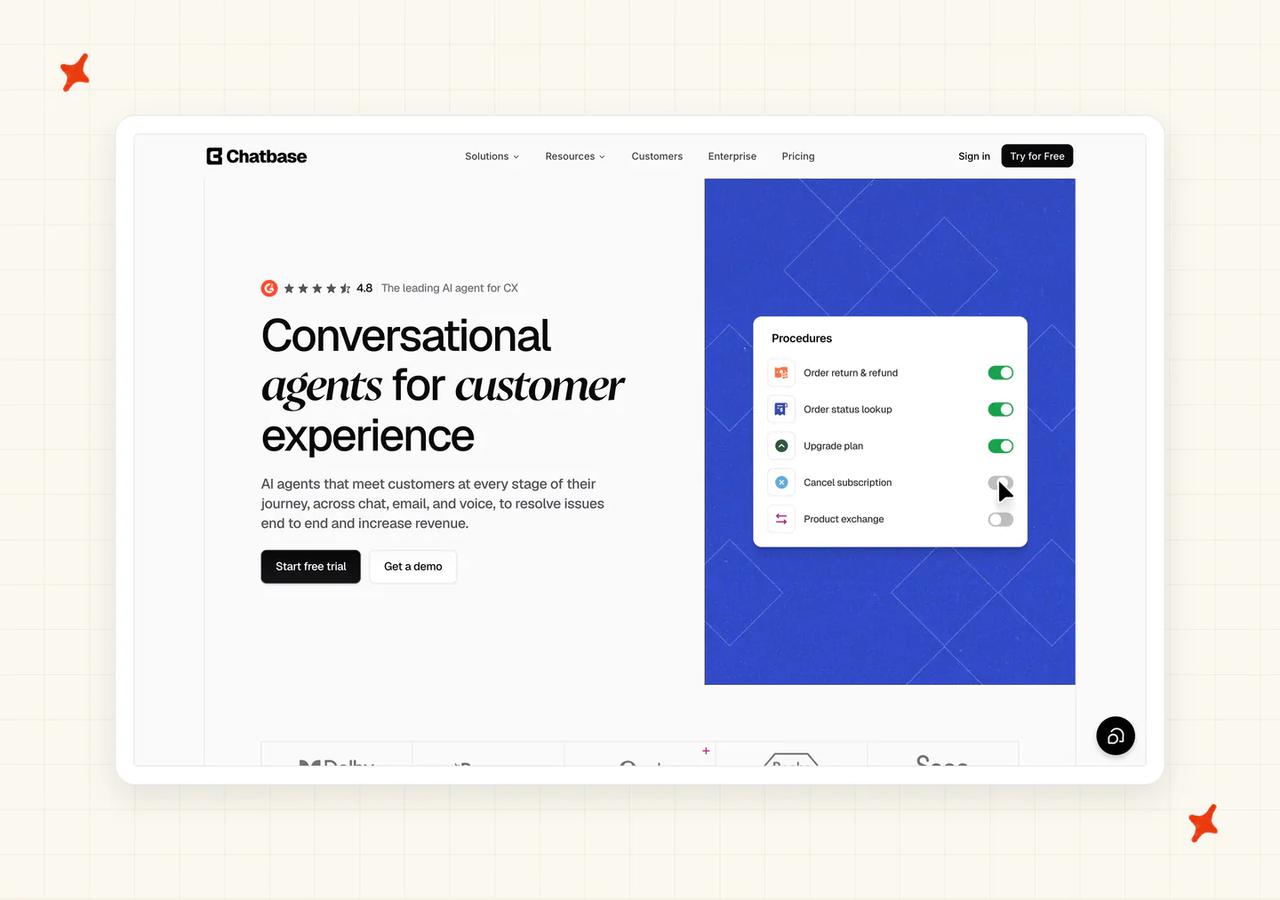
It is also the vendor in this set that most exactly re-buys the mechanic you are leaving.
G2: 4.7/5 from 14 reviews.
"I just had to put the link of my website into Chatbase and it took care of scanning it completely... it answers me in the ChatGPT style." — Ederson V., Web Designer (Small-Business), G2
Where does Chatbase's AI answer?
Its own widget, plus a Help Desk module of its own that starts on the Standard tier. AI Actions cover escalations, lead collection, Stripe, Shopify, custom forms, Zendesk and Sunshine live chat. I count that as enough automation to handle a real support workload.
That is a wider surface than Botsonic's, but it is still Chatbase's own inbox and not an agent inside yours.
How easy is it to set up Chatbase?
Under ten minutes from signup to a bot answering on a site. Paste the script, point it at your URL, and it crawls.
What knowledge sources can I train Chatbase on?
Website crawl, uploaded files, and Q&A pairs. Training content is capped by tier, running 1 MB on Free up to 40 MB on Pro (check that against the size of your help center before you pick a plan).
There is no simulation against your historical tickets. Testing happens in the Playground and not against real past conversations, so you cannot model your resolution rate before you go live.
What features does Chatbase have?
Nine action types in the AI Actions picker, and a side-by-side model comparison playground across more than 35 models from seven providers. Voice, telephony, outbound campaigns and API access all start on Standard.
Every self-serve tier includes one AI agent (so a second brand is a paid add-on and not a plan feature). Extra agents are $25 per agent per month.
How does Chatbase improve over time?
The Playground is the main loop: test a question, see the answer, retrain the source. Corrections come from editing the knowledge yourself, and no automatic drafting pass does it for you.
How secure is Chatbase?
SOC 2 Type II and GDPR, both at platform level (so the certification does not move when you change plan). A HIPAA BAA is available on the Enterprise plan only, which its own docs say in as many words.
How mature is Chatbase?
A large self-serve base and published customer stories with real numbers, on a shorter track record than Crisp's or Tawk.to's.
How much does Chatbase cost?
Free is $0 with 50 credits. Hobby is $40 with 700, Standard is $150 with 4,000, and Pro is $500 with 15,000.
Enterprise is quoted, and a 20% discount applies on yearly billing. Full ladder on the pricing page.
Credits are spent per response, and the rate depends on the model (the exact mechanic you came here to leave). In Chatbase's own words, "Each response from your AI Agent consumes credits based on the AI model used", with the cheapest options at "All other models: 1 credit" and the deepest-reasoning tier at six.
Overage comes through auto-recharge at $40 per 1,000 credits. Removing branding is $99 a month.
At zero credits the agent goes dark (a hard stop on a live site). Chatbase documents the exact string it shows your customers: "This AI Agent is currently unavailable. If you are the owner, please check your account." Arming auto-recharge prevents it.
Who is using Chatbase?
Aplazo, described on its own story page as "the leading Buy Now, Pay Later provider in Mexico", reports a 2.2x lift in merchant closed-won rate.
Jumia's J Force program reports 80% of inbound communications resolved without a human across 1,500+ conversations a month. Fifteen stories sit on the customers index.
Read more: our complete guide to Chatbase, and My AskAI vs Chatbase head to head.
Is Crisp a good Botsonic alternative?
Crisp is a whole platform: shared inbox, help center, campaigns and a small CRM, with AI on top. For a team with no helpdesk, that is one bill instead of three.
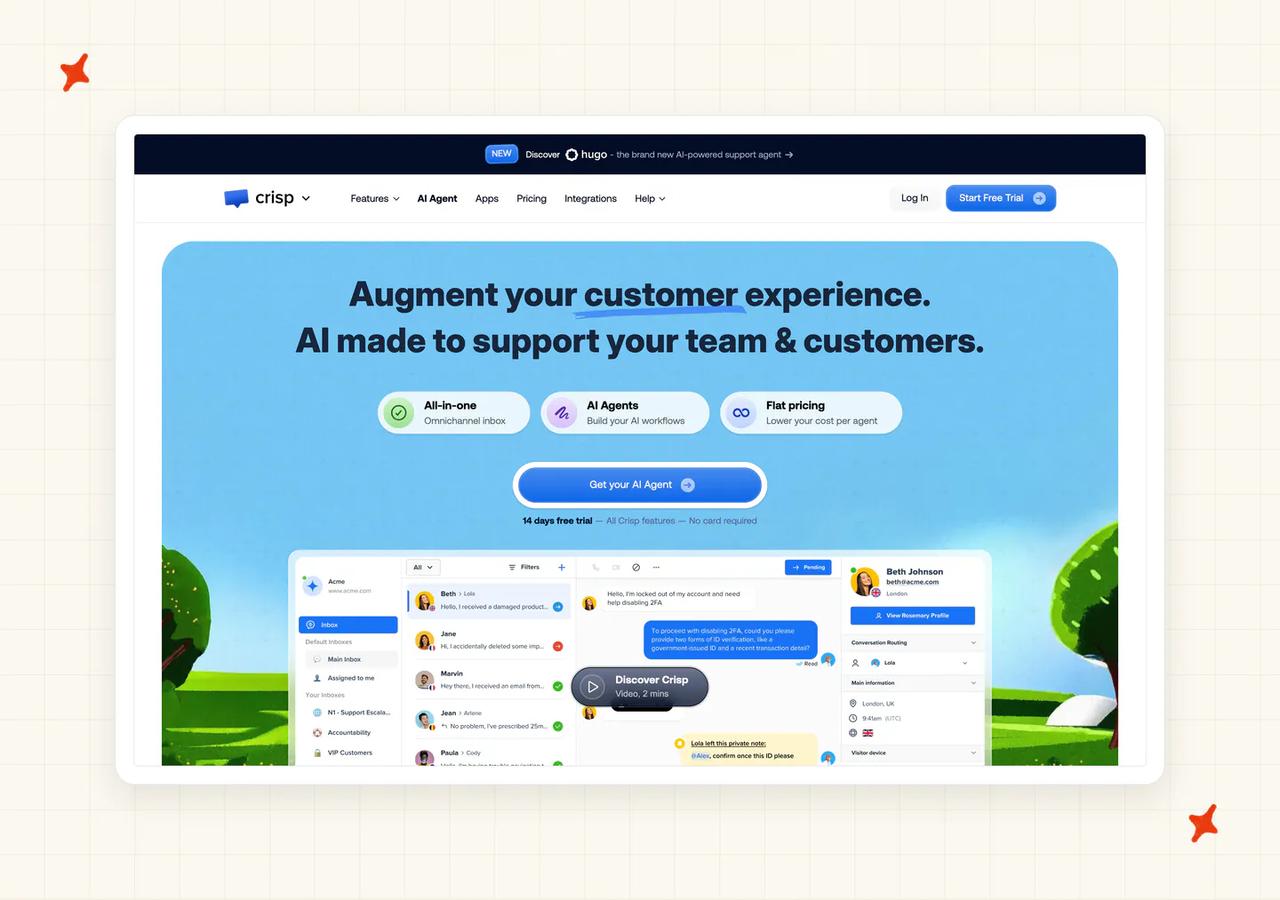
It is European, and (fun fact) it hosts a proprietary model of its own in Paris. Some buyers weigh that more heavily than a certification.
G2: 4.5/5 from 194 reviews.
"Until recently, we had to outsource our AI chatbot service, but Crisp made massive improvements in that, and now we don't have to pay for our outsource anymore." — Verified user, G2
Where does Crisp's AI answer?
In Crisp's own inbox and widget, across the channels Crisp itself handles.
There is no way to point Hugo at a helpdesk you already run, so adopting Crisp means moving.
How easy is it to set up Crisp?
The widget is a pasted script and takes minutes. Adopting the platform properly, with inbox, help center and routing, is a much bigger job (closer to a migration than to a setup task).
What knowledge sources can I train Crisp on?
Your Crisp help center and your website content. Past tickets are deliberately excluded from end-customer answers by design.
What features does Crisp have?
Shared inbox, help center, campaigns, a contact CRM and Hugo AI, with five model choices behind it. Workflows do not consume AI credits. I read that as real savings for a bot fielding a lot of dead-end chats.
Every paid tier ships AI credit: $5 on Mini for around 90 automated conversations, $25 on Essentials for around 450, and $75 on Plus for around 1,350. What Plus adds on top is the AI-First Support Suite bundle and unlimited task automations.
How does Crisp improve over time?
Conversation analytics and manual tuning of the help center and Hugo's sources. Because past tickets are excluded from end-customer answers, the improvement loop runs through your documentation and not your ticket history. On our side, Self-Learning drafts the new knowledge from the tickets themselves.
How secure is Crisp?
EU data residency and a Paris-hosted proprietary model. Crisp does not publish a SOC 2 Type II report or an ISO 27001 certificate, so a reviewer asking for either will not find one on the public pages.
How mature is Crisp?
Long-established, with a homepage claim of "Trusted by 10,000 companies of all sizes", which is a longer track record than ours.
How much does Crisp cost?
Per workspace and not per seat, which is the headline. Mini is $45, Essentials $95 and Plus $295 a month, and Hugo AI conversations draw down the credit each tier includes at roughly $0.06 apiece (Plus includes $75 of credit, about 1,350 conversations).
Each tier includes a set number of agent seats, 2, 4, 10 or 20+, and extra agents are $10 per agent per month. Full tiers on the pricing page.
Who is using Crisp?
Crisp's named customers come from its homepage logo wall, which includes Air France and Decathlon.
Those are logos on the homepage and not published case studies with numbers, so take them as customers and leave it there.
Read more: our complete guide to Crisp AI, and My AskAI vs Crisp head to head.
Is SiteGPT a good Botsonic alternative?
SiteGPT weights its message quota by model exactly as Botsonic does. It puts the trade-off on the pricing page as a control you can move.
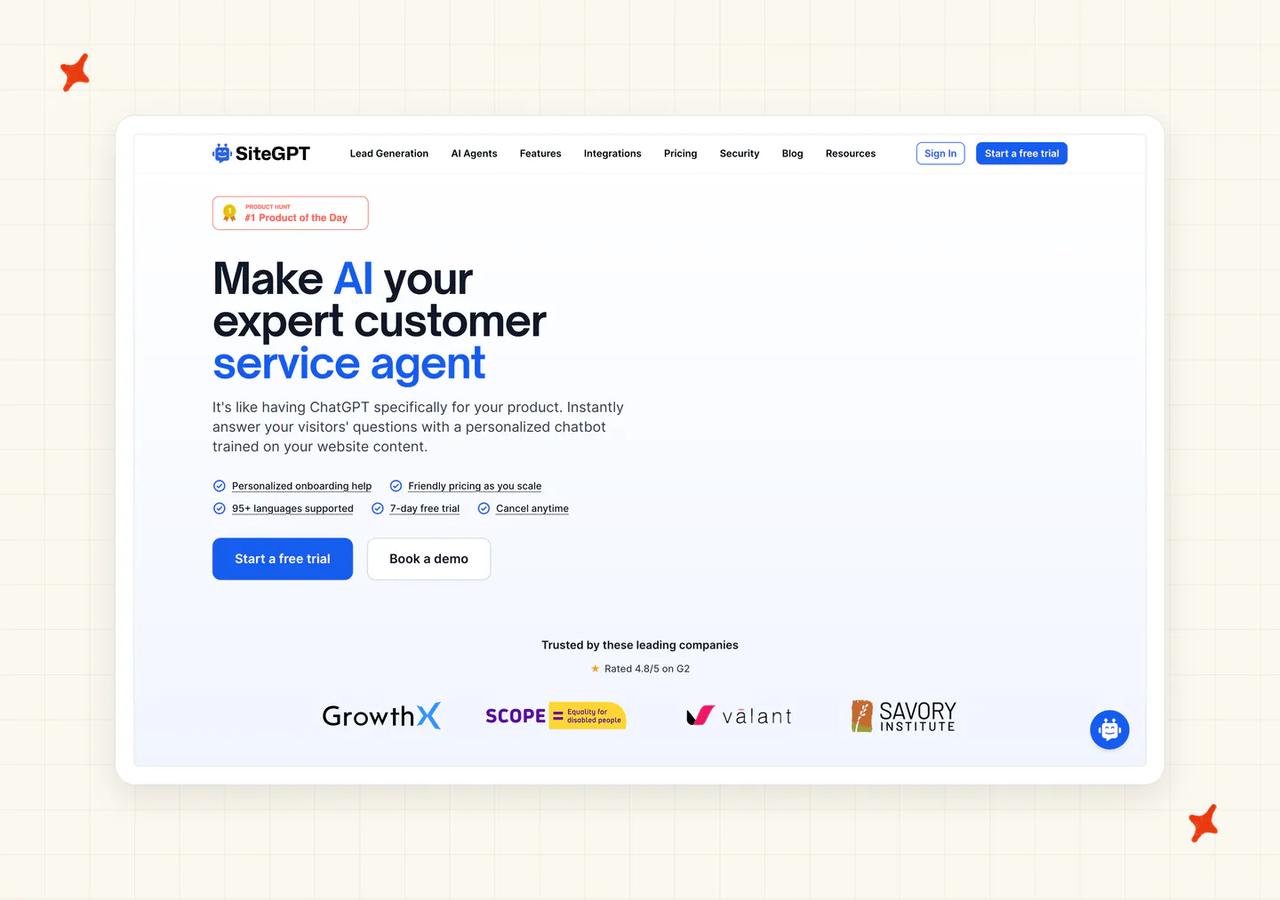
Its compliance grid is tiered, so which tier each item sits on decides whether you can have it at your price (the signable paperwork sits on Enterprise).
"It was extremely easy to set up. Training consisted of inputting our Zendesk help portal link and clicking 'go'." — Joel W., Implementation Engineer, Capterra
The same reviewer on Capterra had one criticism. Corrections have to be made inside SiteGPT itself, and not through whatever platform the conversation arrived on.
Where does SiteGPT's AI answer?
Its own widget by default. On the Scale tier and above it also installs into Zendesk Messaging, in SiteGPT's own words: "Install SiteGPT as the AI agent inside Zendesk Messaging: it answers first in your Zendesk widget and hands conversations to your human agents with full history when needed."
That is a real in-helpdesk mode, included on the Scale plan at $259/mo billed annually, or $429 month to month. There is also an iOS app with an inbox that separates the threads the AI handled from the ones that need a person (handy if you triage from your phone).
How easy is it to set up SiteGPT?
Five minutes. Paste your help center link, click go, and the crawl does the rest, exactly as the Capterra review above describes.
There is no helpdesk to connect and no approval step, which is the whole appeal of a widget builder.
What knowledge sources can I train SiteGPT on?
Links and files, measured in pages, where "A page represents 2,500 cleaned characters of content from your sources (links, files, etc.)." Starter allows 1,000 pages, Growth 10,000 and Scale 50,000.
Refresh frequency is gated by tier. Starter is manual only, Growth re-reads monthly, and Scale re-reads weekly with a daily scan.
What features does SiteGPT have?
The pricing-page quota slider is the distinctive one, showing how a plan's monthly allowance splits between a cheap model and an expensive one (no other pricing page in this set gives you that dial). Growth and above add escalation with full history, an iOS app, conversation insights on Scale, and developer access through an API.
How does SiteGPT improve over time?
Conversation insights on the higher tiers, plus manual corrections. Those corrections have to be made in SiteGPT itself, so fixing an answer means leaving whatever platform the conversation came through.
How secure is SiteGPT?
Its docs state that "SiteGPT is audited against SOC 2 Type II. Reports are available through the trust portal." On GDPR, the same docs describe "GDPR-aligned processes for data subject requests and deletion" and not a certification.
HIPAA eligibility, a signed BAA and a signed DPA all sit inside the Enterprise block on the pricing page. None of them is available at $39/mo (check the tier before you promise your reviewer anything), and its security page is the place to start.
How mature is SiteGPT?
A smaller published customer base than the platform vendors here. It ships steadily and documents itself well. I weigh that documentation heavily, since it answers a buyer's question without a sales call.
How much does SiteGPT cost?
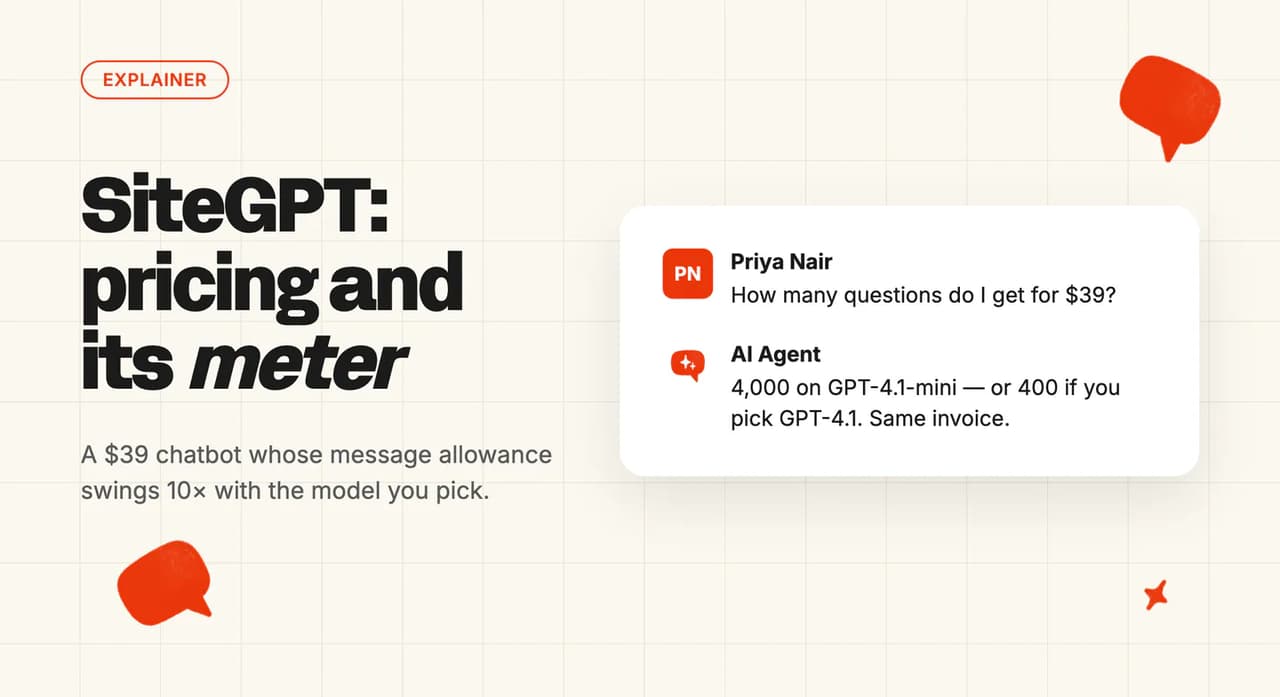
Starter is $39/mo on annual billing, or $59 monthly, with up to 4,000 small-model messages or 400 large-model messages a month and any mix in between.
Growth is $79 annual or $129 monthly, and Scale is $259 annual or $429 monthly. Extra capacity comes in "Packs of 5k additional messages are $59/mo."
SiteGPT publishes no per-message overage rate, so the pack is the only route past the quota. Removing branding is another $39/mo, and members run 1 on Starter, 4 on Growth and 10 on Scale.
The cap behavior is the good news. Its billing doc, under its own heading asking what happens at the quota, says your chatbot keeps answering, and that "on a paid plan we never cut off your visitors mid-cycle."
It adds that "(Free-trial chatbots do pause at the trial limit until you upgrade.)" Quotas do not roll over.
Who is using SiteGPT?
SiteGPT's named reference is CBS Bahamas, and it sits on the homepage as a testimonial from Brent Burrows II, Vice President of Retail and Sales: "We've got the bot dialled in - we're using GPT-4, have an avenue for escalations to Zendesk, and so far I have no complaints."
The strip of company names on the pricing page under "Trusted by these leading companies" carries no customer story, outcome number or testimonial attached to any of them.
Read more: our complete guide to SiteGPT.
Is Tawk.to a good Botsonic alternative?
If your real complaint about Botsonic is the $16, this is your answer. Tawk.to's homepage claims "Over 3 billion people interact via tawk.to every month", and the platform itself is "100% Free".
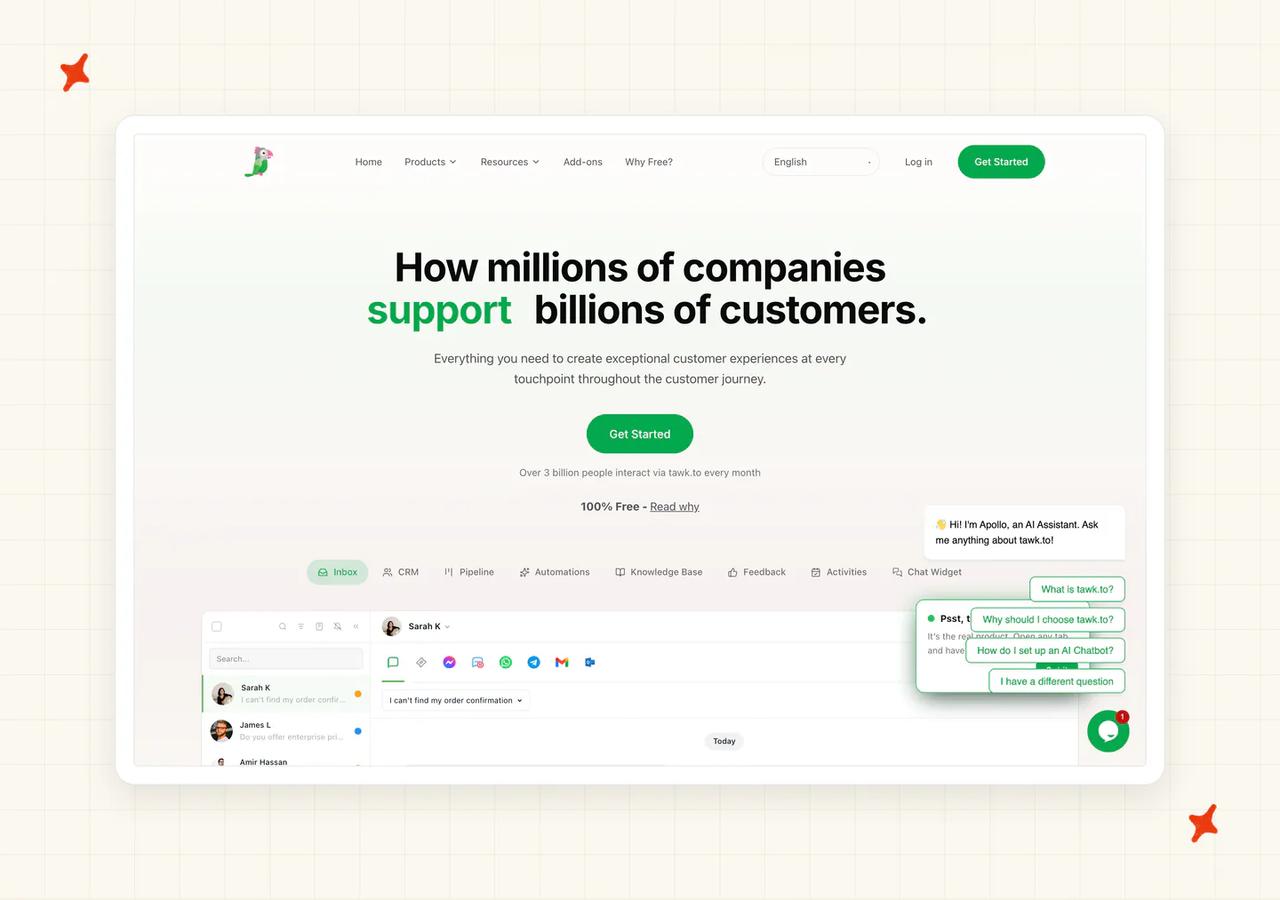
On price it is the one to beat. The AI is a separate product with its own caveats.
G2: 4.5/5 from 203 reviews.
"It would be helpful to see the exact entry page or link a visitor used to land on the website. Also, the AI agent could be more powerful if it could learn from external documentation or knowledge bases." — Bachchan J., Director, Computer Software (Small-Business), G2
Where does Tawk.to's AI answer?
In Tawk.to's own widget and its own inbox, alongside human agents. AI Assist can be deployed as multiple agents across support channels, with a completion model chosen per agent.
There is no mode where it answers inside a helpdesk you already run.
How easy is it to set up Tawk.to?
Five minutes for the widget, and the AI Assist setup wizard is a short flow on top of that. There is nothing to connect and nothing to approve. I put that among the fastest setups here, level with Chatbase, SiteGPT and Wonderchat.
What knowledge sources can I train Tawk.to on?
Your site content and files you add inside Tawk.to. It cannot ingest an external help center and it cannot learn from past tickets, which is exactly the limitation that G2 reviewer names.
What features does Tawk.to have?
Live chat, ticketing, a knowledge base, and AI Assist on top with a per-agent model picker. Hired human agents are also sold, starting at $1 per hour (a staffing service, not AI).
Removing the Tawk.to branding is a paid add-on.
How does Tawk.to improve over time?
The loop is a documented workflow for fixing an incorrect AI response, one answer at a time. Tawk.to publishes no resolution, deflection or containment rate, and it ships no AI answer-quality analytics.
So you are fixing what you happen to notice.
How secure is Tawk.to?
Its security page states that it does not rent or sell personally identifying information, which is a privacy promise and not a certification. Ask Tawk.to for its current certification list before your security reviewer signs anything off.
How mature is Tawk.to?
Very. Billions of interactions a month and a decade-plus track record, which puts it ahead of us and level with Crisp.
How much does Tawk.to cost?
The platform is $0 forever, and no card. AI Assist is the paid part, with "paid plans from $29 / mo" on its add-ons page (the platform underneath stays free whatever you do).
AI Assist bills in message credits, and each AI Assist message deducts one. Allowances run 100 on the free Hobby tier, 1,000 on Growth, 5,000 on Business and 20,000 on Enterprise.
Extra credits are "$30 USD per 1,000 credits" and purchased credits do not expire (a kinder rule than most of this set, where unused credits die at the period end). Removing branding is $39 per month, or $348 annually, which works out at $29 a month.
Billing is per property, so a developer running nine client sites buys nine subscriptions. One merchant's complaint on the Shopify App Store is about availability and not price:
"the shame thing is the $29 AI plan is not available in shopify" — Us Cushion, United States, Shopify App Store
At the cap the stop is a partial one.
The message credits article spells it out: "AI Assist will continue existing conversations even after your available credits are used. These messages are counted as Excess Usage Credits."
It goes on: "AI Assist will not join new conversations until you purchase more credits or your monthly subscription credits reset. Any excess usage is deducted from your next credit balance."
Who is using Tawk.to?
Tawk.to's named customers come from its homepage logo wall, which includes Suzuki and Serene Air.
Read the homepage as a customer list and not as published case studies.
Read more: our complete guide to Tawk.to, and My AskAI vs Tawk.to head to head.
Is Wonderchat a good Botsonic alternative?
Wonderchat is the sharpest illustration of what you are trying to escape, and it has the best correction loop in this set.
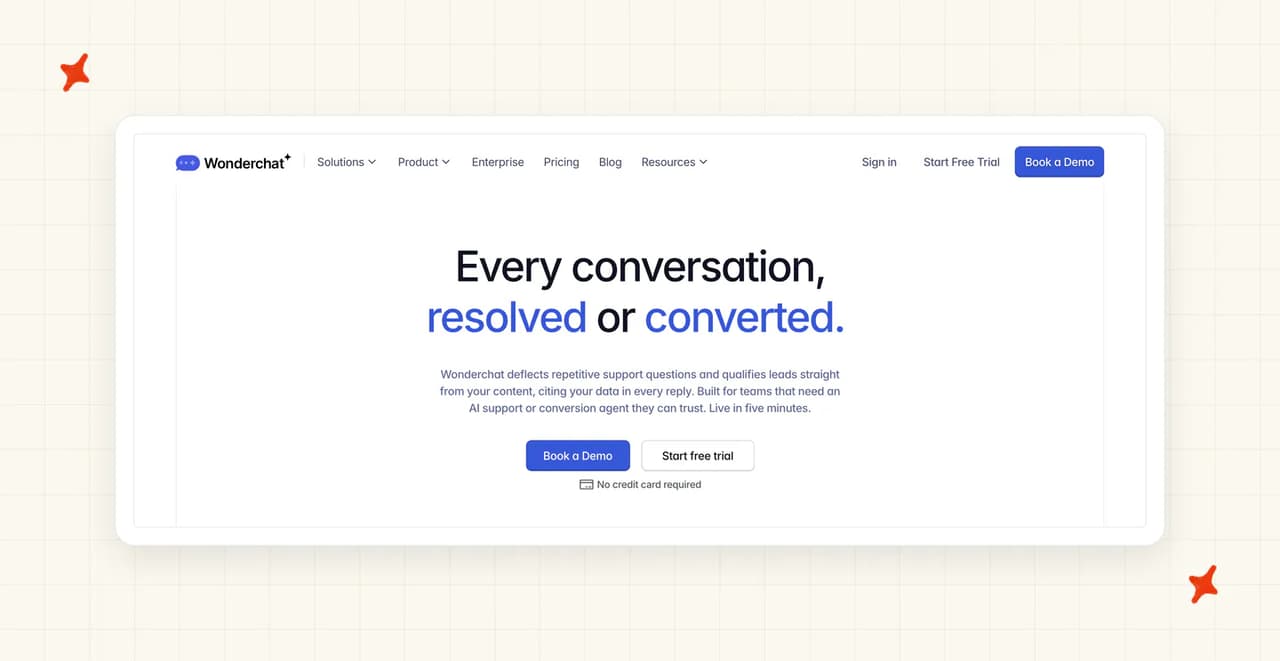
Where does Wonderchat's AI answer?
Its own widget. Zendesk and Freshdesk connectors, helpdesk escalation, and a voice agent are gated to the $417 tier, and those connectors hand the conversation over without answering inside the ticket.
There is no Intercom connector and no Gorgias connector (two of the six we cover, so check yours first).
How easy is it to set up Wonderchat?
Five minutes on a pasted script. Connecting a helpdesk is a few fields in Settings and Integrations once you are on the tier that includes it.
What knowledge sources can I train Wonderchat on?
Crawled website content and uploaded documents. Ticket training from Zendesk or Freshdesk, SharePoint and media extraction all sit on the $417 tier.
What features does Wonderchat have?
Corrections is the standout, with a drawer over the chat transcript that shows a confidence score and a pre-filled answer to edit. Beyond that, the $417 tier adds a voice agent, suggested replies, role controls and support tickets.
Model choice is unusually open (Anthropic, OpenAI and DeepSeek models are available on every plan, the free one included), with the other three families gated, one from the entry tier and two from the higher one.
How does Wonderchat improve over time?
This is where it earns its score. You open a chat log and, in Wonderchat's own instruction, "re-write the correct answer" to the question that was asked.
Corrected logs get a green tick, and the Chatlogs screen carries a running Corrections counter. I like this more than any other correction loop here.
Its resolution-rate mechanic is dual-source and mostly automatic: "if there's no feedback, an AI judge scores the conversation automatically, about 15 minutes after it goes quiet", with greetings, spam and nonsense excluded as unclear.
How secure is Wonderchat?
Its pricing page carries a SOC 2 and GDPR row ticked from the $124 entry paid tier upward, and HIPAA on the Enterprise card (so the certs start lower here than at SiteGPT, where the paperwork is Enterprise-only). Those are the claims the pricing page supports.
How mature is Wonderchat?
The shortest track record here. Its customer index carries named stories with numbers attached.
How much does Wonderchat cost?
Free is $0 for around ten resolutions a month. Basic is $124/mo billed yearly for around 1,000 resolutions, 5,000 credits and 3 seats.
The next tier is $417/mo billed yearly for around 5,000 resolutions and four AI agents. Enterprise "Starts at $1499" with no billing period attached to it, and yearly billing is the default on the self-serve tiers (those are yearly commitments quoted per month).
The credit rate is where it gets steep. Each model's cost cell reads as a number of "messages per user query and chat response", running from one at the cheap end to twenty at the top, and three separate models sit at twenty.
Extra credits are a one-time $29.99 per 1,000. At the cap, "The chatbot pauses and stops responding", with an email and an upgrade prompt, and unused credits expire at the end of the billing period.
Who is using Wonderchat?
Trend Micro and Jortt both have published stories, and Wonderchat's index says Jortt "handles 10,000+ monthly queries with AI-powered support."
Ricardo, Korendy, FileWave and 10xTravel are also on the customers page.
Read more: our complete guide to Wonderchat.
What do these Botsonic alternatives actually cost at 2,000 conversations a month?
Every row below is the AI charge only. Where a vendor is a layer on a helpdesk you already pay for, those seat and platform costs are common to both sides, so we have left them out.
Each row quotes the annual-billed rate where a vendor discounts for the commitment (Chatbase is the exception here, priced month to month).
| Vendor | Pricing model (the unit) | Monthly at 2,000 conversations | Notes |
|---|---|---|---|
| Botsonic (baseline) | Per bot message, weighted by model | $249 | The 8,000 baseline-model messages sit inside Advanced's 12,000 allowance. On the larger model it is 16,000 and needs $50 of extra blocks, so $299. On the largest it is 80,000, past every add-on block Botsonic publishes (nothing above 16,000 extra messages for $200); extending that block rate gives $1,099. |
| My AskAI | Per one-hour widget session, or per helpdesk ticket | $319 | Pro is $199 with 1,000 credits, and the other 1,000 widget sessions bill at $0.12 each, so $199 plus $120. Scale bundles 2,000 credits for $499, so it is the dearer route at this volume. Message count inside a session does not change the number. |
| Alhena AI | Per conversation credit | $1,199 | Scale includes 1,200 conversation credits, or $999/mo ($11,988/yr) on an annual commitment. Our modeling assumes about 60% of raw traffic is billable, which lands on the bundle; a higher billable share bills the excess at $1.20 each. |
| Chatbase | Per response, 1 to 6 credits by model | $310 | Four AI replies each on a 1-credit model is 8,000 credits: Standard's 4,000 plus 4,000 bought through auto-recharge at $40 per 1,000. On the 6-credit model it is 48,000 credits, cheapest as Pro plus auto-recharge at $1,820. An enabled action doubles the credits per response, so both are floors. |
| Crisp | Flat workspace fee with bundled AI credit | $331 | On Plus at $295 a workspace, which includes $75 of AI credit for around 1,350 automated conversations. The other 650 draw more credit at Crisp's implied rate of about six cents each, and Hugo stops at credit exhaustion unless pay-as-you-go is on. Extra agents are $10 a month on top. |
| SiteGPT | Per message, weighted 10 to 1 by model | $79 | Growth is $79 billed annually ($129 month to month), and its 10,000 messages cover 8,000 small-model replies. The same 8,000 replies on the large model weigh 80,000, which is cheapest on Scale plus eight 5k packs at $59, so $731. |
| Tawk.to | Per AI Assist message credit | $239 | Paid AI Assist plans start at $29/mo. On the 1,000-credit allowance plus 7,000 more at $30 per 1,000, that is $239. Tawk.to publishes no per-tier AI Assist price, so a bigger allowance may come cheaper. Platform and seats stay free. |
| Wonderchat | Per reply, 1 to 20 credits by model | $417 | 2,000 conversations sits past the entry tier's guide of around 1,000 resolutions. Top-ups are $29.99 per 1,000 message credits, and a message costs 1 to 20 credits depending on the model. |
Now the same sum at the volume most people reading this are actually at, on the same four-replies-per-conversation basis.
| Vendor | Monthly at 250 conversations | Notes |
|---|---|---|
| Botsonic (baseline) | $16 | 1,000 messages is exactly the Starter allowance on the baseline model, at $16 billed annually or $19 month to month. On the larger model it is 2,000 and needs the $41 tier. On the largest it is 10,000 and needs the $249 tier. |
| Tawk.to | $29 | Paid AI Assist plans start at $29/mo, and 1,000 messages is exactly the 1,000-credit allowance. Tawk.to does not publish which tier that $29 buys. The platform stays free. |
| SiteGPT | $39 | Starter is $39 billed annually, $59 month to month, and its 4,000 small-model messages cover 1,000 four times over. The same 1,000 on the large model would not fit the tier at all. |
| Chatbase | $80 | Hobby's 700 credits plus one $40 auto-recharge block, on the cheapest 1-credit model. A 2-credit model puts the same traffic at $120 and the 6-credit model at $280. |
| Crisp | $95 | Essentials at $95 a workspace includes $25 of AI credit, around 450 automated conversations, so 250 sits comfortably inside it. |
| Wonderchat | $124 | Basic, billed yearly, sits inside its resolution guide. |
| My AskAI | $199 | Pro's 1,000 credits cover 250 widget sessions four times over. The $199 floor applies whatever your volume. |
| Alhena AI | $299 | Essentials at $239 covers 200 conversations, and the other 50 bill at $1.20 each. On annual billing it is $199 plus the same $60, so $259. |
Two patterns fall out of those tables.
Billing per message punishes long conversations. A five-turn conversation burns at least five messages, so a chatty product costs more than a terse one at identical ticket counts.
Billing per session and per ticket does not move that way. Our widget bills one credit for a whole one-hour session, and our helpdesk chat bills two AI replies per credit, so the same traffic gives the same number whether a customer asks once or ten times.
The model dropdown is the price. At 2,000 conversations Botsonic runs $249 to $1,099 for identical traffic, SiteGPT runs $79 to $731, Chatbase runs $310 to $1,820, and Wonderchat's rate multiplies by twenty at the top.
Three of the seven alternatives here carry the same mechanic in a different unit.
An allowance that stops the AI takes the bot off a live site, and we treat that as a different class of problem to an overage on an invoice.
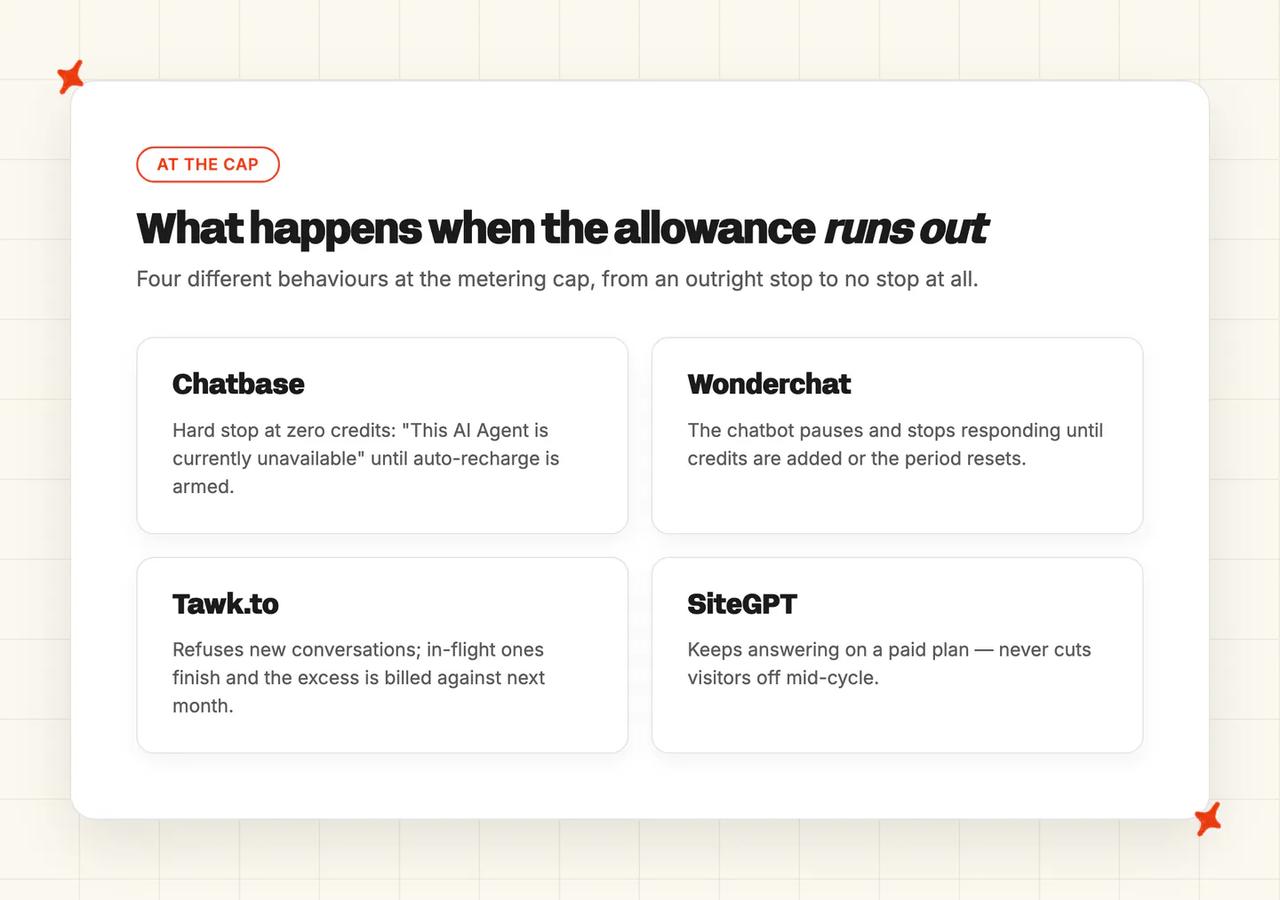
Chatbase documents an outright stop, showing customers "This AI Agent is currently unavailable" at zero credits unless auto-recharge is armed. Wonderchat stops responding too, until you add credits or its overage billing takes over.
Tawk.to refuses new conversations while letting in-flight ones finish, then claws the excess back from next month. SiteGPT keeps answering on a paid plan.
Our own trial is the cheapest way to find where your real number lands: 30 days, all features unlocked, unlimited tickets, no card. And our complete guide to Botsonic carries the full tier and add-on breakdown if you want to check the baseline yourself.
Which Botsonic alternative is best?
Already on Zendesk, Intercom, Freshdesk, Freshchat, Gorgias or HubSpot? Take My AskAI.
The AI answers in the thread your team already works in, we tag and route the ticket, and the bill does not move when you change model. Start on our 30-day trial with everything unlocked.
No helpdesk and no budget? Take Tawk.to.
Free forever, billed per property, and AI Assist from $29/mo when you want it. Go in knowing it publishes no answer-quality analytics (no resolution rate, no deflection rate, no containment rate).
No helpdesk, and you want one flat bill plus EU hosting? Take Crisp. Inbox, help center and AI on a per-workspace fee, on a proprietary model hosted in Paris.
Running an ecommerce catalog? Take Alhena AI. It zero-rates spam and irrelevant queries, and handoffs that never reach the AI, and it covers the widest set of storefronts.
Need a signed HIPAA BAA on a small team? Take SiteGPT, and budget for Enterprise, because that is the only tier the BAA and the DPA sit on (we cannot sign one at all, so the row is theirs).
Want the closest like-for-like builder swap? Take Chatbase, which is fast, capable and well documented. Just go in knowing the credit rate multiplies by model exactly as Botsonic's does.
Want the best correction loop? Take Wonderchat, and pick a cheap model deliberately.
Either way, settle what the vendor counts and whether that count moves when you change model before you sign anything. Our roundup of Chatbase alternatives covers a wider set of builders with the same method.
FAQs
What are the best alternatives to Botsonic for AI customer support?
My AskAI leads this comparison on 68/80, taking three of the eight rows. Alhena AI and Chatbase tie on 55, Crisp takes 52 and SiteGPT 51, with Tawk.to on 47 and Wonderchat on 46. Tawk.to wins the cost row outright, since its platform is free forever and billed per property.
What should I use instead of Botsonic if I need my AI to work inside my helpdesk?
Botsonic answers in its own widget and can only file a ticket into Zendesk, Freshdesk or Salesforce. In this set, My AskAI answers natively inside Zendesk, Intercom, Freshdesk, Freshchat, Gorgias and HubSpot, replying in the thread and tagging the ticket. SiteGPT also installs as the AI agent inside Zendesk Messaging, on its $259 Scale tier.
What's the cheapest AI customer service tool that actually works?
Tawk.to, on price. The platform is free forever, billed per property, and AI Assist paid plans start at $29/mo, with plan allowances of 100, 1,000, 5,000 and 20,000 message credits and extra credits at $30 per 1,000. The caveat is that it publishes no resolution or deflection rate, ships no AI answer-quality analytics, and cannot ingest an external help center or your past tickets.
What is the best no-code AI customer support solution?
Every tool in this comparison is no-code, so the split is on where the AI runs. If you want a bot on a marketing site in five minutes, Chatbase, SiteGPT, Tawk.to and Wonderchat all get you there on a pasted script. If you want AI answering inside your existing helpdesk without an engineer, that is a marketplace app install, and our walkthrough on setting up an AI support agent with no code covers it step by step.
Who are Botsonic's competitors?
Botsonic competes with website chatbot builders like Chatbase, SiteGPT and Wonderchat, with all-in-one chat platforms like Crisp and Tawk.to, and with helpdesk-native AI layers like My AskAI and Alhena AI. The builders compete on install speed and model choice. The layers answer inside the helpdesk your team already works in.
How many messages does one Botsonic conversation actually use?
More than one. Botsonic charges per model response (that multiplier again), so a five-turn conversation costs at least five, and the model multiplier means a reply on the larger model costs two and the largest costs ten.
Botsonic does not publish a definition of what a message is, which is part of why the allowance is hard to forecast. The pricing page carries the count and the docs carry the rate, so you need both to forecast a bill.
Is there a free alternative to Botsonic?
Yes, several. Botsonic runs a 7-day free trial on every plan, with the full feature set and no card, and its billing docs describe a Free Plan that a canceled account drops back to, with the bots still working inside that plan's message limit.
| Vendor | Free tier |
|---|---|
| Tawk.to | Platform free forever, priced per property |
| Chatbase | Free plan with 50 credits |
| Alhena AI | Free at 25 conversations a month |
| Wonderchat | Free at around ten resolutions a month |