My AskAI vs Botsonic AI agent: Features, Pricing, and Results (2026)
Botsonic's $16 plan buys 1,000 messages, and a GPT-4o reply spends two. My AskAI starts at $199/mo and prices per ticket. Here's the cost math for both.
Summarize with AI
Botsonic starts at $16 a month billed annually ($19 month to month) and we start at $199, and that gap is the first question any buyer has. Botsonic meters bot replies against a message allowance, and the model you pick multiplies what each reply spends, while our core rate is per ticket and does not multiply. Botsonic is the pick for a standalone website, and we are the pick once your support already runs through a helpdesk.
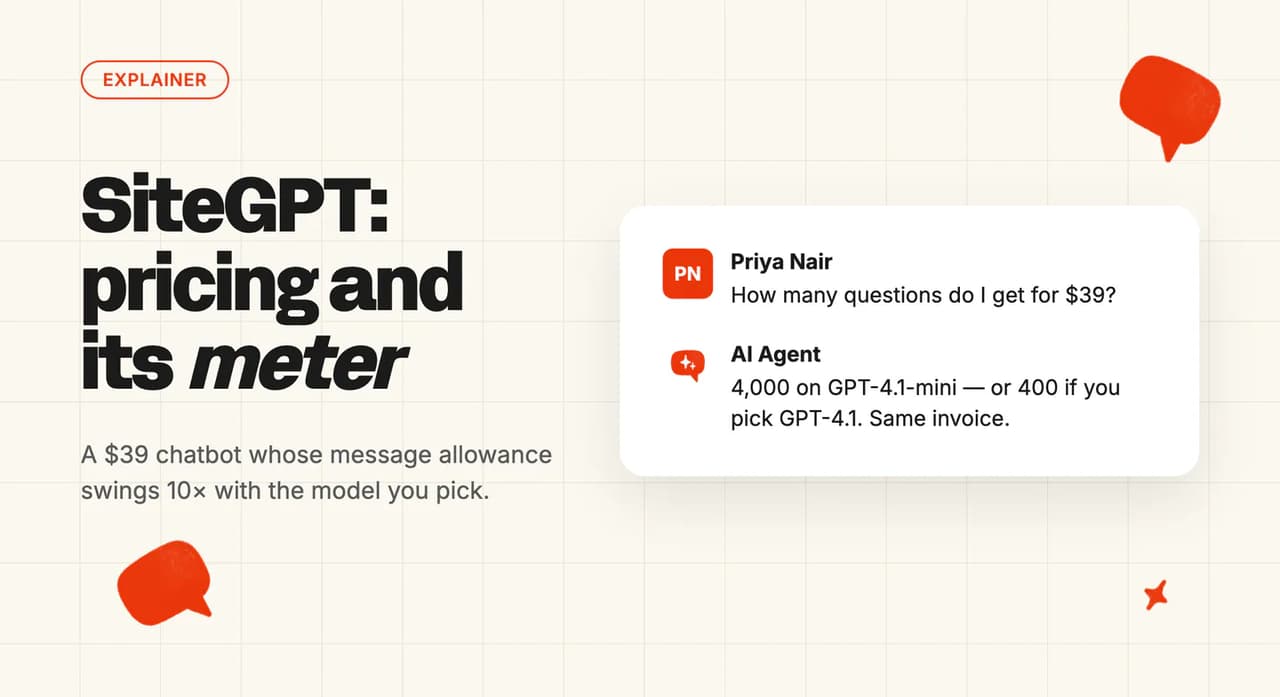
Botsonic's entry plan buys 1,000 messages, and a message means one bot reply. Pick GPT-4o and every reply spends two of them, so that $16 allowance covers 500 replies, which is roughly 125 conversations at four replies each.
The multiplier is documented in Botsonic's help center and appears nowhere on the pricing page, so the entry tier reads cheaper than it works out once real volume lands on it.
We scored both products across eleven categories below, and we show the arithmetic behind the pricing ones so you can rerun it on your own numbers.
Botsonic builds a widget that sits in front of your business, and we build an agent that works inside the helpdesk you already have.
I'm Mike, one of the founders of My AskAI, so I obviously have a side here. Botsonic wins three of the eleven categories below, and I have written those three the way I would want a competitor to write ours.
My AskAI vs Botsonic at a glance
| My AskAI | Botsonic | |
|---|---|---|
| What it is | AI layer inside your existing helpdesk | No-code chatbot for your website |
| Headline price | $199/mo, 1,000 credits (≈1,000 tickets) | $16/mo annual, 1,000-message allowance (1x-10x per reply by model) |
| How you buy it | Self-serve, 30-day trial | Self-serve, 7-day trial |
| Best for | Teams already running a helpdesk | Websites with no helpdesk behind them |
| Not a fit for | Sub-$100 monthly software budgets | Answering inside an existing ticket |
| Biggest limitation | No native WhatsApp, Messenger or Telegram | Cannot reply inside an existing ticket |
| Scorecard | 7 category wins of 11, 1 tied | 3 category wins of 11, 1 tied |
What AI can I use to answer customer questions on my website or in my helpdesk?
Botsonic's own documentation calls it a no-code AI chatbot builder by Writesonic. The homepage promises a custom chatbot for your website in minutes.
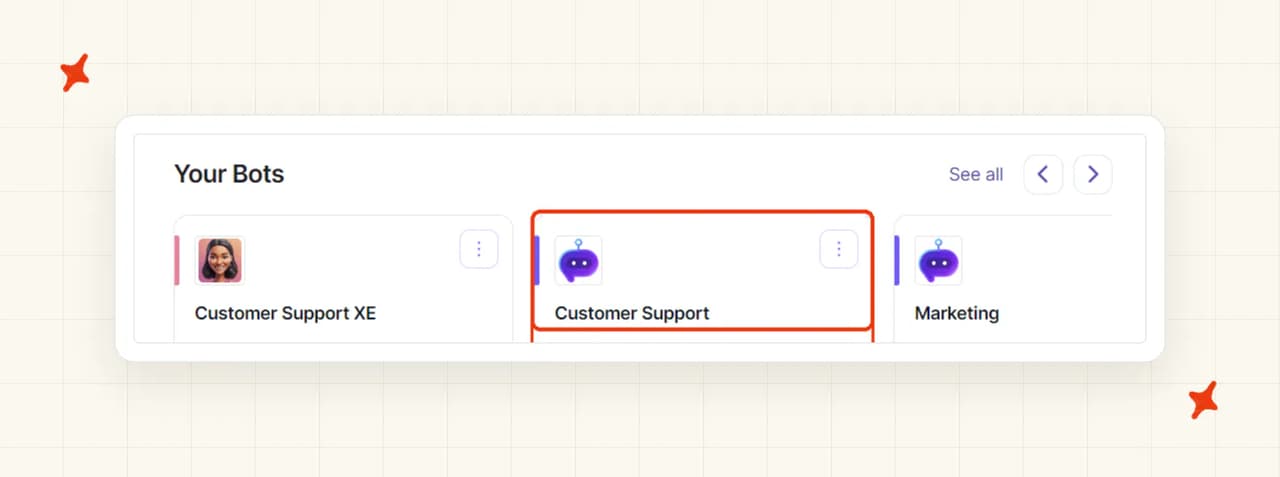
It markets four pillars: round-the-clock customer support, employee support, conversational commerce, and copilots trained on your data (all four aimed at a website visitor). The AI agents page adds the agentic framing on top.
Botsonic is the customer-facing website chatbot, Chatsonic is the internal marketing chat agent, and Writesonic is the parent company.
We have a full Botsonic guide on the blog if you want that single-product view.
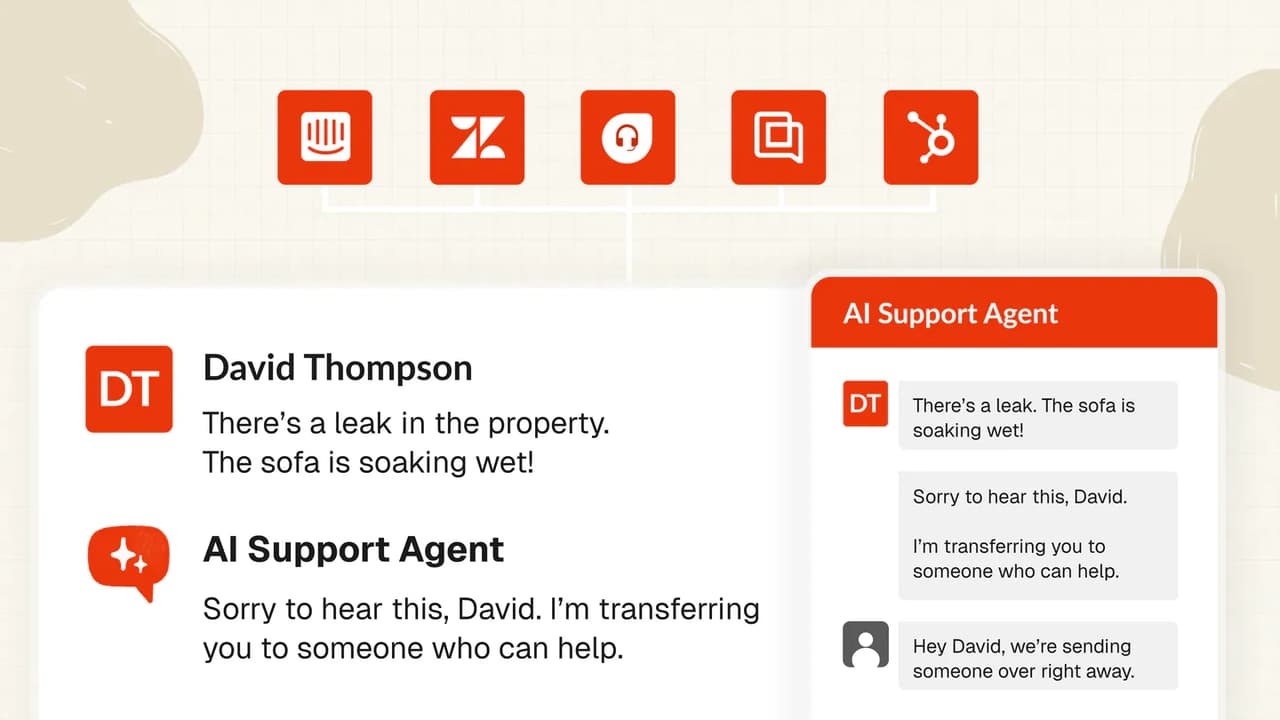
We install an AI agent inside the helpdesk you already run, so you keep Zendesk, Intercom, Freshdesk, Gorgias or HubSpot exactly as it is. That agent reads your knowledge and answers your customers in the tools your team already has open.
Both products review well on G2:
| My AskAI | Botsonic | |
|---|---|---|
| Rating | 4.5 / 5 | 4.6 / 5 |
| Reviews | 21 | 107 |
| Reviews page | My AskAI on G2 | Botsonic on G2 |
How does an AI customer service agent work on a website versus inside a helpdesk?
Botsonic's helpdesk connectors create tickets and hand off to live agents, and neither of those things answers inside a ticket.
Botsonic's own Zendesk connector documentation says the integration "allows your users to submit a ticket to your Zendesk account through your Botsonic chatbot".
The live-agent handoff is a separate integration, connecting the customer to a person when they ask for one (a $199-a-month add-on on top of your plan).
The vendor's docs list four helpdesk-adjacent pages: Zendesk Support, Zendesk handoff, Freshdesk and Salesforce ticketing (there is no Gorgias page and no Intercom page), and every one of them is ticket submission or live-agent handoff. HubSpot appears on the pricing page marked as coming soon.
Email works the same way. Botsonic can send a conversation transcript when the customer leaves, but it never reads and answers an inbound support inbox.
Our agent sits inside the helpdesk and reads the ticket. It sends the reply as your brand, across both chat and email.
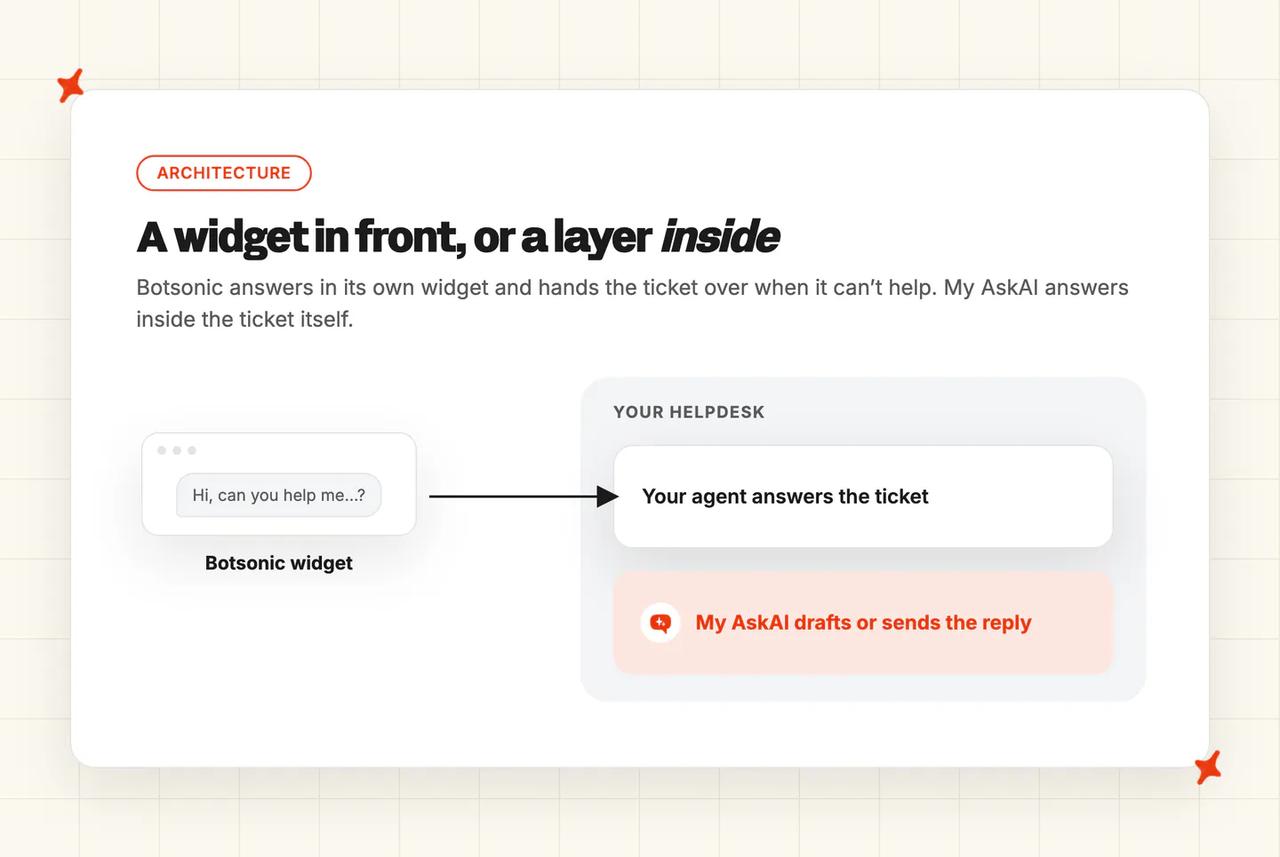
The AI is already where the ticket is.
Our own AI resolution rate benchmark study puts the field median around 70%, across 195 rated deployments spanning 38 vendors.
Take that with a grain of salt. Every vendor defines its own numerator, the figures are self-selected, and none of them are apples to apples.
What are the different ways I can use an AI agent for support?
Direct replies
Botsonic's direct-reply surface is the website widget, added by script tag or iframe, plus a shareable hosted link. It also answers on WhatsApp, Facebook Messenger and Telegram from the Starter plan up, and Slack and Google Chat arrive from Professional up as internal surfaces (not customer-facing).
That messaging-app breadth is real. If your customers reach you on WhatsApp and you have no helpdesk routing that channel, Botsonic covers it.
Voice, Instagram, X, Discord and Teams do not appear in Botsonic's docs or on any tier card.
Our direct replies run in the helpdesk, where the agent answers chats and emails inside Zendesk, Intercom, Freshdesk, Gorgias or HubSpot. It answers social conversations too, wherever your helpdesk routes them.
Copilot replies
Our copilot is the AI Copilot Chrome Extension, which works inside every helpdesk we integrate with, carries no per-seat charge, and is included on every plan (yes, even the entry one). An agent drafts with it, then edits before sending.
Botsonic has no agent-side copilot, because its only answering surface is the customer-facing widget, and its analytics pack is where a human goes to review what happened afterwards.
Internal note replies
Internal Note Replies is a separate mode, and it is where most of the cautious teams we onboard start.
The AI drafts a full reply as a private note on the ticket. Your agents read it, edit it, and send it themselves.
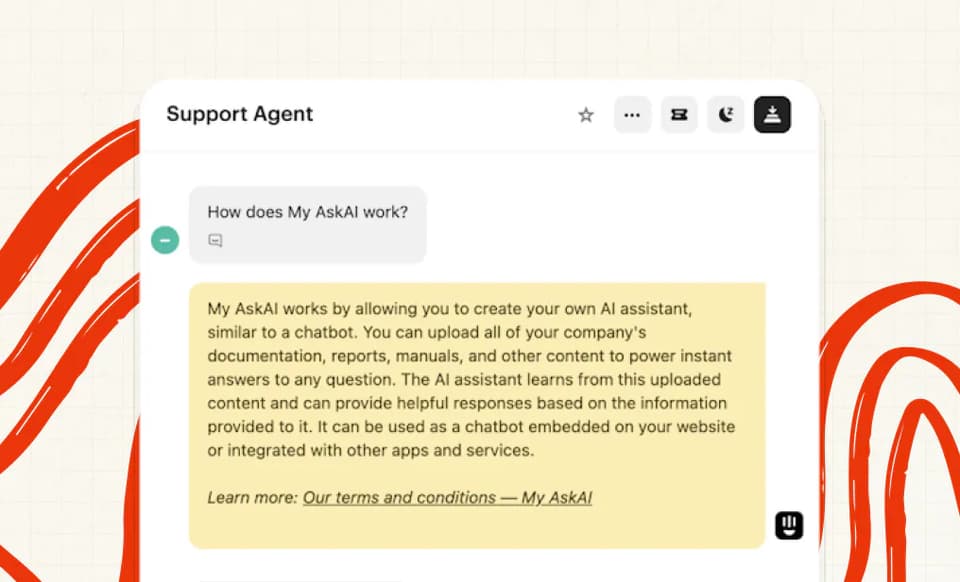
That means you can run the AI across every ticket you take on day one (no customer ever sees an AI-written word), and once you trust it you flip individual topics over to direct replies.
When the AI takes an action, you configure how far it goes, so it can complete the action itself, or draft it and wait for a human to approve (the same draft-or-send choice you get on replies).
Most teams start with propose-then-approve, then widen it as they see the drafts hold up.
Which is easier to set up, Botsonic or My AskAI?
Setup is Botsonic's strongest suit, fully self-serve and with no card required.
The documented flow is four steps: add sources, set appearance, test the bot, embed it. There are WordPress and Google Tag Manager paths, and the docs say it works with any JavaScript-supported stack (single-page apps included).
That is about as low-friction as a launch gets.
Testing before go-live is preview-only, so you chat to the bot yourself. There is no bulk run against your historic tickets.
WhatsApp setup is a different order of work, routing through Meta for Business Suite: you register as a Meta developer, create an app and generate a token (budget an afternoon for that one).
Actions also need you to define the API calls yourself.
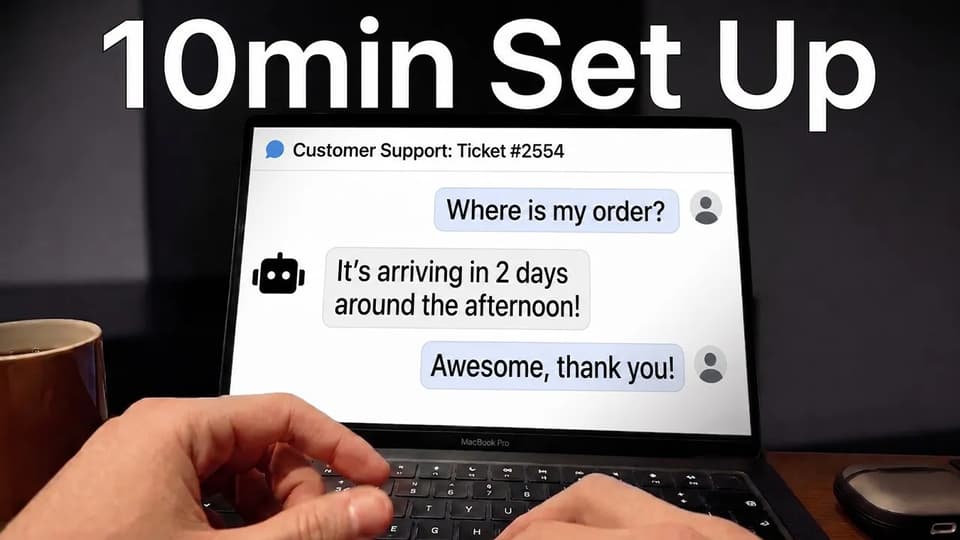
Our own setup takes about ten minutes. Most teams are fully switched over the same day.
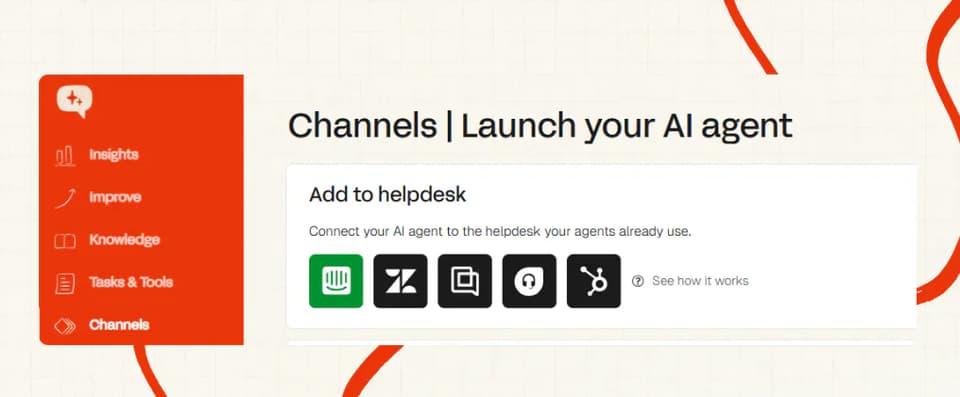
You sign up, connect your knowledge, and install the helpdesk app, with no developer needed for the standard route.
Installing any third-party agent into a helpdesk gives you two routes: an approved marketplace app, or an API integration. We recommend the app.
It has been through the marketplace and helpdesk approval process, so the helpdesk knows it is there, which makes it more stable and much less likely to be taken down.
Botsonic takes this category, and fairly. For a buyer with no helpdesk at all its path is one script tag, and ours assumes a helpdesk, or a widget install sitting on top of the knowledge connection.
How do My AskAI and Botsonic differ in what they can be trained on?
| Source | My AskAI | Botsonic |
|---|---|---|
| Help center | ✅ | ✅ (as links or sitemap) |
| Past historic tickets | ✅ default backfill 5,000 | ❌ |
| Website and sitemap crawl | ✅ | ✅ capped at 5,000 URLs on Starter |
| File uploads | ✅ | ✅ PDF, DOC, DOCX, TXT |
| CSV or XLSX as a knowledge source | ❌ | ❌ bulk link upload only |
| Notion | ✅ | ✅ (Professional and up) |
| Confluence | ✅ | ✅ (Enterprise) |
| Google Drive | ✅ | ✅ (Starter and up) |
| OneDrive and SharePoint | ✅ | ✅ (Enterprise) |
| Dropbox | ✅ | ❌ |
| Salesforce | ✅ knowledge pages | ✅ (Enterprise) |
| Shopify | ✅ pre-built connector | ❌ |
| Internal-only marking | ✅ Private mode | ✅ per-source citation visibility |
| Automatic refresh | ✅ 24-hour sync | Advanced and Enterprise only |
Static content
Botsonic covers static content well, and its source uploader takes files, links, sitemaps, FAQs and connected apps.
Capacity is metered in characters at 10M, 50M and 100M by tier (extra characters run $10 per 20M).
Two limits apply. A spreadsheet serves exactly one purpose here, uploading links in bulk, and on Starter a sitemap crawl stops at 5,000 URLs.
We take the same static sources and add Dropbox and a pre-built Shopify connector on top, though a CSV or XLSX is not a knowledge source on our side either. Anything you connect can be marked private, so internal-only material answers your agents without ever reaching a customer.
Dynamic content
Botsonic's auto-sync is available on Advanced and Enterprise only, where it refreshes every one, two or four weeks and covers links and sitemaps (files are left untouched).
On Starter and Professional your knowledge base is a static snapshot, changing only when someone re-uploads it.
Botsonic also has no past-ticket training: its documented sources are files, links, sitemaps, FAQs and connected apps, and no page in its docs describes importing helpdesk conversation history.
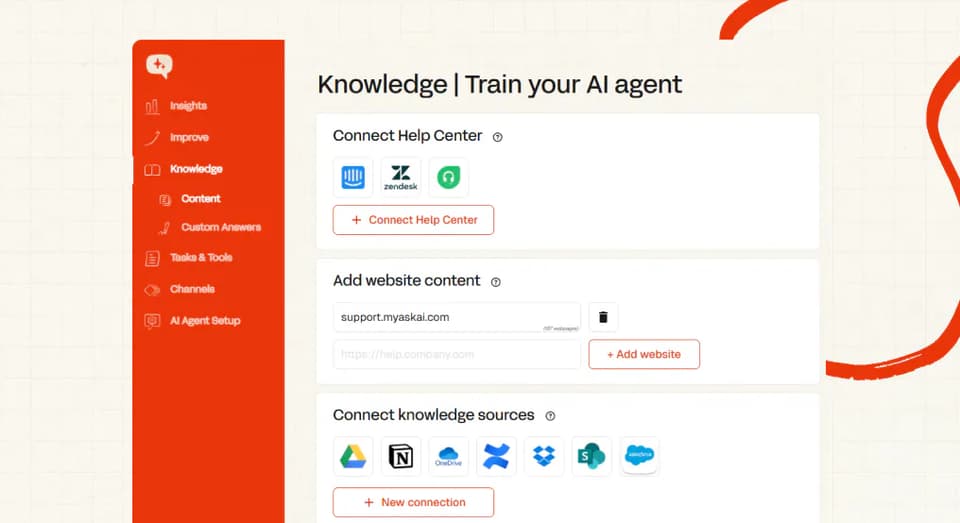
That matters most for teams whose knowledge lives in their tickets. Our Train on Historic Tickets reads your last 5,000 historic tickets by default, and more on request, then drafts starter knowledge from them.
If you have no help center written yet, that is how you go live anyway. Our own connectors resync on a 24-hour cycle, so an edited article is live the next day.
Which has better answer quality, Botsonic or My AskAI?
Botsonic's homepage says it can automatically handle 70% of customer queries, and the pricing FAQ repeats it.
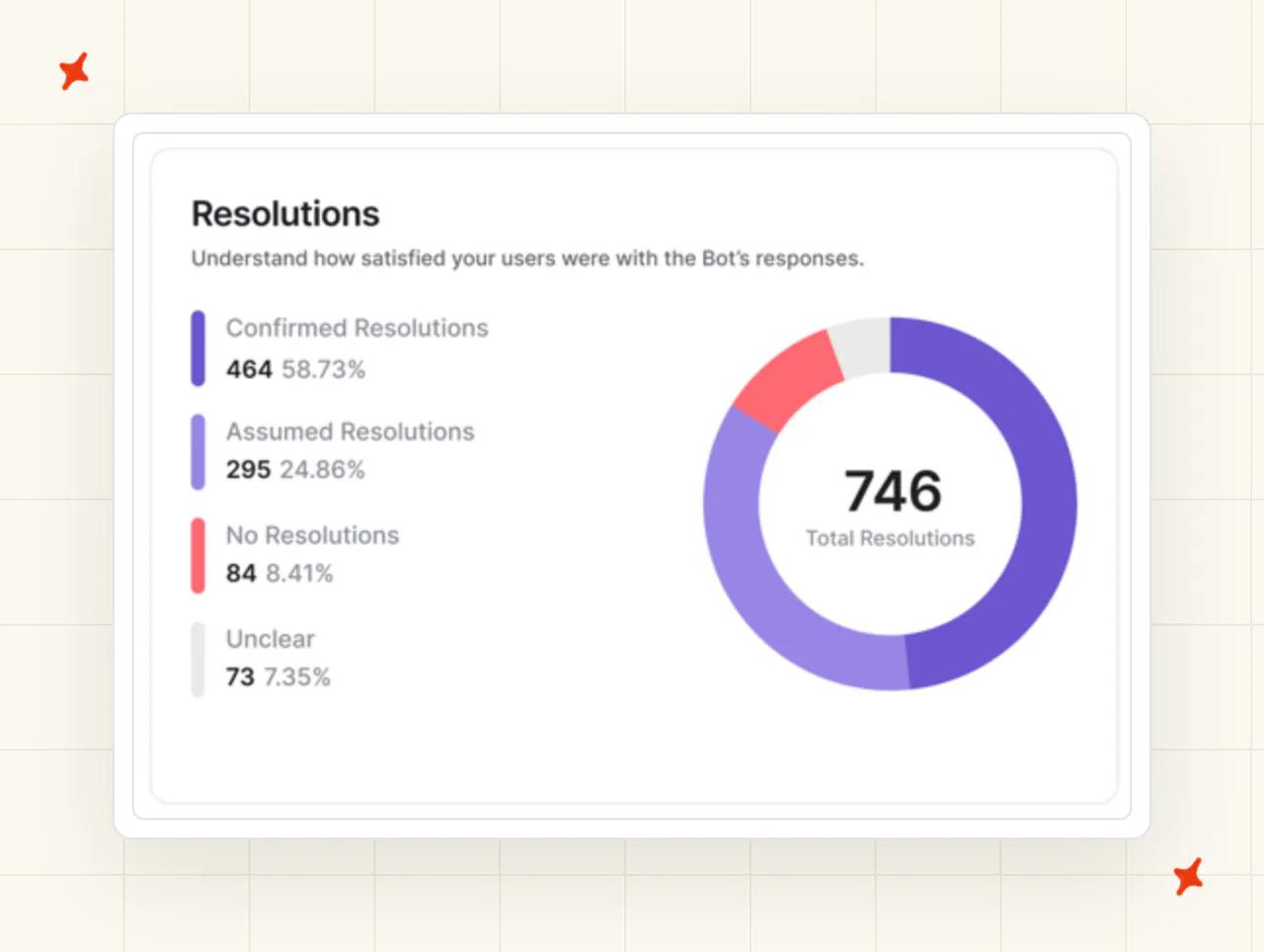
Its own analytics documentation defines resolution rate as tickets marked resolved through the post-chat feedback form, within the chosen timeline.
So the 70% counts a customer clicking an optional popup after the chat ends, which I read as a satisfaction proxy.
It is a legitimate signal, and plenty of vendors use something like it, but it is also a self-report from the people who bother to answer.
The 70% headline carries no published methodology or sample size anywhere on the site.
The dashboard's return-on-investment panel works the same way, with the docs giving the formula as money saved equals total hours times estimated hourly rate. That runs off an internal estimate that one message response takes about 55 seconds.
Our number is 72%, a rolling 30-day average across the whole customer base, and our definition is plain. We count a conversation as resolved when the AI handled it without escalating to a human, and we make escalation easy on purpose.
We do not claim to know an issue was truly solved, because you cannot know that without the customer telling you.
TravelJoy runs at 80% AI resolution, Honeygain at 90%, YesLMS at 76% and Edel Optics at 79%. Each has a published case study you can read.
Against the field median of around 70% from our own benchmark study those sit above the pack, though they are aggregate figures, directional, and self-selected at the top end.
Which AI agent is easier to improve over time: Botsonic or My AskAI?
Botsonic's loop works: the analytics pack surfaces unanswered queries, and hovering one shows the AI's reasoning for categorizing it that way.
A three-dot menu gives you Add to Answer, which saves a response for that query straight into your sources. You can inject an FAQ from a chat message the same way, and filter by thumbs-up and thumbs-down feedback.
Analytics tracking begins when you buy the pack (nothing from before that date comes with it), and popular topics and unanswered queries refresh once a day at midnight UTC.
So the loop runs at daily resolution, on data that starts the day you pay.
Botsonic has no way to simulate in bulk against past conversations, and no A/B testing, regression suite or confidence-threshold tuning.
Reviewers on Botsonic's G2 page describe limited guidance on optimizing and training the bot.
Self-Learning is our answer to that. When the AI hands a ticket to a human it compares its own draft to what the agent actually sent, then drafts a new knowledge article from the difference, and the loop runs on its own.
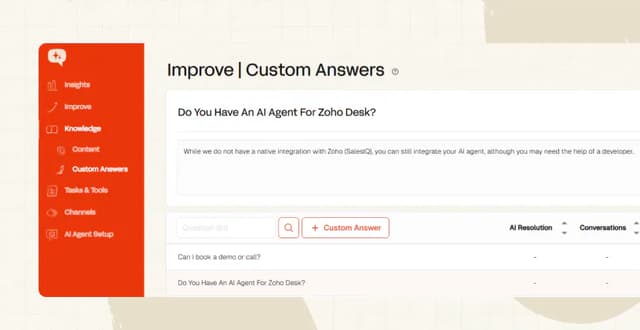
Alongside it, our batch tests let you run a set of questions before you change anything. Custom Answers let you script a verbatim reply for the questions you cannot afford to get wrong.
Echo is our third piece, letting your team ask why the agent gave any answer, and which source it used.
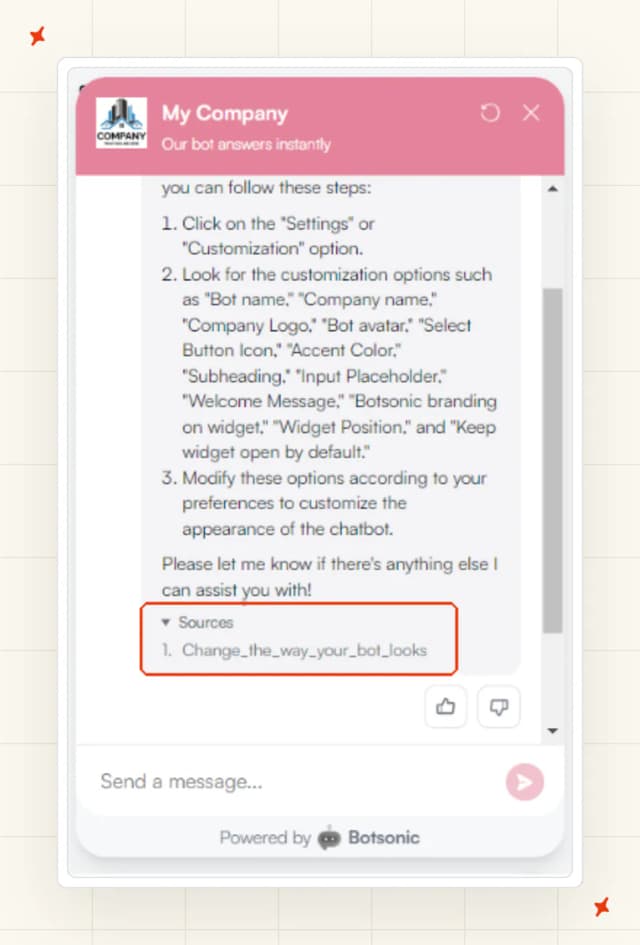
That makes it a team-facing tool the customer never sees, whereas Botsonic's inline source citations are shown to the customer in the widget itself.
On a website bot that is a nice touch, but inside a helpdesk there is no widget to show it in, so we give your team the same source trail through Echo.
Which has more features, Botsonic or My AskAI?
| Feature | My AskAI | Botsonic |
|---|---|---|
| Answers inside an existing helpdesk ticket | ✅ | ❌ |
| Email as an answering channel | ✅ | ❌ outbound transcript only |
| Native WhatsApp, Messenger, Telegram | ❌ | ✅ |
| Slack and Google Chat as internal surfaces | Via the API add-on | ✅ (Professional and up) |
| Agentic workflows | ✅ Tasks and Tools | ✅ Workflows and Actions |
| Pre-built commerce actions | ✅ Shopify order lookup | ❌ you write the API call |
| Lead-capture form | ❌ | ✅ |
| Appointment booking | ❌ | ✅ via Calendly |
| Multi-brand agents | ✅ Multibrand | Multi-bot, 1 or 2 or add-on |
| Internal-only knowledge | ✅ Private mode | Per-source citation visibility |
| Image reading | ✅ | ❌ |
| Automatic ticket tagging | ✅ | ❌ |
| User-selectable model picker | ❌ | ✅ at 1x, 2x or 10x message cost |
| Per-user caps, IP blocking, hostname allowlisting | — | ✅ |
| Live agent translation | ✅ on Intercom | ❌ |
Botsonic's agentic layer is better than its price suggests, and Workflows and Actions let you define a trigger in natural language. You give it five or more training phrases, and chain API calls behind it.
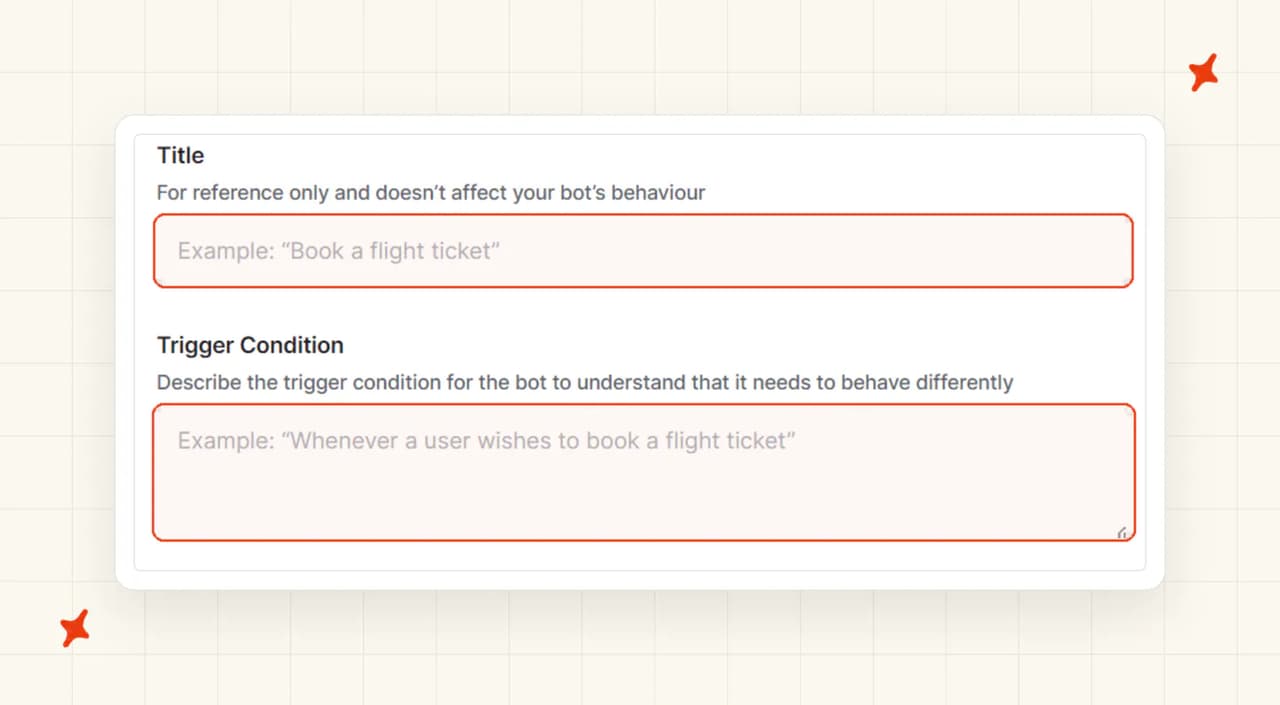
Allowances run to 3 actions on Starter, 5 on Professional, and 5 workflows plus 10 actions on Advanced. The qualifier is that you write the API integration yourself (there are no pre-built commerce actions, so an order lookup is a build).
Around that sit the website-shaped extras:
- A lead-capture form whose variables you can reuse in the welcome message
- Calendly scheduling
- Per-user message caps with a custom warning
- IP blocking and hostname allowlisting
- Response-length control
- Starter questions and suggested follow-ups
All of it is aimed at a visitor on your website.
Our Tasks and Tools are described in natural language, with no decision trees to build.
The User Data API pulls live account data into an answer, and the Shopify connector includes an order-status lookup out of the box.
On top of that sit our Multibrand, Private mode, Image Reading and Insights.
Is it easy to customize My AskAI and Botsonic?
Botsonic's appearance controls are strong. You set the company name, subheading, logo, bot avatar, accent color, widget icon and position.
You choose whether it opens by default. You can also cap response length and set starter questions. Custom fallback messages cover a missing source or a server error.
Behavior is thinner, and the instructions and guidelines box is a single field (one box, for every rule you want the AI to follow).
Reviewers on Botsonic's G2 page ask for more control over branding and logos than the widget currently gives them. Removing "Powered by Botsonic" is a $49 a month add-on on the pricing page.
On our side the look is your helpdesk's, and the behavior controls are yours.
Our guidance splits into three groups: Communication and Style, Context and Clarification, and Handover and Escalation. We keep each entry under 75 words, so the AI follows it.
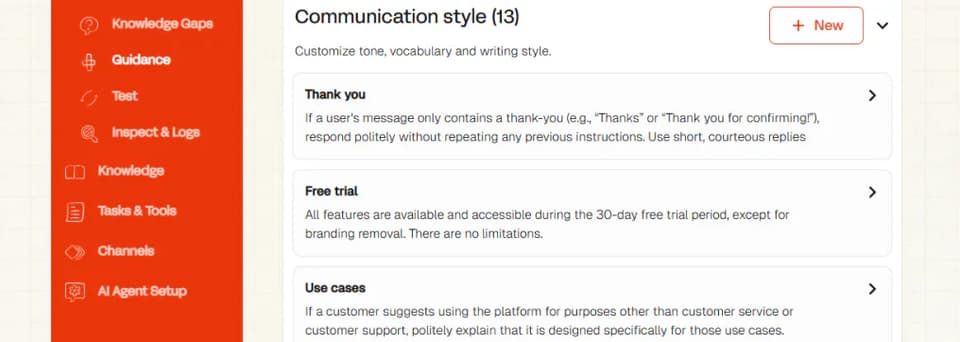
Custom Answers cover the questions where you want the exact words every time, like refund policy wording and anything legal. Multibrand runs a separate agent per brand, with its own knowledge and its own voice.
What about vendor lock-in?
There is a genuine upside to Botsonic sitting outside your stack. Switch from Freshdesk to Zendesk next year and the widget does not notice.
Nothing needs rebuilding, and that is a real form of independence, one we trade away for answering inside the desk.
Your knowledge lives in Botsonic as uploaded characters, with no export of trained configuration, and while chats and form responses can be exported, the configuration itself stays in Botsonic.
Below Enterprise, the route into a helpdesk is the $199-a-month add-on, and it is scoped to Zendesk. Enterprise folds in ticket handoff to Zendesk, Freshdesk and Salesforce, plus Zendesk live-agent handoff, as an included feature.
Either way, Botsonic files a ticket or hands a chat to a person, without ever drafting or sending a reply inside one. Taking the bot off your website means deleting the script tag.
If your support does move into a helpdesk later, you are starting the AI over with Botsonic, whereas our agent travels with you.
The same trained agent runs on Zendesk, Intercom, Freshdesk, Gorgias or HubSpot, so a helpdesk migration is an app install. Teams typically run one desk at a time, and our knowledge and guidance carry over when they move.
Your macros, tags and routing rules stay exactly as they are, because the agent installs inside your helpdesk instead of replacing any part of it.
Does Botsonic or My AskAI have any other AI features?
Botsonic's Advanced AI Analytics covers visitor locations, sentiment, unanswered queries and popular topics. Around it sit the lead-capture user form, Calendly scheduling, and a GDPR consent popup.
There are also daily, weekly and monthly per-user message limits with a custom warning, plus a model picker the user can set themselves.
There is no historical backfill, and everything refreshes once a day at midnight UTC.
The advanced pack is tier-gated too, above the $249 Advanced plan and into Enterprise's custom pricing (steeper than the sticker price most buyers compare against).
Tagging
AI Tagging runs natively inside Zendesk, Intercom, Freshdesk and Freshchat, reading what the customer wrote and sorting it into up to three of your own custom fields.
It reads meaning from your expanded tag definitions, at $0.05 per attribute per ticket.
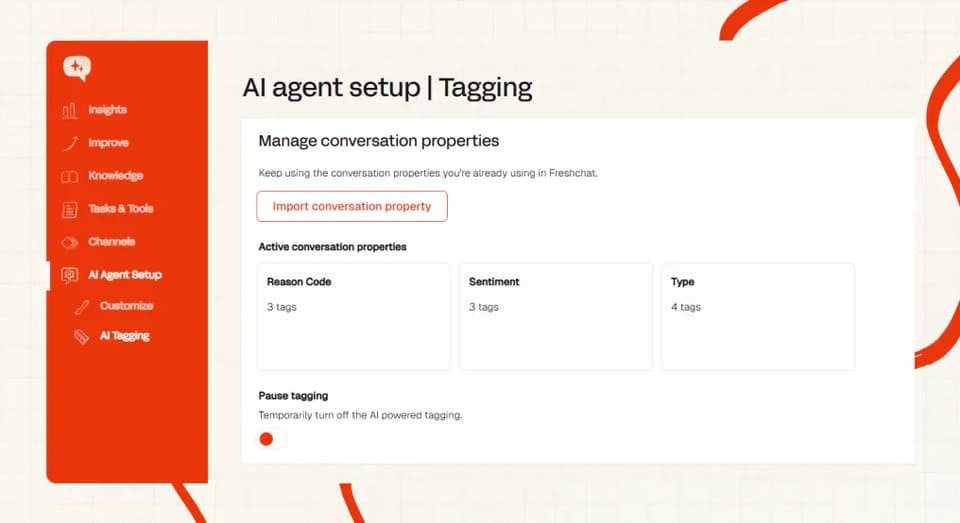
We put reply control on the tag itself, so you decide which tagged conversations the AI answers, and which go straight to a person.
So a message that reads as frustrated, or mentions canceling, lands with a human.
Botsonic has no equivalent, because it has no ticket to tag.
Agent translation
Our Live Translation runs on Intercom at $0.05 a ticket. Your agent types in English, the customer reads their own language, and the reply comes back translated.
It is for the conversations a human takes over, where a language barrier usually bites. Botsonic handles multilingual answering in its widget, a different job.
On sentiment, Botsonic reports it as an analytics dimension, while our Insights scores AI CSAT on 100% of conversations, where a survey typically reaches 2% to 10%.
Botsonic still takes this category, though. Its extras work anywhere the widget is embedded, and none of them depend on which helpdesk you run.
Our extras are tied to particular desks, and lead capture and appointment booking are jobs we do not sell at all.
What about security, is Botsonic more secure than My AskAI?
Botsonic's homepage security block states SOC 2 Type II compliance, corroborated by a public statement from Writesonic's CEO. GDPR comes with a documented in-product consent agreement.
Data is encrypted with AES-256 at rest and TLS 1.3 in transit, and workspaces are segregated at row level. There is zero retention at the model layer, plus redaction and custom retention windows.
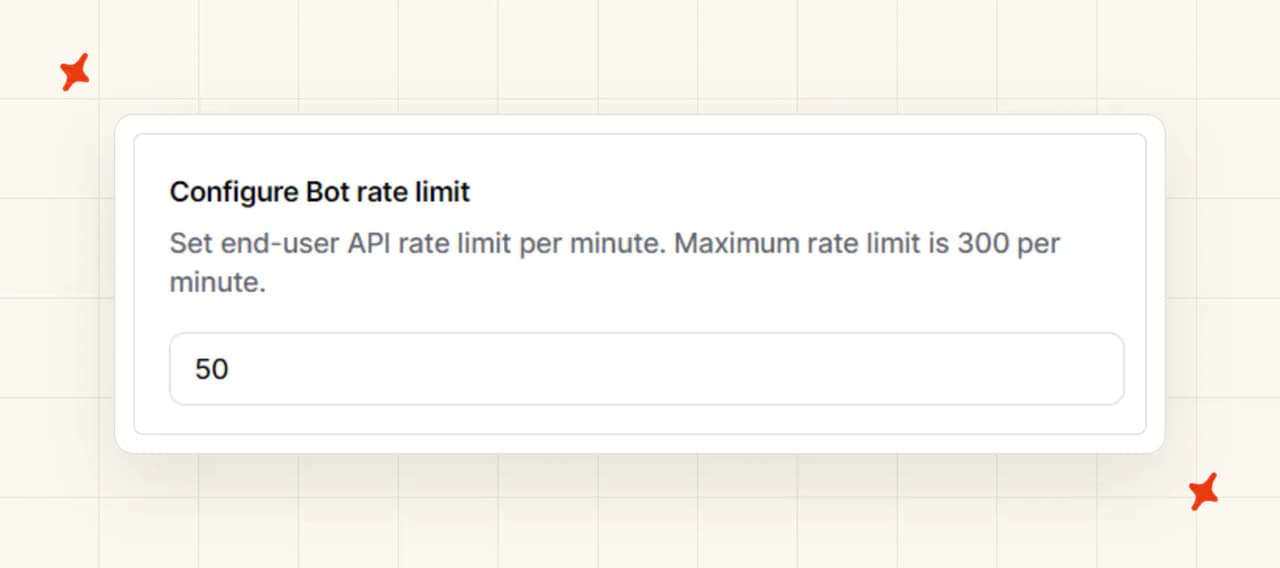
In-product controls are decent for a website bot: hostname allowlisting, masked-IP blocking, and an API rate limit of up to 300 requests a minute.
I have two questions for Botsonic's sales team. Botsonic words its HIPAA position as alignment with requirements, and nothing public says it will sign a BAA.
SSO and SAML are Enterprise-only. The trust portal the site links to is Writesonic's, with no SOC 2 report date, audit period or auditor named publicly.
On our side, we hold SOC 2 Type II and GDPR, and we encrypt with AES-256. We run isolated containers per customer, and we never use your data to train models.
Our trust center and status page are both live, and Enterprise carries a 99.99% uptime SLA.
The two grids come out even. Botsonic publishes SSO on Enterprise and in-product abuse controls, and we publish a live trust center, per-customer isolation and a contractual SLA.
Which costs more, Botsonic or My AskAI?
The pricing model
Botsonic's tiers run in four steps:
- Starter, $16 a month annual or $19 monthly, for 1,000 messages
- Professional, $41 or $49, for 3,000 messages
- Advanced, $249 or $299, for 12,000 messages
- Enterprise, custom pricing
Starter gets 1 bot, 1 seat, 10M characters and 3 agentic actions (that single seat is the line to watch if you have a team). Advanced adds 5 seats, 100M characters, no sitemap limit, auto-sync and the API.
The billable unit is a message, meaning one bot response, and the model you pick multiplies it.
Botsonic's getting-started docs list GPT-4o mini at 1x messages, Azure OpenAI GPT-4o at 2x, and GPT-4 at 10x. So Starter's 1,000 messages is 1,000 replies on the mini model, 500 on GPT-4o, or 100 on GPT-4.
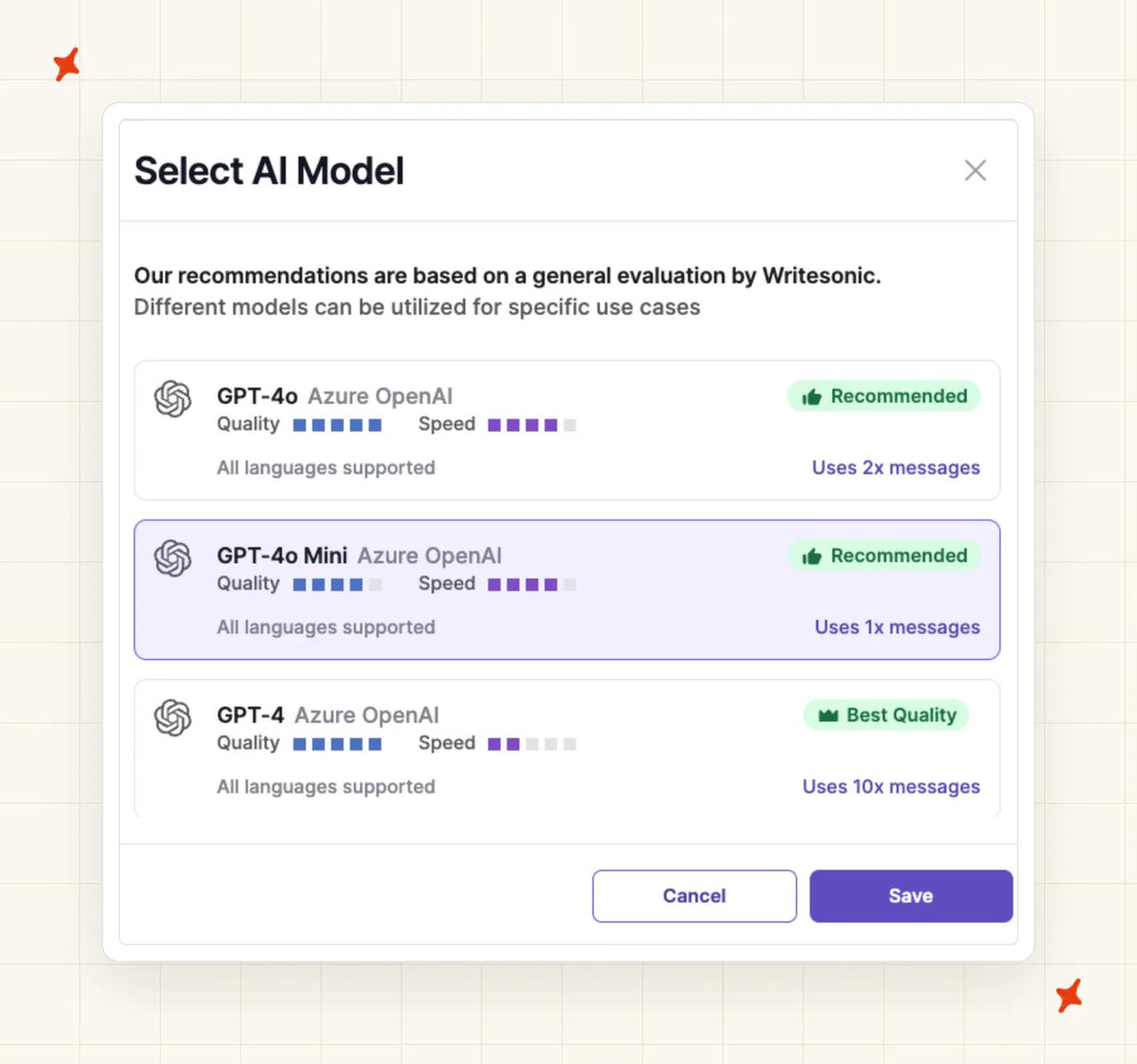
Only the help center documents that multiplier, so on any metered plan I read the docs before I read the pricing page.
Then there is the add-on ladder, all monthly and all on top of the plan:
- $49 to remove the branding
- $25 per 2,000 extra messages
- $199 for the Zendesk ticket and live-agent handoff
- $10 per 20M extra characters
- $25 per extra seat
- $99 for 3 extra bots
- $49 for API access
There is no pay-as-you-go option, so overflow is bought in blocks. Extra messages price flat at $0.0125 a unit, whether you buy 2,000 or 16,000 (no volume break).
The documentation also states a required one-time AI Agents onboarding fee of $500. It puts the Enterprise plan at $800 a month to start.
Neither number appears on the pricing page, so treat the pricing page as the number to trust, and the docs as a question for a salesperson.
We charge $199 a month on Pro for 1,000 credits, with $0.12 overage. Our Scale plan is $499 for 2,000 credits at $0.10, and Enterprise starts at $999.
A helpdesk chat spends one credit for every two AI replies, so a typical chat ticket lands around $0.10, and email around $0.15.
You pay per ticket, and you pay when the AI works one, whether it resolves it or hands it to a person.
The bill does not climb as the AI gets better. Usage-based add-ons sit alongside that core rate:
- Tagging, $0.05 per attribute per ticket
- Tools, $0.02 per reply that fires one
- Tasks, $0.02 a step
- Translation, $0.05 a ticket
Every core capability is available on Pro.
Before any of that we give you 30 days free, with every feature unlocked, unlimited tickets and no card. Most new customers also take our 50% off the first three months.
The overall cost
Take a business doing 1,500 conversations a month, at roughly four bot responses each.
On Botsonic that is 6,000 responses, and running them on GPT-4o with the 2x multiplier makes it 12,000 message-units.
That is exactly the Advanced allowance, with no headroom.
Add $249 for Advanced (annual billing), $49 to remove the branding and $199 for the Zendesk handoff, and you are at about $497 a month. That is roughly $0.33 a conversation (before any extra characters).
Overage past that runs $25 per 2,000 units, or about 10 cents for every extra four-response conversation on GPT-4o.
The same volume does not fit on Starter, where 1,000 messages divided by the 2x multiplier is 500 GPT-4o responses, or around 125 conversations a month.
On our side, a chat credit covers two AI replies, so the same 1,500 conversations at four replies each cost 3,000 credits. Pro's $199 covers the first 1,000; the remaining 2,000 run at $0.12. That is about $439 a month, or roughly $0.29 a conversation.
That figure is the AI charge on top of the helpdesk seats you already pay for. The Botsonic figure assumes you have no helpdesk at all.
So the crossover comes early. Below a few hundred conversations a month, Botsonic is cheaper.
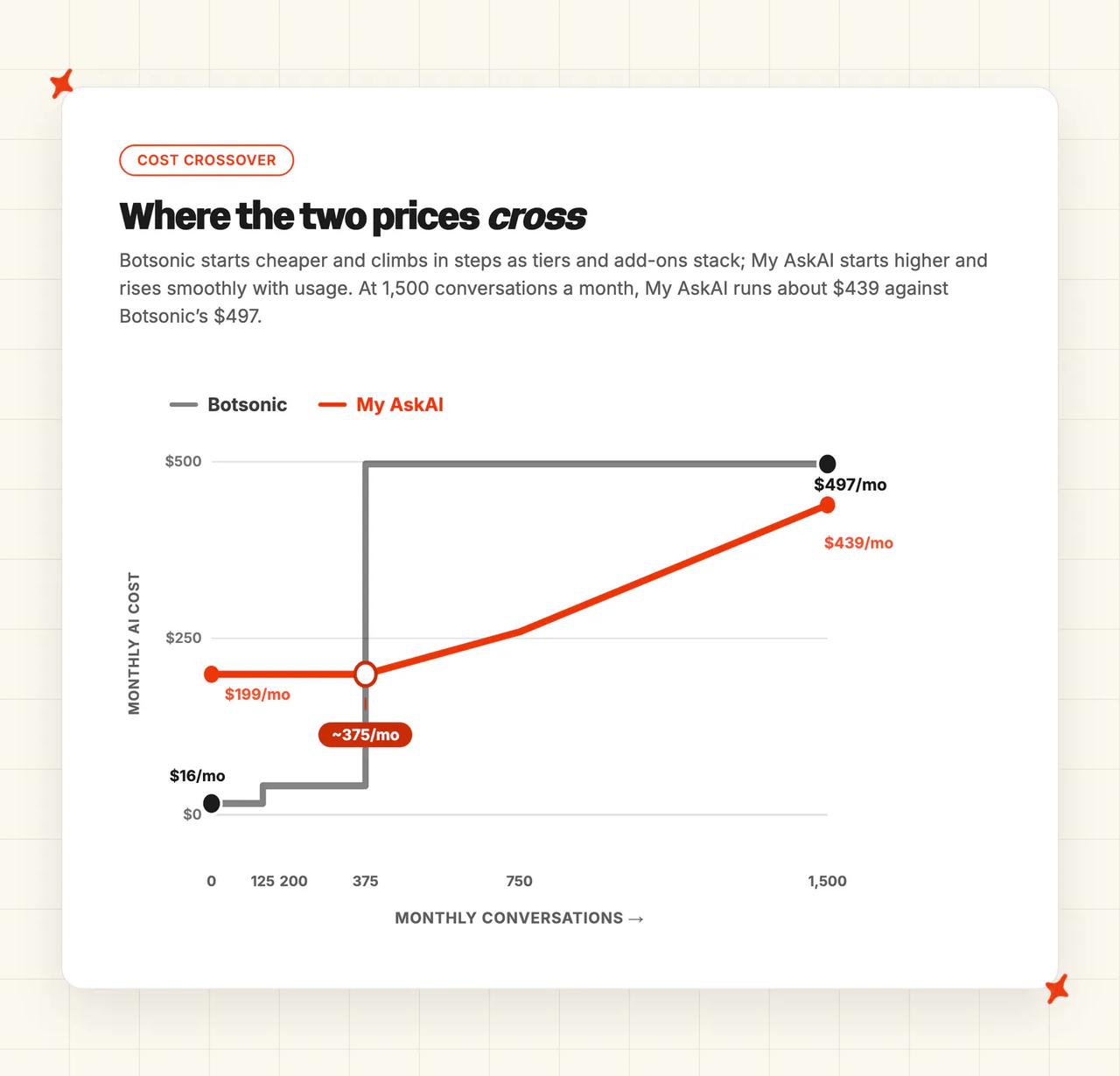
The roughly 10x gap on the entry price ($199 against Botsonic's $19 monthly) holds however much we unlock. Above that, the meter, the multiplier and the add-ons compound, while our per-ticket rate stays flat.
Botsonic still takes this category on the entry price.
The pricing table is easy to read, and one G2 reviewer called Botsonic's pricing transparent, a fair read of the tier table written without sight of the multiplier it leaves out.
Conclusion - should I choose Botsonic or My AskAI?
One question settles most of this: does your support already run through a helpdesk?
If it does, we are the pick, because Botsonic cannot answer inside a ticket at any price. Botsonic is the better buy for a website with no helpdesk behind it and a hundred conversations a month.
The 11 categories are modes, ease of setup, training and integrations, answer quality, improving, features, price, customization, lock-in, other AI features and security. Evidence comes from Botsonic's own documentation, pricing page and help center, from our own product documentation and pricing, and from G2 reviews of both products.
| My AskAI | Botsonic | Winner | |
|---|---|---|---|
| Modes | 9/10 | 5/10 | My AskAI |
| Ease of setup | 8/10 | 9/10 | Botsonic |
| Training/Integrations | 9/10 | 6/10 | My AskAI |
| Answer Quality | 8/10 | 6/10 | My AskAI |
| Improving | 9/10 | 5/10 | My AskAI |
| Features | 9/10 | 7/10 | My AskAI |
| Price | 7/10 | 8/10 | Botsonic |
| Customization | 8/10 | 6/10 | My AskAI |
| Lock-in | 9/10 | 6/10 | My AskAI |
| Other AI features | 7/10 | 8/10 | Botsonic |
| Security | 8/10 | 8/10 | Tie |
The three Botsonic wins cluster in one place: getting live cheaply and quickly on a website.
Our seven sit in what happens after month one, when the knowledge goes stale, the AI needs to get better and someone asks what next month will cost.
We install into Zendesk, Intercom, Freshdesk, Gorgias or HubSpot, and our core rate is flat per ticket. So we are the pick whenever any of those apply, and you can prove it on your own tickets for 30 days before you pay anything.
The full Botsonic guide on our blog gives the single-product view, and our My AskAI vs Chatbase comparison covers the wider website-chatbot category.
FAQs
Does Botsonic answer inside Zendesk or Gorgias the way My AskAI does?
No. Botsonic's Zendesk connector creates tickets, and its own integration docs describe it as allowing your users to submit a ticket to your Zendesk account through the chatbot.
The live-agent handoff passes the chat to a person, costing $199 a month below Enterprise and included on Enterprise. There is no Gorgias integration at all.
We draft and send inside the ticket itself, across chat and email, on Zendesk, Intercom, Freshdesk, Gorgias and HubSpot.
Which one can be trained on my past tickets?
My AskAI can, and we do it by default. Train on Historic Tickets reads your last 5,000 historic tickets, and more on request, then drafts starter knowledge from them, which is how teams with no written help center get going.
Botsonic has no past-ticket training. Its documented sources are files, links, sitemaps, FAQs and connected apps such as Notion, Google Drive and SharePoint.
How long does setup take with My AskAI and Botsonic, and do we need developers?
Botsonic is four steps and a script tag, with no card required. Most people are live in minutes, and you only need a developer for the API, for Actions, and for the WhatsApp channel.
Our setup takes about ten minutes with no developer needed for the standard route, and most teams switch fully the same day.
When you add any agent to a helpdesk you have two routes: an approved marketplace app, or an API integration. We recommend the app, because it has passed the marketplace and helpdesk approval process, so the helpdesk knows it is there and the install holds up better.
What does 1,000 messages actually buy you on Botsonic vs a per-ticket bill?
A Botsonic message is one bot response, and the model you choose multiplies it. So 1,000 messages is 1,000 replies on GPT-4o mini, 500 on GPT-4o, or 100 on GPT-4.
At around four responses per conversation on GPT-4o, we make that roughly 125 conversations a month.
| My AskAI | Botsonic | |
|---|---|---|
| Pricing model | Per ticket | Per bot response, model-multiplied |
| Headline rate | $199/mo for 1,000 credits | $16/mo for 1,000 messages |
| 1,500 conversations/mo (~4 replies each) | ~$439 (~$0.29 each) | ~$497 (~$0.33 each) |
| Free trial | 30 days, all features, no card | 7 days, 200 messages, no card |
Can My AskAI and Botsonic handle multilingual support and agent translation?
Botsonic claims 50 or more languages but publishes no list, so there is no way to check whether yours is one of them, and multilingual is off by default.
With it disabled you pick one response language, and the bot still understands an inbound question in any language, replying in the one you set.
We auto-detect 95 languages per message and answer in the customer's own language. Live Translation on Intercom translates between your agent and your customer, at $0.05 a ticket.
How do My AskAI and Botsonic compare on security and compliance?
Both hold SOC 2 Type II and GDPR, and both encrypt at rest with AES-256.
| My AskAI | Botsonic | |
|---|---|---|
| SOC 2 Type II | ✅ | ✅ |
| GDPR | ✅ | ✅ |
| Encryption at rest | ✅ AES-256 | ✅ AES-256 |
| SSO / SAML | ✅ | ✅ Enterprise only |
| Public trust center | ✅ | Writesonic's, not Botsonic's |
| Uptime SLA | ✅ 99.99% on Enterprise | Not published |
Botsonic words its HIPAA position as alignment with requirements, and nothing public says it will sign a BAA. On our side, SOC 2 Type II and GDPR are both in place.
Can I evaluate either one properly before paying?
Botsonic gives you 7 days with no card, capped at 200 messages, 5 seats, 2 bots and 25M characters. There is no permanent free plan, so the free CTAs on the site point at that trial.
We give you 30 days with every feature unlocked and no credit card, which is long enough to run a real ticket sample.
How do My AskAI and Botsonic each count a resolution?
Both definitions are public. Botsonic's analytics docs define resolution rate as tickets marked resolved through the post-chat feedback form, which is a customer clicking an optional popup.
We count a conversation as resolved when the AI handled it without escalating to a human, with escalation made easy on purpose. Neither number proves the customer's problem went away.