My AskAI vs Wonderchat: Features, Pricing, and Results (2026)
Wonderchat's Basic plan is $124/mo billed yearly for ~1,000 resolutions. My AskAI Pro is $199/mo, ~$0.12 a ticket. A site widget, or an agent in your helpdesk.
Summarize with AI
Pick the one that matches where your support actually happens. Wonderchat puts a no-code widget in front of your website, from $124 a month on a yearly Basic plan covering close to 1,000 resolutions, with voice on its pricier tiers. My AskAI lives in the helpdesk you already pay for and resolves tickets there, at $199 a month and about $0.12 a ticket on Pro ($0.10 on Scale).
Settle the category question before you compare a single feature. Wonderchat sits as a chat bubble bolted onto your homepage, greeting visitors before a ticket ever opens. We work from inside your ticket queue, on the tickets your team would otherwise handle.
Plenty of teams only need the first one: a small site, no helpdesk, questions answered before they become emails. Others live in a helpdesk all day, and for them the queue is the job.
The eleven scored categories are modes, ease of setup, training and integrations, answer quality, improving, features, price, customization, lock-in, other AI features and security. Wonderchat's side of the evidence comes from its own pricing page, docs and customer pages, and I've linked the big claims to the Wonderchat page each one sits on.
I'm Mike, co-founder of My AskAI. We help 200+ ecommerce and SaaS businesses run AI customer service inside their existing helpdesk, so I obviously can't be completely impartial here.
My AskAI vs Wonderchat at a glance
| My AskAI | Wonderchat | |
|---|---|---|
| What it is | AI support agent inside your existing helpdesk | AI chatbot platform deployed as a website widget, no code needed |
| Headline price | $199/mo Pro incl. 1,000 credits (~$0.12/credit; $0.10 on Scale) | $124/mo on the Basic plan, paid yearly (per its live pricing page) |
| How you buy it | Self-serve, 30-day free trial, no card | Self-serve, free ~10-resolution tier, no card, plus a 7-day free trial |
| Best for | Teams on Zendesk, Intercom, Freshdesk, Gorgias, HubSpot | Small site that wants a widget bot live today |
| Not a fit for | Teams that need phone or voice AI right now | Ticket-queue automation inside an existing helpdesk |
| Biggest limitation | No voice channel | Voice gated to $417/mo Scale, billed yearly; credits expire monthly |
| Scorecard | 7 category wins of 11, 1 tied | 3 category wins of 11, 1 tied |
What AI can I use to reply to customer support tickets: My AskAI or Wonderchat?
Wonderchat is a no-code AI agent platform. You point it at your knowledge, and it answers customers in a chat widget on your site, with more channels on higher plans. Its own site is direct about where it sits:
"Wonderchat layers onto an existing helpdesk or CRM, such as Zendesk, Freshdesk, HubSpot, or Salesforce, rather than replacing it." Wonderchat, on their own site.
In practice, the widget answers in front of your site. When a human needs to take over, it hands the conversation into Zendesk or Freshdesk. The AI does not reply inside the ticket queue itself.
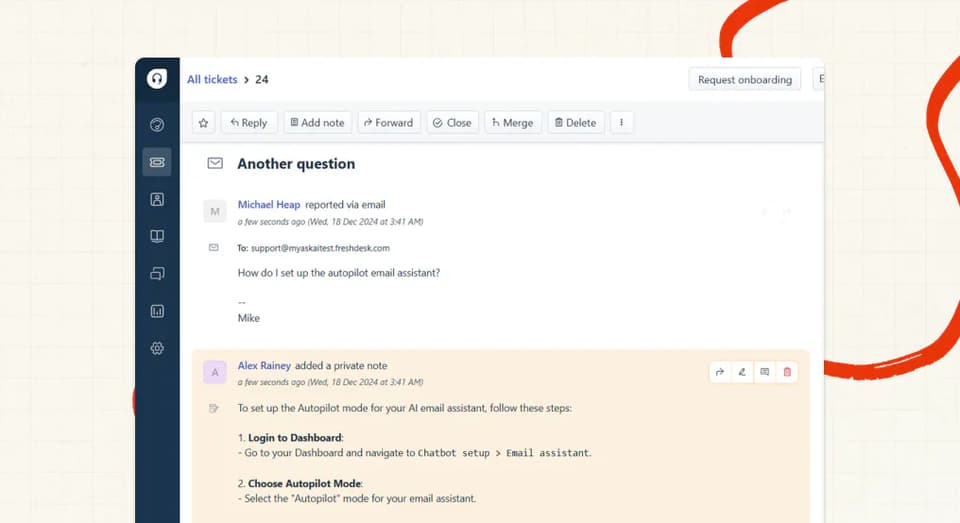
My AskAI installs as an approved marketplace app inside Zendesk, Intercom, Freshdesk, Gorgias or HubSpot, and answers in that helpdesk's own tickets and chats. You keep your desk, your agents, your macros and your routing.
Both products review well on G2:
| My AskAI | Wonderchat | |
|---|---|---|
| Rating | 4.5/5 | 5.0/5 |
| Reviews | 21 | 3 |
| Reviews page | My AskAI on G2 | Wonderchat on G2 |
Wonderchat's G2 reviewers describe the same experience its marketing promises:
"I love the ease of set-up... Response quality was very accurate, little training needed... The software also auto scans my websites." Jet Z., Junior Accountant, via a G2 review of Wonderchat.
On the customer front, Wonderchat's homepage shows names like Trend Micro, Ricardo.ch and Jortt. On our side, YesLMS runs 76% AI resolution with My AskAI and saves about 17 hours a month. We've also written a full Wonderchat guide if you want that product covered on its own.
How does an AI customer service agent work: My AskAI vs Wonderchat?
Wonderchat reads the sources you connect, answers in the widget, and cites where each answer came from. When it can't help, it offers live-chat handover on paid plans, falls back to an email form, or escalates into Zendesk as a ticket carrying the visitor's collected details and page URL.
Our flow runs inside the desk. Connect your knowledge, install the helpdesk app, and the agent starts in internal-notes mode: it drafts a reply on every ticket, and only your team sees the drafts.
When you trust it, flip it to direct replies. Anything it can't answer gets handed to a human, with an AI summary written as an internal note (so nobody asks the customer to repeat themselves).
What are the different ways I can use an AI agent?
Direct replies
Our primary mode is answering customers directly inside the helpdesk's own channels: tickets, chat and email in Zendesk, Intercom, Freshdesk, Gorgias or HubSpot. Because the reply happens in the desk, your tags, routing and reporting all still apply.
Wonderchat's direct mode is its widget, plus channel integrations for WhatsApp, Messenger, Instagram, Slack, Discord and Telegram. It also has an embeddable AI search bar for docs-style sites.
Copilot replies
Our copilot is the AI Copilot Chrome Extension. It drafts replies and looks things up for your human agents, inside any of our integrated helpdesks. It's free on every plan, with no seat charges.
Internal note replies
This is the mode we tell every new customer to start in. The AI drafts an answer on every ticket as an internal note, and customers see nothing until you flip to direct replies. It doubles as a zero-risk way to trial the agent on live tickets next to whatever you use today.
Voice
Wonderchat sells a voice agent on its Scale plan. AI phone calling sits on its top plans, with a US number assigned automatically (other countries route through Twilio on Enterprise). An SMS agent is Enterprise-only.
Our three modes are direct replies, Copilot and internal notes, across chat, email and your helpdesk's channels.
Which is easier to set up, Wonderchat or My AskAI?
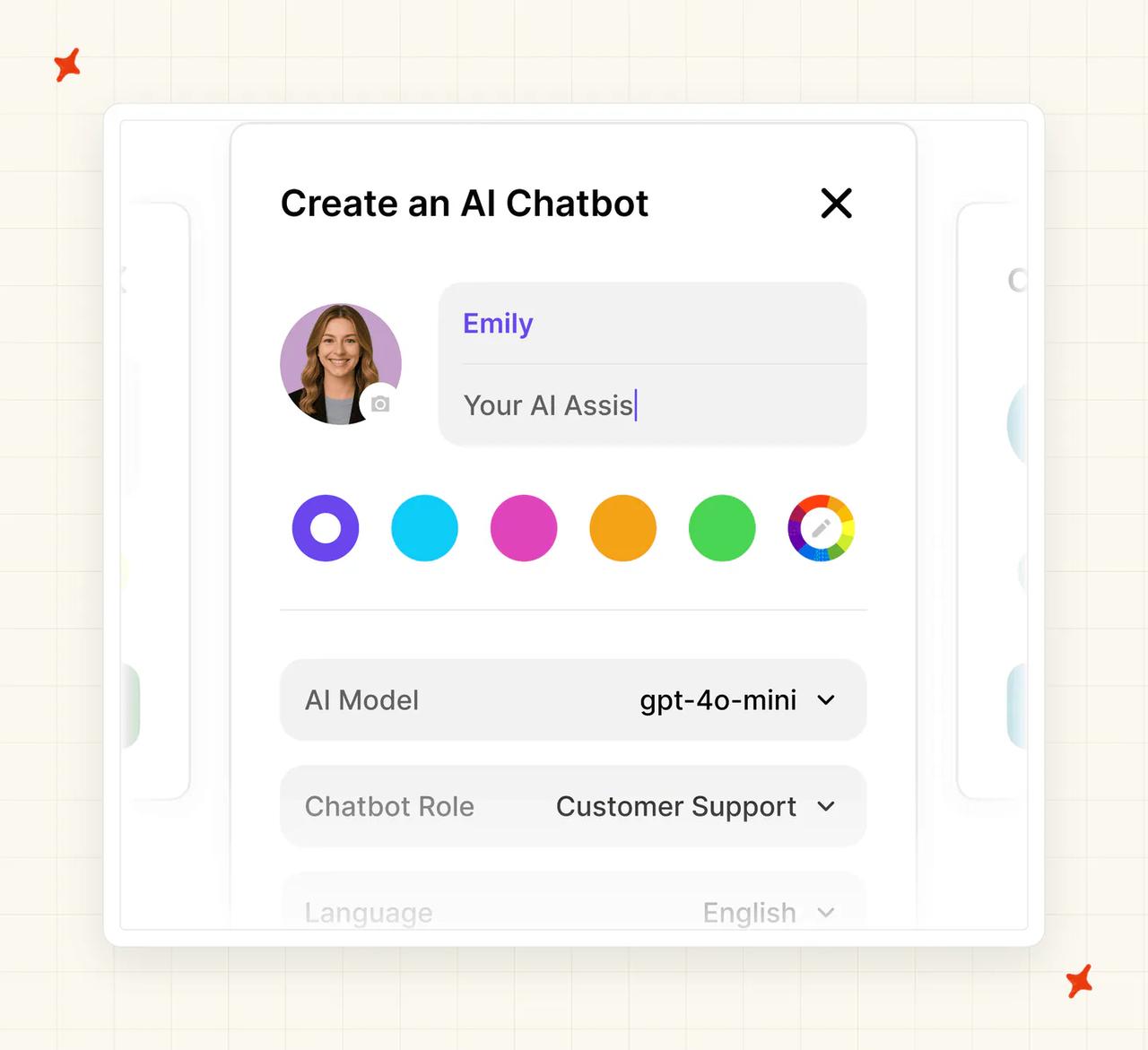
Wonderchat's setup is quick. You create a bot in a three-step modal (name and colors, model, role and language). Point it at a site or upload files, then paste one script tag.
Its own site says "Typical setup time is about five minutes for a standard deployment." The free tier gives you about 10 resolutions a month to play with, no card, and pairs with a 7-day trial on the paid plans. For a proof of concept on a small site, that is about as low-friction as this category gets.
My AskAI takes 10 to 15 minutes: sign up, connect your knowledge, then install the app from your helpdesk's marketplace. Still no code, and most teams switch from their existing setup in under a day.
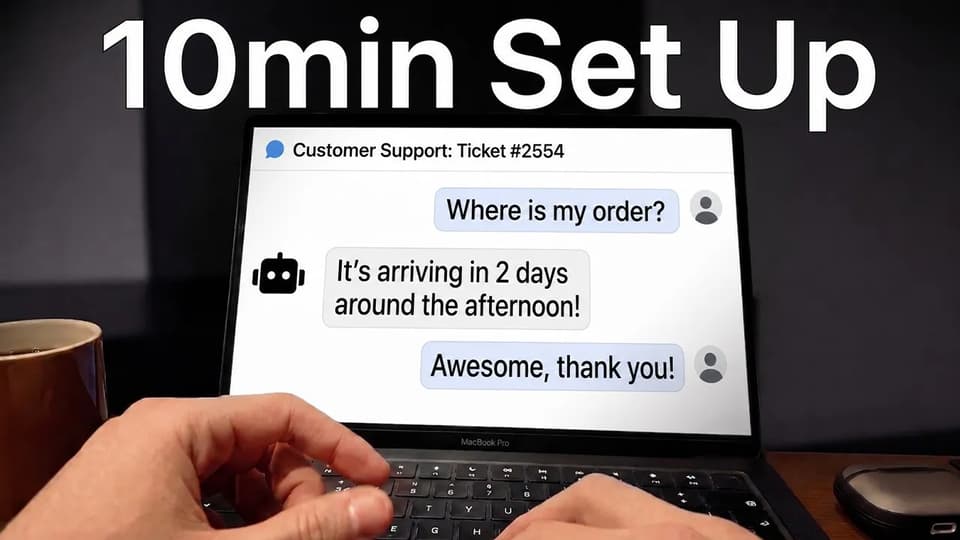
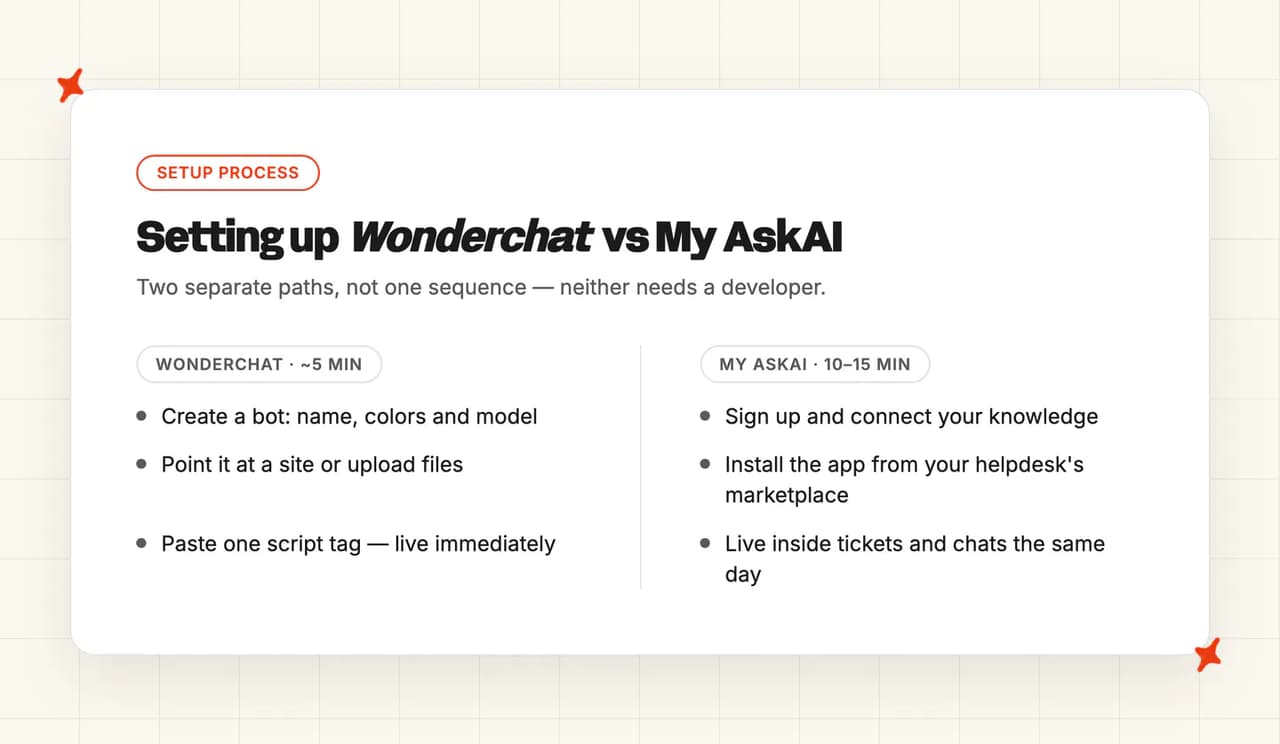
Wonderchat wins this category: on speed to live, the widget-only deploy is the one to beat. Our extra minutes buy the in-queue integration, and neither setup needs a developer.
How do My AskAI and Wonderchat differ in what they can be trained on?
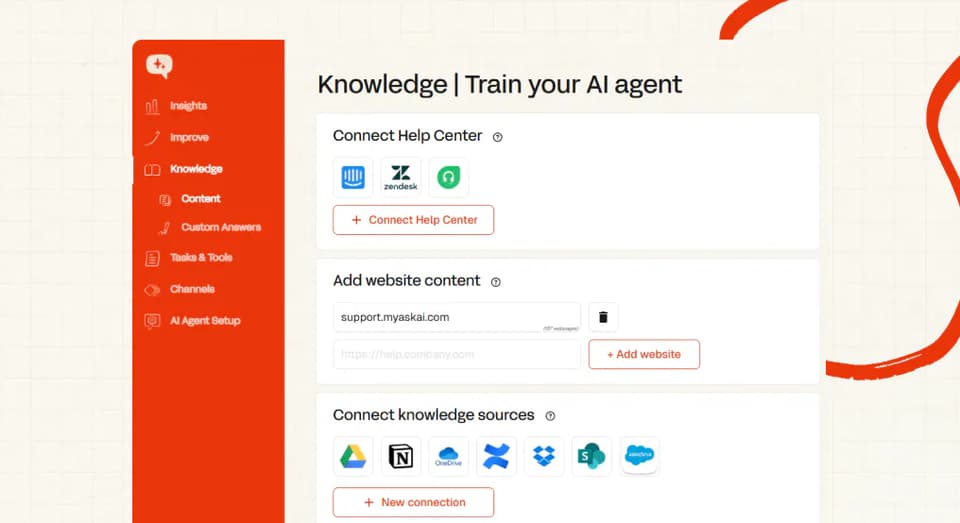
| Source | My AskAI | Wonderchat |
|---|---|---|
| Help center articles | ✅ (Zendesk, Intercom, Freshdesk, incl. behind-login) | ✅ (Zendesk and Freshdesk via sync) |
| Website crawl | ✅ | ✅ (three crawl modes, ignore lists) |
| Files | ✅ (PDF, DOCX and more) | ✅ (PDF, CSV, TXT, DOC, PPT, JSON) |
| Past tickets | ✅ (last 5,000 historic tickets by default) | ✅ (Zendesk and Freshdesk sync) |
| Google Drive | ✅ | ✅ |
| Notion | ✅ | ✅ |
| SharePoint | ✅ | ✅ |
| Confluence | ✅ | ❌ |
| OneDrive / Dropbox | ✅ | ❌ |
| Salesforce | ✅ | — |
| Shopify | ✅ (products, orders, customers) | — (order lookups via workflows) |
| Audio, video, YouTube | — | ✅ |
| Live backend data | ✅ (User Data API) | — |
| Internal-only marking | ✅ | Not documented |
| Refresh cadence | Every 24 hours (websites fortnightly) | Not published (scheduled sync unavailable on Free) |
Static content
Both products handle the basics well: help centers, website crawls and file uploads. Wonderchat adds audio, video and YouTube ingestion, and its crawler has useful controls like ignore lists and private crawling.
Both also train on past tickets. Wonderchat syncs them from Zendesk or Freshdesk. Its ticket-training doc notes the reconnect "is required so Wonderchat can read your Zendesk help center and past tickets."
My AskAI trains on your last 5,000 historic tickets by default (more on request), whether you run Zendesk, Intercom, Freshdesk, Gorgias or HubSpot. If you have no help center at all, that historic-ticket training builds your starter knowledge from scratch.
Dynamic content
Our User Data API connects your own backend, so the agent answers "where is my order?" from live systems. The Shopify connector comes pre-built for product, order and customer lookups.
Wonderchat's live lookups run through its workflow builder, for example a Shopify order-status flow. Its connected sources sync on a schedule Wonderchat doesn't publish; scheduled sync itself is unavailable on the Free plan.
Ours resync every 24 hours (websites fortnightly). Any source can be marked internal-only, so it never reaches a customer.
Which has better answer quality, Wonderchat or My AskAI?
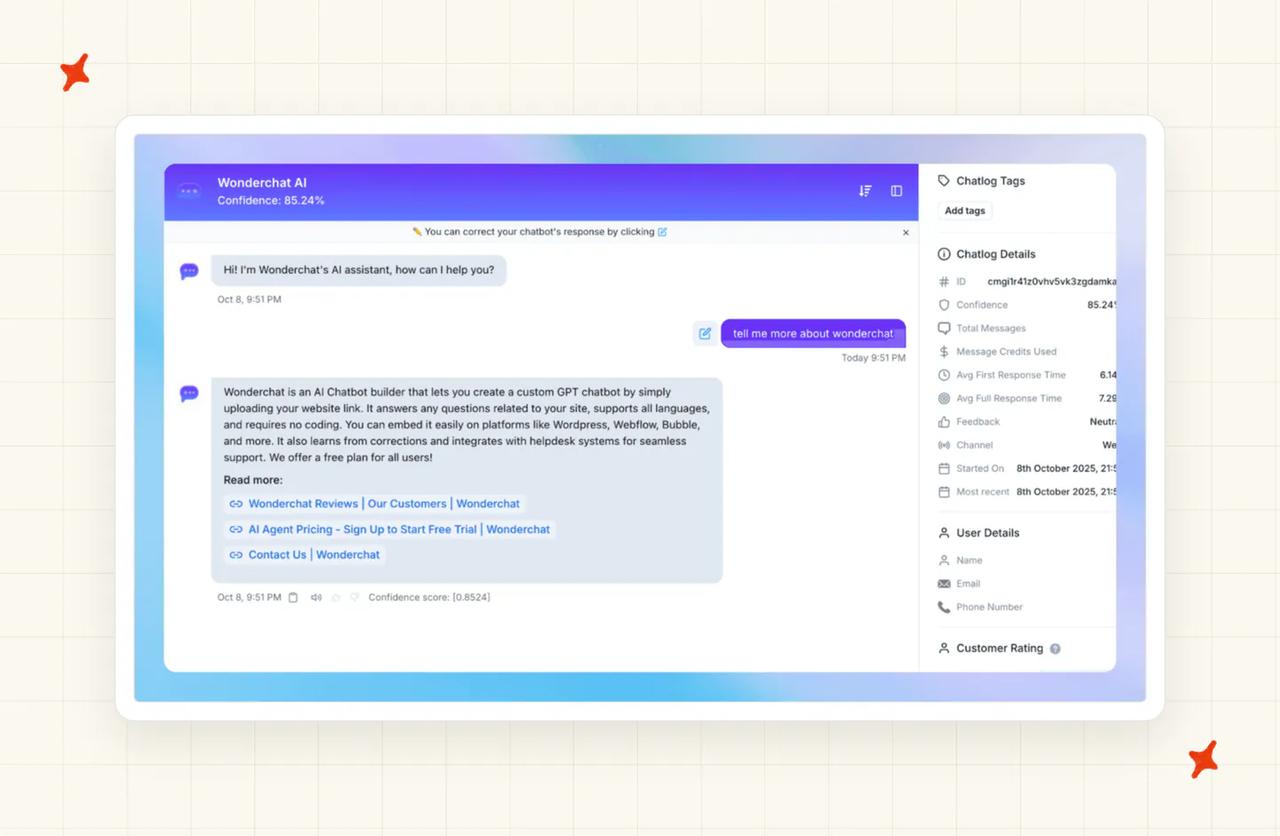
Wonderchat cites sources in its answers and shows a confidence score on every conversation. You can pick from 10+ models across OpenAI, Anthropic, Google, Mistral, Meta, DeepSeek and Perplexity, or let its GPT-Router pick for you. Its own docs are plain about the trade-offs, down to which of its models are weaker in other languages.
Wonderchat publishes an aggregate: "Wonderchat agents resolve about 76% of conversations across Support Agent accounts, measured over a rolling 30-day window across all accounts running a support agent."
Its best case study is Jortt, which "resolves about 92% of roughly 30,000 monthly customer inquiries with Wonderchat." Both figures are Wonderchat's own measurements.
My AskAI resolves 72%+ of conversations on a rolling 30-day basis across our customer base. We count a conversation resolved when the AI handled it without escalating to a human, and escalation is deliberately easy for the customer to trigger.
Our own AI resolution rate benchmark study covers 195 rated deployments across 38 vendors, and the median is about 70%. Every vendor defines the metric its own way (ours included), so take every number here with a grain of salt.
Buyers ask me "what model do you use?" on most of the sales calls I sit on.
A production agent strings together ten or more model calls per answer (routing, retrieval, drafting, checking), each one A/B tested separately. We treat picking and tuning those models as our job, which is why there's no model picker on our side. On Wonderchat, choosing the model is part of the setup you own.
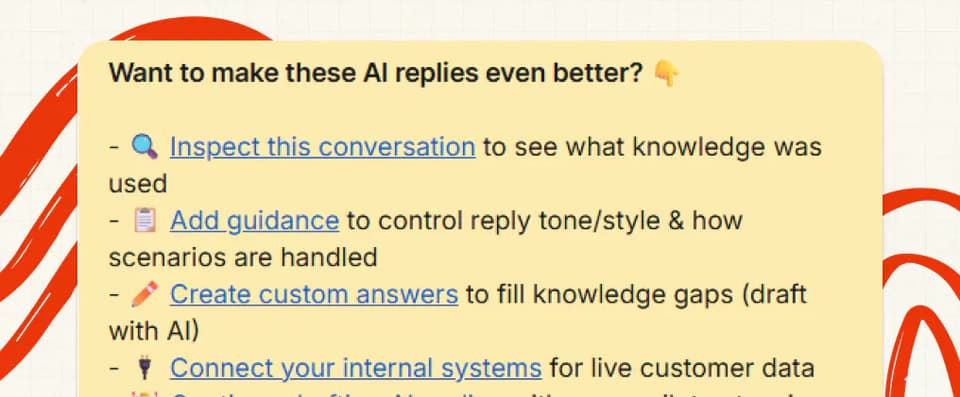
When you want to know why the agent said something, ask Echo, the operator assistant inside our dashboard. It shows which knowledge source an answer used and why, on any conversation.
Which AI agent is easier to improve over time: Wonderchat or My AskAI?
Wonderchat's loop is Corrections. When the bot misses, you open the chat and submit a model answer with an optional source; the fix lands in the Corrections tab (bulk import and export are supported).
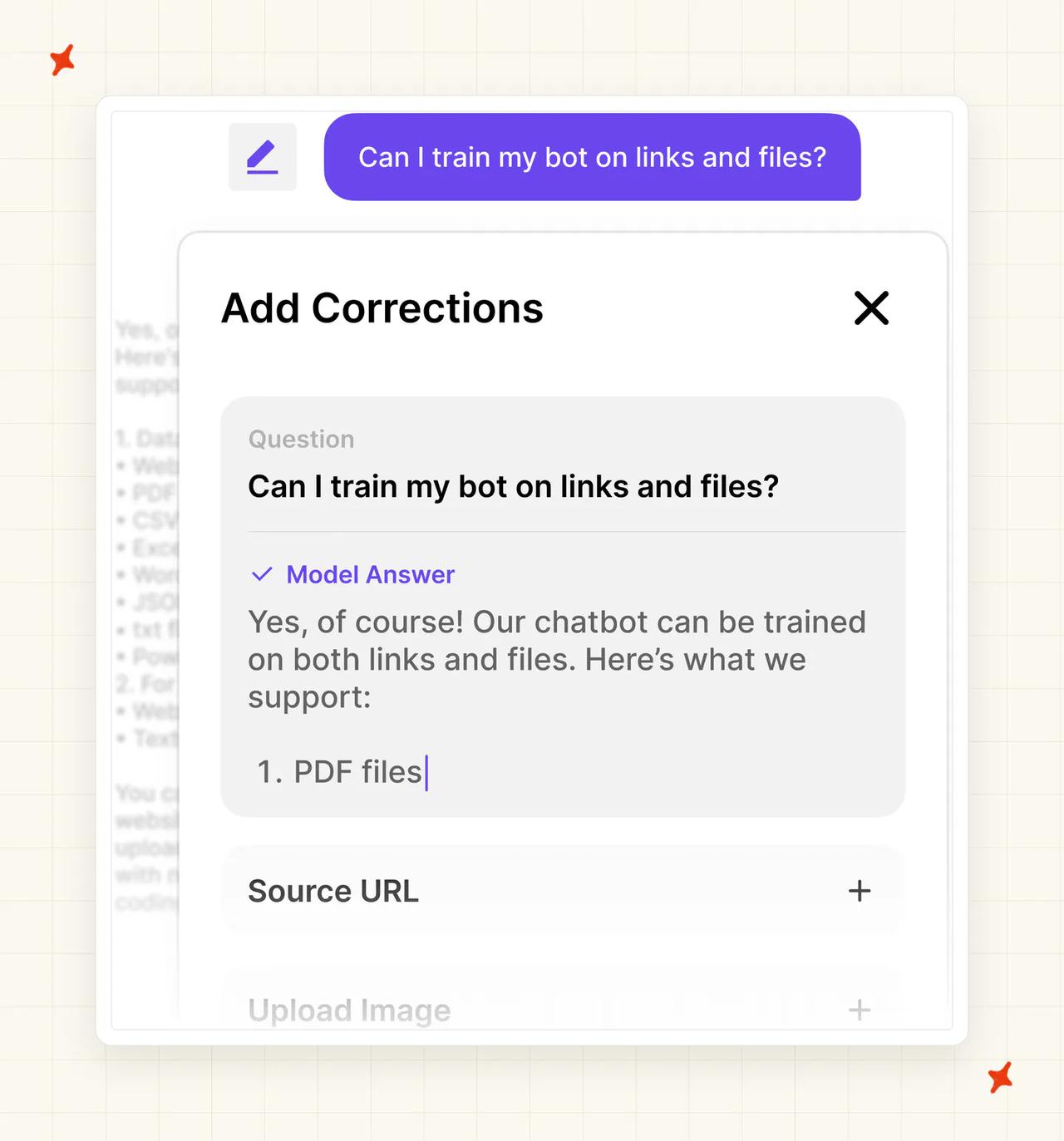
Its QA agent also audits your knowledge base and sends a daily gap report.
Their analytics point you at what to fix, and the fixing is manual: someone on your team writes each correction.
Our Self-Learning runs the loop automatically. On every handed-over ticket it compares our AI's draft to what your human agent actually sent. It drafts a new knowledge article from the difference and queues it for your review.
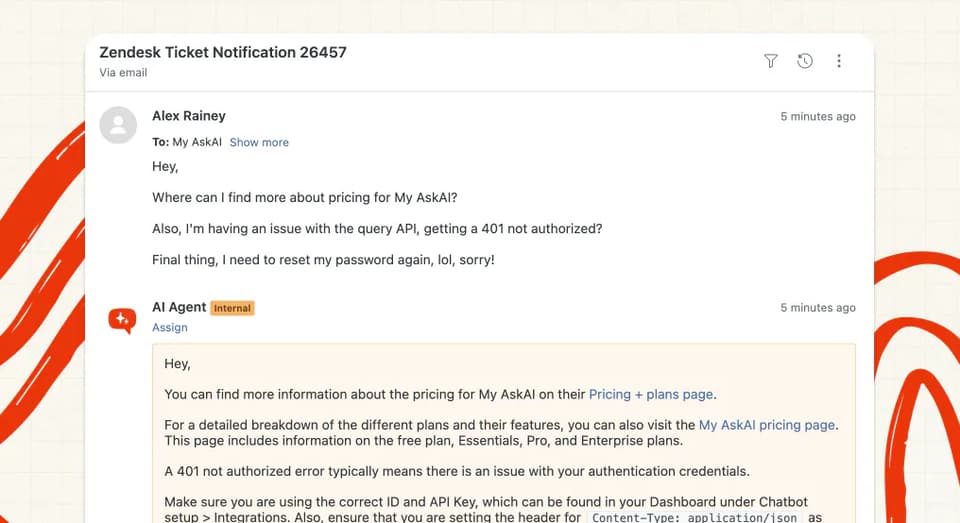
Echo sits on top of that. Ask it in plain English to write or merge Guidance, manage Custom Answers and Self-Learning articles, or test the agent's answers. Batch testing lets you rerun your top questions after every change.
Which has more features, Wonderchat or My AskAI?
| Feature | My AskAI | Wonderchat |
|---|---|---|
| Voice agent | ❌ | ✅ (Scale plan) |
| AI phone calls | ❌ | ✅ (top plans, US number included) |
| SMS agent | Via your helpdesk's channels | ✅ (Enterprise) |
| Messaging channels (WhatsApp, Slack, etc.) | Via your helpdesk's channels | ✅ (native) |
| Embeddable AI search bar | ❌ | ✅ |
| Model picker | — (we pick and test models for you) | ✅ (10+ models) |
| Multi-step workflows | ✅ (Tasks, plain English) | ✅ (Chat Workflows, no-code: 2 on Basic) |
| Actions on your own systems | ✅ (Tools + User Data API) | ✅ (connector for external tools) |
| Lead capture and qualification | ❌ | ✅ |
| Meeting booking | ❌ | ✅ (Calendly) |
| AI tagging | ✅ ($0.05/attribute per ticket; Zendesk, Intercom, Freshdesk, Freshchat, Gorgias) | ✅ (chat topics and tags) |
| Live agent translation | ✅ ($0.05/ticket, Intercom) | Not documented |
| Image reading | ✅ ($0.02 per reply, on top of ticket rate) | ✅ (included in the standard 1-credit-per-reply charge on vision-capable models) |
| Analytics and insights | ✅ (AI CSAT on every conversation) | ✅ (per-conversation confidence scoring, resolution-rate and CSAT analytics) |
| Multiple agents | ✅ | ✅ (1 on Free, 2 on Basic, 4 on Scale, custom on Enterprise) |
| Branding removal | ✅ ($49/mo, free on Scale) | — |
Wonderchat wins this category on raw breadth: voice, phone, an AI search bar, lead capture with Calendly booking, and a model picker. That is a wide surface for a self-serve product (even with several pieces sitting on higher tiers).
Their workflow builder lets you stack no-code steps, like asking for an order number and then pulling status from Shopify. Their lead tooling is a product in its own right, aimed at marketing as much as support.
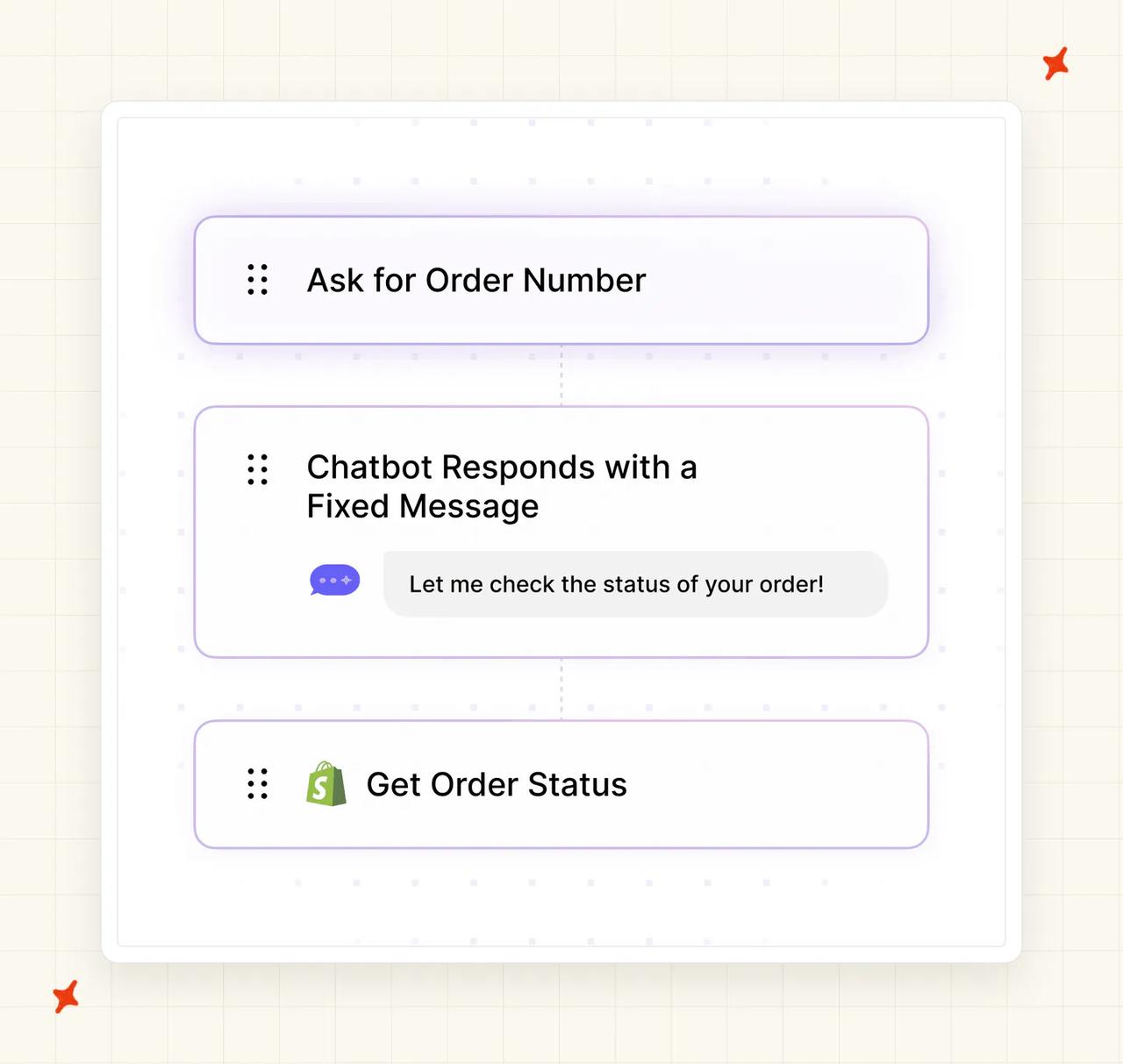
Our feature set runs deeper on support operations. Tasks are multi-step procedures written in plain English that call your own systems through Tools. Each action runs autonomously or as propose-then-approve, your call per action.
Add tagging with per-tag reply control, live translation for agents, image reading, and CSAT scored on 100% of conversations.
Is it easy to customize My AskAI and Wonderchat?
Wonderchat's customization starts in the creation modal: pick a role template like Customer Support, set the tagline and colors, choose the language. Custom prompts go deeper, and its plan matrix lists persona settings and CSS overrides among the options.
We split behavior control into three named tools. Guidance is natural-language rules in three types (communication and style, context and clarification, handover and escalation), each entry under 75 words.
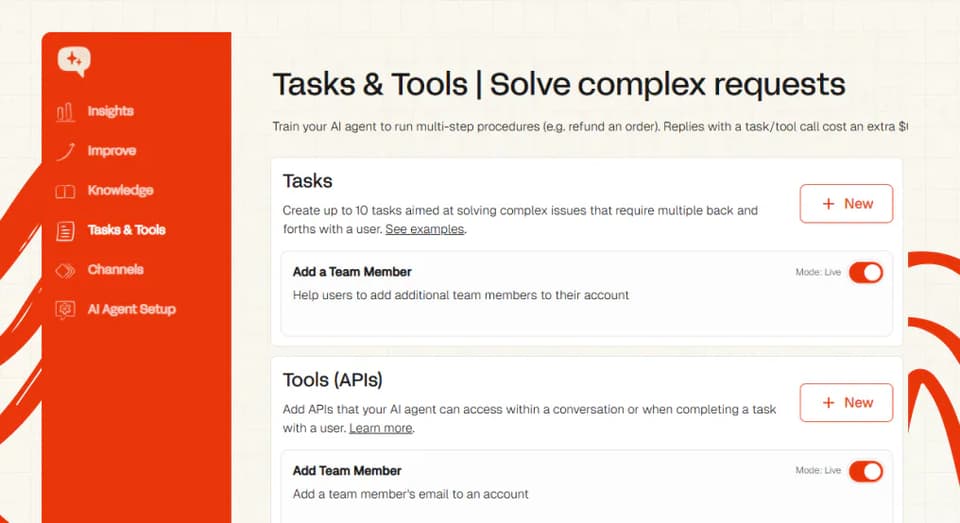
Custom Answers return your exact wording, which is what you want for regulated or scripted responses. And Tasks let you define multi-step procedures in plain English, so "how the refund flow works here" is something you type into a settings box.
Branding removal on our side is $49 a month, free on Scale and Enterprise plans.
What about vendor lock-in?
My AskAI installs as an approved marketplace app in each helpdesk we support: Zendesk, Intercom, Freshdesk, Gorgias and HubSpot. If you ever switch desks, the trained agent, custom answers, guidance and tasks move with you, one desk at a time, and you retrain nothing.
Wonderchat is helpdesk-agnostic in its own way, because it lives in front of the site rather than inside any desk. The investment you make in it (corrections, workflows, prompts) lives in Wonderchat's own layer, so it also survives a helpdesk switch.
Check the plan gating before you buy. Its helpdesk integrations sit on the Scale plan, and the connections are wired from its dashboard into Zendesk and Freshdesk for escalation and ticket training.
Does Wonderchat or My AskAI have any other AI features?
Tagging
Wonderchat detects chat topics and attaches tags to each chatlog, which its analytics then group.
Our tagging works off your existing helpdesk tags. Each tag is expanded into a full definition you can edit, and tickets are classified by meaning the moment they arrive. It runs natively in Zendesk, Intercom, Freshdesk, Freshchat and Gorgias at $0.05 per attribute per ticket.
Each tag also carries a reply setting: reply directly, leave a note, or don't reply at all. Our customers use it as a routing and spend control. Tag the tickets you want humans to own, and you pay only the 5 cents for the tag.
Agent translation
Wonderchat says its agents respond in 40+ languages, matching the language the visitor writes in. Ours auto-detects 95 languages. Live Translation on Intercom translates the customer's messages into your agent's language and their reply back, at $0.05 a ticket.
Confidence scoring and CSAT
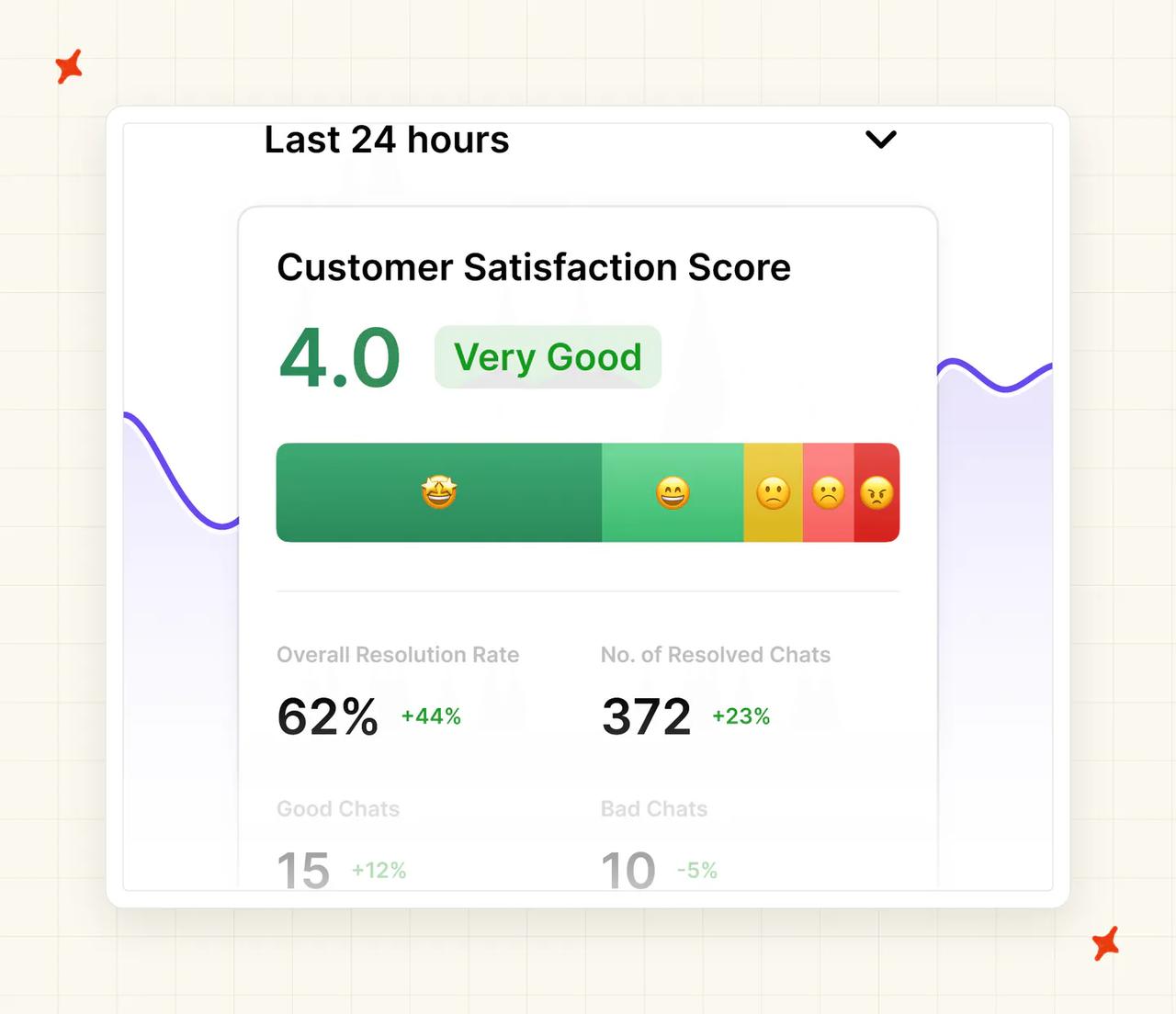
Wonderchat's analytics cover per-conversation confidence scoring plus resolution-rate and CSAT reporting. Our Insights scores AI CSAT on 100% of conversations (most CSAT surveys hear from 2 to 10% of customers). It groups every conversation into topics and emails you when a new topic starts recurring.
What about security, is Wonderchat more secure than My AskAI?
Your security reviewer will get quick answers from both vendors. Wonderchat lists SOC 2 and GDPR compliance from its entry paid tier, hosts in Frankfurt, and runs public trust and security portals plus a bug bounty. HIPAA is listed on its Enterprise tier.
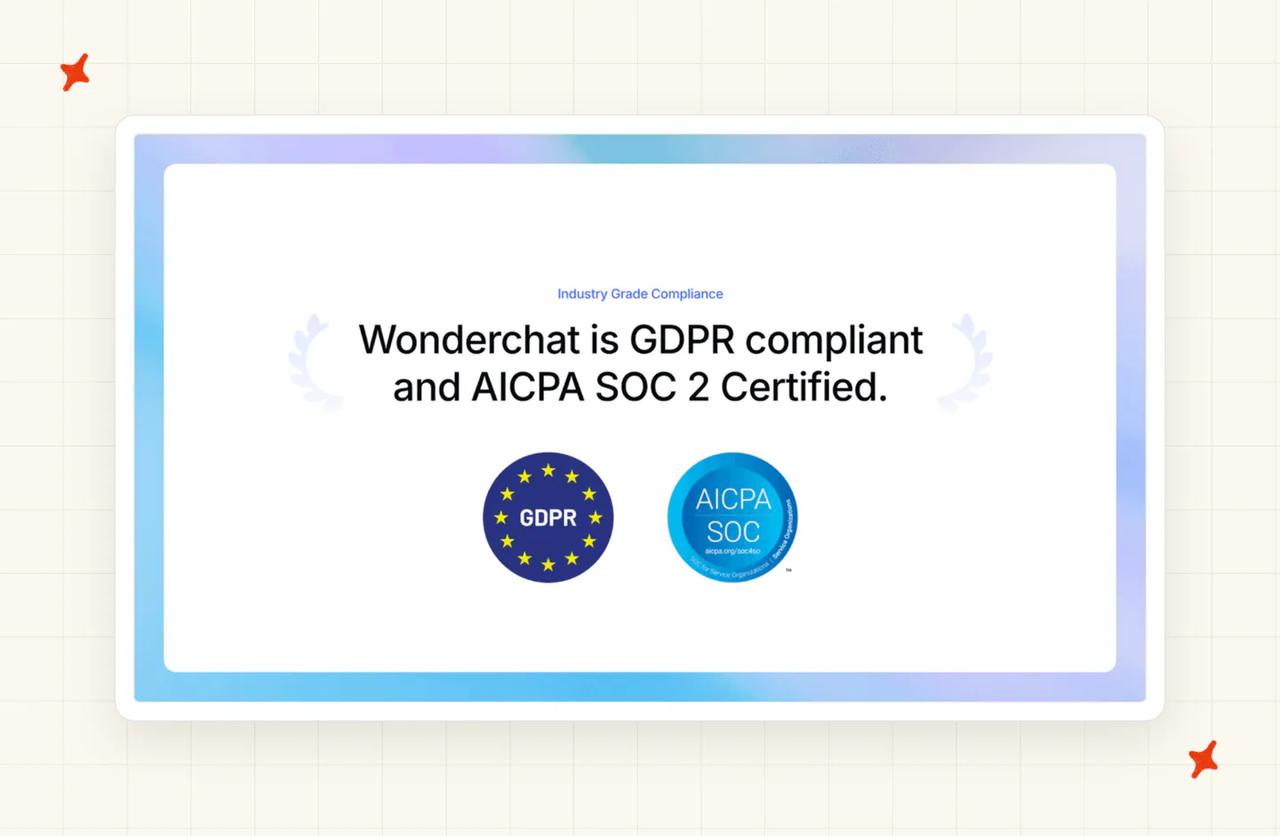
My AskAI is SOC 2 Type II and GDPR compliant, with AES-256 encryption at rest and TLS in transit. Customer data is never used to train models, and each customer's data is isolated. Our live trust report shows the current state at any time.
For an EU buyer with a data-residency requirement, Wonderchat's Frankfurt hosting is a point in its favor. On the certifications both sides hold, this category is a tie.
Which costs more, Wonderchat or My AskAI?
The pricing model
Wonderchat sells prepaid allowances, and we meter usage.
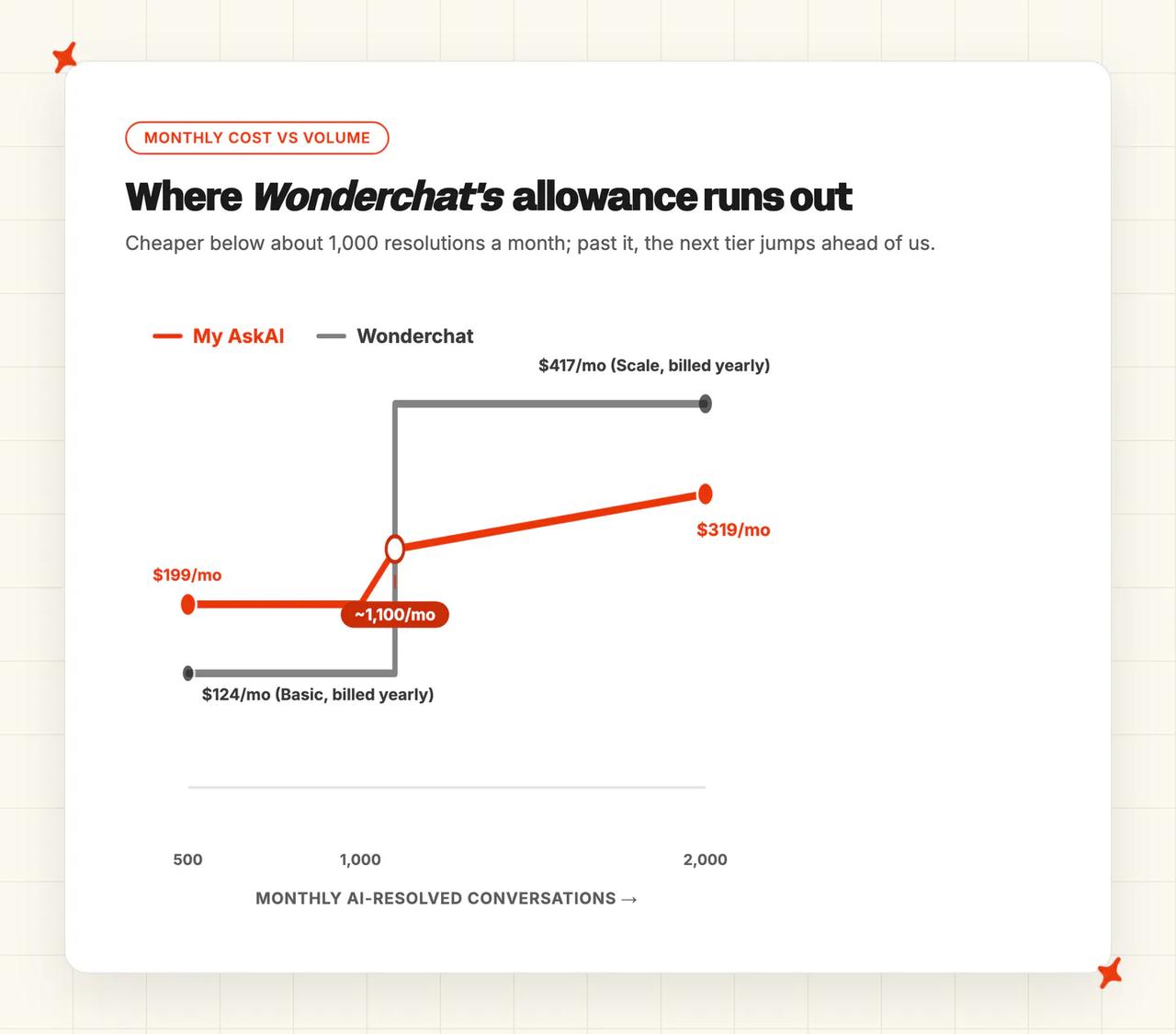
Wonderchat's pricing runs Free, Basic, Scale and Enterprise tiers, with prices shown billed yearly (a monthly option is also offered). Free covers about 10 resolutions a month. Basic is $124/mo billed yearly for around 1,000 resolutions (5,000 credits; about $0.12 per resolution).
Scale is $417/mo billed yearly for around 5,000 resolutions (25,000 credits), and adds the voice agent and helpdesk integrations. Enterprise starts at $1,499. Yearly billing saves 17%.
Under the hood it bills message credits: "1 AI response = 1 message credit". By the arithmetic on its own pricing cards, a resolution averages about five credits.
Credits reset monthly and don't roll over. Hit the cap and "The chatbot pauses and stops responding", unless you buy top-ups at $29.99 per 1,000 credits.
My AskAI is per-ticket. Pro is $199/mo with 1,000 credits included and $0.12 per extra credit. Scale is $499/mo with 2,000 included at $0.10, and Enterprise starts at $999.
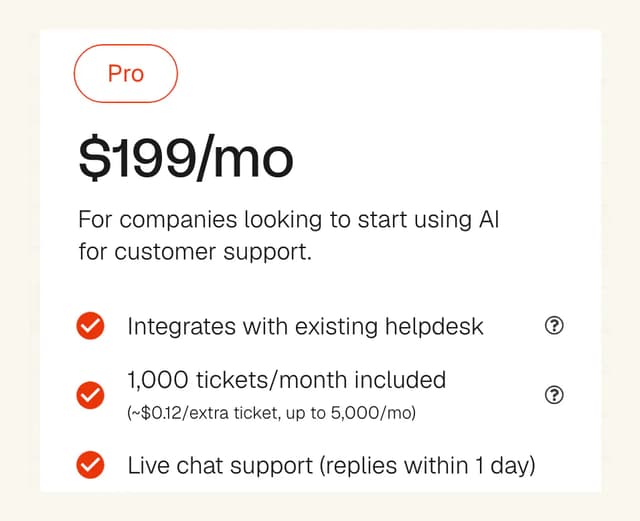
A chat ticket runs about two AI replies, which is one credit, so roughly $0.12 a ticket on Pro (email works out around $0.15; Scale runs $0.10 a ticket). The rate never moves with model choice.
Annual billing takes 33% off. Usage add-ons like tagging ($0.05 per attribute per ticket) and tool calls ($0.02 per AI reply where a tool fires) are metered on every plan, including Pro, only when those features actually fire.
The live numbers sit on our pricing page. Both products are AI layers on top of helpdesk seats you keep paying either way.
The overall cost
| Monthly volume | Wonderchat | My AskAI |
|---|---|---|
| ~1,000 AI-resolved conversations | $124/mo Basic, billed yearly (~1,000 resolutions incl.) | $199/mo Pro (1,000 credits included, $0.12 overage) |
| ~2,000 tickets | $417/mo Scale, billed yearly (~$5,004/yr commitment), or ~$274/mo on Basic + $29.99/1,000-credit top-ups | ~$319/mo (Pro $199 + 1,000 × $0.12) |
At about 1,000 resolutions a month, Wonderchat's Basic plan is cheaper than our Pro plan. A small site living inside that allowance does well on it.
At 2,000 tickets the allowance model bites. Basic's 1,000 resolutions no longer cover you on their own, though topping up with $29.99 per 1,000 extra credits gets you there for roughly $274 a month before you need Scale.
The full step up is Scale at $417 a month billed yearly, roughly $5,004 committed for the year. Scale is the next tier up here, rather than a floor 2,000 tickets forces on you (we'd only make that jump once you're consistently past 1,000).
At 2,000 resolutions of actual usage that works out around $0.21 each. The headline $0.08 rate only arrives if you use the full 5,000.
The same 2,000 tickets on My AskAI cost about $319 a month, billed monthly. A quiet month costs less, because unused tickets were never billed.
For an SMB support budget, an unpredictable bill hurts, and so does an allowance you pay for whether you use it or not. Comfortably under 1,000 resolutions a month, though, Wonderchat's Basic tier is the cheaper product.
Model your own volumes with our ROI calculators, and check every Wonderchat figure against its live pricing page. Our 30-day free trial has every feature unlocked and unlimited tickets, no card. Prove the resolution rate on your own tickets before paying (and new customers usually get 50% off the first 3 months).
Conclusion - should I choose Wonderchat or My AskAI?
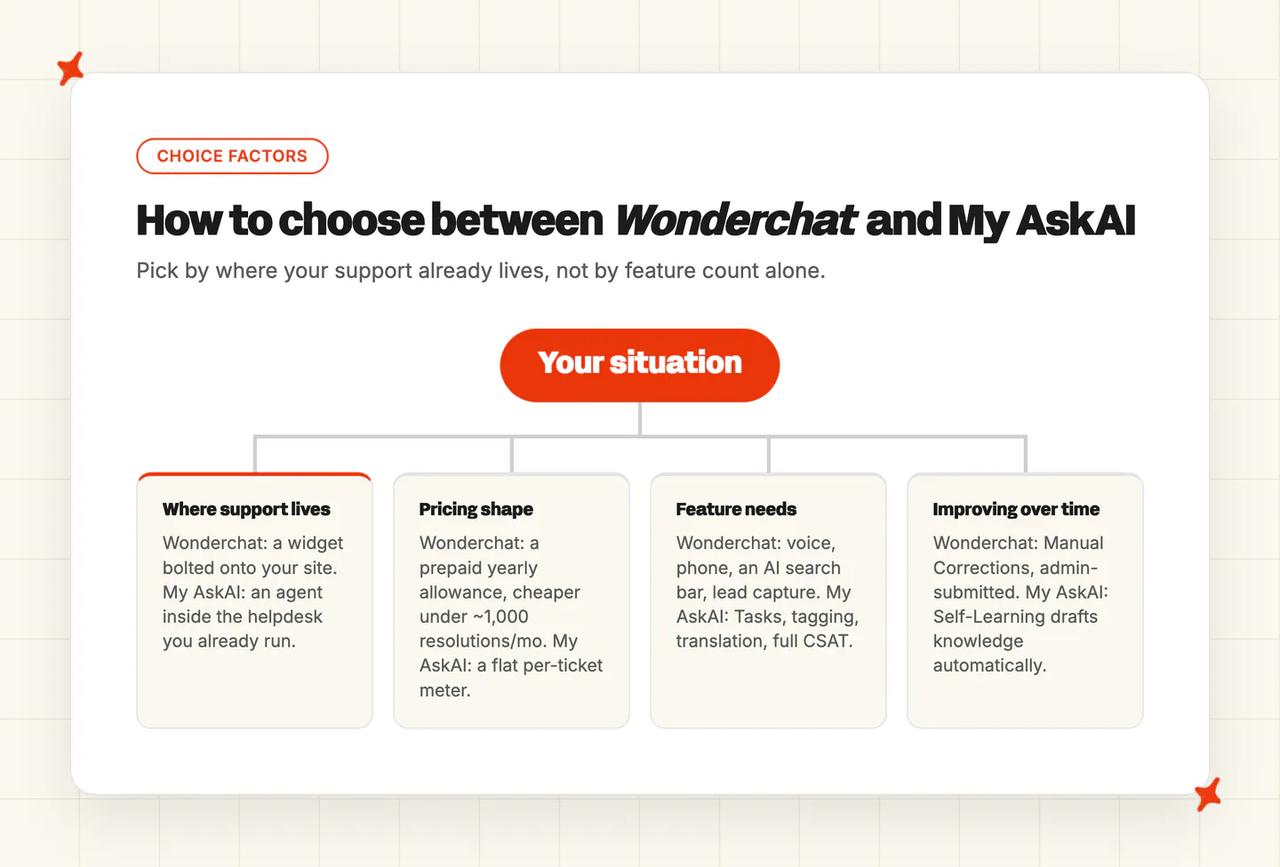
My AskAI is the pick when your support runs through a helpdesk. For a widget bot live on a small site this afternoon, pick Wonderchat. Here are the scores on the doors, across all eleven categories:
| My AskAI | Wonderchat | Verdict | |
|---|---|---|---|
| Modes | 7/10 | 8/10 | Wonderchat win: voice and phone on its top plans, SMS on Enterprise, messaging channels like WhatsApp and Slack, and an AI search bar. Our counter is Copilot and internal notes, with no voice channel |
| Ease of setup | 8/10 | 9/10 | Wonderchat win: a ~5-minute widget deploy beats our 10 to 15 minutes, though our extra minutes buy the in-queue install |
| Training/Integrations | 9/10 | 6/10 | My AskAI win: historic-ticket training on by default across Zendesk, Intercom, Freshdesk, Gorgias and HubSpot, plus Confluence, OneDrive, Dropbox, Salesforce and Shopify, against ticket sync on Zendesk and Freshdesk |
| Answer Quality | 8/10 | 7/10 | My AskAI win: per-step model orchestration and ask-Echo traceability. Their picker and confidence scores work as documented, and the model-tuning job sits with the buyer |
| Improving | 9/10 | 7/10 | My AskAI win: Self-Learning drafts knowledge from your agents' replies automatically; their Corrections queue and daily QA report still run on admin submissions |
| Features | 7/10 | 8/10 | Wonderchat win: broader raw set (voice, search bar, lead capture, model picker) against our deeper support-ops set of Tasks, tagging, translation and full-coverage CSAT |
| Price | 8/10 | 7/10 | My AskAI win: metered per ticket, monthly, model-independent. Their $124 Basic is cheaper below about 1,000 resolutions a month, and the allowance expires above it |
| Customization | 8/10 | 7/10 | My AskAI win: Guidance, Custom Answers and plain-English Tasks against role prompts, custom prompts and widget theming |
| Lock-in | 9/10 | 6/10 | My AskAI win: the trained agent moves across Zendesk, Intercom, Freshdesk, Gorgias and HubSpot; their corrections and workflows live in the widget layer and helpdesk connections sit on Scale |
| Other AI features | 8/10 | 7/10 | My AskAI win: tagging with per-tag reply control, Live Translation and CSAT on every conversation, against confidence scoring and resolution-rate analytics |
| Security | 7/10 | 7/10 | Tie: both SOC 2 and GDPR. Their Frankfurt hosting and Enterprise-tier HIPAA listing; our AES-256 encryption and live trust report |
The three Wonderchat wins cluster where being a widget-first builder pays: speed to live, channel breadth including voice, and entry price. If those are your buying criteria, it is a good product.
My AskAI's seven wins are the fundamentals of running an agent inside a support operation. That's training depth, the improvement loop, a forecastable bill, and an agent you keep when your stack changes.
My AskAI installs into the helpdesk you already run, trains on your knowledge and your last 5,000 historic tickets, and charges about $0.12 a ticket on Pro (from $0.10 on Scale). The 30-day trial is all features, unlimited tickets, no card, so you can measure it on your own queue before spending anything.
Weighing another self-serve bot builder? We've compared My AskAI with Chatbase head to head, and our Chatbase alternatives roundup covers the wider widget-builder field.
FAQs
Is Wonderchat good for customer service automation?
Yes, for widget-front support on your own site. Wonderchat publishes a 76% average resolution across its support-agent accounts, cites sources in its answers, and escalates into Zendesk or Freshdesk when it's stuck. Automating the ticket queue inside a helpdesk is the job we built My AskAI for.
What can each AI agent be trained on?
Both crawl websites, ingest files, connect Google Drive, Notion and SharePoint, and train on past tickets. Wonderchat adds audio, video and YouTube ingestion, with ticket training synced from Zendesk or Freshdesk. Ours adds Confluence, OneDrive, Dropbox, Salesforce and Shopify, trains on your last 5,000 historic tickets by default, and lets you mark any source internal-only.
How long does setup take and do we need developers?
No developers on either side: Wonderchat's standard widget deploy takes about five minutes by its own account. My AskAI takes 10 to 15 minutes, because you also install our app into your helpdesk. Most teams start in internal-notes mode the same day.
How do Wonderchat and My AskAI pricing models differ, and what might we actually pay?
Wonderchat sells prepaid resolution allowances billed yearly, and My AskAI meters tickets monthly. Basic covers ~1,000 resolutions a month at $124 billed yearly; past that you either buy $29.99-per-1,000-credit top-ups or step up to Scale at $417/mo billed yearly, while our bill grows $0.12 a ticket at a time.
| My AskAI | Wonderchat | |
|---|---|---|
| Pricing model | Per-ticket credits, billed monthly | Prepaid resolution allowances, billed yearly |
| Headline rate | ~$0.10/ticket on Scale (~$0.12 on Pro) | ≈$0.12/resolution on Basic (billed yearly); ≈$0.08 on Scale (billed yearly) at full use |
| 2,000 tickets a month | ~$319 (Pro $199 + 1,000 × $0.12) | $417/mo Scale, billed yearly — next tier once Basic's ~1,000 resolutions run out |
| Free trial | 30 days, all features, no card | 7 days, plus a ~10-resolution free tier |
Can they handle multilingual support and agent translations?
Wonderchat responds in 40+ languages, auto-detected from what the visitor writes. Ours auto-detects 95 languages. Live Translation on Intercom translates the conversation both ways for your human agents at $0.05 a ticket, so nobody's stuck replying in a language they can't read.
How do Wonderchat and My AskAI compare on security and compliance?
Both list SOC 2 and GDPR compliance, and ours is a Type II report. Wonderchat hosts in Frankfurt and publishes trust and security portals. HIPAA is listed on its Enterprise tier.
My AskAI encrypts with AES-256 at rest and TLS in transit, and never trains models on your data. We publish a live trust report.
Does each one offer a free trial?
Both do. Wonderchat has a free tier of roughly 10 resolutions a month (no card) and a 7-day trial on the paid plans. Our trial is 30 days with every feature unlocked and unlimited tickets, no card. New customers usually get 50% off the first 3 months.
Is Wonderchat good for e-commerce support?
It covers the basics well: a Shopify integration and workflows that can look up order status.
Our Shopify connector reads products, orders and customer data out of the box, and the sales-agent Task recommends products. Cart or checkout actions are buildable with Tasks and Tools. A premium accessories brand on Gorgias runs 64% AI resolution with an 85% CSAT on our side.