AI customer service security & compliance: a 12-question vendor review
Most AI customer service security advice is for engineers building LLM apps. A 12-question vendor review covering SOC 2, GDPR and data residency for buyers.
Summarize with AI
Search "AI customer service security" and you'll find prompt-injection guides, jailbreak taxonomies and attack-chain walkthroughs. Nearly all of it is written for security engineers rolling their own LLM apps.
Meanwhile, AI support projects usually die the same way: someone on the support team runs a great trial, InfoSec gets waved in around week three, and the vendor's SOC 2 turns out to be "in progress". Deal over, quarter gone.
The review that decides these deals is predictable. It has three layers (who you're buying from, what happens to your data, and what the AI can touch) and 12 questions, and SOC 2, GDPR and data residency each live in a specific one of those layers. So you can get answers to all 12 before a trial ever starts.
I'm Mike, co-founder of My AskAI. We help 200+ ecommerce and SaaS businesses run AI customer service inside their existing helpdesk, I've sat on the vendor side of these reviews, and our regulated rollouts include a crypto exchange licensed in the EU, a fintech card issuer, a trading platform handling 105K tickets a month, and a telehealth provider.
The same questions come up every single time (that's why they fit on a checklist).
Is AI customer service actually a security risk?
OWASP's Top 10 for LLM applications is a useful list (and the one your security reviewer is most likely to quote at you): prompt injection, sensitive information disclosure, data and model poisoning, excessive agency. Lakera's chatbot security guide covers the same ground for teams deploying their own bots, and Trend Micro has an attack-chain walkthrough on how a homegrown support bot can be turned into a backdoor.
If your engineering team is building a customer-facing LLM app from scratch, read all of it, because those risks are yours to manage.
A support team evaluating an AI support vendor is in a different position: you're buying. Your exposure comes down to what customer data flows to which companies, under what contract, with what controls. Those are the same questions you'd ask of any SaaS vendor that touches customer data, with an AI twist on each layer.
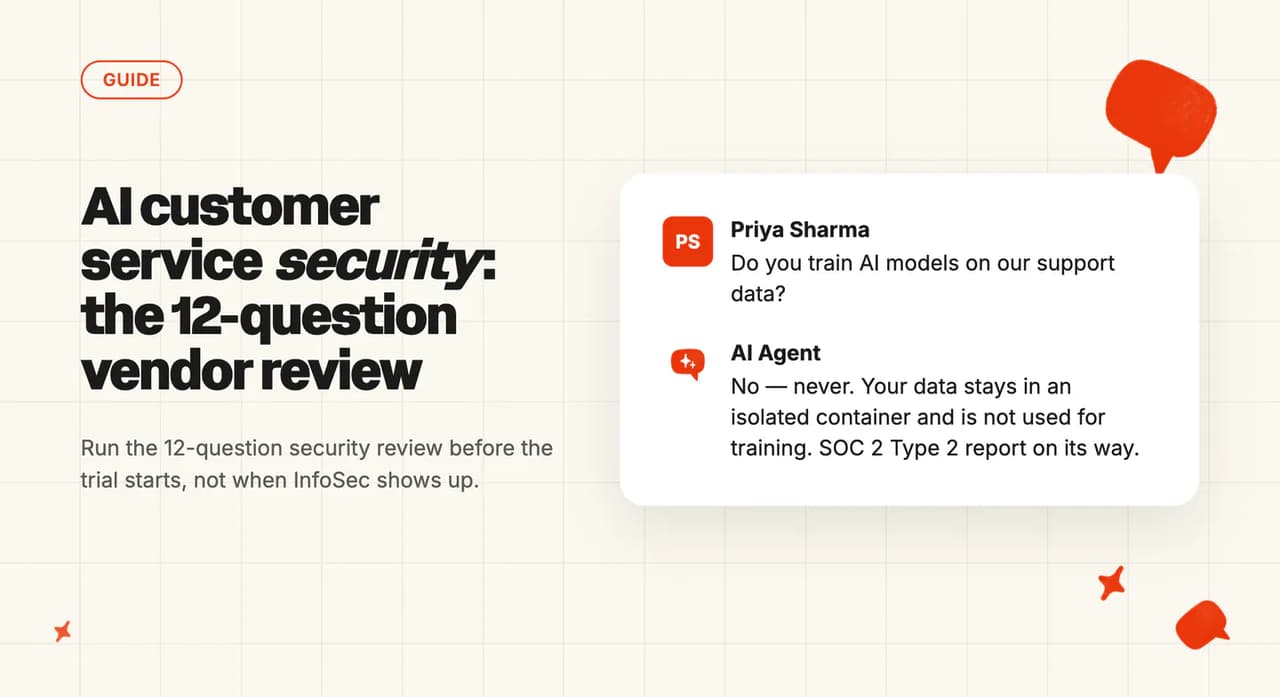
From the vendor side of the table, the question we get asked most is "will you be training an LLM on our data?" Almost always, the answer is no. Most support AIs work by retrieving a corpus of your knowledge and injecting it into the prompt at answer time, so there's no fine-tuning involved.
The exceptions are real, though, which is why the question stays on the list. The question that separates vendors: are you certified today, or "going through the process"?
That question is where deals die. A vendor's site can wear a SOC 2 badge while the trust center behind it says "in progress" (nobody checks until your security reviewer does, three weeks into a trial your team already loves).
The reviewer is doing their job well when that happens. The fix is timing: run the review before the trial, when a bad answer costs you nothing but an email.
What should a security review of an AI support vendor cover?
We call it the 12-question vendor security review. Three layers, four questions each: the company, the data, the deployment.
Every question below has killed or saved a real deal we've watched. Your InfoSec team can run the whole thing over email in under an hour. Forward this section to them as-is, alongside our AI support agent vendor checklist if they want the non-security questions too.
| Layer | # | The question | What a good answer looks like |
|---|---|---|---|
| The company | 1 | SOC 2 Type 2: certified today, or "in progress"? | "Certified; current Type 2 report available under NDA." |
| The company | 2 | Will you sign a DPA, and is your sub-processor list public? | "Yes, and here's the live list." |
| The company | 3 | What's your GDPR role, and what's your breach-notification commitment? | "Processor, with a defined notice window written into the DPA." |
| The company | 4 | Is there a live trust portal my reviewer can use? | "Yes, with documents you can pull today, no call required." |
| The data | 5 | Is customer data used to train models? | "No, covering our own models and our providers', by default." |
| The data | 6 | Which model providers see conversation data, and on what terms? | "Named on the sub-processor list, with retention terms per provider." |
| The data | 7 | How long is conversation data kept, and who can delete it? | "A number, plus deletion you can run yourself." |
| The data | 8 | Encryption and tenant isolation? | "AES-256 at rest, TLS in transit, per-tenant isolation." |
| The deployment | 9 | Where is data stored, and where does inference happen? | "Both answered, per region, in writing." |
| The deployment | 10 | What access does it take: OAuth scopes, SSO, RBAC, audit logs? | "Scoped OAuth into your helpdesk, SSO on your plan, logs you can export." |
| The deployment | 11 | Can we test without touching production customers? | "Yes: a draft mode or sandbox running on real tickets." |
| The deployment | 12 | What guardrails: escalation rules, scoped topics, a never-handle list? | "Configurable in plain language, and we'll show you where they live." |
Layer 1: the company (4 questions)
Layer 1 is the paperwork layer, and nothing in it is AI-specific. A vendor that stumbles on standard SaaS diligence has answered your AI questions too.
1. SOC 2 Type 2: certified, or "in progress"?
A SOC 2 Type 2 report is an independent auditor's opinion that a company's security controls operated effectively over a period (commonly three to twelve months). Type 1 only checks the controls existed on a single day, which is why reviewers ask for Type 2; Linford & Co's guide to Type 2 reports covers the difference well.
The report itself is normally shared under NDA, and that's the proof to ask for. "SOC 2 aligned" and "SOC 2 in progress" both mean the audit hasn't finished.
The spread across this market is wider than you'd guess. In mid-July, eesel's trust center listed SOC 2 compliance as in progress while its pricing page carried a Type II badge, and Alhena's SOC 2 claims lived in blog and LinkedIn posts with no trust center behind them. Both may have moved on since, so take the badge with a grain of salt and ask for the report.
2. Will they sign a DPA, and is the sub-processor list published?
Article 28 of the GDPR requires a written, binding contract between you (the controller) and the vendor (the processor). It also requires the vendor to get authorization before adding sub-processors, give you notice and a right to object when the list changes, and stay fully liable for what those sub-processors do.
Ask for two things: the DPA, and the sub-processor list published somewhere you can check it. Zendesk, Ada, Decagon and My AskAI all publish theirs publicly. Some vendors keep the list behind a trust-center login (which adds an NDA-and-wait cycle to your review).
3. What's their GDPR role, and what happens in a breach?
Under Article 33, you as the controller must notify your supervisory authority "without undue delay" and, where feasible, within 72 hours of becoming aware of a breach. Your vendor, as processor, must inform you "without undue delay after becoming aware of a personal data breach".
The processor's deadline has no number on it. Your 72-hour clock starts once you become aware of the breach, and in a vendor breach it's usually their notification that makes you aware, so the breach-notification window written into the DPA is the thing to negotiate (a good vendor will already have a specific one).
4. Is there a live trust portal your reviewer can use without a call?
Your reviewer wants documentation they can read today. A live trust portal (certifications, sub-processor list, pen-test summaries, downloadable reports) means the review moves at reading speed.
The good examples in this market let a reviewer pull most documents on the spot. The gated trust centers add a login-and-NDA cycle before anyone reads a word. Neither is disqualifying, but the self-serve version saves a week.
You should run this checklist on us too. My AskAI is SOC 2 Type 2 certified and GDPR compliant, with AES-256 encryption at rest, TLS in transit, isolated per-customer containers, and customer data never used to train any AI models. All of it, sub-processor list included, is on our live trust portal.
Layer 2: the data (4 questions)
Layer 2 is where the AI-specific questions start: what happens to your customers' conversations once they flow through the vendor.
5. Is customer data used to train models?
Buyers treat this as the deal-breaker question. In practice most support AIs retrieve your knowledge and feed it into a prompt at answer time, and no fine-tuning happens anywhere.
A good "no" has to cover the exceptions. Intercom trains its own de-identified Apex model on customer data unless you opt out (or are on a BAA or EU hosting), and Zendesk's account-specific models learn from that account's data, with its OpenAI-powered features running zero data retention. Ada, Decagon and eesel sit on the no-training side of the line, as do we: your data is never used to train any AI models, ours or anyone else's.
Keep asking the question, but make the vendor's "no" specific. It should cover their own models, their model providers' models, and the defaults (an opt-out that's on by default is a "yes" wearing a hat).
6. Which model providers touch conversation data, and on what terms?
Every AI support vendor sits on top of model providers, and those providers are sub-processors too. Your customer's message goes to the vendor, then to OpenAI or Anthropic or Google, under terms you've never seen.
A complete answer names the providers (they should already be on the question-2 list) and states the retention terms with each one. Ada publishes zero-data-retention agreements with its LLM providers, Decagon runs zero-day retention, and our own public sub-processor list runs from the infrastructure through to the model providers.
7. How long is conversation data kept, and who can delete it?
"We delete it" needs a number attached. Model providers commonly log prompts and completions for 7 to 30 days by default, so a vendor who hasn't negotiated those terms is quoting you their own policy while their providers run a different one.
Ask for the retention window on conversation data, the retention window at the model providers, and the deletion path you can trigger yourself. Concrete answers exist in this market: eesel offers 60-day deletion, and we have data deletion built into the dashboard.
8. Encryption at rest and in transit, plus tenant isolation
This one is quick: AES-256 at rest, TLS in transit, and your data walled off from every other customer's (any vendor handling support conversations should answer it in a single sentence).
Push on the tenant-isolation half, because a shared vector store is the kind of thing the OWASP list warns builders about. You want your knowledge and your customers' conversations in your own container.
Layer 3: the deployment (4 questions)
Layer 3 is the part InfoSec can't get from the paperwork: what this specific rollout can see, touch and do.
9. Where is data stored, and where does inference happen?
"EU data residency" almost always means storage at rest, which is how this question catches vendors out. Inference residency (where the model computes on your data) is a separate, newer and narrower guarantee. OpenAI now sells the two as distinct offerings.
A vendor can store your data in Frankfurt and still send it abroad every time the model runs or a request retries. If your legal team's requirement says data may not leave the jurisdiction, "where is it stored AND where does inference run?" is one question with two required answers.
The market answers it in very different ways: Intercom gates US, EU and AU hosting to higher tiers with no in-place migration between regions, Zendesk sells region selection as a Data Center Location add-on, and Ada handles residency contractually rather than by pricing tier. Any of those can work. You want the answer in writing before procurement starts.
10. What access does it take: OAuth scopes, SSO, RBAC, audit logs
An AI agent that runs inside your existing helpdesk (the way ours does) connects through scoped OAuth, which means your reviewer can read exactly what it can and can't touch. A separate platform holding a copy of your ticket history is a bigger surface and a longer review.
Then the standard access questions: SSO (and which plan it sits on, because some vendors gate it to $1k/month enterprise tiers), role-based access for your team, and audit logs you can export. Your reviewer will ask all four. You might as well have the answers ready.
11. Can you test it without touching production customers?
The trial itself is a security event, and a good vendor has an answer designed for it: a draft mode or sandbox where the AI works real tickets while humans keep sending every reply (it's how our own 30-day trial runs). Your reviewer watches live behavior without a single customer seeing an AI reply.
This question doubles as a process read on the vendor. One that needs production write access on day one to prove value will run the rest of the relationship the same way.
12. What are the guardrails: escalation rules, scoped topics, a never-handle list?
The last question is the one your legal team cares about most: what will the AI never handle? A good answer is a configurable list, written in plain language, of topics that always route to a human (legal threats, fraud claims, medical questions, whatever your never-list holds), plus escalation rules for anything the AI can't answer confidently.
Ask to see where those rules live in the product, because "our model is very careful" is a model claim, and this is a controls question.
How do regulated companies actually run AI customer service?
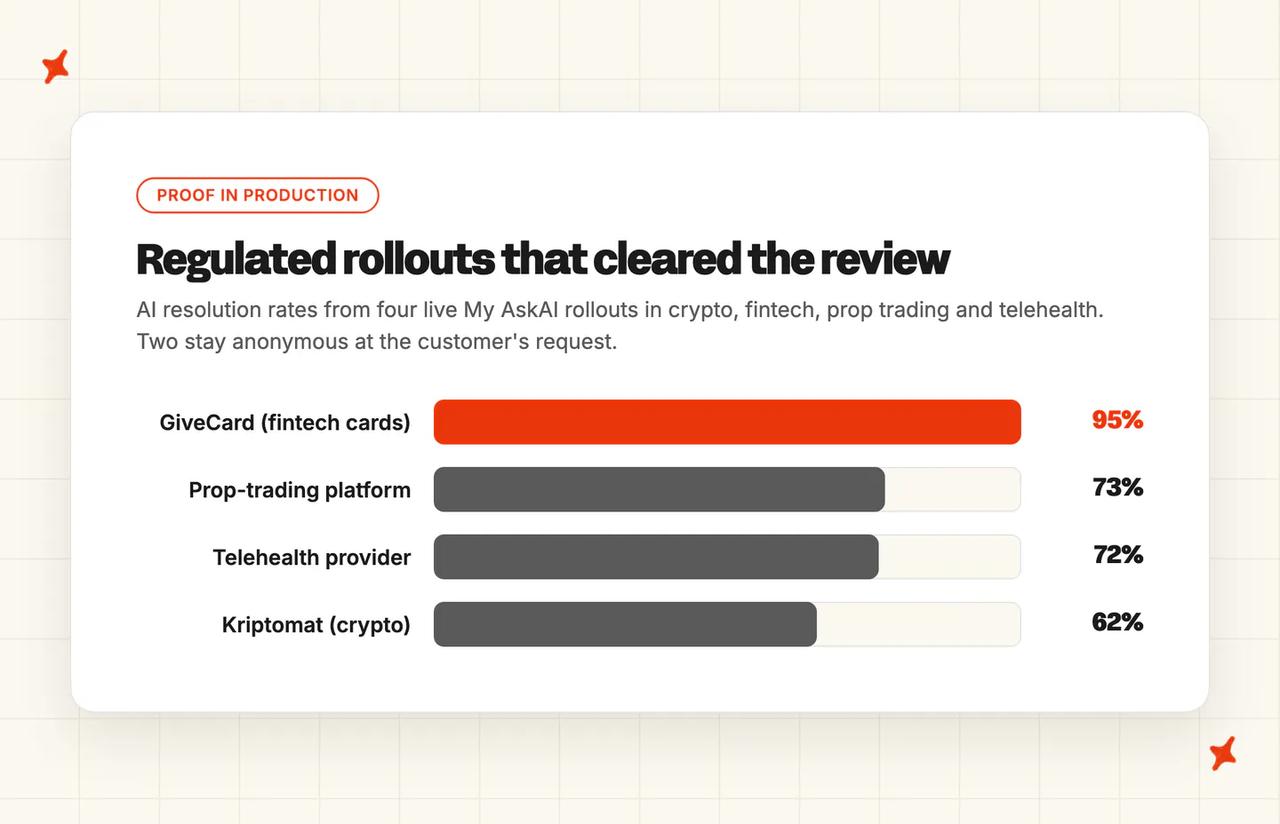
These four are My AskAI rollouts, so read them as the vendor showing its homework. Every number links to the case study it comes from. What they share is Layer 3 done properly.
Kriptomat: 62% AI resolution at an EU-licensed crypto exchange
Kriptomat is an EU-licensed cryptocurrency platform running support on Intercom, in a category where legal and fraud topics are radioactive. Their AI resolves 62% of around 1,700 tickets a month, with handover rules routing legal and fraud conversations straight to humans and KYC chasing handled from scoped, synced knowledge (7,000+ pages of it).
"Personally, I'm a big fan of the direct integration with our pre-existing help articles, and how easy it is to re-train the agent when it's providing outdated information. It has helped our team out immeasurably especially during heavy inquiry surges over the past few months!!"
That's Hannah DiBella on Kriptomat's support team, from the case study.
GiveCard: 95% AI resolution on fintech prepaid cards
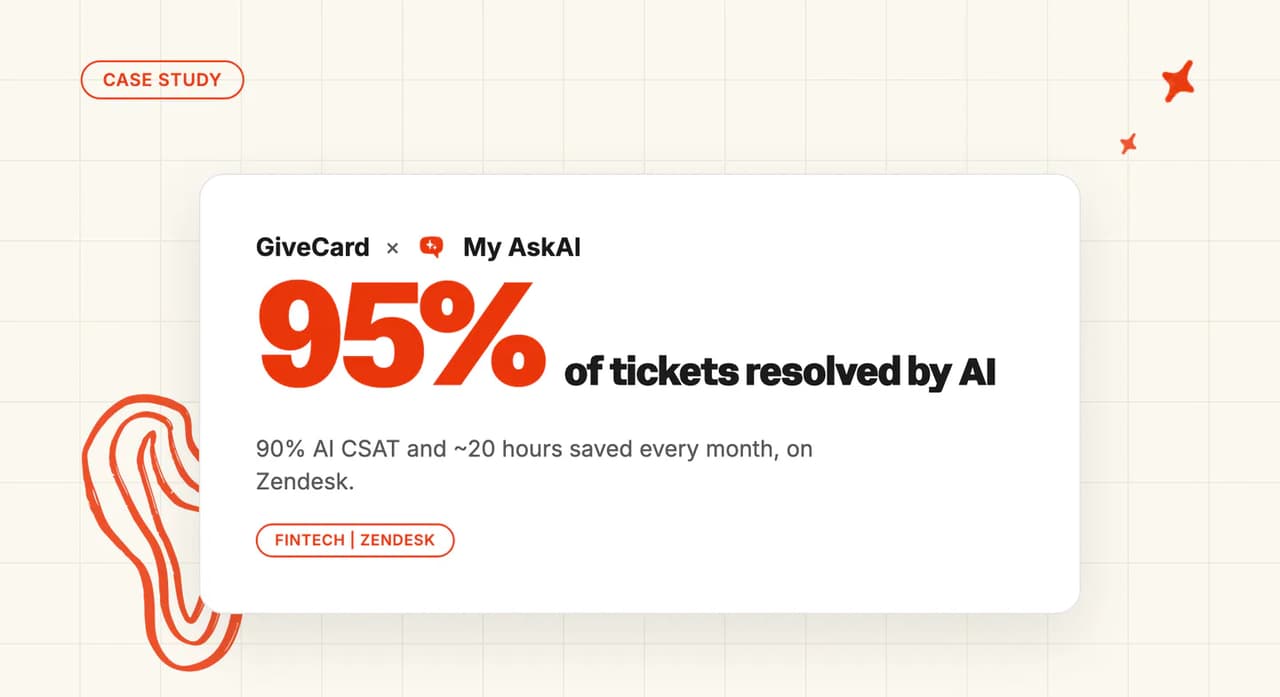
GiveCard issues prepaid cards and disbursement infrastructure, running support on Zendesk. Their AI resolves 95% of tickets with a 90% CSAT on AI-handled conversations, and guidance rules route fraud reports and escalations to the team.
The line from their case study that stuck with me:
"For a team handling money for vulnerable people, that's a real act of trust."
A prop-trading platform: 73% at about 105,000 tickets a month
One of our largest rollouts is a proprietary-trading platform, running on Intercom in a regulated fintech niche. At roughly 105,000 tickets a month, their AI resolves 73%, with escalation rules pulling account and compliance topics to humans. That works out to about 5,650 agent-hours a month they don't staff.
The scoping pattern that passes a security review at 1,700 tickets a month is the same one running at 105,000.
A telehealth provider: 72% with clinical topics walled off
A DTC telehealth provider runs support on Gorgias at around 2,600 tickets a month, with the AI resolving 72%. Every clinical or regulated topic routes to a human through escalation rules. The AI handles shipping, billing, account and product questions.
The pattern across all four is deployment scoping: knowledge-grounded answers, a hard list of topics the AI never touches, and humans on the receiving end of every handover. That's Layer 3 of the review, running in production.
What should you do this week?
- Send the 12 questions to every shortlisted vendor (~30 minutes). Do it before the trial starts. A vendor that can't answer inside a week has answered.
- Ask your own InfoSec team to weight the list (~30 minutes). Which of the 12 would they fail a vendor on, and is anything missing for your industry? This one email turns your week-three blocker into a co-author.
- Pull the paperwork for your top pick (~1 hour). Trust portal link, SOC 2 report, DPA, sub-processor list, filed where procurement will look for them. A missing document is the usual reason a review stalls.
- Write the scoping doc for your own rollout (~2 hours). What the AI answers, what it never touches, where it hands off. This is the document your reviewer wants to see, and almost nobody writes it before being asked.
How do I get AI to run this security review for me?
The desk-research half of the review is work you can hand to ChatGPT or Claude (I run a version of this before most vendor calls). Trust portals, sub-processor lists and security pages are public, so a first pass on all 12 questions takes minutes.
Paste your shortlist into the prompt below, add a line about your requirements, and let it fill the review.
You are helping me run a security review of AI customer service vendors before we start any trial. I'll give you a shortlist; research each vendor and answer the 12-question review below.

VENDORS: [paste your shortlist, e.g. My AskAI, Intercom Fin, Zendesk AI, Ada]

MY REQUIREMENTS: [your helpdesk, industry, and any hard requirements, e.g. "Intercom, fintech, EU data residency required, no BAA needed"]

Use each vendor's own trust portal, security page, DPA, sub-processor list and docs as primary sources. Answer every question for every vendor. Where you cannot verify something from a public source, write "unverified, ask the vendor" instead of guessing.

THE COMPANY
1. Is the vendor SOC 2 Type 2 certified today, or "in progress"? Check what the trust center says, not just the badge on the site.
2. Will they sign a DPA, and is the sub-processor list published somewhere I can read it without a login?
3. What is their GDPR role, and does the DPA commit to a specific breach-notification window?
4. Is there a live trust portal where a reviewer can pull documents today, without a call?

THE DATA
5. Is customer data used to train models — their own, their model providers', and what are the defaults (opt-in or opt-out)?
6. Which model providers see conversation data, and what retention terms are published for each?
7. How long is conversation data kept, and is there a deletion path the customer can trigger themselves?
8. What do they state about encryption at rest, encryption in transit, and tenant isolation?

THE DEPLOYMENT
9. Where is data stored, and where does inference happen, per region?
10. What access does it take: OAuth scopes into the helpdesk, SSO (and which plan it sits on), role-based access, exportable audit logs?
11. Is there a draft mode or sandbox so a trial never touches production customers?
12. What guardrails are configurable: escalation rules, scoped topics, a never-handle list?

THEN GIVE ME
- A table with one row per question and one column per vendor, every answer carrying its source URL.
- A list of every "unverified, ask the vendor" gap, grouped by vendor, ready to paste into an email.
- A one-line verdict per vendor against MY REQUIREMENTS, marked pass, pass with conditions, or fail.
Treat what comes back as the first draft of the email you send each vendor. The report under NDA, the signed DPA and the sandbox walkthrough still have to come from the vendor.
The checklist works on any vendor, ours included. If you want to run it against us, everything is on our trust portal, and the 30-day free trial exists so your reviewer can watch the AI drafting on real tickets before anything customer-facing goes live.
When is the cautious answer the right one?
- Protected health information. If tickets carry PHI, HIPAA's business-associate rules apply: a vendor that creates, receives, maintains or transmits PHI on behalf of a covered entity is a business associate and needs a signed BAA. A BAA requirement narrows the AI support shortlist to the enterprise vendors running HIPAA programs (Intercom, Zendesk via an add-on, Ada, Decagon and Forethought among them). We offer HIPAA support with a signed BAA on our Enterprise plan too. The other workable path is the telehealth pattern: scope PHI out of the AI's reach entirely and route every clinical topic to a human.
- Hard residency mandates. If your regulator or your contracts say data may not leave the jurisdiction (including while the model computes on it), then a vendor that can only answer question 9 for storage has given you half an answer. The cautious no is correct until the inference half arrives in writing.
- Production write access on day one. If a trial can't run without the AI touching production customers from the start, the reviewer who blocks it is doing their job. Draft modes and sandboxes exist across this market, ours included, so "we need production access to show value" is a fail on question 11.
The takeaway
Most of what's written about AI customer service security is for the people building the AI. The people buying it need vendor diligence: the company, the data, the deployment, four questions each.
SOC 2 and the DPA live in Layer 1, training and retention in Layer 2, and residency and guardrails in Layer 3. Kriptomat, GiveCard and the two anonymous rollouts cleared all three on their way to 62% to 95% AI resolution.
Send the 12 questions to your shortlist this week, before any trial starts. If a vendor's answers come back fast, complete and boring, that's the one I'd shortlist.
FAQs
How do you ensure AI customer support is GDPR and SOC 2 compliant?
Verify, then scope. Ask for a current SOC 2 Type 2 report under NDA (certified today, with "in progress" treated as not yet), sign a DPA and check the published sub-processor list per Article 28, and get the vendor's no-training and retention terms in writing.
Then scope the deployment itself: topics the AI never handles, escalation rules, and access limited to scoped OAuth.
Is AI customer service safe?
The scary content (prompt injection, model poisoning) mostly describes risks for companies building their own LLM apps. For a support team buying a vendor, safety comes down to the vendor's certifications, the data terms, and how tightly you scope the deployment. The regulated rollouts we've run resolve 62% to 95% of tickets with legal, fraud and clinical topics routed to humans, and those deployments passed real security reviews on the way in.
Does AI customer service train on my customers' data?
Rarely, in our experience on the vendor side: most support AIs retrieve your knowledge and inject it into a prompt, with no fine-tuning anywhere. The exceptions exist, though.
Intercom trains its de-identified Apex model on customer data unless you opt out, and Zendesk's account-specific models learn from your account's data, so make every vendor's "no" cover their own models, their model providers, and the defaults. Ours: customer data is never used to train any AI models.
What is data residency in AI customer service?
It's where your conversation data lives at rest, and where the model computes on it. Vendors usually mean storage when they say "residency", while inference can still happen in another region.
OpenAI sells data residency and inference residency as separate offerings, which is a good hint to ask for both. If your mandate is strict, get storage and inference answered per region, in writing.
What should I ask an AI support vendor in a security review?
The 12-question vendor security review covers it: four questions on the company (SOC 2 Type 2 status, DPA and sub-processors, GDPR role and breach terms, trust portal), four on the data (model training, model-provider terms, retention and deletion, encryption and isolation), and four on the deployment (storage and inference residency, access scopes, testing without production exposure, guardrails). An hour of email gets you answers from every vendor on a shortlist.
Do AI customer service tools need SOC 2, or is GDPR enough?
They answer different questions, so a serious review checks both. SOC 2 is a voluntary audit: an independent opinion that the vendor's security controls operated over a period.
GDPR is law: if the vendor processes EU personal data, it must comply (DPA and breach duties included). A vendor can be GDPR-compliant with no Type 2 report, and certified with a shaky DPA, which is why questions 1 through 3 are separate questions.
Does HIPAA apply to AI customer service?
Yes, when tickets carry protected health information. HIPAA treats a vendor handling PHI for a covered entity as a business associate, so a signed BAA has to exist before that vendor touches ticket data, which cuts the shortlist to the enterprise vendors with HIPAA programs (ours sits on the Enterprise plan, with a signed BAA).
Teams that want to avoid the BAA route keep PHI away from the AI altogether: clinical topics go straight to a human, and the AI sticks to shipping, billing and account questions.
Does an AI knowledge base meet PCI and SOC 2 requirements?
SOC 2 is question 1 of the review. Ask for a current Type 2 report under NDA and treat "in progress" as not yet. PCI is narrower than most teams expect. It applies to cardholder data, so the first move is keeping card numbers out of the AI's reach entirely rather than shopping for a PCI-certified agent. Scope the knowledge base to policies, order state and account status, route anything touching card data to a human through question 12's never-handle list, and confirm with question 9 where the data sits and where inference runs.
If procurement requires the certificate on the vendor rather than the scope, the shortlist narrows fast. Fini carries PCI-DSS Level 1, Zendesk carries PCI-DSS, and Ada publishes a PCI AOC. Ours is SOC 2 Type 2 and GDPR, which is why the scoping route is the one we'd take a fintech team down.
Can fintech and crypto companies use AI customer service?
Yes, and the numbers are public: Kriptomat (an EU-licensed crypto exchange) resolves 62% of tickets with AI, GiveCard (fintech prepaid cards) runs at 95% with a 90% AI CSAT, and a prop-trading platform runs 73% across roughly 105,000 tickets a month. The common thread is scoping: fraud, legal and account topics route to humans, and the AI works everything else from approved knowledge.
Which AI customer support vendors should a fintech shortlist for GDPR and SOC 2?
Shortlist on proof rather than badges: a SOC 2 Type 2 report you can read under NDA today, a signed DPA with a published sub-processor list, and no-training terms in writing. Our SOC 2 roundup checks the main AI support vendors against exactly that. Then scope the deployment so fraud, legal and account topics always route to a human, the way GiveCard runs at 95% AI resolution on prepaid cards.