Capacity AI: Complete Guide to Features, Pricing & Limitations (2026)
Capacity AI says its agents handle up to 90% of inquiries. That figure counts deflections, solved or not, and the pricing page lists no rates. Cost math inside.
Summarize with AI
Capacity AI comes from Capacity, a contact-center software company. Its AI agents reply to customers by voice, chat, email and SMS, and the same suite includes a helpdesk, a knowledge base, Agent Assist for human agents and automated QA. Capacity sells the suite to contact centers in the mid-market and enterprise, typically ones with 50 to 500+ agents, on an annual subscription.
The hard part of building a business case for Capacity is the cost. Capacity's pricing page lists what every channel is billed on, from each AI response to each minute of a call, and gives no dollar figure for any of them.
I'm Mike, co-founder of My AskAI. We build an AI agent that works inside the helpdesk you already use, so I'm not a neutral party here. Capacity's product pages and help center are far more open than its pricing page, and they document how long each channel takes to go live and what its headline 90% figure counts.
Capacity at a glance
| Fact | Detail |
|---|---|
| What it is | AI support suite for contact centers |
| Headline price | Platform fee plus usage |
| Best for | Large contact centers wanting voice, SMS and QA |
| Not a fit for | Small teams keeping their current helpdesk |
| Biggest limitation | No rates on the pricing page |
| Our verdict | 6.5/10 |
What is Capacity AI?
Capacity is several products sold as one platform, and each piece does a different job for your team:
- AI agents - answer customers on your website, by email, by text and on the phone, then hand over to a person when they cannot help
- Agent Assist - works beside your human agents during live calls and chats and suggests answers, checklists and next steps
- Answer Engine and knowledge base - one store of answers that feeds both the AI agents and your team
- Helpdesk and live chat - Capacity's ticketing and inbox, for teams without one
- Auto QA and insights - scores conversations against your scorecards and shows where answers fall short
- Campaigns and workflows - outbound messages, plus automations that take actions in your other systems
Before anything else, decide whether Capacity works alongside your helpdesk or replaces it. Capacity's knowledge orchestration page says most clients keep their existing phone system, helpdesk and CRM, and use Capacity "as the unifying intelligence layer on top". For teams starting from nothing, its email automation page adds that "Capacity includes a native Helpdesk, so if you don’t already have a ticketing tool, you get one out of the box". For me, that choice decides whether you're adding an AI agent or moving your whole team onto new software.
Capacity is based in St. Louis and was co-founded by David Karandish, its CEO, and Chris Sims. It announced more than $92 million in investments in 2025, has made more than a dozen acquisitions since 2023, and says it serves more than 19,000 organizations.
Its reviews praise how quickly you can build a chatbot without code, how many questions it takes off the team and how responsive Capacity's support staff are:
G2: Capacity scores 4.7/5 from 117 reviews on G2.
You're buying an annual contract, a rollout run with Capacity's team, and AI agents on chat, email, SMS and voice.
How easy is it to set up Capacity?
The main route in is a demo request. For the work after signing, Capacity describes "a partner-led implementation team with hypercare after launch" on its AI agents page (hypercare meaning extra hands-on help in the weeks after you go live).
The scope of the work is set in a service order, and Capacity's onboarding guide has an integration specialist collect the logins for each system you connect. So the project needs someone with admin access to those systems alongside your support lead.
I like that Capacity's help center starts a first chat launch with the people who already know the answers, and its steps run in this order:
- Gather answers from your subject-matter experts and map the document folders the AI should read.
- Brand the chat widget and add your first question-and-answer pairs, starting with your most common questions.
- Place the widget on your site and launch with a project manager and Capacity's Customer Success team.
Pulling your most common questions out of last month's tickets takes under an hour if you export them and let AI group them. In my view, writing and checking the answers takes most of the setup time, so staff that step properly.
The rest of the timeline depends on the channel. Capacity's chat agent page says chat can go live in days for organizations whose answers already exist, while its AI agents page puts voice at six to eight weeks to be production-ready. Its Auto QA page sets a separate target: "Standard implementations target 30 days".
Plan around two smaller waits as well. Uploaded documents can take up to 24 hours before the AI can use them, and Autopilot, the setting that lets the AI send email replies without a person approving them, is switched on by Capacity's team on request.
What channels does Capacity work in?
Capacity lists its channels on its AI agents page: "Capacity supports Voice IVA, Chat IVA, Email IVA and SMS IVA" (an IVA is an intelligent virtual agent, the AI that answers the customer). For a support team, those channels work like this:
- Web chat - an agent on your website or intranet, and inside Microsoft Teams or Slack for internal help
- Voice - an AI voice agent that answers phone calls in natural speech
- Email - replies written as a private note, as a draft for review, or sent automatically
- SMS and WhatsApp - text conversations that arrive in the same inbox as your chats
If the AI cannot help, the chat agent passes the conversation to your existing helpdesk, or to Capacity's helpdesk if you use that instead. The plan decides some of this: on Capacity's pricing page, live chat and the inbox start at Pro, and campaigns and CRM are listed only on Enterprise.
For email, Capacity's email automation page says its agent "Adds AI in front of Salesforce, Zendesk and others without switching tools". If you're keeping Zendesk or Salesforce, you can add Capacity without moving your team off the helpdesk you have.
It also has integration pages for ServiceNow and for the contact-center phone platforms NICE and RingCentral, and HubSpot and Freshdesk appear in its directory too. Capacity counts "over 250 prebuilt integrations to CRMs, helpdesks, and business tools" in total, so check the integrations directory for every system your agents touch.
What are the limitations of Capacity?
These limits weigh most on a smaller team that wants to keep its helpdesk.
The pricing page lists no rates
Capacity's pricing page names a billing unit for each channel and gives no dollar figure for any of them, so you have no number to put in front of your finance lead.
It is sized for large contact centers
Capacity's homepage describes its buyer as mid-market and enterprise contact centers, "typically organizations running 50 to 500+ agents". For a team of ten that keeps its helpdesk and needs an AI agent, Capacity means taking on a platform fee, a partner-led rollout and several products.
Setup goes through Capacity's team
You run the rollout with Capacity's implementation staff, and Capacity turns on some switches for you (automatic email replies among them). Users reviewing Capacity name setup as the hard part, especially building out the knowledge base and chat flows.
Answers depend on what is in the knowledge base
Several of the same reviewers say the answers get less useful when the information is not clearly written in the knowledge base. Capacity's onboarding guide also limits generative answers to PDF, plain text and Word files, and images inside them are not read. Other reviewers add that reporting could go deeper and that building a chat flow takes a lot of clicks.
What knowledge sources can I train Capacity on?
The base layer is Capacity's knowledge base, organized in folders of question-and-answer pairs (Capacity calls them exchanges). Each exchange holds several ways a customer might phrase the question (so "where's my order" and "has my package shipped" reach the same answer), and you can keep a separate knowledge base per department.
On top of that, Capacity reads your other sources where they already live. Its knowledge orchestration page lists the main ones: "Connect to and index third-party knowledge bases including SharePoint, ServiceNow and Salesforce". The integrations directory adds Box, Confluence, Google Drive and Dropbox, and a site-search connector reads your public website.
Those connections only read: Capacity's help center says "Answer Engine does not write back to original sources", so when an answer is wrong, someone fixes it at the source in SharePoint or Confluence. I prefer it that way, because each answer is kept in one document. Each fix then falls to whoever owns the file.
Capacity can also learn from your team's replies. Its helpdesk page says "As you respond to a ticket, the AI stores the answer for next time". A separate content generator turns closed tickets into new exchanges once you switch it on. Capacity documents both for tickets handled in its own Helpdesk, and does not say whether learning works the same way from Zendesk or Salesforce tickets.
What features does Capacity have?
Your plan decides which of these you can use. Capacity's pricing page splits them across three tiers:
- Core - knowledge base, helpdesk and automations, the AI agent builder, integrations and analytics
- Pro - adds live chat and the inbox, real-time Agent Assist, conversation intelligence and automated QA, and the developer platform
- Enterprise - adds campaigns and CRM, advanced workflows and an optional HIPAA package
AI agents that answer customers
On chat, the AI agent answers with a citation to the source it used, and it can open a ticket or update a CRM record while the customer waits. On email, you choose how much it does alone: a private note for an agent, a draft a person approves, or a reply it sends itself.
Agent Assist for your human agents
Agent Assist runs next to your team during live calls and chats (checklists, alerts, coaching and a live transcript). Capacity says it can "Capture and transcribe audio directly from the agent’s desktop, with no existing call recording system required", so you do not need to change your phone setup to use it. It is billed per hour of agent time, which means the cost follows the size of your team. Our roundup of AI agent assist tools covers the wider field.
Workflows that take actions
Capacity's workflows run on a trigger or a schedule, such as raising a ticket when the AI cannot answer a question. For older systems with no integration, it can also click through a website the way a person would, which keeps a legacy tool in the loop without a developer building a connection. The helpdesk adds boards, service-level targets and ticket merging.
How do I improve Capacity responses?
On any AI agent, the work is finding what it missed and adding the answer, and Capacity has a tool for each step.
The starting point is the No Match Inquiry report, which lists every question that "did not match to a high confidence answer from your knowledge". A no-match question can also raise a helpdesk ticket with a task to create new knowledge, so the fix is logged where your team already works. The AI variant generator then suggests new ways of phrasing a question, and you accept or reject each one.
For the conversations themselves, Auto QA scores voice, chat and ticket conversations against your scorecards, with "1,200+ pre-built insights" to start from. Capacity's pricing page lists it from the Pro plan up, billed per hour of agent time. Because what it finds feeds back into the AI agents, I count Auto QA among the best reasons for a contact center to pick Capacity.
Capacity's advice is to start in Copilot mode, where the AI drafts and a person sends, until your team trusts every answer. For generative agents the written prompt is the main control, so name one person on your team to own both the prompt and the knowledge.
What resolution rate can I expect from Capacity?
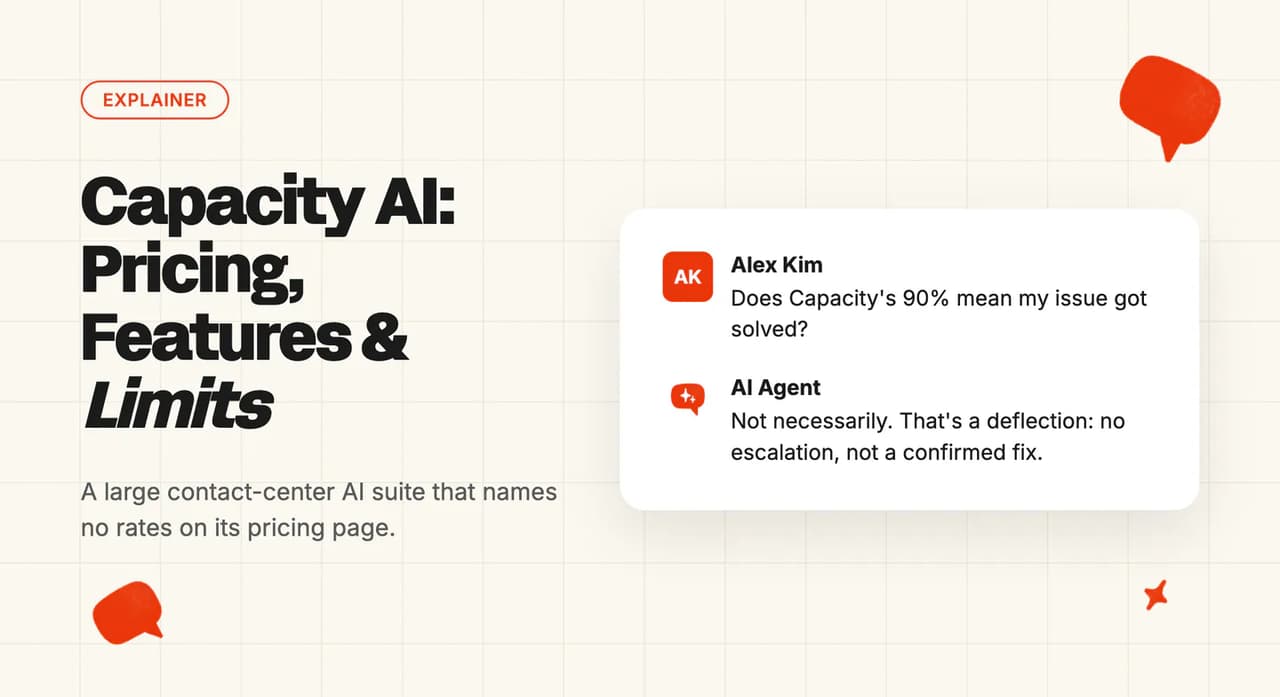
Capacity says its AI agents handle "up to 90% of customer inquiries automatically". The "up to" makes 90% a ceiling, so a typical team should plan for less.
The 90% is a deflection count, and Capacity's analytics glossary defines a deflection as a conversation that "concludes with a desired outcome for the user without escalation or negative feedback". So a customer who gets an answer and leaves without asking for a person or clicking thumbs-down is counted, whether or not their problem was solved.
Our AI resolution rate benchmark study found a median AI-handling rate of 70% across 195 rated deployments from 38 vendors. That median pools resolution, deflection, automation and other labels, and the figures vendors publish are self-selected best cases. Treat it as directional when you set it beside Capacity's deflection rate.
What AI model does Capacity use?
Capacity lets you pick the model for each AI agent. Its help center lists options from OpenAI's GPT family, Google's Gemini and Anthropic's Claude, alongside a model Capacity built itself. It has also signed a business associate agreement (the contract US health-data rules require) with OpenAI, so OpenAI options can be used where health information is involved.
On training, Capacity's security page says "Your data is never shared or used to train external models". Its generative AI policy adds that it does not train models on customer data unless a customer asks it to, for that customer only.
What languages does Capacity work in?
Capacity's voice agent offers more than 100 voices across 30 languages. For chat and email, Capacity says you can run separate agents per department, region or language from one knowledge layer, but it does not publish which languages those agents support.
How secure is Capacity?
Capacity's security page lists "GDPR, HIPAA, SOC 2 Type II certified", along with encryption of stored and moving data, role-based access, audit logs and single sign-on. Capacity also lists CCPA (the California privacy law).
HIPAA depends on your plan. It is an optional package on the Enterprise tier of the pricing page, and Capacity's supplemental terms say a healthcare customer's order "must expressly include the HIPAA Package". If you handle health data, budget for Enterprise from the start.
Capacity's help center states "Important: PCI compliance for sensitive data handling is currently supported for Capacity Voice (IVA) only" (PCI is the security standard for card data).
Who is using Capacity?
Capacity's customers page lists more than 20 named stories, and three of them show the spread across industries:
- PacSun, retail - "85% of all customer inquiries handled by Virtual Agents", from its customer story
- AAA, roadside assistance - "Deflected over 30 million calls from agents", from its customer story
- West Community Credit Union, financial services - the AI "deflects over 92% of them from WCCU staff", from its customer story
The credit union's CEO explained why it rolled the AI out:
"When customers visit our website, they’re coming for knowledge, not just information. We would never let someone come into a branch office without being greeted or helped, so we’re using Capacity to ensure our website visitors get the same treatment". Jason Peach, President and CEO, West Community Credit Union, via Capacity's customer story.
Like the headline figure, these are handled and deflected rates.
How much does Capacity cost?
This is the part of Capacity I find hardest to plan around, because every price is quoted per customer. Its pricing page puts it this way: "Your investment includes a platform fee plus usage-based pricing for AI Agents, so you only pay for what you use".
How does Capacity price each channel?
The platform fee is an "Annual subscription for core platform access and features". On top of it, each channel is billed on a separate unit:
- Chat and email AI agents - per response
- Voice AI agents - per minute of call time
- SMS - per message
- Agent Assist and conversation intelligence - per hour of agent time
Capacity adds "Volume discounts available". A voice-heavy team pays most on the per-minute line, and a large team on Agent Assist hours. Our explainer on per-conversation versus per-resolution pricing covers how usage models behave as volume grows.
What do 10,000 conversations a month cost?
Take a support team of about 20 agents handling 10,000 conversations a month. With no AI, our cost-per-contact benchmark puts a human-handled contact at about $7. Our Pro plan includes 1,000 tickets a month and takes extra tickets at about $0.12 each, up to 5,000 a month, so the table prices My AskAI on Scale.
| Option | What you pay for | Monthly cost |
|---|---|---|
| No AI (baseline) | Your agents answer all 10,000 conversations at about $7 each | About $70,000 |
| Capacity | Annual platform fee plus usage on each channel | No rate on the pricing page |
| My AskAI (Scale plan) | $499 + $0.10 × 8,000 conversations above the 2,000 included | $1,299 |
If the AI resolved half of those conversations, your team would answer the other 5,000 and the human side would fall to about $35,000. My AskAI still bills all 10,000 at $1,299, so the month would come to about $36,300 against the $70,000 baseline. Capacity's quote can include its helpdesk on the Core plan, which is software a team keeping Zendesk or Salesforce already pays for elsewhere, so compare the AI lines only.
Does Capacity have a free trial?
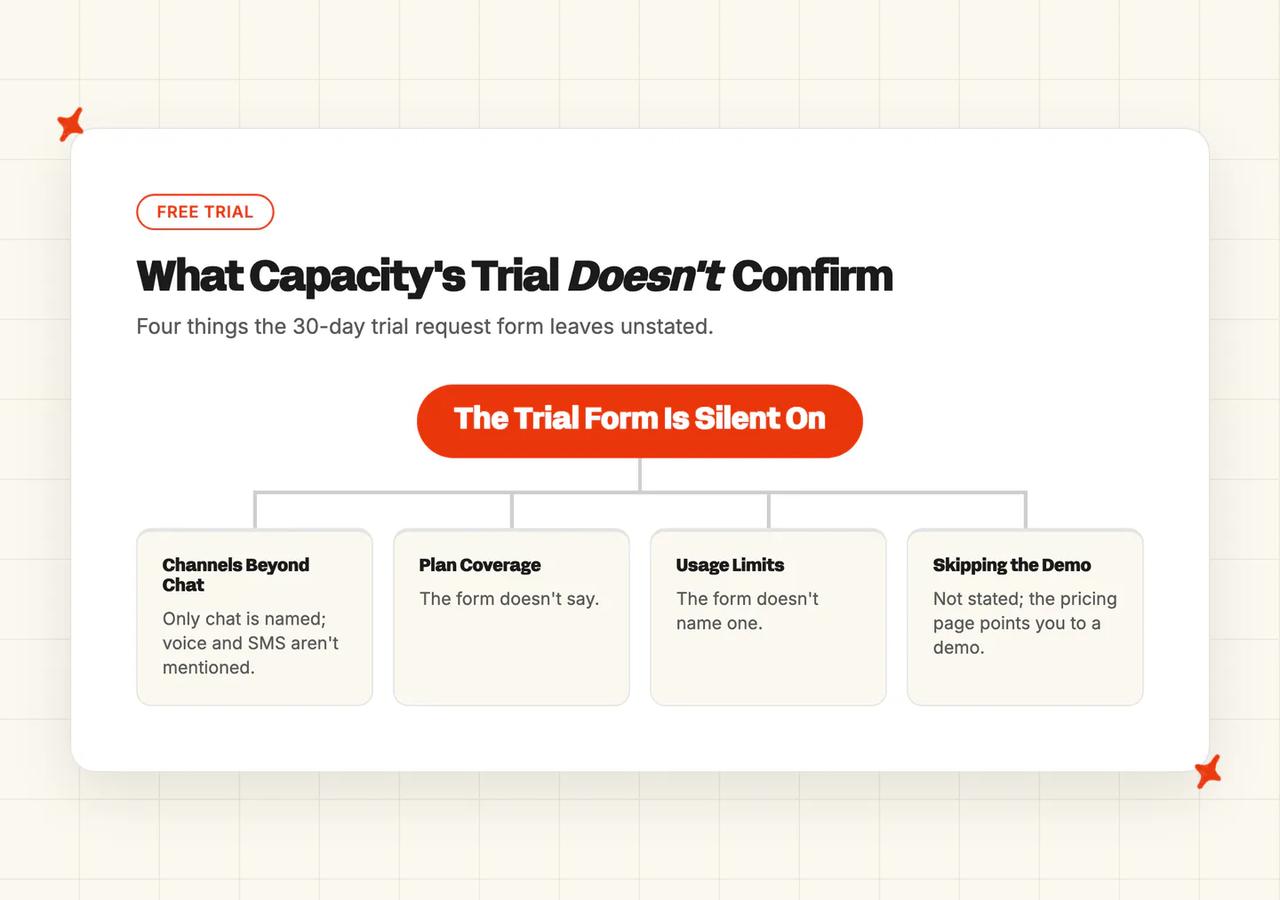
Capacity has a free trial: on its trial page, you can request 30-day access to build a chat bot. The form asks for a business email, your company, industry, employee range, phone number and use case.
Neither the trial page nor the form names a plan, a usage limit or any channel other than chat. The pricing page points you to a demo, so expect a conversation with Capacity's team either way.
Is Capacity worth it?
If you need a voice agent and quality scoring across a large team, I think Capacity deserves a proper look.
Our roundup of the best AI customer service for enterprise compares other suites bought through a sales process.
What are the Pros and Cons of Capacity?
Most of what counts against Capacity comes from how it is sold and set up.
Pros
- Chat, voice, email and SMS agents from one vendor - Capacity supports all four channels, with WhatsApp in the same inbox.
- Agent Assist and QA in the same suite as the AI - the Pro plan adds real-time Agent Assist and automated QA, both billed per hour of agent time.
- Works beside your helpdesk or as your helpdesk - most customers keep their existing systems, and teams without a ticketing tool get Capacity's helpdesk.
Cons
- Pricing page lists no rates - it names each channel's billing unit and points you to a demo.
- A contact-center suite sized beyond a helpdesk-first team - Capacity's stated buyer runs 50 to 500+ agents.
- Setup goes through Capacity's team and takes knowledge-base work - implementation is partner-led under a service order, and voice takes six to eight weeks.
- Reporting depth and flow building flagged by users - reviewers ask for deeper reporting and fewer clicks to build a chat flow.
Four scores make up the overall rating:
- Product: 8/10 - AI agents on four channels, Agent Assist without a call recording system and Auto QA in one suite, held back because generative answers read only a few file types and the text channels have no published language list
- Price and trial: 5/10 - no rate for any unit on the pricing page, an annual platform fee and a demo-led sale, lifted because the pricing page names every billing unit and a 30-day trial form exists
- Setup and fit: 6/10 - it works beside your helpdesk or as one and chat can go live in days, but rollouts are partner-led, voice takes weeks and the stated buyer runs 50 to 500+ agents
- Evidence: 7/10 - more than 20 named customer stories and a first-party certification list including HIPAA, held back because the headline figures are deflected or handled rates
Scored on the sections above, from Capacity's own pages; gaps are stated as gaps. Not higher because the cost section found Capacity's pricing page lists no rate for any channel and routes buyers to a demo. Not lower because the channels and features sections showed voice, SMS, Agent Assist and Auto QA in one suite.
FAQs
What is Capacity AI?
Capacity AI refers to Capacity, a St. Louis company whose platform automates customer support for contact centers. It sells AI agents for chat, voice, email and SMS inside a wider suite that also covers agent assist, quality scoring, a knowledge base and ticketing.
What does Capacity AI do for customer support?
It answers routine customer questions automatically on every main channel and hands the rest to a person with the conversation attached (so the customer doesn't have to start again). It also helps human agents during live calls and chats with suggested answers and checklists, and scores conversations for quality through Auto QA.
How long does it take to set up Capacity?
Capacity says chat can go live in days if your answers are already written down, and voice typically takes six to eight weeks. The rollout runs with Capacity's implementation team, starting from a demo and a service order. If your answers are still in agents' heads, I'd count writing them down as the first setup task before chat goes live.
Who owns Capacity?
Capacity is led by co-founder and CEO David Karandish, who started the company with Chris Sims. In 2025 it announced more than $92 million in investments to fund its growth.
How much does Capacity AI cost?
Capacity's pricing page names the plans and lists no rates. You pay an annual platform fee plus usage, billed per response on chat and email, per minute on voice, per message on SMS and per agent hour for Agent Assist, and the page points you to a demo. My advice is to get the rate for each of those units in writing, because those unit rates decide what a busy month will cost you.
Does Capacity have a free trial?
Capacity has a 30-day trial request form framed around building a chat bot. The form names no plan, no usage limits and no channel other than chat (the pricing page routes buyers to a demo). If voice or your current helpdesk is what you are buying for, ask what the trial covers first.
Is Capacity a chatbot or an AI agent?
Both. Capacity sells AI agents that answer in natural language on chat, voice, email and SMS, and it still supports scripted guided conversations and workflows for fixed processes. That lets a team keep a fixed script for a regulated process while the AI agent handles open questions.
Does Capacity include a helpdesk?
Yes. The Core plan includes Capacity's helpdesk with ticketing, boards and service-level targets, and live chat starts on Pro. Most customers keep their existing helpdesk and CRM and run Capacity on top of them. If that is your plan, ask how the quote treats the Core helpdesk, because I see no reason to pay for ticketing twice.
What is the Capacity knowledge base?
It is where Capacity stores the question-and-answer pairs its AI and human agents draw on, organized in folders with a knowledge base per department if you need one. It can also read connected sources such as SharePoint, ServiceNow and Salesforce without copying or changing them.
Is Capacity a good AI agent for a contact center?
It suits a mid-market or enterprise contact center that wants voice, SMS, agent assist and QA from one vendor and can run a partner-led rollout. A smaller team that wants to keep its helpdesk, read a price first and test on its own tickets will find it heavier than it needs. A voice agent plus quality scoring for your human team, bought together, is where I think Capacity is strongest.
Does Capacity support voice?
Yes. Capacity's voice agent answers phone calls across 30 languages, and voice deployments typically take six to eight weeks to be ready. Voice is billed per minute. It is also the only channel covered by Capacity's card-payment compliance.
Is Capacity SOC 2 compliant?
Yes. Capacity's security page lists SOC 2 Type II alongside GDPR and HIPAA, with HIPAA an optional package on the Enterprise plan.