MCP server for customer support: How to add one to Claude or ChatGPT
Add a vendor's public MCP server for customer support to Claude or ChatGPT with one web address, then ask it about pricing, helpdesk fit and setup.
Summarize with AI
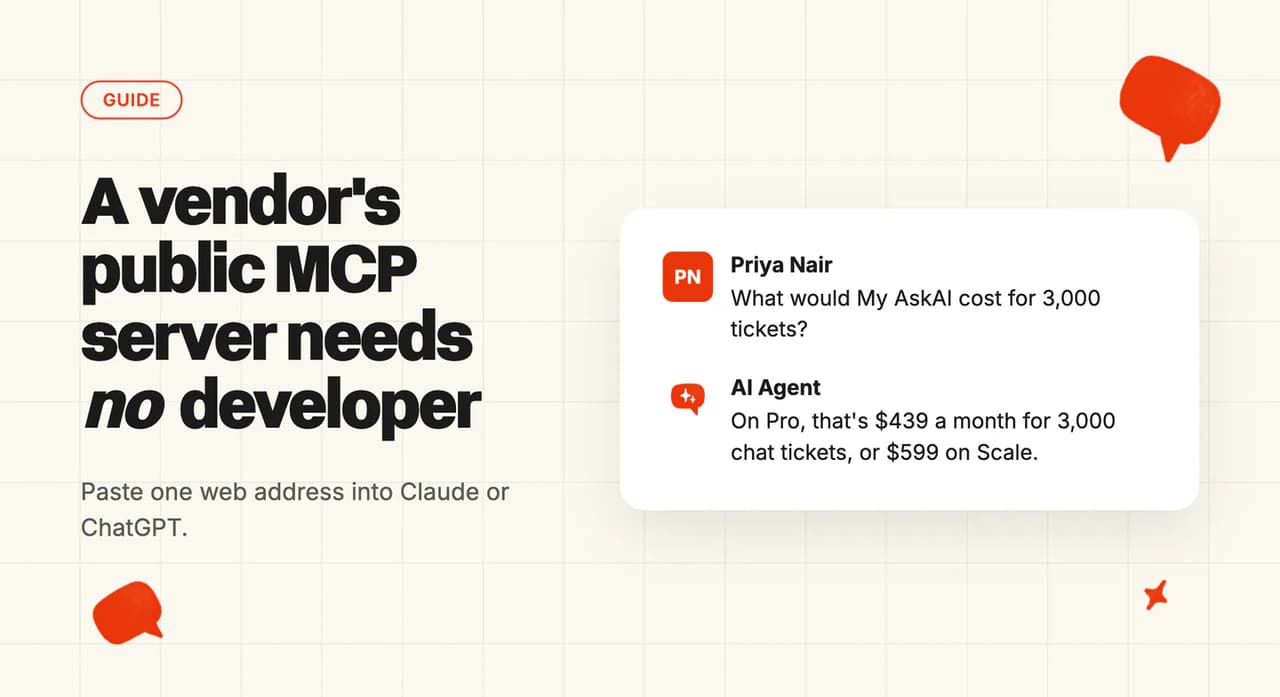
If you run a support team and you're comparing AI agents, you probably want three answers early: the cost at your ticket volume, whether it works with your helpdesk, and what setup will take from your team. The last two are usually in the vendor's help docs, but the cost is hard to pin down without a sales call, so you book one to learn a number you could have worked out yourself.
An MCP server for customer support usually means a developer project, where you let an AI assistant into your helpdesk so it can read your tickets. When a vendor publishes a public server that can't see or change anything of yours, you can also paste its address into Claude or ChatGPT and put those three questions to the vendor's docs and price list, from the assistant you already have open.
I'm Mike, co-founder of My AskAI, and we help 200+ ecommerce and SaaS businesses run AI customer service inside Zendesk, Intercom, Freshdesk, Freshchat, Gorgias and HubSpot, and our agents have resolved more than 1,000,000 tickets. Alex and I still run the sales calls ourselves, and the question buyers find hardest to answer before a call is what the pricing looks like for them. So we publish a public MCP server. It's free, and it needs no account.
When does an MCP server for customer support need your developers?
It needs them when the server connects to your own systems. MCP (short for Model Context Protocol) is an open standard that lets an AI assistant look things up in another system while you chat with it, and both Claude and ChatGPT support it. For support, the usual use is pointing it at the tools you already run. One guide for CX teams describes the server as the bridge between an AI agent and your CRM, helpdesk or knowledge base, and another is about letting Claude and ChatGPT work directly inside your support platform.
Giving an assistant access to your tickets means admin rights, decisions about what it may read or change, and usually someone technical to set it up. If that's the project you have in mind, we'd bring the developers in early.
A vendor's public server connects none of your systems. You paste one web address into your assistant's settings, and from then on it can search that vendor's published docs and, where the vendor offers it, work out a price for you. Software makers in other fields already publish servers like this for their documentation.
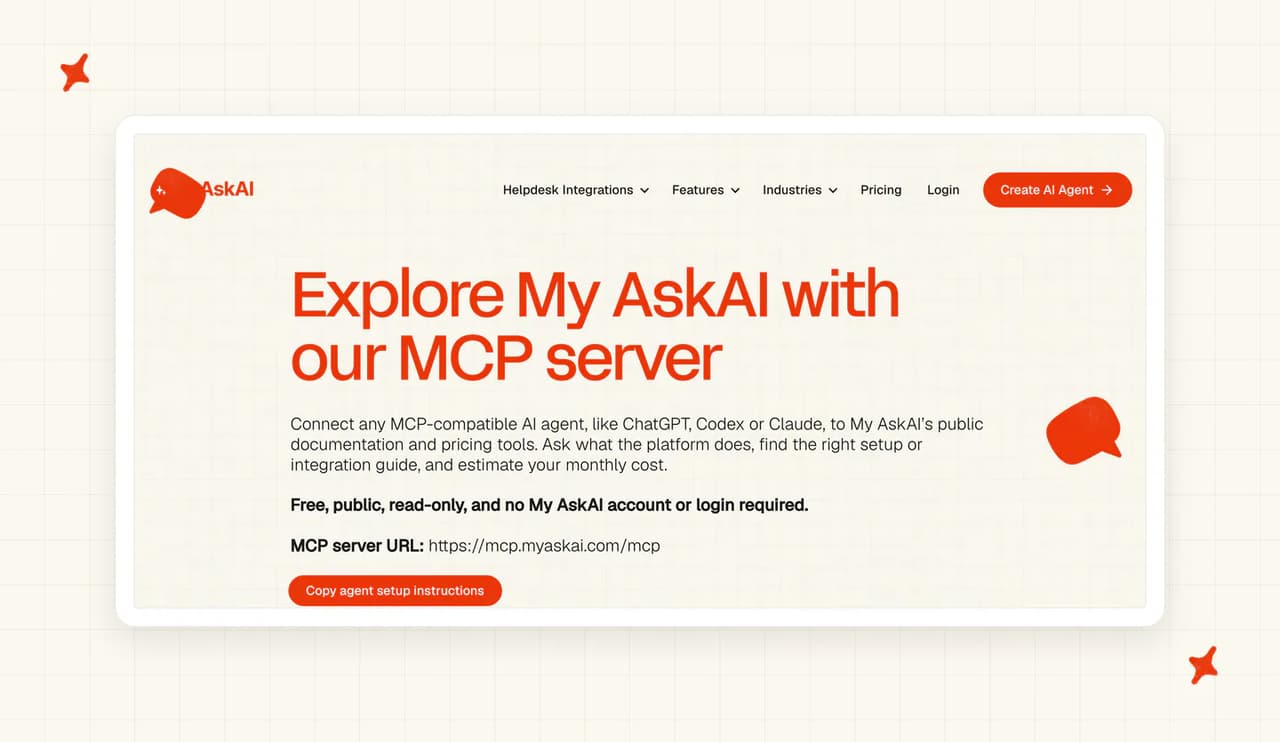
Ours is one of these public servers. It can search our help docs and estimate a monthly price from your ticket count, and it has no access to anything inside your helpdesk.
For a support team, the biggest differences are admin rights and who does the setup.
| Connected to your helpdesk | A vendor's public server | |
|---|---|---|
| What it can reach | Your tickets, CRM or knowledge base | The vendor's published docs, sometimes its prices |
| Who sets it up | An admin, usually with a developer | Whoever can add connectors to your assistant |
| What it needs from you | Decisions on what it may read or change | One web address (ours needs no account) |
| What you use it for | Letting AI read and act on tickets | Asking about cost, helpdesk fit and setup |
How do you connect an AI assistant to a vendor's MCP server and use it?
You connect a vendor's server once, and after that the asking and checking happen in an ordinary chat.
| Step | What you do | What you get out of it |
|---|---|---|
| 1. Connect | Paste the vendor's server address into Claude or ChatGPT | Your assistant can search that vendor's docs and pricing in any chat |
| 2. Ask | Put three questions to it: cost at your volume, fit with your helpdesk, and setup effort | Answers drawn from the vendor's published material, with links back to it |
| 3. Check | Compare each answer with the vendor's live pages and with what a public server can know | A short list of what a trial on your own tickets still has to prove |
Step 1: How do you add an MCP server to Claude or ChatGPT?
You need two things, the vendor's server address and a plan on your assistant that allows custom connectors. For our server the address to paste is https://mcp.myaskai.com/mcp, which is the one published on our MCP page.
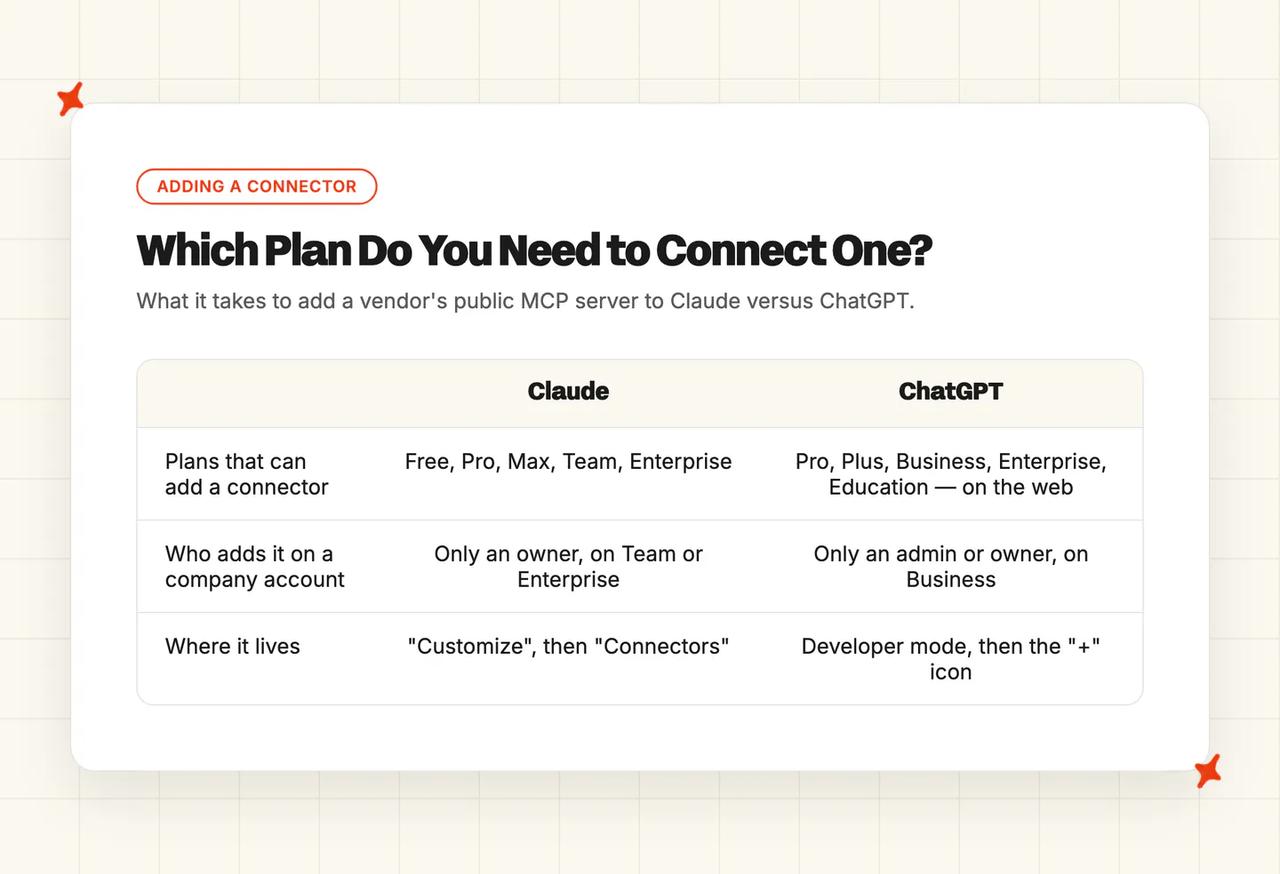
In Claude, the custom connector guide walks you through it. Go to "Customize", then "Connectors", click "+", choose "Add custom connector", paste the address and click "Add".
Custom connectors are available on the Free, Pro, Max, Team and Enterprise plans (free users are limited to one). On a Team or Enterprise plan only an Owner can add one, under "Organization settings" then "Connectors", so ask whoever owns your company's Claude account. Once it's added, you switch it on in a chat from the "+" button, then "Connectors".
ChatGPT handles this through developer mode, which its setup guide lists for Pro, Plus, Business, Enterprise and Education accounts on the web (so the free tier won't do it). You turn developer mode on in your settings, create an app, give it the server address and choose "No Authentication", then pick "Developer mode" from the "+" menu in a chat and select the app. The exact settings path depends on your plan, and on a Business workspace only admins or owners can switch developer mode on and add the app.
With the assistant open in one tab, the whole thing takes a couple of minutes. Ours needs no sign-up, no login and no keys or passwords.
Step 2: What should you ask a vendor's MCP server?
These are the three questions you'd take into a first sales call, written so they work on any vendor's server. Swap in the vendor's name and your numbers. You'll need last month's ticket count from your helpdesk reports, and ideally the share of those tickets that came in by chat.
We price on ticket count because it's the number your helpdesk reports already show. If you leave it out of the cost question, our server tells your assistant to ask for it before quoting.
Start with cost. Copy this into your assistant once the connector is switched on:
Using the [vendor] connector, estimate what [vendor] would cost us each month for [number] support tickets, with about [percentage]% arriving by chat and the rest by email. Show the plan you assumed, the plan fee, any extra usage charge and the monthly total. Then tell me what the estimate leaves out, and link me to the vendor's pricing page.Then ask whether it fits the helpdesk you already run:
Using the [vendor] connector, does [vendor] work with [your helpdesk]? Tell me which channels it can answer in, whether we need a developer to set it up, and link me to the setup guide you found.Finally, ask what setup takes from your team:
Using the [vendor] connector, what does setup take from my team, step by step? Tell me roughly how long each step takes, who needs admin access to our helpdesk, and whether it replies to customers straight away or starts with drafts my team can check first.On our server, the cost answer comes from a pricing tool that uses the plan prices listed on our pricing page, and the other two come from our help docs.
Step 3: How far can you trust the answers?
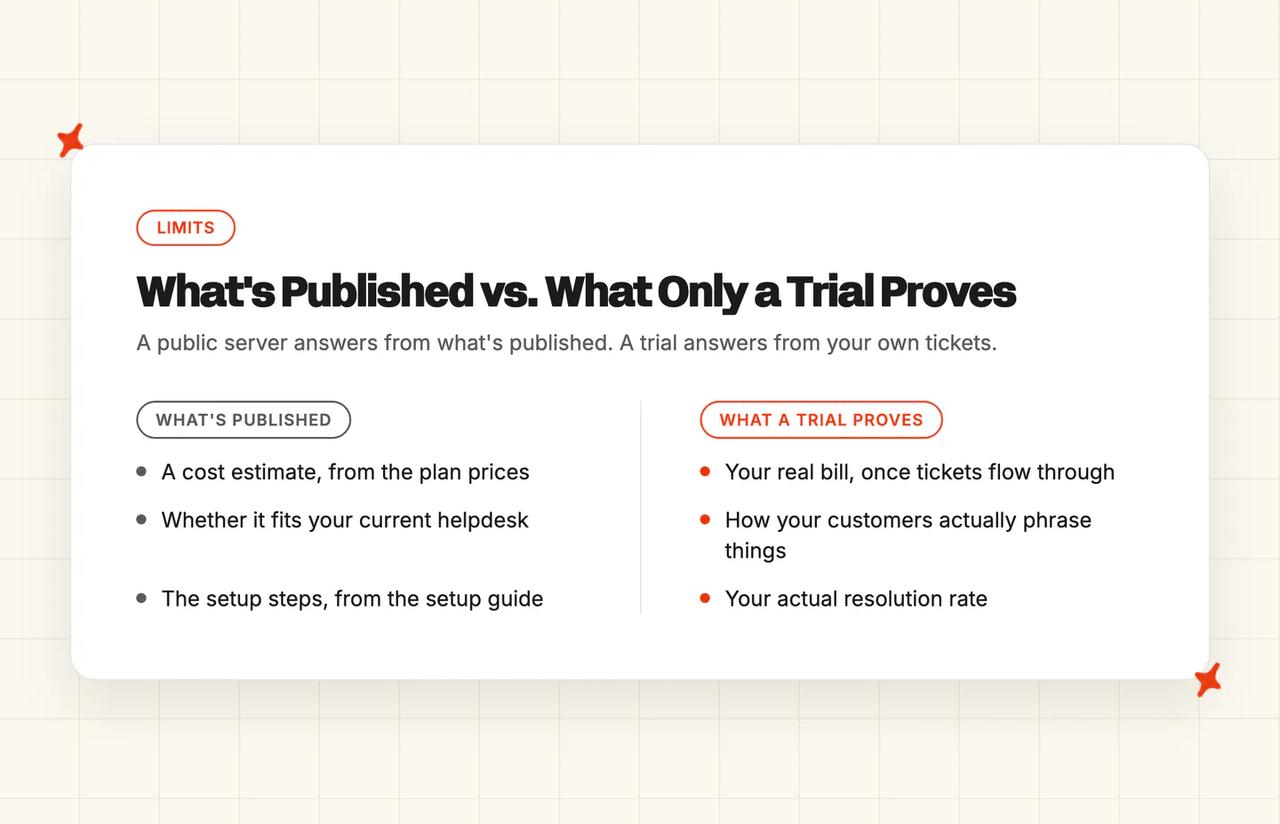
A public server knows what the vendor has published, meaning its help docs, its setup guides and its price list. Your resolution rate, how your customers word their questions and what your bill will look like once real tickets flow through only show up in a trial, so treat each answer as a well-sourced starting point.
Open the vendor's live pricing page and check the figure matches; an assistant can round or summarize a tool's answer loosely. Then look at what you sent it. The server only receives what your assistant passes to it, which for the cost question is a ticket count and a chat share.
Our server has three tools, all marked read-only, and asks for no login, so in practice it can only look things up and do sums, and it never sees your helpdesk.
What does a real session with a vendor's MCP server look like?
I put the same three questions to our server, plus one it shouldn't be able to answer.
The cost question
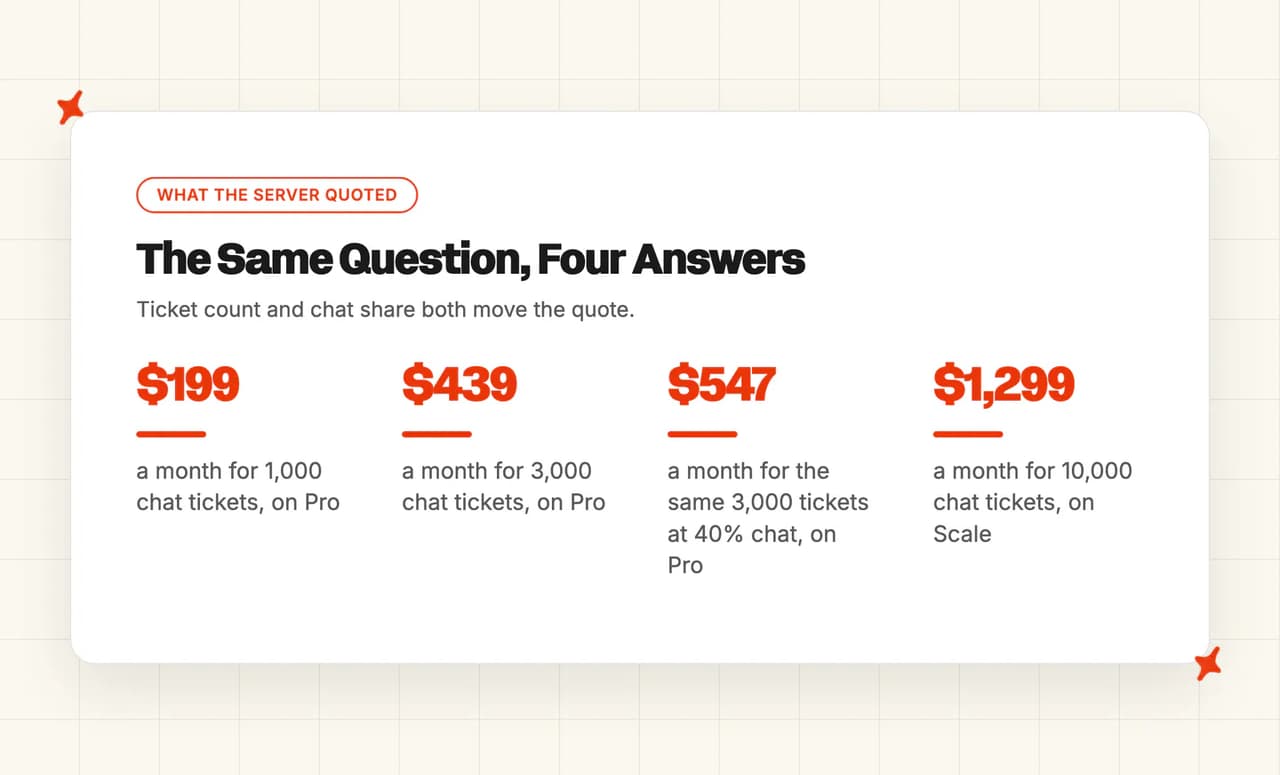
At 1,000 tickets a month, all by chat, it put us on Pro at $199 a month, which covers that volume in the plan fee. At 3,000 chat tickets it stayed on Pro and added $240 of extra usage, for a total of $439 a month, and it showed Scale at $599 alongside.
The chat share changes the number too. The same 3,000 tickets with only 40% by chat came back at $547 a month on Pro, because we charge $0.18 for an extra email ticket against $0.12 for chat. At 10,000 chat tickets it moved up to Scale, where the plan fee is $499 and extra usage adds $800, for $1,299 a month, since Pro covers up to 5,000 tickets a month.
The estimate covers the plan and your ticket usage. Usage-based add-ons such as AI Tagging and Tasks are billed on top when you switch them on, so it's worth asking about any you expect to use.
The helpdesk question
I asked whether it works with Gorgias. It came back with our Gorgias integration guide, including the line "You don't have to add any code to your site and you don't need a developer". It also confirmed our agent can answer in Gorgias chat as well as on ticket and email replies, and it returned the link to the guide it was quoting, so you can read the rest yourself.
The setup question
On setup effort, it said onboarding takes about five to ten minutes, after which the agent starts by writing its replies as internal notes that only your team sees. It added that, if you let it learn from your past tickets, it starts drafting new help articles from them within six hours of connecting. That's the standard way we roll it out, with drafts to review first and a decision about customer-facing replies afterwards.
A question it can't answer
I also asked what resolution rate My AskAI would get on my tickets. It returned passages about integrations and billing, and no rate. The server tells your assistant that its tools cover public information only. One of the billing passages said we charge for usage whether or not a ticket is resolved.
Your resolution rate depends on your tickets and your help content, so that answer belongs to a trial, though our AI resolution rate benchmarks show the range other teams see. Ours runs for 30 days with every feature unlocked, unlimited tickets and no credit card, so the bill and the resolution rate you see come from your tickets. You'll need a business email to sign up.
What should you do this week?
The timings assume you let AI do the sorting and summarizing.
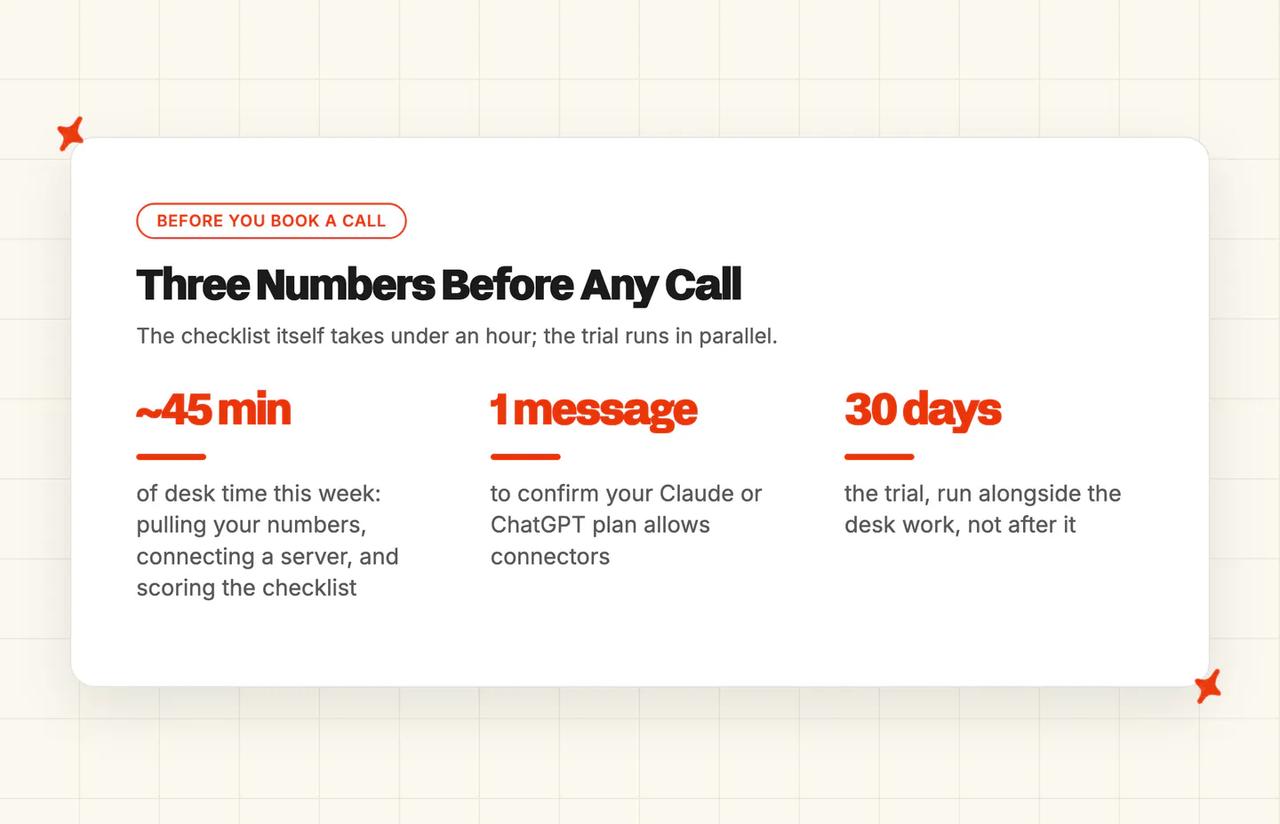
- Pull last month's ticket count and chat share - both are in your helpdesk reports, and if you export them, AI can split the count by channel for you. Pulling both together takes about ten minutes. Every pricing question starts from the ticket count.
- Connect one vendor's public server and run the three prompts - ours is an easy place to start, because you can compare its answer with our published prices. Allow about fifteen minutes, including reading the answers.
- Check that custom connectors are allowed - ask whoever looks after your company's Claude or ChatGPT account: on Claude Team or Enterprise only an Owner can decide, and on ChatGPT Business it's an admin or owner.
- Take the answers into a trial on your own tickets - run the new agent side by side with what you use today, so the resolution rate you see is yours. Ours sets up in minutes, and leaving it on live tickets for most of the trial gives you a resolution rate you can plan around.
- Score what you learned against a buyer checklist - put each vendor's answers into the same vendor selection checklist so you're comparing like with like. Twenty minutes if you let AI fill in the grid from your chat history.
If a vendor you're considering doesn't publish a server, put the same questions about cost, helpdesk fit and setup to its pricing page and help docs instead. Paste those pages into your assistant and it can do the reading for you.
What are the limits of a vendor's MCP server?
If anyone gives you a resolution rate for your tickets before you've run anything (a server, a salesperson, us included), treat it as an estimate.
Your IT team may want a say in which servers you connect. The connector guide for Claude says to connect only to servers built and hosted by organizations you trust. It also warns that a malicious server can hide instructions that try to make the assistant do things you didn't ask for.
Ours tells the assistant to treat anything it retrieves as reference material only, and it has no access to your account, helpdesk, tickets, conversations or files. For the product itself, we hold SOC 2 Type II, we're GDPR compliant, and customer data is never used to train models.
On personal ChatGPT plans, information accessed from apps may be used to train OpenAI's models if the "Improve the model for everyone" setting is on. On a company plan, admins and owners can switch an app off in the workspace settings. For a pricing question you're only sending a ticket count, but the same setting matters for any server that touches your company's data. When the vendor itself goes into a formal review, a security questionnaire is the right tool, and our guide to AI vendor security questionnaires covers what to ask.
For a complicated deal, with several brands, enterprise procurement or custom work, a conversation with the vendor is the faster route, because someone there can scope the custom work and tell you what they would agree to for you specifically. Those are the calls Alex and I still take ourselves.
The takeaway
Ours takes a couple of minutes to connect, so you can have a price for your ticket volume before any sales call.
The number depends on the ticket count and chat share you put in, so check it against the vendor's live pricing page before you rely on it. The resolution rate and the real bill only show up in a trial on your own tickets.
If you do one thing this week, pull last month's ticket count and ask our server, or any vendor's, what that volume would cost. When you want to see how our AI agent handles your tickets, My AskAI is free for 30 days.
FAQs
What is an MCP server?
It's a way for an AI assistant such as Claude or ChatGPT to look things up in another company's system while you chat with it. MCP stands for Model Context Protocol, which its introduction describes as an open-source standard for connecting AI applications to external systems. The server is the other company's side of that connection, and it decides what your assistant can search or work out. Some servers connect to your own data, and others, like ours, only to a vendor's public information.
What is an MCP server for customer support?
Usually it's a way to let an AI assistant or agent read and act on your own support tools, such as your helpdesk, CRM or knowledge base. That version needs admin access and often a developer. There's also a buyer-side version, where a support software vendor publishes a public, read-only server and you connect it to Claude or ChatGPT to ask about its pricing, integrations and setup. Ours is free, public and read-only, and needs no My AskAI account or login.
How do I add an MCP server to Claude?
You paste the server's address into a custom connector (for ours, that's https://mcp.myaskai.com/mcp). Go to "Customize", then "Connectors", click "+", choose "Add custom connector", paste the address and click "Add". Custom connectors are available on the Free, Pro, Max, Team and Enterprise plans (free users are limited to one), and on Team and Enterprise an Owner adds them under "Organization settings" then "Connectors". In a chat, you switch it on from the "+" button, then "Connectors". The custom connector guide has the full steps.
How do I add an MCP server to ChatGPT?
You need a paid plan on the web, meaning Pro, Plus, Business, Enterprise or Education. Turn developer mode on in your settings, create an app with the server's address, choose "No Authentication" for a public server like ours, then pick "Developer mode" from the "+" menu in a chat and choose the app. On a Business workspace only admins or owners can switch developer mode on, and the settings path differs by plan; the developer mode guide has the eligibility details.
Is a public MCP server safe to connect?
It's generally low-risk if it comes from a vendor you trust and it can only read. The connector guide for Claude says to connect only to servers built and hosted by organizations and applications you trust. Check what the vendor says its server can see, and keep personal or sensitive data out of your questions. Ours has no access to your account, helpdesk, tickets, conversations or files, and every one of its tools is read-only.
How do I price an AI customer support tool without booking a demo?
Start with last month's ticket count and the share that came in by chat, then put both to the vendor's pricing page or, where it has one, its public MCP server. Ask for the plan it assumed, the plan fee, any extra usage and the monthly total, and ask what the estimate leaves out. Some vendors charge per resolution rather than per ticket, so check which basis you're looking at. Then confirm the number in a trial on your tickets, because that's where the real bill shows up. Our guide to AI customer service pricing models explains why the same volume can price so differently from one vendor to the next.
Does My AskAI work with Intercom and Gorgias?
Yes, we work inside Intercom and Gorgias, as well as Zendesk, Freshdesk, Freshchat and HubSpot. You connect My AskAI as an app from your helpdesk's marketplace, with no code and no developer, though you'll usually need admin rights on the helpdesk. In Gorgias it can answer chat as well as ticket and email replies. Ask our MCP server about the helpdesk you use and it returns the matching setup guide, with a link to it.
My AskAI pricing: how much does it cost?
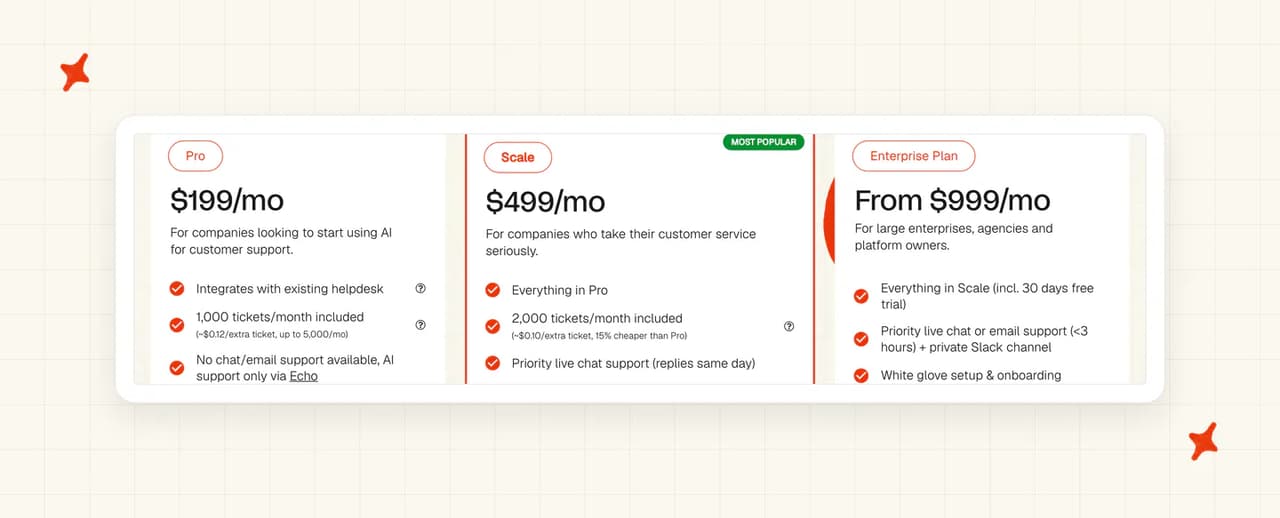
Our server quotes Pro at $199 a month and Scale at $499 a month, with Enterprise from $999 a month. Pro includes 1,000 chat tickets a month, then $0.12 per extra chat ticket and $0.18 per extra email ticket. Scale includes 2,000 chat tickets, then $0.10 and $0.15. So 3,000 chat tickets a month comes to $439 on Pro, and usage-based add-ons such as AI Tagging and Tasks are billed on top when you use them. You can try everything free for 30 days, with unlimited tickets and no credit card.