How to Run Two AI Support Agents Side by Side on the Same Tickets
Run two AI support agents side by side on the same tickets for two weeks, then hand-score fifty. Fin and Zendesk AI do not count a resolution the same way.
Summarize with AI
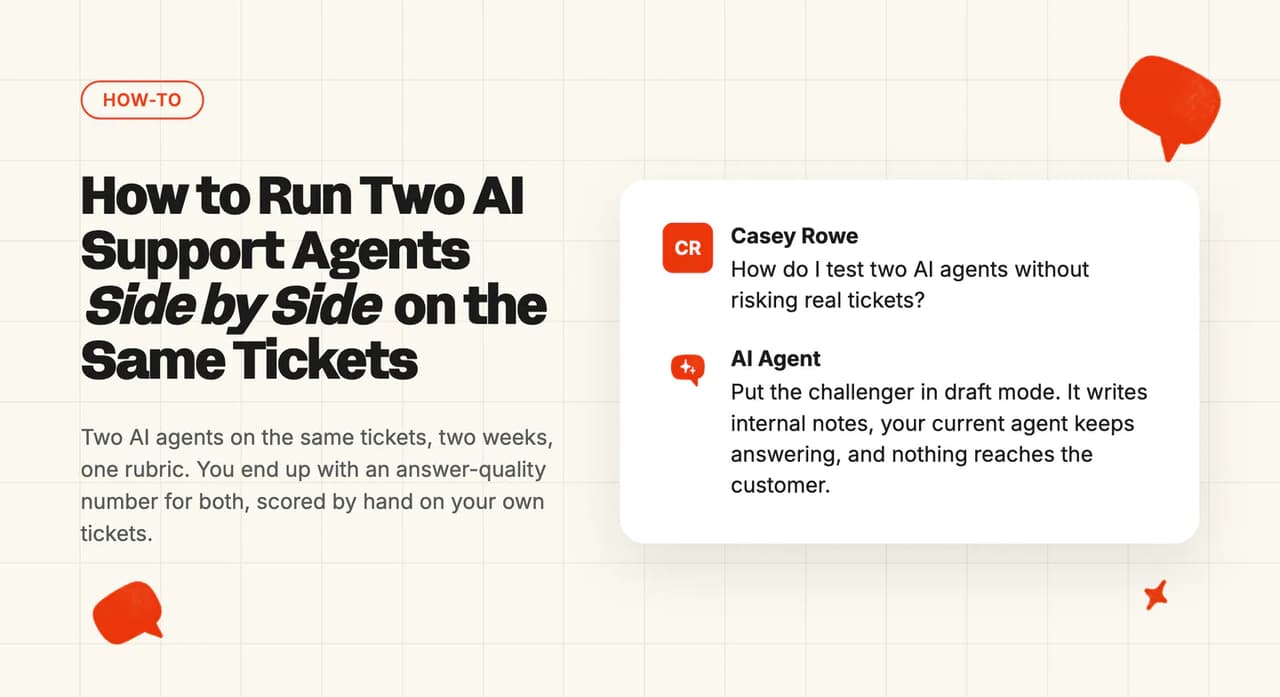
You already have an AI agent answering tickets, and it mostly works. Now somebody wants a second one tried, and the first question is what that does to production. On the default route nothing happens to it, because the challenger writes internal notes for your team and no customer sees a word it produces. You put the challenger in draft mode on one frozen set of tickets, leave both agents alone for two weeks, then hand-score a sample of fifty.
Champion challenger testing is the dull name for this, and all it means is running the incumbent and the newcomer on the same work, at the same time, and scoring both. Wiring a second agent into your helpdesk is a separate job, and we cover that one on its own.
You cannot compare the two vendors' dashboards. Intercom publishes its headline AI number as "Automation Rate = Involvement Rate × Resolution Rate", and runs two metric definitions inside one workspace at the same time.
Zendesk sorts AI outcomes into three named tiers and bills for one of them.
What do you need before you start?
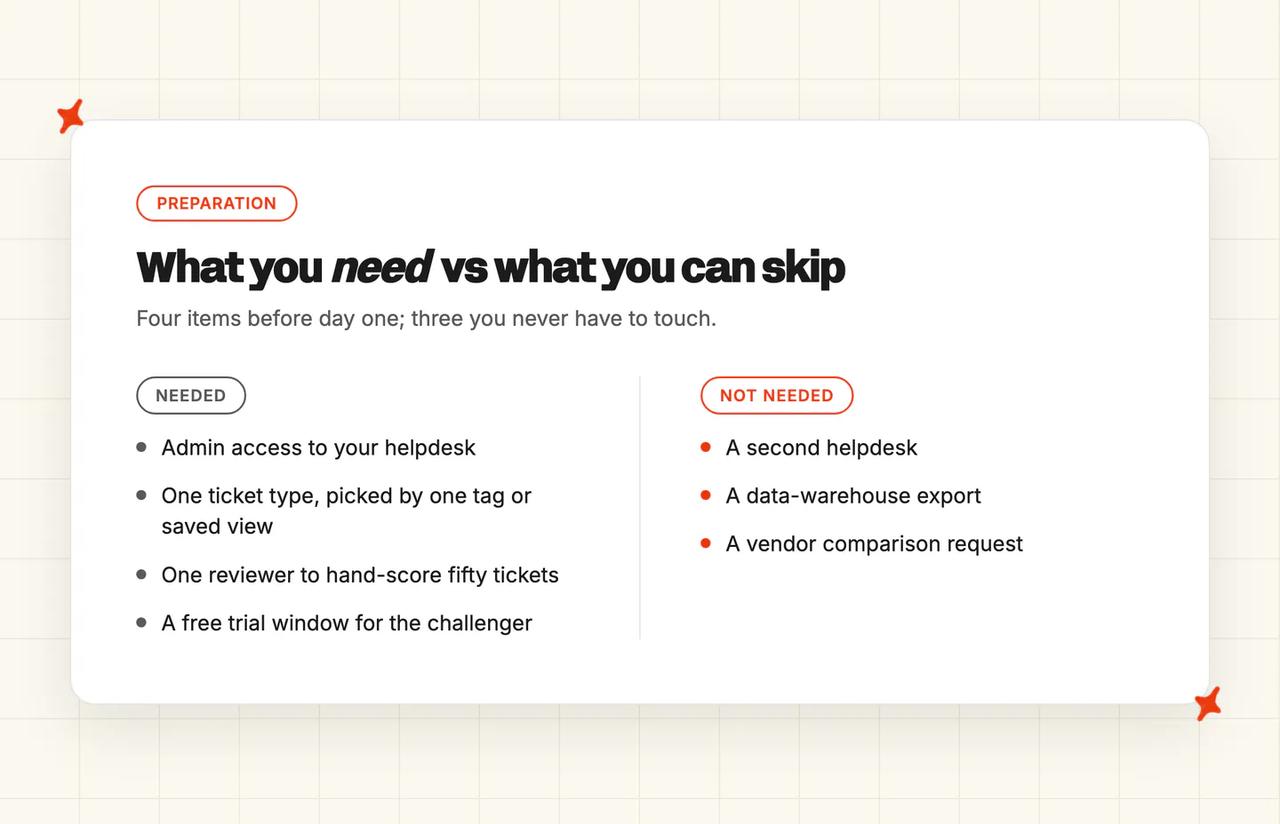
- Enough tickets - the tickets you test on have to comfortably exceed the sample you intend to score. One thin week can swing the result when there are too few, so you want a volume where one odd day does not move the whole comparison.
- Admin access to the helpdesk you already run - the challenger installs into that helpdesk, so there is no second tool to stand up beside it.
- One tag or one saved view to pick the tickets - this is the unit of the whole exercise. Pick them by reason for contact, because AI tagging reads the message text and cannot see plan tier or account value.
- One person who will hand-score a sample - not optional, I'm afraid. Step 6 is what makes the result defensible, and it needs a human.
- What you can skip: a second helpdesk, a data-warehouse export, and any request to either vendor for a comparison.
Sort the free window before day one. A challenger needs a real one or the test is not fair, and ours runs 30 days with no card.
Which of the three ways to run the test should you pick?
| Route | What happens | Best when | Setup time | Trade-off |
|---|---|---|---|---|
| Draft-only shadow (default) | The challenger drafts a reply as an internal note on every ticket under test. Your current agent keeps answering the customer. | You are nervous, or the tickets involve billing and account changes. | About 15 minutes | You measure answer quality, and the resolution number is inferred because a draft nobody sent cannot deflect anything. |
| Live on one tag | The challenger answers one tag or view for real. The incumbent keeps everything else. | You already trust the drafts and want a real resolution and CSAT reading. | About 15 minutes, plus one tag rule | Customers on neighboring ticket types get two different experiences in the same week. The tickets have to be low risk. |
| Replay against past tickets | Both agents run against tickets that are already in your history. No customer is involved at any point. | You want a read in two days instead of two weeks. | Minutes once the challenger is connected; the time goes on gathering the past questions | Past tickets reflect whatever your old process caught. |
None of the three needs a developer.
Draft-only shadow is the one I recommend. It is also the mode our agent starts in. Every reply arrives as a private note for an agent to read, edit, send or bin, and nothing reaches the customer without a human pressing send.
On this route there is no outbound path to break. Going live on one tag works because the reply setting is per tag, and a tag can have the AI reply directly, reply as an internal note for a human, or not reply at all. You set the challenger's tag to internal note and leave every other tag alone.
Replay against past tickets is the fast version. I'd only reach for it when two weeks is more patience than your week has. You batch-run a set of past questions through the challenger and read what it would have said, with nobody live involved. You get a set of drafts to grade, and the customer's response stays outside the test.
Synthetic probing is a different exercise, and we have a separate guide for it. That one covers how to decide whether a vendor is worth trialing at all, before you hand over a card. Here you already have one agent live, and you want to know whether a specific challenger would do better on the same real tickets.
How to run the bake-off, step by step
Step 1: Pick the tickets, then freeze them
Start in the helpdesk you already run, and pick one ticket type with steady volume and little that can go wrong if an answer is off: order status, delivery questions, password resets. Define it once, and write the definition down somewhere other people can see it.
The definition has to be something the helpdesk itself can filter on. In Zendesk that means a saved view under "Views"; in Intercom it is a saved inbox view.
Either way, it has to return the same set of tickets tomorrow as it does today. Do not add ticket types mid-test, because the tickets you add change what you are measuring halfway through.
The helpdesk admin UI has no traffic-split control between two vendors' agents. You build the split out of your tag routing instead.
Step 2: Read your current agent's baseline, and write down which definition produced it
Stay in your current agent's reporting tab. We treat the incumbent as a fixed reference point for the whole exercise: you never retune how it answers or move its thresholds, because the moment you do, there is no stable baseline left to compare against.
Intercom documents the path: "Navigate to Fin AI Agent > Analyze > Performance. You will see Automation Rate displayed as a headline metric alongside Involvement Rate and Resolution Rate." The rest of those reporting screens are on the same help site.
Record all three numbers. Automation rate is the product of the other two, so a resolution rate that climbs while automation rate holds steady means the involvement share fell. Fewer conversations included the agent at all, and that is a different thing from answering them better.
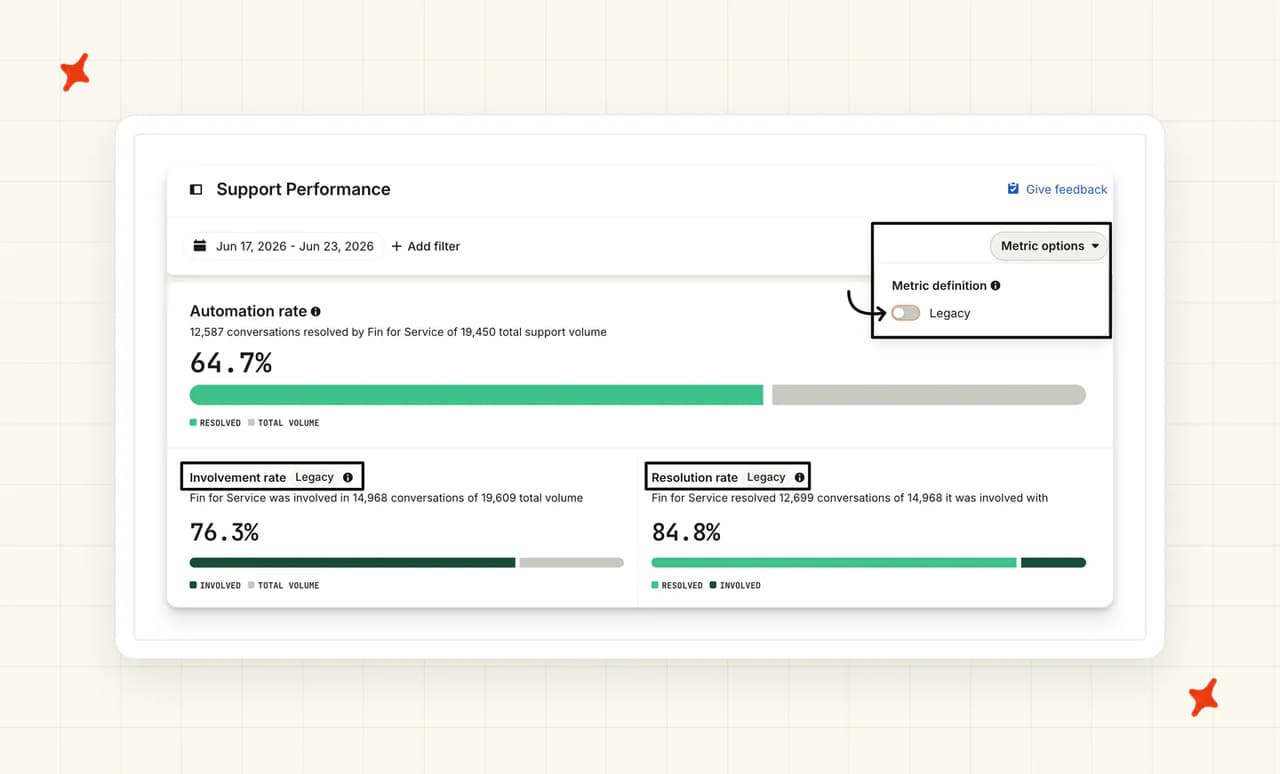
Then record which definition your workspace is on, because during the transition period Intercom runs two of them at once and we need to know which one produced your baseline. Standard dashboards have a toggle back to the legacy figures, and custom reports do not move: "There are no changes to existing custom reports. Your custom reports will continue to report on the previous metric definitions."
Two screens in one account will disagree, and each screen is reporting the definition it was built on. I want the definition written down next to the number, because in a month nobody will remember which screen it came from.
On Zendesk the equivalent question is which tier you are reading (there are three of them, and they are not interchangeable) and whether your account was migrated to the tier model before or after you ran your last number. Zendesk's stated rationale for the migration was that its old platform did not count partially automated resolutions at all, only fully automated ones, so a resolution rate recorded after the migration counts something broader than one recorded before it.
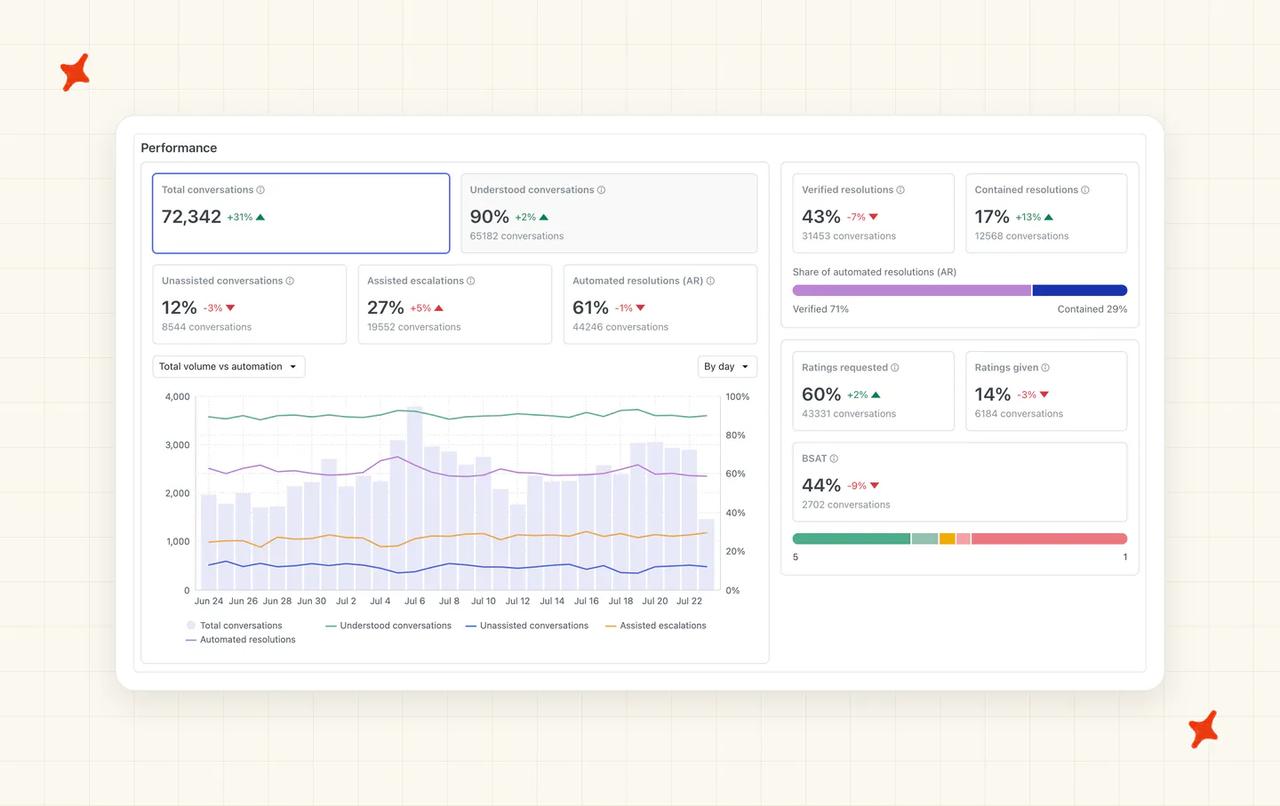
Verified resolution is "The AI agent successfully resolved the interaction." Assisted escalation is "The AI agent contributed to the interaction before a human agent completed the resolution. This tier does not count against your resolution allowance."
Contained resolution has the same "does not count against your resolution allowance" line as assisted escalation. I treat that as the most buyer-friendly reading, but the allowances article contradicts it: there, the allowance is a currency pool you can use for any automated resolution tier. Both pages are live and both are Zendesk's. Before you sign or renew, get your rep to state in writing which tiers draw on your allowance and at what rate.
If what you want is the lift since AI was switched on at all, that is a before-and-after reading, and we have written that exercise up separately.
Step 3: Install the challenger so it cannot reply to a customer
Work in the challenger's console for this step. Follow the connection procedure for your helpdesk, which may ask you to adjust an existing AI setting as part of the connection itself. The rule on the challenger's side is the same whichever helpdesk you are connecting: draft mode on from minute one, before the agent has seen a single live ticket.
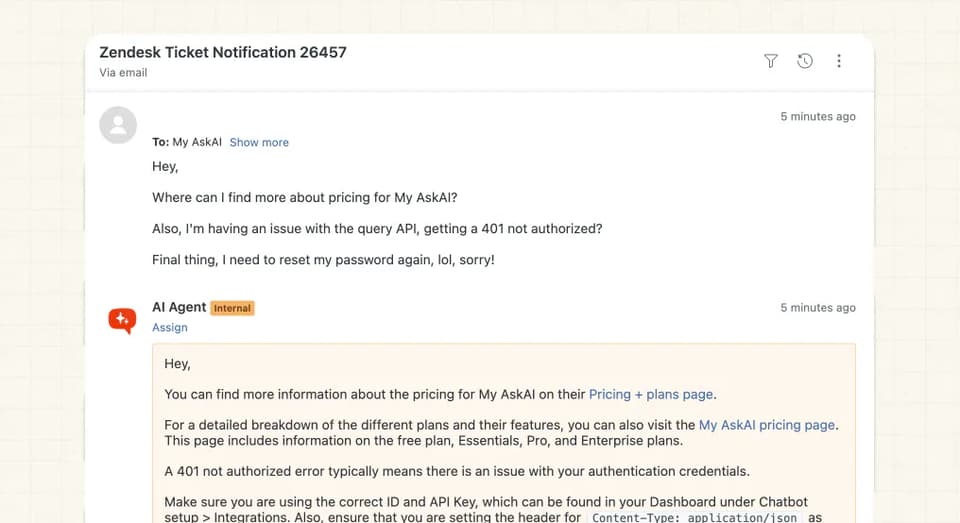
On our side that is the default. Our documentation puts it this way: "Once back at My AskAI, you can Configure how you want your AI agent to reply, by default it will create Internal Note responses, but you can also enable Direct replies."
While you are in the helpdesk-side setup, connect the channel you are testing and change nothing else on the trigger you are editing. Its other settings decide which tickets your agent answers, and our setup guide says to leave them alone.
Our agent defaults to notes, so the worst it can do to you is write an unhelpful private note that your team ignores.
Step 4: Agree the scorecard before anyone sees a number
Agree the columns in a document, with names against them, before the first result exists. Four columns is the right number: resolved without a human, CSAT on the sample, handover quality, and cost per resolution. Set the pass mark now, in writing.
Each column names whose definition it uses. "Resolution" and "automation" produce different figures for identical behavior, so the label you pick decides the number you report.
Our resolution-rate benchmarks piece is the yardstick for setting a pass mark.
Containment, deflection and resolution are three different events, and we pull them apart in a separate piece. For this exercise, pick one, define it in a sentence, and get everybody to sign the sentence.
How do you get AI to draft the scorecard for you?
Agreeing four columns and a pass mark from a blank document is slower than editing somebody else's draft, so hand the first version to whichever AI tool you already have open. Paste the prompt below and you have a table on the screen to argue with. It will propose pass marks it has no way of justifying. I read those as an opening bid and weigh them against what your team can absorb when the AI hands a ticket back.
I am running a two-week test in which two AI support agents work the same customer tickets. The agent we already run answers customers; the challenger writes internal notes that nobody outside the team sees. One reviewer will hand-score fifty tickets at the end.

My setup:
- Helpdesk: [Intercom / Zendesk / other]
- Current agent: [name it]
- Challenger: [name it]
- The tickets under test: [describe them in one sentence, for example order status tickets on email]
- Monthly volume of those tickets: [your number]
- What each vendor bills me: [per outcome / per autoresolve / per ticket, and the rate]

Build me a scorecard as a table, one row for each of these four columns:
1. Resolved without a human
2. CSAT on the sample
3. Handover quality
4. Cost per resolution

For each one, give me a one-sentence definition I could defend in a decision meeting, where the number comes from, whether it is counted by hand or read off a vendor dashboard, and a proposed pass mark with the reasoning behind it.

Then flag every column where my two vendors would count the same behavior differently, and say what I should count by hand instead. Where you cannot verify how a named vendor counts something, write "unverified, ask the vendor" rather than guessing.
Step 5: Run the window and change nothing
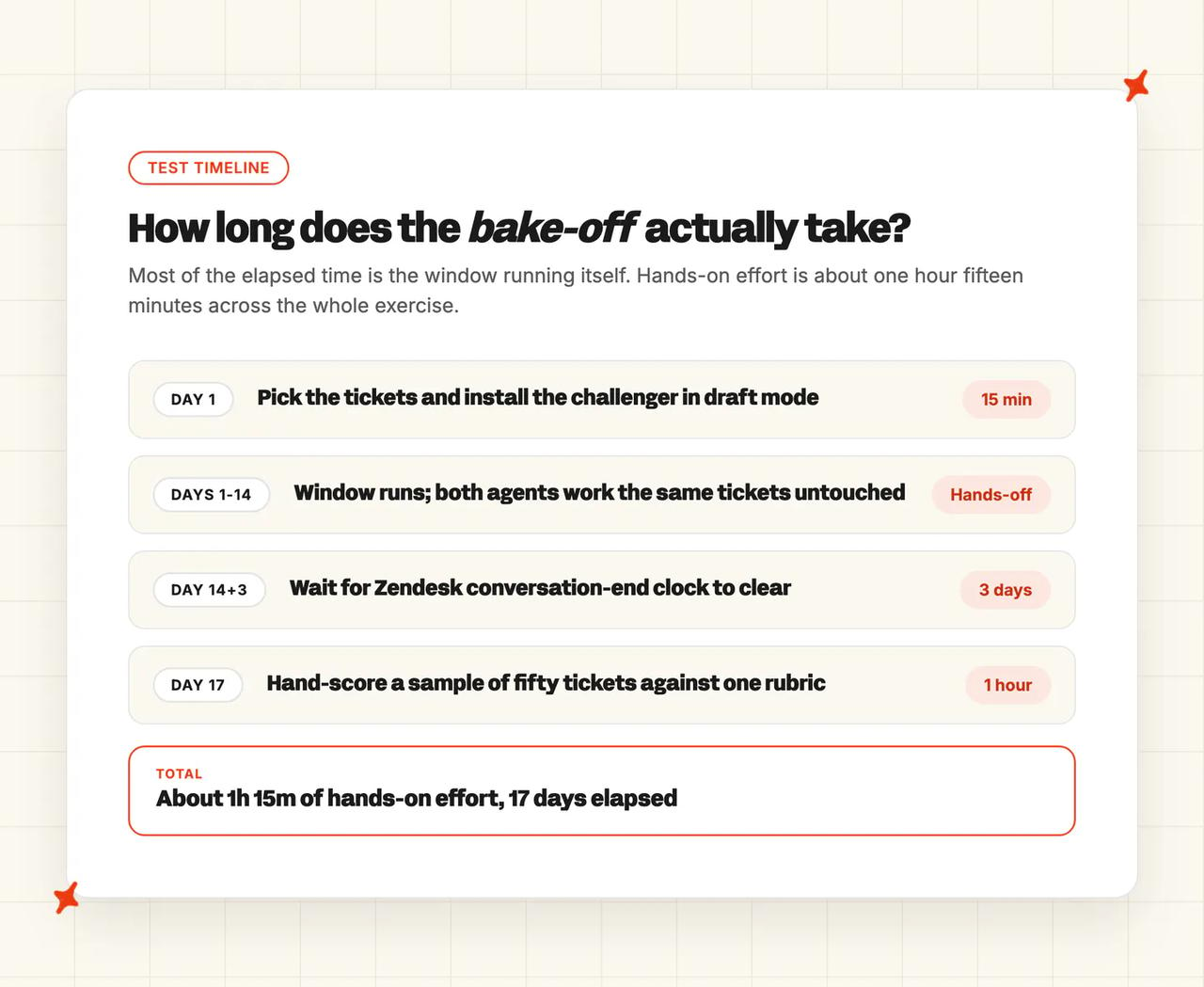
Two weeks, both agents untouched. The failure I expect is somebody tuning the challenger on day four because week one looked weak, and then there is no clean comparison left to make.
On Zendesk the window closes on the conversation-end clock, which keeps running after the last message. Zendesk's rule is "Email: The conversation ends 72 hours after the last email in the conversation." Zendesk messaging defaults to two hours and can be raised to 72; voice ends on hangup. Read the scoreboard on the final day and it is incomplete for every email ticket opened in the last three days.
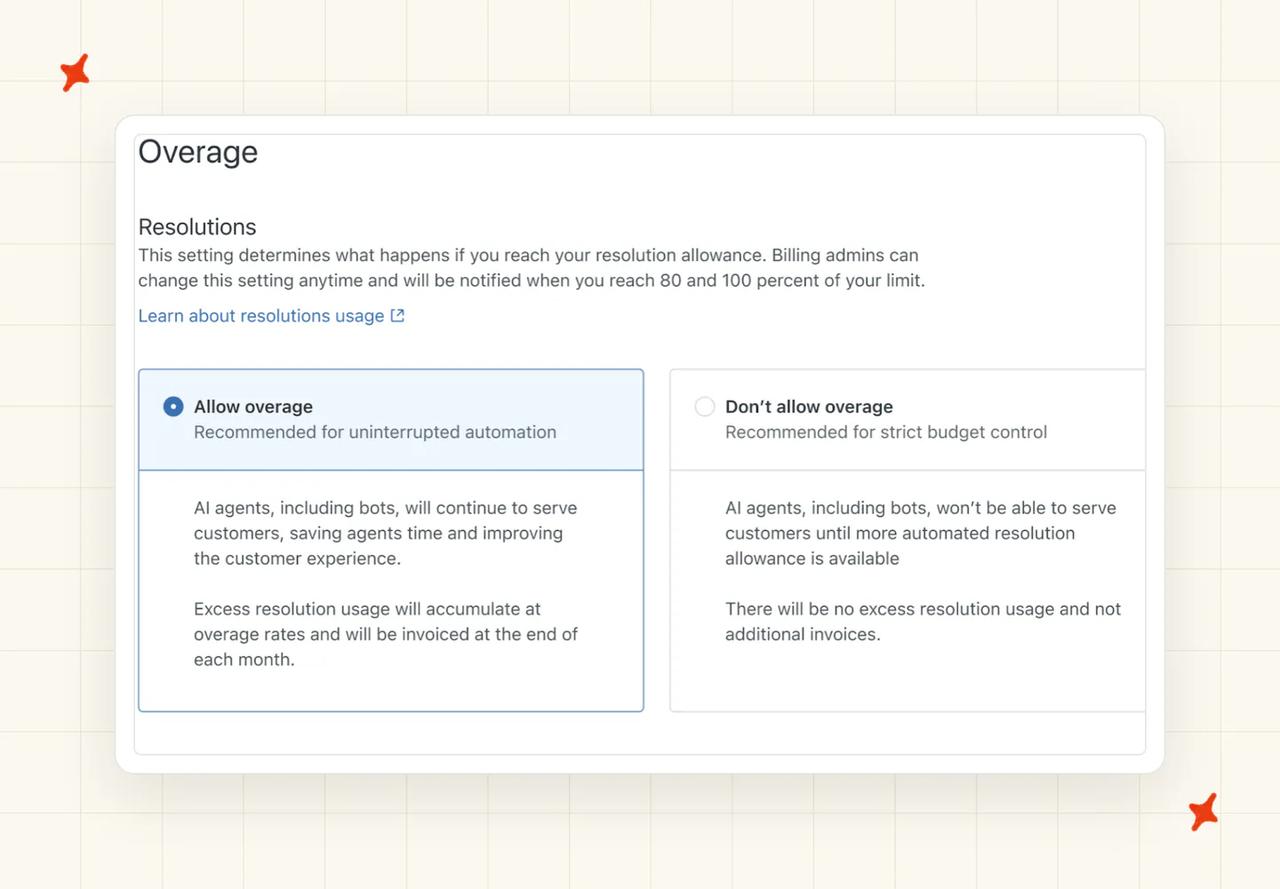
Check the incumbent's overage setting before the window opens (easy to miss until the numbers already look wrong). If you are on the older Zendesk automated resolutions platform rather than the current tier model, one of the two options Zendesk documents is "Pause functionality and don't allow overage, which pauses AI agent functionality, preventing overage charges. When you select this option, any capabilities that require automated resolutions will no longer function when you reach your automated resolution limit, and more support requests will be routed to live agents." If that fires mid-window, the incumbent's volume collapses and nobody tells you. The usage panel for that platform tracks that draw-down against the baseline.
Change one setting on the challenger on day one. Our agent answers every message in a ticket by default, so switch it to first-message-only and both agents are counted on the same unit.
Step 6: Hand-score a sample of fifty tickets
Fifty tickets, one reviewer, one fixed rubric. Sample across the whole window, week two included, and score both agents on the same tickets. Expect roughly an hour if you use the AI tool you already have open to handle the mechanical part of reading and grouping the tickets; the judgment calls, where you decide whether an answer actually resolved something, are the part that does not compress.
I insist on hand-scoring because of one line in Zendesk's documentation, which describes how its headline figure is produced: "a verification process is performed by a large language model (LLM) that evaluates the text of the conversation to confirm that the customer's request was satisfactorily resolved." The vendor's own model grades the vendor's own agent. You counted the outcomes yourself, on one rubric, so the two agents share a denominator.
Step 7: Turn the scorecard into a cost per resolution, and a decision
The arithmetic is one division, run twice. Take what each vendor billed you for the month (the invoice total, whatever the plan says), and divide it by the resolutions you counted by hand. That is your cost per resolution.
The three billing units in play do not convert into each other. Intercom Fin charges per outcome, at $0.99; Zendesk AI charges per autoresolve, once the quiet period has run. Ours charges per ticket, resolved or not.
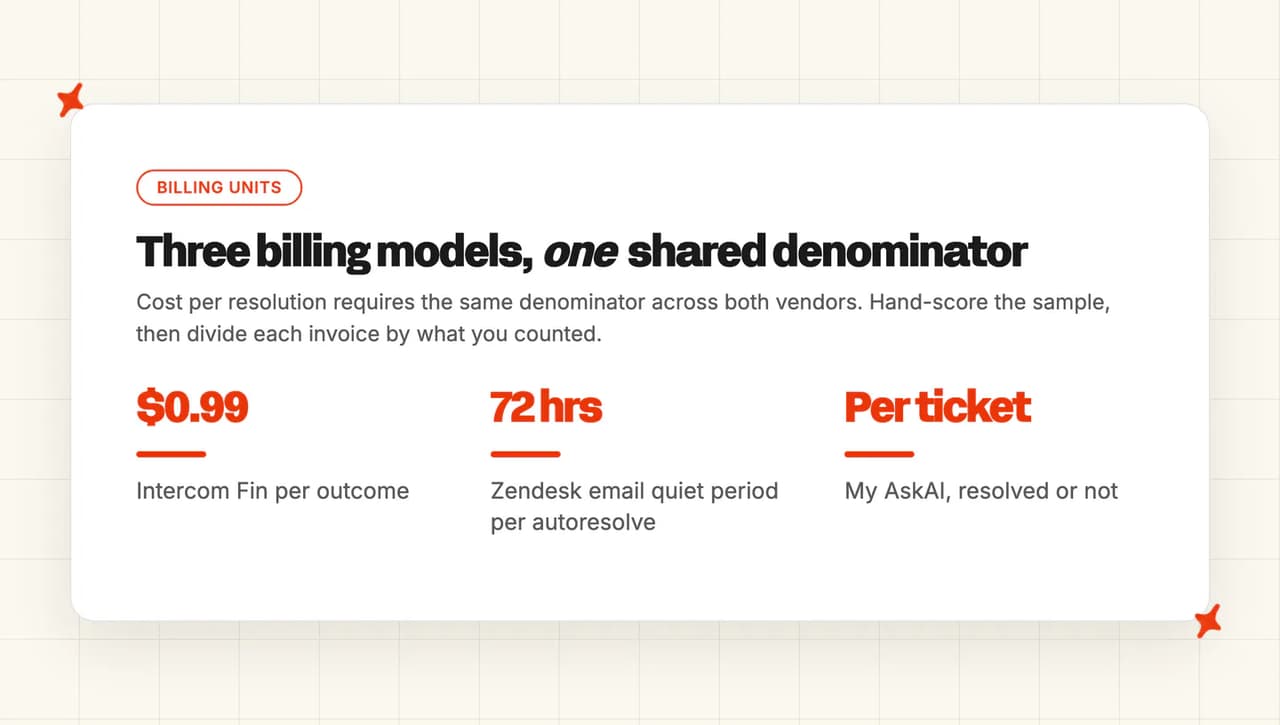
Per-outcome billing rises with every success, so a better agent costs proportionally more and cost per resolution stays roughly where it was. Per-ticket billing tracks ticket volume as the agent improves, so a rising resolution rate pushes the cost per resolution down.
To model our side of it: the month is the plan fee plus anything over the included credits. Pro is $199 a month with 1,000 credits included, $0.12 a credit after that, and 5 team seats. Add-ons such as AI tagging at $0.05 per attribute per ticket are charged on top of that.
Put the same month's real invoice against the incumbent and run the same division. You end with two costs per resolution built on one rubric, and our AI support agent ROI calculator projects the same comparison across your full monthly volume.
How to test it before you let it near customers
Run all five on a real test ticket of the type you are testing, and run them in order. We run them again after any change to the challenger's settings, however small it looks.
- Send-block check - post a test ticket of the type you are testing and watch what the challenger does with it. Pass: the reply arrives as an internal note, and the customer receives nothing from the challenger.
- Out-of-scope check - look for challenger activity on tickets outside your definition. Pass: no drafts anywhere except the tagged tickets.
- Escalation check - ask it something it has no way of knowing (an order that does not exist, a policy nobody ever wrote down). Pass: it hands over, and the handover includes a summary of the conversation so far.
- Baseline stability check - re-read the incumbent's number two days apart, because we cannot compare against a baseline that moved underneath us. Pass: same definition, same denominator, no silent switch.
- Reviewer calibration check - have two people score the same ten tickets separately. Pass: they agree on at least eight.
Check 3 proves that handover fired. On our side the customer asks for a person, or the agent escalates on a rule you set. The agent then summarizes the conversation, passes control to a human in the same helpdesk, and does not reply again until that person hands the conversation back.
Checks 1, 2 and 3 have to pass on the same day before the challenger moves off draft-only. If one of them fails, fix it and restart the window, because the numbers only count if the send-block held for the whole window.
One r/automation commenter describes the sequencing we default to:
"This is not the kind of project you will get right in a single shot. I would start by having the system work side by side with humans that will provide feedback for improvement, meanwhile gathering metrics to understand its performance, before letting it loose to respond to customers."
What breaks, and how do you know?
| Symptom | What is actually happening | What to do |
|---|---|---|
| The two dashboards disagree and both look right | You are reading two different definitions. Intercom runs two metric definitions per workspace and its own two screens disagree; Zendesk reports three resolution tiers and bills one | Hand-score fifty tickets and use that number |
| Your current agent's resolution rate went up during the window | The involvement share fell. Automation rate is the product of involvement and resolution, so the rate improved because a smaller proportion of conversations involved the agent | Report automation rate next to resolution rate, or neither is readable |
| Your current agent stopped answering half way through | On Zendesk, the resolution allowance ran out and the account is set to pause rather than allow overage, so requests routed to humans instead | Check the allowance before the window opens. Restart the window |
| The scores look wrong on the final day | On Zendesk, the conversation-end clock has not run out, because email conversations close 72 hours after the last email | Read the scoreboard three days after the window closes |
| CSAT dropped on the tickets under test but nowhere else | Two agents with different handover behavior on neighboring ticket types | Narrow the ticket type, or move back to draft-only for the rest of the window |
| Our agent is replying to customers when it should be drafting | Direct replies got switched on. The default on install is internal note responses | Switch the reply mode back to internal notes, then restart the window |
If week one looks strange, check the challenger's reply mode before anything else. A mode set to direct replies means the numbers came from answers customers saw.
What should you do next?
Score against the pass mark you wrote down in Step 4, even when the agent that clears it is not ours. Do not rewrite the mark once you have seen the numbers.
If the incumbent wins, say so and close the exercise. You have still bought something useful: a resolution number for your current setup that you produced yourself, on your tickets, with a definition you can explain.
When the challenger wins, the cutover is a separate project. TravelJoy made that switch away from Zendesk's own AI agent, going from 24% to 76% AI resolution, and now sits at 80%. We have a write-up for moving off Intercom Fin without leaving Intercom. Our other one covers moving off Zendesk AI without leaving Zendesk.
Either way, you can take the number into the decision meeting and show exactly how you counted the denominator.
If you want to run the challenger side of this before you pay for anything, our free window covers a full month of real tickets, every feature unlocked and no card. There is room in that for the two weeks and the scoring afterwards.
FAQs
How do I test a new AI support agent against the one I already have?
Run it in draft mode on a frozen set of tickets your current agent is already answering, for a fixed window, then hand-score a sample of both. Draft mode is what keeps it safe: the challenger writes internal notes and a human decides whether anything is sent, which is our default setting. For a faster and rougher read, batch-run your past tickets through the challenger. That tells you what the agent would have written, with the customer's response left outside the test.
Can I run two AI agents on the same tickets at once?
Yes, as long as only one of them is replying. Per-tag reply settings on our side let the challenger draft internal notes on exactly the tickets the incumbent is answering directly, so the comparison stays like-for-like. Neither Intercom nor Zendesk gives you a built-in slider to divide traffic between two vendors, so you build the split yourself using tag routing.
How long should I run an AI agent bake-off before deciding?
Two weeks of live tickets, then wait three days before reading the result. On Zendesk the conversation-end clock decides when you can read it: email conversations are not counted until 72 hours after the last message, and messaging defaults to two hours. Anything shorter than two weeks gives you a sample that one unusual week can swing.
How do I stop the test and put everything back?
A draft-only run leaves nothing customer-facing to undo, because the customer never saw a second reply from us. To stop the challenger entirely, pause the AI agent on the channel. On our side that is the "Pause AI agent" toggle on the helpdesk channel you connected, and switching it back on restarts replies. If you went live on one tag, setting that tag back to "no reply" ends the test without touching your current agent at all.
What does running two AI agents side by side cost?
Your incumbent's bill is unchanged, because a note your challenger wrote is not an outcome either vendor charges for. The challenger's side is a real line on the invoice: we charge per ticket whether or not the issue resolves, so a draft-mode window still consumes credits. Pro is $199 a month with 1,000 credits and $0.12 a credit after that, and add-ons such as AI tagging are charged separately on top. The trial covers the test itself, which is also how you find out what a full month with us would cost.