Migrating Off Zendesk AI (Without Leaving Zendesk)
Zendesk's AI agent comes with your plan, but you can switch it off and keep the inbox. Migrating means a rebuild, a contract check and weeks running both.
Summarize with AI
Zendesk's AI agent now comes with every Suite and Support plan, and you can still switch it off on its own and leave the ticketing alone. Its per-resolution charges stop when you do. The work is re-pointing your knowledge, rewriting your escalation rules by hand, and running the new agent alongside Zendesk AI long enough to trust the numbers. Anything built in the dialog builder adds days of its own, since those flows have to be typed out again from scratch.
If you have not bought Zendesk AI yet and are choosing whether to, how to add AI to Zendesk without using Zendesk AI is the post you want. This one is for teams already paying for it.
I'm Mike, one of the founders of My AskAI. We help 200+ ecommerce and SaaS businesses run AI customer service inside the helpdesk they already use. Zendesk AI is still the right call for some teams, including anyone who needs voice agents or a FedRAMP certification.
The usual trigger is a renewal date. The bill has grown past what you budgeted, and you want to know what the swap involves before you sign for another year.
Migrating off Zendesk AI at a glance
| What you keep | Zendesk inbox, all tickets, macros, tags, views, triggers, routing rules, SLAs, Explore reports, Guide help center, marketplace apps |
| What you rebuild | Knowledge-source pointers (fast), escalation rules (Guidance), persona/tone (Guidance), procedures (Tasks + Tools), scripted responses (Custom Answers) |
| What you lose | AI Insights dashboard history, Advanced AI agent Analytics history (export before removing the entitlement), intelligent-triage field values (intent, sentiment, language written to native ticket fields with confidence scores), dialog-builder flows (no file export; transcribe manually) |
| Typical effort | 1-2 days of setup and knowledge pointing, 3-5 days rebuilding escalation and guidance, 2-4 weeks running both |
| Contract to check | Notice period (30 days before renewal for self-service accounts), subscription term length, overage billing (billed monthly regardless of subscription terms) |
| Hardest part | Transcribing dialog flows and procedures that have no file export. Screenshot each one and upload the images to Echo and it drafts the rebuild for you, which is the shortcut. |
We install from the Zendesk marketplace, so the whole change happens inside the inbox your agents already open. And if you ever move off Zendesk itself, the agent we have trained, the Custom Answers and the Guidance come with you, so you do not do this rebuild twice.
Why do teams leave Zendesk AI?
Cost is what starts the conversation. The dialog builder's control problems and this year's packaging changes are what finish it.
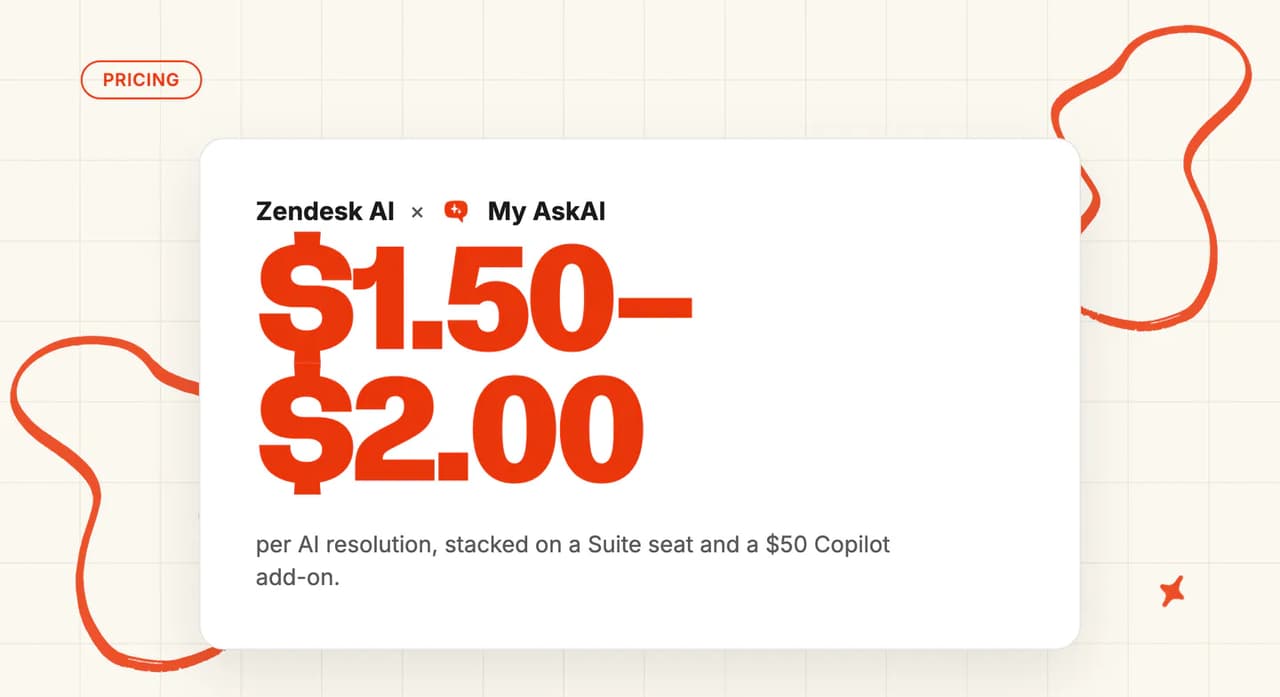
Zendesk AI charges per automated resolution (AR). Suite Professional is $115/agent/month billed annually. Add Copilot at $50/agent/month and committed ARs at $1.50 each, and a 10-agent mid-market team handling 1,500 monthly ARs is looking at roughly $3,750/month.
Of that $3,750, the Suite Professional seats account for $1,150, and you keep paying those either way. Strip the seats out and the AI layer alone runs $2,600 a month. That is the number to hold against the alternative, and how the automated-resolution meter builds it is worth reading before you renegotiate.
The same 1,500 tickets on our Pro plan come to $259 a month: $199 with 1,000 credits included, then $0.12 a credit for the 500 above that. You keep paying Zendesk for the seats on either side of that sum, so they cancel out.
The better the AI gets, the more you pay. Our price per ticket is the same whether the AI resolves a third of your tickets or all of them.

"in large departments, it can cost €40,000 a year, which is difficult to justify for what it provides" — u/rafadb, r/Zendesk
Most of the control frustration is about the dialog builder. Teams report spending weeks building flows, only to find the agent ignores the routing they set up.
"I gave up on the actual agent because I literally couldn't get it to stop not listening to prompts." — u/genericllamaaa, r/Zendesk
Zendesk has changed how it packages and prices its AI agents twice, and is retiring the plan some teams bought. The new prices are unpublished, so you cannot forecast next year's bill from this year's. What counts as a resolution is no clearer:
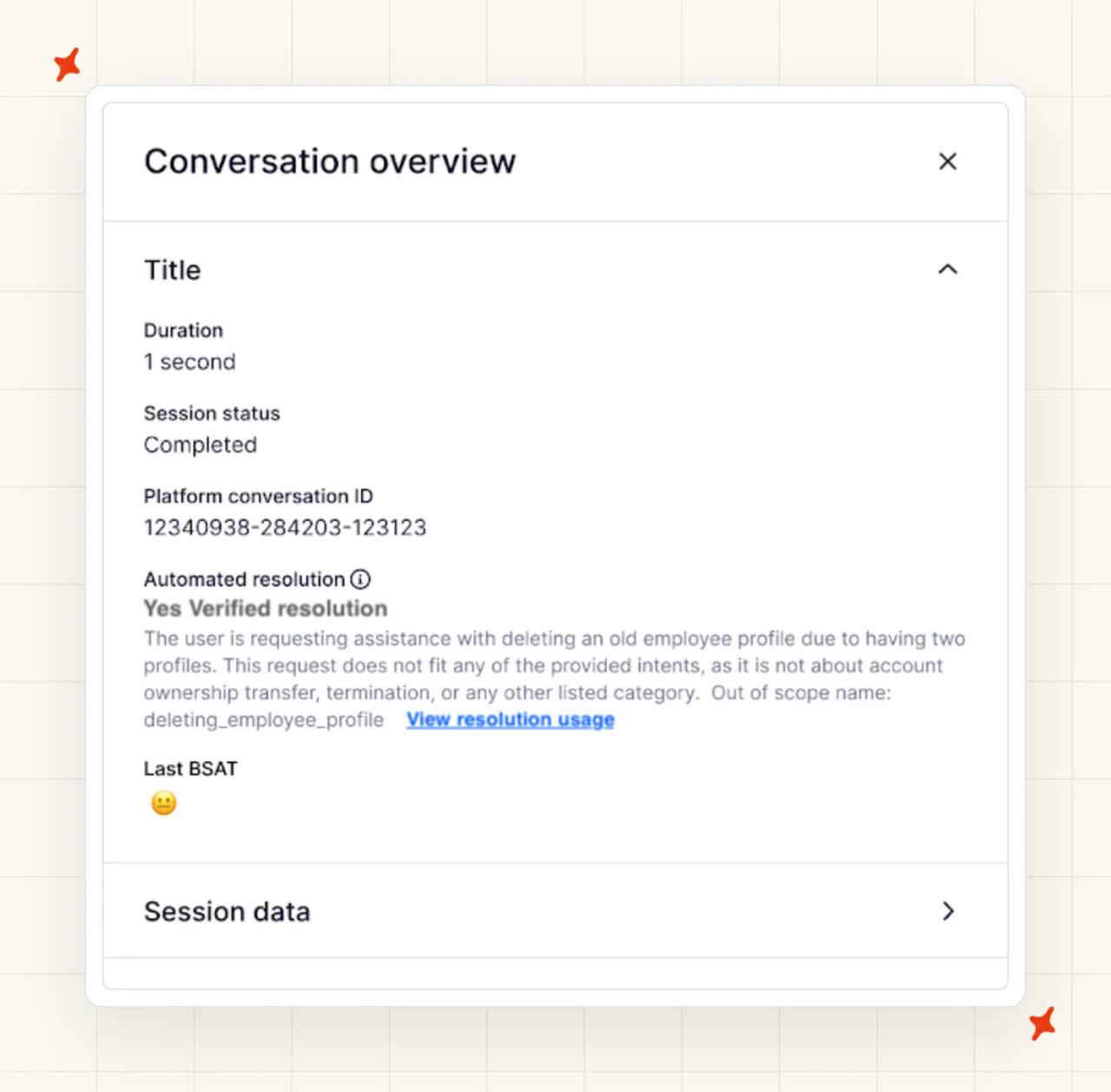
"The biggest sticking point for me was the 'resolution' definition... it was just so murky about whether a customer actually got a resolution" — u/Brosenjew, r/Zendesk
Some teams leave Zendesk because the platform is over-engineered for their volume and they want a simpler helpdesk. My AskAI is an AI layer that plugs into Zendesk, so we do nothing for that problem. If that is your reason for leaving, our roundup of Zendesk alternatives prices ten full helpdesks and says when staying put is the better call.
You can work out what a ticket costs you with us before you commit to anything. We charge $0.12 a credit on Pro for every ticket the AI handles, resolved or not, and Tagging, Tasks and Tools bill only on the tickets where they run. Our Zendesk ROI calculator takes your monthly ticket volume and gives you a figure to hold against the renewal quote.
What do you keep, rebuild and lose when you leave Zendesk AI?
Keep stays exactly as it is. Rebuild means you recreate it on our side. Lose means there is no direct equivalent, so export or document it before you switch off the entitlement.
| Asset | Status | What that actually means |
|---|---|---|
| Zendesk helpdesk + all tickets | Keep | The inbox, views, SLAs, triggers, Explore reports stay. |
| Macros / saved replies | Keep | They stay in Zendesk. You can also convert them into knowledge articles for the new AI if you want it to use the same phrasing. |
| Guide help center | Keep + reconnect | My AskAI syncs your Guide help center directly, including articles that sit behind a login. You point the connector at what is already there. |
| Historical tickets | Keep | They stay in Zendesk. My AskAI's historic-ticket training can pull the last 5,000 tickets directly to auto-draft starter knowledge, so you do not need to export them. |
| Marketplace apps | Keep | Unaffected by swapping the AI layer. |
| Knowledge sources (Salesforce, Confluence, CSV, crawler, Knowledge Connectors) | Rebuild (fast) | Re-point at the same sources via My AskAI connectors: Google Drive, Notion, Confluence, SharePoint, OneDrive, Dropbox, Salesforce (knowledge pages). |
| Persona / tone | Rebuild | Rewrite the tone preset as explicit Guidance (Communication and Style rules, each under 75 words). |
| Escalation + routing rules | Rebuild | Logic rarely transfers one-to-one. Escalation blocks in dialogs become Guidance (Handover and Escalation) plus Tasks for data collection on escalation. Any trigger, view or SLA that conditions on Zendesk's native intent, sentiment or language fields needs re-keying onto My AskAI tag values. |
| Dialog flows | Rebuild (slow) | No file export. Screenshot every dialog, transcribe with a browser agent, hand the screenshots to Echo. Rewrite intent as Tasks and knowledge instead of rebuilding the trees. |
| Generative procedures | Rebuild (moderate) | Near one-to-one conceptually. Plain-language policies become Guidance entries or Tasks. Copy the text, upload to Echo. |
| Actions / API integrations | Rebuild | Re-author each action as a Tool (any HTTP method, auth headers). Record endpoints and auth before access lapses. |
| Intelligent triage (intent, sentiment, language fields + confidence scores) | Lose (partial replacement) | My AskAI AI Tagging on Zendesk Tickets classifies up to 3 custom fields at $0.05/attribute/ticket using semantic classification on the incoming message text. There are no confidence scores, so routing rules that branch on confidence need redesign. |
| AI Insights dashboard + Advanced Analytics | Lose (export first) | Export Explore reports (CSV) and pull Data Export API history before removing entitlements. My AskAI Insights covers topics, AI CSAT on 100% of conversations, handover rate and resolution time, with CSV export in 30-day windows. |
| Copilot (auto-assist, suggested replies, summaries) | Rebuild (different form) | AI Copilot Chrome Extension (free, no seat charges, included on all plans) plus Internal Note Replies. |
| Entity detection to custom fields | Lose (partial) | Escalation data collection Tasks cover the escalated subset. AI Tagging handles up to 3 fields. There is no equivalent for full regex entity extraction. |
Dialog flows are the slowest part. There is no file export, so every flow gets reconstructed from screenshots. Echo accepts uploaded screenshots and exported text and converts them into Guidance, Custom Answers and Tasks, and you review and approve what it drafts.
If you want a browser agent to do the screenshotting and the writing up, this is the prompt to give it:
Open every published flow in our Zendesk dialog builder, one at a time. For each flow, screenshot every step, then write the flow out in plain English: what starts it, each question the customer is asked, every branch and the condition that chooses it, and how it ends (an answer, a handover, or a ticket field being set). Give me one document per flow, and keep the screenshots alongside it.Hand Echo the documents and the screenshots together and it drafts the Guidance, Custom Answers and Tasks that replace the flow.
The macros you have already written shorten the rebuild column. Drop them into Custom Answers and we return that wording word for word on anything scripted or regulated.
What should you check in your Zendesk contract before you cancel?
Put your renewal date in your calendar and plan any change to your subscription, such as dropping Copilot, at least 30 days before it. Terms are negotiated per customer, so read your order form first, because it overrides the general terms.
- Notice period: Zendesk's cancellation terms require at least 30 days' written notice before the end of the subscription term. Self-service accounts cancel in Admin Center (Account, Billing, Subscription, Manage). Sales-assisted or managed accounts cannot do this online and must contact Zendesk Sales.
- Subscription term: Check the term length on your order form before you commit to running both sides at once, because the subscription renews at the end of it unless you give written notice. Zendesk's terms state that refunds are not given for cancellation or downgrades.
- Overage billing: ARs are billed monthly regardless of subscription terms. AR consumption stops only when you turn the AI features off (cutting usage alone does not stop the billing). Do it at cutover.
- Forced-migration context: Zendesk's legacy Essential agents hit end-of-life by December 2026, so teams still on that plan have to move regardless of what this costs.
Compare only the AI line on each side, because you keep paying Zendesk for seats either way. We bill per ticket: $0.12 a credit on Pro, $0.10 on Scale.
Our 30-day free trial covers all features and unlimited tickets, with no card required.
Pro is $199 a month with 1,000 credits included, and it bills monthly. Running the overlap inside your notice period does not commit you to a second annual term.
How do you migrate from Zendesk AI, step by step?
You connect notes-only first, so nothing reaches a customer until you have seen the drafts sitting next to your current AI's replies.
Step 1: Connect My AskAI notes-only
Install the My AskAI app from the Zendesk marketplace. Start on the Tickets channel and set it to Internal Notes mode on New and Open tickets.
We draft a suggested reply as an internal note on every ticket while your existing AI keeps answering. I recommend this mode first because it gives your team a side-by-side read on quality before a single customer is touched.
Step 2: Point it at your knowledge sources
Connect Guide first, then add your other sources, which can include website sync, PDFs, Google Drive, Notion, Confluence, SharePoint, OneDrive, Dropbox and Salesforce knowledge pages. Use Train on Historic Tickets to pull the last 5,000 tickets and auto-draft starter knowledge articles, which gets you a working agent before you have written anything yourself.
Step 3: Rebuild escalation and guardrails
This is the slow part. Write Guidance rules across three categories (Communication and Style, Context and Clarification, Handover and Escalation). Each rule is a short plain-English sentence rather than a branch in a flowchart. Set up Custom Answers for scripted responses.
Build Tasks for the things the AI needs to do, like looking up an order or starting a return. Each Task can run on its own or propose the action for an agent to approve. Upload the copied Zendesk procedures and persona text to Echo, and it drafts the equivalent Guidance, Custom Answers and Tasks entries for your review. Copying a dialog builder out by hand is the worst job in the migration, which is why we built Echo for this step.
Step 4: Run both in parallel
Zendesk Messaging has no internal-notes mode, so anything you switch on there goes straight to a customer. Validate on Tickets and batch tests first, and stage the Messaging cutover last. I would set a spend cap on the Zendesk AI side during the overlap.
Step 5: Compare on the same tickets
Run the comparison for two to four weeks on a sample of at least 200 AI-handled tickets, and our test plan for running two AI support agents side by side covers how to score them. Measure resolution rate, CSAT, escalation rate and time-to-first-response.
| Metric | How to measure on Zendesk AI | How to measure on My AskAI | Pass condition |
|---|---|---|---|
| Resolution rate | AI Insights dashboard (rolling 30 days) | Insights: resolution rate | My AskAI at or above baseline |
| CSAT on AI-handled tickets | Advanced Analytics (BSAT, survey-based, typically 2-10% sample) | Insights: AI CSAT (scored on 100% of conversations) | My AskAI at or above baseline |
| Escalation rate | AI Insights: transfer rate | Insights: handover rate | My AskAI at or below baseline |
| Time-to-first-response | Explore dashboard | Insights: resolution time (first response) | My AskAI at or below baseline |
My AskAI Insights scores 100% of conversations for AI CSAT, so the before-and-after comparison rests on the whole sample. Use Echo to ask why the agent gave any answer and which knowledge source it used.
If any metric drops below your pre-switch baseline, revert to Zendesk AI on that channel. Your Zendesk AI setup has been running on that channel the whole time (which is also why the charges keep coming), so reverting is a toggle. Keep the parallel window open until you have two clean weeks of data.
TravelJoy switched from Zendesk Advanced AI. Their AI resolution rate went from 24% to 80% with My AskAI, saving roughly 193 hours per month across about 2,500 tickets.
"You're beating Zendesk's AI agent 76% to 24% on AI deflection. Huge." — Alan Pugh, Head of Customer Service, TravelJoy
Honeygain, a consumer rewards app on Zendesk, reaches 90% AI resolution with My AskAI across about 3,400 tickets per month.
Pull your AI Insights dashboard data, Explore AI dashboards and Data Export API history before you switch Zendesk's AI agent off. We cannot get them back for you once it is off, and Zendesk does not publish what happens to them.
Step 6: Cut over, channel by channel
Cut over one channel at a time, starting with Tickets since that is what you validated in Step 5. Flip My AskAI from Internal Notes mode to direct replies on Tickets, and pause Zendesk AI's automated resolutions on that same channel in the same change window, so only one AI is ever answering a given customer. We treat this as a per-channel switch rather than an all-or-nothing cutover, because Messaging has no internal-notes dry run and deserves its own two clean weeks once Tickets is holding.
Name your rollback point before you cut anything over. It is the same baseline from Step 5, held over the same two-week, 200-ticket sample. If a channel's numbers drop below it after cutover, re-enable Zendesk AI's agent on that channel. I treat a channel as fully reversible right up until the rollback window closes, since pausing Zendesk AI's setup is the only thing that changed on their side.
Step 7: Cancel the incumbent
Only cancel once every channel has cleared its rollback window and held for two clean weeks. Turning off Zendesk AI's automated resolutions channel by channel in Step 6 already stopped the AR charges tied to your automation. We would rather you stop paying for two AI layers than wait for a renewal date to do it. Zendesk's AI agent comes with your plan, so there is no AI line to cancel. What you cancel here is any paid extra you still pay for, such as Copilot seats or a committed block of resolutions, before it renews.
Commonly, that needs at least 30 days' written notice before your renewal date. Self-service accounts make the change in Admin Center under Account, Billing, Subscription, and managed accounts go through their Zendesk Sales contact instead. We say "commonly" on purpose: terms are negotiated per customer, so check your own order form for the notice period and renewal date that actually apply to you before you rely on any of this.
Cancel it only after the rollback window closes on every channel. You keep your way back for as long as the incumbent's configuration and entitlement are still in place. We designed the sequence this way, so you keep that option open for as long as possible.
None of this needs an engineer. Connecting the app, pointing it at Guide and writing the Guidance rules are all done from the dashboard by your support lead.
How do you know the switch worked?
Give it at least two weeks. If resolution rate and CSAT hold at or above your baseline, and escalation rate and response time at or below it, the switch worked.
Beyond those four numbers, look at which topics still send tickets to a person.
Our Insights groups conversations into topics and surfaces the ones that need attention. Self-Learning auto-drafts new knowledge articles from human agent replies on handed-over tickets, so the gap closes without engineering work. The answer is already sitting in the agent's reply, so nobody has to go back and write it up.
We email you the moment a new topic turns up in three or more conversations, so you catch a gap early, while it is still small.
When should you stay on Zendesk AI?
Voice support, specific compliance certifications, and a contract with no easy exit are all real reasons to stay on Zendesk AI.
If one of those is yours, stay. Otherwise it is an afternoon pointing at your knowledge, a few days rewriting your escalation rules, and a couple of weeks running both.
Across our customer base the agent resolves 72% of tickets on a rolling 30-day basis. Run us in notes mode on your own tickets and you will see that number for yourself before a customer sees anything.
FAQs
Do I have to leave Zendesk to leave Zendesk AI?
No. We are an AI agent that plugs into your existing Zendesk inbox. You keep Zendesk, the ticketing, the macros, the help center and the marketplace apps. A different AI answers your customers.
What happens to my Zendesk AI training data if I switch Zendesk AI off?
Your tickets, macros and Guide articles stay in Zendesk. They are platform data (Zendesk holds them regardless of which AI you layer above). What you lose is the AI Insights dashboard history and the Advanced Analytics history. Dialog flows, procedures and custom intents are also not retrievable after you switch it off, so copy them during the audit step.
How long does it take to migrate from Zendesk AI?
One to two days of setup and knowledge pointing. Three to five days rebuilding escalation logic and Guidance. Then two to four weeks running both in parallel, with at least two weeks of data before you judge the result. The dialog flows and procedures with no file export are what stretch that, and we hand those to Echo to draft from your screenshots.
Can I run both AI agents at once?
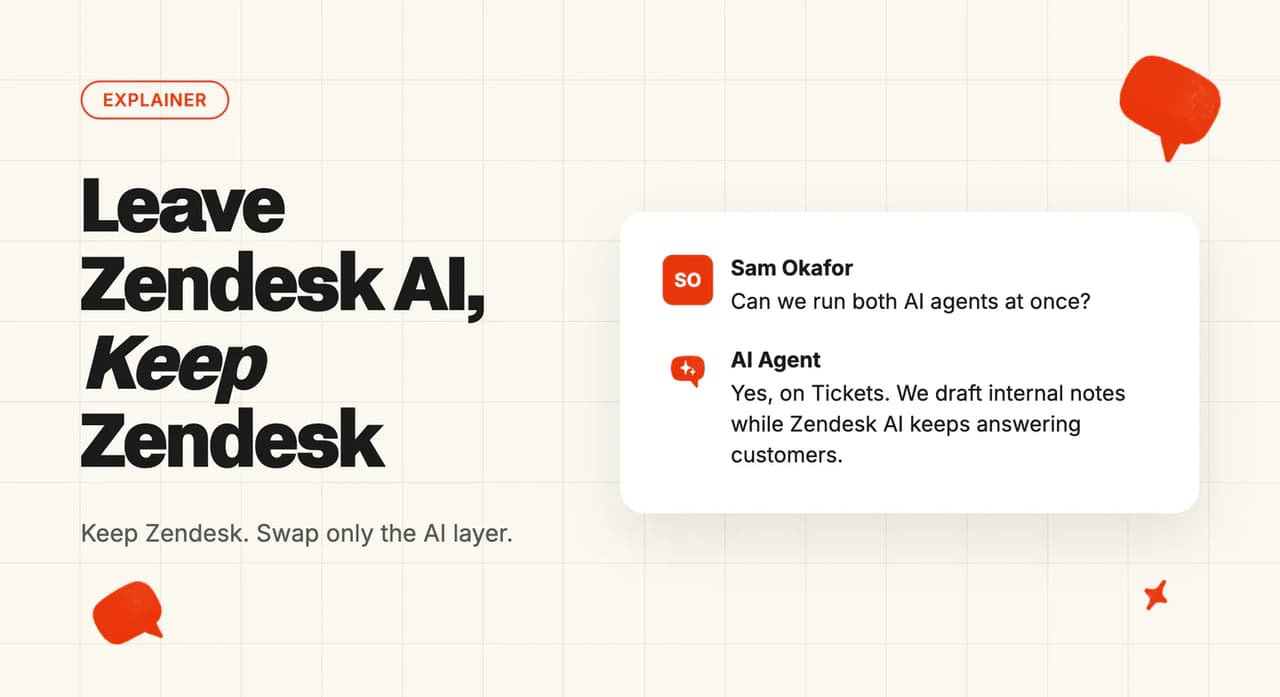
Yes, on Zendesk Tickets. My AskAI drafts in Internal Notes mode while Zendesk AI keeps answering customers (customers see only Zendesk AI's replies during this stage). Zendesk Messaging has no internal-notes mode, so that channel is a staged direct cutover validated on Tickets first.
Can I go back if it does not work?
Yes. Zendesk AI keeps answering customers on that channel for the whole overlap while My AskAI only drafts internal notes beside it, so rolling back means pausing our notes and nothing else. Zendesk's per-resolution charges keep arriving until you switch its AI agent off on that channel. Once you move a channel across for real, re-enabling the Zendesk AI agent on it is the way back.
What does it cost while I am running both?
Both sides bill during the overlap, so keep it short. Zendesk keeps billing automated resolutions for as long as its AI is switched on, and our 30-day free trial covers the My AskAI side while you compare.
| Side | What you pay during the overlap |
|---|---|
| Zendesk AI | $1.50 per automated resolution on a committed block, bought in advance. $2.00 pay-as-you-go, billed monthly as overage. Either way it runs until you turn the AI features off |
| My AskAI | Nothing for the first 30 days: all features, unlimited tickets, no card. After that, Pro is $199 a month with 1,000 credits included and $0.12 a credit beyond, the lowest plan that covers teams under 5,000 tickets a month |
| My AskAI add-ons | AI Tagging at $0.05 an attribute per ticket, Tasks at $0.02 a step, Tools at $0.02 a reply, charged only when used |
Zendesk seats are on both sides of that sum, so leave them out and compare the AI line alone.