How to Add AI to Zendesk Without Using Zendesk AI
Three routes to add AI to Zendesk without using Zendesk AI, with the setup steps and permissions. Most teams are live in an afternoon, macros untouched.
Summarize with AI
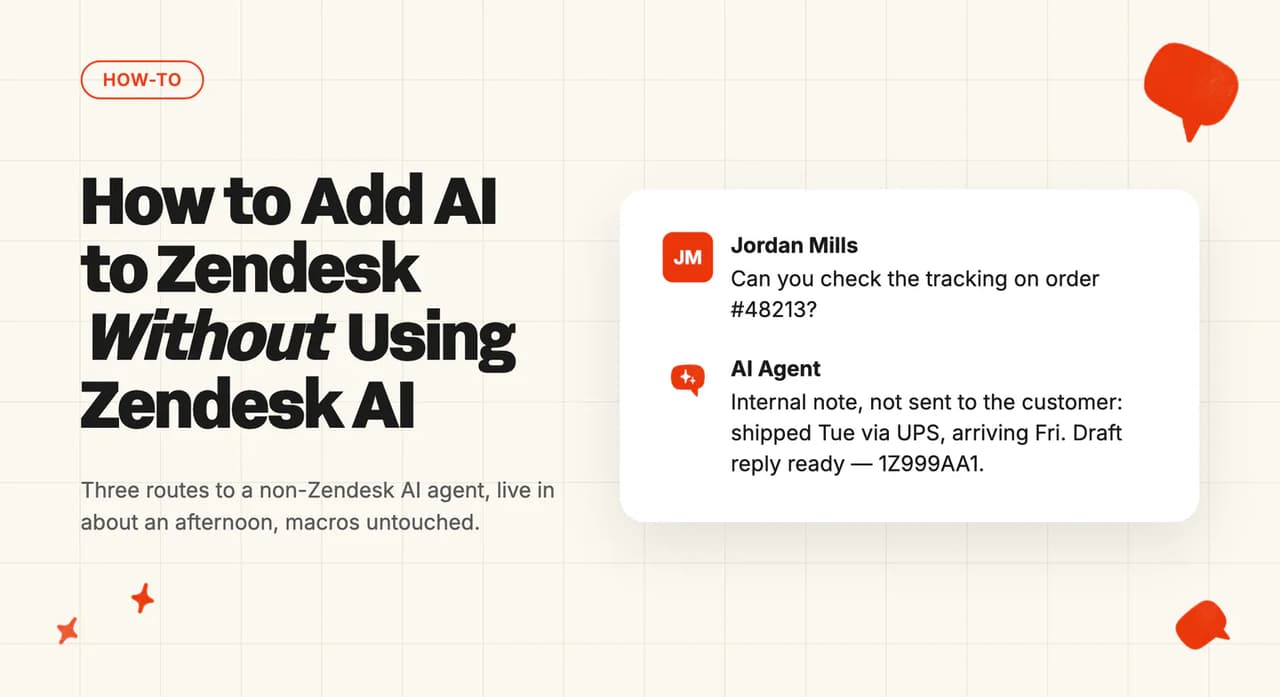
You own the queue. You've built the macro library, the views and the triggers that keep it moving. You've also looked at Zendesk's own AI already, or you wouldn't be on this page.
One job, then: wiring a third-party AI agent into Zendesk so it answers tickets. It doesn't rank vendors and it doesn't price up Zendesk AI. I'll point you at the posts that do.
You need admin access, or an Enterprise custom role with the right permission (Enterprise is the only tier where that second door exists). Nothing gets ripped out of your account, and nothing here needs a plan upgrade. If you can install an app and edit a trigger, you can do the lot.
What do you need before you start?
- Permissions: a Zendesk admin, or on Enterprise a custom role carrying the new Manage Zendesk Support apps permission. Zendesk says it "appears under the Channels section on the custom role configuration page." Triggers are a separate rule: "You must be an admin or an agent in a custom role with permission to create triggers." On Enterprise there is no standard agent role, so I'd find out what your custom role allows before you touch anything else.
- Plan tier: Marketplace apps, triggers and webhooks run on every Suite plan, and on Support Team, Professional and Enterprise. None of it needs an upgrade. Zendesk's more advanced AI, the Copilot add-on, is the paid part.
- Data prep: a published help center. It's the one we'd get live first. Edel Optics started by connecting theirs for orders, cancellations, refunds and returns.
- What you can skip: rewriting the knowledge base first. It will eat your week and you don't need it before step 1. Edel Optics used the help center they already had, plus supplemental FAQs in a spreadsheet. That's the boring-but-effective option.
What are the three ways to add AI to Zendesk, and which should you pick?
Zendesk "offers basic AI tools and AI agent functionality in the Suite", with the richer set sold as a paid Copilot add-on. Teams still land here for two reasons: it isn't in the budget, or they turned it on and didn't get the answers they wanted.
One practitioner in the r/Zendesk thread called it rather disappointing. Our complete guide to the Zendesk AI agent has the detail.
| Route | Best for | Setup time | Needs a developer? | Trade-off |
|---|---|---|---|---|
| A. Marketplace app | Most teams | About an afternoon | No | You work inside the app's model of routing |
| B. Copilot / internal-note test | Proving it before anyone sees it | About an hour | No | It drafts for an agent to send, so handle time moves and ticket volume stays put |
| C. Custom API build | Non-standard routing, or an in-house model | Days to weeks | Yes | You own it forever, including the 401s |
Route A is an app you install from the Zendesk Marketplace. It reads and writes tickets through a connection Zendesk already supports. One member of the r/Zendesk thread: "It is great, and it's not as difficult as you might think given the availability of plugins on the marketplace right now."
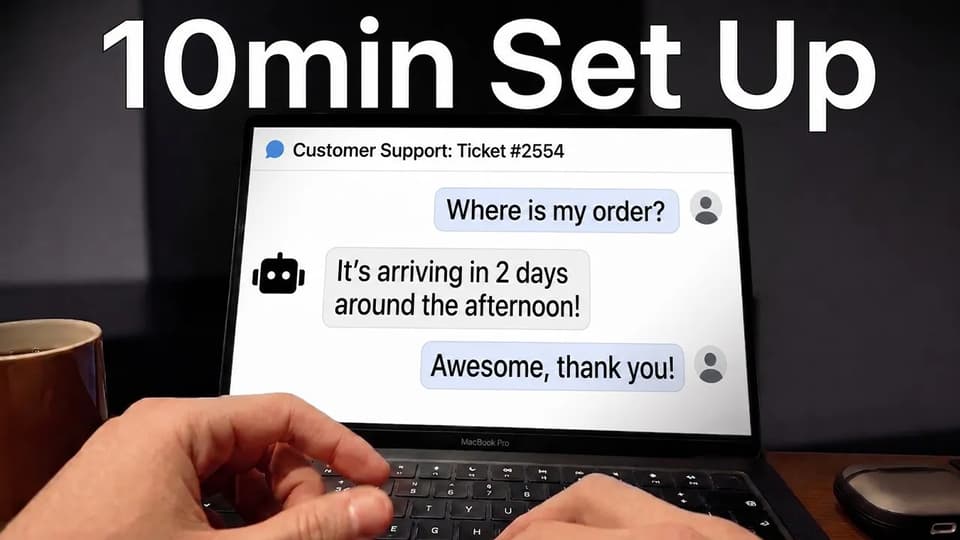
Route B is the same software in a mode where it never talks to a customer.
A Zendesk partner in the same thread recommends starting there: "I'd normally always start with CoPilot. That way your support team is a gatekeeper to what AI is suggesting."
Route C is a trigger firing a webhook at your own service. Your service writes the reply back through the API. The cost lands later.
A simple FAQ bot is buildable. A production support agent rarely repays the build.
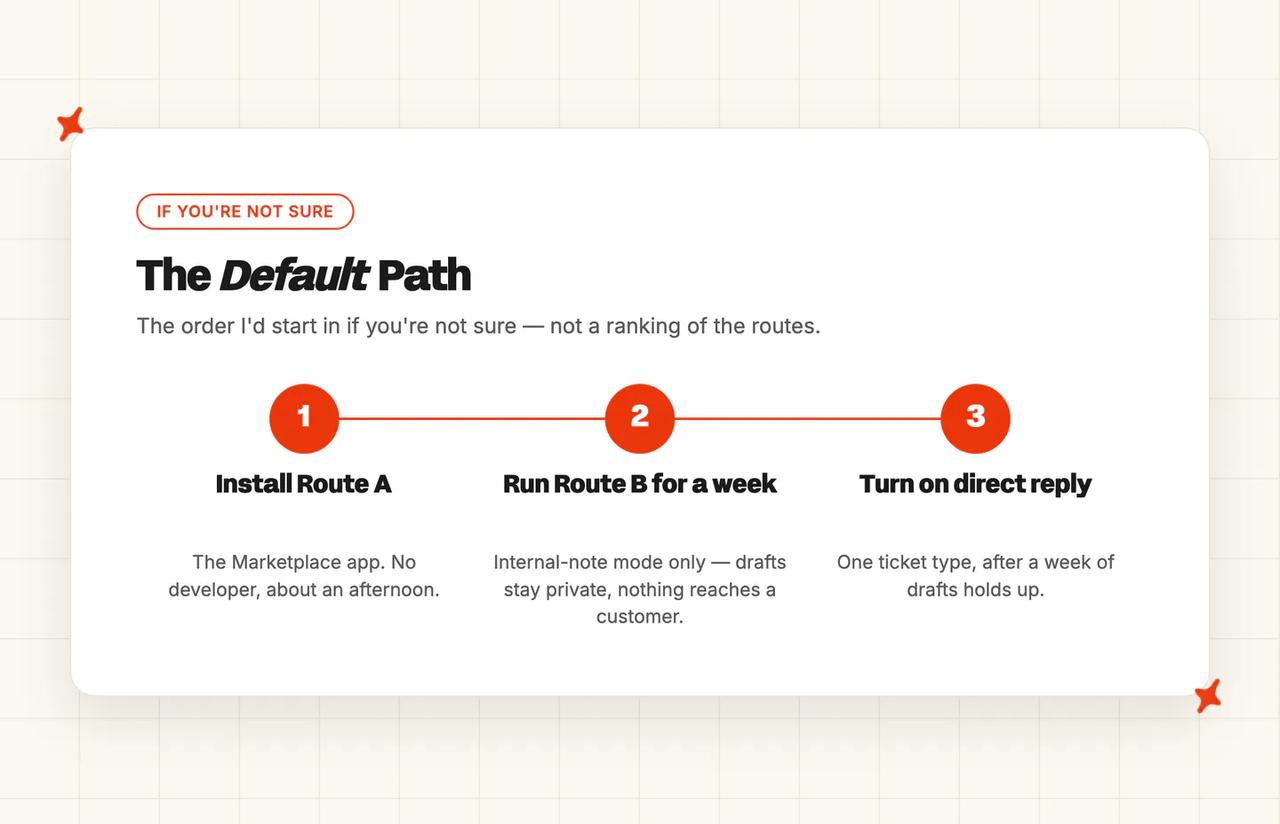
If you're not sure, I'd start with Route A running in Route B's internal-note mode for a week. You get the write path from day one, with nothing reaching a customer until you say so. If the real question is which vendor to pick, our Zendesk AI alternatives post is the better page.
How to add a third-party AI agent to Zendesk, step by step
Pick your agent before step 1. It needs a real write path into the ticket, plus tagging, handover and an internal-note mode.
Our roundup of Zendesk AI alternatives scores the field on those lines. The AI support vendor checklist is the question list to take into a demo.
Step 1: Check your role and what the app will ask for
Open `Admin Center → People → Team → Roles` and find the role you're on. Enterprise agents sit on custom roles rather than a standard agent role. Read what yours actually allows.
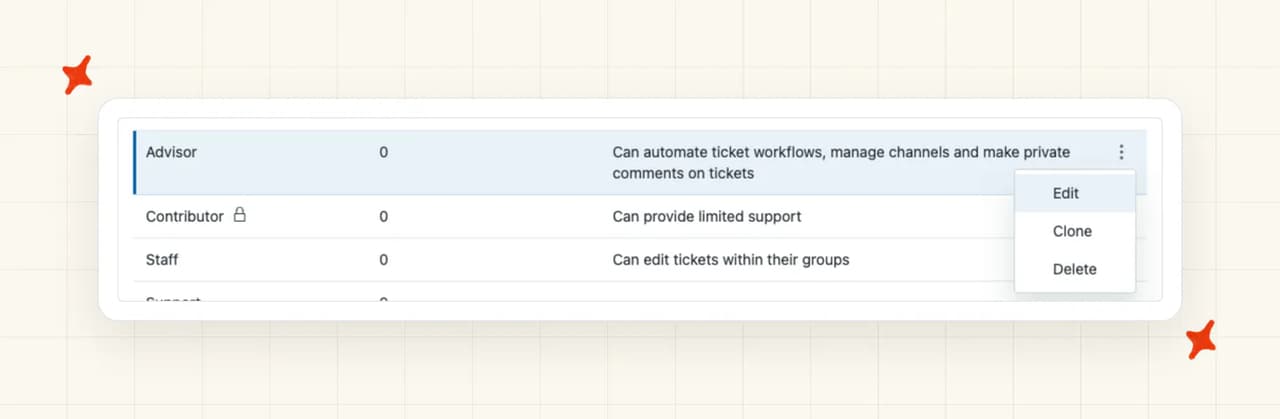
You need app installation and trigger creation. We'd check both up front, because a missing permission is cheap to find here and expensive at step 4. You're done here when you can name both permissions on your own role.
Step 2: Install the app from the Zendesk Marketplace
The Marketplace is a separate web destination from Admin Center, and Zendesk's install article points you straight at it.
Find the app, click its icon to open the info page, then open the How To Install tab and complete the pre-install tasks. Then click Install, configure the settings it asks for, and install it again (it really does ask twice).
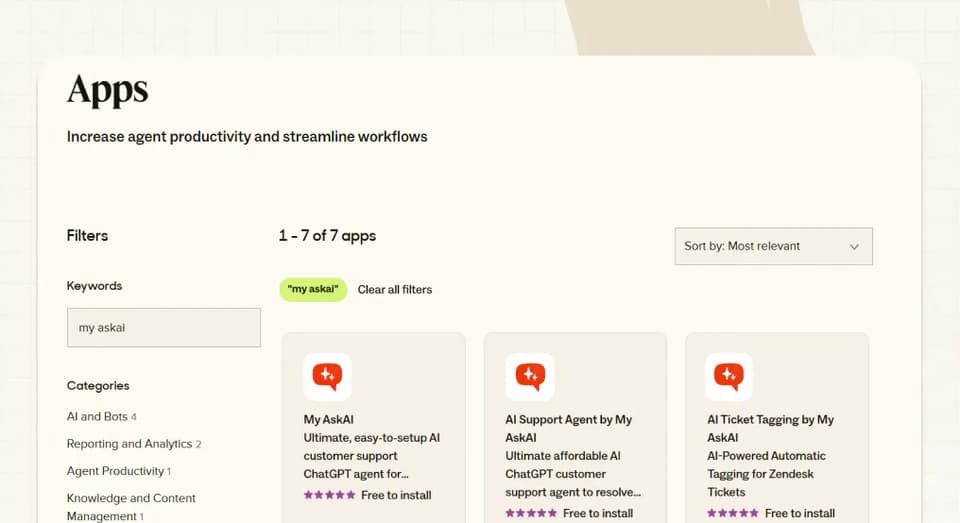
Your installed apps then live at `Admin Center → Apps and integrations → Apps → Zendesk Support apps`, where you enable, reorder, disable or uninstall anything you've added. Check the app appears there before you go further.
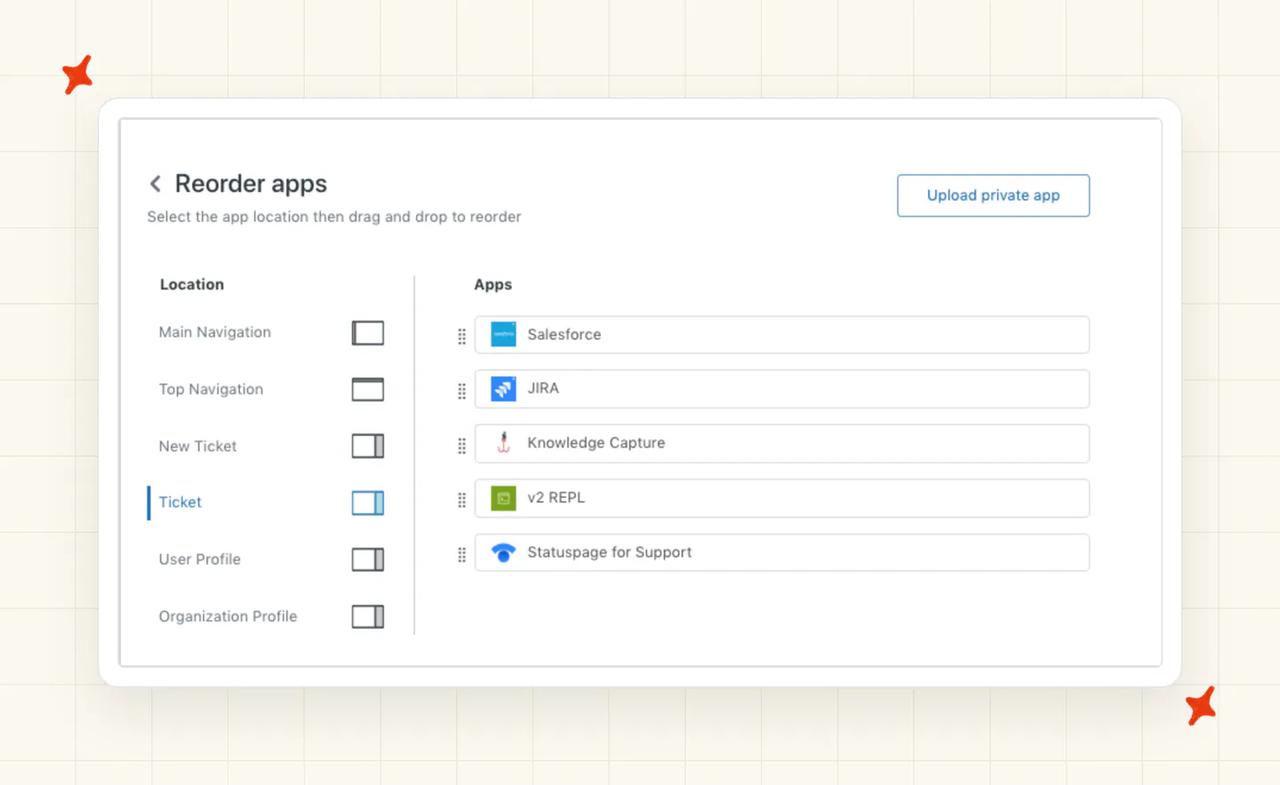
Step 3: Point it at your knowledge
This step happens outside Zendesk, in the AI tool's own console. We'd connect the help center first, then your macros, then historic tickets. Convert the macros to knowledge with an LLM before you upload them.
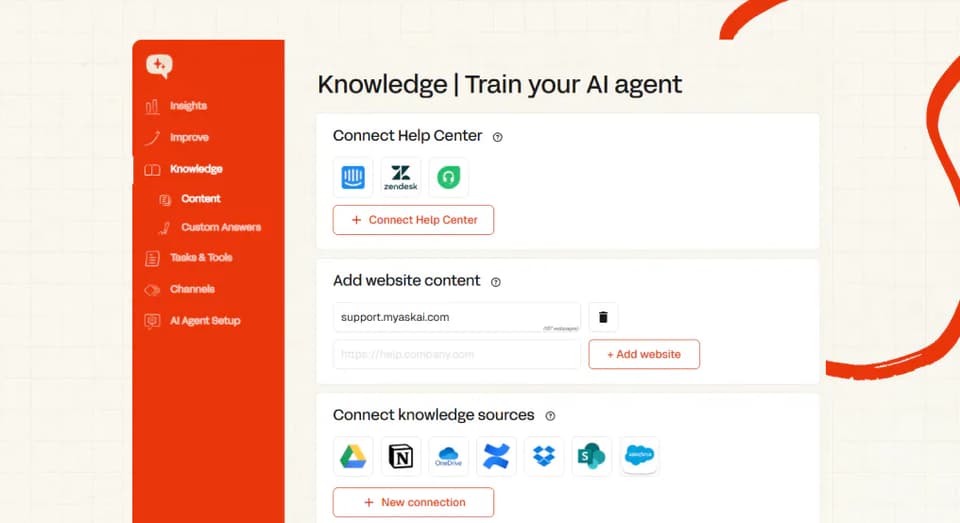
Third-party agents import macros as exact question-and-answer pairs, so a scripted refund line goes out word for word. Converting them first gets the best results, and our guide to macros as a knowledge source has the prompt. Historic tickets are the backfill for a thin help center.
Live order data will change your answer quality more than any article you write. Edel Optics added the User Data API to surface order, delivery, return and tracking information. Their resolution rate went from 20-30% to 75-79%.
Our post on optimizing a knowledge base for AI agents goes deeper on the article side.
Step 4: Scope which tickets it sees
Back in Zendesk, go to `Admin Center → Objects and rules → Business rules → Triggers`, open the Ticket tab and click Create trigger. Scope by tag and by view. Everything you already built keeps running (this is an extra rule sitting alongside your existing ones).
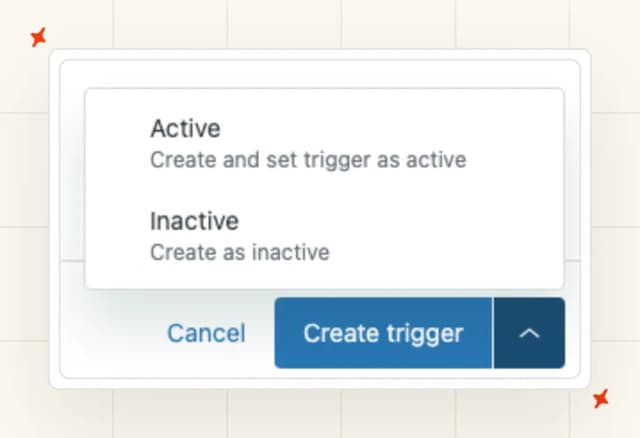
You have two levers over what the AI touches. Tagging classifies each incoming message and routes it, and guidance rules escalate on topic.
Edel Optics used tagging to auto-classify tickets and block AI replies on certain categories, faulty items among them. Tagging reads what the customer wrote, so keep your categories message-based. Our post on AI-powered tagging for Zendesk tickets has the detail.
Step 5: Run it in internal-note mode first
Also in the AI tool's console: switch the agent to internal-note replies. It then drafts every answer as a private comment, with no customer-facing send.
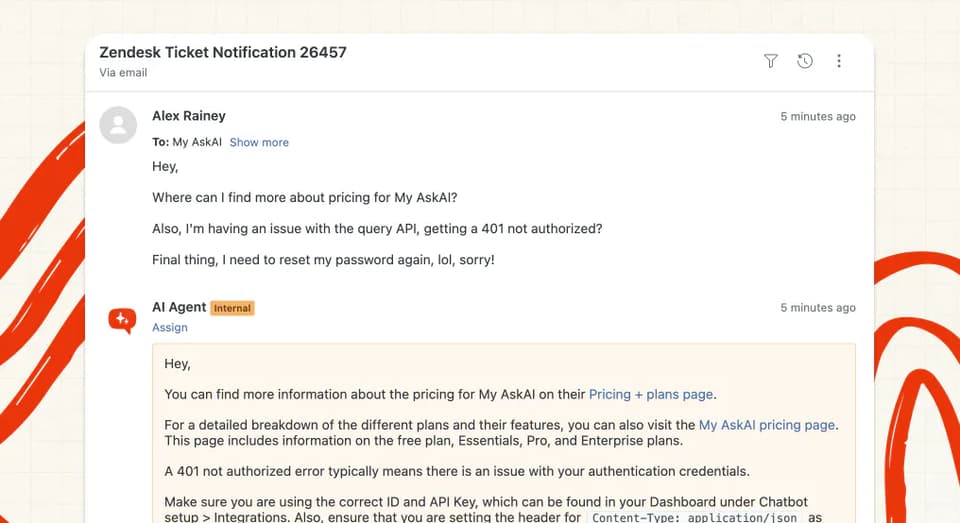
Your agents use it, edit it, or bin it. Run it like this for a week (one full cycle of your ticket mix).
Edel Optics started in internal-note mode to monitor performance, then switched to direct reply. Swytch did the same before expanding by category.

TravelJoy ran a variation, replying to only the first message, so the AI drafted notes on the email channel. Our explainer on what an AI copilot is covers the mode itself.
Step 6: Set the human handoff
Still in the AI tool. Handover rules are one of three guidance types, alongside communication style and context. Write them short, under 75 words each, and name the topics that always go to a person.
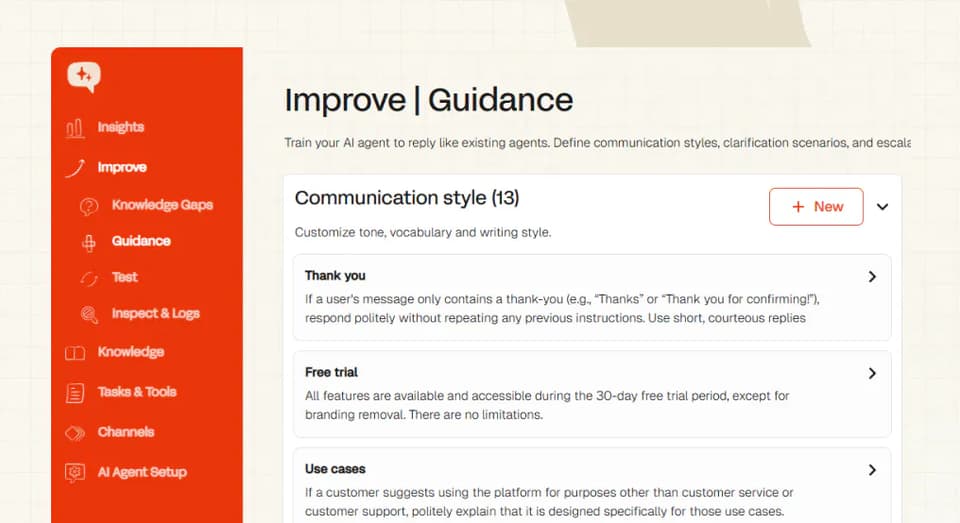
The customer asks for a human, or the AI escalates. Control passes to an agent inside Zendesk.
Edel Optics set up an "I don't know" handover, so unanswerable tickets went straight to a human. TravelJoy used handover guidance for escalations. Our posts on AI-to-human handoff and confidence thresholds cover the tuning.
Step 7: Turn on direct replies for one ticket type
One tag, one view. I'd pick the highest-volume, lowest-risk queue you have, usually WISMO or password resets. Swytch expanded this way, automating specific ticket categories one at a time.
Whether the AI takes the action itself or drafts it for approval is your call, per action, and reversible.
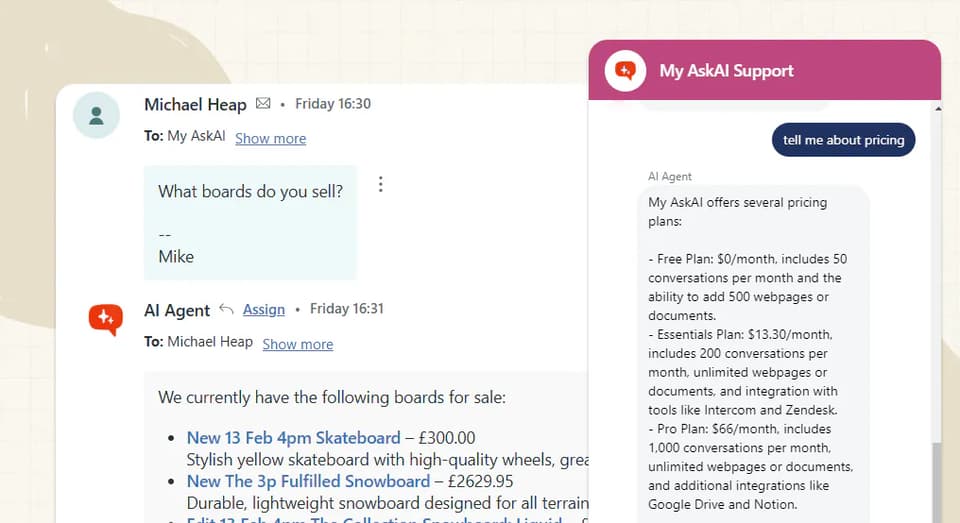
Messaging is the exception. TravelJoy turned direct reply on in Zendesk Messaging from day one, because a chat nobody answers is worse than an imperfect answer.
What changes if you build it yourself (Route C)
Your webhooks live at `Admin Center → Apps and integrations → Webhooks → Webhooks`, and creating one includes an explicit "Select the Authentication method for the webhook" step. Three things bite, all of which I'd cost in.
Token scope is the first. Zendesk splits the two failures that look alike: "A 401 response means the Zendesk API cannot authenticate the request."
A permission error is the opposite: Zendesk knows who you are, but your token lacks the rights for that call.
Retries are the second. Failed invocations show up in the webhook activity log (wire it into what you already watch).
The third is the pattern most guides recommend first, and Zendesk documents it as unsupported: "No, this workflow isn't recommended or supported. Errors are likely when a ticket gets updated by business rules and the API at the same time. This creates a situation called a race condition." Their steer is "Consider using Action Builder or a ZIS flow as an alternative to achieve a similar outcome."
Helpdesks change their APIs and they have downtime. The fallbacks are yours to build and yours to keep (that upkeep is the cost of Route C).
How to test it before you let it near customers
- Replay 20 closed tickets in internal-note mode. Compare each draft to what your agent actually sent. Pass: every material difference has a named cause, whether that's a missing article, a scoping gap or missing order data. "We don't know why it said that" is a fail. Ask the tool why the agent gave an answer, and which source it used. Twenty is enough to see a pattern.
- Force a handoff. Ask it something the help center doesn't cover (make it odd). Pass is binary: it hands over instead of guessing, the conversation is summarized, control lands with a human in Zendesk, and the AI stays quiet until it's handed back.
- Check it can't invent policy. Ask a refund or returns question your help center doesn't answer. Pass is binary again: it hands over or says nothing, and never writes a policy sentence.
- Watch one week of drafts, accepted versus binned. Pass: the accepted rate is flat or rising across the week, and every binned draft has a named cause on a shrinking list. There's no sourced floor to clear here: our resolution-rate benchmark corpus puts the field median at 70% across 195 rated deployments and 38 vendors, but that's a settled-rollout aggregate, and a poor week-one pass mark.
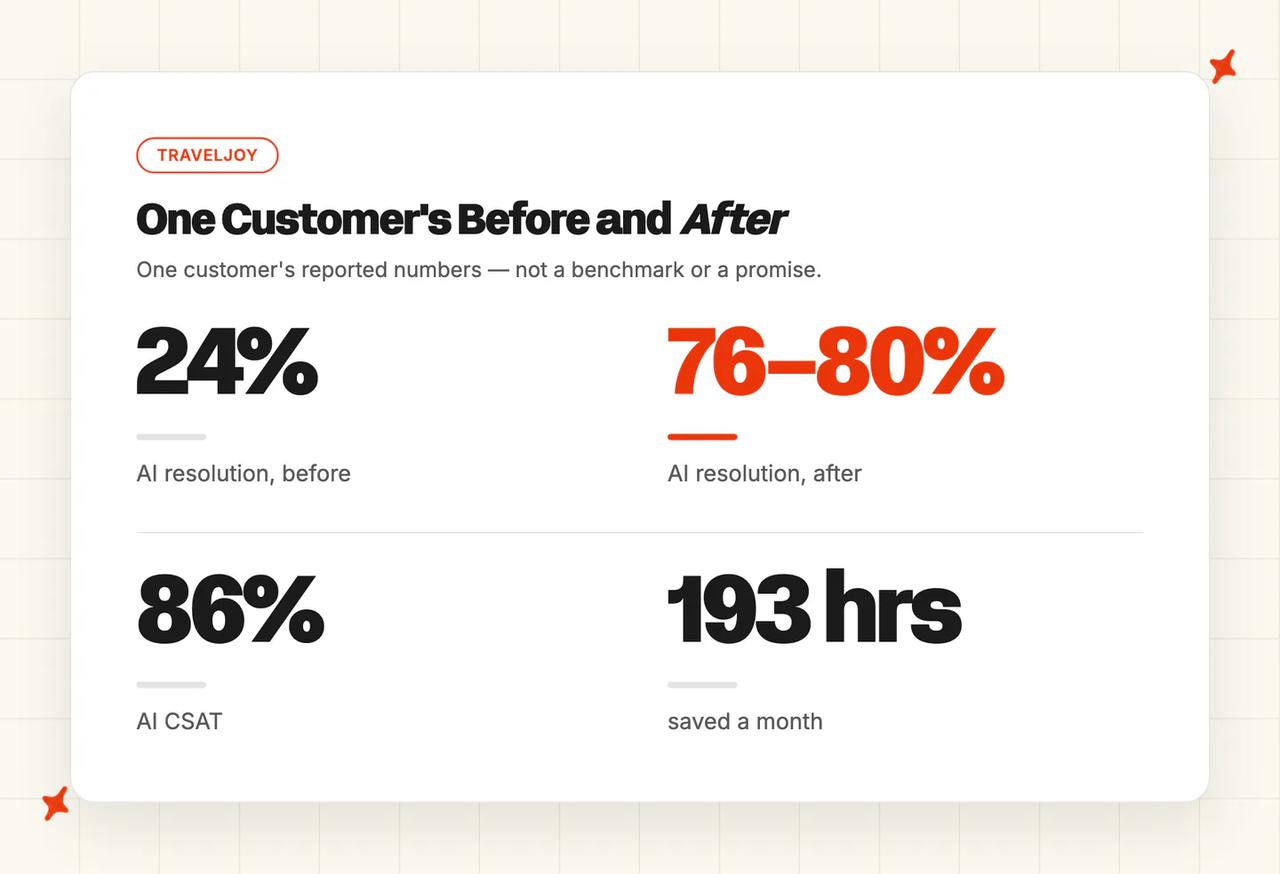
- Baseline first reply time and CSAT. Write both down before you turn on direct replies. Pass is that the numbers exist, are dated, and cover a full week. No source gives you a target; you compare against your own baseline later. TravelJoy's Alan Pugh reported "You're beating Zendesk's AI agent 76% to 24% on AI deflection. Huge.", alongside 86% AI CSAT and 193 hours saved a month. That's one customer, so take the numbers with a grain of salt.
Four things are true before a customer sees an AI-written reply. Checks 2 and 3 pass on your live instance. A full week of internal-note drafts has run, and your baselines are dated and written down.
Direct reply is on for exactly one tag or view, never the whole queue.
What breaks, and how do you tell?
| Symptom | What's actually happening | Fix |
|---|---|---|
| The app installed, but it's missing from some agents' sidebars | A role or group restriction is hiding it from them. Zendesk: "If only some agents experience issues, check their roles and permissions. Agents without access to the app functionality experience problems." | Check the app's role and group restrictions, then isolate it: "Append ?app_ids=app_id to the URL to test with only that app activated." |
| The webhook fires and comes back 401 | Authentication. A malformed Authorization header, the wrong email-and-token format, an expired token, or an OAuth token sitting in a Basic auth header | Fix how the request authenticates before you touch what it's sending. Then check the subdomain. Sandbox and production tokens don't interchange |
| The trigger keeps firing and the AI and Zendesk talk to each other in a loop | The AI's own comment updates the ticket, which re-satisfies the trigger's conditions. A practitioner on the Zendesk community: "One thing I noticed was that, when I create a ticket, it automatically triggers the webhook (which it is supposed to). This causes loops between my website and Zendesk." | Stamp the AI's writes with a tag and exclude that tag in the trigger's conditions. Never condition on a bare "ticket is updated" |
| It answers, but out of a long help center article, and the answer isn't the answer | A retrieval problem in your knowledge. An r/Zendesk member: "A search for advice nearly always leads to advice hidden somewhere in lengthy articles full of links." | Fix the article before you touch the model. One job per article, answer first |
| It drafts good replies but nothing lands in Zendesk, and agents are copy-pasting | The AI can read your knowledge but has no write path into the ticket. The DIY version of this is common: "Works great at answering tickets but you've got to copy paste back to ZD." | Use a route with a real write path, either a Marketplace app or the API comment call in Route C |
| It stops seeing tickets after somebody edits a view or renames a tag | Your scoping is tag- and view-based, so a rename empties the trigger's condition set without telling you | Re-check the trigger conditions after any tag or view change, and keep the AI's scoping tag out of the taxonomy people rename |
What should you do next?
Give it two weeks on that one queue, then widen by editing the trigger's conditions to add the next tag. I'd review the questions it couldn't answer as you go. That list is your content plan.
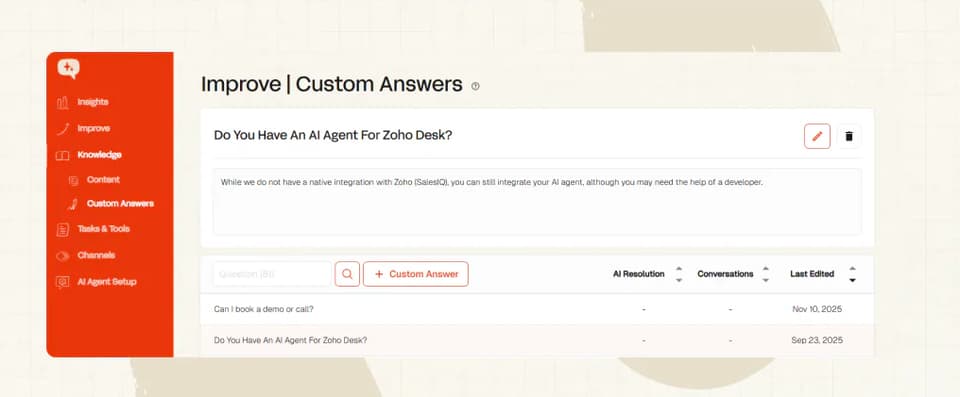
Self-learning does most of that reading for you. It drafts new articles by comparing the AI's reply to what your agent sent, and you approve or reject them.
TravelJoy reviewed Insights and added custom answers as they went, and Swytch treated the AI like a new hire and kept training it.
I'm one of the founders of My AskAI, so take this last bit for what it is. Everything above works with any third-party agent that has a real write path into Zendesk.
Our Zendesk Tickets integration has the app, the internal-note mode, the tagging and the handover in one place. The 30-day trial has every feature unlocked and unlimited tickets, with no card.
FAQs
Can ChatGPT integrate with Zendesk?
Yes, by the same two routes as any other model: an app from the Marketplace, or a custom build. The write path back into the ticket is the work (answering is the easy half).
One r/Zendesk member trained a custom GPT on their Zendesk knowledge base and got exactly that far. Their verdict: "Works great at answering tickets but you've got to copy paste back to ZD."
Do I need admin access to do this?
An admin, yes. On Enterprise there's a second option: a custom role carrying the Manage Zendesk Support apps permission. Zendesk announced it on 22 July 2026, so admins can delegate app management without giving away the account.
Triggers are separate again, and need an admin or a custom role with trigger permission. I'd check both before you start.
Will this break my existing macros and triggers?
No. The scoping is additive: a new trigger, plus tags and views you choose. Your existing rules keep running exactly as they did.
Macros can be imported as exact question-and-answer pairs, so the wording you've agreed on stays the wording that goes out. The real risk is a loop, where the AI's own comment re-fires your trigger. I'd check the trigger's conditions first.
Can I roll it back?
Yes, at three levels, and I'd save the uninstall for a decision you've already made. The gentlest one keeps the agent running while nothing reaches a customer.
| Level | What you do | What it does |
|---|---|---|
| One ticket | Append ?noapps to the ticket URL | Loads that ticket with the app switched off |
| Whole account | Disable the app, or uninstall it from your Zendesk Support apps page | Removes it for every agent |
| Reversible pause | Switch the agent back to internal-note mode | It keeps drafting, with no customer-facing send |
How much does Zendesk AI cost?
Basic AI tools and AI agents are included in the Suite. The richer set is the paid Copilot add-on, and AI agent usage is billed by automated resolution. Our Zendesk AI pricing post breaks that down in full.
If you're comparing that against a third-party agent, compare the AI line to the AI line. You keep paying your Zendesk seats either way.
Does Zendesk allow third-party AI agents?
Yes. Zendesk runs a public Marketplace with a documented install flow. It offers webhooks explicitly for interacting with third-party systems, and has just built a permission for delegating app installs.
Their own AI page markets running agents on your existing service platform.