The 8 Cheapest AI Customer Service Tools, Priced and Ranked (2026)
Entry prices run $0 to $199 a month; at 10,000 tickets the bills run $400 to $5,360. We price the 8 cheapest AI customer service tools, ours at $0.12 a credit.
Summarize with AI
Every tool in this category calls itself affordable, and no two of them charge the same way, so the moment you put four pricing pages side by side you are weighing a per-resolution rate against a per-session pack against a seat fee. What you want is one number for what the AI agent will cost you each month, and none of those headline prices will give you it.
So I priced all eight myself, applying the same scoring table to every product and working out a monthly bill at 1,000 tickets and then again at 10,000. Where a vendor publishes nothing at a volume, the row says so, and I have not filled the gap with a guess.
What does AI customer service actually cost?
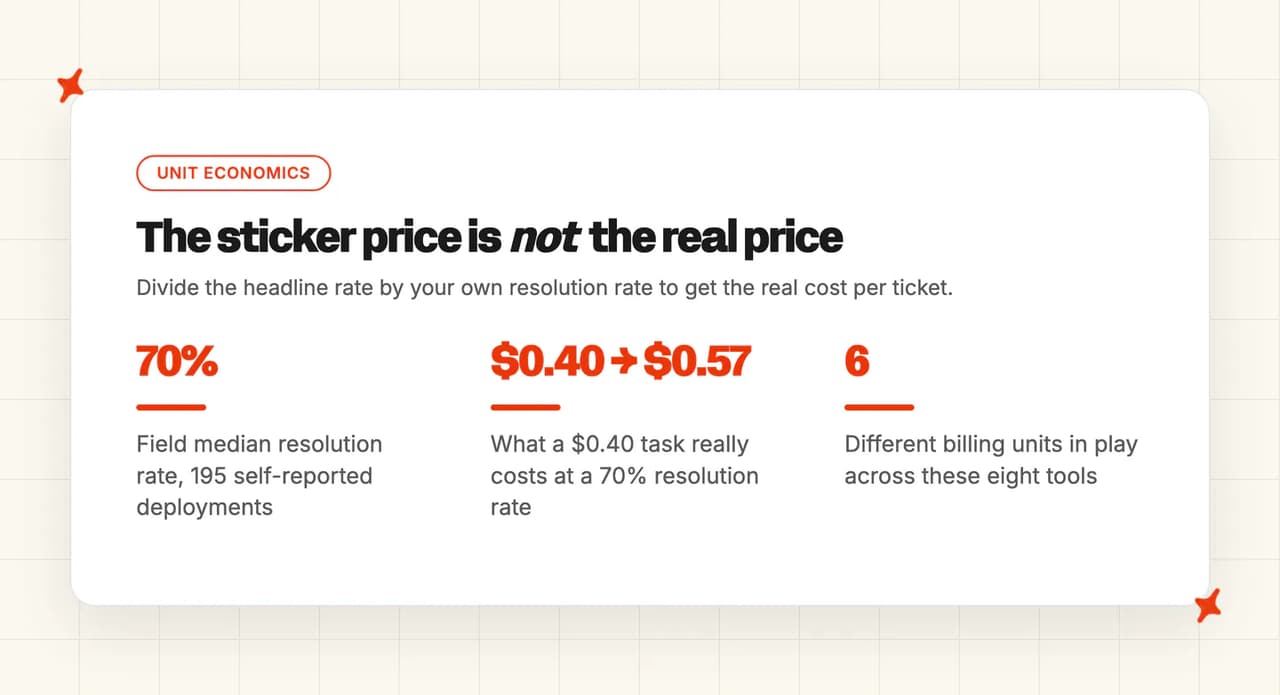
I count six units here: per ticket the agent works on, per AI reply, per resolved ticket, per conversation, per session on top of a seat, or nothing beyond the seat you already pay for.
That is why two products with near-identical starting prices finish thousands apart. A per-session product bills every time a customer reaches the AI, while a per-seat product charges by headcount, so the number holds steady whatever the volume does.
To compare them you need one more number, which is how often the AI actually finishes the job. Our AI resolution rate benchmark study puts the field median near 70%, across 195 rated deployments from 38 vendors. Take that with a grain of salt: the figures are self-reported, and every vendor counts a resolution differently.
After that the math is short: divide the headline rate by the resolution rate and you get what a resolved ticket really costs, so at 70% a $0.40 task is $0.57, and at a poor rate it is over a dollar.
The unit is also where the surprises show up once the contract is signed. Here is a support leader on r/SaaS:
"The initial sticker price looked reasonable. Six months later the bill had climbed because of seat additions the AI resolution charges, and a couple of add-ons we didn't realize were optional at signing. Finance was not pleased." — u/TigerAnxious9161, r/SaaS
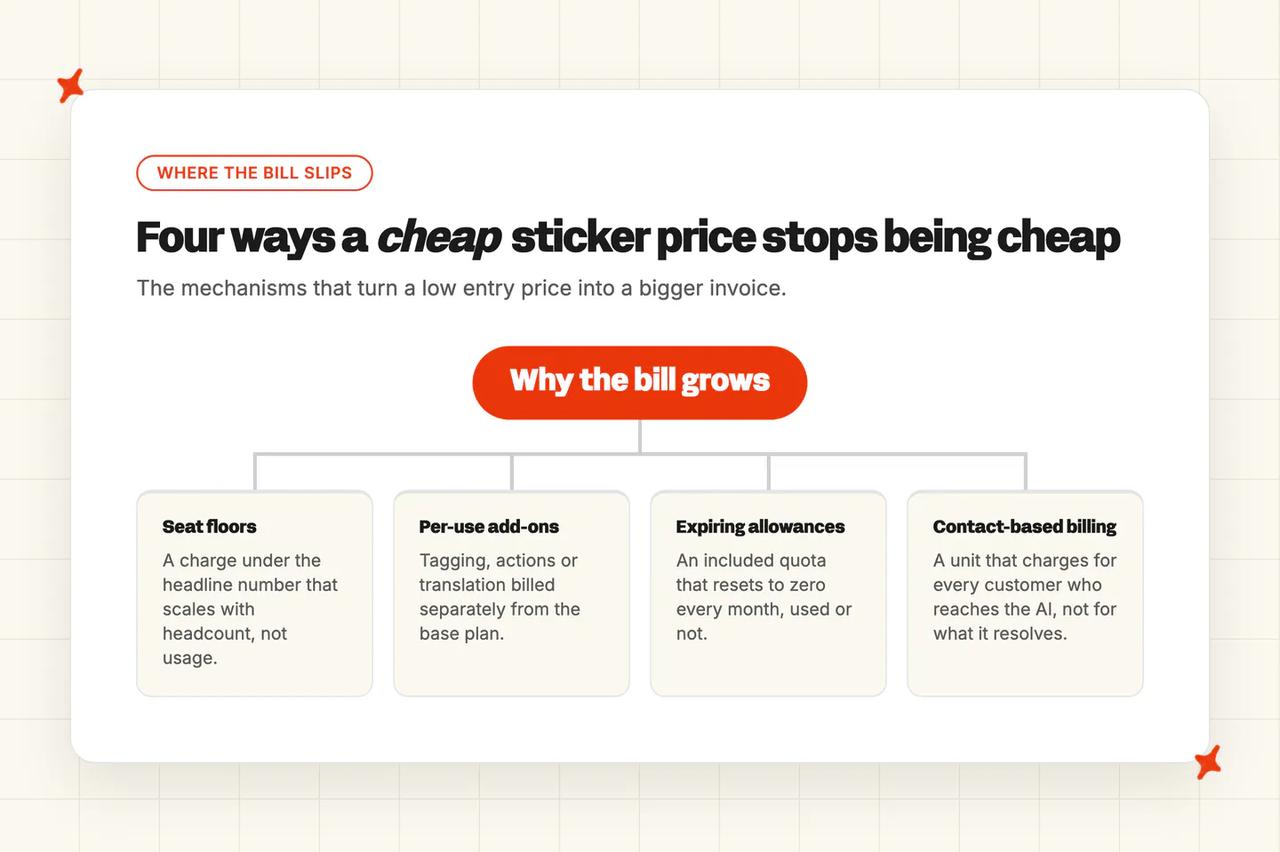
Most of that damage comes from seat floors under the headline number, add-ons that bill per use, allowances that expire at month end, and a unit that bills for contact. Our post on the hidden costs of AI customer service takes each one apart.
We charge per ticket the agent works on, resolved or not, at $0.12 a credit on Pro and $0.10 on Scale, and a typical helpdesk chat comes to about one credit. We chose that unit on purpose, because it means a better agent never costs you more. Every plan opens with a 30-day trial of the whole product, all features unlocked, unlimited tickets and no card.
How do the cheapest AI customer service tools compare?
The same eight in plain words first.
| (at a glance) | My AskAI | CoSupport AI | Aissist | Zoho Desk | Chatbase | Tidio (Lyro) | Crisp | Freshdesk Freddy |
|---|---|---|---|---|---|---|---|---|
| Entry price | $199 Pro, no free tier | From $99, quote only | $0 for 1,000 tickets | $20 a seat, Standard | $150 Standard for helpdesks | $39 AI pack, or with Tidio from $29 | $45 Mini, AI included | $23 an agent, Growth up |
| How the bill grows | Flattens on Scale | Falls with volume, unpublished | Steepest climb here | Only headcount moves it | Swings 6x by model | No price above the ceiling | Plan plus per conversation | Seats plus sessions, steep |
| What you pay on top | Add-ons bill per use | Nothing published | No base, no seat fee | No AI usage charge | Top-ups above plan rate | Three products, three sliders | Extra agents $10 | Sessions, copilot, previews |
| How you are billed | Per ticket worked on | One unit, you pick | Per reply, capped | Seats only | Credits per reply | One AI conversation | One AI conversation | Seats plus sessions |
| Helpdesk fit | Zendesk, Intercom, Freshdesk, Freshchat, Gorgias, HubSpot | Zendesk, Intercom, Freshdesk, Freshchat, HubSpot (no Gorgias) | Zendesk, Intercom, Freshdesk, Freshchat, Gorgias, HubSpot (Freshchat deprecating) | Zoho Desk only | Zendesk, Intercom, Freshdesk, Gorgias, HubSpot (no Freshchat) | Own widget, or bolted onto Zendesk and others; ticket-history import needs Tidio's team | Crisp only | Freshdesk only (chat needs Omni) |
| What the cheap plan resolves | Full product on Pro | Everything, no ladder | Easy half of the inbox | Published articles only | Free gets no handover | Handover is the default | Website and email only | Email until you buy Omni |
| Setup effort | No developer, marketplace app | Starts with a discovery call | Seven steps then a ramp | Handful of clicks | About five minutes | About ten minutes | An afternoon of content | Admin plus a studio build |
| Security and trust | SOC 2 Type II, GDPR | ISO 27001, no SOC 2 | ISO 27001, no SOC 2 | No SOC 2 or ISO named | SOC 2 Type II, GDPR | SOC 2 Type 2, EEA data | No SOC 2 audit, no SLA | Eight certifications published |
And the same eight scored.
| (scores out of 10) | My AskAI | CoSupport AI | Aissist | Zoho Desk | Chatbase | Tidio (Lyro) | Crisp | Freshdesk Freddy |
|---|---|---|---|---|---|---|---|---|
| Entry price | 4 | 6 | 9 | 7 | 6 | 5 | 7 | 6 |
| How the bill grows | 7 | 8 | 4 | 9 | 6 | 2 | 8 | 3 |
| What you pay on top | 5 | 9 | 8 | 8 | 4 | 5 | 8 | 3 |
| How you are billed | 9 | 5 | 5 | 9 | 6 | 8 | 6 | 4 |
| Helpdesk fit | 9 | 7 | 8 | 2 | 8 | 5 | 2 | 3 |
| What the cheap plan resolves | 8 | 9 | 6 | 4 | 4 | 8 | 6 | 6 |
| Setup effort | 9 | 6 | 7 | 8 | 9 | 8 | 7 | 7 |
| Security and trust | 8 | 7 | 6 | 6 | 8 | 8 | 4 | 8 |
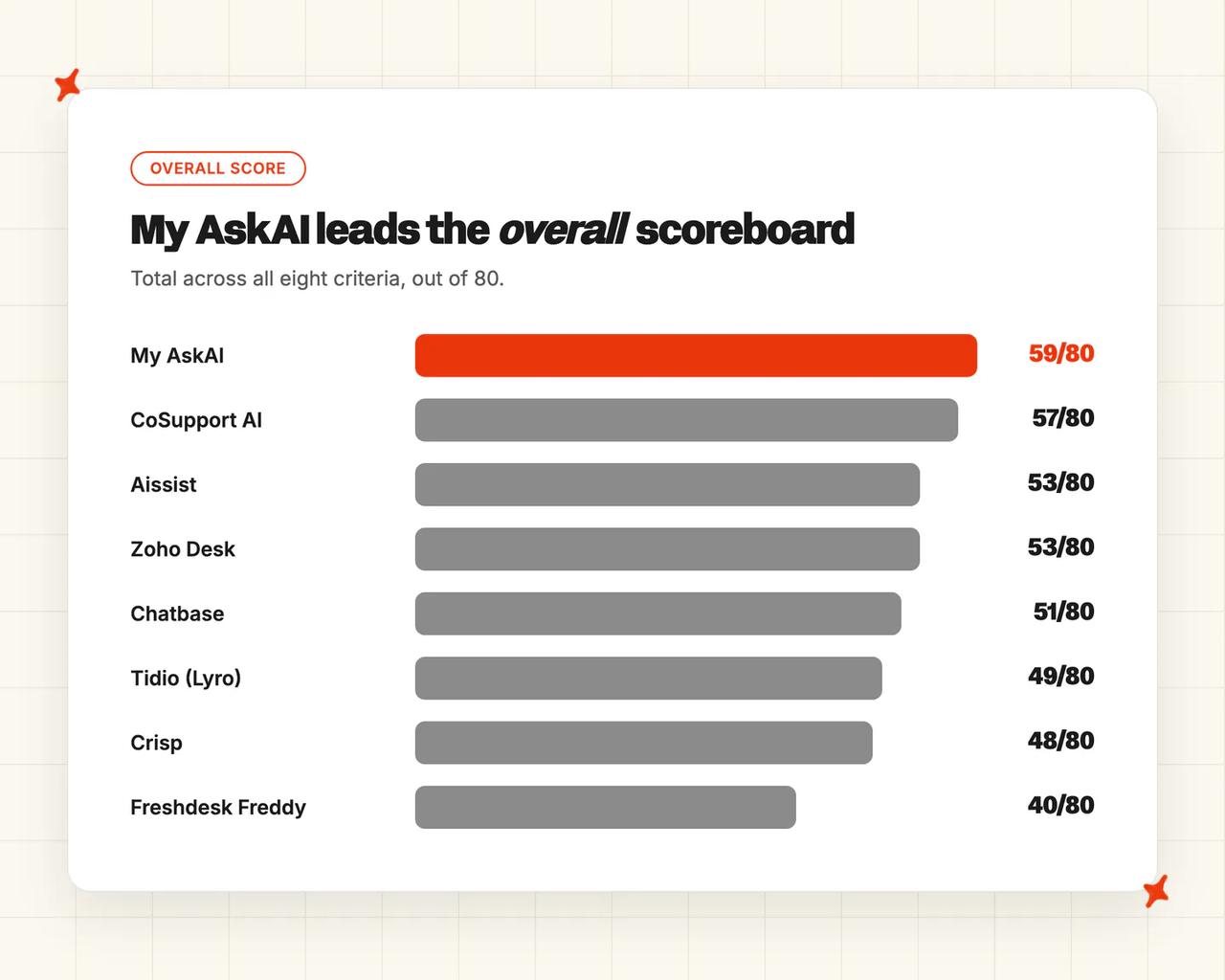
| Overall (out of 80) | 59 (74%) | 57 (71%) | 53 (66%) | 53 (66%) | 51 (64%) | 49 (61%) | 48 (60%) | 40 (50%) |
I gave My AskAI a 4 on entry price, the lowest score anything here takes on any cost axis, because $199 a month is the highest floor in the set and nothing free is underneath it.
The 59 comes from the rows below entry price. I scored it a 9 on how you are billed, because the unit is a ticket the agent works on, so the bill follows volume rather than how often the AI succeeds. It takes another 9 on helpdesk fit, because it answers customers inside Zendesk, Intercom, Freshdesk, Freshchat, Gorgias and HubSpot, with none of those six on a path the vendor is retiring.
Aissist wins entry price outright on a 9, because $0 buys a monthly allowance of 1,000 tickets with no card. Zoho Desk ties our top score on how you are billed: it publishes no per-ticket, per-conversation or per-resolution AI charge, because the AI is bundled into the per-agent price.
CoSupport AI takes the highest score on what you pay on top, a 9, because it publishes no add-on catalog at all (user seats are unlimited on every card). It takes the highest on what the cheap plan resolves too, because there is no feature ladder to climb.
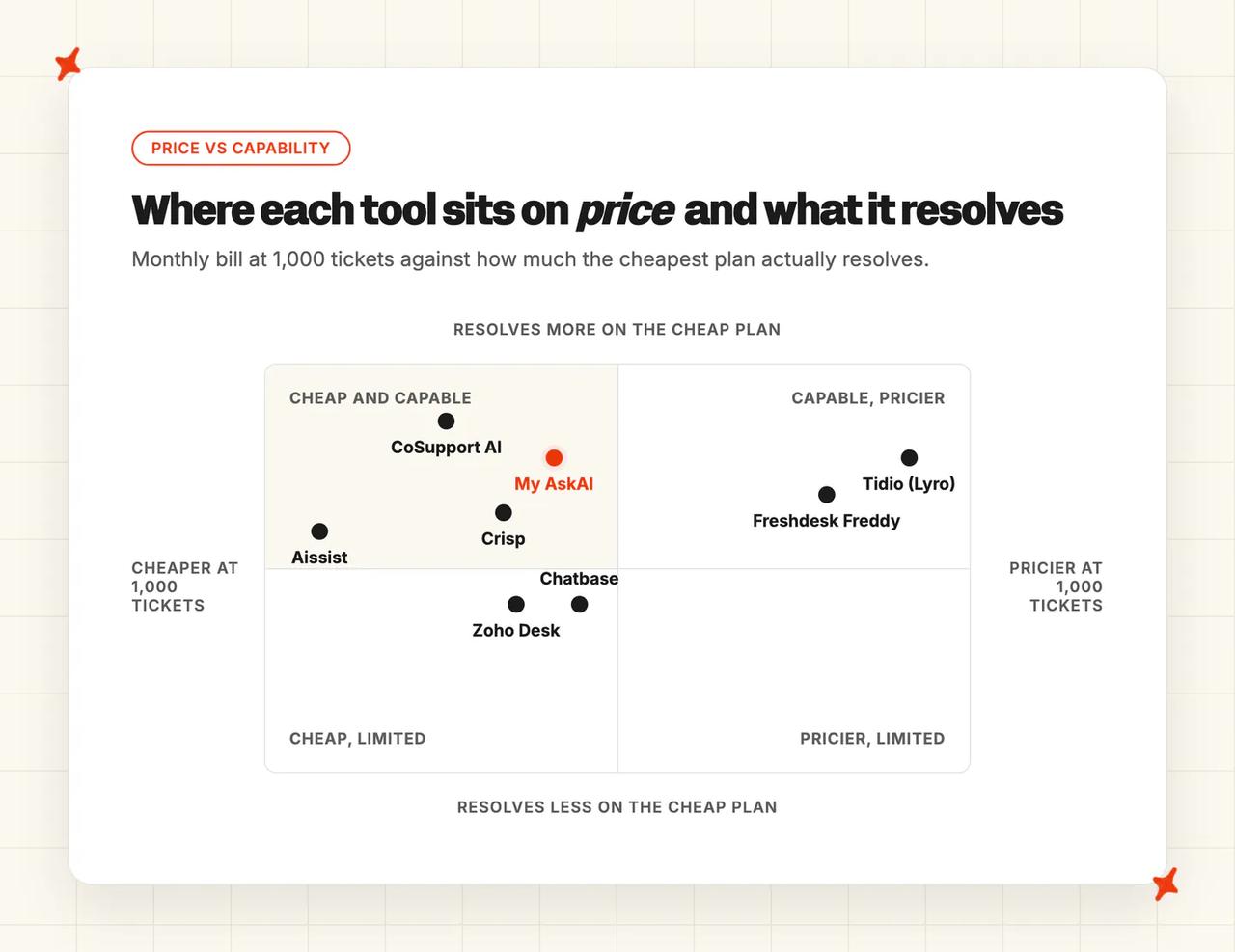
Chatbase ties our 9 on setup effort, with a first agent created, trained and deployed in about five minutes. Freshdesk Freddy's 40 is a cost score. It takes three cost axes at 3 or 4, because the seats, the sessions and the expiry rules stack.
How did I pick these tools?
Every product here had to clear the same three tests.
- A published price at both 1,000 and 10,000 tickets a month, readable on the vendor's own site.
- A customer-facing agent that answers customers directly.
- A documented way to hand a conversation to a person.
Neither Ada nor Forethought publishes a price on its pricing page, so I cannot rank either on one. Chatwoot's Community Edition costs nothing and you host it yourself, so the bill arrives as engineering time a support leader cannot sign off alone. Tawk.to is free forever, but its free AI tier cannot hand a conversation to a person, and a tool that cannot escalate does not clear the bar.
Intercom Fin and Zendesk AI are outside the ranking, as the reference prices this whole question gets asked against.
I am one of the founders of My AskAI, so we are in our own ranking. Every score came off the same evidence, and we take the lowest score on the board for starting price.
How did I compare them?
The eight criteria are entry price, how the bill grows, what you pay on top, how you are billed, helpdesk fit, what the cheap plan resolves, setup effort, and security and trust. Evidence comes from each vendor's own pricing page, its product documentation, its published customer stories and its G2 reviews. Any figure a vendor keeps behind a sales call is named as a floor rather than a price.
Entry price
The cheapest plan that puts an AI agent in front of a customer. Several products here have a cheaper tier underneath, and it either has no AI or no way to reach a person. A free tier only scores well with me when the allowance comes back every month. A one-off credit runs out once and then you are paying.
How does the bill grow?
The same product priced at both volumes, and how steep the line is between them.
What do you pay on top?
Seat floors, onboarding fees, add-ons that bill per use, and overage rates hiding under the headline. I am asking what arrives on the invoice that was never on the pricing page.
How are you billed?
The unit you are billed in decides whether a busy month lands on your budget or on the vendor's. Our posts on per-conversation versus per-resolution pricing, usage-based pricing and resolution-based pricing cover how each works. Here is a support leader working that out in public:
"Intercom Fin is $0.99 per resolution, which sounds better per unit, but once you factor in seat costs ($29–132/seat/month depending on plan) and the unpredictable nature of usage-based billing, total cost adds up fast." — u/Old-Source2534, r/SaaS
Helpdesk fit
Does it answer customers inside Zendesk, Intercom, Freshdesk, Freshchat, Gorgias or HubSpot, or does cheap mean moving your helpdesk? Two products here are the helpdesk, which means moving onto their platform to get the AI.
Moving helpdesk means rebuilding your macros, your reporting and your routing rules. We have helped teams through that move, and it is never the week they budgeted for.
What does the cheap plan resolve?
Three questions decide whether a cheap agent works. Can it hand over to a person, can it take an action on a customer's account, and does it cover the channels your customers actually use?
Setup effort
Who has to do what, and how long before it earns anything back. What eats the time is the content work, and no vendor's marketing page counts it.
If you have no help center to point it at, that is the real cost. Teams in that position can train our agent on past tickets instead, which builds starter knowledge from work the team has already done.
Security and trust
SOC 2 Type II and ISO 27001 are the two that stop a purchase, and a certificate held by the company is not always a document you can read on the plan you buy.
Is My AskAI a good cheap AI customer service tool?
We built My AskAI as a layer rather than a helpdesk. It installs into the helpdesk your team already works in, answers customers in the same thread your agents use, and bills for the tickets it handles.
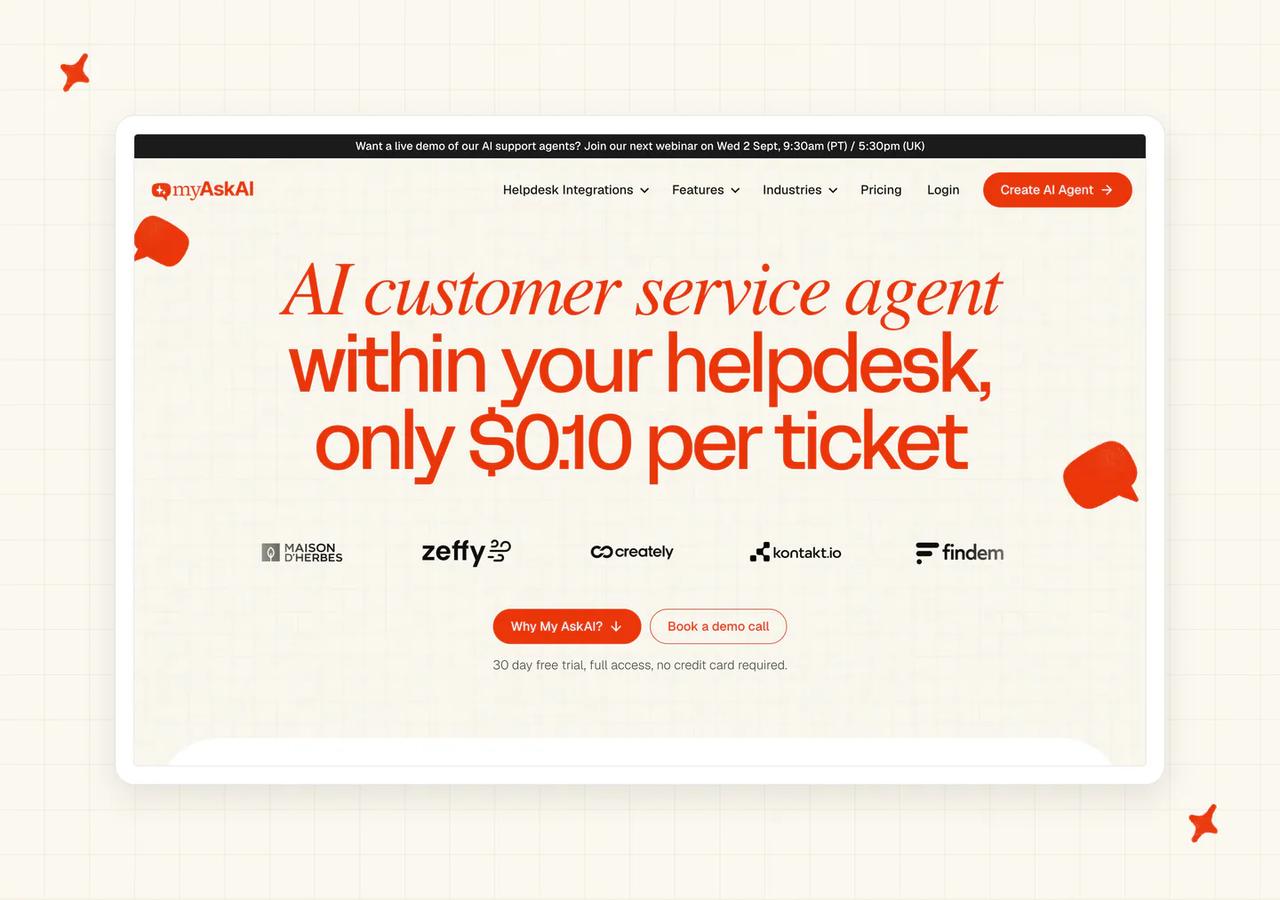
On G2 we score 4.5 out of 5 from 23 reviews, and reviewers on our G2 page describe us as a low-cost stand-in for a helpdesk's native AI that holds up on answer quality.
What does it cost to get started with My AskAI?
Pro at $199 a month is our cheapest plan that puts the agent in front of customers, and no floor here is higher. There is no free tier.
We give you a 30-day trial of the whole product: every feature unlocked, unlimited tickets and no card. Signing up needs a business email address.
What does My AskAI cost at 1,000 and at 10,000 tickets a month?
At 1,000 tickets the answer is Pro at $199, because the 1,000 included credits absorb the month. At 10,000 it is Scale at $1,299, made up of $499 plus 8,000 tickets at $0.10.
Pro tops out at 5,000 tickets, so it cannot cover the upper band even though its arithmetic looks lower.
What does My AskAI charge on top of the headline price?
We have no per-seat charge at all, so Pro includes five team seats and Scale is unlimited.
Our additions are usage-based and apply on Pro. AI Tagging is $0.05 per attribute per ticket, AI Actions $0.02 a reply where a tool fires, Tasks $0.02 a step, Live Translation $0.05 a ticket and image processing $0.02 a reply. Removing the badge is $49 a month, and API access with Slack and Teams another $49, both free on Scale.
How does My AskAI bill you?
You are billed per ticket the agent works on, resolved or not, at $0.12 a credit on Pro and $0.10 on Scale. A helpdesk chat is about one credit and an email ticket runs to around $0.15.
Your invoice tracks how many tickets arrived that month.
Does My AskAI work inside the helpdesk you already run?
Yes, in Zendesk, Intercom, Freshdesk, Freshchat, Gorgias and HubSpot, plus our web chat widget. Each platform lists the app in its directory: the Zendesk marketplace listing, the Gorgias help center article and the HubSpot App Marketplace listing.
Every paid plan includes the integration. Answered tickets get an "ai-agent-replied" tag and escalations a "human-handover-requested" one, so your reporting can tell them apart.
How much does My AskAI's cheapest plan actually resolve?
We put the whole product on Pro. The agent, the integrations, Guidance, custom answers, Self-Learning, Tasks, Tools, Tagging and Insights are all on it, and Self-Learning is always on.
It trains on your help center, your URLs, your files and your past tickets. Refunds, cancellations and exchanges are on Pro and bill per use, and for loaded cases you can have the agent flag the ticket and hand it over instead.
How much work is it to get My AskAI live?
One person with helpdesk admin access, no developer, and about ten minutes to connect the agent.
We set the default to cautious. The agent writes internal notes for a person before it ever replies to a customer, and replying directly is a toggle you flip when you are ready. It installs as an approved marketplace app, so the install stays stable.
How secure is My AskAI?
SOC 2 Type II and GDPR, with AES-256 encryption at rest and TLS in transit, isolated containers per customer and a live trust center. We never train models on your data and never sell it.
Who is using My AskAI?
RecruitCRM is at 68% AI resolution, up from about 35% at go-live, across roughly 1,088 conversations a month, saving 62 hours at 75% AI CSAT. They evaluated Intercom Fin first and turned it down on the per-resolution rate.
TravelJoy moved off their helpdesk's bundled AI and the rate went from 24% to 80% on the same tickets, saving 193 hours a month. Edel Optics is at 75 to 79% on more than 4,000 tickets a month. All three case studies are on our blog, and a resolution means the AI finished the conversation without escalating.
Where My AskAI loses
- Aissist gives you a working agent for $0 at 1,000 tickets a month with no card. We have no free tier at all: our floor is $199 a month and the trial runs 30 days.
- Zoho Desk charges nothing per resolution, per conversation or per ticket. If you are willing to run Zoho, the AI comes with the seat price and next month's invoice is this month's.
- CoSupport AI puts every integration and the full action layer on every one of its rate cards. Our whole product is on Pro too, but tagging, actions, tasks, translation and image processing bill per use on top of it.
Is CoSupport AI a good cheap AI customer service tool?
CoSupport AI sells an AI layer for your helpdesk. It is the only vendor here that sells three rate cards. You choose the unit that suits your volume, and only that unit bills.
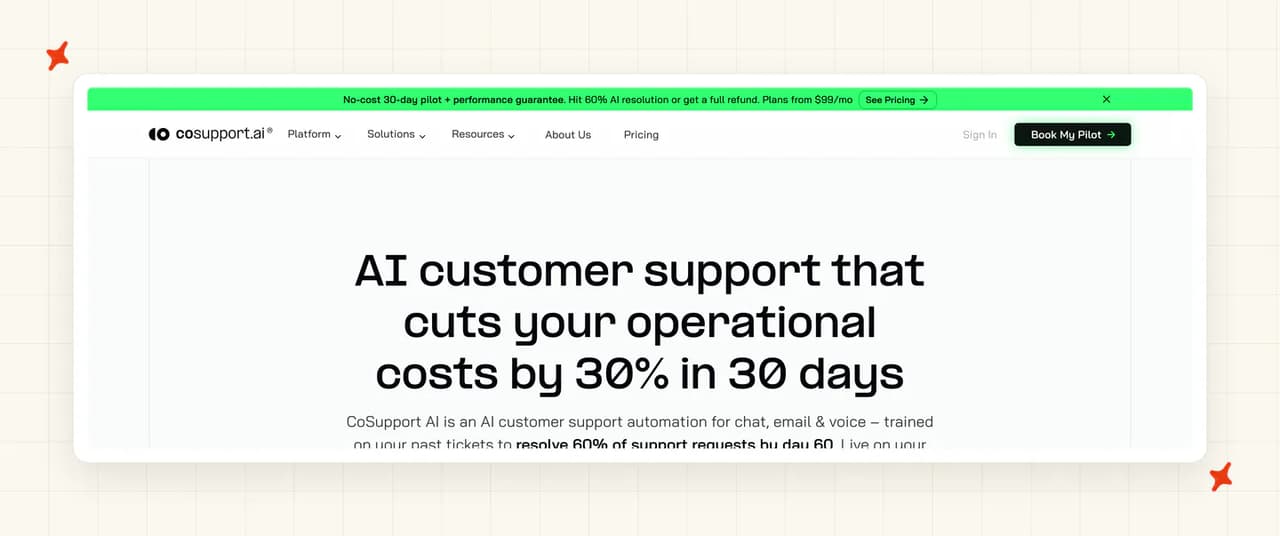
On G2 it scores 4.9 out of 5 from 13 reviews, and reviewers on CoSupport AI's G2 page talk about deflection and answers that stay clear on nuanced questions.
What does it cost to get started with CoSupport AI?
Three cards on the pricing page: from $0.19 a resolved ticket, from a fixed $99 a month, or from $0.04 an AI response. There is no free tier.
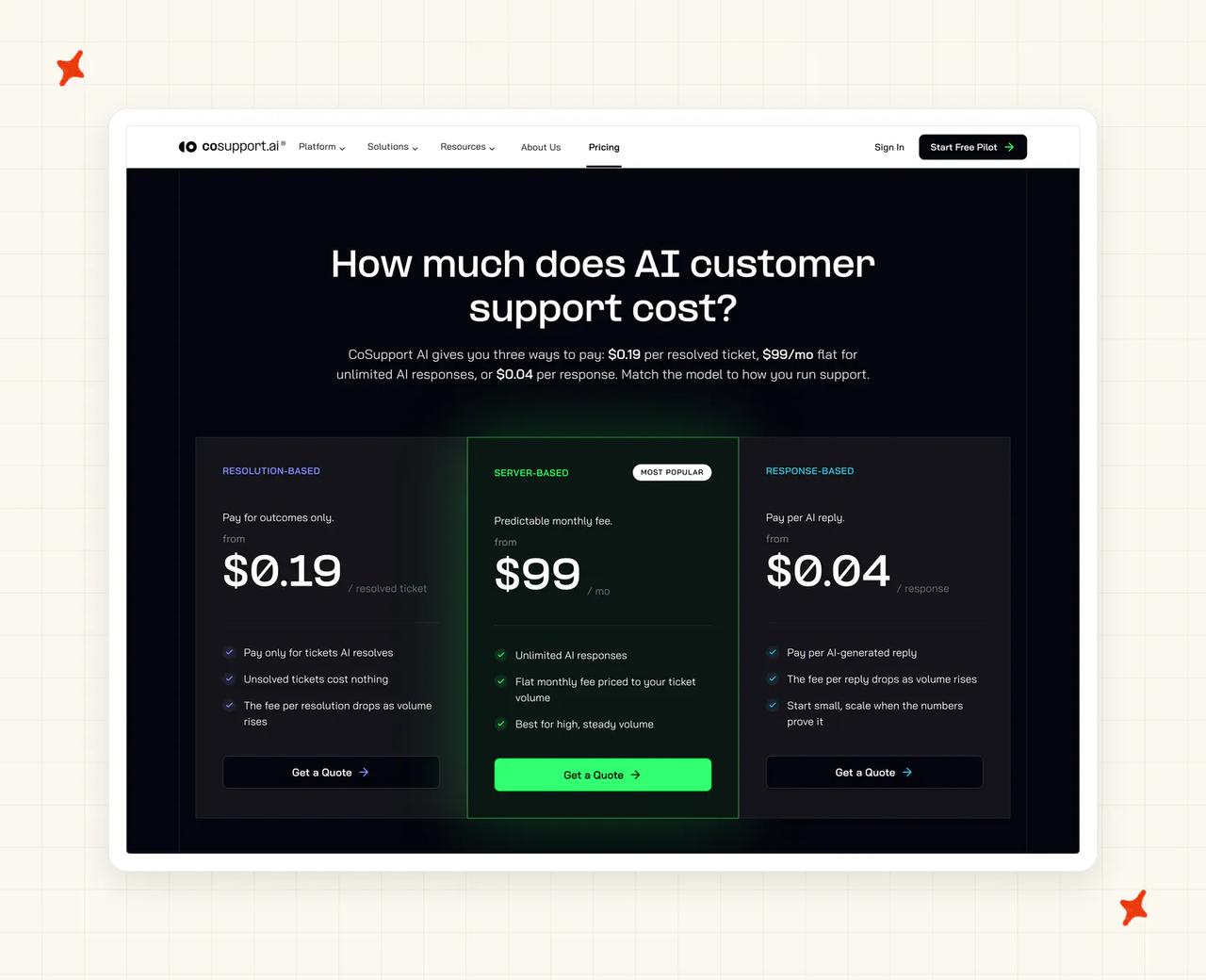
What is free is a 30-day pilot on your real tickets with 1,000 AI responses, arranged through a sales call. A 60-day guarantee covers every plan, promising 60% resolution by day 60 or every paid day refunded (no other vendor here writes a number into the contract).
What does CoSupport AI cost at 1,000 and at 10,000 tickets a month?
On the vendor's stated assumptions, a 60% resolution floor and about two AI replies per resolved ticket, I get $48 at 1,000 tickets and $480 at 10,000 on the response card. The fixed monthly card would be $99 and $990, and the resolved-ticket card $114 and $1,140.
Read all of those as floors. Every card says "from", every card routes to a quote, and the vendor states that the unit fee falls as volume rises without putting a number on it.
What does CoSupport AI charge on top of the headline price?
Nothing published, which is the best answer any product here gives me, and the pricing page is explicit about it: "Every plan includes the 30-day pilot and the 60-day refund guarantee. No setup fees, no long-term contract. You only pay for the result."
User seats are unlimited, and no security feature is held back for a higher tier (ISO 27001 and the private server environment are on every card).
How does CoSupport AI bill you?
You are billed on one unit, chosen by you at the start, and only that unit reaches the invoice. The fixed monthly card is the predictable one, and the vendor says so.
Every plan card is a quote request and the published first step is a discovery call, so there is no version of this where an agent goes live this week.
Does CoSupport AI work inside the helpdesk you already run?
It installs into Zendesk, Freshdesk, Freshchat, Intercom and HubSpot, plus Zoho Desk, Salesforce, Shopify, Slack and Microsoft Teams, and the Zendesk integration page walks through the setup. Gorgias is the one gap: it appears on no CoSupport integration surface (Aissist and our agent both cover it).
How much does CoSupport AI's cheapest plan actually resolve?
There is no feature ladder to climb. The vendor's answer to what the entry tier leaves out is "Everything. Same platform, same features. You only choose how you pay."
That means every integration, 40-plus languages across chat and email, and a full action layer covering subscription changes, order updates, cancellations and refunds. Handover moves the whole thread across with a drafted reply ready for your agent to review, which is how we do it too.
How much work is it to get CoSupport AI live?
Connection is about ten minutes with no code, and full deployment about three days. It trains on your help center, your past tickets and your macros, so there is nothing new to write.
Your clock begins at a discovery call, and there is no self-serve sign-up button anywhere on the site.
How secure is CoSupport AI?
ISO 27001 certified, GDPR and CCPA/CPRA compliant, with a private server environment per customer and no training on your data, all set out on its security page. That is a strong list, and I scored the row a 7 because SOC 2 is not on it.
No SOC 2 evidence of either type appears on any CoSupport surface. If your reviewer asks for that report specifically, this is where the conversation stops.
Who is using CoSupport AI?
Cocoatech reports 81% of support requests resolved by AI in the first month, with resolution time falling from about nine hours to about five minutes. SupportYourApp reports 80% resolved autonomously and about $14,000 saved a month.
Read more: our CoSupport AI guide, the My AskAI vs CoSupport AI comparison, and the CoSupport AI alternatives roundup.
Is Aissist a good cheap AI customer service tool?
Aissist layers onto your helpdesk and prices per AI reply. It is the one product I found that gets a working agent in front of customers for nothing.
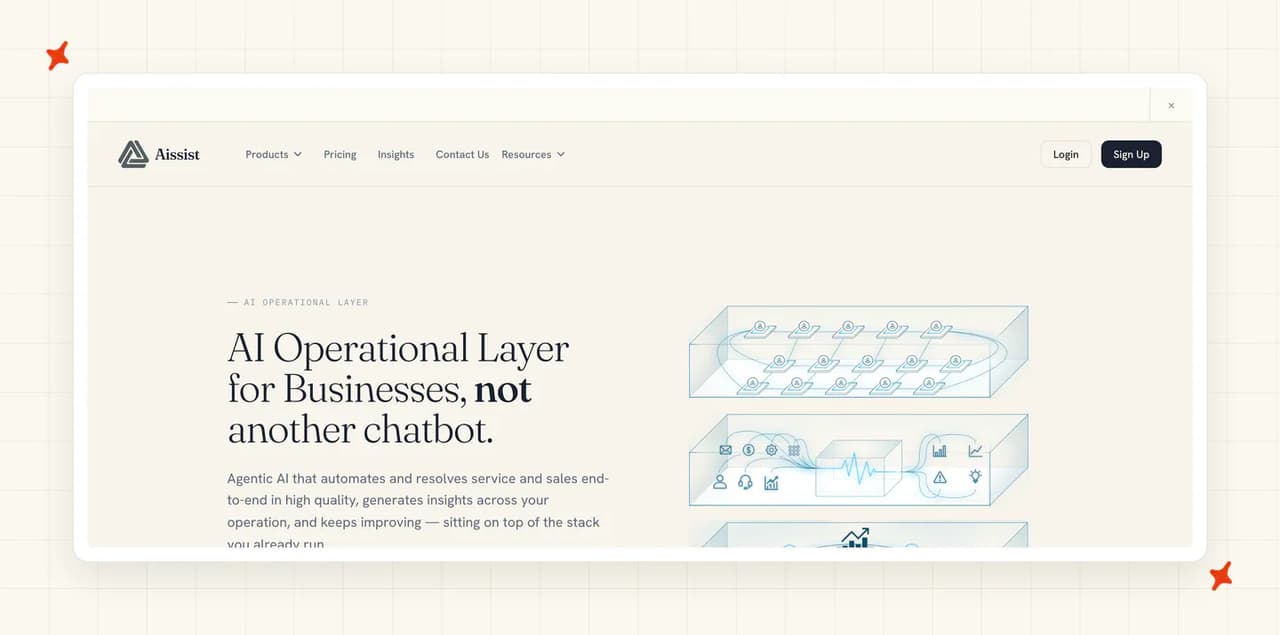
On G2 it scores 4.8 out of 5 from 43 reviews, and the theme on Aissist's G2 page is how well it reads casual or confused customer messages.
What does it cost to get started with Aissist?
Nothing at all: the pricing page puts "Up to 1,000 tickets / month" on a free tier with "No credit card required", and the vendor calls it a "Free quota every month, perfect for small businesses and trial."
It missed a perfect score from me for two reasons. The free plan runs the cheaper of two engines, and every reply has a small footer crediting Aissist.
What does Aissist cost at 1,000 and at 10,000 tickets a month?
At 1,000 tickets it is $0, because the free allowance covers the month. At 10,000 it is Growth, which has no base fee and unlimited tickets. The published rates give $2,000 on email at $0.20, $5,000 on chat at $0.50, and about $3,500 on an even split.
The free allowance does not carry into Growth, and that jump from zero is the steepest curve I priced here. Model it before you commit.
What does Aissist charge on top of the headline price?
Nothing, by the vendor's account. Aissist describes its pricing as one price covering every feature, with no installation charges or hidden fees.
On Growth there is no base fee and no seat charge either, so the per-use rate is the whole invoice.
How does Aissist bill you?
You are billed per AI reply, bounded by a per-resolved-ticket cap, whichever is lower, and the docs FAQ confirms that cases handed to a human are not charged (escalations being free is unusual here). Published estimates put an email ticket around $0.25 and a chat at $0.60 with the cap applied.
The invoice moves on how many back-and-forths a conversation takes, and on how often the AI succeeds. Because only successes bill, a better agent costs you more, and we price ours per ticket the agent works on for exactly that reason.
Does Aissist work inside the helpdesk you already run?
The pricing page lists native integrations across Intercom, Zendesk, Kustomer, Salesforce, Front, Gorgias, Freshdesk, Freshchat and HubSpot. The vendor's documentation labels Freshchat as deprecating, so a Freshchat team is buying into a path the vendor flags as retiring.
How much does Aissist's cheapest plan actually resolve?
The free plan answers the easy half of the inbox: FAQs and basic procedures, in the vendor's framing, with the better engine paid-only.
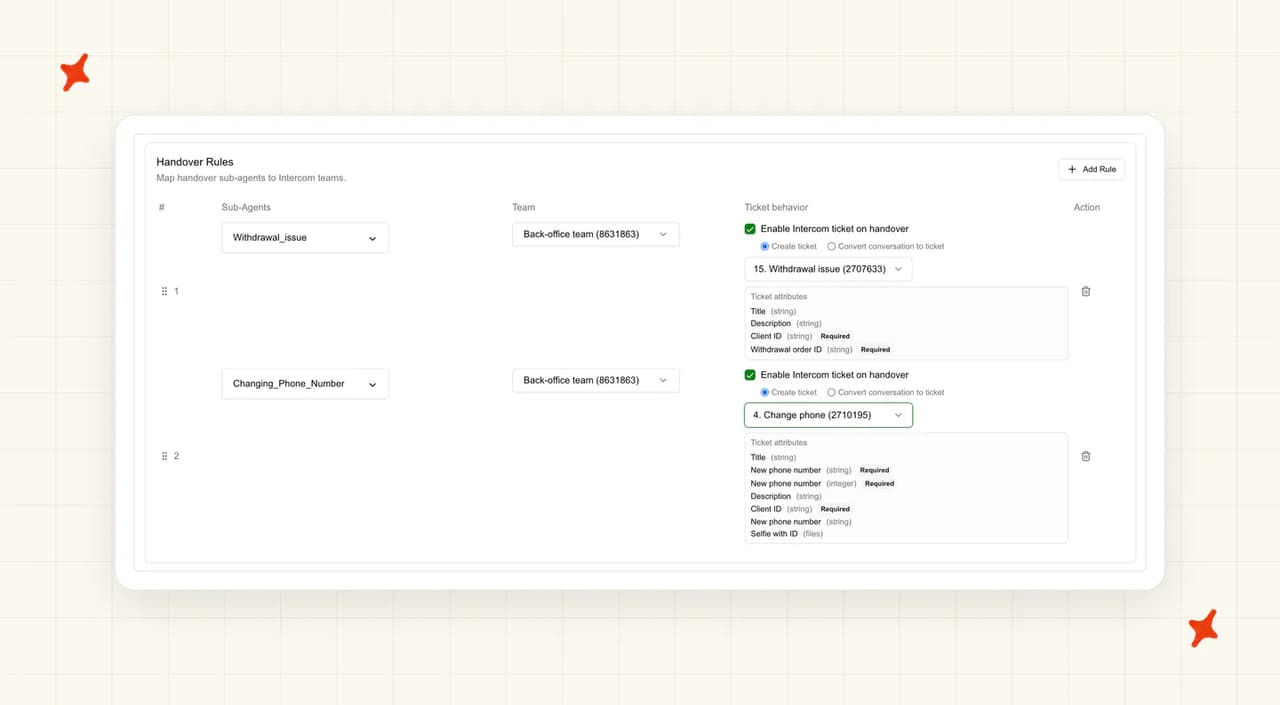
Handover is documented at product level with no tier gate, which I rate highly on a free plan. The agent tags the conversation, leaves a summary for whoever picks it up, routes it where you choose, and can be told to stop replying once a person takes over.
How much work is it to get Aissist live?
The connection itself is about ten minutes and needs helpdesk admin access. After the connection comes a seven-step workspace build in the quick start, then a deliberately slow traffic ramp.
Budget an afternoon for one person.
How secure is Aissist?
ISO 27001 and GDPR, both claimed on the vendor's site. No SOC 2 claim appears on any Aissist surface, and the vendor's record puts SOC 2 as aligned, with no certificate behind it (no auditor has signed anything your reviewer can read).
Who is using Aissist?
COROS reports 80% resolution and ten times faster time to resolution, and Holafly reports 75% resolution on support at 4.8/5 CSAT. I read both as vendor-selected wins rather than an average.
Read more: our Aissist guide and the Aissist alternatives roundup.
Is Zoho Desk a good cheap AI customer service tool?
Zoho Desk is the helpdesk and Zia is the AI inside it. The bundling is my whole argument for it: buy a seat and the AI comes with it.
On G2 it scores 4.4 out of 5 from 7,903 reviews, on Zoho Desk's G2 page.
What does it cost to get started with Zoho Desk?
Billed monthly, the seats run Free for three users, Express $9, Standard $20, Professional $35 and Enterprise $50 on the pricing page. The feature comparison puts the Answer Bot on Standard, Professional and Enterprise, with Free and Express going without, so Standard at $20 a user is the cheapest plan that carries it.
The Free Forever plan is a real permanent helpdesk without the bot. The trial is 15 days with no card, and it drops to Free when it ends.
What does Zoho Desk cost at 1,000 and at 10,000 tickets a month?
Modeling five agents at the lower band and twenty at the upper, I get $100 a month on Standard at 1,000 tickets and $400 on Standard again at 10,000. Standard already allows unlimited users and carries the Answer Bot, so both bands sit on the same $20 seat.
Nothing here is charged per ticket, per conversation or per resolution. Only headcount moves the number, and at 10,000 tickets Zoho Desk is the cheapest row in this comparison.
What does Zoho Desk charge on top of the headline price?
No AI usage charge of any kind, and I scored the row an 8 for it. The one consumption figure published is an allowance of up to 30 million tokens a month, with no rate for what happens past it.
Light agents are $6 each a month on Standard and on Professional, and Enterprise includes 50 before the same charge starts. Onboarding and migration are free.
How does Zoho Desk bill you?
One line on my model, seats, so next month's invoice is this month's invoice unless you hire someone. The only unpriced edge is that token allowance, so keep an eye on it.
Does Zoho Desk work inside the helpdesk you already run?
No, Zia runs in Zoho Desk, and every documented setup path starts inside its Setup screen.
It cannot be installed into Zendesk, Intercom, Freshdesk, Freshchat, Gorgias or HubSpot. Buying this means moving helpdesk, and in my book that is a migration project on top of a purchase, which is the 2 on helpdesk fit.
How much does Zoho Desk's cheapest plan actually resolve?
On Standard the Answer Bot answers in the help center and trains only on published articles. "By default, Answer Bot only uses knowledge base articles that are published with "All Users" visibility when responding to customer queries." It takes no action on a customer's account.
Handover is conditional too, and Zoho Desk takes a 4 on what the cheap plan resolves. I found live chat, guided conversations, the bot inside the embedded widget and the pre-built Desk AI agents all on Enterprise, and the chat-with-an-agent option needs live chat switched on. The agentic layer is narrower again, email tickets only, and Zoho gates availability behind a request.
How much work is it to get Zoho Desk live?
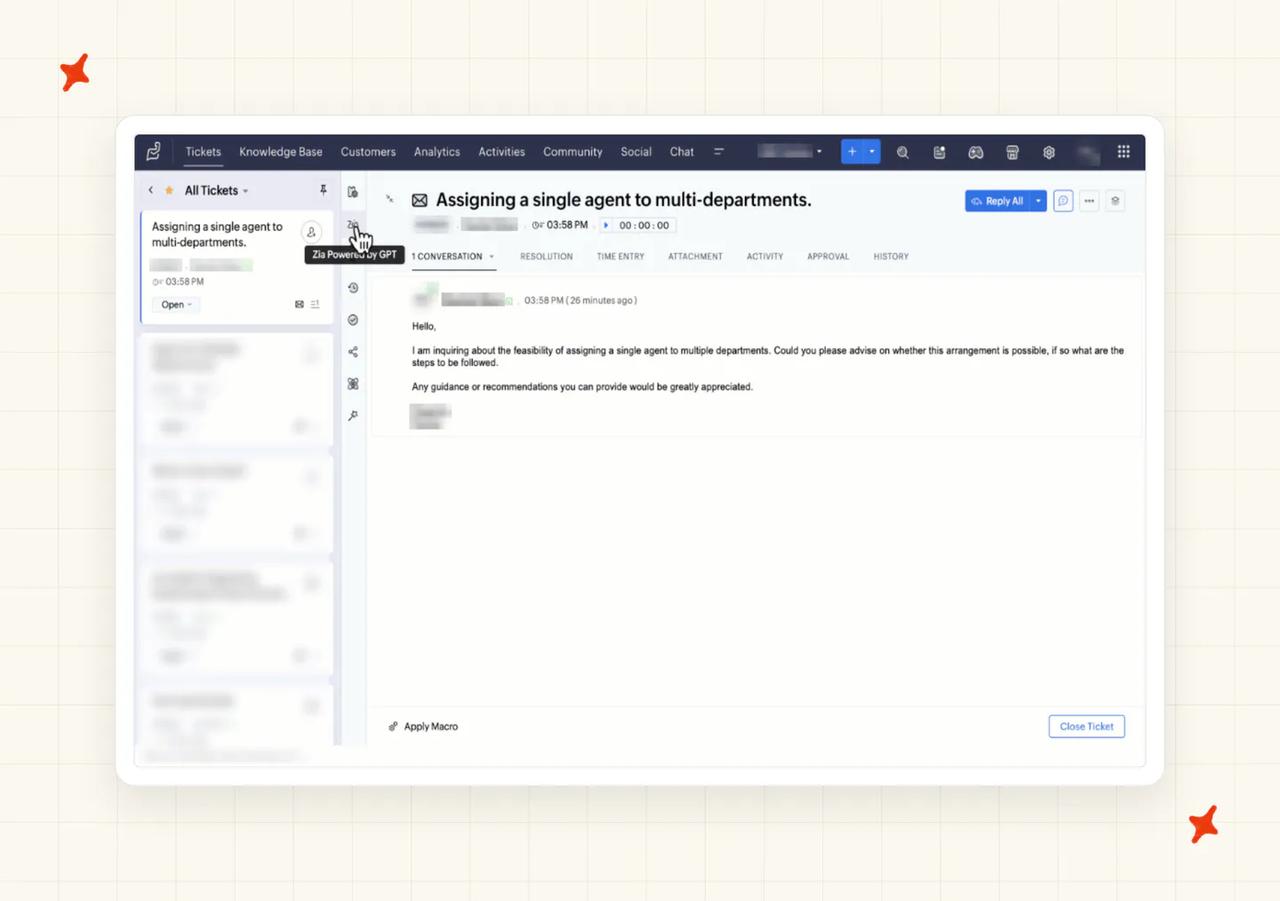
An admin creates the bot in a handful of clicks, picks a confidence threshold, writes three fallback messages and saves. It then trains itself, and retrains every thirty minutes.
What remains is the content work. The Answer Bot documentation says so: "The Answer Bot can work with a single successfully trained article, but for the best results 30 articles per department is recommended."
How secure is Zoho Desk?
Zoho states it never uses customer data to train its AI, claims GDPR, HIPAA and CCPA compliance, and its Zia agents FAQ says the agents read but do not retain ticket content. No SOC 2 or ISO certificate is named on any Zoho Desk surface, so a reviewer asking for one will come up empty. I scored security and trust a 6 for it.
Who is using Zoho Desk?
Mercedes-Benz India is a named customer. Senior Manager Swaroop Naik says: "We analyzed other products on the market, but Zoho Desk blended into our organization structure better than anything else." 5Paisa handles about 5,000 tickets a day on it.
Read more: our Zoho Desk Zia guide, the Zoho Desk pricing breakdown, and the My AskAI vs Zoho Desk comparison.
Is Chatbase a good cheap AI customer service tool?
Chatbase sells credits, and the credits buy AI replies. That gives it the cheapest sticker price in the set and, to my eye, the hardest bill to forecast.
On G2 it scores 4.9 out of 5 from 33 reviews, on Chatbase's G2 page.
What does it cost to get started with Chatbase?
The pricing page runs Free at $0 with 50 credits a month, Hobby $40 with 700, Standard $150 with 4,000 and Pro $500 with 15,000.
The free tier will not run in production. It has 50 credits, no integrations, no API and zero AI actions, and escalation is an action, so a free agent cannot pass a customer to a person. It also expires. "AI agents get deleted after 14 days of inactivity on the free plan." The cheapest plan where an agent answers inside your helpdesk is Standard at $150, the first tier with "Advanced integrations (Stripe, Zendesk, and more)".
What does Chatbase cost at 1,000 and at 10,000 tickets a month?
Pricing two AI replies a ticket at the one-credit band, I get $150 on Standard at 1,000 tickets, since 2,000 credits fall inside the 4,000 included. At 10,000 it is Pro at $500 plus 5,000 top-up credits at $40 per 1,000, so $700, or $4,700 on the six-credit models.
At 10,000 tickets on its cheapest models, Chatbase undercuts our $1,299. The buried gate is the seat ceiling: Pro caps at five workspace seats, so a larger support team has no plan to buy off the page.
What does Chatbase charge on top of the headline price?
Top-ups cost $40 per 1,000 credits, above Pro's blended rate, so your price per ticket rises once you pass the plan. Extra agents are $25 a month each and removing the badge is $99 a month. I scored this row a 4.
Unused subscription credits do not carry over. At zero credits the agent stops talking to your customers altogether, and the docs FAQ records what they see: "This AI Agent is currently unavailable. If you are the owner, please check your account."
How does Chatbase bill you?
You are billed a credit for every AI reply, and sign-up is self-serve with a card and no call.
The plan price is fixed and the credit burn is set by a dropdown, which is why I priced Chatbase at 10,000 tickets as a range. The same reply costs one credit or six, depending which model you pick, and the pricing page points at that choice without ever pricing it.
Does Chatbase work inside the helpdesk you already run?
It reaches Zendesk, Intercom, Freshdesk, Gorgias and HubSpot, plus Zoho Desk, Salesforce, Help Scout and Odoo. I found one gap in that list: Freshchat appears on no Chatbase surface.
None of it is available below Standard, and only one platform gets the whole conversation: "The full transcript is only available for Zendesk. Every other platform receives an AI-written summary of the conversation."
How much does Chatbase's cheapest plan actually resolve?
Free gets zero actions, so a free agent can only answer questions. Hobby gets five actions but no helpdesk, so it cannot open a ticket in the system your team works in. Below Standard you have a website widget and nothing that reaches your team's inbox. I scored the row a 4.
Standard gets eight actions plus the helpdesk, voice and telephony, and training on your past tickets is a Pro feature. The handover is asynchronous, meaning a ticket raised and a reply later, unless you also run Chatbase's live chat.
How much work is it to get Chatbase live?
About five minutes to a created, trained and deployed first agent, by the vendor's documentation, on material you already have and with no developer. Connecting Zendesk needs someone who can authorize apps on the account.
That is the fastest in the set, and Chatbase ties our 9 on setup effort.
How secure is Chatbase?
SOC 2 Type II independently audited, GDPR, encryption at rest and in transit, and your data is not used to train models. That list matches ours.
HIPAA is claimed, but the signed agreement and zero data retention that make it usable are Enterprise items. SSO, audit logs and custom roles are Enterprise-only too.
Who is using Chatbase?
Jumia J Force has the AI handling half of all support volume, with 80% of queries resolved without a person across 1,500-plus conversations a month. Aplazo reports a 2.2 times lift in merchant closed-won rate with no added headcount (a sales figure, and the support one is not published).
Read more: our Chatbase guide, the Chatbase pricing breakdown, and the Chatbase alternatives roundup.
Is Tidio a good cheap AI customer service tool?
Tidio is the platform and Lyro is the AI agent inside it, sold as a separate pack on top. You can also buy Lyro standalone to work on an existing stack.
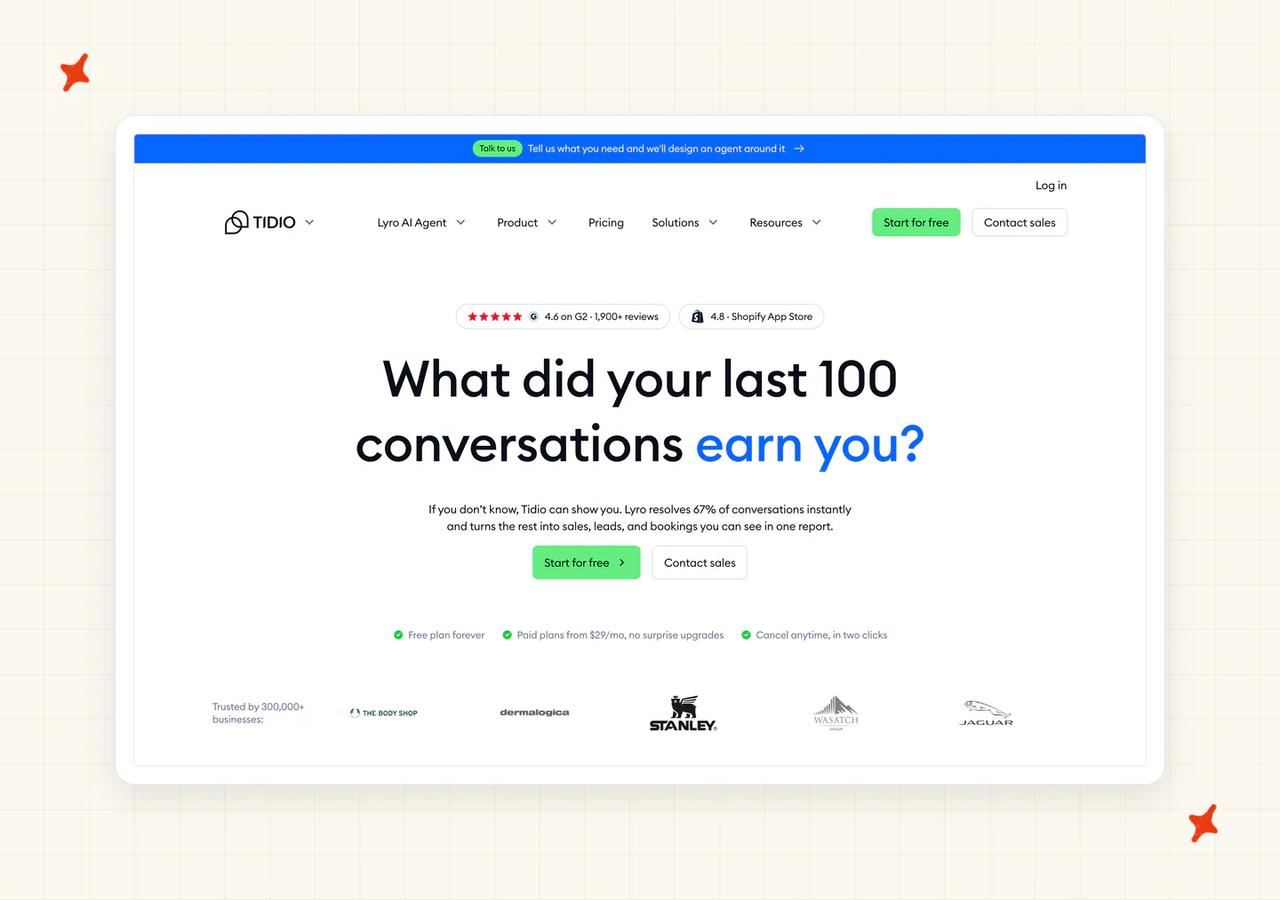
On G2 it scores 4.6 out of 5 from 1,962 reviews, and reviewers on Tidio's G2 page describe Lyro as a first line on repetitive questions.
What does it cost to get started with Tidio?
The free Lyro conversations are a one-off credit that never resets. The help center calls it "a non-renewable quota of 50 Lyro conversations", and the plan card says the same.
So the real floor I priced is $39 a month for the smallest renewing pack, which you can buy on its own and point at an existing helpdesk or run alongside Tidio's own platform, whose paid tiers start at $29. The trial is seven days with no card.
What does Tidio cost at 1,000 and at 10,000 tickets a month?
The AI ladder is fixed packs: 50 for $39, 200 for $140, 500 for $350 and 1,000 for $700, so the rate starts near $0.78 a conversation and settles at $0.70 from the 200 pack up. Starter's $29 platform tier tops out at 100 handled conversations a month, so a team at this volume needs Growth at $179 instead. At 1,000 tickets that is the biggest AI pack plus Growth, so $879 a month all in.
At 10,000 tickets a month Tidio publishes no price. The help center is explicit: "The available packages range from 50 conversations per month up to 1,000 conversations per month. More is also possible, but reserved for custom subscriptions (our Plus package) that need to be discussed with our Sales Team individually." Tidio takes a 2 on how the bill grows.
What does Tidio charge on top of the headline price?
No per-seat charge, and up to ten agents are included on self-serve plans.
Tidio sells three separately priced products. The platform tier, the AI pack and the automation pack each have a slider, and removing Tidio's branding is another add-on. I priced the platform tier and the AI pack only.
How does Tidio bill you?
You are billed by the AI conversation, a thread the agent replies to at least once, however many messages it takes. Below the ceiling this is the most predictable invoice in the set, because the pack price is set in advance.
Running out stops the AI, so the pack is a ceiling as well as a price. An immediate handover costs nothing, and a thread closing after fifteen minutes of inactivity means a returning customer starts a new billable conversation (fifteen minutes is short if your customers reply by email).
Does Tidio work inside the helpdesk you already run?
Partly, and how you buy it decides whether it can. Tidio's pricing page sells a Lyro-only option to add the agent to Zendesk, Salesforce or any other helpdesk, and Borrowell does exactly that, running Lyro in front of Zendesk while Zendesk keeps the ticketing.
The option that points the agent at another helpdesk is called Lyro Connect. Importing your ticket history from Zendesk, Gorgias or Intercom is a separate job, done with Tidio's team and needing an active Lyro subscription.
How much does Tidio's cheapest plan actually resolve?
Handing over to a person is Lyro's default behavior, with a customer-facing "Talk to a person" button while your team is online, and I gave the row an 8 for that alone. An optional setting has Lyro take an email address instead and open a ticket carrying the chat transcript.
Actions need a paid pack and someone technical, by the vendor's warning. Channels are toggles you switch on, and the agent learns from conversations your team has solved, with a person approving each extracted answer.
How much work is it to get Tidio live?
The vendor puts a number on it: "In just 10 minutes, you can have a fully operational agent ready to assist your customers!" Four steps, no developer.
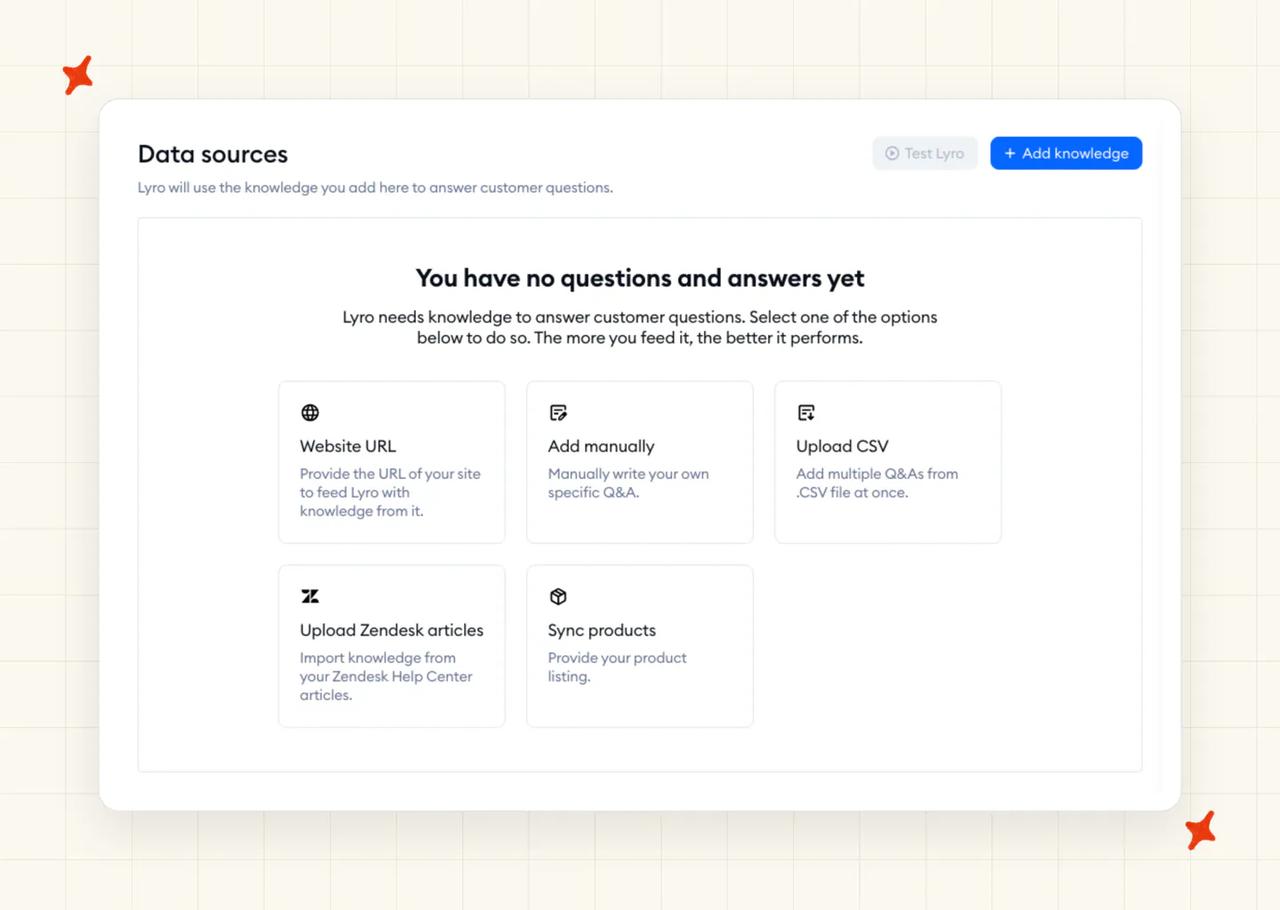
Switching the agent on disables any visitor-triggered automations you already run. Check what those are before you flip it (a welcome message or a proactive discount trigger is the usual casualty).
How secure is Tidio?
SOC 2 Type 2, CCPA, GDPR and the EU AI Pact, and data is stored in the EEA with encryption in transit and at rest. That is an 8 from me.
Healthcare teams should know the gap, in the vendor's words. "While we comply with the rules set in HIPAA, we don't have formal compliance documentation yet."
Who is using Tidio?
Borrowell reports 83% resolution with Lyro in front of Zendesk, with a team of nine handling more than 11,000 tickets a month. Cove reports a 70% increase in self-service resolution, 80% faster response times and a 35% CSAT lift (both are vendor case studies).
Read more: our Tidio Lyro guide, the Tidio pricing breakdown, and the My AskAI vs Tidio comparison.
Is Crisp a good cheap AI customer service tool?
Crisp is a shared inbox, a ticketing system and a help center, with Hugo as the AI agent inside it. Buying the AI means buying the platform.
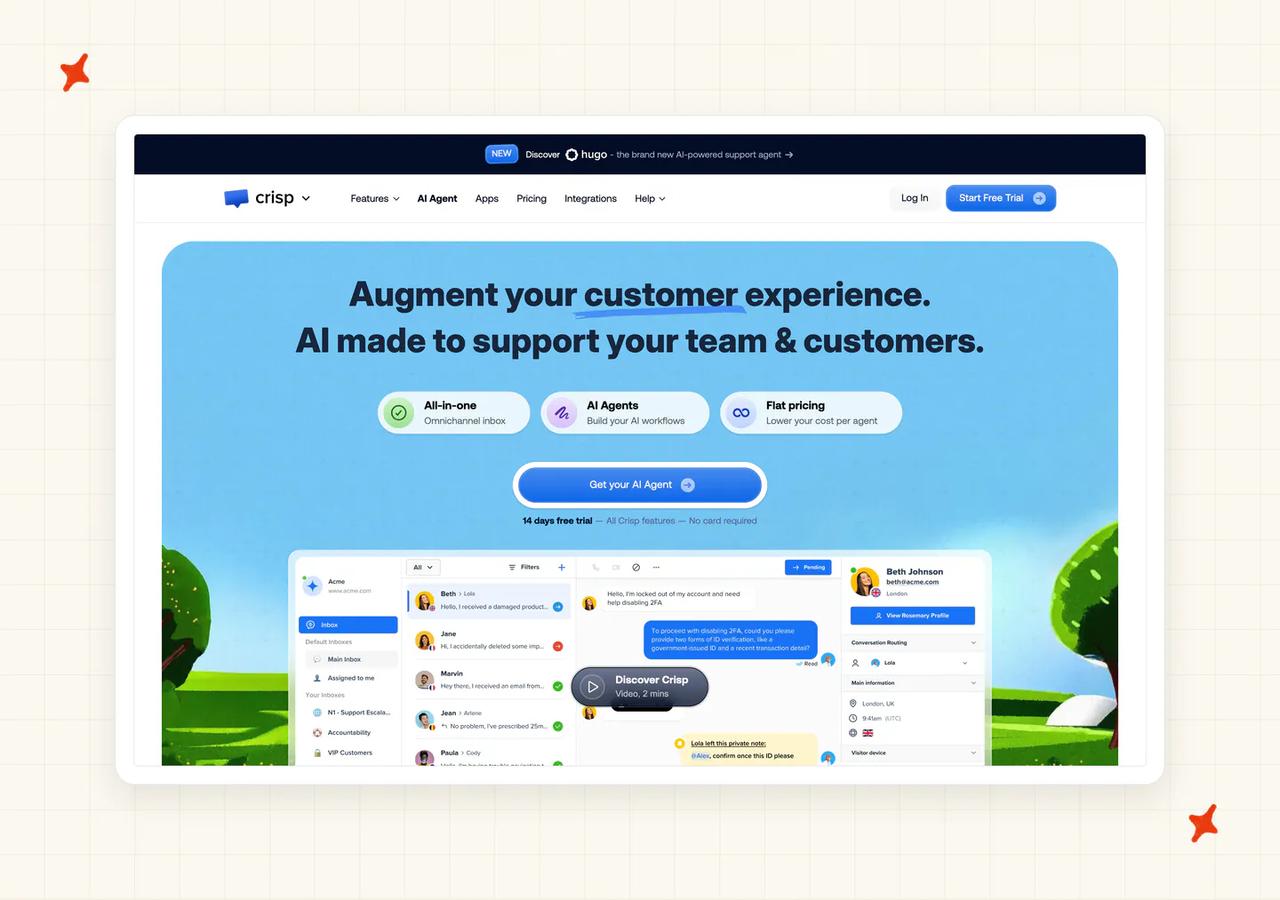
On G2 it scores 4.5 out of 5 from 202 reviews, and reviewers on Crisp's G2 page focus on the chatbot answering customers without an agent stepping in.
What does it cost to get started with Crisp?
$45 a month on Mini buys the AI agent, four seats and a shared inbox. The billing documentation states it. "Hugo is included by default starting from the Mini plan, so you do not need a separate subscription to get started."
The paid tiers on the pricing page are Mini $45, Essentials $95 and Plus $295, charged per workspace whatever your headcount, with a 14-day trial and no card. The free plan has no AI at all, so I priced Crisp from Mini up.
What does Crisp cost at 1,000 and at 10,000 tickets a month?
A workspace plan plus a per-conversation AI charge. "On average, a full Hugo-handled conversation costs around $0.05 to $0.10 USD, but this remains only an estimate." Each plan includes a dollar balance, worth around 90 automated conversations on Mini, 450 on Essentials and 1,350 on Plus.
At 1,000 tickets I get Mini at $90.50 to $136 a month. At 10,000 it is Essentials at $572.50 to $1,050, because conversations are uncapped on every tier and the plan is chosen by seats and the customer-profile ceiling, not by volume, which makes Essentials the lowest one that covers a team this size.
What does Crisp charge on top of the headline price?
No seat floor and no per-seat AI charge. Extra agents are a published $10 each a month, no self-serve plan carries an onboarding fee, and dedicated onboarding is an Enterprise line item. I scored the row an 8.
Tax is the only other line.
How does Crisp bill you?
You are billed by the AI conversation, counted from the first AI-handled message until it is resolved, routed or escalated. The cost moves with length, depth and the model.
The default protects the invoice, which I think is the smart choice here. When the included balance runs out the agent stops answering and conversations escalate to people, so the bill never gets away from you. Trial usage draws down the same balance.
Does Crisp work inside the helpdesk you already run?
No, there is no version of Hugo that answers inside someone else's helpdesk.
Crisp's pricing page publishes its integration list, and Zendesk, Intercom, Freshdesk, Freshchat and Gorgias are not on it. HubSpot is, but only as a CRM contact sync (your tickets stay in Crisp). A knowledge base importer covers the major helpdesks and moves your content one way, into Crisp. Crisp takes a 2 on helpdesk fit.
How much does Crisp's cheapest plan actually resolve?
Hugo is included from the $45 Mini plan, escalation to a person is a setting you switch on, and the agent can take real actions through your integrations. I rate that on a $45 plan.
Channel coverage is the real cheap-plan limit, and yours is the first thing I would check. On Mini the agent covers the website widget and the shared email inbox, while WhatsApp, Instagram and SMS arrive with Essentials, so a team on WhatsApp is on $95 whatever the AI costs. It does not learn from conversations your team has solved, and the documented remedy is to turn a recurring question into a snippet by hand.
How much work is it to get Crisp live?
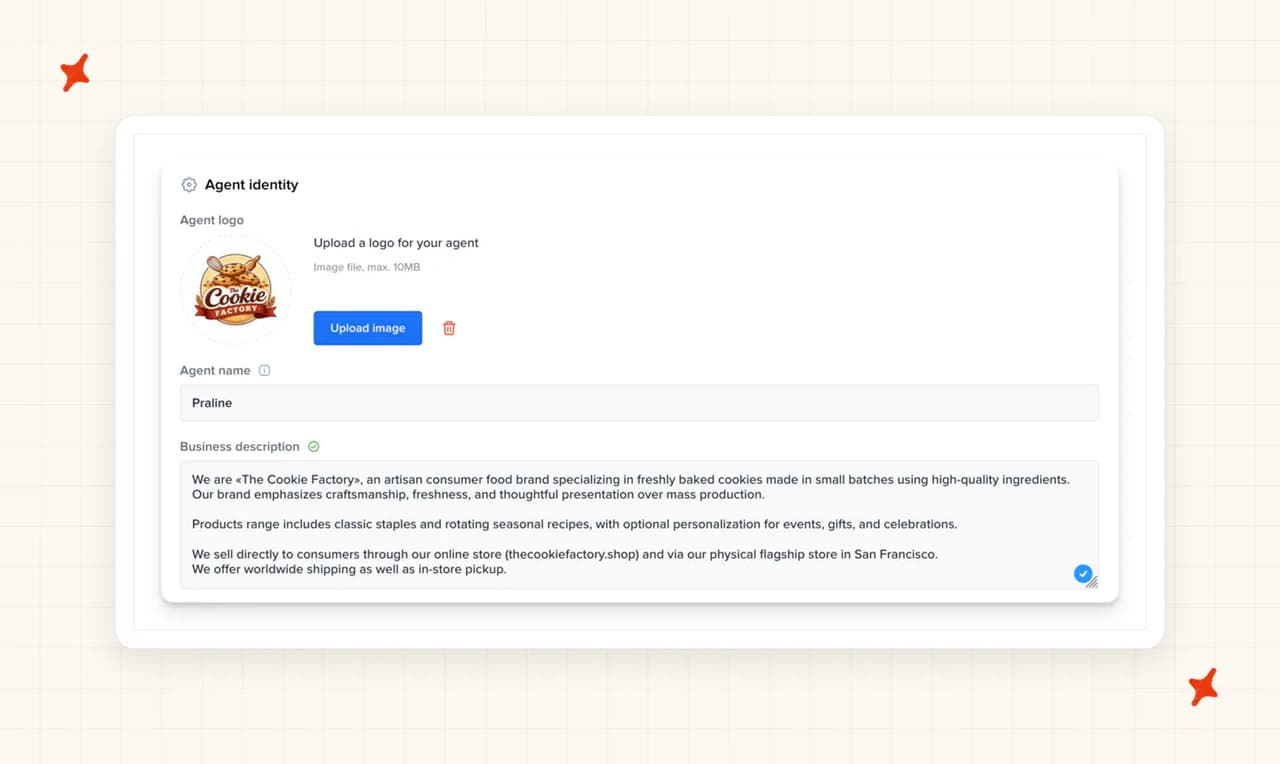
One person with admin access and an afternoon, no developer. Write the business description and the escalation settings, point it at your website, paste in question-and-answer snippets, write the behavior instructions, rehearse and switch it on.
How secure is Crisp?
Crisp sets out its position in a compliance article. "Please note that Crisp hasn't been over any SOC2 audit but we wish to show we are fully compliant with these specific needs." It also provides no SLA or contract on self-serve. The status page that would let you check uptime is itself a paid feature.
Its security practices documentation sets out European hosting and encryption across the platform. The pricing page also lists two-factor authentication and a data processing agreement. No SOC 2, ISO 27001, HIPAA or PCI-DSS claim appears anywhere, so I scored the row a 4.
Who is using Crisp?
Decathlon and Reedsy are both named on the testimonials page, each with a named executive behind the quote. Reedsy's co-founder credits the AI with faster, more personalized replies across the team.
Read more: our Crisp AI guide, the Crisp pricing breakdown, and the My AskAI vs Crisp comparison.
Is Freshdesk Freddy a good cheap AI customer service tool?
Freddy is the AI inside Freshworks' helpdesk, bought as an add-on to a seat. It finishes last on my board because the sessions stacked on the seat price outweigh the $23 entry.
On G2 the Freshdesk page scores 4.4 out of 5 from 3,769 reviews, and Freddy has no separate listing, so most of Freshdesk's G2 page is about the helpdesk itself.
What does it cost to get started with Freshdesk Freddy?
Three plans, no free plan. Billed monthly, Growth is $23 an agent a month and is the cheapest with the AI agent, with Pro at $66 and Enterprise at $107 (Growth is the one I priced, since the AI agent is on all three).
The 500 included AI sessions are a one-time credit per account and they do not renew. "We offer 500 free sessions on the Growth, Pro, and Enterprise plans to try out Freddy AI Agent. This is limited to once per account." The trial is 14 days on the top plan. I count a one-time credit as a trial rather than a free tier.
What does Freshdesk Freddy cost at 1,000 and at 10,000 tickets a month?
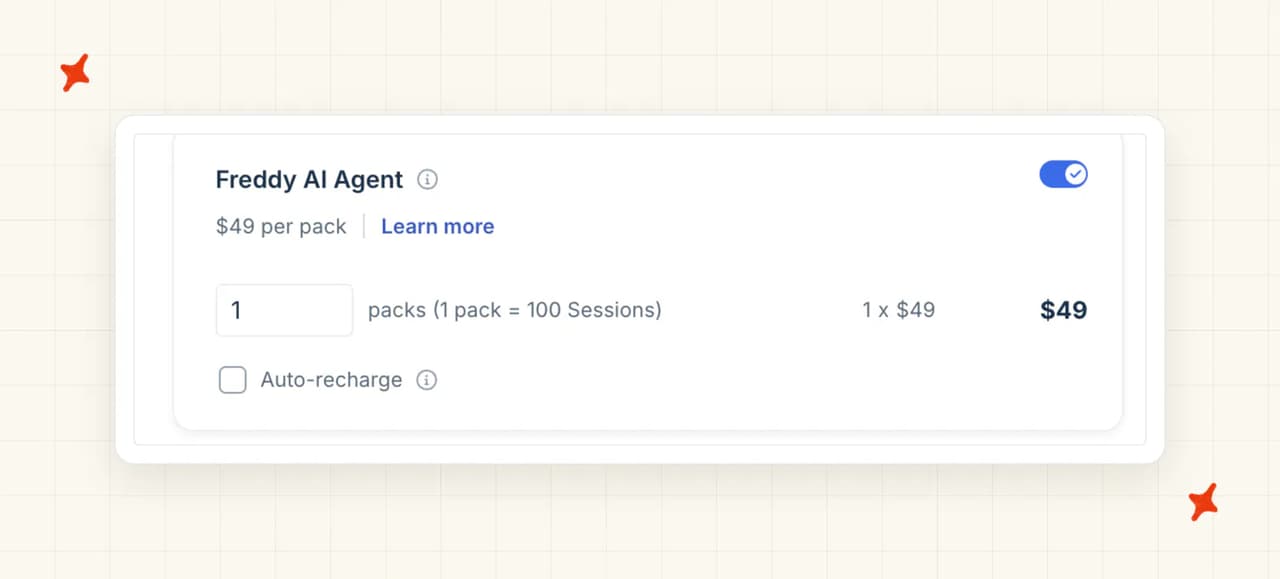
Seats plus sessions at $49 a pack of 100. Modeling five agents at the lower band, I get $605 a month at 1,000 tickets, which is $115 of seats and $490 of sessions.
At 10,000 tickets with twenty agents it is $5,360 a month, being $460 of seats and $4,900 of sessions. That is the highest figure in this comparison, from the product with the lowest entry price. It is the sharpest example I found of what the session unit does to a bill.
What does Freshdesk Freddy charge on top of the headline price?
A session bills when a customer reaches the AI, and it covers every interaction inside one time window. They expire: "No. Unused sessions do not carry over to the next subscription cycle."
Testing costs money too, and the session FAQ states it: "Previewing Freddy AI Agents or Chatbots while building them will consume sessions." Auto-recharge buys another pack unprompted below fifty (turn it off before you start testing), and the copilot is a further $35 an agent a month on Pro and above.
How does Freshdesk Freddy bill you?
Two lines on one invoice. The seat line is fixed, the session line follows how many customers reach the AI, and auto-recharge can add packs without anyone approving it. I priced both bands with auto-recharge off.
When the balance runs out the AI stops and your people pick the work up. Usage is visible in a session consumption report.
Does Freshdesk Freddy work inside the helpdesk you already run?
Only if that helpdesk is a Freshworks product. On Freshdesk you get the email agent, and the chat agent needs Freshdesk Omni, the separate product that includes Freshchat. "The Email AI Agent is available in both Freshdesk and Freshdesk Omni, while the Chat AI Agent is available only in Freshdesk Omni."
It does not install into Zendesk, Intercom, Gorgias or HubSpot, so I scored helpdesk fit a 3.
How much does Freshdesk Freddy's cheapest plan actually resolve?
On Growth the email agent holds a real back-and-forth, learns from solution articles, uploaded files and a capped number of public pages, and can take actions through workflows including order cancellations and subscription updates. Handover is configurable, and on the cheap plan that is more than most of this set manages.
It is email only until you buy Freshdesk Omni.
How much work is it to get Freshdesk Freddy live?
One person with account-admin rights and no developer. Turn the add-on on from the billing page, then build the agent in a no-code studio: name it, point it at knowledge, write the context, set handover, test and deploy.
The testing you do before launch is charged, because previewing spends paid sessions.
How secure is Freshdesk Freddy?
The strongest list here, and it beats ours. Freshworks' trust center publishes SOC 2 Type 2, SOC 1 Type 2, SOC 3, ISO/IEC 27001:2022, ISO/IEC 27701:2019, CSA STAR Level 1, Cyber Essentials and TX-RAMP. You can opt out of AI model training, and the AI detects personal data itself. HIPAA is not on the list.
Who is using Freshdesk Freddy?
Hobbycraft has 30% of queries handled by AI, 82% of tickets resolved at first contact and a 25% rise in satisfaction. Big Bus Tours reports 20% faster average resolution and handling time.
A commenter who also sells implementation services, and said so in the same post, adds a caveat worth reading:
"Freddy AI is definitely cheaper than Zendesk AI or Intercom Fin, but I'd strongly recommend testing the actual customer experience before fully committing by chatting on their website. In my experience, the lower cost often comes with tradeoffs in personalization and resolution quality." — u/moscatoxoxo, r/SaaS
Read more: our Freshdesk Freddy guide, the Freddy pricing breakdown, and the My AskAI vs Freddy comparison.
What do these tools actually cost at 1,000 and at 10,000 tickets a month?
I priced every row on the lowest plan that covers that volume, and named the plan. Two of them charge per seat, so those rows assume five agents at the lower band and twenty at the upper.
Crisp, Zoho Desk, Freshdesk Freddy and Tidio are the helpdesk, so their figures include seats you would be paying for anyway. My AskAI, Aissist, CoSupport AI and Chatbase work on top of the helpdesk you already have, so their figures are what the AI adds.
| Vendor | 1,000 tickets a month | 10,000 tickets a month | What you are charged for |
|---|---|---|---|
| Aissist | $0, Free, the allowance covers the volume | $2,000 to $5,000, Growth, 10,000 at $0.20 email to $0.50 chat, about $3,500 on an even split | Per AI reply, capped per resolved ticket, escalations free |
| CoSupport AI | $48, response card, 600 resolved at 2 replies each at $0.04 | $480, response card, 6,000 resolved at 2 replies each at $0.04 | Per AI response. Both figures are floors; the real number is set in a call |
| Crisp | $90.50 to $136, Mini at $45 plus 910 conversations at $0.05 to $0.10 | $572.50 to $1,050, Essentials at $95 plus 9,550 conversations at $0.05 to $0.10 | The workspace plan, plus each conversation the AI handles |
| Zoho Desk | $100, Standard, 5 agents at $20 | $400, Standard, 20 agents at $20 | Seats only. Nothing per ticket |
| Chatbase | $150, Standard, 2,000 credits inside the 4,000 included | $700 to $4,700, Pro at $500 plus top-ups at $40 per 1,000 credits, the range set by the model you pick | Credits per AI reply, one to six by model |
| My AskAI | $199, Pro, the 1,000 included credits cover it | $1,299, Scale, $499 plus 8,000 at $0.10 | Per ticket the agent works on, resolved or not |
| Freshdesk Freddy | $605, Growth, 5 agents at $23 plus 10 session packs at $49 | $5,360, Growth, 20 agents at $23 plus 100 session packs at $49 | Seats plus sessions, billed when a customer reaches the AI |
| Tidio (Lyro) | $879, the 1,000-conversation pack at $700 plus Growth at $179 | No published price. Self-serve stops at 1,000 conversations for $700 and above that the vendor routes to sales | Per AI conversation, bought in fixed monthly packs |
At 1,000 tickets the free and near-free options win outright, and I do not think there is much to argue about. Aissist costs nothing, CoSupport AI's floor is $48, and anything above $200 buys you something other than volume. It is also the band where a per-resolution rate is small and fair.
At 10,000 the cheapest row at the lower band becomes one of the dearest, and I put that down to the unit. Products that bill for contact grow with every customer who reaches the AI. Freddy reaches $5,360 on exactly that.
Products charging nothing per ticket barely move at all, which is why Zoho Desk comes to $400 with twenty agents on the payroll. For reference, Intercom Fin publishes $0.99 an outcome, a unit that covers more than a resolution. Pricing 10,000 tickets against the 70% field median gives a rough estimate of about $6,930 before seats.
The last thing I check is whether you can forecast the bill. Zoho Desk, Tidio and My AskAI give you a budget number: seats, a fixed pack, and a per-ticket rate that tracks arrivals. Chatbase, Aissist and Freddy give you a range instead. Chatbase's rate moves on a dropdown, Aissist charges more the better its agent gets, and Freddy's auto-recharge buys another pack without asking.
Which is the cheapest AI customer service tool?
I count three right answers here, and which one is yours turns on a single question: can you move helpdesk?
If you cannot, the AI is a layer, and my four are My AskAI, Aissist, CoSupport AI and Chatbase. If you can, the cheapest AI agent is a helpdesk with one included, and Zoho Desk does that better than anything else here.
And if the constraint is no budget at all, Aissist will answer 1,000 tickets a month for nothing, on the helpdesk you already run. The handover to a person works on that free tier too.
Pick by the constraint you are actually working under, not by the cheapest headline price.
- No budget at all, under 1,000 tickets a month: Aissist. Nothing to pay, no card, a monthly allowance, running inside Zendesk, Intercom, Freshdesk, Gorgias or HubSpot.
- Cannot move helpdesk, and the bill has to stay forecastable: My AskAI. We top the scoreboard on 59 of 80, run inside Zendesk, Intercom, Freshdesk, Freshchat, Gorgias and HubSpot, and charge per ticket the agent works on. Start with the 30-day trial before you pay anything.
- Happy to move helpdesk to get the AI bundled: Zoho Desk. The cheapest row at 10,000 tickets, nothing charged per ticket, and next month's invoice is this month's.
- Every feature on the entry tier, if you can wait for a sales call: CoSupport AI. No add-ons, no setup fee, and the only refund guarantee in my ranking.
- SOC 2 needed before anything can be signed: My AskAI, Chatbase, Tidio or Freshdesk Freddy. Crisp states it has not been through the audit, and no SOC 2 evidence appears on any CoSupport AI or Aissist surface.
If you are running well above 10,000 tickets a month, the arithmetic changes again. Model your own volumes against each unit before you shortlist anything.
FAQs
What's the cheapest AI customer service tool that actually works?
Aissist, at $0 for up to 1,000 tickets a month with no card. It clears my working bar, because it hands conversations to a person and runs inside the helpdesk you already have. The two costs of the free tier are worth knowing: it runs the cheaper of the vendor's two engines, and every reply has a small footer crediting Aissist. Past 1,000 tickets a month the free allowance does not carry over and you move to per-reply pricing.
How much does AI customer support software cost?
At 1,000 tickets a month the eight tools I priced cost from $0 to $879. At 10,000 tickets a month the seven with a published price cost from $400 to $5,360, and the eighth publishes no price at that volume at all. Two qualifiers travel with those numbers: CoSupport AI's figures are floors behind a sales gate, and Tidio's self-serve ladder stops at 1,000 AI conversations.
Is there an AI agent for Freshdesk that's cheaper than Freddy?
Yes, several. Freddy's AI line at 1,000 tickets is $490 of sessions sitting on top of $115 of Freshdesk seats you are paying regardless, and the AI charge from Aissist, My AskAI, CoSupport AI and Chatbase on that same account runs $0 to $199, with CoSupport's end of that a floor set in a sales call. Chat is the other reason to look past price. "The Email AI Agent is available in both Freshdesk and Freshdesk Omni, while the Chat AI Agent is available only in Freshdesk Omni." If your customers reach you on chat, Freddy means buying a second product. Our agent works on the Freshdesk you already pay for.
Which AI support tools have a free tier or a free trial I can actually run in production?
Only one of the eight. Aissist's free tier renews every month and can hand over to a person, so it runs in production. Chatbase's free plan gets zero AI actions and escalation is an action, so a customer asking for a person cannot get one, and "AI agents get deleted after 14 days of inactivity on the free plan." Crisp's free plan has "No AI credits included", Tidio's free 50 conversations are "a non-renewable quota", and Zoho Desk's Free Forever plan is a real helpdesk without the bot. My AskAI, CoSupport AI and Freshdesk Freddy offer trials and no free tier, and ours runs 30 days with every feature unlocked and no card.
What makes a cheap AI support tool stop being cheap?
Four mechanisms, and all four are here. A unit that counts contact bills you for every customer who reaches the AI. An allowance that expires resets your spend to zero every month: "No. Unused sessions do not carry over to the next subscription cycle." A top-up priced above the plan it applies to means your cost per ticket climbs as you grow. And a seat ceiling on the top self-serve plan means the cheap tier runs out before your team does. Our post on the hidden costs of AI customer service takes each mechanism apart.
What's the cheapest AI customer support agent that integrates with helpdesks?
Aissist, at $0 for up to 1,000 tickets a month, and nothing else here comes close at that volume. Its pricing page lists native integrations across Intercom, Zendesk, Kustomer, Salesforce, Front, Gorgias, Freshdesk, Freshchat and HubSpot, with one qualifier: its documentation labels Freshchat as deprecating. Of the paid options, My AskAI (ours) runs inside Zendesk, Intercom, Freshdesk, Freshchat, Gorgias and HubSpot, CoSupport AI covers all but Gorgias, and Chatbase covers all but Freshchat.
Which AI support tool gives the best value per conversation?
Crisp publishes the lowest per-conversation AI rate here, at roughly $0.05 to $0.10, but that is the AI charge on a platform you have to move to. To compare any two properly, divide the headline rate by the share of conversations the AI finishes. Our benchmark study puts the field median at about 70%, a self-reported figure since every vendor counts a resolution differently.