11 Best AI Help Desks Compared (2026): What They Really Cost
Looking for the best AI help desk software? Almost every platform bills twice: seats plus per-resolution AI. 11 scored on 8 criteria, with real costs.
Summarize with AI
There's a specific sinking feeling that arrives with the second line item on a bill you only budgeted one line for. If you've had it, you're one of the two readers I wrote this for. The other is staring down a platform migration they'd rather not do and wondering whether the AI is worth moving house.
One scope note first, because two completely different buyers land on a question like this. Every platform below is a customer-facing help desk, the inbox your customers reach. If you're buying for internal IT or employee ticketing (SysAid, Jira Service Management, the Spiceworks end of the market), that's a different category with a different vendor set, and the reviews below won't map onto it.
What you get here: eleven platforms I scored out of 80 on eight criteria, the inclusion rule written out so you can audit the set, and what each one actually costs at 1,000, 10,000 and 50,000 tickets a month once you add the seats and the AI together.
Quick answer: the best AI help desks
What is an AI help desk?
An AI help desk is one product doing two jobs. It's the system of record for your support: the shared inbox, the ticket, the SLA, the help center, the reporting. It also comes with its own AI agent that answers customers directly inside that system.
Those two jobs are why there are two ways to buy AI support, and they're easy to confuse. One is the platform-with-AI architecture I'm reviewing here: the AI lives in the same product that owns your tickets, sees the same customer record, and is sold to you by the same vendor. The other is a layer that plugs into whatever help desk you already run and adds an AI agent on top of it.
Neither is automatically better, because they answer different questions. If you're picking your first support platform, or you've decided your current one is a dead end, I'd point you at the platform-with-AI route. If your help desk is fine and only the AI is disappointing, buying a whole new platform to fix the AI is an expensive way to solve a narrow problem.
For a sense of what the AI half should deliver: across 195 rated deployments spanning 38 vendors, the median AI handling rate is 70% (P25 56%, P75 80%). Treat that as the market's gravity point, an aggregate across vendors whose figures aren't apples-to-apples because each one counts a different event, and where teams that publish a number are self-selecting for a good one. The metric label alone moves the answer more than capability does: statistics labeled "resolution" come in around 72.5% against 61% for "automation".
How do I score AI help desks for my own team?
If you want to run this on your own shortlist, here's a prompt you can paste into ChatGPT, Claude or Perplexity. It uses the same eight criteria. Desk research can't judge answer quality (you still need to test on your own tickets), so the prompt tells the model to flag what it can't verify.
You are helping me choose an AI help desk. My team: [what we do], [N] agents,
[N] tickets/month, currently on [help desk or shared inbox], and I am
[replacing my platform / adding AI to the platform I already run].

Score each of these platforms [paste shortlist] from 1-10 on these eight criteria:
1. Ticketing and inbox (the help desk underneath the AI)
2. Native AI agent (what it resolves end to end, not what it drafts)
3. Channels (which ones the AI itself reaches, not just the help desk)
4. Knowledge and training sources (which connectors, and how they re-sync)
5. Setup and migration (including moving my ticket history)
6. Security and compliance (list the actual items: SOC 2 type, ISO, GDPR, HIPAA, PCI)
7. Maturity and scale (review count, named customers at my size)
8. Cost and pricing transparency (model the all-in bill at my volume: seats plus
   AI, and say whether an AI resolution is also charged as a ticket)

For anything you can't verify from public sources, write "unverified - ask the
vendor" rather than guessing. Output a scored table, then a one-paragraph
recommendation for my team.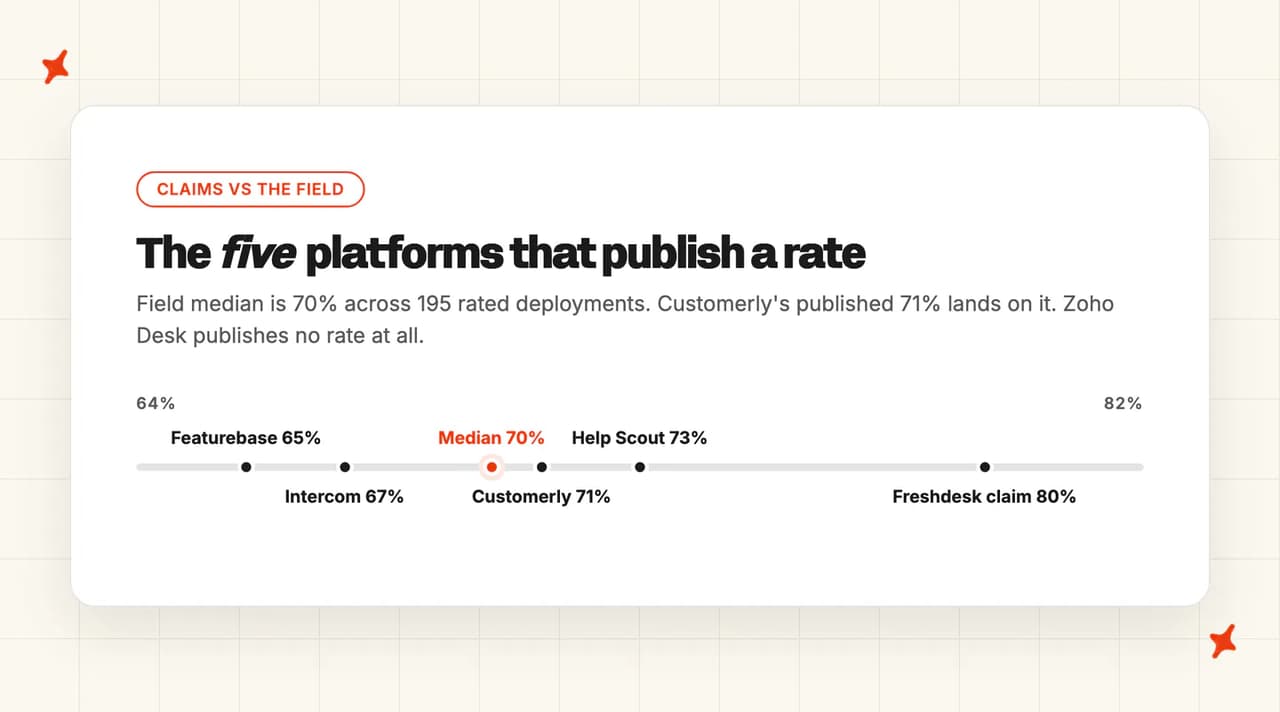
What's the overall comparison of the best AI help desks?
I scored all eleven platforms against the same eight criteria, out of 10 each, for a total out of 80. Columns run left to right by Overall score.
| (scores out of 10) | Intercom (Fin) | Zendesk | Freshdesk (Freddy) | Help Scout | Zoho Desk | HubSpot (Breeze) | Gorgias | Chatbase | Featurebase (Fibi) | Customerly (Aura) | ProProfs Desk |
|---|---|---|---|---|---|---|---|---|---|---|---|
| Ticketing & inbox | 9 | 10 | 8 | 7 | 8 | 7 | 7 | 5 | 5 | 6 | 6 |
| Native AI agent | 9 | 8 | 7 | 7 | 4 | 7 | 8 | 6 | 6 | 7 | 3 |
| Channels | 10 | 9 | 9 | 6 | 9 | 8 | 5 | 7 | 3 | 6 | 5 |
| Knowledge & training sources | 8 | 7 | 6 | 5 | 5 | 6 | 7 | 7 | 8 | 5 | 3 |
| Setup & migration | 6 | 4 | 6 | 9 | 6 | 5 | 7 | 10 | 6 | 7 | 7 |
| Security & compliance | 10 | 10 | 9 | 8 | 7 | 8 | 9 | 6 | 7 | 4 | 3 |
| Maturity & scale | 10 | 10 | 9 | 8 | 9 | 9 | 8 | 5 | 5 | 5 | 5 |
| Cost & pricing transparency | 5 | 4 | 5 | 8 | 9 | 6 | 4 | 5 | 6 | 6 | 6 |
| Overall (out of 80) | 67 (84%) | 62 (78%) | 59 (74%) | 58 (73%) | 57 (71%) | 56 (70%) | 55 (69%) | 51 (64%) | 46 (58%) | 46 (58%) | 38 (48%) |
Same eight criteria, same eleven platforms, same order, in plain words.
| (in words) | Intercom (Fin) | Zendesk | Freshdesk (Freddy) | Help Scout | Zoho Desk | HubSpot (Breeze) | Gorgias | Chatbase | Featurebase (Fibi) | Customerly (Aura) | ProProfs Desk |
|---|---|---|---|---|---|---|---|---|---|---|---|
| Ticketing & inbox | Modern inbox, tickets, help center | Deepest ticketing in the set | Multi-product portals, one license | Simple shared inbox by design | Mature ticketing, workflows, blueprints | Help desk on top of the CRM | Ecommerce inbox, unlimited stores | Own inbox, capped at 5 seats | Inbox added to a feedback suite | Full suite: inbox, help center, surveys | Real shared inbox, hard ticket caps |
| Native AI agent | 71% average, in-house Apex model | Agentic reasoning, no published rate | Claims 80%, reported 23–75% | 73.19% documented, sandbox first | No published rate, roadmap slipping | Confidence-gated, CRM-aware | Autonomous refunds and cancellations | Model-choice agent, no rate published | 65% self-measured, up from 50% | 71% published, runs multi-step Missions | Mostly suggested replies |
| Channels | Chat, email, voice, SMS, social, Slack | Chat, email, voice, SMS, social | Email, chat, WhatsApp, SMS, voice | Email, chat, social — no voice | Email, chat, messaging, social, voice | Chat, email, WhatsApp, voice in beta | Email, chat, SMS only | Chat, email, voice, social | Chat and email only | Chat, email, WhatsApp, Messenger, mobile | Email, forms, portal, SMS — no voice |
| Knowledge & training sources | Articles, docs, snippets, 100 URLs | Help center plus knowledge builder | Website URLs and uploaded files | Docs sites and public URLs only | Zoho KB, 30-article minimum | Existing content, no external connectors | Help center, site, docs, Shopify data | Files, website crawl, Q&A, Notion | Docs plus live roadmap and changelog | Help center, Documents, intents only | No documented grounding or training UI |
| Setup & migration | Mainstream migration, weeks not days | Heaviest lift in the set | Standard incumbent migration | Simplest here, 25+ import paths | Self-serve, ecosystem lock-in | Wizard setup, paid onboarding | Shopify install, per-store agents | Live in under ten minutes | Adopting Fibi means migrating | Self-serve, published migration path | Small tool, quick start |
| Security & compliance | Eight certifications, no PCI-DSS | SOC 2, ISO family, FedRAMP, PCI | SOC 2, ISO 27001/27701, PCI, HIPAA | SOC 2 Type II, HIPAA on Pro | GDPR, HIPAA, CCPA, seven regions | SOC 2, GDPR, permission inheritance | SOC 2 Type II, HIPAA, EU residency | SOC 2 Type II and GDPR only | SOC 2 Type II, EU-only hosting | GDPR, EU-only, no own certification | No ProProfs-held certification |
| Maturity & scale | 7,000+ teams on Fin | 200,000+ companies | Nearly 75,000 companies | B Corp, 2–50 agent teams | Huge Zoho installed base | 288,706 paying customers | 17,000+ ecommerce merchants | Founded 2023, 18 people | Bootstrapped, Fibi shipped 2026 | EU suite, no published customer count | Long-lived, AI is new |
| Cost & pricing transparency | $0.99 per outcome, published | $1.50–$2.00 per resolution | $0.49 per session, resolved or not | $0.75 per resolution, spend cap | $40/agent flat, AI included | $0.50 per resolution, $90 seats | $0.90–$1.00, plus the ticket fee | Flat tiers, 7.7× model swing | $0.49 per resolution, up 69% | $0.45 a conversation, uncapped meter | Cheapest sticker, undocumented cap |
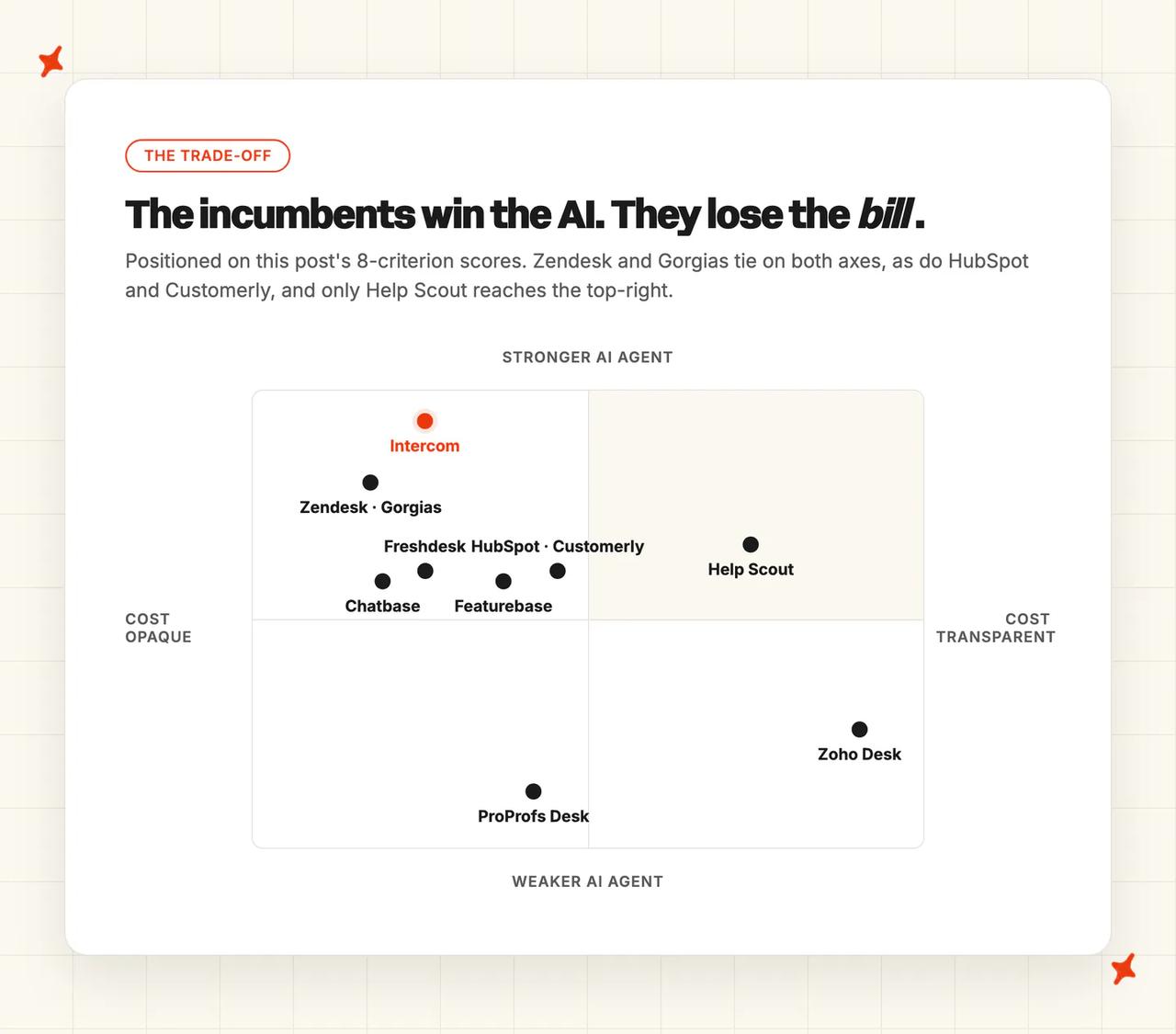
Two patterns hold across all eleven. The first is that the incumbents win on the boring criteria (ticketing depth, channel breadth, certifications, scale) and lose on cost, because every one of them charges again each time the AI succeeds. The second is that the two platforms with no per-resolution meter at all, Zoho Desk and ProProfs, buy that predictability by publishing almost nothing about how well their AI works.
How did I select these AI help desks?
A platform qualifies when it owns your tickets (inbox, ticketing, help center, reporting) and has a first-party AI agent inside that same product. One test, applied to every candidate, so you can audit the set for yourself.

Three groups are excluded, each for a reason you can check. AI layers (Decagon, Sierra, Ada, Forethought and the rest) need somebody else's help desk to sit on, so they answer a different question than "which platform should own my support?". Internal IT and service desks are out of scope per the note at the top, and pure chatbot builders are out because a widget with no ticketing isn't a help desk, however good the answers are.
Three more platforms clear the same bar and didn't make the eleven: Tidio (Lyro, SMB ecommerce, own help desk, entry at $32.50/mo), Crisp (EU-hosted, Hugo AI at roughly $0.05 to $0.10 per conversation) and Dixa (Mim AI at a flat €0.35 per conversation with no published seat minimum). If none of the eleven below fits, those are the next three names to look at.
How did I compare them?
Every price in this post was checked against the vendor's own live pricing page in July 2026, which matters more than it sounds: two of the eleven repriced or repackaged their AI inside the last three months.
Ticketing & inbox
This is the half of the product the AI doesn't touch: the queue, the assignment rules, the SLAs, the help center, the reporting your team lives in all day. If the AI resolves 70% of tickets, this is what handles the other 30%, so a thin inbox behind a clever agent is a bad trade.
I scored depth and whether the product is a support platform in its own right or something else with a support module attached. Seat ceilings count here too. A plan that caps at five users is not a help desk for a twelve-person team.
Native AI agent
What the first-party agent resolves on its own, and what the vendor is prepared to publish about it. A documented average resolution rate carries far more weight than a marketing ceiling, and the gap between those two numbers is itself a finding.
I also looked at escalation. Which triggers are documented, whether a frustrated customer gets out quickly, and whether the human picks up with any context.
Channels
Whether the AI reaches customers where they actually are: web chat, email, WhatsApp, SMS, Instagram, Messenger, voice. Channel breadth on the help desk and channel breadth for the AI agent are frequently different lists, and I scored the second one.
Knowledge & training sources
An AI agent is only as good as what it's allowed to read. The wide end of this axis ingests help center articles, public URLs, uploaded documents, Q&A pairs and live product data. The narrow end reads its own help center and nothing else.
Past tickets are the specific thing to check. They're the richest source of how your team actually answers, and several platforms here (Help Scout, Chatbase and Zoho Desk among them) can't use them at all.
Setup & migration
You already own a help desk, so the real cost of switching is moving ticket history, rebuilding macros and routing, retraining your team, and the weeks where both systems are half-live. I scored time to a working AI agent, whether a developer is needed, and any mandatory onboarding fee.
Security & compliance
The certifications that exist, named: SOC 2 Type II, ISO 27001, HIPAA, PCI-DSS, GDPR. Where a platform holds a certification through its cloud provider rather than in its own name, that's a different claim and I scored it as one.
Maturity & scale
How long the product has shipped, how many companies run on it, and whether the AI half is a mature product or a recent addition. A newer platform can be excellent, and this axis scores track record, so a 2026 AI module scores lower here than one with three years of published numbers behind it.
Cost & pricing transparency
This is where the category misleads people, so I scored it against worked bills rather than sticker prices. Almost every platform here runs two meters: a per-seat subscription plus a separate charge each time the AI does its job.
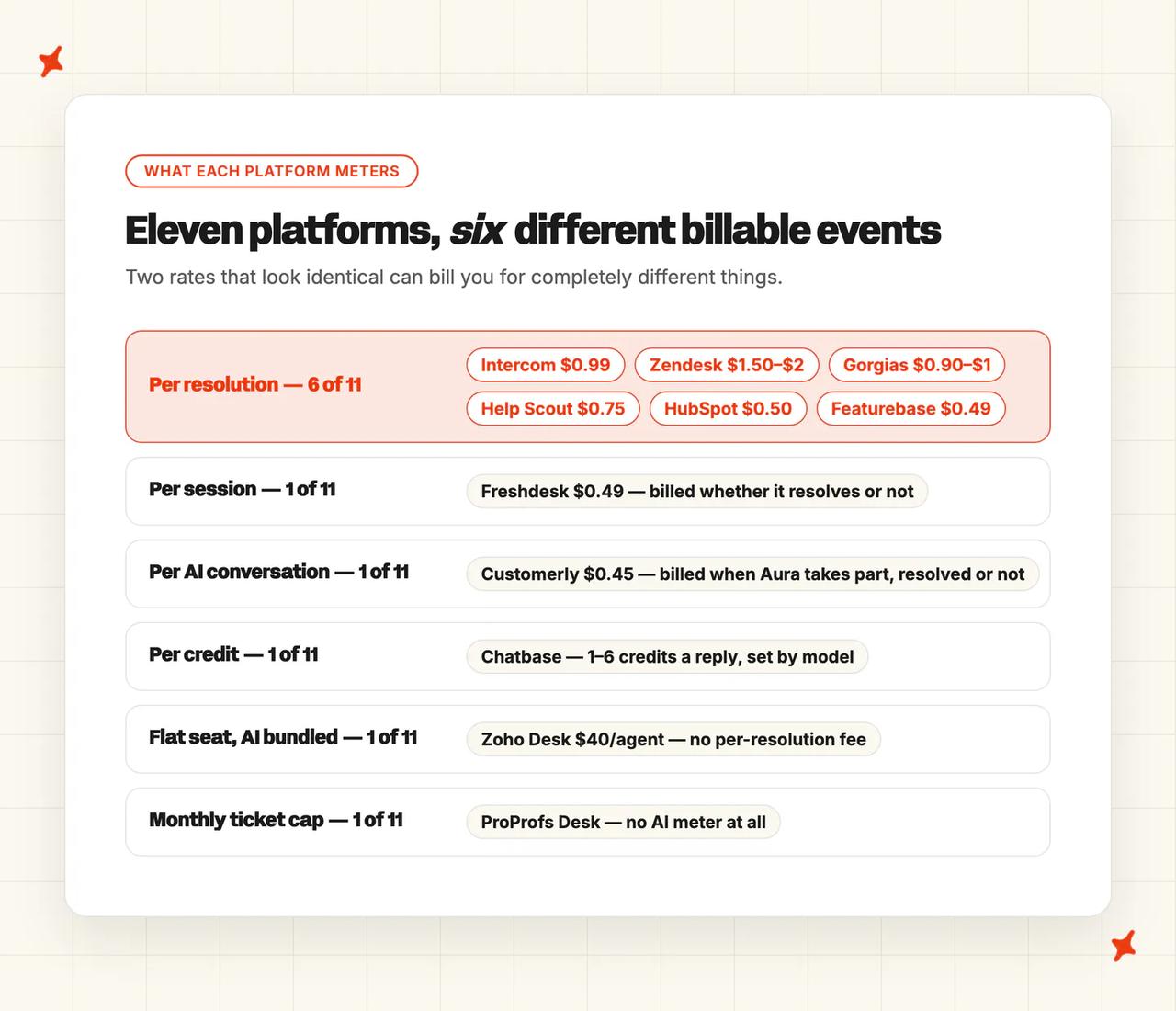
The second meter isn't even a standard unit. Four platforms in this set bill four different events: Intercom bills an outcome, Zendesk an automated resolution, Freshdesk a session (charged whether or not it resolves), and Help Scout a resolution it only charges for when the customer doesn't come back.
Chatbase adds a fifth, the credit, where one AI reply costs between one and six of them depending on which model you picked. That makes six vendors and six different billable events, so two identical-looking rates can bill you differently for the same conversation.
What does an AI help desk actually cost at 1k, 10k and 50k tickets?
Seats plus AI, at three volumes, on list pricing, at a 50% AI resolution rate so the per-resolution vendors are compared on the same basis. Seat counts follow the volume, so I modeled 5 agents at 1,000 tickets, 20 at 10,000 and 50 at 50,000.
| Vendor | 1,000 tickets/mo | 10,000 tickets/mo | 50,000 tickets/mo |
|---|---|---|---|
| Intercom (Fin) | ~$920 | ~$6,650 | ~$29,000 |
| Zendesk | ~$1,250 | ~$9,500 | ~$42,500 |
| Freshdesk (Freddy) | ~$765 | ~$6,000 | ~$27,250 |
| Help Scout | ~$500 | ~$4,250 | ~$20,000 |
| Zoho Desk | $200 | $800 | $2,000 |
| HubSpot (Breeze) | ~$700 | ~$4,300 | ~$17,000 |
| Gorgias | ~$750 | ~$7,050 | ~$37,500 (Enterprise, custom-quoted) |
| Chatbase | $400 | $1,400 | $7,800 |
| Featurebase (Fibi) | ~$540 | ~$3,630 | ~$15,200 |
| Customerly (Aura) | ~$560 | ~$3,620 | ~$14,700 |
| ProProfs Desk | ~$150 | ~$1,200 | not priceable |
An Intercom customer put it in one line:
G2: "the pay-per-resolution approach makes costs hard to predict at higher volumes." Stephan W., Head of Support, via G2.
Three of those numbers contradict the pricing pages they came from.
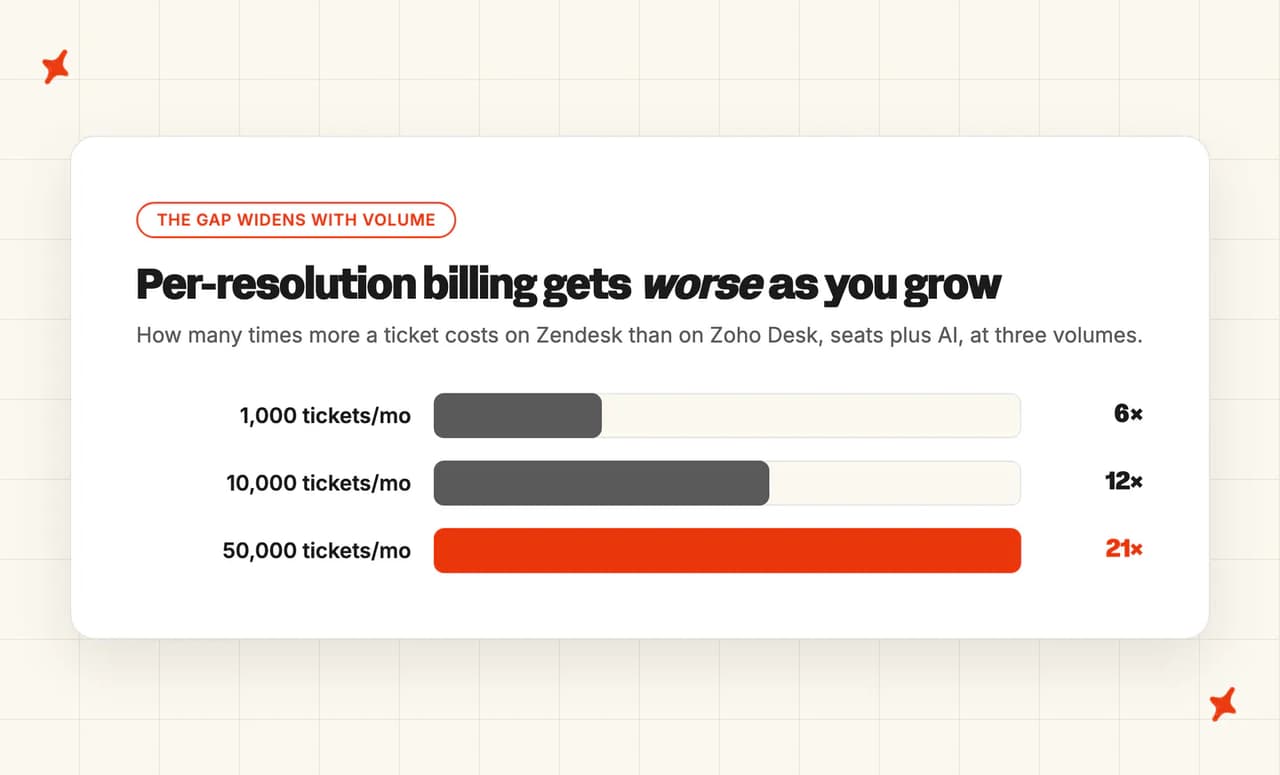
- Zoho Desk gets cheaper per ticket as you grow, the exact inverse of everyone else. Its effective rate falls from $0.20 to $0.08 to $0.04 per ticket, because the bill tracks agent count and ticket volume never enters it: twenty Enterprise seats cost $800 a month whether they field 1,000 tickets or 50,000. The caveat I'd put next to it: you pay the same whether the AI resolves everything or nothing, and Zoho publishes no resolution rate to tell you which.
- Chatbase swings 7.7× at identical volume, on a dropdown its pricing page never mentions. At 10,000 tickets the same account costs $600 on its cheapest models, $1,400 on GPT-5.2 or Gemini, $2,200 on Sonnet and $4,600 on Opus, because a credit is a variable unit: one reply burns between one and six of them by model. Its overage is auto-recharge at $40 per 1,000 credits, about 1.5× the blended Pro rate, so cost per resolved ticket rises as volume grows.
- ProProfs' cost cliff is a hard ceiling on tickets, and the consequence of crossing it is undocumented. The only adjacent clause lets ProProfs charge "an extra fee or service may be permanently terminated or temporarily blocked." Tiers cap monthly tickets at 100, 1,000, 6,000, 15,000 and 60,000, and at 10,000 tickets a 20-agent team can't buy the $29.99 tier however many seats it needs, because that tier caps at 6,000 and the cap forces the $59.99 one. What happens when you cross a cap is published nowhere. The nearest clause is a discretionary fair-use policy under which excessive usage "may be charged an extra fee", so I'd get the overage number in writing before you sign.
One pattern runs through the rest of the numbers: the seat line is a far bigger share of your bill at 1,000 tickets than at 50,000, where the AI meter is typically 75 to 90% of it. Every per-resolution vendor here is priced so that the better the AI gets, the more you pay, which is defensible as a business model and something I'd model at your own volume before signing.
Is Intercom a good AI help desk?
Intercom is the one to beat on this list, and Fin is why. It's a full support platform (inbox, tickets, help center, reporting) with an AI agent that Intercom has been shipping and publishing numbers on since March 2023, through three major versions and now an in-house vertical model.
G2: Intercom scores 4.5/5 from 3,901 reviews on G2. "What I like best about Fin is how seamlessly it's integrated into the overall Intercom experience… does a strong job handling common, repetitive questions with high-quality, on-brand responses." Stephan W., Head of Support, via G2.
How good is Intercom's ticketing and inbox?
The inbox is the reference implementation for modern support: one queue across every channel, tickets with custom attributes and SLAs, macros, a help center, and reporting that most competitors are still catching up to. Fin and your human agents work the same conversation against the same customer record, which is the practical benefit of a first-party agent.
Seats run $29 to $139 per agent per month on Intercom's pricing, which is the top of the market for a help desk before you add any AI at all. I'd budget that seat line first and treat Fin as a second bill arriving next to it.
How good is Intercom's native AI agent?
Fin averages 71% resolution across 7,000+ customers on Apex 1.0, Intercom's own post-trained vertical model, the most-documented figure in this set and comfortably inside the 70% field median's range. Escalation is the strongest here: it triggers on an explicit customer request, on low confidence, on detected frustration, and on sensitive-topic rules you write yourself in Fin > Train > Guidance, where the docs name refunds, cancellations and sensitive data as the examples. A frustration-triggered escalation isn't billed.
There's no documented AI-written summary handed to the human agent on escalation (the only summary in the docs is a customer-facing transcript on request), and handing a conversation back to Fin is workflow-gated, with no button for it in the inbox. Procedures carry the multi-step agentic work.
What channels does Intercom support?
Intercom covers chat, email, voice, SMS, WhatsApp and social, plus Slack and Discord for community-led support, which is the widest list in this set. If you run a product with a Discord community and a phone line, Intercom is the only platform in this set that covers both natively.
What knowledge sources can I train Intercom on?
Fin's knowledge sources doc lists "public articles, documents, snippets, and public URLs", plus auto-imported Intercom help center articles and synced external sites. The limit to plan around is "up to 100 external sources", generous for most teams and tight if your knowledge is spread across dozens of subdomains and doc sites, so I'd count yours before you assume you fit.
How hard is it to set up or migrate to Intercom?
Setting Fin live is self-serve: point it at your help center, roll it out to internal email first, then widen by audience rule with a hard resolution cap as a safety net. Migrating the help desk is the real project (ticket history, macros, routing and integrations), and that's a weeks-not-days exercise for an established team.
There's also a standalone Fin you can run on top of Zendesk, Salesforce, HubSpot or Freshworks without Intercom seats, which is the route I'd take if you want the AI but not the migration.
How secure is Intercom?
The strongest AI-specific compliance list in the category, published on Intercom's trust center: SOC 2 Type II, ISO 27001:2022, ISO 27018, ISO 27701, ISO/IEC 42001:2023 for AI management systems, AIUC-1 (a standard written specifically for AI agents), annually renewed HIPAA attestation, and HDS for French health data. GDPR and CCPA are confirmed.
PCI-DSS is the one notable absence, so if card data flows through your support conversations, ask about it early.
Who is using Intercom?
Fin runs at real scale, and Intercom cites 7,000+ teams including Anthropic, Lightspeed, Atlassian, WHOOP, Synthesia and Gamma, with Anthropic's phased rollout published as the reference deployment. Salesforce agreed to acquire the company for roughly $3.6bn in June 2026, with the deal expected to close in Q4 FY2027, which I'd factor into any multi-year decision.
How much does Intercom cost?
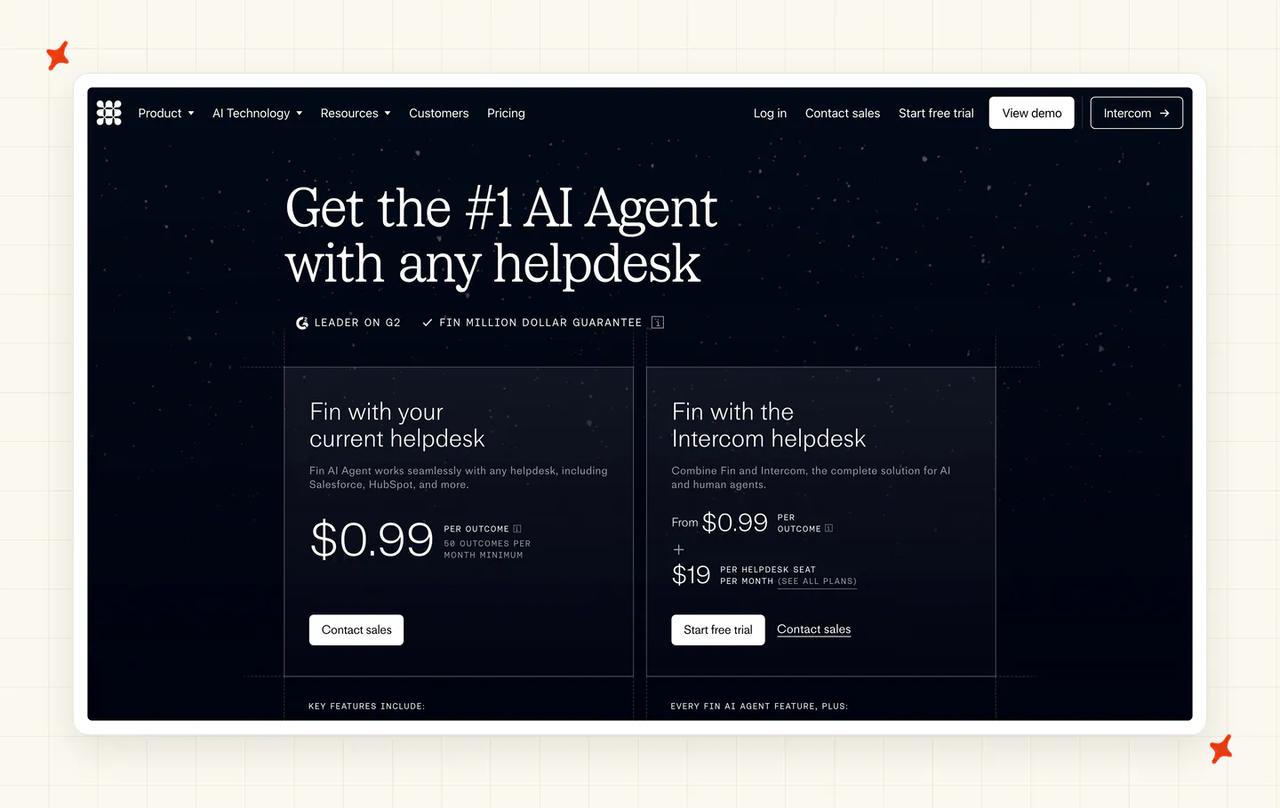
Fin bills $0.99 per outcome, defined as one charge per conversation "even if Fin takes multiple actions", on top of seats at $29 to $139 per agent per month on Fin's pricing page. Standalone Fin drops the seat line entirely with a 50-outcome monthly minimum, so about a $49.50 floor. Watch the units: the same pricing page also lists a $9.99 per qualification outcome rate for lead qualification, ten times the support rate.
All-in at 50% resolution that's roughly $920 a month at 1,000 tickets, $6,650 at 10,000 and $29,000 at 50,000. By 50,000 the per-outcome charge is about 85% of the bill, and that ratio is the number I'd take into a renewal conversation.
Read more: our complete guide to Intercom Fin covers the agent end to end, the Intercom Fin alternatives roundup is the next stop if the per-outcome line is what's pushing you to look elsewhere, and My AskAI vs Intercom Fin puts the two side by side.
Is Zendesk a good AI help desk?
Zendesk is the default answer for enterprise support, and its AI is assembled from acquisitions: Ultimate in 2024, then Forethought in March 2026 (its largest purchase in two decades). That buys real capability and a certain amount of packaging churn.
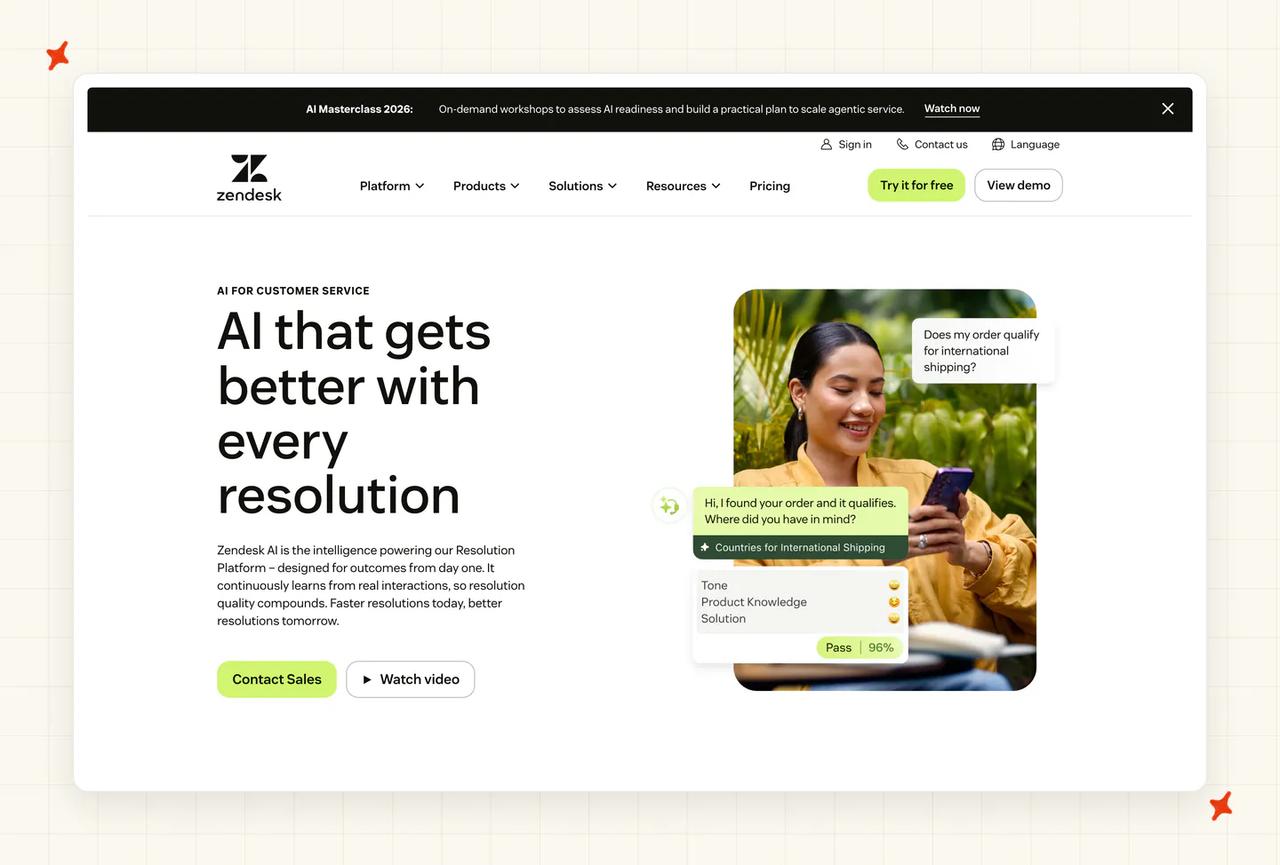
G2: Zendesk scores 4.3/5 on G2, where the AI is reviewed inside the main customer-service listing rather than on a page of its own.
How good is Zendesk's ticketing and inbox?
Nothing I've scored here matches it. Triggers, automations, SLA policies, skills-based routing, side conversations, multi-brand help centers and Explore reporting are the reason large support organizations stay on Zendesk even when they dislike the bill. If your requirement is "the ticketing has to survive 200 agents and an audit", this is the answer.
Suite seats run $55 to $150+ per agent per month depending on tier, published on Zendesk's pricing page.
How good is Zendesk's native AI agent?
Capability is strong and now standard: AI agents do agentic reasoning, multi-step procedures and external API calls, with entity extraction and intent dashboards behind them. What's missing is a published average resolution rate. Zendesk markets "up to 80%+ automation" while its own case studies land between 39% and 66%, so I'd plan on the low end of that band.
The billing definition is as important as the rate: "An automated resolution is counted when a customer's issue is successfully resolved without live-agent intervention", and the docs are explicit that a conversation escalated to a human is not counted or billed.
What channels does Zendesk support?
Chat, email, voice, SMS, social and WhatsApp, with AI agents covering messaging, email and web form. One documented wrinkle for AI flows: data-capture steps are skipped on social messaging channels like Facebook, Instagram and X, so a flow that asks for an order number degrades there.
What knowledge sources can I train Zendesk on?
The help center is the primary source, with a Knowledge builder that drafts articles and multi-knowledge-source support for the agentic features now folded into every plan. It's a competent set with a narrow spread. The design assumption is that your knowledge already lives in Zendesk Guide, and content sitting in Notion, Confluence or Drive needs to be moved or mirrored first, which I'd cost into the migration.
How hard is it to set up or migrate to Zendesk?
The AI itself is a few clicks: enable it in Admin Center, pick a persona, point it at the help center. Migrating to Zendesk is the heaviest lift in this set (it's the platform with the most surface area), and 2026 adds a forced transition on top, since legacy Essential AI agents stop being developed on August 31, 2026 and reach end of life on December 10, 2026.
How secure is Zendesk?
The broadest published list here, on Zendesk's trust center: SOC 2 Type II, ISO 27001, 27017, 27018, 27701 and 42001, FedRAMP, PCI-DSS, HIPAA with a BAA, and GDPR. If your buying process is gated by a security questionnaire, this is the platform that answers all of it without a caveat.
Who is using Zendesk?
Zendesk states it is trusted by 200,000+ companies, and its education customers include Duolingo and Khan Academy, whose published story is a scale one: support requests up 1,200% from parents and 750% from teachers during the March 2020 surge, at 92% CSAT. That story is about ticketing and Guide, so I wouldn't read it as an AI outcome.
How much does Zendesk cost?
Zendesk charges $1.50 per committed automated resolution or $2.00 pay-as-you-go, published on its own pricing page under "compare all plan features" → AI agents, on top of Suite seats at $55 to $150+. Each plan bundles some resolutions per agent per month (Team 5, Professional 10, Enterprise 15) and all plans cap at "10,000 allocated automated resolutions per year". Overage is "billed monthly, regardless of your subscription terms".
All-in at 50% resolution that's roughly $1,250 a month at 1,000 tickets, $9,500 at 10,000 and $42,500 at 50,000, the most expensive stack in the set. Grandfathered contracts still carrying the retired Advanced add-on pay about $50 per agent on top of that, so I'd check which one you're actually on.
The transparency knock is what happens next. Zendesk announced that "The distinction between 'Essential' and 'Advanced' AI agent plans is being removed. All customers will transition to a single offering", phased 11 May to 12 June 2026, with the Advanced features "now included across Zendesk Suite and Support plans." On what replaces the current rates it says only that outcome-based pricing will evolve, with no numbers published.
Read more: the Zendesk AI complete guide goes deeper on the repackaging, our Zendesk AI alternatives roundup is where I'd start if the rate or the unpublished replacement pricing is your blocker, and My AskAI vs Zendesk AI is the head-to-head.
Is Freshdesk a good AI help desk?
Freshdesk is the value incumbent: most of what Zendesk does, at roughly half the seat price, with an AI suite (Freddy AI Agent, Copilot and Insights) already embedded. If your shortlist is "a real platform without enterprise pricing", it's usually on it.
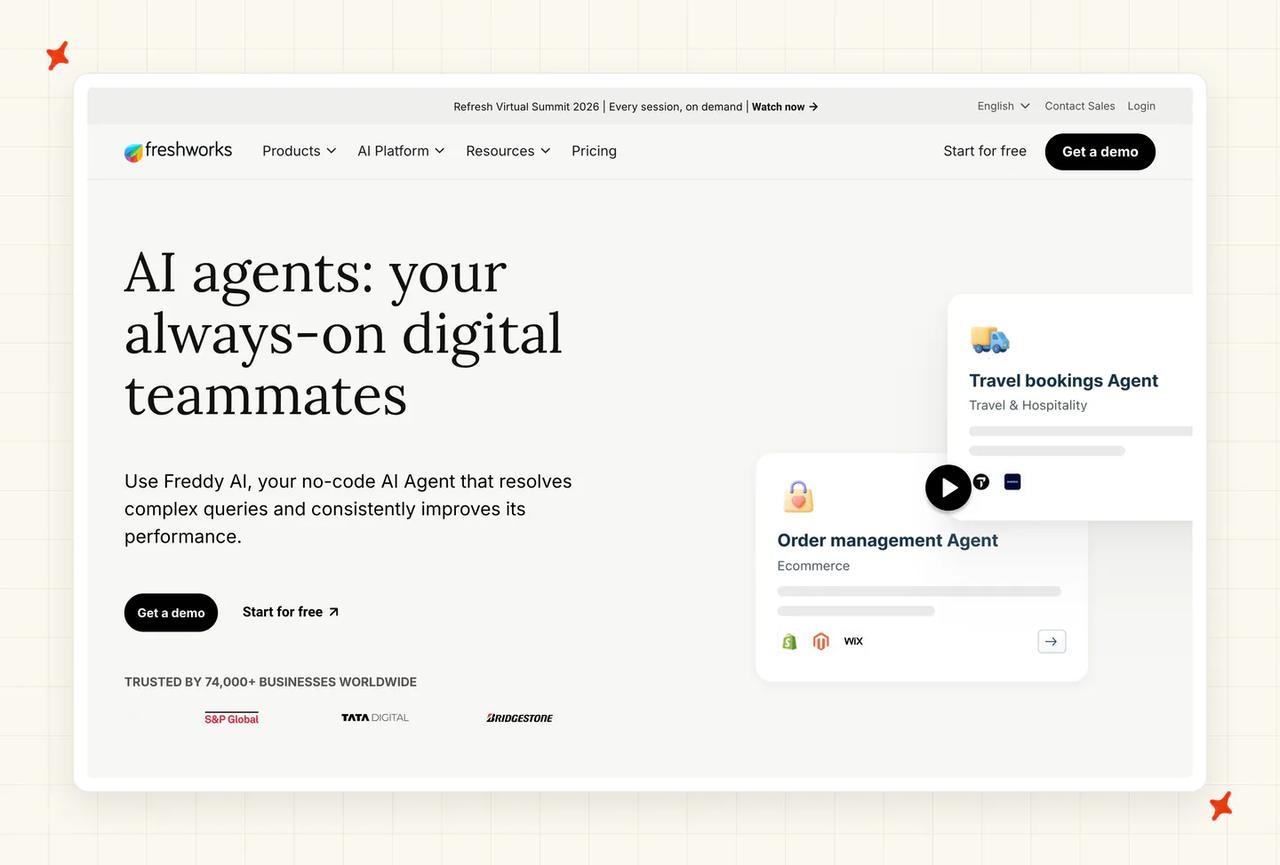
G2: Freshdesk scores 4.4/5 from 3,746 reviews on G2.
How good is Freshdesk's ticketing and inbox?
Solid, mature ticketing with a multi-product model worth the license: up to five products on Pro and unlimited on Enterprise, each with its own portal, URL, mailbox, knowledge base and forums, and no per-product license fee. For a company running three brands off one support team, that alone can decide the purchase.
Agents are not partitioned by default, and the docs say "agents can see tickets from all products", so brand isolation is manual work you build with automation rules. I'd scope that build before you count the multi-product license as a saving.
How good is Freshdesk's native AI agent?
Freddy handles the standard autonomous work and Freshworks claims 80% resolution. Customer-reported reality sits between 23% and 75%, a spread wide enough that you should treat the claim as a ceiling and the 70% field median as the sane planning assumption.
Copilot is the other half of the AI story and often the better-value one: reply suggestions and summaries for your human agents at $29 per agent per month (a flat productivity line on the invoice, with no usage meter behind it).
What channels does Freshdesk support?
Email, chat, WhatsApp, Facebook, Instagram, SMS and voice: a complete omnichannel set at this price point, and the reason Freshdesk shows up in retail and travel shortlists where phone still matters.
What knowledge sources can I train Freshdesk on?
Website URLs and uploaded files, configured per bot, plus your Freshdesk knowledge base. It's the narrower end of this axis, with no connectors for the places most companies actually keep documentation, so anything in Notion, Confluence or Drive has to be exported or mirrored into a source Freddy can read. Somebody has to keep those copies fresh, so I'd name that person before you launch.
How hard is it to set up or migrate to Freshdesk?
Standard incumbent migration: importable ticket history, a self-serve setup for the AI agent, no developer needed for the common path. Multi-product setup adds real configuration time, especially the automation rules that partition agents, and that work lands on whoever owns the help desk.
How secure is Freshdesk?
Audited annually for ISO 27001, ISO 27701 and SOC 2 Type 2, plus PCI DSS v4.0, GDPR and CCPA with a DPA available to all customers, and HIPAA with a BAA scoped to Freshdesk, Freshchat, Freshcaller and Freshdesk Omnichannel, all listed on Freshworks' trust page. The one thin spot is data retention: no specific retention window is published for Freddy prompt logs.
Who is using Freshdesk?
Freshworks reports nearly 75,000 companies on its CX software with Freddy adopted by more than 5,000 organizations since 2023, and the logo wall runs from Bridgestone and New Balance to Klarna and Hugo Boss. On the AI specifically, Freshworks publishes outcomes from PhonePe (80% of queries automated) and Hobbycraft (30% auto-resolved with CSAT up 25%) on its Freddy AI Agent page.
How much does Freshdesk cost?
Freshdesk is $55 per agent per month on Pro, published on Freshworks' Freshdesk pricing page, plus $0.49 per Freddy session, and a session is billed regardless of whether Freddy resolves anything. Sessions are also pooled account-wide across AI Agents and Chatbots, so there's no per-brand budget to ring-fence.
All-in that's roughly $765 a month at 1,000 tickets, $6,000 at 10,000 and $27,250 at 50,000. $0.49 is the cheapest headline rate of any metered vendor here, but it bills on every interaction, so at Freddy's documented 40% band the effective cost per resolved ticket lands around $1.36 to $1.91, right next to Intercom's per-outcome economics on a rate less than half the size.
Read more: the Freshdesk Freddy complete guide covers the session model in full, our Freshdesk Freddy alternatives roundup covers the platforms that bill only when the AI actually finishes the job, and My AskAI vs Freshdesk Freddy compares them directly.
Is Help Scout a good AI help desk?
Help Scout is deliberately the least complicated product in this list. It's a shared inbox with Docs, Beacon and an AI agent, built for teams of roughly two to fifty agents who want support software that doesn't need an administrator, and it's been a certified B Corp since 2019.
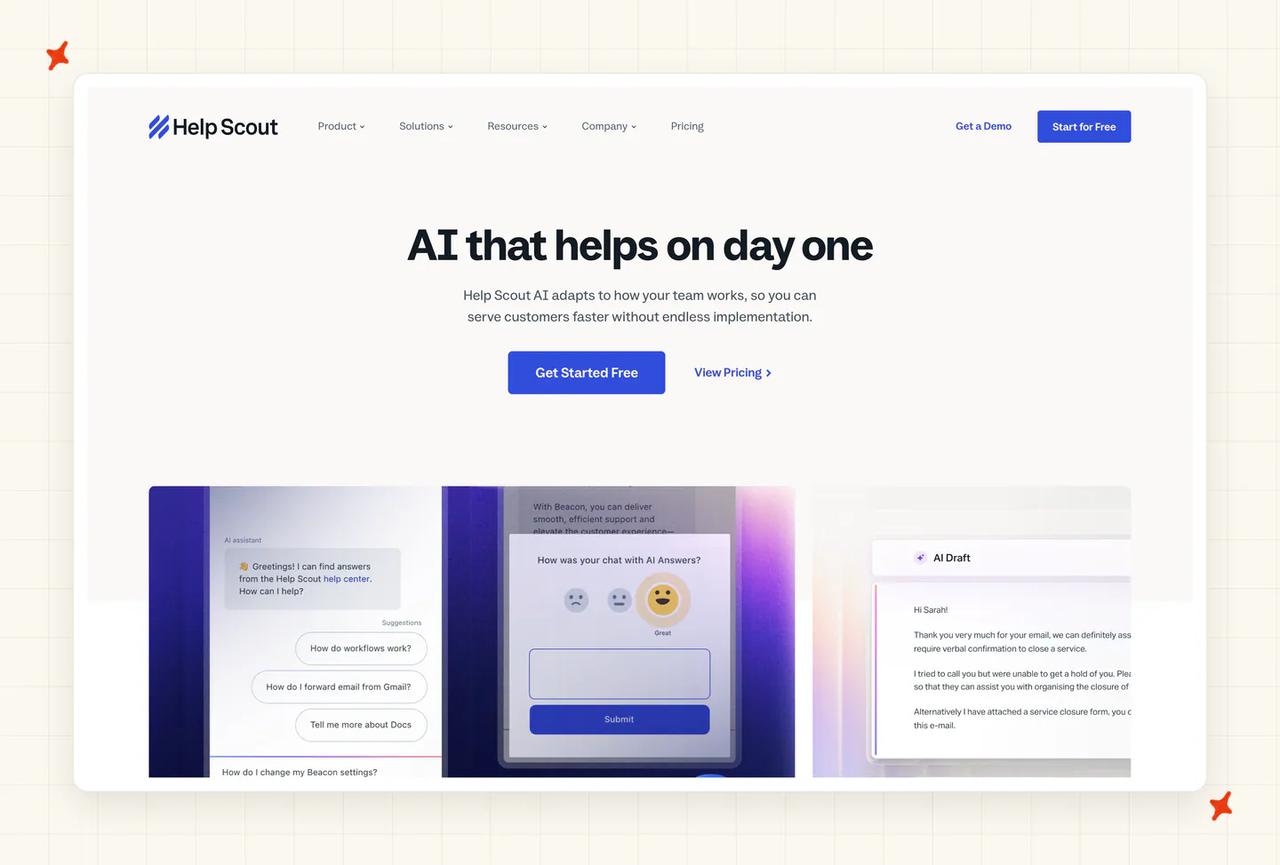
G2: Help Scout scores 4.4/5 from 428 reviews on G2. "Lately, we've been taking advantage of their newer AI features, which have become part of our regular process." Noxy P., Operations Associate, via G2.
How good is Help Scout's ticketing and inbox?
It's a shared inbox by design, and the unit of work is the conversation. You get assignment, saved replies, workflows, a Docs knowledge base and the Beacon widget; you don't get the routing depth or audit surface of Zendesk.
Seats run $25 to $75 per user per month on the current per-user model, set out on Help Scout's pricing page. The older contact-based pricing is legacy and grandfathered, so new signups won't see it (worth checking if you're holding an older quote to compare against).
How good is Help Scout's native AI agent?
AI Answers documents a 73.19% average resolution rate across customers, one of only four published fleet averages in this set. Better still, there's a testing sandbox that will "Run AI Answers through any support scenario to see exactly how it will handle conversations", so you can watch it handle your real edge cases before a customer does.
The improvement loop does real work. An "Improve" correction on any conversation is saved as an instruction applied to similar future queries, and Suggested Improvements evaluate incoming queries against your existing inbox conversations. Given that past tickets aren't a training source here, I'd treat that loop as the main way the agent gets better.
What channels does Help Scout support?
Email, chat, Facebook, Instagram and WhatsApp, with no voice, as one reviewer noted: "It needs more features. Phones, AI agents." (Zameika E., Team Lead, via G2). AI Answers itself is enabled per Beacon, in one of two modes, so it's a chat-first agent.
What knowledge sources can I train Help Scout on?
Help Scout Docs sites plus "other publicly available sites and documents", so your own knowledge base and public URLs. Past tickets are not a source, so everything your team has already written in the inbox stays invisible to the AI. I'd test AI Answers against your ten most common tickets before assuming your Docs cover them.
How hard is it to set up or migrate to Help Scout?
The easiest in the set by a distance. One customer reported that onboarding with a competitor was going to take six months and Help Scout took 24 hours, another that the team taught themselves the product in a day, both on Help Scout's customer stories page. Migration used to be a weak point and now covers 25+ platforms through an import partnership.
How secure is Help Scout?
SOC 2 Type II for security and availability with the report available on request, plus GDPR, UK-GDPR and CCPA, and HIPAA with a signed BAA, all set out on Help Scout's security page. HIPAA and SSO/SAML are gated to the Pro tier or an add-on, so a compliance requirement can move you two tiers up and take your budget with it.
Who is using Help Scout?
Named customers with published stories include Litmus, George Washington University (80,000+ emails a year) and TeamSnap, which scaled past 20 million users on it, plus a focus-and-sleep audio app reporting 60% of conversations resolved on the first email at a 95% happiness score, all on Help Scout's customer list. On the AI specifically, eCatholic reports handling over 15% of conversations automatically, a useful reminder that the 73% average is an average.
How much does Help Scout cost?
Help Scout charges $0.75 per AI resolution on top of $25 to $75 per user per month, and the definition is the best in this category. A resolution is "a single AI chat session that is resolved without help from a human", charged only when the AI gives a full answer and the customer doesn't come back after it, billed in arrears, with no charge when the AI merely greets or asks a clarifying question.
You can also set a monthly spend limit by resolution count, after which "AI Answers will be disabled in your Beacon until the next cycle or until you raise the limit." That's the only hard cost ceiling any vendor here offers, and if a forecastable bill is your problem I'd start there. All-in at 50% resolution: roughly $500 a month at 1,000 tickets, $4,250 at 10,000, $20,000 at 50,000. New accounts get three months of AI free and prepaying saves up to 33%.
Read more: our Help Scout AI guide goes deeper on AI Answers, Help Scout pricing explained runs the seat-plus-resolution math at three volumes, the Help Scout alternatives roundup covers the switching options, and My AskAI vs Help Scout is the head-to-head.
Is Zoho Desk a good AI help desk?
Zoho Desk bundles the AI into the seat, which nothing else on this list does. It's a mature omnichannel help desk with Zia layered through it, and for a company already running on Zoho it's the cheapest credible route to bundled support AI.
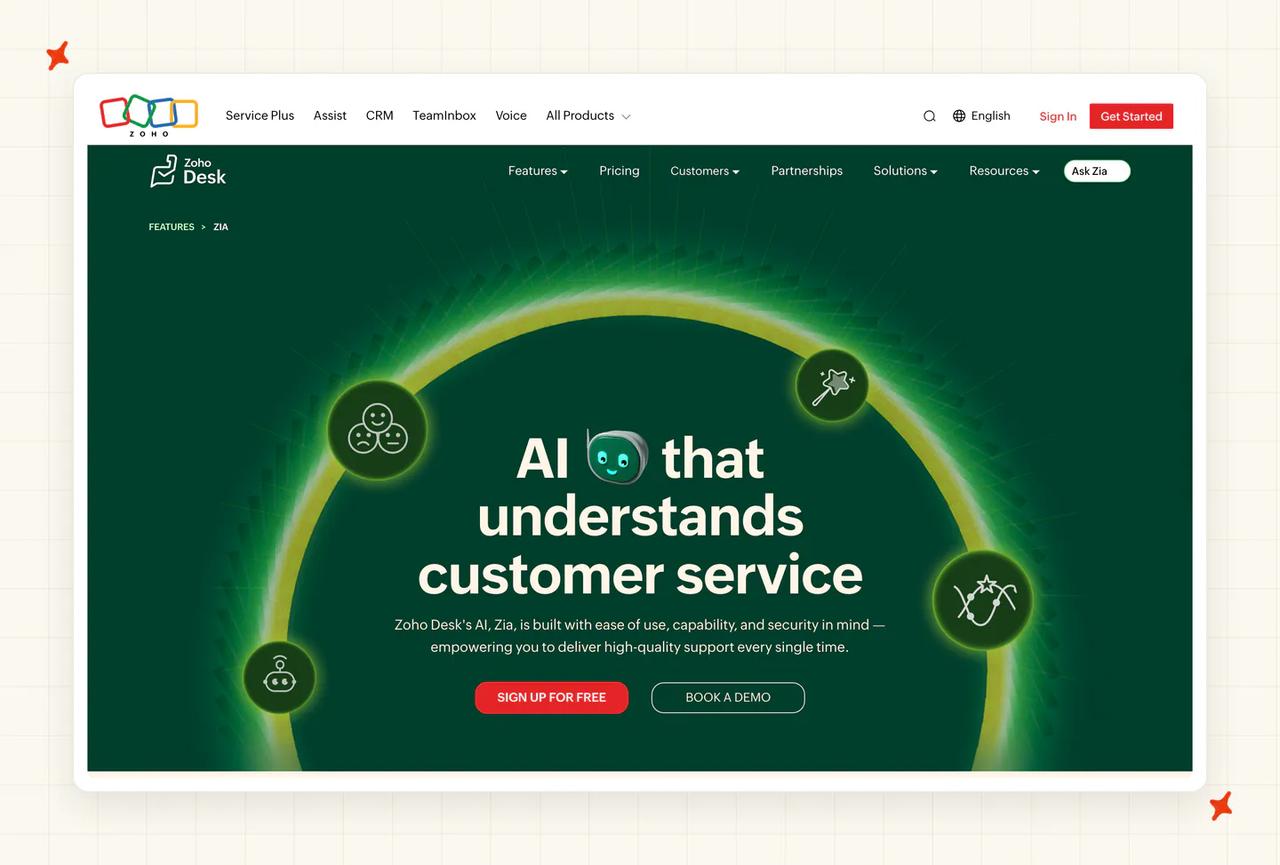
G2: Zoho Desk scores 4.4/5 from 7,133 reviews on G2, which is the right page for Desk's service AI, since Zia is reviewed inline there.
How good is Zoho Desk's ticketing and inbox?
Stronger than the price suggests, and often underrated: multi-department ticketing, workflows and Blueprints for process automation, SLAs, a multi-brand help center, and the ASAP in-app widget. Capterra reviewers consistently name the automation depth and the value together, and the product has been shipping long enough that the edges are worn smooth.
At $40 per agent per month on Enterprise annual, listed on Zoho's Desk pricing page, it undercuts every other real platform I scored.
How good is Zoho Desk's native AI agent?
This is the weak axis. Zoho publishes no resolution rate on any of its own pages, so there is no first-party number to plan against. The in-house Zia LLM still reads "COMING SOON" against an end-2025 GA target, seven-plus months late.
Of the four Zia Agents, Support Specialist and Resolution Expert are generally available but restricted to the Indian and US data centers only, while Sentiment Analyst and Quality Manager remain "Coming Soon". Zia Agent Studio is GA. "Zia is Enterprise-only" is no longer true: AI Agents moved down to the Express tier with "up to 30M free tokens/month", and generative AI with your own key starts there too.
What channels does Zoho Desk support?
Zoho Desk covers email from Express upward, live chat via SalesIQ on Enterprise, the web help center and ASAP widget, messaging across WhatsApp, Instagram, Messenger, Telegram, WeChat and LINE, social from Express, and voice from Professional, with multi-level IVR on Enterprise. AI coverage across those channels is uneven. The SalesIQ chat bot is a different engine from Desk's own Answer Bot, a distinction the pricing page doesn't make for you, so I'd ask which engine covers which channel.
What knowledge sources can I train Zoho Desk on?
The Zoho knowledge base is the core source, alongside cross-Zoho data through the shared data model and open-domain web content if you bring your own OpenAI key. Two prerequisites to plan for: Answer Bot needs a minimum of 30 published public knowledge base articles before it functions at all, and knowledge base sync can take up to 60 minutes.
Zia can turn tickets into knowledge base articles, but it does not train directly on raw past tickets, an acknowledged limitation on Zoho's own community forums.
How hard is it to set up or migrate to Zoho Desk?
Setup is self-serve and Zia Agents claim sub-minute activation, so getting the AI switched on is quick. The migration reality is ecosystem-shaped: the value case for Zoho Desk assumes you're on (or moving to) the wider Zoho stack, and Zia can't read documentation or past tickets living in other vendors' tools without custom development.
How secure is Zoho Desk?
Zoho states that "we never use our customers data to train our AI model and are compliant with GDPR, HIPAA, and CCPA" on the Zia for Desk page, and HIPAA is a genuine edge at this price point. Data residency is the other strength: Zia runs in seven data-center regions (US, Canada, the EU, Australia, Japan, China and India), which is more choice than anyone else here offers. What's missing from the AI pages is a SOC 2 or ISO certification claim for the Desk AI specifically, so ask for it in writing.
Who is using Zoho Desk?
The buyer is almost always an existing Zoho customer, and the published Desk stories match: SysGroup and VNMT Solutions are the named case studies on Zoho's own site. The wider platform operates at very large scale across seven data-center regions, and the reviews don't credit the AI as the reason anyone switched. The switch reasons are price, omnichannel breadth and ecosystem bundling.
How much does Zoho Desk cost?
Zoho Desk is $40 per agent per month on Enterprise annual (about $50 monthly), AI bundled, with no per-resolution charge. That's $200 a month at five agents, $800 at twenty and $2,000 at fifty, and those numbers don't move with ticket volume, so effective cost per ticket falls from $0.20 to $0.08 to $0.04 as you scale.
A metered dimension now exists in the 30M monthly token allowance on AI Agents, and no overage rate is published anywhere, so the accurate claim is "no per-resolution charge" and not "no usage pricing". You also pay the same whether the AI resolves everything or nothing, with no published resolution rate to tell you which one you're getting.
Read more: our Zoho Desk complete guide covers Zia's GA status and the token allowance in more detail, the Zoho Desk Zia alternatives roundup lists the options, and My AskAI vs Zoho Desk puts the bundled-AI model next to a flat per-ticket one.
Is HubSpot a good AI help desk?
HubSpot's pitch is context. Breeze Customer Agent answers from the same CRM record that holds the deal, the invoice history and the lifecycle stage, which is a different starting point from a bot reading a help center. The catch is that everything about it assumes you're already a HubSpot company.
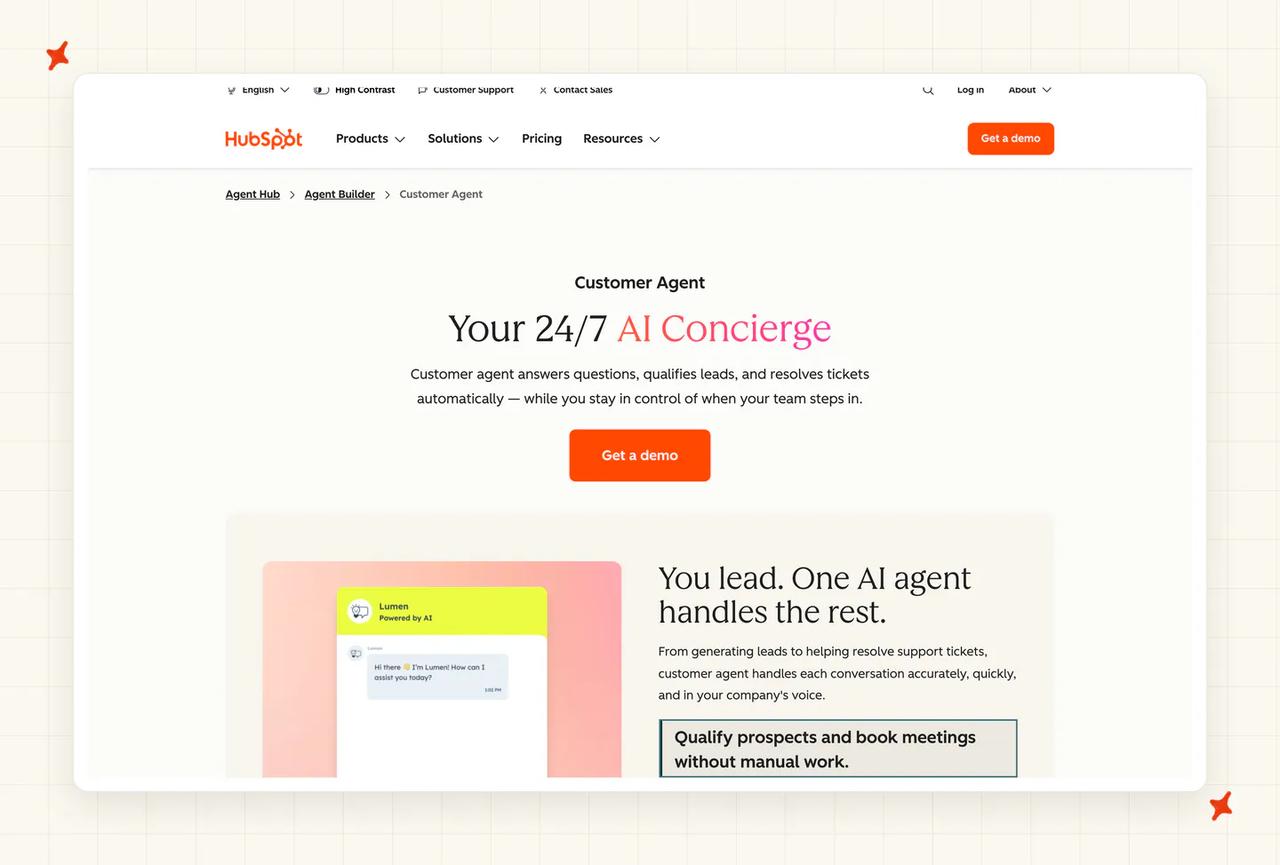
G2: HubSpot scores 4.4/5 on Service Hub's G2 page; there's no separate Breeze listing, so the AI is reviewed inside the wider product.
How good is HubSpot's ticketing and inbox?
The help desk workspace is a competent modern ticketing surface (unified inbox, ticket pipelines, SLA goals, and a calling channel), and every conversation sits next to the customer's full CRM history. The limitation is that it's a Service Hub feature, so I'd only score the ticketing highly if HubSpot is already your system of record.
How good is HubSpot's native AI agent?
Customer Agent answers from your existing content and, based on its confidence, will either produce a source-backed reply, ask a clarifying question, or reassign the conversation to a human, a sensible three-way behavior documented in HubSpot's setup guide. Multi-brand is supported: separate agents with their own tone and knowledge.
HubSpot's own published customer results are strong (Sticos at 91% of initiated chats with a 75% resolution rate, Nutribees down 77% on human-handled tickets). These are HubSpot-published customer stories, though, and no independent review corroborates them. Its aggregate claim is 65% of conversations resolved automatically.
What channels does HubSpot support?
Chat, email, WhatsApp, Facebook, Instagram, Telegram and LINE, with voice in beta. Deployment is per channel, which is how I'd roll it out: chat only at first, email once you trust the transcripts.
What knowledge sources can I train HubSpot on?
Your HubSpot knowledge base and website content, managed per source, with knowledge base updates reflected immediately and other sources re-synced weekly. The gap is specific and worth knowing before you commit: there are no native connectors for Notion, Google Drive, OneDrive, Confluence, SharePoint or Zendesk articles as Customer Agent knowledge. The workaround is uploading exported files, which then go stale unless you re-upload them.
How hard is it to set up or migrate to HubSpot?
The agent itself is a wizard (name it, pick a personality, add content, configure actions and handoff triggers, preview it, deploy), and teams routinely report setup in hours. The migration cost is elsewhere: a mandatory $1,500 to $3,500 onboarding fee, and the fact that Breeze can't be deployed on Zendesk, Intercom or Freshdesk, so adopting it means adopting Service Hub. That's the real price, well beyond the $0.50.
How secure is HubSpot?
Breeze inherits HubSpot's permission model, so anything a user can't see, the AI can't see, on top of HubSpot's SOC 2 and GDPR compliance. HubSpot also publishes model cards for the underlying models and zero-data-retention commitments on its AI trust page, which is more AI-specific disclosure than most vendors here offer.
Who is using HubSpot?
HubSpot reported 288,706 paying customers in 135+ countries at the end of 2025, so scale isn't in question. On the AI specifically, its published case studies name Kaplan Early Learning (Customer Agent handling 37% of 1,800 chat requests without a human), Flipsnack (human-led conversations down from 7,600 to 3,034) and Lepermislibre (94% of conversations resolved without human intervention, the highest figure it cites).
How much does HubSpot cost?
Breeze has billed $0.50 per resolved conversation since April 2026, the lowest rate of any incumbent in this comparison and second only to Featurebase's $0.49, plus Service Hub Professional at $90 per seat per month, or Enterprise at $150 with a ten-seat minimum on HubSpot's Service Hub pricing. Add the one-time onboarding fee of $1,500 on Pro or $3,500 on Enterprise.
All-in at 50% resolution: roughly $700 a month at 1,000 tickets, $4,300 at 10,000 and $17,000 at 50,000. At the low end the seat floor is about two-thirds of the bill, which is why I'd describe this as buying Service Hub with cheap AI attached. Billing runs through HubSpot Credits with monthly expiry and no rollover, which makes the effective bill less predictable than $0.50 implies.
Read more: the HubSpot Breeze complete guide works through the Service Hub gate, our HubSpot Breeze alternatives roundup is worth a look if that gate is what rules Breeze out for you, and My AskAI vs HubSpot Breeze compares them head to head.
Is Gorgias a good AI help desk?
Gorgias is the ecommerce specialist, and that specialization is exactly why it's on this list. Its AI can action the refund, cancel the subscription and edit the order, because the platform was built around Shopify from the start.
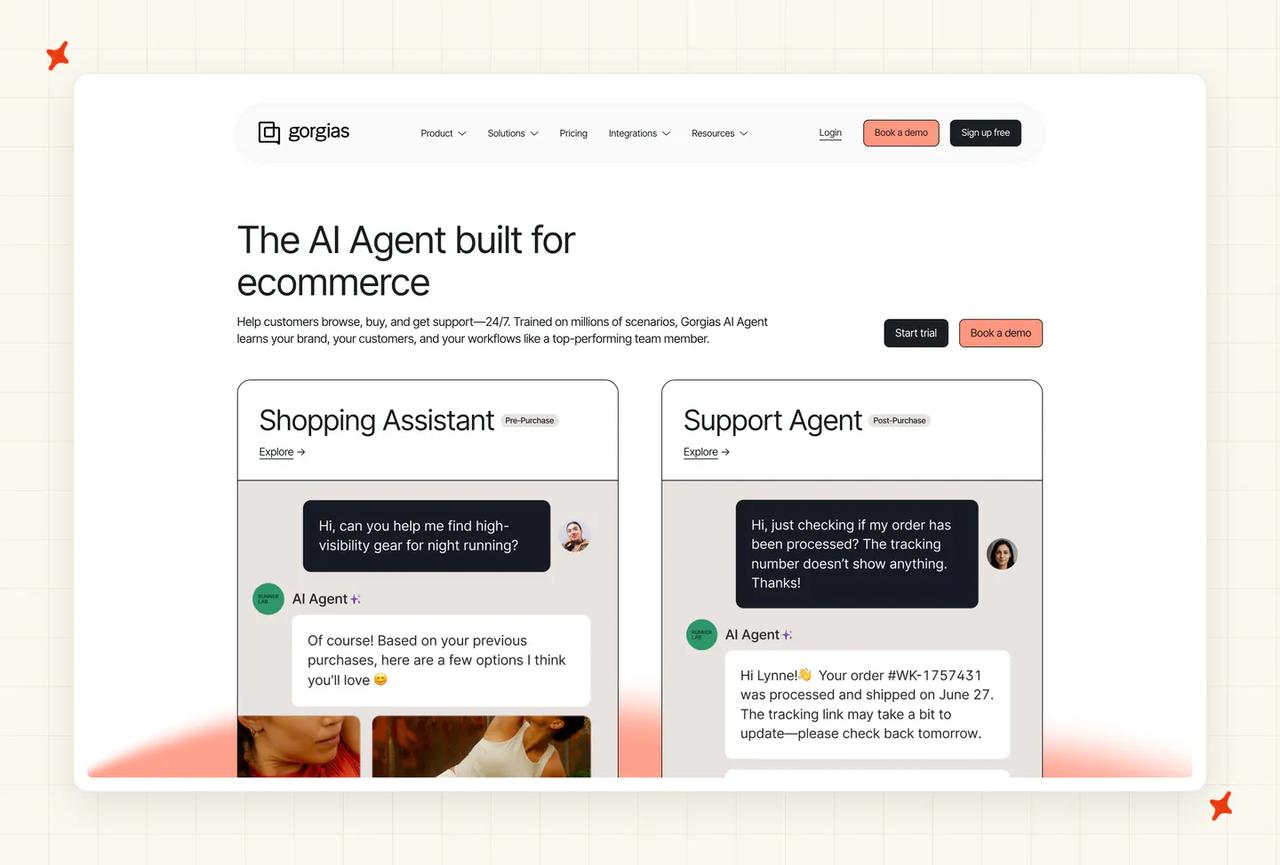
G2: Gorgias scores 4.6/5 from 538 reviews on G2. "Automated responses, intent detection, and macros allow teams to handle high volumes of inquiries quickly without sacrificing personalization." Joana Angela N., Customer Support Agent, via G2.
How good is Gorgias's ticketing and inbox?
Strong for its market and structured around brands. Unlimited stores on every plan with no per-store subscription tax is the standout: one account connects multiple Shopify, BigCommerce or Magento 2 stores with cross-store customer context, and each connected store gets its own AI Agent and help center plus per-brand macros, rules, views, signatures, business hours and analytics.
There's no per-seat fee either (the seat cap is effectively unlimited), so the bill tracks ticket volume alone.
How good is Gorgias's native AI agent?
The action set is the differentiator: AI Agent handles autonomous refunds, cancellations and subscription edits, with a pre-sale Shopping Assistant on top. The handover rule is one sentence: "AI Agent hands over to your team when it can't confidently respond, encounters a sensitive topic, or detects frustration from the shopper", which covers the three triggers that matter most in practice.
Two limits I'd size up before you commit. The docs describe handover on low confidence but document no adjustable confidence threshold, so treat tunability as unconfirmed until Gorgias says otherwise. And AI Agent is Shopify-first and autosend-only, with no native draft-and-approve mode, so you can't run it as a copilot while you build trust.
What channels does Gorgias support?
Email, chat and SMS, plus Facebook Messenger and Instagram DMs since the AI Agent 3.0 release. That is still the narrowest set of any established platform here, with no WhatsApp and no voice, which for a DTC brand doing customer service on WhatsApp is a real constraint.
What knowledge sources can I train Gorgias on?
A good spread for its market, and the docs list it: "AI Agent draws on your help center articles, website content, documents, guidance, and Shopify data to respond accurately and on-brand." The Shopify data half is what lets it answer order-specific questions. Only Shopify is explicitly named as a supported ecommerce platform on that page, so if you're on BigCommerce or Magento I'd confirm AI coverage separately from help desk coverage.
How hard is it to set up or migrate to Gorgias?
Fast for its target buyer: an app-store install on Shopify, guided onboarding, and a per-store AI Agent you configure once per brand. Migrating a large non-Shopify support operation into it is a different exercise, and the AI's Shopify-first design means a non-Shopify merchant gets less than the marketing implies.
How secure is Gorgias?
SOC 2 Type II since 2020, HIPAA-compliant, GDPR and CPRA, hosted on Google Cloud with EU data residency available. It also holds zero-data-retention agreements with its model providers, and the docs state that data AI Agent accesses does not train third-party large language models, which is a more specific commitment than I usually see in writing.
Who is using Gorgias?
More than 17,000 ecommerce merchants, which is genuine scale in a single vertical, and the named brands are recognizable: Kith, Princess Polly, Reebok, Stüssy and Malbon Golf appear on the AI Agent page, with Decathlon on its multi-stores page and, Timbuk 2 and Marine Layer among the switching stories on its Zendesk comparison.
How much does Gorgias cost?
Gorgias sells bundled helpdesk-and-AI plans, from $40 a month on Starter to $1,430 on Advanced, each carrying a ticket allowance and a much smaller allowance of automated interactions worth an effective $0.90 to $1.00 each, set out on its pricing page. Two mechanics make the real bill higher than the headline.
The included AI allowance is tiny next to the ticket allowance (Pro bundles 2,000 tickets but only 190 automated interactions, Advanced 5,000 and 530), above which resolutions bill at the $1.50 overage (a 67% premium). And since May 2025 an AI resolution also incurs the help desk ticket fee, which Gorgias's own billing docs confirm, making it the only double-charge in this set.
All-in at 50% resolution on the $0.90 blended rate: roughly $750 a month at 1,000 tickets, $7,050 at 10,000 and $37,500 at 50,000, and real bills at the top two volumes run above that once the overage rate kicks in. A customer summed up the structure:
G2: "It's a bit too expensive. I would like it to… offer AI services at the integrated cost." CL, Marketing Director, via G2.
Read more: the Gorgias AI Agent complete guide covers the Shopify-first design and the double-charge, our Gorgias Automate alternatives roundup covers the ecommerce options that don't charge twice on one resolved conversation, and My AskAI vs Gorgias AI Agent is the direct comparison.
Is Chatbase a good AI help desk?
Chatbase is the AI-first entrant, and easy to underestimate as a website chatbot. It has its own help desk module (shared inbox, ticket views, assignment, scheduling, conversation takeover), so it can be your support platform end to end, or a lightweight widget, depending on how you deploy it.
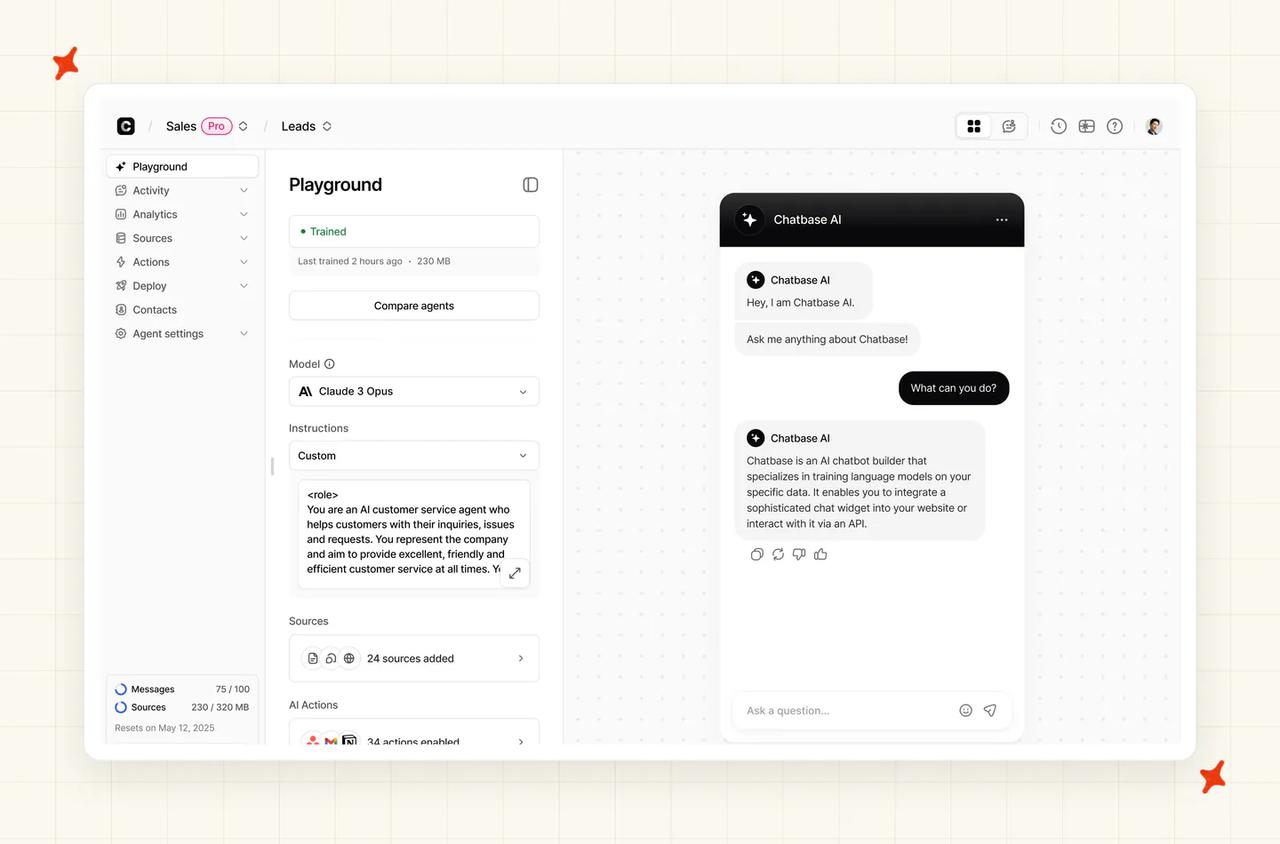
G2: "I just had to put the link of my website into Chatbase and it took care of scanning it completely… it answers me in the ChatGPT style." Ederson V., Web Designer, via G2, where Chatbase scores 4.7/5 from 14 reviews.
How good is Chatbase's ticketing and inbox?
The help desk module is real and, from the Standard tier upward, competent: a shared inbox, saved ticket views, assignment algorithms, scheduling and human takeover mid-conversation. The ceiling is the team size. Every published plan caps at five workspace seats, so a six-person support desk cannot buy this off the pricing page.
How good is Chatbase's native AI agent?
Capable and configurable, with actions, analytics and a real choice of underlying model. Chatbase's own marketing describes customers typically seeing 60 to 80% auto-resolution, but there's no published fleet-wide average the way Intercom and Help Scout publish one, so I'd treat that as a marketing claim.
What channels does Chatbase support?
Chat, email, voice and social. Deployment is unusually easy: a JavaScript widget, iframe, WordPress plugin, and one-click installs for Vercel and Shopify, plus messaging platforms like WhatsApp and Slack, and telephony through Twilio with 95+ languages on voice.
What knowledge sources can I train Chatbase on?
A broad set for a product this young, listed in its data sources docs: files (PDF, TXT, DOC, DOCX), text snippets, a website crawl, custom Q&A pairs, and Notion, making it one of only two platforms here with a real third-party knowledge connector. Past tickets are not a documented source, and there's no native simulation against historical conversations before you launch.
How hard is it to set up or migrate to Chatbase?
Chatbase's docs put a working agent inside ten minutes, reviewers back that up, and nothing else here is close. There's a permanent free plan with no card, so I'd validate answer quality on your own content before any money changes hands. The catch is that "migration" barely applies, since the seat ceiling means most established teams can't fully move.
How secure is Chatbase?
SOC 2 Type II and GDPR, published on its security page. There's no HIPAA, ISO 27001 or PCI-DSS claim, so a regulated buyer will hit a wall in the security review.
Who is using Chatbase?
Chatbase claims 10,000+ businesses in 140+ countries, with 60 to 70% of customers in the US or Canada. It was founded in February 2023 by a single founder and runs at roughly $8M ARR with 18 people, so the scale sits in the customer count. Its published customer stories include FairFigure, which reports 98% accuracy on customer questions.
How much does Chatbase cost?
Flat tiers on Chatbase's pricing page (Free, Hobby $32, Standard $120, Pro $400 a month), metered in credits. That unit is the whole pricing story, because its model comparison docs put one AI response at between one and six credits depending on the model you selected.
So at 10,000 tickets a month the same account costs $600 on the cheapest models, $1,400 on GPT-5.2 or Gemini, $2,200 on Sonnet and $4,600 on Opus, a 7.7× spread decided by a dropdown the pricing page never mentions. Overage is auto-recharge only, at $40 per 1,000 credits, which works out around 1.5× the blended Pro rate, so cost per resolved ticket rises as volume grows. And when credits run out the agent tells your customers it's unavailable, so you get an outage where you expected an invoice.
Read more: our Chatbase complete guide works through the credit model and the five-seat ceiling in detail, the Chatbase alternatives roundup covers the options, and My AskAI vs Chatbase compares them side by side.
Is Featurebase a good AI help desk?
Featurebase started as a feedback, roadmap and changelog suite and grew a help desk around it in 2026: inbox, tickets, knowledge base and the Fibi AI agent. That heritage is the product's real differentiator, because the AI can see things no help-center-trained bot can (live roadmap state, for one).
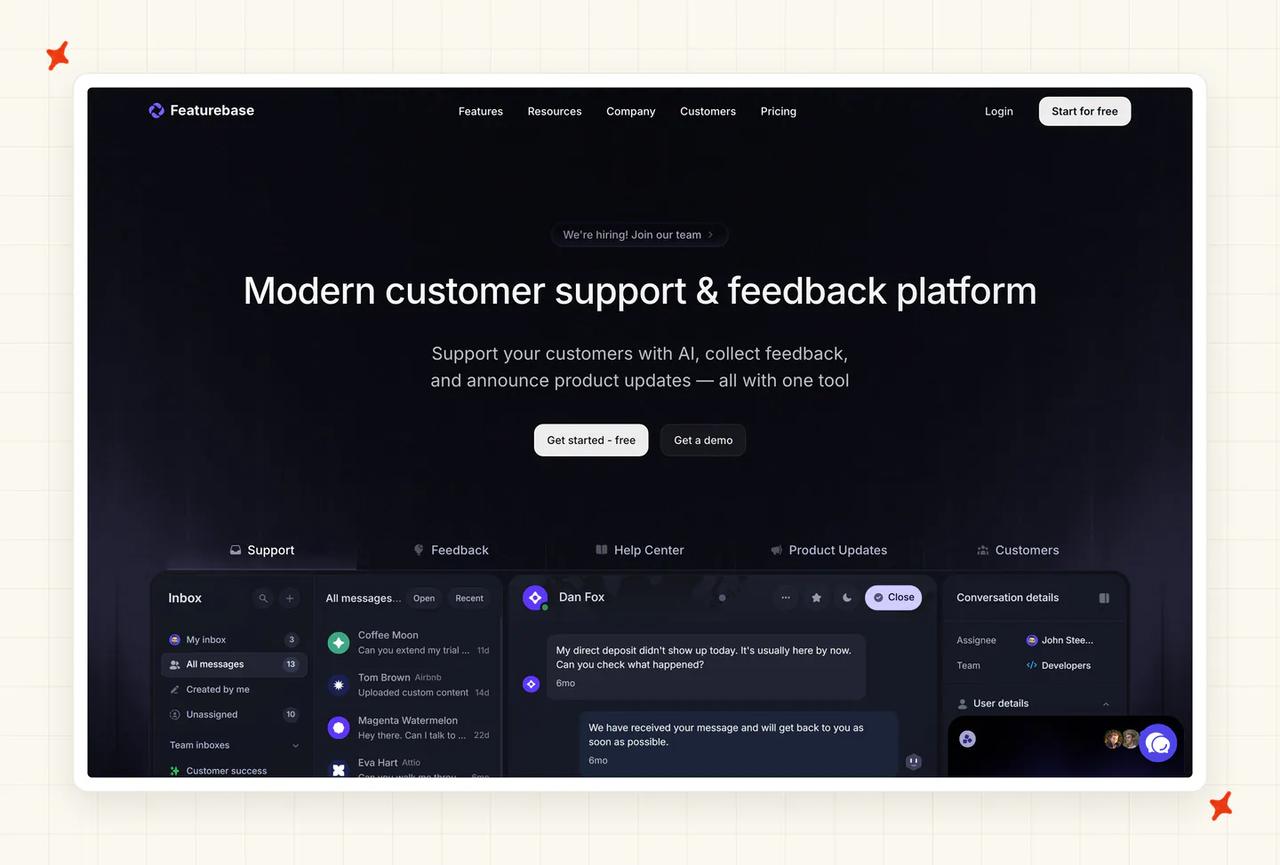
G2: Featurebase scores 4.7/5 from 49 reviews on G2. "Fibi (their support agent) sources its answers from all of those surfaces together, so the chatbot actually knows what users are asking about instead of just pulling from help docs." Rishikesh R., Growth Lead, via G2.
How good is Featurebase's ticketing and inbox?
A unified inbox puts messenger and email in one queue, with assignment, snoozing, internal notes, @mentions, customer data in the sidebar, SLAs for VIP conversations, saved custom inbox views, keyboard shortcuts and iOS and Android apps.
Routing sophistication, audit surface and multi-brand handling are thinner here than on any incumbent in this list.
How good is Featurebase's native AI agent?
Featurebase publishes its own number and moves it, which is more than most: its changelog states that "Fibi's resolution rate has increased from 50% to 65% across all customer workspaces" with the Fibi 3.0 release. A customer put the working experience at a similar level: "The AI bot is amazing; my guess is that it handles more than 60% of our support requests without needing a human agent to step in." (Ruba A., CMO, via G2).
Fibi gets things wrong like every AI agent, and a reviewer said so: "As with most ai agents, sometimes the ai agent gives answers that aren't accurate. I have to follow up with customers manually to correct them." (Praveen P., Founder, via G2).
What channels does Featurebase support?
Chat and email. That's it: Slack is listed as coming soon, and there's no WhatsApp, no social and no voice. For a B2B SaaS product where support arrives in-app and by email that's often sufficient; for anything consumer-facing it isn't close.
What knowledge sources can I train Featurebase on?
Help center articles plus the thing nothing else here can do: live roadmap and changelog state, so "is this shipped yet?" and "when is X coming?" get answers that are current. You can also add Q&A snippets as training data, leave feedback on specific answers, and accept suggested help center article updates.
How hard is it to set up or migrate to Featurebase?
Getting started is quick: a 10-day trial with no card, and a permanent free plan (though the free plan has no AI at all). The structural catch is the important one, because Fibi only deploys to Featurebase's own messenger and email, and its Zendesk, Intercom and HubSpot integrations carry feedback sync alone. Adopting Fibi is therefore a help desk migration.
How secure is Featurebase?
SOC 2 Type II and GDPR, with data hosted only in the EU, and Featurebase's trust page names the Netherlands, Germany and Ireland. That's excellent if you're an EU buyer and a hard stop if you need US or APAC residency, because no other region is documented.
Who is using Featurebase?
The named list skews to exactly the buyer this product suits: Lovable, Raycast, Polymarket and n8n, plus Ghost, OpenSea and Elementor on Featurebase's customers page. It's a bootstrapped Estonian company, so the scale story is told in logos, and the help desk half shipped in 2026.
How much does Featurebase cost?
Seats are $29 / $59 / $99 per seat per month billed yearly ($37 / $75 / $129 monthly), plus $0.49 per AI resolution, billed at most once per conversation, all on Featurebase's pricing page. Billing is outcome-shaped: "you only pay when Fibi successfully resolves a conversation".
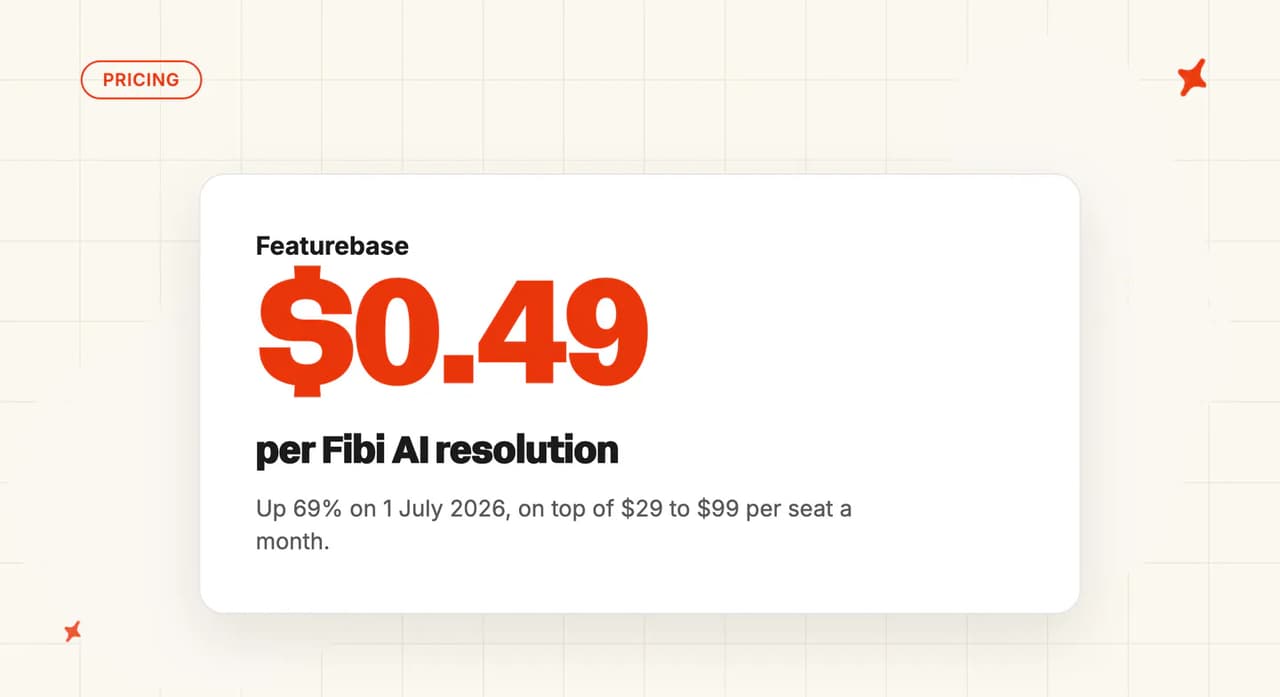
All-in at 50% resolution that's roughly $540 a month at 1,000 tickets, $3,630 at 10,000 and $15,200 at 50,000. The July 2026 repricing is the cleanest illustration of what a per-resolution meter does to you: the same changelog entry that announced resolution climbing from 50% to 65% also announced that "Starting July 1, 2026, Fibi AI resolutions will move from $0.29 to $0.49 per resolution for all new and existing customers". Holding inbound volume flat at 10,000 conversations, that combination takes the AI line from about $1,450 a month to about $3,185, a 2.2× jump off one product release.
Read more: our Featurebase complete guide covers Fibi end to end, and Featurebase pricing explained runs the repricing through the same three volumes.
Is Customerly a good AI help desk?
Customerly is an all-in-one support suite from an Italian company, hosted entirely in the EU. Live chat, help center, shared inboxes, email, NPS and CSAT surveys, contact management and an AI agent called Aura, sold as one platform you move your support into. Its own help center has a collection called "Move From Other Providers", which tells you what it thinks it's competing for.
How good is Customerly's ticketing and inbox?
Shared inboxes, a help center, email, contact and company records, surveys, chatflows and iOS and Android SDKs, all on one subscription with no seat cap. The help center runs to 54 articles on inboxes alone, which is a reasonable proxy for the inbox being a real product rather than a wrapper around the chat widget.
What's thin is the enterprise end. Routing sophistication, audit surface and multi-brand handling are nowhere near the incumbents above, and there's no documented SLA tooling.
How good is Customerly's native AI agent?
Aura answers from curated knowledge and runs AI Missions, multi-step actions like refunds and churn recovery, then escalates to a human with the thread intact. On action-taking it has more in common with Gorgias than with the chat-only agents at this end of the table.
Read the resolution rate carefully, because Customerly publishes two. Its pricing page states a "71% Actual Average Resolution Rate with Aura" and its homepage states "82% of inquiries resolved without a human", and the 82% traces to one customer.
I'd plan on 71%, which lands on the 70% field median. The model behind Aura isn't named anywhere in the docs or on the security page.
What channels does Customerly support?
Live chat, email, WhatsApp, Facebook Messenger, and in-app mobile through iOS and Android SDKs. No voice and no SMS, so a phone queue is somebody else's product.
What knowledge sources can I train Customerly on?
Help center articles, canned responses, chatflow intents, AI Missions, and uploaded Documents. Two limits are documented by Customerly itself and both are worth knowing before you buy. The AI does not learn from past conversations, verbatim: "At present, our AI Assistant is not designed to directly learn from past conversations." And website crawling exists but is documented as not recommended, because "crawling websites may not provide accurate training data for Aura".
So the agent gets better when someone on your team writes a help center article. That's ongoing work for someone on your team.
How hard is it to set up or migrate to Customerly?
Self-serve, a 14-day trial on the paid plans plus a free tier, and a migration collection in the help center pointed at people leaving somewhere else. No developer, no onboarding fee.
The structural cost is the one Featurebase carries too: Aura only runs inside Customerly, so adopting it means moving your support, and the trained agent doesn't come with you if you outgrow the suite.
How secure is Customerly?
GDPR-built and hosted only in the EU, verbatim: "All customer data is stored and processed in AWS data centers located within the European Union", with backups redundant across EU locations. For a European buyer that's a genuine advantage over most of this list.
For a US enterprise buyer it's a stop. Customerly confirms that it "does not currently hold a SOC 2 or ISO 27001 certification" and inherits AWS's instead. Saying so on the record is more than some vendors manage, and it still won't clear a security questionnaire that asks for a certification in the vendor's own name.
Who is using Customerly?
The anchor story is TeamSystem Fatture in Cloud, an Italian invoicing SaaS with 600,000 customers, which reports 60% of support automated, over 90% of conversations handled, cost per ticket down 83%, CSAT up 20% and a 15-second first response. WeShoot, a travel photography business, is where the 82% figure comes from. Paymo, Nibol and Not Just Analytics are all SaaS teams whose published stories are about collapsing four or five tools into one, which is the pattern across the set.
How much does Customerly cost?
Seats are $19, $69 and $99 per seat per month on Customerly's pricing page, with 10, 20 and 50 AI conversations included by tier and $0.45 per AI conversation after that. Annual billing takes two months off, credits don't expire, and there's a seatless Aura plan at the same $0.45 if the agent is all you want.
Two things to read closely. The included allowances are nominal, because 20 conversations a month on Growth is a rounding error at any real volume, so effectively every AI conversation is metered. And the meter counts participation: "Any conversation where Aura actively participates, whether answering or executing a task, counts as one AI conversation, regardless of how many messages follow."
That puts Customerly in Freshdesk's category rather than Help Scout's. At its own 71% average, resolving 5,000 conversations a month means routing about 7,040 to Aura, so the real AI line at 10,000 tickets is nearer $3,170 than $2,240.
On the same basis as everyone else here, all-in is roughly $560 a month at 1,000 tickets, $3,620 at 10,000 and $14,700 at 50,000.
One clause to settle before you scale: Customerly's help center states that "the Customerly platform does not provide a direct feature to set a usage cap specifically for AI operations". An uncapped meter is the exact inverse of Help Scout's spend cap. Get it in writing before a busy month.
The pricing page also disagrees with itself on currency, with the plan cards saying $0.45 and the FAQ on the same page saying €0.50 on demand or €0.45 prepaid, so confirm which one you're being quoted.
Read more: our Customerly complete guide covers Aura, AI Missions and the EU residency story end to end.
Is ProProfs Desk a good AI help desk?
ProProfs Desk is the budget end of this list, and it earns its place: it's a real shared-inbox help desk with published pricing, a free tier, and phone support that reviewers single out. What I'd calibrate carefully is how much autonomous AI you're actually buying.
G2: ProProfs Help Desk scores 4.7/5 from 18 reviews on G2. "ProProfs Help Desk offers great features such as chatbots, ticket prioritization, shared inboxes, internal notes, reports, automated ticket assignment, and much more." Ashu R., Senior SEO Associate, via G2.
How good is ProProfs Desk's ticketing and inbox?
You get shared inboxes, ticket prioritization, internal notes, automated ticket assignment, reporting and a customer portal, which is serviceable for the money. The constraint is volume, because every tier carries a hard monthly ticket cap, so your plan sizes the inbox whatever your headcount.
How good is ProProfs Desk's native AI agent?
Of the eleven platforms I scored, this is where the gap between marketing and documentation is widest. The AI help desk page sells "Agentic AI reads, decides, and closes", while the help center's single AI article documents five categories of suggested reply (acknowledge, confirm, request, apologize, update) with no knowledge-grounding, training UI or test mode described.
AI Lite stops at 50 drafted replies on the Essentials tier, and autonomous resolution is only documented on the $499-a-month Customer Delight Suite. So on the seat tiers you're buying assistive AI, which is a different product from the autonomous agents above.
What channels does ProProfs Desk support?
Email, web forms, a customer portal, live chat (through the sibling ProProfs Live Chat product), SMS via Twilio and Facebook. There's no voice channel, and the chat channel arriving via a separate product is worth confirming in a trial.
What knowledge sources can I train ProProfs Desk on?
There's no documented knowledge-grounding pipeline, training interface or source list for the AI anywhere in ProProfs' help center, so what the assistant draws on isn't something you can verify before buying. Multi-language ticket content does work in practice: Acer's published story credits custom fields and multi-language support including Chinese.
How hard is it to set up or migrate to ProProfs Desk?
It's a small, straightforward tool, so getting started is fast, and with a forever-free single-agent plan at 100 tickets a month I'd try it before paying anything. Integration expectations need managing though: "40+ Integrations" is claimed at the Elite tier against roughly eleven actually published, and the two vendor lists disagree with each other, with ten tiles on the integrations page against twelve in the help-center index.
How secure is ProProfs Desk?
This one needs reading carefully. There is no ProProfs-held SOC 2, ISO 27001 or HIPAA certification: the SOC 2 Type 2 on the trust page belongs to AWS and IBM, and the Elite tier's own wording is "SOC2-aligned". Data centers are US-only (Dallas and Northern Virginia).
One clause deserves a flag before you trial it: free and trial accounts grant ProProfs a perpetual, irrevocable license over their content, explicitly including AI model training, under section 27a of its terms. That's a real consideration if you plan to test with production tickets.
Who is using ProProfs Desk?
The anchor story is Acer, at genuine scale, with its published case study showing around 2,600 operators using ProProfs Help Desk. Reviewers keep returning to the human side of the service: "The best part of being associated with ProProfs is that they offer incredible support. Unlike other help desk companies that reply on self-service or email, you can call their team anytime and have a meaningful interaction." (Saurabh A., SEO Expert, via G2).
How much does ProProfs Desk cost?
Seats are $19.99 / $29.99 / $59.99 per user per month on annual billing, with Elite carrying a three-seat minimum (so a $179.97 monthly floor), monthly billing published at $39.99 and $49.99, and the Customer Delight Suite from $499 a month, all on ProProfs' pricing page. There is no per-resolution AI charge at all.
The cap is what prices this product: 100 tickets a month free, then 1,000, 6,000, 15,000 and 60,000 by tier. At 10,000 tickets a 20-agent team can't buy the $29.99 tier however many seats it needs, because that tier caps at 6,000, so the cap forces Elite and doubles the seat rate. Working figures: about $150 a month at 1,000 tickets, about $1,200 at 10,000, and at 50,000 the product isn't priceable from the pricing page, because only the Customer Delight Suite's cap reaches that far and its seat pricing isn't published.
What happens when you cross a cap is documented nowhere. The nearest clause is a discretionary fair-use policy under which excessive usage "may be charged an extra fee or service may be permanently terminated or temporarily blocked", so I'd budget with headroom.
Read more: our ProProfs Help Desk guide documents every tier cap and what each AI tier actually includes.
Which AI help desk is best?
Intercom takes it on the evidence. It publishes a real resolution rate, covers every channel including voice, Slack and Discord, and holds AI-specific certifications nobody else here does. It also has one of the two most expensive meters in the set, so the bill climbs as Fin gets better, and if you can absorb $0.99 an outcome it's the strongest platform on this list.
If your requirements are enterprise, I'd point you at Zendesk. Nothing matches its ticketing depth or its certification list, and if a security questionnaire and a 200-agent routing model are the gates, the AI premium is the price of clearing them. Just go in knowing the replacement AI rates haven't been published yet.
If you want the platform without the incumbent bill, Freshdesk. Full omnichannel including voice at $55 a seat, multiple products on one license, with the caveat that $0.49 per session bills whether or not Freddy resolves anything, which pushes the real cost per resolved ticket up near Intercom's.
Then it splits by circumstance.
- Help Scout: a small team that wants the fairest AI bill and a hard spend cap
- Zoho Desk: already on Zoho, or you want AI with no per-resolution meter
- Breeze: already on HubSpot, at the cheapest resolution rate anywhere
- Gorgias: on Shopify and you want the AI actioning refunds
- Featurebase: product-led SaaS that wants roadmap-aware answers
- Chatbase: five people or fewer who need something live this week
- Customerly: no help desk yet, and you want the whole suite plus an EU-hosted agent from $19 a seat
- ProProfs Desk: a hard budget floor, with the cap caveat
Already on one of these, or don't want the migration?
Every option above asks you to change the tool that owns your tickets. That's the right trade when the platform itself is the problem, and a large project to take on when the platform is fine and it's only the AI that's disappointing.
The other route is the one we build. My AskAI is an AI agent you add to the help desk you already run: we integrate natively with Zendesk, Intercom, Freshdesk, Freshchat, Gorgias and HubSpot, and we answer inside those platforms' own inboxes and chat. Your team keeps its macros, routing, workflows and ticket history, because nothing moves.
We're the AI layer that runs inside those platforms, a different product class from the eleven reviewed above, which is why the ranking doesn't include us. Our agent trains on your help center, your website, your files, your past tickets and connectors like Notion, Confluence, Google Drive, SharePoint and Shopify, and it hands over to a human inside the same thread when it should. TravelJoy is what that looks like in practice: they kept Zendesk, replaced its native AI agent with ours, and went from 24% resolution to 80%.
We charge roughly $0.10 per ticket, which is a per-ticket unit and prices differently from every per-resolution meter above. The trial is 30 days with every feature unlocked, unlimited tickets and no card.
If you want that route narrowed to your own stack, we run it industry by industry and helpdesk by helpdesk too. And if the cost numbers above have talked you out of a migration, that's the conversation to have next.
FAQs
What is the AI platform for helpdesk?
Two architectures share the label, and the distinction decides your shortlist. A platform-with-AI is a full help desk that comes with its own first-party AI agent, and the eleven reviewed above all pass that test. The alternative is an AI layer that plugs into a help desk you already own and adds an agent on top, and I'd shortlist the two categories separately rather than in one spreadsheet.
Is AI replacing IT help desk?
AI is handling more of the volume on both desks without replacing either. The platforms in this post are customer-facing help desks, the queue your customers reach, while an IT or internal service desk handles employee tickets, asset management and change requests, and is served by a different vendor set entirely. The 70% median AI handling rate quoted here is a customer-support figure, and I wouldn't read it across to internal IT, where a much larger share of tickets need an action taken on a system rather than an answer.
How much does AI customer support software cost?
Almost always on two meters: a per-seat subscription from roughly $19 to $150 per agent per month, plus a separate AI charge from $0.45 to $2.00 per resolution or conversation, which at 10,000 tickets a month with 20 agents puts the all-in monthly bill between about $800 and $9,500 depending on the platform. The unit definitions aren't interchangeable either, and this is the table I'd keep next to any two rates you're comparing:
| Platform | Billable unit | Rate | What triggers the charge |
|---|---|---|---|
| Intercom (Fin) | Outcome | $0.99 | One per conversation, however many actions |
| Zendesk | Automated resolution | $1.50 to $2.00 | Committed vs pay-as-you-go |
| Freshdesk (Freddy) | Session | $0.49 | Charged whether or not it resolves |
| Help Scout | Resolution | $0.75 | AI fully answers, customer doesn't return |
| Chatbase | Credit | Tier-based | One reply burns 1 to 6, by model |
| Customerly (Aura) | AI conversation | $0.45 | Aura takes part, resolved or not |
A "session" bills whether the AI resolves anything or not, while a "resolution" may or may not require the customer to actually go away satisfied, so I'd read the definition before you compare two rates.
How do I add AI to my customer support without replacing my helpdesk?
You use an AI agent that runs inside your existing platform rather than a new platform with AI built in. If you're on Zendesk, Intercom, Freshdesk, Gorgias or HubSpot, that route is available and it means no ticket-history migration, no rebuilding macros and routing, and no retraining your team on a new inbox. The trade-off is two products from two vendors, which is usually cheaper than a migration, and usually faster.
What resolution rate should I expect from AI customer support?
Plan for around 70%, the median AI handling rate across 195 rated deployments spanning 38 vendors, with the middle half falling between 56% and 80%. Three caveats travel with it: it's an aggregate across vendors, it's directional because each one counts a different event (stats labeled "resolution" run about 12 points above ones labeled "automation"), and teams that publish a rate are self-selecting for a good one. Against that bar the vendors here range from Freshdesk claiming 80% with 23 to 75% reported in practice, through Help Scout's documented 73.19%, Customerly's published 71%, Intercom's 67% and Featurebase's self-measured 65%, to Zoho Desk publishing nothing at all.
Which AI support tool gives the best value per conversation?
It depends entirely on which unit you're buying: HubSpot has the lowest rate at $0.50 per resolved conversation, but only inside a $90-a-seat tier with a $1,500 to $3,500 onboarding fee. Help Scout's $0.75 is the definition I'd want as a buyer, charging only when the AI fully answered and the customer didn't come back. And at high tickets-per-agent, Zoho Desk beats everyone on effective cost ($0.04 a ticket at 50,000) because it doesn't meter the AI at all.
Which AI customer support tools have a free trial I can test before committing?
Most of this list will let you try it without a card, and three of them carry a free plan you can sit on indefinitely.
| Platform | What you can try without paying |
|---|---|
| Intercom (Fin) | 14 days, unlimited Fin outcomes |
| Zendesk | 14 days on Suite |
| Freshdesk (Freddy) | 14 days on Enterprise |
| Help Scout | 15 days, plus three months of free AI |
| Zoho Desk | 15 days |
| HubSpot (Breeze) | 14 days on the platform, plus 14 on the customer agent |
| Gorgias | 7 days |
| Featurebase (Fibi) | 10 days, then a free plan with no AI |
| Customerly (Aura) | 14 days on the paid plans, plus a free tier |
| Chatbase | A permanent free plan, no card |
| ProProfs Desk | Unpublished trial length, plus a free plan for one agent |