8 Best Customerly Alternatives (2026)
Customerly bills $0.45 per AI conversation. Here are 8 Customerly alternatives, scored and priced for a 2,000-ticket month. My AskAI: $0.10 a ticket.
Summarize with AI
The search for a Customerly alternative starts once the invoice arrives. A small SaaS, fintech, edtech or ecommerce support team paying $0.45 for every conversation Aura joins has eight realistic replacements here, each scored out of 80 against one set of criteria: Intercom Fin tops the table at 66, Freshdesk takes 63 and My AskAI 62. Six of the eight are suites you would re-platform onto, and the layer route assumes you already own a mainstream helpdesk.
Two things usually set it off:
- Aura joined a run of conversations that went nowhere, and every one of them still counted.
- Someone in procurement asked for a SOC 2 report, and Customerly's own security page says it holds neither SOC 2 nor ISO 27001.
I'm Mike, co-founder of My AskAI. We help 200+ ecommerce and SaaS businesses run AI customer service inside Zendesk, Intercom, Freshdesk, Freshchat, Gorgias and HubSpot, so I obviously can't be completely impartial here. My AskAI is one of the eight entries below, scored on the same criteria as everyone else, and it does not top the table.
I scored all eight on the same criteria, priced everything against a 2,000-ticket month, and set out which one fits which kind of team.
Quick answer: the best Customerly alternatives
Are there alternatives to Customerly if I want AI customer support?
Customerly is the platform your support runs on. It does not install into Intercom, Freshdesk, Freshchat, Gorgias, HubSpot or Zendesk to add AI to a stack you already have.
Its integrations wrap CRM, data and dev tools around the suite, and it publishes a help center collection for moving off other providers. That is the direction it supports (inbound migrations).
That single fact decides your shortlist. Leaving Customerly is either a re-platforming job or a layering job, and the two have almost nothing in common.
Replace the platform. You buy another suite that does ticketing, chat, a help center and an AI agent on one bill (and you move everything you have into it). Six of the eight sit here: Intercom, Freshdesk, Help Scout, Zoho Desk, Crisp and Tidio.
Layer AI on a mainstream helpdesk. You keep, or buy, a helpdesk and add an AI agent to it. We sit here, along with Fin running standalone and Chatbase.
A meter that bills participation, an AI their own documentation says was not built to learn from past conversations, a SOC 2 request, or a bill with no ceiling all push you somewhere different. Our complete guide to Customerly covers the pricing and the platform in full.
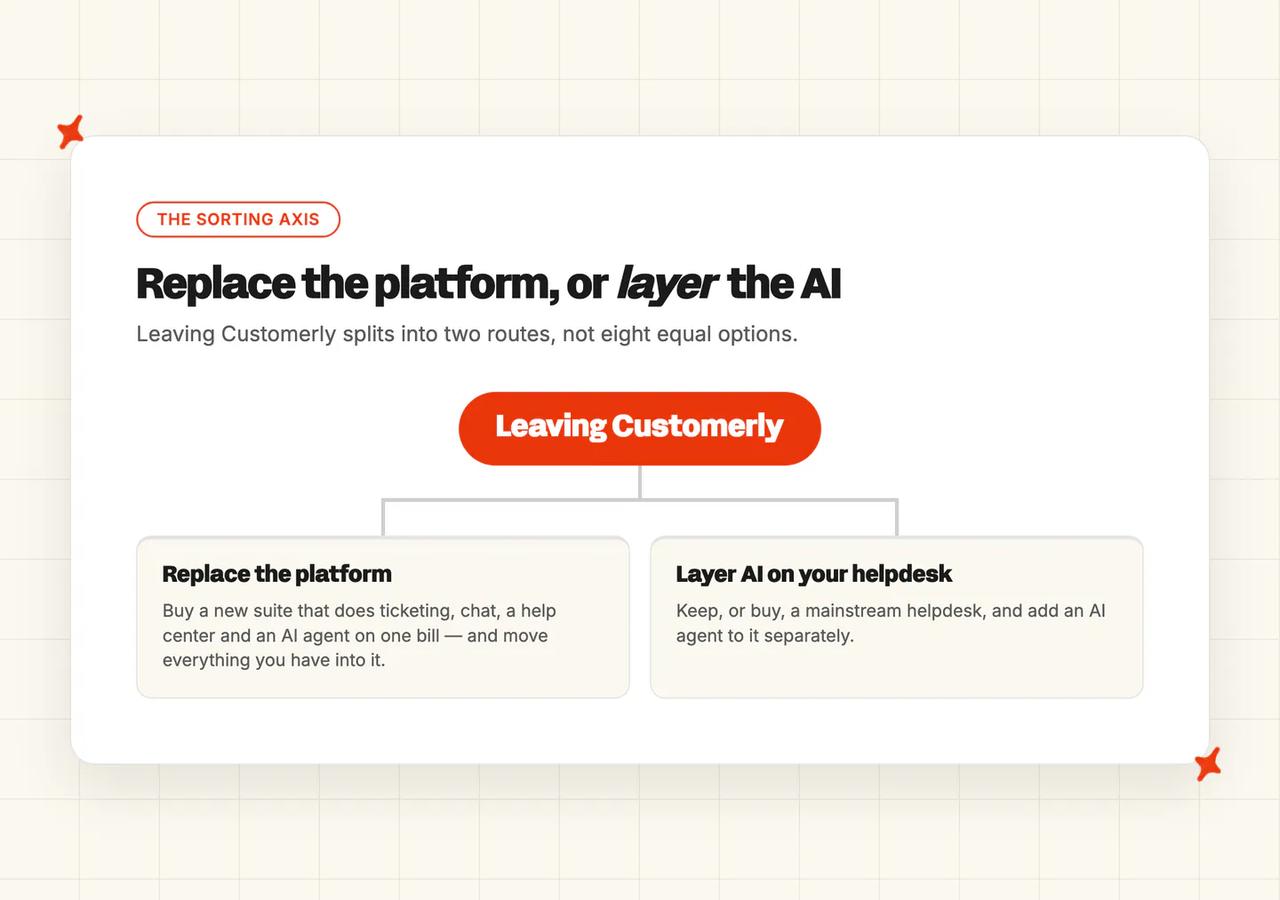
My AskAI is the layer route. We run inside the helpdesk you already have, and if you change helpdesk later the trained agent moves with you.
What's the overall comparison of these 8 Customerly alternatives?
Customerly is the vendor you are leaving, so every column here is somewhere you might go instead.
| (scores out of 10) | Intercom Fin | Freshdesk (Freddy) | My AskAI | Help Scout | Zoho Desk | Crisp | Tidio | Chatbase |
|---|---|---|---|---|---|---|---|---|
| Helpdesk fit, replace or layer | 9 | 8 | 7 | 8 | 8 | 8 | 7 | 5 |
| Ease of setup and migration off Customerly | 6 | 7 | 7 | 8 | 6 | 7 | 7 | 8 |
| Training sources | 8 | 7 | 9 | 6 | 5 | 6 | 6 | 7 |
| Features | 9 | 9 | 7 | 7 | 8 | 7 | 6 | 5 |
| Improving over time | 8 | 6 | 9 | 7 | 5 | 5 | 6 | 5 |
| Security and compliance | 10 | 9 | 7 | 7 | 7 | 5 | 7 | 6 |
| Maturity | 10 | 10 | 7 | 9 | 9 | 7 | 7 | 5 |
| Cost and pricing transparency | 6 | 7 | 9 | 8 | 5 | 7 | 5 | 6 |
| Overall (out of 80) | 66 (83%) | 63 (79%) | 62 (78%) | 60 (75%) | 53 (66%) | 52 (65%) | 51 (64%) | 47 (59%) |
Six of these eight become your helpdesk and three sit on top of one, with Intercom Fin counted in both camps.
| (at a glance) | Intercom Fin | Freshdesk (Freddy) | My AskAI | Help Scout | Zoho Desk | Crisp | Tidio | Chatbase |
|---|---|---|---|---|---|---|---|---|
| Helpdesk fit, replace or layer | Suite or standalone layer | Full suite, own AI | Layers on Zendesk, Intercom, Freshdesk, Freshchat, Gorgias, HubSpot | Full suite, own AI | Full suite, own AI | Full suite, own AI | Chat-first suite | Layer with thin help desk |
| Ease of setup and migration off Customerly | Suite move is real work | Guided suite migration | No re-platforming needed | Fastest documented move | Ecosystem setup effort | Straightforward suite move | Quick chat-led setup | Point it at a website |
| Training sources | Help center plus content | Help center and articles | Historic tickets, connectors, sites | Docs sites, public documents | Zoho knowledge base only | Pages, articles, files | Site and knowledge base | Files, sites, Q&A |
| Features | Broadest agent feature set | Studio, Copilot, workflows | Tasks, tagging, insights | Answers, drafts, SLAs | Zia, Answer Bot, agents | Hugo agent plus inbox | Lyro plus Flows | Agent, actions, help desk |
| Improving over time | Strong reporting and controls | Analytics, limited learning | Self-learning from agent replies | Reporting plus drafts | Basic AI reporting | Limited improvement tooling | Basic Lyro analytics | Manual retraining |
| Security and compliance | SOC 2, ISO set, AIUC-1 | Broad grid, no HIPAA | SOC 2 Type II and GDPR | SOC 2 Type 2, HIPAA BAA | GDPR, HIPAA, CCPA | EU hosted, no SOC 2 | SOC 2, EEA storage | GDPR and SOC 2 Type II |
| Maturity | Very large install base | Very large install base | 200+ businesses, focused | Long-standing, high retention | Very large install base | Large SMB install base | Large SMB install base | Newest in the set |
| Cost and pricing transparency | $0.99 per outcome | $19 seat plus session packs | From $0.10 per ticket (Scale; $0.12 on Pro) | $0.75 per resolution, capped | Priced in INR, not USD | Flat workspace plans | Three metered pools | Credits by model choice |
Fin wins on the things a bigger company's procurement asks about. It loses the cost row for exactly the reason you are leaving Customerly: the bill moves with the AI's success.
The top four are within six points of each other (66, 63, 62 and 60): a suite, a suite, a layer and a suite.
The score ranks them on the eight criteria. Whether a vendor replaces your helpdesk or layers on it decides which shortlist it belongs on.
How did I select these Customerly alternatives?
Every vendor below is self-serve or near it, priced for a team in Customerly's own band, and offering a customer-facing AI agent for your customers to talk to.
Three groups sit outside that rule, each for one reason. Enterprise sales-gated agents (Decagon, Sierra, Ada, Forethought, Fini) are the wrong price band with no self-serve path for a team of this size. Ecommerce-only specialists (Gorgias, Yuma, Rep AI, DigitalGenius, Zipchat) sell to Shopify stores, and Customerly's base is SaaS, fintech, edtech and travel.
Shared inboxes with no first-party AI agent (Front, Missive) handle routing, and the AI agent still has to come from somewhere else.
How did I compare them?
I gave every vendor the same nine criteria in the same order, so every entry is measured the same way.
Evidence comes from vendor pricing pages, product documentation, help center articles, published customer stories and G2 reviews, and where a vendor publishes no figure for a row, the row says so rather than carrying an estimate.
Helpdesk fit, replace or layer
Does the product become your helpdesk, or does it sit on the one you run? A suite gives you one bill and one vendor, and it costs you a migration. A layer keeps your tickets, tags, macros and routing where they are, and you pay two vendors.
I scored each one as the answer to a different situation.
Ease of setup and migration off Customerly
How much work is it to get from Customerly to live? For a suite that means importing conversations and a help center, rebuilding automations, and retraining the team. For a layer it means installing an app and connecting knowledge.
I weight this row on the work you cannot avoid. The setup time a vendor advertises is a different number.
Training sources
What the AI can read. Help center articles are the floor (every vendor here clears that bar). The gap between vendors is whether they can also take uploaded documents, public sites, third-party knowledge tools like Notion or Confluence, and past tickets.
Customerly's documentation is direct about its own scope here: "At present, our AI Assistant is not designed to directly learn from past conversations." Its own note on how Aura is trained gives accuracy and privacy as the reasons.
Features
This criterion covers the agent itself and everything around it: autonomous replies, an agent-assist or copilot mode, tagging and routing, actions that touch other systems, analytics. I score actions inside this row, so a cheap agent that cannot take an action loses points here.
Answer quality
Accuracy, tone and what happens when the AI does not know. Every vendor defines the resolution unit differently, so take the headline numbers with a grain of salt.
Our own AI resolution-rate benchmark study puts the median at 70% across 195 rated deployments spanning 38 vendors. The deployments in it are self-selected, so the median describes the field rather than any one deployment.
Improving over time
After launch you want analytics that show what failed and a way to correct an answer. The rarer feature is a loop that drafts new knowledge from what your human agents replied.
Security and compliance
The certifications, where data lives, and whether your data trains anybody's model. SOC 2 Type II is the usual US procurement gate. EU-only residency is a separate gate that a vendor can clear on its own (Crisp is the example here).
Maturity
How long it has been shipping, how many teams run it, how stable it is. A newer product can still be the right choice.
Cost and pricing transparency
Three pricing models run through these eight, and they behave differently.
Flat per ticket. You pay when the AI works, and the bill does not move as the AI gets better (that is our model).
Per resolution or per outcome. You pay when it succeeds, so a better agent means a bigger invoice. Fin's outcome pricing and Help Scout's per-resolution pricing are the two examples here, and both publish a unit definition you can hold them to.
Per conversation participated in. You pay when the AI joins, resolved or not, so the bill does not fall when it fails. That is Customerly's model, and it is the one most people reading this are leaving.
Is Intercom Fin a good Customerly alternative?
Of these eight, Fin is the one to beat.
G2: Intercom Fin scores 4.5/5 from 3,901 reviews on G2. "What I like best about Fin is how seamlessly it's integrated into the overall Intercom experience... does a strong job handling common, repetitive questions with high-quality, on-brand responses." via Stephan W., Head of Support, Small-Business.
The same reviewer names the cost problem too:
"the pay-per-resolution approach makes costs hard to predict at higher volumes." — Stephan W., Head of Support, Small-Business, G2
Fin answers two of those exit triggers at once. If procurement asked for certifications, nothing else here comes close (I scored it 10 there, the only 10 on that row). It is also the biggest step up available from Customerly.
Salesforce has signed a definitive agreement to acquire Fin. The deal is still pending, and a change of owner is the sort of thing procurement asks about.
Does Intercom Fin replace your helpdesk, or layer on the one you have?
Either. Inside Intercom it is the suite's own agent. Standalone, it runs on Zendesk, Salesforce Service Cloud, Freshdesk, HubSpot and custom helpdesks with no Intercom seats:
"Unlimited teammates – No additional seat costs." — Fin pricing
Two fences sit on the standalone route. Slack and proactive outbound messaging are not supported, and Fin for sales sits inside Intercom only: "Fin for sales (qualifications and disqualifications) is currently not available with Fin for platforms outside of Intercom."
How easy is it to set up Intercom Fin and migrate off Customerly?
Standalone Fin is the quicker of the two paths, because you point it at a helpdesk you already run. The full suite move is a real migration project: conversations, help center, automations and team retraining. I scored the setup row at 6 for that reason.
Intercom is explicit that the standalone route carries no hidden onboarding line: "There are no additional costs, such as integration fees, setup fees, or platform charges."
What knowledge sources can I train Intercom Fin on?
Fin trains on Intercom's own help center articles plus content you point it at, and it can be scoped per audience. It is a well-covered surface for a team whose knowledge already lives in articles.
The move from Customerly is straightforward if your help center is your knowledge base, and more work if it is not.
What features does Intercom Fin have?
This is the broadest feature set of the eight, and I scored it 9, joint top with Freshdesk. It covers autonomous resolution, procedures for multi-step work, a copilot for agents, and reporting built for support operations.
Fin also sells outcomes other than resolution, which matters when you read the bill: resolutions, procedure handoffs and disqualifications are $0.99 each, and qualifications are $9.99 each.
How does Intercom Fin improve over time?
Reporting is the strong part. You get usage controls and visibility that most of this set lacks: "Manage usage with configurable alerts, limits, and real-time reporting."
Improvement is a knowledge and configuration loop that you drive. You read what failed, then you fix the article or the procedure. I scored this row 8, the strongest of the suite entries.
How secure is Intercom Fin?
The strongest grid of the eight, in Intercom's own words: "Intercom and Fin hold SOC 2 Type II and HIPAA compliance along with ISO 27001, ISO 27018, ISO 27701, and ISO 42001 certification, and Fin AI Agent is also AIUC-1 certified (the industry standard for AI agent security)."
Data handling is equally specific: "Third-party AI providers are contractually barred from training on your data, with zero retention once a response is generated." Infrastructure runs in the US, EU and Australia, with a 99.8% uptime SLA. PCI-DSS is the one absence on the list (worth a question if you take card details in chat).
How mature is Intercom Fin?
Very. Fin runs at scale in companies far larger than Customerly's usual buyer, and the published deployments are large.
Anthropic reached a 50.8% resolution rate within its first month, up from 36% at launch. Intercom lets named customers report their own numbers, and Anthropic's is the clearest of the set to plan against.
How much does Intercom Fin cost?
$0.99 per outcome, on Fin's own pricing page. A resolution counts "when, following Fin's last answer in a conversation, the customer either confirms the answer was satisfactory (confirmed resolution), or exits the conversation without requesting further assistance (assumed resolution)."
Standalone carries a monthly floor as well as the per-outcome charge: "Fin is priced at $0.99 per outcome (United States Dollars), which is billed as part of a base plan costing $49 per month. The base plan for Fin with your helpdesk includes 50 resolutions, with additional outcomes charged at $0.99 each."
Seats, if you take the suite, are on Intercom's pricing page: Essential lists at $29 per seat a month, Advanced at $85 and Expert at $132, with Copilot a further $29 per agent. Essential is currently shown at $19 as a new-customer offer (the same headline seat price Customerly charges).
Who is using Intercom Fin?
Anthropic reached a 50.8% resolution rate within its first month, up from 36% at launch, resolving tens of thousands of customer queries and saving 1,700 hours of team time along the way. Lightspeed Commerce has Fin involved in 88% of conversations, resolving 72%, at more than 43,000 resolutions a month.
Nuuly, Synthesia, Kalshi, Vanta, Clay and Rocket Money are also named Fin customers.
Read more: our complete guide to Intercom Fin, the best Intercom Fin alternatives, and our My AskAI vs Intercom Fin comparison.
Is Freshdesk a good Customerly alternative?
G2: Freshdesk scores 4.4/5 from 3,746 reviews on G2. "For their AI, we need to pay extra, and because of that, we are not able to use it. It's better if the AI is provided in all the licenses." via a verified G2 reviewer (Computer & Network Security, Mid-Market).
Freshdesk's AI is metered on top of the seat, exactly as Customerly's is. I do not think that makes it a bad move, but the meter does follow you.
If your reason for leaving is that you want more product for the same money, this is the shortest route: the same headline seat price on a much larger platform.
Does Freshdesk replace your helpdesk, or layer on the one you have?
It replaces it. Freshdesk is a full ticketing suite with its own knowledge base, automations and channels, and Freddy is its first-party agent.
Freshdesk is also one of the helpdesks we run inside. That makes the fork concrete: buy Freshdesk and use Freddy, or buy Freshdesk and layer a different agent on it.
How easy is it to set up Freshdesk and migrate off Customerly?
A suite migration, with the usual work: import conversations, rebuild the knowledge base, recreate automations, retrain the team. Freshdesk is well-trodden ground for this and the tooling is mature.
Freddy itself is configured in Agent Studio, with no code required. Previewing an agent consumes sessions (yes, even the ones nobody outside your team ever sees).
What knowledge sources can I train Freshdesk on?
Freddy trains on the Freshdesk knowledge base and the articles you publish into it. It is a solid help-center-centered setup and a familiar one if you are coming from Customerly's article-based training.
If your knowledge lives in Notion, Confluence or Google Drive today, plan to move it into articles first.
What features does Freshdesk have?
You are buying the suite here: ticketing, automations, SLAs, reporting and channels, with Freddy AI Agent layered across them and Agent Studio for building agentic workflows. I scored features 9, level with Fin.
Freddy AI Copilot, the agent-assist side, is a separate paid add-on at $29 per agent a month on Pro and Enterprise. Growth cannot buy it.
How does Freshdesk improve over time?
Analytics and reporting are strong, and Freddy AI Insights is available on Enterprise and unlocks on Pro with a Copilot license.
The improvement loop is manual in the way most suite AI is manual: read the reporting, fix the article. There is no automatic drafting of new knowledge from what your agents replied (the one row where we score higher).
How secure is Freshdesk?
Broad. Freshworks' trust center lists SOC 2 Type 2, SOC 1 Type 2, SOC 3, Cyber Essentials and Cyber Essentials Plus, TX-RAMP, CCPA, the EU-US and Swiss-US Data Privacy Frameworks with the UK extension, ISO/IEC 27001:2022, ISO/IEC 27701:2019 and CSA STAR Level 1.
HIPAA is absent from that list, so plan around it. Residency is chosen at signup across the US, EEA, India, Australia and the UAE. Freshworks keeps customer data out of third-party model training, and trains its own models on consenting customers' data, with opt-out handled by email.
How mature is Freshdesk?
One of the two most established products here (Intercom Fin is the other). Freshworks is a public company with a very large install base, and Freshdesk has been shipping for well over a decade.
How much does Freshdesk cost?
Freshdesk's pricing page lists Growth at $19 per agent a month billed annually, Pro at $55 and Enterprise at $89. The Freddy AI Agent appears as the first bullet on all three cards, including Growth (which is the $19 tier).
Sessions are metered: "First 500 sessions included. $49 per 100 sessions", which is $0.49 a session. The 500 are a one-time credit: "Growth, Pro, Enterprise: 500 one-time complementary sessions." and "Unused sessions are not carried over to the next subscription cycle."
The session is the unit you are comparing against a Customerly conversation, and it is generous on email: "A session is a 72-hour window starting from the customer's first email. All AI responses within that window count as a single session, regardless of the number of replies." On chat the window is 24 hours (a third of the email window), and chat sits in Freshdesk Omni, a separate product. At full session consumption the agent hands over to live agents, except on the self-service widget, where "the AI Agent will stop working, and it won't be handed over to a live chat agent."
Who is using Freshdesk?
Cineworld runs Freddy on lost-item handling, where the automation "resolves over 700 tickets monthly across the UK operation of Cineworld". iPostal1 reports a bigger time saving:
"automates key customer support tasks with Freddy AI Agent Agentic workflows. This has saved up to 12 minutes per customer interaction, completing critical steps in as little as 7 seconds—a 99% improvement!" — iPostal1, in Freshworks' own announcement
Upayments is more specific about routing. Abdulrahman Al-Thekair, its Customer Experience Director: "Freddy AI Agent automatically routes every query to the right team, cutting a full manual step and saving us real time every day".
Read more: our complete guide to Freshdesk Freddy, the best Freddy AI alternatives, and our My AskAI vs Freshdesk Freddy comparison.
Is My AskAI a good Customerly alternative?
"Our experience with My AskAI has been nothing short of transformative. In comparison to Zendesk's AI agent, we're now achieving an impressive 76% AI resolution rate, versus just 24% before. The dramatic improvement has elevated the overall level of service." — TravelJoy
G2: My AskAI scores 4.5/5 from 21 reviews on G2. "The AI Agent consistently answered 70% of our support requests with no tweaking after the first knowledge base sync" via Alan P., Head of Customer Success, Small-Business.
Does My AskAI replace your helpdesk, or layer on the one you have?
It layers. We run inside Zendesk, Intercom, Freshdesk, Freshchat, Gorgias and HubSpot, and your helpdesk stays where it is. Zendesk and Intercom are our biggest and most popular integrations.
That is the structural difference from every other entry except standalone Fin and Chatbase. It also means the agent is portable: if you change helpdesk later, the trained agent, the custom answers, the guidance and the tasks come with you.
How easy is it to set up My AskAI and migrate off Customerly?
You keep the helpdesk you run today. Connect your knowledge, point us at it, and go live, usually in an afternoon.
A third-party AI agent installs either as an approved marketplace app or as an API integration, and the marketplace app is the one to take where it exists. Signup requires a business email.
What knowledge sources can I train My AskAI on?
Help center articles, websites, uploaded files, and connectors including Google Drive, Notion, Confluence, SharePoint, OneDrive, Dropbox, Salesforce and Shopify. Custom answers let you pin exact wording where it matters.
We also train on your historic tickets, which is the direct answer to Customerly's "not designed to directly learn from past conversations". The default backfill is the last 5,000 tickets, and more on request. If you have no help center at all, that is the route in: the AI drafts starter knowledge from what your team already answered.
What features does My AskAI have?
The agent replies autonomously, or drafts every reply as an internal note so you can run it beside your current AI before going live. Tasks and Tools handle multi-step work like refunds and account changes, and each action can run autonomously or as propose-then-approve, which is a per-action choice you make.
AI Tagging classifies incoming tickets from the message text, and its own helpdesk coverage is narrower than our integration list: it runs natively in Zendesk, Intercom, Freshdesk, Freshchat and Gorgias, and is not available on HubSpot. Insights groups every conversation into topics and scores every one of them for AI CSAT. The AI Copilot Chrome Extension is our copilot, included on every plan, with no seat charge.
How does My AskAI improve over time?
Self-Learning compares what the AI said to what your human agent actually replied on handed-over tickets, then drafts the missing knowledge article for review. That is the loop most suite AI here does not have.
Beside it sit Guidance, natural-language rules for tone, scenarios and forced handovers, and Custom Answers for exact wording. When you want to know why a reply happened, you ask Echo, our in-dashboard AI, why the agent gave that answer and which knowledge source it used.
How secure is My AskAI?
SOC 2 Type II and GDPR. AES-256 encryption at rest and TLS in transit, isolated containers per customer, and customer data never used for model training or sold on. Enterprise carries a contractual 99.99% uptime SLA.
That grid clears the most common US procurement gate, and it is narrower than Intercom's.
How mature is My AskAI?
Our agents have resolved more than 1,000,000 tickets across the customer base, and the live counter sits on the integration page. The rolling 30-day resolution rate across the customer base is 72%, counted as a conversation the AI handled without escalating to a human.
We are a small team by design, and the founders run the sales calls, the onboarding and most of the support.
How much does My AskAI cost?
Per ticket, from $0.10, at $0.12 a credit on Pro and $0.10 on Scale and Enterprise. No per-resolution charge, and no per-seat charge from Scale upward.
Pro is $199 a month with 1,000 credits, $0.12 overage and 5 team seats. Scale is $499 a month with 2,000 credits, $0.10 overage, unlimited team seats, branding removal and up to 3 agents or brands. Enterprise starts at $999 a month with all usage at $0.10.
Usage-based add-ons are metered on every plan: tagging at $0.05 per attribute per ticket, actions and image processing at $0.02 per reply, tasks at $0.02 per step, live translation at $0.05 per ticket.
There is no free plan, so if a free tier is the requirement we are not your answer. The trial is 30 days, all features unlocked, unlimited tickets, no card.
Who is using My AskAI?
RecruitCRM, recruitment software running on Intercom, reached 68% AI resolution from around 35% at go-live, saving roughly 62 hours a month. TravelJoy, a travel advisor platform on Zendesk, went from 24% on Zendesk's own AI to the 76% quoted above and on to an 80% headline result, saving about 193 hours a month.
YesLMS, an edtech learning platform on Zendesk, runs at 76% AI resolution with 88% AI CSAT across around 300 tickets a month. All three of these customer stories sit in the same segment Customerly sells into.
Where My AskAI loses to Customerly and the alternatives
We are not a helpdesk, so a team with no incumbent one has to buy a platform first. We have no ticketing, no shared inbox and no help center product, by design.
Customerly, Freshdesk and Help Scout each do both jobs on one bill, and Customerly does it from $19 a seat. If you are starting from zero, you pay us and a platform.
We do not offer EU-only data residency, and nothing in our grid names a regional residency guarantee. Customerly stores and processes customer data in EU AWS regions and Crisp is EU-hosted; if your procurement requires data to stay in the EU, that is the narrower question and they answer it.
Our channel coverage comes from the helpdesk we sit in. We work in the channels it routes to us, across Zendesk, Intercom, Freshdesk, Freshchat, Gorgias and HubSpot, plus our own widget, social channels included where the helpdesk surfaces them. Customerly includes live chat, email, WhatsApp and Facebook Messenger with iOS and Android SDKs in the box, and Tidio has a native Messenger, Instagram and WhatsApp inbox.
If you want those channels without buying a platform to get them, we are not the fit.
Our compliance grid is SOC 2 Type II and GDPR, which is narrower than the certified end of this set. Intercom holds SOC 2 Type II and HIPAA alongside ISO 27001, 27018, 27701 and 42001 and the agent-specific AIUC-1, and Zoho Desk states GDPR, HIPAA and CCPA compliance.
If HIPAA or ISO 27001 is your gate, Intercom Fin is the entry to read.
Is Help Scout a good Customerly alternative?
G2: Help Scout scores 4.4/5 from 428 reviews on G2. "Recently, they've launched a bunch of AI features that we use regularly... offer first-class customer support." via Magdalena O., Customer Success Manager, Small-Business.
A team lead on the same G2 page names the gap: "It needs more features. Phones, AI agents."
Help Scout is the one vendor here with the spend control Customerly's documentation says it lacks. I rate that single control above most of the feature rows.
Does Help Scout replace your helpdesk, or layer on the one you have?
It replaces it. Shared inbox, Docs knowledge base, Beacon widget, and AI Answers as the agent on top.
It is the closest product here to Customerly in feel: software built for small teams.
How easy is it to set up Help Scout and migrate off Customerly?
The fastest documented move of the eight, and I scored the row 8, joint top with Chatbase. Switcher's line on their customers page puts a number on it:
"Onboarding with Intercom was going to take 6 months. Help Scout did it in 24 hours." — Switcher, Help Scout customers
That was a migration from Intercom, and the work is the same: a small team moving conversations and a knowledge base into simpler software.
What knowledge sources can I train Help Scout on?
Docs sites plus public material. The AI Answers documentation states the boundary directly: "AI Answers gets all of its information to help your visitors from the knowledge sources you add to the agent. Add your Help Scout Docs sites and other publicly available sites and documents."
Past conversations feed AI Drafts, which is a different feature (the customer-facing agent never sees them). Google Docs and PDFs are supported knowledge sources, and the list stops short of Notion and Confluence.
What features does Help Scout have?
Shared inbox with collaboration, Docs, Beacon, SLA management with views and next-response-time goals, and workflow automation. AI Answers is the customer-facing agent and AI Drafts is the agent-assist side.
The AI Sessions list is filterable by outcome, so you can see which sessions the AI helped, which it did not, and which escalated.
How does Help Scout improve over time?
Reporting plus the sessions list gives you a clear read on what failed and why. You correct the Docs article and the agent picks it up. I scored improvement 7, second only to Fin among the suites.
There is no automatic drafting of new knowledge from human replies, so you run that loop yourself.
How secure is Help Scout?
Help Scout's security page says "Help Scout is SOC2 Type 2 certified for Security and Availability", with the report available on request. It is AWS-hosted, and "an independent security firm executes a white-box penetration test audit across our system and code base".
HIPAA requires a signed BAA plus an AI Feature Healthcare Addendum before AI features can be turned on. Help Scout does not document EU data residency (if that is your constraint, Crisp is the entry to read).
How mature is Help Scout?
Long-standing and stable, with unusually high retention: the customers page reports that "80% of Help Scout customers stay for 4+ years".
It has stayed in the small-and-mid-sized band, which is why I read it as a natural step sideways from Customerly.
How much does Help Scout cost?
Help Scout's pricing page lists Standard at $25 per user a month, Plus at $45 and Pro at $75, with 16% off annually. There is a free plan: "The Free plan gives you 5 users, 1 Inbox, and 1 Docs site."
AI Answers is an add-on at $0.75 per resolution, billed in arrears: "Scale capacity with an AI assistant that instantly resolves customer requests. Pay per resolution on a monthly basis." The unit is defined: "A resolution is a single AI chat session that is resolved without help from a human." You are not charged when AI Answers only greets, asks a follow-up, or hands over (the exact case where Customerly's meter does charge you).
The spend cap is the one feature I point Customerly leavers at. Set a limit and "AI Answers will be disabled in your Beacon until the next cycle or until you raise the limit."
Trials run 15 days on Standard or Plus with no card, and Pro is sales-gated. The three-month AI trial applies to new accounts only, since "Existing Help Scout customers do not receive a trial period when they begin using AI Answers."
Who is using Help Scout?
Help Scout's customers page names Switcher, Mabel's Labels and eCatholic. Mabel's Labels reports a 58% volume reduction at 93 CSAT.
eCatholic is the useful counterweight to the headline rate: it resolves "over 15% of conversations automatically with AI Answers". Help Scout's published average across customers is 73%. Your own content decides which end of that range you land on.
Read more: our complete guide to Help Scout, the best Help Scout alternatives, and our My AskAI vs Help Scout comparison.
Is Zoho Desk a good Customerly alternative?
G2: Zoho Desk scores 4.4/5 from 7,133 reviews on G2. "especially helpful in getting up to speed on existing tickets." via a G2 reviewer, on Zia's ticket summaries.
Reviewers on the same page describe Zia's generative features as built into Zoho Desk at no extra cost, and name the limit too:
"heavily reliant on the completeness of the knowledge base." — on Zia's reply quality, G2
If the reason you are leaving Customerly is the meter itself, this is the entry that removes the meter altogether. I scored it 53/80 overall. On the meter argument, it wins outright.
Does Zoho Desk replace your helpdesk, or layer on the one you have?
It replaces it. Zoho Desk is a full ticketing platform with Zia as its AI layer, and it is built to sit inside the wider Zoho suite.
Zia cannot read tickets from another helpdesk and cannot be deployed inside one, so this is a whole-stack decision.
How easy is it to set up Zoho Desk and migrate off Customerly?
A suite migration, with the extra step that Zoho rewards you for adopting more of Zoho. Setup is more configuration-heavy than Help Scout or Crisp (I scored the row 6, the lowest here alongside Fin), and the learning curve is the common complaint.
There is a 15-day trial, and Zoho's pricing page puts it as a "15-day free trial for whichever plan you want to take for a spin". The plan downgrades automatically when it ends. A Free Forever plan supports 3 agents.
What knowledge sources can I train Zoho Desk on?
The Zoho knowledge base, essentially. Zia works from your Desk articles and ticket history inside Zoho. That is the narrowest training surface of the eight, and I scored it 5.
It cannot ingest Confluence, Notion, Google Docs or Slack, and it cannot read past tickets from another helpdesk. If your knowledge lives outside Zoho today, moving it is part of the project.
What features does Zoho Desk have?
Full ticketing with automation and SLAs, plus a layered AI set. AI Agents and bring-your-own-key generative AI reach down to Express, Answer Bot lands on Standard, and Zia AI arrives on Professional.
Zoho's own Zia page covers ticket summarization, sentiment analysis and reply assistance. That same page still marks its large language model for Desk as coming soon, well past its stated availability target (worth asking on the call).
How does Zoho Desk improve over time?
Reporting is present and functional, and general to the helpdesk. You improve answers by improving the knowledge base, which is exactly what reviewers say the reply quality depends on.
There is no self-learning loop that drafts knowledge from your agents' replies.
How secure is Zoho Desk?
Zoho's Zia page states it directly: Zoho will "never use our customers data to train our AI model and are compliant with GDPR, HIPAA, and CCPA." HIPAA compliance is a real advantage over several vendors here, and I scored security 7 partly on the back of it.
Zia is "currently available in US, CA, EU, AU, JP, CN, and IN DCs." No SOC 2 or ISO claim is made on that page. If SOC 2 is your gate, ask before you commit.
How mature is Zoho Desk?
Zoho Desk has one of the largest global install bases in this set across SMB and mid-market (I scored maturity 9), and the platform has been shipping for many years.
The AI layer is younger than the helpdesk under it, and Zoho publishes no autonomous resolution rate for Zia anywhere on its site.
How much does Zoho Desk cost?
Zoho Desk publishes its per-agent price on its pricing page in Indian rupees rather than US dollars, across the Express, Standard, Professional and Enterprise plans.
Zoho Desk charges a flat per-agent seat price with the AI included, and there is no per-resolution, per-ticket or per-conversation charge. The one metered dimension is a token allowance, listed as up to 30 million free tokens a month (no overage rate is published, so ask).
Who is using Zoho Desk?
SysGroup, an LSE-listed UK IT services company, is the clearest AI-specific example: "SysGroup implemented Zoho Desk to unify its support operations and leverage the platform's advanced AI assistant, Zia, to automate high-volume ticketing workflows."
The same study describes the working pattern: "For the past six months, the first-line agents have been using Zia to formulate the initial response, which saves them time and increases their efficiency."
Read more: our complete guide to Zoho Desk, the best Zoho Desk Zia alternatives, and our My AskAI vs Zoho Desk comparison.
Is Crisp a good Customerly alternative?
G2: Crisp scores 4.5/5 from 194 reviews on G2. "The pricing is fair — especially for their new AI, 'Hugo', where each conversation doesn't cost too much: this is a great pricing model for companies like ours where most chats may be with low-to-non-paying-users, whom it wouldn't be economical to spend, say, $1 USD per conversation on." via a G2 reviewer.
That reviewer is pointing at the per-conversation economics you are leaving.
If EU data residency is the constraint, your shortlist is short, and Crisp is on it.
Does Crisp replace your helpdesk, or layer on the one you have?
It replaces it. Crisp is an all-in-one inbox with chat, help center, campaigns and the Hugo AI agent, sold as a platform.
It is the nearest thing here to what you already have (Customerly's closest twin, feature for feature), which makes it the smallest move of the eight.
How easy is it to set up Crisp and migrate off Customerly?
Straightforward, for the same reason. The concepts map almost one for one: inbox, widget, help center articles, AI agent.
The trial runs 14 days with all features and no card, and there is a permanent free plan. Hugo usage during a trial also consumes credits (a heavy test week eats into the allowance).
What knowledge sources can I train Crisp on?
Web pages, knowledge base articles, files and question-and-answer snippets. Hugo does not train on past inbox tickets, and Crisp presents that as a privacy position.
If you want an AI that learns from your ticket history, this is not the entry that does it.
What features does Crisp have?
Shared inbox, chat widget, help center, campaigns, and Hugo as the AI agent. The inbox is the strongest part, and I read it as the reason teams stay.
Hugo handles a conversation end to end. The whole exchange is the billing unit.
How does Crisp improve over time?
The improvement tooling is the thinnest of the eight. You add knowledge, you review conversations, and you adjust. I scored the row 5, the same as Zoho Desk.
There is no self-learning loop and no drafting of new articles from agent replies.
How secure is Crisp?
EU hosting is the strong claim, and Crisp is direct about it. Messaging servers sit in the Netherlands, plugin servers in Germany, and the proprietary AI model runs on Scaleway in Paris. There is no US residency option.
Crisp is a French company under EU law, with a designated data protection officer, a per-workspace DPA, data-subject responses inside a week and breach notification inside 24 hours.
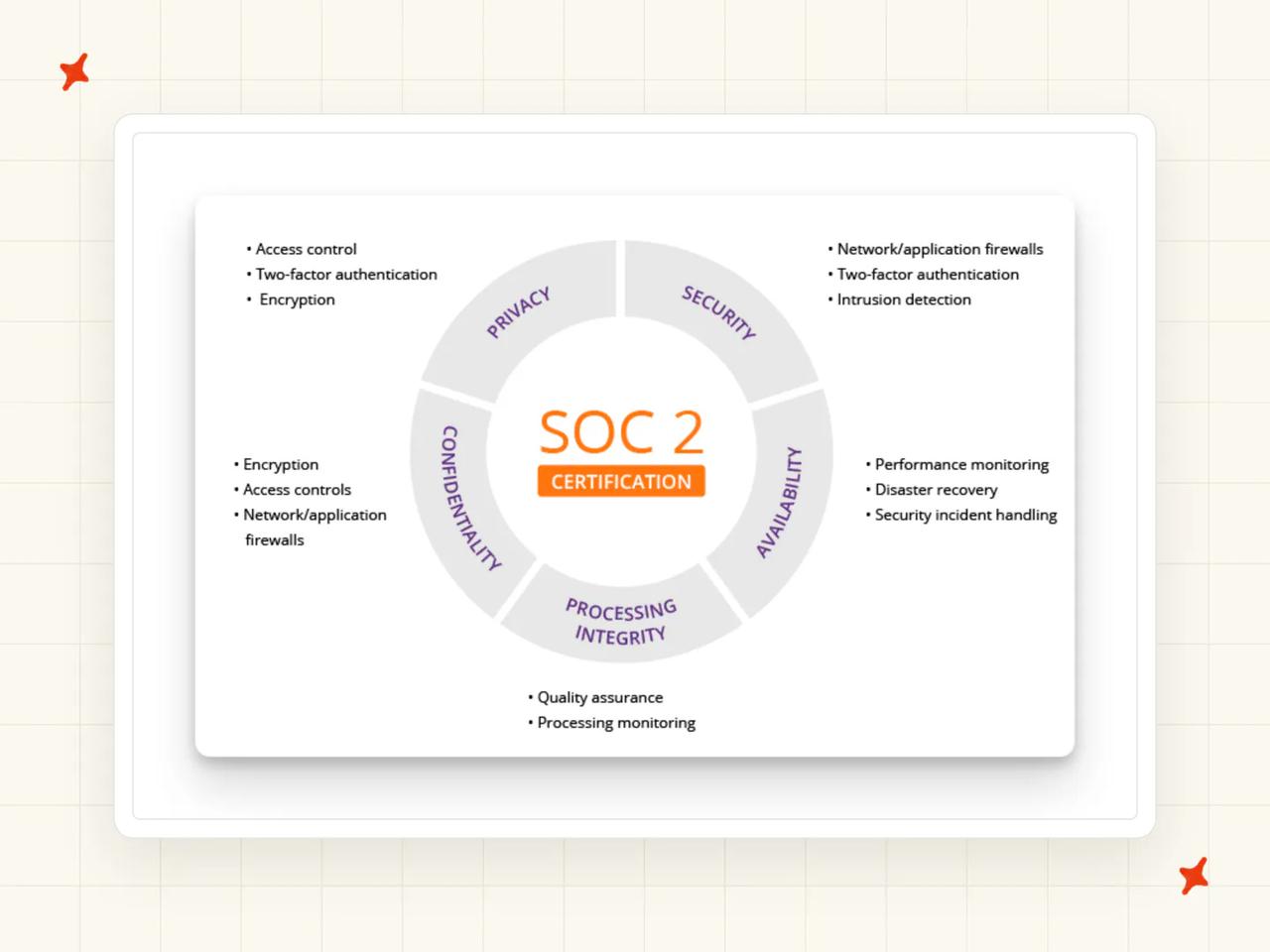
The certification gap is equally direct, in Crisp's own words: Crisp "hasn't been over any SOC2 audit but we wish to show we are fully compliant with these specific needs." No SOC 2, no ISO 27001. Third-party aggregators sometimes attach ISO 27001 or HIPAA to Crisp. Those certifications belong to a differently named US company.
How mature is Crisp?
Established, with a large SMB install base across Europe, and a product that has been shipping for years.
Crisp publishes no autonomous resolution rate for Hugo.
How much does Crisp cost?
Crisp charges per workspace (one price for the whole room), which nobody else here does. Crisp's pricing page lists Free at $0, Mini at $45 with $5 of included AI credits, Essentials at $95 with $25 of credits and Plus at $295 with $75 of credits. Additional agents are $10 a month.
The Hugo unit is defined in Crisp's billing documentation: "A Hugo conversation is not billed per message. It covers the exchange Hugo handles with a customer, from the first AI-handled message until the conversation is resolved, routed, or escalated." The rate carries its own hedge, so read it as a band: "On average, a full Hugo-handled conversation costs around $0.05 to $0.10 USD, but this remains only an estimate. Your real cost depends on your setup, the model selected, and the type of conversations Hugo handles."
Crisp documents what happens at zero: "By default, once included Hugo credits are consumed, Hugo stops answering automatically and incoming conversations are escalated to human operators until credits become available again." Pay-as-you-go can be turned on to keep it running, and credits reset every billing cycle (currently on the 4th of the month).
Who is using Crisp?
Crisp's testimonials page names Decathlon, Emma and Etnia Barcelona. On Decathlon: "For Decathlon, Crisp is essential in delivering an online experience that mirrors the personalized service found in stores. The platform enables the team to manage customer queries efficiently and ensure quick, tailored responses."
The list skews European retail and consumer brands, which matches where the product is strongest.
Read more: our complete guide to Crisp, our breakdown of Crisp's pricing, and our My AskAI vs Crisp comparison.
Is Tidio a good Customerly alternative?
G2: Tidio scores 4.6/5 from 1,906 reviews on G2. "Lyro acts as a first line of defense for repetitive inquiries — the AI now handles 5 out of every 9 conversations automatically." via a G2 reviewer.
The most-tagged criticisms on the same page are cost and limited customization, both of which trace back to the pool structure below.
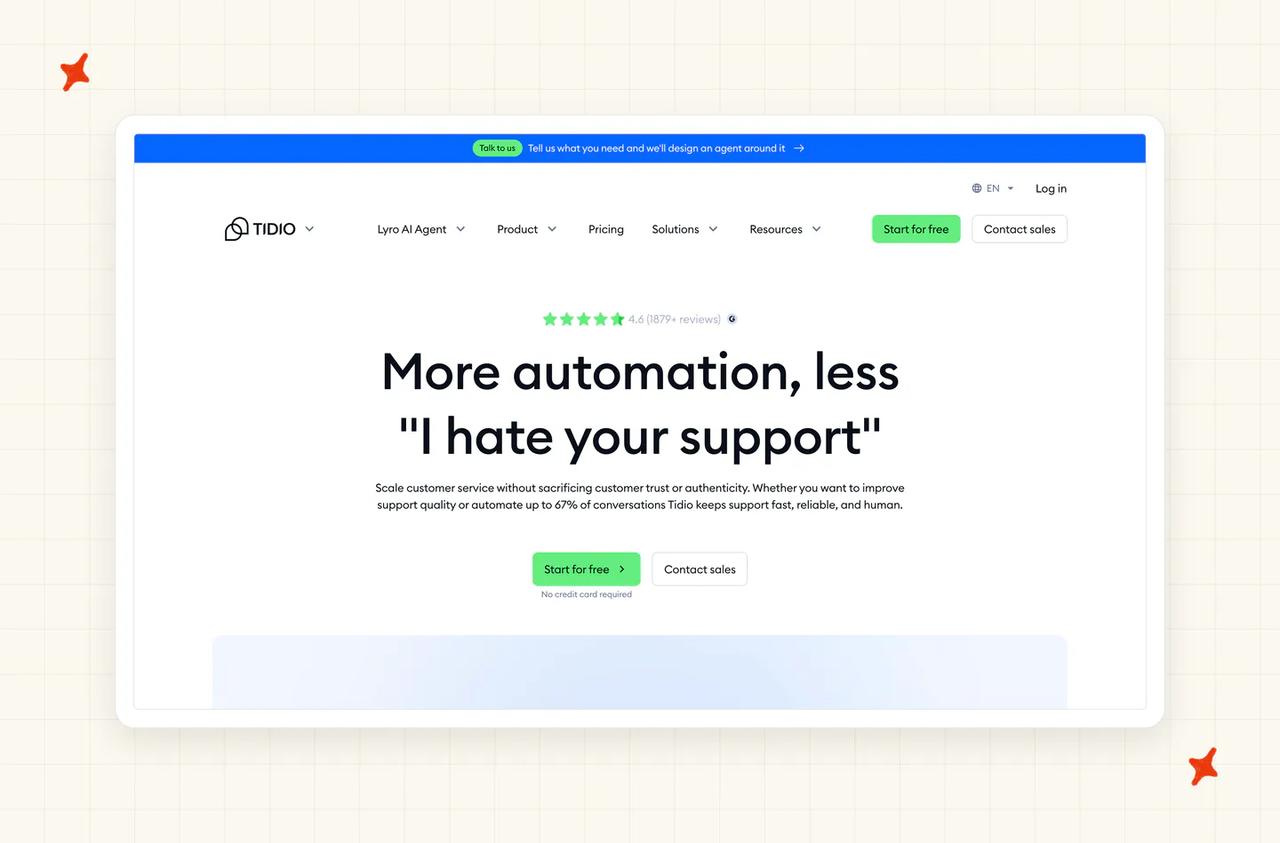
If you are leaving Customerly because you want something smaller and cheaper, this is the entry that fits. I scored it 51/80, and for a team this size the ceiling on the Lyro pool is what decides it.
Does Tidio replace your helpdesk, or layer on the one you have?
It replaces it, and it leads with chat. Live chat, a ticketing view, a native Messenger, Instagram and WhatsApp inbox, and Lyro as the agent.
Lyro is also sold on its own. The pricing page describes it as "Available as a stand-alone product", so a team can bolt the agent onto what it runs today (the closest thing here to our own layer route).
How easy is it to set up Tidio and migrate off Customerly?
Quick. Tidio is built for teams that want to be live the same day, and the widget and Lyro setup are both self-serve.
The trial is short and covers everything. Tidio spells it out: "It means that you can use the full feature set of any Customer Service, Lyro AI Agent or Flows plan within your first 7 days with Tidio."
What knowledge sources can I train Tidio on?
Your website and knowledge base content, plus the question-and-answer material you add. It is a standard site-and-articles setup with no third-party connectors.
Third-party knowledge tools are not ingested, so plan on your public content carrying the agent (I scored training sources 6 on that basis).
What features does Tidio have?
Live chat with the social inboxes, Flows for rule-based automation, and Lyro for autonomous AI replies. The three together cover most of what a small team asks for.
They are also three separately metered products (one tool, three bills).
How does Tidio improve over time?
Lyro reporting shows what it handled and what it passed on, and you improve results by improving the content behind it.
Customization controls are the second-most-tagged complaint on G2, and there is no automatic knowledge drafting.
How secure is Tidio?
SOC 2, with the report available on request through the Trust Center. Tidio also lists GDPR, CCPA and CPRA, the EU-US Data Privacy Framework, the EU AI Act and the NIST AI Risk Management Framework.
All customer data is stored on servers in EEA member countries, with no customer-selectable US option (the same position as Crisp, but with a SOC 2 report behind it).
ISO 27001 is not listed and HIPAA is not certified; Tidio's help center states that it follows the rules without formal documentation.
How mature is Tidio?
Well established at the small end. The install base is large and overwhelmingly small-business. That is also the ceiling: the largest publicly described deployment is a company with a nine-agent support team.
Tidio publishes a headline claim of solving up to 67% of customer problems with Lyro (its own marketing figure).
How much does Tidio cost?
Tidio's pricing page lists Free at $0, Starter at $24.17 a month, Growth from $49.17, Plus from $300 plus monthly usage, and Premium on request. Plus is described as: "Get premium features, priority support, and advanced team management for $300/mo. Pay separately for AI and human conversations at lower rates as you scale."
Lyro is a separate SKU from $32.50 a month covering 50 Lyro AI conversations, with slider steps at 50, 150 and 750 a month. Flows is a third pool from $24.17 a month covering 2,000 visitors reached (that is the third meter, and they do not share).
The unit is specific: "A Lyro conversation is a customer interaction initiated through any channel integrated with Tidio that has at least one reply from our AI Agent."
The free allowance is a one-off: "Every Tidio account starts with 50 Lyro conversations, but you need to upgrade to the Lyro AI Agent plan to refresh it monthly." On a paid Lyro plan the limit refreshes on a rolling 30 days from the payment date (so your reset date follows your billing date).
Who is using Tidio?
Burker hit the plan's ceiling in public: "In April, with a sale running on the website, Lyro handled 10,000 conversations in a single month, hitting the plan's conversation limit. The resolution rate climbed to nearly 80%." I weight that one line above any headline rate.
Suitor is the other published example, headlined "Suitor Hits 85% Customer Service Automation With Lyro".
Read more: our complete guide to Tidio Lyro, the best Tidio Lyro alternatives, and our My AskAI vs Tidio comparison.
Is Chatbase a good Customerly alternative?
G2: Chatbase scores 4.7/5 from 14 reviews on G2. "I just had to put the link of my website into Chatbase and it took care of scanning it completely... it answers me in the ChatGPT style." via Ederson V., Web Designer, Small-Business.
An owner-level reviewer names the gap on the same page:
"it doesn't have the option to do a human hand off." — Jamar H., Owner, Small-Business, G2
Chatbase documents an outright stop when the credits run out (the free tier included).
Does Chatbase replace your helpdesk, or layer on the one you have?
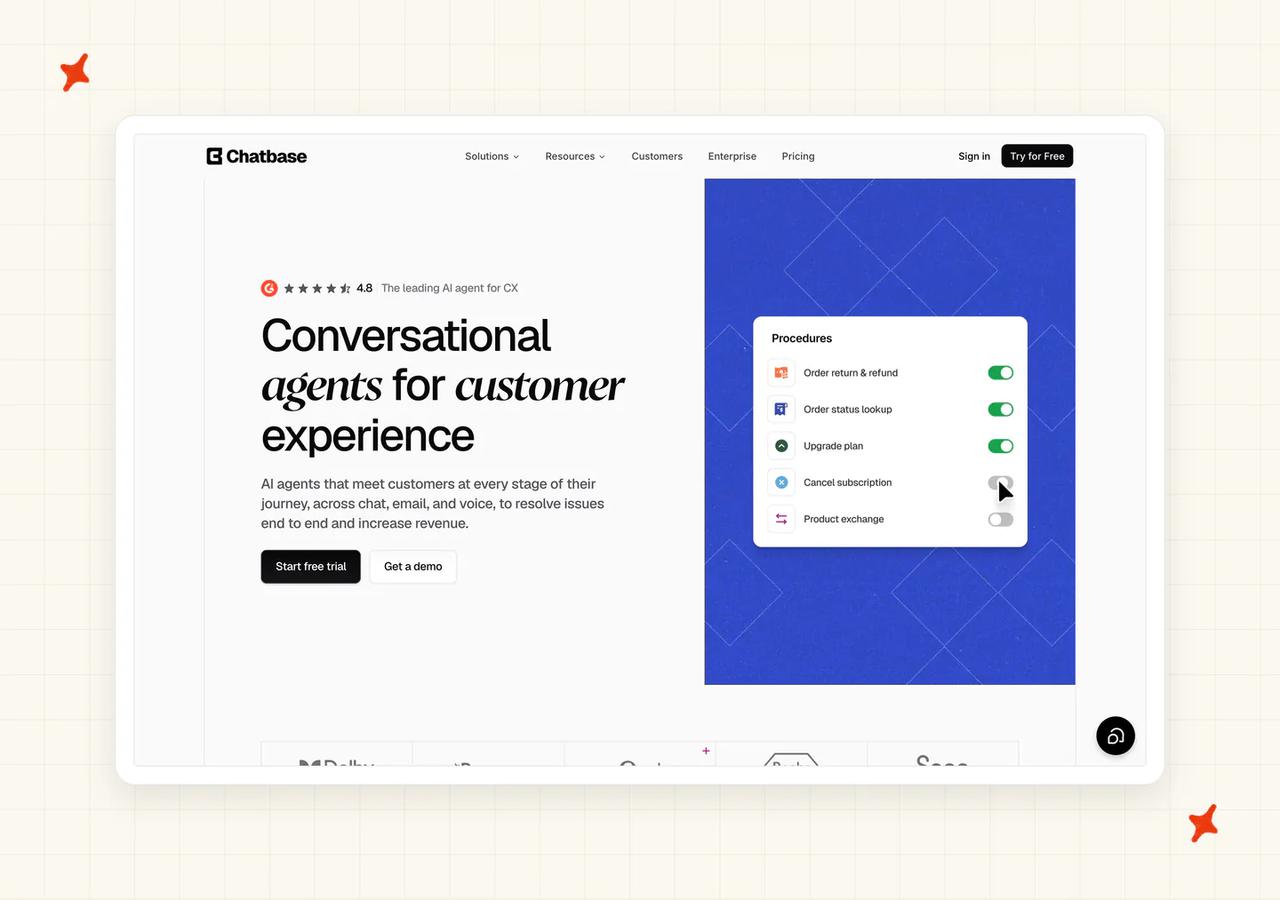
Mostly layer. Chatbase is an AI agent you point at your content and deploy on your site, and it includes a Help Desk module of its own on the Standard plan.
That module is the thinnest ticketing product of the eight, so most teams run Chatbase alongside a helpdesk they already have.
How easy is it to set up Chatbase and migrate off Customerly?
The easiest start of the eight. You point it at a website and it scans it.
The Free plan is permanent and needs no card. I scored setup 8 here, matching Help Scout. Agents auto-delete after 14 days of inactivity, so a trial you leave alone will not still be there when you come back.
What knowledge sources can I train Chatbase on?
Websites, uploaded files and question-and-answer content, bounded by a per-plan training allowance: 1 MB on Free, 10 MB on Hobby, 20 MB on Standard and 40 MB on Pro.
Past tickets are not a training source, so the agent knows only what you upload (the same limit Customerly has, if that was your reason for leaving).
What features does Chatbase have?
One AI agent on every self-serve tier, with AI Actions from Hobby upward and a per-plan cap on how many an agent can have. The Help Desk module, voice, telephony, outbound campaigns and API access all arrive together on Standard.
Single sign-on, audit logs and custom roles are Enterprise-only, as is a HIPAA BAA: "BAAs are available on the Enterprise plan only."
How does Chatbase improve over time?
Retraining is something you do. You update the sources, you retrain, you re-test.
Nothing self-learns from agent replies, and no knowledge is drafted for you (I scored the row 5, level with Zoho Desk and Crisp).
How secure is Chatbase?
Chatbase's security page states "GDPR & SOC 2 Type II Compliance" and describes "Ensuring data privacy, security, and compliance with GDPR and SOC 2 Type II standards."
No public ISO 27001 or PCI claim exists, and there is no published data-residency disclosure. On model training, its documentation is direct: "Your data is never used to train other models" and "Isolated per account - your data stays private".
How mature is Chatbase?
The newest product here, and it scores accordingly (47/80, last in the set). The install base is young, and the published plan ladder stops at a five-person support team.
A 20 or 50 agent team has no self-serve plan here, so the price goes through sales.
How much does Chatbase cost?
Chatbase's pricing page runs Free at $0 with 50 credits, Hobby at $40 with 700, Standard at $150 with 4,000 and Pro at $500 with 15,000, with Enterprise on request. Add-ons are auto-recharge at $40 per 1,000 credits, extra agents at $25 each a month, and branding removal at $99 a month.
The credit is the unit and it varies (one response costs one to six credits depending which model you pick), so the same volume can cost very different amounts. Chatbase's FAQ puts it as "Message credits power your AI Agent conversations. Each response from your AI Agent consumes credits based on the AI model used", and credits "renew monthly on the 1st of each month, regardless of when you subscribed."
Then there is the stop itself: "When credits are exhausted, your AI Agent will display: "This AI Agent is currently unavailable. If you are the owner, please check your account.""
Arm auto-recharge and "we'll automatically add credits that don't expire to your account, ensuring uninterrupted service." That is a real cap on the bill (and a customer-visible outage when it fires).
Who is using Chatbase?
Aplazo, a Mexican buy-now-pay-later company, reports a "2.2x lift in overall merchant closed-won rate" under the headline "How Aplazo doubled merchant acquisition without adding headcount".
Jumia's J Force is the other published deployment: "How Jumia J Force scaled support to 8 African markets with Chatbase".
Read more: our complete guide to Chatbase, the best Chatbase alternatives, and our My AskAI vs Chatbase comparison.
What do these Customerly alternatives actually cost at 2,000 tickets a month?
The assumptions behind every row: 2,000 tickets a month, 6 agents, a 50% AI resolution rate, US list pricing, annual billing where the vendor discounts it, and the mid-tier plan unless the ladder forces otherwise. Six agents sits above both Chatbase's five-seat plan and our own Pro tier, which is where the self-serve ladders end.
| Vendor | Pricing model | Monthly at 2,000 tickets / 6 agents | Notes |
|---|---|---|---|
| Customerly (baseline, the departure vendor) | Per seat plus per AI conversation participated in | 6 × $19 = $114 seats + (2,000 − 10 included) × $0.45 = $895.50 → ~$1,010 | The included allowance is nominal at this volume, and the meter does not fall if Aura fails, because it bills participation. Annual billing takes two months off the seat line, not the meter. |
| Zoho Desk (Zia) | Flat per seat, AI bundled, no per-event charge | Structure only: Zoho Desk prices in Indian rupees, not USD | The bill is identical whether the AI resolves everything or nothing. You are buying helpdesk seats, so this is not an incremental cost. A 30 million token monthly allowance exists with no published overage rate. |
| Crisp (Hugo AI) | Flat workspace plan plus per Hugo conversation | Essentials $95 + (2,000 − 450) × $0.05–$0.10 = $77.50–$155 → ~$173–$250 | Resolution-rate independent, since it bills on engagement. Six agents fit inside Essentials' 10 seats. Hugo stops at credit exhaustion by default. |
| Chatbase | Flat subscription metered in credits, per AI response | ~4 credits a ticket on a mid-tier model → 8,000 credits → Pro $500 (15,000 included) = ~$500 (paper) | The published ladder does not reach this team, because Pro caps at 5 workspace seats. Credit cost varies one to six by model choice, so the same volume can cost far less or several times more. |
| My AskAI | Per ticket on a credit plan, $0.12 a credit on Pro and $0.10 on Scale and Enterprise, with no per-resolution charge | Pro $199/mo (1,000 credits included) + 1,000 credits × $0.12 = $120 → $319 | The only row where the bill does not move with the resolution rate. Pro includes 5 team seats, and not every agent on a 6-person team needs a My AskAI seat, so Pro covers this team without moving to Scale at $499. Incremental, since it sits on a helpdesk you already pay for. |
| Tidio (Lyro) | Base plan plus per Lyro conversation, packs capped | Lyro packs cap at 1,000 conversations a month, so 2,000 exceeds the self-serve ladder → Plus from $300/mo plus monthly usage | The wall lands squarely at this volume. Plus bills AI and human conversations separately on top of the $300, and pricing above it is sales-gated. |
| Help Scout (AI Answers) | Per user plus $0.75 per AI resolution, billed in arrears | 1,000 resolutions × $0.75 = $750 + 6 × $25 (Standard) = $150 → ~$900 | Success-priced, so the bill rises as the AI gets better. At Help Scout's published 73%: 1,460 × $0.75 = $1,095 + $150 = ~$1,245/mo. A monthly spend cap is available. |
| Freshdesk (Freddy AI Agent) | Per seat plus $0.49 per session | 6 × $19 (Growth, annual) = $114 + 2,000 × $0.49 = $980 → ~$1,094 | The 500 included sessions are one-time, so steady state bills every session. A session is a 72-hour window on email, and 24 hours on chat, which is Omni-only. |
| Intercom Fin | Per seat plus $0.99 per outcome | 1,000 outcomes × $0.99 = $990 + 6 × $85 (Advanced, annual) = $510 → ~$1,500 | Standalone Fin on a non-Intercom helpdesk drops the seat column: a $49 base plan including 50 resolutions, then $0.99 each, is ~$990/mo at this volume. Copilot and Pro analytics are extra. |
Zoho Desk, Crisp, Freshdesk, Help Scout and Tidio are helpdesk seats with AI attached. My AskAI, standalone Fin and Chatbase are AI layers on a helpdesk you pay for separately.
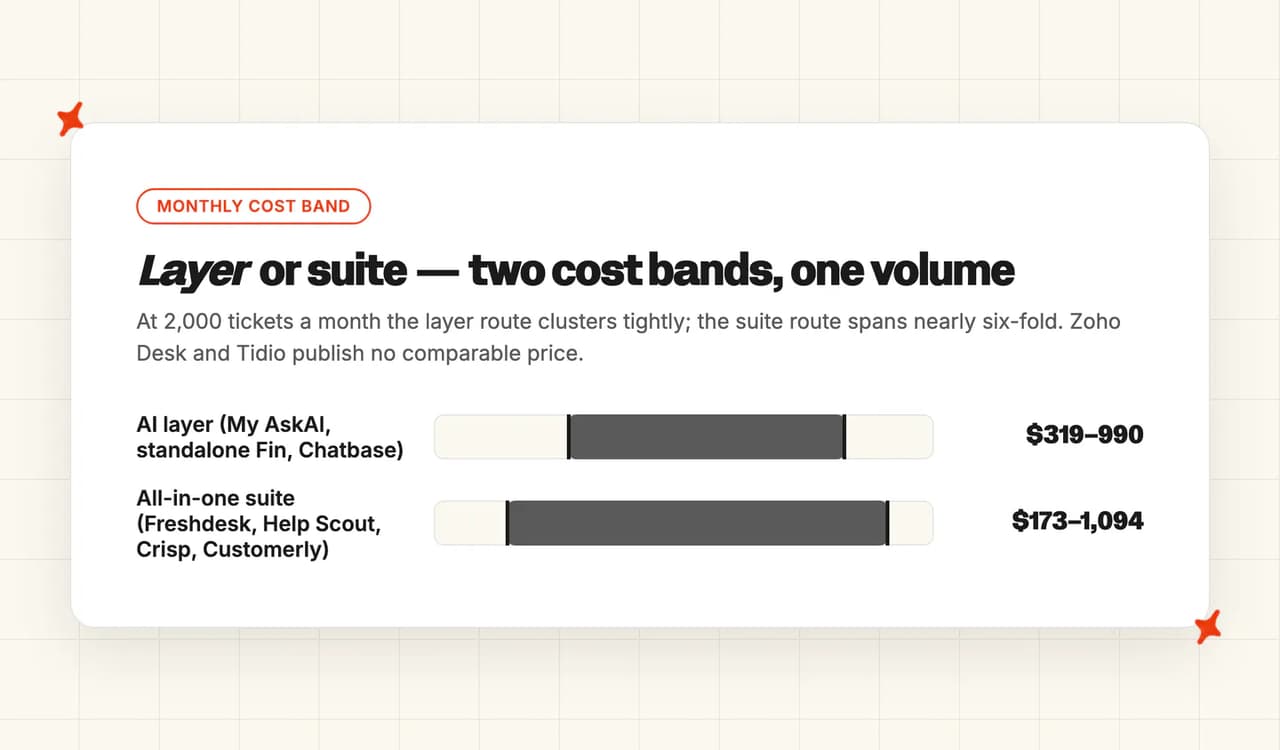
Comparing across the two is comparing a platform bill to an add-on bill. I price the layer column and the suite column as two separate decisions.
For a team that already runs a helpdesk, the layer column is the comparable one: My AskAI at $319 on Pro, Chatbase at about $500 on paper with no plan for a six-person team, and standalone Fin at about $990. For a team with no helpdesk, the suite column is the one that counts, and Customerly's own ~$1,010 sits mid-pack in it.
Per-resolution and per-outcome bills rise as the AI improves, while a flat per-ticket bill stays where it is. At Help Scout's published 73%, the same 2,000 tickets cost around $1,245 instead of around $900, and the vendor's own success metric is what raised the invoice.
In my experience the thing that ends the trial is a bill with no ceiling. Nowhere in Customerly's help center is there a setting that stops the meter. Help Scout publishes a spend cap, Crisp stops Hugo at credit exhaustion by default, Chatbase hard-stops at zero unless auto-recharge is armed, and Freshdesk hands over to live agents at full session consumption.
Ask each vendor where its meter stops before you sign.
RecruitCRM went through this arithmetic before we ever spoke to them. They evaluated Intercom Fin and passed, because "the $0.99 per resolution pricing just didn't make economical sense for them", then took a flat per-ticket layer instead.
If you want to check that on your own numbers, our ROI calculator and pricing page carry the same math. The trial is 30 days, all features unlocked, unlimited tickets, no card.
Which Customerly alternative is best?
The eight entries answer five different questions, so the best one depends on which is yours.
If you have no helpdesk at all and want one bill, a suite is the right answer, and Freshdesk is the strongest of them at Customerly's own $19 entry seat price (Growth, billed annually). That answer can be Customerly itself: chat, help center, email, surveys and an AI agent on one $19 seat, with a 14-day trial, is a reasonable place for a very early team to be. If nothing on your list is broken, staying is a valid answer.
If EU-only data residency is mandatory, your shortlist is short. Customerly stores and processes customer data in EU AWS regions, and Crisp hosts everything in the Netherlands, Germany and Paris. Crisp has not been through a SOC 2 audit, so if you need residency and certification together, this gets hard quickly.
If US enterprise procurement asked for SOC 2, Intercom Fin has the deepest grid, including the agent-specific AIUC-1, with Freshdesk, Help Scout and us certified, and Tidio and Chatbase both holding SOC 2 in some documented form, which is six of the eight. Crisp and Zoho Desk are not on that list.
If you already run Zendesk, Intercom, Freshdesk, Freshchat, Gorgias or HubSpot, or you are moving to one, add the AI layer and keep the helpdesk. That is where we fit: our biggest and most popular integrations are Zendesk and Intercom, the bill does not rise as the AI improves, at $0.12 a ticket on Pro and $0.10 on Scale, and if you change helpdesk again the trained agent comes with you. Our free trial runs 30 days with everything unlocked and no card.
The cheapest entries are Tidio, Chatbase, Crisp's free plan and Zoho Desk's 3-agent Free Forever tier, each with a ceiling worth reading before you commit. Our entry point is Pro at $199 a month.
For the whole picture on the platform you are leaving, our complete guide to Customerly covers its pricing and product in full. If you want the wider category, our roundup of the best AI customer service agents covers it.
What are the pros and cons of Customerly?
What makes someone stay
- One seat price covers the whole suite: chat, help center, email, surveys and an AI agent all arrive on a single $19 seat, which is why a very early team with no helpdesk at all has little reason to go shopping for something narrower.
- EU data residency in the box: customer data is stored and processed in AWS data centers inside the European Union, so an EU buyer with a residency requirement has no cause to look elsewhere on this point alone.
- A documented way in, and a trial to test it: Customerly publishes a help center collection for moving off other providers, and the trial runs 14 days, so a team can find out whether it fits before committing either way.
What makes someone leave
- The meter bills participation: a credit is spent whenever a conversation is assigned to Aura to handle end to end, at $0.45 each, so an attempt that goes nowhere costs the same as a resolution, and a team watching that bill outrun its resolution rate starts pricing alternatives.
- No published control that halts AI billing: Help Scout publishes a spend cap, Crisp stops Hugo at credit exhaustion and Chatbase hard-stops at zero credits, while Customerly's help center documents no equivalent, a gap that shows up once volume turns unpredictable.
- The AI does not read your ticket history: Customerly's own documentation says "our AI Assistant is not designed to directly learn from past conversations", so the knowledge behind Aura has to be written by hand, and a team that expected the agent to learn from its backlog leaves that gap unfilled.
- Neither SOC 2 nor ISO 27001: Customerly's security page states that it holds neither, and six of the eight alternatives above are SOC 2 certified, which is a hard stop the moment a buyer's procurement checklist asks the question.
FAQs
What are the best alternatives to Customerly?
Intercom Fin posts the top score at 66/80, with Freshdesk close behind at 63, My AskAI at 62 and Help Scout at 60, then Zoho Desk, Crisp, Tidio and Chatbase. Five of those replace your platform outright: Freshdesk, Help Scout, Zoho Desk, Crisp and Tidio, with Intercom Fin able to do either, while My AskAI, standalone Fin and Chatbase layer AI onto a helpdesk you keep. I put the camp you want ahead of the vendor you pick.
Is Customerly worth it, or should I use something else?
For a very early team with no helpdesk at all, Customerly is reasonable value: chat, help center, email, surveys and an AI agent on one $19 seat, and it is the only vendor here besides Crisp that gives an EU buyer EU-only data residency, since "All customer data is stored and processed in AWS data centers located within the European Union". The reason to leave is usually the meter, and their own documentation defines the unit as "An AI Conversation credit is used only when a full customer conversation is assigned to the AI to handle from start to finish." If your volume is growing and that bill has no ceiling, look at the eight above.
How do I add AI to my customer support without replacing my helpdesk?
Three of these eight do that. We install into Zendesk, Intercom, Freshdesk, Freshchat, Gorgias or HubSpot and reply inside the tickets you already have; Fin runs standalone on Zendesk, Salesforce Service Cloud, Freshdesk, HubSpot and custom helpdesks at a $49 base plan including 50 resolutions, then $0.99 each. Chatbase deploys as an agent on your site with a help desk module of its own from the Standard plan.
What's the cheapest AI customer service tool that actually works?
Tidio, Chatbase and Crisp all have free plans and Zoho Desk has a Free Forever tier for 3 agents, but the ceilings are what decide it: Tidio's 50 Lyro conversations are a one-off with no monthly refresh, and Chatbase's free credits stop the agent dead when they run out, with the customer seeing "This AI Agent is currently unavailable. If you are the owner, please check your account." We have no free plan, and signup requires a business email, so we are not the answer to this question.
Which AI support tool gives the best value per conversation?
It depends which pricing model you are buying. Per-outcome pricing like Fin's $0.99 and per-resolution pricing like Help Scout's $0.75 only charge when the AI succeeds, so the bill grows as the AI gets better, while Customerly's per-conversation model charges when the AI joins, so the bill does not fall when it fails. A flat per-ticket rate, which is our model, is the only one of the three that stays put as your resolution rate climbs.
Which Customerly alternatives are SOC 2 compliant?
AI-powered customer support that's SOC 2 compliant narrows the list to six of the eight. Intercom Fin has the deepest grid, Freshdesk has a broad one, Help Scout states "Help Scout is SOC2 Type 2 certified for Security and Availability", Chatbase publishes SOC 2 Type II and GDPR, My AskAI holds SOC 2 Type II and GDPR, and Tidio holds SOC 2. The two of the eight without it are Crisp, which says in its own words that it "hasn't been over any SOC2 audit", and Zoho Desk, which states GDPR, HIPAA and CCPA compliance but names no SOC 2 or ISO 27001 claim anywhere on its site. Customerly, the platform this shortlist is replacing, is in the same boat: its security page states that it does not currently hold a SOC 2 or ISO 27001 certification of its own.
Do any Customerly alternatives offer a free trial?
Most of them, and the terms differ enough to matter. Help Scout gives 15 days on Standard or Plus with no card, with Pro sales-gated and its three-month AI trial open to new accounts only, and Zoho Desk runs 15 days and then downgrades the plan automatically. Tidio gives 7 days across the full feature set, Freshdesk gives 14 days on Enterprise with no card, Crisp gives 14 days with a permanent free plan behind it, and our own trial runs 30 days with everything unlocked, unlimited tickets and no card.
What is the best AI tool for customer service?
That depends on whether you are buying a platform or an agent. If you are choosing an AI agent to run on a helpdesk you already have, the shortlist is short and the pricing model decides most of it. Our roundup of the best AI customer service agents covers the wider category.