10 Best AI Customer Service Tools for Small Businesses (2026)
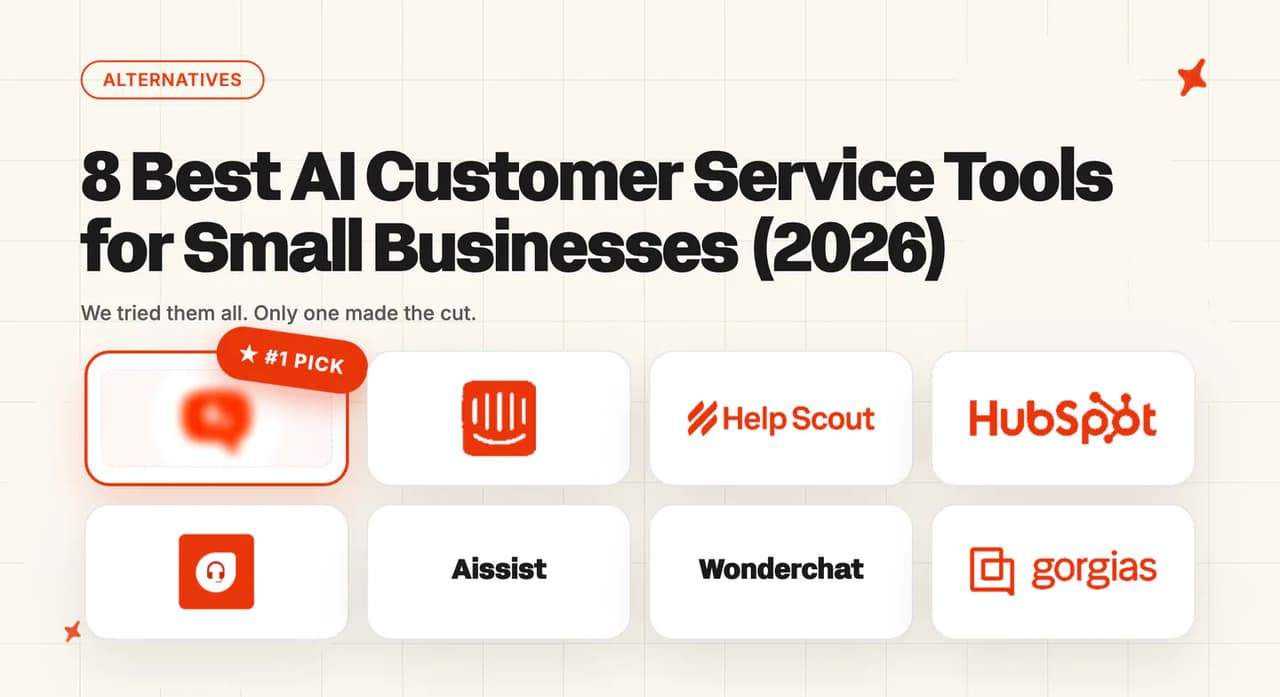
At 50-200 employees you've no procurement team and one ops owner. These 10 AI customer service tools fit a small business: self-serve, no enterprise contract.
Summarize with AI
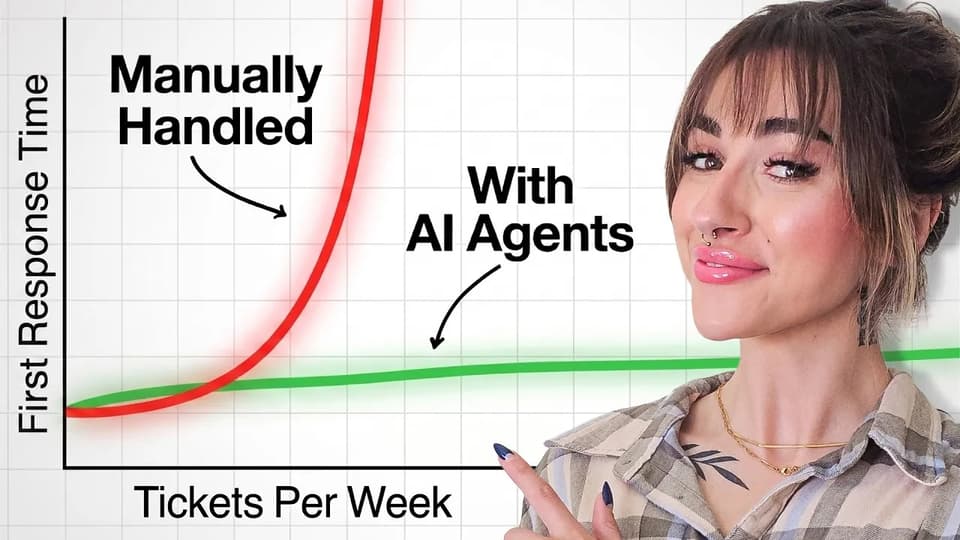
If you're running support at a 50-200-person company, you're in the awkward middle. You're past the stage where the founder answers every ticket, but nowhere near having a CX department. Support is one or two people, the budget is real but finite, and nobody (least of all you) has six weeks spare for an enterprise rollout.
That's the reality most "best AI customer service" lists skip right over. They're topped by enterprise platforms that won't quote you under $30,000 a year, scored on criteria a 5,000-person company cares about, and built for a buyer who has a procurement team. You don't. You've got a card, a helpdesk you already pay for, and a quarter to show this was worth it.
I've spent years on calls with support teams exactly this size, so I'll bet one of these is true for you:
- Ticket volume just crossed what your one or two support people can handle, and the next hire isn't approved yet.
- You started evaluating AI, and every roundup is topped by tools clearly built for companies ten times your size.
- You want this live this month, on the helpdesk you already run, with no sales call, no rollout project, and no contract your finance lead has to escalate.
This guide ranks 10 AI customer service tools that actually fit a small business. I've scored them on the things that matter at your size: how fast you can go live, whether it works with the helpdesk you already have, whether the bill is one you can forecast, and whether it's secure enough for the B2B deals you're chasing. And I've pulled real numbers from small businesses already running this, like RecruitCRM (68% of its support resolved by AI on Intercom) and TravelJoy (80% AI resolution on Zendesk, after its previous AI managed just 24%).
What counts as a "small business" here (50-200 employees)?
At 50-200 employees, a business sits in a specific band: a support team of one to five people (sometimes up to ten), one or two helpdesks, SOC 2 and GDPR starting to matter because B2B prospects now ask about them, and a budget owned by the founder or a single ops or finance lead. There's no procurement committee scoring six vendors against an RFP. The person evaluating the tool is usually the person who'll run it.
That's a different buyer from the two bands either side, so the tools that fit are different too.
If you're smaller (a 2-10-person team where the founder still buys and runs everything) the early-stage band is a better fit. If you think about your company in funding rounds (Series A/B, "scale-up", one ops hire), there's a sibling post written through that lens.
And if you're past 200 people, with multi-helpdesk migrations, a CX team, and procurement involved, the mid-market and enterprise bands apply (I'll point you to each one as we go).
Here's how the small-business band sits between the one below and the one above:
| Marker | Early-stage (2-10) | Small business (50-200) | Mid-market (200-1,000) |
|---|---|---|---|
| Support team size | 0-1 | 1-5 (sometimes up to ~10) | 25-80 |
| Helpdesk count | Inbox or first helpdesk | 1-2 helpdesks | Multi-helpdesk, often mid-migration |
| Compliance posture | Not yet asked about | SOC 2 + GDPR start to matter for B2B | SOC 2 Type II + GDPR are deal-breakers |
| Buying motion | Founder buys on a card | Founder or one ops/finance lead buys | Procurement scores an RFP |
| Budget approval path | Founder decides | One approver, wants a forecastable number | Finance + procurement sign-off |
The rest of this post is written for that middle column.
What does a small business need from an AI customer service tool?
The standard way to score these tools uses eight generic criteria: helpdesk integration, setup, training sources, features, improving over time, security, vendor maturity, and cost. At 50-200 employees, three of those carry far more weight than the rest, and a couple mean something specific. Here are the six I'd weight most at your size.
Speed-to-live and self-serve setup
At this size, the person buying the tool is usually the person running it, and from the calls I'm on, they don't have a spare month. So it has to go live in days: no 30-90-day rollout project, no 20,000 historical tickets to feed it first, no sales cycle. Anything that needs a dedicated implementation team or a developer for the standard setup is the wrong fit for a small business.
Helpdesk fit and portability
You almost certainly already run a helpdesk: Zendesk, Intercom, HubSpot, Freshdesk, or Gorgias (we plug into all five, more on that below). The AI has to work inside it rather than replace it.
And because companies your size do still switch helpdesks as they grow, the tool shouldn't lock you in. If you move from one helpdesk to another next year, you don't want to retrain the AI and rebuild everything from scratch. A tool tied to a single helpdesk is a bet that you'll never move.
Predictable pricing you can forecast
This is the one the generic lists miss, and I think it bites hardest at your size. Most of these tools bill per outcome, per resolution, per session, or per interaction, which means the bill scales with your own success. The better the AI does, the bigger the invoice.
For a small business where the budget owner is the founder or one finance person, a variable bill that moves every month is a real problem: you can't forecast it, and you can't take "it depends how well it works" to the person who approves spend. A flat, per-ticket price you can predict is worth more than a slightly lower headline rate you can't (it's the trade I'd make every time at this size).
Resolution quality without a huge ticket history
You don't have 20,000 historical tickets, and you shouldn't need them. A tool built for your size has to deliver good resolution from your help center, your website, and your existing docs, and if you don't have those, from your past resolved tickets.
Across the field, these tools resolve a median of around 70% of tickets (a first-party aggregate we pulled across 38 vendors and 195 rated deployments, so treat it as directional, since every vendor counts a "resolution" differently). The ones that need a year of ticket history before they're useful aren't built for you.
Security that's right-sized
By the time you're selling to other businesses, prospects ask about SOC 2 and GDPR, so the AI handling your customer data needs both. That's the real bar at this size.
The heavier enterprise frameworks (HIPAA, ISO 27001, PCI-DSS) matter at the enterprise band, but at 50-200 people they're usually capability you'll pay for and never touch. The right tool clears the SOC 2 Type II and GDPR bar without forcing you onto an enterprise contract to get it.
Channel breadth that fits your size
You need chat and email, and increasingly the social channels (WhatsApp, Instagram) where your customers already are. Voice (full AI phone support) is real, but at this size it's usually enterprise-overkill: a capability that adds cost without matching how your customers actually contact you. The right tool covers the channels your customers use today and doesn't charge you for the ones they don't.
How do I score AI vendors for my own small business?
If you want to run this on your own shortlist, here's a prompt you can paste into ChatGPT, Claude or Perplexity. It uses the same six criteria plus cost. Desk research can't judge answer quality (you still need to test on your own tickets), so the prompt tells the model to flag what it can't verify.
You are helping me choose an AI customer service tool for a small business.
My business: [what we do], [N] employees, [N] people on support, on [helpdesk
or shared inbox], doing [N] tickets/month. One person owns this and there is
no procurement team.

Score each of these vendors [paste shortlist] from 1-10 on these seven criteria:
1. Speed-to-live and self-serve (can I sign up and go live without a sales call?)
2. Helpdesk fit and portability (does it run in my helpdesk, and does it survive
   me switching helpdesk later?)
3. Predictable pricing (can I forecast next month's bill from this month's?)
4. Resolution without a big ticket history (what does it need before it is useful?)
5. Right-sized security (SOC 2 type, GDPR, DPA - not enterprise theatre)
6. Channel breadth (chat, email, and the social channels my customers use)
7. Cost at my volume (model the all-in monthly bill, and say whether it rises as
   the AI resolves more)

For anything you can't verify from public sources, write "unverified - ask the
vendor" rather than guessing. Output a scored table, then a one-paragraph
recommendation for my business.
Which AI customer service tools are best for a small business, at a glance?
Here's how the ten score against the six small-business criteria, plus cost at a representative 3,000-tickets-a-month volume. The list only includes tools a small business can actually buy and run self-serve, which is why the enterprise-only platforms (Ada, Decagon, Sierra, Forethought, Salesforce Agentforce, DigitalGenius) aren't on it: their sales-led, $30,000-plus floors put them out of scope for a 50-200-person company.
Each criterion is scored out of 10. The Overall row is the column total out of 70, and columns run highest overall to lowest, left to right.
| (scores /10) | My AskAI | Intercom Fin | Chatbase | Help Scout | Tidio Lyro | HubSpot Breeze | Freshdesk Freddy | Aissist | Wonderchat | Gorgias AI |
|---|---|---|---|---|---|---|---|---|---|---|
| Speed-to-live & self-serve | 10 | 7 | 8 | 9 | 8 | 6 | 6 | 8 | 8 | 6 |
| Helpdesk fit & portability | 10 | 7 | 5 | 4 | 4 | 3 | 4 | 6 | 4 | 4 |
| Predictable pricing | 10 | 5 | 6 | 5 | 4 | 6 | 5 | 3 | 6 | 4 |
| Resolution without big history | 9 | 9 | 6 | 7 | 6 | 6 | 6 | 6 | 5 | 6 |
| Right-sized security | 9 | 9 | 8 | 7 | 9 | 8 | 8 | 4 | 7 | 7 |
| Channel breadth | 7 | 9 | 8 | 6 | 7 | 7 | 8 | 7 | 6 | 6 |
| Cost at ~3,000 tickets/mo | 10 | 4 | 7 | 5 | 5 | 6 | 5 | 8 | 6 | 4 |
| Overall (out of 70) | 65 (93%) | 50 (71%) | 48 (69%) | 43 (61%) | 43 (61%) | 42 (60%) | 42 (60%) | 42 (60%) | 42 (60%) | 37 (53%) |
The numbers give the ranking. Here's the same picture in plain words, so you can see the why at a glance:
| My AskAI | Intercom Fin | Chatbase | Help Scout | Tidio Lyro | HubSpot Breeze | Freshdesk Freddy | Aissist | Wonderchat | Gorgias AI | |
|---|---|---|---|---|---|---|---|---|---|---|
| Setup | ~10 min, self-serve | ~30 min, tuning takes longer | Under 10 min, self-serve, no card | Very fast (hours) | ~10 min, no-code (Shopify/WordPress/snippet) | In HubSpot, mid-effort | Mid-effort | Self-serve, free tier | 5-min no-code | Mid-effort |
| Helpdesk fit | Zendesk, Intercom, HubSpot, Freshdesk, Gorgias + portable | Zendesk, HubSpot, Freshworks, Salesforce + own | Zendesk, Freshdesk, HubSpot + own help desk (no native Intercom/Gorgias) | Own helpdesk only | Own helpdesk; Lyro Connect (Zendesk/Intercom/Salesforce) gated + metered | HubSpot-only | Freshworks-only | Gorgias, Zendesk, Intercom, HubSpot (Freshdesk soon) | Zendesk, Freshdesk, HubSpot (no Intercom/Gorgias) | Shopify-only AI |
| Pricing model | Per-ticket, flat | Per-outcome ($0.99) | Flat tier ($120 Standard) + model credits | Per-resolution ($0.75) | Per-conversation ($0.50), three metered pools | Per-resolution ($0.50) | Per-session ($0.49) | Per-interaction ($0.09) | Flat tier + credit multiplier | Per-resolution + double-bill |
| Bill as AI improves | Stays flat | Rises | Flat by tier, but credits vary 2-6x by model | Rises | Rises (and 95% auto-upgrade jumps tiers) | Rises | Rises | Rises (per reply) | Capped, model-dependent | Rises |
| Security | SOC 2 Type II + GDPR | SOC 2 Type II + GDPR | SOC 2 Type II + GDPR | SOC 2 + GDPR | SOC 2 Type II + GDPR | SOC 2 Type II + GDPR | SOC 2 + GDPR | SOC 2 "aligned" | SOC 2 Type II + GDPR | SOC 2 + GDPR |
| Best for | Most small businesses | Budget no object | Fast multi-model setup, Zendesk/Freshdesk/HubSpot shops | Simple, email-first | Small Shopify/ecommerce on Tidio | All-in on HubSpot | All-in on Freshworks | Cheapest start | Quick no-code chatbot | Shopify DTC |
Here's the thing the scoreboard hides: the two cheapest tools on sticker price (Aissist and Wonderchat) also carry the most vendor-maturity risk (both are very small teams with thin track records), and Aissist's per-interaction billing is the hardest of any to forecast. Among the established, mature options, My AskAI is both the cheapest and the only flat, predictable bill. The full cost picture is next.
What does AI customer service cost for a small business?
Take a representative small business: 3,000 support tickets a month, an AI resolution rate of 50%, a support team of about five. Here's what each tool costs at that volume, on list pricing.
| Vendor | Pricing model | Monthly cost at ~3,000 tickets | Does the bill rise as the AI improves? |
|---|---|---|---|
| My AskAI | Per-ticket, flat | ~$439 (Pro plan; ~$300 pure usage) | No, stays flat |
| Aissist | Per-interaction ($0.09) | ~$270 | Yes, bills per reply |
| Wonderchat | Flat tier + message credits | ~$99-299 | Capped, but model-dependent |
| HubSpot Breeze | Per-resolved-conversation ($0.50) | ~$1,200 + $1,500 one-time onboarding | Yes |
| Help Scout | Per-resolution ($0.75) + plan | ~$1,375 | Yes |
| Freshdesk Freddy | Per-session ($0.49) | ~$1,745 | Yes (bills even when it doesn't resolve) |
| Intercom Fin | Per-outcome ($0.99) | ~$1,910 (~$1,485 standalone) | Yes |
| Gorgias AI | Per-resolution ($0.90) + helpdesk | ~$2,100 | Yes |
| Chatbase | Flat tier + model credits | ~$120 (Standard) + model credits | Flat by tier, but credits vary 2-6x by model |
| Tidio Lyro | Per-conversation ($0.50), 3 pools | ~$749+/mo (Plus wall past ~1,000 convos) | Rises (95% auto-upgrade jumps tiers) |
The headline numbers tell one story, but the column to care about at your size is the last one. My AskAI charges a flat ~$0.10 per ticket (you pay when the AI works a ticket, rather than only when it resolves one), so the bill stays put whether your resolution rate is 40% or 80%.
Every other mature tool here bills per outcome, per resolution, or per session, which means the bill grows as the AI gets better at its job. That's the trap a small business walks into: you do the work to lift your resolution rate, and the vendor sends you a bigger invoice for it.
The two cheapest stickers come with asterisks. Aissist's per-interaction model ($0.09 per AI reply, and a typical ticket is about two replies) is the least forecastable of all: a chattier conversation costs more even when it never resolves, and the 3,000-interaction free tier only covers about half a 3,000-ticket month.
Wonderchat's flat tiers look cheap, but the message credits multiply 1-20× depending on which model you pick, so the real cost is model-dependent and opaque. Both are tiny vendors, which is its own risk for a business betting its support on them.
There's a fair boundary worth stating. At genuinely low, stable volume (under about 1,000 tickets a month that doesn't move much) a per-resolution model can come out cheaper, because you're not paying a base or a minimum for capacity you don't use. The flat model wins as volume climbs and as your resolution rate improves. (Pricing is current as of writing, so check each vendor's live pricing page before you commit.)
Is My AskAI a good fit for a small business?
My AskAI is an AI customer service agent that runs inside the helpdesk you already use, trained on your own knowledge. It's built squarely for the small-business band: self-serve, flat-priced, and live in minutes. It's also the tool we make, so I'll be specific about where we fit and where we don't.
How fast can a small business get My AskAI live, and who runs it?
Starting from your existing knowledge (your help center, your website, or a Shopify catalog) you can be live within minutes to hours, and the standard setup needs no developer. If you don't have a help center yet, you can train the agent on your past resolved tickets to generate starter knowledge from scratch, so a team with no written docs isn't stuck.
Most customers reach the point where the AI replies directly to customers within about a month, and ongoing upkeep runs around 30 minutes a week. The biggest worry-killer at this size is our Internal Notes mode: you run My AskAI silently alongside your existing setup and watch how it would have replied, before it ever talks to a customer.
Does My AskAI fit the helpdesk you already run, and avoid lock-in?
We run natively inside all five major helpdesks (Zendesk, Intercom, HubSpot, Freshdesk, and Gorgias), and the AI answers whatever channels your helpdesk routes to it, including social like WhatsApp and Instagram. It's portable, too: the trained agent, the custom answers, the guidance and the tasks all move with you if you switch helpdesks, so you're never starting over. And it connects to more knowledge sources than the native helpdesk AIs (Google Drive, Notion, Confluence, SharePoint, Shopify and others), rather than being limited to a single help center.
What does My AskAI cost at small-business volume?
Pricing is per ticket and flat: roughly $0.10 a ticket, with a Pro plan at $199/month covering the first 1,000 tickets and the Scale plan at $499/month. At our representative 3,000 tickets a month that's around $439 on Pro, and it doesn't move as your resolution rate climbs.
There's no per-resolution charge and no per-seat fee. A 30-day free trial runs every feature with no credit card (yes, every feature).
What are My AskAI's standout features?
Beyond the agent itself, the features we lean on at this size are the ones that keep it cheap to run. Self-Learning drafts new knowledge articles each week by comparing the AI's replies to your team's, so the knowledge base maintains itself. Inspect and Logs let you open any conversation and ask the AI why it answered the way it did, which defuses the "what if it hallucinates" worry.
And Tasks and Tools handle agentic workflows like refunds, cancellations and account lookups: those actions are your call to configure, so the AI can complete them autonomously once you trust it, or draft them for a human to approve first. The AI Copilot Chrome extension is included free for unlimited team members.
Who at small-business scale is using My AskAI?
Small and mid-sized businesses across SaaS, ecommerce and crypto are who we built My AskAI for. RecruitCRM, a SaaS platform for recruitment agencies, resolves 68% of its support with AI on Intercom (up from about 35% at go-live) and saves 62 hours a month. TravelJoy, in travel, reached 80% AI resolution on Zendesk, versus the 24% its previous AI agent managed, and saves 193 hours a month.
Kriptomat, a European crypto platform, runs at 62% resolution on Intercom and saves 172 hours a month. Across our customer base, the rolling 30-day resolution rate is 72%, with more than a million tickets resolved to date.
Is Intercom Fin a good fit for a small business?
Fin is Intercom's AI agent. It's the one to beat: the highest-performing general-purpose agent in the category, and the benchmark most teams measure against.
For a small business at the upper end of the band with budget to spend, it's a serious option. Lower down, the per-outcome bill is the catch.
How fast can a small business get Fin live, and who runs it?
Intercom says Fin can go live "in under an hour", and the initial enable genuinely is fast. Getting to a good resolution rate takes longer: one Capterra reviewer reported about 28% resolution out of the box, rising with deliberate content work. Fin rewards content engineering, which a one-person support team can do (but should budget real time for).
Does Fin fit the helpdesk you already run, and avoid lock-in?
Fin works inside Intercom and can also run standalone on Zendesk, HubSpot, Freshworks and Salesforce, so you're not forced to migrate to Intercom to use it. It doesn't run inside Gorgias. If you're on Intercom already it's the obvious native choice; if you're not, weigh the standalone seat economics carefully.
What does Fin cost at small-business volume?
Fin charges $0.99 per resolution ("outcome"), plus Intercom seats from about $85/agent/month if you're not running it standalone. At 3,000 tickets and 50% resolution that's roughly $1,910 a month with five seats, or about $1,485 standalone. Because it's per-outcome, the bill rises as resolution improves: the better Fin does, the more you pay.
What are Fin's standout features?
Fin runs on Intercom's in-house Apex vertical model and adds Procedures (multi-step workflows), Voice, and a mature testing suite (Previews, Batch tests, Simulations) that's genuinely ahead of most of the field. The analytics depth is a real strength. For a team that lives in Intercom and wants the most capable agent on the market, that's the draw.
Who at small-business scale is using Fin?
Intercom publishes plenty of named customers. Vanta has Fin fully resolving 71% of the chat conversations it handles (roughly 2,500 a month that never reach a human), and Lightspeed reports Fin resolving 45-65% of its support volume. Both are larger than a typical small business, which is worth noting: Fin's marquee references skew up-market.
You can go deeper in our complete guide to Intercom Fin, our My AskAI vs Fin comparison, and our Intercom Fin alternatives roundup.
Is Help Scout a good fit for a small business?
Help Scout is a simple, human-centered helpdesk with an AI layer (AI Answers), aimed squarely at small teams of 2-50 agents. If you want something straightforward your team can learn in a day, it's a strong fit, with one real caveat on pricing.
How fast can a small business get Help Scout live, and who runs it?
Famously fast. One customer, Switcher, put it like this:
"Onboarding with Intercom was going to take 6 months. Help Scout did it in 24 hours."
Another, Threadless, said the team taught itself the product in a day (simplicity is the whole pitch).
Does Help Scout fit the helpdesk you already run, and avoid lock-in?
Help Scout is its own helpdesk, so the AI only runs if you adopt Help Scout as your helpdesk: there's no layering it onto Zendesk or Intercom. For a team already on Help Scout (or choosing it fresh) that's fine; for a team committed to another helpdesk, it's a migration rather than an add-on.
What does Help Scout cost at small-business volume?
AI Answers costs $0.75 per AI resolution, on top of the helpdesk plan. At 3,000 tickets and 50% resolution that's roughly $1,375 a month all-in. The bigger caveat is the 2025 switch to per-contact billing, which produced documented 4-5× increases for some customers (one reported a jump from $1,500 to over $7,500 a year), so model your own contact volume carefully before committing.
What are Help Scout's standout features?
The shared inbox is the core, with a clean Docs knowledge base and the Beacon embeddable widget. AI Answers, AI Drafts and AI Summarize sit on top. The whole product is designed around simplicity and personal customer relationships rather than feature density, which is exactly what some small teams want.
Who at small-business scale is using Help Scout?
Help Scout publishes a wall of small-business customers, including Switcher and Threadless, both cited above for how fast they got running. Its sweet spot (teams of 2-50 agents) is the small-business band almost exactly.
We cover it more in our complete guide to Help Scout and our Help Scout alternatives roundup.
Is HubSpot Breeze a good fit for a small business?
Breeze is HubSpot's AI suite, and its Customer Agent is the support piece. If your business already runs on HubSpot Service Hub, it's the natural in-house option, and it carries the cheapest per-resolution unit price in the category.
How fast can a small business get Breeze live, and who runs it?
Setup is reasonable if you're already in HubSpot, since the CRM context is already there. The catch is the floor: Breeze needs Professional or Enterprise on any of HubSpot's seven hubs, plus credits and an assigned seat, so the "setup" includes being on a paid tier (plus a mandatory $1,500 onboarding fee on Service Hub Pro). Free and Starter cannot run it on any hub.
Does Breeze fit the helpdesk you already run, and avoid lock-in?
Only if your helpdesk is HubSpot. Breeze doesn't deploy on Zendesk, Intercom, Freshdesk or Gorgias, and it won't run on HubSpot's own Free or Starter tiers. It's a deep fit for HubSpot shops and irrelevant for everyone else, which also makes it a lock-in bet on the HubSpot ecosystem.
What does Breeze cost at small-business volume?
Breeze charges $0.50 per resolved conversation, the lowest per-resolution unit here, plus the Service Hub Professional seat (about $90/agent/month). At 3,000 tickets and 50% resolution that's roughly $1,200 a month, plus the one-time $1,500 onboarding. The credits expire monthly and don't roll over, and overages can auto-upgrade your tier (so the effective bill, in our experience, runs higher and less predictable than $0.50 implies).
What are Breeze's standout features?
The Customer Agent draws on full HubSpot CRM context, and the suite includes a Knowledge Base Agent that auto-drafts help articles plus the Breeze Assistant across the HubSpot product. For a team whose customer data already lives in HubSpot, that native context is the real advantage.
Who at small-business scale is using Breeze?
HubSpot publishes Customer Agent case studies. Sticos, a Visma company, reports 91% chat deflection, 75% chat resolution, and 41% of tickets handled by the Customer Agent. Soundstripe has it absorbing 79% of chat volume (and cutting human first-response time by 54%).
We go deeper in our complete guide to HubSpot Breeze, our My AskAI vs Breeze comparison, and our HubSpot Breeze alternatives roundup.
Is Freshdesk Freddy a good fit for a small business?
Freddy is the all-rounder of the Freshworks world: an AI suite built into Freshdesk, with an AI Agent, a Copilot for your human agents, and analytics in one place. If your business already runs on Freshworks, it's the embedded option.
How fast can a small business get Freddy live, and who runs it?
Freddy is reasonable to set up if you're already on Freshdesk, with a no-code Agent builder. There's no batch historical-ticket simulation, though (Freshdesk's sandbox doesn't replay your past conversations against Freddy), so you can't fully dry-run it on your real tickets before going live.
Does Freddy fit the helpdesk you already run, and avoid lock-in?
Only if that helpdesk is Freshworks. Freddy can't integrate with Zendesk, Intercom, HubSpot or Gorgias; it's Freshworks-only. For a Freshdesk shop that's seamless, and for anyone else it means adopting Freshdesk.
What does Freddy cost at small-business volume?
Freddy's AI Agent bills $0.49 per session, the cheapest unit on paper, plus the Freshdesk Pro seat (about $55/agent/month). At 3,000 tickets that's roughly $1,745 a month with five seats. The wrinkle: a session bills whether or not Freddy resolves the ticket, so a lower resolution rate actually makes your cost-per-resolved-ticket worse, the opposite of a per-outcome model.
What are Freddy's standout features?
The three-pillar suite (autonomous AI Agent, Copilot agent-assist, and AI Insights) plus pre-built vertical agents for retail, fintech and travel is a genuine strength for Freshworks customers. It's a coherent, integrated AI layer rather than a bolt-on.
Who at small-business scale is using Freddy?
Freshworks cites Freddy AI Agent customers including iPostal1, where the agent saved up to 12 minutes per interaction by completing key steps in about seven seconds, and Gail's Bakery, where it now handles around 1,000 inquiries a month.
We go deeper in our complete guide to Freshdesk Freddy, our My AskAI vs Freddy comparison, and our Freshdesk Freddy alternatives roundup.
Is Aissist a good fit for a small business?
Aissist is the genuinely-free-to-start option on this list. It's a self-serve AI agent with a permanent free tier, aimed at small and mid-sized ecommerce and SaaS teams, which makes it attractive for a small business testing the water, with one big caveat on how it bills.
How fast can a small business get Aissist live, and who runs it?
Self-serve and quick. There's a permanent free tier of 3,000 interactions a month with no card required, so you can stand it up and see real results before paying anything. There's no batch simulation against your historical tickets, though, so you test individual queries (rather than your whole back catalog).
Does Aissist fit the helpdesk you already run, and avoid lock-in?
Aissist integrates with Gorgias, Zendesk, Intercom and HubSpot, with Freshdesk listed as coming soon, so four of the five major helpdesks today, with a gap if you're on Freshdesk.
What does Aissist cost at small-business volume?
Here's the catch. Aissist bills $0.09 per interaction, meaning per AI reply rather than per ticket, and a typical ticket runs about two replies. At 3,000 tickets (around 6,000 interactions) the free tier covers the first 3,000 and you pay roughly $270 a month for the rest.
It's the cheapest sticker here, but per-interaction is the hardest model of all to forecast: a chattier conversation costs more even when it doesn't resolve, and the cost climbs faster than ticket count as conversations get longer.
What are Aissist's standout features?
The Multi-Agent Platform routes to specialized sub-agents, with three deployment modes (auto-draft, auto-pilot, co-pilot) and Smart Actions for API-driven workflows like Shopify lookups. For a self-serve tool at this price point, the feature depth is real.
Who at small-business scale is using Aissist?
Aissist publishes named case studies including EDIS Global, a VPS host reporting 85%+ autonomous resolution across eight languages, plus Holafly (70% CX automation), COROS (75% automation) and Sunroom Rentals (90% of incoming traffic handled). The numbers are self-reported and represent willing reference customers, so take them with a grain of salt.
We cover it more in our complete guide to Aissist and our Aissist alternatives roundup.
Is Wonderchat a good fit for a small business?
Wonderchat is a cheap, no-code AI chatbot builder that explicitly targets companies of 50-200 employees (your exact band). If you want something flat-priced you can stand up in an afternoon, it's worth a look, with a clear-eyed view of the vendor risk.
How fast can a small business get Wonderchat live, and who runs it?
Very fast: a single script tag on your site, with a documented five-minute setup and guides for WordPress, Webflow, Shopify and more. There's a free-forever 20-message tier to try it.
Does Wonderchat fit the helpdesk you already run, and avoid lock-in?
Partially. Wonderchat integrates with Zendesk, Freshdesk and HubSpot, but not Intercom or Gorgias (and the Zendesk integration is gated to the top tier). It's more of a website chat widget than a deep helpdesk-native agent.
What does Wonderchat cost at small-business volume?
Tiers run $29 (Starter), $99 (Basic) and $299 (Turbo), so it's flat and cheap on paper, roughly $99-299 a month at small-business volume. The complication is that message credits multiply 1-20× depending on the model you choose (GPT-5 and Claude 4 burn far more than a base model), so the headline price understates the real cost on premium models.
What are Wonderchat's standout features?
Multi-model support (GPT-5, Claude 4, Gemini), a Corrections system to retrain the bot from mistakes, and SOC 2 Type II with GDPR compliance and EU hosting, which is a solid security setup for a small vendor. The model choice is the differentiator.
Who at small-business scale is using Wonderchat?
Wonderchat cites customers including Jortt, which it reports reaching 92% resolution, and claims 1,000+ businesses overall. The published proof is on the thin side (Wonderchat has only a handful of third-party reviews), so weigh the references with a grain of salt.
We cover it more in our complete guide to Wonderchat.
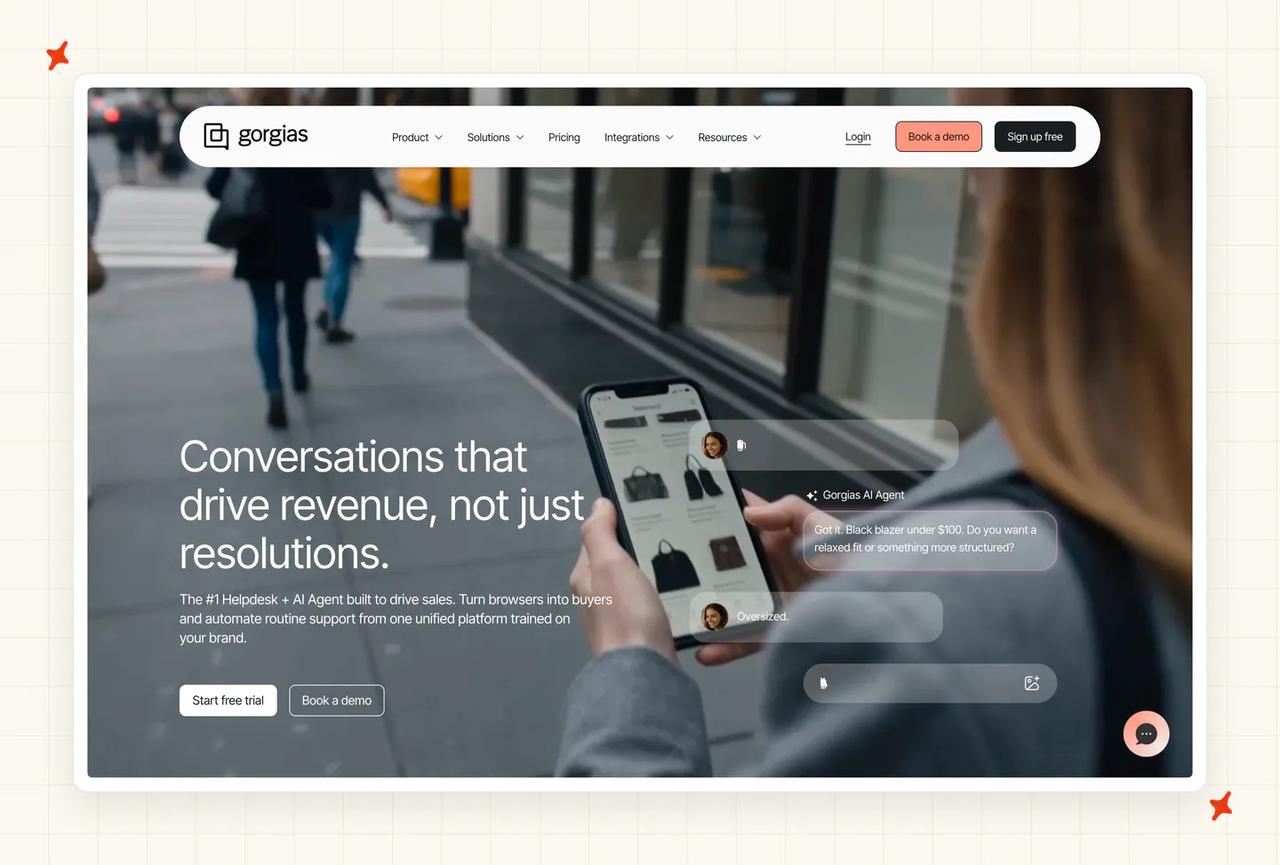
Is Gorgias AI a good fit for a small business?
Gorgias is the ecommerce specialist on this list. Its AI Agent is Shopify-native and built for DTC brands, doing autonomous order actions out of the box (think refunds and order edits without a human). For a small ecommerce business on Shopify, it's a natural fit; outside that, less so.
How fast can a small business get Gorgias live, and who runs it?
Quick if you're a Gorgias customer already, with deep Shopify and ecommerce-app integrations (Recharge, Loop, Klaviyo). The AI Agent layers onto the Gorgias helpdesk you'd already be running.
Does Gorgias fit the helpdesk you already run, and avoid lock-in?
The AI Agent is Shopify-only; Gorgias confirms it doesn't run on BigCommerce, WooCommerce or Magento, even though the helpdesk supports them. And it's tied to the Gorgias helpdesk. So it fits one specific setup (a Shopify store on Gorgias) and nothing else.
What does Gorgias cost at small-business volume?
Gorgias bills $0.90 per resolved conversation, on top of a helpdesk plan sized to your total ticket volume. At 3,000 tickets that's roughly $2,100 a month. The structure to watch is the double-bill: an AI-resolved ticket is charged both as a helpdesk ticket and an AI resolution, and above the included AI allotment resolutions bill at a $1.50 overage rather than $0.90, so real bills can run higher than the blended rate suggests.
What are Gorgias AI's standout features?
Two skillsets in one subscription: a Support Agent for post-purchase questions and a Shopping Assistant for pre-sale. The autonomous Shopify actions (refunds, cancellations, subscription edits via Recharge and Loop) are genuinely deep for ecommerce, which is where Gorgias earns its place.
Who at small-business scale is using Gorgias AI?
Gorgias publishes DTC customer stories. Orthofeet reached a 56% automation rate in under two months, and Psycho Bunny runs its AI Agent ("Lisa") resolving about 26% of tickets. Both are Shopify apparel and footwear brands, the Gorgias core.
We go deeper in our complete guide to Gorgias AI, our My AskAI vs Gorgias comparison, and our Gorgias AI alternatives roundup.
Is Chatbase a good fit for a small business?
Chatbase is an AI support platform with its own help desk module (shared inbox, ticket views, assignment, conversation takeover) that also drops onto your site as a widget, so it can run your support end to end or sit next to the helpdesk you already have. It's bootstrapped, around $8M ARR, and claims 10,000+ businesses across 140+ countries. For a small business it's a fast, flat-priced option, with a couple of asterisks on how it bills.
How fast can a small business get Chatbase live, and who runs it?
Fast is the whole pitch: the docs promise under 10 minutes to first value, and reviewers broadly back it (one puts it at 10-15 minutes to running). It's no-code and self-serve with no card required to start: add data sources (files, website crawl, Q&A, Notion), create the agent, test in the Playground (with a Compare view to A/B two models side by side), then paste one snippet.
The caveat is there's no simulation against your historical tickets before you go live, so you tune it in production rather than dry-running it first, and some users report agents stuck on training for hours.
Does Chatbase fit the helpdesk you already run, and avoid lock-in?
Partly, and this is the column to check. Chatbase integrates natively with Zendesk, Freshdesk and HubSpot (plus Salesforce, Zoho Desk and Help Scout), so three of the five major helpdesks are covered directly.
It has no native Intercom or Gorgias marketplace app, so those two need Zapier or middleware, a real gap if you run either. It also runs its own help desk, so you can adopt it wholesale instead.
It stays portable across the channels and sources it supports (website, WhatsApp, Slack, Shopify, plus new voice via Twilio), rather than being tied to one helpdesk.
What does Chatbase cost at small-business volume?
Chatbase bills a flat rate by tier: Free, Hobby $32, Standard $120 (the first tier with the help desk, API, voice and all the helpdesk integrations), Pro $400, then Enterprise.
The catch is that one message can burn 2-6 credits depending on the model you pick, credits reset monthly and don't roll over, and the agent stops replying when they run out unless auto-recharge is on ($40 per 1,000). So the bill is flat by tier while the real capacity is model-dependent, and the jumps between tiers are steep ($120 to $400 with nothing in between).
Removing branding is a further $1,188 a year.
What are Chatbase's standout features?
Multi-model is the differentiator: 35+ models from 7 providers (OpenAI, Anthropic, Google, DeepSeek, Meta, Moonshot, xAI), chosen per agent, with a Compare view. AI Actions run real tasks (Stripe billing, Shopify order lookups, Calendly, escalate-to-human, or any custom HTTP API).
There's analytics with topics and sentiment, a whitelabel widget, a public API on Standard and up, new inbound voice over Twilio, and 80+ languages.
The gaps reviewers name are no visual flow builder and recurring hallucination complaints, including invented URLs on your own domain.
Who at small-business scale is using Chatbase?
Chatbase publishes case studies skewed to SMB and mid-market: Aplazo (a Mexican BNPL fintech) reports a 2.2x lift in merchant closed-won rate; FairFigure cites 98% accuracy and an MVP in a week; the Testicular Cancer Foundation answered 484 questions in 30 days across 12 countries and 5 languages.
Its headline "resolves 80% of tickets" is a vendor marketing figure, a deflection number, so treat it as directional.
The support reputation is the soft spot: Capterra's customer-service sub-score is its lowest at 3.8/5, and Trustpilot skews heavily to 1-star over billing disputes.
We cover it more in our complete guide to Chatbase and our Chatbase alternatives roundup.
Is Tidio Lyro a good fit for a small business?
Tidio Lyro is Tidio's Claude-powered AI agent, built squarely for SMB ecommerce and Shopify stores. It claims a 67% average resolution rate and sits inside Tidio's own helpdesk (live chat, ticketing, email), so like Help Scout and Gorgias it's helpdesk-plus-AI rather than a layer over the helpdesk you already run. For a small ecommerce team on Shopify, it's one of the strongest-reviewed tools here, with clear pricing and channel caveats.
How fast can a small business get Lyro live, and who runs it?
Quick: Tidio says about 10 minutes, and most installs are no-code (a Shopify app, a WordPress plugin, or a single JavaScript snippet). A Playground sandbox lets you test Lyro on chat and email before going live, and when it fails a question you add a Q&A pair inline to close the gap.
The fuller picture is that the widget is up in minutes while a Lyro that answers well takes hours to weeks of knowledge-base work (one case study cited about two weeks of onboarding), and Smart Actions like order lookups and refunds need developer effort.
Does Lyro fit the helpdesk you already run, and avoid lock-in?
Only partly, and this is the key trade-off. Lyro lives inside Tidio's own helpdesk; to run it inside Zendesk, Intercom or Salesforce you need Lyro Connect, gated to the Plus and Premium plans and billed from $0.50 per conversation on top.
It doesn't run inside Freshdesk or Gorgias as a native agent. So for a team already on Tidio (or choosing it fresh) it's seamless, and for a team committed to another helpdesk it's either a migration or a gated, metered add-on.
It answers chat, email, Messenger, Instagram and WhatsApp, with no voice or phone channel.
What does Lyro cost at small-business volume?
Here's the catch a small business needs to model. Tidio bills across three separate metered pools (Customer Service seats, Lyro AI conversations, and Flows visitors), and Lyro is its own SKU: from $32.50/mo for 50 conversations, marketed at "$0.50 per conversation" (the $0.50 rate only kicks in on higher-volume packs, so the entry math is $0.65).
A Lyro conversation resets after 15 minutes of inactivity, so one confused customer can burn several. Above 1,000 Lyro conversations a month you're pushed into custom Plus ($749/mo and up) or Premium (about $2,999/mo and up).
The most-cited pain is a 95%-quota auto-upgrade with only an in-app banner and no email, which has doubled customers' bills overnight and explains the 3.8 Trustpilot. Disable auto-upgrade and monitor quotas weekly.
What are Lyro's standout features?
It runs on Anthropic's Claude (plus Tidio's in-house models), which reviewers credit for answers that rarely hallucinate. Lyro Smart Actions drive order status, address changes, returns and CRM logging via API (with MCP support); Product Recommendations pull live Shopify and WooCommerce inventory into scrollable product cards (Growth tier and up); Lyro Guidance sets tone and per-audience rules; and Analytics reports resolution, CSAT and unanswered-question queues by channel.
It covers 48 languages, processed natively rather than translated to English first.
Who at small-business scale is using Lyro?
Tidio claims 300,000+ businesses across all products, and the paying Lyro base is a fraction of that given the free tier. Published Lyro case studies cluster tightly in SMB ecommerce and services: MattressNextDay (73% resolution, 400+ hours a month saved), Borrowell (83% resolution, 11K tickets/mo with 9 agents), Cove Smart (35% CSAT lift), and Secureframe (59% resolved, up from 2-3%).
The 67% headline is Tidio's own deflection-style metric, and independent reviewers peg 40-60% as realistic without an exceptional help center.
Review scores are the category's strongest (4.7 G2, 4.7 Capterra, 4.8 Shopify), with Trustpilot at 3.8 driven by the billing surprises above.
We cover it more in our complete guide to Tidio Lyro and our Tidio alternatives roundup.
So which AI customer service tool is best for a small business in 2026?
For most small businesses, I'd point you to My AskAI. It's self-serve and live in minutes, and it runs on whichever of the five major helpdesks (Zendesk, Intercom, HubSpot, Freshdesk, Gorgias) you already use. It's also the only mature tool here with a flat, forecastable bill, and at 50-200 people, where one person approves spend and the budget can't absorb a moving invoice, that predictability is worth more than a slightly higher headline resolution rate.
Intercom Fin is the runner-up (the most capable agent on the market), and the right call if you're already on Intercom and budget isn't the constraint. From there it's about your stack. A Shopify DTC store should look at Gorgias AI's deep order actions, and a team standardized on HubSpot should keep its AI and CRM together with Breeze.
If you want the simplest possible setup, Help Scout is hard to beat. And if you want to start genuinely free, Aissist or Wonderchat will get you going at $0, just go in clear-eyed about the forecastability and vendor-maturity trade-offs.
A quick decision shortcut, the way I'd run it: if your top worry is a bill your finance lead can forecast, choose a flat per-ticket tool like My AskAI; if it's raw resolution rate and you're on Intercom, choose Fin; if it's deep Shopify actions, choose Gorgias; if it's the cheapest possible start, choose Aissist or Wonderchat with eyes open.
If you're on the boundary, point yourself to the right band: under about 25 people, the early-stage roundup fits better; if you think about your company in funding rounds, the Series A/B scale-up post is written for you; and past 200 people with procurement and voice in the mix, the enterprise roundup is the one to read.
If you want to see where you'd land, the fastest test is to run My AskAI in Internal Notes mode alongside your current setup. It shadows your real tickets and shows you the resolution rate before you commit to anything.
FAQs
What is the best AI customer service tool for a small business?
For most small businesses (50-200 employees) I'd point you to My AskAI: it's self-serve, runs on the helpdesk you already use, and bills a flat per-ticket rate you can forecast. Intercom Fin is the strongest alternative if you're on Intercom and budget isn't the constraint, while Gorgias (Shopify) and HubSpot Breeze (HubSpot) win for businesses standardized on those stacks.
How much does AI customer service cost for a small business?
At a representative 3,000 tickets a month, a flat per-ticket tool like My AskAI runs about $439 a month and stays there as your resolution rate climbs. Per-resolution and per-outcome tools (HubSpot Breeze, Help Scout, Freshdesk Freddy, Intercom Fin, Gorgias) land roughly between $1,200 and $2,100 a month at the same volume, and the bill rises as the AI improves. The cheapest stickers (Aissist, Wonderchat) start under $300 but are the hardest to forecast.
Is AI customer service worth it for a small business?
Usually, yes: the field resolves a median of around 70% of tickets, and small businesses see real hours back. RecruitCRM resolves 68% of its support with AI and saves 62 hours a month, and TravelJoy saves 193 hours a month at 80% resolution (more in our customer case studies). For a one-or-two-person support team, that's the difference between keeping up and falling behind, which is why we built My AskAI around fast, low-maintenance setup.
What's the difference between an AI chatbot and an AI customer service agent?
A chatbot follows scripted decision trees and answers questions. An AI customer service agent reasons over your knowledge and takes actions: issuing a refund, updating an order, looking up an account, through workflows you configure. With My AskAI, those actions are your choice to set up, so the agent can complete them autonomously once you trust it, or draft them for a human to approve first.
Can one person run AI customer service at a 50-200-employee company?
Yes, and that's the norm at this size. The bulk of the effort is in the first month (connecting knowledge, tuning answers); after that, ongoing upkeep runs around 30 minutes a week. Tools that need a dedicated implementation team or 20,000 historical tickets to get started aren't built for a one-person support function.
Do I need a helpdesk first, or can I add AI to my existing setup?
If you already run a helpdesk (Zendesk, Intercom, HubSpot, Freshdesk or Gorgias) you add the AI inside it, and you don't replace anything; My AskAI runs natively in all five. If you don't have a helpdesk yet, some tools can work from a shared inbox, but most small businesses at this size already have one.
Will switching helpdesks later mean re-implementing my AI?
It depends on the tool. With single-helpdesk options (HubSpot Breeze, Freshdesk Freddy, Gorgias AI) switching helpdesks means starting the AI over. We built My AskAI to be portable for exactly this reason: the trained agent, custom answers, guidance and tasks all move with you across any of the five helpdesks, so a future migration doesn't cost you the AI work.
Do these AI tools have SOC 2 and GDPR?
My AskAI is SOC 2 Type II certified and GDPR compliant, with AES-256 encryption and per-customer data isolation, and your data is never used to train models. Intercom Fin, HubSpot Breeze and Wonderchat also hold SOC 2 Type II and GDPR. At 50-200 employees, SOC 2 and GDPR are the bar that matters, and the heavier enterprise frameworks rarely apply.
How long does it take a small business to get AI customer service live?
Starting from existing knowledge (a help center, your website, or a Shopify catalog) you can be live within minutes to hours. Most teams reach the point where the AI replies directly to customers within about a month; the variable is usually how much knowledge prep or custom API work you want first. If you have no help center at all, training on past resolved tickets generates starter knowledge from scratch.
Will AI customer service replace my support team or future hires?
In practice it handles the repetitive tier-1 volume (the "where's my order", "how do I reset this", "what's your refund policy" questions), which frees your one or two support people for the complex, relationship and revenue work that actually needs a human. For a small business, it's usually the thing that lets you grow support volume without growing headcount at the same rate, rather than a replacement for the team you have.