Migrating Off Freddy AI (Without Leaving Freshdesk)
Migrate from Freddy AI and keep Freshdesk, every ticket and every canned response. Run both AI agents for two to four weeks; your seat price won't change.
Summarize with AI
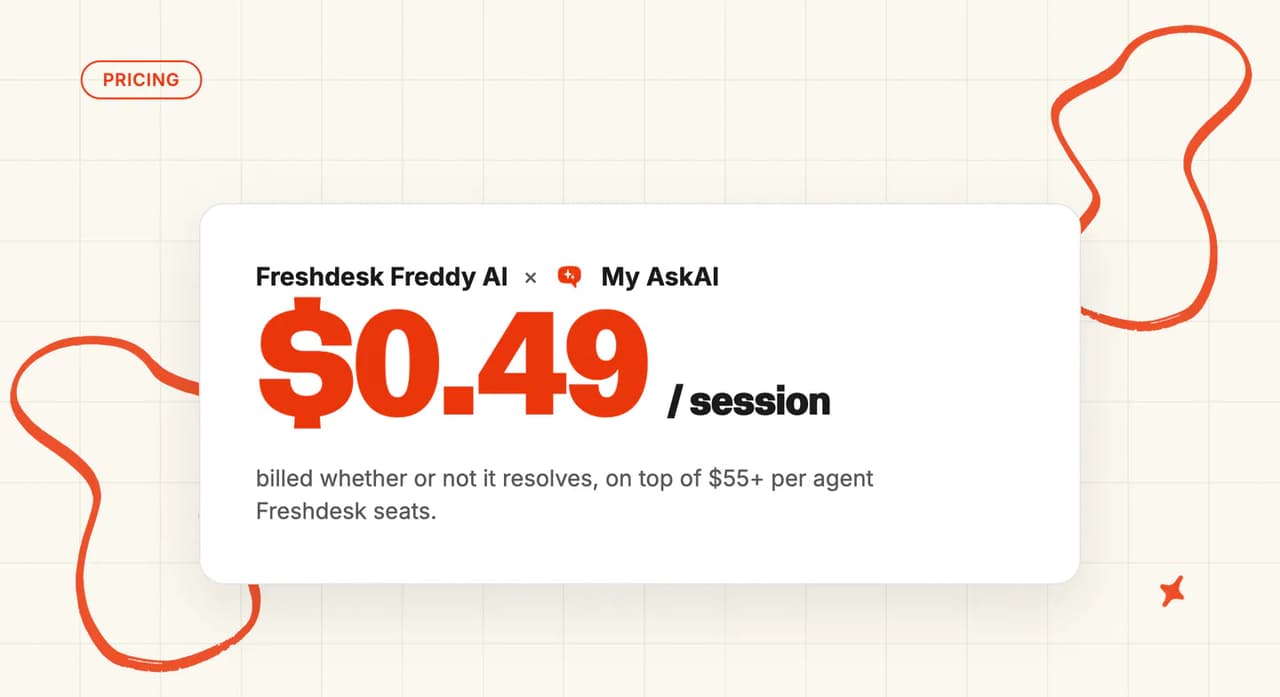
You can leave Freddy AI and keep Freshdesk by installing a different AI agent, pointing it at the same help center, and letting it draft internal notes beside Freddy before the replies move over, one channel at a time. That's the move for a team that has used up its 500 included sessions, with auto-recharge now buying new packs on its own (packs are listed at $49 for 100 sessions).
Before you start, check whether auto-recharge is on and how many Copilot seats you pay for.
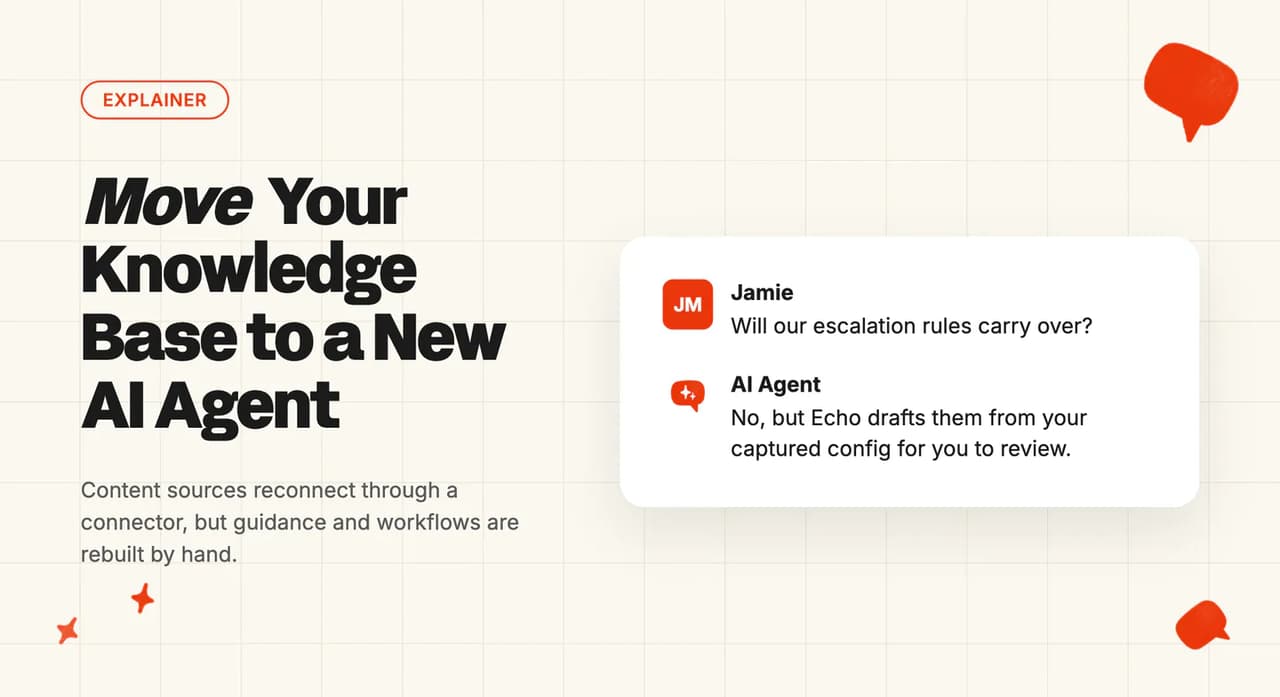
The first job is getting Freddy's persona, Custom Q&As and workflows back out, because Freshworks publishes no export for them. Echo then rewrites them, and your team reviews each draft.
If you haven't switched Freddy on yet, our walkthrough on adding AI to Freshdesk without Freddy AI is the better place to start.
I'm Mike, co-founder of My AskAI. We run AI customer service for 200+ ecommerce and SaaS businesses, and My AskAI installs into Freshdesk and Freshchat, so this sequence comes from live installs.
Migrating off Freddy AI at a glance
You rebuild what Freddy does inside Freshdesk, and chat swaps over last.
| What you keep | Freshdesk and Freshchat themselves: every ticket, canned responses, Automations, solution articles and portal, groups, tags, views, SLA policies, Freshchat Topics and human chat, marketplace apps |
| What you rebuild | Freddy's persona and instructions (as Guidance), Custom Q&As (as Custom Answers), AI Agent Studio workflows and any Freshchat flow bots (as Tasks), and the few Auto Triage predictions you rely on (as Tagging). None of it exports; an AI assistant copies it out and Echo drafts the rebuild for you to review |
| What you lose | Auto Triage's prediction of dependent (nested) ticket fields, the thank-you detector, Live Translate in the agent's reply box, Freddy's own Analyze history (screenshot your baselines first), and Freddy AI Insights on Pro, once the last Copilot seat goes |
| What you stop paying for | Session packs, auto-recharge and Copilot seats, once you cancel them and the billing cycle turns over. Your Freshdesk plan stays the same price: the AI Agent is bundled into every paid plan |
| Typical effort | Less than a day to connect and rebuild, then two to four weeks running both on email tickets before the replies switch over (a busy helpdesk can reach enough conversations in one to two weeks) |
| Plan and billing to check | Whether auto-recharge is on, how many Copilot seats you pay for, and when your billing cycle ends |
| Hardest part | Freshchat. My AskAI's Freshchat connection needs Freddy switched off first, so chat can't run side by side: prove the agent on email tickets, then swap chat directly |
Why do teams leave Freddy AI?
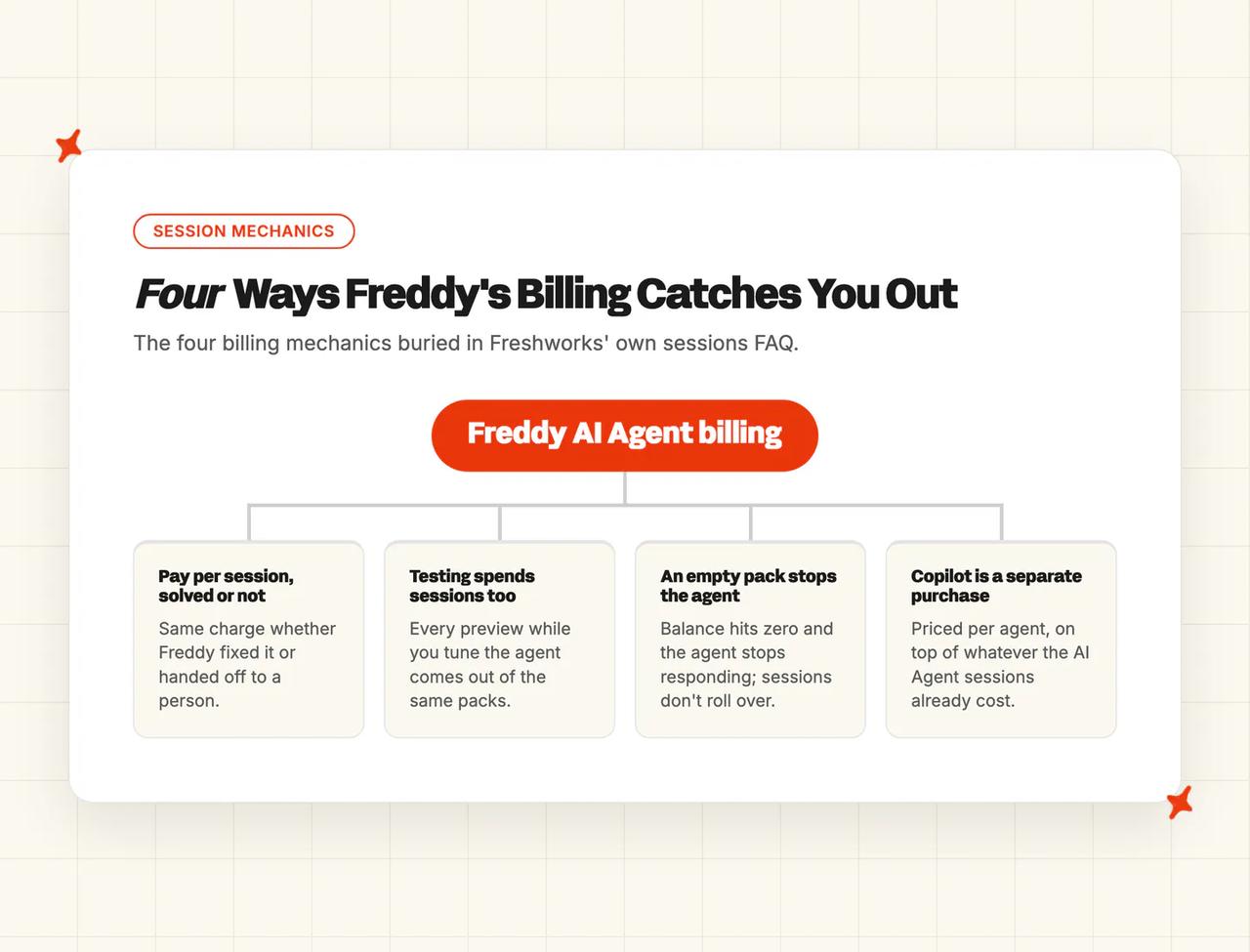
The trouble starts with how Freddy's AI Agent is billed, and Freshworks' sessions FAQ is the clearest statement of the terms. Four of them are easy to miss when you first switch Freddy on:
- You pay per session, solved or not - on chat (a Freshdesk Omni product), a session is every interaction with a customer inside a 24-hour window, and the charge is the same whether Freddy fixed the problem or the customer gave up and asked for a person.
- Testing spends sessions too - as Freshworks puts it, "Previewing Freddy AI Agents or Chatbots while building them will consume sessions." Every test run while you tune the agent comes out of the same packs your customers use.
- An empty pack stops the agent - when the balance hits zero, "the Freddy AI Agent or Chatbot will stop responding, and conversations will be handed over to live agents." On a self-service widget there's no handover at all, so the customer is left with nothing. Unused sessions don't roll over to the next cycle.
- Copilot is a separate per-agent purchase - the AI Agent comes with the plan, Copilot is priced per agent, and Freddy AI Insights comes with Enterprise or with at least one Copilot license.
Leaving Freshdesk altogether is a different, much bigger job: a helpdesk migration, with every ticket, canned response and automation moving to a new tool.
What do you keep, what do you rebuild, and what do you lose?
You rebuild the behavior Freddy won't let you export, and Echo, the assistant we built into the My AskAI dashboard, drafts it from what you copied out, so most of the rebuild is review work.
| Asset | Status | What that actually means |
|---|---|---|
| Freshdesk, tickets and Freshchat | Keep | Your team logs into the same Freshdesk on Monday |
| Canned responses | Keep | They are core Freshdesk, so your agents keep using them. If you want the AI to use them too, export them and add them to the new agent as Custom Answers |
| Historical tickets | Keep | They stay in Freshdesk. The new agent trains on your last 5,000 historic tickets, so your past replies become its starting knowledge |
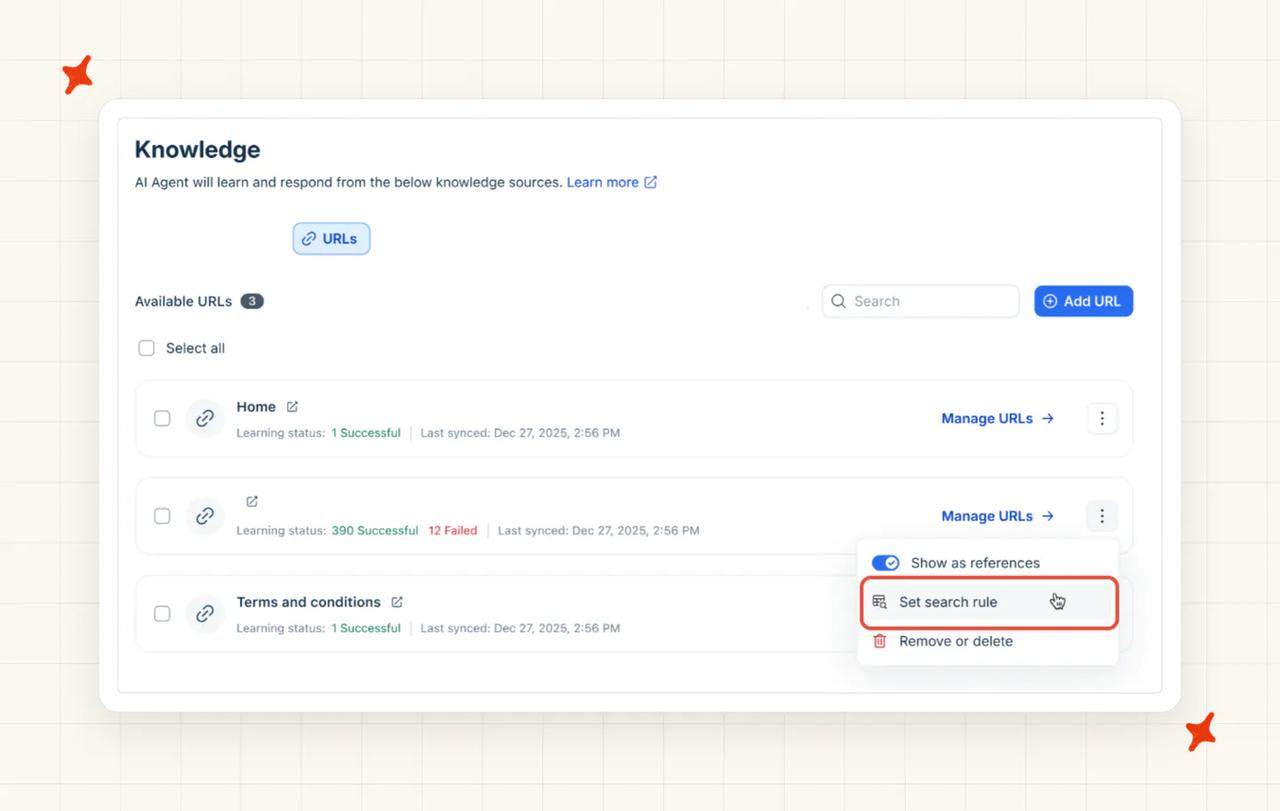
| Knowledge sources | Rebuild (fast) | Your solution articles connect in place, including the ones behind a login. Re-add the same URLs and files, and reconnect any Google Drive or SharePoint you gave Freddy |
| Escalation and handover rules | Rebuild | Echo turns the fallback and handover settings you copied from Freddy into Handover & Escalation guidance |
| Tone and guardrails | Rebuild | Copy out the persona and additional instructions, and Echo splits them into short Guidance entries for your team to approve |
| Freddy's analytics history | Lose | The Analyze tab goes with Freddy, and on Pro so does Insights. Screenshot the baselines first, because they are your "before" numbers |
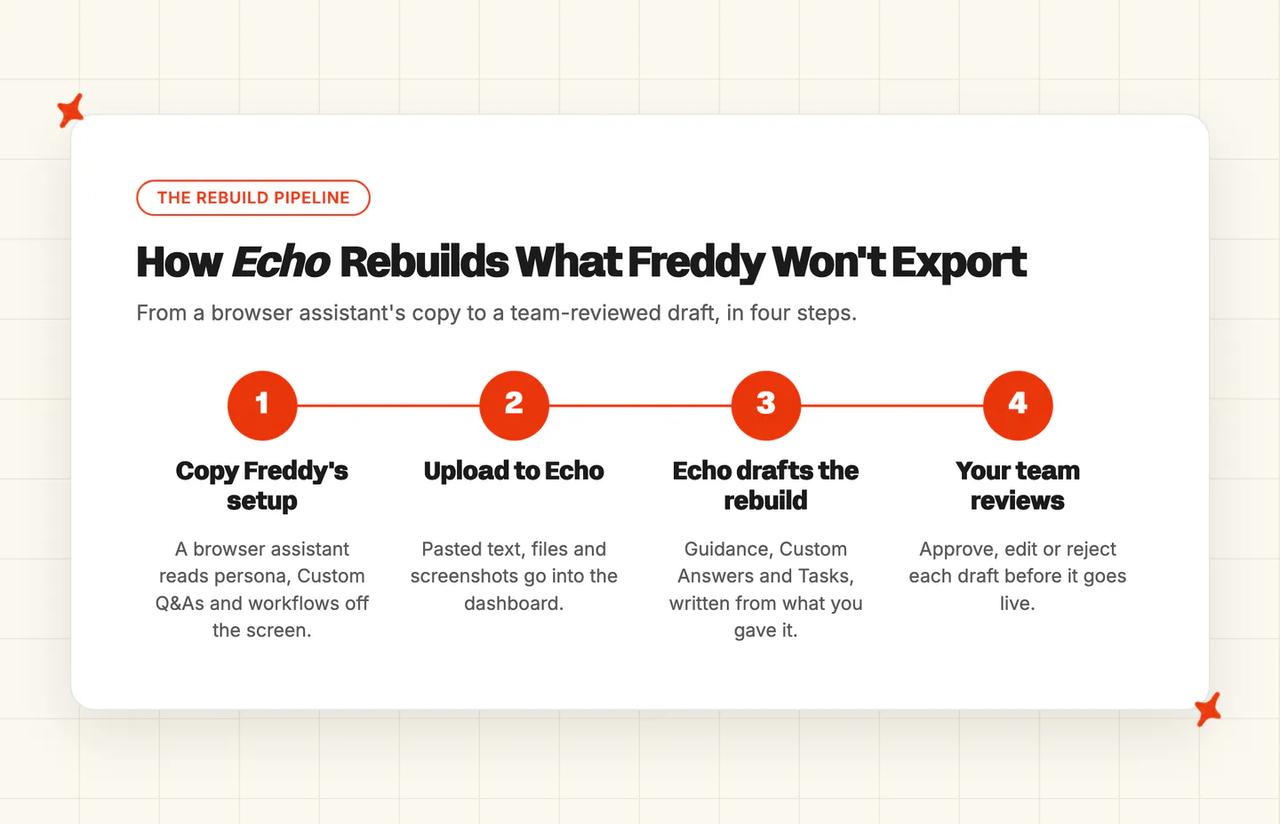
Workflows take the longest to copy, because Freshworks publishes no export for AI Agent Studio workflows or the older Freshchat flow bots, so each one has to be read off the screen. A browser assistant does the reading, you screenshot anything it can't copy as text, and Echo drafts a Task from each one. Rebuild the workflows your customers hit most first, and leave the rest until the numbers say you need them.
Freddy's newer Performance view doesn't show older history either, so screenshot what you have now; there's nothing to export later.
What is each Freddy feature called in My AskAI?
Almost everything you set up in Freddy has an equivalent here:
| In Freddy | In My AskAI | What changes for you |
|---|---|---|
| Persona and additional instructions | Guidance | The same rules, written as short plain-English entries. Echo does the splitting |
| Knowledge sources (solution articles, URLs, files) | Knowledge | Point at the same help center and files. Nothing to export |
| Custom Q&As | Custom Answers | Copied out by an assistant, uploaded to Echo, reviewed by you |
| Workflows and Vertical AI Agent templates | Tasks | You rebuild the few workflows you use. Shopify order lookups come ready-made |
| "Ticket sources it responds to" | Tagging, with a reply setting per tag | You choose which kinds of ticket the AI answers, stays silent on, or never touches |
| Freddy AI Copilot | AI Copilot Chrome Extension, plus the agent's internal-note mode | No per-agent seat to buy |
| Analyze tab and Freddy AI Insights | Insights | AI CSAT on every conversation, topics and handover rate |
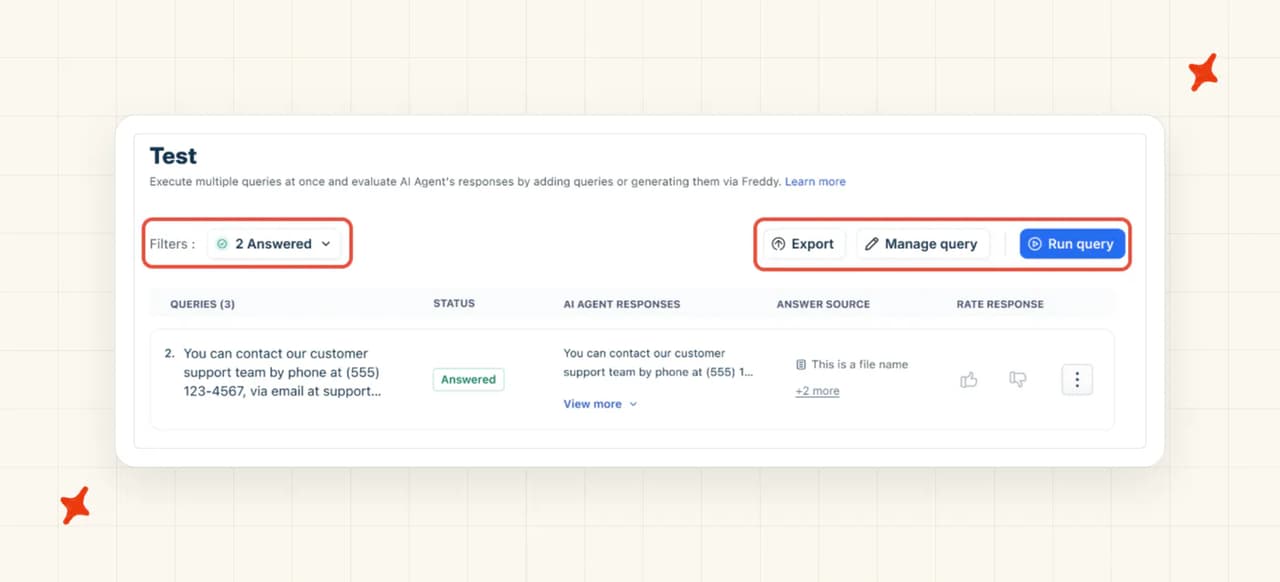
| Test tab | Batch testing, plus notes mode on live tickets | Batch testing is included, and the 30-day trial itself is free |
| Auto Triage on Priority, Group and Type | Tagging plus Freshdesk automation rules | The common predictions carry over as tags that your existing rules act on |
| Auto Triage on dependent (nested) fields | No equivalent | If your routing depends on nested-field prediction, that part stays manual or rule-based |
| Thank-you detector | No equivalent | A keyword automation rule in Freshdesk gets close |
| Live Translate in the agent's reply box | No equivalent on Freshdesk | The AI agent itself replies in the customer's language, across 95 languages |
| Freshcaller voicebot | No equivalent | We don't answer phone calls, so keep Freshcaller for phone |
We price Tagging and Tasks per use on top of the plan, at $0.05 per attribute per ticket and $0.02 per Task step. Echo does the rebuilding: it takes pasted text, uploaded files and screenshots, and writes Guidance, Custom Answers and Tasks from them for you to review.
What should you check on your Freshdesk plan and billing before you migrate?
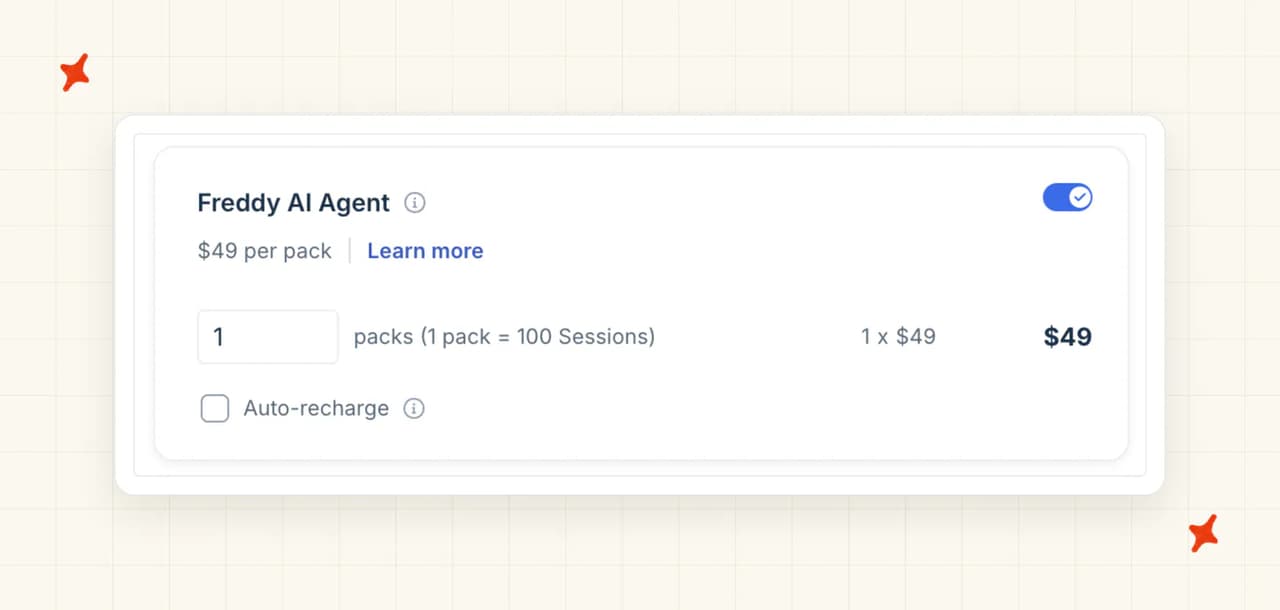
The AI Agent is bundled with every paid Freshdesk plan, and the Freddy spend you control, the session-pack and Copilot add-ons, sits under "Manage Subscriptions." Check four things before you change any of them:
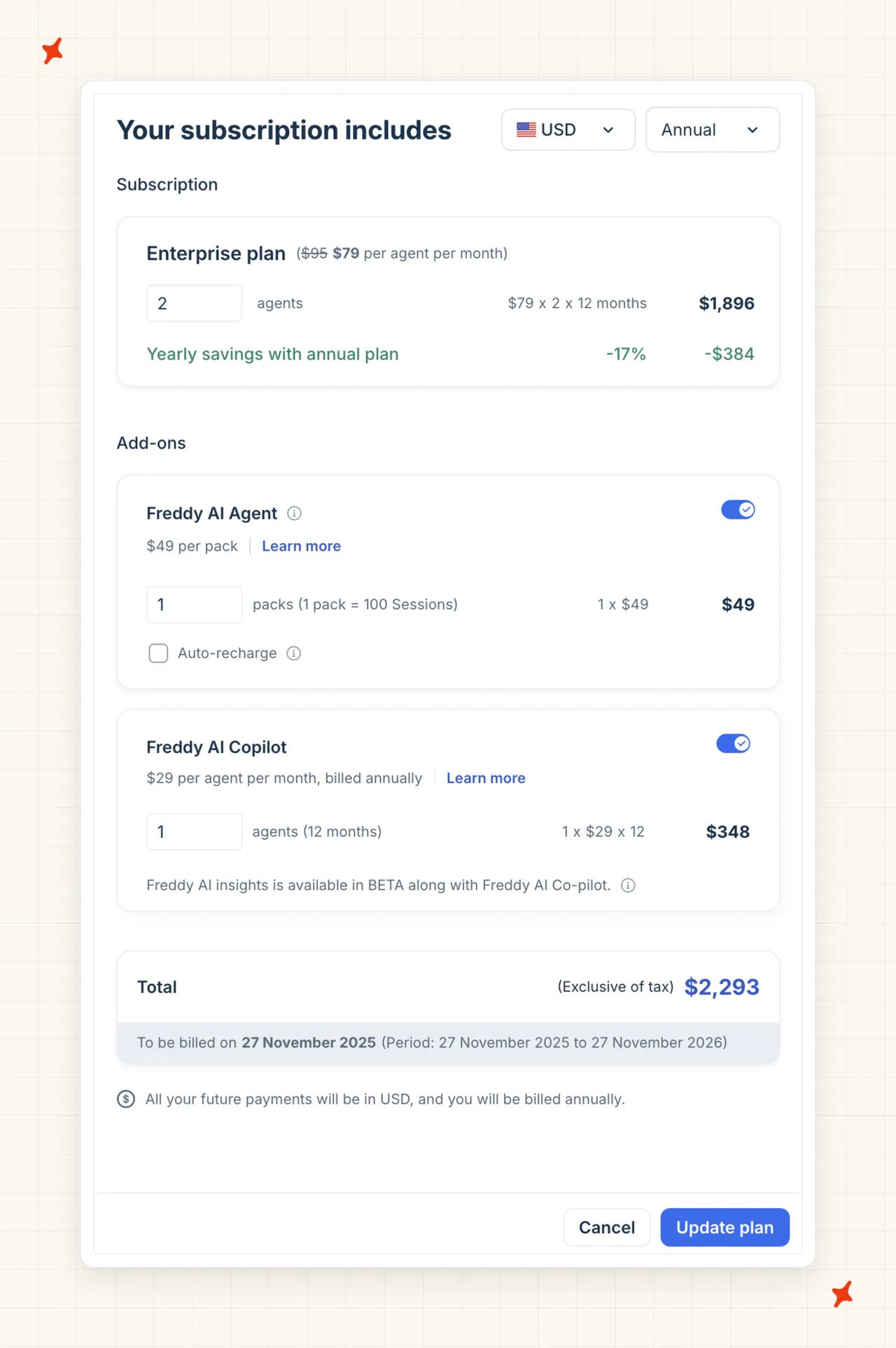
- Your billing cycle - Freshdesk's pricing plans guide says a move to a lower plan "takes effect after your current billing cycle ends", so expect add-on changes to show on a later invoice and check your billing page for the date.
- Monthly or annual seats - Freshdesk seats cost $23, $66 and $107 per agent a month on monthly billing, or $19, $55 and $89 billed annually, with Copilot at $35 per agent per month billed monthly, or $29 per agent per month billed annually. Turning the AI Agent off leaves your Freshdesk seat price where it is, because the agent is bundled into the plan.
- Auto-recharge - it buys a new pack automatically once your balance runs low (for online billing customers); packs are listed at $49 for 100 sessions. When you cancel, switch it off first.
- Your Pro-plan reports - on Pro, Freddy AI Insights depends on having at least one Copilot license, so removing the last seat removes Insights. On Enterprise it stays.
Cancel the add-ons and keep the account, because a canceled Freshdesk account and its data are permanently deleted 14 days after the subscription end date.
We give you 30 days free, with every feature unlocked, unlimited tickets and no card. That covers the whole overlap, so the double-running cost is the Freddy sessions you're already paying for. Our Freddy AI pricing explainer walks through the session math in full.
How does the migration actually run?
Freddy keeps answering your customers until you switch a channel over, and you can reverse every step except the last one.
Step 1: Write down what Freddy does, and copy out what it won't export
Freddy is set up in more than one place, so check each of these before you copy anything:
- The AI agents in AI Agent Studio (chat and email)
- The Email AI Agent's settings
- The Freddy Copilot switches on the Freddy settings page in your admin
- Auto Triage
- Any older Freshchat flow bots
The copying is a job for a browser assistant (Claude, ChatGPT or Gemini with browser use), and it takes an afternoon. This is the prompt to give it:
You are helping me move off Freddy AI in Freshdesk. I am signed in to Freshdesk
in this browser. Work read-only: never click Save, Delete, Publish or any button
that changes a setting. Only open pages and copy.

Open AI Agent Studio and go through every AI agent, chat and email. For each
agent, copy out word for word (do not summarize, reword or fix typos):
- The agent's name and which channels or ticket sources it answers
- Its persona text and additional instructions
- Every Custom Q&A: the question and the full answer
- Every workflow: its name, what starts it, each step and what it says or does
- Its fallback and handover settings

Put everything into one document, one section per agent. At the end, give the
number of agents, Custom Q&As and workflows you copied, and list anything you
could not open. If a page fails to load, note it and carry on.
Screenshot any workflow or flow bot the assistant can't copy as text, and screenshot the Analyze numbers you want to beat.
Step 2: Connect My AskAI to Freshdesk
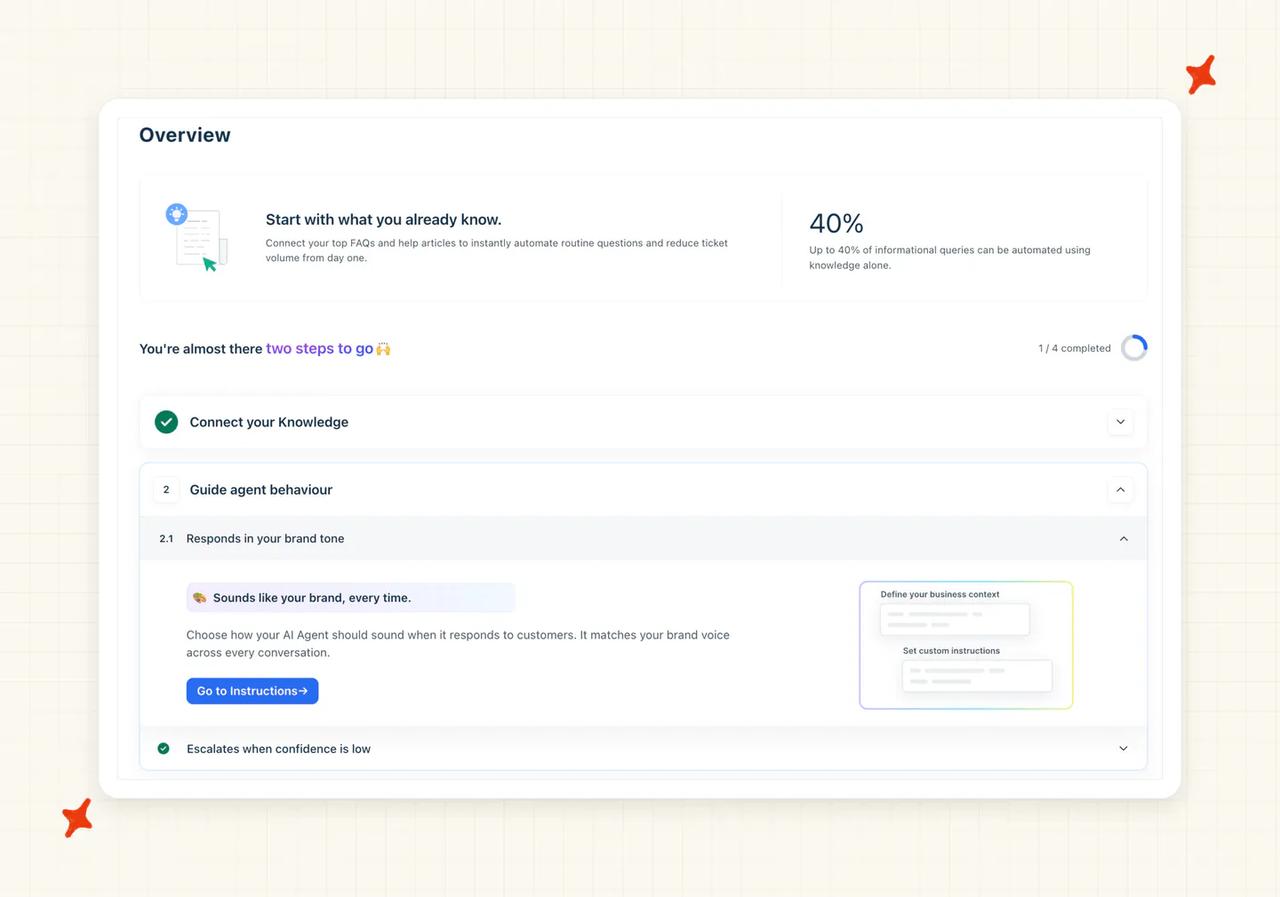
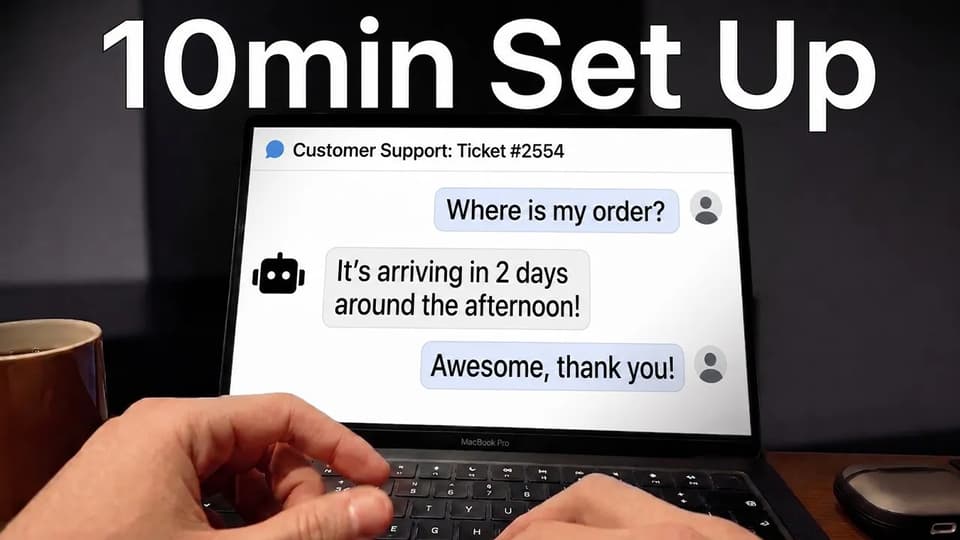
Install My AskAI into Freshdesk and it starts in internal notes mode, so for the first question on each ticket the AI writes its answer as a private note for your agents, and customers see nothing. Someone with Freshdesk admin access needs about ten minutes, and our walkthrough on adding AI to Freshdesk without Freddy AI covers the connection screen by screen.
Step 3: Point it at the knowledge you already have
This is the fast part. Connect your Freshdesk help center (articles behind a login included), re-add the URLs and files Freddy used, and reconnect Google Drive or SharePoint if Freddy searched them. Then switch on training on historic tickets, which drafts starter knowledge from your last 5,000 tickets for you to review.

Step 4: Rebuild the behavior: tone, escalation and exact answers
This step takes longer, because each draft needs your team's judgment. Upload the document from Step 1 and your screenshots to Echo, and we draft the Guidance, Custom Answers and Tasks from them; tone works the same way, so paste in the persona text or your tone-of-voice document.
Your canned responses go in here too. Use "Export Selected Responses" in Freshdesk, then add the ones you want the AI to use word for word as Custom Answers.
Your team's job is the review: which topics always go to a person, what a frustrated customer should trigger, and which answers have to come out word for word.
Step 5: Run it beside Freddy on email tickets
We draft internal notes while Freddy keeps answering, so your team reads both answers on the same ticket and sees which one they would have sent.
Freshchat is the hardest part of the whole move. Our Freshchat setup guide says "Ensure that you have turned off Freddy before completing these steps", so chat can't run side by side, and the connection needs a Freshchat Pro plan or above. Prove the agent on your email tickets, then swap chat directly in Step 7.
Step 6: Compare the two on the same tickets
Compare the two agents over two to four weeks, on the ticket types that make up most of your volume. Freddy is still spending sessions during this window, so keep an eye on the balance and decide whether you want auto-recharge buying more packs for the overlap. YouGarden, a Freshdesk customer of ours, ran My AskAI in notes mode for a month before switching to direct replies. Notes mode is invisible to the customer, so you can take as long as you need before switching a channel over.
Step 7: Cut over to direct replies, one channel at a time
Start with email by turning on direct replies in My AskAI (the "Reply 1st message only" setting is a gentle first step), then save Freddy's Email AI Agent without enabling it. Freshworks' Email AI Agent guide describes "Save" as keeping the agent switched off until you finish setting it up. If you want a gradual switch, turn Freddy's daily volume down with "Limit daily responses" before you switch it off.
Switch off Freshdesk's automatic acknowledgment emails at the same time, or customers get two replies (one from Freshdesk, one from the AI). Then swap chat: archive or switch off the Freddy chat agent, which leaves it unpublished and unmapped, and connect My AskAI to Freshchat.
Keep Freddy's configuration saved, and write down your rollback rule: if My AskAI escalates more of the same ticket types than Freddy did, pause My AskAI under "Channels > Add to helpdesk > Freshworks > Freshdesk" and switch Freddy's agent back on.
Step 8: Cancel the Freddy add-ons last
Do this only once the rollback window has closed. Start with auto-recharge so nothing buys a new pack, then let the remaining sessions run out (unused sessions expire at the end of the cycle anyway).
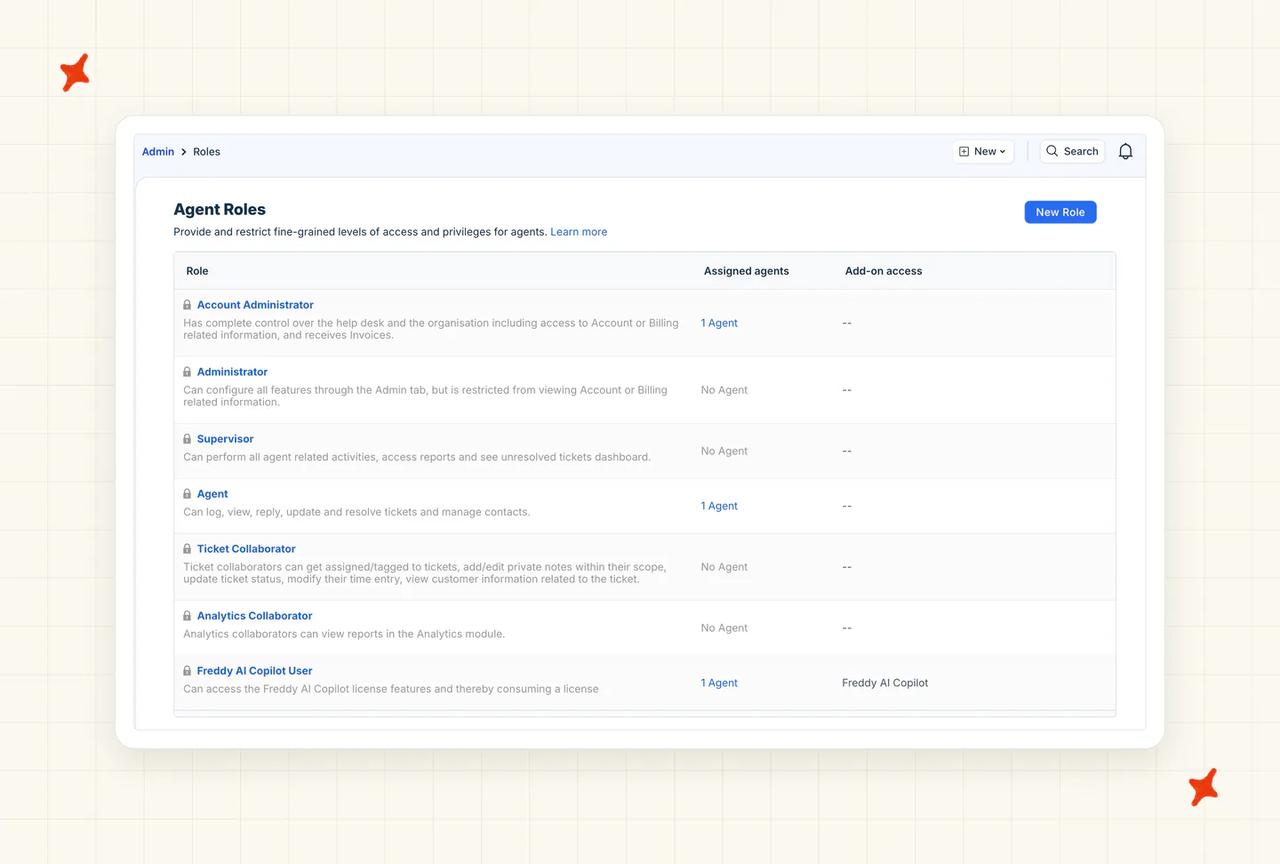
Next, take the Freddy AI Copilot User role off your agents and cut the Copilot seats to zero. On Pro, removing the last seat also removes Freddy AI Insights. Leave the Freshdesk account alone.
How do you know the switch worked?
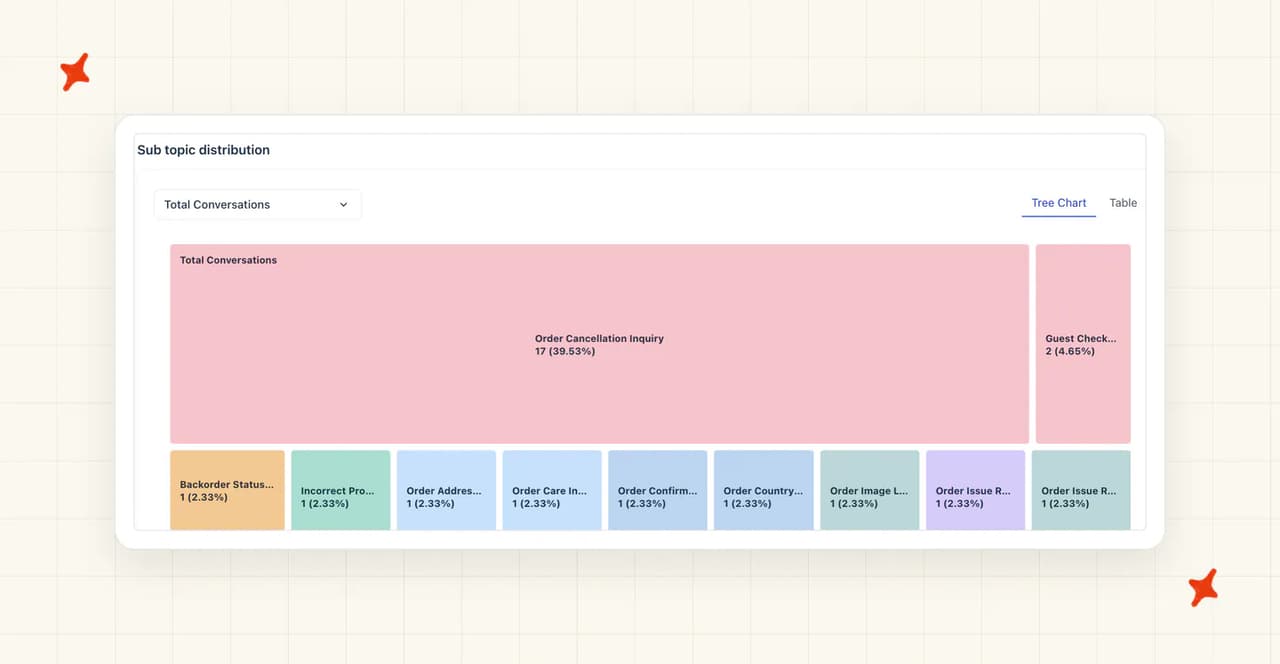
Compare five numbers across two equal stretches of two to four weeks: Freddy answering a channel, then My AskAI replying directly on the same channel. Freddy's Performance view reports conversation volumes, deflection, topic distribution and customer feedback, and its journey chart counts a conversation as resolved when it closed without a person stepping in.
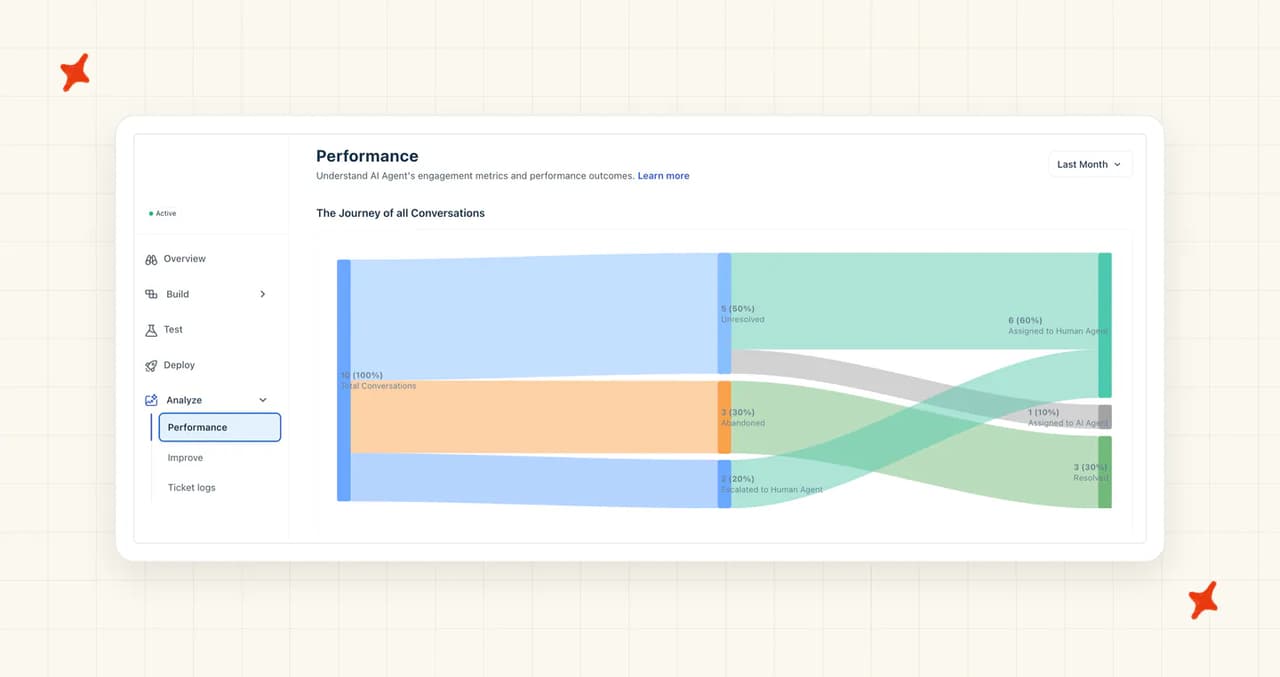
We count a conversation as resolved when the AI handled it without escalating to a human. Freddy's definition and ours differ slightly, and they're close enough to compare if you stick to the same ticket types.
Read first response time from Freshdesk's Helpdesk Performance report, because both AIs reply inside Freshdesk and that report can be filtered by Agent or Group (so each ticket shows up under whichever side sent the response). The other four numbers are in different places in Freddy and in My AskAI:
| What to compare | In Freddy | In My AskAI | What passing looks like |
|---|---|---|---|
| Resolution rate | Resolved in the Performance journey chart | Conversations not escalated, in Insights | Holds or improves on your biggest ticket types |
| Handover rate | Escalated to Human Agent | Handover rate in Insights | Holds steady or falls on the same ticket types |
| CSAT on AI-handled tickets | Customer feedback in Performance | AI CSAT, scored on every conversation | No drop your team can feel |
| First response time | Freshdesk's Helpdesk Performance report, filtered by Agent/Group (tickets show under whoever sent the response) | Same Freshdesk report, filtered the same way | Matches or beats Freddy on your busiest channel |
| Topics | Sub topic distribution | Topics in Insights | The topics Freddy handled well stay handled |
Each side needs enough conversations for the numbers to hold. A common rule of thumb, from one guide to A/B testing AI against human agents, is about 500 conversations on each side (that's why the window runs two to four weeks).
The rollback point is the end of that window. If My AskAI is behind on resolution or handover for your biggest ticket types, switch Freddy back on for that channel, since its configuration is saved and your plan still includes it.
For a sense of what's reachable on Freshdesk, our customer YouGarden is at 66% AI resolution and 78% AI CSAT across 11,785 tickets. When a number disagrees with your gut, open the conversation and ask Echo why the agent answered the way it did and which knowledge it used.
When should you stay on Freddy AI?
Leaving Freddy costs more than it saves in a few situations, and the first is a small bill. Because the AI Agent comes with the plan, a team that buys few packs spends very little on it.
We bill in credits: on helpdesk chat one credit covers two AI replies, and on email the first reply is one credit and each follow-up half a credit. Our Pro plan includes 1,000 credits a month. On Freshworks' published pack price, four packs a month (400 sessions) is $196, just under our Pro plan's $199 base, and five packs is $245.
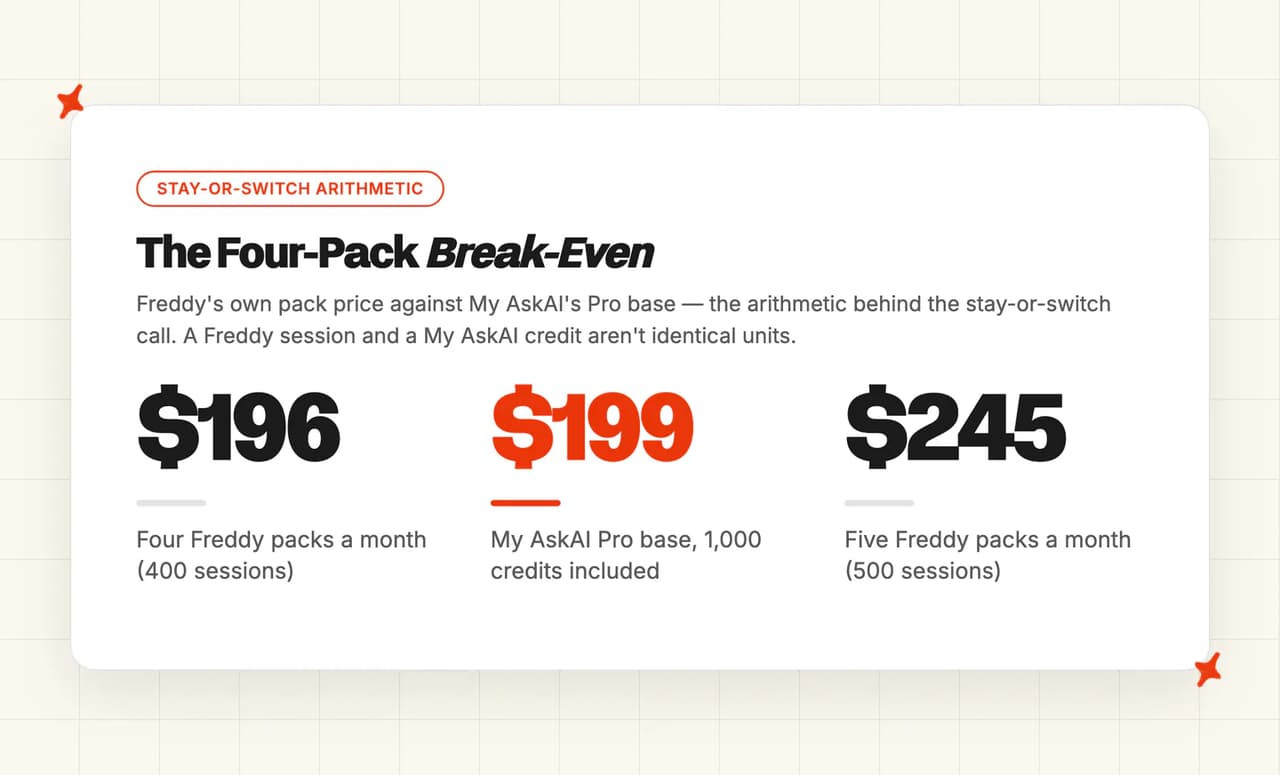
Freshworks publishes its pack price, and we publish our plan pricing and credit rules. The cases for staying on Freddy come from Freshworks' help-center pages on sessions, add-ons and Auto Triage.
A Freddy session and one of our credits aren't identical units, so treat the crossover as roughly 400 sessions a month with no Copilot seats. You can test that arithmetic yourself on our 30-day trial, with every feature unlocked, unlimited tickets and no card.
Our Freddy AI alternatives roundup covers the other options, for a team still deciding what replaces Freddy. Teams on Zendesk or Gorgias can follow a similar sequence in our guides to migrating off Zendesk AI and switching off Gorgias AI Agent while keeping Gorgias.
FAQs
Do I have to leave Freshdesk to stop using Freddy AI?
No. My AskAI installs into Freshdesk and Freshchat and takes over from Freddy as the AI agent answering your customers, and your tickets, canned responses, Automations and team stay where they are. Intercom works the same way, since Fin can be switched off on its own while the inbox and conversation history stay.
How long does it take to migrate from Freddy AI?
Less than a day of work, then two to four weeks of running both, or one to two weeks on a busy helpdesk. Connecting My AskAI takes someone with Freshdesk admin access about ten minutes, a browser assistant copies Freddy's setup out in an afternoon, and Echo drafts the rebuild for your team to review. For that stretch, My AskAI drafts internal notes beside Freddy on email tickets, and once a channel switches over, give it an equal stretch against Freddy's numbers before you cancel the add-ons.
Is Freddy AI free?
Partly. Every paid Freshdesk plan comes with the Freddy AI Agent and the first 500 sessions included (a one-time allowance per account). After that you pay $49 per 100 sessions, and Copilot is $35 per agent per month billed monthly, or $29 per agent per month billed annually.
If Freddy AI is included in my Freshdesk plan, what do I actually stop paying for when I switch?
The spend on top of the plan, because your Freshdesk seats cost the same with Freddy on or off. Here's how each line on your bill changes:
| Line on your bill | Stops when you switch? | When |
|---|---|---|
| Session packs | Yes | When you stop buying them; unused sessions don't carry over |
| Auto-recharge | Yes | As soon as you turn it off, which should be first |
| Copilot seats | Yes | After you remove them, from the next billing cycle |
| Freddy AI Insights on Pro | Goes with the last Copilot seat | At the same time |
| Freshdesk plan seats | No | Never, because you keep using Freshdesk |
Can I run both at once?
Yes on Freshdesk email tickets: My AskAI drafts internal notes while Freddy keeps answering. On Freshchat, our connection needs Freddy switched off first, so prove the agent on email and then swap chat directly.
What if it doesn't work, can I go back?
Yes, as long as you pause Freddy and keep its configuration. Saving the Email AI Agent without enabling it keeps its configuration, archived chat agents can be restored, and My AskAI can go back to notes mode or be paused in a click.