Migrating Off Gorgias AI Agent (Without Leaving Gorgias)
Migrate from Gorgias AI Agent and keep Gorgias, your macros, rules and ticket history. What moves, what the bill looks like after, and the weeks you run both.
Summarize with AI
You're already paying for Gorgias AI Agent, it's live on some of your channels, and something about it isn't working for you. It might be the bill, or an answer you couldn't explain to a customer, or both. You like Gorgias as a helpdesk, though, and you have no appetite for moving your whole team to a new inbox just to change the AI.
If you haven't turned Gorgias AI on yet, our walkthrough on adding AI to Gorgias without Gorgias AI is the better place to start.
I'm Mike, co-founder of My AskAI. We run AI customer service for 200+ ecommerce and SaaS businesses, and we install into Gorgias on live Shopify stores, so the sequence below comes out of doing it.
Migrating off Gorgias AI Agent at a glance
Your team keeps working in the same Gorgias inbox throughout, and the work is in rebuilding what the AI knows and does.
| What you keep | The Gorgias inbox, every ticket and its history, your macros, Rules, views and tags, your Help Center, every channel, the Shopify connection and your team |
| What you rebuild | The AI's Guidance and Skills (Gorgias has no export for them), its tone, its handover topics, its Shopify order actions, and whatever your Flows answered |
| What you lose | Flows and the Order Management portal stop when the AI Agent subscription ends. Shopping Assistant's in-chat discount codes have no pre-built replacement |
| Typical effort | Hours of AI-assisted setup and copying, then one to two weeks in notes mode and two to four weeks live per channel |
| Contract to check | Removing AI Agent commonly takes effect at your renewal date, and only an account owner or admin can do it. On a managed plan you request the removal instead |
| Hardest part | Getting the Guidance and Skills out of Gorgias, because there is no file export for them. A browser assistant does the copying and Echo writes the replacements |
Why do teams leave Gorgias AI Agent?
Start with the bill. Gorgias's billing guide says "one ticket can count toward your usage for both helpdesk tickets and automated interactions." So a ticket the AI resolves on its own counts once against your ticket allowance and again as an automated interaction.
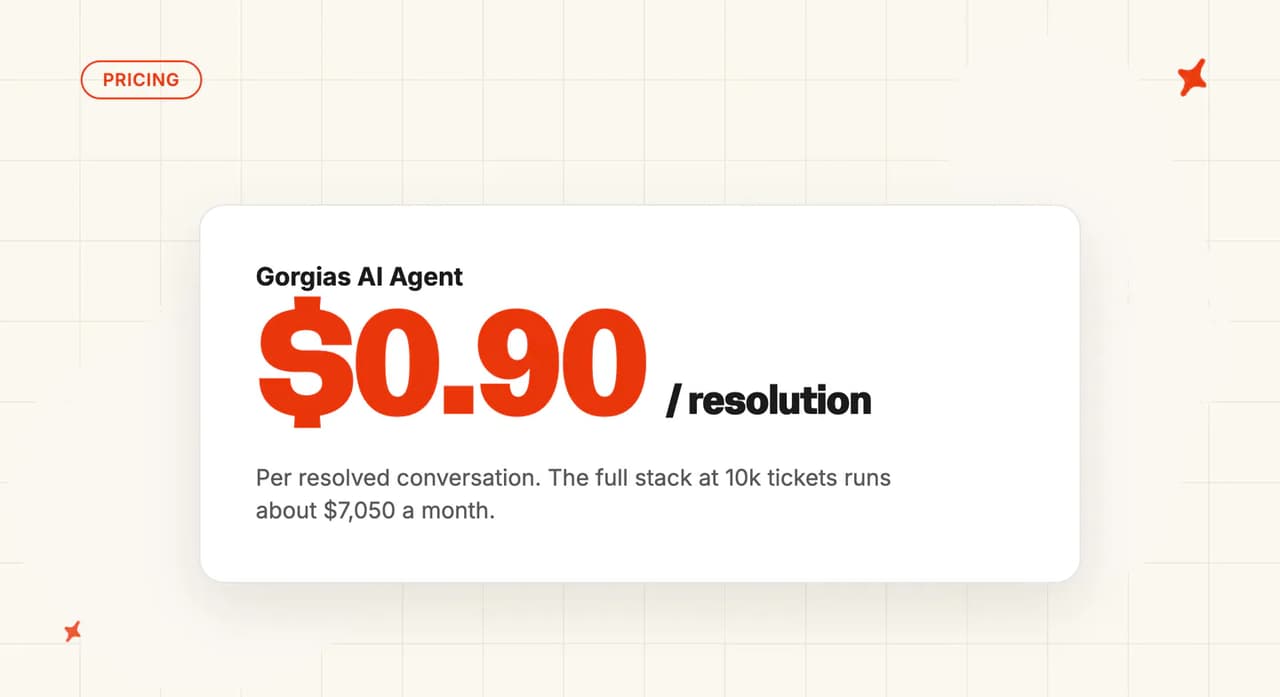
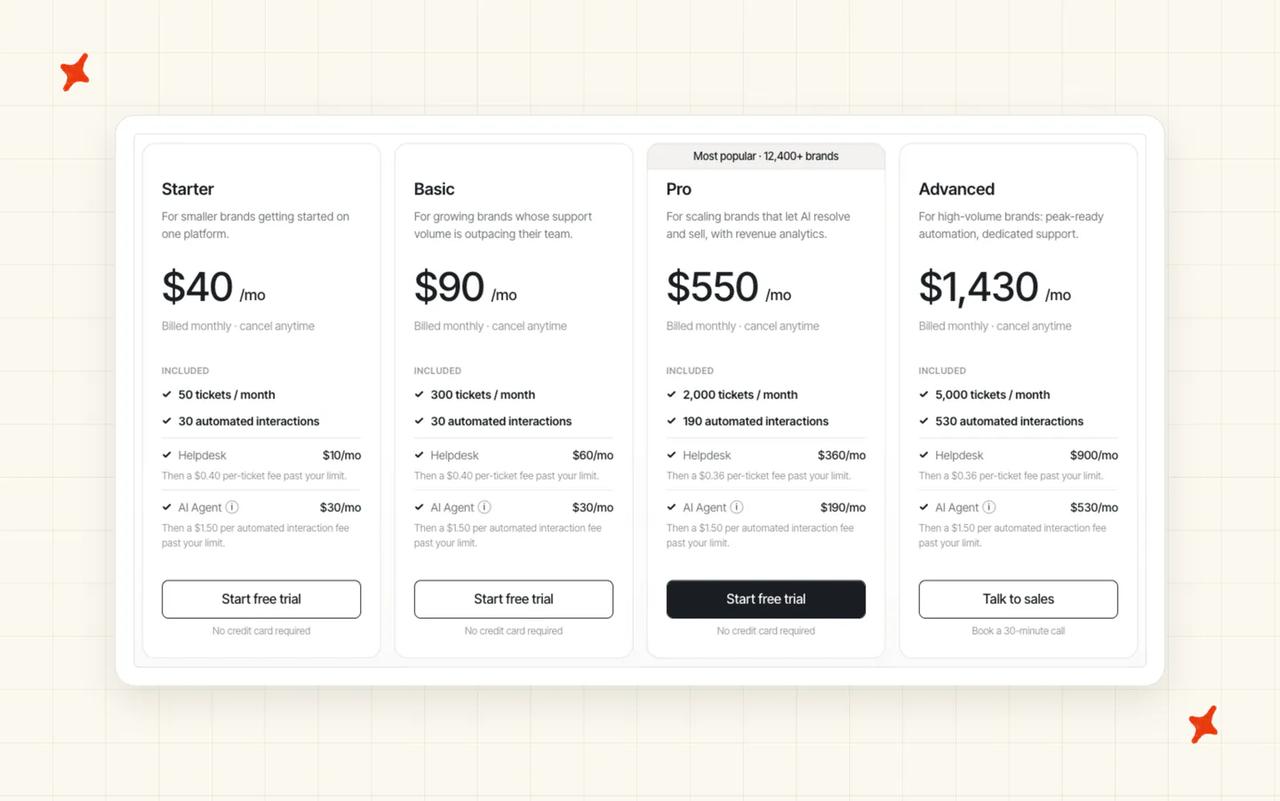
The AI allowance is also small next to the ticket allowance. On the Pro plan, 2,000 helpdesk tickets come with 190 automated interactions, and Gorgias's pricing card lists $0.90 for each one past that, so check your invoice for the rate you're billed. Our Gorgias AI Agent pricing explainer walks through every tier.
I think billing per automated interaction is the wrong incentive, because the AI line grows as the AI handles more tickets on its own.
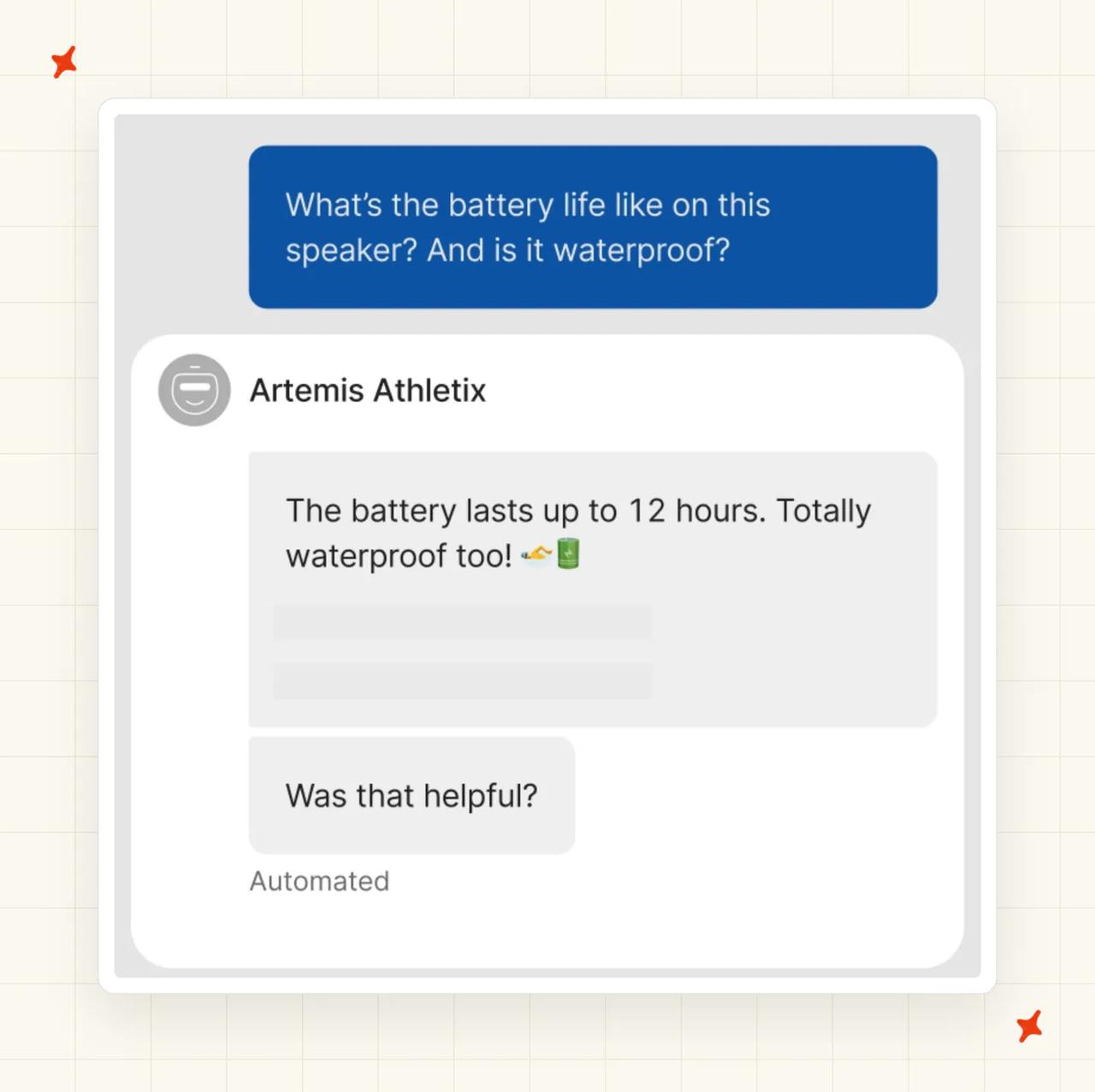
Then there are answers nobody on the team can explain. An off-grid security camera brand selling on Gorgias tried the AI agent built into Gorgias and pulled it out before moving to us. It was making answers up, pulling from places nobody on their team had ever put on the platform, and the per-resolution pricing meant they were being charged when it was wrong.
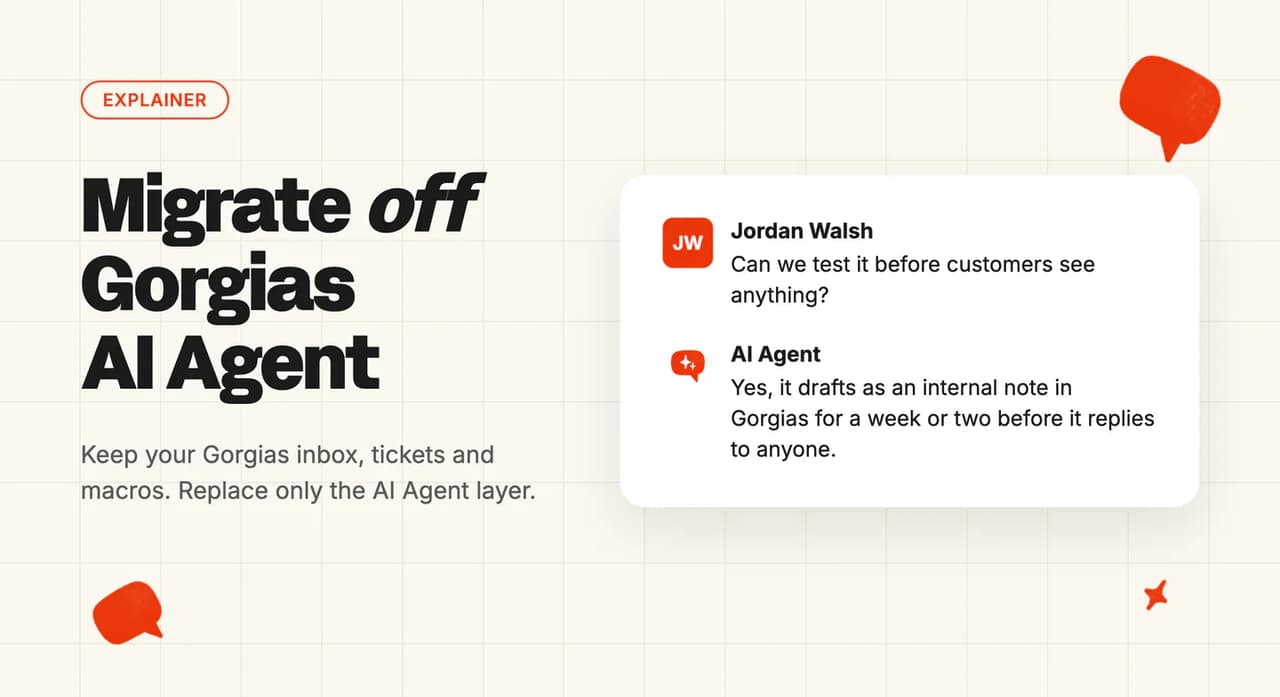
Testing is the third reason. Gorgias AI Agent either replies to your customer or hands the ticket to your team. Its test conversations can re-run an existing ticket or try out an unpublished Guidance or Skill change (and aren't billed). Gorgias doesn't document a mode where the AI drafts on every incoming ticket as a note for an agent to approve and send.
The last reason is leaving Gorgias the helpdesk itself, for another helpdesk or an all-in-one platform. Teams in that position need a full helpdesk migration, with every ticket and contact moved to the new platform.
At My AskAI we bill per ticket the AI works on, resolved or not, so your bill stays level as the agent resolves more of them. Our My AskAI pricing explainer shows how a ticket turns into credits on each plan.
What do you keep, what do you rebuild, and what do you lose?
Here is each part of your Gorgias setup and what happens to it when the AI Agent add-on goes.
| Asset | Status | What happens |
|---|---|---|
| Gorgias helpdesk and tickets | Keep | Nothing moves. You swap the AI layer inside Gorgias, so your team logs into the same inbox on Monday |
| Macros | Keep | Your agents keep using them as they do now. If you want the AI to use them too, export them and bring the ones you want in as Custom Answers |
| Rules, views and tags | Keep | They all stay. The few Rules that only existed to steer Gorgias AI Agent get switched off or pointed at the new agent at the end |
| Historical tickets | Keep | They never leave Gorgias. The new agent trains on your last 5,000 historic tickets, so your past replies become its starting knowledge |
| Knowledge sources | Rebuild (fast) | Point the new agent at the same Help Center, store site, files and Shopify store. It reads the same articles your current AI reads |
| Guidance and Skills | Rebuild | Gorgias has no export for either. A browser assistant copies them out, and Echo turns them into the new agent's instructions |
| Tone and handover topics | Rebuild | Rewritten as Guidance, where the new agent keeps its voice and its rules on what goes to a person |
| Shopify order actions | Rebuild | Canceling an order, editing an address or reshipping become Tasks on our Shopify connection. Each one can run on its own or ask a person first |
| Flows and Order Management | Lose | Both need an active AI Agent subscription, so they stop when you remove it |
| AI and automation report history | May lose | Gorgias doesn't document whether the history survives inside its AI screens once the add-on is removed. Export your baseline before you remove anything |
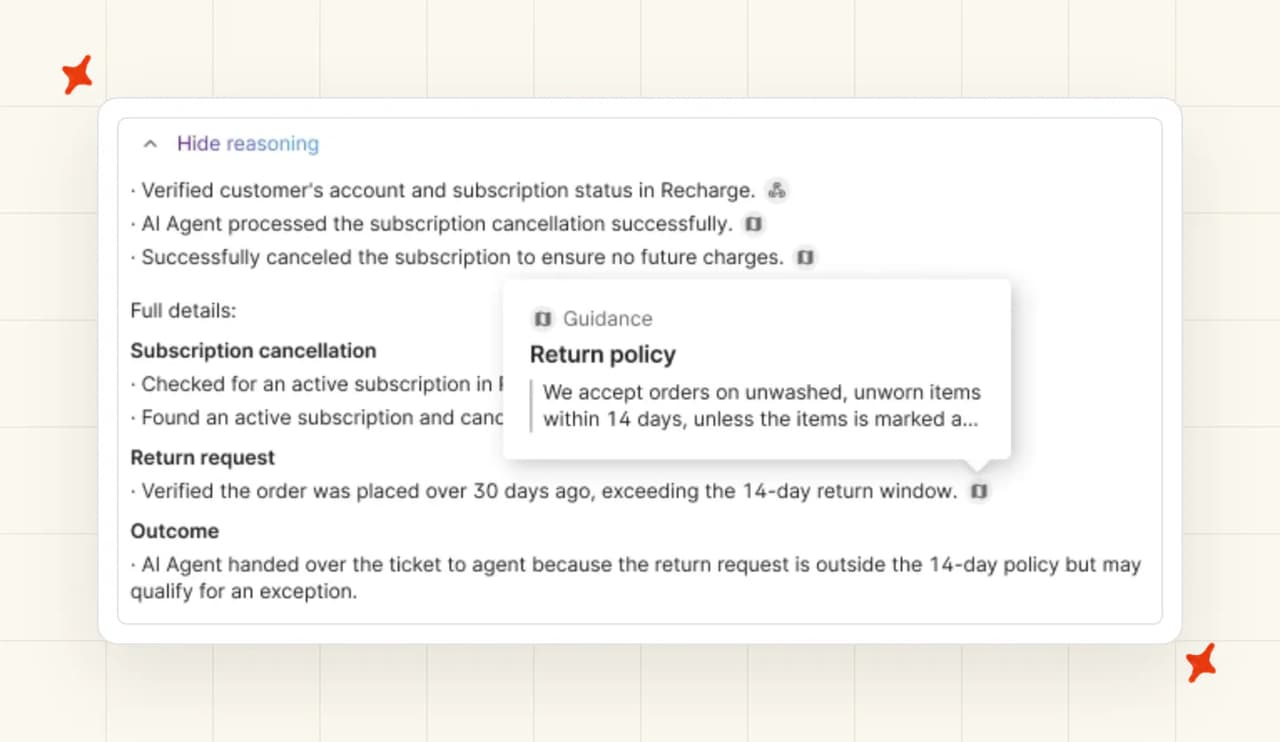
The biggest job is Guidance and Skills. Gorgias's Guidance guide only lets you copy an entry between stores on your account (its words are "duplicate it instead of starting over"), so nothing comes out in a file. You can have up to 100 Guidance entries switched on, and Skills bundle separate instructions for each conversation type, so a well-tuned account holds a lot of writing. Step 3 has the prompt we give a browser assistant to copy it all out.
Gorgias's guides to Flows and the Order Management portal both say "you must have an active AI Agent subscription", so the button menus in your chat widget and the order-tracking screens go when the add-on does. Their content moves into Guidance and Custom Answers, and our agent answers order-status questions in the conversation from live Shopify data.
What is each Gorgias AI Agent feature called in My AskAI?
Most of what you set up in Gorgias AI Agent has a counterpart in My AskAI, often under the same name.
| In Gorgias AI Agent | In My AskAI | What changes for you |
|---|---|---|
| Guidance | Guidance | The same plain-English instructions. Paste your entries into Echo and it rewrites them for the new agent |
| Skills | Tasks, plus Guidance | Each conversation type becomes a Task the AI follows step by step, with any rules around it kept as Guidance |
| Knowledge | Knowledge | The same Help Center, store pages and files, pointed at the new agent |
| Shopify actions | Tasks on the Shopify connection | Order changes still happen in conversation, and you decide which ones need a person to approve them |
| Tone of voice | Guidance | Upload your brand voice document and Echo writes the guidance from it |
| Handover topics | Handover Guidance, plus Tagging | Topics that always go to a person are written as Guidance, and Tagging can keep whole ticket types away from the AI |
| AI auto-tagging | Tagging | Every ticket is tagged as it arrives, based on what the customer wrote |
| AI and automation report | Insights | Every AI conversation is scored for CSAT and grouped by topic |
| Test conversations | Testing, plus internal notes mode | Gorgias tests on a chosen ticket or an unpublished change. Our internal notes mode goes further and drafts on every incoming ticket before a customer sees it |
| Coaching and AI Feedback | Self-Learning and Echo | The agent drafts new knowledge from how your team answered the tickets it handed over |
| Flows | No equivalent | There is no button-menu builder. The content moves into Guidance and Custom Answers, and customers ask in their own words |
| Order Management portal | Live order status in the conversation | Customers ask where their order is and get the answer from live Shopify data |
| Shopping Assistant discount codes | No pre-built equivalent | Price this before you move if in-chat discounts drive sales for you |
Echo, our operator agent, does most of the rebuilding. Paste in the Guidance you copied out, or upload screenshots of a Flow, and it drafts the replacement Guidance, Custom Answers and Tasks for your team to review. Our Gorgias integration page covers what connects and how.
Before you migrate: check your contract
Read your contract terms before you set any dates, because they decide when the AI line comes off your bill.
Switching AI Agent off on a channel stops it replying there (it's a toggle, so you can switch it back on) and stops new automated interactions from building up on that channel. Removing the AI Agent add-on takes it off your bill, and Gorgias's cancellation guide is clear about the timing: "Cancellation is effective as of the date of your next renewal, so you can continue to use the add-on until then."
A few things follow from that:
- Who can do it - "The account owner and admins can cancel a subscription or remove an add-on."
- Monthly or annual - Gorgias sells both terms. On an annual plan your next renewal can be up to twelve months away, and the same guide says Gorgias "isn't required to issue a refund when you cancel", so expect to keep paying the AI Agent line for the rest of an annual term.
- The last few days - Gorgias's billing guide only counts an interaction as automated once "the customer does not require the involvement of a human agent within 72 hours", so AI replies from your final live days can still show up on the next invoice.
- Plans with a Customer Success Manager - You ask them to remove the add-on instead, so check your contract terms with them before you pick a date.
- Don't cancel the helpdesk by mistake - Remove only the AI Agent add-on and leave the helpdesk auto-renewal switched on. Gorgias's guide warns that canceling the helpdesk auto-renewal means you "lose access to your helpdesk subscription and any add-ons (like AI Agent, Voice, and SMS) all at once."
Your tickets stay in Gorgias throughout. Two things are worth saving while the subscription is still live: an export of your macros for the new agent, and your AI and automation report baseline, since those AI screens may go when the add-on ends. Once you've removed it, screenshot the confirmation and put the renewal date in your calendar.
What does the bill look like before and after?
On current self-serve plans, Gorgias prices each plan as two lines: a Helpdesk line and an AI Agent line. Removing AI Agent takes effect at your next renewal, and the Helpdesk line stays on your bill. To see what that means in dollars, take a Shopify brand on 2,000 tickets a month, priced on the lowest plan that covers that volume on both sides.
Here are the assumptions we used, so you can swap in your own:
- Volume - 2,000 tickets a month. Gorgias Pro is the lowest self-serve plan that covers it, at $360 a month for the Helpdesk line, plus $190 for AI Agent with 190 automated interactions and a listed $0.90 for each one after that.
- AI-resolved share - 40% in both AI rows, an assumption inside the range Gorgias's published customer stories report. Both AI rows use the same share, so they differ only in how each vendor bills.
- A ticket your team answers - $7, the human price per ticket our support cost per contact benchmark works from.
- My AskAI - The Pro plan, $199 a month with 1,000 credits and $0.12 per credit after that, assuming about one credit per ticket on average (a chat ticket runs roughly one credit per two AI replies).
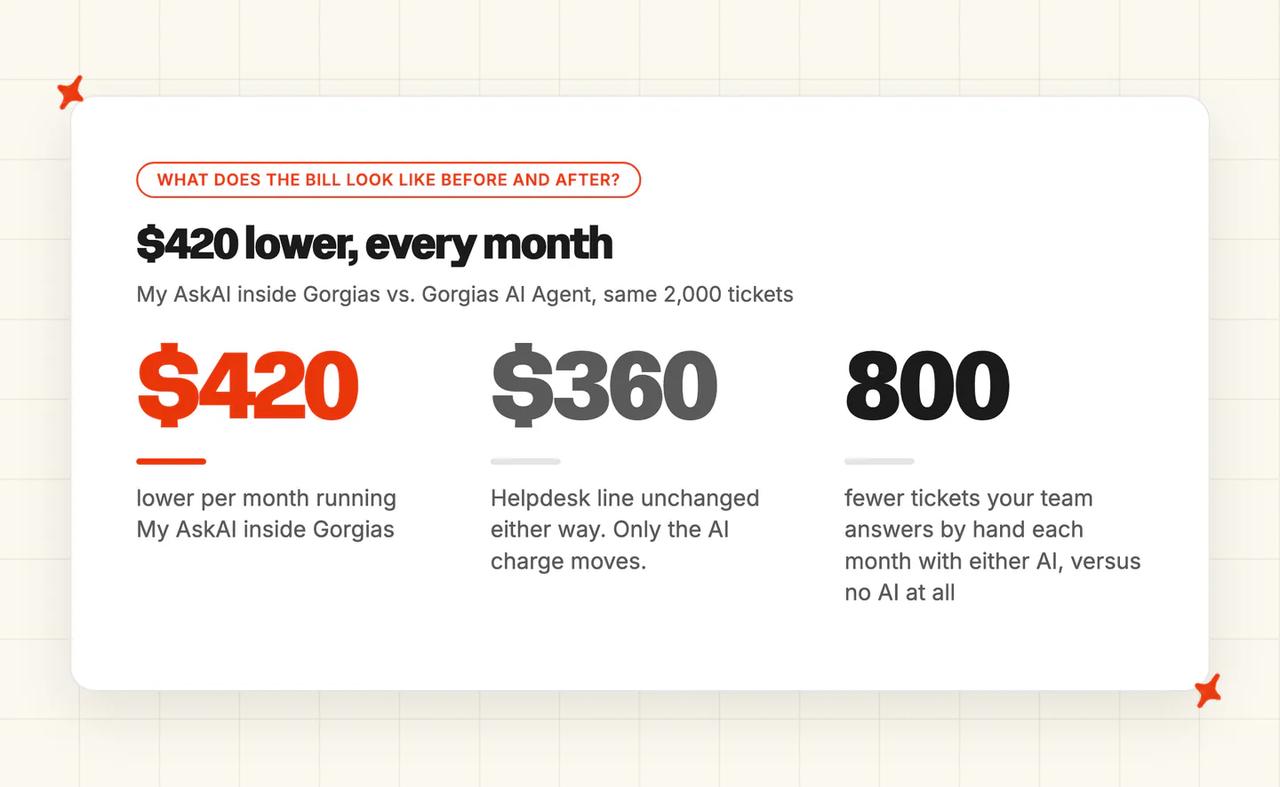
On those numbers, running My AskAI inside Gorgias comes out $420 a month below Gorgias AI Agent.
| Setup | Gorgias Helpdesk line | AI charge | Team cost for tickets people answer | Total a month |
|---|---|---|---|---|
| No AI | $360 | $0 | 2,000 × $7 = $14,000 | $14,360 |
| Gorgias AI Agent | $360 | $190 + (800 − 190) × $0.90 = $739 | 1,200 × $7 = $8,400 | $9,499 |
| My AskAI inside Gorgias | $360 | $199 + 1,000 × $0.12 = $319 | 1,200 × $7 = $8,400 | $9,079 |
Against no AI at all, both AI setups cut the monthly cost by a third or more, because the team answers 800 fewer tickets. AI line to AI line, it's $739 against $319, and the gap widens as the AI resolves more. Every AI-resolved ticket also counts as a helpdesk ticket on Gorgias, but at 2,000 in total that stays inside Pro's allowance, so there's no ticket overage in any row. On our side, Tasks and Tagging are billed on top where you use them.

Put your volume through our Gorgias ROI calculator for numbers that match your store. The notes-mode weeks cost nothing on our side, because My AskAI comes with a 30-day free trial with every feature unlocked and no card needed.
How does the migration run, step by step?
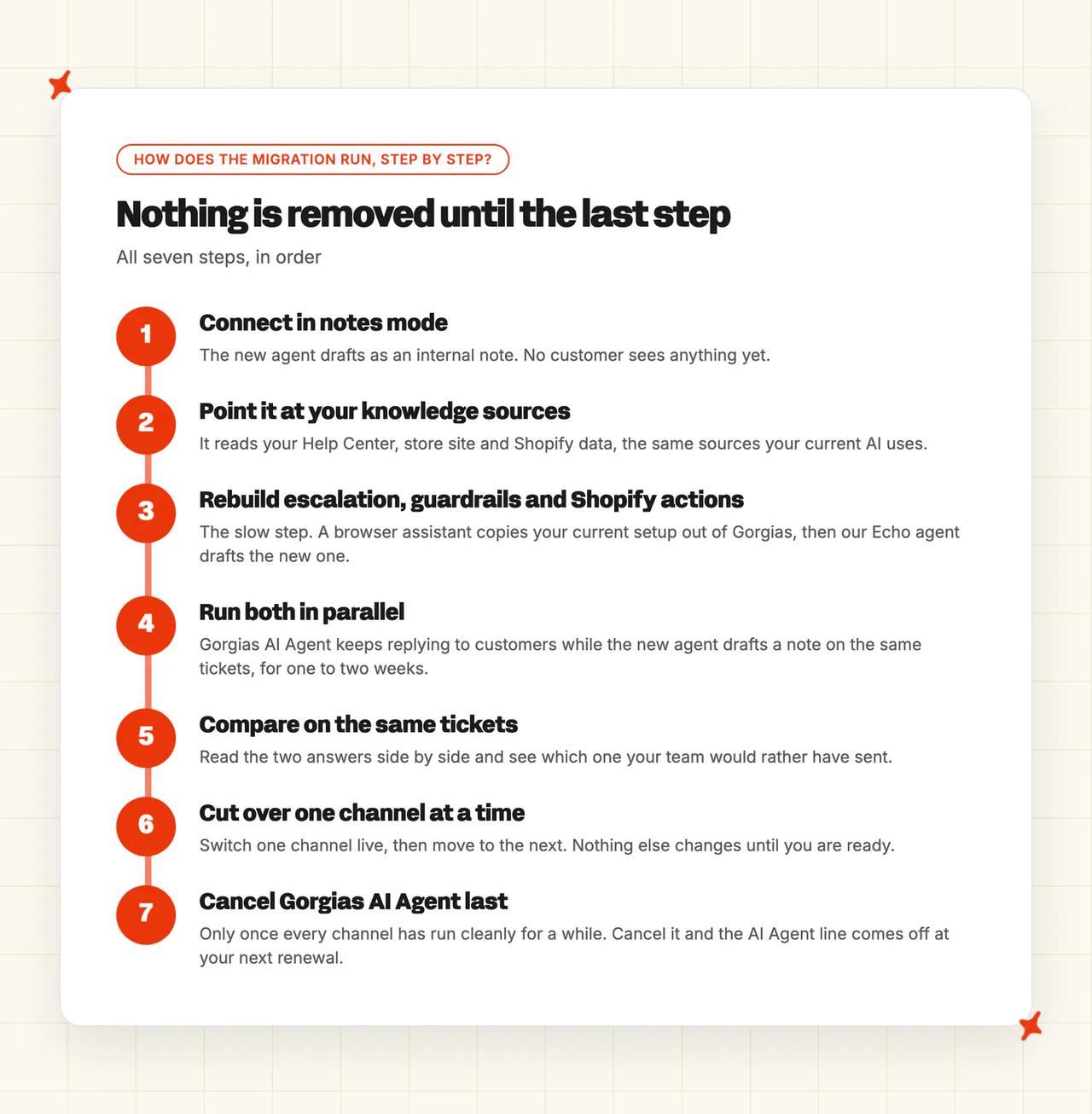
There are seven steps, in the order we run them. Gorgias AI Agent keeps replying until you switch a channel over, and nothing is removed before the last step.
Step 1: Connect the new agent in internal notes mode
Install the new agent from the Gorgias App Store, which needs someone with admin access to your Gorgias account. Gorgias's help center documents our app and its starting mode: "By default, your AI agent will write the replies as an 'internal note' for your human agents to review before sending." No customer sees a word of it at this stage.
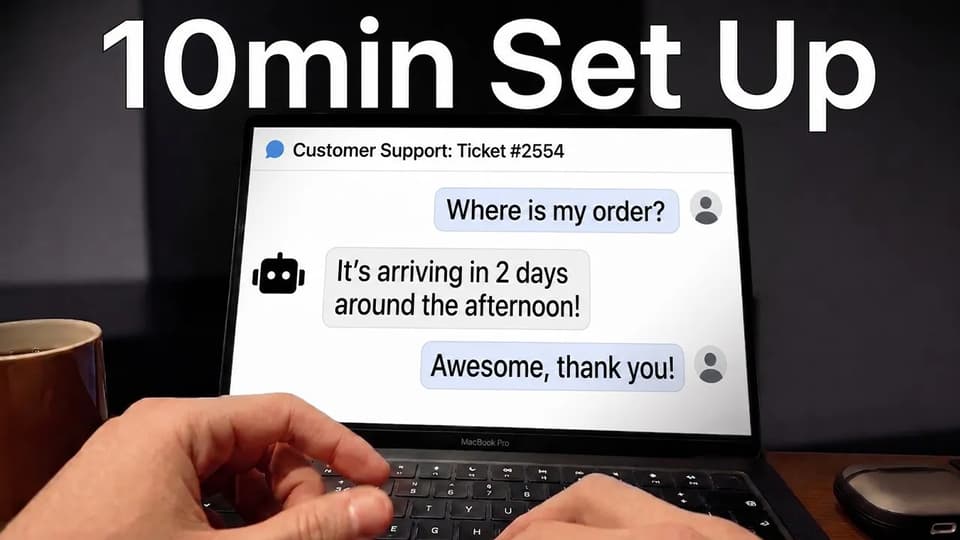
While you're in there, write down what Gorgias AI Agent is doing today: which channels it's live on, which Skills and handover topics it has, and which Flows your chat widget shows. Export your macros, and your AI and automation report baseline while you still have access to it.
Step 2: Point it at your knowledge sources
This is the quick part, because the content already exists. Point our agent at your Help Center, your store site, any files your current AI reads, and your Shopify store for live order and product data. Then let it train on your ticket history (the last 5,000 tickets by default), which gives it your team's real answers from day one.
If you run more than one store, Gorgias runs one AI Agent per store, so do this store by store, with one new agent for each.
Step 3: Rebuild escalation, guardrails and Shopify actions
Getting the Guidance, Skills and handover topics out of Gorgias takes the most time. There's no file export for them, so you copy them out first, and our Echo agent does the rewriting.
For the copying, use a browser assistant (any AI assistant that can work in your browser) to page through each list and copy every entry out. This is the prompt we give it:
I am signed in to Gorgias in this browser. Work read-only: never click Save, Delete, Publish or any button that changes a setting. Only open pages and copy.

Open the Guidance list for our AI Agent and go through every entry, including any that are switched off. For each entry, copy exactly as written, without summarizing or fixing typos:
- the name
- the full text
- whether it is on or off

Put everything in one document, one section per entry, in list order. At the end, tell me how many entries you copied and list any you could not open.
Run it again for Skills and for handover topics, swapping the word "Guidance" each time. For Flows, screenshot each one (Echo reads images as well as text).
Then hand those documents and screenshots to Echo. It drafts the new agent's Guidance, Custom Answers and Tasks, and your team's job becomes reading the drafts and approving them. Set up the Shopify order actions you rely on as Tasks at the same time, and decide which ones run on their own and which ask a person first. It's also a good moment to drop the entries nobody uses anymore.
Step 4: Run both in parallel
Our agent drafts its answer as an internal note on every ticket, while Gorgias AI Agent keeps replying to customers. Your team sees both answers on the same ticket.
Give it one to two weeks of normal volume. Never put both agents in direct-reply mode on the same channel, because the customer gets two replies.
Step 5: Compare on the same tickets
Read the two answers side by side on the ticket types that make up most of your volume, and note which one your team would rather have sent. Compare handover rates on those ticket types too.
Step 6: Cut over one channel at a time
Pick one channel. In "AI Agent > Deploy", switch Gorgias AI Agent off on that channel and turn our agent to direct replies there in the same change, so customers never hit a gap or get a double reply. Gorgias's go-live guide lists the channels, and its social channels guide notes that Instagram and Facebook Messenger "are a shared integration", so those two move together.
Write down your rollback point before the change: the condition under which that channel goes back to notes mode and Gorgias AI Agent is switched back on. Nothing has been removed yet, so the switch back is a toggle (the same one in "AI Agent > Deploy").
Step 7: Cancel Gorgias AI Agent last
Only cancel once the rollback window has closed on every channel. Before you do, make sure whatever your Flows and Order Management portal were answering is covered by the new agent, because both stop when the add-on ends. Switch off the Rules that only existed to steer Gorgias AI Agent, or point them at our agent.
Then remove the add-on. In the menu, go to "Account", then "Billing and usage", click "Manage" on the AI Agent card, and click "Remove product". On a self-serve plan the AI line comes off at your next renewal, so check that invoice when it arrives.
Every one of our Gorgias installs begins in internal notes mode, and some teams stay there. A DTC comfort-hosiery brand runs us in notes mode inside Gorgias on around 2,400 tickets a month, with their agents sending the drafts, because sizing advice and brand voice mattered most to them.
How do you know the switch worked?
Compare the two agents on the same tickets, after lining up what each one counts as handled by the AI.
Gorgias counts an interaction as automated when no human gets involved within 72 hours. Its metrics guide spells out the lag that creates: "the most recent 3 days aren't immediately reflected in this metric." On Gorgias, a ticket where AI Agent replied and then handed over counts as a handover; we count a ticket as resolved when the AI handled it without one. Compare settled days only, because this week's figures leave out Gorgias's last three days.
The notes-mode overlap lasts one to two weeks, which gives your team side-by-side answers on the same tickets. Give the live comparison two to four weeks per channel, and don't judge a channel until it has at least 150 AI-handled tickets, because below that a good or bad week is just noise. A quiet channel may need the full four weeks to get there.
Line these four up side by side, and read each against its pass mark:
| What to compare | How to read it on each side | What passing looks like |
|---|---|---|
| How much the AI handled | Gorgias's automation report shows automated interactions after its 72-hour window. The new agent reports tickets closed without escalating | The handled share holds or improves once both are counted over the same settled days |
| Handover rate | Both show what reached a person. This is the cleanest like-for-like number you have | Handovers hold steady or fall on your biggest ticket types |
| CSAT on AI-answered tickets | Compare satisfaction on the tickets each AI answered. Ours scores every AI conversation, so the sample sizes may differ | No drop your team can feel on the topics that matter |
| First response time | Both timestamp the first AI reply | No slower than before |
Your rollback point is the one you wrote down in Step 6. If our agent hands over more of the same ticket types than Gorgias AI Agent did once the window has closed, put that channel back into notes mode and switch Gorgias AI Agent back on while you fix the gap.
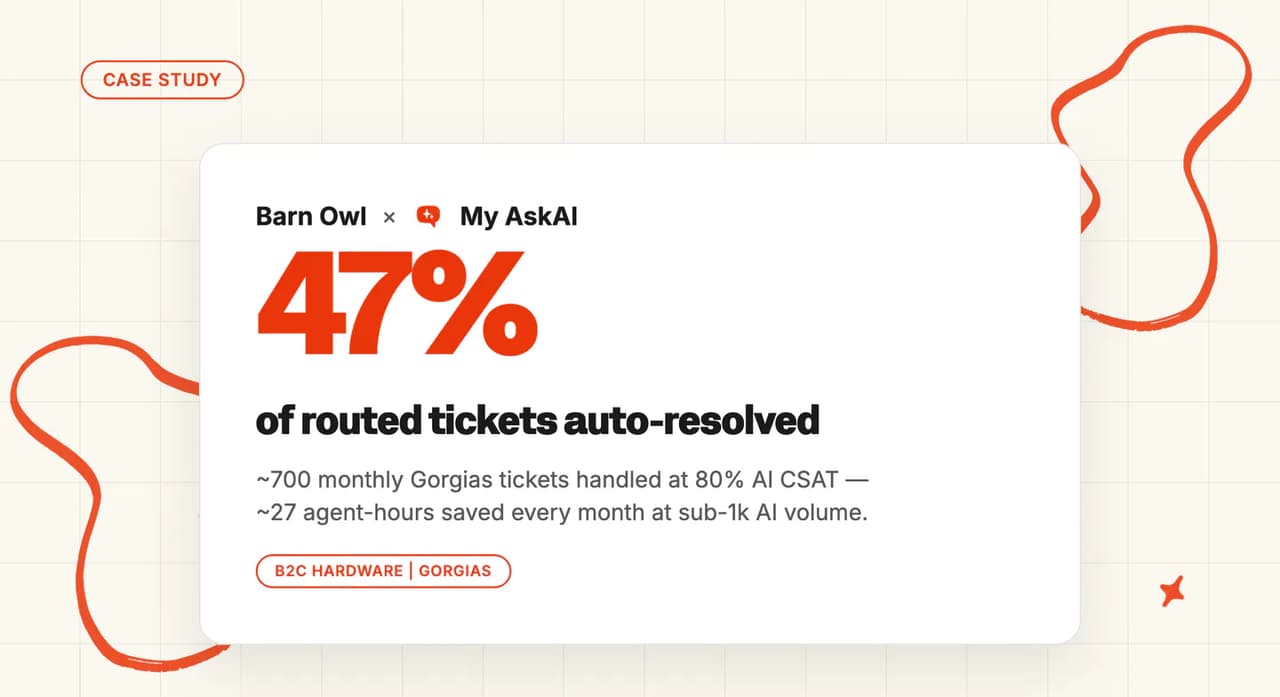
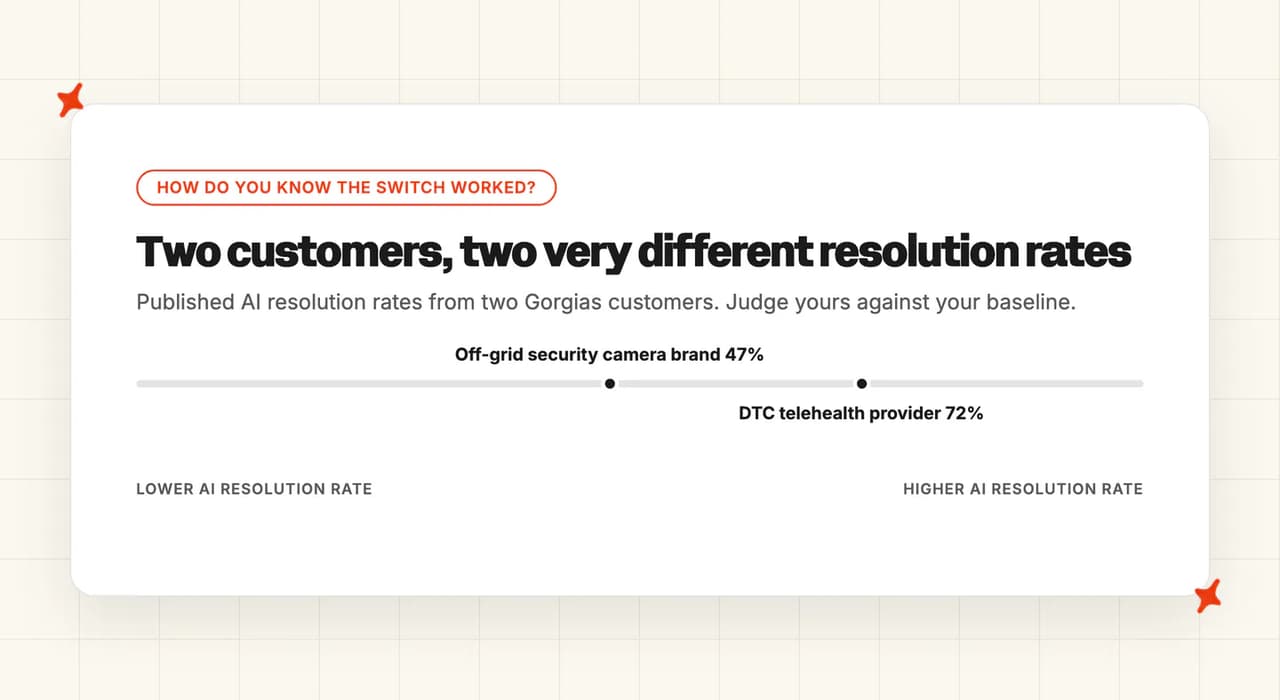
For comparison, an off-grid security camera brand on Gorgias now resolves 47% of the roughly 700 tickets a month they route to us, with 80% AI CSAT and about 27 hours saved every month. A DTC telehealth provider on Gorgias resolves 72% of around 2,600 tickets a month with 75% AI CSAT. Our AI resolution rate benchmarks show typical rates across the field, and our explainer on containment versus deflection versus resolution sets out which one you're measuring.
When a number surprises you, open the conversation and ask Echo why the agent answered the way it did and which knowledge it used. Our Insights view groups every AI conversation into topics and scores its CSAT, so you can see where a drop is coming from.
When should you stay on Gorgias AI Agent?
In a few situations, leaving costs more than it saves. Weigh these before you plan anything.
If you're still deciding what goes in Gorgias AI Agent's place, our Gorgias AI alternatives post covers the field. If you try us, run both agents on the same real tickets during our free trial and compare the results.
FAQs
Can I run a different AI agent inside Gorgias instead of Gorgias AI Agent?
Yes. A third-party AI agent installs from the Gorgias App Store and works inside the same inbox your team already uses, and Gorgias's help center documents our app. Your tickets, macros, Rules and team all stay in Gorgias, because you're only swapping the AI layer. Ours starts out writing internal notes, so you can watch it before it replies to anyone.
How do I switch off Gorgias AI Agent and keep using Gorgias?
Switch it off channel by channel in "AI Agent > Deploy", which stops it replying straight away on that channel. When every channel has moved and your rollback window has closed, remove the AI Agent add-on from "Billing and usage". Leave the helpdesk auto-renewal alone, because canceling it takes every add-on with it.
What happens to my Gorgias tickets, macros and rules if I stop paying for AI Agent?
Your tickets, macros, Rules, views and tags all stay, because they belong to the Gorgias helpdesk you're keeping. The Rules that only existed to steer AI Agent get switched off or pointed at our agent. Anything that needs the AI subscription stops: Flows and the Order Management portal. Move their content across before you remove the add-on (Echo can draft it from screenshots of each Flow).
How do I stop paying for Gorgias AI Agent without changing helpdesk?
Switch AI Agent off on each channel to stop new automated interactions building up, then remove the AI Agent add-on. On self-serve plans, removal takes effect at your next renewal, so the AI line stays on the bill until then. AI replies from your last few live days can still be billed, because Gorgias only counts an interaction as automated after 72 hours without a human. A managed or negotiated contract can run differently, so check your order form.
What does it cost while I'm running both?
Gorgias AI Agent bills as normal on the channels where it is still replying, and the notes-mode weeks fall inside our free trial. Here's what each side charges for while both are running.
| Side | What you are billed for during the overlap |
|---|---|
| Gorgias AI Agent | Your plan's AI Agent line as normal, which on Pro is $190 a month with 190 automated interactions and a listed $0.90 for each one after that |
| My AskAI | Nothing during the 30-day free trial, which covers the notes-mode weeks. After that, Pro is $199 a month with 1,000 credits (about one credit per ticket on average, resolved or not) and $0.12 a credit beyond that |
What if it doesn't work, can I go back?
Yes. Until Step 7 nothing is removed, so Gorgias AI Agent stays configured and switching a channel back on is a toggle in "AI Agent > Deploy". Put the new agent back into internal notes mode on that channel, fix what went wrong, and try again when the numbers support it.