How to Add AI to Gorgias Without Using Gorgias AI
Three routes to add AI to Gorgias without using Gorgias AI, with setup steps and channel controls. Most teams are live in an afternoon, admin for a few steps.
Summarize with AI
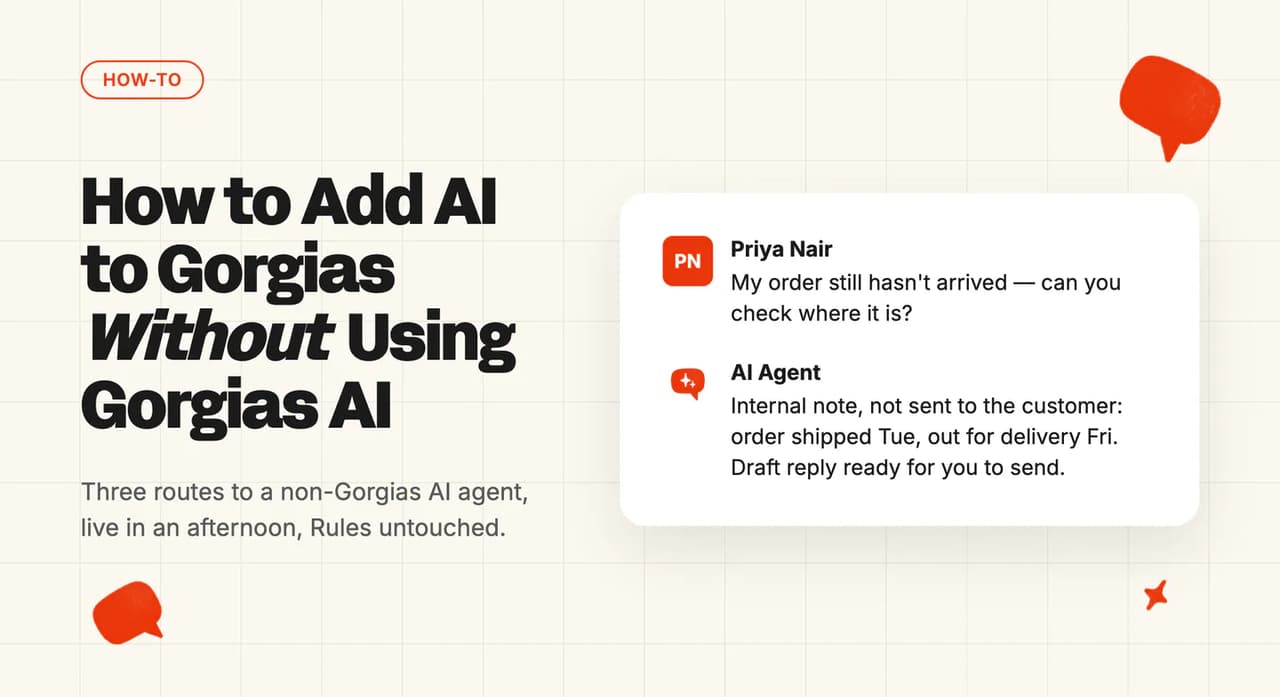
You run the queue. Over the past year or two you've built a macro library, a stack of Rules and a set of Views that keep it moving.
Then WISMO lands, all day, every day. Gorgias' own AI Agent runs through the small automated-interaction allotment your plan comes with, or you switched it on and the answers weren't there. Either way, you've landed here looking for AI that isn't Gorgias' own.
The job here is narrow. Get a non-Gorgias AI agent answering tickets inside Gorgias. I'm not ranking vendors and I'm not costing out Gorgias' AI, because both have their own pages.
You won't need a plan upgrade. The main route needs no developer. You will need admin rights for a few steps, plus roughly half a day.
What do you need before you start?
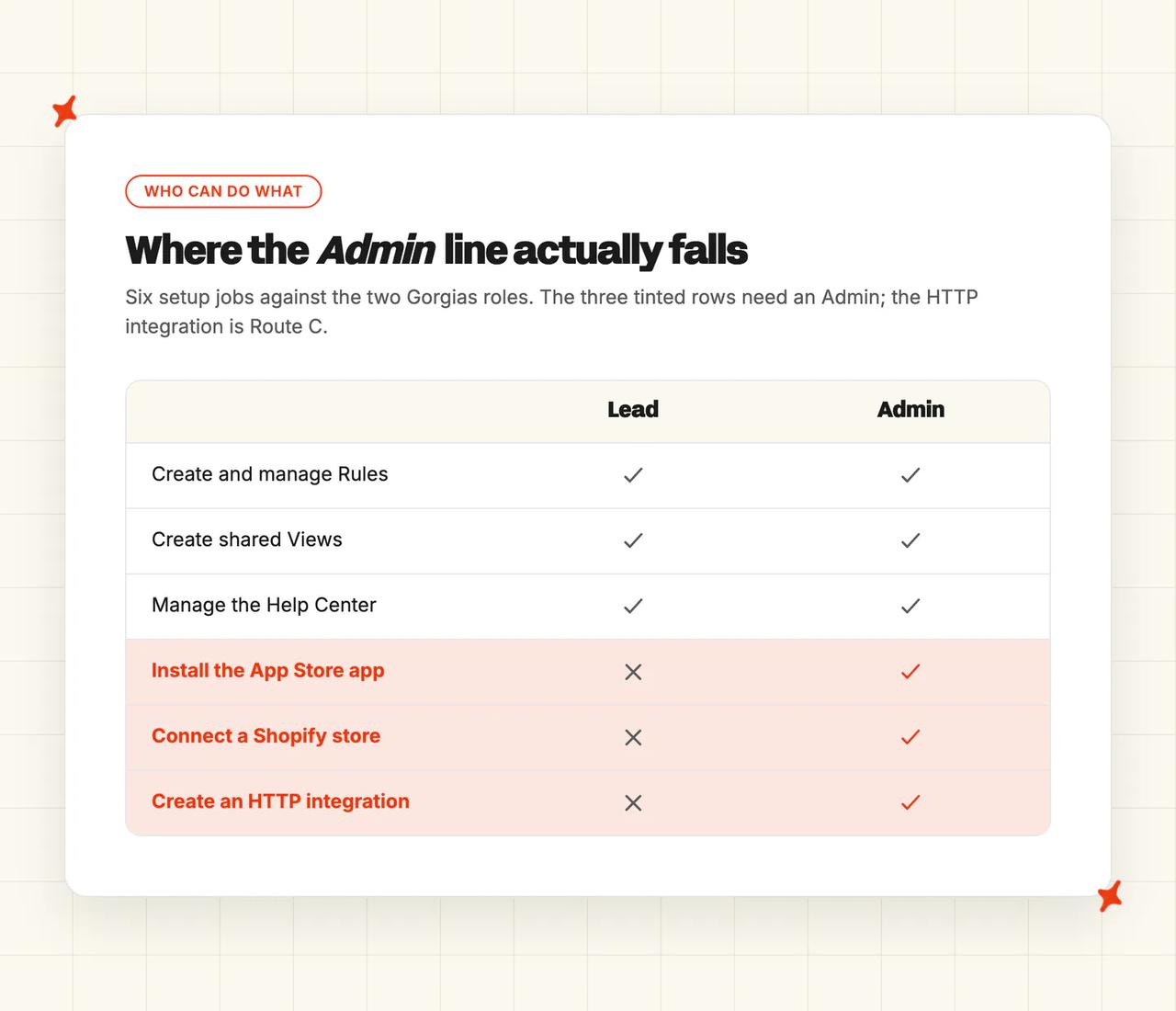
- Permissions: installing from the App Store is admin work on every plan. Most of what follows sits on the role the role matrix calls "The highest non-admin role." A Lead can do most of this and still needs an admin for the install, Shopify, HTTP integrations and channels.
- Plan tier: Rules, Views, HTTP integrations and the App Store are all-plans features. Gorgias' own AI Agent ships on every plan too, but with a small automated-interaction allotment, and Starter carries no Actions at all. Its Flows and Order management rows in the permissions matrix both carry "Requires an AI Agent subscription."
- Data prep: a published Help Center at
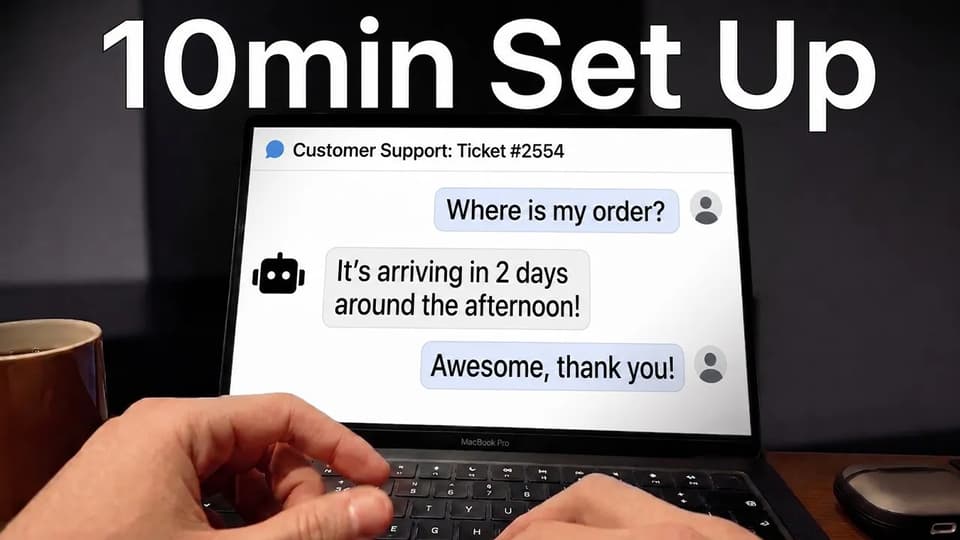
Settings → Channels → Help Center → Articles, which only Admins and Leads can manage, plus a connected Shopify store. Gorgias' connection doc is firm on that one, "You need to be a store owner or administrator in Shopify to connect to Gorgias". - Time: our own listing in the app directory promises an AI agent in 10 minutes. That is the connect time. The rollout is the afternoon, plus a week of watching it in internal notes.
- What you can skip: rewriting the knowledge base, and auditing your Rules. Two of our own Gorgias customers went live on the help sites and internal documents they already had, plus a historic-ticket backfill. With no docs at all, Train on Historic Tickets drafts starter articles from your past tickets.
What are the three ways to add AI to Gorgias, and which should you pick?
Gorgias sells its own AI Agent inside the helpdesk plan rather than beside it, on bundled tiers from Starter at $40 a month up to Advanced at $1,430, each carrying its own ticket and automated-interaction allotment. It also leans on Shopify, and the connection doc says "Connecting a Shopify store is required to use AI Agent in your helpdesk."
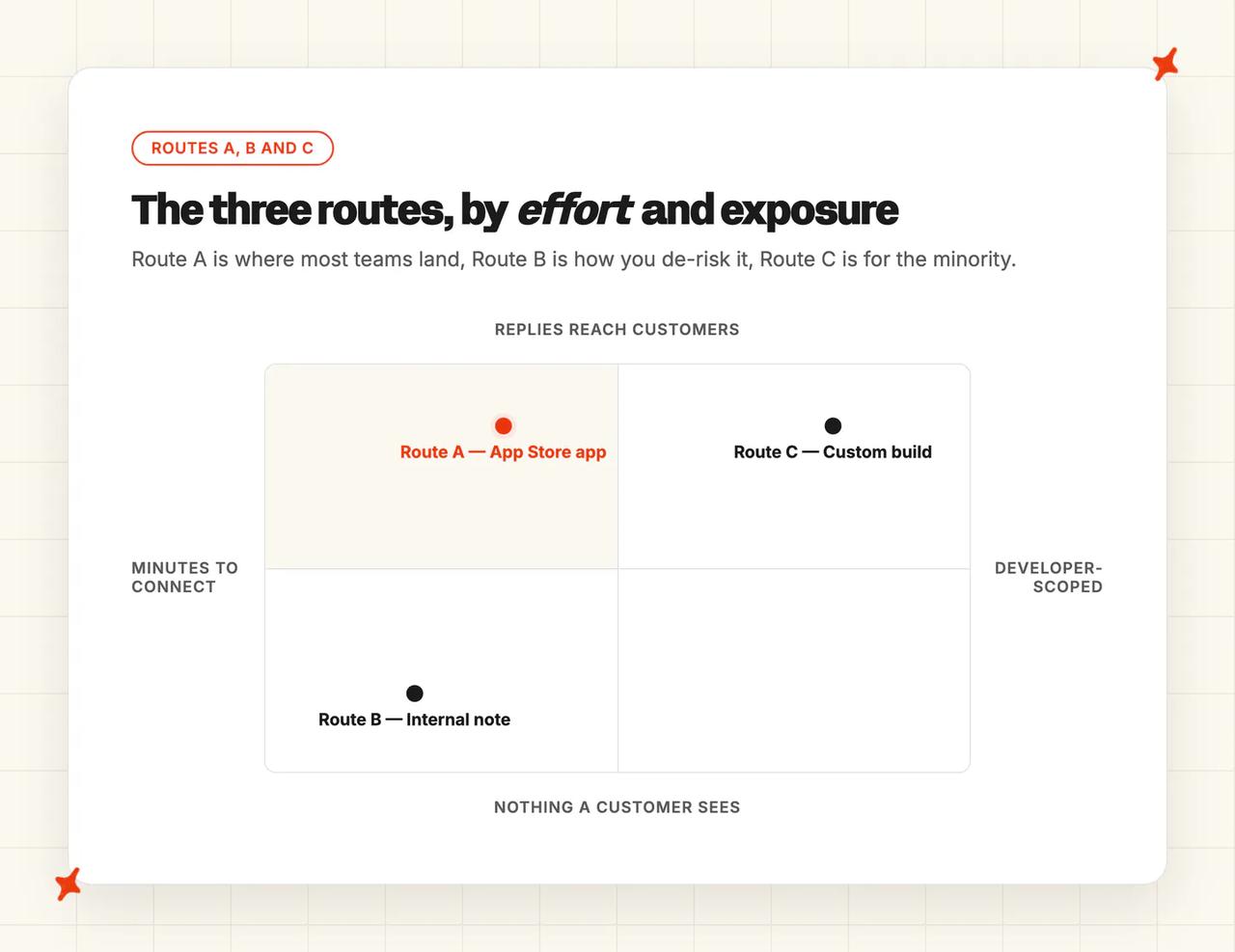
| Route | Best for | Setup time | Needs a developer? | Trade-off |
|---|---|---|---|---|
| A. Gorgias App Store app | Most teams | Minutes to connect, an afternoon to roll out | No | You work inside the app's model of routing, not your own |
| B. Copilot / internal-note test | Proving it before a customer sees it | The same install as Route A | No | It drafts, it doesn't resolve, so it moves handle time, not ticket volume |
| C. Custom API / HTTP-integration build | Non-standard routing, or an in-house model | Scoped by whoever builds it | Yes | You own it forever, including the 401s |
Route A is the app directory, Gorgias' grid of 100+ installable apps. Third-party AI agents really do list there, among them AI Agent by My AskAI, AI Agents by Eesel, Aide, Ada and Ticket Assistant by Yuma AI. Every listing names who built it, which is also who supports it, and most need a second account (you sign up with the vendor first, then connect from Gorgias).
Route B is the same app in internal-note mode, drafting a private note an agent then sends or bins. Its case is risk, and its ceiling is in our own testing notes. An internal-note trial is never fully representative, because people speak to an AI agent differently.
Route C is Gorgias' HTTP integration surface, where you build against the third party's public API yourself. It has real edges. Every request carries a five-second timeout, and the same doc states "Gorgias disables an HTTP integration automatically if 500 consecutive requests to your endpoint fail."
Building it is an economics question more than a capability one, which I've argued on LinkedIn.
If you're not sure, take A, run it in B's internal-note mode for a week, then widen. I'd keep C for the minority whose routing the App Store apps can't reach.
How to add a third-party AI agent to Gorgias, step by step
Two things decide which agent you pick, and both are checkable in five minutes (the Zendesk version of this walkthrough asks the same two). Does it list in the Gorgias App Store, and can it read your Shopify order data?
Without the first you are building Route C. Without the second it answers FAQs while WISMO keeps landing.
On a store, most of what arrives looking like a support question is really about an order. Get Shopify wired in properly or the agent answers everything except the question people actually ask. When a Gorgias rollout underperforms, this is the first connection I look at.
Step 1: Check your role and what the app will ask for
Install is admin-only, and so are Shopify, HTTP integrations and native channels. A Lead covers most of what's left: the Rules, the Views, the macros and the Help Center. I'd have the vendor login open in a second tab before you start.
Gorgias sends you to the vendor and back to authorize the connection. It doesn't publish which scopes each app asks for, so read that screen when you get there.
You're done when Settings → Apps → App Store opens for you. If it doesn't, you aren't the Admin.
Step 2: Install the app from the Gorgias App Store
The path is Settings → Apps → App Store.
Open the listing and click the connect button, then follow the sign-in. Gorgias flags that the label varies, so "you might see Connect, Add account, or something similar."
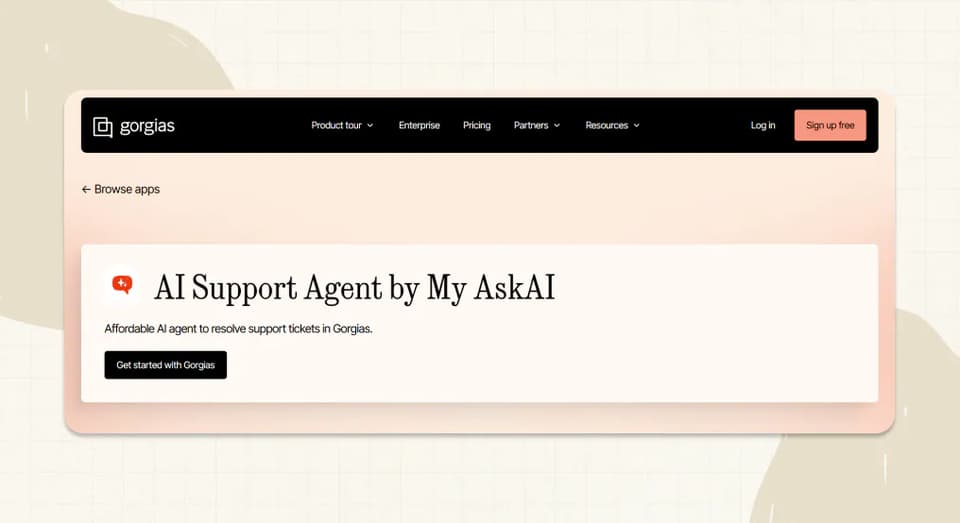
The rest runs in the My AskAI dashboard, at Channels → Add to helpdesk → Gorgias, then your Gorgias domain. Don't expect answers yet. An AI agent is one of the apps Gorgias warns need configuring first, and ours is no exception.
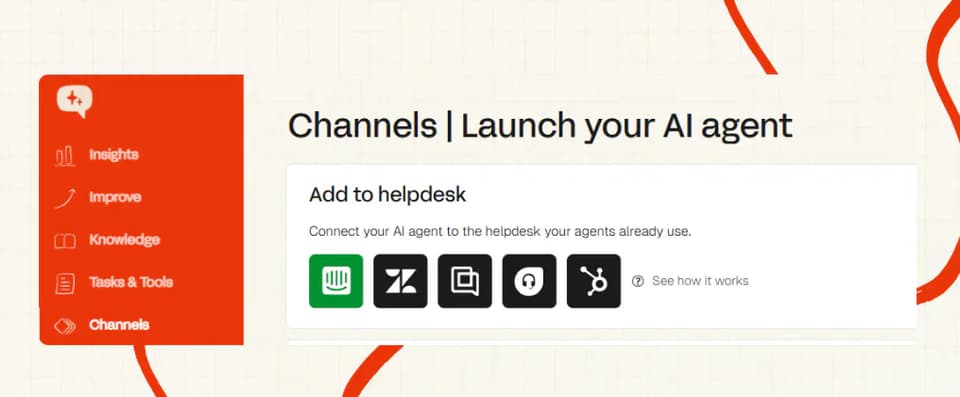
You're done when the screen reads Successfully connected with your Gorgias account and the app is listed under Settings → Apps → Installed Apps.
Step 3: Point it at your knowledge
Three passes: Help Center articles, then macros, then historic tickets.
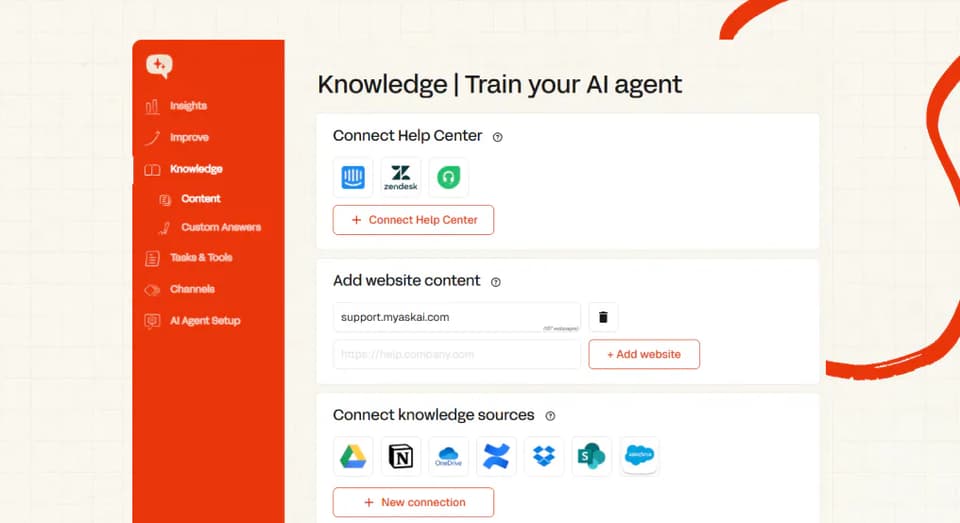
Macros are the one people get wrong. Export them at Settings → Productivity → Macros, using the Export Macros as CSV option Gorgias documents there. Then run the export through an LLM before you upload it.
Our macros guide carries the prompt, and its first rule is convert, never create. Default to uploading the converted macros as a document. Custom Answers are for wording that has to survive exactly.
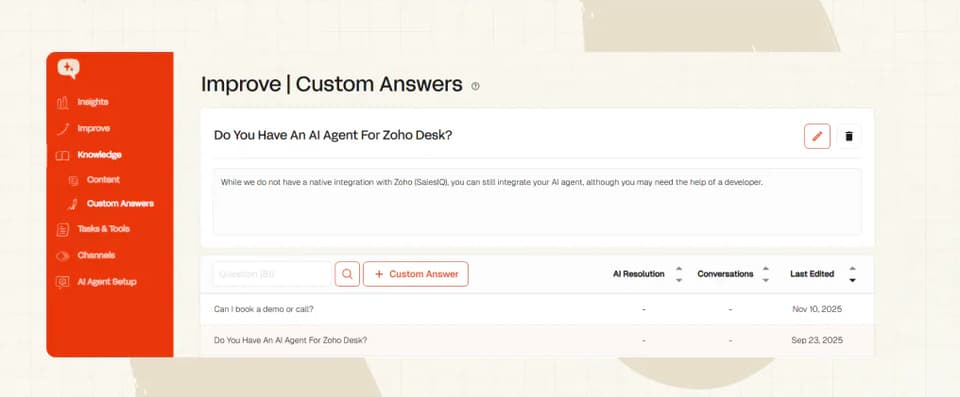
Then historic tickets. We train on all of them, with a default backfill of the last 5,000. Start it in your first week, because after that it takes a request to our support team.
You're done when the knowledge list shows all three sources and Self-Learning has drafts waiting.
Step 4: Scope which tickets and channels it sees
A Gorgias Rule is account-wide unless you scope it. Gorgias' own Rules doc says "You can create up to 70 rules, and when active, they apply across all stores and channels in your helpdesk."
The fix is in the same doc, a condition such as Channel is email. I'd start with a View, though. It filters what you see without changing a ticket.
Build it at Inbox → Shared views → + → Create view, then Add Filter. Add the scoped Rule at Workflows → Tools → Rules afterwards, or scope by store if you run several.
Rules, Views and tags are the levers, and you own all three. Tagging on Gorgias is Gorgias' own, so anyone who can reply may apply a tag, and Leads create them.
So the ticket auto-tagging scheme you run stays put, and your Rules and Views read those tags to scope what the AI sees. Guidance is the matching lever on our side, setting how it answers once a ticket is in scope.
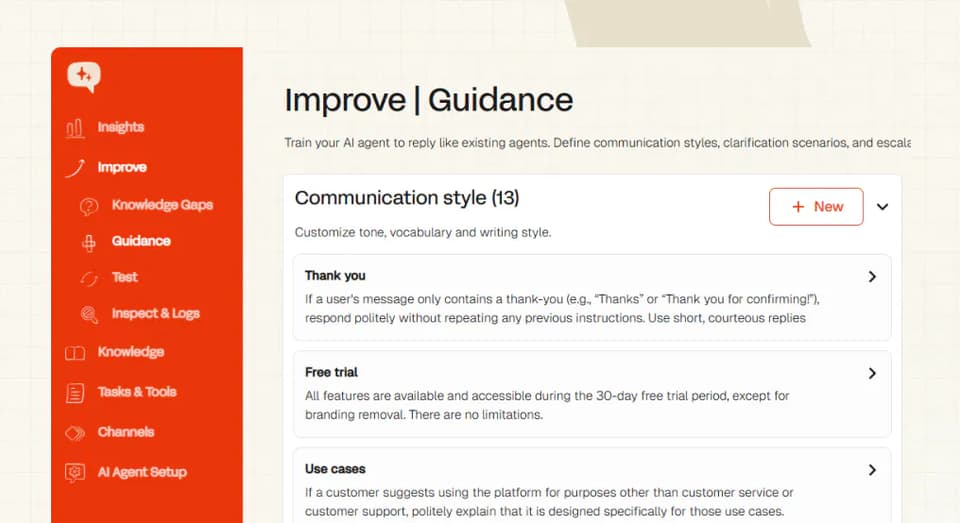
Channels come in three kinds, which is where Gorgias differs most. Native ones live in Settings and are admin-only, social is its own category, and marketplaces arrive through a partner app, TikTok Shop US only.
You're done when a test ticket on an out-of-scope channel arrives and the agent leaves it alone.
Step 5: Connect Shopify order data so it can answer WISMO
WISMO is the volume, so this step decides whether you get an FAQ bot or an agent. The Gorgias side is Settings → Workspace → Store → Add new store → Shopify, which puts order history and shipping details alongside each ticket.
That sidebar is for humans, though. The AI needs its own path to live data, on our side Knowledge → Content → Connect Shopify store.
Our own Gorgias customers run both, the connector plus a live user-data API call. One answers what they bought, the other where it is now. We'd start order actions on propose-then-approve, with the AI drafting the refund and an agent releasing it.
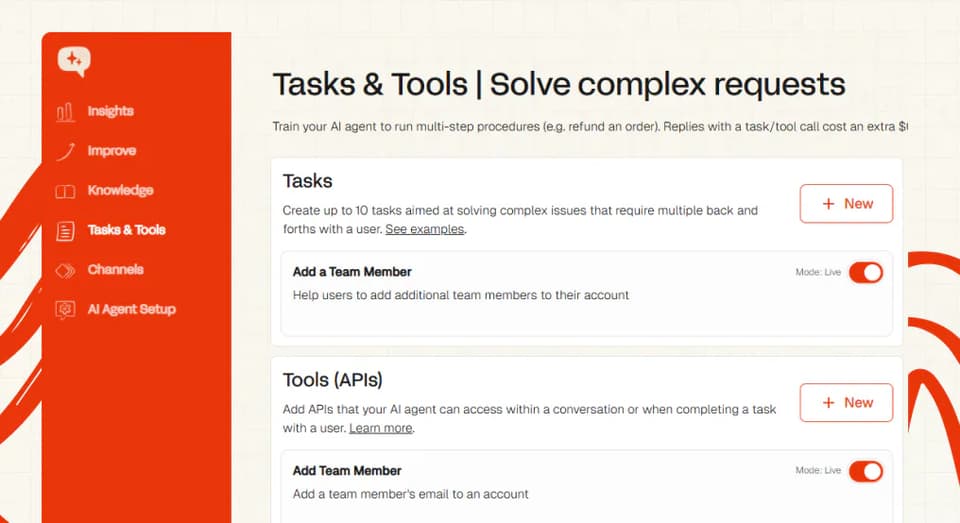
You're done when you ask about a real recent order in internal-note mode and the draft comes back with the right status.
Step 6: Run it in internal-note mode first (Route B)
Start here even if you plan to go live inside a week. Internal notes are the boring-but-effective option, and we default to them on both email tickets and chat.
The agent writes the reply it would have sent, then posts it as an internal note. The customer sees nothing, and your team gets the sources it used. For the why, open the conversation and ask our Echo agent why it answered that way, and which knowledge source it came from.
Run it for a week and read the notes. That's your window to fix tone through Guidance and add the knowledge it was missing. To stop it on one thread, add an internal note reading Stop writing AI notes (the wording has to be exact).
Some teams never turn direct replies on at all. One of our Gorgias customers, a DTC comfort-hosiery brand, runs 2,400 tickets a month this way.
You're done when new tickets carry an AI internal note and no customer-visible reply has gone out.
Step 7: Set the human handoff
A customer should never be blocked from reaching a person, so we give them four ways through. They can ask outright, the agent can sense they're getting annoyed, or it can't answer and offers. The fourth is yours, an auto-handover you define on ticket integrations.
We summarize the conversation before it lands, and that can't be switched off.
Tickets and chat differ, and that decides your rollout order. On tickets you can force the handover. On chat it happens only when the customer asks for a person, and the agent then stops replying.
We leave two Gorgias tags behind as your routing hook: ai-agent-replied on anything it touched, human-handover-requested on anything it escalated. Build a Rule on the second to route those to a human team.
You're done when a deliberately unanswerable test ticket comes back tagged human-handover-requested, with the summary note attached.
Step 8: Turn on direct replies for one ticket type
The toggle is Reply directly to customers in your Gorgias setup settings, set separately for email tickets and chat. Turn it on for one tag, in one View, on one channel. One of each, no more.
In our own Gorgias rollouts that first queue is usually WISMO on email, where the forced handover gives you a floor. Build the View at Inbox → Shared views → + → Create view, and add a Channel is email condition to any Rule that feeds it.
One of our premium accessories customers ran chat on direct replies and email on Copilot at once. That was 64% AI resolution across around 2,900 tickets a month, with one channel always the control. Rolling back is one toggle at Channels → Add to helpdesk → Gorgias, then Pause AI agent.
You're done when a customer on that one tag gets an AI-written reply, and every ticket outside it is still answered by a human.
What changes if you build it yourself (Route C)
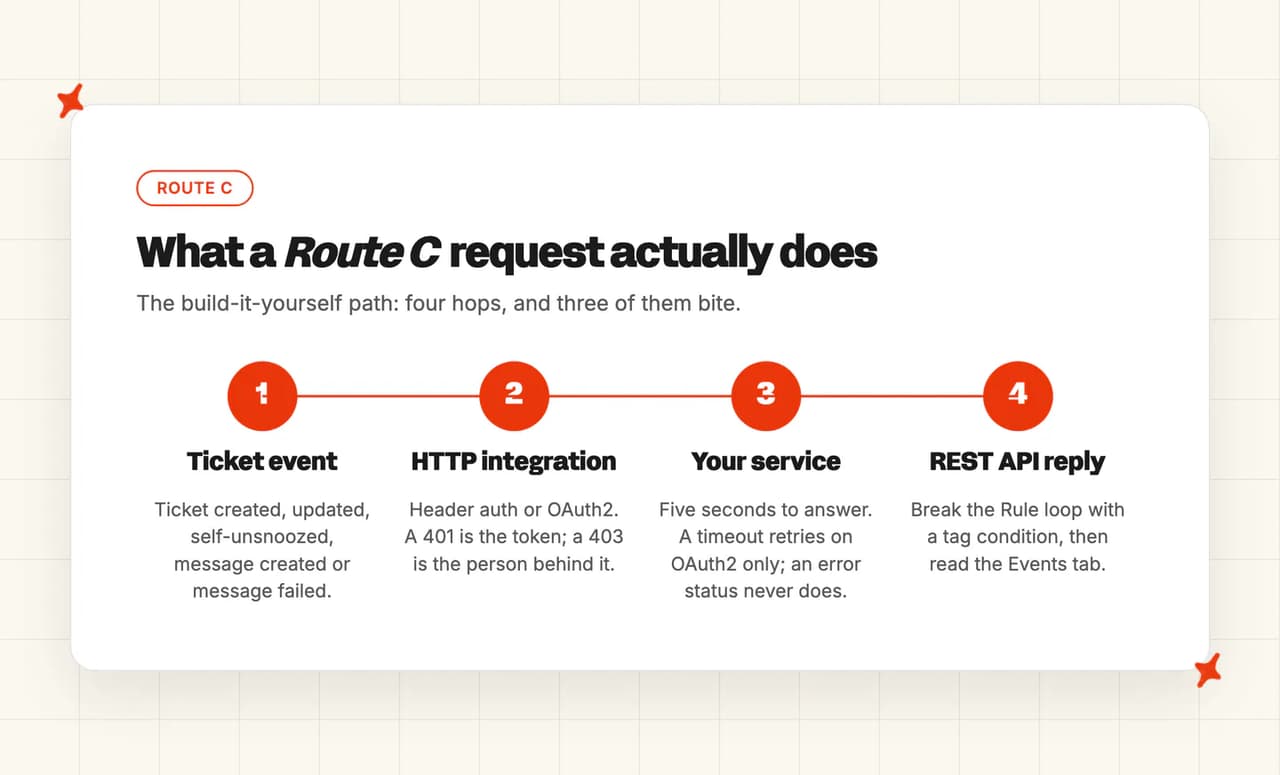
The path is Settings → Account → HTTP integration → Manage (under Account, nowhere near the App Store you just used). The flow is ticket event, HTTP integration, your service, then a reply back through the REST API. Three things bite.
Auth first. A private app uses an API key, and a public app must use OAuth2. A 401 is an invalid or expired token, while a 403 is the role behind it.
Gorgias' role matrix says "Each user manages their own token", and there are no shared ones, so a 403 is a people problem.
Retries follow three different rules. An unreachable endpoint is retried either way, and a timeout past five seconds only on OAuth2. An error status is never retried, and that includes a 429.
Then the Rule loop. A Rule can fire on Ticket updated and post a reply, so a service that writes back can re-trigger the Rule that called it. I'd break it with a tag condition and the trigger-priority order.
You're done when the Events tab shows your last request succeeding and the reply on the ticket.
How to test it before you let it near customers
- Replay a batch of closed tickets in internal-note mode and compare each draft to what your agent sent. Pass: every material difference has a named cause. Ask our Echo agent why it answered as it did and which knowledge source it used. The answer is usually a missing article, a scoping gap or missing order data.
- Force a handoff. I'd take something a customer actually sent that your knowledge base doesn't cover. Pass is binary: it hands over instead of guessing, the summary is generated, the
human-handover-requestedtag lands, and it stops replying. - Check it can't invent a returns or shipping policy. Ask a question your Help Center doesn't answer. Pass is binary: it hands over or stays quiet, never writing a policy sentence. Block the category at the routing layer with Guidance.
- Check the order lookup on three orders: one shipped, one delayed and one that doesn't exist (the last one is where a weak agent invents a status). Pass: the right status on the first two, and on the third a clean admission plus a handoff. Test against two documented limits. One is in Gorgias' Shopify FAQ, "Gorgias only displays the 10 most recent orders in the customer's sidebar." The other is that an address changed in Shopify won't reach the ticket.
- Baseline first reply time and CSAT. Pass is that the numbers exist, are dated and cover a full week, whatever they say. CSAT surveys are admin-only to configure, so I'd check early that they're running.
Then the go-live gate. All four are true before a customer sees an AI-written reply:
- The handoff, policy and order-lookup checks pass on your live instance.
- A full week of internal-note drafts has run, with a named cause behind every binned draft.
- First reply time and CSAT baselines are written down and dated.
- Direct reply is on for exactly one tag or View, on one channel.
No accuracy percentage sits in that gate. I've watched week-one accuracy swing too far between instances for a threshold to mean anything.
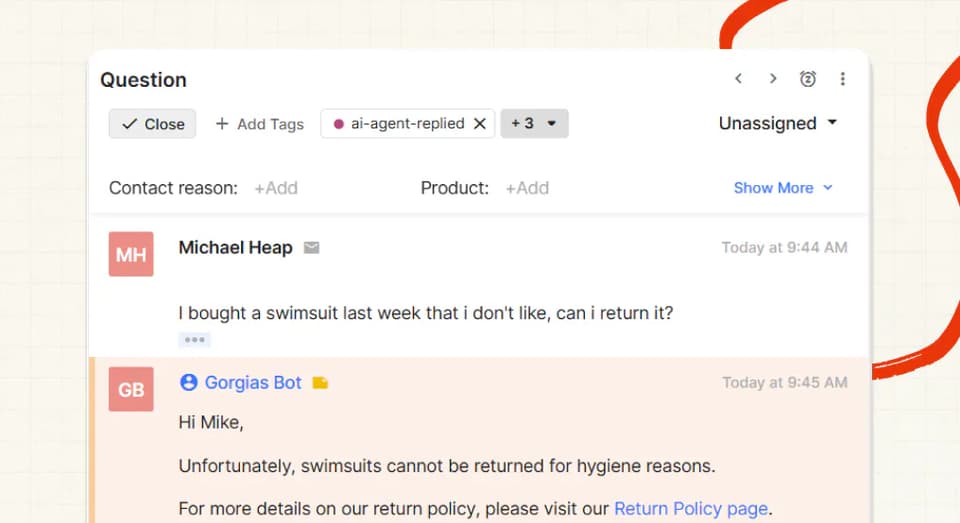
As context only, the median AI resolution rate across 195 rated deployments is 70%. Gorgias rollouts in our own set landed at 47%, 64% and 72%.
What breaks, and how do you tell?
A bad answer almost always traces to the information the agent had: out of date, ambiguous, incorrect or conflicting. Actual invention is rare, which is a point I've written up before.
| Route | Symptom | What's actually happening | Fix |
|---|---|---|---|
| A | A Rule with a Shopify condition does nothing for your best customers | They have orders in more than one connected store, so the Rule doesn't execute | Assign channels to stores, then use Integration is <store> |
| A | A Rule you built for the AI never fires | Trigger type sets the priority order, then Rules run "top to bottom, in the order they are listed on the Rules page" (Gorgias) | Reorder there, and check the trigger type, not only the conditions |
| A | The AI answers on a channel you never meant to enable | A Rule is account-wide until you add a scoping condition | Add Channel is email or Integration is …, and set notes versus replies per surface |
| A | Order data is missing or stale on a ticket that clearly has one | The Shopify app's permissions need re-approving after a scope change | Open it under Settings → Apps → Installed Apps, click Update App Permissions |
| C | Your HTTP integration returns 401, or worse 403 | 401 is the token; 403 is the person it belongs to | Regenerate the token as a user whose role carries the permission |
| C | The app's data never appears in the ticket sidebar | The widget exists but hasn't been dragged in, and data lands only after a ticket event | Nut icon, Custom integrations, drag it in, then tag a ticket |
| A | The Shopify data you were promised isn't on the ticket at all | A sidebar capability has been withdrawn since you evaluated Gorgias | Check what the connection gives you today before you build on it |
A merchant found that last row before we did. On the Shopify App Store, 31 July 2026: "Live cart visibility was removed in November last year, and their own support did not know this when I asked." Gorgias confirmed it four days later.
The internal-note week has one argument, and a merchant wrote it. From a 1-star post, 10 July 2026: "our rep incorrectly turned the AI agent live, which began replying to all of our customers in off-brand, unhelpful messaging."
What should you do next?
Widen one axis at a time. Add the next tag, watch it for a few days, then add the next channel. Do both at once and you can't tell which change moved the number.
Then work the questions it couldn't answer. Self-Learning drafts new articles by comparing the agent's reply to what your human sent on handed-over tickets, and Insights scores every conversation for AI CSAT rather than a sample.
Barn Owl, one of our Gorgias customers, runs 700 tickets a month at 47% AI resolution and 80% AI CSAT.
If you'd rather not wire all eight steps yourself, our Gorgias integration page is the same setup with the plumbing already done. And if what you've built is working, you're done. That's a fine place to stop.
FAQs
Does Gorgias allow third-party AI agents?
Yes, and the proof is a directory. The Gorgias app directory lists third-party AI agents, ours among them. Every listing names its builder in the spot Gorgias' app doc describes, "Every app listing shows who built it, just below the app name: By Gorgias or By [another company]."
Where a vendor has no listing, the HTTP integration covers it.
Do I need admin access to do this?
For the install, yes, since Gorgias marks it admin-only, on all plans. For most of the rest a Lead is enough, since Rules, Views, Macros, tags and Help Center articles are Lead or Admin. The exceptions: Shopify needs admin on both sides, and HTTP integrations, native channels and CSAT surveys are admin-only.
Will this break my existing Rules and macros?
No. Rules fire on their own triggers in a documented order, macros stay macros, and the AI sees only what your conditions let it see. One exception worth knowing before you plan around it: Gorgias triage steps and Flows cannot be used with the AI agent, so anything you route through those stays on the human path.
The risk runs the other direction. A Rule you already have applies "across all stores and channels in your helpdesk" (Gorgias) unless you scope it, so it can collide with the AI on the same ticket. Add a Channel is … condition, and check your Rule count, because the cap of 70 is real.
Can I roll it back?
Three levels, and the gentlest one leaves the install exactly where it is. Pausing is separate for Gorgias chat and Gorgias tickets, so you can pull one surface and leave the other running.
| Level | What you do | What it does |
|---|---|---|
| Reversible pause | Hit Pause AI agent in your Gorgias setup settings | Replies stop, the install and its knowledge stay |
| Disconnect | Disconnect the integration from our dashboard | Unhooks the agent from Gorgias, nothing is deleted |
| Delete the app | Delete it inside Gorgias | Permanent, and it takes Views and Rules with it |
Deleting the app in Gorgias is the one to think twice about. Gorgias is blunt in its own app doc, "Deleting an app can't be undone."
There's a knock-on too. The same page adds "Any ticket views associated with the integration will be deactivated, and rules that use the integration as a condition will be turned off."
How long before it starts working on real tickets?
Connecting takes minutes, and self-learning articles land within six hours of connection. A defensible go-live takes about a week, and that week comes out of the test plan above.
How much does Gorgias AI cost?
It is bundled into the Gorgias plan rather than sold separately, from Starter at $40 a month up to Advanced at $1,430, each tier carrying its own automated-interaction allotment and $0.85 to $1.00 for every interaction past it, depending on the plan. The permissions matrix still ends its Flows and Order management rows with "Requires an AI Agent subscription", which is the older wording for the same thing. Our Gorgias AI agent pricing explainer has the current numbers, and our Gorgias ROI calculator runs them against your ticket volume.