How to Move Your Knowledge Base to a New AI Agent: Keep, Rebuild, Lose
Move your knowledge base to a new AI agent: content sources re-point, no export; custom answers and escalation rules are rebuilt by hand. Check your contract.
Summarize with AI
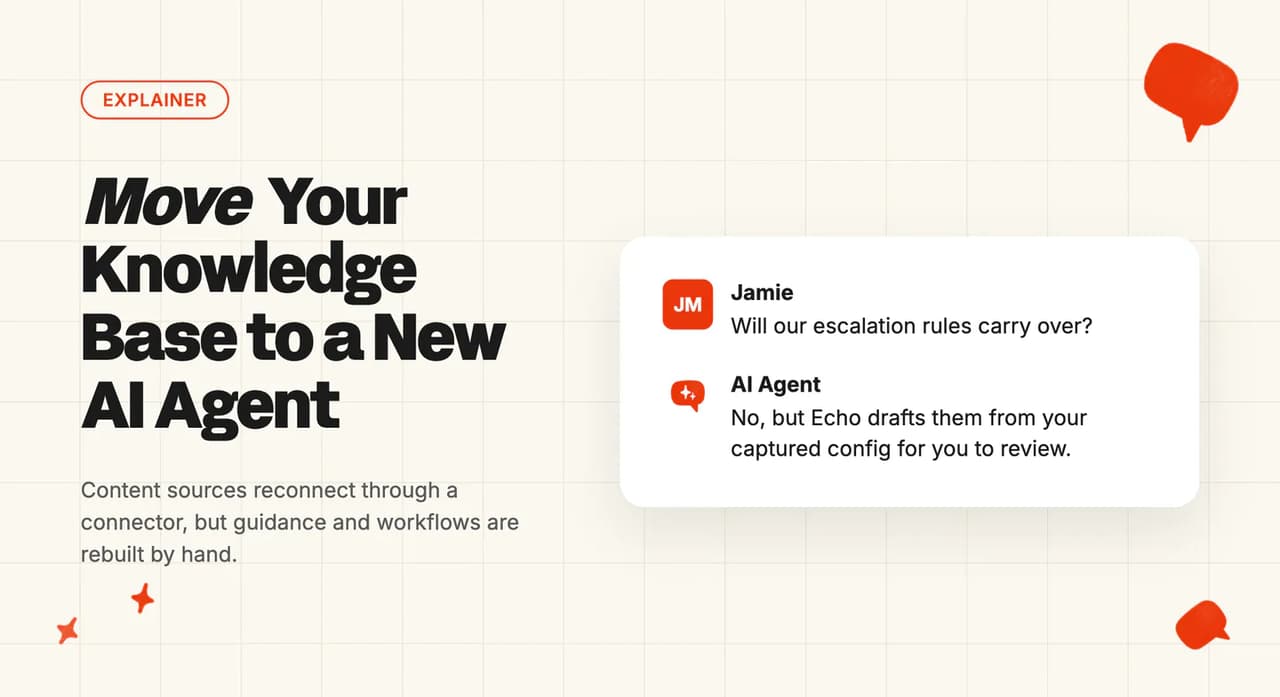
Switching AI support vendors stalls on one question more than any other. What happens to the knowledge base? Someone on your team spent weeks feeding the old agent help-center articles, snippets and escalation rules, and nobody wants to do that work twice.
I co-founded My AskAI, which sells an AI support agent that plugs into your existing helpdesk, so I have walked through this move with support teams. Most of the fear is misplaced. What you actually have to rebuild is a far shorter list than the one in your head.
This guide covers what transfers automatically, what you rebuild by hand, and the copy-sprint shortcut that keeps that rebuild to a short review instead of a weekend project.
Moving your knowledge base at a glance
| Aspect | What to expect |
|---|---|
| What transfers automatically | Help-center sync, website sync, cloud-connector content (your Drive, Notion and other cloud docs). The new agent reads the same sources in place. |
| What you rebuild | Custom answers and snippets, behavior guidance, escalation rules, action workflows |
| What you lose | In-product analytics history from the old AI layer; any proprietary content format only the old agent understood |
| Typical effort | Minutes to hours for knowledge re-pointing; the behavior rebuild (guidance, custom answers, workflows) is typically 90-200 items to review |
| Copy-sprint shortcut | A browser agent captures the old config. Echo converts it inside My AskAI. A human reviews. |
| Hardest part | Escalation and routing logic. No vendor lets you export it. |
What counts as "your knowledge base" when you switch AI agents?
The phrase "knowledge base" covers three separate layers, and only one of them moves automatically.
The first layer is content sources. These are the articles in your help center, the pages on your website, and the docs in your cloud storage (Google Drive, Notion, Confluence, SharePoint, OneDrive, Dropbox, Salesforce knowledge pages, Shopify).
A new AI agent reads them in place through connectors. Nothing exports or imports; you just point. We read those sources while the old agent is still connected to them, so pointing the new agent at your help center takes nothing away from the old one.
The second layer is curated answers, the snippets, custom Q&A pairs and internal articles your team wrote by hand inside the old AI tool. Every vendor calls them something different, and none of them export.
The third layer is behavior rules. Persona and tone guidance, escalation logic, action workflows, audience targeting. This is the layer your team spent weeks tuning, and it is inside the vendor's interface.
Those names are the first thing I see trip people up when they open the old admin to take an inventory. Here is what each vendor calls the two layers you have to rebuild.
| What it is | Intercom Fin | Zendesk AI | Gorgias | HubSpot Breeze | Freddy AI |
|---|---|---|---|---|---|
| Curated answers your team wrote by hand | Fin Content | Articles in the AI knowledge | Custom Q&As | Short Answers | Custom Q&As |
| Tone and persona rules | Fin Guidance | Not named separately | Guidance | Guidelines | Persona and instructions |
| Action workflows | Fin Procedures | Dialogs and procedures | Skills and Actions | Actions | Workflows |
I have walked teams through all three layers. Layer three is where the rebuild lives.
"When you switched off Intercom, what did you move to and how painful was the knowledge base migration specifically? That's one of our bigger concerns" — u/Old-Source2534, r/SaaS
Layer 1 reconnects in minutes. Layers 2 and 3 are the rebuild.
My AskAI knowledge connectors read Zendesk, Intercom and Freshdesk help centers (including behind-login articles), plus your website and every cloud source listed above. The same sources that fed the old agent feed the new one, with no re-upload needed.
As I put it on LinkedIn: teams switch AI vendors over the invoice.
What transfers automatically (and what does not)?
Anything your helpdesk hosts transfers. Content the old AI vendor hosts stays behind and has to be rebuilt.
| Asset | Status | What that means |
|---|---|---|
| Help-center articles | Keeps | The new agent reads them in place via a connector (Zendesk, Intercom, Freshdesk) or a website crawl (Gorgias, HubSpot). No export step. |
| Website-synced pages | Keeps | Same deal. Point the new agent at the same URLs. |
| Cloud docs (SharePoint, OneDrive, Dropbox and the rest) | Keeps | Cloud connectors re-point. The docs never leave their home. |
| Macros and saved replies | Keeps (with conversion) | Macros export cleanly on Intercom, Zendesk, Gorgias and Freshdesk. HubSpot snippets are the exception. An LLM converts them into knowledge articles, and our macros guide carries the prompt for doing it. |
| Historical tickets | Keeps | Tickets live in your helpdesk. They do not belong to the AI vendor. |
| Snippets and custom Q&A pairs | Rebuild | Intercom Fin Content, Gorgias Custom Q&As, Freddy Custom Q&As, HubSpot Short Answers. None export. Copy them manually or use the browser-agent sprint below. |
| Tone and persona guidance | Rebuild | Fin Guidance, Gorgias Guidance, HubSpot Guidelines (Tone, response style, scripted responses and guardrails), Freddy persona + instructions. None export; each has to be re-typed by hand in the new agent. |
| Action workflows | Rebuild | Fin Procedures, Zendesk dialogs + procedures, Gorgias Skills + Actions, HubSpot Actions, Freddy Workflows. None export. |
| Escalation and routing rules | Rebuild | The hardest piece. None of Zendesk, Intercom, Freshdesk, Gorgias or HubSpot lets you export escalation logic. |
| In-product analytics history | Lose | Every vendor keeps their analytics inside their own dashboard. Once you cancel, the history is gone. Export a CSV before you start. |
In the migrations we have walked through, non-exportable config is typically 90-200 items per account. That sounds like a lot, but a browser agent and Echo turn most of it into a short review your team fixes and approves.
How do you copy the settings the old AI will not export?
A browser agent (Claude, ChatGPT, Gemini) walks the old admin UI in read-only mode and copies every snippet, guidance card and flow into a structured doc. This turns a manual inventory into a document your team reviews.
Three ground rules. The human signs in (never hand the agent credentials), you treat the old tool as read-only, and you spot-check any screenshot transcription against the original.
Here are the six prompts we use, three for capturing what you have and three for loading it into the new agent. The capture prompts have to name your old vendor's screens or the agent will not find them, so swap "[VENDOR]" for the tool you are leaving and paste that vendor's names straight out of the translation table above.
1. Extract a content library
Pulls every snippet, guidance card and custom answer out of the old admin into one document. I run this one first, because the inventory is always bigger than the team expects.
You are working in my [VENDOR] admin in read-only mode. I am already signed in.
Go to [PASTE THE VENDOR'S CURATED-ANSWER AND GUIDANCE SCREEN NAMES HERE] and page
through every entry. For each one, copy the title, the full body text, any audience
or targeting rules, and whether it is live or paused.
Return a single Markdown document with one heading per entry. Change nothing.
2. Transcribe a flow from screenshots
Turns a workflow canvas you cannot export into a decision table you can. Attach the screenshots in the order the flow runs.
Attached are screenshots of a workflow canvas from my [VENDOR] admin.
Turn every branch into a row of a decision table with four columns: what triggers it,
what the AI says or does, what customer or order data it needs, and the point where it
hands over to a human.
List anything in the screenshots you cannot read clearly rather than guessing.
3. Walk the settings audit
Records the toggles nobody documented. Those are the ones we get called about a week after cutover.
You are in my [VENDOR] admin in read-only mode. I am already signed in.
Visit each of these screens in turn: [PASTE THE VENDOR'S WORKFLOW, ESCALATION AND
AUDIENCE SCREEN NAMES HERE].
For every toggle, dropdown and free-text field, record the screen name, the setting
name and its current value. Return one Markdown table. Change nothing.
The last three go to Echo, our operator agent inside the My AskAI dashboard, and they take the documents the first three produced. These do not change by vendor.
4. Convert the captured guidance
Turns the old tone and behavior rules into Guidance entries. We file anything about wording there.
Attached is a document of tone and behavior rules from the AI agent we are replacing.
Draft each one as a Guidance entry. File wording, tone and terminology rules under
Communication & Style, and anything that decides when to hand over to a human under
Handover & Escalation.
Show me the drafts before you save them.
5. Rebuild a flow as a Task
Builds the Task the AI runs when a customer asks for a refund. Swap in whichever flow you captured.
Attached is a decision table for our refund flow from the AI agent we are replacing.
Build it as a Task. Tell me the questions the AI should ask the customer, the Tools it
needs to call and what each one returns, and the point where it hands over to a human.
Show me the Task before you save it.
6. Import the snippets
Recreates the saved answers as Custom Answers, wording intact. We keep the review step deliberately, because near-duplicates are easy to wave through.
Attached is a document of saved snippets and custom answers from the AI agent we are
replacing. Create a Custom Answer for each one, keeping the wording exactly as written.
Skip any that duplicate an article we already have, and tell me which ones you skipped
and why.
The combined pattern is browser agent captures, Echo converts, a human approves, so your team reviews and tests the new setup instead of rebuilding it from memory.
The reason this is worth doing properly is what the alternative costs. A team on r/CustomerSuccess described standing Fin up from nothing:
"One of the program managers spent 1.5 months "training" Fin on our knowledge base, then we spent 2 weeks stress-testing before a staggered, slow release." — u/Roman_nvmerals, r/CustomerSuccess
That was Fin, starting from scratch. A migration rebuild with the copy-sprint pattern is much shorter, because you already know what your knowledge base needs.
Where does each piece of your old setup end up inside My AskAI?
Once the copy sprint has captured the old config, here is where each piece lands inside My AskAI.
| Old surface | New surface | Notes |
|---|---|---|
| Persona / tone settings | Guidance (Communication & Style) | Re-type each tone rule as one short, plain-language instruction. |
| Exact-wording answers | Custom Answers | Use these for regulated, scripted or brand-sensitive replies. |
| Action workflows | Tasks + Tools | Think of a Task as a subagent. It is a plain-English procedure the AI runs end to end, and Tools are the calls it makes into your systems along the way. Each action either runs on its own or asks a human to approve it first. |
| Decision-tree flows | Tasks (rewritten as conversational knowledge) | Do not rebuild decision trees as trees. Rewrite them as conversational Tasks. The AI handles branching on its own. |
| Macros and canned replies | Knowledge articles (LLM-converted) | Our macros guide carries the prompt that turns them into knowledge the AI can reference. |
| Escalation rules | Guidance (Handover & Escalation) + channel handover settings | The hardest piece. Routing logic has to be rebuilt by hand, since no vendor exports it. |
If your team has no written docs at all, Train on Historic Tickets backfills the last 5,000 historic tickets by default (more on request). It auto-drafts grouped knowledge articles from your past conversations, ready for review the same day, and it's free on every plan. I see this a lot: teams that built their support knowledge inside the old AI and never wrote help-center articles.

How do you validate the new agent before any customer sees it?
Internal Notes mode is the default, and I recommend starting every migration here. The AI drafts a response on every ticket but only writes it as an internal note. Customers see nothing; your team compares the new agent's answers against the old one on live traffic with zero risk.
We built this as the standard on-ramp on Zendesk, Intercom, Freshdesk, Gorgias and HubSpot, with two exceptions:
- Zendesk Messaging has no notes mode. Validate on Zendesk Tickets and batch tests first, then stage the Messaging cutover as a direct swap.
- Freshchat requires Freddy disabled before My AskAI connects. Validate on Freshdesk first, then cut Freshchat as a direct swap.
Both AIs bill during the overlap window. Keep it to 1-2 weeks.
I also recommend a 50-question CSV batch test alongside the live-traffic comparison. Upload the CSV, see what knowledge each answer used, and fix gaps before any customer sees the AI.
What should you measure, and when should you cut over?
Compare four things over two to four weeks (the same four our AI support migration checklist tests first):
- Resolution rate. What percentage of tickets the AI handles without escalating.
- Escalation rate. The inverse. If this rises, something in the knowledge or guidance is likely wrong.
- CSAT on AI-handled tickets. The number that tells you whether customers notice the switch.
- Time-to-first-response. Usually drops on day one, because the AI replies instantly.
If your ticket volume is low, wait a few more weeks before you cut over. There isn't enough traffic yet for these numbers to mean anything.
Cut over one channel at a time. I have seen teams leave both AIs replying on the same channel, and the result is two replies per customer message (Gorgias documents this as a known failure mode). Flip My AskAI to direct replies on one channel and pause the old AI on that channel in the same change window.
The old AI stays paused; you do not delete it. If the numbers look wrong after a week, you flip back in minutes. We built My AskAI to uninstall cleanly for exactly this reason.
Our per-ticket pricing means the overlap window has a predictable cost. On the Scale plan, 10,000 tickets cost roughly $1,299 a month. The 30-day free trial covers all features, no card required, so the My AskAI side of the overlap window may cost nothing at all.
You do not have to switch Self-Learning on. It runs from the start, in notes mode and on direct replies, comparing what the AI drafted against what your agent actually sent and drafting new knowledge articles out of the difference. Resolution rate climbs without anyone writing docs.
When is moving your knowledge base the wrong move?
If you are mid-contract, we recommend checking your order form for the notice period, the renewal date and the data-export clause before you pick a start date.
I co-founded My AskAI, so take my perspective with that in mind. If your current AI works well and the bill is fine, there is no reason to move. The switch makes sense when the bill hurts, the answer quality disappoints, or both.
What are the pros and cons of moving your knowledge base to a new AI agent?
Pros
- Content sources stay in place: Help-center articles, website pages and cloud docs never leave home. A new agent reads them through connectors, so there is no export-import cycle and no data loss.
- Parallel running removes the risk: Internal Notes mode lets you compare the new agent against the old one on live traffic before any customer sees a change. We default to notes mode, so nothing changes for customers until you switch the agent to direct replies.
- The copy-sprint shortcut keeps the rebuild to a review: A browser agent captures the non-exportable config; Echo turns it into drafts inside My AskAI, and the team reviews and approves them.
Cons
- Escalation and routing logic never exports. Every vendor keeps this as internal configuration, and it has to be rebuilt by hand. It is the slowest part of any migration.
- Both AIs bill during the overlap. You pay two vendors for 1-2 weeks while you validate. On high-volume accounts the double bill is material.
- In-product analytics history is gone once you cancel: Export a CSV of the old AI's reporting before you start, because there is no way to get it back afterwards.
- Voice is a gap. My AskAI does not offer voice AI today. If voice is your primary support channel, the migration leaves that channel uncovered.
FAQs
How long does it take to move a knowledge base to a new AI agent?
Knowledge re-pointing (help centers, websites, cloud docs) takes minutes to hours. The behavior rebuild (guidance, custom answers, workflows) becomes a short review with the copy-sprint accelerator pattern. Most teams reach live and direct within one month; after that, ongoing tuning runs about 30 minutes a week.
Do I lose my help-center articles when I switch AI vendors?
No. Your help-center articles stay exactly where they are. The new agent connects to them directly (Zendesk, Intercom or Freshdesk through a connector, Gorgias and HubSpot through a website crawl). No export step needed. The knowledge layer reconnects in place.
Can I run two AI agents at the same time during the switch?
Yes, on most channels. Internal Notes mode lets you run the new agent alongside the old one with zero customer risk. The new agent drafts every reply as an internal note while the old AI keeps answering.
Two exceptions: Zendesk Messaging (no notes mode, direct replies only) and Freshchat (the old AI must be off before My AskAI connects). Plan those as staged direct cutovers validated on the sibling ticket channel first.
What happens to my historical tickets when I change AI agent?
Historical tickets stay in your helpdesk; they do not belong to the AI vendor. My AskAI's Train on Historic Tickets backfills the last 5,000 historic tickets by default (more on request) and auto-drafts grouped knowledge articles from them, ready for review the same day. Free on every plan, no manual export needed.
What does it cost to run both AI agents during the overlap?
Both AIs bill during the overlap window. Keep it to 1-2 weeks. Here is how each vendor bills for the AI layer:
| Vendor | Overlap billing model |
|---|---|
| Intercom Fin | $0.99/outcome + seat costs |
| Zendesk AI | $1.50-$2.00 per automated resolution + $50/agent Copilot |
| Gorgias AI | Bundled plan allowance, then $0.85-$1.00 per automated interaction ($0.90 on Pro) |
| HubSpot Breeze | ~$0.50 per resolved conversation |
| Freddy AI | $0.49/session (sold in 100-session packs) + $29/agent Copilot billed annually, or $35 billed monthly (Pro and above) |
| My AskAI (Scale) | $499/mo including 2,000 credits, then $0.10/credit |
The My AskAI side of the overlap may cost nothing if you are still inside the 30-day free trial (all features, no card).
Is moving a knowledge base easier if I stay on the same helpdesk?
Yes. If you keep your helpdesk (Zendesk, Intercom, Freshdesk, Gorgias or HubSpot) and only swap the AI layer, your tickets, macros, tags and routing all stay exactly where they are. If you want to add AI to your existing helpdesk without using the native AI product, see how to add AI to your existing helpdesk.