5 Best AI Customer Service Tools for Events Companies on Zendesk (2026)
Events support on Zendesk means on-sale spikes, postponement refunds and show-night questions. The 5 best AI customer service tools, scored out of 70.
Summarize with AI
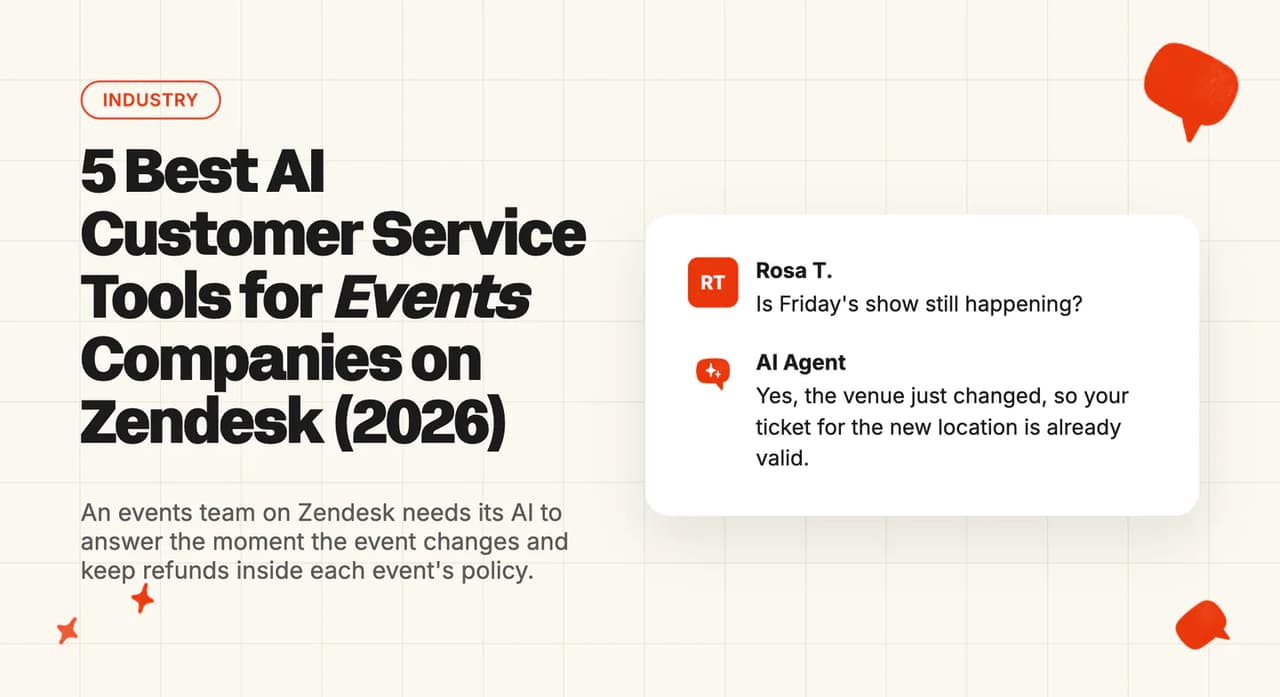
Fan support and guest experience for a promoter, a venue or a festival on Zendesk follow the event calendar. For weeks the views stay calm and a small team clears them with a few macros. Then tickets go on sale, or a headliner pulls out, and hundreds of people write in within the hour, half by email and half through Messaging, most of them asking the same thing.
The questions barely change from one flood to the next: where are my tickets, is the show still on, do I get my money back, what time are doors. Each has one right answer, but that answer depends on the event, its refund policy and who sold the ticket, and it can change on a Tuesday afternoon when a date moves. Finding the best AI customer service for events on Zendesk comes down to whether the AI picks up the new answer straight away and keeps refunds inside each event's policy. It also has to hand the hard cases to your team inside the same Zendesk ticket, and stay switched on (and affordable) in the month everyone writes in at once.
I'm Mike, co-founder of My AskAI. We help 200+ ecommerce and SaaS businesses run AI customer service inside the helpdesk they already use, and our agents have resolved over 1,000,000 support tickets.
One of those teams is a live-music events company on Zendesk, where our agent answers the everyday questions and hands anything near show time to a person. I scored the five tools below against the questions that rollout handles, Zendesk AI agents included, and priced each one for a quiet month and an on-sale month on top of the same Zendesk seats.
Here is where each of the five fits, with the buyer it suits and how it bills:
What does AI customer service actually look like for events companies on Zendesk?
A festival ticket seller's own support guidance names the peak times: when tickets first go on sale, right after a major announcement email, and the week of the festival. The timing is predictable even when the volume is not, so a support lead can have the answers ready in Zendesk before the flood starts.
In Zendesk, those questions arrive in two places. Email shows up as Zendesk tickets in your views, and chat or social arrives through Messaging, where a person picks it up as a live conversation. The live-music events company we work with sees three audiences in one inbox (audience members, hosts and artists), and email is its busiest channel.
How fast the AI uses a changed answer depends on where you write it and which tool reads it. Zendesk AI agents search a Zendesk help center article at the moment they answer, while content held outside Zendesk is read from the last sync, which Zendesk says usually happens every 24 hours. For them, a postponement notice written as a help center article arrives far sooner than the same notice on an outside web page. OpenCX and our own agent read your help center from a scheduled sync instead.
Here is how the common question types split between what AI can answer safely and what should always reach a person:
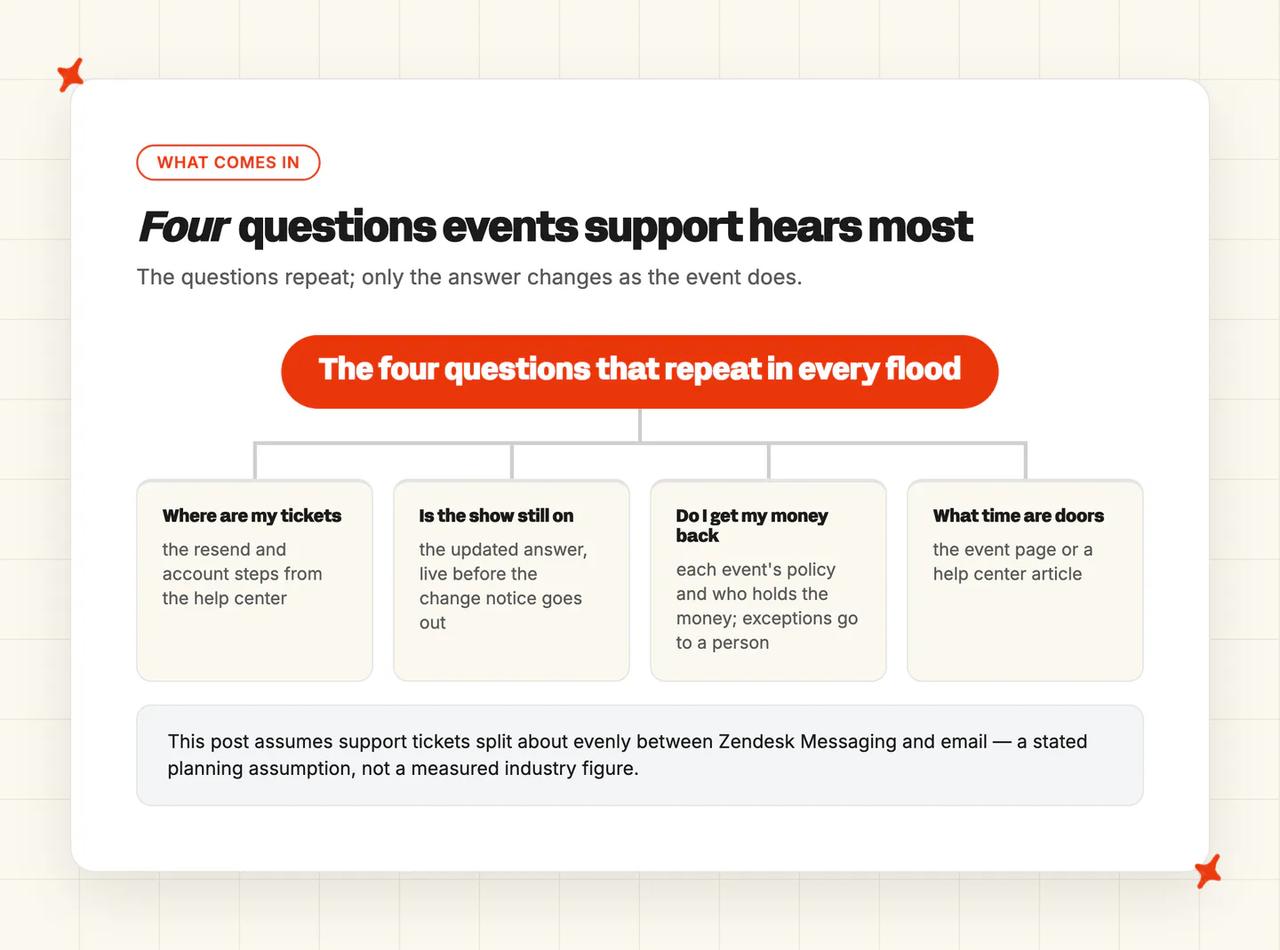
| Question type | Where it arrives in Zendesk | Safe to hand to AI? | What the AI needs |
|---|---|---|---|
| Where are my tickets, or a lost ticket | Email and Messaging | Yes | The resend and account steps from your help center |
| Event details: doors, age limits, bag policy, accessibility, parking | Mostly Messaging | Yes | The event page or a help center article |
| "Is my ticket still valid?" after a date or venue change | Email replies to the change notice, and Messaging | Yes, once the answer is updated | The new answer, live before the notice goes out |
| Refund requests, postponed or canceled | Explain the policy; exceptions go to a person | Each event's policy and who holds the money | |
| Transfers and name changes | Explain the policy; unclear cases go to a person | The transfer rules for that event | |
| Payment problems at the on-sale | Messaging | Known issues only; account problems go to a person | A current known-issues answer |
| Suspected fake or resold tickets, chargebacks, show-night safety or access issues | Either | Always a person | A clean handover with the buyer's details |
I find refunds the trickiest part of events support, because who holds the money changes what the AI can promise. Many promoters and venues sell through a ticket seller that keeps the order and issues the refund, and one buyer was told by a seller that it could not refund them because the money had gone to the promoter.
A large ticket seller's help center says a postponed show keeps tickets valid, with refund policy set by the organizer event by event, while a canceled event is refunded with no action from the buyer. In the UK, a buyer who bought from an official seller can usually get a refund if the organizer cancels, moves or reschedules the event. I see the AI's job as explaining the right policy for that event and pointing the buyer to whoever holds the money.
Our Zendesk Tickets and Zendesk Messaging integrations answer the safe question types inside the Zendesk your team already works in, and send refund exceptions and suspect tickets to a person.
How did I score these tools for events companies on Zendesk?
Every tool on this list answers customers inside Zendesk tickets or Zendesk Messaging and hands over inside Zendesk, through a Marketplace app or a first-party connection. That leaves out tools that connect only through an automation service, tools that only read the Zendesk help center, helpdesk replacements and planner-side event chatbots for attendee apps.
Seven criteria make up the score, each out of 10 for a total of 70, and criteria two to five are weighted for events:
- Working inside your Zendesk - answers on Zendesk tickets and Messaging, works with the triggers, views and macros you already have, and can be live before the next on-sale.
- Coping with on-sale spikes and show nights - answers the flood in the hours after a release or a change announcement, on evenings and weekends, and in the languages a touring show brings.
- Refunds and transfers inside your policy - explains eligibility per event, treats postponed and canceled differently, and sends exceptions and suspect tickets to a person.
- Changing answers when a show changes - how fast a support lead can change what the AI says after a date, venue or line-up change, and whether the old answer stops.
- Handing over inside the same Zendesk ticket - what reaches a person, with the buyer's details gathered, in the right view and inside its SLA.
- Security and data protection - each vendor's full published list of certifications and controls.
- Cost on top of your Zendesk seats - what the AI adds to the Zendesk bill in a quiet month and a spike month, and whether anything pauses the AI when an allowance or cap runs out.
Zendesk AI agents score 10 for working inside Zendesk, since they are part of the helpdesk. Each of the other four has an events or ticket-seller customer on its site, or a feature that suits on-sales and postponements.
On our side, Guidance decides how refunds and handovers work. A support lead writes plain-language rules for which topics the AI answers and which always go to a person.
The 5 AI customer service tools for events companies on Zendesk: at a glance
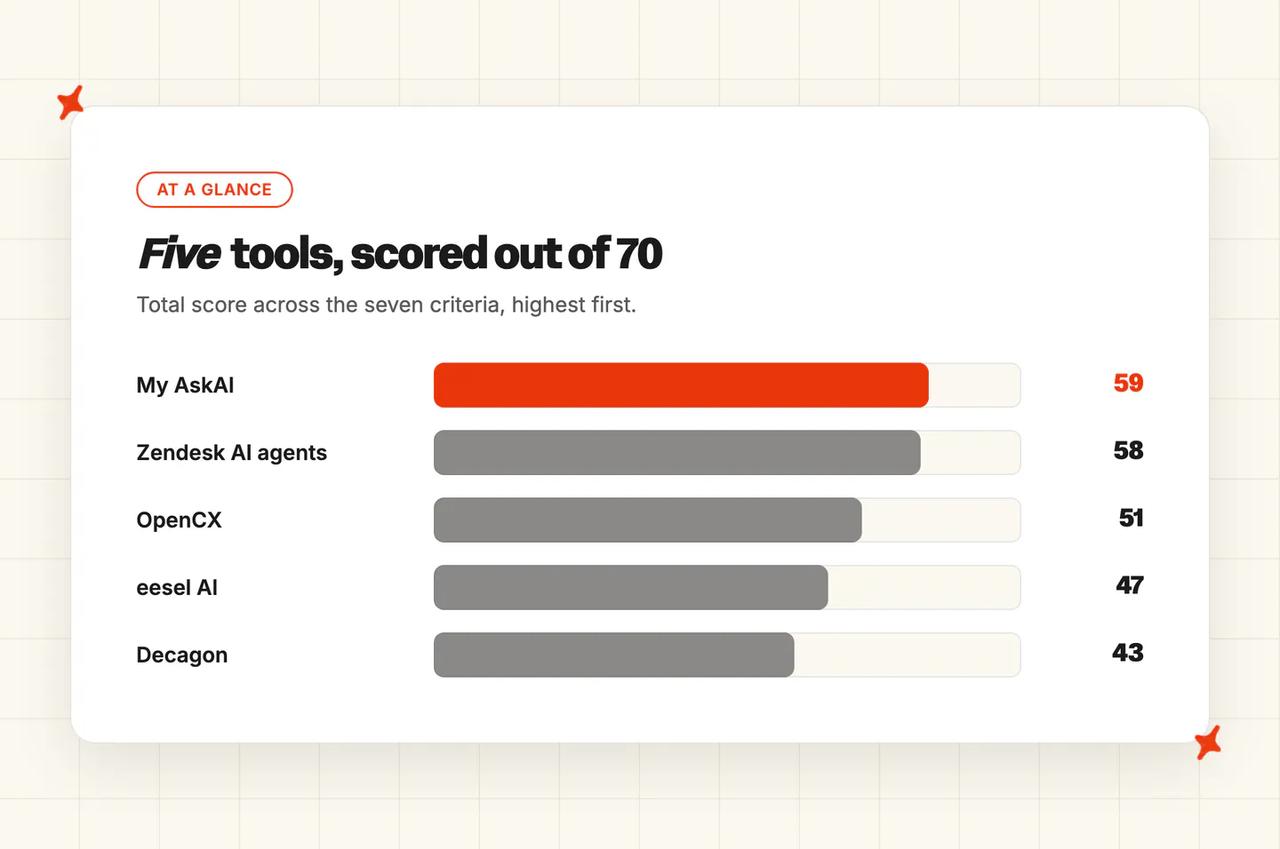
Here are the scores for all five tools, ordered by total:
| (scores out of 10) | My AskAI | Zendesk AI agents | OpenCX | eesel AI | Decagon |
|---|---|---|---|---|---|
| Working inside your Zendesk | 9 | 10 | 7 | 8 | 5 |
| Coping with on-sale spikes and show nights | 8 | 9 | 8 | 6 | 7 |
| Refunds and transfers inside your policy | 8 | 8 | 9 | 7 | 7 |
| Changing answers when a show changes | 9 | 8 | 7 | 8 | 6 |
| Handing over inside the same Zendesk ticket | 9 | 9 | 7 | 6 | 7 |
| Security and data protection | 7 | 10 | 7 | 6 | 8 |
| Cost on top of your Zendesk seats | 9 | 4 | 6 | 5 | 3 |
| Overall (out of 70) | 59 (84%) | 58 (83%) | 51 (73%) | 46 (66%) | 43 (61%) |
Each row is scored out of 10 and the seven rows add up to a total out of 70. Rows two to five are weighted for events, and rows one, five and seven are specific to Zendesk.
The reasons behind the scores differ most on cost and security, where the spike-month bills and the certification lists are furthest apart:
| (scores out of 10) | My AskAI | Zendesk AI agents | OpenCX | eesel AI | Decagon |
|---|---|---|---|---|---|
| Working inside your Zendesk | Tickets and Messaging apps, Internal Note mode trial | Built in, nothing to install | Messaging bot, email routed first | Messaging bot plus email automations | Zendesk connection, demo first |
| Coping with on-sale spikes and show nights | Any hour, 95 languages | Blockbuster-release proof, voice agents | Event spike proof, voice and chat | 80+ languages, pauses when credits run out | Peak-season proof outside events |
| Refunds and transfers inside your policy | Guidance keeps exceptions with people | Published cinema refund story | Resale refunds, transfers, suspect activity | Each action runs or waits for approval | Plain-language operating procedures |
| Changing answers when a show changes | Custom Answer applies straight away | Edited help center article searched live | Scheduled instructions, synced articles later | Correct it in chat, replay history | Edit procedures or synced knowledge |
| Handing over inside the same Zendesk ticket | Summary note, same Zendesk ticket | History and details written in | Email sorted, Messaging as live chat | Assign and tag, summary on request | Tags and full context |
| Security and data protection | SOC 2 Type II, GDPR | SOC 2, five ISOs, FedRAMP, HIPAA | ISO 27001, SOC 2 Type I, GDPR | SOC 2 Type II underway, GDPR | SOC 2, ISO 27001, HIPAA, PCI DSS |
| Cost on top of your Zendesk seats | $549 quiet, $1,299 spike (Scale) | $1,950 quiet, $7,950 spike | $750 to $900 quiet, $3,000 to $3,600 spike | $999 quiet, $5,399 spike | Quoted by sales |
We score highest on cost and on changing answers, and tie with Zendesk AI agents on handover. Zendesk AI agents are one point behind and score highest on three things: working inside Zendesk (nothing to install), coping with spikes (voice agents plus a cinema chain's blockbuster-release proof) and security (the longest certification list here). For a team whose volume stays low and steady, one vendor and one bill is a good reason to stay with it.
OpenCX has the strongest refund evidence of the five, from ticket resale and event ticketing customers. OpenCX and Decagon both sell through a written agreement or a sales call, which puts them on a ticket seller's shortlist more than a single venue's. eesel AI is self-serve, like us.
Events volume swings from month to month, so here is what each option adds to the Zendesk bill in a quiet month and a busy one.
The scenario is my own assumption, built to keep the sums comparable. Picture a promoter or venue with 5 agents on Zendesk Suite Team, billed monthly at $69 an agent, so $345 a month in seats under every row below. It handles 2,000 support tickets in a quiet month and 8,000 in an on-sale or postponement month, half through Messaging and half by email, and the AI resolves half of them. The first row is the human cost of answering everything, using an average cost of $8.01 per live-channel contact, and covering the spike with your team means overtime at one and a half times the normal rate or more.
Every AI row is the AI charge only, on top of those same seats. Our row is on Scale, the lowest My AskAI plan that covers 8,000 support tickets in a month. Usage add-ons (Tasks at $0.02 a step, Tools at $0.02 a reply) come on top if you switch on order lookups. You can test all of it first with our 30-day free trial: every feature unlocked, unlimited support tickets, no card needed.
| Option | How you are billed | Quiet month (2,000 support tickets) | Spike month (8,000 support tickets) |
|---|---|---|---|
| No AI (your team answers everything), an estimate | An average of $8.01 per live-channel contact a person answers | $16,020 | $64,080 before overtime |
| My AskAI (Scale) | $499 a month including 2,000 credits, then $0.10 a credit, per support ticket the AI works, resolved or not | $549 | $1,299 |
| OpenCX | $0.75 to $0.90 per resolution, rate set by volume in writing; handed-over support tickets free | $750 to $900 | $3,000 to $3,600 |
| eesel AI (2,500-credit plan) | $999 a month for 2,500 credits, one per support ticket, resolved or not; then $0.80 a credit if overage is on, or the AI pauses | $999 | $5,399 |
| Zendesk AI agents (Suite Team, 5 agents) | 25 automated resolutions included, then $2.00 each pay-as-you-go | $1,950 | $7,950 |
| Decagon | Quoted by sales | Quoted by sales | Quoted by sales |
In the spike month, every AI option costs a small fraction of the human baseline, and the gap between the options is widest. Our bill rises about 2.4 times from the quiet month to the spike month, because it follows support tickets worked at a lower overage rate. Zendesk's per-resolution charge rises about four times, and a Zendesk admin who sets the allowance to "Don't allow overage" pauses the AI at the limit instead.
A team that never passes 5,000 support tickets a month stays on our Pro plan, where the quiet month above comes to $379.
The spike month is where the AI pays for itself, because the alternative is hiring and training temporary staff in a hurry, or leaving buyers waiting. Our pricing page and the Zendesk ROI calculator show the same sums at your volume.
Where does AI customer service go wrong for events companies on Zendesk?
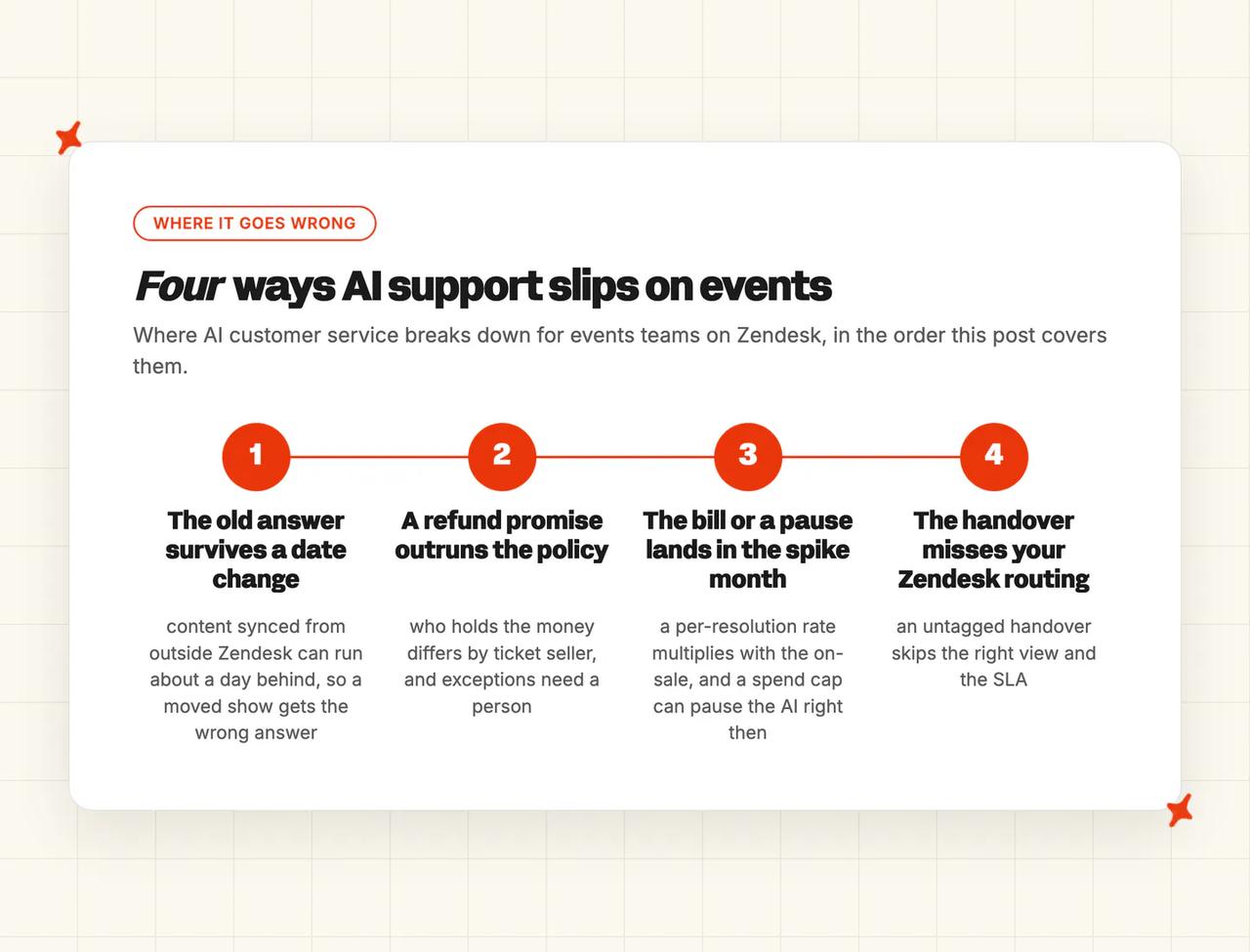
In my view, AI in events support goes wrong when an answer changes, when the volume jumps or when a refund is at stake. On Zendesk, those moments show up as four failures.
It gives the old answer after a date or venue change
A show moves from Friday to Sunday, the email goes out, and within minutes buyers ask whether their tickets still work. If the AI still reads the old event page, it tells them to turn up on Friday (and your team spends Saturday apologizing).
The fix is a support lead writing the new answer once and the AI using it straight away, with the old version gone. Zendesk AI agents read a Zendesk help center article at the moment they answer, while a tool that syncs your help center, or reads an outside page, can be up to a day behind. I see a tool whose only fix is to rewrite content and wait for a sync as the wrong fit for postponement week.
It promises a refund the policy doesn't allow
Postponed and canceled lead to different outcomes, and the ticket seller often owns the refund. A business can be held to what its AI tells customers: a tribunal found an airline responsible for its chatbot's wrong refund advice, and ruled that the channel made no difference.
Buyers feel this too. One fan was told the refund window for a postponed show had already closed and the ticket stayed valid for the new date.
For me, good looks like the AI explaining each event's policy, gathering the order details, and sending exceptions to a person. Suspect tickets (resale, screenshots, chargebacks) always go to a person, since transferred and resold tickets follow different rules. I treat a vendor that lets the AI grant refunds without a rule per event as a risk here.
It goes quiet, or the bill jumps, in the spike month
A per-resolution bill multiplies with the on-sale, which is the month you most want the AI answering. An allowance or a spend cap set to pause the AI switches it off exactly when the flood arrives. And an AI that hands every hard question over with no context just moves the flood onto your team.
I look for a bill you can predict from support ticket count, no pause at the worst moment, and handovers that arrive with the question already summarized. Show night belongs in the same test, because evenings and weekends are when most teams have the fewest people on shift.
It works around your Zendesk setup instead of inside it
The AI replies inside a support ticket an agent already owns, or its handover arrives untagged, so it misses the right view and breaks the SLA. On Zendesk, that undoes the routing your team spent years building.
The right setup hands over inside the same Zendesk ticket, with tags set and the buyer's order number, name and email already gathered, so the right person picks it up in the right view. At the live-music events company we work with, the AI answers the everyday questions. Guidance sends anything from a host within 48 hours of a show, or any unclear transfer request, to a person with the AI's summary attached.
On our side, Custom Answers and Guidance do most of the work against a stale answer, since a support lead can change it the minute a date moves.
Is My AskAI a good fit for events companies on Zendesk?
We built My AskAI to work inside the helpdesk a team already has, and on Zendesk that means two Marketplace apps, one for Zendesk Tickets and one for Zendesk Messaging. Your triggers, views and macros stay where they are.
How does My AskAI work inside Zendesk, and how fast can you go live?
You install the Zendesk Tickets app and the Zendesk Messaging app from the Zendesk Marketplace, then connect your Zendesk help center, which syncs every 24 hours, and any item can be refreshed by hand. From there the agent starts answering in the same views your team already works in. We can bring your macros in as Custom Answers, which apply the moment they are saved, so the wording your team trusts comes straight over.
Before it replies to buyers, you can run it in Internal Note mode, where every reply is drafted as a private note for your team to check. The live-music events company ran it that way for two weeks before switching to direct replies, which gave it a real sample of its inbox to test the handover rules against. Our 30-day free trial covers the whole setup, with every feature unlocked.
Zendesk AI agents score a point higher here because they are part of Zendesk and need no install at all.
How does My AskAI cope with on-sale spikes and show nights?
Our agent answers around the clock inside Zendesk, so a Saturday-night flood gets replies without extra seats or overtime pay. It detects the buyer's language in each message and replies in it, across 95 languages, which matters for touring shows and international festivals.
Behind each reply we run a suite of models, with small fast models for routing and summaries and a larger model for the reply itself, so replies stay quick when hundreds of buyers write in within the hour. For scale, a high-volume prop-trading platform handles about 105,000 support tickets a month through our agent with 73% resolved by the AI, many times the volume of an events on-sale.
We cover chat and email; Zendesk AI agents score a point higher because their voice AI agents also answer the box-office phone line.
How does My AskAI handle refunds and transfers inside your policy?
Refunds are where our Guidance feature does most of the work. A support lead writes short rules in plain language, such as "anything about a refund exception goes to a person" or "a transfer request with any doubt goes to a person", and the AI follows them. That second rule is there because transferred and resold tickets follow different refund rules.
Where you want the AI to act, Tasks & Tools and User Data can check an order in your ticketing system once it is connected. Each action can run on its own or wait for a person to approve it. You decide which refunds our AI completes and which it only explains.
The live-music events company we work with chose to keep order lookups with its team, so anything that needs the order goes to a person with the AI's summary attached. OpenCX scores a point higher here because it publishes ticket resale and event ticketing stories covering refunds, transfers and suspect activity.
How fast can you change My AskAI's answers when a show changes?
A Custom Answer is an exact reply our AI gives word for word, translated automatically for a buyer who writes in another language. When a date moves, a support lead writes the new answer once and it is the one buyers get from that moment.
Guidance can also force a handover on a named topic for the week of a postponement. Self-Learning drafts new articles from the replies your team sends on handed-over support tickets, and Insights groups conversations by topic and flags a new question as it starts to rise. If you have no help center yet, our Train on Historic Tickets feature drafts starter articles from your last 5,000 historic tickets.
How does My AskAI hand over inside the same Zendesk ticket?
When the AI hands over, it writes a summary as an internal note inside the same Zendesk ticket. It then stops replying until your team hands it back (your triggers and views route it as usual).
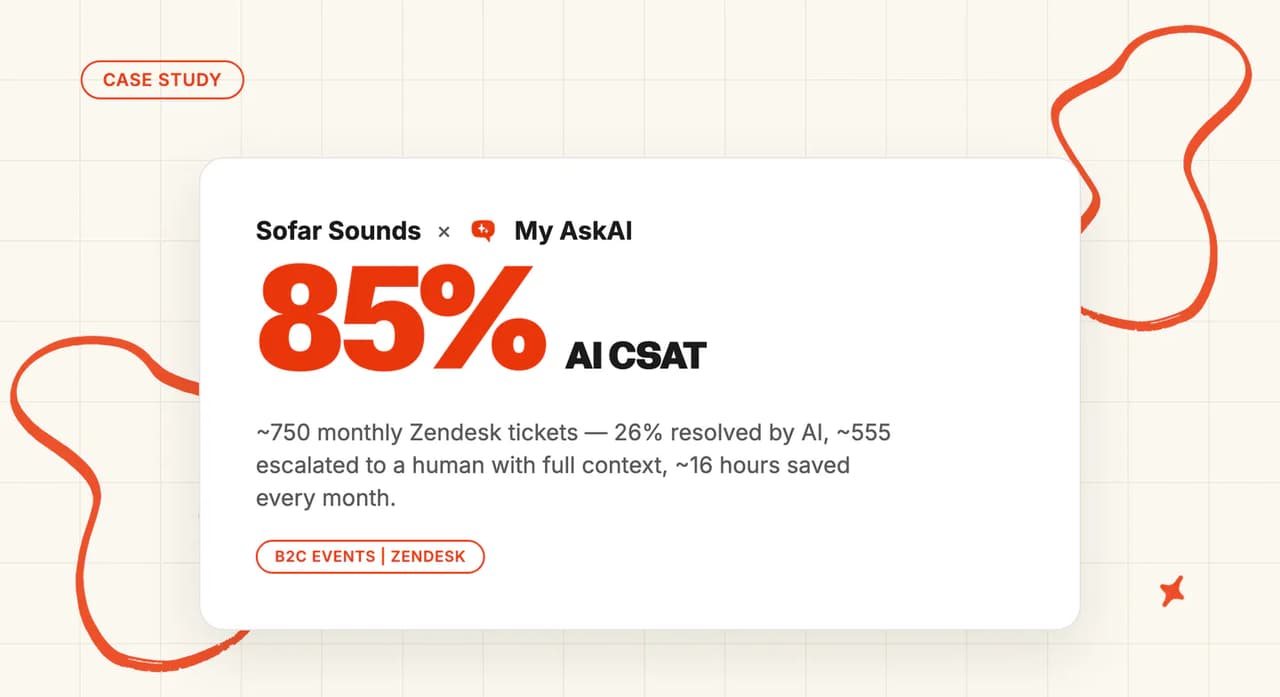
The live-music events company set its handover rules wide on purpose, so hosts close to a show and any unclear transfer always reach a person. About 750 support tickets a month come through our agent, with 26% resolved by the AI and the rest handed over with context, 85% AI CSAT and about 16 hours a month saved.
How secure is My AskAI?
My AskAI is SOC 2 Type II certified and GDPR compliant, with AES-256 encryption at rest and TLS in transit. Customer data is never used to train models, and our trust center publishes the live report.
Zendesk AI agents and Decagon both publish longer certification lists, which is why they score higher on security.
What does My AskAI cost on top of your Zendesk seats?
On top of the same Suite Team seats, in the scenario above, Scale comes to $549 in the quiet month and $1,299 in the spike month, the lowest AI charge of any vendor here with a published price. Our Scale plan is $499 a month including 2,000 credits, then $0.10 a credit. A chat costs about one credit and an email about one and a half.
Because you pay us per support ticket the AI works, resolved or not, the bill tracks your volume and does not climb as the AI gets better. Tasks and Tools are usage add-ons on top if you switch them on for order lookups. Our 30-day free trial lets you test the whole thing before the next on-sale.
What are My AskAI's standout features for events companies?
For events, our standouts are Custom Answers for the postponement and venue-change notices, Guidance for refund exceptions and show-night handovers, and Self-Learning so the answers improve from your team's replies. The AI Copilot Chrome Extension gives your agents drafted replies inside Zendesk on the support tickets they keep.
Echo is the assistant inside our dashboard for your team. You can ask it why the agent gave an answer and which source it used, or ask it to write a Guidance rule for the next on-sale. Multibrand gives each brand its own agent, which suits a promoter running several venues or festivals.
Who in events and live entertainment uses My AskAI?
A live-music events company uses our agent inside Zendesk Tickets across three audiences in one inbox: audience members, hosts and artists. It ran two weeks in Internal Note mode and set its handover rules wide, and its team gets a summary on every escalation.
Read more: our live-music events case study, the Zendesk Tickets and Zendesk Messaging integration pages, and the Guidance feature page.
Is Zendesk AI agents a good fit for events companies on Zendesk?
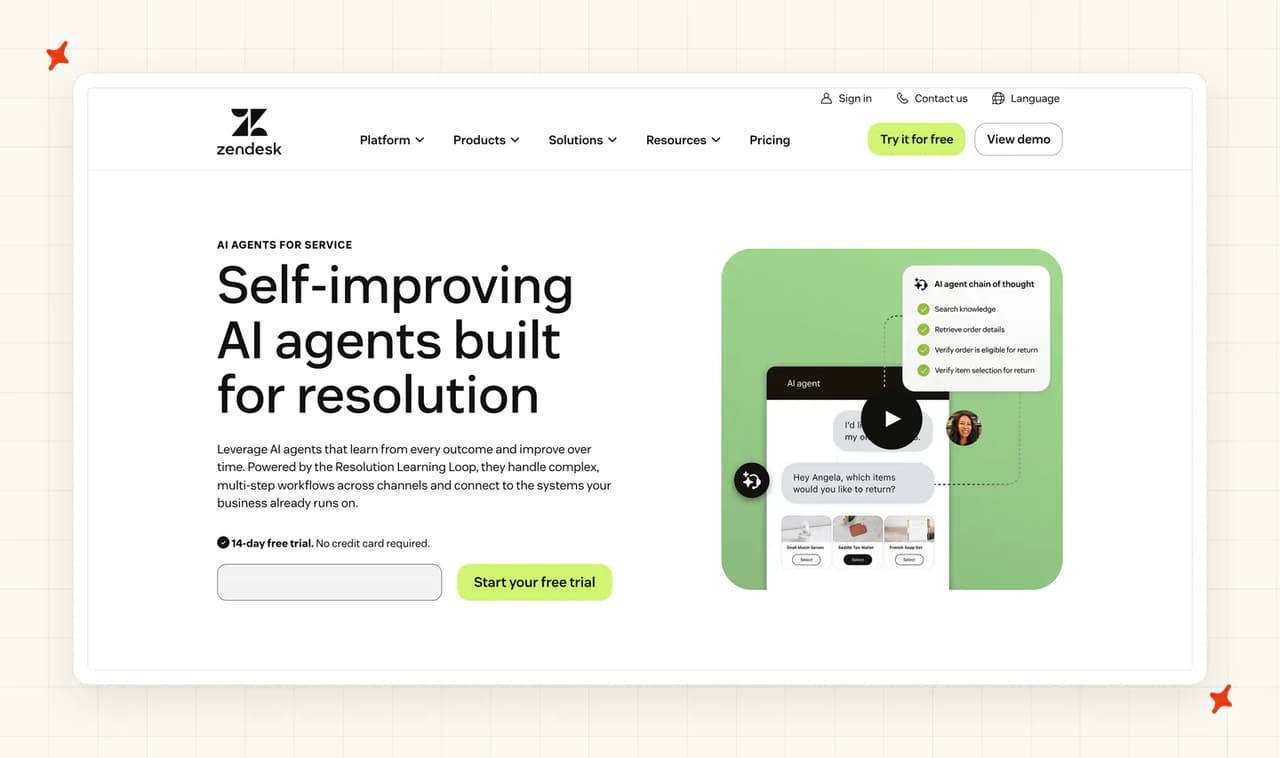
Zendesk AI agents, formerly sold as Advanced AI, are the default your team compares everything else against. They read the same help center, triggers and views as your team.
How does Zendesk AI agents work inside Zendesk, and how fast can you go live?
There is nothing to install, which is why I score them a 10 here. The AI agents use your help center and your existing routing. ODEON Cinemas set theirs up in a couple of weeks with help from Zendesk's professional services team.
One limit for a small team: the Copilot that drafts replies for your agents is available on Suite Professional and above, so a Suite Team shop gets the AI agents without it. If your team is on Suite Team, plan on your agents writing their own replies.
How does Zendesk AI agents cope with on-sale spikes and show nights?
On spikes, I rate Zendesk AI agents the strongest of the five. ODEON's story says the impact shows most during blockbuster releases, the cinema version of an on-sale. Zendesk's voice AI agents answer phone calls on the same AI, which matters for a box office that still takes calls on show night, and the AI agents work in 80 languages.
The catch is cost: if your admin sets the resolution allowance to stop at its limit, the AI pauses in the busiest month.
How does Zendesk AI agents handle refunds and transfers inside your policy?
Zendesk's refund story comes from a cinema chain:
"One of ODEON's most successful AI use cases has been ticket refunds and booking amendments." ODEON Cinemas on Zendesk
In that flow the AI gathers the refund details and a person completes the refund. Generative procedures let you write a refund policy in plain language with branches and actions, which is how a per-event policy gets into the AI. It scores 8, level with us and a point below OpenCX.
How fast can you change Zendesk AI agents' answers when a show changes?
Edit or publish a Zendesk help center article and the AI agents use it on their next answer, because they search the help center's current content at the moment they answer. Content from outside sources is read from the last sync, usually every 24 hours, so keep the postponement notice as a help center article.
Our Custom Answer also applies at once, and buyers get it word for word in the language you wrote it in, with an automatic translation for anyone writing in another. Our help center connector, by contrast, syncs every 24 hours or on a manual refresh. On the help center route alone, Zendesk AI agents need no sync at all. It scores 8, a point below us, and the gap comes only from the exact wording a Custom Answer holds in place.
How does Zendesk AI agents hand over inside the same Zendesk ticket?
On Messaging, the conversation history is written into the Zendesk ticket at handover, and before it hands over the AI can gather the order number, name and email, add tags and update fields for your workflow.
On a voice call, the Zendesk ticket includes the transcript, a summary and the caller's intent. It ties with us at 9. For a team that works mostly in Messaging, I think handover is the row to read first.
How secure is Zendesk AI agents?
Zendesk has the longest list of the five. Its trust center lists SOC 2 Type II; ISO 27001, 27018, 27701, 27017 and 42001; FedRAMP LI-SaaS; Cyber Essentials Plus; CSA STAR Level 1 and 2 and CSA STAR AI Levels 1 and 2; PCI-DSS listed; HIPAA with an add-on and a BAA; HDS 1.1; ISMAP; and FSQS. It scores a 10, and by my read it is the quickest of the five to clear a strict security review.
What does Zendesk AI agents cost on top of your Zendesk seats?
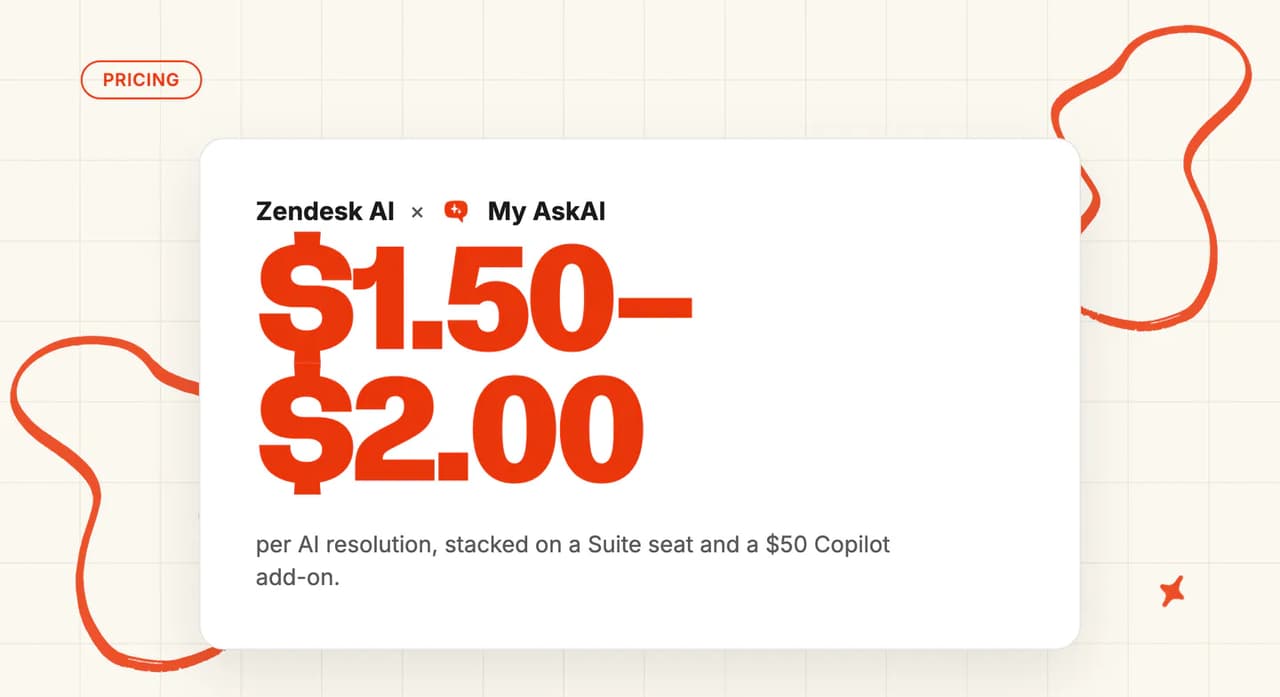
On Zendesk's pricing, Suite Team is $69 an agent a month billed monthly and includes 5 automated resolutions per agent a month. After that, each automated resolution costs $2.00 pay-as-you-go or $1.50 on a committed plan.
In the scenario above, with 25 included resolutions for five agents, the AI adds $1,950 in the quiet month and $7,950 in the spike month, the highest published AI charge here in both months. The resolution allowance settings offer "Don't allow overage", which pauses the AI agents at the limit.
In an on-sale or postponement month, you choose between a bill about four times the quiet month and an AI that stops answering. I like that the pricing is published and predictable; the spike-month charge is why it scores 4.
What are Zendesk AI agents' standout features for events companies?
For events, these features stand out, on top of one vendor and one bill for the helpdesk and the AI:
- Voice AI agents - answer box-office phone lines on the same AI as chat and email, which I expect to matter most on show night.
- Generative procedures - carry each event's refund flow in plain language.
- Escalation flows - gather the order number and set tags before a person picks up.
Who in events and live entertainment uses Zendesk AI agents?
ODEON Cinemas uses Zendesk AI agents for ticket refunds and booking amendments, with the spikes of blockbuster releases to handle:
"Today, Zendesk AI agents resolve or deflect about 60 percent of customer inquiries." ODEON Cinemas on Zendesk
Each vendor counts resolution and automation differently, so treat these rates as a rough guide to direction only. Our AI resolution rate benchmarks show how wide the spread runs across real deployments.
Read more: our Zendesk AI agents guide, the My AskAI vs Zendesk AI agents comparison, the Zendesk AI alternatives roundup and our Zendesk AI pricing explainer.
Is OpenCX a good fit for events companies on Zendesk?
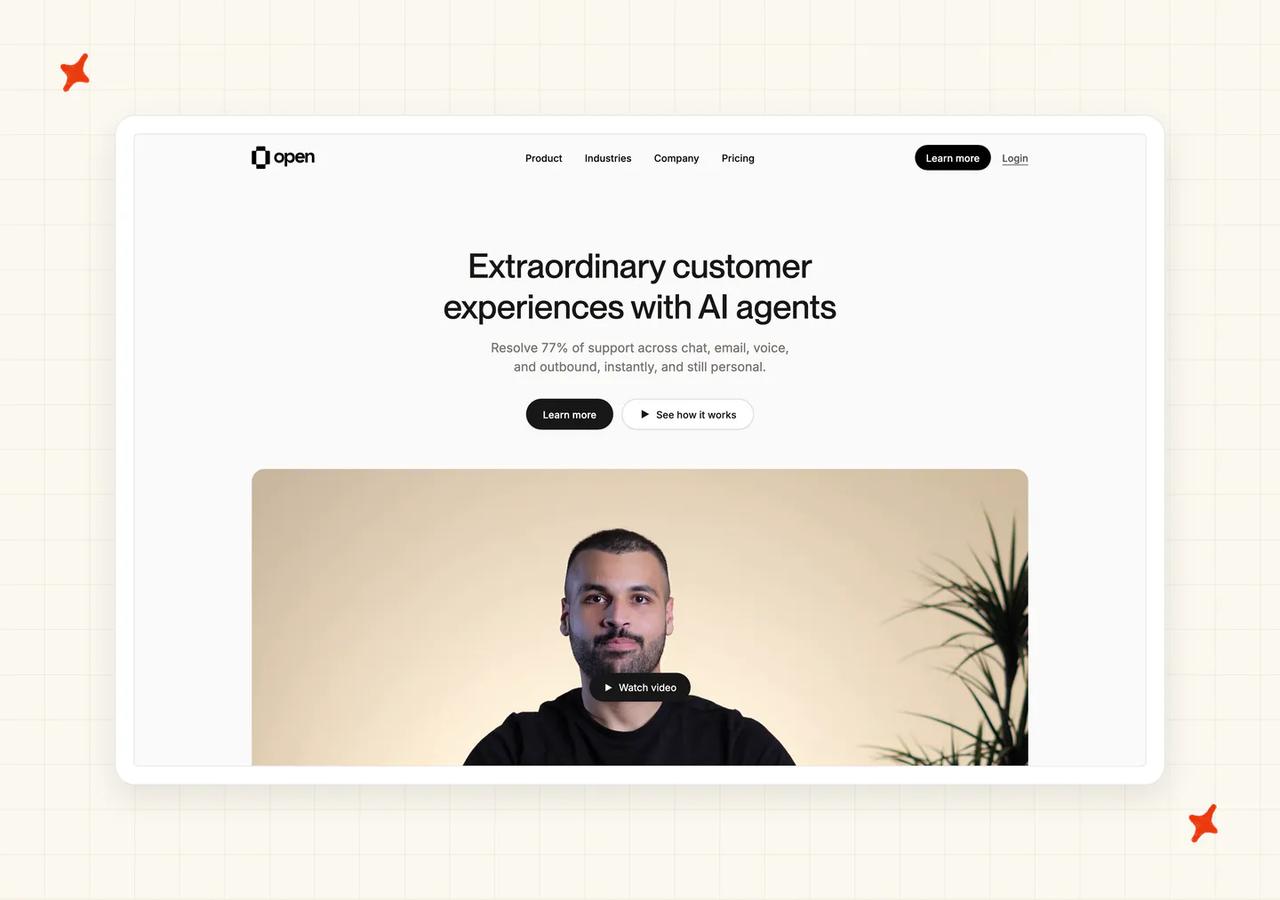
OpenCX sells an AI support agent that works across chat, email and voice, and its Zendesk page offers a risk-free first month with free implementation. You buy it through a written agreement with its sales team. I see it most on ticket seller shortlists, since its customer stories come from that end of the market.
How does OpenCX work inside Zendesk, and how fast can you go live?
On Messaging, OpenCX installs as a Zendesk Marketplace bot and becomes the channel's default responder. Handovers open Zendesk tickets that use your existing triggers, groups and SLAs, and OpenCX says a Zendesk team can be live in under an hour.
Email works differently. OpenCX handles your support address first and creates a Zendesk ticket at handover, so buyers' emails reach the AI before they reach Zendesk, and a conversation the AI closes leaves no Zendesk ticket unless that is switched on.
One Messaging setting its Zendesk docs ask you to change is permanent (so make that change only once you are sure). Those two points are why I score it 7 here, with the email routing the part to test first.
How does OpenCX cope with on-sale spikes and show nights?
TicketSwap's story says its OpenCX agent handles 10x volume spikes during events automatically, around the clock across email and chat. The agent works in more than 100 languages, and voice and text run on one agent, with phone handovers reaching Zendesk with the transcript attached.
On show night, one AI can answer the box-office phone line and chat in the buyer's language. It scores 8, and I think it suits venues where the box office still answers the phone on the night.
How does OpenCX handle refunds and transfers inside your policy?
Refunds are OpenCX's highest score. You can give it a list of topics it never handles, such as refunds or safety, and those conversations go straight to a person. Or it can act on your rules, calling your systems to process a refund or change an account.
I trust OpenCX here mainly because its ticket-seller evidence is the strongest of the five. At TicketSwap, the agent resends tickets stuck in spam, prompts sellers to finish transfers, processes refunds when needed and escalates suspicious activity to a person. At a multi-market event ticketing platform, it applies each market's refund policy, so a Dutch refund question gets the Dutch rules. That coverage of refunds, transfers and suspect tickets is why it scores 9.
How fast can you change OpenCX's answers when a show changes?
OpenCX lets you schedule instructions to be active in a date and time window, so the postponement answer can start the moment the announcement goes out. Changes can be rolled back in one click.
Zendesk help center edits reach OpenCX on the next scheduled sync, hourly or daily depending on how you set it. An edited article can lag by an hour or more, so I treat the scheduled instruction as the fast path. It scores 7. Scheduling suits a planned announcement well; for a surprise postponement, the lag is what I plan around.
How does OpenCX hand over inside the same Zendesk ticket?
On email, the conversation summary becomes the Zendesk ticket's description and the full transcript comes in as the first comment, and a returning buyer's message is added to their existing ticket. OpenCX also tags the language on email handovers, so you can build Zendesk views on it.
On Messaging, handovers arrive as live chats with context, and the OpenCX tags apply to email only. A view that filters on those tags will miss Messaging handovers, which is why it scores 7. (If your team works Messaging from views, test this before go-live.)
How secure is OpenCX?
OpenCX's trust center shows ISO 27001 certified, with a SOC 2 Type I report available under NDA and SOC 2 Type II in progress. It works to GDPR, hosts data in the EU (Frankfurt), and encrypts data at rest with AES-256 and in transit with TLS 1.3. It scores 7. Ask for the Type I report early if your reviewer needs one, since it comes under NDA.
What does OpenCX cost on top of your Zendesk seats?
OpenCX's pricing is 75 to 90 cents per resolution, with your rate set by monthly volume and locked in writing before you go live. Support tickets it hands to a person are free, and there are no setup, seat or per-message fees.
In the scenario above, that comes to $750 to $900 in the quiet month and $3,000 to $3,600 in the spike month, where the higher volume may earn a rate nearer the low end. Every conversation the AI closes in the on-sale month is billed, and the rate comes from sales. It scores 6, and I count the free handovers in its favor, since a rule that sends refunds to a person adds nothing to the bill.
What are OpenCX's standout features for events companies?
For events, OpenCX's standout features are:
- Scheduled instructions - cover on-sale and postponement windows.
- Topics the AI never handles - keep refunds or safety with a person.
- One agent for phone and chat - the box-office line and live chat run on the same AI.
- Language tags on email handovers - you can use them in Zendesk views and reports.
Who in events and live entertainment uses OpenCX?
Two OpenCX customers sell or resell event tickets. TicketSwap, a ticket resale platform:
"How TicketSwap automated 78% of 19 million user support operations" TicketSwap on OpenCX
And that multi-market event ticketing platform:
"Open's AI agent automates 80% of support across email and chat for More.com's multi-market ticketing operations." More.com on OpenCX
Read more: our OpenCX guide.
Is eesel AI a good fit for events companies on Zendesk?
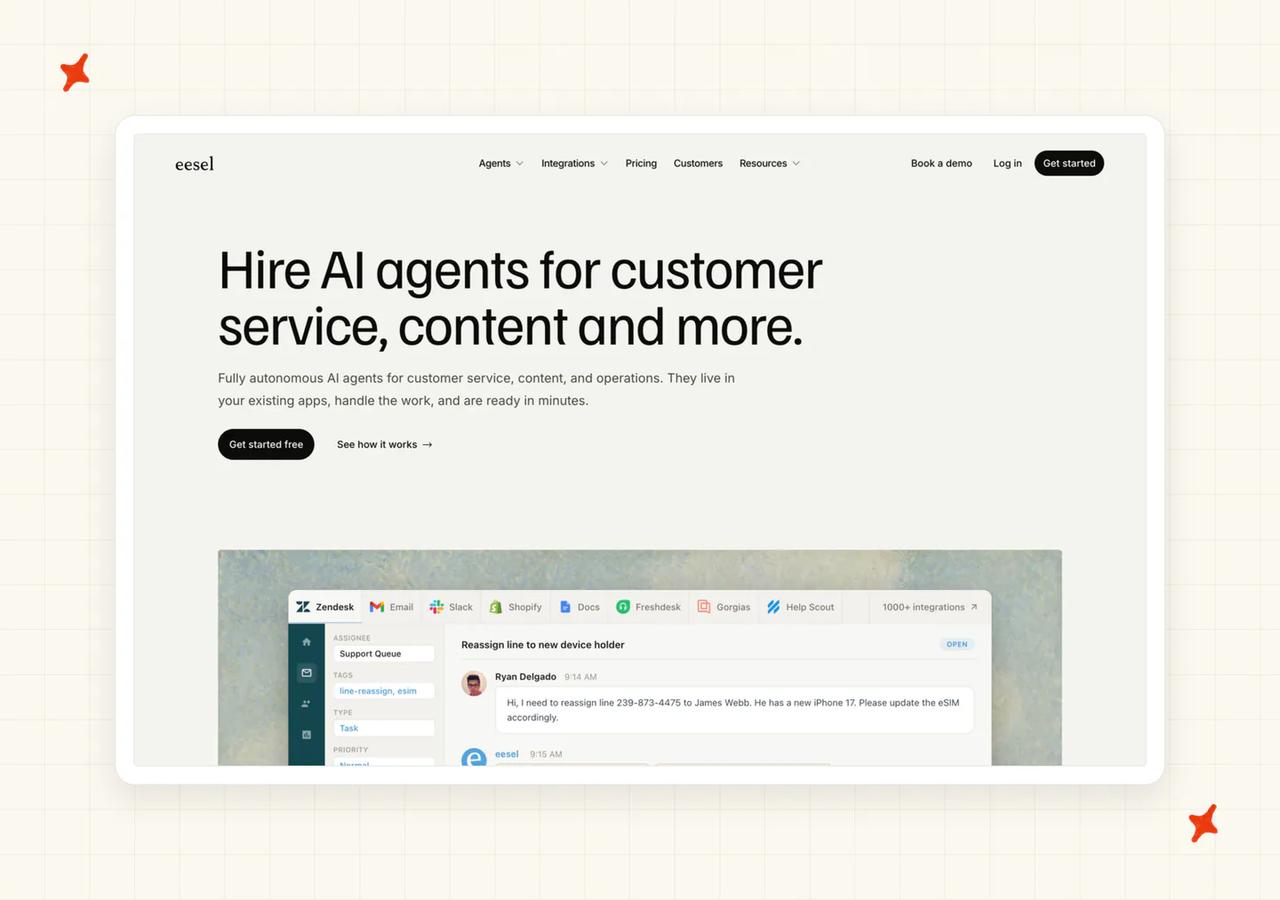
eesel AI sells AI agents for customer service and other work, with a Zendesk integration you can set up yourself. New accounts get a free plan with 100 credits, every feature unlocked and no card needed. I see it most with mid-market teams that want to set things up themselves.
How does eesel AI work inside Zendesk, and how fast can you go live?
On Messaging, eesel installs as the Marketplace bot and replaces whatever answered the channel before. On email, it works Zendesk tickets through automations you switch on, and eesel says it respects your triggers, automations, SLA policies and business hours.
A support lead can put it on both surfaces, test it and go live before the next on-sale without a card. It scores 8, below Zendesk (nothing to install) and below us, since our Internal Note mode trial has run in an events rollout. (Nothing runs until you create an automation, so I plan that step with whoever owns the triggers.)
How does eesel AI cope with on-sale spikes and show nights?
On Messaging, eesel takes every live chat, and it supports 80+ languages. Phone calls stay with your box-office team.
The bigger spike risk is the credit limit. When the month's credits run out, the agents pause until the credits reset, with an email as you get close, unless you have switched on overage with a monthly cap you set. Left off, that can stop the AI in the middle of an on-sale. It scores 6.
If you pick eesel, I'd switch on overage, with a cap above your spike-month volume, before the first on-sale.
How does eesel AI handle refunds and transfers inside your policy?
Each action can run on its own, ask you first or stay off, and you can write instructions such as "escalate refunds". We offer the same choice per action. I like it for refunds, where the AI should wait for approval.
Processing a refund or a transfer means connecting your ticketing system through a custom connection. Until then, refund and transfer requests can be held for approval or passed to a person. It scores 7, a point below us, since our refund rules already run in a live events rollout.
How fast can you change eesel AI's answers when a show changes?
You correct a draft in chat and eesel writes the correction into its instructions. You can also change which Zendesk tickets it handles and when it escalates just by describing it.
Before go-live, eesel can run the AI against your past Zendesk tickets, using a sample of up to 1,000 recent ones filtered by status and date, and it shows the score split by theme. For events, I like that this means replaying the week of your last postponement before the next on-sale. It scores an 8 here.
How does eesel AI hand over inside the same Zendesk ticket?
On email, eesel keeps the same Zendesk ticket and can assign it to a person or team, tag it, or add a private note. It writes a summary only if you instruct it to. (If your team relies on handover summaries, write that instruction on day one.)
On Messaging, handover creates a new Zendesk ticket with fields filled in and a tag pointing back to the chat, and Auto-Handover passes an idle chat to a person after a wait you set between 5 and 60 minutes. It scores 6.
How secure is eesel AI?
eesel's security page lists SOC 2 Type II underway, GDPR and CCPA compliance, AES-256 at rest and TLS 1.2+ in transit, annual third-party penetration tests, and customer notice within 72 hours of an incident. It says customer data is never used to train models, and EU hosting is available on request. It scores 6. I raise the SOC 2 timing with eesel on the first call, because a reviewer who needs a finished report will ask for it.
What does eesel AI cost on top of your Zendesk seats?
On eesel's pricing, you buy a fixed monthly batch of credits, from 500 for $299 up to 5,000 for $1,899, and each support ticket or chat the AI works uses one credit, however many replies it takes, resolved or not. Extra credits cost $0.80 each if you switch on overage, and paying a year upfront gets two months free.
In the scenario above, on the 2,500-credit plan, that is $999 in the quiet month and $5,399 in the spike month with overage switched on. It scores 5, a point below OpenCX, because it costs more in both months. With overage on, I find one credit per support ticket easy to plan around.
What are eesel AI's standout features for events companies?
For events, eesel's most useful features are below, and the per-brand agents suit a promoter with several venues or festivals:
- Replaying past Zendesk tickets - tests the AI before go-live, with the score split by theme.
- A wait before processing - lets your Zendesk triggers fire first.
- One agent per brand - each with its own triggers and actions.
- Auto-Handover - passes an idle chat to a person.
Who in events and live entertainment uses eesel AI?
eesel's customer page names Spooky2, a multi-brand wellness seller with a dedicated AI agent per brand trained on its Zendesk history, and Norden-Frisia, a German ferry operator handling seasonal surges in questions about schedules and bookings. The ferry operator's seasonal peaks are the closest match to an events calendar.
Read more: our eesel AI guide, the My AskAI vs eesel AI comparison and the eesel AI alternatives roundup.
Is Decagon a good fit for events companies on Zendesk?
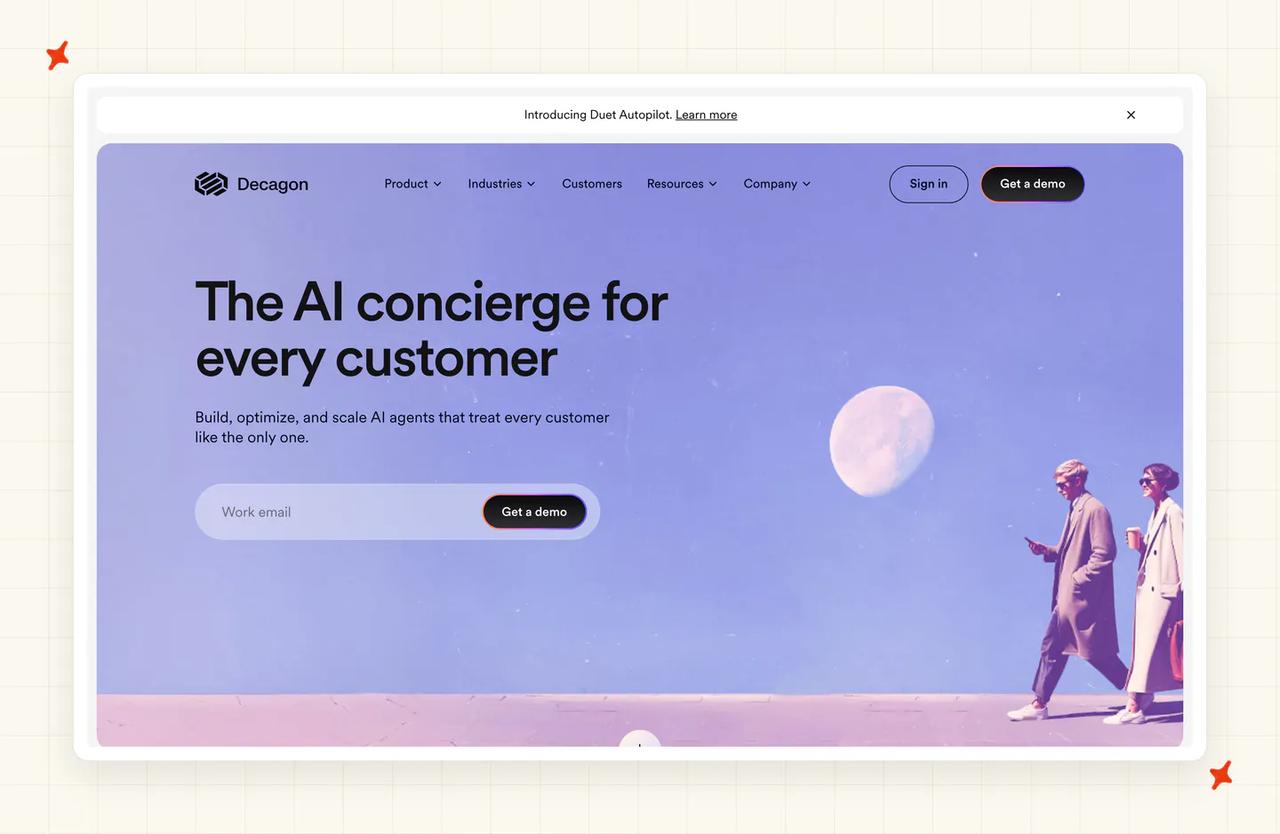
Decagon builds AI agents for large support teams and sells them through its sales team. It names Zendesk, Intercom and Salesforce as the helpdesks it connects to. I see it on the shortlists of large ticket sellers more than promoters.
How does Decagon work inside Zendesk, and how fast can you go live?
Decagon connects to Zendesk and sends issues to your agents through tags and the Zendesk integration. The route in is a demo with its team, so a support lead cannot try it inside Zendesk before the next on-sale. That buying path is why it scores 5 here. For a small promoter's support team, the demo is the biggest hurdle, in my view.
How does Decagon cope with on-sale spikes and show nights?
Decagon's spike proof comes from outside events, from a flower and gift retailer's peak seasons. Decagon offers autoscaling and uptime SLAs, and voice is part of the product, so a box-office phone line can go to the same AI. It scores 7. Before signing, I ask for a peak-season reference from a ticket seller.
How does Decagon handle refunds and transfers inside your policy?
Decagon's agent operating procedures let you write a refund or transfer policy in natural language, and the agent follows it. For a ticket seller with detailed per-event rules, I think that is the right place to write them. Its published stories come from outside events, so it scores 7.
How fast can you change Decagon's answers when a show changes?
Same-day changes come from editing the operating procedure or the knowledge base Decagon syncs from, while its knowledge suggestions arrive on a cycle. That is slower than writing one new answer that applies straight away, so it scores 6. For postponement week, I want the new answer live within minutes.
How does Decagon hand over inside the same Zendesk ticket?
Decagon's email agent escalates using tags and the helpdesk integration, so the issue reaches the right person with full context. Voice transfers carry a summary. It scores 7. (Check that the tags match the ones your Zendesk views use.)
How secure is Decagon?
Decagon's trust center lists SOC 2 Type II, GDPR, CCPA, HIPAA, the EU AI Act, ISO 27001:2022 and PCI DSS 4.0.1. That is the second-longest list here, after Zendesk's, and it scores 8.
What does Decagon cost on top of your Zendesk seats?
Decagon has no pricing page: it says most of its customers choose per-conversation pricing, and the rate comes from a sales conversation. A buyer cannot know the spike-month bill before a call, which is why it scores 3. Bring your quiet-month and on-sale volumes to that call.
What are Decagon's standout features for events companies?
For events, Decagon's standouts are a voice agent for phone lines, an email agent that escalates with tags, and agent operating procedures that turn a written refund policy into steps the AI follows. Voice is the one I see a box office using most.
Who in events and live entertainment uses Decagon?
Decagon lists Ticketmaster among its customers, which I read as a good sign of fit for large ticket sellers.
Read more: our Decagon guide, the My AskAI vs Decagon comparison and the Decagon alternatives roundup.
So which AI customer service tool is best for events companies on Zendesk?
For most promoters, venues and festivals on Zendesk, we come out on top, with a written answer that changes the moment a show does, handover inside the same Zendesk ticket and the lowest published AI charge in both the quiet and the spike month. The live-music events company we work with runs its handovers this way.
Zendesk AI agents are one point behind, and some teams should stay with them. If your volume stays low or steady, so per-resolution pricing stays small even in the on-sale month, one vendor and one bill has real value. The same goes if your box office takes many calls on show night and you want voice on the same AI. If you already run them and the on-sale bill is the problem, our guide to switching off Zendesk AI agents covers the move.
Ticket sellers, in my view, have a different shortlist. OpenCX has the strongest refund, transfer and suspect-activity evidence, from resale and event ticketing customers, at a rate agreed with sales. Decagon suits a large ticket seller buying through procurement. eesel AI is the self-serve alternative for a team that wants to replay past support tickets first and will switch on overage before the on-sale.
If you are still torn, start from your hardest week:
- A postponement - weigh refunds and changing answers most, where we and OpenCX lead.
- Show night - weigh spikes and phone calls, where Zendesk AI agents lead with voice.
- An on-sale - weigh spikes and cost together, and compare the spike-month bills.
The Zendesk Tickets integration page shows how our install works. Our 30-day free trial lets you run the agent in Internal Note mode on your own support tickets before your next on-sale.
FAQs
Is there an AI chatbot available for Zendesk?
Yes. The Zendesk AI chatbot most teams meet first is Zendesk AI agents, and a Zendesk user in one community thread points to it on the Messaging widget. Third-party AI agents also work inside Zendesk: My AskAI, OpenCX and eesel AI install as Marketplace apps, and Decagon connects through a Zendesk integration.
How much does Zendesk AI cost?
On Suite Team you pay $69 an agent a month billed monthly, which includes 5 automated resolutions per agent a month. Each resolution after that costs $2.00 pay-as-you-go or $1.50 committed. For the events team in our cost scenario, with five agents, that comes to about $1,950 of AI in a month of 2,000 support tickets and $7,950 in an on-sale month of 8,000, unless the allowance is set to pause the AI at the limit.
What is the best AI agent for Zendesk?
For an events team, My AskAI scores highest at 59 out of 70, with Zendesk AI agents at 58, OpenCX at 51, eesel AI at 46 and Decagon at 43. The right one depends on your hardest week: a postponement, show night or an on-sale.
Can Zendesk's own AI handle a flood of refund questions when a show is postponed?
Yes, with limits. ODEON Cinemas uses Zendesk AI agents for ticket refunds and booking amendments, with a person completing the refund, and generative procedures let you write each event's refund policy in plain language. The limits I see are cost and timing: every automated resolution in the postponement month is billed, and an allowance set to stop at its limit pauses the AI in that same month.
Which of these AI tools handles refunds, an events company's most regulated support question?
Refunds are the most regulated support question here: buyers get a refund when the organizer cancels, moves or reschedules the event, and a tribunal held an airline responsible for what its chatbot promised, ruling that the channel made no difference. OpenCX has the strongest published refund evidence of the five, from ticket resale and event ticketing customers. Zendesk AI agents handle ODEON's refunds with a person completing each one, generative procedures let you write a refund policy in plain language, and Decagon's agent operating procedures do the same job for a ticket seller's own rules. The live-music events company we work with keeps order lookups with its team, and our agent hands those questions over with a summary.
Which AI agent works inside Zendesk for a promoter or venue with on-sale ticket spikes?
My AskAI, Zendesk AI agents, OpenCX and eesel AI answer inside Zendesk Messaging, and every tool here except OpenCX answers email as Zendesk tickets. For a promoter or venue, the spike question is about cost and handover: we add $1,299 to the Zendesk bill in a month of 8,000 support tickets on Scale, while Zendesk AI agents add $7,950. Both hand over inside the same Zendesk ticket, and Zendesk adds voice for phone lines. Our 30-day free trial lets you test ours before the next on-sale.
Which Zendesk channels does an AI agent need to cover for events support?
Most events questions arrive by email, as Zendesk tickets in your views, or through Zendesk Messaging, where chat and social arrive. My AskAI, Zendesk AI agents, OpenCX and eesel AI answer on both channels, and Decagon answers email through Zendesk and hands live chats over to your team there. OpenCX answers email before it reaches Zendesk and, by default, creates the Zendesk ticket only at handover, unless a ticket for every email is switched on. On show night, Zendesk AI agents, OpenCX and Decagon answer the box-office phone line with voice, while we and eesel AI cover email and Messaging and leave calls with your team.
What AI support tools work with Zendesk but are cheaper than their built-in AI?
In the cost scenario above, My AskAI, OpenCX and eesel AI all add less to the Zendesk bill than Zendesk AI agents in both months. Each comes on top of the same Zendesk seats, so you keep paying for Suite and add the AI charge. Of the published prices, we come in lowest at $549 and $1,299 on Scale, billed per support ticket the AI works, with a 30-day free trial.
How do I add AI to Zendesk without using Zendesk AI?
Install a third-party AI agent from the Zendesk Marketplace, connect your help center, and let it answer in the same views your team uses. Your triggers, views and macros stay as they are. Our apps install in minutes, and a trial in Internal Note mode on real support tickets before the next on-sale shows you what the AI would send.
How much does a good customer service software typically cost for enterprise events companies?
Zendesk Suite costs from $69 an agent a month on Team to $149 on Professional, billed monthly, with Enterprise priced through sales. On top of that, the AI adds from about $549 to $7,950 a month in the scenario above, depending on the vendor and the month. At the enterprise end, Decagon and OpenCX both set prices with their sales teams, so expect a negotiation.