Customer Support Capacity Planning for a Four-Hour Ticket Spike
Customer support capacity planning forecasts volume and staffs the peak. A four-hour spike breaks that. The gap in absorbed share, 26% to 90%, set each roster.
Summarize with AI
Capacity planning, as the field teaches it, is one loop. Forecast the contacts, apply occupancy and shrinkage, divide by what one agent can absorb, and you arrive at agents on shift. I have no quarrel with that loop; it was built for phone lines, where every contact holds one person for as long as it lasts.
In a B2C ticket spike the same handful of questions arrives compressed into four hours, on a channel where one contact and one agent were never the same unit. So you plan against two numbers, the tickets that arrive and the tickets that still reach a person, and in our rollouts it is the second one that decides the roster.
I am Mike, co-founder of My AskAI. We help 200+ ecommerce and SaaS businesses run AI customer service inside Zendesk, Intercom, Freshdesk, Freshchat, Gorgias and HubSpot, and our agents have resolved more than 1,000,000 tickets at a 72% resolution rate on a rolling 30-day basis across the customer base.
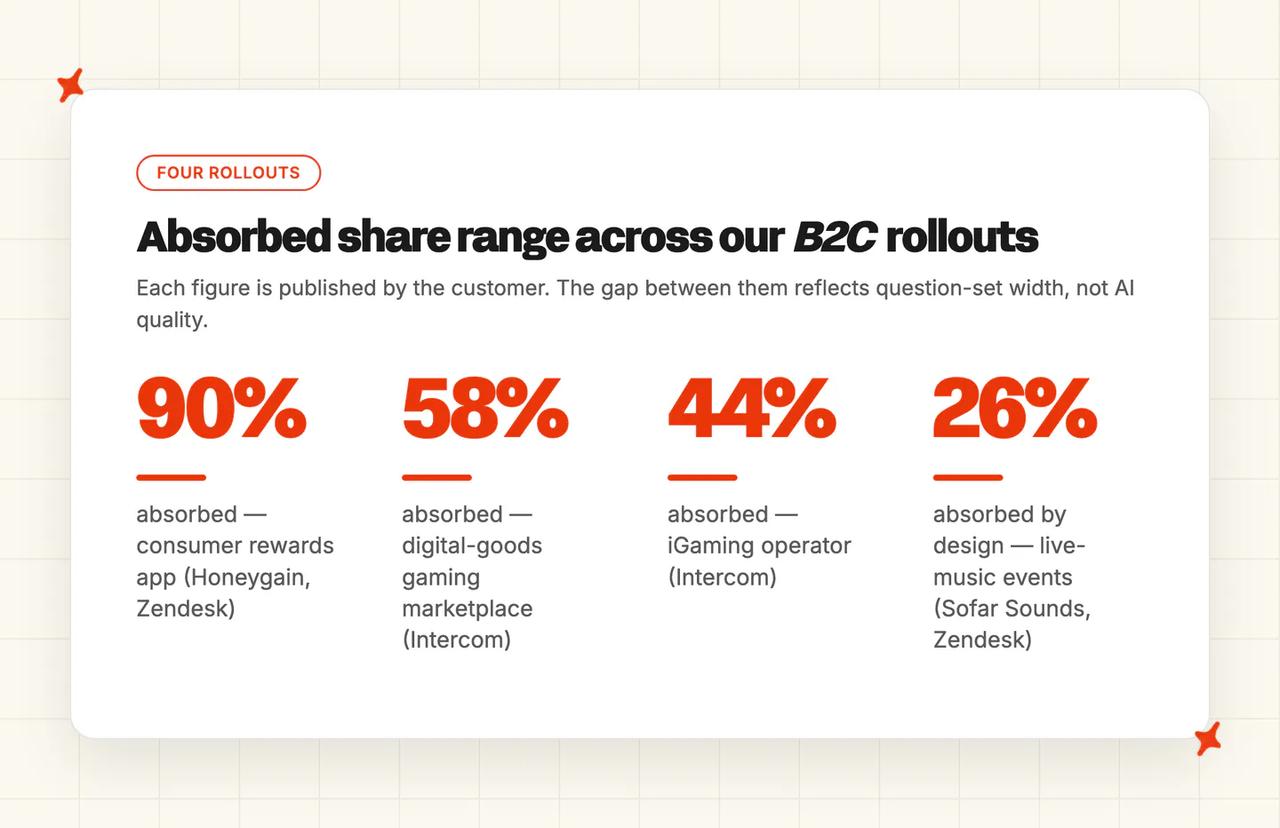
The four rollouts behind this post all live with spikes: a digital-goods gaming marketplace we run on Intercom, an iGaming operator on Intercom, a consumer rewards app on Zendesk and a live-music events company on Zendesk. Their absorbed shares run from 26% to 90%, and that gap, far more than their volume, is what set each roster.
Why doesn't call-center capacity planning work for a B2C ticket spike?
The conventional method deserves a fair hearing, because it is correct for the operation it was built for, and one operations-research paper states the problem:
"staffing decisions must be made before the call arrival rate is known with certainty. Then, once the arrival rate becomes known, the call center may be over-staffed, in which case staff are being paid to be idle, or under-staffed, in which case many callers hang-up in the face of long wait times."
The paper models the operation as a set of servers, with each contact holding one server for as long as the work takes. Every practitioner method inherits that assumption. A third-party capacity guide works it through in plain arithmetic: 176 expected hours less 29% shrinkage leaves 125 available hours, and the ticket total is then divided by tickets per agent to reach a headcount. The server assumption underneath that arithmetic is the part our customers stopped living in.
The field already knows the channel changes the sum, and the same guide splits occupancy by channel:
"emails can be closer to 100% occupancy, as they are asynchronous communication" and "with chats, an agent can handle two or three chats at once." — a third-party capacity guide
Then it feeds one arrival number into one headcount number anyway. A third-party forecasting guide is more explicit still about the differences between channels, since chat agents take two or three conversations at once, phone is strictly serial, and email tolerates waiting. It forecasts per channel, it staffs per channel, and the one split that decides our rosters, the share of each channel that reaches a person, never appears.
Guidance written specifically for ticket channels works the same way. One capacity planning guide refreshes the plan at least every three months and sets its horizon three months to 18-24 months ahead, so the frame is a budget cycle while the event our customers handle is over inside one shift.

Staff to the forecast peak and you pay for idle capacity on the other 29 days of the month. Staff to the average and you break in the exact four hours the company is being judged on, meaning drop day, launch day or payout day. The work we do with customers is all about the tickets that reach a person.
What is the Two-Tier Capacity Model?
Voice needs one number, because a phone call always holds an agent for its whole duration. Tickets with an AI agent in front of them need two: what arrives, and what reaches a person.
| Component | What it is | Where you get the number | What it changes |
|---|---|---|---|
| C1 arrival volume | Peak multiple, duration and re-entry for the spike | 90 days of ticket timestamps from your helpdesk | Tells you whether you have a spike or a season |
| C2 mix narrowing | How far the question mix narrows at peak | Question-type tagging on your last spike | Tells you whether the spike is absorbable at all |
| C3 human volume | Arrival volume multiplied by one minus your absorbed share | Your live escalation rate, never a target | Gives you the only volume a roster has to cover |
| C4 peak-hour line | Human-facing contacts in the peak hour converted to agents on shift | The C3 output, your handle time and your utilization | Produces the headcount number |
| C5 trough test | The cost of the peak roster priced across the quiet days | The C4 output multiplied by your fully loaded agent cost | Decides whether to hire, borrow or publish a degraded SLA |
C1: arrival volume
Size tells you nothing useful on its own, and a spike you can only describe as big is not yet something you can plan against. Three variables turn it into something you can, and all three are readable from the same helpdesk export we ask for at the start of a rollout.
- Peak multiple - your busiest hour divided by your median hour, measured on the last spike you lived through.
- Duration - the number of hours volume stays above baseline, counted from the first hour that clears it to the last.
- Re-entry - how many times the same spike fires per quarter, because a spike that fires once a year and a spike that fires every payout cycle are different planning problems.
Picture two patterns you will recognize: a 12x spike lasting four hours every payout cycle, and a 2x spike rolling across three weeks. They need opposite plans, and the peak multiple, the duration and the re-entry are what tell them apart, which is why arrival volume comes before any arithmetic about people.
C2: mix narrowing
A spike narrows the question mix, and the same handful of questions arriving at once is why the absorbed share can climb at exactly the moment volume peaks. How far that mix narrows sets every number further down the model, so the figures here come from rollouts we run.
A digital-goods gaming marketplace we run has twelve live Tasks covering at least 68% of its tickets across 30 days: payout delays, withdrawals, trade-swap cancellations and verification blocks. A consumer rewards app we run on Zendesk answers roughly 600 tickets a month from knowledge that Self-Learning drafted on its own, because the same questions come back every cycle.
The same narrowing turns up in a Reddit thread about what a team can absorb:
"A team can absorb a high volume of predictable questions; it burns out when every notification interrupts proactive work and unresolved exceptions keep carrying over. A useful trigger is when the same few questions make up a large share of volume: fix the product or documentation first, then automate only those low-risk questions." — u/Similar_Confusion534, r/CustomerSuccess
For a realistic absorbed share to plan against, our AI resolution rate benchmarks study puts the field median AI-handling rate at 70%. Neither that figure nor ours is a number to build a roster on before you have measured yourself.
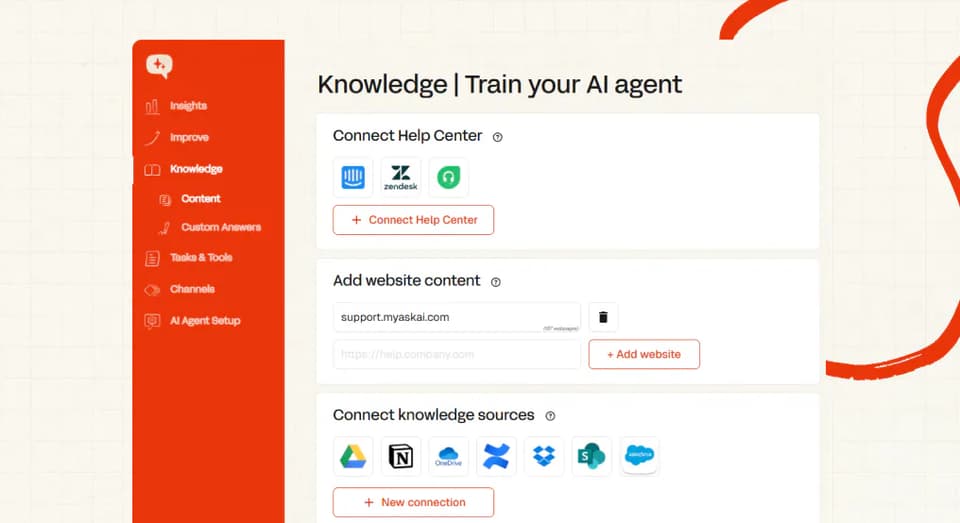
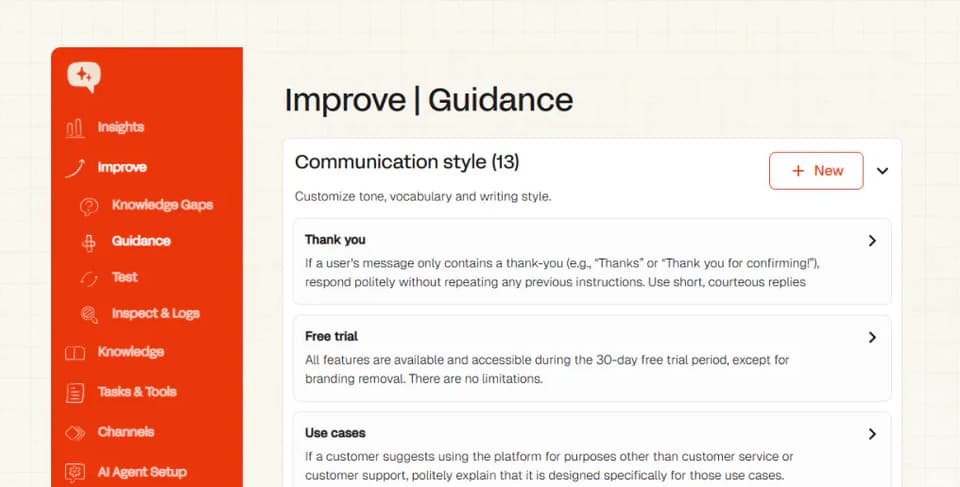
On a narrow, repeating question set, the absorbed share moves when the AI can answer more of that same question well. In My AskAI the levers are Custom Answers for questions you want worded exactly, Self-Learning for the answers nobody has written yet, Tasks reading live account data through the User Data API so our agent can scope and diagnose one customer's payout, and Guidance rules that decide when it hands over. Whether a Task also executes an action is the operator's choice.
If your documentation is thin, Train on Historic Tickets backfills from your past tickets, 5,000 by default and more on request, so the agent starts from what your team has already answered. Echo, our operator agent in the dashboard, writes and edits those Guidance rules, and it turns your existing SOPs into Tasks.
C3: human volume
Human volume is the tickets that reach a person: arrival volume multiplied by one minus your absorbed share. That number is everything a roster has to cover.
Use the escalation rate you are actually running. Across two of our Intercom rollouts it is 10% at a digital-goods marketplace and 32% at an iGaming operator, and the roster at each one was built from that number.
Escalations also arrive in two conditions, and they cost different amounts of agent time. A live-music events company we run on Zendesk hands roughly 555 of its ~750 monthly tickets to a person with the full conversation and the customer's context attached. An agent picking up a summarized handover does less work than one picking up a cold ticket, so a high escalation rate with good handover is cheaper per ticket than a low one without it.
C4: the peak-hour line
One arithmetic step converts human volume into agents on shift, the only sum in our model that produces a headcount. Take human-facing contacts in the peak hour, multiply by average handle time in minutes, and divide by 60 minutes multiplied by your utilization figure.
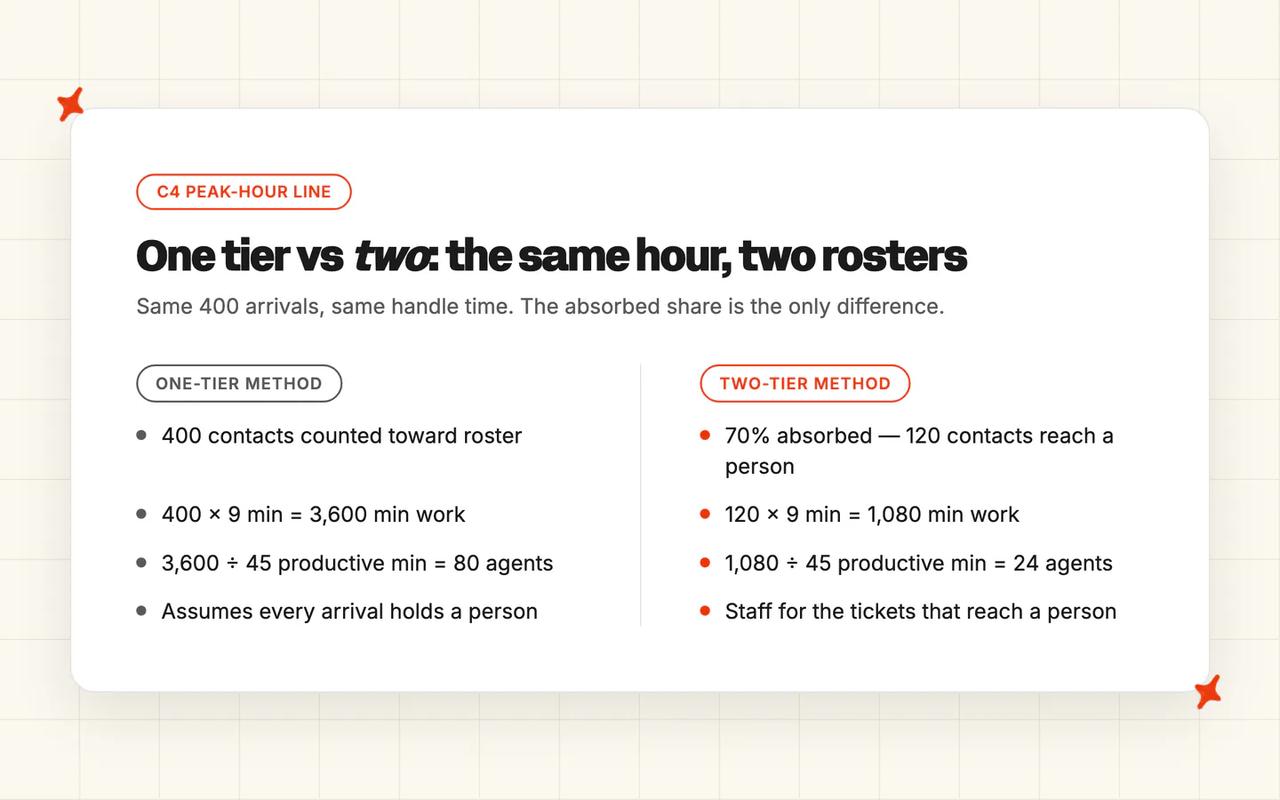
Work it through. Say your peak hour brings 400 contacts and your absorbed share is 70%, so 120 of them reach a person. At nine minutes of handle time that comes to 1,080 minutes of work, and sixty minutes at 75% utilization gives 45 productive minutes per agent per hour, so 1,080 divided by 45 is 24 agents on shift.
Now run the same hour through the one-tier method we started from, where all 400 contacts count. 400 contacts at nine minutes is 3,600 minutes, divided by 45, which is 80 agents. The distance between 80 and 24 is what the second tier buys you, and our customers plan their peak hours inside that gap.
Nine minutes and 75% are placeholders. Replace both with your measured numbers before the answer means anything, because neither of them is a My AskAI measurement.
C5: the trough test
C4 gives you a roster. We use C5 to decide whether to buy it.
Price the peak roster across the other 29 days of the month. If holding that roster through the quiet days costs more than raising your absorbed share, spend the money on the share. The same operations-research paper spells out what an over-staffed month buys you: "staff are being paid to be idle".
The test ends three ways, and only one of them is a hire:
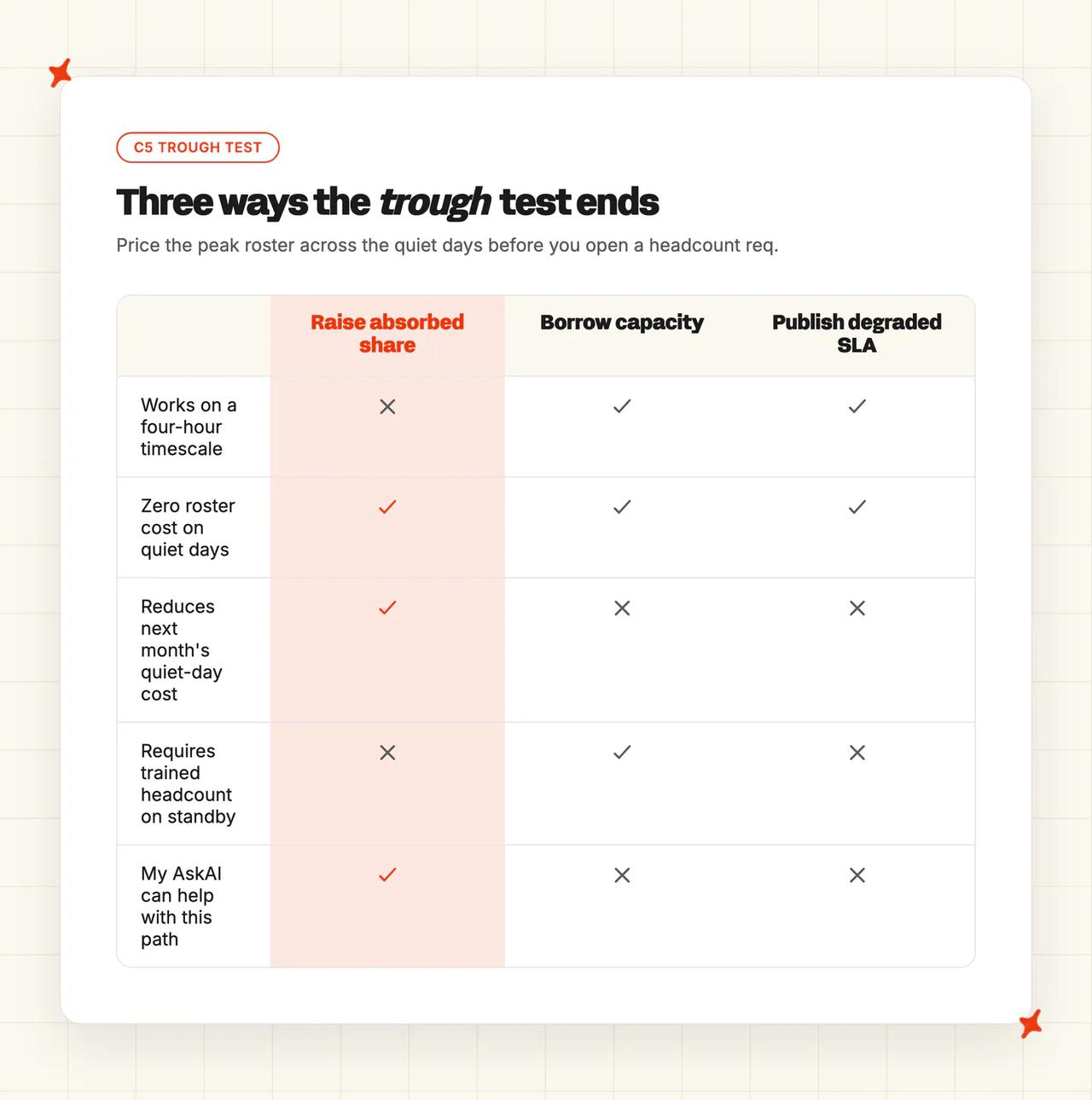
- Raise the absorbed share - spend on the question set and shrink the number of tickets that reach a person, which is the lever we work on with customers.
- Borrow the capacity - move trained people in from another team for the named hours, and brief them on the narrow question set before the window opens.
- Publish a degraded SLA - accept a slower response for a named window, and tell customers you are doing it.
Customers can plan around a four-hour window with a stated response time, and your team gets a bar it can hold. Of the three, the first is the one we can help with, since raising the absorbed share is what the levers in C2 are for, and it also lowers what the quiet days cost you.
What does this look like in real rollouts?
| Rollout | Helpdesk | Volume | Absorbed by AI | Escalated to a person | AI CSAT |
|---|---|---|---|---|---|
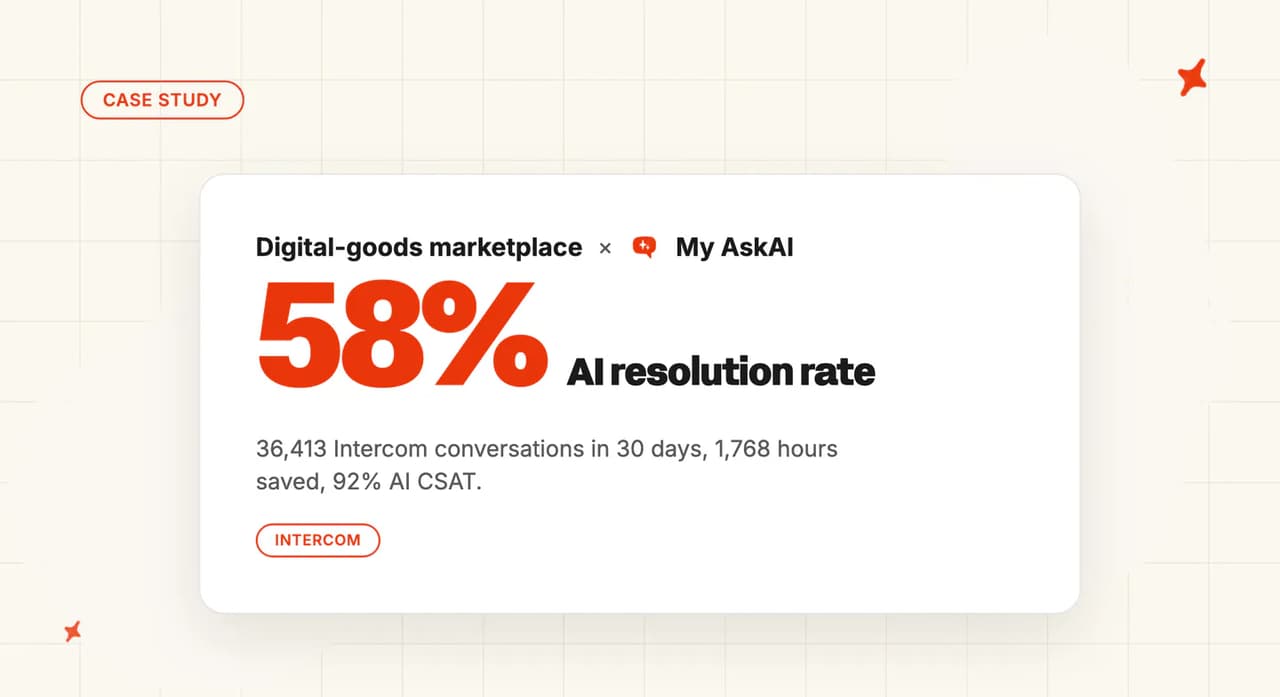
| Digital-goods gaming marketplace | Intercom | 36,413 conversations in 30 days | 58% | 10% | 92% |
| iGaming operator | Intercom | 4,687 AI conversations | 44% | 32% | 72% |
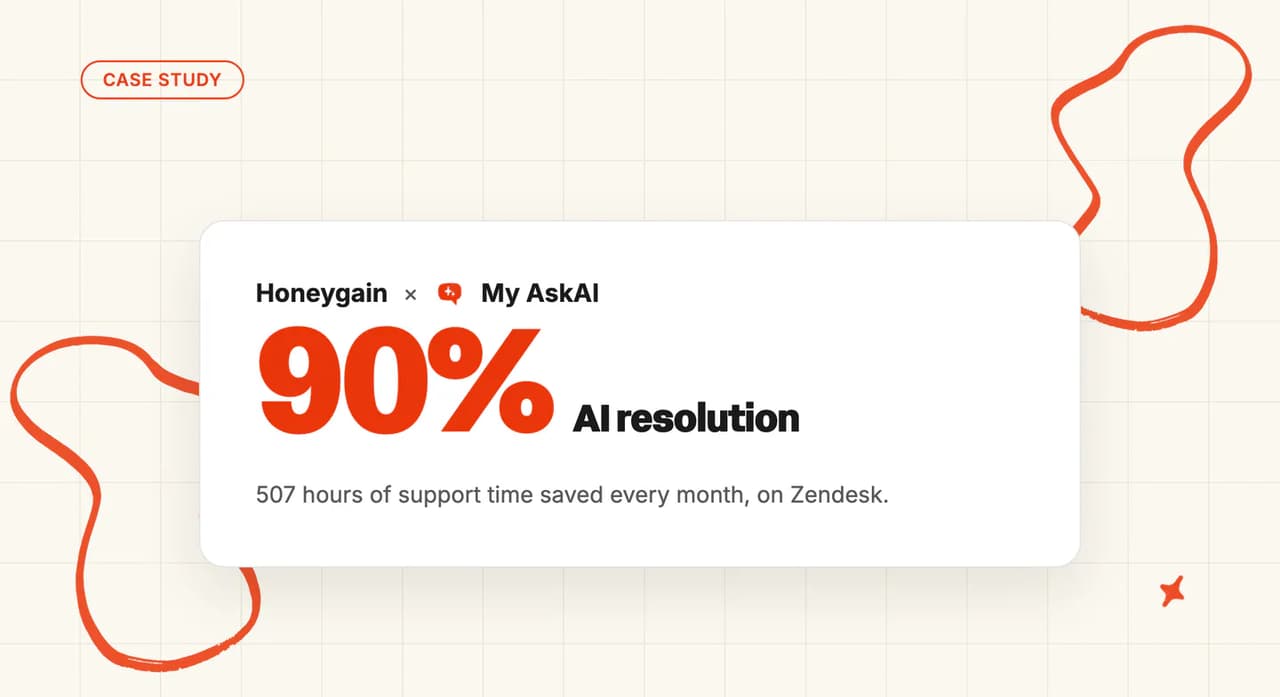
| Honeygain, consumer rewards app | Zendesk | ~3,400 tickets a month | 90% | Not published | 78% |
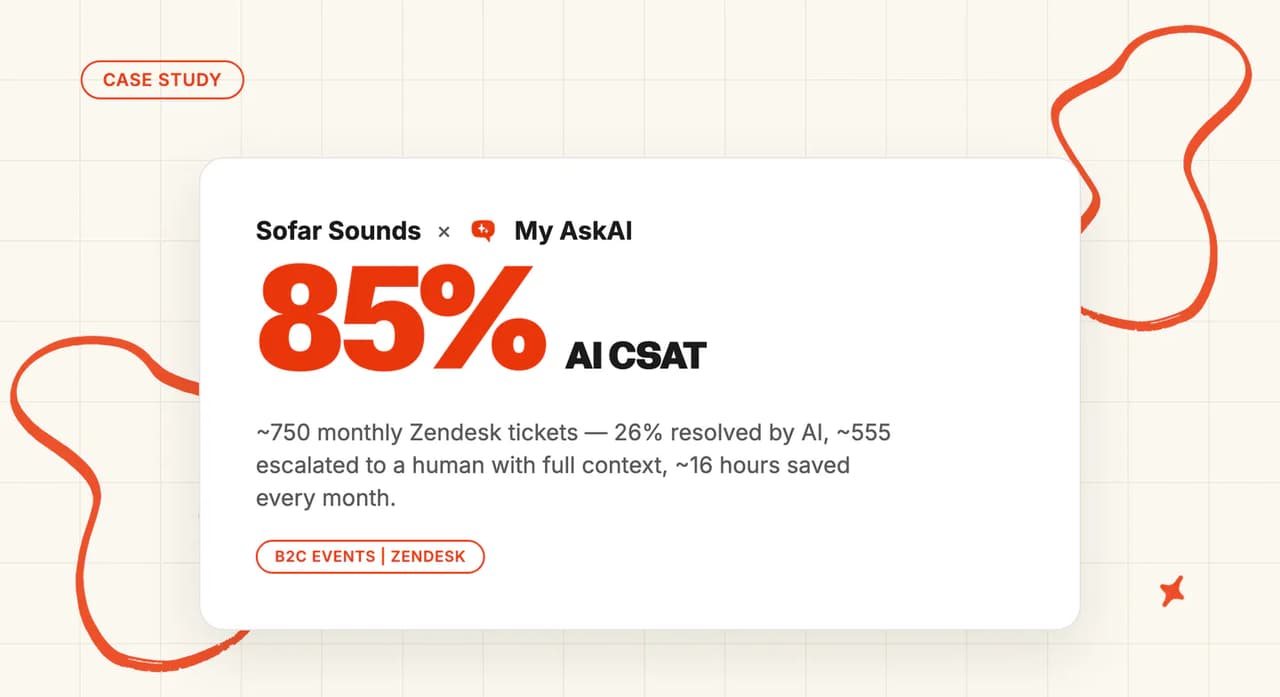
| Sofar Sounds, live-music events | Zendesk | ~750 tickets a month | 26% by design | ~555 of ~750 | 85% |
We count a conversation as resolved when the AI handled it without handing off to a person. Escalation stays easy on purpose: the customer can ask for a person, and our agent hands off when it cannot answer, reads frustration, or hits a topic set for escalation. Each figure in that column is the one the customer published, and Honeygain published none.
A digital-goods gaming marketplace, 10% to a person
They run on Intercom with direct replies from day one. Twelve live Tasks we built with them scope, diagnose and answer the questions that make up the bulk of the volume. Those Tasks read account state and explain it, and this operator chose to keep both of its API tools in test mode.
Across 36,413 conversations in 30 days the AI resolved 58% at 92% AI CSAT, gave back 1,768 agent hours, and passed 10% to a person. That is the lowest human volume in our set, and it comes from the narrowest question set.
An iGaming operator, 32% to a person
This one also runs on Intercom, and the rollout is progressive, so our numbers cover only the traffic the agent has been switched on for. The AI resolved 44% of 4,687 conversations at 72% AI CSAT and returned 170 agent hours. Two live payments Tasks reading player data through the User Data API cover 55% of the ticket mix, and the two Self-Learning payments articles behind them resolve at 94% and 95%.
Roughly a third of chats still reaches a person. We build the roster from that third, at more than three times the marketplace's share.
Honeygain, 90% absorbed
Honeygain is a consumer rewards app with 12M+ users and more than a million payouts behind it, averaging about $27 a payout. Our AI answers roughly 3,060 of about 3,400 monthly tickets on Zendesk at 78% AI CSAT, which gives back around 507 hours a month. About 600 of those tickets come from knowledge Self-Learning drafted with nobody writing an article.
The 90% rests on a narrow question set that repeats: payout thresholds, KYC steps and supported regions. Their setup does not use AI Tagging.
Sofar Sounds, 26% by design
The counterweight in our set is a live-music events company on Zendesk with about 750 tickets a month. Our agent resolves roughly 195 of them and hands roughly 555 to a person with the full context attached, at 85% AI CSAT and about 16 hours back a month.
The 26% is a policy choice. Their Handover and Escalation Guidance rules send most tickets to a human, so the AI's job there is triage and context.
The narrower the question set at peak, the less volume reaches a person, and the smaller the roster the peak hour needs. Each of these rollouts has a case study on our blog, with the month's full numbers in it.
What should you do this week?
Every step starts from one export you can pull today. The timings assume you hand that export to an AI tool and ask it for the numbers, which is how we quote them. Done by hand, they are all a good deal longer.
Six fields off that export are enough to compute every number in this section: ticket ID, created timestamp, first response, resolution, channel and subject line.
- Export 90 days of ticket timestamps - compute peak multiple, duration and re-entry from them, roughly 15 minutes, and you will know whether you are looking at a spike or a season.
- Tag the last spike's tickets by question type - count how many distinct questions cover 80% of the volume, roughly 20 minutes, and if the answer is under ten, mix narrowing is working for you.
- Compute human volume from the escalation rate you are actually running - the one in your helpdesk reporting, never the one in a vendor deck, ours included, roughly 10 minutes, and the gap between those two rates is the first number to take to your vendor.
- Run the peak-hour line against your current roster - substitute your handle time and utilization, roughly 5 minutes, and you walk into the next budget conversation with a number.
- Run the trough test with finance before the req goes in - price the peak roster across the quiet days, roughly 30 minutes with most of it the meeting, and the output is a decision: raise the absorbed share, borrow the capacity, or publish a degraded SLA window.
The first four work on any helpdesk, and they should, because the arithmetic does not care whose AI agent is answering first. None of this needs a project either, since the export is a standard helpdesk report, the tagging is one AI pass over a spreadsheet, and the peak-hour line is a single sum.
When does the Two-Tier Capacity Model not apply?
If most of your contacts are phone calls, Erlang-style capacity planning is the right method for you. A call occupies one agent for its whole duration, the server assumption holds, and one number is all you need.
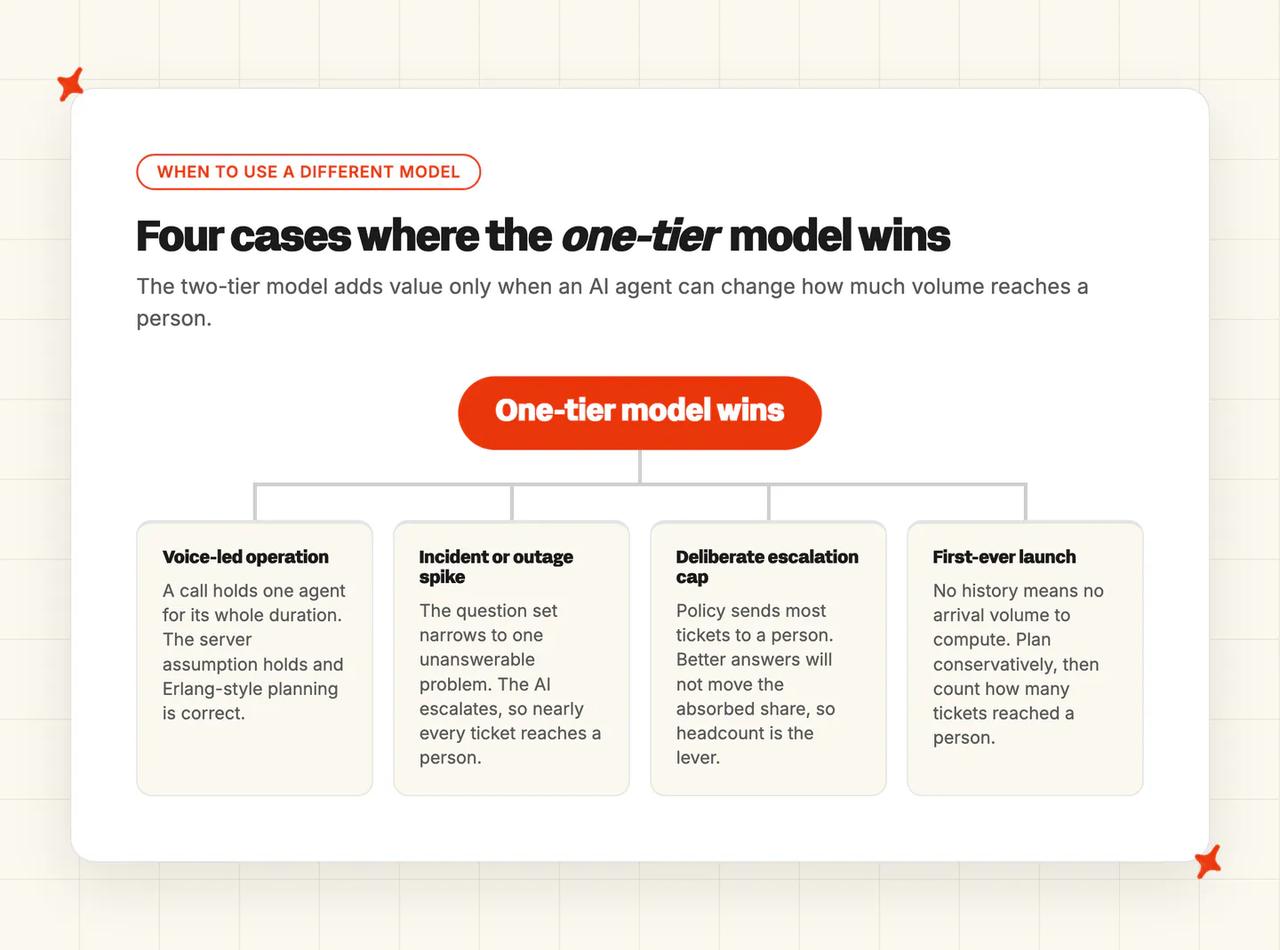
Incident and outage spikes narrow the mix to a single question, and the absorbed share falls anyway. The answer does not exist yet, so our agent escalates. Nearly every ticket that arrives then reaches a person, and you are back to a staffing problem. The same planning guide files this under unpredictable demand and answers it with flexibility:
"To meet unpredictable demand, you need radical levels of process flexibility. Businesses that build their contact centres this way can divert everyday enquiries to self-service, freeing agents to deal with the surge." — a capacity planning guide
A deliberate escalation cap is the clearest case of all. Sofar Sounds runs 26% by policy, and a consumer AI-assistant app we run on Zendesk sits at 40% for the same reason, with their own escalation rules setting the cap.
Some surges need trained bodies on the floor, and the two-tier model has nothing to add to that.
A first-ever launch has no history, so there is no arrival volume to compute from. Plan that one conservatively, then count how many tickets reached a person and plan the next launch from that. We would rather point you at a roster than at a trial in all four of these cases, because an agent with nothing to answer from adds nothing to the peak hour.
The takeaway
You cannot hire for four hours. So decide, before the requisition goes in, how much of those four hours needs a person at all.
Arrival volume is what your helpdesk is about to receive, and human volume is what is left after your AI agent answers its share.
The trough test is the one component I would run next week. Price your peak roster across the quiet days, and take that number to finance before you take a requisition to your boss. The answer comes back as a decision you can defend, because you will have priced the alternative first.
Our rewards, gaming and events customers live this every month, and their case studies set out the arithmetic in full.
FAQs
How do I handle a sudden spike in support tickets?
Settle the share that has to reach a person before you touch the roster, and staff to that number. Read arrival volume to see whether this is a spike or a season, check how far the question mix narrows at peak, then apply your absorbed share to get the volume a roster has to cover.
The published answers are all headcount levers, and one workforce-management guide states the consensus our customers arrive with:
> "a more flexible staffing model — such as part-time agents, an outsourced overflow team, or even chatbots — can help you scale up or down quickly when unexpected surges happen." — a third-party workforce-management guide
Hiring earlier, hiring temporarily and borrowing bodies are all real levers. None of them moves on a four-hour timescale, which is why we spend our time on the number of tickets that reach a person instead.
How do I forecast support volume accurately?
Take a trailing 13-week baseline per channel, multiply it by your account growth rate, adjust for known events such as launches and renewals, then add 25-30% shrinkage, which is the method a third-party forecasting guide sets out. It also claims accuracy within 10% weekly on clean channel data, a figure published with no stated sample behind it, so do not plan a roster on it. A forecast can be accurate on arrival volume and still leave you with no number for human volume. Your roster is built from the second one, which is the number our rollouts are measured on.
How do I forecast support volume by channel?
Forecast each channel separately and staff each to its own service-level target, because they behave differently under load. Then take the split one step further and compute the absorbed share for each channel as well, because a channel-level arrival forecast still says nothing about how much of that channel reaches a person. Splitting by channel refines the one-tier model, and the absorbed share we plan against still sits underneath all of them.
How do I plan support staffing for product launches?
Take your last comparable launch, read the peak multiple and the duration off it, then apply your current absorbed share to get the human volume you actually have to roster for. Our customers running an AI agent tend to keep their support staff and stop needing to hire as many, both as they scale and for peak periods. Permanent headcount follows a different calculation, the ratio you staff to all year rather than one dated peak, and the team structure that ratio implies is what we set out in building an AI-first support team.
What are the best tools for managing seasonal support volume?
Judge tools by what actually absorbs a spike, because during those hours the question set narrows and the answers have to already exist, so look for:
- answers you can author exactly for your highest-volume questions, worded the way you want them worded
- knowledge that stays current without someone writing articles, drafted from the tickets your team has already answered
- live account data the agent can read, so it can scope and diagnose one customer's problem
- handover rules that send escalations to a person with the context attached, so whoever picks it up starts warm
The evidence that these move the absorbed share is our own: about 600 tickets a month answered from auto-drafted knowledge at one rollout, and twelve Tasks covering at least 68% of tickets at another. Vendor choice for a rewards or gaming audience is a separate question, and our rewards and gaming buyer's guide handles it. For a bounded, dated, repeating spike the narrower test is whether those four capabilities are already live and already trained on the day the volume lands.
Does per-resolution AI pricing get more expensive during a support spike?
Yes, and it gets most expensive at the exact moment the AI is working best. Per-resolution billing indexes your invoice to the absorbed share, so when the mix narrows and arrivals climb, both terms move in the same direction at once. Intercom prices Fin at $0.99 per outcome, with a resolution counted as one of those outcomes, and one practitioner weighing that model reaches the paradox unprompted:
> "Huh. Seems fair enough, but if someone gets good enough to go fully automated, that could get expensive very quickly" — u/GoBoldr, r/CustomerSuccess
We bill per ticket, resolved or not: on chat, two AI replies make one credit; on email, the first reply is a credit and each follow-up is half. Your plan sets the rate for every ticket in the month, however well the agent performs, and Pro is $199 a month with Scale at $499:
| Plan | Monthly base | Credits included | Rate per extra credit |
|---|---|---|---|
| Pro | $199 | 1,000 | $0.12 |
| Scale | $499 | 2,000 | $0.10 |
If you want to price your spike against a real month with us, the trial runs 30 days with every feature unlocked, unlimited tickets and no card required.
How much extra support volume does a product launch create?
The figures quoted for post-launch volume lift come with no named sample and no stated method, so none of the multiples in circulation belongs in your forecast, ours included. The number is a property of your product and your launch, and you already hold the data to measure it. Take your last comparable launch and divide its peak hour by your median hour. The ratio you get is your peak multiple, and measuring it once gives every launch after it a baseline to plan from.