My AskAI vs eesel AI agent: Features, Pricing, and Results (2026)
Both connect to your helpdesk. Both use AI to resolve tickets. But one has human handover, actions, and live data — and the other doesn't. Yet.
Summarize with AI
Let me try and go all Sherlock Holmes on you and try and figure out why you're reading this:
You've been taking a look at (or maybe even testing) your helpdesk's native AI offering and my guess is you were either (or all) of:
- Not blown away by the answer quality
- Blown away, but by the price (at $0.99+ per resolution it just won't work for you)
- Disappointed with the lack of features or functionality, meaning their solutions just wouldn't work for your business (and their account rep was no help either)
You then did a bit of research (maybe ChatGPT, maybe Reddit?) and found that there are other, 3rd party AI customer service agents you could use with your helpdesk - namely us and eesel AI .
And now you’re trying to figure out which is the right one for you. If Macha AI is also on your shortlist — it runs its own three-way comparison naming both of us — see how it stacks up against My AskAI.
Am I close?
Good, now we’re all caught up, I’m going to break down your options as simply (and honestly) as possible so you can make the right decision for your AI customer service needs.
Let’s begin.
I can use AI to reply in my helpdesk now…?
Yes.
Unless you have been hiding under an AI rock you will be aware that since early 2023, and starting with Intercom’s Fin, all the major helpdesk platforms have been gradually releasing their AI customer service agents.
Intercom has Fin, Zendesk has their Zendesk AI, Freshdesk has Freddy, HubSpot has Breeze (see our HubSpot Breeze AI comparison here) and Gorgias has Automate.
Each helpdesk promises you the ability to use their AI agent to automatically reply to conversations, emails and tickets, without you having to lift a finger.
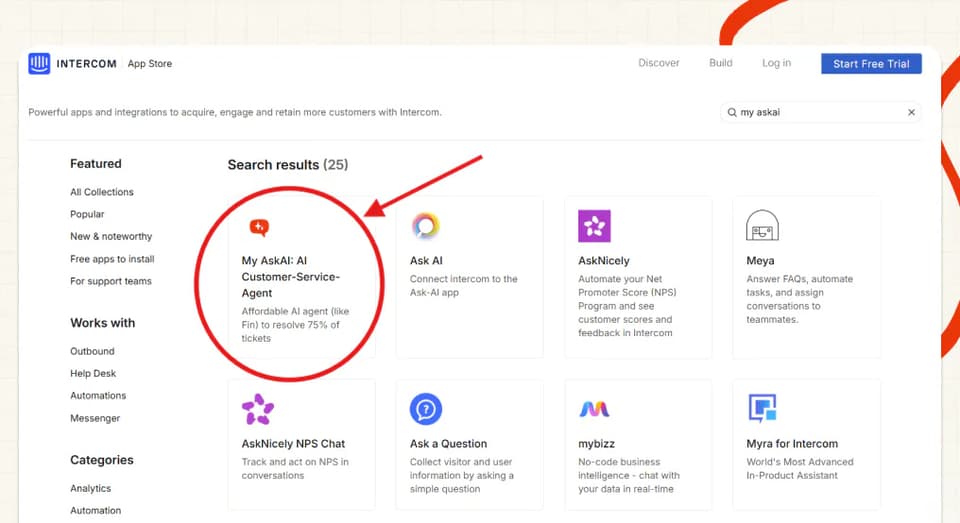
What you might not have been aware of, is that, for almost as long, there have been approved 3rd party apps that you can use to replace these ‘native’ AI agents’ functionalities, all without moving from your current helpdesk.
Apps like My AskAI and eesel AI.
How does an AI customer service agent work?
Principally, all AI customer service agents work in a similar way, whether they are native helpdesk solutions or 3rd parties:
- Train the AI agent with your company or product knowledge.
- Turn it on - replying to customers (generally as a ‘tier 1’ agent).
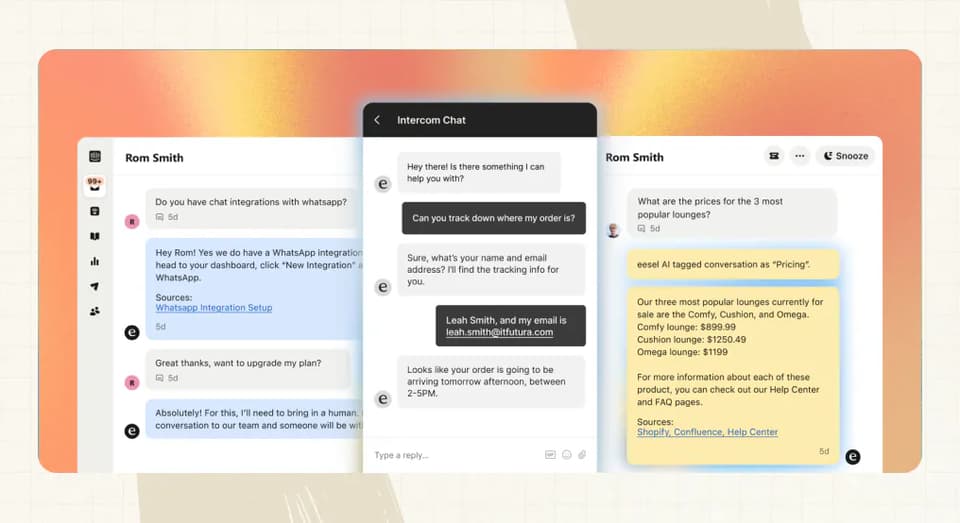
- If the AI can’t answer, or if the customer wants to speak to a person, it will hand over the conversation (or ticket) to a human agent to respond so the customer can get the support they need.
That is the 10,000ft explanation.
There are, however, many variations on how all of that is done.
So let’s get into the comparison to see how My AskAI and eesel go about it:
What are the different ways I can use my AI agent?
Direct replies
The main way people use AI agents (for My AskAI and likely for eesel too) is to directly reply to customers within the chat, conversation or ticket itself.
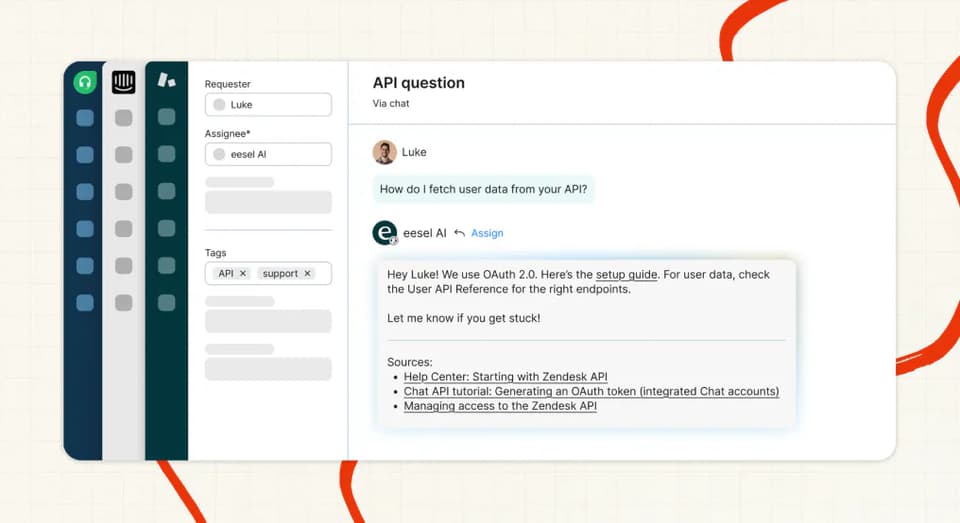
However, this isn’t the only way AI customer service can be used or tested.
Copilot replies
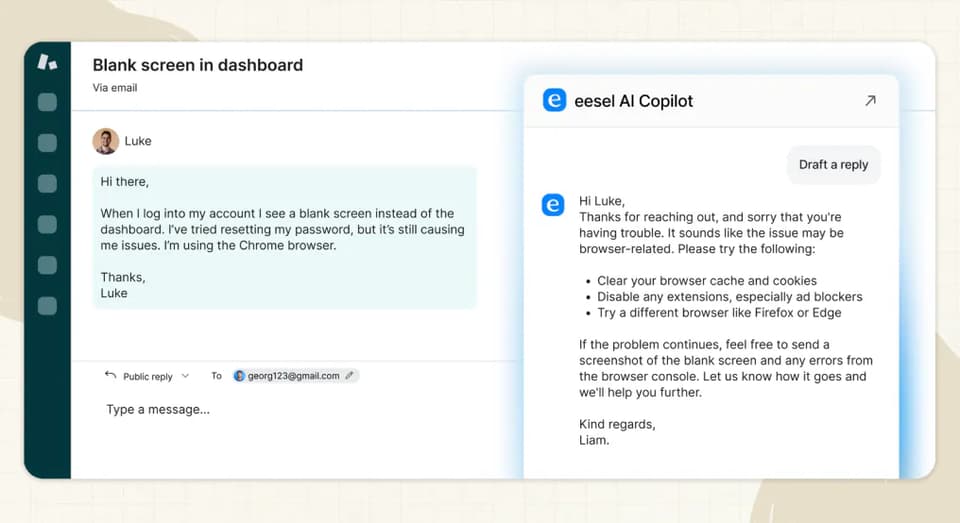
Both eesel and My AskAI have ‘Copilot’ options for their AI agents.
These allow you to use your AI agent to reply behind-the-scenes.
Both products enable this via their respective Chrome extensions, whereby they can be used either as a pop-out side window or through a tighter helpdesk integration, injected into the text editor field itself.
In both cases, as a message comes in, you can just click a button to generate a response.
With My AskAI you can also choose for content to be used that is internal-only, so your human agents can use more knowledge than your AI agent uses for direct replies to users, this doesn’t appear to be an option in eesel’s copilot.
Internal note replies
Both also have the ability to reply as “Internal notes” in each of their helpdesk integrations.
This allows you to run the AI agents as if they were responding to all the messages in a conversation or ticket BUT only via internal notes, so only the human agent can see them.
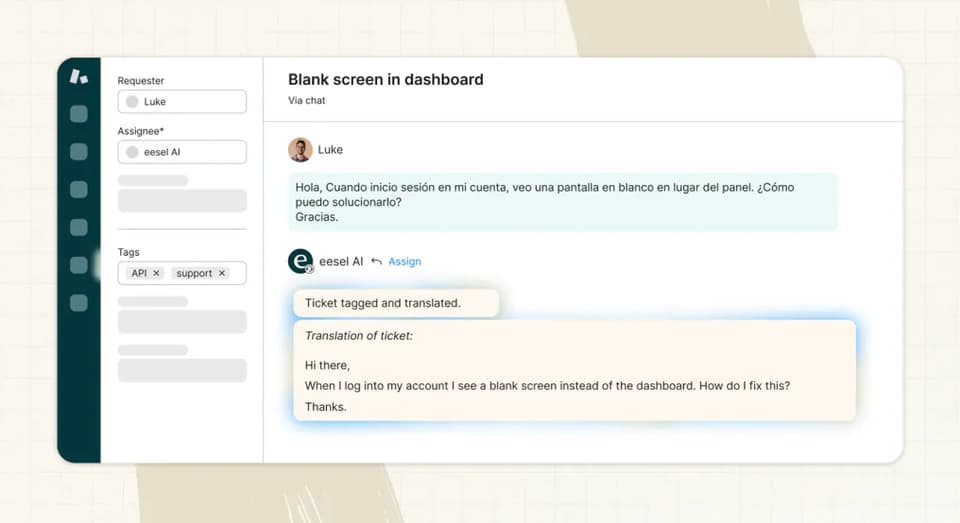
This is a great way to see how the AI agent will behave in a real conversation before putting it live.
A lot of our users start with this (plus the Copilot replies) so they can get a feel for things and check they are ready to go-live.
In eesel this is enabled via configuring “actions” in My AskAI it is just a button you select as part of setup.
Other ways of using your AI agent
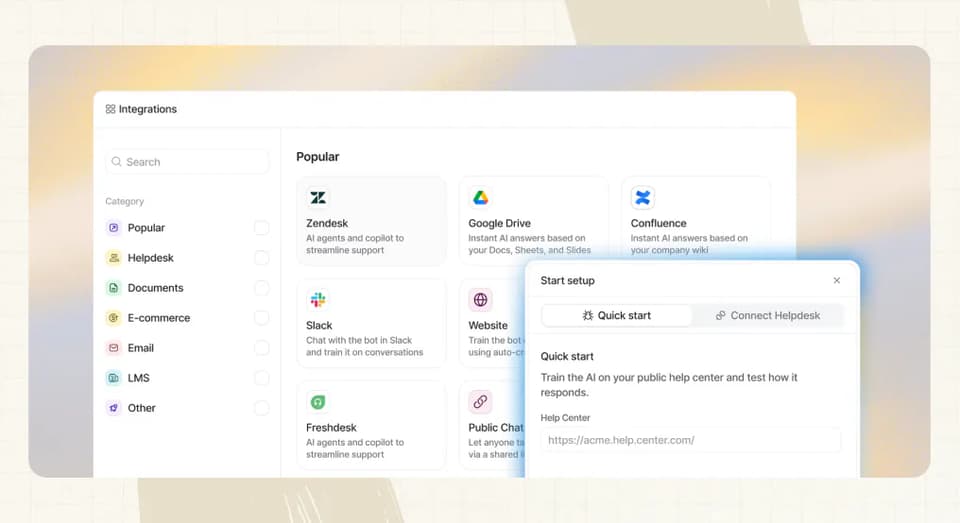
In addition to using directly within your existing helpdesk, both eesel and My AskAI have integrations with additional platforms like Slack and Teams to provide responses along with their own standalone widgets.
Which is easier to setup, eesel AI or My AskAI?
Both My AskAI and eesel are 3rd party apps, so they’ll require slightly more setting up than their native AI counterparts.
But this doesn’t mean either is difficult to set up, with both promising no-code, no developer set-ups.
eesel has a 7-day free trial to test a subset of its functionality, as opposed to our 30-day, unlimited free trial.
To initially set up My AskAI you just:
- Sign up for a My AskAI account.
- Connect your help center and/or website.
- Install your respective helpdesk integration or app.
All of this can be done without having any specialized technical knowledge.
The process is much the same with eesel, with a few minor differences in whether knowledge is crawled (eesel) or connected (My AskAI).
After the initial setup is where things begin to diverge.
The majority of the eesel AI agent setup is configured by prompts and actions.
Everything from response styles, how reference links are generated and the interactions with the helpdesk (such as tagging or leaving internal notes) are all controlled via customization prompts and actions.
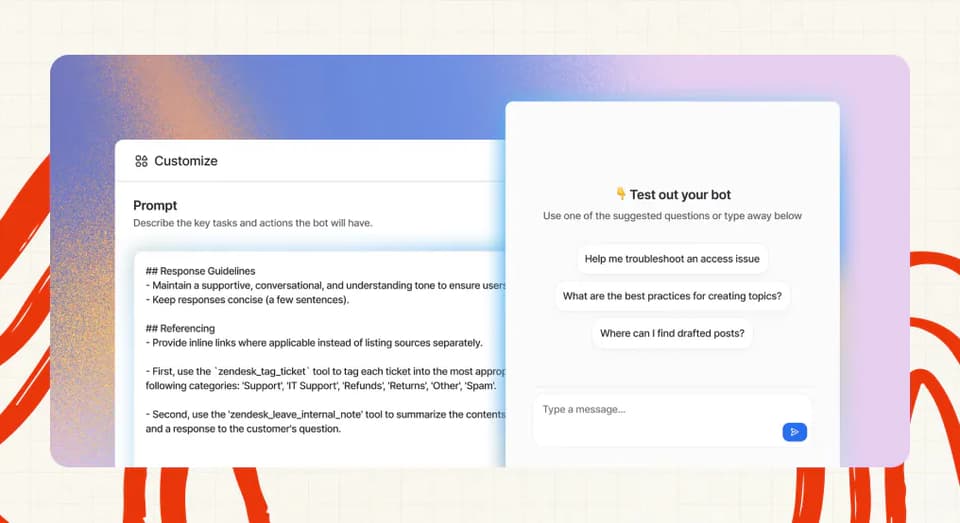
The upside of this is that you can have granular control over the behavior of your AI agent.
The downside of this is that, while their docs do help with a number of use cases, it will mostly be left to you to play around with your AI agent to try and get the best responses.
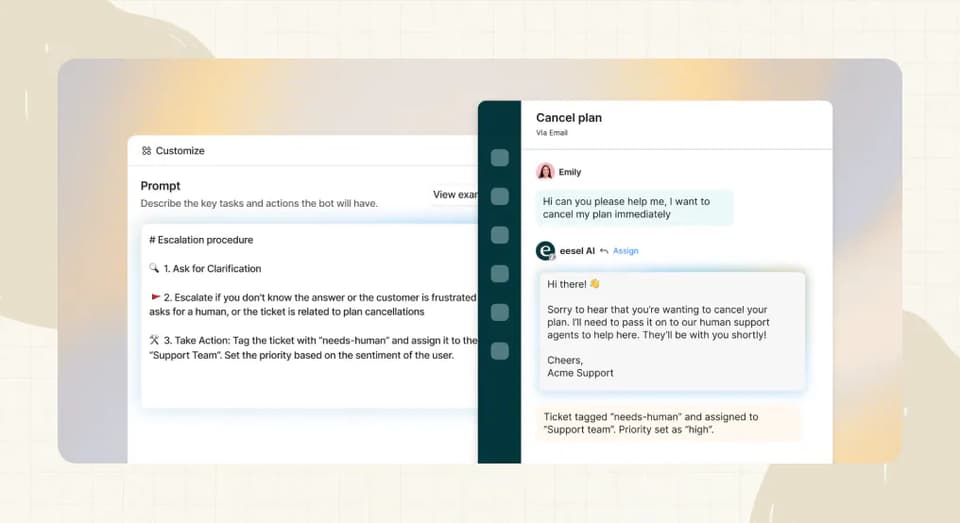
If you’re not a prompting whiz or don’t have the time to constantly experiment (especially as new models come out) then this might not be the best option for you.
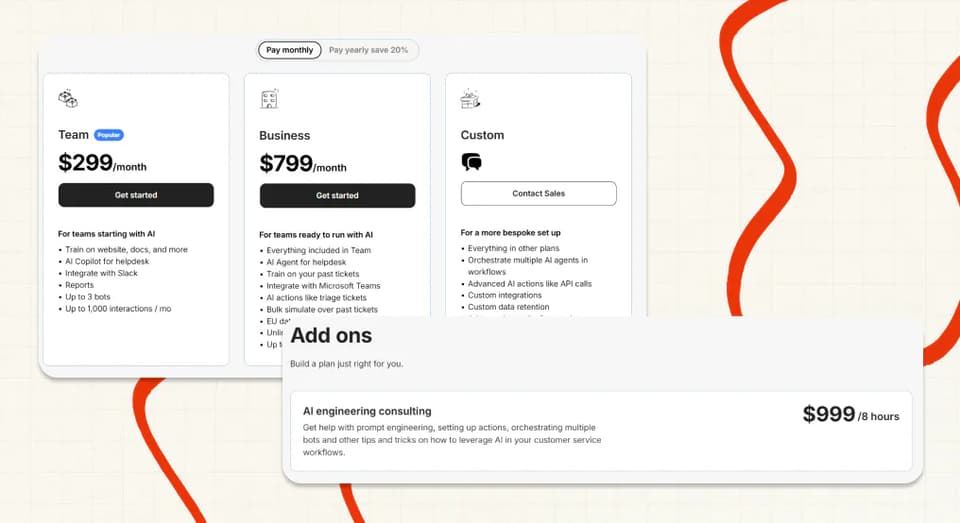
This is probably best demonstrated by the fact that eesel offers 8 hours of prompting assistance for $999 per month in addition to their usage-based plans.
My AskAI, on the other hand was built to give control but in a way that doesn’t require you to know anything about AI.
For example, in our guidance feature, you just write how you want the AI to behave and we use AI to optimize this for you into the perfect prompt, so you don’t need to worry about it.
Therefore, it has a simpler set up, buttons and options to turn features on and off and therefore a lower barrier to entry and fewer opportunities for confusion or error.
This makes it a lot easier to explore and get your head around the capabilities of your new AI agent with My AskAI.
How do they differ in what they can be trained on?
The first thing you need to do with an AI customer service agent (much like with a human) is train it - give it the information and content so it can answer questions.
eesel AI and My AskAI can both be trained on a variety of different sources - here’s how they compare:
‘Static’ content
| eesel AI Agent | My AskAI | |
| Intercom/ Zendesk/ Freshdesk Help Articles | 🟧 via webcrawl | ✅ |
| Tickets (Intercom/ Zendesk/ Freshdesk/ Gorgias) | ✅ | 🟧 for knowledge gaps only |
| Websites | ✅ (including private) | ✅ |
| Google Drive | ✅ | ✅ |
| Notion | ✅ | ✅ |
| Confluence | ✅ | ✅ |
| Shopify | ✅ | ✅ |
| OneDrive | ❌ | ✅ |
| Dropbox | ❌ | ✅ |
| SharePoint | 🟧 custom setup | ✅ |
| Salesforce | ❌ | ✅ |
| YouTube | ✅ | ❌ |
| ✅ | ✅ |
So, My AskAI has more ways you can bring more static content (help center articles or SOPs) into your AI agent.
Not only are there more sources you can train on, but because My AskAI connects with Intercom, Zendesk and Freshdesk help articles via an API, not via a web crawl, you will get higher quality data (and therefore better responses) and more complete ingestion of articles (crawls are rarely 100% of pages).
In My AskAI, all “internal” sources. e.g. Google Drive, Notion et al, can also be set to only be used in its Copilot mode, so you get the best of both worlds.
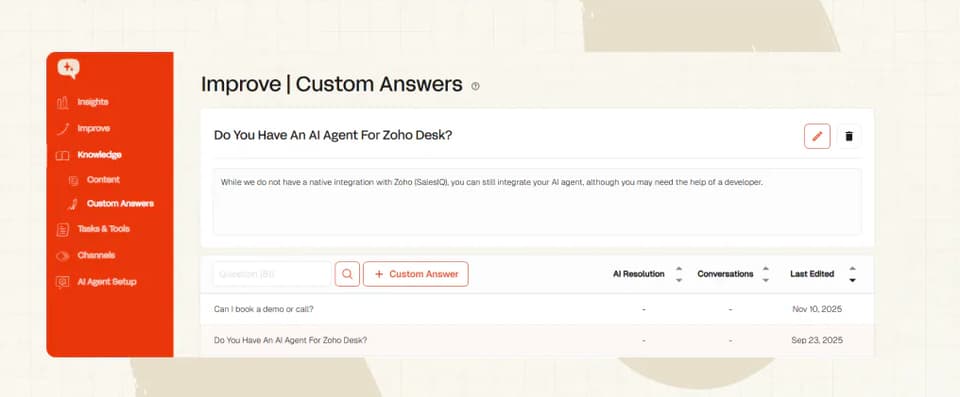
In addition to these 3rd party sources of information, both eesel AI agent and My AskAI allow you to add content and answers directly into their respective AI agents, via Articles and Custom Answers.
‘Dynamic’ content
Having an AI customer service agent answer using static content is pretty much tablestakes for any tool nowadays.
Where the agents start to separate themselves is how they can use live user, customer or back-end data to answer more personalized or complex questions.
There are a few types of ways an AI agent can do this:
- Read-only, user/customer specific data: for this we use our User Data API or via our Shopify integration, both of which retrieve data on authenticated users on each message.
- Read or write, one-step actions: for this we use tools & actions, on each message your AI agent decides whether a tool would help it answer the user’s question, it could be a product lookup, it could be updating an order detail
- Read or write, multi-step, complex tasks: for this we use our tasks feature, which allows you to wrap multiple tools, API calls, policies and processes in an agentic flow. So you could, for example, create a refund task where the user’s details are looked up, along with their orders, before the order for refund is confirmed, checked against policy, then finally refunded via Stripe.
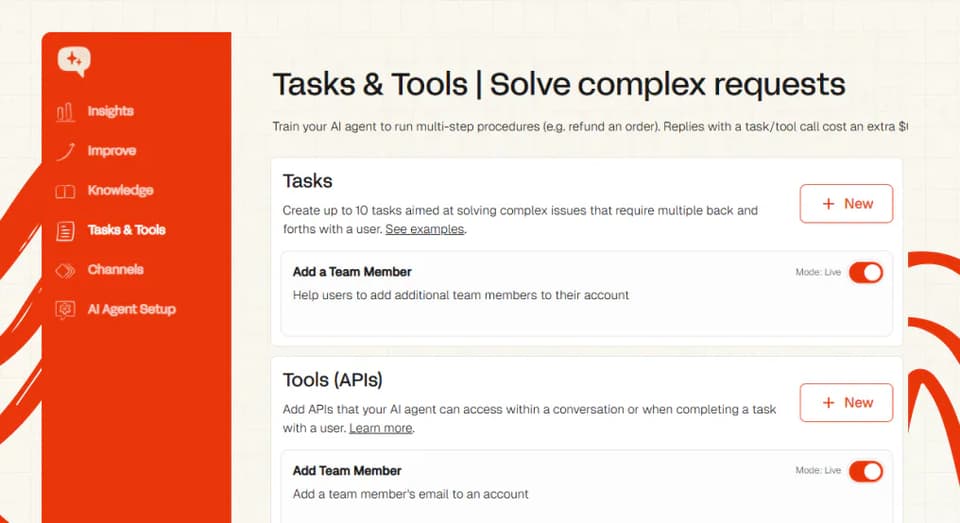
So, depending on the complexity of your requirements, we should always have a method to allow you to automate real work away from your human agents.
eesel has a subset of these features, focusing mainly on the first 2 bullets here, but all controlled via your customized prompts and actions.
This means most of the setup, control and debugging will be left to you to figure out.
To set up custom APIs or advanced actions you'll need eesel's top Enterprise plan ($1,000/mo base plus usage).
As there is a single custom prompt and action section (not separate sections for each task), it is likely it won’t be capable of handling agentic tasks like My AskAI either (or not at least without some significant custom work), although they do mention agentic features are available in their Custom plan.
Which has better answer quality, eesel AI or My AskAI?
I would love to categorically show you some data that showed this either way, however, there isn’t really any simple, real-world test that can show this.
So, we will compare based on the data that is out there and let you be the judge.
As of the time of writing, eesel AI quotes on their site having ‘processed’ 70,000,000 tickets and chat sessions, with an average of 81% AI resolution, I don’t know if this is a live number (it doesn’t appear to be) or over all time, but we will take it as written.
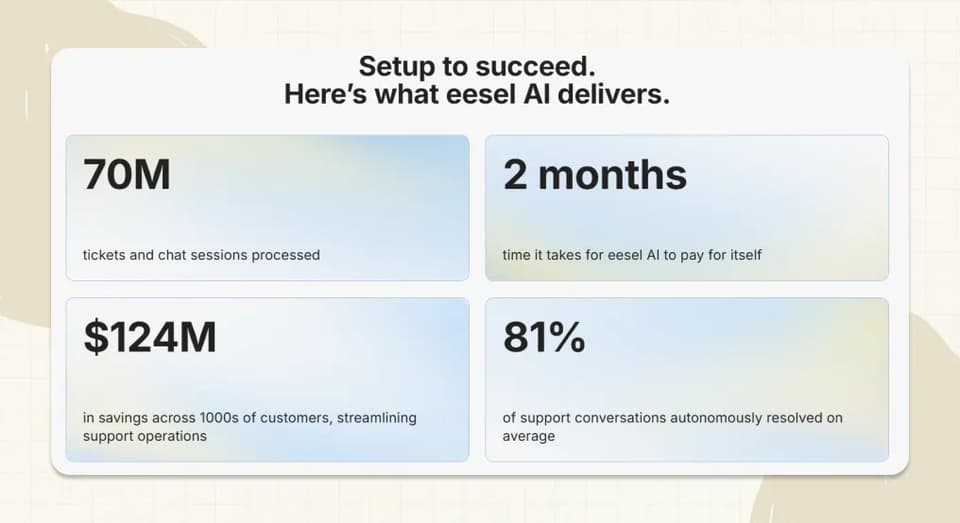
My AskAI, on the other hand, has resolved 1,170,303 conversations, with a last 30-day resolution rate of 74.9%.
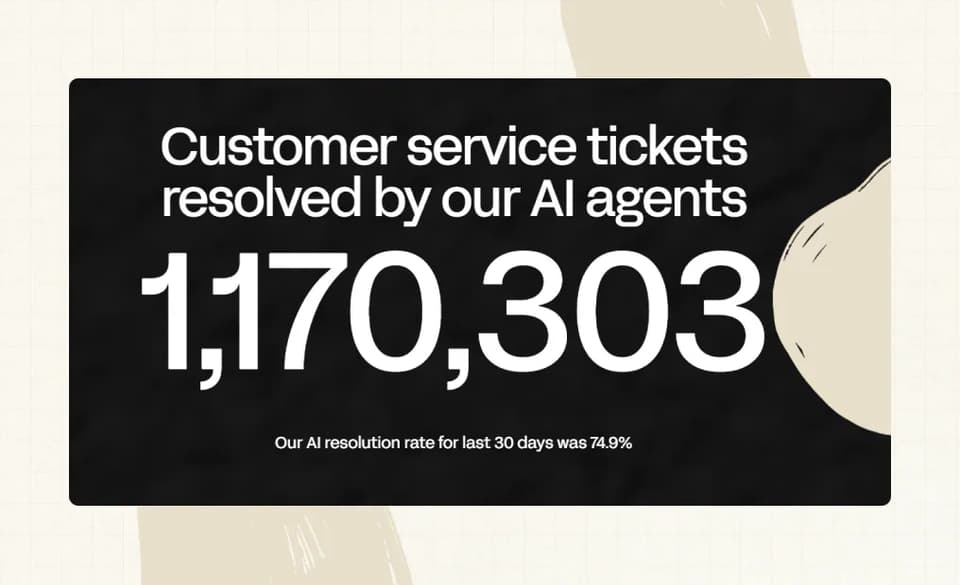
So not much in it on resolution rate.
To give a real-world example though for My AskAI:
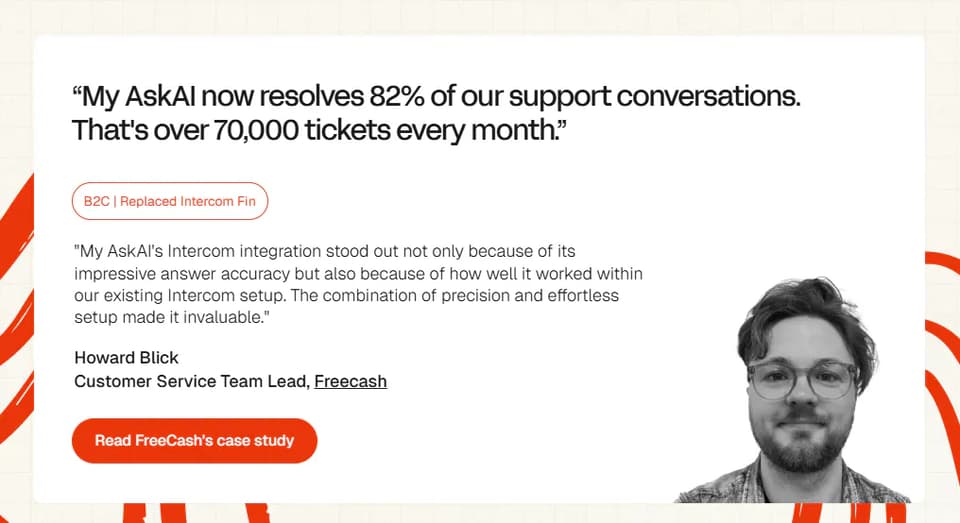
One of our customers, Freecash, were offered a free trial of Intercom’s Fin for 30 days on over 50,000 conversations.
After Intercom threw their finest support engineers at it, 30 days later they were only able to show a 1% improvement in resolution rate over My AskAI (not ideal for a 483% increase in price!)
Both tools also have "Test" (or simulate) features that allow you to try out your AI agent on a batch of your historic tickets, so you can see exactly how questions would have been answered.
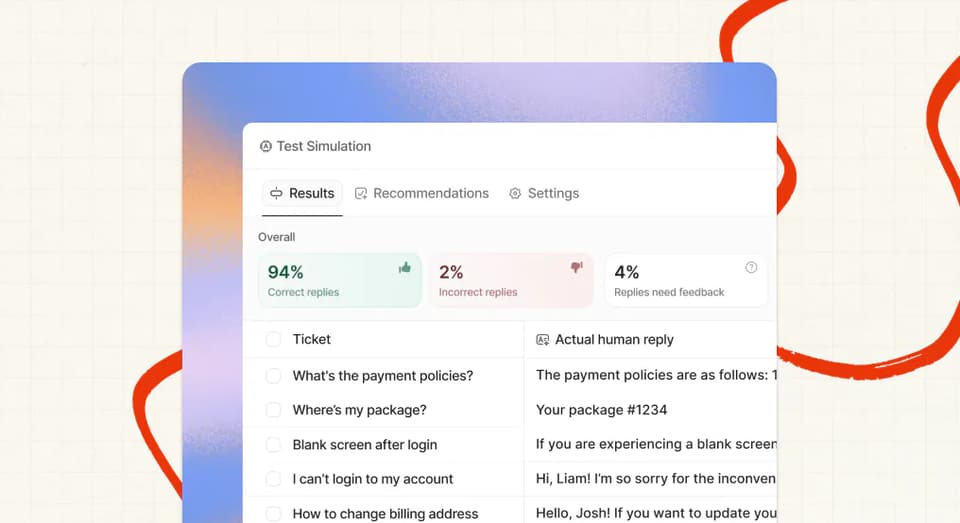
At the end of the day, the only way you can really get a feel for answer quality is by testing out for yourself and seeing which you prefer; sometimes it just comes down to preference!
Which AI agent is easier to improve over time?
Training your AI customer service agent is only the first step in the process.
To improve your AI resolution (deflection) rate (aside from overall model improvements by eesel AI and My AskAI), you need to monitor how your agent is responding, identify areas it can’t answer and update your knowledge base to address these gaps.
Both eesel AI and My AskAI have features that help with this. Here’s an overview:
| eesel AI Agent | My AskAI | |
| Resolution rate | ✅ | ✅ |
| AI CSAT/CX Score | ❌ | ✅ |
| Knowledge gap identification | ✅ | ✅ |
| Learn from historic tickets | ✅ | ✅ |
| Batch testing | ✅ | ✅ |
| Inspect answers | ✅ | ✅ |
Both agents will show you which conversations and tickets are resulting in human handovers, and both have tools that will help you identify where you have missing knowledge in your help centers.
Both tools will also let you generate a new article or custom answer from your human agents’ responses.
With My AskAI this is done from a linked note that takes you to your Dashboard.
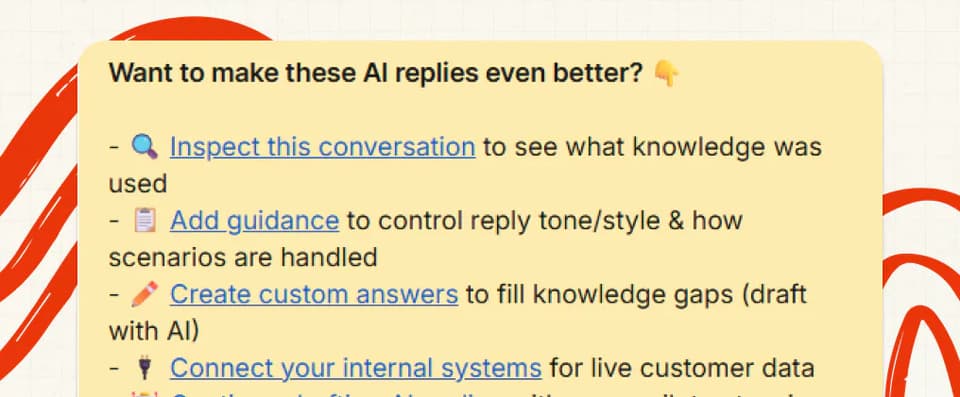
You can also set up tests based on historic tickets in both to see how your AI agent is performing at any time too, so you can review the impact your new knowledge or new prompts/guidance has had on responses.
The only minor difference between the products here is that in addition to displaying a deflection or resolution rate, My AskAI also uses AI to generate a CSAT score for each conversation or ticket, so you get complete coverage of the quality of all tickets.
That said, the bulk of your improvements will come from simple knowledge gap identification, inspecting and testing.
Which has more features, eesel AI or My AskAI?
The short answer is: My AskAI has more features out-of-the-box, but eesel AI may be able to match some of these missing features if you are an expert prompter.
Here’s a quick summary of their current features at the time of writing:
| eesel AI Agent | My AskAI | |
| AI direct replies | ✅ | ✅ |
| AI note replies | ✅ | ✅ |
| AI copilot | ✅ | ✅ |
| Trained on help centers | ❌ | ✅ |
| Trained on website | ✅ | ✅ |
| Trained on internal knowledge sources | ✅ | ✅ |
| Trained on historic tickets | ✅ | 🟧 improve only |
| Multiple agents | ✅ | 🟧 via separate plans |
| Multilingual | ✅ | ✅ |
| Human handover | ✅ | ✅ |
| Personalized user data responses | 🟧 higher tier plans | ✅ |
| Actions/tools | ✅ | ✅ |
| Guidance | 🟧 via prompts | ✅ |
| Tasks | ❌ maybe on custom | ✅ |
| AI CSAT | ❌ | ✅ |
| Conversation monitoring | ✅ | ✅ |
| Insights/analytics | ❌ | ✅ |
| Knowledge gap identification | ✅ | ✅ |
| Answer inspection | ✅ | ✅ |
| Batch testing | ✅ | ✅ |
| AI tagging | ✅ | ✅ |
| AI translations | ❌ | ✅ |
| Slack integration | ✅ | ✅ |
| Jira integration | ✅ | ❌ |
| Zapier integration | ❌ | ✅ |
| API | ❌ | ✅ |
| Helpdesk ‘actions’ | ✅ | 🟧 via UI |
Where eesel AI stands out is its ability to train an AI agent purely based on your historic tickets.
They offer this feature for Zendesk, Intercom, Freshdesk and Gorgias and it works in a clever way (not all self-serve).
Instead of just ingesting your tickets and using them as a reference source, you first filter/query your tickets to narrow them down to the tickets you want to train on.
This ensures you only use specific agents, or over a specific time period.
Then they use this sample of your tickets to generate articles that you review and approve before adding to your AI agent’s knowledge base.
This works very well if you have no, or very outdated help articles to begin with.
Where it becomes less useful is if you don’t apply good filtering in the first place or if you already have articles - as these may then duplicate or add contradictory information to your existing articles.
We take a different approach with historic tickets - instead of using them as an original source, we use them to help you improve your responses over time.
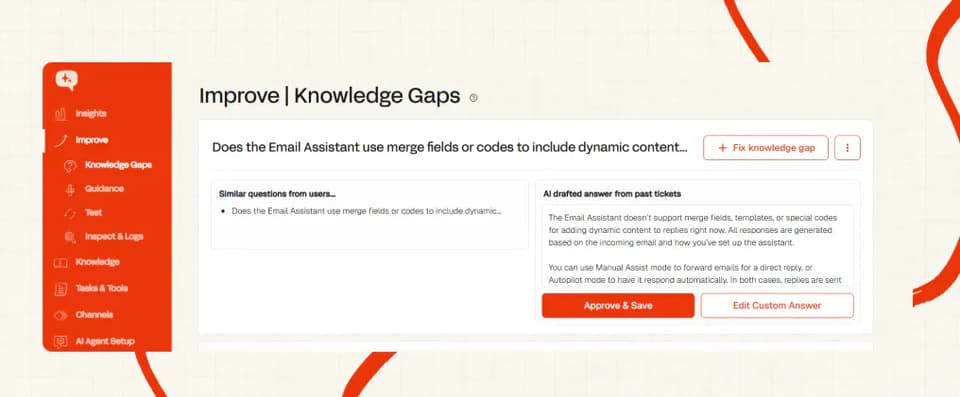
So if our AI agent identifies a knowledge gap it will look through your human replies to that ticket and similar tickets and use those replies to synthesize a response that you can review and approve before it is added to your AI agent’s knowledge.
This ensures that only incremental, new knowledge is added from tickets and that you get final say on it before it is used.
Where My AskAI stands out over eesel AI is in its:
- Controlled scenario based guidance features, that enable you to easily specify when you want human handovers (possible in eesel but requires prompting)
- Robust knowledge integrations with more sources (as discussed in the ‘Static content’ section
- Advanced automation features like ‘tasks’ which allow their AI agent to take multi-step, complex processes
- Overall insights feature which doesn’t just tell you where the gaps are, but also gives you an overall picture of what people are asking of the AI agent.
Ultimately it will depend here on what is important for your use case.
If you have no existing knowledge base, FAQs or help center, then eesel AI may suit you, if not, then it may come down to other factors.
Is it easy to customize them both?
Both eesel AI and My AskAI have extensive customization options.
Everything from tone-of-voice, language settings, tickets you want the AI to reply to to auto-ticket closing can be modified and customized.
The major difference between them is more about how you do these.
With eesel AI you use their actions feature to customize, whereas with My AskAI these are usually toggles in the UI.
In terms of extent of these customizations, eesel likely has the edge as, because you are using prompts to apply these actions, you can tailor when they are used in a more bespoke way, whereas with My AskAI it will be slightly more rules-based.
That said, for the vast majority of businesses, these will be edge cases, and My AskAI’s customization options will be more than sufficient.
Added to that, because they are tried and tested features, as opposed to being enabled via prompts, they are likely to be applied more consistently across tickets and so will be more reliable and predictable.
If you have a custom set-up you are trying to replicate with My AskAI, get in touch because there is a good chance we have either seen it before or can come up with something to fit.
Where My AskAI stands out from eesel AI (and other competitors), is our ability to fit the product around your use case.
We can work with you to get set up and even develop custom features that may not be available in eesel or any other native helpdesk AI.
This is something you will struggle to get most other companies to do, unless you have a very large number of tickets and a big budget.
What about vendor lock-in?
Moving helpdesks is a big deal, not one anyone will take lightly.
So knowing whether you are going to have to move AI agent as well should be an important consideration.
Luckily, both My AskAI and eesel AI can be used on platforms multiple platforms.
The easiest type of integration is an approved, native marketplace app, meaning you can use the AI agent without having to spend any money on expensive developers or agencies.
Not every integration, however, will be native, and so this is when the API integrations can be useful, however, this can be complex, time-consuming and expensive to set-up, so be warned.
Here’s a full list of vendors compatible (where you can use their AI agents) with eesel AI and My AskAI:
| eesel AI Agent | My AskAI | |
| Zendesk | ✅ | ✅ |
| Intercom | ✅ | ✅ |
| Freshdesk | ✅ | ✅ |
| Gorgias | ✅ | ✅ |
| HubSpot | Custom API | ✅ |
| Front | ✅ | Custom API |
| Jira | ✅ | Custom API |
So while both AI agents can be integrated into other help desk platforms, eesel AI has the edge on native integrations.
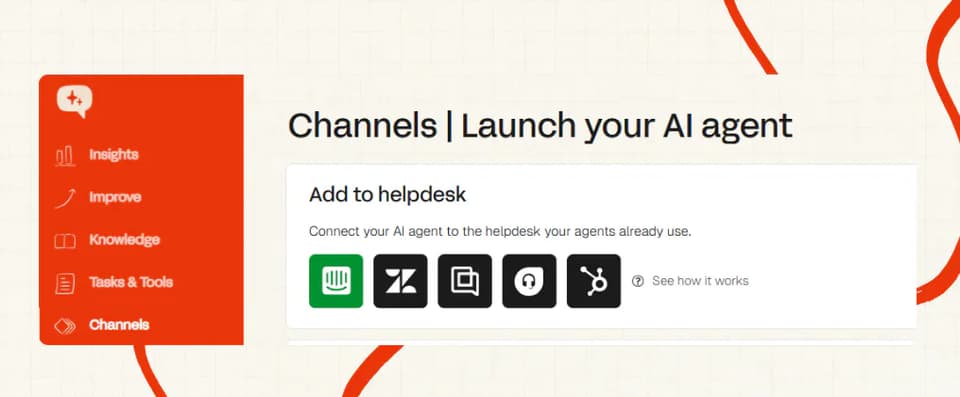
This means you can move to another help desk (or stay with your existing) by just installing an app, rather than having to hire an agency for a migration or engaging a sales team.
Does either AI agent have any other AI features?
In addition to their core AI agent reply features, both AI agents have adjacent AI features that can help with your help desk management and agent replies.
Tagging
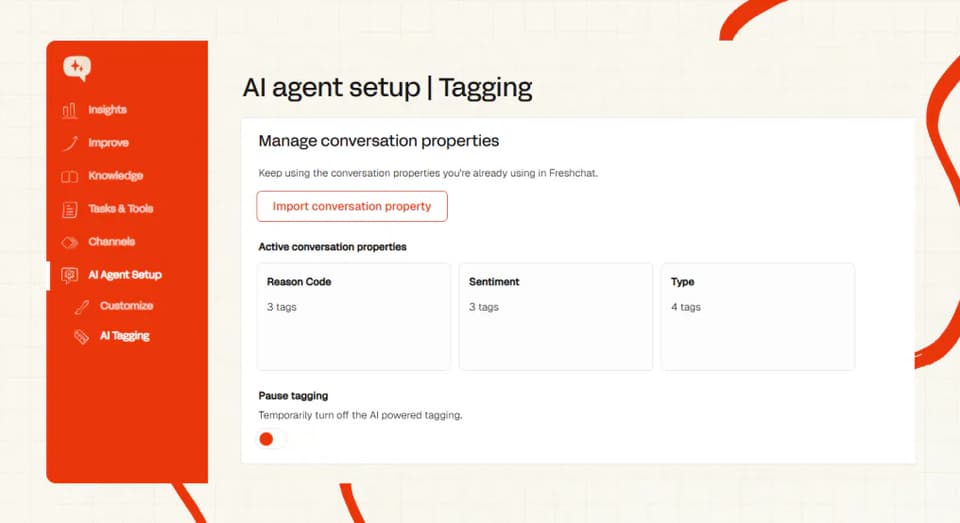
Both eesel AI and My AskAI have their own AI tagging and triage capabilities to remove the monotony of agents having to classify tickets manually.
This not only removes the manual reporting burden from people, but also can be used as a way to triage tickets or route to certain workflows more intelligently.
They go about this in separate ways though.
With My AskAI, we import your current tags and custom field names, then, based on a category name and short description, the AI will automatically tag conversations and tickets as they are raised.
With eesel AI, this is, again, managed through their custom actions, where you will have to write out each tag you want to use from scratch.
Same result, but less setup required with My AskAI.
Agent translation
While both AI agents are multilingual in 95 languages, when the conversation is passed over to a member of your human team it isn’t always the case that they are fluent.
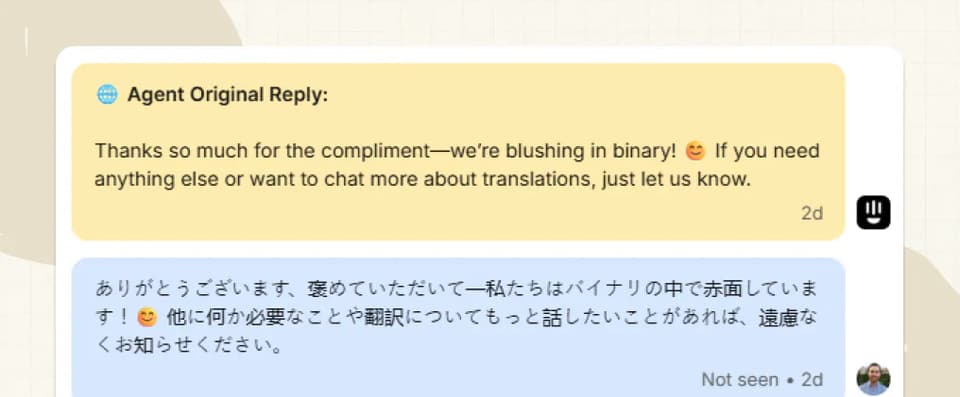
My AskAI can offer options to translate all messages in the conversation to a default language, in line, so the agent can understand what is going on.
My AskAI does this by adding a note reply subsequent to each message.
A similar kind of setup may be possible with some custom work in eesel AI, but it certainly isn’t an “out of the box” offering.
Where the two agents do differ is in replies.
My AskAI also has a feature that allows the agent to type their response in their own language, before sending their response in the customer’s (with both languages visible).
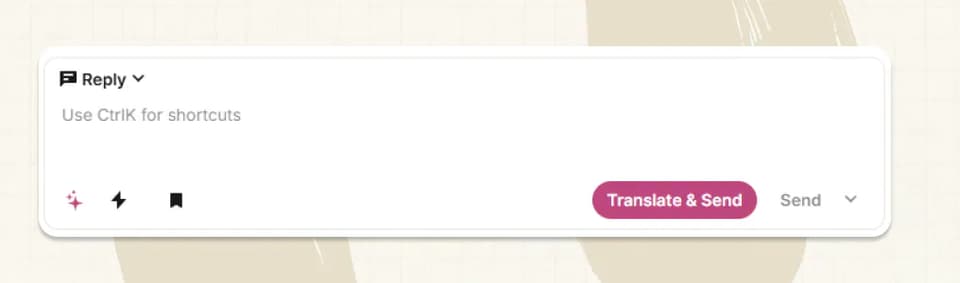
This makes it much easier for the human agent to respond in more languages.
eesel AI does not have a comparable feature currently.
What about security, is eesel AI more secure than My AskAI?
In truth, they are about the same.
Both businesses are relatively new and don’t have the scale of incumbents like Intercom, Zendesk or Freshdesk.
This doesn’t mean that they are not not secure though, far from it, you can read more about our security practices here.
We do know that some businesses have certification requirements though, so here are the two AI agents compared for the most popular certifications:
| eesel AI Agent | My AskAI | |
| GDPR | 🟧 (not disclosed) | ✅ |
| CCPA | 🟧 (not disclosed) | ✅ |
| SOC-2 Type II | ✅ (in progress) | ✅ |
If you want to use My AskAI but require one of the missing certifications, get in touch with us via our chat as we may already be starting work towards it!
The big question - how much do they each cost?
Both AI agents have bucked the trend of many of their competitors of using outcome-based pricing and have stuck to easy-to-understand (and forecast) usage-based pricing.
Here’s how they compare:
The pricing model
eesel now prices per task. They define a task as one unit of work, typically one helpdesk ticket or chat, and charge $0.40 for each one, however many messages it takes. Simple dashboard lookups are free, and heavier jobs like long-form generation cost $4.
Action and tool calls are included in that per-ticket price, so you don't pay extra for them.
This is a big change from eesel's old tiered plans. There are no seats, no monthly interaction caps, and no tier gating the AI Agent anymore. You get unlimited agents and integrations, 25% off on annual billing (with a $300/mo minimum), and an Enterprise plan at $1,000/mo plus usage for single sign-on, HIPAA and a BAA.
Not the cheapest option out there by a long shot, as echoed by this support manager:
“Eesel was actually the first solution I saw, but the price is a bit too high for my budget”
@Dramatic_Forever1229
The one thing the pricing page doesn't spell out: eesel is an add-on layer, so you keep paying for your underlying helpdesk (Zendesk, Intercom and the like) on top.
Because eesel now bills per ticket like we do, the comparison is clean: eesel is $0.40 a ticket to My AskAI's roughly $0.10, so about four times the price.
The features that used to be locked to eesel's top plan (training on past tickets, AI actions, simulation, Teams) now come with the pay-as-you-go rate. The most advanced custom API work and multi-agent workflows still sit on the Enterprise plan.
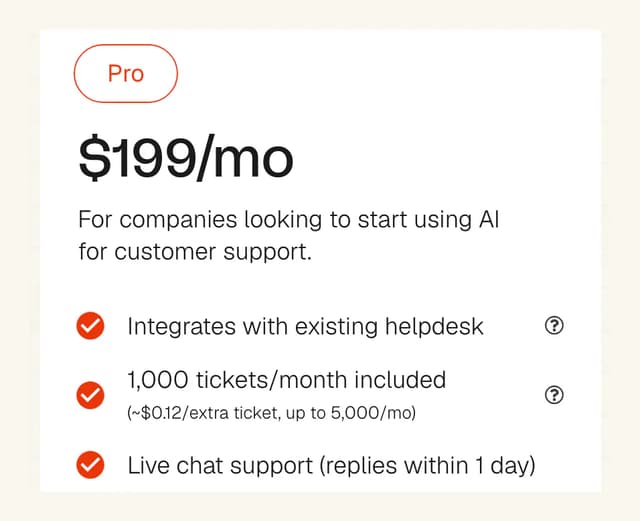
My AskAI charges for every ticket (being 2.5 AI replies per ticket) its AI agent is involved in, but at a much, much lower rate (see My AskAI pricing).
Apart from the cost (more on that in a second), it also means:
- You can easily predict your costs as you know how many tickets you get
- As you improve the AI’s agent’s responses and as we improve our service, the cost per ticket overall decreases (as the AI resolves more tickets autonomously, without a person).
While My AskAI is cheaper, you will however pay separately for tagging ($0.05 per tag per ticket), action/tool ($0.05 per ticket used in) and task usage ($0.10 per task executed), however you only pay when these are used in a ticket, not on every one, keeping your costs down and aligning with the value you receive.
The overall cost
The other important consideration is the absolute cost of each AI agent.
For this example we take eesel's flat $0.40 per ticket, with no seats or caps to model.
Let’s do a quick comparison example:
| eesel AI Agent | My AskAI | |
| # of tickets/conversations | 10,000 | 10,000 |
| AI agent monthly cost | $4,000 (@ $0.40 per ticket) | $1,000 (@ $0.10 per ticket) |
| Total monthly cost | $4,000 | $1,000 ( $3,000 saving ) |
| Annual cost | $48,000 | $12,000 ( $36,000 saving ) |
In this scenario, My AskAI is almost 4x cheaper than eesel AI!
Even if you were to add in 1 tag per ticket, 50% of tickets having tool calls and 10% having tasks executed, with My AskAI, it will still only end up costing you $1,600/mo, 2.5x cheaper than eesel AI (and those savings hold whether or not you add eesel's Enterprise support).
You can see what this would look like for your business using our AI Agent Pricing Comparison calculator here.
Conclusion - which should I choose?
Ok, you made it to the end, now, it’s time to see how our comparison looks and come up with a conclusion over which AI agent you should choose for your help desk.
Let’s start by summarizing our categories so far:
| eesel AI Agent | My AskAI | ||
| Modes | 9/10 | 9/10 | Tie |
| Ease of setup | 6/10 | 8/10 | My AskAI win |
| Training/Integrations | 7/10 | 8/10 | My AskAI win |
| Answer Quality | 8/10 | 8/10 | Tie |
| Improving | 8/10 | 8.5/10 | My AskAI win |
| Features | 7/10 | 8/10 | My AskAI win |
| Price | 5/10 | 9/10 | My AskAI win |
| Customization | 8/10 | 7/10 | eesel win |
| Lock-in | 9/10 | 8/10 | eesel win |
| Other AI features | 7/10 | 8/10 | My AskAI win |
| Security | 7/10 | 7/10 | Tie |
Overall the 2 products are pretty closely matched, with My AskAI recording a few more wins than eesel AI across all categories.
To cut it short, there are times when I would choose eesel AI:
- If I wanted more of a ‘blank canvas’ for my AI agent to work from, enabling me to make something more unique.
- If I am strongly versed in AI and prompting, then the UX may be more familiar.
- If I need to use multiple agents, out-of-the-box, having them learn from one another.
- If I have no help articles and so need to create them from scratch using my historic tickets.
- I am relatively price-insensitive.
However, if you need something, affordable (at least 4 times cheaper), that is easier to use for the average (non-AI) person, that will require less set-up and give consistent, high-quality AI replies, AND you want direct support from the founders of the business, choose My AskAI.
FAQs
eesel AI vs My AskAI: which is better for my helpdesk?
It depends on your goals. If you want max flexibility and you’re comfortable crafting prompts/actions, eesel offers a “blank canvas.” If you want faster time-to-value, native helpdesk apps, policy-aware tasks, knowledge-gap tooling, and lower total cost at scale, My AskAI is the simpler, more turnkey option.
How do the pricing models differ (and what’s the real cost)?
eesel now charges per ticket ($0.40 each), much like My AskAI ($0.10 each, at ~2.5 AI replies per ticket) plus small add-ons only when used. In the 10k-ticket example, eesel is around $4,000/mo vs My AskAI around $1,000/mo, nearly 4x cheaper.
Which is easier to set up and maintain?
Both are no-code to start, but eesel relies heavily on custom prompts/actions you maintain. My AskAI abstracts prompts into UI controls (Guidance), automates intent/agent setup, and ships with tested defaults- quicker to go live and less ongoing prompt/model babysitting.
What can they be trained on, and do they support live customer data & automations?
Both ingest web/help content and internal docs; My AskAI supports more native knowledge integrations and can keep certain sources “internal-only” for Copilot. For dynamic data, My AskAI adds user-data lookups, tool/action calls, and multi-step Tasks (e.g., policy-checked refunds). eesel supports custom actions/APIs, mainly on higher tiers.
Do they support human handover and multi-channel workflows?
Yes. Both can reply directly, draft internal notes, or act as a Copilot; both support Slack/Teams. For helpdesk escalation, My AskAI offers approved marketplace apps (Zendesk, Intercom, Freshdesk, Gorgias, HubSpot) and ready handover rules; eesel can do this via prompts/actions and its integrations but may require more setup.