How to Automate Customer Support Without Losing the Human Touch
Which tickets to hand over, the tone rules, the easy exit: automate customer service without losing the personal touch. Minutes to set up, a month to trust.
Summarize with AI
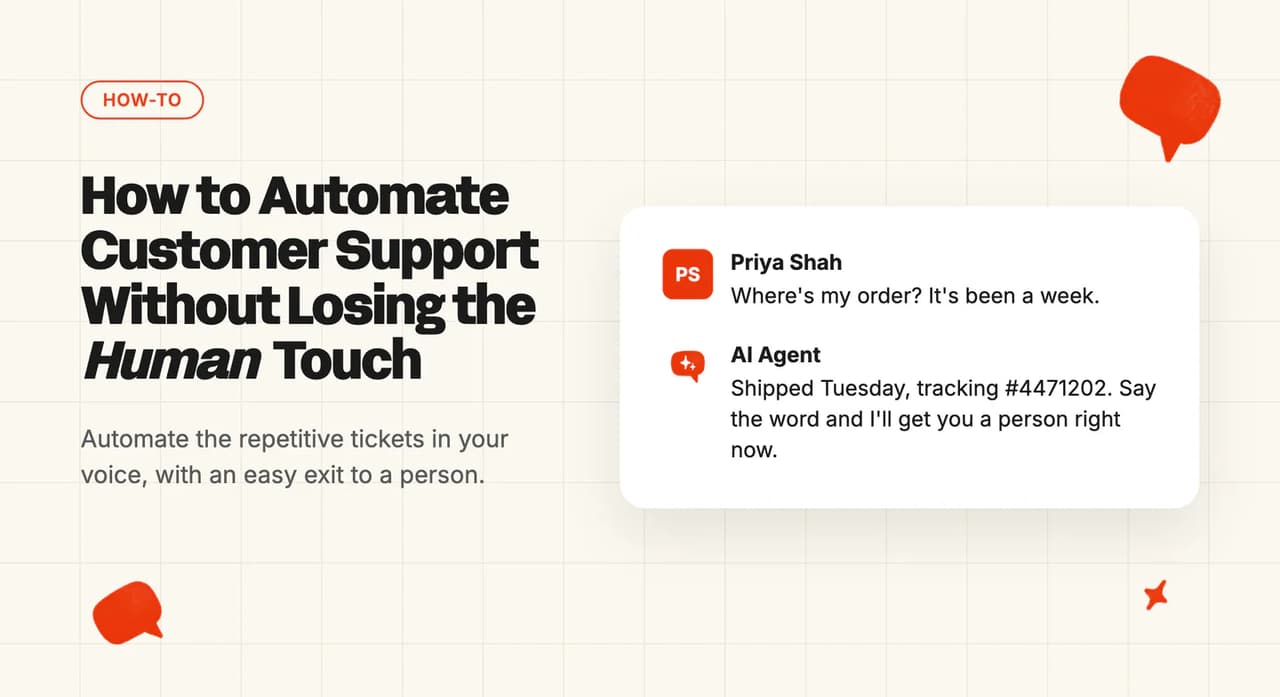
You have already accepted that AI can resolve tickets, and your remaining worry is that your customers will be able to tell and will mind. Three jobs settle it: you decide which tickets a machine may answer, you write the voice rules that stop a correct reply reading as canned, and you make the exit to a person easy. Every one of the three is a setting you can dial back later.
A reply arrives with three paragraphs of your help-center article pasted into it, when the customer asked about their own order. Or the customer types "agent" six times and gets a link to a help article every time.
Two things have to be true first. You can get admin rights on the tool your team already answers tickets in (someone on your team has them, even if you do not), and you have already picked the AI agent you want to try.
What do you need before you start?
- Permissions: admin on the helpdesk itself. A third-party AI agent installs one of two ways, as an approved marketplace app or as an API integration. Favor the app, which is how our own integration installs. It has been through the helpdesk's own approval process, so the helpdesk knows it is there, and it is more stable and less likely to be pulled.
- Plan tier: on our side the core capability is on every plan, and the usage-priced extras only bill when you use them.
- Data prep: published help-center articles the AI can read. If you do not have a help center, Train on Historic Tickets drafts starter knowledge from your past tickets, 5,000 of them by default, so a team with nothing written down can still start.
- What you can skip: a finished tag taxonomy (per-tag controls are something you add later), migrating your macros first (knowledge comes from your help center and your historic tickets), and pausing your helpdesk's own AI unless it is already replying to customers.
Across our own accounts, a customer working from knowledge alone is usually live within hours, and almost every customer reaches live direct replies within a month. Most of the work lands in that first month, and after that you are down to about thirty minutes a week.
How much should you automate, and which rollout do you pick?
| Route | Best for | Setup time | Needs a developer? | Trade-off |
|---|---|---|---|---|
| Note mode. The AI writes, a human approves and sends | Teams protecting their customer satisfaction score | 10-15 minutes | No | Confidence in the answers, with first-reply time unchanged |
| Direct reply on one narrow ticket type. The AI answers a single tagged topic end to end | Teams with one high-volume, low-risk tail such as order status, password resets or opening hours | 10-15 minutes | No | The easy tail shrinks, so the hard tickets become a bigger share of what your agents see |
| Direct reply plus live customer data and actions | Teams whose repetitive tickets need an account lookup to answer at all | Gated by your dev team's availability for the API work | Yes, for the API work | Waits on your own engineering queue |
Note mode is the low-risk option. The AI drafts on every ticket as an internal note, a person still presses send, and customers see nothing.
Direct reply on one ticket type is where the time saving starts. You pick one tagged topic (order status is the usual first choice) and leave everything else alone.
Direct reply with live data plugs in the customer's own record. It answers account questions the first two routes cannot. Your engineering team's own priorities set the timeline.
If you are not sure, start in note mode and put a date in the calendar for leaving it (two weeks is the usual window). A support lead running a 70-agent team started at the dull end:
"I think a lot of teams make the mistake of trying to automate the hardest cases first. We started with the boring repeat stuff and that built trust fast. Then we expanded from there."
You choose the reply mode per tag, or per stage of your rollout.
How to automate support without your customers noticing, step by step
Step 1: Draw the line before you automate anything
This step happens in a spreadsheet. Export the last month of tickets (a month is enough to see the tail) and sort them into three piles.
Pile one is answerable from what you have already written. Pile two is answerable only with the customer's own data. Pile three needs a judgment call.
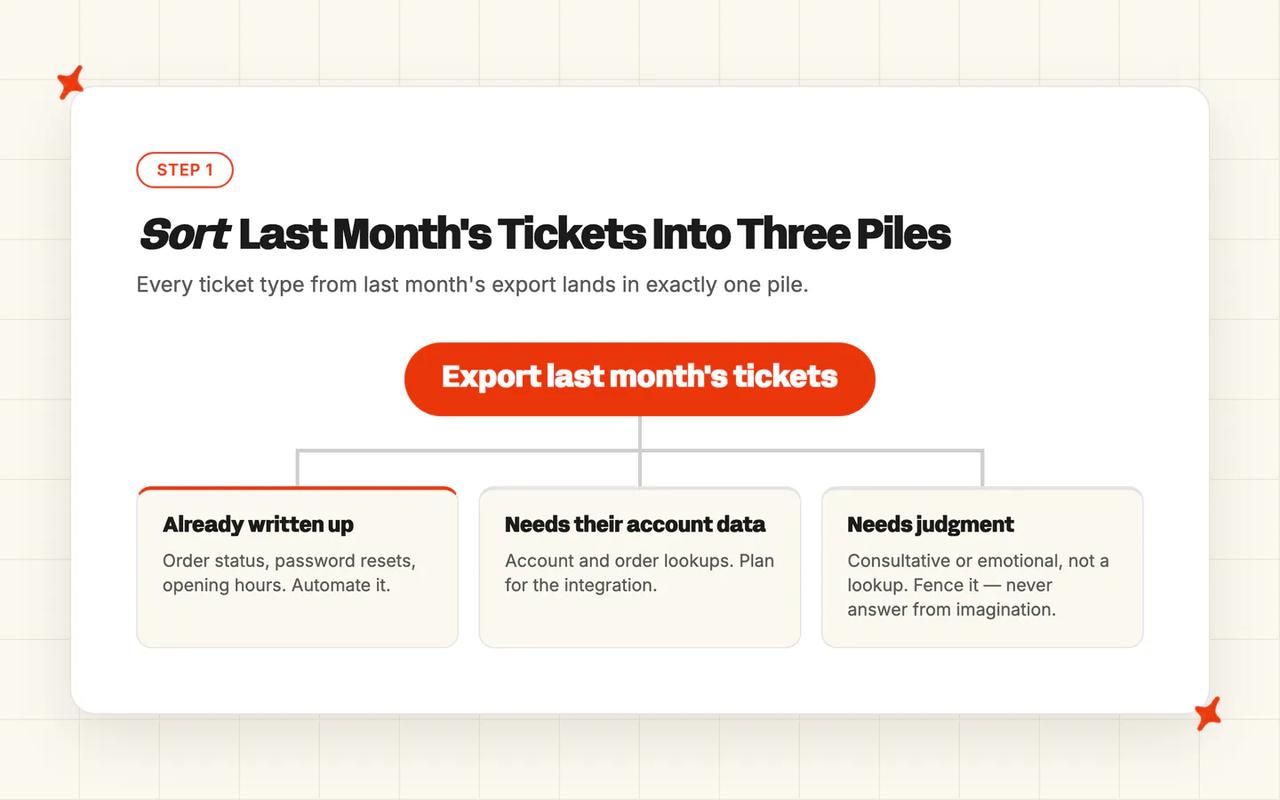
Automate pile one, plan for pile two, and fence pile three.
My one rule for pile three is that it should not come from your imagination.
The r/automation thread on automating support completely puts two classes in it repeatedly: consultative or emotional conversations, and anything that needs judgment rather than a lookup. That is the job pile three is doing: working out where AI steps in and where a person takes over.
You are done with this step when every ticket type in last month's export sits in exactly one pile.
Step 2: Give the AI the things that make an answer specific
This step happens in the AI tool's own console (not your helpdesk's). A reply feels automated when it is generic, and it is generic when the AI only has your help center to work from.
The fix is to connect the customer's own record, so an answer can name their order, their plan or their renewal date. Agents do this through an API connection to your back end.
Ours is called User Data. You expose an endpoint, and the AI reads live account data at answer time. If you sell on Shopify, the Shopify connector covers orders, products, live inventory and variant stock without any custom work.
Live customer data moves the resolution number further than knowledge alone. Our published case study on Edel Optics records the jump: "Edel Optics jumped from 25% to 79% AI resolution with one change: plugging in live customer data."
You are done with this step when a test question about a specific account comes back naming that customer's own order, plan or renewal date.
Step 3: Write the tone rules, so replies sound like your team
Still in the AI tool's console. AI agents take natural-language rules about voice. Those rules are what stop a reply reading as though a machine wrote it.
Write the three or four rules your team already follows without being told (the ones a new hire picks up in their first week). Then write the two things you never say. Keep each one short and specific.
Take a where-is-my-order ticket. Without the rules the reply thanks the customer for their patience, apologizes for any inconvenience caused, and links to the shipping article. With the rules it says the order shipped Tuesday, gives the tracking number and stops.
We call ours Guidance rules, and they come in three kinds: one for voice and wording, one for asking a clarifying question, and one for handing over. Keep each entry under 75 words.
The Guidance page explains why to keep them few:
"Only one piece of the context & clarification guidance or handover & escalation guidance will be used in each response by your AI agent. Multiple pieces of context & clarification guidance cannot be used together."
If your team already has a tone-of-voice or brand-guidelines document, Echo, our operator assistant inside the dashboard, will take it directly. From the My AskAI changelog entry on Echo agent attachments and images: "If you have some brand guidelines/tone of voice, you can upload directly and Echo can convert into Guidance."
You are done with this step when a test reply uses your team's own wording and neither of the two banned phrases you wrote down.
Step 4: Make escalation deliberately easy
The escalation settings sit in the same console. Your customers will judge the whole setup on how quickly they can reach a person.
It should always be easy to speak to a person. Configure the exits before you configure anything else.

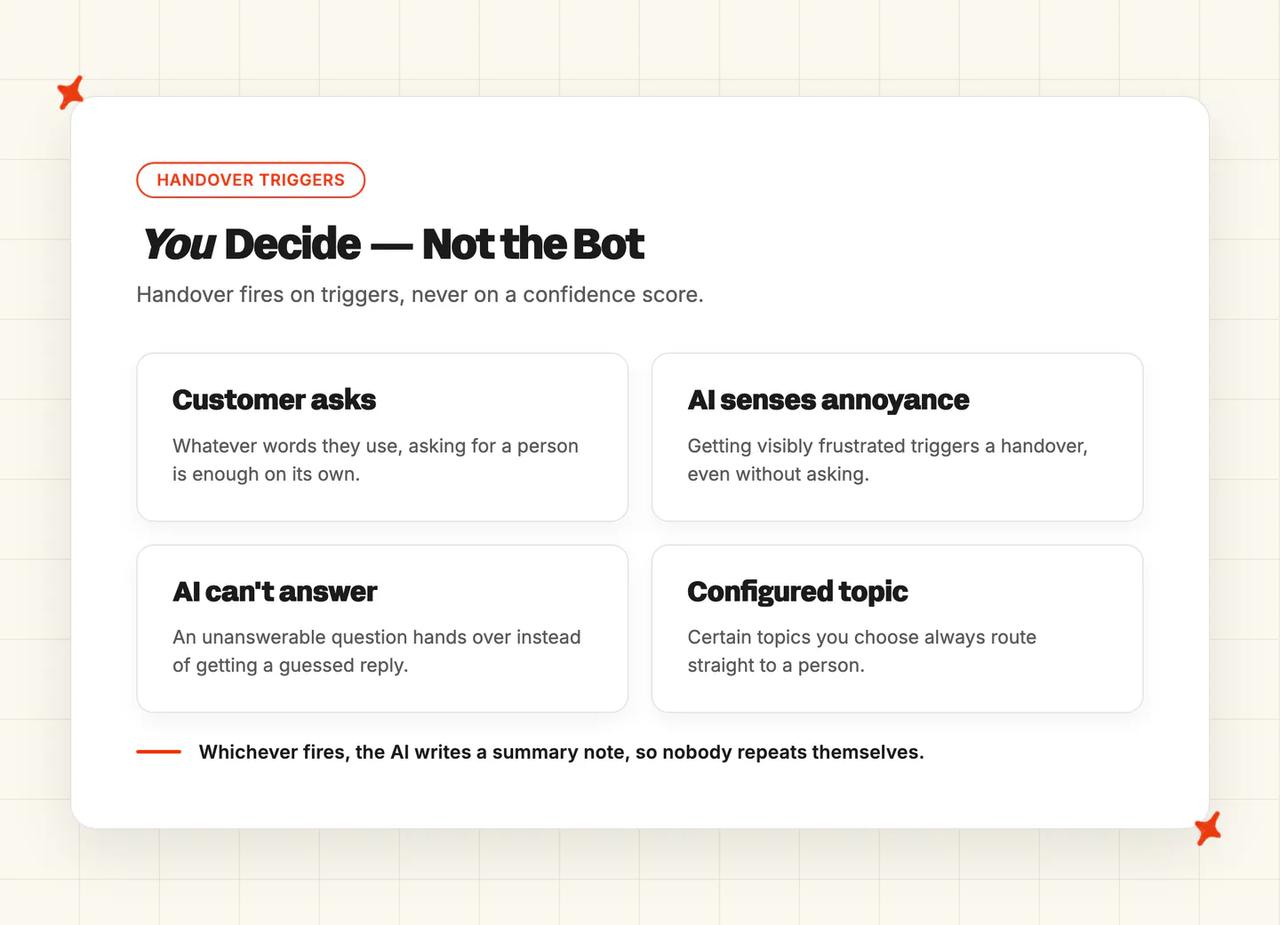
With us, handover fires on triggers. Four things set it off:
- The customer asks for a person, in whatever words they use.
- The AI senses they are getting annoyed.
- The AI cannot answer the question.
- The ticket hits a topic you configured for escalation.
From the human escalation docs:
"They may be frustrated - if our AI agent hasn't been able to answer and senses the user is getting annoyed it will proactively hand the conversation or ticket over."
When the handover fires, the AI writes a summary of the conversation as an internal note, so your agent picks it up without asking the customer to repeat themselves.
Easy escalation pushes your published resolution number down. I will take the lower number every time.
We count a conversation as resolved when nobody had to escalate it. Your customers' satisfaction scores are the check on that.
Getting the line wrong costs either way, as the same support lead put it in another reply in that thread:
"If it hands off too late the customer is already frustrated. If it hands off too early you're not getting much value from the automation."
You are done with this step when a test message asking for a person produces a handover.
Step 5: Decide what you tell customers, and write it down
This step happens in a document. Outside the EU you are choosing whether to tell customers an AI answered them, and both answers are legitimate. The thing to avoid is disclosing on one reply and staying silent on the next.
If you have EU customers, the choice narrows. Article 50(1) of the EU AI Act states:
"Providers shall ensure that AI systems intended to interact directly with natural persons are designed and developed in such a way that the natural persons concerned are informed that they are interacting with an AI system"
The same article sets the timing: the information is provided "in a clear and distinguishable manner at the latest at the time of the first interaction or exposure". The European Commission's own page on the rules puts it in plainer words: "when using AI systems such as chatbots, humans should be made aware that they are interacting with a machine so they can take an informed decision."
You still pick the wording and the moment. You can label every AI reply, or say it once at the first interaction and leave it there. Either way, pick one form of words, write it into a guidance rule, and the agent will say it the same way every time.
You are done with this step when the disclosure wording exists as a saved guidance rule.
Step 6: Run it in note mode first, and set the date you leave
Back in the AI tool's console. Put the AI behind a human for a fixed period. Two weeks is usually enough to see how it fails.
A practitioner in r/automation made the case for it:
"This is not the kind of project you will get right in a single shot. I would start by having the system work side by side with humans that will provide feedback for improvement, meanwhile gathering metrics to understand its performance, before letting it loose to respond to customers."
In our dashboard this is Internal Note Replies. The AI drafts a full reply as a private note on the ticket, and nothing goes to the customer.
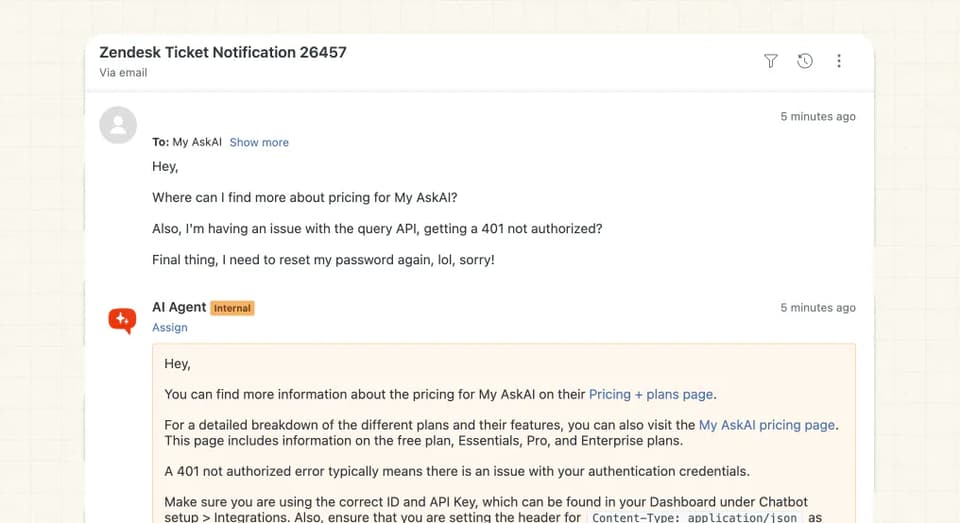
Each tag carries its own reply setting: direct, note only, or blocked. You can move any tag back a step whenever you want.
On Freshdesk we also give you Take Control, where an agent jumps onto a ticket and stops the AI replying.
You are done with this step when AI-drafted notes are appearing on your chosen tagged tickets and nothing has reached a customer.
Step 7: Measure the thing you are actually worried about
The last step is in the AI tool's console too. Customer satisfaction on the AI-handled conversations tells you whether your customers minded.
A survey sample is too small to catch a tone problem sitting inside one ticket type, so we score every conversation. From the Insights docs:
"This means you get an AI CSAT score for 100% of conversations (instead of the usual 2-10%) to give you a much more accurate representation of your AI agent's performance."
A separate model scores every conversation, and the score breaks down by topic and by individual conversation with a written reason.
Echo will also answer analytical questions and build the chart. From the My AskAI changelog entry on Echo agent AI insights: "Echo can now do on-demand analysis for you, create charts and share insights in a more natural way." One worked example on that page is "Why did AI resolution drop on 23 May?"
Two of our customers publish their AI CSAT in case studies on our blog. YouGarden, running roughly 12,000 tickets a month on Freshdesk, sits at 78%. RecruitCRM, on Intercom, sits at 75%.
Their resolution rates are 66% and 68%. Our own benchmark study, "What Is a Good AI Resolution Rate? Real Benchmarks" on the My AskAI blog, put the median AI-handling rate at 70% across 195 rated deployments, so both sit inside the normal band.
Vendors count a resolution differently from one tool to the next, so take any like-for-like reading of headline rates with a grain of salt.
You are done with this step when you can see a CSAT score broken down by topic for last week's AI-handled conversations.
How to test it before you let it near customers
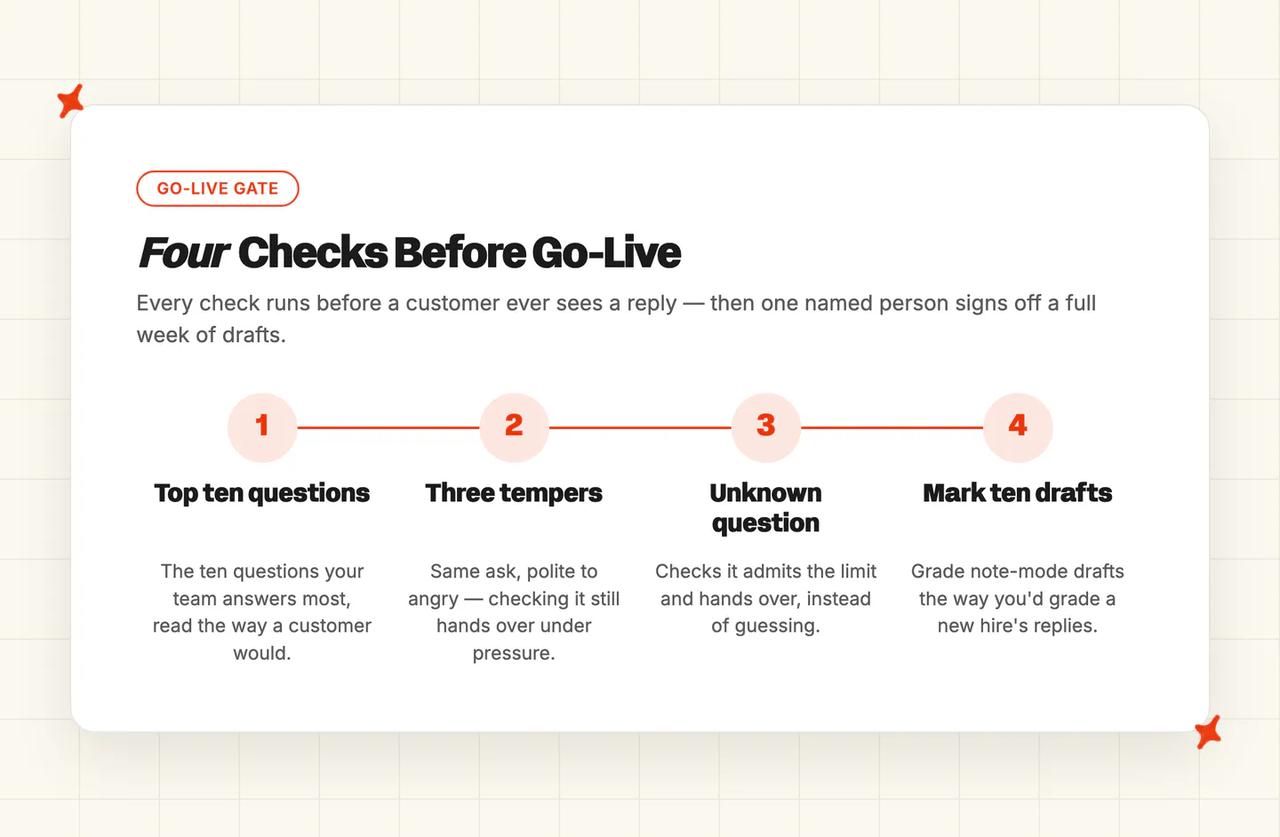
- Ask it your top ten questions. Take the ten questions your team answers most and read the replies the way a customer would. My own admin eyes forgive too much. Pass mark: you would have sent each one.
- Ask for a human in three tempers. Polite, terse, angry. Our docs say the agent recognizes the intent "in a variety of different ways". This check proves it on your setup. Pass mark: every one escalates.
- Ask it something it should not know. Pass mark: it says so and hands over. An improvised answer is a fail. Our explainer on AI hallucination covers why they happen.
- Mark ten drafts. Read ten AI-drafted notes from note mode and mark them the way you would mark a new hire's replies. Pass mark: seven or more need no edit.
One gate is left before you go live. One named person has read a full week of drafts and would have sent every one of them unedited (a week, because the odd ticket types only surface over that long).
What breaks, and how do you spot it?
| Symptom | What's actually happening | Fix |
|---|---|---|
| Replies are correct but read as canned | Too few tone rules, or tone rules written as bans on words. Only one guidance rule of each kind fires per response, so weak ones do not stack | Rewrite three or four as voice (Step 3) |
| The bot keeps asking whether that solved the problem when it plainly has not | It is closing without an exit, so the conversation loops and never escalates | Add the escalation triggers (Step 4) |
| Hand-off happens too late and the customer is already angry | Your escalation topic list does not cover the phrasing or the temper they actually used | Widen the topics, and run the three-tempers check from the testing section |
| Hand-off happens too early and the automation earns nothing | The escalation fences are drawn too wide | Narrow them one topic at a time, watching satisfaction per topic |
| Satisfaction looks fine in aggregate but one topic drags | You are reading an aggregate. The score exists per topic and per conversation | Sort by topic (Step 7) |
| Answers go generic the moment a question is about an account | The agent has knowledge but no live customer data | Connect the customer record (Step 2) |
| The AI replies on a ticket a human is already handling | Scoping. The agent was never told to leave those tickets alone | Scope by tag, and on Freshdesk use Take Control (Step 6) |
What should you do next?
By this point you have an agent that sounds like your team, knows the customer it is talking to, and gets out of the way on request. Watch it for two weeks in note mode and you will know whether that is true on your own tickets.
Once the tone stops being the problem, the next gap your customers feel is the one between answering and doing.
Think of a refund, a cancellation, or an address change on an order that has not shipped. The AI explains the policy while the action itself waits for a person to press the button.
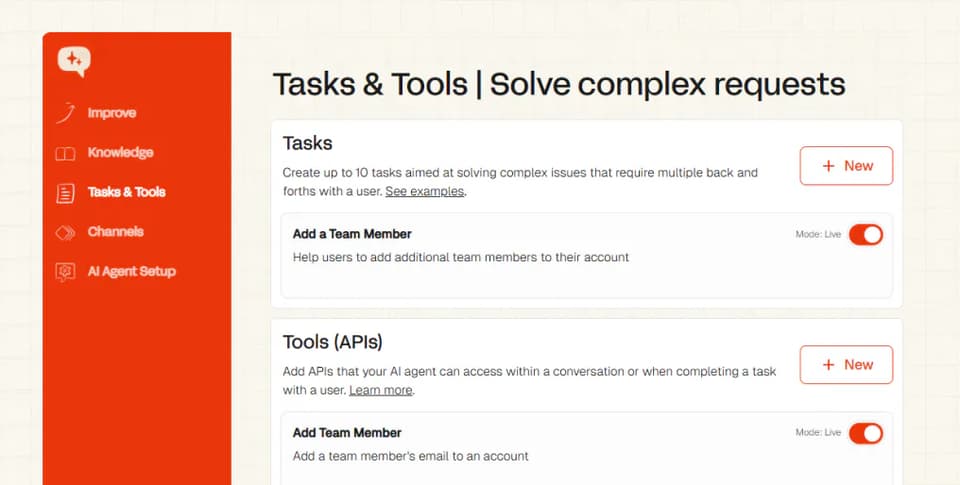
Tasks and Tools closes that. You describe the workflow in plain language, our agent calls your systems, and you decide per action whether it finishes the job itself or drafts it for someone to approve.
For what all of this does to your team, read AI as a shield for support teams.
FAQs
Can I roll this back if customers react badly?
Yes, and rolling back is a setting change. Every tag carries its own reply mode with us, so you can move one topic back to note-only or block the AI on it entirely, without unpicking the setup. Note mode is the same control you used as the on-ramp.
Does this cost anything on my current plan?
What you pay depends on your ticket volume and your channel mix. Every plan includes the AI agent, the helpdesk integrations, guidance, custom answers, self-learning and insights. Our metered extras, such as Tools and Tagging, bill only when they fire.
The pricing page carries the current rates. My AskAI offers a 30-day free trial, all features unlocked and no card required.
How do I make sure AI doesn't give wrong answers to customers?
Most wrong answers we see are an information problem: the source article is out of date, ambiguous, or contradicted by another one.
Test before you go live, run note mode, and read the drafts. When something looks off, ask Echo why the agent gave that answer and which source it used, then fix the source.
How do I automate L1 support and only escalate complex issues?
Scope the AI to the tags that carry your L1 volume and leave every other tag untouched. Scoping does most of the work here: the agent never opens the complex tickets, so it cannot answer them badly. Anything that does slip through reaches a person on a trigger: the customer asks, the AI cannot answer, it senses annoyance, or the topic sits on your escalation list.
Should I tell customers when an AI is answering them?
If you have EU customers, this is a transparency obligation. The EU AI Act requires that people are informed they are interacting with an AI system, clearly, and no later than the first interaction.
You still choose how and when to say it. Write your wording into a guidance rule and our agent applies it everywhere.
What does an automated support reply have to do so it does not feel automated?
Three things. The reply names the customer's own facts, it sounds like your team because you wrote the voice rules, and it steps aside the second someone asks for a human. Get those three right and the reply does the job your team would have done by hand.