Best AI Knowledge Base for Customer Service: 7 Tools Compared (2026)
An AI knowledge base chatbot answers customers from the docs your team already has. Of 7 tools scored out of 80, My AskAI leads on 69 and Intercom Fin on 65.
Summarize with AI
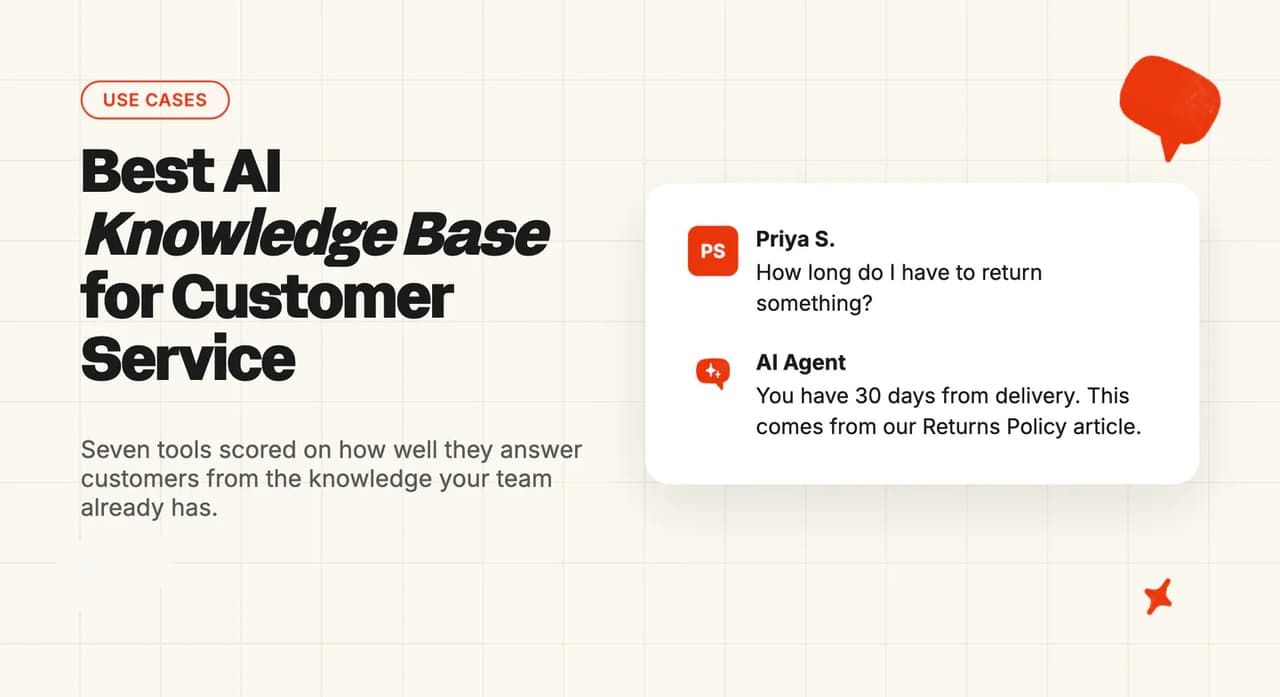
Most support teams already have their answers written down somewhere. There's a help center, a Notion workspace or a folder of internal docs, and years of replies sitting in the helpdesk. Your team types the same answers by hand every day. Handing that job to AI worries people because it might make something up or read an internal note out to a customer.
If your help center is thin, we can turn your historic tickets into starter articles.
I'm Mike, co-founder of My AskAI. We help 200+ ecommerce and SaaS businesses run AI customer service inside the helpdesk they already use, and My AskAI is one of the seven tools below.
Answering by hand has a cost you can work out. Take 2,000 tickets a month at five minutes each, even with AI helping your team draft replies. At $0.40 a minute for your team's time, overheads included, that's $2.00 a ticket and $4,000 a month.
I scored seven tools against the six jobs an AI knowledge base has to do and whether it works in the helpdesk you already run, and priced each one against that $4,000 no-AI figure. One of our customers, TravelJoy, answers from its website and an internal Notion workspace and now resolves 80% of tickets with AI.
What does an AI knowledge base for customer service actually need to do?
Once an AI knowledge base is answering your customers, it has six separate jobs to do. Here's the list I scored every tool against.
One reply in a community thread about AI agents for Zendesk put the starting point well:
"an AI agent without a knowledge base is like a new support agent with zero training" - a commenter in a thread on choosing an AI agent for Zendesk
When a team tells us our AI made something up, the article behind the answer is usually out of date, ambiguous or wrong, so three of the six jobs below are about seeing, updating and fixing the source. Live details, such as where a customer's parcel is, come from connecting your own systems, which is a separate step.
1. It reads the knowledge you already have, where it already lives
Your answers are probably in more than one place, such as the help center, the website, a wiki in Notion or Confluence, a shared drive or a few PDFs. A good tool connects to each of those where it sits, so the article your team edits is the one the AI reads.
If a tool can only see its own help center, or needs everything uploaded into it, your team ends up keeping two copies of every policy in step. Past replies are one more source, because they show how your team answers the questions nobody has written up. If you want AI that keeps writing and updating articles from your tickets, our self-learning knowledge base roundup compares the tools that do it.
2. It answers only from that knowledge, and hands over when it runs out
The AI should answer only from what you've given it. When the answer isn't there, it should say so and pass the conversation to a person with a summary, so the customer doesn't have to start again.
A tool that fills the space with a plausible guess gets support teams into trouble.
3. You can see where every answer came from
Your team should be able to open any AI reply and see the article or document it used. Customers benefit from a link too, where the link helps them do something.
The source is the first thing I want to see when the AI gets something wrong. Without it, nobody can tell whether a bad answer came from a bad article or from the AI misreading a good one.
4. It keeps up when you change something
When you edit your refund policy, you need to know how long it takes before the AI stops quoting the old one. The vendors in this post state that time themselves, and it ranges from immediately to about a week, depending on where the content lives.
For synced sources the wait is often a day (ours included), which is fine as long as you know it and can refresh a source by hand when it matters.
5. Your team can fix a wrong answer themselves
If an answer is wrong, someone on your team should be able to fix it that day, by writing the exact answer for a question, adding a plain-language rule, or pointing a topic at the right article. The fix should then reach customers, and you should know when.
I expect every AI knowledge base to get some answers wrong in its first weeks.
6. It keeps internal knowledge away from customers
Internal notes, agent-only procedures and exceptions are some of the most useful things a team has written. You want the AI to use them to help your team and to keep each one out of customer replies.
Good tools let you mark a file, article or collection as team-only. Without that, teams either leave their internal docs unconnected or accept the risk that one leaks.
In My AskAI, the Knowledge page lists every source you've connected, Private mode keeps chosen files team-only, and Echo, the assistant in our dashboard, tells your team which sources any answer used.
How did I score these AI knowledge base tools?
The scores come from each vendor's own help articles, product pages, pricing pages and customer stories. Where a job takes setup work, I've assumed your team uses AI to draft the rules and test questions, which cuts most of that work to minutes.
The seven tools fall into four types. My AskAI and eesel AI install into the helpdesk you already run. Intercom Fin, Zendesk and Help Scout are the AI built into their own helpdesks. Brainfish is a separate knowledge layer with its own widget, and Chatbase is a knowledge base chatbot you train on your website and files.
The eight criteria are each scored out of 10 and add up to the Overall, out of 80:
- Reads the knowledge you already have - how many of the places your team keeps answers the customer-facing AI can read from
- Answers only from your knowledge - whether it stays inside what you've given it and hands over with context when the answer isn't there
- Shows where each answer came from - whether your team can see the source behind any reply, and customers get a link where it helps
- Keeps up when you edit something - the vendor's own stated time for an edit to reach answers, for the sources a support team changes most
- Your team can fix a wrong answer - the ways your team can correct an answer, and whether the fix reaches customers straight away
- Keeps internal knowledge internal - whether you can mark content team-only and keep it out of customer replies
- Works in the helpdesk you already run - whether it answers inside your current helpdesk or needs its own widget
- Monthly cost at 2,000 tickets - the lowest plan that covers the volume, monthly, for 1,200 chats and 800 emails
We're in the first group of tools, and My AskAI installs as an app from the Zendesk, Intercom, Freshdesk, Freshchat, Gorgias and HubSpot marketplaces. Your team keeps its inbox while the AI reads your knowledge.
The 7 AI knowledge base tools for customer service at a glance
Which knowledge base chatbot scores highest?
Here are the eight scores for each tool, ordered by total from left to right:
| (scores out of 10) | My AskAI | Intercom Fin | eesel AI | Zendesk AI agents | Help Scout | Brainfish | Chatbase |
|---|---|---|---|---|---|---|---|
| Reads the knowledge you already have | 9 | 8 | 8 | 9 | 5 | 7 | 6 |
| Answers only from your knowledge | 9 | 9 | 6 | 7 | 9 | 8 | 5 |
| Shows where each answer came from | 8 | 9 | 9 | 6 | 6 | 8 | 4 |
| Keeps up when you edit something | 7 | 9 | 5 | 9 | 6 | 7 | 6 |
| Your team can fix a wrong answer | 9 | 9 | 8 | 8 | 7 | 4 | 8 |
| Keeps internal knowledge internal | 9 | 8 | 4 | 7 | 7 | 8 | 2 |
| Works in the helpdesk you already run | 9 | 7 | 9 | 4 | 3 | 4 | 5 |
| Monthly cost at 2,000 tickets | 9 | 6 | 7 | 4 | 8 | 5 | 10 |
| Overall | 69 | 65 | 56 | 54 | 51 | 51 | 46 |
Same eight criteria, in plain words:
| Criterion | My AskAI | Intercom Fin | eesel AI | Zendesk AI agents | Help Scout | Brainfish | Chatbase |
|---|---|---|---|---|---|---|---|
| Reads the knowledge you already have | Help centers, wikis, drives, files | Wide list incl. Notion, Confluence | Wikis, drive, past tickets | Help center plus 50 sources | Docs, websites, files, Google Docs | Many sources, some add-on | Files, website, Notion, Q&A |
| Answers only from your knowledge | Summary on handover, topic rules | Escalation guidance and rules | Depends on your instructions | Default reply unless built | Topic exclusions, details carried | Hands over when unsure | Needs explicit instruction |
| Shows where each answer came from | Echo and Inspect, team-side | Linked sources for customers | Every answer links source | Customer sources need building | Team sees source breakdown | Three citation modes | Confidence score, matched Q&A |
| Keeps up when you edit something | Daily, manual refresh anytime | Intercom content immediate | Mostly manual re-sync | Help center read live | Non-Docs sources by hand | Daily once switched on, or manual | Seconds in-app, weekly external |
| Your team can fix a wrong answer | Guidance applied instantly | Improve answer button | Corrections become rules | Instructions active immediately | Improvements, no stated timing | Approvals leave answers unchanged | Revised answers live quickly |
| Keeps internal knowledge internal | Private mode per file | Audiences and private content | Separate agents only | Restricted to signed-in users | Private collections opt-in | Internal collections | No team-only setting documented |
| Works in the helpdesk you already run | Zendesk, Intercom, Freshdesk, Freshchat, Gorgias, HubSpot | Intercom, Zendesk, Salesforce, HubSpot | Zendesk, Intercom, Gorgias, more | Zendesk only | Help Scout chat only | Own widget, hands off | Own widget, creates tickets |
| Monthly cost at 2,000 tickets | $367 on Pro | $1,188 per outcome | $999 credit plan | $2,350 pay-as-you-go | $540, chat only | From $1,500 | $150 on Standard |
My AskAI leads because it's top or joint top on five of the eight rows. It reads your knowledge where it lives, sticks to it, lets your team fix a wrong answer the same day, keeps internal files away from customers and works inside the helpdesk you already run. Intercom Fin beats us on two rows, keeping up with edits and showing sources, because content written in Intercom reaches its answers immediately and it links sources for customers by default.
Intercom Fin is second on 65, and its biggest losses are on cost, at $1,188 a month here, and on working outside Intercom. Third is eesel AI, on 56. It's strong on showing sources and on helpdesk fit, though most of its sources refresh only when asked and keeping one source team-only takes a separate agent.
Zendesk's AI agents on 54 suit a team whose answers already sit in a Zendesk help center. Chatbase on 46 is the cheapest by a distance, at about $150 a month, for a website chatbot with no helpdesk involved.
Our lowest score is the 7 on keeping up with edits, because our connected sources are checked every 24 hours and websites every fortnight. You can refresh any single source by hand in our dashboard whenever a change can't wait until tomorrow.
Where does an AI knowledge base go wrong with customers?
Each of these three failures can be tested in a demo and fixed afterwards.
Failure mode 1: It answers from an article that's out of date
Either a policy changes before its article is updated, or an article is updated before the AI picks up the edit. Vendors are open about the second case. Intercom's own knowledge FAQ says public web pages re-sync weekly and edited PDFs need removing and re-adding. Help Scout's best-practice guide says sources other than its own Docs need resyncing by hand when the content changes.
I run into the first case more often, which is why our guide to AI hallucination starts with the content. A tool that handles it well shows you which article the AI used, gets edits into answers quickly and lets you refresh one source by hand. In a demo, edit an article, ask the same question again, and ask to see the source behind the new answer.
Failure mode 2: It quotes something meant for your team
An internal exception, an escalation note or a draft article ends up in a customer's answer. Leaving your internal docs unconnected avoids it and leaves the AI knowing less than the newest person on the team.
A group-payments platform we work with split its public help-center articles from its internal ones during setup, so the AI only ever drafts from content that's fine to show a customer. It uses our AI in internal-note mode, where a person checks each reply before it goes out. To test it in a demo, mark one document internal, then ask a customer-side question only that document answers.
Failure mode 3: It guesses when the answer isn't there
I find this one the hardest to catch, because a customer asks something your knowledge doesn't cover and gets a confident, plausible reply. Chatbase's best-practice guide tells you to say so explicitly if you want the AI agent to stay inside your own content. On Zendesk, a question the AI agent can't match gets a default reply unless your team says where it should go, according to its generative replies documentation.
A good AI says it doesn't know, hands over with the conversation summarized, and leaves the question somewhere your team will see it. To test it, ask something your knowledge doesn't cover and watch what happens next. Our roundup of tools that find gaps and conflicts in your help center covers how to catch them before a customer does.
In My AskAI, a question your knowledge doesn't cover goes to your team with an AI summary of the conversation, and you can name topics in Guidance that always go straight to a person. Files marked Private are used for your team's drafts only.
Can My AskAI answer customers from your knowledge base?
We built My AskAI to answer inside the helpdesk your team already runs, whether that's Zendesk, Zendesk Messaging, Intercom, Freshchat, Freshdesk, Gorgias or HubSpot. It installs as an app from each helpdesk's marketplace, so your inbox, routing and reporting stay as they are.
Knowledge is where most of our customers start, because it's the part that works on day one. You connect the places your answers already live, and the AI answers from them.
How does My AskAI use your knowledge to answer customers?
We read the places a support team usually keeps its answers:
- Your help center - in Zendesk, Intercom or Freshdesk, including articles behind a login
- Your website and uploaded files - public pages plus the PDFs and documents you add
- Your team's wiki and drives - Notion, Confluence, Google Drive and SharePoint, among others
- Past tickets - historic tickets come in as draft articles your team reviews before the AI uses them
Custom Answers let you write the answer to a specific question yourself. Reading all four, past tickets included, is why My AskAI scores 9 on reading your knowledge, level with Zendesk.
When the knowledge doesn't cover a question, the AI hands the conversation to your team with a summary of what's been said, and Guidance can send named topics straight to a person. Answering only from your knowledge scores 9, level with Intercom Fin, because you get both the handover and a say over which topics go to a person.
Your team can ask Echo, the assistant in our dashboard, why the AI gave any answer and which sources it used, and Inspect & Logs shows the same for every conversation. Customers get a help-center link where it's useful, with no source list on every reply, so showing sources scores 8 against Intercom Fin's and eesel's 9.
We check connected sources every 24 hours for changes and websites every fortnight, and you can refresh any single source by hand for an instant update. That puts us on 7 for keeping up. Intercom Fin and Zendesk score 9 because content written in their own help centers reaches answers immediately, and Brainfish, which re-reads each source daily once you switch that on, also scores 7.
Fixing a wrong answer scores 9. A Guidance rule applies as soon as you save it, and Custom Answers cover questions you want answered your way, translated into the customer's language. Echo can make either change when you ask it in plain words.
Every connected file is public by default, and you can mark any file or page Private. Customer replies then use public content only, while private content helps your team through the AI Copilot Chrome Extension and internal notes. We score 9 on keeping internal files away from customers.
How does My AskAI handle the six things a support team needs?
| Job | My AskAI |
|---|---|
| Reads the knowledge you already have | ✅ help centers incl. behind login, wikis, drives, files, website |
| Answers only from it, hands over | ✅ summary on handover, Guidance topics |
| Shows where each answer came from | ✅ Echo and Inspect & Logs, plus customer links where useful |
| Keeps up when you edit something | ⚠️ checked daily, websites fortnightly, manual refresh anytime |
| Your team can fix a wrong answer | ✅ Guidance, Custom Answers, Echo |
| Keeps internal knowledge internal | ✅ Private mode per file |
Who's using My AskAI?
TravelJoy, a travel SaaS company on Zendesk, connected its website and its internal Notion workspace, went live at 76% and now resolves 80% of tickets with AI, saving 193 hours a month. YouGarden answers from its Freshdesk help center plus 3,000+ pages from its websites, at 66% AI resolution and 965 hours a month saved.
Edel Optics answers from its Zendesk help center and reached 79% AI resolution after plugging in live customer data, a step beyond the knowledge base. The group-payments platform keeps its internal articles out of customer replies and has a person check each AI draft before it goes out.
How does My AskAI price for 2,000 tickets a month?
Pro is $199 a month with 1,000 credits included, then $0.12 a credit, and it covers up to 5,000 tickets a month. I've assumed 1,200 tickets arrive by chat and 800 by email. A chat uses 1 credit and an email 1.5, covering a first reply and one follow-up, so 2,000 tickets use 2,400 credits. That's $199 plus 1,400 extra credits at $0.12, or $367 a month.
Answering from your knowledge needs no add-on, and add-ons such as Tasks bill on top only if you use them. We charge per ticket whether the AI finishes it or hands it over, so the bill doesn't rise as the AI gets better. We score 9 on cost, behind Chatbase's lower bill. The 30-day free trial unlocks every feature with unlimited tickets and no credit card, so you can test it on your own knowledge before you pay.
For more on My AskAI, see our Knowledge page, our helpdesk integrations page and our pricing page.
Can Intercom Fin answer customers from your knowledge base?
Fin is Intercom's AI agent, and it answers from one of the widest source lists in this set. It also works on Zendesk, Salesforce and HubSpot, though it's at its best on content written in Intercom.
I like that Intercom's help center states, source by source, how long an edit takes to reach Fin's answers.
How does Intercom Fin use your knowledge to answer customers?
Fin answers from Intercom help center articles, internal articles, snippets, websites and PDFs, plus content synced from Zendesk, Salesforce, Freshdesk, Notion, Confluence, Box and more, according to Intercom's knowledge sources guide. Your past conversations and macros feed only Copilot, the assistant for your team, and the source list leaves out Google Drive. If your best answers live in old replies, customers won't get them from Fin, so it gets 8 for reading your knowledge.
Intercom's knowledge FAQ says edits to content written in Intercom reach Fin immediately and synced wikis update every 24 hours. Where a team edits Intercom articles every day, I think that speed is Fin's strongest point. Keeping up scores 9, a point short because web pages update only weekly and a changed PDF has to be re-added by hand.
In chat, Fin links its sources inline, and Intercom's guide to checking Fin's answers says it lists them at the foot of an email reply, though snippets and uploaded documents are never linked. Showing sources scores 9, level with eesel.
Every answer has an "Improve answer" button, and you can tell Fin which articles to prioritize for a type of question, so fixing a wrong answer scores 9, level with us. Audience targeting and a preview for internal testers keep internal content internal, which scores 8. Fin's setup guide includes a step for escalation guidance and rules, where you decide when Fin passes a conversation to your team, so answering only from your knowledge scores 9, level with us.
How does Intercom Fin handle the six things a support team needs?
| Job | Intercom Fin |
|---|---|
| Reads the knowledge you already have | ✅ help center, wikis, files, synced helpdesks |
| Answers only from it, hands over | ✅ escalation guidance and rules |
| Shows where each answer came from | ✅ inline links in chat, list over email |
| Keeps up when you edit something | ✅ Intercom content immediate, wikis daily |
| Your team can fix a wrong answer | ✅ Improve answer, prioritized articles |
| Keeps internal knowledge internal | ✅ audiences, internal articles, preview |
Who's using Intercom Fin?
One of Intercom's published customer stories is from Kalshi, which rebuilt its support on Fin and says Fin resolves 80% of its conversations.
How does Intercom Fin price for 2,000 tickets a month?
Fin costs $0.99 per outcome, with a minimum of 50 outcomes a month. At the 60% resolution rate I've used for every per-resolution tool, 1,200 outcomes come to $1,188 a month. On another helpdesk, a $49 base includes 50 resolutions and the total comes within a dollar of the same figure.
That's AI charges only, with your Intercom seats on top if Intercom is your helpdesk. Fin scores 6 on cost because the bill, $1,188 against our $367 at this volume, rises as Fin resolves more.
If your team runs Intercom but some of your answers live in Google Drive or SharePoint, My AskAI installs into Intercom and reads those alongside your Intercom help center, charged per ticket.
For more on Intercom Fin, read our Intercom Fin complete guide. We also have an Intercom Fin alternatives roundup and a My AskAI vs Intercom Fin comparison.
Can Zendesk AI agents answer customers from your knowledge base?
Zendesk's own AI agents are the obvious place to start when your answers already sit in a Zendesk help center. They're included in every Suite and Support plan, and you pay for the resolutions they deliver.
Zendesk searches the help center live, so an edit counts the moment you publish it.
How do Zendesk AI agents use your knowledge to answer customers?
The AI agents answer from your help center plus outside content brought in through a web crawler or a connector. Zendesk says you can connect up to 50 outside sources such as Confluence, Notion, SharePoint and shared Google Drives. Reading your knowledge scores 9, level with us, with content in private Google Drives the one thing left out.
Zendesk's knowledge sources article says the help center is searched as it stands at the moment of each question, and outside sources as of the last update, "which usually happens every 24 hours". Zendesk scores 9 on keeping up, joint top with Intercom Fin. If your team edits its help center daily, I think live search is the strongest reason to stay with Zendesk's own AI.
A question with no matching article gets a default reply until your team sets up where it should go. Over email there's no option to hand over at that point, so Zendesk scores 7 on answering only from your knowledge. Showing sources to customers is something your team has to set up, so it scores 6 on showing where answers came from.
Instructions take effect as soon as they're switched on. Search rules can point the AI at particular articles, and to me they're the most useful fix here, because they steer a topic to the right article without rewriting anything. Fixing a wrong answer scores 8. Restricted articles are used only for signed-in customers who match, while outside sources don't bring their own permissions with them, so keeping internal knowledge internal scores 7.
How do Zendesk AI agents handle the six things a support team needs?
| Job | Zendesk AI agents |
|---|---|
| Reads the knowledge you already have | ✅ help center plus outside sources |
| Answers only from it, hands over | ⚠️ default reply unless a path is built |
| Shows where each answer came from | ⚠️ customer source list is a build step |
| Keeps up when you edit something | ✅ help center live, outside sources daily |
| Your team can fix a wrong answer | ✅ instructions active immediately, search rules |
| Keeps internal knowledge internal | ⚠️ restricted articles for signed-in customers |
Who's using Zendesk AI agents?
Babbel uses Zendesk, and Zendesk says the language-learning company automates over half of its inquiries.
How do Zendesk AI agents price for 2,000 tickets a month?
Zendesk charges per automated resolution on top of your plan, and Suite Team includes 5 per agent a month. I've modeled Suite Team with five agents, where 1,200 resolutions less the 25 included come to $2,350 a month at the $2.00 pay-as-you-go rate, or about $1,763 at the $1.50 committed rate.
That's AI charges only, with seats on top. Zendesk scores 4 on cost because it's the highest AI bill in this post at this volume. It also scores 4 on working in your helpdesk, because it answers inside Zendesk only.
My AskAI installs from the Zendesk Marketplace, reads your help center including articles behind a login, and charges per ticket, so the same 2,000 tickets cost $367 a month.
For more on Zendesk's AI, read our Zendesk AI complete guide. We also have a Zendesk AI alternatives roundup, a My AskAI vs Zendesk AI comparison and guides to adding AI to Zendesk without Zendesk AI and building a Zendesk knowledge base for AI.
Can eesel AI answer customers from your knowledge base?
eesel AI is the closest tool here to My AskAI, an AI layer that sits on top of the helpdesk you already run and reads the knowledge you already have. It also tests your agent on real past tickets before you go live. I think every tool should offer that.
How does eesel AI use your knowledge to answer customers?
eesel reads your help center, past tickets, macros, your website, Confluence, Notion, Google Drive and uploaded files, and searches every connected source together. Notion databases aren't included, so eesel scores 8 on reading your knowledge.
Every answer links back to the source it came from, so showing sources scores 9, joint top with Intercom Fin. Confluence re-checks itself hourly, but websites and Google Drive refresh only when you or the agent trigger it, so eesel scores 5 on keeping up. On eesel, a website change can go unseen until someone remembers to re-sync.
When you correct an answer, eesel's FAQ says it turns the correction into a rule so it won't repeat the mistake, and facts are fixed in the source itself. Fixing a wrong answer scores 8, a point behind us and Intercom Fin. Handing over depends on the instructions your team writes, so answering only from your knowledge scores 6.
According to eesel's knowledge-source pages, keeping content internal means setting up a separate agent from the one that answers customers, so eesel scores 4 on keeping internal knowledge internal.
How does eesel AI handle the six things a support team needs?
| Job | eesel AI |
|---|---|
| Reads the knowledge you already have | ✅ help center, past tickets, wikis, drive, files |
| Answers only from it, hands over | ⚠️ depends on the instructions you write |
| Shows where each answer came from | ✅ every answer links its source |
| Keeps up when you edit something | ⚠️ mostly manual re-sync, Confluence hourly |
| Your team can fix a wrong answer | ✅ corrections saved as rules |
| Keeps internal knowledge internal | ❌ separate agents only |
Who's using eesel AI?
Ecosa connected spreadsheets, Zendesk and Google Docs as sources for its eesel agent, so one agent answers from all three.
How does eesel AI price for 2,000 tickets a month?
eesel charges 1 credit per ticket or chat, however long, and the lowest plan that covers 2,000 tickets is 2,500 credits for $999 a month. The 1,500-credit plan plus 500 extra credits at $0.80 would cost $1,099, so the bigger plan is cheaper here.
Past your credits, the agents pause until the next reset unless you switch on extra credits. Your helpdesk is paid separately. The cost score of 7 sits between our $367 and Intercom Fin's $1,188.
My AskAI is the same kind of tool, with Private mode to keep chosen files team-only inside one agent, and connected sources checked for changes every 24 hours.
For more on eesel AI, read our eesel AI complete guide. We also have an eesel AI alternatives roundup and a My AskAI vs eesel AI comparison.
Can Help Scout answer customers from your knowledge base?
Help Scout's AI agent, which Help Scout now calls Compass, is the knowledge base and the AI in one product. For a small team that already writes its help center in Help Scout Docs, that's the simplest setup of the seven I scored.
How does Help Scout use your knowledge to answer customers?
The agent answers from knowledge bases, marketing websites, FAQ pages, PDFs, and Word and Excel files, and Help Scout's guide to its AI agent says Google Docs can be added one at a time. Help Scout's agent page lists past conversations as coming soon, and its agent pages name no Notion or Confluence connection, so reading your knowledge scores 5.
Anything outside Help Scout Docs has to be resynced by hand when it changes, so it scores 6 on keeping up. Your team sees a full breakdown of the sources behind each answer, and Help Scout's docs describe no source links for customers, so showing sources scores 6. For a small team I rate that as a minor gap, because the person fixing answers is the one who needs the source.
Help Scout scores 9 on answering only from your knowledge, level with us, because you choose topics the agent never answers, and when it hands over, the details carry across so the customer doesn't repeat themselves. Improvements add a source for the next time someone asks the same question, with no stated time for the change to reach customers, so fixing a wrong answer scores 7. Private collections can be surfaced or kept out of the AI in Beacon settings, so it scores 7 on keeping internal knowledge internal.
How does Help Scout handle the six things a support team needs?
| Job | Help Scout |
|---|---|
| Reads the knowledge you already have | ⚠️ Docs, websites, files, Google Docs one by one |
| Answers only from it, hands over | ✅ topic exclusions, details carried across |
| Shows where each answer came from | ⚠️ team only |
| Keeps up when you edit something | ⚠️ non-Docs sources resynced by hand |
| Your team can fix a wrong answer | ⚠️ Improvements, no stated timing |
| Keeps internal knowledge internal | ⚠️ private collections opt-in |
Who's using Help Scout?
eCatholic handles over 15% of its conversations automatically with Help Scout's AI, according to Help Scout's customer story.
How does Help Scout price for 2,000 tickets a month?
Help Scout bills $0.75 per resolution on any paid plan. Its agent answers website and in-app chat today, with email listed as coming soon, so I've counted chat only. That's 60% of 1,200 chats, or 720 resolutions, which comes to $540 a month.
The 800 email tickets stay with your team, and your Help Scout plan is on top. Help Scout scores 8 on cost for a low AI bill, and 3 on working in your helpdesk, because it answers chat only and only inside Help Scout.
If you need the AI to answer email as well as chat, My AskAI does both inside Zendesk, Intercom, Freshdesk, Gorgias and HubSpot, and answers chat inside Freshchat.
For more on Help Scout, read our Help Scout AI complete guide. We also have a Help Scout AI alternatives roundup and a My AskAI vs Help Scout comparison.
Can Brainfish answer customers from your knowledge base?
Brainfish sells itself as a knowledge layer that gathers content from your help center and wikis, answers in its own widget and help center, and hands conversations to Zendesk, Intercom or Salesforce. I think of it as a second place for customers to ask questions, next to your helpdesk.
How does Brainfish use your knowledge to answer customers?
Brainfish reads help centers from Zendesk, Intercom, Freshdesk and Help Scout, plus Notion, Confluence and websites. Some connections are in an Integrations add-on that's priced on request, so Brainfish scores 7 on reading your knowledge. Before you buy, check which of your sources need that add-on.
Connected sources update daily once your team switches on daily sync for each one, or when you trigger a manual sync. That scores 7 on keeping up, level with us and two behind Intercom Fin and Zendesk, where an edit to their own help center counts straight away. Citations come in three modes, and one shows only the documents the answer used, so it scores 8 on showing sources. (I prefer that mode, because a list of maybe-relevant sources confuses customers.)
Brainfish scores 4 on fixing a wrong answer, because the fix that reaches customers is editing the source or the custom instructions. Its guide to approving generated answers says: "Approve and Discard actions help improve answer quality over time, but they do not immediately change what end users see."
Collections can be set to Internal, visible to team members only, so Brainfish scores 8 on keeping internal knowledge internal. It also scores 8 on answering only from your knowledge, because its handover guide covers the AI being unsure or the customer asking for a person, with no setting for sending chosen topics straight to your team. A simulation lets you run up to 100 real questions from a spreadsheet before customers see any answers. I rate that highly, because the questions come in the words your customers use.
How does Brainfish handle the six things a support team needs?
| Job | Brainfish |
|---|---|
| Reads the knowledge you already have | ⚠️ help centers, wikis, websites, some via an add-on |
| Answers only from it, hands over | ✅ hands over when unsure or asked |
| Shows where each answer came from | ✅ one of three citation modes shows sources used |
| Keeps up when you edit something | ⚠️ daily or manual sync |
| Your team can fix a wrong answer | ❌ approvals don't change what customers see |
| Keeps internal knowledge internal | ✅ Internal collections |
Who's using Brainfish?
Huntress used Brainfish's AI agent to prevent 51% of its support tickets, according to Brainfish. Smokeball is on Brainfish's customers page with a search-to-ticket rate that fell from 30.8% to 8%.
How does Brainfish price for 2,000 tickets a month?
Brainfish's help center lists the platform as starting at $1,500 a month, with five seats and 5,000 queries, which Brainfish counts as user sessions. That covers 2,000 tickets, and the Integrations add-on may apply on top depending on which sources you connect.
Trying Brainfish mostly means booking a demo, though there's also a sign-up form for an account. I've scored Brainfish 5 on cost for the platform fee at this volume. It scores 4 on working in your helpdesk, because it answers in its own widget and hands off to Zendesk, Intercom or Salesforce.
If you'd rather keep conversations inside your helpdesk, My AskAI answers there, and a Guidance change applies to customer answers as soon as you save it.
For more on Brainfish, read our Brainfish complete guide. We also have a My AskAI vs Brainfish comparison.
Can Chatbase answer customers from your knowledge base?
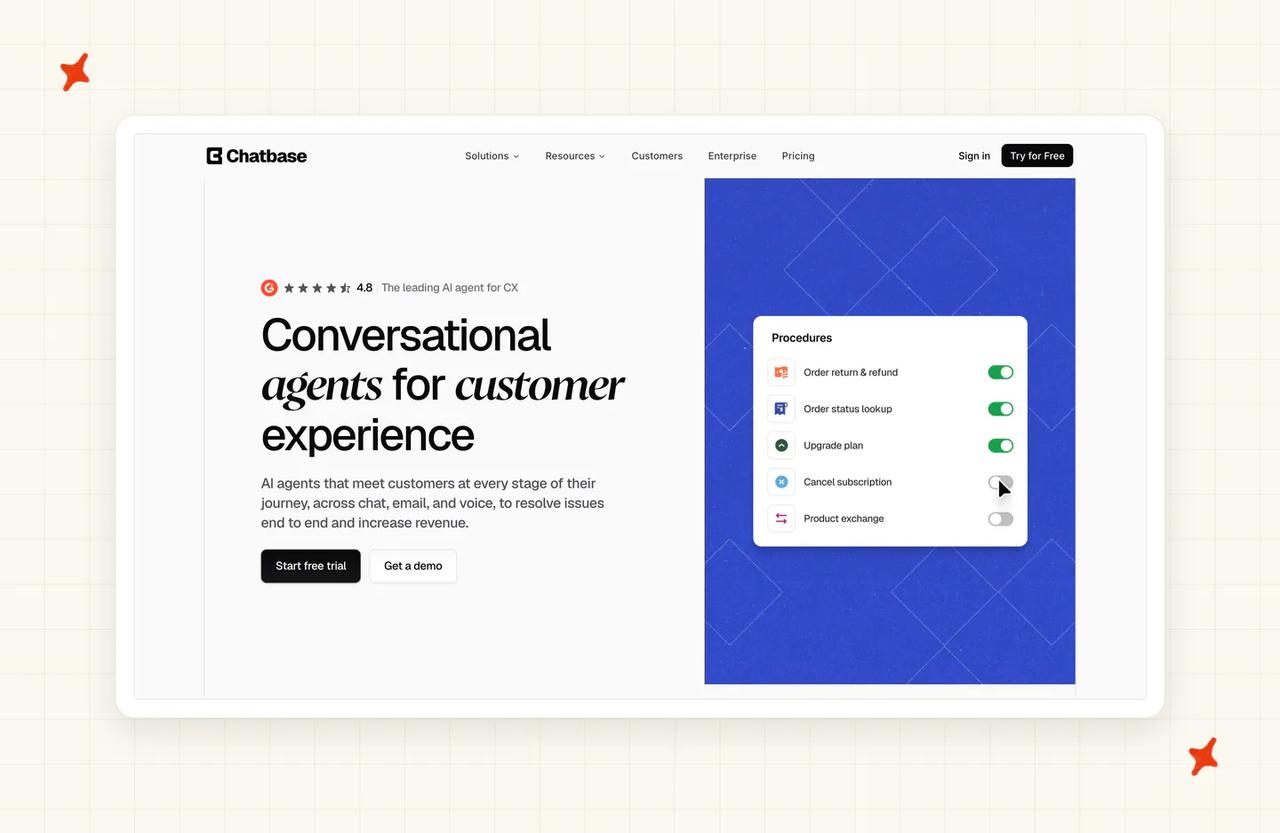
Chatbase is a knowledge base chatbot. You point it at your website, add some files and it's answering in minutes. It answers in its own widget and built-in helpdesk, and when it hands over, it creates a ticket in yours.
Changes you make in Chatbase show up within seconds. I'm careful about what goes into it.
How does Chatbase use your knowledge to answer customers?
Chatbase's data sources guide lists files, a website, text snippets, Q&A pairs and Notion pages as sources, plus closed tickets from Salesforce or Zendesk on its Pro plan. On the Standard plan I've priced, that list scores 6 on reading your knowledge.
A new source is picked up within seconds with no retrain button, and outside sources are re-read weekly on Standard and Pro, so keeping up scores 6. The Revise answer option adds your correction as a Q&A pair that's live within seconds, so Chatbase scores 8 on fixing a wrong answer. I find that speed useful on day one, when you're correcting a lot of answers quickly.
Chatbase tells you to instruct the agent explicitly to stay inside the content you've given it. A web search action can also answer questions your sources don't cover, so it scores 5 on answering only from your knowledge. Your team sees a confidence score for each answer and the Q&A pair it matched, so showing sources scores 4. Keeping internal knowledge internal scores 2, the lowest score I gave any tool, because the data sources guide describes no team-only setting.
How does Chatbase handle the six things a support team needs?
| Job | Chatbase |
|---|---|
| Reads the knowledge you already have | ⚠️ files, website, text, Q&A, Notion, plus tickets on Pro |
| Answers only from it, hands over | ⚠️ needs an explicit instruction, and web search can answer |
| Shows where each answer came from | ❌ confidence score and matched Q&A only |
| Keeps up when you edit something | ⚠️ seconds in-app, weekly for outside sources |
| Your team can fix a wrong answer | ✅ Revise answer, live within seconds |
| Keeps internal knowledge internal | ❌ no team-only setting documented |
Who's using Chatbase?
Jumia chose Chatbase because it needed a tool it could train on its existing documentation. West Coast Batteries uses it for battery recommendations.
How does Chatbase price for 2,000 tickets a month?
Chatbase charges in message credits, and its Auto model uses 1 credit per AI reply. I've assumed two replies per ticket, so 2,000 tickets use 4,000 credits, which is exactly the allowance on Standard at $150 a month.
A model that uses 2 credits a reply, or a third reply per ticket, pushes you past Standard, and at zero credits the agent stops answering unless auto-recharge is on. Even so, Chatbase scores 10 on cost, because $150 is the lowest bill of the seven. It scores 5 on working in your helpdesk, because it answers in its own widget and creates tickets in Zendesk, Intercom, Freshdesk, HubSpot, Help Scout, Gorgias and more.
If you'd like the same quick start with private files kept away from customers, our website widget reads the same kinds of sources and lets you mark any file Private.
For more on Chatbase, read our Chatbase complete guide. We also have a Chatbase alternatives roundup and a My AskAI vs Chatbase comparison.
What does an AI knowledge base save you at 2,000 tickets a month? (worked example)
The basis for every row is 2,000 tickets a month, split into 1,200 by chat and 800 by email, with about two AI replies per ticket. For every tool that charges per resolution, I've assumed the AI resolves 60%, or 1,200 tickets, which is a modeling assumption for an AI answering from knowledge alone with no actions connected.
For the no-AI row, I've assumed five minutes of team time per ticket for a team already using AI to help write replies. That's priced at $0.40 a minute, which allows for overheads on top of the median US wage for customer service representatives of $21.53 an hour. For AI built into a helpdesk you already pay for, each row counts the AI charge only.
| Scenario | Plan modeled | Monthly cost | Notes |
|---|---|---|---|
| No AI (team answers everything) | - | $4,000 | 2,000 tickets × 5 minutes × $0.40 |
| My AskAI | Pro | $367 | 1,200 chats × 1 credit + 800 emails × 1.5 credits = 2,400 credits. $199 + 1,400 × $0.12. Charged per ticket, resolved or not |
| Intercom Fin | $0.99 per outcome | $1,188 | 2,000 tickets at 60% = 1,200 outcomes × $0.99. Seats not added |
| Zendesk AI agents | Suite Team, pay-as-you-go | $2,350 | 2,000 tickets at 60% = 1,200 resolutions. (1,200 − 25 included for 5 agents) × $2.00. Seats not added |
| eesel AI | 2,500-credit plan | $999 | 2,000 tickets = 2,000 credits. Helpdesk paid separately |
| Help Scout | $0.75 per resolution | $540 | 2,000 tickets = 1,200 chats + 800 emails. Chat only, 60% of 1,200 chats = 720 × $0.75. Email not answered by AI today |
| Brainfish | Platform | from $1,500 | 2,000 tickets fit inside the 5,000 sessions included. Integrations add-on priced on request |
| Chatbase | Standard | $150 | 2,000 × 2 replies × 1 credit = 4,000 credits on the Auto model |
Every AI row also leaves the unresolved tickets with your team. At 60%, that's 800 tickets, or about $1,600 a month at the same rate. Help Scout leaves more, because its AI doesn't answer the 800 emails.
The per-resolution rows (Intercom Fin, Zendesk and Help Scout) grow with every ticket the AI closes, so a better AI means a bigger bill. Brainfish's platform fee dominates at this volume, and Chatbase's bill depends on which model you pick and how many replies each ticket takes.
Add-ons such as Tasks bill on top of our $367 only where you use them. Our ROI calculator does the same sum for your own volume.
So which AI knowledge base is best for customer service?
My AskAI tops the scoreboard on 69 and is the pick for a team whose knowledge is spread across several places. It reads your help center, wiki and drive where they live, keeps private files away from customers, and lets your team fix a wrong answer the same day, all inside Zendesk, Intercom, Freshdesk, Freshchat, Gorgias or HubSpot.
Intercom Fin, on 65, is the runner-up. It's the pick for a team whose answers are mostly written in Intercom's own help center, where edits reach answers straight away and customers see linked sources.
A team that wants every answer linked to its source should look at eesel AI. Chatbase is a sound, cheap start for a website chatbot with no helpdesk. If your helpdesk's AI already answers well from its help center (Zendesk's reads it live), it makes sense to stay with it.
Whichever tool you choose, this is the rollout order I recommend:
- Connect your help center first and test on real questions from last week.
- Add your internal docs, marked team-only, so they help your team's drafts.
- Check the source behind every wrong answer before changing anything in the AI.
- Switch on the simplest topics first, such as policies and how-to questions.
- Add more sources and topics as the answers prove themselves.
Start with our 30-day free trial of My AskAI on your own help center.
FAQs
What is the knowledge base for AI?
It's the content an AI agent answers from, including your help center articles, website pages, internal docs and files, and the past replies your team has written. For customer service, an AI knowledge base means an AI that answers customers from that content, stays inside it, and shows your team where each answer came from. If you don't have a help center yet, My AskAI's Train on Historic Tickets drafts starter articles from your past tickets for your team to review.
What is the best AI knowledge base?
For a support team, My AskAI scores highest in our comparison on 69 of 80, because it reads knowledge where it already lives, keeps internal files away from customers and answers inside your current helpdesk. Intercom Fin is second on 65, the pick for teams whose knowledge is written in Intercom. Chatbase is the cheapest pick for a simple website chatbot.
Which AI knowledge base scales past 5k tickets?
All seven do, on different terms. My AskAI's Pro plan covers up to 5,000 tickets a month, and Scale, at $499 with 2,000 credits included and $0.10 a credit after that, takes over above that. Intercom Fin charges per outcome and Help Scout per resolution, with no plan cap on volume (Help Scout lets you set a spending limit), eesel and Chatbase step up to bigger credit plans, and Brainfish prices extra queries on request.
How long does it take to implement an AI support agent with an existing knowledge base?
If you're starting from knowledge alone (a help center, a website, your files), My AskAI is typically live within minutes to hours. Without written docs, we draft starter articles from your last 5,000 historic tickets for your team to review first. The time goes on testing, which is quicker if you use AI to write test questions from last month's tickets. If you're moving your knowledge from another AI tool, our guide to moving a knowledge base to a new AI agent covers the steps.
Which knowledge base chat solution supports multilingual answers from the same help center?
Most of the tools here answer in the customer's language from a help center written in one language. We support 95 languages in My AskAI, detected automatically, and translate Custom Answers too. Intercom Fin replies in the customer's language whatever language your content is in, Zendesk's AI agents cover 100+ languages, Brainfish over 100, Chatbase 95+ and Help Scout's agent over 50.
Is an AI knowledge base the same as a chatbot?
They overlap. An AI knowledge base answers from content your team owns, shows your team the source behind each answer and lets them fix it. Many chatbots answer from a website crawl and show your team little more than a confidence score.