5 Best Macha AI Alternatives (2026)
Macha AI bills every ticket in credits, and your agents pause when they run out. These 5 alternatives run inside your helpdesk on flatter pricing.
Summarize with AI
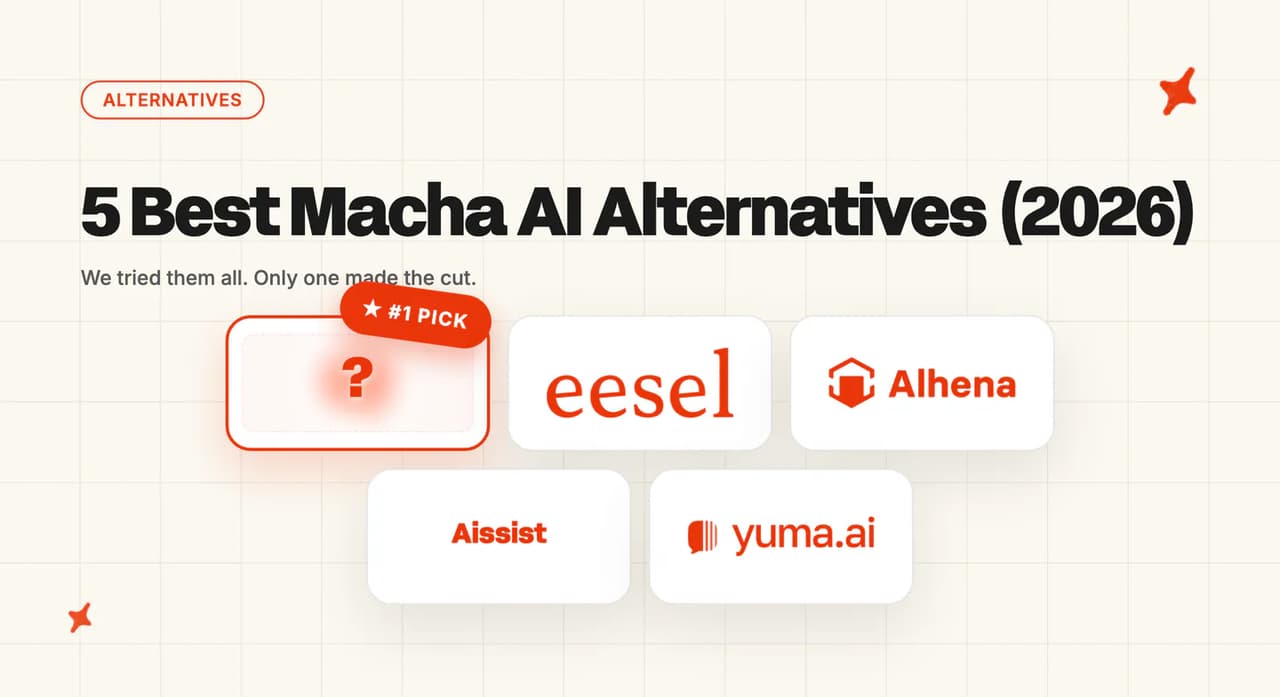
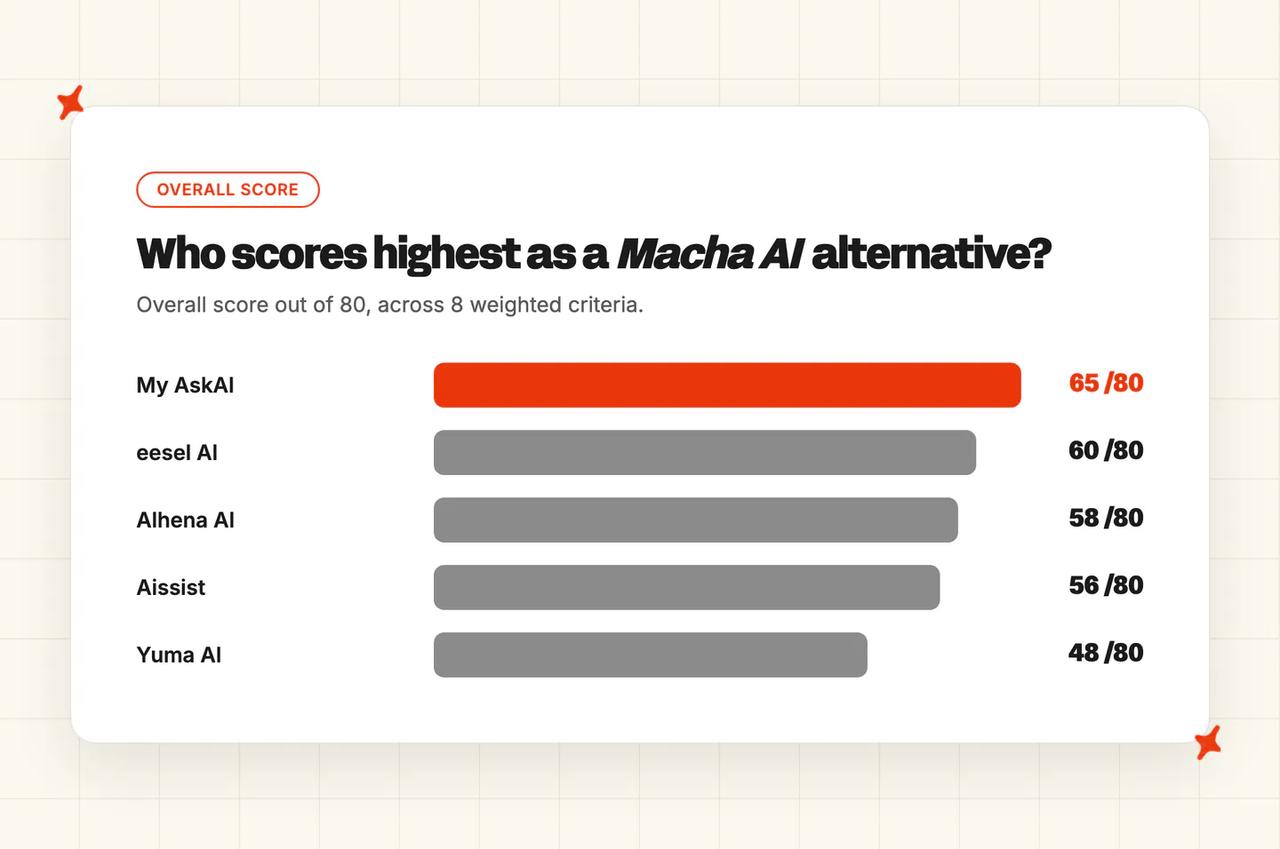
Five third-party agents can take Macha's place without touching your stack: My AskAI, eesel AI, Alhena AI, Aissist and Yuma AI. They score 65, 60, 58, 56 and 48 out of 80 here, and each prices on a different mechanic, from a free tier and around $0.10 a ticket up to five-figure annual bundles. No two of them price the same way, so your own ticket count decides which one is cheapest for you.
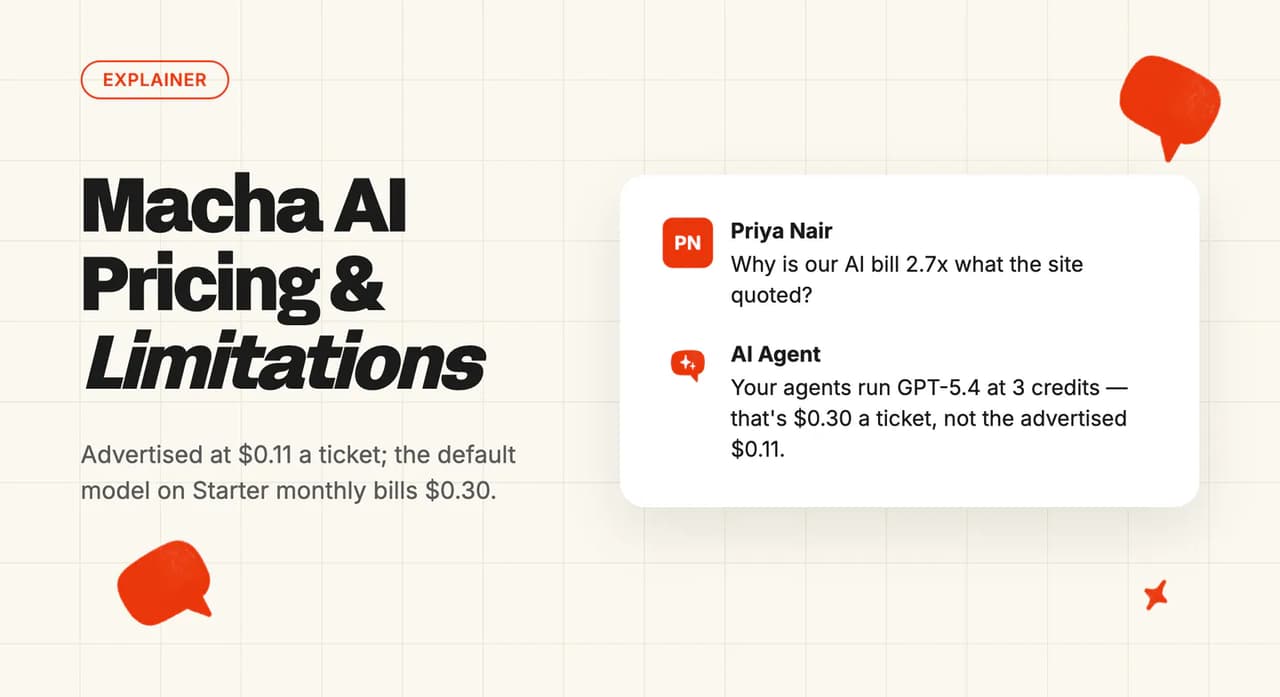
You priced it off the homepage, and then found that one ticket costs a credit while the same ticket on a better model costs three. Nobody puts that arithmetic on the homepage.
Macha's platform plan carries no overage. When the credits run out, your agents go quiet mid-month (my least favorite kind of surprise), and the tickets go back to your team.
All five are scored on the same eight criteria, with costs worked out at 3,000 tickets a month, and the set sorts by the helpdesk you are actually on.
I'm Mike, one of the founders of My AskAI, so I am not an impartial judge here. My AskAI is one of the five reviewed below, scored on the same eight criteria as everyone else.
Quick answer: the best Macha AI alternatives
Are there alternatives to Macha AI if I want AI agents inside Zendesk?
One number frames everything below. Our own AI resolution benchmark research puts the field median at about 70% AI resolution across 195 rated deployments spanning 38 vendors, so that is roughly the bar any of these five has to clear.
Read it as directional: the figures are aggregates, the teams who share them are self-selected, and every vendor counts a resolution its own way. We count one when the AI handled the conversation without escalating.
Macha's own documentation describes an AI copilot that connects to the tools your team already uses. Macha has no inbox, no ticketing and no CRM of its own, and our full guide to what Macha does covers its tiers and feature set in more depth than a roundup entry can.
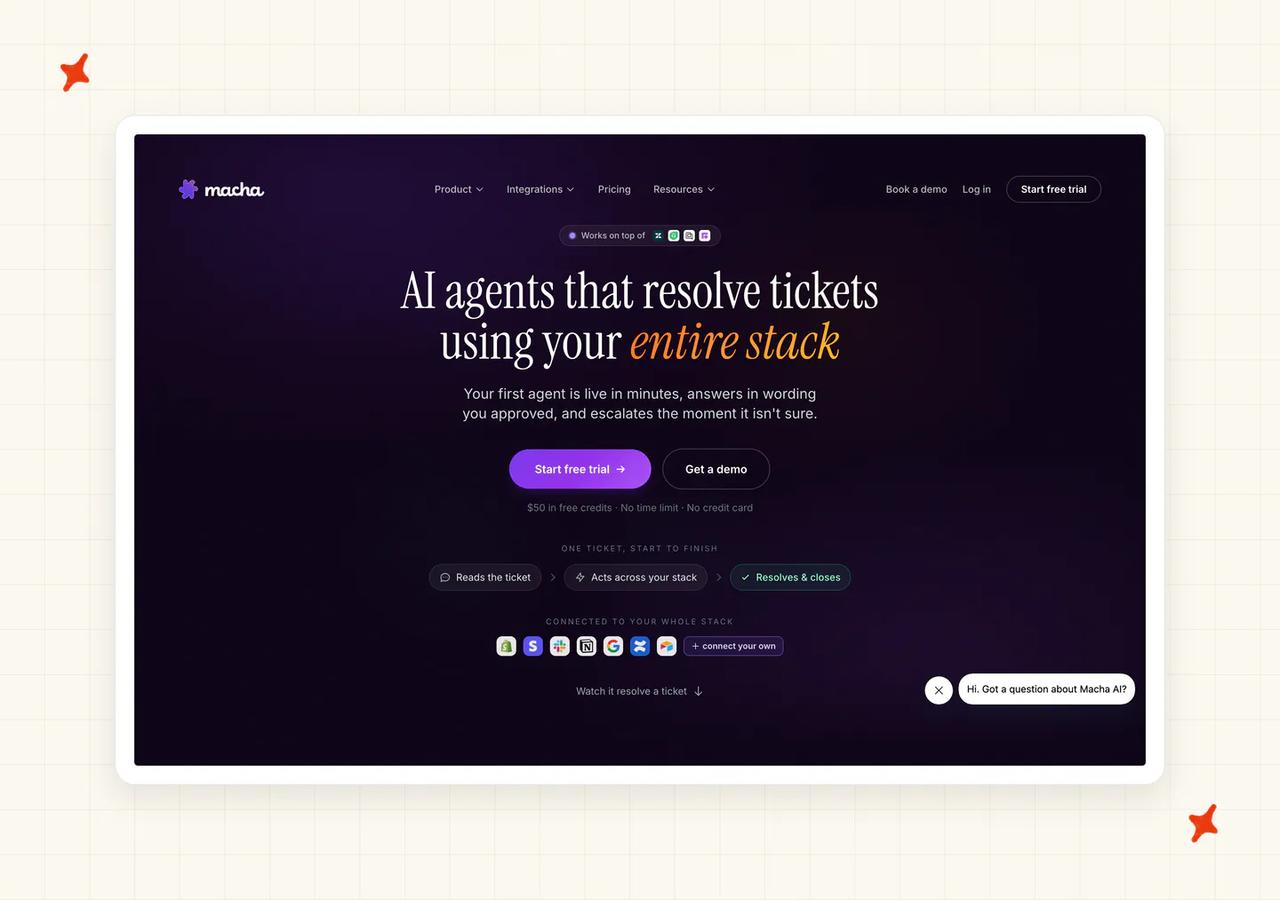
Nothing about leaving Macha touches your helpdesk, your macros, your views or your reporting. You disconnect one app and connect another, and that swap takes an afternoon in my experience.
Macha's connector documentation documents public-reply write tools on Zendesk, Freshdesk, Gorgias and Front. Zendesk is the deepest of them, with ticket management, image reading, custom fields, Messaging conversations and help center content.
HubSpot is a different animal. Its connector covers "HubSpot CRM and Service Hub integration covering contacts, deals, tickets, notes, and pipelines", so it reads, updates and annotates the record.
No customer-facing reply tool appears in the documentation, which is why I score HubSpot as a read surface for Macha. Intercom does not appear in the connector reference at all.
The install routes differ, so a one-click swap is not on offer everywhere. Zendesk is an OAuth authorization through your admin account (the easy one).
Freshdesk wants an API key and your subdomain. Gorgias wants an API key, your login email and your subdomain. Front uses a Bearer API token generated under its developer settings.
What's the overall comparison of these 5 Macha AI alternatives?
| (scores out of 10) | My AskAI | eesel AI | Alhena AI | Aissist | Yuma AI |
|---|---|---|---|---|---|
| Helpdesk integration | 9 | 8 | 6 | 8 | 5 |
| Ease of setup | 8 | 8 | 8 | 9 | 4 |
| Training sources | 8 | 9 | 7 | 7 | 6 |
| Features | 8 | 8 | 9 | 7 | 9 |
| Improving over time | 7 | 9 | 7 | 7 | 7 |
| Security | 8 | 5 | 7 | 4 | 6 |
| Maturity | 8 | 7 | 8 | 5 | 7 |
| Cost | 9 | 6 | 6 | 9 | 4 |
| Overall (out of 80) | 65 (81%) | 60 (75%) | 58 (73%) | 56 (70%) | 48 (60%) |
The scores above were built from the reach, the install route and the rate.
| At a glance | My AskAI | eesel AI | Alhena AI | Aissist | Yuma AI |
|---|---|---|---|---|---|
| Helpdesk integration | Zendesk, Intercom, Freshdesk, Freshchat, Gorgias, HubSpot | Zendesk, Intercom, Freshdesk, Gorgias, Front and more | Zendesk, Gorgias, Freshdesk, Intercom, HubSpot and more | Intercom, Zendesk, Gorgias, Freshdesk, Front, HubSpot | Zendesk and Gorgias only |
| Ease of setup | Marketplace app, live in an afternoon | Self-serve, simulate before go-live | Self-serve, most finish in a day | Free tier, no card, no call | Account manager configures it first |
| Training sources | Help center, files, historic tickets, drives | Wikis, chat tools, historic tickets | Site crawl, drives, helpdesk tickets | Guides, site content, historic tickets | Help center, snippets, historic tickets |
| Features | Tasks and Tools, User Data API, tagging | Agent, Copilot, Triage, simulation | Seven ecommerce modules, agentic checkout | Sub-agents, three deployment modes | Process Builder, returns and refunds flows |
| Improving over time | Self-Learning, Guidance, Insights, Echo | Simulation and per-topic gap reports | Debugger, flagged conversations | Simulator and Asset Debugger | Safety Guard checks every reply |
| Security | SOC 2 Type II and GDPR, held | Badge displayed, SSO gated to Enterprise | SOC 2, GDPR and further badges | SOC 2 aligned, not certified | SOC 2 Type II |
| Maturity | 200+ businesses, 1m+ tickets resolved | 2,000+ companies, published docs | Named beauty and apparel brands | Seed stage, 1 to 10 people | Named DTC brands, published price ladder |
| Cost | From $0.10 per ticket (Scale; $0.12 on Pro) | $0.40 per ticket handled | Conversation credits, $1.20 overage | Free tier, then $0.2 to $0.6 | From $14,400/yr illustrative bundles, paid upfront |
Reach and price move together among the highest scorers, which surprised me.
My AskAI and Aissist both land at 9 on cost, and both reach Zendesk, Intercom, Freshdesk, Gorgias and HubSpot, with Freshchat rounding out ours and Front rounding out theirs. Yuma reaches Zendesk and Gorgias, and asks for five figures a year.
You have a per-ticket rate, a per-task rate, conversation credits with a fixed overage, a per-interaction rate capped at a resolution price, and outcome-based annual bundles. Comparing headline numbers across those five models tells you almost nothing until you run them against your own ticket count.
How did I select these Macha AI alternatives?
I made the inclusion rule narrow on purpose. A tool qualifies if it is an AI agent layer, and if its own documentation shows a connector into Zendesk, Freshdesk, Gorgias or Front, the helpdesks Macha itself reaches. That mirrors what Macha itself is, so matching its own connector list is what keeps a swap from turning into a platform change.
Three groups were left out. Your helpdesk's own AI (Zendesk AI agents, Gorgias AI Agent, Freddy on Freshdesk) fails the rule by definition, because it is built by the helpdesk itself, and it only exists for the fraction of readers on that one platform. The enterprise agents (Ada, Decagon, Sierra, Forethought, DigitalGenius, Fini) all start far above a $299 platform fee: Ada, Decagon, Sierra and Forethought publish no rate at all, and DigitalGenius and Fini start at $1,000 and $3,600 a month.
We lose deals to that group, at budgets a Macha buyer is not working with. The platform replacements (Intercom Fin, Tidio, Chatbase, Crisp, Wizybot) ask you to migrate your helpdesk. That is a much larger project than the one you came here for.
If what you want is the simplest possible compliance and procurement story, one vendor, one contract and one security review, then your helpdesk's native AI is a reasonable call, and you should take it. The case for a third-party layer is that you can replace it, and that it reaches more than one platform.
Storefront agents like Zipchat and Rep AI were also left out. They sell in a chat widget on the storefront and do not answer tickets in your helpdesk, which is what we are comparing on.
How did I compare these AI support agents?
The eight criteria are helpdesk integration, ease of setup, training sources, features, improving over time, security, maturity and cost, each scored out of ten and weighted equally across the five third-party agents reviewed here. Evidence comes from each vendor's own documentation, pricing pages, security policies and published customer stories. Where a vendor documents nothing on a criterion, that is what its score reflects, because I score what a vendor publishes and not what a demo promises.
Helpdesk integration
The axis is public reply. A vendor can list every helpdesk you have heard of and still only read tickets in most of them, without ever answering your customer in the thread. I score this row on the write tools alone.
Macha's own documentation is the model for how precisely to draw this. It defines a write tool as one that "make[s] changes in your connected app", including "adding a public reply, updating a ticket status, posting an internal note, editing a custom field, creating a refund".
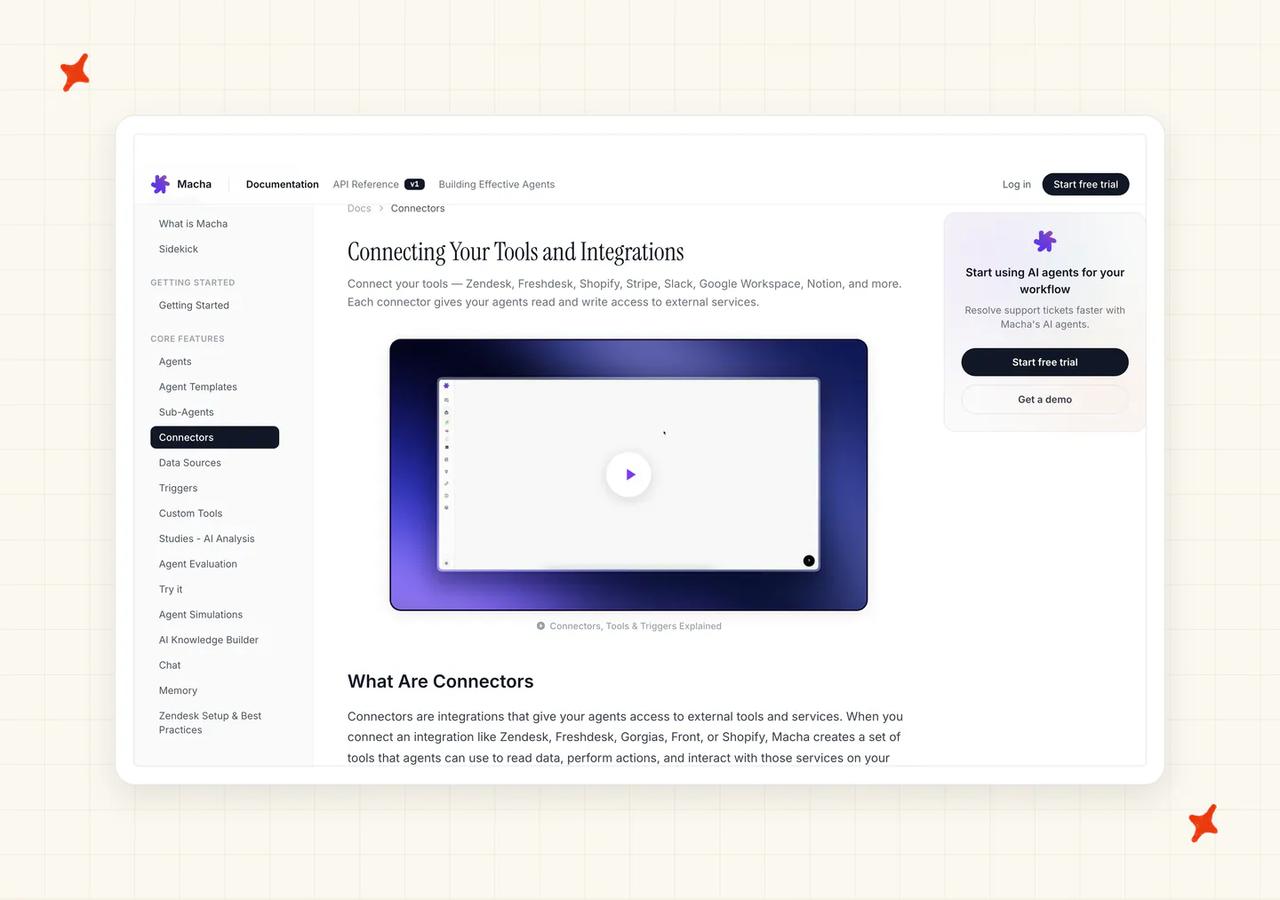
Zendesk, Freshdesk, Gorgias and Front each carry one. HubSpot's connector stops at reading and annotating.
Ease of setup
The install route decides most of this, along with whether a human has to configure the thing for you before you can buy it. A marketplace OAuth install you finish yourself in an afternoon scores above an API-key-and-subdomain route, which in turn scores above a vendor who assigns you an account manager first (a procurement step in your way).
Training sources
What the agent can be pointed at. Help center articles are table stakes, so the score turns on the rest: your wiki, your cloud drive, your product data and, above all, your historic tickets. That last group is where we spend most of our onboarding time.
Historic tickets are the way in for teams with no help center. If your knowledge lives in your agents' heads and their past replies, with nothing written down, training on those replies is how you start from nothing.
On our side that is Train on Historic Tickets, and it builds starter knowledge from your past tickets. You do not have to write a help center first.
Features
Write-action depth inside the ticket. Can it refund, cancel, edit an order, look up an account, tag and route? The score here follows the write actions you would actually turn on.
Improving over time
Macha sets the high bar on this row. Its Agent Auto-Eval page promises to "grade every conversation automatically against the agent's instructions (free on every plan, with caps)", and the body of that same page scopes the grading to trigger-fired, Agent-mode conversations (yes, including on the trial).
An AI judge scores every trigger-fired conversation against the agent's own live instructions, on adherence, resolution, sentiment and category, with a trend chart and coaching notes. The limit is stated on the same page: you cannot change the scope, the rubric, or the judge model.
eesel's answer to the same question is a simulation against your past tickets before you go live. We do it with Self-Learning from your agents' replies, plus Guidance and Insights.
Security
Completed certifications only, stated as held or not held. A certification in progress and a badge on a marketing page both score here as not held.
Macha's own security policy says "We are in the process of obtaining SOC 2 certification". It holds no ISO 27001, no HIPAA and no BAA, documents no SAML or SSO, and offers two roles for access control.
Its audit log and GDPR data-residency options are included on all three tiers, with a custom retention window as the only control reserved for Enterprise. We hold SOC 2 Type II and GDPR. One thing to watch on the sub-processor table: the SOC 2 Type II and ISO 27001 line there is Composio's, the connector sub-processor.
Maturity
Documentation depth, published customers and install base. Macha runs a docs site and a separate help center, and the documentation is one of the better things about the product.
Cost
Per-resolution, per-ticket, credit-based or outcome-based, and whether you can forecast the bill before you sign. The mechanics matter more than the headline rate: a model multiplier, credits that run out and pause your agents, a free tier, a twelve-month upfront commitment.
Each one changes your annual number, and all four sit on the vendor's own pricing page, below the headline.
Is My AskAI a good Macha AI alternative?
We built My AskAI to sit inside the helpdesk you already run and resolve tier-one tickets in the thread. So the swap from Macha is the same kind of swap Macha itself was: disconnect one app, connect another, keep your open tickets.
G2: My AskAI scores 4.5/5 from 23 reviews on G2. "Their AI support agent... Handled 275,000 conversations, Resolved 195,000... Achieved an incredible AI resolution rate of 70%, Saved our team a phenomenal 49,000 hours." via Howard B., Support Delivery Lead.
How does My AskAI integrate into my helpdesk?
We answer customers in Zendesk (including Messaging), Intercom, Freshdesk, Freshchat, Gorgias and HubSpot. Two of those are exactly where Macha cannot: Intercom is absent from its connectors entirely, and its HubSpot connector reads and annotates without a documented public reply.
Gorgias documents the app in its help center, and HubSpot carries the App Marketplace listing. Inside the ticket the agent replies publicly, adds internal notes, tags and routes. There is also a free AI Copilot Chrome extension for agents who want drafts alongside the ticket while the autonomous agent stays off.
We build the agent to work the same way across all of them, so a team that moves helpdesk keeps the trained agent it already has.
How easy is it to set up My AskAI?
Install from your helpdesk's marketplace, point it at your knowledge, and test in Internal Notes mode before anything reaches a customer. Most teams are live the same afternoon without an engineer.
In Internal Notes mode the agent drafts alongside your team's real replies, side by side, so you can see where it is right before you let it answer anyone.
What knowledge sources can I train My AskAI on?
Your help center and public URLs, uploaded files, and historic tickets. Beyond that we connect Google Drive, Notion, Confluence, SharePoint, OneDrive, Dropbox, Salesforce for knowledge pages, and Shopify. Our own customers lean on the drive connectors more than we expected them to.
If you have no help center at all, Train on Historic Tickets builds the starter knowledge from your past tickets, with a default backfill of 5,000. That is how a team with nothing written down gets an agent live at all.
What features does My AskAI have?
Our Tasks and Tools let the agent take actions in your other systems, and the User Data API lets it read account-specific data, so answers are about that customer's own account and order. Image Reading handles the screenshot a customer attaches. AI Tagging classifies the incoming message and routes a frustrated or canceling one to a human.
On the team side, Insights shows what your customers are actually asking about, and Echo is an assistant for your team inside the dashboard. Echo is where you ask why the agent gave a particular answer and which knowledge source it used.
How does My AskAI improve over time?
Self-Learning picks up your agents' real replies and folds them back into the agent's knowledge, so the thing gets better as your team works. Guidance lets you steer tone and behavior without rewriting a help article (three kinds of rule: style, clarification, and handover).
Insights surfaces the questions the AI could not answer. That list tells you what to write next. We use it on our own help center.
How secure is My AskAI?
SOC 2 Type II and GDPR, both held today, with AES-256 encryption and a published trust center. We hand your security reviewer the completed report.
How mature is My AskAI?
200+ ecommerce and SaaS businesses run customer service on My AskAI, and the platform has resolved over 1,000,000 tickets. Our rolling 30-day AI resolution rate sits at 72%+, counted as a conversation the AI handled without escalating to a human.
Who is using My AskAI?
Edel Optics, the eyewear retailer selling into 53 countries, runs on Zendesk Ticketing at 79% AI resolution, around 150 hours saved a month and 92% AI CSAT. Swytch, which sells e-bike conversion kits, deflects 4,050+ support queries a month on Zendesk. Inspire Uplift, an ecommerce marketplace, handles around 6,100 tickets a month and saves around 105 hours.
On other helpdesks: Barn Owl, an off-grid camera brand on Shopify, reached 47% AI resolution on Gorgias after swapping the native AI for ours. YouGarden, an online garden retailer, runs 66% AI resolution on Freshdesk with 965 hours saved a month. TravelJoy, a travel advisor platform, is at 80% AI resolution on Zendesk Ticketing and Messaging.
"You're beating Zendesk's AI agent 76% to 24% on AI deflection. Huge." Alan Pugh, Head of Customer Service at TravelJoy.
"My AskAI has fundamentally changed how we support our customers. The quality and consistency of responses are extremely high, and it's allowed us to scale support without compromising the experience we're known for at YouGarden." Mamunur Rahman, Head of Customer Service at YouGarden.
How much does My AskAI cost?
Pro is $199 a month for 1,000 credits with $0.12 overage. Scale is $499 for 2,000 credits at $0.10.
Enterprise starts at $999 with all usage at $0.10. In practice that works out at roughly $0.10 a ticket on helpdesk chat on Scale, $0.12 on Pro, and roughly $0.15 on email (one rate, whatever model does the work).
The per-ticket rate does not change with which model answers, and nothing stops mid-month. Core capability is on Pro, and usage-based features like Tagging, Tools, Tasks, Live Translation and Image Processing are billed on top on every plan.
Before any of that, the trial is 30 days with all features unlocked, unlimited tickets and no card. Run it on your real tickets for a month and you will know the answer without anyone quoting you.
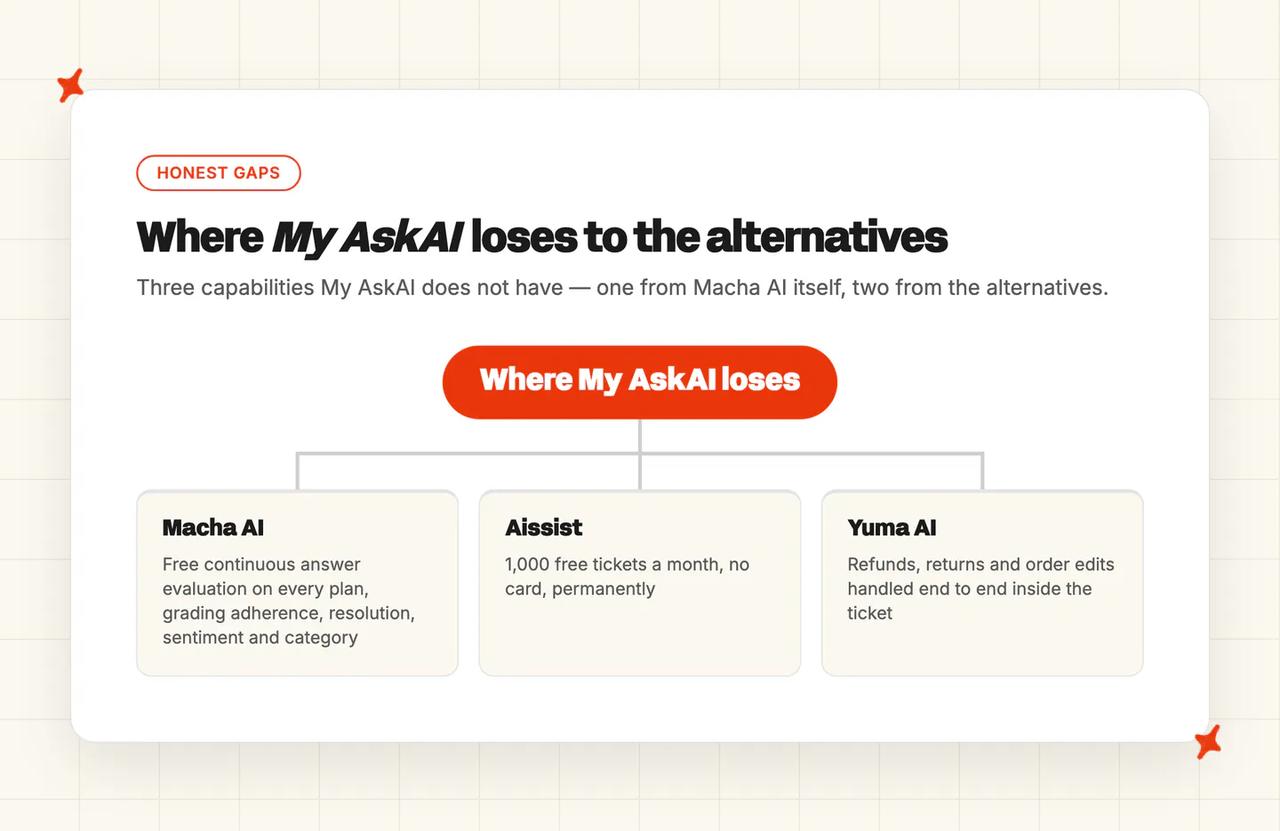
Where My AskAI loses to the alternatives
- Macha AI's free continuous answer evaluation. Its Auto-Eval judge grades every trigger-fired conversation for instruction adherence, resolution, sentiment and category, with a trend chart and coaching notes, included on every plan and on the trial, with caps. We have Self-Learning, Guidance and Insights. We do not have an equivalent graded-adherence loop.
- Aissist's free tier. 1,000 free tickets every month, no card, permanently, running on aissist's cut-down free engine. Our floor is $199 a month after the trial ends. For a team right at the start, that is a real answer we do not have.
- Yuma AI's post-purchase depth. Refunds, returns, subscription changes and order edits handled end to end inside the ticket, on Zendesk and Gorgias. Our Tasks and Tools configure to the same jobs, and Yuma sells that automation as the whole product.
Is eesel AI a good Macha AI alternative?
eesel is an add-on layer over the helpdesk you already run, exactly like Macha, and it connects to more of them: Zendesk, Freshdesk, Intercom, Gorgias, HubSpot Service Hub, Front, Help Scout, Zoho Desk, Salesforce Service Cloud and others. It runs as an autonomous agent, a copilot drafting for your team, or a triage layer that routes and tags (the same three jobs we cover).
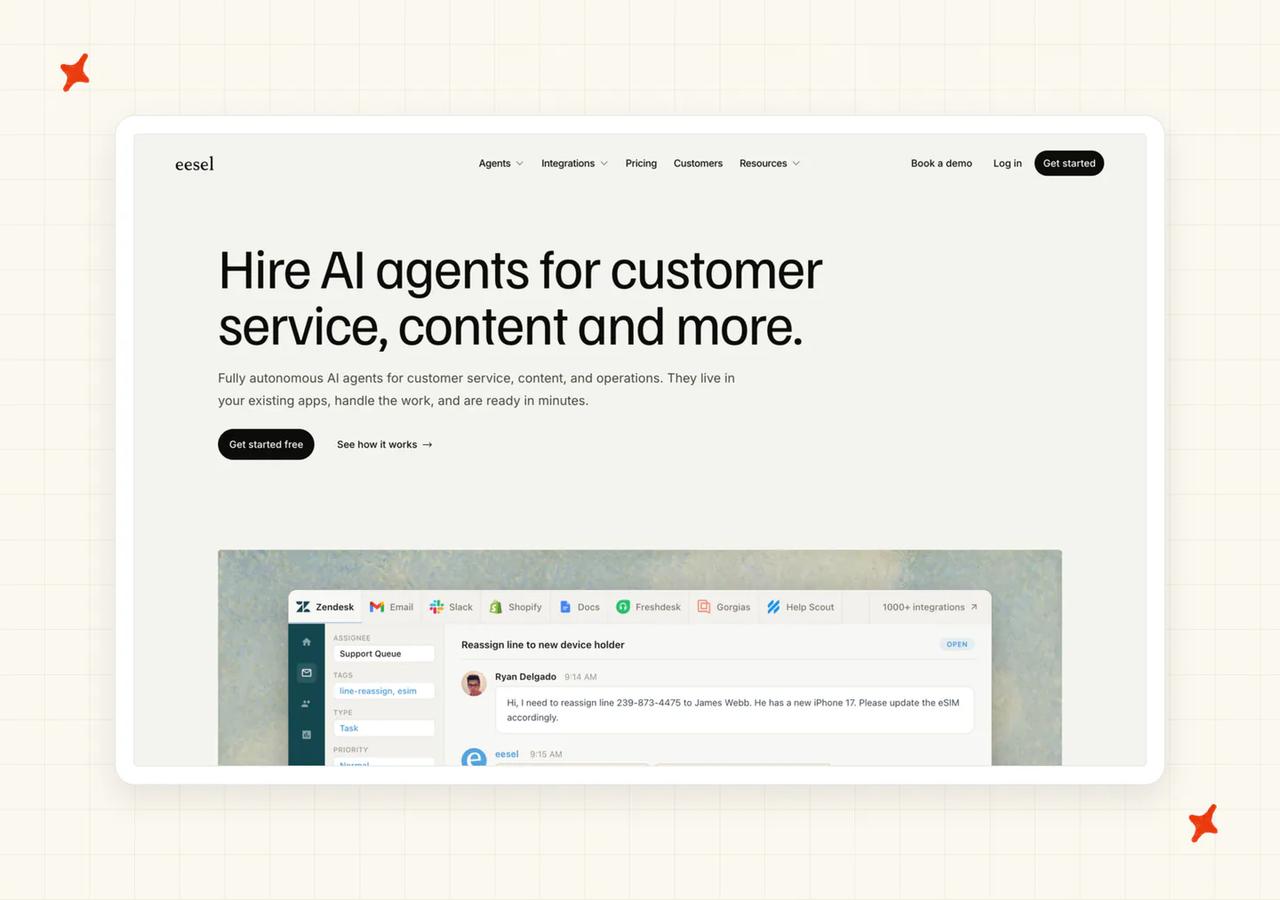
G2: eesel AI scores 4.6/5 from 19 reviews on G2. "I like eesel AI's easy-to-use interface that's very intuitive... What stands out is the usage fee model instead of a fixed subscription, which is great as we scale." via Jayanth J.
How does eesel AI integrate into my helpdesk?
It plugs into the helpdesk rather than replacing it, so your tickets, macros and reporting stay where they are. The connector set is the widest in this comparison, and it covers every helpdesk Macha reaches plus Intercom and HubSpot.
You keep paying for the helpdesk underneath. Their rate sits on top of that bill.
How easy is it to set up eesel AI?
Self-serve, with no sales call in the way. eesel's pricing page puts the trial at "$50 in free usage plus 2 free blog generations" and no credit card.
Before you let it answer anyone, you run it against your historic tickets and read what it would have said. I think that dress rehearsal is the strongest thing eesel offers.
What knowledge sources can I train eesel AI on?
Help center content, past tickets and macros, plus wikis and chat tools: Confluence, Google Drive, Notion, Slack and Teams among them. Internal knowledge gets the same treatment as customer-facing content, which is why teams also use it for internal Q&A.
That breadth is why it takes the top score on training sources (most vendors here stop at the helpdesk and never reach the wiki). If your answers live in a wiki and a Slack channel, this is the tool built for that.
What features does eesel AI have?
Three deployment modes: AI Agent for autonomous resolution, AI Copilot for drafted replies, and AI Triage for routing and tagging. You can run different modes on different inboxes.
Simulation is the feature to evaluate eesel on. eesel says it replays your past tickets, predicts deflection per topic, and produces gap-analysis reports naming the topics it could not answer.
Macha publishes no resolution figure at all, so it hands you no equivalent number before you turn anything on. We publish ours. eesel goes further and predicts yours.
How does eesel AI improve over time?
The same simulation you use before launch is the improvement loop afterwards. Re-run it, read the per-topic gaps, write or connect what is missing, re-run again.
Escalation is where it thins out: assignment and tagging, with no AI-written warm summary passed to the agent who picks it up. Our own handover summarizes the conversation before control passes across.
How secure is eesel AI?
The pricing page footer carries a Vanta SOC 2 Type II badge, linked to eesel's Vanta Trust Center. Treat the badge as what the page shows, and ask for the completed report before you sign.
The same page gates SSO, HIPAA and a BAA to the $1,000 a month Enterprise tier. On a mid-market budget that puts them out of reach, and I think that pricing decision costs eesel deals.
How mature is eesel AI?
eesel's own homepage claims more than 1,000 customer service teams, while its Capterra listing says over 2,000 companies. It maintains a public documentation site you can read before talking to anyone. Published customer stories span fintech, construction tech, ecommerce and education.
Who is using eesel AI?
eesel's customers page names Smava, the German fintech, running a fully automated Zendesk agent, and CartonCloud, the logistics software firm. BitGo, Anytime Fitness and Ecosa also appear there with case studies attached.
How much does eesel AI cost?
eesel's pricing page bills per task, with no per-seat fee. Light tasks like dashboard questions and simple lookups are free. A Regular task, meaning "Support ticket, chat session", is $0.40, and Heavy tasks like blog drafts are $4.00 (a ten-fold spread between the two). eesel bills "per ticket or helpdesk conversation handled", so a long thread counts once.
On the usage-based tiers there is "no platform fee, no per-seat fees, no monthly minimum". Enterprise sits at $1,000 a month, and that is a flat platform fee on top of usage, buying SSO, HIPAA, a BAA and a dedicated solutions engineer. At $0.40 a ticket it is roughly four times our rate, and the helpdesk bill is still underneath it (two subscriptions, one set of tickets).
The same page sets out a pause of its own. You set a monthly usage limit, the default is $250, and "Once you hit your limit, your agents pause automatically".
Macha's pause happens when the plan's included credits run out. eesel gives you a cap you set and can raise from the dashboard.
Read more: our complete guide to eesel AI, the best eesel AI alternatives, and our My AskAI versus eesel AI comparison.
Is Alhena AI a good Macha AI alternative?
Alhena is the ecommerce-first pick in this set, and it is standalone, so it does not need a helpdesk subscription to work. If you do have one it connects to Zendesk, Gorgias, Freshdesk, Intercom, Gladly, HubSpot, Salesforce Service Cloud, Zoho Desk, Kustomer and Re:amaze (a longer list than ours).
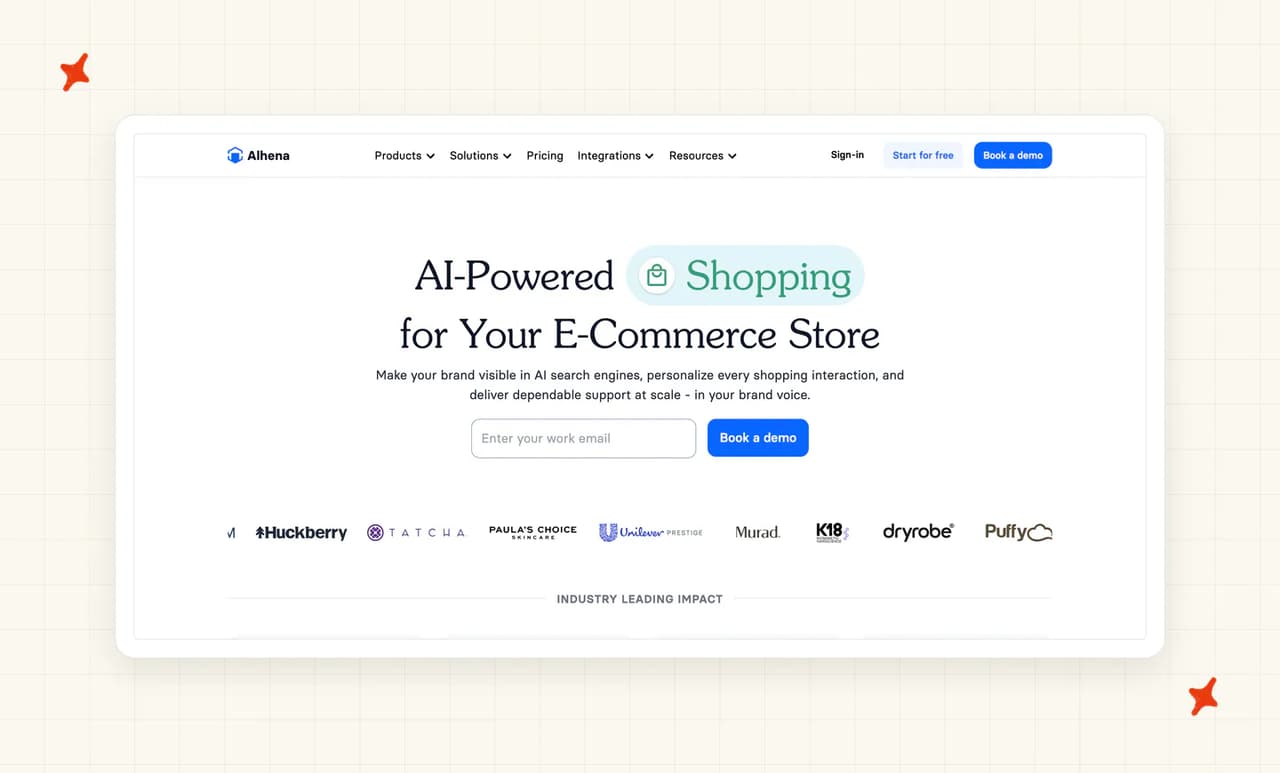
G2: Alhena AI scores 4.9/5 from 35 reviews on G2. "Alhena was the 1st AI that came very close to the tone and branding via Conversations we were looking for... Pre Purchase & Post Purchase + Service and Product reviews all handled by Alhena AI." via Ben O., Head of Customer Service.
How does Alhena AI integrate into my helpdesk?
It runs either as your front-line agent on the storefront or inside the helpdesk you already have, through API credentials. The helpdesk list is long, and it covers every helpdesk we do bar Freshchat.
The ecommerce side is uneven. Add-to-cart is pre-built on Shopify; on WooCommerce, Salesforce Commerce Cloud and Magento the button does not appear until someone registers an event handler and calls your own cart API.
How easy is it to set up Alhena AI?
Self-serve, and quick. Shopify takes ten to fifteen minutes through the app store, helpdesk connections take about the same through API credentials, and most merchants finish inside a business day.
There is a playground for testing before you go live (worth using before a live customer does). A conversation debugger then shows which sources and guidelines produced a given response.
What knowledge sources can I train Alhena AI on?
Website crawl, uploaded documents, PDFs, spreadsheets and CSVs, plus Google Drive, Notion and Confluence. Helpdesk tickets and help center articles come in from Zendesk, Freshdesk and Salesforce Service Cloud.
Live commerce data arrives through the ecommerce platform APIs, which Alhena describes as a real-time store sync covering live catalog, pricing, inventory and order context.
What features does Alhena AI have?
Seven ecommerce modules covering pre-purchase and post-purchase: guided product discovery, quizzes, product cards with add-to-bag, agentic checkout that populates carts and applies discounts, order tracking and returns. This is the deepest storefront-plus-support combination in the set (pre-purchase discovery and post-purchase support running in one agent).
Alhena names Shopify, WooCommerce, Salesforce Commerce Cloud and Magento as the ecommerce platforms it covers, alongside logistics and CDP connectors.
How does Alhena AI improve over time?
The conversation debugger inspects which sources, guidelines and agents produced each response, and flagged conversations surface answers to review. You suppress a wrong answer and supply the right one, or fix the underlying source and retrain.
Alhena gives you flagged answers to review and a debugger to work by hand (an effective loop). There is no graded evaluation loop of the kind Macha runs for free.
How secure is Alhena AI?
Alhena displays SOC 2, GDPR and further compliance badges across its site, with encryption in transit and at rest and a published DPA. That is more compliance surface than most of this set publishes.
What is not published is the underlying report or a sub-processor list. On residency, an engineering post documents an EU region for compute and data, picked at setup. If your security review needs the report or the list, ask for them before you commit. We publish ours, so it is a fair question to put to any vendor here.
How mature is Alhena AI?
It publishes case studies with named consumer brands and real numbers, which is more proof than most of this set carries. It also publishes its full integration list in the open, so you can check what it connects to without a call. I wish more vendors did that.
Who is using Alhena AI?
Alhena's case studies page names Dryrobe and Victoria Beckham, with Ettitude, Tatcha, Manawa and Crocus carrying success stories on the same page. That is a consumer-brand roster, and it tells you where the product is strongest (pre-purchase discovery).
How much does Alhena AI cost?
Alhena's pricing page sells conversation credits, and the billing term changes the number. Annual-billed it is $199, $499 and $999 a month for 200, 550 and 1,200 conversations; monthly-billed the same tiers are $239, $599 and $1,199.
Enterprise is unlimited conversations with a dedicated CSM. There is also a free plan at "25 conversations/mo", monitoring one AI engine and five tracked questions.
A customer conversation costs one credit, as does an FAQ served or a nudge, and on the published paid tiers overage is a flat $1.20 a credit, so volume does not buy the rate down (Enterprise is a custom rate). Read the zero-credit policy precisely, because the scope is narrower than the headline: "Spam, irrelevant queries, and immediate human handoffs that don't involve AI resolution cost zero credits." A handoff after the AI has worked the conversation is billed.
Read more: our complete guide to Alhena AI, the best Alhena AI alternatives, and our My AskAI versus Alhena AI comparison.
Is Aissist a good Macha AI alternative?
Macha starts every account with 500 free credits and no time limit, and its Starter plan is $299 a month after that. This is the tool that makes the $299 a choice. Either way, you get to find out what AI does to your tickets without a purchase order.
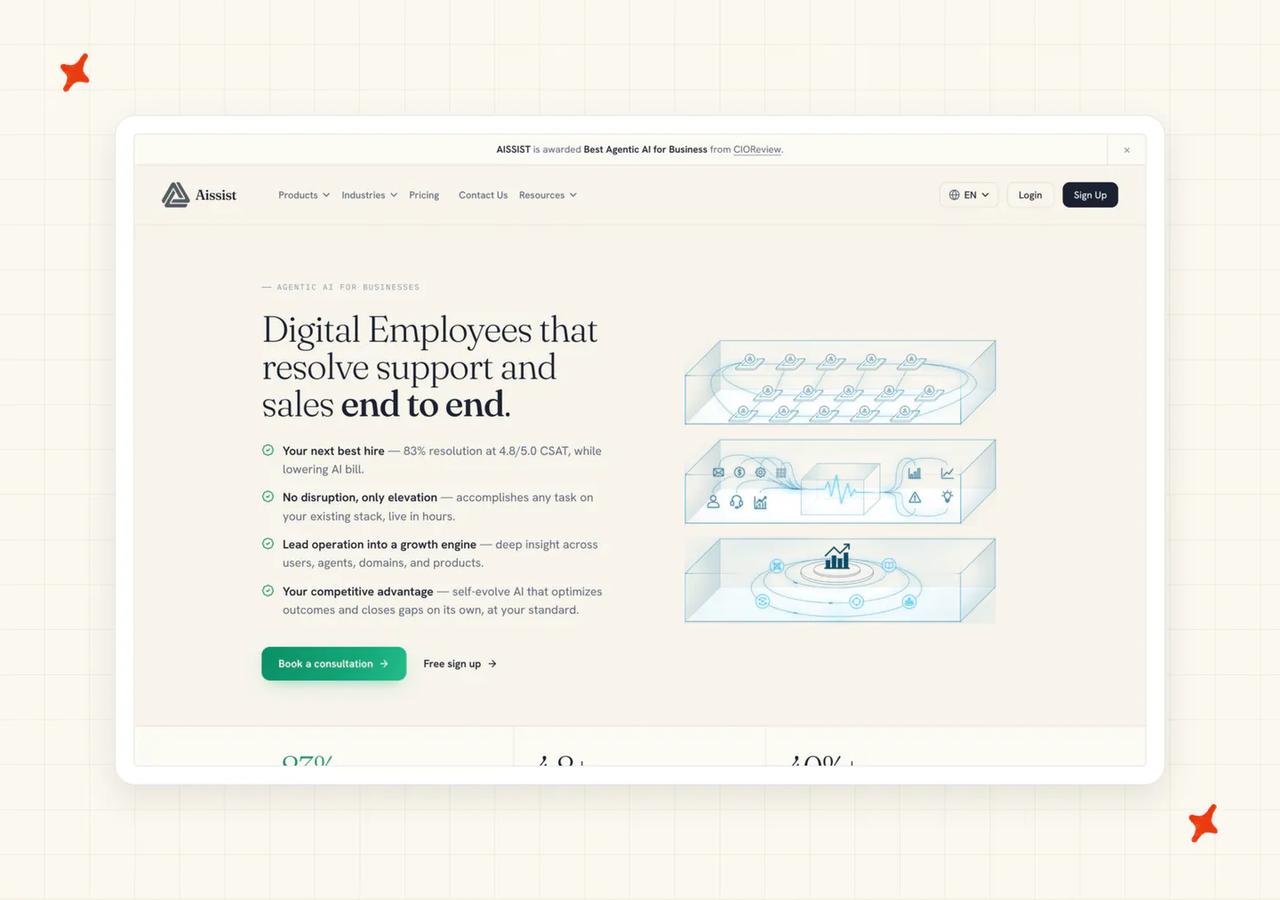
It is a multi-agent system, with specialized sub-agents handing work between themselves, which is the nearest thing here to Macha's parent-and-sub-agent delegation. We take a simpler route, one agent with tools.
G2: Aissist scores 4.8/5 from 43 reviews on G2. "The absolute best part about this software is how incredibly well it understands the actual meaning behind a customer's message, even if they use casual or slightly confusing language. It looks over our technical guides and responds accurately while maintaining our exact brand tone." via Oswaldo O., Supervisor.
How does Aissist integrate into my helpdesk?
Its pricing page says it "natively integrates with many platforms, including Intercom, Zendesk, Kustomer, Salesforce, Front, Gorgias, Freshdesk, Freshchat, and HubSpot". Intercom and HubSpot are both on that list, which covers the two surfaces Macha cannot answer a customer in, and both are ones we reach as well.
How easy is it to set up Aissist?
The easiest start in the set. You sign up without a card, connect your helpdesk, and nobody puts a sales call in front of you.
Three deployment modes let you dial the risk: Auto-Draft writes replies for your team to send, Co-Pilot assists in the ticket, and Auto-Pilot answers on its own. Start on the first and move up (the same order we recommend to our own customers).
What knowledge sources can I train Aissist on?
Technical guides, site content and your historic tickets, along with uploaded documents. The G2 reviewer above is describing exactly this: the agent reading the team's own technical guides and answering in the brand's tone.
There is also an Asset Debugger for working out which piece of knowledge produced an answer (useful for tracing a wrong answer back to its source). That trace is what turns a wrong answer into a fixable one.
What features does Aissist have?
The multi-agent architecture is the headline. Specialized sub-agents each handle a different part of a conversation, and Smart Actions drive API workflows into your other systems.
A built-in Simulator lets you test before deployment. Combined with the free tier, that makes it the cheapest way here to find out whether AI works on your tickets at all (we charge $199 for the equivalent certainty).
How does Aissist improve over time?
The Simulator and the Asset Debugger are the loop: test, find the answer that missed, trace it to the asset that caused it, fix that asset. It is hands-on work.
There is no graded evaluation running in the background the way Macha's Auto-Eval does. The debugging tooling is good, and using it is on you.
How secure is Aissist?
Aissist's security page describes SOC 2 as "aligned", with no certificate behind it, and HIPAA appears nowhere on it. If your procurement process asks for a completed report, this is where the conversation stops ("aligned" is not the same word as "completed").
That is the price point showing up on security, and whether it blocks you is a question your procurement team answers.
How mature is Aissist?
Wellfound lists it as seed-stage with one to ten employees. It publishes its product and integration detail openly, along with a customer-stories page, which is more transparency than the stage usually comes with. Fun fact: we were that size not very long ago.
Aissist scores well on capability. If a completed report is a requirement in your process, this is where it bites.
Who is using Aissist?
Aissist's customer stories name Holafly, the eSIM retailer, and Payphone, with Sunroom Rentals and Nubrakes also carrying stories on the same page.
How much does Aissist cost?
Aissist's pricing page leads with the free tier: "1,000 free tickets every month", and "No credit card is required to sign [up]". That tier is permanent and renews every month, and it runs on aissist's "free" engine, which the page describes as sufficient for FAQs and basic procedures.
Beyond it, on the Growth tier, aissist estimates $0.2 to $0.6 per resolution, "Metered per AI interaction, capped at the resolution price", and you are charged the lower of the two. I rate that cap as the most buyer-friendly mechanic here, because a chatty conversation cannot run your bill past the resolution price.
The interaction rate is $0.09 and the cap is $0.60 per resolution. On the Growth tier the referenced resolution cost is $0.5 a ticket for chat and $0.2 for email, and "Cases handed over to a human are not charged". Enterprise pricing can be lower based on volume and contract terms.
Forecasting is the harder part. Per-interaction charges multiply inside a single conversation until the resolution cap catches it, so your per-ticket number sits somewhere in a band.
Read more: our complete guide to Aissist and the best Aissist alternatives.
Is Yuma AI a good Macha AI alternative?
Yuma is the upgrade path for a Macha user who needs depth more than a lower price: refunds, returns, subscription changes and order edits handled end to end inside the ticket. It sits on Zendesk and Gorgias, the two helpdesks Macha's ecommerce customers already use.
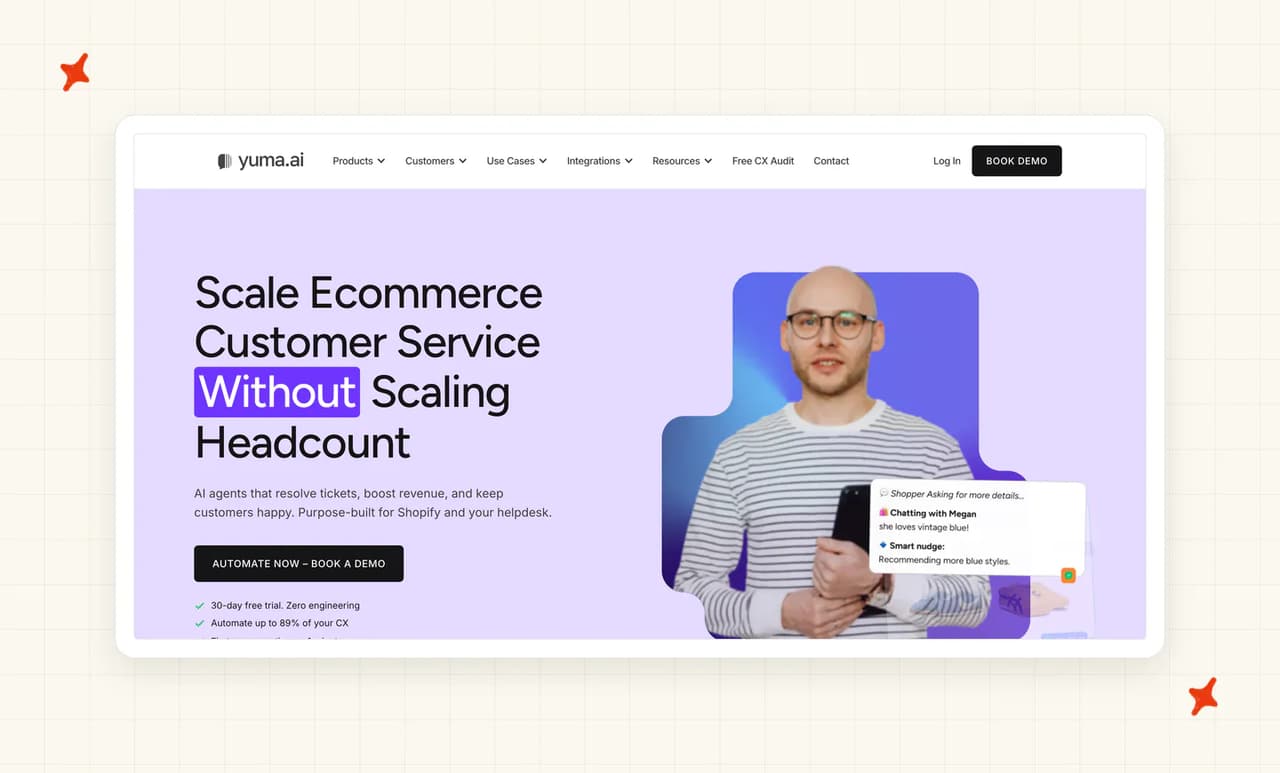
G2: Yuma AI scores 4.8/5 from 19 reviews on G2. "After testing multiple AI support tools, it's clear that Yuma is best in class. We've been able to automate the majority of our inbound volume... consistently impressed by the wide range of topics it can handle." via Gabe W., CX Manager.
How does Yuma AI integrate into my helpdesk?
Zendesk and Gorgias. It does not reach Intercom, Freshdesk or HubSpot, which makes it the narrowest set reviewed here.
Inside those two it goes deeper than the rest, because post-purchase automation is the whole product (which I rate highly for a team whose tickets are refunds and returns).
How easy is it to set up Yuma AI?
The buying process is what costs Yuma the points here. Setup is account-managed by design, so a person configures it with you before you can use it (a 30-day trial period is the only free entry on offer).
There is no self-serve route onto it. If you wanted to try something this afternoon, this is not the one.
What knowledge sources can I train Yuma AI on?
Help center content, macros and snippets, and your historic tickets, plus your store's order and product data through the ecommerce connection. The order data is what powers the post-purchase actions.
Yuma handles integration and onboarding as part of getting you live, so an account manager connects those sources with you (a sales call in front of your evaluation).
What features does Yuma AI have?
Yuma builds its post-purchase automation around a Process Builder, with returns and refunds among the flows it advertises. Package Tracker handles where-is-my-order tickets, and Media Brain reads photos of damaged items and receipts.
Safety Guard is a multi-agent quality check that runs 15 to 20 checks on every reply before it goes out. We run our equivalent check past a human, through Internal Notes.
How does Yuma AI improve over time?
Safety Guard is the loop, and it runs before the reply goes out. Catching a bad answer before it sends keeps it away from the customer, though you learn less about trends that way.
And because Yuma bills only fully automated resolutions, an answer a human has to finish never lands on your invoice either way.
How secure is Yuma AI?
Yuma's own site states SOC 2 Type II, the same certification we hold, which puts it ahead of Macha's in-process position and gives it the strongest security position among the ecommerce-focused options here.
How mature is Yuma AI?
Named DTC customers with case studies attached, and a published price ladder on the site. The plans, the resolution definition and the commitment terms are all in the open before you take a call.
That is unusual at the account-managed end of this market, and it is what carries Yuma's maturity score.
Who is using Yuma AI?
Yuma's case studies page names Tediber, the French mattress brand, and Petlibro, with EvryJewels and Clove carrying case studies on the same page. That is a DTC roster we recognize from our own pipeline.
How much does Yuma AI cost?
Outcome-based, and set out on Yuma's pricing page: "You only pay when Yuma fully resolves a ticket."
The same page is blunt about what that excludes: "If a human touches the ticket, it doesn't count against your plan. No charge for conversations, no charge for escalations. That's the whole model."
A resolution counts once per ticket, and only when nobody else got involved.
The published bundles are $14,400, $40,000 and $90,000 a year (the rate improves as you buy more), which works out at roughly $1.20, $0.83 and $0.75 per resolution, falling toward a $0.55 floor past 120,000 resolutions a year. Annual plans carry no overage; the monthly plan charges $1.50 for an over-quota ticket.
Then the terms, which are the real counterweight: "Every plan carries a 12-month commitment and pays only for fully automated resolutions. Figures are illustrative annual prices, paid upfront. Your exact bundle is built around your forecast."
So the bundle is sized on a forecast you make before the agent has answered a ticket.
Read more: our complete guide to Yuma AI and the best Yuma AI alternatives.
What do these Macha AI alternatives actually cost at 3,000 tickets a month?
3,000 is the volume where Macha's own tiers become legible. Its pricing page does the arithmetic for you: "3,000 credits ÷ 3 = 1,000 tickets" on the default model. So a 3,000-ticket month either exhausts Starter's credits or pushes you onto Professional.

Our one-to-one comparison with Macha runs the two side by side across every category.
| Vendor | Pricing model | Monthly cost at 3,000 tickets | Notes |
|---|---|---|---|
| My AskAI | Per ticket, one rate whichever model answers | $439 (Pro $199 covers 1,000 credits, the remaining 2,000 tickets at $0.12 overage = $240) | $0.12 a ticket on helpdesk chat on Pro, $0.10 on Scale. 30-day trial, all features, unlimited tickets, no card. No pause, and usage-based add-ons are billed on top. |
| eesel AI | Per task, a support ticket is one Regular task | ~$1,200 (3,000 x $0.40) | No platform fee, no per-seat fee, no minimum on the usage-based tiers. Buyer-set monthly spend cap, default $250, pauses agents when hit. The helpdesk bill sits on top. |
| Alhena AI | Conversation credits plus overage | ~$3,159 ($999 annual-billed covers 1,200 conversations, the remaining 1,800 at $1.20 = $2,160) | Annual-billed ladder. Alhena directs volumes above 1,200 conversations a month to custom Enterprise pricing, so this is the published-ladder extrapolation, not a quote. Spam, irrelevant queries and immediate handoffs cost zero credits, so the billed count lands below 3,000. |
| Aissist | Per interaction, capped at a per-resolution price | ~$400 to $1,200 (the first 1,000 tickets are free; aissist's estimated $0.2 to $0.6 per resolution across the remaining 2,000) | A Growth-tier estimate, not a quote. $0.09 an interaction capped at $0.60 a resolution, and you pay the lower. Human-handled cases are not charged, so the billed count lands below 2,000. |
| Yuma AI | Outcome-based, only fully resolved tickets | Quoted (published bundles run roughly $1.20, $0.83 and $0.75 per fully resolved ticket at 12,000, 48,000 and 120,000 resolutions a year) | Twelve-month commitment, paid annually upfront, bundle sized to your forecast. Only fully automated resolutions are billed, so your billable count sits well below your ticket count. No overage on annual plans. |
| Macha AI (reference row, the baseline) | Credits billed per ticket-thread, credits per ticket set by the model you pick | $699 (Professional, 10,000 credits; Starter's 3,000 credits reach only 1,000 tickets on the default model) | No overage exists, so agents pause until credits reset. Top-ups run 1,000 for $99, 5,000 for $449 and 10,000 for $799, never expiring. $799 one-time White-Glove Launch. |
The two models you can forecast up front are the per-ticket and the per-task rate, and we priced per ticket for exactly that reason. One rate times your ticket count is the whole calculation.
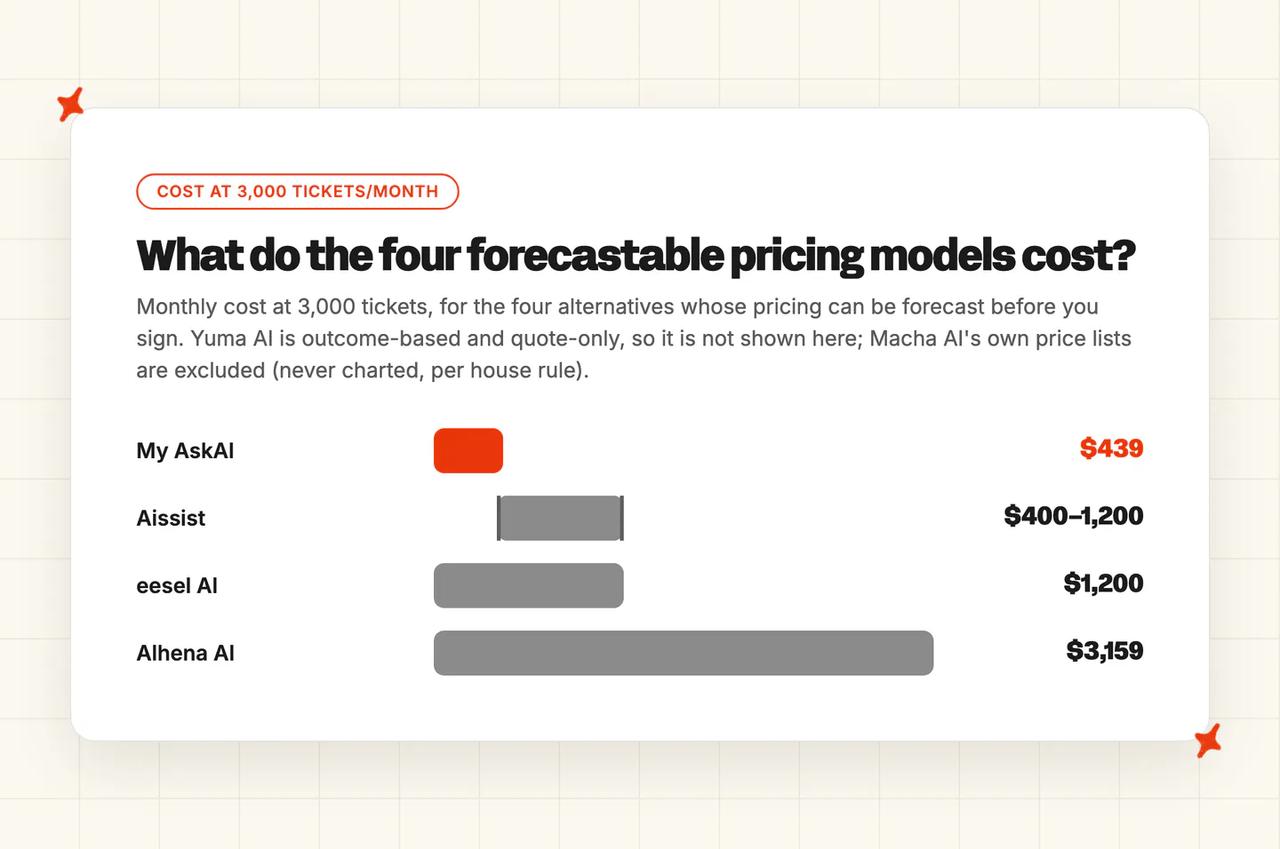
Change models on a credit plan and the number moves under you. Pass the included allowance on a conversation-credit plan and the overage dominates the bill.
From roughly 25 up to 1,000 tickets a month, Aissist's free tier is the cheapest option in the set at $0, ours included, though it runs on aissist's limited free engine. Alhena's free plan covers the first 25 conversations at $0 as well.
Between 1,000 and roughly 5,000, per-ticket and per-task rates separate sharply, because $0.10 and $0.40 compound into a five-figure annual gap. Above that, outcome-based bundles start to make sense if your resolution rate is high and stable enough to forecast.
A variable bill is a difficult sell above mid-market, and a bill that stops your agents is worse, because your customers wait while finance sorts it out. Run the numbers on your own volume with our ROI calculator for your helpdesk, and check each vendor's own pricing page for the current rates before you commit to anything.
Which Macha AI alternative is best?
Start with the platform, because it eliminates faster than anything else. If you are on Intercom, Macha cannot reach you at all (Intercom is absent from its connector documentation), and My AskAI and Aissist both connect. If you are on HubSpot and you need the AI answering the customer in the thread, the same two are the ones that list it.
If the problem is the credits running out mid-month, you want a per-ticket layer whose rate does not move with the model, and no pause, which is where My AskAI sits. Do check the fine print elsewhere though: eesel pauses too when you hit the spend cap, with the difference that you set that cap yourself and can raise it.
If depth matters more than price, the answer changes. A DTC brand on Zendesk or Gorgias whose tickets are refunds, returns and subscription changes will get more from Yuma AI's post-purchase automation than from anything else here, provided a twelve-month commitment paid upfront is something you can sign.
If you want the widest ecommerce module set with a free plan to test on, Alhena AI is the one, with an overage rate that never comes down as the caveat to check against your own volume. And if you are right at the start with no budget at all, Aissist's free tier is a real answer that the rest of us do not have.
There is a case for staying where you are. Say you want cross-tool write actions inside a ticket, hitting Shopify, Confluence and Jira from one place with Stripe alongside them for read-only lookups, plus custom HTTP tools and free graded evaluation on every plan.
If you are on Zendesk, and you can live with SOC 2 still in progress, two access roles and no ISO 27001, there is no urgent reason to move.
For everyone else, my advice is to run one of these on your own tickets for a month. Our trial is 30 days with every feature unlocked, unlimited tickets and no card, and the integration page for your helpdesk will tell you what the install actually involves.
FAQs
What are the best alternatives to Macha AI for customer support?
Five, all of them third-party AI agents that install on a helpdesk you already run: My AskAI, eesel AI, Alhena AI, Aissist and Yuma AI. Each has a documented connector into at least one of the helpdesks Macha itself reaches, which is what makes them substitutes rather than migrations.
We are one of the five, so weigh that as you read. First-party helpdesk AI and platform replacements are a different decision, because both mean changing more than one layer of your stack.
Is there a Macha AI alternative that isn't billed by credits?
Yes, and there are four different ways off credit-based pricing here. My AskAI bills per ticket. eesel AI is per task, "billed per ticket or helpdesk conversation handled", so a long thread counts once.
Aissist charges per interaction but caps at a per-resolution price (you pay the lower of the two). Yuma AI is outcome-based: "You only pay when Yuma fully resolves a ticket." Alhena AI is credit-based like Macha, but spam, irrelevant queries and immediate handoffs cost zero credits.
What's a cheaper alternative to Macha AI for Zendesk?
Two answers, depending on your volume. Aissist gives you "1,000 free tickets every month" with no card, which beats a $299 platform fee outright if that covers your volume.
Above that, we run from $0.10 a ticket on helpdesk chat, so 3,000 tickets a month lands near $439 against the $699 Macha Professional plan needed to reach that volume on its default model (its $299 Starter gets there only on a cheaper model), and with nothing that pauses mid-month. Both install into Zendesk.
Which Macha AI alternative works with Intercom or HubSpot?
My AskAI and Aissist both cover the two. This is the sharpest gap in Macha's coverage: Intercom does not appear in its connector documentation at all, and its HubSpot connector is described as a "HubSpot CRM and Service Hub integration covering contacts, deals, tickets, notes, and pipelines".
It reads, updates and annotates the record, and no customer-facing reply tool is documented for it. Aissist's pricing page lists both Intercom and HubSpot among its native integrations, and My AskAI answers customers in both.
What AI support tools work with Zendesk but are cheaper than their built-in AI?
All five in this post install into Zendesk as a third-party layer, and every one of them is priced independently of your Zendesk seats. The comparison to make is the AI portion only. Your Zendesk subscription does not go away when you add a layer (ours included).
So compare what the AI costs per ticket against what your helpdesk's own AI charges per resolution, and ignore the platform fees on both sides. Do that arithmetic on your own volume, because the crossover point moves a lot with ticket count. There is a wider roundup of Zendesk AI alternatives if your shortlist is not limited to Macha's own connector list.
Is there a Yuma AI alternative that works with Zendesk as well as Gorgias?
Yuma already covers both Zendesk and Gorgias, so the sharper question is the helpdesks it does not reach: Intercom, Freshdesk and HubSpot. If you need one of those, My AskAI covers all three, and Aissist lists them too. If you need Yuma's specific post-purchase action depth on a helpdesk it does not support, no direct equivalent exists and you would be configuring those actions yourself through a tool like our Tasks and Tools.
What's the best AI customer support tool for ecommerce?
It depends on which half of the ecommerce workload you are solving. For post-purchase action depth on Zendesk or Gorgias, Yuma AI goes deepest, with Tediber and Petlibro among its named customers.
For pre-purchase discovery and selling inside the conversation, Alhena AI has the deepest module set, with Dryrobe and Victoria Beckham on its case studies page. For per-ticket pricing across more helpdesks, My AskAI answers tickets for Edel Optics on Zendesk, Barn Owl on Gorgias and YouGarden on Freshdesk, at 79%, 47% and 66% AI resolution respectively.