Easiest AI Customer Service to Set Up: 8 Agents Ranked (2026)
The easiest AI customer service to set up gives live replies in minutes; others take up to 90 days and an onboarding fee. We scored 8 on setup, help and cost.
Summarize with AI
You want AI answering some of your tickets, and you're the one who has to make it happen. There's no developer to borrow, your team is already stretched, and you (or a peer) remember a software rollout that turned into a quarter-long project. The tools that are easy to set up plug into your current helpdesk, work from the help articles you've already got and let you read their draft replies before a customer does.
Some tools are drafting replies in your helpdesk the same afternoon, and others need a project led by the vendor, a large ticket history and an upfront fee before anything goes live. The AI also has to be good once it's live, so I've scored both.
I'm Mike, co-founder of My AskAI. We help 200+ ecommerce and SaaS businesses run AI customer service inside the helpdesk they already have, so I'm not a neutral party, and My AskAI is one of the eight tools below.
At 2,000 tickets a month, the one-off onboarding fee goes from nothing on the self-serve tools to five figures on the enterprise ones, with the monthly bill on top. Time to go live has the same spread. One of our customers, RecruitCRM, switched on direct AI replies in Intercom from its very first day. Here is the short list, in scoreboard order.
What does an easy AI customer service setup actually require?
Most of the weeks in a rollout go on content, testing, approvals and waiting on people outside your team. Ask each vendor how it helps with all four.
A support lead summed up what most of us want in a thread about automating customer service:
"Really want something that's super easy to pick up and is simple, but works real well and you can setup in an afternoon."
Here are the six things I checked every tool against. (For the click-by-click version, our guide to setting up an AI support agent with no code walks through it.)
1. It goes into the helpdesk you already run, with no developer
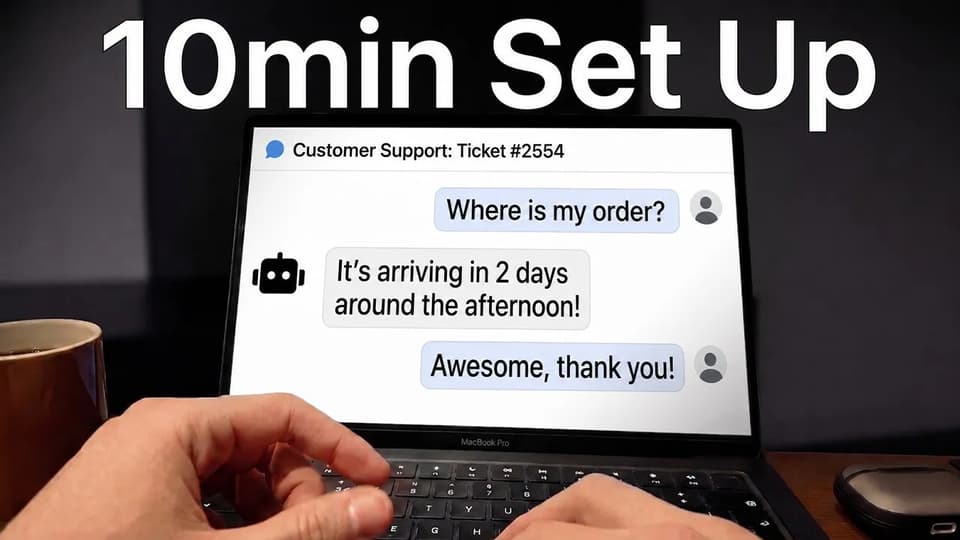
The AI should install from your helpdesk's own app marketplace, and your team should keep its inbox, tags, routing and views exactly as they are. Setup needs someone with admin access to the helpdesk for about ten minutes.
The alternative is a platform move, or a project that waits on engineering time you don't control. Both make the rollout a decision for the whole company.
2. It learns from what you already have
Your help center, website, internal docs and past tickets should work as they are, out-of-date articles and all (I've yet to see a help center without a few). A good setup reads them, shows you where the answers are thin and lets you fix those gaps one article at a time.
The costly versions make you rewrite content first or set a ticket-history minimum (Forethought, for example, says its AI works best with 20,000+ past tickets and needs at least 2,000 a month).
3. You can test it on real tickets, then switch it on bit by bit
Before a customer sees a word, you should be able to watch the AI draft replies for your team, then choose which channel or ticket type it answers first.
Without that, go-live is all or nothing. Teams who've tried a tool before tell me on sales calls that one bad answer to a customer was enough for someone senior to want it switched off.
4. You can try it yourself before you sign
A self-serve trial on your own tickets is the best test of any tool (mine included). The slower path is a sales call, a demo built on the vendor's examples and a vendor-run proof of value before you've seen it answer one of your customers.
5. You get help when you need it, and you know what it costs
Someone should help when you get stuck, whether that's live chat, a named person or a customer success manager. You should also know before you sign whether there's a one-off onboarding fee, because on some plans it's the biggest line in month one.
6. Your team can change it after launch without the vendor
Answers, tone and handover rules should be edits your team makes in plain language and sees working straight away. On some tools each change goes to the vendor's team as a request, and you wait for them to make it.
I've marked each vendor below on which of these six it covers fully, in part or not at all.
How did I score these tools on setup and onboarding?
Every tool is scored against the six capabilities above, plus three rows that matter once setup is done. The setup figures come from each vendor's own pages, including its trial terms, its stated time to go live and any published onboarding fee. For the full rollout timeline, see our guide to how long AI customer service takes to implement.
The nine criteria, each scored out of 10:
- Works in your current helpdesk - installs into the helpdesk your team already runs, from its marketplace, with no developer.
- Uses the content you already have - learns from your help center, website, docs and past tickets as they are, and whether there's a data minimum.
- Test first, then switch on bit by bit - replies your team can see before customers do, and a choice of which tickets or channels go first.
- Try it before you buy - a self-serve trial on your own tickets, its length and whether it needs a card.
- Setup help from the vendor - who helps, and whether a one-off onboarding fee applies.
- Your team can change it later - answers, tone and handover rules edited by your team in plain language.
- Time to first live replies - the vendor's own figure for getting from sign-up to the AI answering customers.
- What it handles once live - actions it can take, handover, channels and whether it improves over time.
- Monthly cost at 2,000 tickets - the lowest plan that covers the volume, monthly.
For every time estimate I've assumed your team uses AI for the legwork. Pulling last month's most common questions into a test list takes a few minutes if you paste the ticket export into an AI tool, and so does turning a messy policy doc into a clean article. The time a person has to put in goes on approving access, reading test replies and deciding when to go live.
The 8 AI customer service agents at a glance: setup effort compared
Here is how the eight tools scored:
| (scores out of 10) | My AskAI | Intercom Fin | eesel AI | Zendesk AI agents | HubSpot customer agent | Decagon | Ada | Forethought |
|---|---|---|---|---|---|---|---|---|
| Works in your current helpdesk | 9 | 7 | 8 | 5 | 4 | 5 | 5 | 6 |
| Uses the content you already have | 9 | 7 | 8 | 7 | 7 | 7 | 7 | 4 |
| Test first, then switch on bit by bit | 9 | 8 | 9 | 6 | 7 | 9 | 8 | 5 |
| Try it before you buy | 10 | 8 | 6 | 8 | 5 | 2 | 2 | 2 |
| Setup help from the vendor | 6 | 7 | 6 | 5 | 4 | 7 | 6 | 6 |
| Your team can change it later | 9 | 9 | 8 | 7 | 8 | 8 | 8 | 5 |
| Time to first live replies | 10 | 8 | 8 | 7 | 7 | 4 | 4 | 3 |
| What it handles once live | 7 | 9 | 7 | 8 | 7 | 10 | 9 | 9 |
| Monthly cost at 2,000 tickets | 9 | 5 | 5 | 3 | 4 | 1 | 2 | 2 |
| Overall | 78 | 68 | 65 | 56 | 53 | 53 | 51 | 42 |
Here is the reason behind each score:
| Criterion | My AskAI | Intercom Fin | eesel AI | Zendesk AI agents | HubSpot customer agent | Decagon | Ada | Forethought |
|---|---|---|---|---|---|---|---|---|
| Works in your current helpdesk | Zendesk, Intercom, Freshdesk, Freshchat, Gorgias, HubSpot | Intercom, Zendesk, HubSpot, Freshdesk, Salesforce | Connects to existing helpdesk | Zendesk only | HubSpot Professional and up | Vendor-built helpdesk connection | Sales-led helpdesk connection | Zendesk, Salesforce and others, vendor-led |
| Uses the content you already have | Docs, site, historic tickets | Help center drives results | Past tickets and docs | Existing help content | Existing HubSpot content | Knowledge built with Decagon | Knowledge base connected first | Works well with 20,000+ past tickets |
| Test first, then switch on bit by bit | Internal notes by default | Live tests by segment | Simulations on past tickets | Testing before switch-on | Test, then deploy | Simulations, staged traffic | Simulations, gradual email rollout | Proof of Value, vendor-run |
| Try it before you buy | 30 days, no card | 14 days, no card | 100 free credits | 14 days, no card | 14 days after paid seat | Demo only | Demo only | Proof of Value |
| Setup help from the vendor | Self-serve on Pro | Self-serve, paid services quoted | Community support, paid human | Paid services, unpriced | Required $1,500 onboarding | Decagon's team builds it | Sales-led onboarding | CSM after go-live |
| Your team can change it later | Guidance applies instantly | Team edits Fin directly | Plain-English instructions | Edited inside Zendesk | Guidelines edited in HubSpot | Plain-language operating procedures | Team edits, simulations check | Coaching; deeper changes assisted |
| Time to first live replies | About 5-10 minutes | Under an hour | Within 30 minutes | No figure published | No figure published | About 6 weeks | No figure published | 30-90 days |
| What it handles once live | Answers, handover, Tasks | Actions, channels, handover | Answers, drafts when unsure | Deep inside Zendesk | Answers inside HubSpot | Refunds, identity checks, voice | Voice and wide channels | Refunds, six channel types |
| Monthly cost at 2,000 tickets | $319 on Pro | $990 on outcomes | $999 credit plan | $1,950 on resolutions | $470 plus onboarding fee | Sales only | Sales only | Sales only |
My AskAI leads on fitting into what you already run and getting to live replies fast. It installs into the helpdesk your team uses, drafts internal notes by default, has the longest self-serve trial in the set and costs the least of the priced options at 2,000 tickets a month. We trail in two places: setup help, where Pro is mostly self-serve, and what the AI handles once live, where Decagon leads the set.
Intercom Fin is second, with a fully self-serve trial, a stated setup time under an hour and strong actions once live. It drops points on cost. eesel AI is third, level with us on testing thanks to simulations on past tickets. The three enterprise tools all score 9 or 10 once live and lose most of that lead on trial, time and cost, because a vendor builds the agent for you.
Where does AI customer service setup go wrong?
Each of these three has a simple check you can run in a trial. Our post on why AI customer service projects fail covers the wider picture; these are the ones that start at setup.
Failure mode 1: It goes live on content that isn't ready
When the help center is out of date, customers get the out-of-date answers. If it isn't written down somewhere, the AI has nothing to learn from.
A support lead made the point well in a thread about AI agents for Zendesk:
"It's worth the investment in knowledge upfront, as adding AI without getting this right won't actually solve anything - an AI agent without a knowledge base is like a new support agent with zero training."
Testing should show you which questions the AI can't answer before a customer asks them. Build a set of 50 to 150 real questions from recent tickets (an AI tool will pull them from an export in minutes), run them, and fix the missing answers one article at a time. If you have no help center at all, pick a tool that learns from your historic tickets, so your first job is editing its drafts.
Failure mode 2: The setup waits on someone outside your team
The project stalls on a developer's sprint, a data export, a ticket-history minimum or the vendor's implementation calendar. One founder asking about AI for support described the worry:
"Unfortunately, I haven't found anything to actually pull this off yet, and the last thing I want to do right now is build another internal tool."
The fix is a standard setup that someone with admin access to your helpdesk can finish. Connecting live account data or letting the AI take actions can need a developer, so those steps should be optional and added once the basics are working. On our own rollouts, the AI is already answering from your content while your developers work on that step.
Failure mode 3: Everything is switched on at once
There's no test on real tickets, every ticket type goes live on day one, and the first bad answer lands with a customer. The AI gets switched off, and the next attempt starts with a doubtful team.
Draft-only mode comes first, then one channel or ticket type at a time. Going direct sooner teaches you faster, because customers show you what the AI gets wrong. On our onboarding calls the choice comes down to how bullish or careful your team wants to be.
Can My AskAI be set up quickly?
We built My AskAI to answer inside the helpdesk your team already uses: Zendesk (tickets and Messaging), Intercom, Freshdesk, Freshchat, Gorgias or HubSpot. Your team stays on its helpdesk and keeps its inbox, macros, tags and routing.
You can sign up from our homepage with no sales call or demo, although you'll need a work email. Most of our customers have the AI writing draft replies for their team on the day they sign up.
How does My AskAI get you from sign-up to live replies?
The standard setup takes about 5 to 10 minutes. It needs someone with admin access to your helpdesk and no developer, so we score 9 on working in your current helpdesk. On Zendesk, Intercom, Gorgias and HubSpot it installs as an approved app from the helpdesk's own marketplace, and on Freshdesk and Freshchat you connect our app directly, with no code.
For content, you connect your help center or website, upload documents and SOPs, and connect historic tickets, with no minimum. We run a sample of your historic tickets through the AI straight away, so you can see how it would have answered. Self-learning articles drafted from your past tickets start appearing within about six hours. Our 9 on using the content you already have comes from that.
On Intercom, Zendesk tickets, Gorgias, Freshdesk, Freshchat and HubSpot, the integration starts in internal-note mode, so the AI drafts a reply on each ticket that only your team sees. On Zendesk Messaging the AI replies as soon as you enable it, so there the historic-ticket sample run is your test before customers see a reply. We score 9 on testing because every setup lets you check replies first.
Going direct is your call, and we're relaxed either way: it can be the same day, or a few weeks of watching drafts and tweaking. Almost everyone gets to live and direct replies within a month, and after that upkeep settles to about 30 minutes a week. Your team changes answers with Guidance and Custom Answers, and a Guidance change applies instantly, so we score 9 on changing it later.
We score 6 on setup help, because Pro is largely self-serve. Scale adds priority live chat with same-day replies and a monthly video call, and Enterprise includes white-glove setup, where our team sets the agent up with you on a call, plus a dedicated success manager. Any onboarding call you book is with me or my co-founder Alex.
Once live, the AI answers from your knowledge, hands over to a person with a summary, and can run Tasks such as refunds or cancellations, either on its own or by proposing the action for your team to approve. Connecting those actions to your systems is the one step that needs a developer. That's why I've kept us at 7 on what it handles once live, below the enterprise tools that build that for you.
Capabilities shipped (out of 6)
We have five of the six capabilities in full, and a partial mark on setup help.
| Capability | My AskAI |
|---|---|
| Works in your current helpdesk | ✅ Zendesk, Intercom, Freshdesk, Freshchat, Gorgias, HubSpot |
| Uses the content you already have | ✅ help center, website, docs, historic tickets |
| Test first, then switch on bit by bit | ✅ internal notes by default |
| Try it before you buy | ✅ 30 days, no card |
| Setup help from the vendor | ⚠️ self-serve on Pro, white-glove on Enterprise |
| Your team can change it later | ✅ Guidance and Custom Answers |
Who's using My AskAI?
RecruitCRM, an all-in-one SaaS platform for recruitment agencies, runs its support in Intercom and turned on direct replies from day one. The team decided the fastest way to learn how the AI would perform was to put it in front of customers, then ran a weekly review to fix answers. It went from about 35% AI resolution at go-live to 68%.
TravelJoy, an all-in-one platform for travel advisors, took a split approach in Zendesk. Direct AI replies went live in Zendesk Messaging from day one, while the AI drafted internal notes on email tickets for the team. It went from 24% resolution on Zendesk AI to 76% on its first day with us, and it's at 80% today, saving 193 hours a month.
In both cases we count a conversation as resolved when the AI handled it without escalating to a person.
What does My AskAI cost at 2,000 tickets a month, including setup?
Pro is $199 a month with 1,000 credits included, then $0.12 a credit. A chat with two AI replies uses one credit, and an email answered once uses one credit, so I've counted each ticket as one credit. That puts 2,000 tickets at $199 plus 1,000 extra credits at $0.12, or $319 a month. That's the lowest priced bill in this post, so we score 9 on cost.
You pay per ticket the AI works on, resolved or not, so the bill doesn't climb as the AI gets better. Usage-based features such as AI Actions, Tasks and Live Translation bill on top on every plan. The pricing page lists no one-off onboarding fee, and the trial is 30 days with every feature unlocked, unlimited tickets and no card, so you can prove it on your own tickets before you pay.
To go deeper, our helpdesk integrations page lists what the AI does in each helpdesk, and the pricing page has the full plan table.
Can Intercom Fin be set up quickly?
Fin is Intercom's AI agent. You can start a free trial of Fin and Intercom with a business email and no credit card, and the Intercom pricing page puts the trial at 14 days. That's an 8 on trying it before you buy (14 days is plenty, as long as your test tickets are ready on day one).
How does Intercom Fin get you from sign-up to live replies?
Fin's pricing page says you can set it up in under an hour, which earns an 8 on time to first live replies. Fin runs best on Intercom, and it also works with other helpdesks. Intercom's guide to Fin on other platforms lists a narrower set of channels there, such as email tickets and Messenger on HubSpot, so Fin scores 7 on working in your current helpdesk.
Intercom's guide to live testing Fin says you get plenty of chances to review the experience before Fin goes live, then you can roll it out to part of your team or customers first. On HubSpot, Fin has to be set live before it responds to any tickets, test ones included, so I've scored testing an 8.
Fin answers from your help center, so most of the setup hours go into your articles. Content gets a 7 for that reason. Your support team edits Fin's guidance directly (a 9), and once live it takes actions and hands over across Intercom's channels, which earns a 9 on what it handles.
Intercom says you can set Fin up yourself and many teams do, and it also sells Deployment Services, scoped and quoted by its team, so setup help scores 7. Lightspeed's Fin customer story shows what that support looked like for a larger team:
"For several weeks after the go-live date, we had dedicated Slack channels and forums where team members could ask real-time questions or flag any issues they encountered."
Capabilities shipped (out of 6)
Fin's partial marks come from helpdesks other than Intercom, from results that lean on your help center work, and from setup help that is quoted separately.
| Capability | Intercom Fin |
|---|---|
| Works in your current helpdesk | ⚠️ Intercom, plus Zendesk, HubSpot, Freshdesk, Salesforce with fewer channels |
| Uses the content you already have | ⚠️ results depend on help center work |
| Test first, then switch on bit by bit | ✅ review before live, then test by segment |
| Try it before you buy | ✅ 14 days, no card |
| Setup help from the vendor | ⚠️ self-serve, paid services quoted |
| Your team can change it later | ✅ |
Who's using Intercom Fin?
Lightspeed runs Fin across its Intercom workspaces for a support team of hundreds of agents in several regions and languages (too many, in its own words, to "just flip a switch overnight"). Its customer story reports AI resolution rates of up to 65%.
What does Intercom Fin cost at 2,000 tickets a month, including setup?
Fin costs $0.99 per outcome, with a 50-outcome monthly minimum, and its pricing page lists no setup, integration or platform fees. I've assumed a 50% resolution rate, so 1,000 outcomes come to $990 a month on top of the Intercom seats your team already pays for.
On another helpdesk, Fin's outcome pricing starts from a $49 base plan with 50 resolutions included, then $0.99 each, which comes to $989.50 at the same volume. Either way it's about three times our bill at 2,000 tickets, so Fin scores 5 on cost.
Read more about Fin in our complete guide to Intercom Fin, our roundup of Intercom Fin alternatives and our My AskAI vs Intercom Fin comparison.
Can eesel AI be set up quickly?
eesel is the other tool here that layers onto an existing helpdesk, so its setup looks most like ours. Its AI agent page says the agent learns from your past tickets, help docs and how your team works, so it gets an 8 on using the content you already have.
How does eesel AI get you from sign-up to live replies?
eesel's homepage says most teams have their first AI support agent live within 30 minutes, an 8 on time. It connects to the helpdesk you already use, so nobody moves platform (an 8), and its answers are set with plain-English instructions your team can change (also an 8).
You run simulations on your past tickets, see how the agent handles each theme and where it's weak, fill the gaps and re-run before rolling out. Once live, a low-confidence answer is held back as a draft for your team to review. That earns a 9, level with Decagon and us.
Setup help scores 6, because eesel's plans come with community support and a named person with same-day human replies is a paid add-on. Once live, it answers and hands over well, for a 7 on what it handles.
Capabilities shipped (out of 6)
eesel's only partial marks are on trying it and getting help, because the free plan stops at 100 credits and a named person costs extra.
| Capability | eesel AI |
|---|---|
| Works in your current helpdesk | ✅ connects to the helpdesk you already use |
| Uses the content you already have | ✅ past tickets and help docs |
| Test first, then switch on bit by bit | ✅ simulations on past tickets, drafts when unsure |
| Try it before you buy | ⚠️ free plan with 100 credits |
| Setup help from the vendor | ⚠️ community support; human help is an add-on |
| Your team can change it later | ✅ plain-English instructions |
Who's using eesel AI?
eesel's customers page names Norden-Frisia, a German ferry company that used its AI agent for seasonal surges on Zendesk, and Spooky2, which uses a dedicated agent for each of its product brands. Gridwise, quoted on eesel's pricing page, describes its first month:
"In the first month, eesel is resolving 73% of our tier 1 requests."
What does eesel AI cost at 2,000 tickets a month, including setup?
eesel sells credit plans at one fixed monthly price, where a ticket or a chat uses one credit. I've priced the 2,500-credit plan at $999 a month, because the 1,500-credit plan plus 500 overage credits at $0.80 would come to $1,099. The pricing page lists no one-off onboarding fee, and at $999 a month eesel scores 5 on cost.
Before you sign, I'd look at what happens when credits run out. The agent pauses until the credits reset unless you turn on overage with a monthly cap, so a busy month can leave customers without AI replies. The free plan gives you 100 credits with no card. That's a small allowance for a real test, so eesel scores 6 on trying it before you buy.
Read more about eesel in our complete guide to eesel AI, our roundup of eesel AI alternatives and our My AskAI vs eesel AI comparison.
Can Zendesk AI agents be set up quickly?
Zendesk's AI agents are the native option for teams already on Zendesk, and they only run there, so they score 5 on working in your current helpdesk. The AI agents page offers a 14-day free trial with no credit card, on the Suite Professional features, though the pricing page notes that AI access during the trial may vary. That's an 8 on trying it.
How do Zendesk AI agents get you from sign-up to live replies?
Neither the AI agents page nor the pricing page gives a time to go live. Zendesk says its AI agents connect to your existing help center and to other content such as Google Drive files or PDFs, so I've scored it a 7 on both content and time. ODEON Cinemas, in its Zendesk customer story, gives one team's experience:
"It was like going from stone tools to the steam engine—and we set it up in just a couple of weeks."
You can test an email AI agent before customers see its replies, and switching on happens per AI agent. Zendesk's testing article shows no draft-note mode, so testing scores 6. Your admins edit the agent inside Zendesk (a 7), and once live it goes deep inside the Zendesk platform, for an 8 on what it handles.
Zendesk's Professional Services sells a Launch package for guided setup, configuration and training, quoted for each customer by plan, size and complexity. The AI agents page also offers AI Expert, a subscription service for ongoing improvement, and shows no price for it. Zendesk scores 5 on setup help because neither service shows a price on those pages.
Capabilities shipped (out of 6)
The 14-day trial is the only capability Zendesk covers fully, and most of the partial marks come from the agent living only inside Zendesk.
| Capability | Zendesk AI agents |
|---|---|
| Works in your current helpdesk | ⚠️ Zendesk only |
| Uses the content you already have | ⚠️ existing Zendesk help content |
| Test first, then switch on bit by bit | ⚠️ testing documented, no draft-note mode |
| Try it before you buy | ✅ 14 days, no card |
| Setup help from the vendor | ⚠️ paid services, no published price |
| Your team can change it later | ⚠️ admins edit inside Zendesk |
Who's using Zendesk AI agents?
ODEON Cinemas, a cinema chain across the UK and Ireland, set up its AI agents with help from Zendesk's Professional Services team. They now resolve or deflect about 60% of its customer questions (guiding guests through refunds included).
What does Zendesk AI agents cost at 2,000 tickets a month, including setup?
Zendesk bills AI agents per automated resolution: $2.00 pay as you go or $1.50 committed, with 5 resolutions per agent a month included on Team plans and 10 on Professional. At the 50% resolution rate I've used throughout, a five-person team gets 25 included, which leaves 975 billable resolutions, or $1,950 a month pay as you go ($1,462.50 committed).
That's the AI charge on top of seats you already pay for. A team not yet on Zendesk would add Suite Team seats at $69 an agent monthly, and any paid help comes on top of both, so cost scores 3.
Read more about Zendesk's AI in our complete guide to Zendesk AI agents, our roundup of Zendesk AI alternatives and our My AskAI vs Zendesk AI comparison.
Can the HubSpot customer agent be set up quickly?
The customer agent is HubSpot's AI agent (it used to be called Breeze). It runs only inside HubSpot and only on a Professional or Enterprise HubSpot plan, such as Service Hub Professional, so it scores 4 on working in your current helpdesk, even for a team already on HubSpot: a team on a lower plan has to upgrade first.
How does the HubSpot customer agent get you from sign-up to live replies?
HubSpot's setup guide walks you through creating the agent from your existing content, and the steps end in a test before you deploy it to live channels. The product page promises you can test before going live and roll out at your own pace. Testing and content both get a 7.
HubSpot's setup guide doesn't give a time to go live, so I scored the in-app wizard on its own and gave it a 7 on time. Guidelines and handoff settings are edited inside HubSpot by your team, an 8 on changing it later. It answers inside HubSpot's channels once live, so it gets a 7 on what it handles.
HubSpot lets you use the customer agent free for 14 days once you've bought at least one Service Hub Professional or Enterprise seat. That's why I gave it a 5 on trying it.
Capabilities shipped (out of 6)
The only capability HubSpot covers fully is letting your team edit the agent's guidelines, and the other five are partial, mostly because everything assumes you already pay for a Professional HubSpot plan.
| Capability | HubSpot customer agent |
|---|---|
| Works in your current helpdesk | ⚠️ HubSpot only, Professional and up |
| Uses the content you already have | ⚠️ existing HubSpot content |
| Test first, then switch on bit by bit | ⚠️ test, then deploy per channel |
| Try it before you buy | ⚠️ 14 days after buying a seat |
| Setup help from the vendor | ⚠️ onboarding specialist, required fee |
| Your team can change it later | ✅ guidelines edited in HubSpot |
Who's using the HubSpot customer agent?
Synergym, a gym chain opening a new site every week, is HubSpot's headline example. Its customer agent case study says it resolved 85% of member support requests autonomously, saving about 4,000 hours a year across 170+ gyms.
What does the HubSpot customer agent cost at 2,000 tickets a month, including setup?
The customer agent costs $0.50 per resolution, paid in HubSpot credits at 50 credits each. At the same 50% resolution rate, 1,000 resolutions use 50,000 credits. Professional includes 3,000, so I've priced the other 47,000 at $0.01, which comes to $470 a month on seats you already pay for.
HubSpot's service pricing says Professional comes with a required, one-time onboarding fee of $1,500, and the product catalog puts Enterprise onboarding at $3,500. That fee buys access to an onboarding specialist, so setup help scores 4. A team not yet on Professional also adds seats at $100 each monthly, so cost scores 4.
Read more about HubSpot's AI in our complete guide to the HubSpot Breeze AI agent, our roundup of HubSpot Breeze alternatives and our My AskAI vs HubSpot Breeze comparison.
Can Decagon be set up quickly?
Decagon sells to enterprises, and its homepage offers a demo request and no self-serve trial, so it scores 2 on trying it before you buy. The agent connects to your helpdesk through a vendor-built implementation, so Decagon scores 5 on working in your current helpdesk.
How does Decagon get you from sign-up to live replies?
Decagon's setup guide says implementation takes approximately 6 weeks from initial discovery to full deployment. That's a 4 on time to first live replies. Its Agent Development Managers do almost all of the build work, and I've given that a 7 on setup help because Decagon's homepage and demo page list no extra charge for it.
Decagon's Simulations check how the agent responds across channels before it goes live and after every change, and rollouts are staged by share of traffic. That's the 9 on testing. What the agent does is written as plain-language operating procedures that non-technical teams can edit, an 8 on changing it later, and its knowledge is built with Decagon's team (a 7 on content).
Once live, Decagon runs identity checks and refunds with strict controls and covers chat, voice and email in one agent. That's the only 10 in the set on what it handles.
Capabilities shipped (out of 6)
Decagon covers testing and later changes fully, and trying it yourself not at all, because you only see it in a demo.
| Capability | Decagon |
|---|---|
| Works in your current helpdesk | ⚠️ connected through a vendor-built implementation |
| Uses the content you already have | ⚠️ knowledge built with Decagon's team |
| Test first, then switch on bit by bit | ✅ simulations and staged traffic |
| Try it before you buy | ❌ demo only |
| Setup help from the vendor | ⚠️ Decagon's team builds it |
| Your team can change it later | ✅ plain-language operating procedures |
Who's using Decagon?
Duolingo is one of Decagon's named customers, and its case study describes the pace:
"In just one month, Decagon was live and handling chat inquiries with remarkable efficiency."
Hunter Douglas started in the UK and moved from chat to email and then voice, scaling from 10 percent of traffic to full volume within a single week.
What does Decagon cost at 2,000 tickets a month, including setup?
Decagon's homepage and demo page show no prices, and most of its customers choose per-conversation pricing. One procurement-data site lists a median contract value of $432,750. At 2,000 tickets a month it's the least likely fit on cost here, so I've given it the only 1 on monthly cost.
Read more about Decagon in our complete guide to Decagon AI, our roundup of Decagon AI alternatives and our My AskAI vs Decagon comparison.
Can Ada be set up quickly?
Ada is built for large, global support teams. Ada's pricing page sends you to a demo request built on your use cases, with no trial offered there, so Ada scores 2 on trying it.
How does Ada get you from sign-up to live replies?
Ada's docs give no time to go live, and setup goes through its sales and onboarding team, so I've given time a 4 and working in your current helpdesk a 5. The first step for every agent is connecting your knowledge base, so content gets a 7.
Ada's Simulations show how a configuration change affects the agent before customers see it, and its email launch controls allow a gradual rollout from a small percentage of traffic. That's an 8 on testing, and the same simulations back up the 8 on changing it later.
Setup help scores 6 because onboarding is sales-led, and a procurement-data site says Ada typically charges separately for implementation, adding $15,000 to $30,000 for smaller deployments (third-party figures, so take them with a grain of salt). Once live it covers voice and a wide set of channels, the 9 on what it handles.
Capabilities shipped (out of 6)
You only see Ada in a demo before you sign. Once you're a customer, your team tests and edits the agent itself, and the helpdesk connection and onboarding go through Ada's sales team.
| Capability | Ada |
|---|---|
| Works in your current helpdesk | ⚠️ connected through a sales-led implementation |
| Uses the content you already have | ⚠️ knowledge base connected first |
| Test first, then switch on bit by bit | ✅ simulations and gradual email rollout |
| Try it before you buy | ❌ demo only |
| Setup help from the vendor | ⚠️ sales-led onboarding, charged separately |
| Your team can change it later | ✅ edits checked with simulations |
Who's using Ada?
Cebu Pacific, an airline, is one of Ada's named customers. Its case study reports a 34%+ higher automated resolution rate after replacing its older chatbot with Ada's AI agent, and 50%+ higher CSAT.
What does Ada cost at 2,000 tickets a month, including setup?
Ada's pricing page shows no prices either, only the demo request. The same procurement-data page puts annual platform fees for small deployments at $30,000 to $70,000, with implementation on top, which makes it a poor fit at 2,000 tickets a month, so I've scored cost a 2.
Read more about Ada in our complete guide to the Ada AI agent, our roundup of Ada AI alternatives and our My AskAI vs Ada comparison.
Can Forethought be set up quickly?
Forethought sells to support teams on helpdesks such as Zendesk and Salesforce. Its homepage says it's part of Zendesk, and it works with other helpdesks through a vendor-led setup, so I've scored it a 6 on working in your current helpdesk.
How does Forethought get you from sign-up to live replies?
Forethought's FAQ says most teams are fully set up within 30 to 90 days, then paired with a Customer Success Manager. That's a 3 on time. The same FAQ says its AI performs well with 20,000+ historical tickets and needs at least 2,000 email or chat tickets a month, which puts it at 4 on using the content you already have. At the 2,000 tickets a month I've priced every tool at, you'd be right at that minimum.
The pricing page offers a Proof of Value in place of a traditional free trial, so trying it scores 2. That Proof of Value is also the testing step Forethought describes: its team works with you and your data to show how the AI performs in real situations, and because the test is vendor-run I've scored testing a 5.
Setup help scores 6: a Customer Success Manager after go-live and support engineer services for more complex setups. Your team can coach the AI's responses and tone, and deeper changes are vendor-assisted, so it gets a 5 on changing it later. Once live it can process refunds and update accounts, covers chat, email, voice, Slack and mobile apps, and hands over with full context, a 9.
Capabilities shipped (out of 6)
Forethought covers none of the six fully, because its team handles setup and its FAQ ties good results to a long ticket history.
| Capability | Forethought |
|---|---|
| Works in your current helpdesk | ⚠️ Zendesk, Salesforce and others, vendor-led setup |
| Uses the content you already have | ⚠️ works well with 20,000+ past tickets |
| Test first, then switch on bit by bit | ⚠️ Proof of Value on your data, vendor-run |
| Try it before you buy | ❌ Proof of Value, sales-run |
| Setup help from the vendor | ⚠️ CSM after go-live, fees by quote |
| Your team can change it later | ⚠️ coaching; deeper changes assisted |
Who's using Forethought?
Grammarly went live far quicker than the FAQ's range (a week and a half), and its case study credits its content for that:
"The first version of Grammarly's Forethought setup went live in just a week and a half, thanks to their highly optimized knowledge base, which helped them train their AI agents easily and quickly."
YAZIO reports that Forethought's agent deflected 80% of tickets within six months while keeping CSAT at 4.0 out of 5.
What does Forethought cost at 2,000 tickets a month, including setup?
Forethought blends platform access fees with outcome-based pricing, and its pricing page shows no figures. A procurement-data site puts implementation fees at $10,000 to $50,000, depending on integrations, custom workflows and training. Cost scores 2.
Read more about Forethought in our complete guide to Forethought AI, our roundup of Forethought alternatives and our My AskAI vs Forethought comparison.
What does an easy setup save you? (worked example)
The basis for every row is the same: 2,000 tickets a month handled by a five-person team. A ticket takes a person about 5 minutes at $0.40 a minute, which is $2.00 each. Both are assumptions, and $0.40 is a little above the median wage for customer service representatives of $21.53 an hour (about $0.36 a minute) to cover what a person costs on top of their pay. Where a tool bills per resolution, I've assumed the AI resolves 50% of tickets.
For the tools that run in a helpdesk you already pay for, each row is the AI charge plus any plan upgrade or onboarding fee the agent itself needs. Our post on the hidden costs of AI customer service covers the rest of the bill.
| Scenario | Plan priced | Monthly cost | One-off onboarding fee | Stated time to go live | Notes |
|---|---|---|---|---|---|
| No AI (team answers everything) | none | $4,000 | none | none | 2,000 × 5 min × $0.40 ($2.00 a ticket) |
| My AskAI | Pro | $319 | None listed on pricing page | ~5-10 mins | $199 incl. 1,000 credits + 1,000 × $0.12; one credit a ticket; add-ons bill on top; 30-day trial, no card |
| Intercom Fin | per outcome, on existing Intercom seats | $990 | None listed ("No setup, integration, or platform fees") | Under an hour | 2,000 tickets at 50% = 1,000 outcomes × $0.99; on another helpdesk $49 incl. 50 + 950 × $0.99 = $989.50; Deployment Services quoted |
| Zendesk AI agents | Suite Team, pay as you go, seats already paid | $1,950 | Not published (paid services) | not stated | 2,000 tickets at 50% = 1,000 resolutions; 975 × $2.00 after 25 included; committed $1.50 gives $1,462.50; seats $69 an agent monthly if new to Zendesk |
| HubSpot customer agent | Service Hub Professional, seats already paid | $470 | $1,500 (required, paid when buying Professional) | not stated | 2,000 tickets at 50% = 1,000 resolutions × 50 credits = 50,000 credits; 47,000 × $0.01 after 3,000 included; seats $100 each monthly if not on Professional |
| eesel AI | 2,500-credit plan | $999 | None listed on pricing page | within 30 minutes | one credit a ticket; agent pauses when credits run out unless overage ($0.80 a credit) is on |
| Forethought | sales only | not published | not published | 30-90 days | Proof of Value instead of a trial; 2,000+ tickets a month minimum; implementation estimated at $10,000 to $50,000 by a third party |
| Ada | sales only | not published | not published | not stated | implementation charged separately per a third party, $15,000 to $30,000 for small deployments |
| Decagon | sales only | not published | not published | approximately 6 weeks | per-conversation pricing; third-party median contract value $432,750 |
Every priced row comes in under the no-AI line. For the self-serve tools the monthly bill is the whole cost, while for the native and enterprise tools the onboarding fee or plan upgrade is often the biggest line in month one. HubSpot is the clearest case: a team already on Professional pays $470 a month in resolutions, while a team not yet on it also buys seats and pays a required one-time $1,500 onboarding fee before the first reply.
On top of the AI bill in the table, your team answers what the AI hands over. At a 50% resolution rate, 1,000 tickets reach a person, which is $2,000 of team time. Add our $319 on Pro and the month costs $2,319 against $4,000 with no AI, and the gap widens as the resolution rate climbs.
So which AI customer service is easiest to set up?
My AskAI leads on 78 of 90 because it goes into the helpdesk you already run with no developer, drafts internal notes until you switch it live, and has the longest trial and the lowest priced bill here at 2,000 tickets a month. We score lowest on setup help on Pro and on what the AI handles once live, so if those two matter most to you, weigh Decagon's and Fin's numbers.
Intercom Fin is second on 68, with a real self-serve trial and strong actions once live. You pay for that in per-outcome billing that grows with volume. eesel AI is a close third for a team that wants simulations on past tickets and a fixed credit plan. If your helpdesk's own AI is already live and the bill works at your volume, there's no reason to add another tool (ours included).
For an enterprise that wants the vendor to do the building, Decagon, Ada and Forethought all handle more once live than the self-serve tools. Expect weeks to months and a sales process before the first reply.
Whichever you choose, roll it out in this order:
- Start in draft-only mode on real tickets - let the AI write internal notes for your team for a few days, and fix the answers it gets wrong.
- Switch on the busiest channel or simplest ticket type first - TravelJoy went direct on Zendesk Messaging from day one while email stayed in draft mode.
- Widen one channel at a time, and review weekly - RecruitCRM's weekly review of answers took it from about 35% to 68% resolution.
After launch, plan on about 30 minutes a week to review answers and add what's missing. Our 30-day free trial has every feature unlocked and no card, so you can run that first channel before you pay anything.
FAQs
Which AI customer service agent is easiest to set up without engineering support?
In this comparison, My AskAI scored highest on setup: it installs as an approved app from the marketplace of Zendesk, Intercom, Gorgias or HubSpot, connects to Freshdesk and Freshchat with no code, and needs only someone with admin access to your helpdesk. eesel AI and Intercom Fin are also self-serve, with stated setup times of within 30 minutes and under an hour. A developer only comes in later, if you want the AI to take actions in your own systems.
How much do AI support tools charge for setup and onboarding services?
It ranges from nothing listed to five figures. HubSpot's customer agent needs a Professional or Enterprise HubSpot plan, and buying Service Hub Professional comes with a required one-time onboarding fee of $1,500 ($3,500 on Enterprise); Zendesk and Intercom sell optional setup services by quote. For Forethought and Ada, a procurement-data site puts implementation at $10,000 to $50,000 and $15,000 to $30,000 for smaller deployments. My AskAI's pricing page lists no one-off fee, and the trial is 30 days with no card.
How long does it take to set up an AI customer service agent?
For a self-serve tool that learns from your existing help center and website, the AI can be drafting replies within minutes to hours, and almost every team we work with is live and replying directly within a month. Vendor-built enterprise tools quote weeks to months, such as Decagon's six weeks or Forethought's 30 to 90 days.
Can I set up AI customer support without any coding?
Yes. The standard setup for My AskAI, eesel AI and Intercom Fin needs no code, and the native AI in Zendesk and HubSpot is set up inside those helpdesks. Code only comes in for optional extras, such as connecting live account data or letting the AI take actions.
Free trial AI customer support tools I can test before committing?
Here are the trial terms for the eight tools I scored:
- My AskAI - 30 days, every feature, no card.
- Intercom Fin - 14 days, no card, business email.
- Zendesk AI agents - 14 days, no card, with AI access that may vary.
- HubSpot customer agent - 14 days, after you buy a Service Hub Professional or Enterprise seat.
- eesel AI - a free plan with 100 credits, no card.
- Forethought - a sales-run Proof of Value.
- Ada and Decagon - a demo through sales.
How to evaluate AI customer service tools: what should I look for?
Check each tool against the list from the top of this post: it goes into the helpdesk you already run without a developer, learns from content you already have, lets you test on real tickets before switching on bit by bit, has a self-serve trial, comes with setup help at a known cost, and lets your team change it later. Then weigh what it handles once live and its monthly cost at your volume. Run your own tickets through it in a trial before you sign anything.