Siena AI: Complete Guide to Features, Pricing & Limitations (2026)
Siena AI costs $750/month plus $0.90 per automated ticket. My AskAI Pro is $199/month with 1,000 credits, then $0.12 a credit, and a 30-day free trial.
Summarize with AI
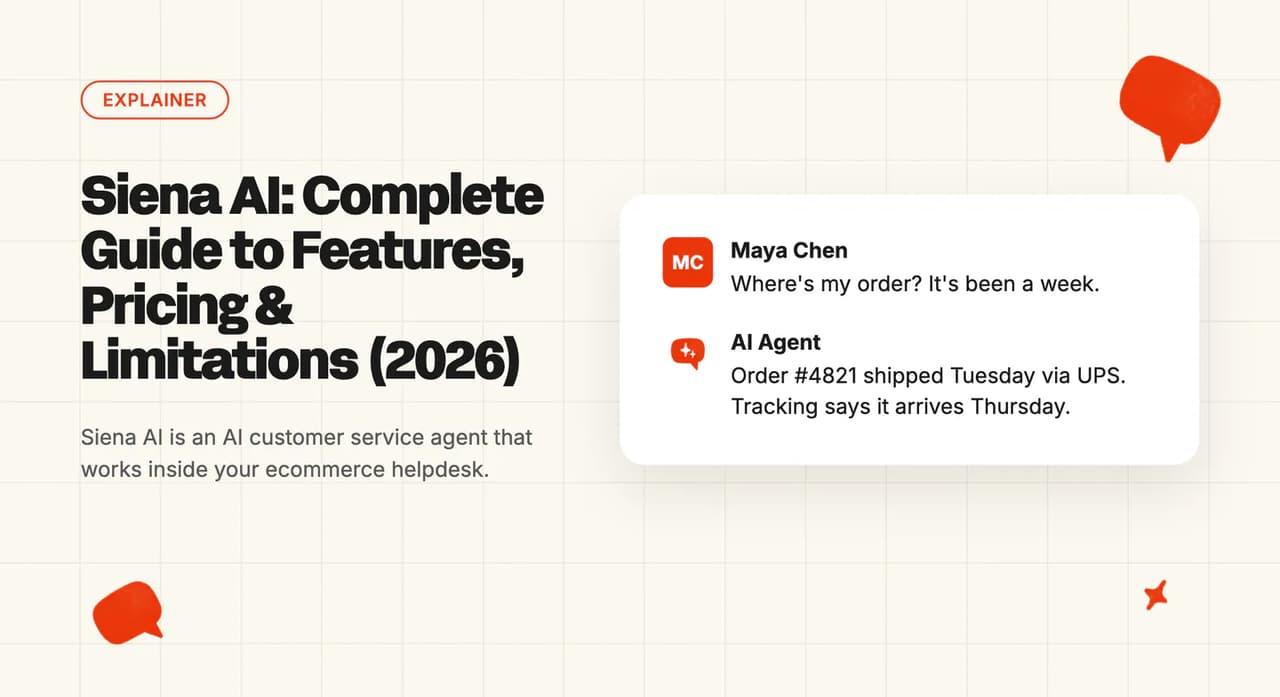
If you run CX for a Shopify brand, the Spanx and HexClad logos on Siena's homepage will look like your peer group. Siena AI, also called Siena CX after its web address, is an AI customer service agent that answers shoppers and takes order actions from inside the helpdesk you already run, provided Siena supports that helpdesk. The catch comes early: its homepage and pricing page lead to a demo or a pricing request, the help docs are behind a login, and each automated ticket costs $0.90.
So the first call has to answer two questions: will it run on our helpdesk, and what will it cost at our normal volume and in November? An ecommerce brand also needs to know whether Siena can settle WISMO and returns from live order data.
I'm Mike, co-founder of My AskAI. We build an AI agent that plugs into existing helpdesks for 200+ ecommerce and SaaS businesses, so I'm not a neutral party here.
On Siena's published fee and rate, and assuming no volume discount, a brand with 10,000 tickets a month and half of them automated would pay $5,250 for the AI alone. If BFCM triples that to 30,000 tickets and Siena automates 80% (Siena's upper figure), the estimate rises to $22,350.
Siena AI at a glance
| Fact | Detail |
|---|---|
| What it is | Ecommerce AI agent layered on your helpdesk |
| Headline price | $750/month platform fee + $0.90 per automated ticket |
| G2 rating | 4.8/5 from 28 reviews |
| Best for | Shopify DTC brands on Gorgias, Zendesk or Gladly |
| Not a fit for | Brands on Freshdesk or HubSpot |
| Biggest limitation | Sales-led entry; docs behind a login |
| Our verdict | 6/10 |
What is Siena AI?
Siena works as one more agent inside your helpdesk. The Gorgias setup guide for Siena says it replies there as "a dedicated Agent (created during installation)", so its replies show up in the same tickets your people work in.
Siena's homepage calls the product "The AI CX operating system for consumer brands" and describes "AI agents that run support, shopping, social, QA, and VoC". In support-team terms, the line-up looks like this:
- Customer Service Agent - answers shoppers and handles order tracking, returns, exchanges and subscription changes
- Shopping Agent - helps shoppers choose products before they buy
- Social Agent - replies to comments and DMs on your Meta accounts
- Reviews Agent - responds to product reviews
- QA Agent - scores conversations from both the AI and your human team
Around those agents are tools for your team: Ask Siena for questions about customer feedback, Topics Explorer for trends, Memory, Docs for your policies, and a Copilot for agents. The integrations page lists the helpdesks Siena works with, plus Shopify and a long list of returns, subscription and shipping apps.
The company behind it is Siena Labs Inc., co-founded by Andrei Negrau and Lisa Popovici. Its About page says "We spent over a decade as Shopify merchants scaling ecommerce brands", and a November 2023 funding report put its seed round at $4.7 million.
Day to day, tickets stay in your helpdesk. Siena reads them, answers the ones it can and routes the rest to your team.
Here is how one G2 reviewer describes Siena's replies:
G2: One G2 reviewer praises how Siena balances empathy with information, so customers get both the support and the facts they need. Siena AI scores 4.8/5 from 28 reviews on G2.
How easy is it to set up Siena AI?
The connection itself is short. Siena's Zendesk integration page promises you can "Connect your Zendesk account to Siena in minutes".
On Gorgias, you need Admin Agent or Owner permissions (the two top admin roles). The setup guide has you install Siena from the Gorgias App Store, log into Siena and authorize the connection.
Gladly takes a little more admin. The Gladly setup guide has you create a Gladly user for Siena (it needs its own login), give it access, create a few Siena-specific topics for reporting and paste an access key into Siena. Siena then sets up the rest of the connection itself, and the Gladly docs say the integration "is built and maintained by Siena."
The Gorgias guide adds a warning about support: "This integration was built by our partners and the wait time in case of any technical issues might be a bit longer than for a regular support request". In practice, if something breaks between the two systems, Siena's team is your first call.
The setup work after the connection
Siena needs the commerce connections to settle a WISMO ticket: Shopify for orders, then Loop for returns, Recharge or Skio for subscriptions and AfterShip for tracking (plus any other app that holds that data). The setup time Siena quotes comes from a customer story, where True Sea Moss says:
"We set up Siena in one week and immediately started responding in one minute instead of four days." Aliaksandr, True Sea Moss, in a Siena customer story.
The pricing page lists "Support & Implementation" with "Expert onboarding plus dedicated Slack support". Siena's Gorgias integration page says you can "Import your existing Gorgias macros to accelerate automation setup".
What channels does Siena AI work in?
Siena answers on whatever channels your helpdesk passes it. The two partner lists differ slightly, so check the one for your desk.
On Gorgias, Siena's integration page says it "handles tickets from email, SMS, social media DMs, chat, and contact forms". On Gladly, the overview doc lists "Chat, Email, SMS, Instagram, WhatsApp, and Facebook".
In the Siena admin, you choose channel by channel which conversations it manages. The Gorgias guide shows checkboxes for email tickets, SMS, Instagram, WhatsApp, chat, Facebook and Twitter, so you can start Siena on email and add chat later (the order I usually suggest to ecommerce teams).
The Social Agent works a little differently. It connects straight to your Meta accounts, and Siena says you can "run Siena alongside your current setup".
Phone calls are on neither partner list.
What are the limitations of Siena AI?
These are the four limits I would raise with Siena before any contract.
It only works on the helpdesks Siena connects to
Siena's integration pages cover Gorgias, Zendesk, Intercom, Kustomer, Gladly and Dixa. Freshdesk and HubSpot are not on its integrations list, so a brand on either desk has no documented path in today.
Siena's pricing form also lists Salesforce as a helpdesk option, so if that is your desk, ask Siena's team what running on it involves.
Trying it goes through Siena's sales team
Siena's homepage and pricing page offer two ways in, a pricing request or a demo, and its terms set any free trial in your order form (the contract you sign with Siena).
The documentation is behind a login
Siena's help center redirects to a "Sign in to Siena AI" page, so you cannot read how features work or where they stop without signing in. The partner guides on Gorgias and Gladly are public, and they cover the connection and little else.
I think that makes the demo more important than usual. Bring your trickiest ticket types (a split shipment, a subscription skip, an exchange for a different size) and ask to see each one handled.
It is built for commerce brands
Siena's customer stories are about consumer brands. For a DTC brand that focus is a strength, since the actions and integrations fit your tickets.
A brand with a big wholesale, B2B or service arm will find much of its support outside what Siena is built for.
What knowledge sources can I train Siena AI on?
The knowledge Siena answers from comes in two kinds. One is written knowledge (policies, FAQs and product details), and the other is live data about a specific shopper's order.
For written knowledge, Siena's knowledge sources post says "Our platform supports a range of sources, including Shopify, Zendesk Articles, Yotpo QA, Google Docs, Google Sheets, PDFs, TXT files, and even websites". Siena's Google Docs integration page notes that "Google Docs sync every seven days", so a same-day policy change needs a manual refresh or a faster source.
Siena Docs keeps this material in one place, and Siena describes it as "one home for everything your team knows". Siena also says past tickets feed its knowledge, and that it turns resolved conversations into answers with quality checks.
I look hardest at live data in any ecommerce AI demo, because it is what settles WISMO. Siena reads orders from Shopify, subscriptions from Recharge or Skio, returns from Loop and tracking from AfterShip, and a custom integration option connects other systems your team uses.
Google Docs and Sheets are the document sources Siena's integrations page lists. If your policies are in Notion, Confluence or SharePoint, plan to move them into Siena Docs or Google Docs.
What features does Siena AI have?
Siena's features split into the agent that answers shoppers, helpers for your human team and agents that work beyond support.
The autonomous layer
This is the Customer Service Agent. Siena says it "powers complex workflows like returns, exchanges, and subscription management", and its homepage claims "Native tracking across 2,000+ carriers" for order tracking.
You set its behavior with written policies, which Siena calls SOPs (standard operating procedures), in plain language.
Siena publishes no rule on whether its agent issues refunds by itself or asks a human first. We recommend the safer default: the AI proposes a refund and a person approves it, at least at the start.
The agent-assist layer
For your human team, the homepage lists three helpers: "Build or tweak workflows in minutes with AI Assistant. Draft on-brand replies or translations with Copilot. Make follow-ups clear and easy with Collaborative AI Routing that explains every handoff with a note."
In my view, the routing note is the most useful of the three for a busy team. When Siena hands a ticket over, it leaves an internal note with the reason and a suggested next step, so your agent does not start from scratch.
Siena can also show its work. Its AI Reasoning feature lists the steps behind a reply and the knowledge it used.
Beyond support
The rest of the suite reaches past the support inbox:
- Shopping Agent - product questions and recommendations before a purchase
- Social Agent - comments and DMs on Meta
- Reviews Agent - replies to product reviews
- Ask Siena and Topics Explorer - questions and trends drawn from your customer conversations
The pricing page does not say which of these the platform fee includes.
How do I improve Siena AI responses?
I like Siena's improvement loop, because each step has its own tool. We tell our customers to expect the most tuning in the first month, so budget a few hours a week for it at the start.
The loop starts with testing. Siena's Playground post says "Every automation runs through the Playground before touching customers", and the platform fee includes an unlimited sandbox for it.
Next comes scoring. The QA Agent is billed as "The first agent to evaluate 100% of your conversations, AI and humans, against criteria you write in plain language". Topics Explorer promises to "See every topic your customers bring up before it becomes a trend you missed".
Each ticket Siena handles also gets a "handled-by-siena" tag in Gorgias and Gladly (a label your helpdesk reports can filter on), so you can pull a weekly sample and read what the AI said.
Someone on your team still has to keep Siena Docs current and read the hand-overs, since every policy or product change needs to reach the AI. An AI tool can group last week's hand-overs by reason in about fifteen minutes, and the biggest groups show you which policy to fix first.
Some brands pay Siena to do this part. HexClad bought Siena's managed service for exactly that reason:
"Creating and maintaining automations was becoming a full-time job." HexClad, in a Siena customer story.
What resolution rate can I expect from Siena AI?
Siena's headline claim appears on its About page: Siena "handles up to 80% of interactions while maintaining an average CSAT of 4.81."
I read that as a best case, and as a count of tickets the AI dealt with. A handled ticket can still need a person to finish it. Siena's Gladly docs say it "can also be configured to give partial responses to customers (e.g., "We'll get back to you")", and Siena does not say whether a partial response counts as handled.
Our AI resolution rate benchmark study puts the median at 70% across 195 rated deployments from 38 vendors. Treat that as directional: the figures are self-reported, vendors define "resolved" differently, and published numbers lean toward the best deployments.
Your rate depends on your ticket mix. A brand whose inbox is mostly WISMO and returns, with Shopify and Loop connected, will be near the top of the range, while a brand with lots of one-off product questions will come in lower.
What AI model does Siena AI use?
Siena keeps this general. Section 2.3 of its terms of service (the legal terms every customer signs) says "Siena utilizes generative AI models from industry-leading providers that maintain enterprise-grade security and compliance certifications."
On your data, the terms say Siena may use your content "for the sole purposes of providing the Services". For a security review, hand that clause and the terms' list of sub-processors to your legal team.
What languages does Siena AI work in?
Siena's seed announcement says it "autonomously handles up to 80% of all customer interactions across 100+ languages and all channels". That is the only language figure Siena publishes.
If you sell into the EU, test your top two non-English markets on the demo. Use a German or French return request and have it handled end to end, including the order lookup.
How secure is Siena AI?
The pricing page says Siena is "SOC 2 Type II compliant", and the Ask Siena page goes further: "Certified against SOC 2, GDPR, CPRA, and HIPAA standards". Siena has also written about its HIPAA compliance, which matters mainly to supplement and wellness brands.
For admins, Siena offers SAML SSO (your team signs in with its company login), granular permissions and a full audit trail. I think those three cover most of the access questions in a mid-size brand's security questionnaire.
Siena has no public trust portal, so the SOC 2 Type II report (under NDA) and the data retention and storage terms come through the sales team.
Siena can act on orders, subscriptions and returns through your commerce apps, so decide which actions it may take alone before it goes live. On exit, the terms say Siena will hand back your content within ninety days of a written request.
Who is using Siena AI?
Siena's customers page is full of recognizable DTC brands. Three stories give specific figures, across cookware, apparel and supplements.
- HexClad (cookware) - boosted CX efficiency by 65% with customer service automation.
- Spanx (apparel) - cut handle time in half.
- Momentous (supplements) - Siena handles 60% of inquiries with 100% CSAT.
Siena's pricing page also quotes Spanx:
"It handles 50% of our conversations at 90%+ CSAT, cut handle time in half, and customers ask for it by name." Kylah Field, VP of Global CX & Insights at Spanx, on Siena's pricing page.
Siena picked these stories and published the figures itself, so treat them as best cases. At scale, Siena says it "powers hundreds of millions of conversations for brands".
How much does Siena AI cost?
Siena's pricing page says "Tell us what you need and we’ll send pricing that fits".
Siena platform fee
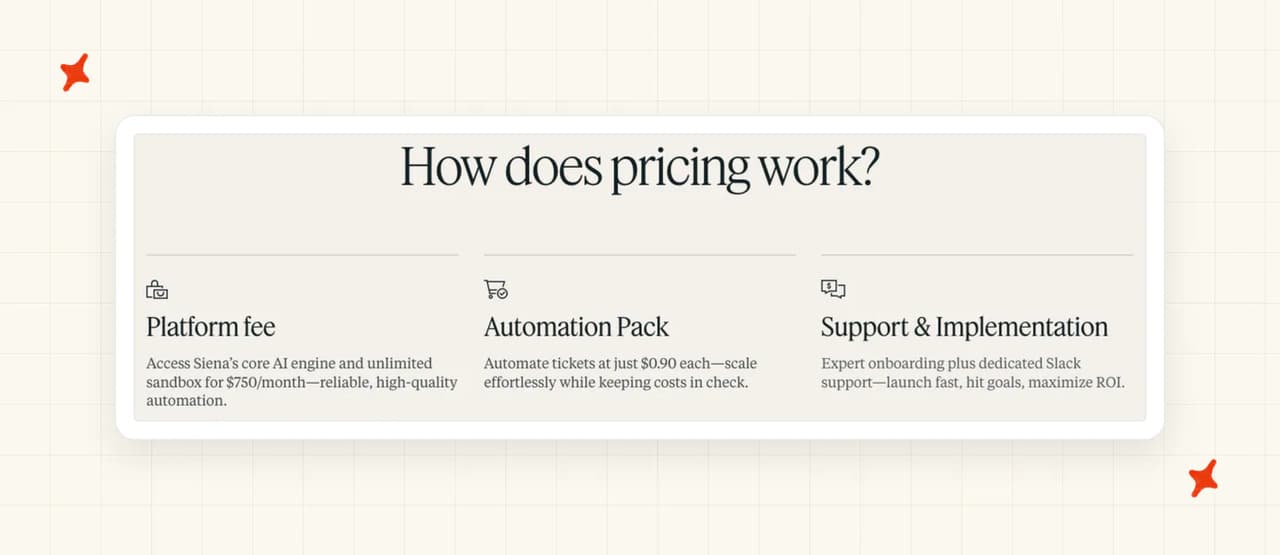
The platform fee is $750 a month. Siena describes it as "Access Siena’s core AI engine and unlimited sandbox for $750/month".
Onboarding and Slack support are listed alongside it (with no separate price shown). The page does not say whether the Shopping, Social, Reviews or QA agents are inside the fee.
Automation pricing (per automated ticket)
On top of the fee, Siena charges per automated ticket: "Automate tickets at just $0.90 each". Siena calls this the Automation Pack.
Before you sign, ask Siena's sales team what counts as an automated ticket.
Siena has argued in a post on AI pricing that outcome-based pricing hurts customer service, and it bills automated tickets rather than resolutions. I think the cost still rises with success, though: each ticket the AI automates is charged at $0.90, so the better Siena performs and the busier your store gets, the bigger the AI bill. At modest volume the bill is still small next to what the same tickets would cost in team time. The bill climbs fastest when volume and automation rise together, as they do at BFCM.
Our guide to per-conversation vs per-resolution pricing covers when each model suits.
What do 10,000 tickets a month cost with Siena?
Here is the arithmetic on Siena's two published numbers. Siena works on your existing helpdesk, so your helpdesk seats are the same in every row and left out. The sums rest on these assumptions:
- Volume - 10,000 tickets a month, and 30,000 in a BFCM month if peak season triples your volume (swap in your own peak)
- Siena's price - its published $750 a month plus $0.90 per automated ticket, with no volume discount
- Human cost - about $7 for a person to handle one contact, the ecommerce email figure from our support cost per contact benchmark
| Scenario | Tickets automated | Siena AI bill | Tickets your team handles | Team cost at $7 | Monthly total |
|---|---|---|---|---|---|
| No AI (baseline) | 0 | $0 | 10,000 | $70,000 | $70,000 |
| Siena at 50% | 5,000 | $5,250 | 5,000 | $35,000 | $40,250 |
| Siena at "up to 80%" (Siena's figure) | 8,000 | $7,950 | 2,000 | $14,000 | $21,950 |
| BFCM month, 30,000 tickets at 80% | 24,000 | $22,350 | 6,000 | $42,000 | $64,350 |
Against the no-AI baseline, every Siena row cuts the total, because each automated ticket replaces a $7 contact with a $0.90 one. The Siena AI bill itself rises from $5,250 to $7,950 as automation improves, then to $22,350 in the BFCM month. At $7 a ticket, handling those 30,000 tickets with people alone would cost about $210,000.
Does Siena AI have a free trial?
Siena offers a pricing request and a demo. The partner listings point the same way, with the Gorgias App Store listing saying "Please book a demo for pricing details."
The terms leave a door open. They say "Siena may offer a free trial period of the Platform and the Services", with the length and conditions set in your order form.
A demo can still tell you a lot if you bring real material (a demo store's tickets are always the easy ones). Export last month's tickets and let an AI tool group them by type, which takes about half an hour, then ask Siena to run your ten most common requests in its sandbox.
Is Siena AI worth it?
For the right brand, Siena makes a strong offer. You get an agent built for consumer brands, deep commerce integrations and a vendor team that will build and run automations for you.
For Siena AI alternatives, the closest peers are Yuma, the Gorgias AI Agent and Alhena AI, and we have written a full guide to each. For a wider view, our roundups of the best AI customer service for ecommerce, and for ecommerce brands on Gorgias, compare the options side by side.
What are the Pros and Cons of Siena AI?
These are Siena's main pros and cons:
Pros
- Built for ecommerce, with deep commerce integrations - Shopify, Loop, Recharge, Skio and AfterShip feed live order, returns and subscription data into answers.
- Runs inside your existing helpdesk - Gorgias, Zendesk, Intercom, Kustomer, Gladly and Dixa, with a dedicated agent user on each.
- Named DTC brands publish figures - HexClad, Spanx and Momentous each have a customer story with a specific result.
Cons
- The AI bill grows with automation and peak volume - on our estimate, $5,250 at 50% automation and $7,950 at 80% on 10,000 tickets, then $22,350 if BFCM triples volume to 30,000.
- Sales-led entry - the ways in are a pricing request or a demo.
- No path for brands on other helpdesks - Freshdesk and HubSpot are not on Siena's integrations list.
- Documentation behind a login - Siena's help center opens on a sign-in page.
How do we rate Siena AI?
Here is where Siena gains and loses points:
- Product, 7/10 - a broad ecommerce agent line-up with real order actions and deep commerce integrations, held back by terms that name no AI model provider and a "100+ languages" claim with no published language list
- Price and trial, 5/10 - a published price, against a bill that scales with automation and peak volume, an undefined billable unit and any trial set through sales
- Setup and fit, 6/10 - Gorgias, Zendesk, Intercom, Kustomer, Gladly and Dixa with partner-documented setup, against a sales-led entry, a build aimed at consumer brands and docs behind a login
- Evidence, 6/10 - many named brands with figures and a 4.8/5 G2 score, against figures Siena publishes itself and one "up to" automation figure
Scored on the sections above, from Siena's own pages; gaps are stated as gaps. Not higher because the cost section found a bill that grows with every automated ticket and with peak season. Not lower because the features section showed real order actions and the customers section showed named brands publishing their figures.
FAQs
What is Siena AI and how much does it cost?
Siena AI is an AI customer service agent for ecommerce brands that works on top of helpdesks such as Gorgias, Zendesk and Gladly. According to the Siena pricing page, it costs a $750 monthly platform fee plus $0.90 per automated ticket.
What company makes Siena AI?
Siena AI is made by Siena Labs Inc., co-founded by Andrei Negrau and Lisa Popovici. The founders say on the About page that they spent over a decade as Shopify merchants before building it. I think that merchant background is a good sign for a Shopify brand.
What is Siena CX?
Siena CX is another name for Siena AI, taken from the company's web address. Siena Labs makes the product under both names.
How much funding has Siena AI raised?
Siena AI raised a $4.7 million seed round, reported in a November 2023 funding announcement.
Does Siena AI have a free trial?
Siena's homepage and pricing page list no free trial or free plan, and the ways in are a pricing request or a demo. Siena's terms of service say it may offer a trial (its length and conditions are set in your order form). Push for one that runs on your tickets, because that is where accuracy shows.
Which helpdesks does Siena AI integrate with?
Siena's integrations page lists Gorgias, Zendesk, Intercom, Kustomer, Gladly and Dixa. On each one, Siena replies as a dedicated agent user (a named account in your helpdesk) inside your existing tickets.
Does Siena AI work with Shopify?
Yes. Siena's Shopify integration is set up from inside the Siena app, and Siena uses order data to answer tracking and returns questions. It also connects to Loop, Recharge, Skio and AfterShip.
Can Siena AI handle ecommerce returns and refund queries?
Yes for returns and exchanges, which Siena handles as workflows through Shopify and Loop. Siena does not publish whether its agent issues refunds by itself or asks a person first. We recommend starting with the AI proposing refunds and a person approving them.
What's the difference between AI chatbots and AI agents for customer support?
A chatbot answers questions from scripts or a knowledge base, while an AI agent can also take actions such as looking up an order, starting a return or changing a subscription. Siena positions its products as agents because they act on your commerce data. When we compare tools, we ask which actions each one takes and who approves them.
What resolution rate does Siena AI claim?
Siena says its agents handle up to 80% of interactions, on its About page. That is an automation figure and an upper bound, and Siena does not publish how it counts a partial response.
Is Siena AI SOC 2 compliant?
Yes. Siena's pricing page says it is SOC 2 Type II compliant, and its Ask Siena page adds GDPR, CPRA and HIPAA. Siena has no public trust portal, so the SOC 2 report (shared under NDA) comes through its sales team.
What AI model does Siena AI use?
Siena does not name the models behind its agents. Section 2.3 of its terms of service says it uses "generative AI models from industry-leading providers". The same terms limit the use of your content to providing the service.
What are the best Siena AI alternatives for ecommerce customer support?
The closest peers are Yuma, the Gorgias AI Agent and Alhena AI, all built for ecommerce support. If you want AI inside Zendesk, Intercom, Freshdesk, Freshchat, Gorgias or HubSpot with a per-ticket bill, My AskAI is another option. Our roundup of the best AI customer service for ecommerce compares them side by side.
How do I add AI to my customer support without replacing my helpdesk?
Pick an AI agent that installs into the helpdesk you already run, so tickets, routing and reports stay in place. Siena works this way on Gorgias, Zendesk, Intercom, Kustomer, Gladly and Dixa, and we built My AskAI the same way for Zendesk, Intercom, Freshdesk, Freshchat, Gorgias and HubSpot. Start the AI on one channel and a few common ticket types, then widen it as answers prove accurate.