Zendesk AI vs Sierra AI: Features, Pricing, and Results (2026)
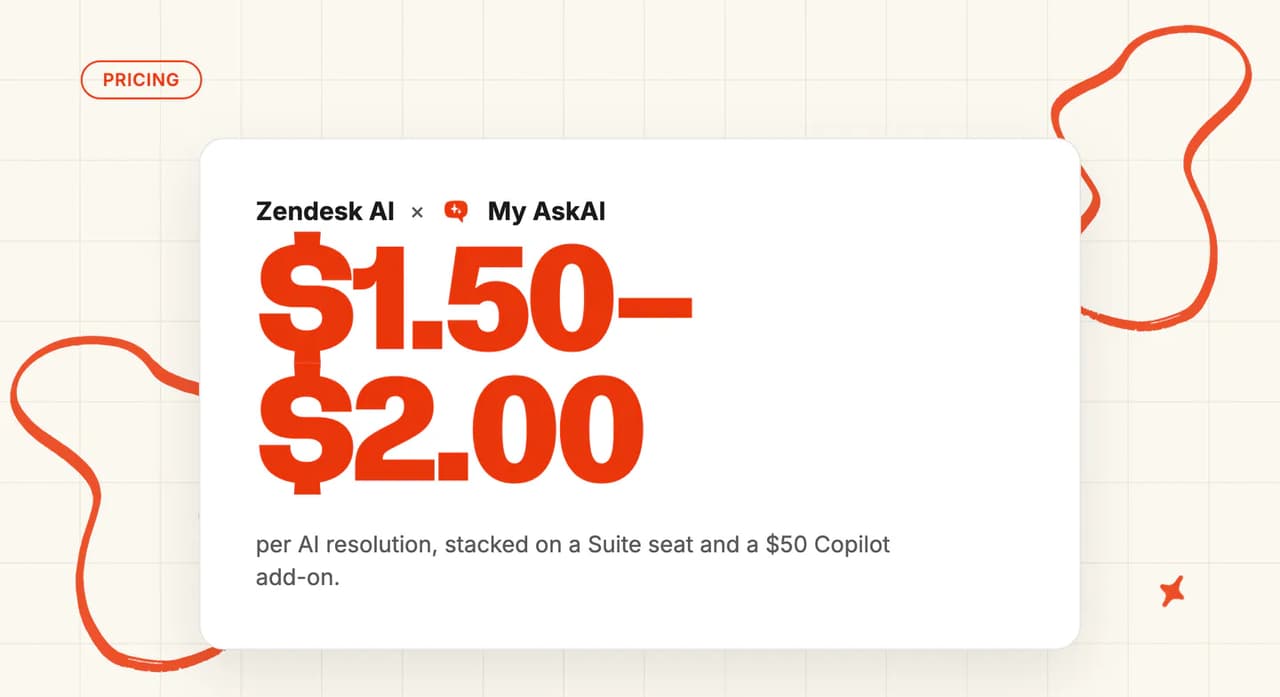
Zendesk AI bills $1.50 per committed automated resolution, $2.00 pay-as-you-go. Sierra publishes no rate card. My AskAI starts at $0.10 a ticket, no sales call.
Summarize with AI
Zendesk publishes $1.50 per committed automated resolution and $2.00 pay-as-you-go. Sierra publishes no rate card, so the year-one numbers going around are third-party estimates of $200,000 to $350,000 or more. That gap settles most of these evaluations on its own.
Someone has probably put Sierra in front of you and asked why you wouldn't just switch on the AI in Zendesk.
Full disclosure before we start: I co-founded My AskAI, and we sell an AI agent that competes with Zendesk's.
Neither product I'm comparing is ours. We help 200+ ecommerce and SaaS businesses run AI support inside the helpdesk they already have, and our agents have resolved over a million tickets between them.
What are Zendesk AI and Sierra, and how are they different?
These two aren't competing for the same slot on your stack. I read it as a choice between a feature of the helpdesk you already own and a platform you buy and wire in, and most of your integration bill follows from which one you pick.
Zendesk AI is a layer inside a helpdesk you already pay for. Until this spring it came in two versions, Essential and Advanced. Zendesk merged them:
"The distinction between "Essential" and "Advanced" AI agent plans is being removed. All customers will transition to a single offering."
That's Zendesk's own packaging announcement, rolled out between 11 May and 12 June 2026. Agentic reasoning, multi-step procedures and external API calls now sit in every Suite and Support plan, so the capability question I used to ask first has become a billing question. The Zendesk pricing FAQ says AI agents are "included in every Suite and Support plan, with pricing based on the successful outcomes they deliver".
There's a clock attached. Legacy Essential and the legacy bot builder are being switched off: "End-of-life and full service shut-off for these products will be December 10, 2026." Zendesk asks everyone to migrate by 31 August. I'd check which plan you're on today.
Sierra sits somewhere else. It calls itself an Agent OS: a layer above your CRM, order management and contact center systems, connected by API.
Bret Taylor and Clay Bavor incorporated it in February 2023 and launched a year later. It now reports more than $150M ARR and counts 40% of the Fortune 50 as customers.
Sierra has no ticket queue, no agent inbox and no marketplace app for yours. It leans on the systems you already run for all of it, and I'd budget for the integration work that implies.
Zendesk and Sierra both review well on G2:
| Zendesk | Sierra | |
|---|---|---|
| Rating | 4.3 / 5 | 4.3 / 5 |
| Reviews | ~7,142 | 13 |
| Reviews page | Zendesk for Customer Service on G2 | Sierra on G2 |
Zendesk has no separate AI product page, so that rating covers the whole helpdesk. Sierra's profile is unclaimed and carries 13 reviews, so I'd read the write-ups over the average. Reviewers praise the integration reach and the supervised agents that take real actions, and complain they can't customize much themselves.
We've got a full guide to the Zendesk AI agent and a full guide to Sierra elsewhere on the blog, if you want either on its own terms first.
How does an AI customer service agent work in Zendesk and in Sierra?
Zendesk's loop is short. A message arrives, the agent classifies the use case, and that use case links to either a scripted dialog or a generative procedure. The agent pulls knowledge, calls any actions it needs, then resolves or escalates with the context attached.
Escalations stay inside Zendesk (worth checking if your routing rules already lean on tags). The ticket gets tagged, and the transcript, summary and detected intent land in Agent Workspace for whoever picks it up.
The billing definition turns on what happens after the customer stops replying:
"The AI agent responded to a customer's question, and the customer did not request further assistance. After a 72-hour window with no customer follow-up, a verification process is performed by an LLM that evaluates the text of the conversation to confirm that the customer's request was satisfactorily resolved."
That's Zendesk's definition of a verified resolution. Under the new billing model the same check sorts the conversation into one of three named outcomes, and I'd get the rate for each one in writing before the migration lands.
Sierra runs a wider engine. It describes the architecture on its own blog as a Constellation of Models: 15+ frontier, open-weight and proprietary models behind each agent, spanning OpenAI, Anthropic, Meta and Google.
Retrieval, classification, tool use, policy enforcement and tone each run on separate components. Supervisory agents sit on top enforcing policy (Sierra nicknames them its Jiminy Crickets), and the whole thing fails over between providers automatically.
The depth costs you a single view. Sierra holds the bot-side conversation data while your contact center holds the human-side, with nothing joining the two. Handoff has the same seam: Sierra summarizes and routes to the right human team across an API boundary, and handing a conversation back to the AI isn't documented anywhere public.
What are the different ways I can use an AI agent in Zendesk and Sierra?
Where each agent can actually appear:
| Channel | Zendesk AI | Sierra |
|---|---|---|
| Web and mobile chat | ✅ | ✅ |
| ✅ | ✅ | |
| Voice | ✅ (early access) | ✅ (primary channel) |
| SMS | ✅ | ✅ |
| ✅ | ✅ | |
| Facebook, Instagram and X DMs | ✅ (no data capture) | ❌ |
| LINE, WeChat, Apple Messages | ✅ | Not documented |
| ChatGPT | ❌ | ✅ |
| Human copilot mode | ✅ (paid add-on) | ✅ (Live Assist) |
Direct replies
The AI answers the customer itself on both sides, and only involves a human when it needs to.
Zendesk has the wider written footprint, and the setup docs confirm the live list: messaging, email, API, web form and voice in early access.
Before you promise anyone omnichannel, I'd read the small print on the social channels. Quick-reply buttons degrade to plain text lists on WeChat, Instagram and X. Data capture isn't supported on social messaging at all, so any step that asks a customer for details gets skipped there.
Sierra covers six channels: web and mobile chat, voice, email, SMS, WhatsApp and ChatGPT. The ChatGPT listing publishes in a click over the Apps SDK, and Zendesk has no equivalent. Social DMs are absent from Sierra's channel documentation, and a conversation can't move channel partway through.
Copilot replies
Each side also has a mode where the AI drafts for your agents and never speaks to the customer.
Zendesk Copilot suggests first replies, summarizes tickets, rewrites drafts and recommends macros, as a separate invoice line at $50 per agent per month (a line that tends to arrive late in a Zendesk quote). Sierra's equivalent is Live Assist: real-time guidance, auto-drafted responses and one-click actions, bundled into the platform, with no per-seat charge.
Voice
Voice is Sierra's strongest suit, so if phone is a real part of your load, that's where we'd start. It overtook text as Sierra's primary channel in September 2025, and the product is deep: inbound and outbound phone agents, plus simulation tooling for testing before go-live.
Zendesk does voice through Zendesk Talk and its Local Measure-powered contact center on Amazon Connect (two products, two contracts, worth knowing up front). Generative AI handles call transcription and post-call summaries today, but voice AI agents are still in early access. Treat them as a roadmap item until they reach general availability.
Which is easier to set up: Zendesk AI or Sierra?
Zendesk's day-one story changed this year, and I'd no longer send a small team to a partner just to stand up a first agent. Initial setup moved "to a guided, self-service setup flow for simpler use cases across email and messaging". The getting-started doc opens by promising "you can begin automating customer service in just minutes with AI agents".
Six steps, and none of them need a developer: tidy your help center content, configure channels, create the agent, add complex automation if you want it, activate, monitor. The sales gate in front of the agentic features went away with the add-on that carried it.
Getting it good is still a project. Zendesk partners put a 5 to 10 agent rollout at 2 to 4 weeks with roughly $6K to $12K of professional services.
Ten to 50 agents runs 6 to 8 weeks and $16K to $32K, and 50+ agents runs 8 to 12 weeks or more (the band most mid-market teams land in). One third-party source puts 73% of companies at 4+ week implementation times with Zendesk.
Zendesk still sells AI Expert and AI Expert Pro implementation subscriptions, which is where those weeks get billed. A persona is also mandatory, and without one every incoming message throws a technical error.
Sierra is sales-led from the first click, and I'd budget a full quarter to first go-live. Demo, discovery, scoped pilot, then a 90-day onboarding with personalized training. Two build paths once you're in: Agent Studio for CX teams with no code, and the Agent SDK for developers.
Sierra's fast deployments are real. Vivid Seats went live in four weeks, Next in six, and Nordstrom scaled from 1% to 100% of calls in a week and a half. Third parties still put complex deployments at three to six months, and G2's generated themes for Sierra flag a steep learning curve.
Ghostwriter is the counter-argument, and I rate it the fastest documented route from an SOP to a running agent on either side. Launched in March 2026, it takes SOPs, transcripts, whiteboard photos, audio, or a plain-English description of the goal, and produces a working agent across voice, chat and email in 30+ languages. Whether you can reach it without a sales conversation is unclear, and no public self-serve access has been confirmed.
Every Zendesk setup step is readable by anyone, for free, before they spend a penny. Sierra's documentation renders a credential form instead:
"Welcome to Sierra's documentation. Sign in with your username and password below."
The terms on that page go further: "All Sierra Products are confidential, and you will not use or disclose them other than to evaluate the Sierra Products."
You can't audit how Sierra is configured before you enter a sales process, so the demo is the only evidence you get (write your questions before you book it).
If your objection is the weeks and the professional-services line, and you're happy with Zendesk itself, you can put an agent inside Zendesk without rebuilding any of it.
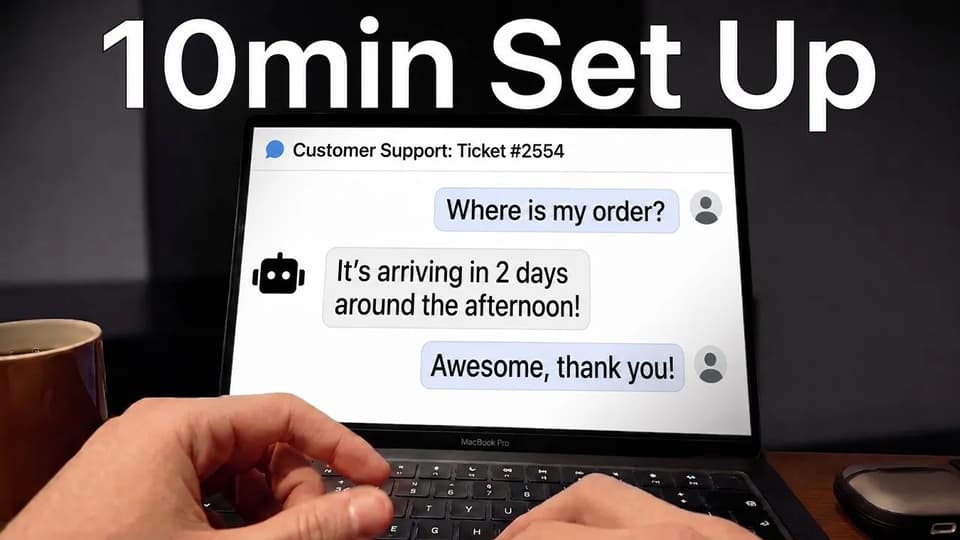
A helpdesk-agnostic agent like ours installs from the Zendesk marketplace and runs on your existing tickets, tags and routing. Our Zendesk tickets and Zendesk messaging integration pages walk through it.
How do Zendesk AI and Sierra differ in what they can be trained on?
| Trained on | Zendesk AI | Sierra |
|---|---|---|
| Help center articles | ✅ | ✅ |
| Website crawl | ✅ | Not documented |
| Past tickets and call transcripts | ✅ | ✅ |
| Confluence, Notion, SharePoint, Google Drive | ✅ | Not documented |
| Direct PDF and DOCX upload | — (CSV is the documented workaround) | Not documented |
| Photos, whiteboards and audio | — | ✅ (via Ghostwriter) |
| Live CRM and order-management reads | ✅ (via Action Builder) | ✅ (Agent Data Platform) |
| Data warehouse | — | ✅ |
| Persistent customer memory | — | ✅ |
'Static' content
Zendesk allows up to 50 external knowledge sources per account. It names connectors for SharePoint, Notion, Document360, Confluence and Google Drive, plus Zendesk, Salesforce and Freshdesk help centers, CSV files, a web crawler and a federated search API.
Reimport cadence is yours to set, with Confluence fixed at 24 hours. Direct PDF and DOCX upload isn't supported natively, and CSV is the documented way around it.
Sierra ingests FAQs, help center content, policies, SOPs, support call transcripts and audio, product documentation, and (through Ghostwriter) photos of a whiteboard.
Sierra doesn't publish which platforms it connects to: no public connector list for Confluence, Notion, SharePoint or Drive, no documented file-type support, no stated sync frequency. None of it is checkable either, because the docs sit behind that login wall.
For most of Sierra's static sources the verdict is undocumented, which isn't the same claim as missing. Ask for the connector list in writing on the first call (we wouldn't sign without it). One competing vendor reckons the data prep lands on the customer regardless, which is what you'd expect a rival to say.
'Dynamic' content
Sierra is the stronger side here, and if your agent has to read live order or subscription state, I'd let that decide the whole comparison. Its Agent Data Platform, launched in November 2025, connects CRM records and customer profiles, order management, subscription platforms and data warehouses.
Agents keep persistent memory across conversations, so they can recall a past thread, greet a customer by name and surface context nobody had to paste in. Expert Answers then auto-generates grounded articles from resolved conversations.
Zendesk points at your help center, which I think is the more underrated of the two approaches. Knowledge Builder, generally available since November 2025, reads your last 90 days of tickets and drafts around 40 articles into the Guide CMS, labeled as AI-written and waiting for approval. The Automation Potential report splits the same 90 days into what your knowledge covers and what it doesn't, with a one-click draft for the rest.
Sierra's memory lives inside the agent and nowhere else. Zendesk's drafts land in the Guide CMS, so your team and your search box get them whether or not the AI is switched on.
Which has better answer quality, Zendesk AI or Sierra?
Sierra's customer page carries 35+ named case studies, each with its resolution rate attached (more published rates than any other vendor in this comparison). Funnel Leasing 94%, Ramp 90%, Wilson 77%, Casper 74%, WeightWatchers around 70%, ScottsMiracle-Gro 65%, AOL 64%. CSAT sits between 4.5 and 4.8 out of 5.
Zendesk markets 80%+ resolution. Its own case studies land lower, and those are the numbers we plan against.
Vagaro went from 4% to 44% in three months, Lush reports 60% first-contact resolution and Hello Sugar automates 66%. Leafworks, a Zendesk partner, puts full automation of standard requests at 39% to 66%.
One documented deployment ran far below both ranges:
"A 40-person support team at a mid-market SaaS company turned on Zendesk AI six months ago. They expected 60% automation. They got 23%."
That comes from one third-party guide to getting more out of Zendesk AI. It names the reason in the next line: the bot handled password resets, then told customers to check the help center when they asked about refunds, billing disputes or anything needing a decision.
Our own resolution-rate benchmark study puts the field median at 70% across 195 rated deployments spanning 38 vendors, with the middle half between 56% and 80%. Read it as a rough map of where the market sits, and I wouldn't use it to rank anyone. Every vendor defines its own headline metric, the published figures are marketing wins they picked themselves, and small per-vendor samples are directional only.
Every figure above sits inside that normal range, then, and none of them is audited.
They also count different events. Zendesk counts an LLM-verified resolution with no human involvement, checked after 72 hours. Sierra counts a contractually defined successful outcome it invoices against.
Comparing a 2025 Zendesk number with a 2026 one runs into a change in what Zendesk counts: "In our current automation resolutions model, our usage reports didn't take into account resolutions that were partially automated. We only reported the results for fully automated resolutions." A rate quoted after the tier migration measures something broader than one quoted before it.
Is Zendesk AI or Sierra easier to improve?
Sierra's improvement suite is the deepest I've seen in this category. Explorer runs ChatGPT-style deep research across your whole conversation corpus.
Experiments does multivariate testing on live traffic, and Sierra's own retention example moved a control group at 31% to a test group at 44%. Monitors watch sentiment and resolution patterns and flag anomalies before you notice them.
Voice Sims test agents against background noise and interruptions before go-live. Workspaces gives you numbered snapshots, a staging pipeline and instant rollback, which I wish more vendors copied.
Zendesk's tooling is smaller but points somewhere useful. Knowledge Builder drafts articles from your ticket history, and the Automation Potential report tells you what share of the last 90 days your knowledge already covers.
Then there's the Forethought-powered Resolution Learning Loop, which arrived with the acquisition that closed in March 2026. It detects workflow gaps, generates procedures and tests optimizations before deployment.
The new billing model brought real visibility with it, which I didn't expect. The AI agent conversation overview now "includes which tier a conversation was assigned and reason why", and a resolutions usage dashboard itemizes every resolution with a path into the underlying ticket. That's per-conversation data Zendesk didn't expose before.
The counterweight on Sierra's side is who gets to press the buttons. Several write-ups describe Sierra as operating more like a consultancy than software, with users reporting they can't easily edit logic or prompts themselves and that changes route back through Sierra's team.
Those accounts come from competitors and reviewers, and none of it appears in Sierra's own documentation, so weigh them accordingly. They're consistent, though, so I'd put the question to a reference customer.
Sierra's improvement tools all point at the agent: Explorer, Experiments, Monitors, Voice Sims and Workspaces. Zendesk puts most of its effort into the help center the agent reads, which is the slower loop.
Which has more features: Zendesk AI or Sierra?
| Feature | Zendesk AI | Sierra |
|---|---|---|
| Customer-facing AI agent | ✅ | ✅ |
| Agent copilot | ✅ ($50/agent/mo) | ✅ (Live Assist) |
| Ticket queue and agent workspace | ✅ | ❌ |
| Automated QA scoring | ✅ ($35/agent/mo) | — (Insights monitors) |
| Workforce management | ✅ ($25/agent/mo) | ❌ |
| App marketplace | ✅ (1,800+ apps) | ❌ |
| No-code agent builder | ✅ (dialog builder) | ✅ (Agent Studio) |
| Developer SDK with CI/CD | — (developer APIs) | ✅ (Agent SDK) |
| Multi-agent orchestration | — | ✅ |
| Versioning and rollback | — | ✅ (Workspaces) |
| Publish to ChatGPT | ❌ | ✅ |
Zendesk's list is a helpdesk list, which is what you're buying. AI agents and Copilot sit next to App Builder, Action Builder, intelligent triage, Zendesk QA, Tymeshift workforce management and Explore reporting, all wrapped in an 1,800-app marketplace.
Sierra packages seven modules under the Agent OS name: Agent Studio, Agent SDK, Insights 2.0, Voice, Live Assist, Agent Data Platform, and Trust and Reliability. Ghostwriter, Visual Attachments and one-click ChatGPT publishing sit around them (and not one of the ten is a ticket queue).
A feature count would mislead you here, because the two lists barely overlap. The Zendesk extras get used by ticket agents, QA leads and schedulers. Running Sierra's seven Agent OS modules well takes two or three people who own the agent full time.
Zendesk now markets Forethought AI agents by Zendesk with a platform-agnostic pitch: they "work on any platform, making it easy to bring best-in-class AI agents to an existing stack".
Zendesk has started selling into the space Sierra occupies. That product is sales-gated, comes with no default resolution allowance, and isn't what a self-serve Zendesk buyer ends up with, so I'd read it as a real but narrow qualifier.
How easy is it to customize Zendesk AI and Sierra?
Sierra's ceiling is the higher one by a distance. The Agent SDK gives you a declarative language for goals and guardrails, composable skills, and tuning controls that trade creativity against determinism.
Add CI/CD through GitHub Actions, multi-agent orchestration, simulation, and debugging with full API-call and logic-trace inspection. If you've got engineers and want the agent under version control, I'd take Sierra here without much argument.
One G2 reviewer complains Sierra doesn't allow the client customization competitors do, and the same complaint runs through the third-party write-ups. Agent Studio 2.0 and Ghostwriter may be closing that gap, though I haven't seen anyone confirm that publicly yet.
Zendesk's tools are in your hands from day one. The dialog builder handles scripted and hybrid flows, and generative procedures let you describe a business policy in plain English and have the agent reason across the steps.
Persona and tone controls, App Builder and Action Builder sit alongside (all of it reachable by a support manager). Since the packaging merge they're on every Suite and Support plan, no longer behind an add-on. The AI agents developer docs are public if you want the depth.
Complaints about the dialog builder keep coming up in reviews and in Zendesk's own community, which I'd treat as the price of putting it in everyone's hands.
Sierra has the stronger engineering toolkit, and reviewers keep saying they can't get at it themselves. Zendesk's dialog builder is disliked by the people who use it, and a support manager can still open it on a Tuesday afternoon without calling anyone.
What about vendor lock-in?
Zendesk's AI agents are built on the Zendesk data model, so any future helpdesk move is a bot rebuild as well. As one third-party guide puts it, they're tightly coupled to it, so a team on Salesforce Service Cloud, Kustomer or something homegrown can't lift the bot across.
The standalone Ultimate path survives the acquisition but has no self-serve way to buy it. In practice the AI leaves when the helpdesk does, and that's the cost we model before anyone signs a three-year Zendesk deal.
Legacy customers carry the same coupling with a deadline attached, and I'd price the forced upgrade into any renewal you sign this year.
Teams on grandfathered plans report being shut out of new AI features unless they upgrade to Suite plus Copilot. The migration to the new AI agents experience has a date on it. Anyone still on the legacy path has a forced move in front of them either way.
Forethought AI agents by Zendesk are marketed as working on any platform, so "Zendesk AI only runs on Zendesk" is too strong as a blanket claim. It holds for Zendesk AI agents, which is the product almost everyone reading this is evaluating.
Sierra's trap is a different one, and I wouldn't call it the softer of the two. It's helpdesk-agnostic by design, so the lock-in sits in the contract. Sacra describes multi-year enterprise agreements with high-touch implementation and ongoing optimization bundled in, and unwinding that means unwinding the custom API work too.
Sierra keeps the bot-side conversation data and your contact center keeps the human side, so your history ends up split across two systems that were never designed to reconcile. That split is what I'd put in front of your data team before anyone signs, because it outlasts the contract.
There's also no cheap way in or out, which matters more on a first AI purchase than on a replacement. Sierra has no free trial, no free plan and no self-serve signup, so a bake-off against your incumbent becomes a procurement exercise. Zendesk gives you a 14-day trial with Copilot included.
If the coupling is what worries you about the Zendesk side, that's the argument for running a helpdesk-agnostic agent inside Zendesk in place of Zendesk's own. We built My AskAI that way on purpose: it installs into Zendesk, Intercom, Freshdesk, Gorgias or HubSpot, and the training, guidance and custom answers travel with you if you change helpdesk.
Do they have any other AI features?
Tagging
Zendesk's intelligent triage reads every incoming ticket and predicts intent, sentiment, language and entities. Language detection covers around 150 languages, with intent and sentiment predicted across a smaller set, and you can create unlimited custom intents.
Routing then uses those predictions as trigger conditions alongside skills-based routing (the first automation I'd switch on). That's how angry customers and high-risk topics get in front of a human quickly. Entity detection moved behind Copilot from 30 June 2025, so check which side of that line your plan sits on.
Sierra has nothing equivalent, because there's no ticket to tag. Its Insights 2.0 monitors watch sentiment and resolution patterns at the analytics layer, without writing a field on a record, so I wouldn't plan any routing rules around them.
Agent translation
Zendesk AI agents work in 80 languages at native fluency and switch automatically. AI Translations for Articles, which arrived in 2025, translates your help center content as well as your replies.
Sierra supports 34+ languages with real-time switching mid-conversation, plus locale-specific model selection and native-speaker vetting before go-live. Ghostwriter produces agents in 30+ languages, which I'd take as the working number.
Sierra is the only one of the two that switches language halfway through a conversation. Zendesk covers 80 languages to Sierra's 34 and translates your help center articles as well as your replies.
Help center quick answers
Generative search and Quick Answers run in both the Zendesk help center and the Agent Workspace, free for end users, and we treat them as the cheapest resolution in the stack. Around them sit macro suggestions, ticket summaries, similar-ticket surfacing, and call transcription with post-call summaries written onto the ticket. Automated QA through Zendesk QA scores 100% of AI and human conversations at $35 per agent per month.
Sierra's answer to all of this is Expert Answers, which turns resolved conversations into grounded articles. A platform without a queue has nothing to auto-tag and no help center to search.
What about security, is Zendesk AI more secure than Sierra?
| Zendesk | Sierra | |
|---|---|---|
| SOC 2 | Type II, under NDA | Listed as SOC 2, type not stated |
| ISO 27001 | ✅ (27001:2022) | ✅ |
| ISO 42001 (AI management) | ✅ | ✅ |
| Other ISO | 27017, 27018, 27701 | — |
| Cloud security | CSA STAR AI Levels 1 and 2 | CSA STAR Level One |
| Government | FedRAMP LI-SaaS | — |
| National scheme | Cyber Essentials Plus | — |
| Healthcare | HIPAA, with a BAA covering Zendesk AI | HIPAA |
| Health data hosting | HDS (France) | — |
| Payment data | PCI-DSS, with card redaction | — |
| Data residency | Published (US, EU, AU, JP) | Not published |
| Encryption at rest | Published (AES-256) | Not published |
| Third-party pen test | Published (annual) | Not published |
| Subprocessor list | Published | Not published |
ISO 42001, the first international standard for managing AI, surprised me. I'd assumed a nineteen-year-old helpdesk vendor would be behind a three-year-old AI company there. Both hold it.
Zendesk's advantage is everything around it. The Zendesk trust center lists CSA STAR AI Levels 1 and 2, "with Zendesk proudly being the first in the industry to achieve this recognition". Then FedRAMP LI-SaaS, Cyber Essentials Plus, PCI-DSS, HDS and three further ISO standards.
It states SOC 2 Type II outright and offers the report under NDA, which is the first document we request.
It publishes AES-256 at rest and TLS 1.2+ in transit. It also confirms that "each year Zendesk employs third-party security experts to perform a broad penetration test across the Zendesk Production and Corporate Networks". On the AI side, OpenAI works under a zero data retention policy for Zendesk, and service data isn't used for model training.
Sierra's own set is strong. Customer data is never used to train models and is isolated per customer, PII is automatically encrypted and masked, integrations are deterministic and controlled, and supervisory agents wrap the models in policy enforcement. Sierra's trust portal takes documentation requests and announces new subprocessors as they are added, which tells me somebody maintains it.
Your security reviewer can read almost none of it before a call. The portal publishes nothing without a request, the documentation sits behind a login, and four of the items on a standard checklist aren't published anywhere. I'd file that request the day you book the demo.
Neither list tells you whether the agent is configured safely. In December 2025 a coordinated actor jailbroke Gap's Sierra agent through a misconfigured guardrail.
Certification audits the vendor's management system, never your configuration. Put guardrail review in your own go-live checklist, because that is what let the Gap agent through.
I'd budget one more line on the Zendesk side: Advanced Data Privacy and Protection no longer appears on the pricing page. Ask sales what it costs before you sign.
Which costs more, Zendesk AI or Sierra?
The pricing model
The rates are published, and they take some finding. On the Zendesk pricing page, under "Compare all plan features", the collapsed AI agents section carries two rates: $1.50 per committed automated resolution, with committed usage starting at 100, and $2.00 per pay-as-you-go resolution.
Those are Zendesk's published numbers, in US dollars, last confirmed on the US page on 17 July 2026.
Seats sit underneath: Suite Team $55, Growth $89 and Professional $115 per agent per month on annual billing, with Enterprise priced through sales and Copilot another $50. Each plan includes a small bundle of resolutions, 5 per agent per month on Team up to 15 on Enterprise, historically capped at 10,000 a year.
What counts works in your favor. A resolution is billed only when the issue is settled without a live agent (confirmed by the 72-hour LLM check), and escalated conversations aren't billed at all.
On 18 May 2026 Zendesk replaced the automated resolution as a billing unit. The old help center article has been retitled "About the automated resolutions platform (prior to resolution tiers)", and there are now three tiers:
| Tier | What Zendesk counts |
|---|---|
| Assisted escalation | The AI contributed, then a human completed the resolution |
| Contained resolution | The AI handled it to completion, with no further customer request |
| Verified resolution | The AI resolved it and the 72-hour LLM check confirms it |
Those tiers draw on a new pot of money, measured in dollars:
"Your resolution allowance is a flexible currency pool used to pay for the cost of automated resolutions."
The allowance runs $2 per agent seat per month on Suite Team, $5 on Growth and Professional, and $10 on Enterprise. Zendesk's own example is a 20-seat Suite Enterprise account with a $200 monthly allowance. Unused allowance doesn't carry over, and "the maximum allowance per year for all plans is $5000", which supersedes the old 10,000-resolutions ceiling.
The per-tier rates aren't published. Zendesk's own examples carry a disclaimer:
"The prices shown in these examples are placeholders only, not the actual prices. Contact Zendesk Sales for pricing details."
Meanwhile the public pricing page still shows the old model and those same two rates (the tier documentation lives only in the help center for now). Two billing models are running in parallel behind a staged migration, and Zendesk promises a 30-day notice before it moves you.
Zendesk's documentation also disagrees with itself. Of both assisted escalations and contained resolutions, the tiers article says: "This tier does not count against your resolution allowance." The allowances article calls it a pool you can use for any tier, and shows a dashboard breaking spend down by all three.
Zendesk has left both pages live, so get your rep to put in writing which tiers draw on the allowance and at what rate.
Sierra publishes no pricing page: `sierra.ai/pricing` returns a 404. No tiers, no self-serve, and every contract custom-negotiated, so I'd expect the first number to arrive after a discovery call.
The model is outcome-based, so you pay when the agent hits a predefined successful outcome and typically nothing on an unresolved conversation. Some deployments blend in per-conversation pricing for routing and greetings, and Sierra's documentation is behind a login, so we'd ask which one you're being quoted.
You'll see a per-outcome figure for Sierra quoted elsewhere. Don't budget from it. It has no traceable origin, and the most common variant is Intercom Fin's rate card attached to the wrong vendor.
The overall cost
One worked example, on the model most readers are still billed under. Ten agents on Suite Professional, 1,500 automated resolutions a month:
| Line item | Calc | Monthly | Annual |
|---|---|---|---|
| Suite Professional seats | 10 × $115 | $1,150 | $13,800 |
| Copilot add-on | 10 × $50 | $500 | $6,000 |
| Included resolutions | 100 free | $0 | $0 |
| Overage on 1,400 at $1.50 committed | 1,400 × $1.50 | $2,100 | $25,200 |
| Total | ~$3,750 | ~$45,000 |
Against that, third-party estimates put Sierra's year one at $200,000 to $350,000, with a contract floor around $150,000 and setup between $50,000 and $200,000. I'd treat the low end as optimistic. Those estimates come largely from competitor blogs and carry the bias you'd expect.
You can check Zendesk's $1.50 on a public page before you speak to anyone. Nobody outside Sierra's customer list can check the $200,000 figure at all, because it was compiled by Sierra's competitors. We go deeper on both in our Zendesk AI pricing explainer and our Sierra pricing explainer.
Before you sign anything:
- Haggle on the rate. The $1.50 to $2.00 list price is negotiable, and teams at volume have pushed it toward $0.70 per resolution. Vendr's data shows discounts of 25% to 35% above 100 agents, and Q4 is where the flexibility lives.
- Audit the classification. Zendesk's own model decides what earns a charge, and under tiers it shows its reasoning. Run a sample of your own tickets through and check what they get called.
- Count what stacks underneath. Seats, Copilot at $50, the Workforce Engagement Bundle (QA and workforce management) at $50, and Advanced Data Privacy and Protection at a price you have to ask for. Outcome-based describes one line on that invoice.
The same third-party guide names the trap in the model:
"The counterintuitive problem: the better your AI performs, the more it costs. Every additional resolution beyond your allocation is a new line item. Teams that successfully optimize their knowledge base and build effective flows can find themselves penalized by their own success."
That's the argument for a per-ticket AI charge, and why we price My AskAI the way we do. Ours is around $0.10 a ticket, resolved or not, so the bill stays put as the agent gets better. Compare it against Zendesk's AI lines and not its whole invoice, because your Zendesk seats are common to both options and you pay them either way.
There's a 30-day free trial with every feature unlocked, unlimited tickets and no card. Our pricing page and the Zendesk ROI calculators have the math.
Conclusion - should I choose Zendesk AI or Sierra?
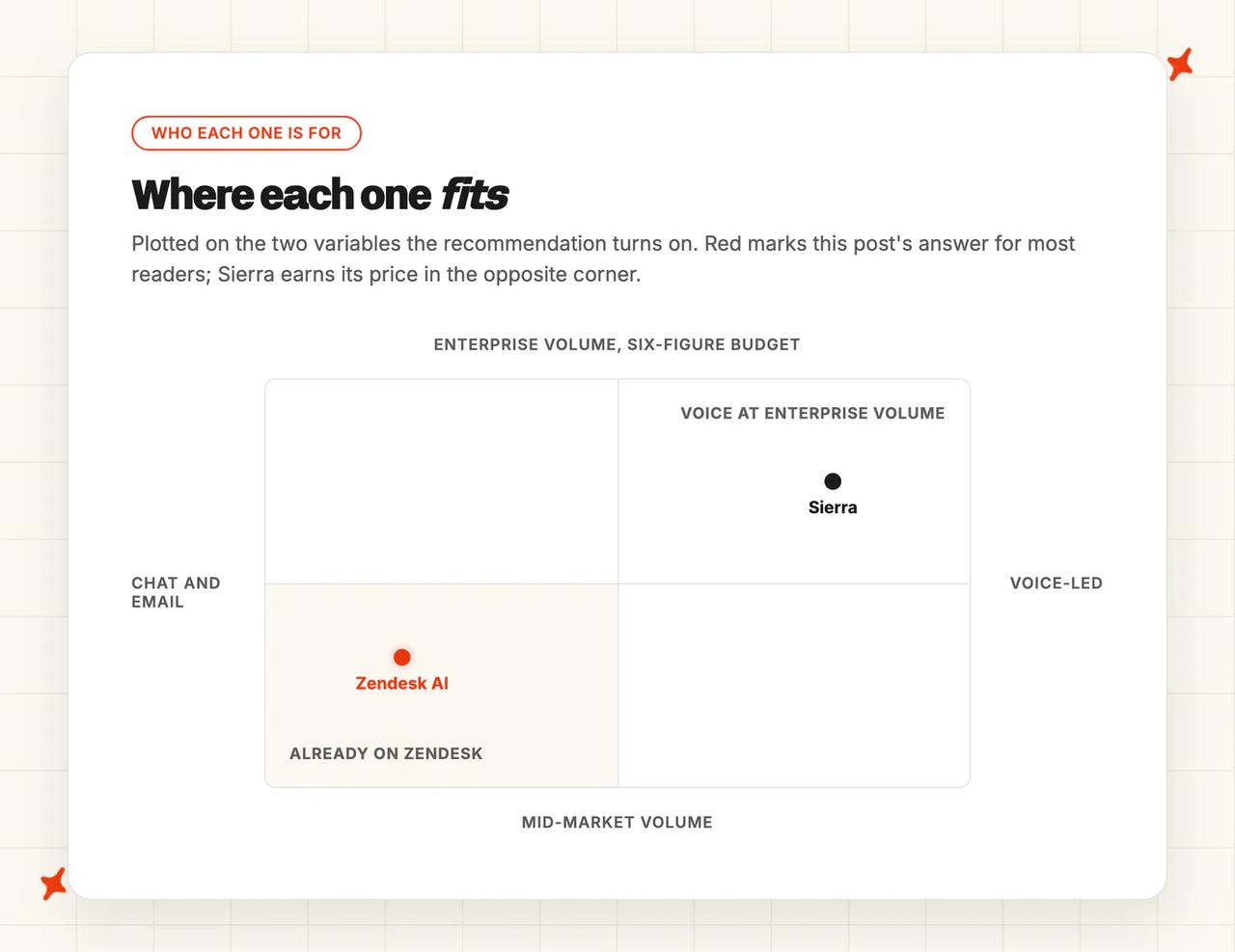
For most teams reading this, I think Zendesk AI is the answer. You can look up the price, switch it on this afternoon, and keep the queue, tags and routing you already built. Sierra flips that when voice is the primary channel, or the agent has to act across several backend systems at enterprise volume.
The eleven categories, scored:
| Zendesk AI | Sierra | ||
|---|---|---|---|
| Modes | 8/10 | 8/10 | Tie |
| Ease of setup | 6/10 | 4/10 | Zendesk win |
| Training/Integrations | 8/10 | 6/10 | Zendesk win |
| Answer Quality | 6/10 | 8/10 | Sierra win |
| Improving | 7/10 | 9/10 | Sierra win |
| Features | 8/10 | 7/10 | Zendesk win |
| Customization | 7/10 | 7/10 | Tie |
| Lock-in | 4/10 | 5/10 | Sierra win |
| Other AI features | 9/10 | 6/10 | Zendesk win |
| Security | 8/10 | 7/10 | Zendesk win |
| Price | 7/10 | 3/10 | Zendesk win |
Zendesk wins six of the eleven rows, Sierra takes three, and two are level. I wouldn't read that as a rout.
Sierra's three wins are the ones that decide an enterprise deal: answer quality, improvement tooling and lock-in. If your volume is large enough that a few points of resolution rate is worth six figures, those three outweigh the other eight.
Sierra's customer base backs that up: 40% of the Fortune 50, half of them over $1B in revenue. If your logo wouldn't look out of place on that list, I'd take the demo.
If it would, staying native on Zendesk is a defensible call and I wouldn't argue you out of it.
A third group is probably the largest: you're on Zendesk, priced out of Sierra, and bothered that the Zendesk AI bill grows as the AI improves.
My AskAI answers that group: a helpdesk-agnostic agent that installs into Zendesk and charges per ticket, resolved or not. We've got a full head-to-head with Zendesk's own AI on the blog.
Our Zendesk AI alternatives roundup and our Sierra alternatives roundup cover who else is worth a demo. And if the vendor across the table is Intercom and not Sierra, our Zendesk AI versus Intercom Fin comparison is the closer match.
FAQs
Can Sierra replace Zendesk AI inside Zendesk?
No. Sierra connects to backend systems through its Agent SDK and integration library, and there is no Sierra listing in Zendesk's 1,800-app marketplace. Third-party AI agents that do install as Zendesk apps exist, but Sierra isn't one of them.
What can Zendesk AI and Sierra be trained on?
Zendesk caps you at 50 external knowledge sources per account, covering the main documentation tools (SharePoint, Notion, Confluence, Drive), three helpdesk help centers, CSV files, a web crawler and a federated search API. You set the reimport cadence yourself except on Confluence, which is fixed at 24 hours, and PDF or DOCX files have to go in as CSV.
Sierra takes unstructured material of almost any kind, from SOPs and call transcripts to whiteboard photos, and reads live system data through its Agent Data Platform. The plumbing stays unpublished: no connector list, no file-type support, no sync frequency, and the documentation sits behind a login. Get that list in writing before you sign, and I'd ask for the sync frequency in the same email.
How long does setup take, and do we need developers?
On Zendesk you can have a first agent live in minutes through the guided self-service flow. Doing it properly takes longer: 2 to 4 weeks for 5 to 10 agents and 6 to 8 weeks for 10 to 50, with $6K to $32K of professional services.
Sierra has no self-serve path: a demo, then a scoped pilot, then a 90-day onboarding, with real go-lives landing between four weeks and six months. Developers are optional on both, but reaching either ceiling needs one (we'd budget a few days of engineering time either way).
How do Zendesk AI and Sierra pricing models differ, and what might we actually pay?
Zendesk publishes a per-resolution rate on top of seats. Sierra publishes nothing and negotiates every contract, so we'd go in with a volume forecast.
| Zendesk AI | Sierra | |
|---|---|---|
| Model | Per automated resolution, on top of seats | Outcome-based, custom contract |
| Headline rate | $1.50 committed / $2.00 pay-as-you-go | Not published |
| Worked example | ~$3,750/mo for 10 agents and 1,500 resolutions | est. $200K-$350K year one (third-party estimate) |
| Free trial | 14 days | None |
Zendesk is also mid-migration to a tiered resolution model funded by a dollar allowance, capped at $5,000 a year, whose per-tier rates are sales-gated. So the published $1.50 is what you'd be quoted today, and it may not be what you're billed in a year.
Can Zendesk AI and Sierra handle multilingual support and agent translations?
Yes, at different depths. Zendesk answers in 80 languages, detects around 150 on the triage layer, and translates your help center articles as well as your replies. Sierra covers 34+ and can switch language mid-conversation, with native speakers vetting each locale before go-live.
Zendesk takes this one for most teams, because translating the help center reaches every customer who never opens a chat. I'd only weight Sierra's mid-conversation switching heavily if your customers routinely change language mid-thread.
How do Zendesk AI and Sierra compare on security and compliance?
Zendesk publishes more, and its trust center will get a reviewer through most of a standard checklist without a call. The twelve run to SOC 2 Type II, ISO 42001, ISO 27001:2022, 27017, 27018 and 27701, CSA STAR AI Levels 1 and 2, FedRAMP LI-SaaS, Cyber Essentials Plus, PCI-DSS, HIPAA with a BAA, and HDS. Around those sit data residency, AES-256 at rest, an annual penetration test and a subprocessor list.
Sierra holds SOC 2 with the type unstated, ISO 27001, ISO 42001, HIPAA, GDPR, CCPA and CSA STAR Level One, and takes documentation requests through its trust portal (allow time for that in your review). Everything else on Sierra's list needs a request before your reviewer can read it.
Do Zendesk AI or Sierra offer a free trial?
Zendesk does: a 14-day trial that defaults to Suite Professional with Copilot included, and trial access to the AI features for evaluation.
Sierra has no trial, no free plan and no self-serve signup. The route in is a form, then a demo, then a scoped pilot.
A product demo video and the Summit keynote are public, though, and I'd watch both before booking the call.