How to Scale Customer Support Without Hiring More Agents
Every scaling guide ends in a hiring plan. How to scale customer support without hiring: the three triggers that force each hire, and how AI kills them.
Summarize with AI
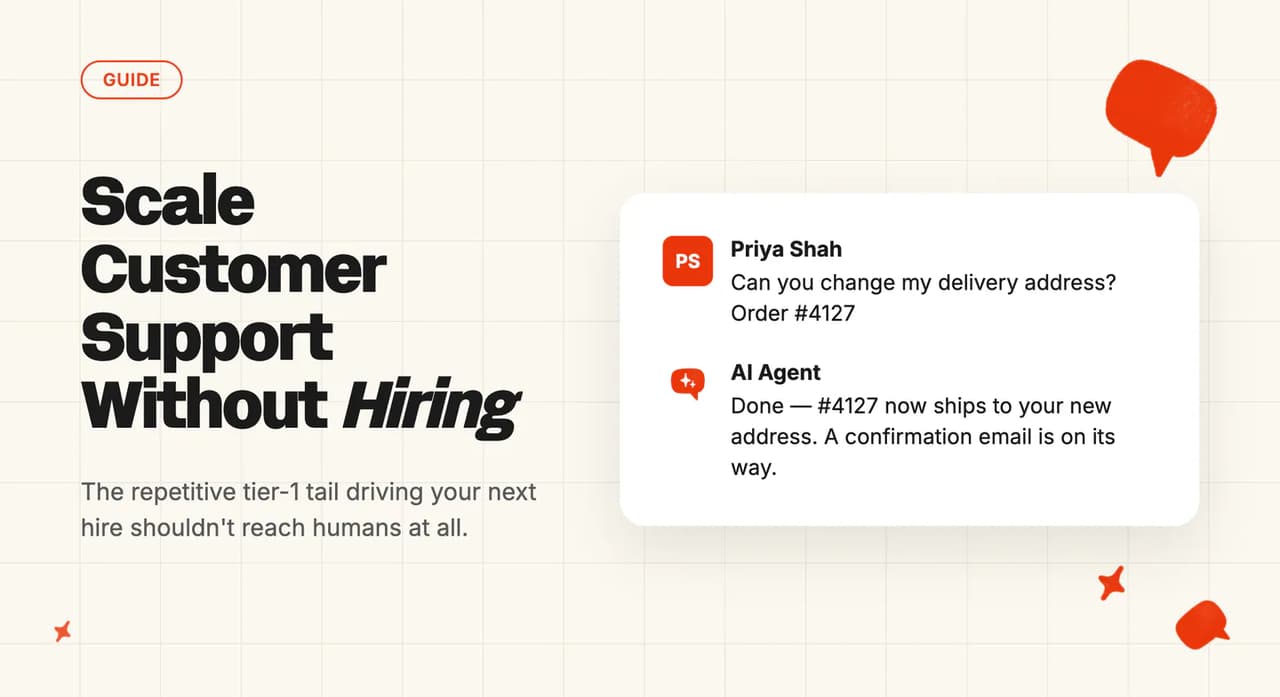
Every guide to scaling customer support ends in the same place: better tooling, tighter processes, and then a hiring plan when volume keeps climbing. I've read them all this week so you don't have to.
The advice breaks the moment volume grows faster than you can recruit. A new agent takes weeks to onboard and months to hit full speed, and the queue compounds while they ramp.
Scaling without hiring is a different project from squeezing efficiency out of macros, outsourcing and self-service. It means removing the repetitive tier-1 tail from your human queues altogether and pointing your team at the tickets that need judgment. The companies we've rolled this out for keep the staff they have and stop adding more every time volume steps up.
I'm Mike, co-founder of My AskAI. We run AI support agents for 200+ ecommerce and SaaS businesses inside Zendesk, Intercom, Freshdesk, Gorgias and HubSpot.
Our agents have resolved more than 1,000,000 tickets, and the customer base holds a 72%+ resolution rate on a rolling 30-day basis. Three of those customers put real numbers on it: YouGarden on Freshdesk, Honeygain and TravelJoy on Zendesk.
Why does the standard scaling playbook still end in a job req?
The consensus is sensible on its own terms. Help Scout's scaling guide is 15 reasonable tips: auto-replies, saved replies, a knowledge base, better queue management. Then tip #12 is "hire more agents" ("sometimes you just need more people", best done "in advance of growth"), and tip #14 is outsourcing.
Zendesk's guide runs the same direction. It answers its own question, "how do you know when to hire more support agents?", the way you'd expect: if rising volume is the problem, hire, and add a full-time admin once you're past 10 agents.
Pylon at least concedes the problem ("the math doesn't work out" if you keep hiring at the same rate as volume), then offers ten efficiency strategies with hiring left as the unspoken backstop. Bland's guide argues you should redesign the work instead of hiring, then lists "Hire Qualified Candidates" among its 17 strategies anyway (I checked twice).
Hiring is also slow. Most support agents take 2-6 weeks to onboard, complex or omnichannel teams run 4-8 weeks, and full productivity can stretch past 90 days. A growing queue doesn't pause while your new hire learns the product.
The other levers bend the cost curve, but the link stays. Macros and help center articles plateau once they're written (the next thousand tickets still need a human to pick, personalize and send each reply).
Outsourcing moves the line item and hands your tier-1 quality and brand voice to someone else's training program. Seasonal peaks force the worst version of all of it (hire for November, idle in January).
The search results already carry the rebuttal. The guides keep answering a different question, so operators ask each other. The question sits word for word on Quora, and a Reddit thread asking how anyone handles 50+ inquiries a day ranks on the same results page.
What forces a support hire? (the Three Hiring Triggers)
None of those guides name the thing that forces the hire in the first place. Watching our own rollouts, I count three triggers: baseline volume, peaks, and coverage. I call them the Three Hiring Triggers.
Each one pushes a different hiring decision, and an AI agent attacks each one differently. Diagnose yours before you spend anything.
| Trigger | What forces the hire | How an AI agent attacks it |
|---|---|---|
| Baseline volume | Tier-1 tail grows with customer count | Resolves 40-70% of tickets from knowledge |
| Peaks | Seasonal or campaign spikes mean temps | Absorbs spikes at the same per-ticket cost |
| Coverage | Nights, weekends, new languages | Runs 24/7, auto-detects 95 languages |
Trigger 1: baseline volume
Tickets grow in line with customers, and most of that growth lands in the tier-1 tail: the password resets, the where-is-my-order, the plan questions a macro could almost answer. One vendor guide to scaling without hiring more agents describes most inbound support as "variation on a small number of recurring questions", and puts "the realistic ceiling for AI containment of Level 1 and Level 2 queries" at 60-80%.
That tail is what a knowledge-grounded AI agent removes. Our rule of thumb from watching the same pattern across customers: you'll get somewhere between 40% and 70% of tickets resolved from knowledge alone, before any engineering work.
The field data agrees. Across 195 rated deployments covering 38 vendors, the published median AI resolution rate sits at 70%, with the middle half of the field between 56% and 80% (I shared the headline numbers on LinkedIn if you want the detail). Those are aggregate, self-reported numbers, so take them with a grain of salt rather than as a like-for-like promise.
Trigger 2: peaks
Spring for garden retailers, Black Friday for everyone else, plus the spikes you cause yourself (launches, campaigns, price changes). The hiring answer to a peak is the worst deal in support: recruit and train temps for a six-week window, then pay for idle capacity when the wave passes.
An AI agent flexes with the demand instead; it handles the spike the day the spike arrives, at the same per-ticket cost. Would you rather have the agent absorb that volume, or hire 10, 15, 20 extra staff offshore and train them up at speed?

Trigger 3: coverage
The third trigger has nothing to do with volume. You hire a fourth agent because nights and weekends are uncovered, or another one because tickets started arriving in a language nobody on the team reads.
An AI agent runs 24/7 by default, and ours auto-detects 95 languages per message. Nights, weekends and language tails are the trigger it kills outright.
Support leads describe the same trigger from the inside. Asked in r/CustomerSuccess how teams cope once volume gets big, one of them put the breaking point on cover rather than on ticket count.
The breaking point is usually when someone calls out sick and suddenly one person is doing triple duty with no end in sight.
A rota only stretches so far, and the agent that never calls in sick is what removes the single point of failure.
What's left for humans
The work that remains gets harder. Once the AI owns the repetitive tail, what's left is the difficult questions.
Two new jobs appear alongside that senior tier. Someone owns the AI, reviewing the questions it couldn't answer, which takes about 30-60 minutes a week once you're live.
And someone gives it dev time now and then, because the gains past the knowledge baseline come from your own systems: connecting user data adds 15-50% resolution (the 50% end is typically ecommerce) and letting the agent take actions adds another 5-20%. An API hookup is a couple of hours of dev work, done once.
Actions can run on their own or propose-then-approve, and that's a setting you choose per action. Most of our customers start with approval and loosen it as trust builds.
Whichever agent you end up trialing (ours or anyone else's), ask how it handles all three rungs: knowledge grounding, a user-data connection, and actions. An agent that only does the first rung caps out early.
What does this look like in real rollouts?
Here are three of our customers, one per trigger, with every number pulled from their live case studies. We mark a conversation resolved when the AI handled it without escalating to a human, and we keep escalation easy on purpose (the customer can ask for a person at any point).
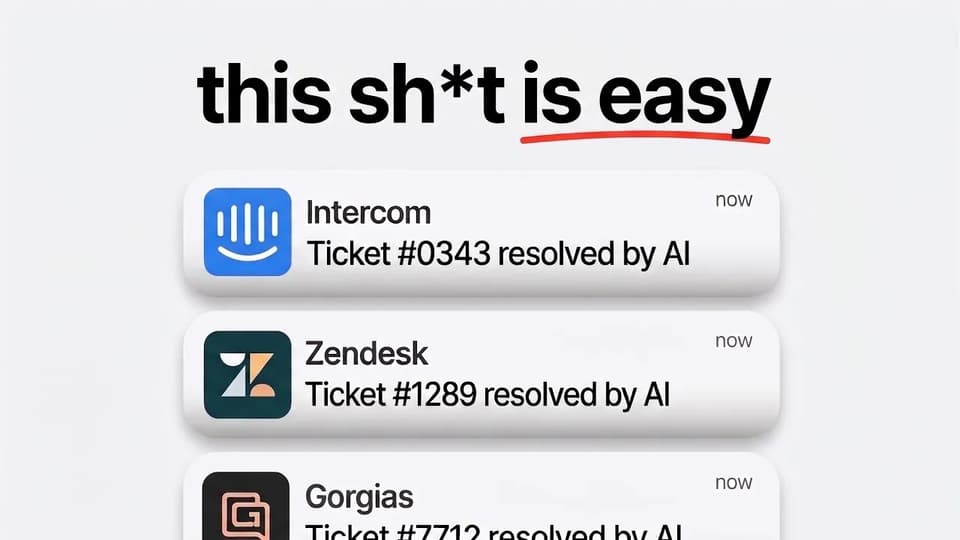
| Customer | Trigger | Tickets per month | AI result | Hours saved per month |
|---|---|---|---|---|
| YouGarden (Freshdesk) | Peaks | About 12,000 | 66% baseline, 82% at peak | 965 |
| Honeygain (Zendesk) | Baseline volume | About 3,400 | 90% resolution | Around 507 |
| TravelJoy (Zendesk) | Coverage | 2,500-2,700 | 80% resolution | 193 |
| Swytch (Zendesk) | Campaign spikes | 4,050+ AI-resolved | 81% deflection | Not published |
YouGarden: the peaks proof
Gardening demand swings hard with the seasons. The same team that cruises through November gets buried every spring. YouGarden, an ecommerce garden retailer on Freshdesk, runs about 12,000 tickets a month with the AI resolving around 7,800 of them.
Their baseline AI resolution is 66%, and at the seasonal peak it rises to about 82%, right when a hiring plan would have them training temps. They save 965 hours a month, about 6 full-time agents' worth at 5 minutes a ticket, with AI CSAT holding at 78% across 11,785 tickets.
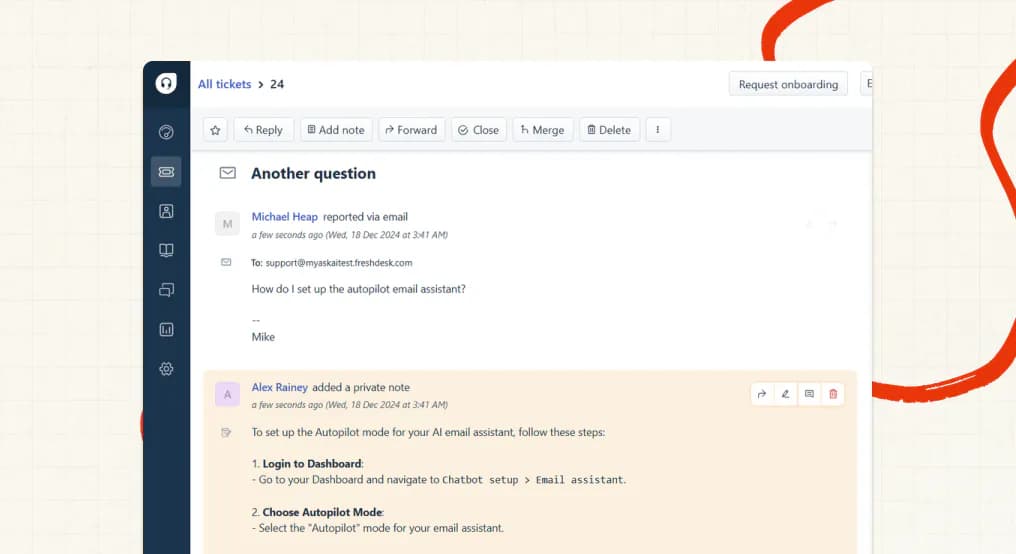
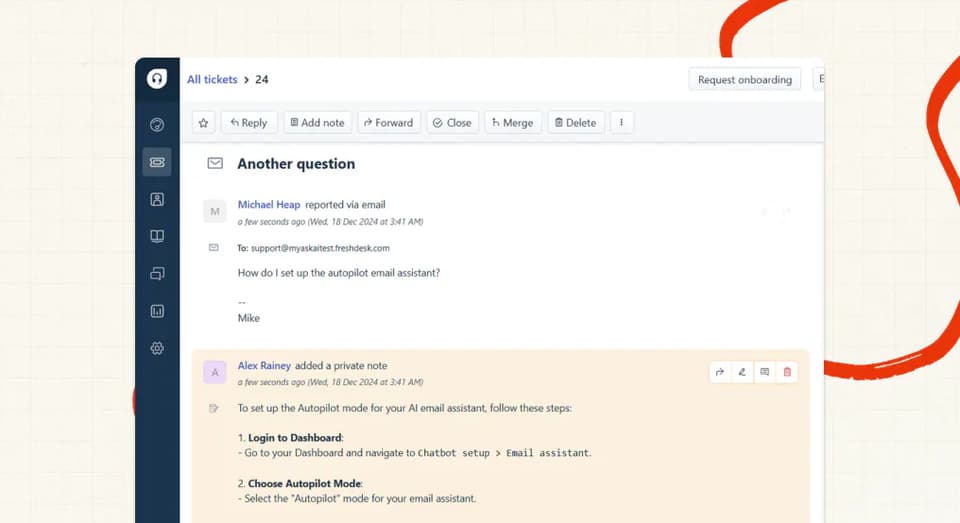
After a tender against Freddy AI and Intercom Fin (they were switching off DigitalGenius), they ran a month in Freshdesk notes mode, where the AI drafts internal notes and customers see nothing, before flipping to direct replies.
"My AskAI has fundamentally changed how we support our customers. The quality and consistency of responses are extremely high, and it's allowed us to scale support without compromising the experience we're known for at YouGarden."
Mamunur Rahman, Head of Customer Service at YouGarden, in the case study.
Honeygain: the volume proof
Honeygain is the baseline-volume proof: a consumer app doing about 3,400 tickets a month on Zendesk, with the AI resolving about 3,060 of them, a 90% resolution rate. That gives the team around 507 hours a month back, with a 78% AI CSAT in a category (account bans and payouts) where customers arrive frustrated.
My favorite detail: about 600 tickets a month get answered by knowledge the platform drafted for itself. Self-Learning writes those articles by comparing the AI's replies to what human agents sent on the tickets it had to hand over.
TravelJoy: the coverage proof
TravelJoy runs 2,500-2,700 tickets a month on Zendesk at 80% AI resolution, up from the 24% they got from Zendesk's own AI. They cover nights without staffing a night shift, save 193 hours a month, and AI CSAT sits at 86% over the trailing 30 days.
"Our experience with My AskAI has been nothing short of transformative. In comparison to Zendesk's AI agent, we're now achieving an impressive 76% AI resolution rate, versus just 24% before. The dramatic improvement has elevated the overall level of service."
Alan Pugh, Head of Customer Service at TravelJoy, in the case study (the case study now reports 80%, up from the 76% in his quote).
Swytch: a bonus fourth, for campaign spikes
Campaign-driven volume deserves its own proof. Swytch, an ecommerce brand on Zendesk, came to us with a familiar story:
"Our reply times were creeping up, and customers were waiting too long to get answers—sometimes for very simple questions."
Today they report an 81% deflection rate and 4,050+ tickets a month resolved by AI alone, with response times down from days to minutes. Deflection is a different measure from resolution; it counts tickets kept away from the human queue.
"The difference was immediate. Customers now get instant answers to routine queries, and our team can dedicate more time to solving complex problems."
Both quotes are from the Swytch team in the case study. The full set of customer stories, numbers included, lives under our case-study posts.
What to do this week
- Tag last month's tickets against the three triggers. Pull the last month and tag your top 20 intents as baseline, peak, or coverage. Takes about 2 hours, and at the end you'll know which trigger is forcing the hire.
- Grade your help center against those top intents. The 40-70%-from-knowledge baseline lives or dies on whether your top intents are covered in writing, so score each one: covered, stale, or missing (another 2 hours). If you have no help center at all, train from your past tickets instead. Train on Historic Tickets auto-drafts starter knowledge from your last 5,000 historic tickets.
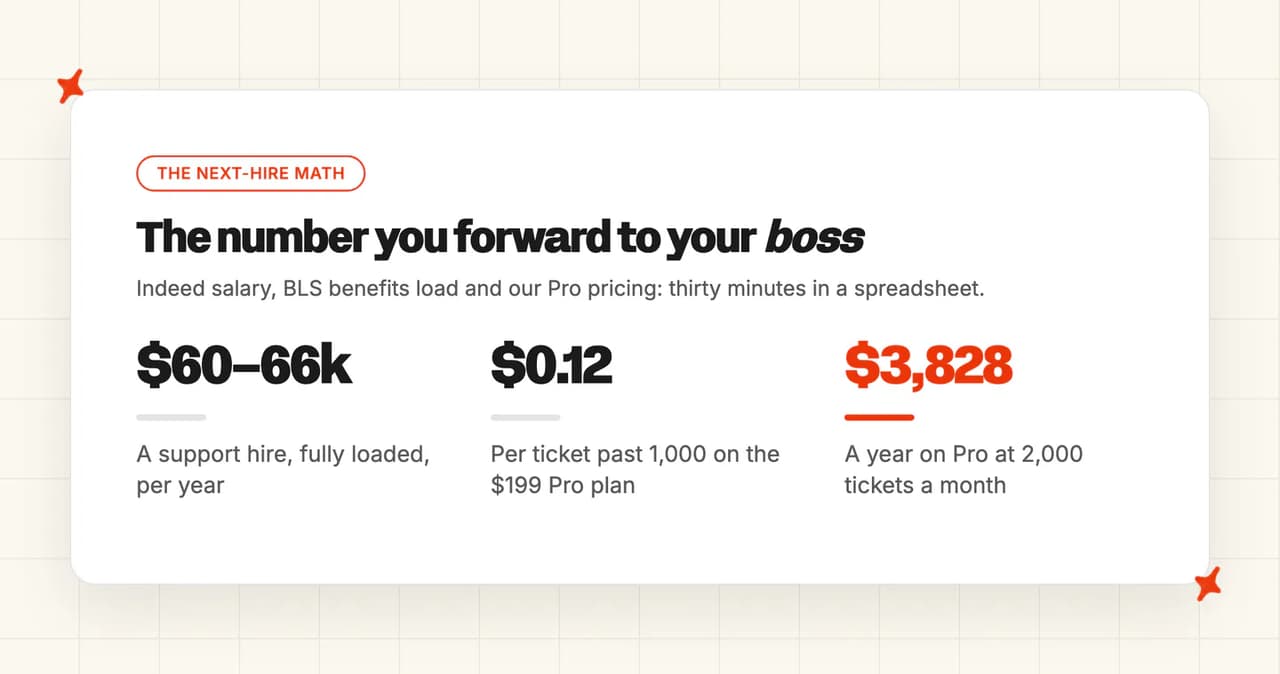
- Run the next-hire-vs-AI math. Indeed's salary data puts the average US customer service rep at $46,017 a year, and the BLS puts benefits at about 30% of total compensation ($13.58 an hour for private-industry workers), so a hire lands at about $60-66k fully loaded. Our pricing starts at $0.12 a ticket on Pro: 2,000 tickets a month is the $199 base with 1,000 tickets included plus 1,000 more at $0.12, so the real bill lands around $319 a month, call it under $4,000 a year. Thirty minutes of spreadsheet work, and you get a number you can forward to your boss.
- Go live on knowledge only, with whatever agent you trial. Going live on pure knowledge takes minutes to hours, and almost every customer we onboard reaches live-and-direct within about a month, so measure resolution in week 1. Don't wait for a perfect setup. Notes mode is the boring-but-effective route if you want zero customer risk. Our trial gives you 30 days with all features unlocked, unlimited tickets and no card, so you can prove it on your own tickets before paying anything.
- Book a 30-minute weekly review of the questions the AI couldn't answer. That review is the ongoing owner load of 30-60 minutes a week. The fixes that come out of it are what push resolution up over time. In our dashboard you'd ask Echo why the agent gave any answer and which knowledge source it used, then fix the source.
How do I get AI to run the trigger diagnosis for me?
Steps 1 and 3 are paste-and-classify work, which an LLM does well. Copy this into ChatGPT or Claude with your own numbers; it only classifies what you paste, so treat the output as a head start on the 2-hour tagging pass and spot-check it against the raw tickets.
I run a customer support team and want to know whether my next support hire is avoidable. Classify my ticket data against the Three Hiring Triggers framework:

1. Baseline volume: repetitive tier-1 tickets growing in line with customer count (password resets, order status, plan questions).
2. Peaks: seasonal or campaign-driven spikes that would otherwise mean hiring temps.
3. Coverage: tickets arriving at nights, weekends, or in languages my team doesn't speak.

My top ticket intents with monthly counts: [paste your top 20 intents and counts]
My team size and coverage hours: [e.g. 4 agents, weekdays 9-6 Eastern]
Seasonality or planned campaigns: [e.g. spring peak, Black Friday, September launch]

For each intent, tag it baseline, peak, coverage, or judgment (needs a human). Where you can't tell from what I've pasted, write "unverified, ask me" instead of guessing. Output: a table with intent, monthly count, trigger tag, and whether a knowledge-grounded AI agent could plausibly resolve it from written help content. Finish with the single trigger forcing my next hire and the percentage of my volume that is repetitive tier-1 tail.
When is hiring still the right answer?
If every ticket in your queue is bespoke (low-volume, high-touch B2B where each customer has its own contract and history), there's no tier-1 tail to remove, so hire. An AI copilot can still draft replies for the team, but the volume math in this post assumes a repetitive tail. For the tickets that do still reach your team, why each one needed a person tells you whether to hire or fix the AI.
The senior tier stays human and gets busier in a harder way, as the YouGarden and Swytch teams found once the routine tickets stopped arriving. Someone also has to own the AI, and in some teams that owner role is a new skill set. Sometimes it's a real hire (at bigger volumes the owner job stops fitting into a percentage of someone's week).
Health-data, legal and fraud queues need human judgment and workflows certified for them. Route those to people by design; handover rules exist for this exact case.
If your help center is stale and there's no dev availability this quarter, the 40-70% knowledge baseline isn't there for you yet. Fix the knowledge first (or auto-draft it from historic tickets). I've written about how 74% of AI support rollouts get switched back off, and going live on thin knowledge is a big part of how that happens.
The opposite failure exists too. Wall off too many topics up front and the AI never gets a chance at the 70% it could have resolved. Start wider and tighten based on what you observe.
Past the knowledge baseline, the climb is real work on your side: wiring up your data, tuning guidance, a weekly pass over the misses. I wouldn't trust a product that says it's all autopilot and improves without any input from you. That work is a one-off, though: each fix applies to every ticket that comes after it.
The takeaway
Support headcount and ticket volume have been coupled for so long that every scaling guide treats the link as physics; it's a choice.
Diagnose which of the Three Hiring Triggers is pushing you (baseline volume, peaks, or coverage). Put an AI front line against that trigger and keep your humans on the judgment tier, and the next volume step can arrive without a req attached.
If you only do one thing this week, tag last month's tickets against the three triggers. It costs you two hours, and you'll know which of the three triggers is forcing the hire before you open the req.
When you're ready to look at tools, we've ranked the market by team size, from solo founders and early-stage startups through small business and mid-market to enterprise, so you can start from the shortlist that fits yours. And ours comes with 30 days free, all features, no card, so your own tickets can supply the proof.
FAQs
How do I reduce customer support ticket volume without hiring more agents?
Tag a month of tickets first and find the repetitive tail; in most queues, the majority of tickets are ones your macros almost cover. A knowledge-grounded AI agent resolves somewhere between 40% and 70% of tickets from your existing help content alone (our rule of thumb from watching customers), which is the fastest cut available. The right fix differs by trigger, so run the diagnosis in this post before buying anything: baseline volume, peaks, and coverage each want a different setup.
We're growing fast and can't hire support agents fast enough: what should I use?
Use an AI agent grounded in your own knowledge, inside the helpdesk you already run. It goes live on your existing help content in minutes to hours, while a new hire takes 2-6 weeks to onboard and can need 90+ days to reach full productivity. Trial one in notes mode first, so you can compare its drafts against your team's real replies with zero customer risk (YouGarden ran a month this way before going live).
How much can AI reduce customer support costs?
The best anchor is hours saved at real resolution rates: YouGarden saves 965 hours a month at 66% AI resolution, Honeygain saves around 507 at 90%, and TravelJoy saves 193 at 80%. The published field median across 38 vendors is 70% resolution, so a well-run rollout removes most of the repetitive tier-1 spend. I can't tell you your number without seeing your ticket mix, and the gains past the knowledge baseline are work on your side (data connections, guidance tuning), so budget effort as well as license cost.
How do I measure the ROI of AI customer support?
Compare the fully loaded cost of the next hire (about $60-66k a year, per Indeed's salary data plus BLS benefits figures) against the AI cost at your volume, about $0.12 a ticket on Pro, or $0.10 on Scale (our ROI calculator does that comparison for you). Then track two numbers from week 1 of a trial: AI resolution rate, and hours saved (tickets resolved multiplied by your average handle time; YouGarden's math uses 5 minutes a ticket). A trial on your own tickets settles the question faster than any projection.
How do I automate customer support without losing the personal touch?
Ground the AI in your own knowledge and set tone rules so it writes the way your team writes; our Guidance feature does this with plain-language communication-style rules. Keep escalation easy, so a customer who asks for a person gets one straight away, and keep humans on the judgment tier. YouGarden's Head of Customer Service credits this setup with scaling support without compromising the experience they're known for.
How do I provide multilingual customer support without hiring native speakers?
An AI agent auto-detects the customer's language on every message and replies in it; ours supports 95 languages out of the box. That turns language coverage into a default setting. Both YouGarden and TravelJoy run multilingual support this way.
How do I set up AI customer support that runs 24/7?
Connect your help content to an AI agent inside your helpdesk, and it answers around the clock by default. Going live on pure knowledge takes minutes to hours. TravelJoy, one of our Zendesk customers, covers nights this way without a night shift, at 80% AI resolution.
How to automate L1 support and only escalate complex issues?
Point the agent at your knowledge and set escalation rules for the topics that need people: refunds beyond policy, legal, anything emotional. The realistic ceiling for AI containment of L1 and L2 queries is 60-80%, so expect most of tier-1 to stop reaching humans. One warning from our rollouts: don't wall off so many topics up front that the AI never gets to attempt tickets it could have resolved; start wider and tighten from what you observe.
How do I scale seasonal customer support without hiring temps?
Put an AI agent on the peak instead of a temp roster. It absorbs the extra volume the day it arrives, at the same per-ticket cost, with no idle capacity to pay for afterwards. YouGarden, a garden retailer on Freshdesk, runs about 12,000 tickets a month at 66% AI resolution and rises to about 82% at its spring peak. That is the week a hiring plan would have them training temps. Go live on your knowledge before the season starts, then fix whatever the AI hands over in the first peak week.
How do I scale white-glove support without hiring more agents?
Take the repetitive tail away from the people who give the white-glove service. Even high-touch queues carry password resets, order status and plan questions, and an AI agent that resolves those gives your senior team back the hours the premium accounts need.
For the bespoke tickets themselves, run the AI as a copilot in notes mode, so it drafts the reply and a person sends it. If every ticket really is bespoke, with no repetitive tail at all, that is the case where hiring is still the right answer.