Hiver AI: Complete Guide to Features, Pricing & Limitations (2026)
Hiver AI puts AI Agents on its lowest paid plan and says you can go live in 30 minutes, but its product and pricing pages give no AI resolution rate.
Summarize with AI
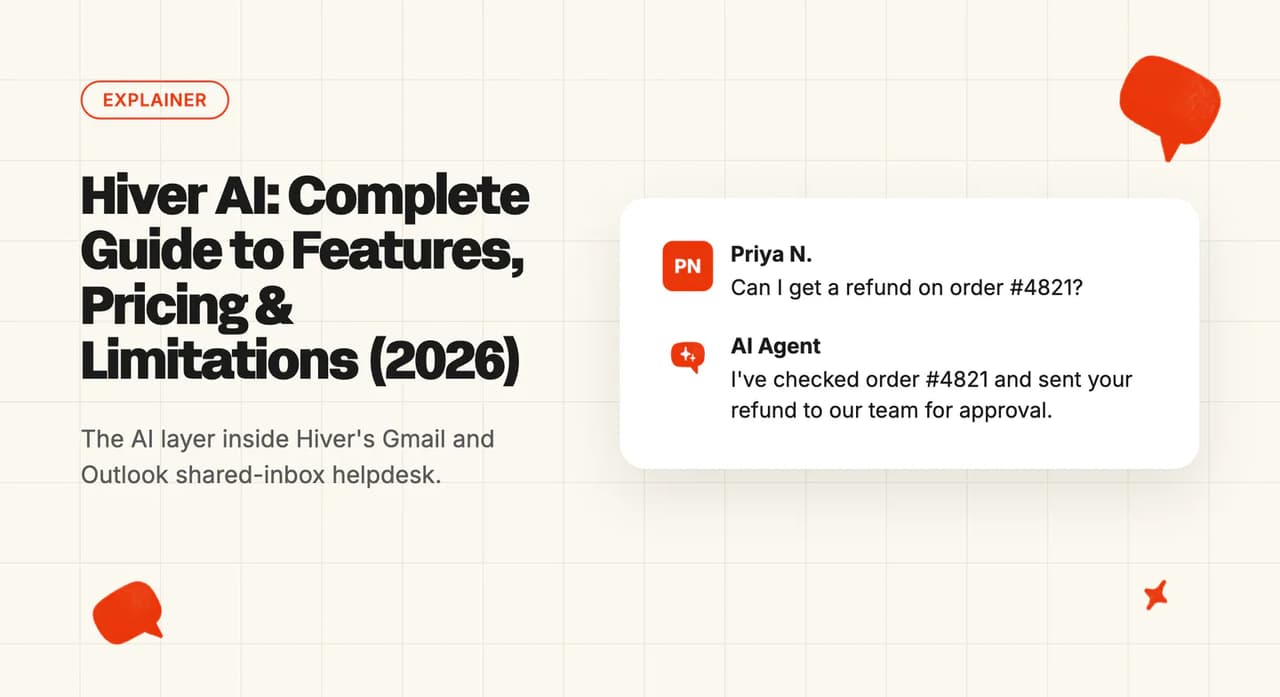
If your team runs support from support@ in Gmail, labels probably stand in for statuses. Someone forwards the tricky ones, and a colleague asks in Slack who is replying to the refund email.
Hiver is built for that team, and its pricing page lists AI Agents and AI Copilot on the lowest paid plan. Before you buy, find out how much work that AI can take off your people.
I'm Mike, co-founder of My AskAI. Our AI agent works inside the helpdesk you already run, and 200+ ecommerce and SaaS businesses use it, so I'm not a neutral party here. Everything below comes from Hiver's pricing pages, its help center, its security pages and what its customers have said on the record.
Hiver AI is the set of customer service AI features inside Hiver, the helpdesk that runs in Gmail or as a standalone app connected to Gmail and Outlook. It suits small and mid-size teams that already answer customers from shared inboxes and want the AI included in a seat price. Hiver's product and pricing pages give no figure for how much of your inbox the AI resolves, which makes the value hard to judge before you buy.
Hiver AI at a glance
| Fact | Detail |
|---|---|
| What it is | AI helpdesk features for Gmail and Outlook teams |
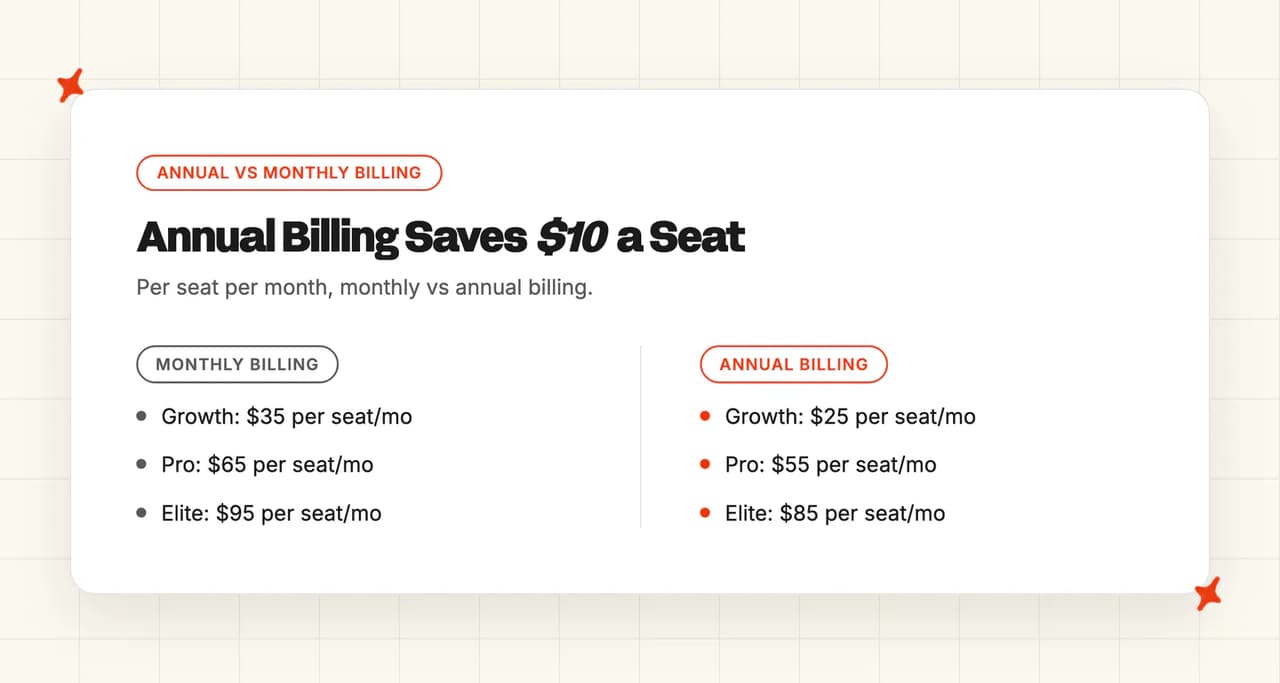
| Headline price | Growth at $35/user/month billed monthly ($25 billed annually) |
| G2 rating | 4.6/5 from 1,283 reviews |
| Best for | Shared-inbox teams wanting AI in the seat price |
| Not a fit for | Buyers needing EU data hosting |
| Biggest limitation | No AI resolution rate on product pages |
| Our verdict | 6.5/10 |
What is Hiver AI?
Hiver sells two versions of one product on the same plan ladder. Hiver in Gmail is a Chrome extension inside your existing Gmail, and Hiver Omni is a standalone platform that works with Gmail, Outlook and other email providers.
The AI covers both. Hiver's help center splits it into these parts (you may also see it called Harvey, its earlier name):
- AI Agents - answer customers on their own and take actions in your other tools, with rules for when to hand over
- AI Copilot - drafts, rewrites and summarizes replies for your human team inside the inbox
- AI Tagging and Sentiment - sort incoming requests and flag how the customer feels
- AI QA - scores your team's replies for quality and gives each person a summary
- Knowledge Hub - the help center, documents and pages the AI answers from
The pricing page sums it up as "AI agents triage, resolve requests and act across your systems". Hiver's homepage says more than 10,000 teams use it, and Hiver sells it to finance, HR and operations teams as well as support.
I think of Hiver as an inbox first, with a helpdesk built around it. Your team keeps working from shared inboxes, and Hiver adds ticketing, collaboration and AI on top.
One small-business reviewer on G2 singles out the AI's help with email replies:
G2: Hiver scores 4.6/5 from 1,283 reviews on G2. "I also find valuable the AI technology that it has to auto respond to emails and help send a correct email." Zeus O., via a G2 reviewer (Small-Business).
How easy is it to set up Hiver AI?
Setup starts when you sign up on Hiver's site with a Google or Microsoft account. Gmail teams can install Hiver from the Google Workspace Marketplace instead, and Hiver's AI hub promises you can "Go live in 30 minutes".
From there, Hiver's AI Agents setup guide walks through the build in this order:
- Check the prerequisite - an active chat inbox with Hiver's chat widget running on your website
- Open the AI settings - go to "Admin Panel", then "Hiver AI", and click "Explore" under AI Agent
- Connect sources - add your help center, website pages, files and internal documents
- Preview it - test conversations before anything reaches a customer
- Go live - then adjust questions and sources as real conversations come in
AI Copilot is simpler: it is switched on per shared inbox, and everyone in that inbox gets it.
The guide also describes a safety net: "Confidence-based escalation: If the AI Agent isn't confident in a response, it hands the conversation to your team rather than risk a wrong answer". I like that most in week one, when your sources are still thin.
Plan two things before you go live. On Gmail, the Marketplace listing asks for permission to "Read, compose, send, and permanently delete all your email from Gmail", so your IT or security owner will want to sign that off. The AI agent also needs chat set up first, so an email-only team has a channel decision to make before the agent can answer anyone.
If you are moving from another tool, Hiver's pricing page says "We’ll help you migrate your data at no extra cost."
What channels does Hiver AI work in?
Hiver Omni's pricing page says it "brings email, live chat, Slack, voice, WhatsApp, and social into one workspace". How much of that you get depends on the plan, and the FAQ says "Higher tiers unlock more channels and advanced routing". On the Hiver Omni pricing page, the channels split by plan like this:
- Growth - email, live chat and self-service support
- Pro - adds a customer portal and a Slack channel for customer conversations
- Voice - an add-on on every paid Hiver Omni plan, which includes AI call summaries
Email connects from Google, Microsoft, Zoho and other providers. Hiver's chat widget also runs inside iOS and Android apps (useful if you have a mobile product and want to offer chat there too).
The AI agent answers customers on the chat widget. On email, the copilot drafts replies for your team, and the tagging and sentiment tools sort what comes in.
What are the limitations of Hiver AI?
Check each of these against your team before you start a trial.
No AI resolution rate on its product or pricing pages
Without that rate, you cannot tell what share of conversations the AI closes without a person. That makes a business case harder to build.
Some AI tools need Pro or Elite
Hiver's help center says anyone signing up now gets Ask AI, the copilot's answer tool, only on Pro and Elite, and AI QA only on Elite. I think this rule is the one to check first if your agents want the copilot to look up answers for them.
Several Elite AI items are also marked "Coming soon" in the pricing grid, including AI Insights, AI Topics and the AI Help Center Builder. Check which of the tools you care about are live on your plan before you sign.
It works best for teams that live in email
Hiver in Gmail needs a Gmail or Google Workspace account, and Hiver Omni is built around connecting the mailboxes you already have. Hiver is a poor fit for a team that wants a ticket-first helpdesk.
One small-business reviewer in Hiver's G2 reviews found the AI features useful but basic next to AI-first support platforms.
US-only hosting, with the strongest controls on Elite
Hiver's security center says "All our services and data is hosted in the USA". An EU team with a data-residency requirement will need that conversation with legal before anything else.
Single sign-on, HIPAA handling and custom roles all come with the Elite plan, so a regulated team should price Elite from the start.
Seats come in blocks
The pricing page says "All Hiver plans start at 2 seats. You can increase from 2 to 5, and then in increments of 5 seats (10, 15, 20, and so on)." A team of seven pays for ten, so a small team can end up paying for seats nobody uses.
What knowledge sources can I train Hiver AI on?
Hiver's help center tells you to connect sources "such as your Help Center, Google Drive, Notion, and Confluence so AI Agents and AI Copilot can work from information your organization trusts". For the AI agent, the setup guide lists what it can answer from:
- Help center articles - Hiver's help center or the one you already publish
- Website pages - crawled from a starting URL, following links
- Files - PDF, DOCX or TXT, up to five at a time, each under 30 MB
- Internal documents - Google Drive, Notion and Confluence content
Ask AI, the copilot's answer tool, works from a similar set: your Hiver knowledge base, uploaded documents, saved snippets and Notion. It can also answer questions about data in Google Sheets (useful if your team keeps order or account details in a spreadsheet).
The Knowledge Hub page shows each source with its page count and last-sync date, so you can see what the AI is working from. The Growth plan also includes an AI Knowledge Builder that "Automatically detects missing knowledge and recommends content updates across your Help Center, Notion, and other sources."
Switch on the Knowledge Builder early, and fill the gaps it finds before you judge the AI's answers.
What features does Hiver AI have?
The AI agent answers customers, and the copilot, tagging and QA tools work for your team inside the inbox.
The autonomous layer
AI Agents answer customers end to end and take actions across your systems. The pricing page describes them looking up orders, issuing refunds and updating records. It also says they include "Human in the loop" control that "Pauses for approval on actions you mark sensitive." I'd mark refunds as sensitive from the start, since a wrong call by the AI there costs you money.
Alongside the agent, AI Tagging labels incoming requests and AI Sentiment Analysis flags an angry or worried customer.
The copilot layer
AI Copilot works beside your team inside the inbox, and it is made up of a few tools:
- Ask AI - answers an agent's question from your connected knowledge and drafts a reply
- AI Compose - fixes grammar and spelling, expands, shortens, or makes a draft more professional or empathetic
- AI Summarizer - condenses a long thread so the next person can pick it up quickly
- AI Suggested Responses - proposes a reply in high-confidence cases, currently in early access
With each of these tools, a person on your team still sends every reply. Our roundup of AI agent-assist tools covers the wider field.
Workflows, Skills and quality
Skills let you define step-by-step procedures the AI follows for complex requests, and AI Tasks add AI decisions into Hiver's automations. A refund flow, for example, can check the request, pick a path based on what it finds, then act in Stripe or escalate to another team. Hiver also links these tools to other systems, including creating NetSuite sales orders from a conversation, syncing with HubSpot and supporting up to three Shopify stores.
AI QA comes with Elite and scores your team's replies out of 10 against aspects such as tone, clarity and grammar, with a default pass mark of 8.
How do I improve Hiver AI responses?
Hiver's tuning tools are split between the agent and the copilot.
For the AI agent, you preview conversations before go-live and then "update your questions or knowledge sources if anything needs improvement", as the setup guide puts it. You set guardrails and escalation rules, and you can read the full transcript of every conversation the AI handled.
For the copilot, agents can like or dislike Ask AI's answers to steer future drafts, and you can set the tone the AI uses. Suggested Responses only appear when the AI is confident (they learn from replies your team has already sent, so a brand-new inbox gives them little to go on).
AI QA adds a quality view of your human team's replies. The help article notes that it "does not evaluate attachments or detect factual inaccuracies".
Reporting on the AI itself is newer. The help center says "The AI usage dashboard is currently available as part of an early access program." It shows AI actions taken and time saved, which is the report you would bring to a budget review.
We tell our customers to read the transcripts and fix the sources each week, or the AI keeps repeating out-of-date answers.
What resolution rate can I expect from Hiver AI?
Hiver's Flexport story says the freight team "resolves customer requests 50% faster and saves 387 hours a month", and UK manufacturer Get It Made reports a "250% increase in the team’s efficiency". Both figures cover the whole team working in Hiver with the AI included.
Hiver's reporting includes First Contact Resolution and Replies to Resolution (both track your whole team, AI included). Those are the numbers to watch during a trial.
Our AI resolution rate benchmark study puts the field median of published AI-handling rates at 70%. Read that figure with three caveats:
- It describes the whole field - so it gives you no basis for comparing two vendors
- Vendors measure differently - deflection, containment and resolution are counted in different ways, so the figures are directional
- Published figures are vendors' best cases - so the real average is likely lower
What AI model does Hiver use?
Hiver names the models behind its copilot. Its data privacy article says "AI Copilot uses the enterprise version of GPT-4o mini & GPT-4o via Microsoft Azure."
For your security review, start with the data commitments. The same article says "Hiver does not train or fine-tune models using your data." That means your tickets are not used to teach or adjust the AI. Hiver's AI trust page adds that no customer-identifiable data trains AI models and that Hiver does not share or sell customer data with its AI partners.
The article also explains that the content the AI answers from is stored in a specialist search database, encrypted at rest and in transit.
What languages does Hiver AI work in?
Hiver publishes no supported-language list or language count for its AI features. The pricing grid describes AI Compose as a way to "Polish and refine the tone, grammar, and structure of your replies."
If you support customers in more than one language, test Hiver's AI on real tickets in each of them during the trial.
How secure is Hiver?
Hiver's compliance list is broad. The pricing FAQ says "Hiver is GDPR, SOC 2 Type II, ISO 27001, CCPA, and HIPAA compliant."
The security center says the full SOC 2 Type II report is available on request to its security team under a non-disclosure commitment. It also confirms that Hiver is hosted on Amazon Web Services in the USA, and that access to your mailboxes uses the standard Gmail and Outlook permission process.
The AI trust page says admins can switch AI features off for the whole workspace or for specific teams (handy if you want to start the AI with one team first).
Who is using Hiver?
Hiver names its customers, and they span logistics, manufacturing, software and finance. Two of them publish figures you can check:
- Flexport - the freight team resolves requests 50% faster and saves 387 hours a month
- Get It Made - the UK manufacturer reports a "250% increase in the team’s efficiency"
Hiver's customer stories also include Ping Identity, Conservice, Arrive Logistics, Bynder and Egnyte.
How much does Hiver cost?
The Gmail extension and the standalone app cost the same per seat. The pricing page includes the AI in the plan price.
Which Hiver plans include AI?
The Hiver Omni pricing page shows three paid plans:
| Plan | Per user per month, monthly billing | AI on the plan card |
|---|---|---|
| Growth | $35 | AI Agents, AI Copilot, Skills, AI Knowledge Builder |
| Pro | $65 | Everything in Growth |
| Elite | $95 | Adds AI QA, with AI Insights and Customer Intelligence marked "Coming soon" |
Annual billing brings those prices down to $25, $55 and $85 per user per month (a $10 saving per seat on every plan). On top of Growth, Pro adds:
- A customer portal and Slack as a channel
- SLAs and CSAT surveys
- Advanced analytics
- Premium integrations with tools such as Shopify and CRMs
- API access
The AI extra is Ask AI, which the help center puts on Pro and Elite only. Voice is an add-on at "$ 30 per voice seat/month", with 1,000 minutes per voice seat included and extra minutes at $0.03 each.
What does Hiver cost at 10,000 conversations a month?
I've priced a team handling 10,000 conversations a month with 20 agents, billed monthly.
| Option | How it is priced | Monthly cost |
|---|---|---|
| No AI (baseline) | 20 Growth seats, AI switched off, your team answers every conversation: 20 × $35 | $700 |
| Hiver Growth with AI on | 20 Growth seats with AI Agents and AI Copilot, without Ask AI: 20 × $35 | $700 |
| Hiver Pro with AI on | 20 Pro seats, adding Ask AI: 20 × $65 | $1,300 |
With the AI on or off, 20 Growth seats come to $700. The AI adds nothing to the seat bill, so any saving shows up as seats you do not have to add. Budget for setup and review time, plus the chat channel the agent needs.
If your team needs Ask AI, price Pro instead, at $1,300 for the same 20 seats.
Does Hiver have a free trial?
The pricing FAQ says "When you sign up, you instantly get access to our Elite plan for 7 days". You add a credit card when you upgrade.
At the end of the trial, the account is suspended unless you choose a plan. Hiver's pricing FAQ says you can then "either choose the free plan or re-activate your account by upgrading within 7 days". Neither of Hiver's pricing pages lists what the free plan includes.
Seven days on Elite feels short to me for an AI test. Plan it before you sign up: pick 20 or 30 real questions from last month, load your help center on day one, and spend the rest of the week reading how the AI handles them.
Is Hiver AI worth it?
For the right team, I think Hiver's AI is good value. You get an AI agent and a copilot on the lowest paid plan, inside the inbox your team already uses, for a public per-seat price. One team on Reddit described the switch this way:
"ended up trying hiver and honestly the main difference was just that everything stayed in one view but with a bit more structure" From a team running support on Google Workspace, on r/SaaS.
My advice is to stay if your team is already on Hiver and its AI covers the questions your customers ask. Moving helpdesks to chase a few extra points of automation rarely pays back.
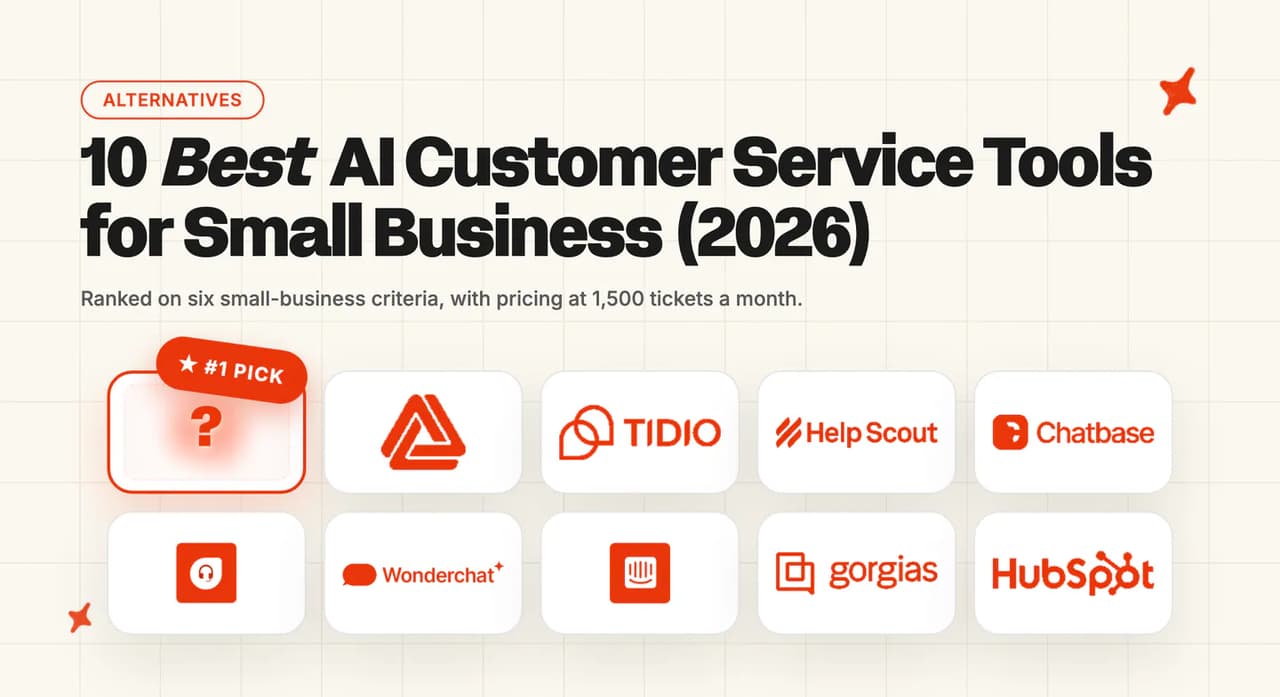
If you are still choosing, Front, Help Scout and Groove (now Helply) are shared-inbox alternatives, and we have written a full guide to each. For a wider view, our roundup of the best AI customer service tools for small businesses compares the options side by side.
What are the Pros and Cons of Hiver AI?
Here is where I land:
Pros
- AI inside the inbox you already use - Hiver runs in Gmail as an extension, or as a standalone app that connects Gmail and Outlook, so the team does not change where it works (setup section).
- AI on the lowest paid plan, at a public price - AI Agents and AI Copilot are on the $35 Growth card, and switching them on adds nothing to the seat bill (cost section).
- Clear data commitments - Hiver names GPT-4o and GPT-4o mini, says it does not train on your data, and lists SOC 2 Type II, ISO 27001, GDPR, CCPA and HIPAA (model and security sections).
Cons
- No AI resolution rate on its product or pricing pages - Hiver's customer figures, such as Flexport's 50% faster resolution, cover the whole team with the AI included (resolution section).
- US-only hosting - all data is hosted in the USA, and single sign-on and HIPAA handling need Elite (security section).
- Plan rules on some AI tools - Ask AI comes only with Pro and Elite, AI QA only with Elite, and several Elite AI items are still "Coming soon" (limitations section).
- Seats in blocks - plans go from 2 seats to 5, then in steps of 5, so small teams can pay for seats they do not use (cost section).
How do we rate Hiver AI?
Here is how each score breaks down:
- Product, 7/10 - agents, copilot, workflows, QA and knowledge tools are all real and documented, though several Elite items are still coming
- Price and trial, 7/10 - AI from the lowest paid plan at a public seat price with a no-card trial, held back by seat blocks and a 7-day window
- Setup and fit, 7/10 - quick to start inside Gmail or Outlook, limited by US-only hosting and the chat prerequisite for the agent
- Evidence, 5/10 - named customers with real figures, but no AI resolution rate on Hiver's product or pricing pages
Scored on the sections above, from Hiver's own pages; gaps are stated as gaps. Not higher because the resolution section found only customer productivity figures and no AI resolution rate. Not lower because the cost section showed AI Agents and AI Copilot on the lowest paid plan at a public per-seat price.
FAQs
What is Hiver AI and what can it do?
Hiver AI is the set of AI features inside Hiver, a helpdesk for teams working from Gmail and Outlook. It covers AI Agents that answer customers and take actions, AI Copilot that drafts and summarizes replies, AI Tagging and Sentiment, and AI QA on the Elite plan. The Hiver AI help overview lists each part.
Is Hiver AI included in every plan or an add-on?
AI Agents and AI Copilot are on the Growth plan (Hiver's lowest paid plan), so there is no separate AI charge. Hiver's help center says anyone signing up now gets Ask AI only on Pro and Elite, and AI QA only on Elite. Voice is the only paid add-on on the pricing page.
What does Hiver do?
Hiver turns shared inboxes such as support@ into a helpdesk, with assignment, ticketing, collaboration and reporting. Teams use it for customer support, finance, HR and operations requests. It runs inside Gmail or as a standalone app connected to Gmail, Outlook and other email providers.
Does Hiver work with Gmail?
Yes. Hiver in Gmail installs as a Chrome extension and works on top of your existing Gmail or Google Workspace account. You can install it from the Google Workspace Marketplace, which asks for full access to your Gmail during install (so bring your IT or security owner in early).
Does Hiver work with Outlook?
Yes, through Hiver Omni, the standalone platform that connects Gmail, Outlook and other email providers. You sign in with Microsoft and manage your Outlook shared mailboxes from Hiver's workspace. The plans and prices match Hiver in Gmail.
Is Hiver a shared inbox or a helpdesk?
Both. Every paid plan includes a shared inbox and ticketing (so each request has an owner and a history), and higher plans add SLAs, a customer portal and advanced reporting. It keeps the feel of an email inbox while adding helpdesk controls.
Does Hiver have an app?
Yes. Hiver has mobile apps for Android and iOS for managing email and chat conversations on the go. Its chat widget can also run inside your own iOS and Android apps.
What happened to Harvey, Hiver's AI bot?
Harvey was the earlier name for Hiver's AI. The features now carry the Hiver AI name (AI Agents answer customers, and AI Copilot helps your team). The AI Agents page describes the current version.
How much does Hiver cost?
Hiver charges per user per month: Growth is $35, Pro $65 and Elite $95 on monthly billing, or $25, $55 and $85 billed annually. Plans start at two seats, and voice is an add-on at $30 per voice seat per month. A 20-seat team on Growth pays $700 a month (20 × $35).
What are the best Hiver alternatives?
Shared-inbox alternatives include Front, Help Scout and Groove (now Helply). If your team is open to a ticket-based helpdesk, Zendesk, Intercom, Freshdesk, Gorgias and HubSpot are the usual next step. We built My AskAI to add an AI agent inside any of those five.
Does Hiver have a free trial?
Yes. Hiver gives you 7 days on the Elite plan with no credit card needed to sign up. The account is suspended at the end unless you upgrade, and you can reactivate it by upgrading within seven days. Hiver's pricing FAQ also says you can "choose the free plan" instead, but its pricing pages do not list what that plan includes.
How do I add AI to my customer support without replacing my helpdesk?
Choose an AI agent that installs into the helpdesk you already run, so your agents, routing and reporting stay in place. My AskAI works that way: we install into Zendesk, Intercom, Freshdesk, Freshchat, Gorgias and HubSpot from their app marketplaces and answer from your help center, documents and historic tickets. You can test it on your own tickets for 30 days free.