Chatfuel: Complete Guide to Features, Pricing & Limitations (2026)
Chatfuel's AI turns WhatsApp and Instagram DMs into leads. It can't look up live orders and has no helpdesk connector, so we rate it 5.5/10 for support teams.
Summarize with AI
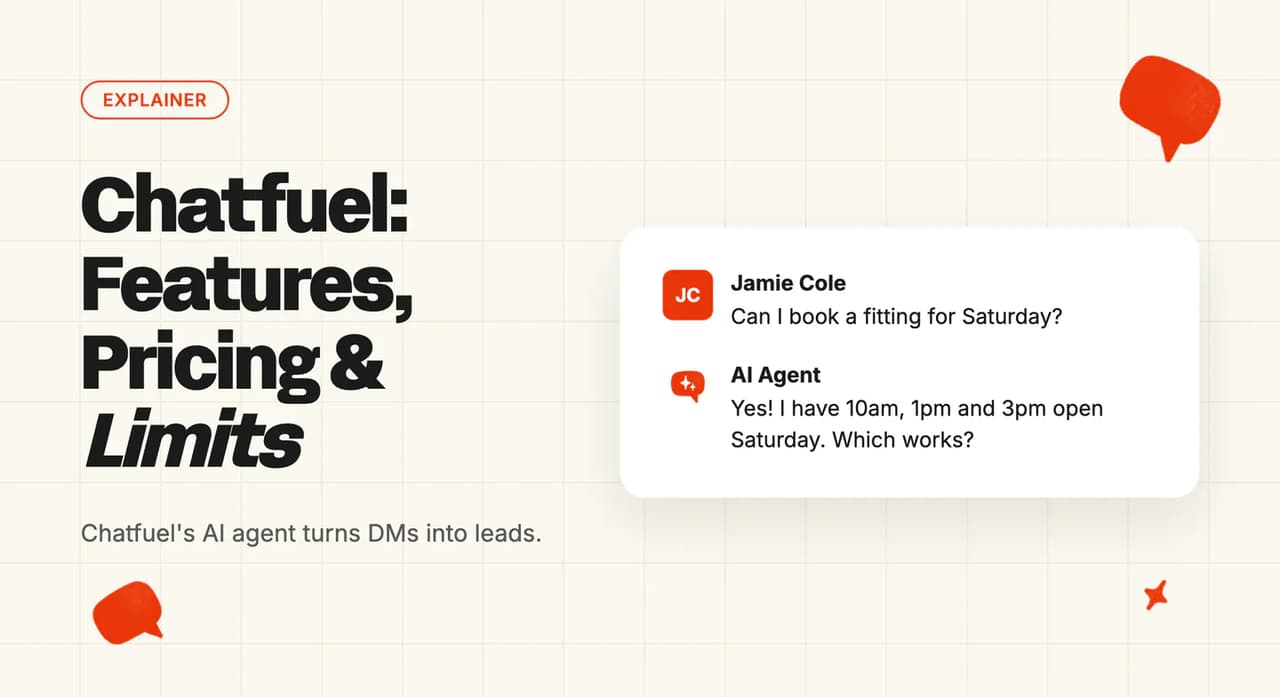
A customer sends a voice note on WhatsApp at 11pm asking whether the blue one is back in stock, and another asks on Instagram where their order is. By morning there are forty of these, and half are sales questions while the other half are support. Chatfuel's AI agent is good at the first kind, answering those DMs, booking appointments and logging each buyer as a lead. The order question is harder, because the AI can't look up live order data and Chatfuel has no email channel or helpdesk connector.
Chatfuel is built for that DM inbox, so what you need to know is whether the AI that answers the sales questions can also look after the customers who have already bought.
I'm Mike, co-founder of My AskAI. We build AI customer service that plugs into the helpdesk you already have, and 200+ ecommerce and SaaS businesses use it, so I'm not a neutral party here.
Chatfuel at a glance
| Fact | Detail |
|---|---|
| What it is | Lead-focused AI agent for social DMs |
| Headline price | US$69/mo billed monthly, US$20 AI credits included |
| Best for | Small businesses selling through WhatsApp and Instagram |
| Not a fit for | Support teams working in a helpdesk |
| Biggest limitation | DM channels only, text-only replies |
| Our verdict | 5.5/10 |
What is Chatfuel?
Chatfuel's help center describes the product in one line: "Chatfuel is a no-code platform for AI-powered customer conversations on WhatsApp, Instagram, Facebook Messenger, TikTok and websites." The homepage puts the emphasis on sales: it sells a "System for Automated Leads" to agencies, with the promise "The System that Proves Which Lead Became a Sale". In support-team terms, it's four things:
- Fuely AI - the AI agent that reads each message and replies, qualifies the lead, books appointments and hands the chat to a person when it should
- Automations - the AI's settings for each place it talks to customers, such as Instagram DMs, the comments under one post or leads from a WhatsApp ad
- AI Co-Worker - an assistant inside the product that changes your settings when you ask it to in plain language
- Flow Builder - a separate tool for scripted journeys and broadcasts, which the AI Co-Worker can't read or edit
You connect a WhatsApp Business number, an Instagram account or your other channels, tell the AI about your business, and every conversation then goes through Chatfuel's inbox and lead board. If you run support, judge Chatfuel AI customer service on what that agent can answer on its own and what happens once it passes a chat to your team.
Chatfuel says 150,000+ businesses run on it. The company is backed by Y Combinator, from its Winter 2016 batch, and was founded by Dmitrii Dumik and Artem Ptashnik.
How easy is it to set up Chatfuel?
Setup, as Chatfuel's help center describes it, takes six steps:
- Connect a channel, such as a WhatsApp Business number, Instagram, Facebook, TikTok or the website widget.
- Complete Meta's business verification if you are using WhatsApp (this is the slow one).
- Fill in the Knowledge Base with your business facts.
- Set the instructions and hand-off rules for each automation.
- Try it in Test chat, which Chatfuel says "simulates a conversation using exactly the settings of the automation you picked", without messaging a real customer.
- Switch Fuely AI on in each place it should reply.
The last step is easy to miss. On WhatsApp "Fuely AI starts switched off", and on Instagram and Facebook each automation stays off until you enable it.
WhatsApp is the step I worry about most, because Meta has to verify your business first. Chatfuel is the WhatsApp Business Solution Provider for your number, so you can't use a different provider, and until Meta verifies your business "your WhatsApp messaging is severely restricted". Plan for that wait before you promise customers a WhatsApp channel.
The rest is light work, since the AI Co-Worker can switch the AI on or off per channel, edit instructions and FAQs, set hand-off rules and manage bookings when you ask it in chat. Pulling live data like order status needs someone to build a flow by hand. Chatfuel also offers free one-on-one product consultations in English, Spanish and Portuguese.
What channels does Chatfuel work in?
Chatfuel is an official Meta Business Partner, and its channel list is built around Meta's apps:
- WhatsApp - through the official Business API, with broadcasts and click-to-WhatsApp ads on top of one-to-one chats
- Instagram - DMs, comments on posts, reels and ads, and story replies
- Facebook - Messenger, Page-post comments, Messenger short links and click-to-Messenger ads
- TikTok - comment replies and DMs from a Business account
- Website - a chat widget for your site
Telegram, Viber and Line are out, and Chatfuel's docs are blunt about it: "There is no workaround or manual integration path for unsupported channels." There is also no email, SMS or voice-call channel, so if a customer emails you, Chatfuel won't see it.
Voice notes work. Chatfuel says "When customers send voice messages, our AI system listens to the audio and provides helpful text responses to their questions." The reply comes back as text, which suits a DM thread.
WhatsApp brings Meta's rules with it. Free-form replies are allowed only inside the 24-hour window after the customer's last message; outside it you send paid template messages, and Meta's charge for those comes out of your Chatfuel balance. There's a mobile app for iOS and Android too, so you can answer from your phone (handy when the owner is also the support team).
What are the limitations of Chatfuel?
Built for leads before support
The homepage sells lead-to-sale, and the Leads view is a sales pipeline. In the words of Chatfuel's help center, "The pipeline uses a fixed set of five stages: Captured, Sorting, Qualified, Selling, and Closed." A customer asking about a late delivery still becomes a lead card in that pipeline (the stages are fixed, so you can't add one for support).
DM channels only, and no helpdesk
Those five channels are the whole list. If you also answer support by email, or your team works in Zendesk, Intercom, Freshdesk, Gorgias or HubSpot, Chatfuel becomes a second inbox next to that setup; it has no connector into any of those helpdesks.
Text-only replies
Ask whether the AI can send a file and the help center's answer is "No. Fuely AI cannot send PDFs, documents, or arbitrary files to customers." The AI also can't show buttons or quick-reply menus, so a returns form or a sizing guide has to go out as a link or typed text.
Thin tools for a support team
Handing out chats is basic. When you assign a chat to a team, the help center explains, "Chatfuel picks a teammate at random." The same article adds "There is no workload balancing". I see that as a real weakness for a support team, since one agent can end up with a pile of chats while a colleague has none.
No way to get your chats out
On exporting chats, the help center says "No. Chatfuel does not have a chat export function." So you can't pull a month of conversations out for review or training (both routine for a support team), or take your chat history with you if you move to another tool. There's no built-in payment gateway or Zapier connection either, Chatfuel's docs say.
A bill that's hard to forecast
AI replies and Meta's WhatsApp fees both come out of one prepaid balance. Chatfuel's pricing page and its wallet billing doc state no price per AI reply, so you only learn the AI part of your spend after launch.
What knowledge sources can I train Chatfuel on?
The Knowledge Base, which Chatfuel calls "Fuely AI's brain", is made up of four forms:
- About - who you are, your hours, your policies
- Orders and bookings - how buying and booking work
- FAQ - your common questions and answers
- Catalog - products or services with descriptions, prices and up to 10 photos each
Tone, language and rules go somewhere else, in each automation's Additional instructions. I like that split: the facts are in one place, and each channel can sound different.
Files you upload at sign-up (PDFs, documents, images) get pulled into About, Catalog and FAQ, and the originals aren't kept. When something changes, you type or paste the new information into the right section instead of uploading the file again. Nothing syncs from your website, a help center or Google Drive.
Live data is the bigger limit. Chatfuel's docs say Fuely AI "cannot connect to or read data from Google Sheets, Excel files, or any external spreadsheet" while it answers, so "where's my order?" can't be answered from your order system by the AI alone. A flow built by hand in the Flow Builder can fetch that data.
What features does Chatfuel have?
Fuely AI answers DMs and comments in free-form language, qualifies leads, recommends catalog items with photos, saves contact details to the lead card and follows up with customers who have gone quiet. It respects your working hours, reads receipt images and voice notes, and passes the chat to a person when a hand-off rule fires. Customers don't have to stick to a script, because Fuely AI answers whatever they type, in any order, from the facts you gave it.
Bookings are where I think Chatfuel is strongest. The AI books into Google Calendar at one of four autonomy levels, from collecting the request for a person to finish, through booking with human approval or review, up to fully automatic, which is the default. WhatsApp reminders then go out on confirmation, a day before and two hours before.
The scripted tools are the Flow Builder, templates, comment auto-replies (a public reply plus a private DM on Instagram, Facebook and TikTok), WhatsApp broadcasts, re-engage messages and click-to-WhatsApp ads. These follow the path you draw, so they suit campaigns and set journeys better than open-ended questions.
Chats from both end up on the Leads board. "Leads is the lightweight CRM inside Chatfuel: every chat becomes a lead card on a Kanban board that you can filter, assign to teammates and move through stages." Each automation can have up to 20 hand-off rules, which can route a chat to a person by condition or by language. The AI Co-Worker connects to Slack, Google Sheets, Notion and HubSpot, and Chatfuel has integration pages for Kommo and Shopify.
How do I improve Chatfuel responses?
The main tip Chatfuel gives is to add more: "The more information you add here, the better Fuely can help your customers." After that you tune each automation's Additional instructions, booking rules, message delays, follow-ups and hand-off rules. Anything you set on the Main bot, Chatfuel's top-level automation, applies everywhere unless you override it in one place, such as the comments under a single post.
After each change, run it again in Test chat. Because the test uses the real settings of the automation you picked, what you see there is what a customer will get.
I think reviewing past conversations is how a support team finds the answers the AI got wrong, and Chatfuel makes that harder. You can't export chats, so reading back a month of conversations means scrolling the inbox or asking the AI Co-Worker to summarize them, with questions like "What are the most common questions customers asked this week?" Agencies also get funnel and drop-off reports. Chatfuel describes no answer ratings, no list of questions the AI couldn't answer and no A/B testing of replies.
When your prices, stock or policies change, someone on your team has to edit the Knowledge Base forms, or the AI keeps answering from the old facts.
What resolution rate can I expect from Chatfuel?
The closest thing Chatfuel publishes to a support figure is its Direct Relief story:
"Previously, their response time was several days, but now it takes less than a minute." From Chatfuel's Direct Relief customer story.
The figure is a Messenger bot's response time. For a support team, resolved means the customer got their answer and needed nobody else.
Our AI resolution rate benchmark study puts the field median AI-handling rate at 70% across 195 rated deployments from 38 vendors. Read that with three caveats:
- It describes the whole field - so it gives you no basis for comparing two vendors
- Vendors measure differently - deflection, containment and resolution are counted in different ways, so the figures are directional
- Published figures are vendors' best cases - so the real average is likely lower
If you trial Chatfuel for support, count it yourself: take a week of support questions and mark which ones ended without a person stepping in. Divide that week's wallet spend by the number resolved and you have Chatfuel's cost per resolution, the figure to set against any other option.
What AI model does Chatfuel use?
Teams that already pay for ChatGPT will ask about using their own key, and the help center's answer is "There is no option to plug in your own OpenAI API key." Chatfuel chooses the model behind Fuely AI, and you can't swap it.
For whoever signs off on vendors, the model provider is bundled into Chatfuel's service, so your company has no account with it and your review depends on Chatfuel's security articles. Those cover encryption, where data is stored and how long it's kept. For the support lead, answer quality depends on the Knowledge Base and the instructions, since you can't move to a different model if answers in one language feel weak.
What languages does Chatfuel work in?
Fuely AI understands what customers write in any language and in any order, Chatfuel says, and replies the way a trained team member would. You set the language behavior in each automation's instructions, and hand-off rules can route a chat to a teammate by language.
There's no published list of supported languages (a WhatsApp-first shop serving one country won't miss it). The booking reminder's base template comes in three languages: English, Spanish and Brazilian Portuguese. Anything else needs a separate template, which on WhatsApp means Meta's approval.
How secure is Chatfuel?
Chatfuel's GDPR page and help center make the main claim: "Chatfuel is fully compliant with the General Data Protection Regulation." It is also an official Meta Business Partner and WhatsApp Business Solution Provider, so your WhatsApp number goes through a provider Meta has approved.
On certifications, the help center says "Our cloud providers hold the following certifications:" and lists ISO 27001, SOC 2 Type II and HIPAA-eligible infrastructure. Those are Google Cloud and Microsoft Azure's reports, which a security reviewer will count differently from a report on Chatfuel itself. On health data, "While Chatfuel is not a HIPAA-covered entity, we implement technical and administrative safeguards aligned with HIPAA standards", with a business associate agreement available on request.
Chatfuel encrypts data in transit and at rest, and admins get a second login step. Data is stored in the US, in Oregon on Google Cloud and in Virginia on Azure, with other regions available on request for enterprise clients. Data is kept for six months by default, and you can set it anywhere between one and six months per workspace.
Who is using Chatfuel?
Chatfuel's success stories page includes this sales result:
"In the first month after launching the bot campaign, Nissan Israel generated $380,000 by selling ten cars to leads generated by their Messenger chatbot." From Chatfuel's Nissan Israel customer story.
That campaign ran through an agency, Business Pineapple, which fits the agency buyer Chatfuel's homepage talks to. Direct Relief, a nonprofit, is the second named story, and it uses its Messenger bot to answer the questions people send it.
Across the roughly 20 stories on the page, most describe lead generation and sales on Messenger and Instagram. One WhatsApp story, from Interaksi, is framed around automating service requests, which makes it the closest Chatfuel's published stories get to a support team.
How much does Chatfuel cost?
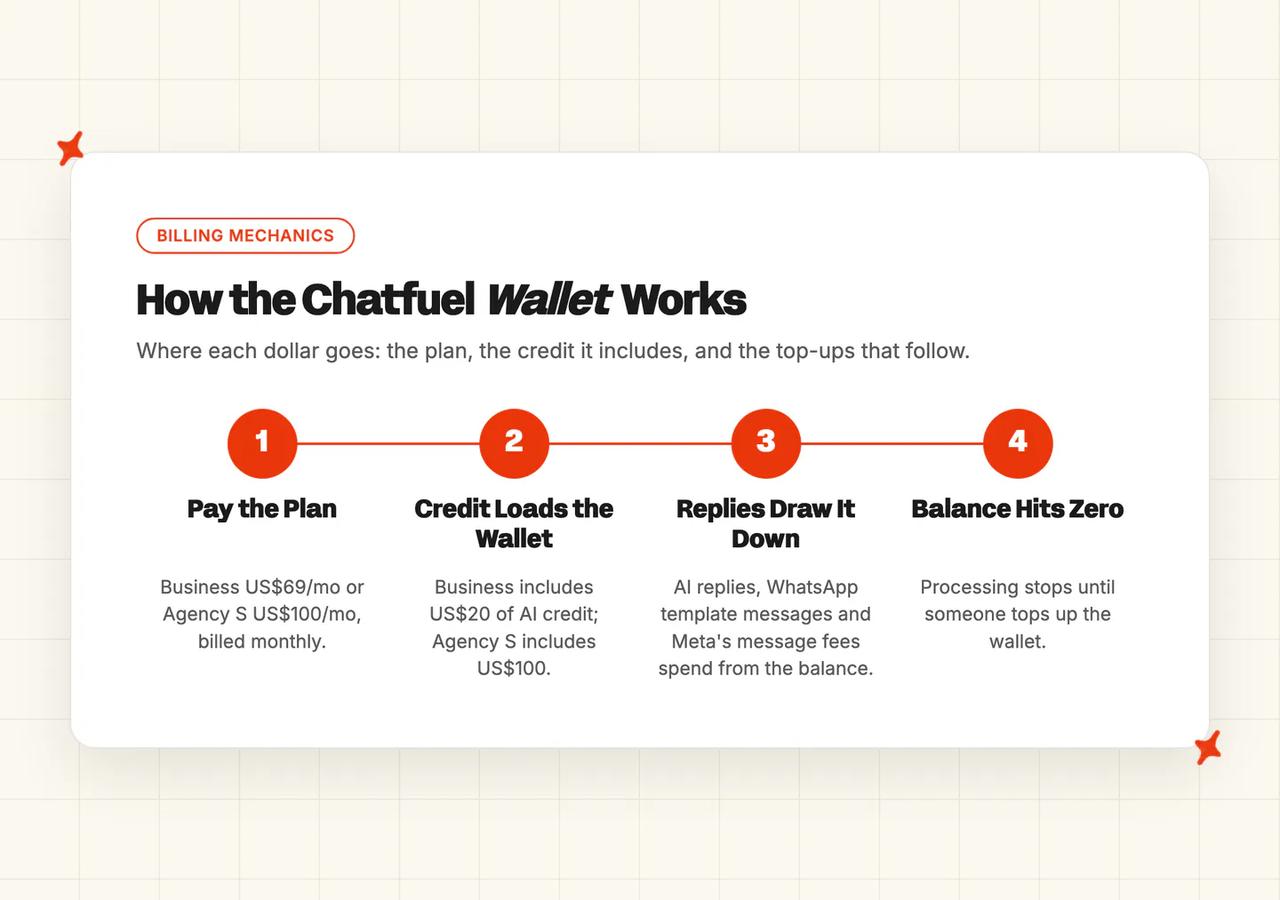
Chatfuel's price has two parts. Its help center describes every plan as a subscription for the platform plus a wallet, a balance in US dollars that pays for what you use.
Chatfuel plans and what each includes
The pricing page lists two paid plans:
| Plan | Price, billed monthly | AI credits included | Who it's for |
|---|---|---|---|
| Business | US$69/mo | US$20 AI credits / mo | One company |
| Agency S | US$100/mo | US$100 AI credits / mo | 3 companies, with an agency management dashboard and a dedicated account manager |
Yearly billing takes 10% off, and Chatfuel sometimes runs discounted offers. Every plan comes with unlimited contacts, unlimited teammates and every channel, the help center says, and the pricing page adds that usage limits apply.
How does the Chatfuel wallet work?
Three things draw on the wallet: AI replies, WhatsApp template messages, and the WhatsApp messages Meta charges for. Your included credits don't roll over to the next month, and auto top-up refills the balance from your card.
Plan around what happens at zero, because "If your wallet has reached zero, processing stops". If the balance runs dry on a busy Saturday, the AI stops answering until someone tops it up. I'd turn on auto top-up before you go live.
Meta sets and charges the template fee. Chatfuel's help center quotes Meta's fee for a reminder template at between $0.01 and $0.06 a message depending on the country, and Chatfuel passes it through the wallet.

What do 10,000 conversations a month cost on Chatfuel?
I based the estimate on these assumptions:
- 10,000 conversations a month across WhatsApp and Instagram
- Fuely AI switched on for every one of them
- Chatfuel's pricing page and wallet billing doc state no price per AI reply, so the top-up amount can't be calculated in advance
| Option | How it is priced | Monthly cost |
|---|---|---|
| No AI (baseline) | Your team answers all 10,000 conversations at about $7 per contact | About $70,000 |
| Chatfuel Business | US$69 plan with US$20 of AI credit, plus wallet top-ups for AI replies and Meta's WhatsApp fees | US$69 plus top-ups |
Business is Chatfuel's lowest paid plan. At this volume its usage limits apply, AI replies beyond the included credit need wallet top-ups, and the pricing page's FAQ lists an adjustment fee for conversations over a plan's limit. The $7 baseline comes from our support cost per contact benchmark. Most of the Chatfuel bill sits in the top-ups, so run a paid week, check how fast the wallet drains, and multiply from there.
Does Chatfuel have a free trial?
Chatfuel's pricing page says every plan starts with a free trial. According to Chatfuel's help center, the trial lasts seven days, you add a card to activate it, and there is no charge until the seven days end.
The trial includes "$15 in credits to spend on AI and messaging" and access to every feature. If you do nothing, the plan starts and the card is billed, so put a reminder in your calendar for day six.
Seven days feels tight to me for a support test once you allow for WhatsApp verification. Connect Instagram or Facebook first, load your Knowledge Base on day one, and spend the rest of the week sending it the questions your customers ask.
Is Chatfuel worth it?
For the right buyer, Chatfuel is good value. A DM-first shop gets an AI agent that answers free-form questions, books appointments and tracks every chat as a lead, for US$69 a month plus wallet top-ups.
If you're already on Chatfuel, selling in DMs, and the AI covers your questions, stay put. For a small DM-first team, moving tools to chase a few extra support answers is hard to pay back.
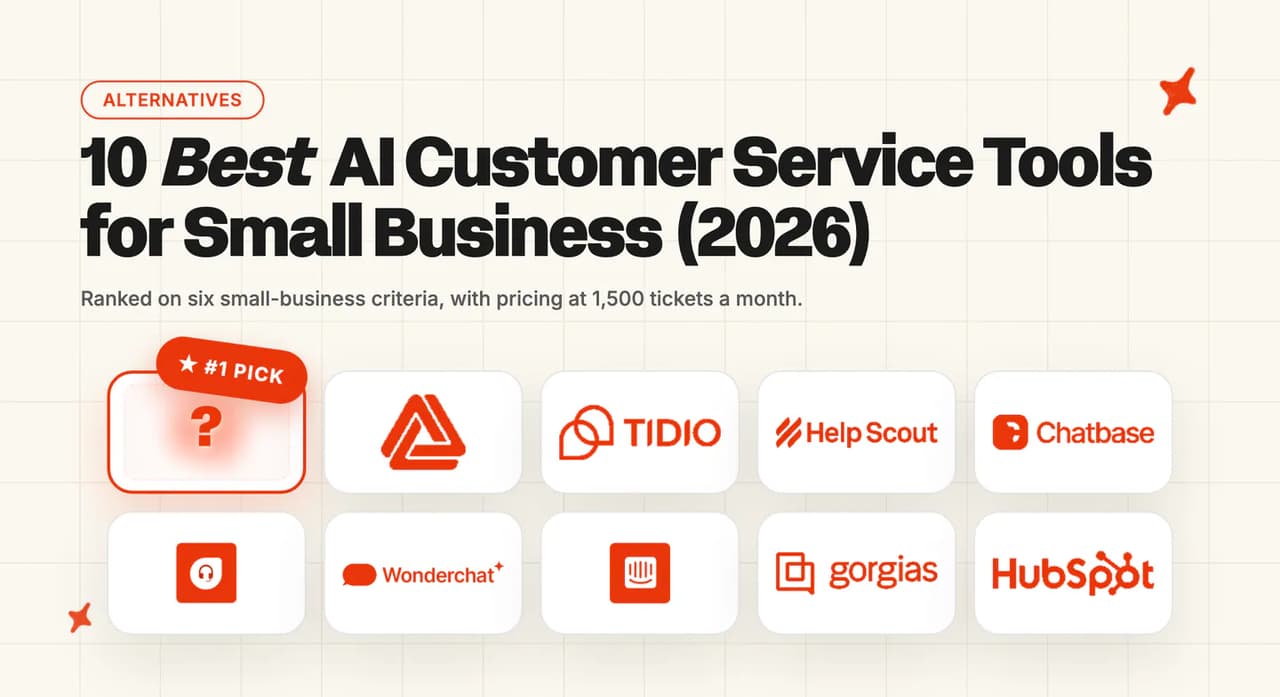
For anyone still choosing, Tidio, Kommunicate and Botsonic are the closest small-business chat tools with AI built in, and we have written a full guide to each. Our roundup of the best AI customer service tools for small businesses compares the wider field.
What are the Pros and Cons of Chatfuel?
For a support team, I weigh it up like this:
Pros
- Low entry price with AI credit included - Business costs US$69 a month billed monthly with US$20 of AI credit, and every paid plan has unlimited contacts and teammates.
- Deep WhatsApp and Instagram tooling from a Meta partner - comments, story replies, broadcasts and click-to-WhatsApp ads all run from one place, with Meta's fees billed through Chatfuel.
- Bookings, hand-off and lead tracking built in - the AI books into Google Calendar, each automation can have up to 20 hand-off rules, and every chat goes onto the Leads board.
Cons
- Built around leads before support - the homepage sells lead-to-sale, and every chat becomes a card in a fixed five-stage sales pipeline.
- DM channels only, with no helpdesk connector - there is no email, SMS or phone channel, and nothing connects Chatfuel to Zendesk, Intercom, Freshdesk, Gorgias or HubSpot.
- Text-only replies and typed-in knowledge - the AI sends no files or buttons, and its knowledge comes from forms you keep up to date by hand.
- An AI bill you can't forecast - AI replies draw on a prepaid wallet with no stated price per reply, and processing stops when the wallet hits zero.
How do we rate Chatfuel?
The 5.5/10 comes from four scores:
- Product, 6/10 - a capable DM agent that answers free-form questions, reads voice notes and receipts and books appointments, held back for support by text-only replies, typed-in knowledge and thin team tools
- Price and trial, 6/10 - a low entry price with AI credit and unlimited contacts, held back by AI spend you only learn after launch and a 7-day trial that needs a card
- Setup and fit, 5/10 - quick to start with the AI Co-Worker and Test chat, slower on WhatsApp, and a weak fit for a support team working in a helpdesk
- Evidence, 4/10 - named customer stories with real figures, mostly about leads and Messenger bots, and no AI resolution rate
Scored on the sections above, from Chatfuel's own pages; gaps are stated as gaps. Not higher because the limitations section found DM-only reach, no helpdesk connector and text-only replies. Not lower because the features section showed a real AI agent with bookings and hand-off rules for US$69 a month.
FAQs
What is Chatfuel used for?
Businesses use Chatfuel to automate conversations on WhatsApp, Instagram, Facebook Messenger, TikTok and a website widget. Its AI agent answers questions, qualifies and books leads, and hands chats to a person, while flows and broadcasts handle scripted campaigns. The homepage pitches it mainly as a way to turn those chats into sales.
How much does Chatfuel cost?
The pricing page lists Business at US$69 a month with US$20 of AI credit, and Agency S at US$100 a month for three companies, both billed monthly. AI replies and Meta's WhatsApp fees beyond the included credit come out of a prepaid wallet you top up. Neither the pricing page nor Chatfuel's wallet billing doc states a price per AI reply, so budget for a test month.
Is Chatfuel good for customer support or just marketing?
It can answer customer questions and hand chats to a person in its inbox, so it covers light support inside DMs. It is built around leads first, though, so every chat becomes a card in a sales pipeline, replies are text only, and there is no email channel or helpdesk connector. For a support team working in a helpdesk, I think it ends up as a second inbox.
Does Chatfuel have an AI agent?
Yes, it's called Fuely AI. It answers free-form messages from the facts in your Knowledge Base, reads voice notes and receipt images, books appointments into Google Calendar and follows up with quiet leads. You can't choose the model or use your company's OpenAI key.
Does Chatfuel work with WhatsApp?
Yes. Chatfuel connects to the official WhatsApp Business API as a Business Solution Provider, and you need Meta's business verification before messaging works fully (build that wait into your launch date). Meta's per-message fees are billed through your Chatfuel wallet, and the WhatsApp page covers broadcasts and click-to-WhatsApp ads.
Does Chatfuel work with Instagram?
Yes. It handles Instagram DMs, comments on posts, reels and ads, and story replies. Its comment auto-replies can post a public reply, send a private DM, or both.
Chatfuel vs ManyChat for customer service?
Both are DM automation tools for Meta channels and TikTok. ManyChat prices by active contacts, with its Pro plan at $29 a month billed annually and the choice of "any 3 channels, select from: Instagram, TikTok, Facebook Messenger, Whatsapp, Telegram, SMS and Email", according to its pricing page. Chatfuel gives unlimited contacts and draws usage from a wallet, and it has no email channel. My pick for a business with a big contact list is Chatfuel, and for a team that also answers email it's ManyChat.
What are the best Chatfuel alternatives?
For a small business wanting chat plus AI, Tidio, Kommunicate and Botsonic are the closest, and we have written a full guide to each. Our roundup of Chatfuel alternatives scores seven options on eight criteria, with Chatfuel as the reference row. If your customers' messages already arrive in Zendesk, Intercom, Freshdesk, Gorgias or HubSpot, an AI agent that installs into that helpdesk is the other route.
Does Chatfuel have a free trial?
Yes, a 7-day trial with every feature and $15 of credit for AI and messaging. You enter card details to start it, and the plan is charged when the seven days end unless you cancel, so put a reminder in your calendar.
What's the difference between AI chatbots and AI agents for customer support?
A chatbot follows a script you build, so it handles the questions you predicted and stalls on the rest. An AI agent reads whatever the customer writes, answers from your knowledge and can take actions such as booking or handing over. Chatfuel has both, with flows as the scripted part and Fuely AI as the agent. We wrote a longer piece on what a chatbot is if you want the detail.
Can I set up AI customer support without any coding?
Yes. On Chatfuel you connect a channel, fill in the Knowledge Base forms and switch the AI on, and the AI Co-Worker changes most settings when you ask it in plain language. Pulling live data such as order status is the step that still needs a flow built by hand. Inside a helpdesk, our agent installs from the app marketplace and the standard setup takes about ten minutes.