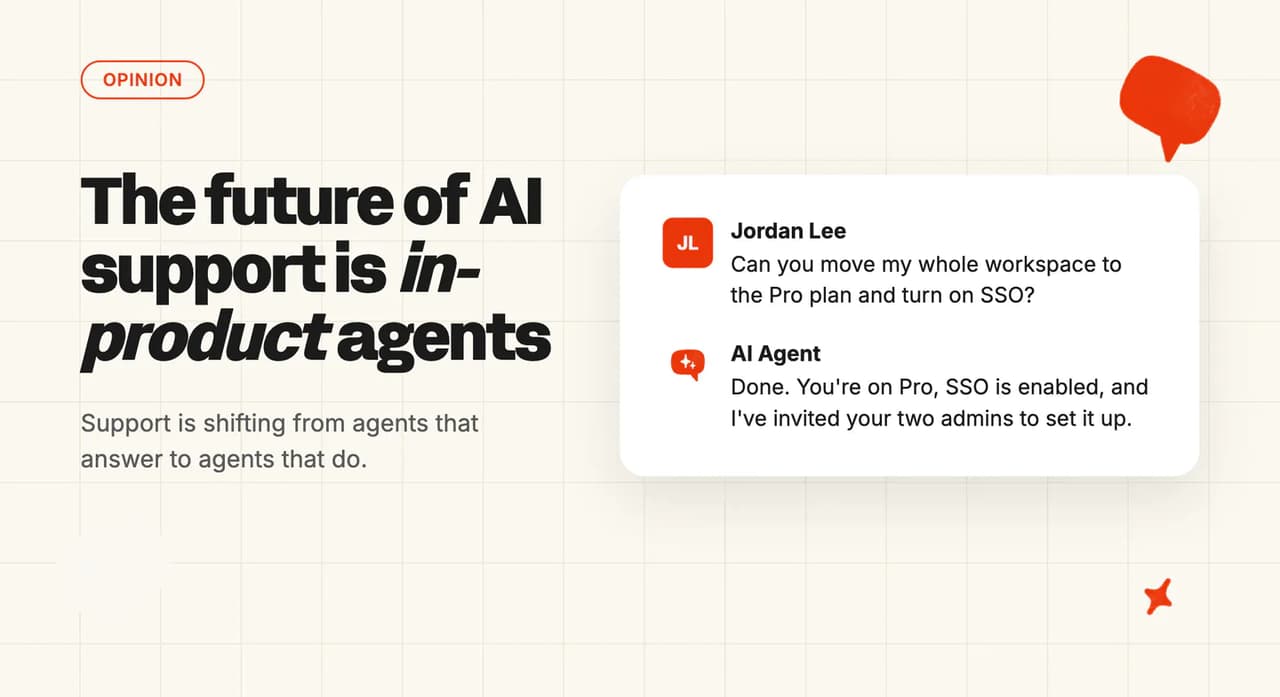
The future of AI support is in-product "access-all-areas" agents
AI support is shifting from agents that answer to agents that do. An in-product AI agent with access-all-areas control makes every feature a question away.
Summarize with AI
What everyone assumes
Support AI today means a chatbot that answers from your knowledge base. It sits in your help center or helpdesk, deflects the repetitive tickets, and hands the rest to your team.
And that model works. Across the 38 vendors and 195 rated deployments we benchmark, the median resolution rate is 70% (these are self-selected numbers, so take the exact figure with a grain of salt). It's the boring-but-effective option, and every vendor in the category (us included) sells the deflection story today.
The boundary feels natural too. Support tells you what to click, and the product UI is where the clicking happens. Every org chart is set up that way, so everyone assumes AI support ends up as a better answer machine.
Why that's wrong
The in-product agents I've used recently know the product and act on it. They make changes in your account as you talk to them, with access to every feature.
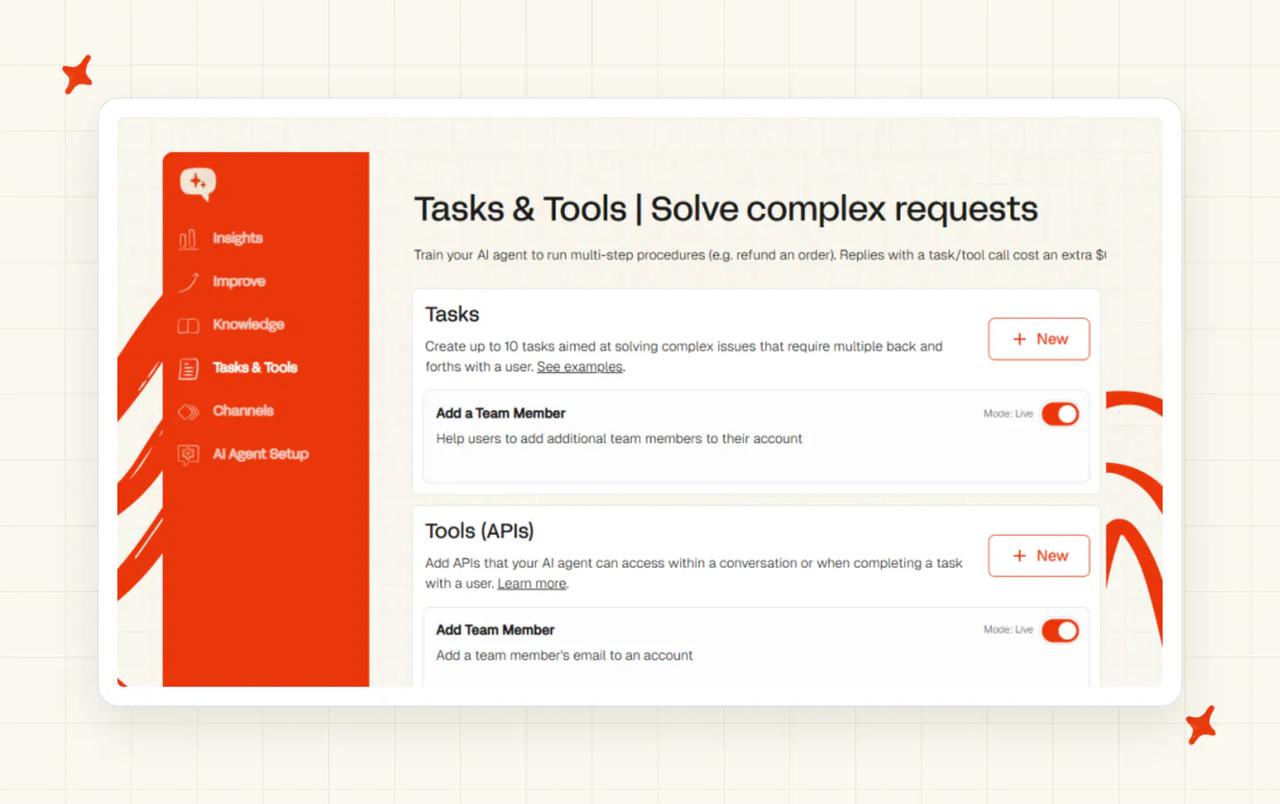
For a product with a lot of features, that's a usability hack as much as a support tool. Users don't know where to go and under-use what they're paying for, even with good docs (or a good support AI). With an access-all-areas agent you say what you're trying to do and it does it, including feature combinations you didn't know existed.
The architecture is moving the same way. Most support AI today is knowledge plus one or two connected APIs, while the in-product version needs control of the whole product, which pushes companies to make every feature agent-accessible. MCP exists to standardize exactly that, and Anthropic's engineering blog describes agents in the same terms: LLMs using tools in a loop.
Echo is our own in-product agent, you reach it from the "Ask Echo" buttons dotted through the dashboard.
Ask it to write and merge Guidance, troubleshoot a conversation, or manage Custom Answers and Self-Learning articles, and it makes the change instead of pointing you at a menu. More and more of our users now run the product through Echo. We made that case in our LinkedIn post on agent-first product design.
One user put the whole argument in their own words:
"I think the ask echo function of the portal is really really good in terms of when you don't know what you're doing you're able to kind of ask it a question and I really enjoy and like how it will make the changes that it needs to as well"
I've had the user-side version too, inside Customer IO and Clay. One describes its agent as a coworker that "can create automations, draft emails, analyze automation performance, and more", and even lets you connect your account to AI tools like Claude, ChatGPT, and Cursor. The other's Claygents "research the web, orchestrate workflows, and create content to execute plays".
Both are deep products, which means stumbling blocks. The usual route is a support email, days between replies, and me losing interest. Instead, the in-product agent kept working through it with access to everything, and I got more done than I ever had in either product before.
The less capable, answer-only agents will go away. When the product's own agent can operate the whole account, support becomes the fastest way to use the product.
Where this doesn't hold
This is a SaaS and platform story first (consumer products as much as B2B). It's much weaker in ecommerce, where questions are order-status questions, the "product" is a storefront, and answers plus a few actions (refunds, order lookups) cover most of what customers need.
It also only works where the product has APIs for the agent to reach. A product without them gives an access-all-areas agent no areas to access, and that every-feature-gets-an-API work is where older and regulated products lag. I'd expect them to feel this shift last.
And "do anything in your account" is what a security reviewer hears as risk. The release note for that coworker agent says it's "limited to your permissions" with approval flows built in, and MCP's own security best practices call for "a progressive, least-privilege scope model".
What this means for you
If you're evaluating support AI this quarter, add one question: what can it do in our product, beyond answering questions about it? Ask which actions it can take, which APIs it can reach, and what happens on an ambiguous or destructive request.
Then take the argument to your product team. Every feature that gets an API becomes something support (human or AI) can do for a customer, so your support team should be the loudest internal customer for API coverage.
And rethink the metric. Deflection counts the conversations you avoided. The number that fits an access-all-areas agent is tasks completed for the customer.
It's how we build at My AskAI. The customer-facing agent resolves your customers' tickets inside your helpdesk (Zendesk, Intercom, HubSpot, Freshdesk, Freshchat or Gorgias), and Echo runs the platform for your team. Try it on your own tickets and judge it on what it gets done.
FAQs
What is an in-product AI agent?
An in-product AI agent is an AI assistant built into a software product and connected to its features through APIs, so it can both answer questions and take actions in your account. A help-center chatbot explains what to click; an in-product agent does the thing you asked for (Echo is the one we built for the teams running My AskAI). The MCP introduction describes the end state well: agents that "can access your data and take actions on your behalf".
Isn't giving an AI agent access to everything in my account a security risk?
It is, and the pattern only works with controls attached: scoped permissions, approval flows on the actions you want checked, and an audit trail. The MCP security best practices call for "a progressive, least-privilege scope model": minimal access first, more only as needed. On My AskAI, an action can run autonomously or propose-then-approve (you choose per action), and your team can ask Echo why the agent gave any answer and which knowledge source it used.
What's the difference between an in-product AI agent, a chatbot, and a copilot?
A chatbot answers from knowledge, so it can tell you where the export button is but can't run the export. A copilot suggests while a human executes: it drafts, you click. An in-product AI agent executes in your account itself through the product's APIs, and the line I draw is execution: who performs the action at the end, you or the agent?
Will in-product agents replace support teams?
They change what support is: the explain-the-UI work goes to the agent first, then more of the execution work follows. We've made the case that rising automation is better for customers. What's left moves up a level: writing the tasks, setting the permissions, and pushing your product team to make more features API-accessible.