Decagon AI vs Help Scout: Features, Pricing & Results (2026)
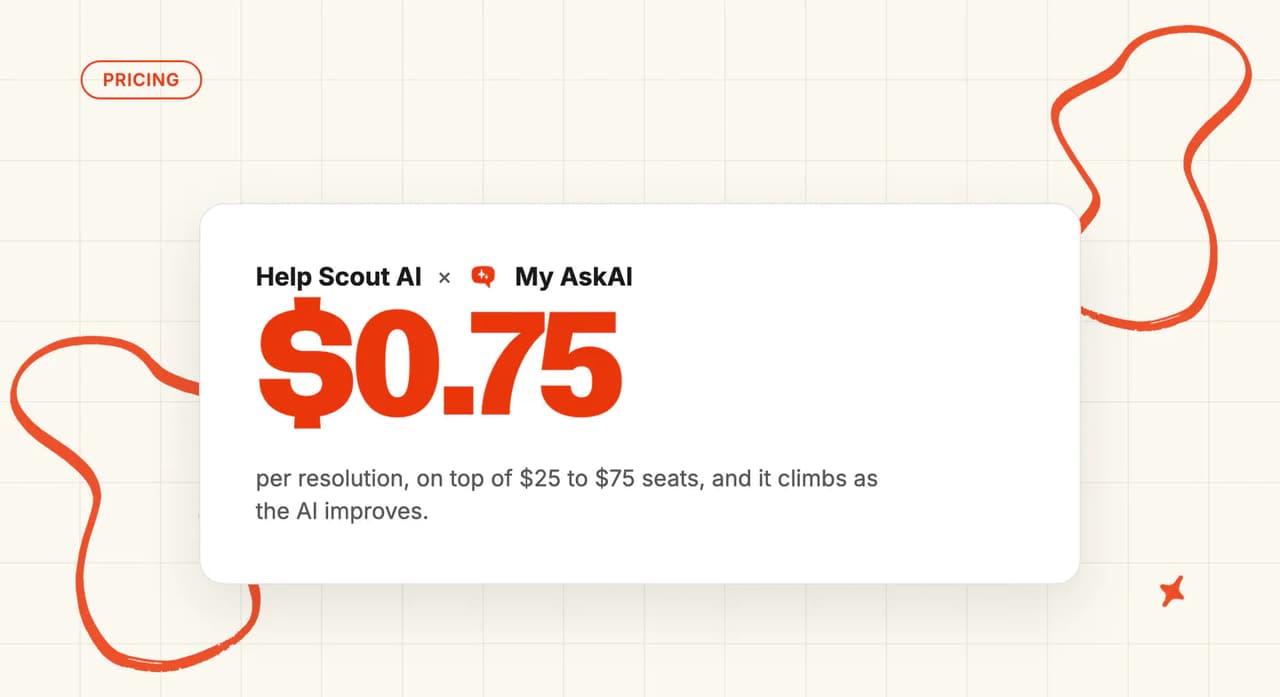
Decagon publishes no price, is sales-led, no trial. Help Scout charges $0.75 per AI resolution. My AskAI starts at $0.10 a ticket, no sales call.
Summarize with AI
Whether these two can run together at all is the first thing I checked, and the answer is no: Decagon needs a helpdesk underneath it, and the ones it names are Salesforce, Intercom and Zendesk. Help Scout is the desk itself, with its AI Answers add-on billed at $0.75 a resolution on top of seats from $25 a month, and both rates sit on a public page. Decagon publishes neither, so the real choice is between an enterprise agent you have to book a call to price and a helpdesk whose AI bill you can model before you sign.
Disclosure: My AskAI publishes this comparison. Neither product scored here is ours. Both vendors below are scored on their own AI, on their own published pages, and I flag where our own product is relevant.
I ran eleven categories across both vendors' live sites, help centers and pricing docs. Decagon takes seven, Help Scout takes three, and one is tied. The three Help Scout takes are setup, price and lock-in (the three things most buyers weigh first).
The eleven categories are modes, setup, training and integrations, answer quality, improving, features, price, customization, lock-in, other AI features and security. Anything neither vendor publishes stays unscored. Evidence comes from each vendor's own documentation, published pricing pages, G2 reviews and Vendr marketplace data (the only public read on what Decagon costs).
Prices, rates and certification lists here come from each vendor's own pages, checked at the end of August 2026. Both move fast, so click through before you sign anything.
Decagon AI vs Help Scout at a glance
| Decagon (decagon.ai) | Help Scout (helpscout.com) | |
|---|---|---|
| What it is | Dedicated enterprise AI agent, no helpdesk included | Shared inbox helpdesk with its own AI layer |
| Headline price | No published pricing, and no pricing page at all | From $25/user/mo ($25/$45/$75 tiers), plus $0.75 per AI resolution |
| How you buy it | Sales-gated demo, no trial, no self-serve | Self-serve on Standard and Plus, 15-day trial, no card |
| Best for | Enterprise conversation volume, voice, and action-taking | Teams of 2 to 50 agents wanting in-desk AI |
| Not a fit for | Teams that need to see a price before a sales call | Teams keeping a different helpdesk, or needing voice |
| Biggest limitation | No published price, no self-serve route, roughly six-week rollout | Its AI runs only inside Help Scout |
| Scorecard | 7 category wins of 11, 1 tied | 3 category wins of 11, 1 tied |
How are Decagon and Help Scout different from their old 'AI bots'?
Decagon's whole pitch sits on one idea. You write the agent's behavior in ordinary sentences. It calls those Agent Operating Procedures, or AOPs (Decagon's own acronym).
The homepage puts it this way:
"Agent Operating Procedures (AOPs) let you define agent workflows in natural language, so you can refine behavior and optimize performance as fast as your business moves"
The company is young and very well funded. It has raised roughly $481 million since 2023, most recently a $250 million Series D at a $4.5 billion valuation. I read that funding level as a plain statement of which buyer it was built for.
Help Scout has been a shared inbox since 2011. It serves 12,000-plus businesses across 140-plus countries, and is a certified B Corp.
The AI arrived later, as a layer on a product people already ran (a shared inbox came first, by more than a decade).
That layer is AI Answers. Help Scout's own docs describe it as "Powered by OpenAI", and explain that it draws on your Docs knowledge base to answer common questions from your Beacon.
Both products review well on G2:
| Decagon | Help Scout | |
|---|---|---|
| Rating | 4.9 / 5 | 4.4 / 5 |
| Reviews page | Decagon on G2 | Help Scout on G2 |
We have a full guide to Decagon and a full guide to Help Scout's AI on the blog if you want either one on its own terms first.
How does an AI customer service agent work in Decagon and Help Scout?
Decagon runs an ensemble of models from several vendors and puts a checker on top of it. From Decagon's security page:
"A built-in supervisor detects hallucinations before responses are sent, automatically revising responses that stray from factual grounding."
The same page records zero-day retention with every AI provider it uses. Personal details like names, emails and card numbers are stripped out before any text reaches a model. That is the control I look for first.
Help Scout runs on OpenAI's models with a light customization layer for voice, tone and format. Its AI Transparency page is unusually plain about where your content goes:
"We don’t take your data and push it back to OpenAI to aid in training of the global foundation model"
And on where the answers come from:
"The AI bases its answers on your Help Scout content (knowledge base articles, past conversations, etc.), as well as any additional sources you’ve provided, such as your company’s website."
Help Scout publishes a single page that spells out what reaches the model. I wish more vendors did.
Decagon's equivalent detail is spread across its security page and a hosted trust center.
How can I use an AI agent in Decagon or Help Scout?
Direct replies
Decagon's homepage says the agent "unifies chat, voice, and email within a single intelligence layer". Chat, voice and email are all first-party surfaces with real product pages behind them.
SMS is the one exception. Decagon's own site file lists it as "across various channels like chat, SMS, email, and voice", and nothing else on the site mentions it. We'd treat it as a claim without a product surface until Decagon builds one a buyer can see.
Help Scout's customer-facing AI is narrower, and its docs say so. AI Answers runs inside Beacon, the chat widget you embed on your site. You choose Self Service mode, where visitors must ask the AI first, or Neutral mode, where AI and contact options sit side by side.
Copilot replies
Decagon Assist is the agent-facing half. It gives your team conversation summaries, suggested next steps, an Ask AI box, live voice transcription and real-time chat translation, plus its own analytics view for CSAT and response times.
The design choice I like most is where it lives. From Decagon's launch post:
"Decagon Assist activates inside whatever system your team already uses, including Salesforce, Zendesk, and Front, so adopting it doesn't mean adopting a new interface on top of the ones reps have already onboarded."
Help Scout's copilot is AI Drafts, and it is plan-gated. The pricing grid shows AI Drafts absent on Free and Standard, and unlimited from Plus at $45 per user per month upward. AI Assist, the inline rewrite and translate tool, is included at no extra cost on every paid plan, unlike AI Drafts.
Voice
Decagon has first-party voice, inbound and outbound. It supports SIP trunking and plugs into voice platforms like Amazon Connect and RingCentral for call handoffs (SIP trunking is what your telephony team will ask about first).
Help Scout has no native phone channel. Voice runs through Aircall, and the pricing grid shows it as a paid add-on on Standard and Plus, with preferred Aircall pricing on the Pro plan at $75 per user per month for Pro itself (the Aircall rate is not published). Help Scout documents no AI features on the Aircall voice channel.
Price Aircall in from the start if your escalation path ends on a phone call.
Which is easier to set up: Decagon or Help Scout?
Help Scout's setup is admin work throughout. You connect an email address, set up Docs, paste the Beacon snippet, then turn on the agent under Manage > AI Agents and point it at a Beacon.
Standard and Plus both carry a 15-day trial with no credit card. Pro does not: its plan card offers a demo booking, so the top tier is a sales conversation like any other.
Help Scout's own customers page carries the sharpest line I found on either site:
"Onboarding with Intercom was going to take 6 months. Help Scout did it in 24 hours."
Decagon does not have a trial, a sandbox or a self-serve signup. On every Decagon page I captured for this comparison, the buying path is a demo request, a sign-in or a contact-sales link, with no self-serve signup link on any of them, and no pricing page behind any of them.
Agent Product Managers and Forward-Deployed Engineers embed with your team for the build.
Its own published range runs from core infrastructure standing up in days to roughly six weeks from discovery to full deployment. Both numbers are Decagon's own. I plan against the six weeks.
You cannot evaluate Decagon by using it. A buyer on r/customerexperience described the problem:
"I’ve talked with Decagon quite a bit, was fairly impressed but they were sales calls and demos so hard to say how it would actually perform in real life." — u/WFHAlliance, r/customerexperience
Help Scout's fifteen days is a short window for a migration. Moving a team over from another platform runs for weeks (the trial covers setup; the data move runs longer).
How do Decagon and Help Scout differ in what they can be trained on?
| Source type | Decagon | Help Scout |
|---|---|---|
| Help center articles | ✅ Confluence, Contentful and Kustomer named | ✅ Help Scout Docs sites |
| Public website URLs | ✅ | ✅ |
| Past tickets and conversations | ✅ | — AI Drafts only |
| Notion, Google Drive, SharePoint | — Confluence named; others via MCP or custom API | ❌ |
| CRM records | ✅ Salesforce, Intercom, Zendesk | ❌ |
| Order and payment data | ✅ Stripe and Shopify actions | ❌ |
| Internal-only marking | — not documented publicly | ❌ |
| File upload | — configured during onboarding | — "documents" named, no file-type list |
| Any other system | ✅ MCP plus self-serve APIs | ❌ |
'Static' content
Decagon's integrations page describes the knowledge side as a sync from systems you already run:
"Populate your AI agent’s knowledge base with existing articles from systems such as Confluence, Contentful, and Kustomer."
File-type support is settled inside the onboarding engagement, so a self-serve buyer cannot check it in advance (Decagon publishes no file-type list).
Help Scout's list is short and its docs spell it out. AI Answers reads your Docs collections plus "other publicly available sites and documents" you add as sources. That is the whole set.
Help Scout runs two separate knowledge pools. AI Answers reads Docs and configured URLs; AI Drafts reads past conversations and Docs.
They do not share what they learn. That decides which of the two your best content actually feeds (check both source lists before you judge coverage).
'Dynamic' content
Decagon's integrations page describes reaching into live customer records:
"Sync support tickets and tap into customer data from applications like Salesforce, Intercom, Zendesk, and more."
Add MCP and self-serve APIs on top and the agent can read live order, billing and account state. Help Scout's AI Answers answers from articles only.
The source list usually decides answer coverage, so here is where we sit on it. My AskAI ingests Notion, Confluence, Google Drive, SharePoint and Dropbox alongside a help center and historic tickets, with internal-only marking, all connected by an admin.
It runs inside Zendesk, Intercom, Freshdesk, Freshchat, Gorgias and HubSpot. If your best answers live in a wiki, the source list is usually what limits you, not the AI itself.
Which has better answer quality, Decagon or Help Scout?
Help Scout's number is the more useful of the two, because of how it counts. From its AI features page:
"Companies average a 73.19% resolution rate with AI Answers, with performance increasing month after month. Resolutions are counted when the customer doesn’t escalate, search the knowledge base, or indicate they need more help after a response."
Help Scout bills on exactly the same event it reports. I trust a published rate more when the vendor has to invoice against it. Its billing doc defines a resolution as "A resolution is a single AI chat session that is resolved without help from a human."
The charge fires only when "AI Answers provides a response to the customer’s question" and "The customer doesn’t ask for additional help after the last AI response". It does not fire when "AI Answers greets the customer or asks a follow-up question but doesn’t give a full answer", and "You’ll only be charged once per session".
So the definition and the invoice are the same thing. You can audit the published rate against your own bill (the same event drives both).
Help Scout bills only on the sessions its AI closed alone.
Decagon's headline is a stat tile on its homepage reading 80%, labeled as a deflection rate. On the case studies page that tile sits under the Duolingo story, so read it as one named customer's figure.
The named customer figures on the same page:
- Chime: 70% resolution across chat and voice
- Valon: over 50% deflection on voice
- Rippling: a 32% increase in deflection
- ClassPass: 95% cost reduction
- Hunter Douglas: 1M in revenue from conversations the AI handled end to end
Decagon also publishes its own deflection definition in its glossary, and it requires the issue to be actually resolved before it counts. That is a stricter bar than most vendors set.
Our own AI resolution rate benchmark study puts the published median at 70% across 195 rated deployments and 38 vendors.
It is an aggregate across many deployments, and it is directional only, so it will not compare two vendors cleanly. Vendors also self-select which deployments they publish.
I would not run these two numbers against each other as a race. Any vendor can hit a high published rate by choosing what counts.
Both sides have a counterweight. Help Scout's own blog acknowledges that "resolution" is a fuzzy word and that some negative AI feedback turns out to be a false alarm. On the Decagon side, Ticket Resolution is its weakest G2 category at 7.9 out of 10.
Is Decagon or Help Scout easier to improve?
Decagon treats the agent like software. Every AOP, tool and guideline edit is tracked as a versioned commit. There are separate production and staging workspaces, diff review before release, rollback, audit logs, branch protections and release gates (that is a deploy pipeline, pointed at an AI agent).
On top of that sit Simulations, which run AI-generated customer personas against the agent, and Experiments, which A/B test changes on live traffic. Watchtower is the always-on reviewer:
"An always-on QA system that reviews every conversation against your custom criteria, flagging compliance risks or outlier behavior for rapid triage."
Duet Autopilot is the last piece. It proposes and self-validates updates, then waits for a human to approve them.
Help Scout's loop is smaller and much easier to operate. Open any AI conversation, hit Improve, and the correction becomes a saved instruction (no release process, no approval step). Its docs describe it this way:
"You can add improvements to its responses, so the next time that someone asks the question, there's an additional source for the AI to pull from."
Suggested Improvements goes one step further. The AI evaluates "the customer queries against existing conversations in your Inbox" and drafts a suggestion you can save, edit or close.
There is also a sandbox to test before you go live. Help Scout describes it as a way to "Run AI Answers through any support scenario to see exactly how it will handle conversations". Session-level review with CSV export rounds it out, and Help Scout's own technical writer reviews the "Contact Not Helped" sessions daily (a person, once a day).
Decagon's improvement loop needs someone who can operate a release process. Help Scout gives you a button, a text box and a saved instruction. The daily review of unhelpful sessions is the whole of its operating cost.
Both are legitimate; they are built for different companies. I score the row on capability, which is why Decagon takes it.
Which has more features: Decagon or Help Scout?
| Capability | Decagon | Help Scout |
|---|---|---|
| Autonomous chat | ✅ | ✅ Beacon only |
| Autonomous email | ✅ | ❌ |
| Voice | ✅ first-party | ❌ third-party Aircall, no AI |
| Agent copilot | ✅ Decagon Assist | ✅ AI Drafts, Plus and above |
| Action-taking in third-party systems | ✅ Stripe, Shopify, Salesforce | ❌ |
| Browser-based actions | ✅ | ❌ |
| Workflow authoring | ✅ AOPs | ✅ 150 to unlimited by tier |
| Simulation and testing | ✅ | ✅ sandbox |
| A/B experiments | ✅ | ❌ |
| Versioning and rollback | ✅ | ❌ |
| QA scoring | ✅ Watchtower | — session review and CSAT only |
| Shared inbox | ❌ | ✅ |
| Knowledge base | — drafts into yours | ✅ Docs |
| Proactive messaging | ✅ | ✅ Messages |
| Reporting | ✅ Insights and Ask AI | ✅ but no real-time view |
Decagon expects a helpdesk underneath it, so the desk capabilities in that table describe software you already pay for.
Decagon's single strongest row is Browser Actions. From its launch post, it is "a new capability that lets your Decagon agent access and complete tasks inside systems where there isn’t a traditional integration available", running "in a secure, containerized, and fully audited sandbox".
The agent logs into the system and clicks through it like a person would. If half your refund process lives in a supplier portal with no API, Browser Actions is the capability that reaches it.
Help Scout's depth is all in the desk. You get a shared inbox with collision detection, saved replies and custom views, plus round-robin routing from Plus upward (Standard does not get it).
Docs is the knowledge base, Beacon is the widget, and Messages handles proactive outreach.
Workflows are tiered, and the pricing grid puts numbers on it: "150 basic workflows" on Standard, "500 advanced workflows" on Plus, "Unlimited advanced workflows" on Pro. There is a proper developer platform too, with REST APIs, a JavaScript SDK, a React UI Kit and webhooks that push events into your own systems, plus a nav claim to "Connect to 100+ platforms".
That is all desk software. Your team touches it every day, whichever AI sits on top (Decagon leaves that half of the purchase to someone else).
How easy is it to customize Decagon and Help Scout?
Decagon's customization story is the AOP story again. You describe the procedure in sentences, and the platform turns that into something precise enough to run. Its homepage frames the alternative it is rejecting:
"Move past complex configuration languages that slow iteration, inflate costs, and drain engineering time"
AOP Copilot converts an existing standard operating procedure into a production-ready one. Brand guidelines and guardrails constrain tone and scope. Comments thread on the exact AOP line they refer to, which makes review feel like a code review (the same habit, applied to plain English).
G2 reviewers raise two limits. Advanced customization still needs developer time, and the agent is hard to inspect when you want to know why it answered the way it did.
Help Scout's controls are shallower and much easier to reach (shallow is the right call for a two-person team). Its AI Answers docs describe a settings screen you fill in:
"set the voice, brand, and other directives on the agent"
Guardrails restrict which topics the AI will engage with, starter questions seed the Beacon, and Improvements act as the correction layer.
Docs supports custom CSS and a custom domain, and Beacon switches between Self Service and Neutral modes. That is the whole surface. An admin can work through it in one sitting.
Ask whether anyone on your team wants to write and maintain agent procedures in prose (someone has to own them once they exist). If nobody does, Help Scout's settings screens are the right depth.
What about vendor lock-in?
Decagon has no helpdesk of its own. It needs a separate desk underneath it for human handoff, which means the desk you run is part of the buying decision (for a Help Scout team, the expensive part).
Its integrations page names the ones it syncs with:
"Sync support tickets and tap into customer data from applications like Salesforce, Intercom, Zendesk, and more."
Help Scout is named nowhere on that page, and nowhere in Decagon's own site file either. Freshdesk, Gorgias, Gladly, Front and HubSpot are absent from both as well.
A Help Scout incumbent has to move the desk first. Adopting Decagon means Salesforce, Intercom or Zendesk (the AI decision arrives second).
Decagon's own list ends with "and more", and it sells MCP plus self-serve APIs, so a connection could be built. That build would be custom work inside the sales engagement.
Every helpdesk connection is direct API work: there is no Zendesk Marketplace app, no Intercom App Store app and no Salesforce AppExchange listing (the three desks Decagon does name).
Contracts run annually by default, and Vendr's marketplace notes record buyers negotiating opt-out clauses and non-auto-renewal.
Help Scout's lock is much cheaper to test (you can be out of it inside a month). AI Answers is configured per Beacon inside Help Scout, and it cannot be bought or deployed anywhere else. But the platform is self-serve, and it keeps a standing free plan with no expiry date on it.
One caveat on that free plan, because it is a real portability limit. The free tier covers "5 users, 1 Inbox, and 1 Docs site", and the row for "Control who can view your Docs site via API" is Plus and Pro only.
Help Scout is the cheaper of the two to leave, which is why I give it this row. That is a monthly self-serve plan with a standing free tier under it, against an annual contract that buyers negotiate opt-out clauses into after a six-week build. Decagon keeps the desk you run, which is a real advantage, but only if that desk is one of the three it names.
Deployment reality
Three lists, each of them complete, and each of them the vendor's own.
- Decagon names its ticketing and customer-data integrations as Salesforce, Intercom and Zendesk. It has no helpdesk of its own and requires a separate desk for human handoff.
- Help Scout's AI runs inside Help Scout, and that is the whole of it. AI Answers is configured per Beacon and cannot be bought or deployed anywhere else.
- My AskAI runs inside exactly six helpdesks: Zendesk, Intercom, Freshdesk, Freshchat, Gorgias and HubSpot. We price it as a monthly plan from $199 with tickets drawn from credits, so moving between those six does not mean re-implementing the AI.
The helpdesk you already run decides which of those three lists you fall into.
Do they have any other AI features?
Tagging
Decagon's Intent tags categorize every conversation by what the customer was trying to do, automatically, with no rules to write.
Help Scout has "Unlimited tags and saved replies" from Standard upward, plus workflows that apply them. Those tags come from rules you write.
A rule only fires on the wordings someone thought to write down (and a real inbox invents new ones every week).
Agent translation
Decagon Assist translates chat in real time. Its launch post frames the point well: "On chat, it adds real-time translation, so language is never the reason a case gets escalated or delayed". Voice adds live transcription across more than 70 languages.
Help Scout's AI Answers "can handle conversations in over 50 languages", and AI Assist adds inline translation inside the inbox.
Help Scout's multilingual ceiling is set by price (the limit is one language per Beacon, and each extra Beacon costs). Beacon labels auto-translate into 30-plus languages, but one Beacon cannot display two languages at once. Each language therefore needs its own Beacon and its own Docs site, at $10 per month per extra inbox and $20 per month per extra Docs site on annual rates.
Help center quick answers
Help Scout's version is Docs plus Beacon article search (the same quick-answers surface most desks ship).
Decagon goes further under the nav label "AI powered knowledge". Its Knowledge Suggestions feature reviews the questions the AI could not answer, ranks them by how much coverage they would add, and drafts articles straight into your own knowledge base. Nothing publishes without a human approving it (the drafts land in your knowledge base and wait).
Sentiment and CSAT
Decagon's Watchtower monitors sentiment, detects fraud mentions and regulated complaints, and alerts on compliance risk. Ask AI answers plain-language questions about your conversation data. Decagon Assist adds its own analytics view with CSAT and response times by team, by rep and by workflow.
Help Scout has CSAT and happiness reporting. There is no real-time reporting view, and reporting history is capped at two years on Standard.
What about security, is Decagon more secure than Help Scout?
Decagon's certification list is the wider of the two: SOC 2 Type II, GDPR, CCPA, HIPAA, the EU AI Act, ISO 27001:2022 and PCI DSS 4.0.1. They sit on a hosted trust center, with the underlying documents behind a request-access control (so your security reviewer has to ask for them).
On the security page itself, the controls read the way I want them to read. "Decagon integrates with identity providers like Okta and Microsoft Entra". Encryption is "AES-256 for storage and backups, and TLS 1.2+ for all network transmission". Access tokens are scoped narrowly and thrown away after each session.
The same page lists zero-day retention with all AI providers like OpenAI and Anthropic, personal data redaction "using Google's DLP service", and "Comprehensive, tamper-protected logs". Multi-region infrastructure, model redundancy and uptime SLAs back it up (all of it sits on the same page, so it is quick to verify).
Two things G2 reviewers raise that a security lead should ask about directly: user roles are basic, and audit logs lack depth once you start digging.
Help Scout's security page states that it is SOC 2 Type 2 certified for Security and Availability, with the report available on request (you have to ask for it, the same as you do for Decagon's documents). It runs on AWS in the United States. Annually an independent security firm runs a white-box penetration test audit across its system and code base, and there is a responsible-disclosure program with a 24-hour first response.
The tier gates are where a security review will land. Reading Help Scout's plan grid across Free, Standard, Plus and Pro:
| Control | Free | Standard | Plus | Pro |
|---|---|---|---|---|
| SSO/SAML | ❌ | Paid add-on | Paid add-on | ✅ |
| IP restrictions | ❌ | Paid add-on | Paid add-on | ✅ |
| HIPAA compliance | ❌ | ❌ | Paid add-on | ✅ |
So single sign-on is a paid add-on on Standard and on Plus, and only included at $75 per user per month. If your security reviewer treats SSO as a hard requirement, that sets your Help Scout price before any other conversation happens.
HIPAA carries an extra step for AI specifically. Help Scout's AI transparency page says: "If you have signed a BAA with us and would like to enable AI features, please reach out to add an AI Feature Healthcare Addendum to your agreement."
Help Scout also says that it "never trains AI with your data".
One gap for European buyers. No EU data residency option is documented on either Help Scout's security page or its AI transparency page. Ask about it directly if data sovereignty is a requirement for your team.
Which costs more, Decagon or Help Scout?
The pricing model
Only Help Scout has published a price (Decagon has raised $481 million and routes every buyer to a sales call).
Help Scout charges per user for the desk and per resolution for the AI. That is two meters, and they move independently.
Help Scout's pricing page runs Free, Standard at $25, Plus at $45 and Pro at $75 per user per month. A Monthly/Annual toggle sits above the tiers, with annual marked roughly 16% cheaper, and the page doesn't say which toggle state produced the figures shown. The free tier covers five users, one inbox and one Docs site (a standing free plan with no expiry date on it).
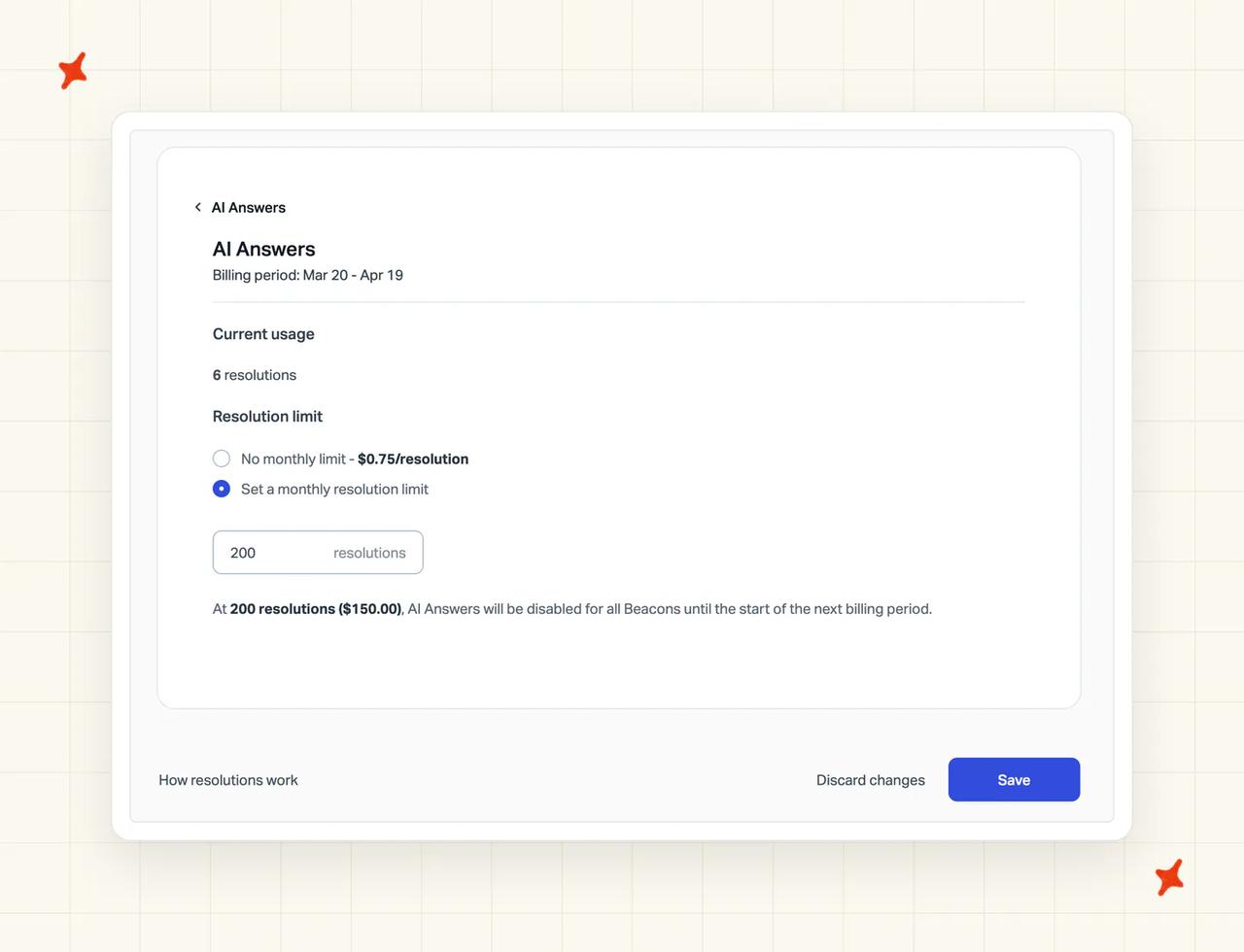
AI Answers is "Pay per resolution on a monthly basis" at $0.75 per resolution. It bills in arrears, so the AI line lands after the month it covers: "any charges you incur in a month will be billed on your next billing date". You can "prepay for resolutions to save up to 33%" if you would rather fix the number.
The spend cap is worth setting on day one. You set a monthly resolution limit, and when the AI hits it, AI Answers switches off in Beacon until the next cycle or until you raise the ceiling (a hard stop on the widget).
Two line items on the same pricing page catch people out: an extra inbox is $10 a month and an extra Docs site is $20, both at annual rates.
Standard and Plus carry 15 days with no card, and Pro is a demo booking (so the top tier has no trial at all). On top of that, Help Scout gives new accounts a free AI trial, and the doc is explicit about who gets it:
"Customers who are new to Help Scout receive a free 3-month trial to train the AI on their content and fine-tune it to their customers’ needs."
And, as a separate sentence on the same page:
"Existing Help Scout customers do not receive a trial period when they begin using AI Answers."
So if you already run Help Scout and are switching AI on, you pay from the first resolution.
A third-party pricing-history tracker records Help Scout switching to per-contact billing in December 2024 and back to per-user by July 2025.
That model was walked back and existing accounts on it were grandfathered, so it is not what a new customer buys today (the old threads describe a plan that closed).
Decagon publishes nothing: no pricing page, no pricing link in the nav or the footer on any page, no trial, no self-serve route in.
The closest thing to a meter I found is on Vendr's marketplace listing, which describes per-conversation pricing, variable by volume. That is a third party's read of how Decagon charges, and it still leaves the rate private (a billing model tells you what the meter counts, and the number stays behind the sales call).
AI answers still print a figure of roughly $1.50 per resolution for Decagon. Decagon publishes no per-unit rate of its own, and no pricing page to carry one.
The overall cost
Only one of these two vendors can be costed.
Here is Help Scout for a ten-agent team on Standard, with half of all conversations resolved by AI (50% is deliberately below Help Scout's own published average):
| Monthly conversations | Seats (10 x $25) | AI resolutions at 50% | AI cost at $0.75 | Help Scout total | Decagon |
|---|---|---|---|---|---|
| 2,000 | $250 | 1,000 | $750 | $1,000 | No published rate |
| 5,000 | $250 | 2,500 | $1,875 | $2,125 | No published rate |
| 10,000 | $250 | 5,000 | $3,750 | $4,000 | No published rate |
Every Help Scout figure in that table is its own published rate: the seat prices and the AI resolution rate.
The only public Decagon cost signal is Vendr's marketplace data, which puts the median annual contract at $432,750, in a range from $105,000 to $923,183. Two caveats travel with it.
The page titles itself for 2025, and the most recent item behind it dates from October 2024. Treat it as a marketplace median (a record of what buyers paid, gathered by a third party).
As volume rises, Help Scout's seats stay flat and the AI line triples, because the better the AI works the more you pay. That is the trade in outcome pricing. Model it at your real volume before you commit.

On the pricing model itself: our plans start at $199 a month on Pro and $499 on Scale, with tickets drawn from credits at $0.12 and $0.10 respectively (both rates sit on our pricing page, so you can check me on them). There is a 30-day free trial with all features unlocked, unlimited tickets and no credit card.
If you want either model in full, our teardowns cover how Decagon prices its contracts and what Help Scout's per-resolution rates add up to.
Conclusion - should I choose Decagon or Help Scout?
For most teams, Help Scout is the answer. Enterprise conversation volume with a phone channel attached is what flips it. Here is how the eleven categories landed.
| Category (scores out of 10) | Decagon | Help Scout | Winner |
|---|---|---|---|
| Modes | 9/10 | 4/10 | Decagon wins on chat, voice and email plus a copilot, against a Beacon widget and no voice |
| Ease of setup | 3/10 | 9/10 | Help Scout wins on an hour to learn and a no-card trial, against a six-week engagement |
| Training/Integrations | 9/10 | 4/10 | Decagon wins on CRM records, live systems and MCP, against Docs plus public URLs |
| Answer quality | 7/10 | 7/10 | Tie. One publishes an auditable average, the other higher named-customer figures, and neither is verified |
| Improving | 9/10 | 5/10 | Decagon wins on versioning, staging and rollback, against correction instructions |
| Features | 9/10 | 6/10 | Decagon wins on Browser Actions reaching systems with no API at all |
| Price | 2/10 | 9/10 | Help Scout wins on publishing every rate, plus a free plan, against no published price |
| Customization | 9/10 | 5/10 | Decagon wins on agent behavior written in plain language and versioned |
| Lock-in | 6/10 | 7/10 | Help Scout wins on a monthly self-serve plan with a free tier under it, against an annual contract signed after a six-week build |
| Other AI features | 9/10 | 5/10 | Decagon wins on intent tagging, conversation QA and plain-language analytics |
| Security | 8/10 | 6/10 | Decagon wins on ISO 27001 and PCI DSS, against HIPAA gated to Pro and no documented EU residency |
That is 7 category wins of 11 for Decagon, 3 for Help Scout and 1 tied. As a scorecard it looks like a rout.
I read it as closer to a category error. On the AI axes Decagon is the one to beat, and a dedicated enterprise agent out-scoring a helpdesk's built-in AI there is the expected outcome.
Help Scout takes setup, price and lock-in. Those three decide most purchases in this market, and agent versioning does not compensate for a bill you cannot read before a sales call.
Decagon names Salesforce, Intercom and Zendesk, and names Help Scout nowhere. If you run Help Scout today, adopting Decagon means changing your helpdesk (a bigger project than anything in the scorecard above).
My AskAI is a third route. It runs inside Zendesk, Intercom, Freshdesk, Freshchat, Gorgias and HubSpot on monthly plans from $199, with the price on the page and a 30-day trial. We also compare it against Decagon and against Help Scout directly.
If you want either vendor's wider field, we rank the best Decagon alternatives and the best Help Scout AI alternatives. And if you are weighing Decagon against another dedicated agent, our Decagon and Sierra head-to-head covers that pairing.
FAQs
Can I run Decagon on Help Scout, or do I have to replace my helpdesk?
You would be replacing the helpdesk. Decagon needs a desk underneath it for human handoff, and its integrations page names Salesforce, Intercom and Zendesk.
Help Scout is named nowhere on that page, and nowhere in Decagon's own site file either (the two places you would expect it if the integration existed).
The list does end with "and more", and Decagon sells MCP and self-serve APIs, so a connection could be built. It would be custom work commissioned inside the sales engagement, and you could not plan around it in advance.
Going the other way is not an option either. Help Scout's AI Answers is configured per Beacon inside Help Scout and cannot be bought or deployed anywhere else.
If keeping your desk is the priority, that is the axis to shop on. My AskAI runs inside Zendesk, Intercom, Freshdesk, Freshchat, Gorgias and HubSpot on monthly plans from $199.
What can Decagon and Help Scout's AI each be trained on?
Both columns below come from the vendors' own pages.
| Source | Decagon | Help Scout |
|---|---|---|
| Help center articles | ✅ | ✅ Docs sites |
| Public web URLs | ✅ | ✅ |
| Past conversations | ✅ | — AI Drafts only |
| CRM and order data | ✅ | ❌ |
| Wikis and file stores | — via MCP or custom API | ❌ |
Help Scout's own docs describe the AI Answers sources as your Docs plus "other publicly available sites and documents". Decagon's integrations page syncs from systems like Confluence, Contentful and Kustomer, and reaches live customer data through Salesforce, Intercom and Zendesk.
How long does setup take, and do we need developers?
Help Scout takes minutes to hours, and an admin can do all of it (no developer, no ticket to engineering). You configure the agent under Manage > AI Agents, point it at a Beacon, and test it in the sandbox first. Standard and Plus carry a 15-day trial with no card, so you can do all of that before paying.
Decagon takes roughly six weeks from discovery to full deployment, with Agent Product Managers and Forward-Deployed Engineers embedded in your team (both are Decagon's own job titles). Decagon's own range starts lower, with core infrastructure standing up in days. There is no trial and no self-serve signup, so evaluation happens in demos.
How do Decagon and Help Scout pricing models differ, and what might we actually pay?
Help Scout publishes every rate below. Decagon publishes none (so the Decagon column is what a sales call is for).
| Decagon | Help Scout | |
|---|---|---|
| Pricing model | No published pricing; sales-led. Vendr's marketplace listing (captured 2026-08-27) describes per-conversation pricing, variable by volume | Per user, plus per AI resolution |
| Published rate | None | $25 to $75 per user per month, plus $0.75 per resolution |
| 10,000 conversations at 50% AI | No published rate to work from | About $4,000 per month for 10 agents |
| Free trial | None | 15 days on Standard and Plus, no card (Pro via sales); 3 free AI Answers months, new accounts only |
The Help Scout column is read off its pricing page and its AI resolutions billing doc.
The only public Decagon cost signal is Vendr's marketplace median of $432,750 a year, in a range from $105,000 to $923,183. That is a record of what enterprises have paid, and the page's newest underlying item is from October 2024.
Can Decagon and Help Scout handle multilingual support and agent translation?
Both can, and the difference shows up in the configuration.
Decagon handles more than 70 languages on voice with live transcription, and adds real-time translation to chat inside Assist (70-plus is Decagon's own figure). One knowledge source serves every language (nothing to duplicate).
Help Scout's AI Answers "can handle conversations in over 50 languages", and AI Assist adds inline translation inside the inbox. The catch is that one Beacon cannot show two languages at once, so each language needs its own Beacon and its own Docs site. At $10 per month per extra inbox and $20 per month per extra Docs site, a five-language rollout becomes a budget line.
How do Decagon and Help Scout compare on security and compliance?
Decagon holds the broader set: SOC 2 Type II, GDPR, CCPA, HIPAA, the EU AI Act, ISO 27001:2022 and PCI DSS 4.0.1, on a hosted trust center with documents behind request-access. Its own security page details SSO through Okta and Entra, AES-256 encryption at rest, TLS 1.2+ in transit and tamper-protected logs (the trust center holds the certificates; this page holds the controls).
Help Scout is SOC 2 Type 2 certified for Security and Availability, runs on AWS in the United States, and commissions an annual white-box penetration test. HIPAA is included only on Pro and is a paid add-on on Plus. SSO/SAML and IP restrictions are a paid add-on on both Standard and Plus, included on Pro.
For an EU buyer, note that no data residency option is documented on either Help Scout security page. Ask about it directly, and get the answer in writing (neither page commits to a region).
Is Decagon or Help Scout right for a small support team?
Help Scout, on the numbers. Its free plan covers five users, one inbox and one Docs site, and paid plans start at $25 per user per month with a no-card trial.
Decagon's public contract signal starts at $105,000 a year on Vendr's low end (its median is four times that), and there is no self-serve route in at all. A buyer summarized it on Reddit:
> "the product is genuinely impressive, but it seems designed for larger companies. The pricing discussion quickly moved into enterprise contracts and custom quotes, which put it outside the range of a lot of startups and smaller teams."
>
> — u/Many-Personality-157, r/AI_Customer_Support
Decagon built for a different buyer, and a small team can feel that from the first call.