My AskAI - May 2026 Changelog
May 2026 in My AskAI: Echo, the in-product AI agent, lands in your dashboard, plus new spam filters so your AI agent ignores tickets you don't want answered.
Summarize with AI
Check out our YouTube channel!
We're starting to invest more time in YouTube now, so you're going to be seeing more from us there.
We'll be talking about:
- How to get the most out of AI customer service agents
- Answering common questions and pitfalls
- Giving you advice on how to make the most from your AI agent
you can check out the first of our new videos below 👇🏻
(don't forget to subscribe to catch videos as they're published!)

Echo AI Agent
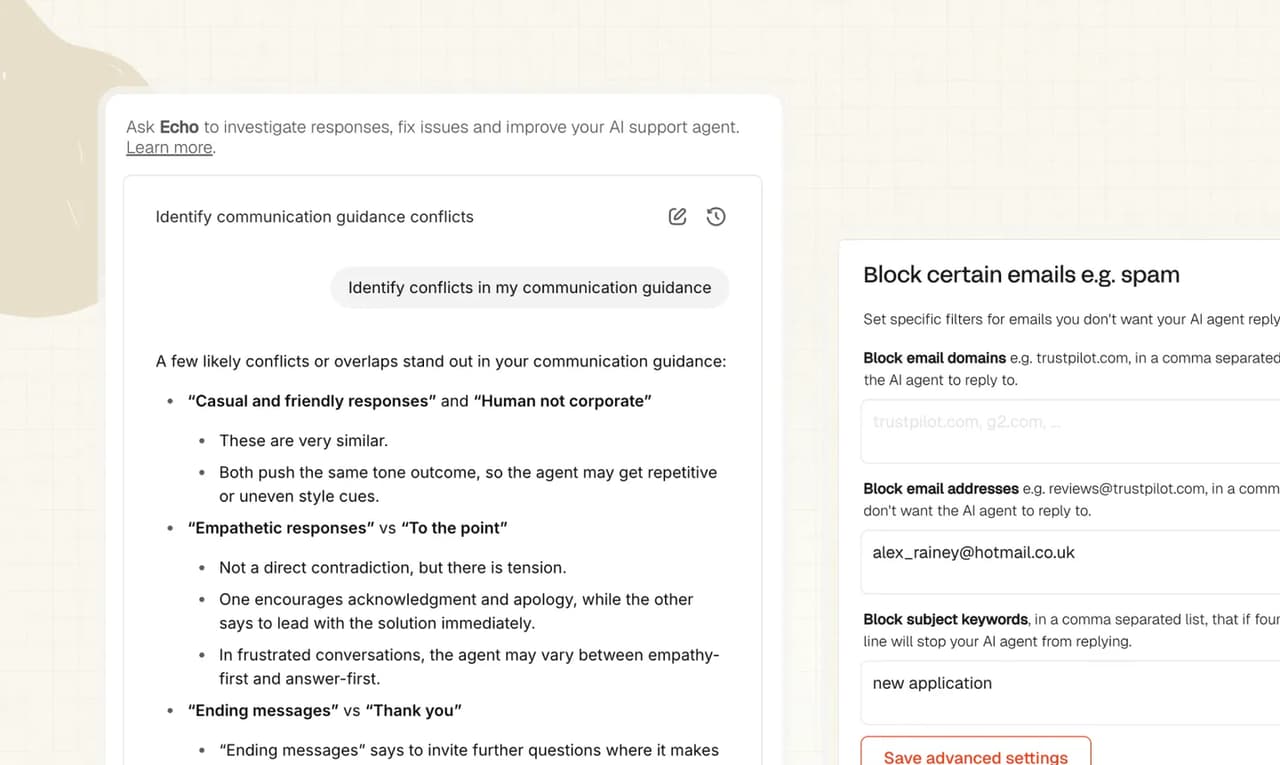
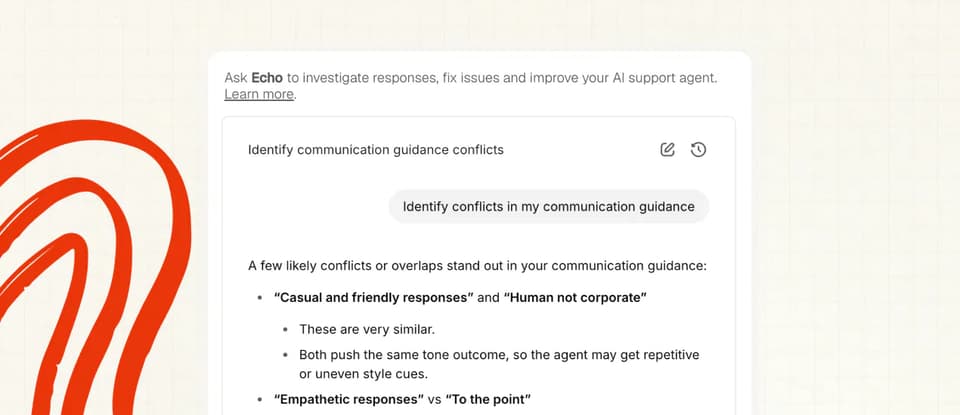
Echo is a powerful new way to interact with the My AskAI platform and features.
It's an AI agent built into the My AskAI dashboard that you can use to help you get the most out of My AskAI and your AI customer service agent.
Instead of knowing where to go and how to use our features and dashboard, you can now just ask questions and it will not only tell you how to do things, but it can do them for you.
It's got all the context of our help docs, but also has all the context and understanding of your account.
Right now you can use Echo to:
- Ask any question about the My AskAI platform e.g. how do I x?
- Write, edit, review, improve and merge your guidance
- Investigate and inspect conversations to understand your answers, and how to fix them
- Search, create, edit or delete custom answers
- Search, edit, publish or unpublish self-learning articles
- Search, create, edit tasks
- Search tools
- Change the privacy of webpages, connector files or uploaded files
- Resync or delete webpages, connector files or uploaded files
- Test your agent's answers
You'll find a lot of "Ask Echo" buttons throughout the product, click any of them and the Echo agent side-panel will appear.
You can also always access Echo from the menu, just above Account Settings.
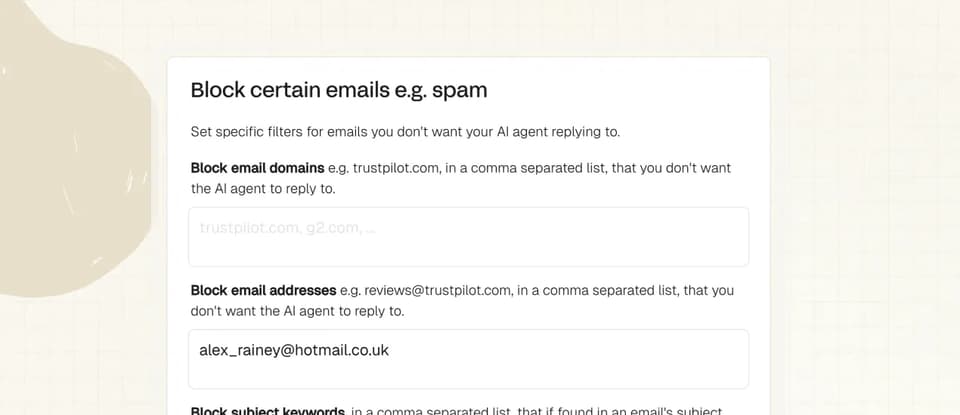
Spam Filters
We all get lots of emails and tickets we probably don’t want our AI agent to reply to (not least of which because it uses our credits!)
So now you can choose what you want your AI agent to ignore with our spam filters.
Enter the email domain, addresses or subject keywords you want to block and your AI agent will no longer respond.